Patna MuleSoft Meetup Group
(19th Meetup)
SNS - SQS, and the MuleSoft liaison
17th Jun 2023
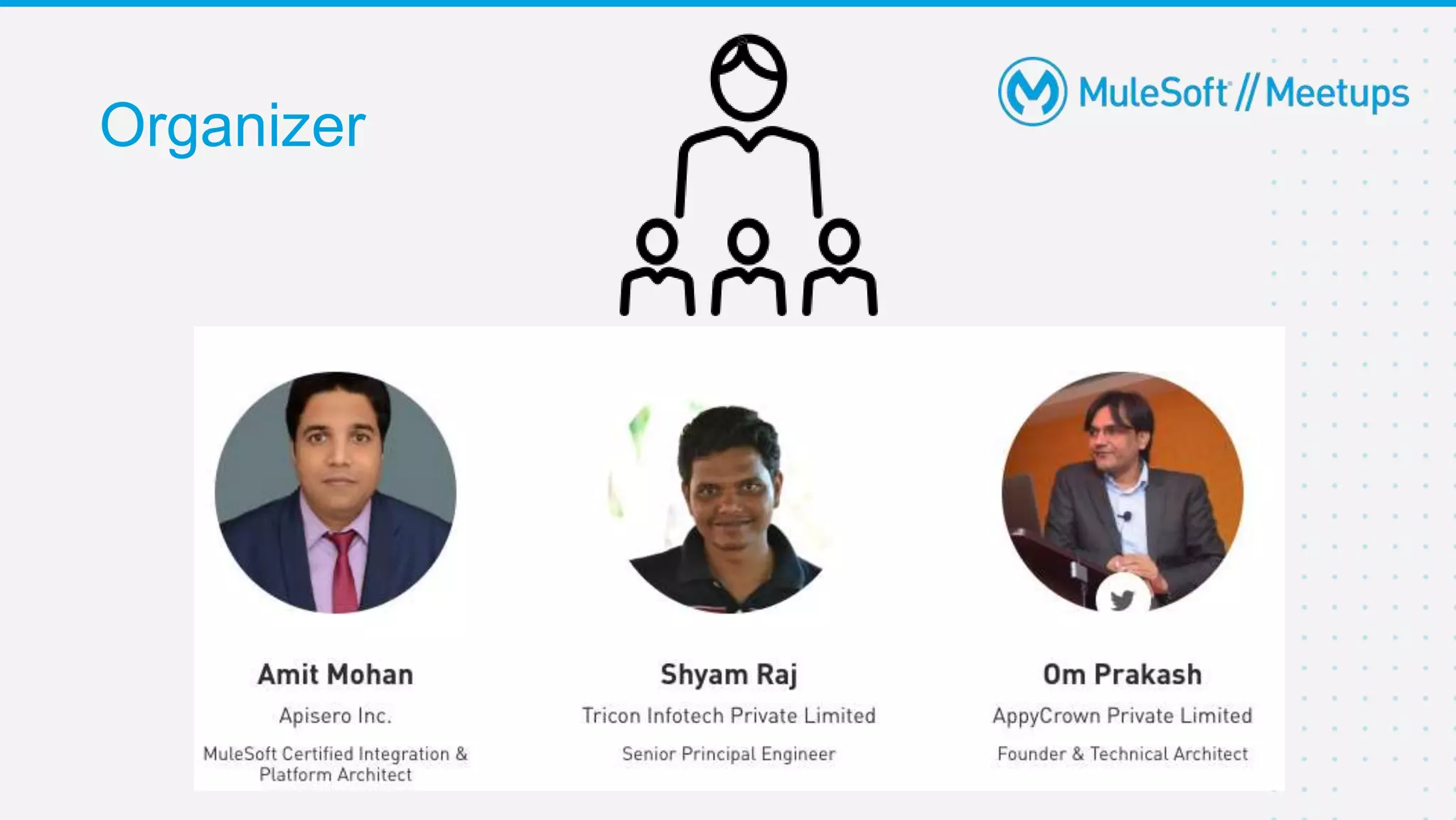
Organizer
Safe Harbour Statement
● Both the speaker and the host are organizing this meet-up in individual capacity only. We are
not representing our companies here.
● This presentation is strictly for learning purposes only. Organizer/Presenter do not hold any
responsibility that same solution will work for your business requirements.
● This presentation is not meant for any promotional activities.
3
A recording of this meetup will be uploaded to events page within 24 hours.
Questions can be submitted/asked at any time in the Chat/Questions & Answers Tab.
Make it more Interactive!!!
Give us feedback! Rate this meetup session by filling feedback form at the end of the day.
We Love Feedbacks!!! Its Bread & Butter for Meetup.
Housekeeping
4
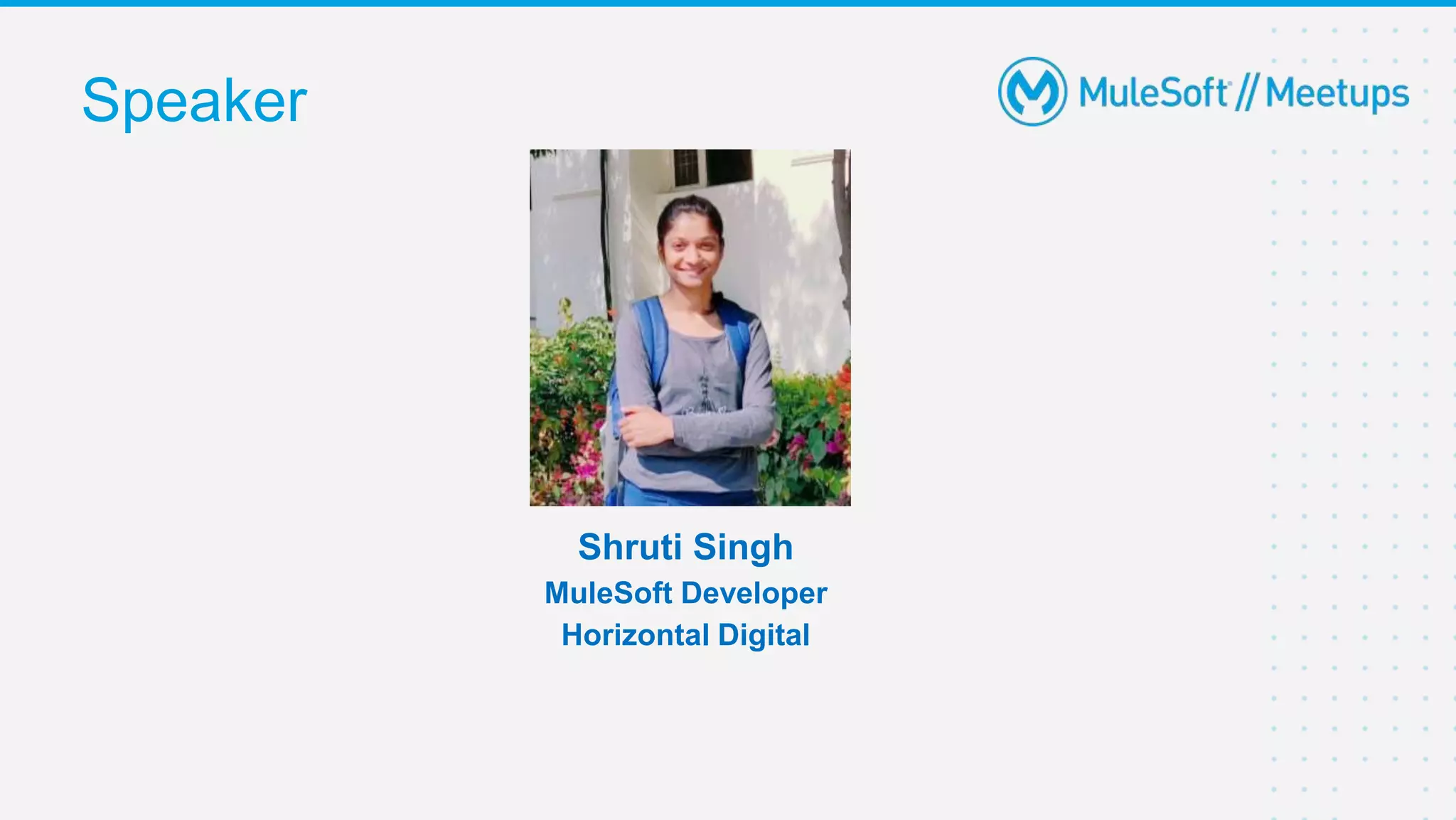
Speaker
Shruti Singh
MuleSoft Developer
Horizontal Digital
6
● Slack & ChatGPT Introduction
● Slack configuration setup
● ChatGPT configuration setup
● Demo
○ Integration between Slack & ChatGPT
● Q&A
● Wrap-Up
Agenda
Slack is a messaging app for business that connects people to the information that they need. By
bringing people together to work as one unified team, Slack transforms the way that organisations
communicate. In July 2021, Salesforce completed its acquisition of Slack Technologies, Inc.
With Slack, you can:
• Decide where to have different types of conversations.
• Find, join, and start conversations.
• Work quickly with teammates using mentions and reactions.
• Share files with the team.
• Find the right information by searching in Slack.
• Access important messages and files quickly.
Slack Introduction
7
Workspace: A Slack workspace is made up of channels, where team members can communicate and
work together.
Channel: Channels are spaces where you can work with your coworkers on specific topics.
Conversations in channels are transparent and accessible to people in your company.
Direct messages: DMs are for smaller conversations outside of channels, like if you wanted to ask a
teammate to reschedule a 1:1 meeting.
App: Apps are created to perform specific tasks in Slack.
Slack keywords we should know…
8
• ChatGPT is a sibling model to InstructGPT, which is trained to follow an instruction in a prompt and
provide a detailed response. It uses OpenAI API and free to use.
• It interacts in a conversational way. The dialogue format makes it possible for ChatGPT to answer
followup questions, admit its mistakes, challenge incorrect premises, and reject inappropriate
requests.
• The OpenAI API can be applied to virtually any task that involves understanding or generating
natural language, code, or images.
• We can interact with the OpenAI API through HTTP requests from any language. It uses API keys
for authentication.
ChatGPT Introduction
9
Prompts: Designing your prompt is essentially how you “program” the model, usually by providing
some instructions or a few examples. This is different from most other NLP services which are
designed for a single task, such as sentiment classification or named entity recognition.
Tokens: ChatGPT models understand and process text by breaking it down into tokens. Tokens can
be words or just chunks of characters. Many tokens start with a whitespace, for example “ hello” and
“bye”. One limitation to keep in mind is that your text prompt and generated completion combined
must be no more than the model's maximum context length (for most models this is 2048 tokens, or
about 1500 words). Check out our tokenizer tool to learn more about how text translates to tokens.
Models: The API is powered by a set of models with different capabilities and price points. GPT-4 is
the latest and most powerful model. GPT-3.5-Turbo is the model that powers ChatGPT and is
optimized for conversational formats.
ChatGPT keywords we should know…
10
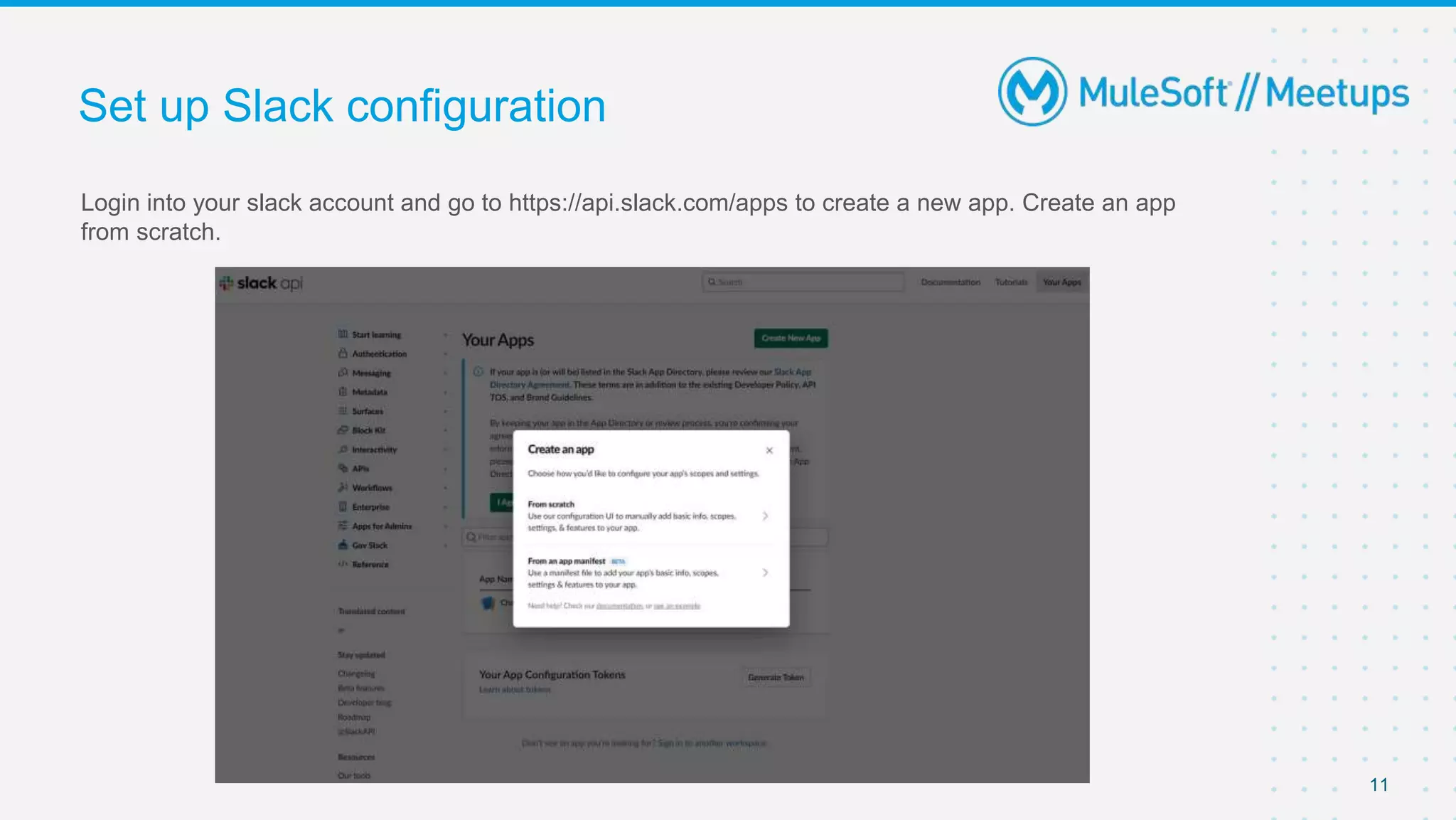
Login into your slack account and go to https://api.slack.com/apps to create a new app. Create an app
from scratch.
Set up Slack configuration
11
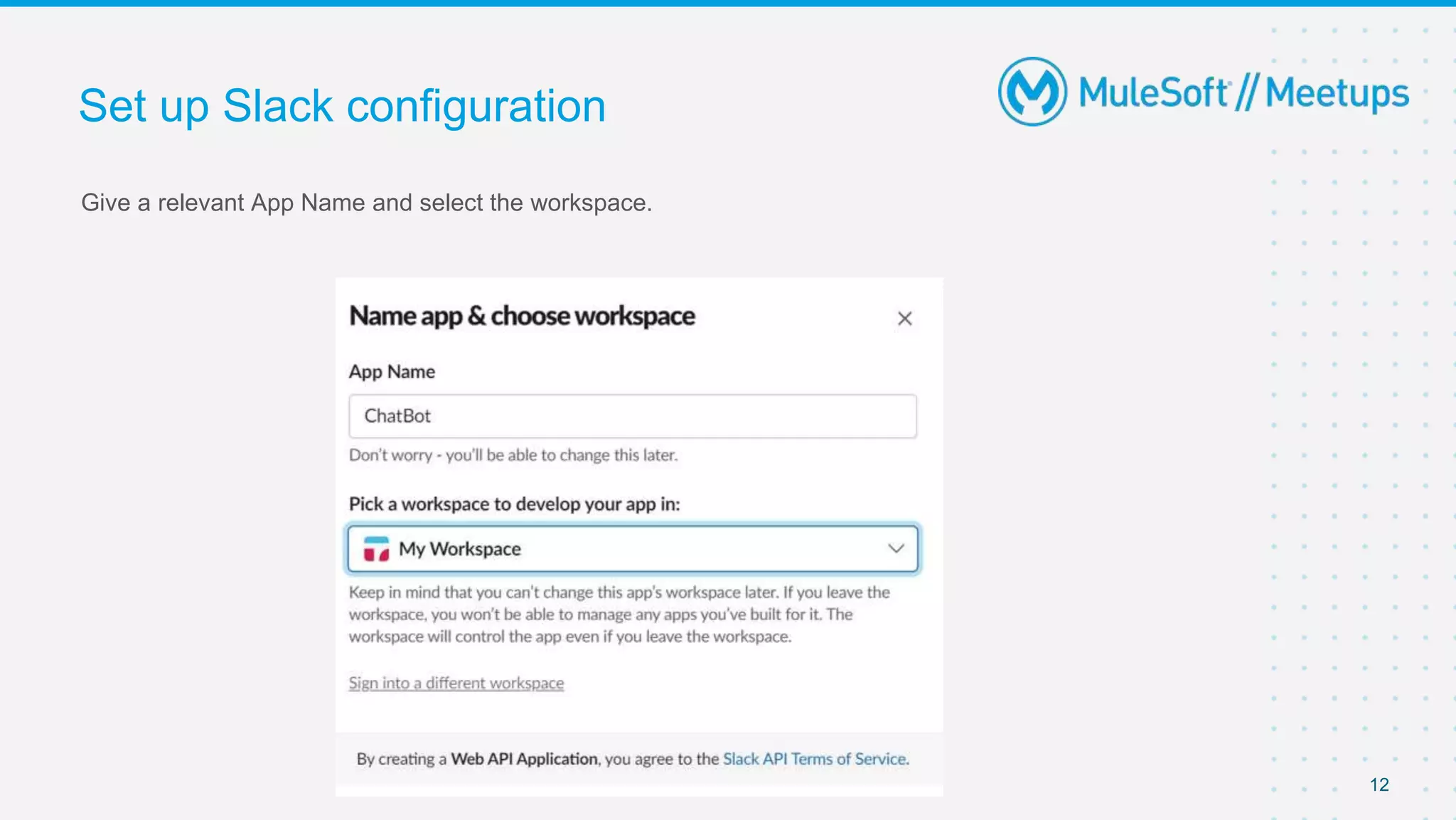
Give a relevant App Name and select the workspace.
Set up Slack configuration
12
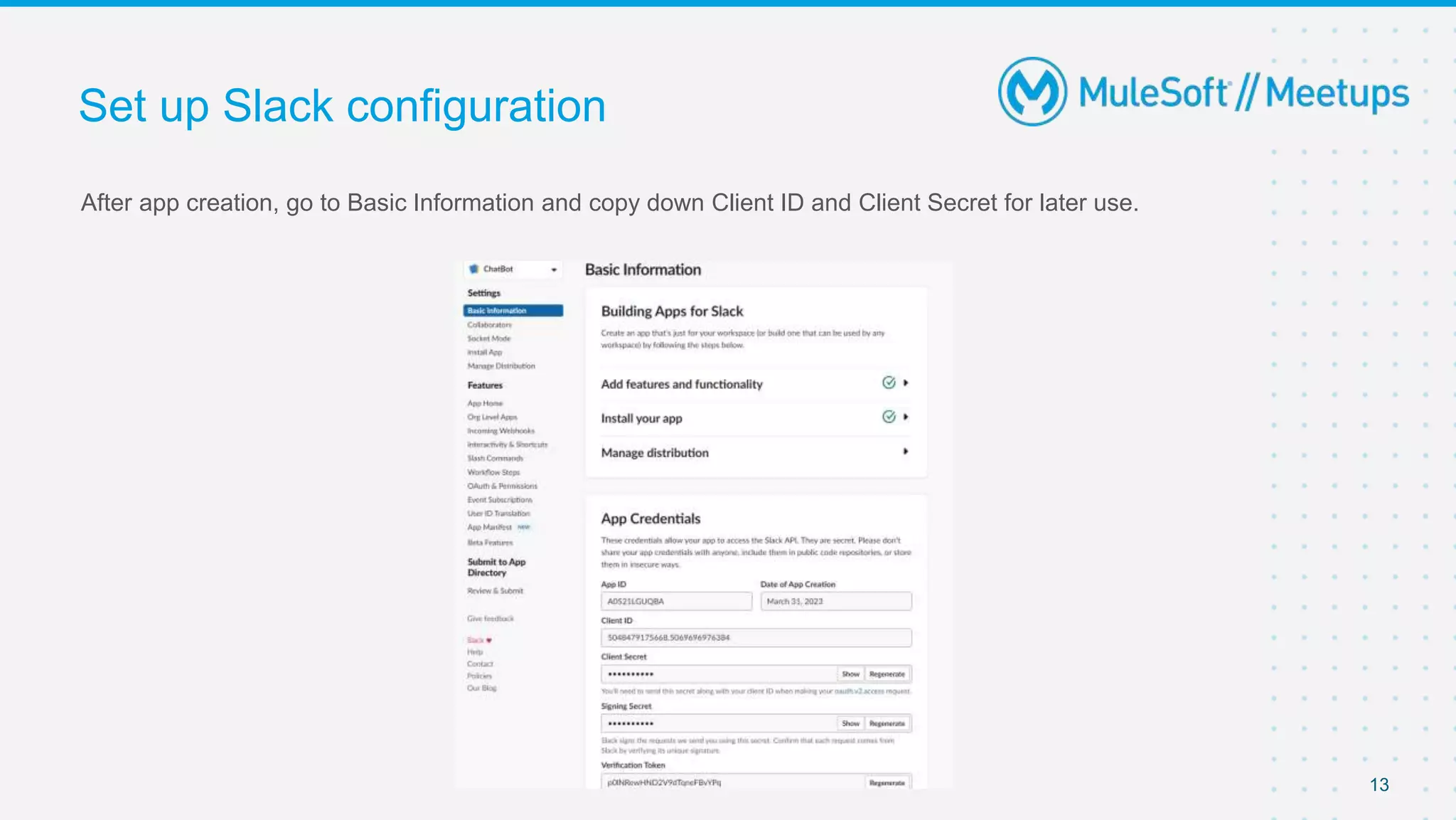
After app creation, go to Basic Information and copy down Client ID and Client Secret for later use.
Set up Slack configuration
13
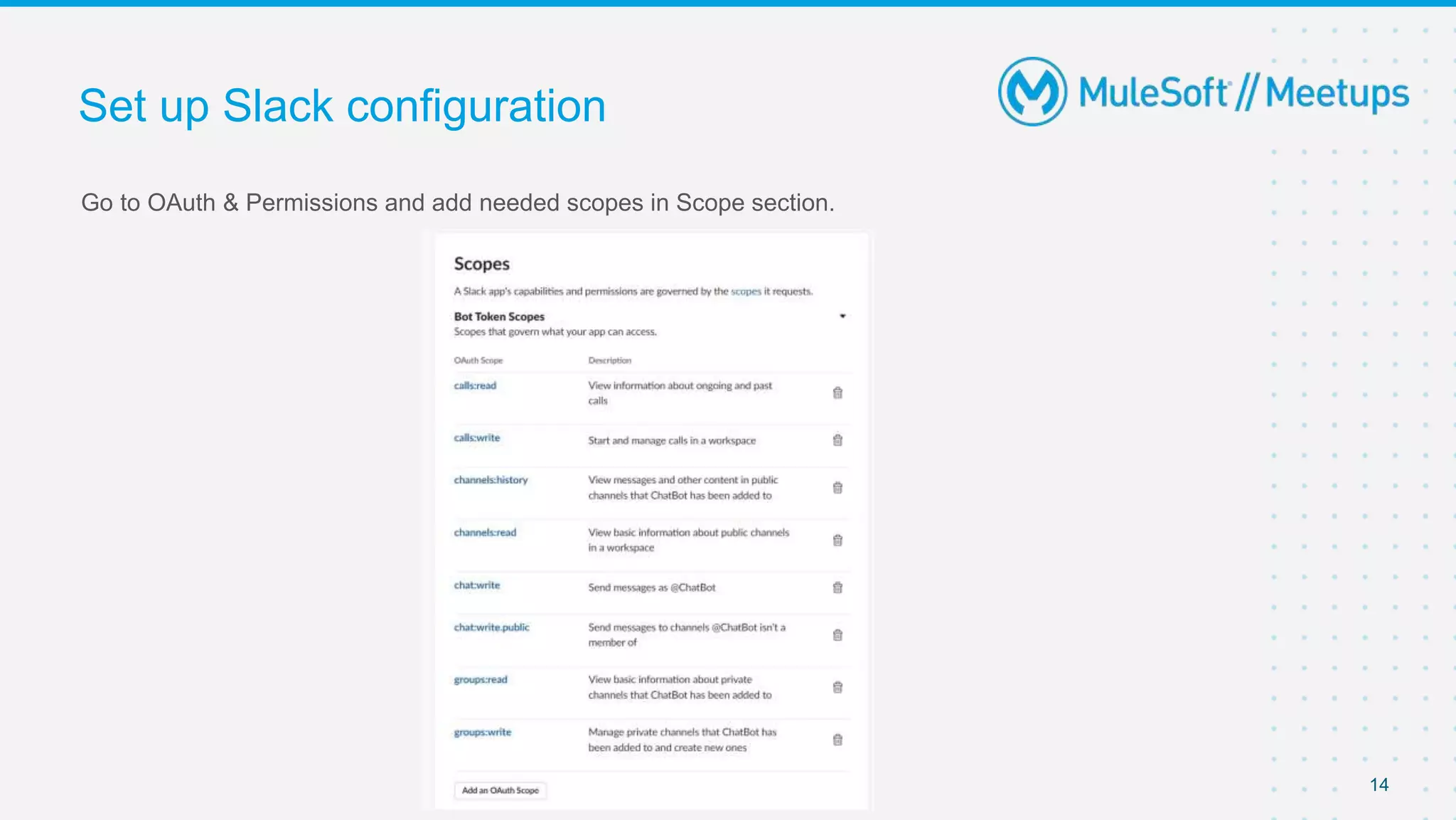
Go to OAuth & Permissions and add needed scopes in Scope section.
Set up Slack configuration
14
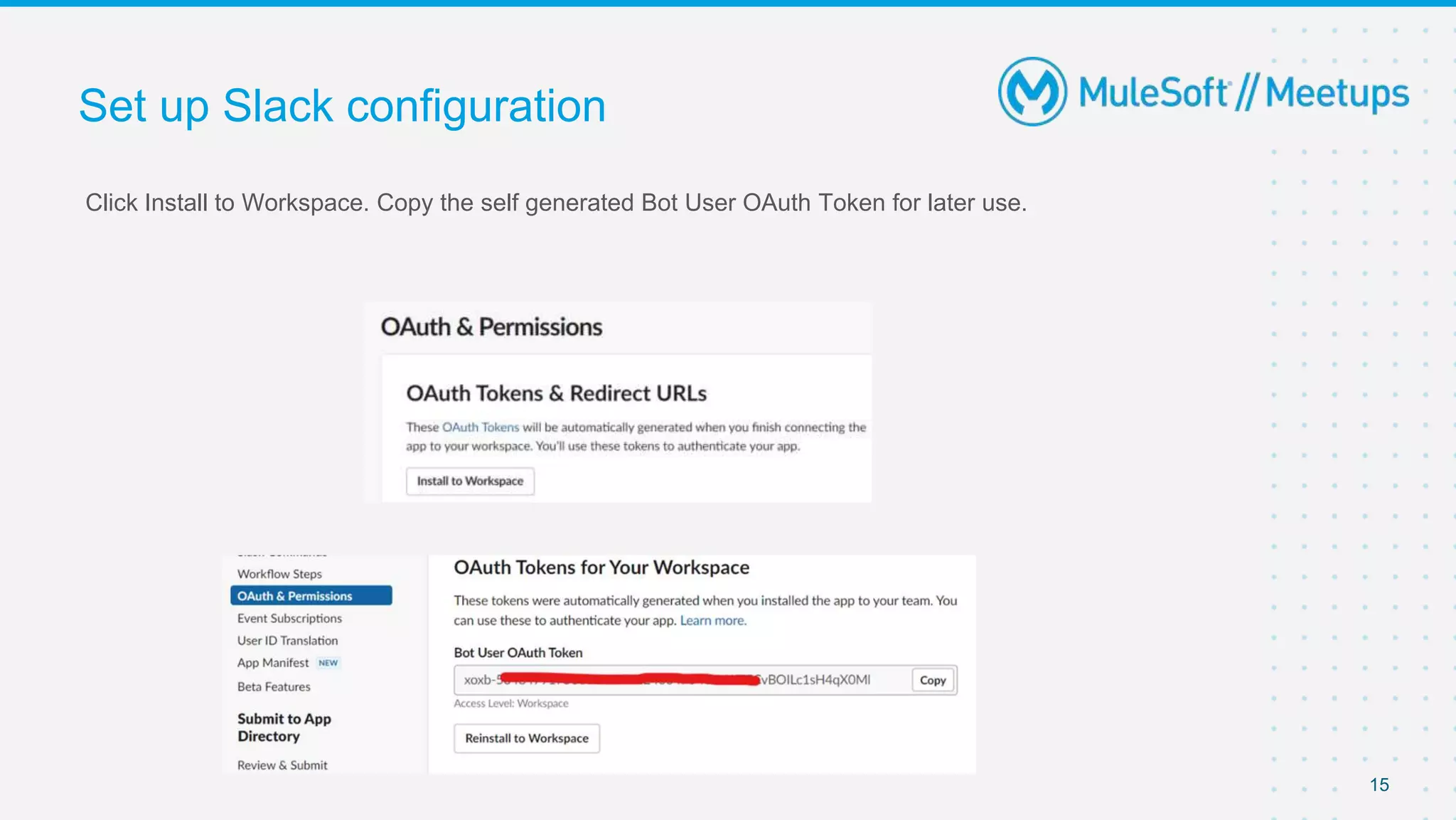
Click Install to Workspace. Copy the self generated Bot User OAuth Token for later use.
Set up Slack configuration
15
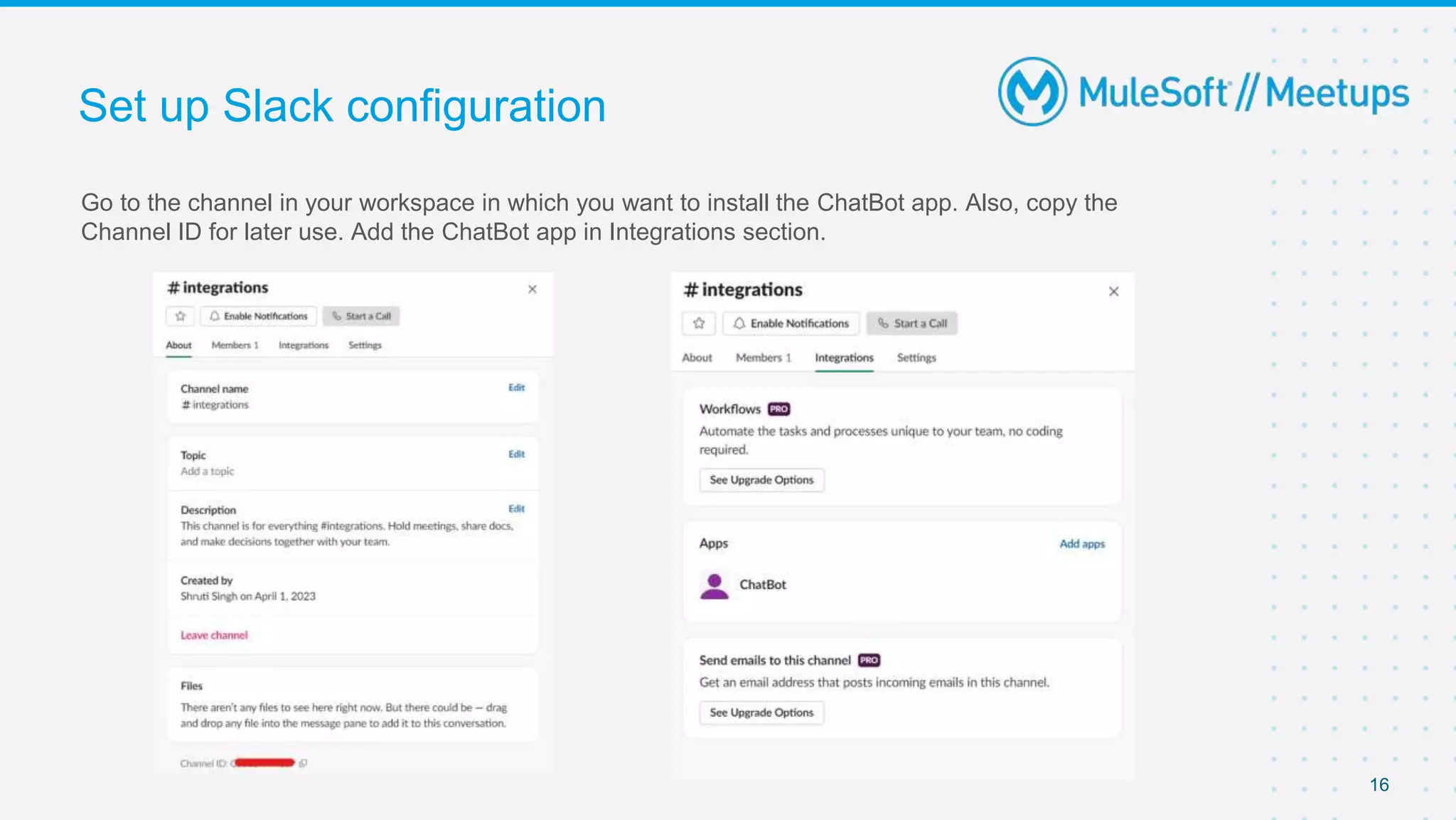
Go to the channel in your workspace in which you want to install the ChatBot app. Also, copy the
Channel ID for later use. Add the ChatBot app in Integrations section.
Set up Slack configuration
16
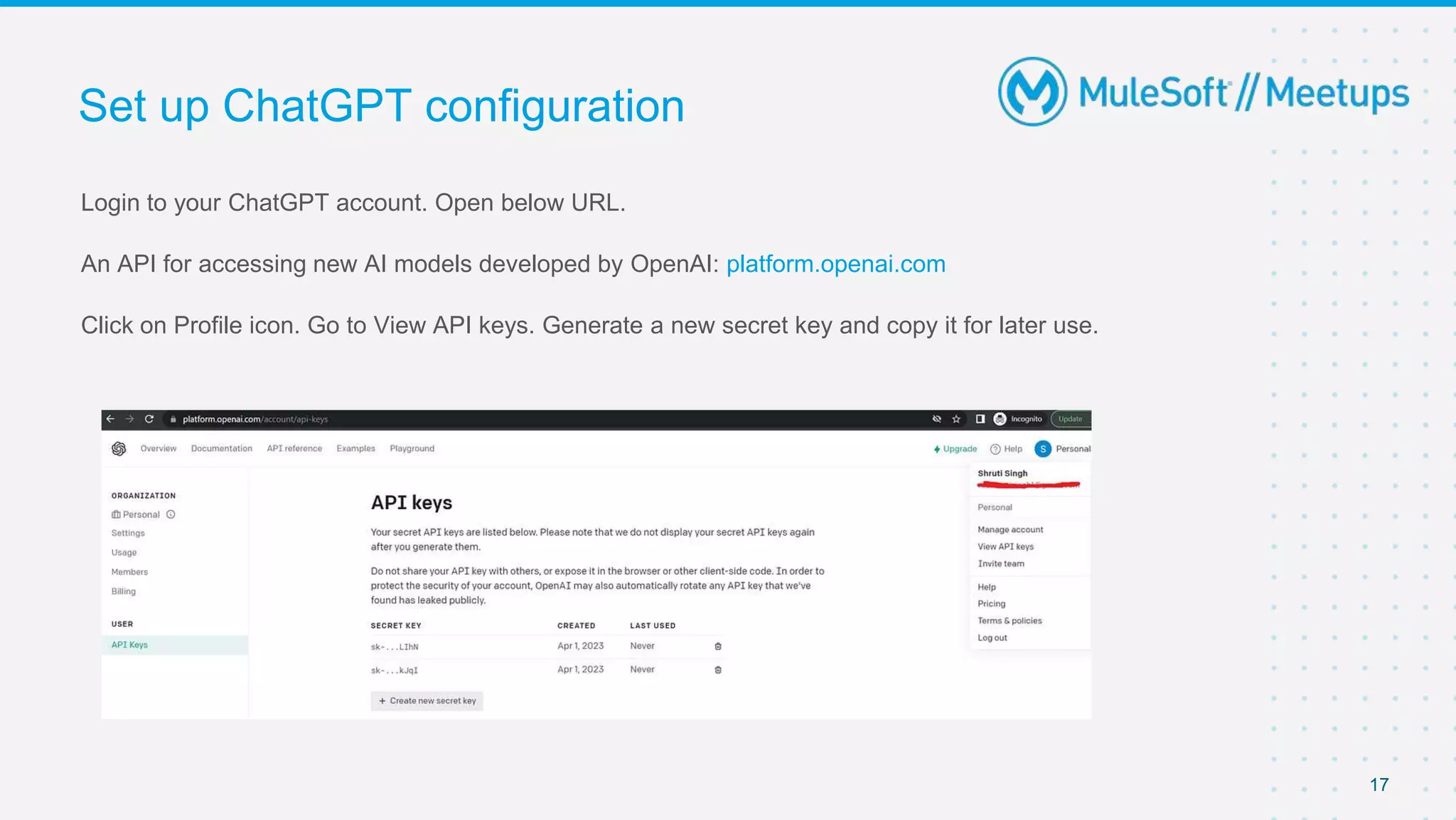
Login to your ChatGPT account. Open below URL.
An API for accessing new AI models developed by OpenAI: platform.openai.com
Click on Profile icon. Go to View API keys. Generate a new secret key and copy it for later use.
Set up ChatGPT configuration
17
Demo
This Conversations API method's required scopes depend on the type of channel-like object you're
working with. To use the method, you'll need at least one of the channels:, groups:, im: or mpim:
scopes corresponding to the conversation type you're working with.
This method returns a portion of message events from the specified conversation. To read the entire
history for a conversation, call the method with no oldest or latest arguments, and then continue paging
using the instructions below.
Required arguments: token, channel
HTTP Method: POST
Endpoint: https://slack.com/api/conversations.history
Slack REST API: conversations.history
19
Post to a public channel
Pass the channel's ID to the channel parameter and the message will be posted to that channel. The
channel's ID can be retrieved through the conversations.list API method.
Post to a private channel
As long as the authenticated user is a member of the private channel, pass the channel's ID to the
channel parameter and the message will be posted to that channel. The private channel's ID can be
retrieved through the conversations.list API method.
Required arguments: token, channel, atleast one of attachments/ blocks/ text
HTTP Method: POST
Endpoint: https://slack.com/api/chat.postMessage
Slack REST API: chat.postMessage
20
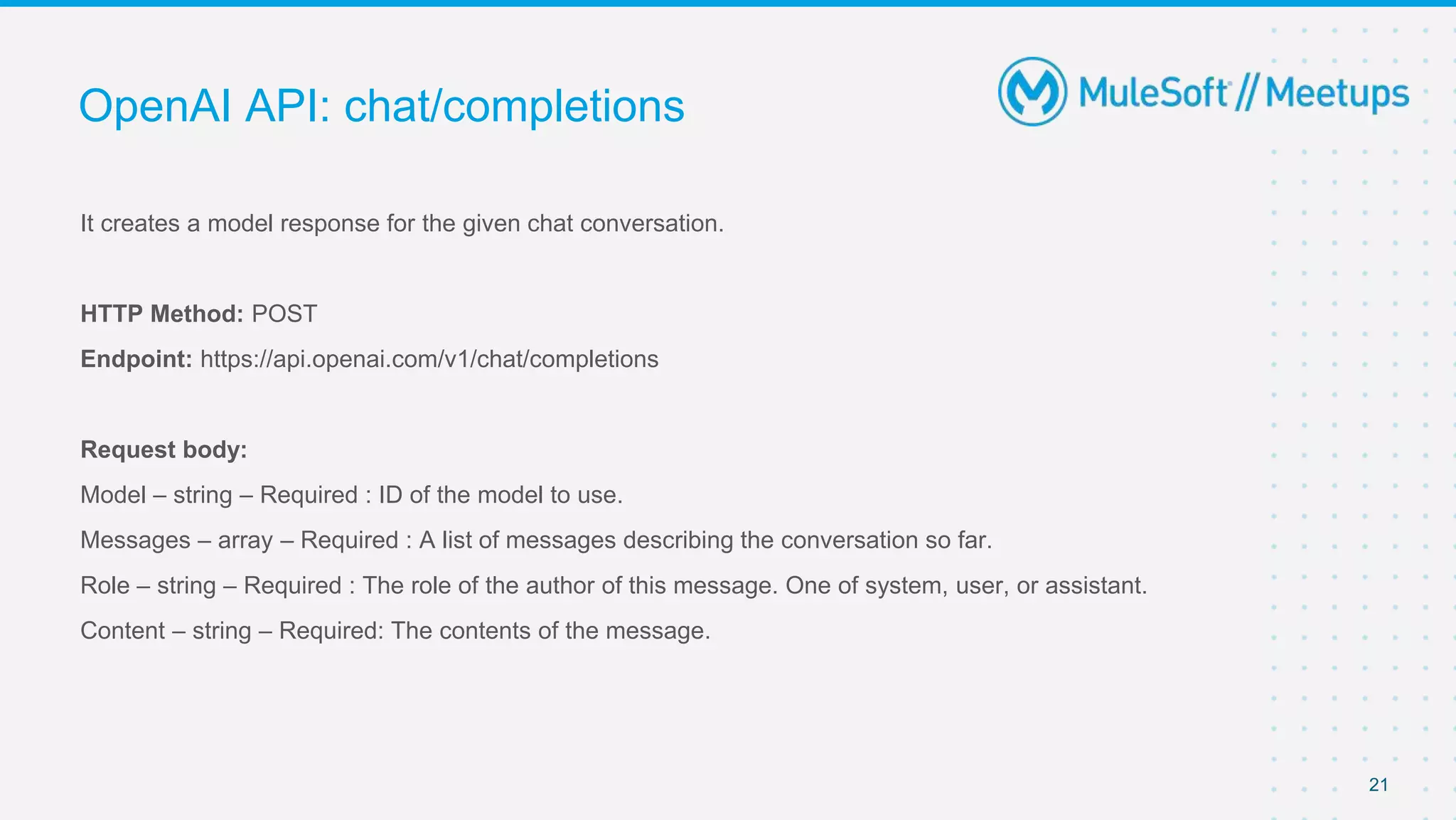
It creates a model response for the given chat conversation.
HTTP Method: POST
Endpoint: https://api.openai.com/v1/chat/completions
Request body:
Model – string – Required : ID of the model to use.
Messages – array – Required : A list of messages describing the conversation so far.
Role – string – Required : The role of the author of this message. One of system, user, or assistant.
Content – string – Required: The contents of the message.
OpenAI API: chat/completions
21
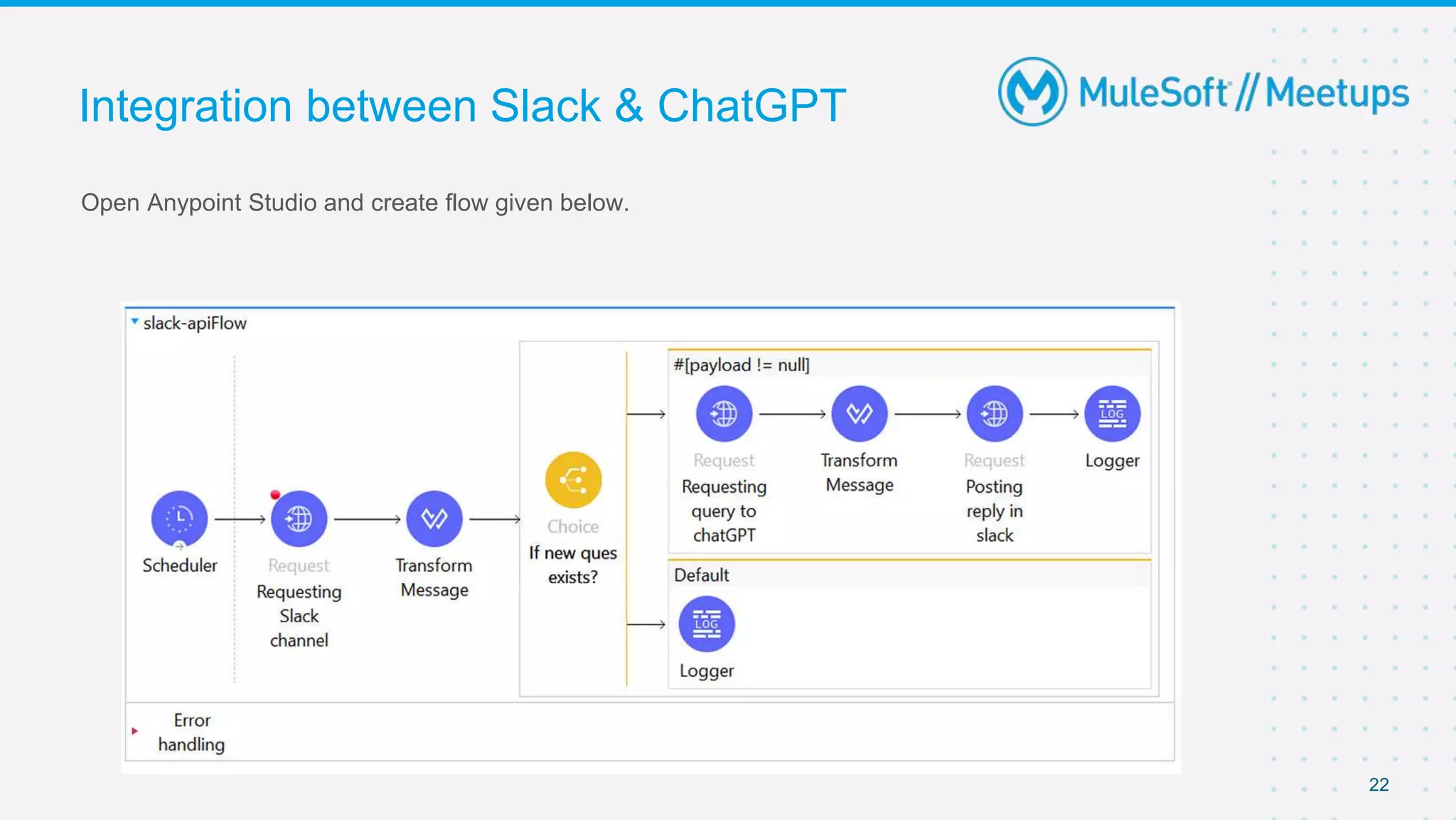
Open Anypoint Studio and create flow given below.
Integration between Slack & ChatGPT
22
Q&A
Take a stand !
24
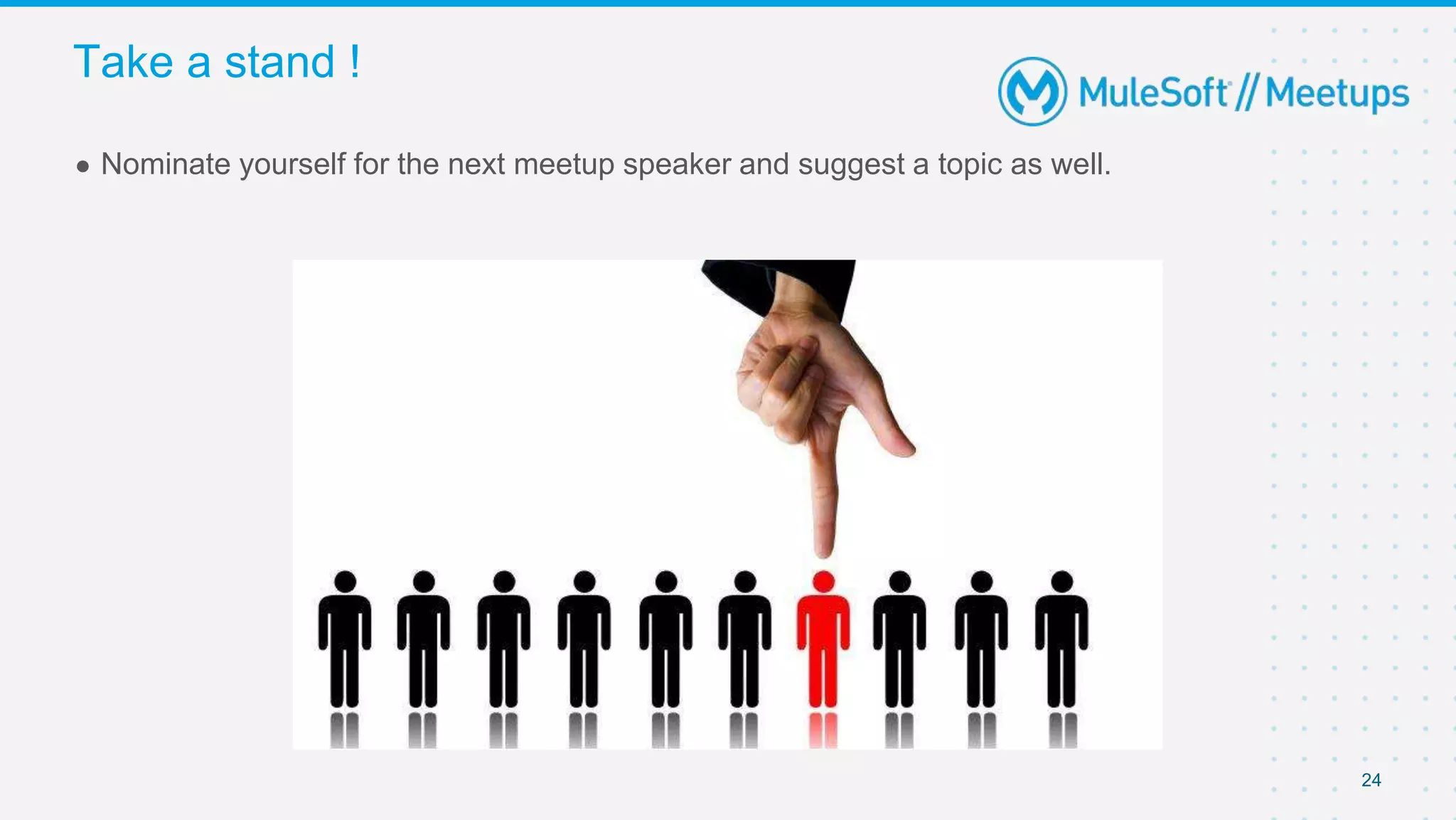
● Nominate yourself for the next meetup speaker and suggest a topic as well.
● Share:
○ Tweet or share using the hashtag #MuleSoftMeetups
○ Invite your network to join: https://meetups.mulesoft.com/patna/
● Feedback:
○ Fill out the survey feedback and suggest topics for upcoming events
○ Contact MuleSoft at meetups@mulesoft.com for ways to improve the program
○ Reach out to Patna Meetup Leaders (Om/Amit/Shyam) to suggest topics for
next Meetup
23
What’s next?
Thank you

ChatGPT and Slack Integration with MuleSoft

  • 1.
    Patna MuleSoft MeetupGroup (19th Meetup) SNS - SQS, and the MuleSoft liaison 17th Jun 2023
  • 2.
  • 3.
    Safe Harbour Statement ●Both the speaker and the host are organizing this meet-up in individual capacity only. We are not representing our companies here. ● This presentation is strictly for learning purposes only. Organizer/Presenter do not hold any responsibility that same solution will work for your business requirements. ● This presentation is not meant for any promotional activities. 3
  • 4.
    A recording ofthis meetup will be uploaded to events page within 24 hours. Questions can be submitted/asked at any time in the Chat/Questions & Answers Tab. Make it more Interactive!!! Give us feedback! Rate this meetup session by filling feedback form at the end of the day. We Love Feedbacks!!! Its Bread & Butter for Meetup. Housekeeping 4
  • 5.
  • 6.
    6 ● Slack &ChatGPT Introduction ● Slack configuration setup ● ChatGPT configuration setup ● Demo ○ Integration between Slack & ChatGPT ● Q&A ● Wrap-Up Agenda
  • 7.
    Slack is amessaging app for business that connects people to the information that they need. By bringing people together to work as one unified team, Slack transforms the way that organisations communicate. In July 2021, Salesforce completed its acquisition of Slack Technologies, Inc. With Slack, you can: • Decide where to have different types of conversations. • Find, join, and start conversations. • Work quickly with teammates using mentions and reactions. • Share files with the team. • Find the right information by searching in Slack. • Access important messages and files quickly. Slack Introduction 7
  • 8.
    Workspace: A Slackworkspace is made up of channels, where team members can communicate and work together. Channel: Channels are spaces where you can work with your coworkers on specific topics. Conversations in channels are transparent and accessible to people in your company. Direct messages: DMs are for smaller conversations outside of channels, like if you wanted to ask a teammate to reschedule a 1:1 meeting. App: Apps are created to perform specific tasks in Slack. Slack keywords we should know… 8
  • 9.
    • ChatGPT isa sibling model to InstructGPT, which is trained to follow an instruction in a prompt and provide a detailed response. It uses OpenAI API and free to use. • It interacts in a conversational way. The dialogue format makes it possible for ChatGPT to answer followup questions, admit its mistakes, challenge incorrect premises, and reject inappropriate requests. • The OpenAI API can be applied to virtually any task that involves understanding or generating natural language, code, or images. • We can interact with the OpenAI API through HTTP requests from any language. It uses API keys for authentication. ChatGPT Introduction 9
  • 10.
    Prompts: Designing yourprompt is essentially how you “program” the model, usually by providing some instructions or a few examples. This is different from most other NLP services which are designed for a single task, such as sentiment classification or named entity recognition. Tokens: ChatGPT models understand and process text by breaking it down into tokens. Tokens can be words or just chunks of characters. Many tokens start with a whitespace, for example “ hello” and “bye”. One limitation to keep in mind is that your text prompt and generated completion combined must be no more than the model's maximum context length (for most models this is 2048 tokens, or about 1500 words). Check out our tokenizer tool to learn more about how text translates to tokens. Models: The API is powered by a set of models with different capabilities and price points. GPT-4 is the latest and most powerful model. GPT-3.5-Turbo is the model that powers ChatGPT and is optimized for conversational formats. ChatGPT keywords we should know… 10
  • 11.
    Login into yourslack account and go to https://api.slack.com/apps to create a new app. Create an app from scratch. Set up Slack configuration 11
  • 12.
    Give a relevantApp Name and select the workspace. Set up Slack configuration 12
  • 13.
    After app creation,go to Basic Information and copy down Client ID and Client Secret for later use. Set up Slack configuration 13
  • 14.
    Go to OAuth& Permissions and add needed scopes in Scope section. Set up Slack configuration 14
  • 15.
    Click Install toWorkspace. Copy the self generated Bot User OAuth Token for later use. Set up Slack configuration 15
  • 16.
    Go to thechannel in your workspace in which you want to install the ChatBot app. Also, copy the Channel ID for later use. Add the ChatBot app in Integrations section. Set up Slack configuration 16
  • 17.
    Login to yourChatGPT account. Open below URL. An API for accessing new AI models developed by OpenAI: platform.openai.com Click on Profile icon. Go to View API keys. Generate a new secret key and copy it for later use. Set up ChatGPT configuration 17
  • 18.
  • 19.
    This Conversations APImethod's required scopes depend on the type of channel-like object you're working with. To use the method, you'll need at least one of the channels:, groups:, im: or mpim: scopes corresponding to the conversation type you're working with. This method returns a portion of message events from the specified conversation. To read the entire history for a conversation, call the method with no oldest or latest arguments, and then continue paging using the instructions below. Required arguments: token, channel HTTP Method: POST Endpoint: https://slack.com/api/conversations.history Slack REST API: conversations.history 19
  • 20.
    Post to apublic channel Pass the channel's ID to the channel parameter and the message will be posted to that channel. The channel's ID can be retrieved through the conversations.list API method. Post to a private channel As long as the authenticated user is a member of the private channel, pass the channel's ID to the channel parameter and the message will be posted to that channel. The private channel's ID can be retrieved through the conversations.list API method. Required arguments: token, channel, atleast one of attachments/ blocks/ text HTTP Method: POST Endpoint: https://slack.com/api/chat.postMessage Slack REST API: chat.postMessage 20
  • 21.
    It creates amodel response for the given chat conversation. HTTP Method: POST Endpoint: https://api.openai.com/v1/chat/completions Request body: Model – string – Required : ID of the model to use. Messages – array – Required : A list of messages describing the conversation so far. Role – string – Required : The role of the author of this message. One of system, user, or assistant. Content – string – Required: The contents of the message. OpenAI API: chat/completions 21
  • 22.
    Open Anypoint Studioand create flow given below. Integration between Slack & ChatGPT 22
  • 23.
  • 24.
    Take a stand! 24 ● Nominate yourself for the next meetup speaker and suggest a topic as well.
  • 25.
    ● Share: ○ Tweetor share using the hashtag #MuleSoftMeetups ○ Invite your network to join: https://meetups.mulesoft.com/patna/ ● Feedback: ○ Fill out the survey feedback and suggest topics for upcoming events ○ Contact MuleSoft at meetups@mulesoft.com for ways to improve the program ○ Reach out to Patna Meetup Leaders (Om/Amit/Shyam) to suggest topics for next Meetup 23 What’s next?
  • 26.