Certificate Core
IT Planning and Implementation
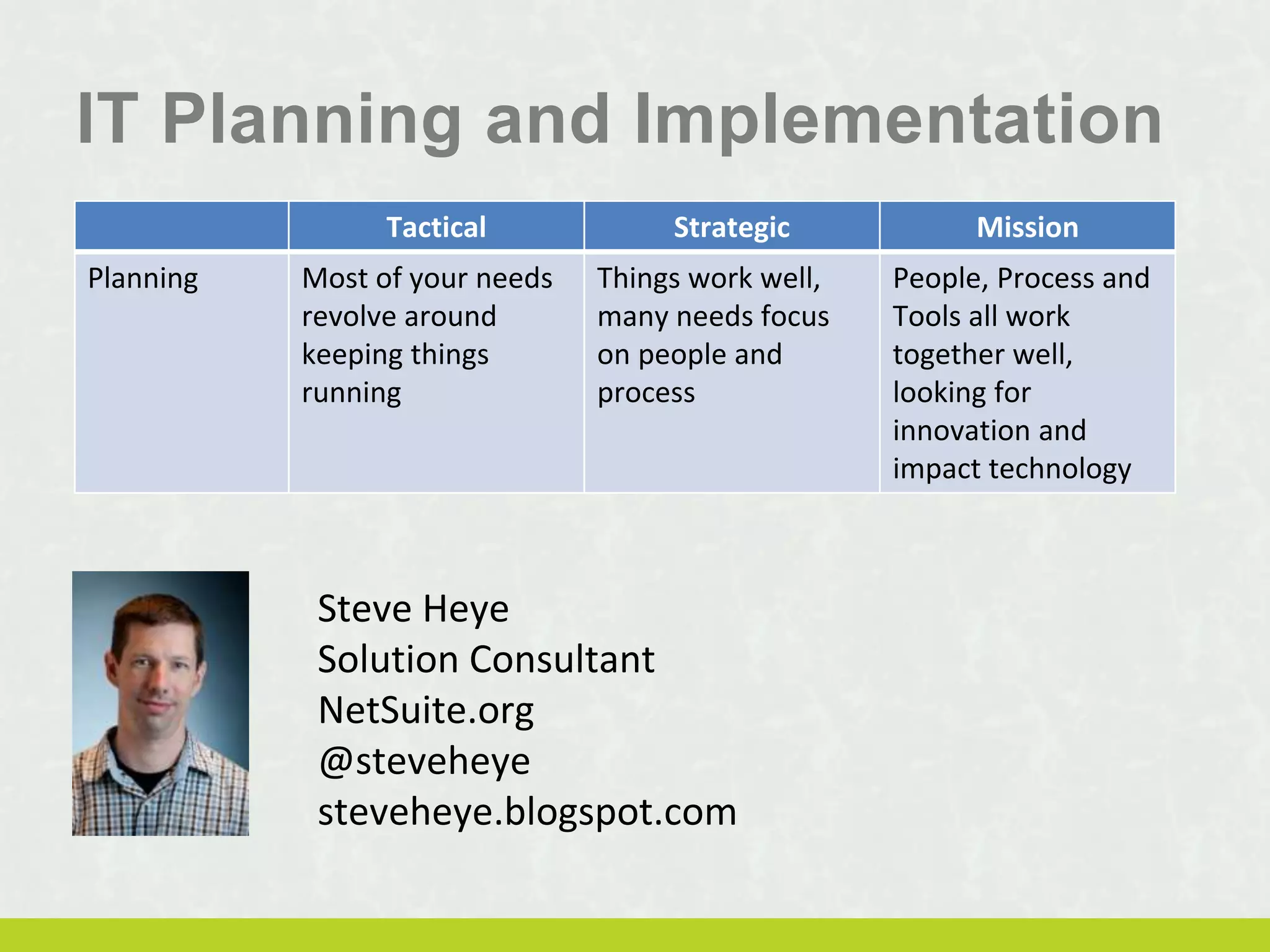
Steve Heye
Solution Consultant
NetSuite.org
@steveheye
steveheye.blogspot.com
Tactical Strategic Mission
Planning Most of your needs
revolve around
keeping things
running
Things work well,
many needs focus
on people and
process
People, Process and
Tools all work
together well,
looking for
innovation and
impact technology
Session Objectives
1. Understand your level of technology maturity and
determine where to focus technology expertise
2. Know how to budget effectively for technology by
including all costs (not just the purchase price)
3. Outline ways to build an organizational culture
where technology is included in all planning and
strategy for the organization.
3
Session Objectives
1. Understand your level of technology maturity and
determine where to focus technology expertise
4
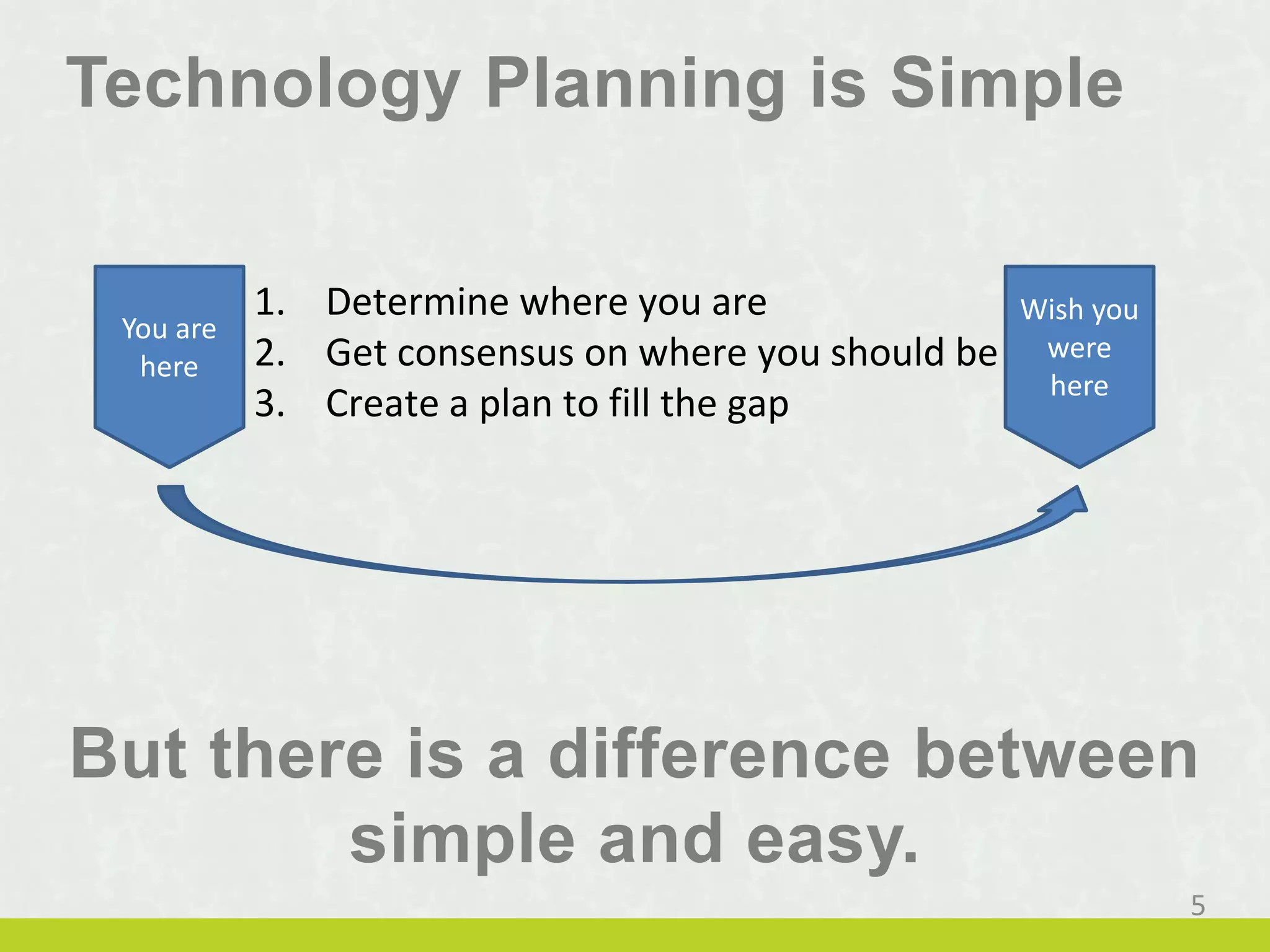
Technology Planning is Simple
But there is a difference between
simple and easy.
5
You are
here
Wish you
were
here
1. Determine where you are
2. Get consensus on where you should be
3. Create a plan to fill the gap
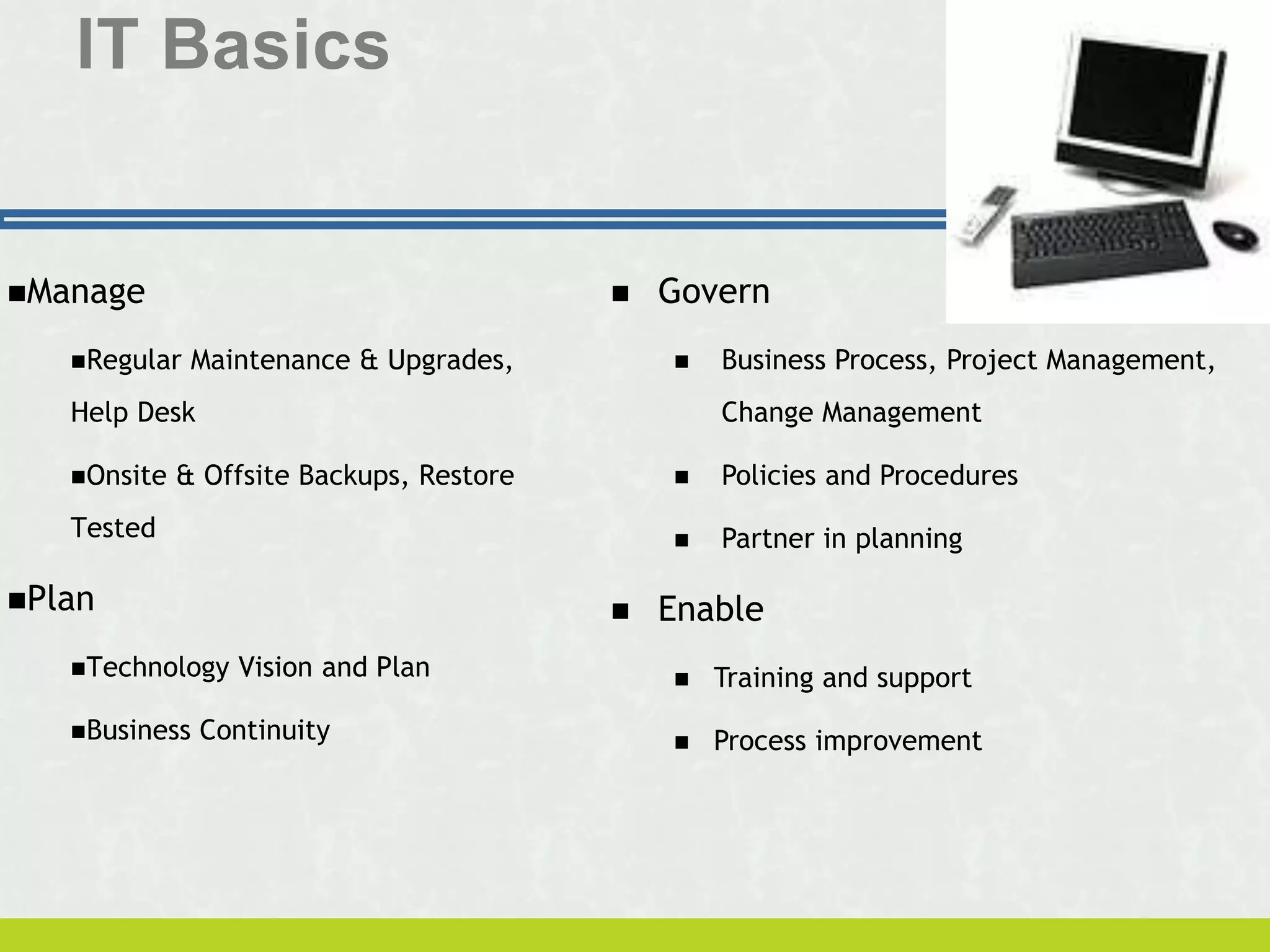
IT Basics
Manage
Regular Maintenance & Upgrades,
Help Desk
Onsite & Offsite Backups, Restore
Tested
Plan
Technology Vision and Plan
Business Continuity
 Govern
 Business Process, Project Management,
Change Management
 Policies and Procedures
 Partner in planning
 Enable
 Training and support
 Process improvement
Business System Basics
 Staff Capacity
 Information/Knowledge Management - Intranet
 File Server, SharePoint, Google Sites
 Communications
 Exchange Server, Office365, Google Gmail
 Organization Capacity
 Database
 CRM – Customer Relationship Management
 Enterprise Software
Network Basics
 Network Infrastructure
 Storage, Memory, Processing, Routing
 Maintenance
 Patches, Updates, Upgrades
 Backups
 Safeguarding your data is essential
 Bandwidth
 Internet connectivity is a mission critical need
 Protection
 Practice safe computing by protecting your network and all who
use it
 Acceptable Use Policies
 Permission to discipline those who do not practice safe computing
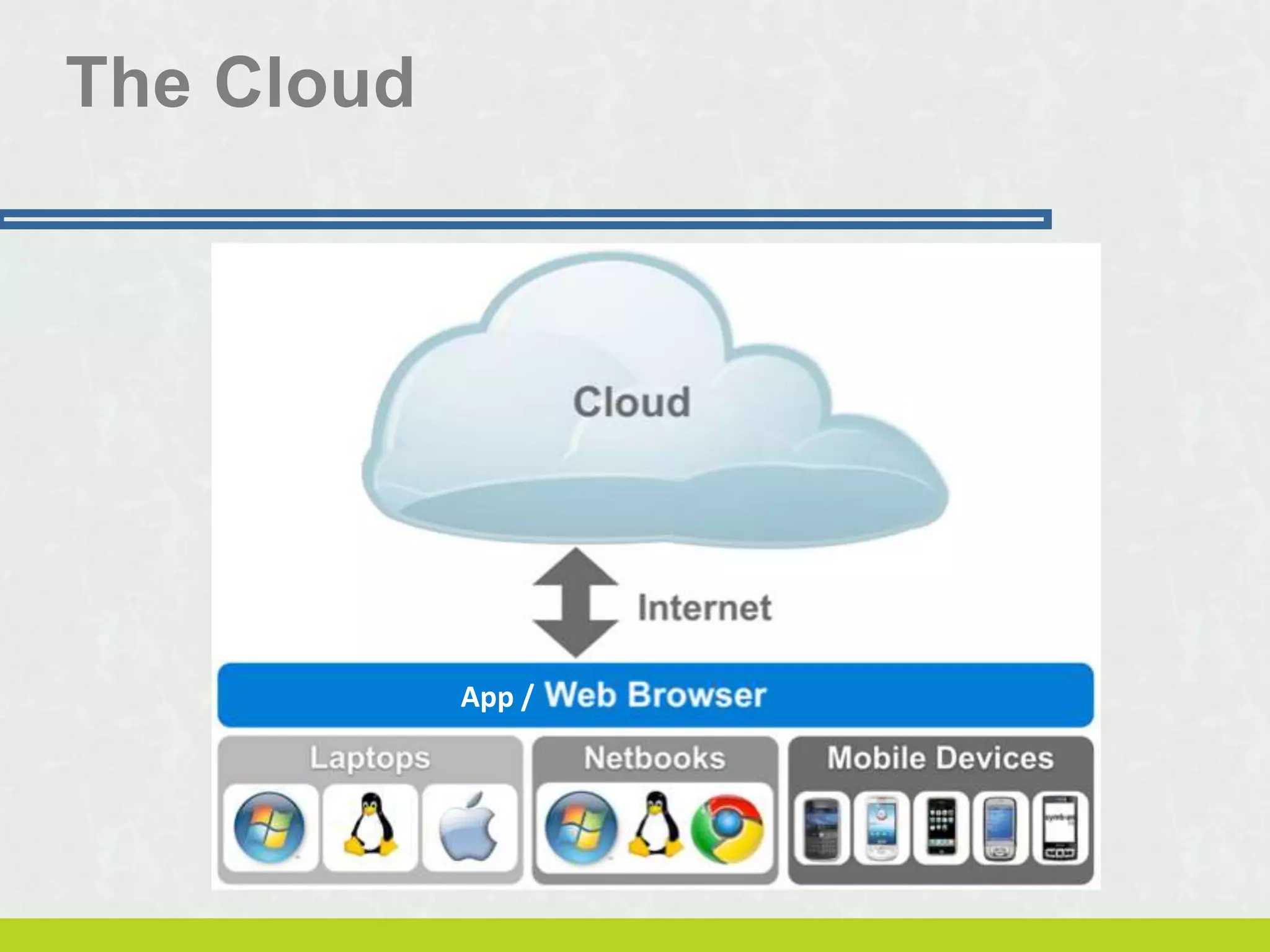
The Cloud
App /
Options
 On Premise
 Traditional client-server environment
 Cloud
 Software as a Service (SaaS)
 Platform as a Service (PaaS)
 Infrastructure as a Service (IaaS)
 Hybird
 A little of this and a little of that
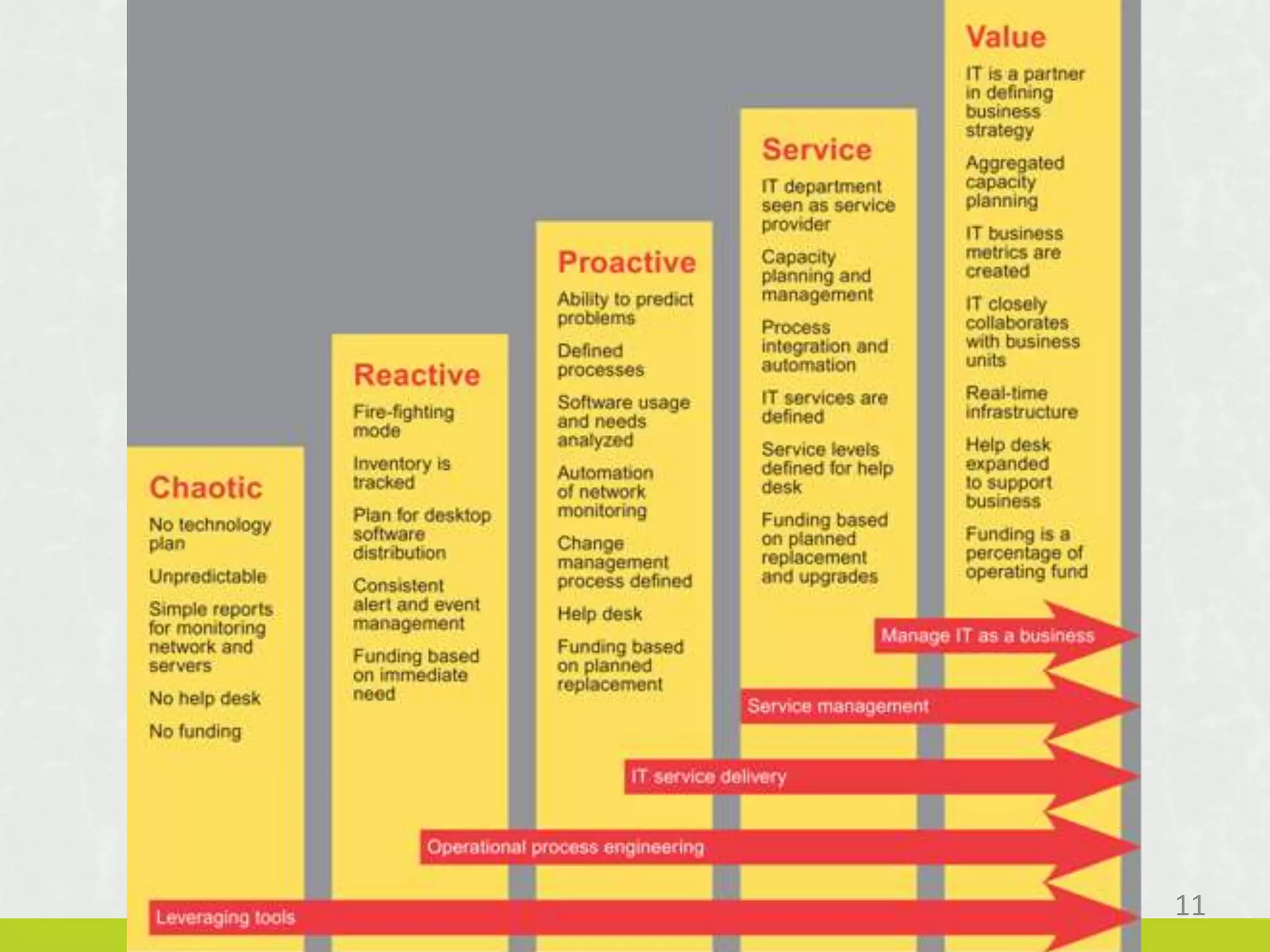
11
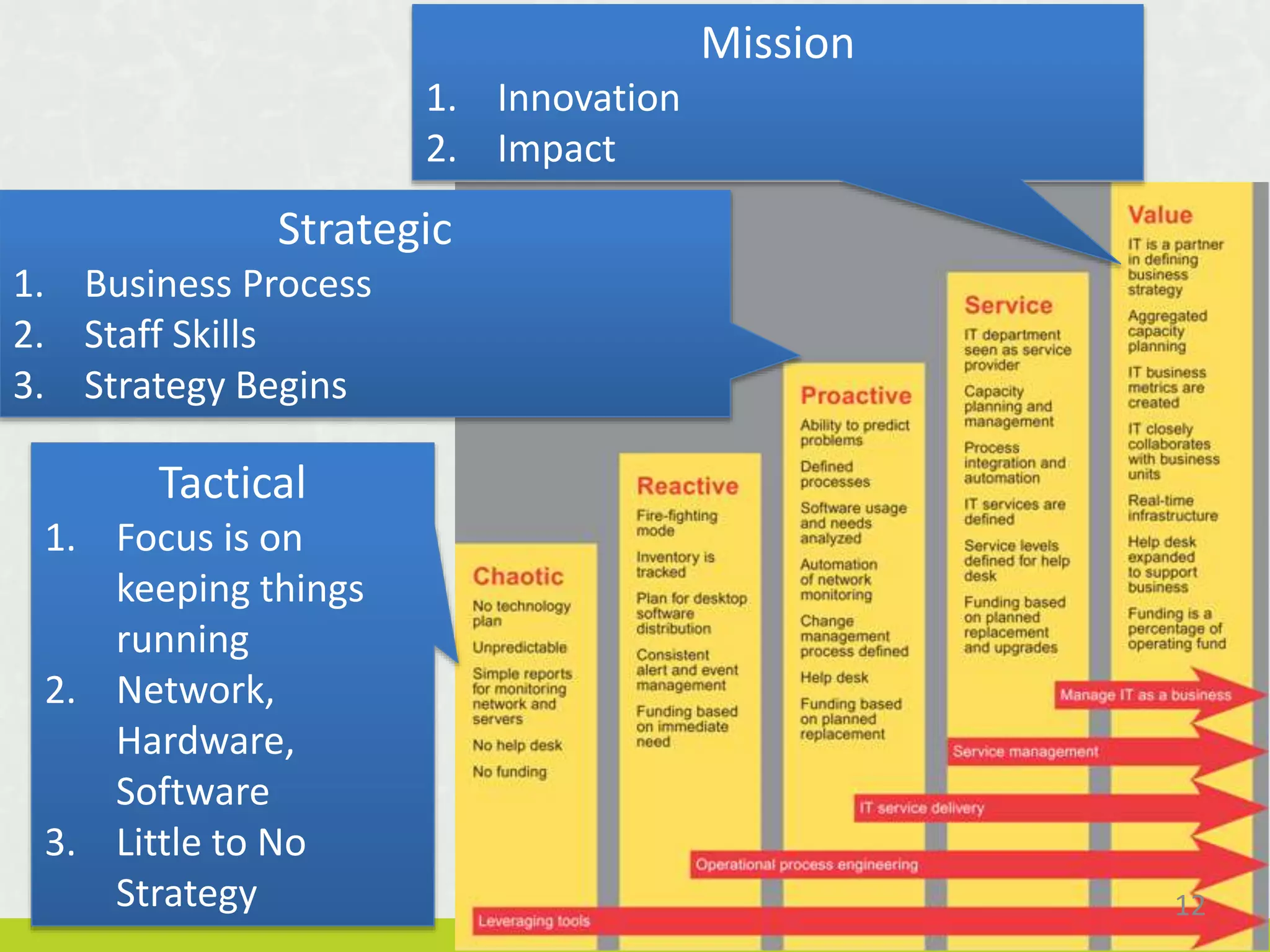
12
Strategic
1. Business Process
2. Staff Skills
3. Strategy Begins
Mission
1. Innovation
2. Impact
Tactical
1. Focus is on
keeping things
running
2. Network,
Hardware,
Software
3. Little to No
Strategy
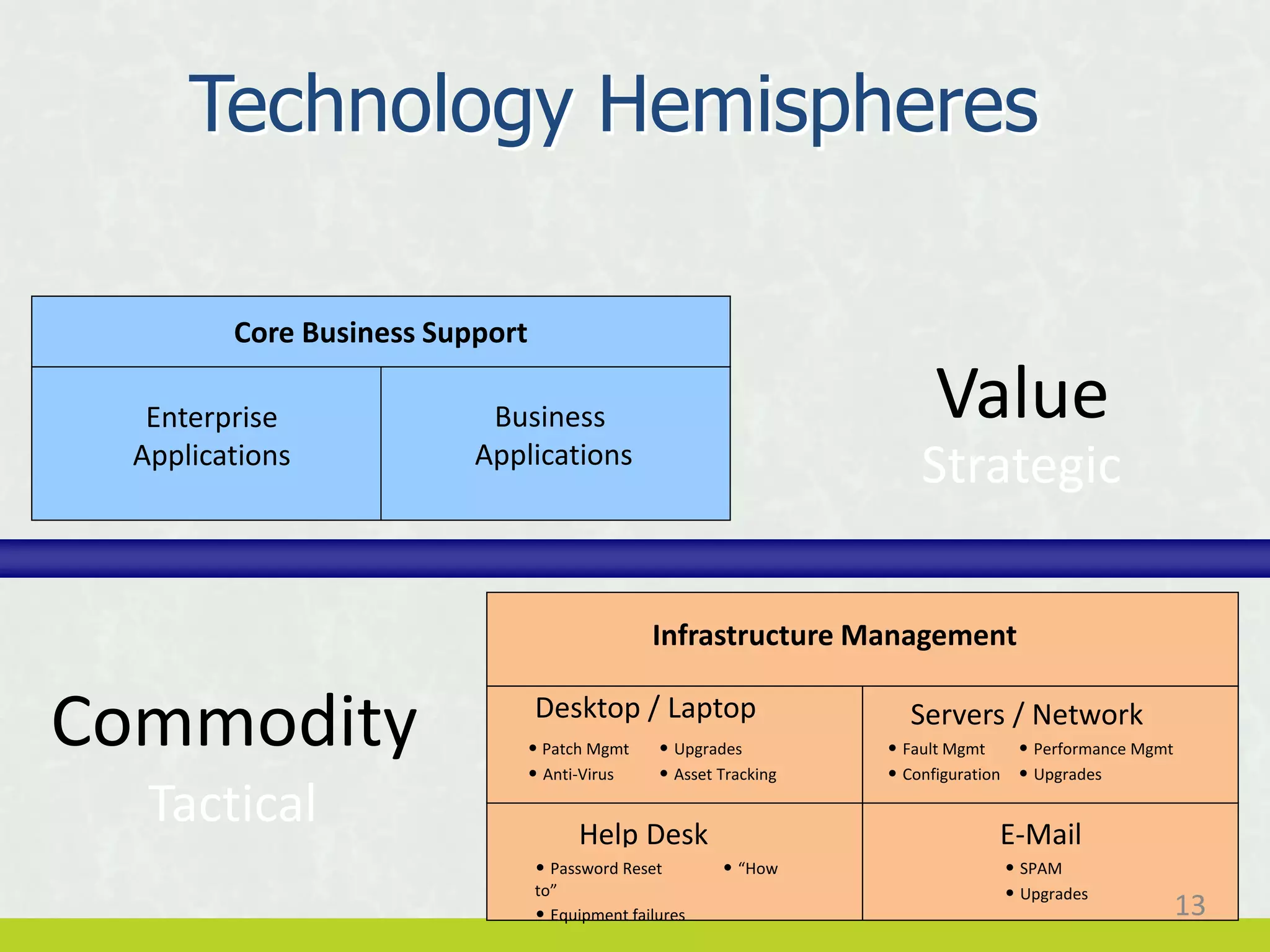
Enterprise
Applications
Business
Applications
Core Business Support
Desktop / Laptop
Infrastructure Management
Help Desk
Servers / Network
E-Mail
• Patch Mgmt • Upgrades
• Anti-Virus • Asset Tracking
• Password Reset • “How
to”
• Equipment failures
• Fault Mgmt • Performance Mgmt
• Configuration • Upgrades
• SPAM
• Upgrades
Value
Commodity
Strategic
Tactical
Technology Hemispheres
13
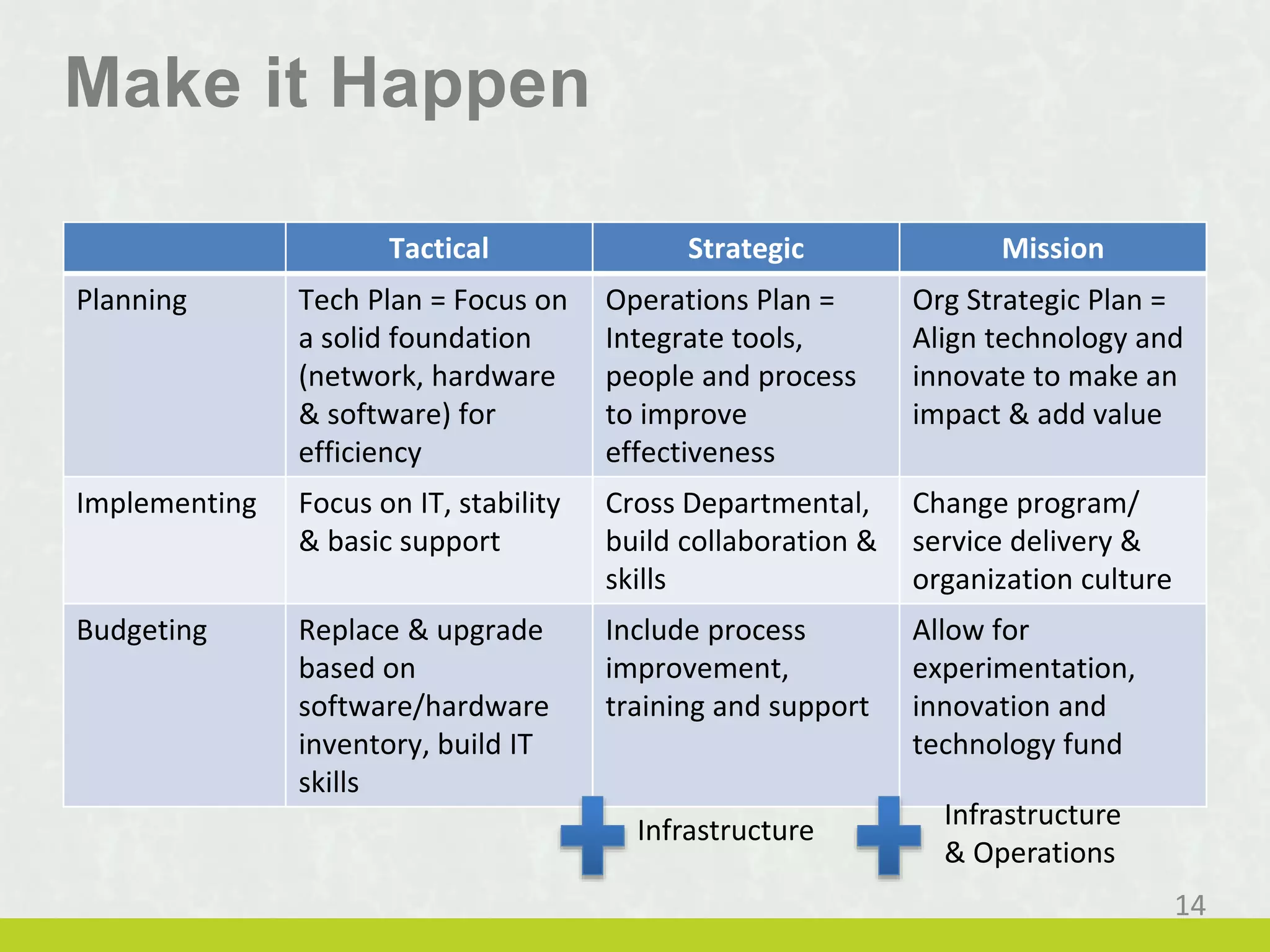
Make it Happen
Tactical Strategic Mission
Planning Tech Plan = Focus on
a solid foundation
(network, hardware
& software) for
efficiency
Operations Plan =
Integrate tools,
people and process
to improve
effectiveness
Org Strategic Plan =
Align technology and
innovate to make an
impact & add value
Implementing Focus on IT, stability
& basic support
Cross Departmental,
build collaboration &
skills
Change program/
service delivery &
organization culture
Budgeting Replace & upgrade
based on
software/hardware
inventory, build IT
skills
Include process
improvement,
training and support
Allow for
experimentation,
innovation and
technology fund
Infrastructure Infrastructure
& Operations
14
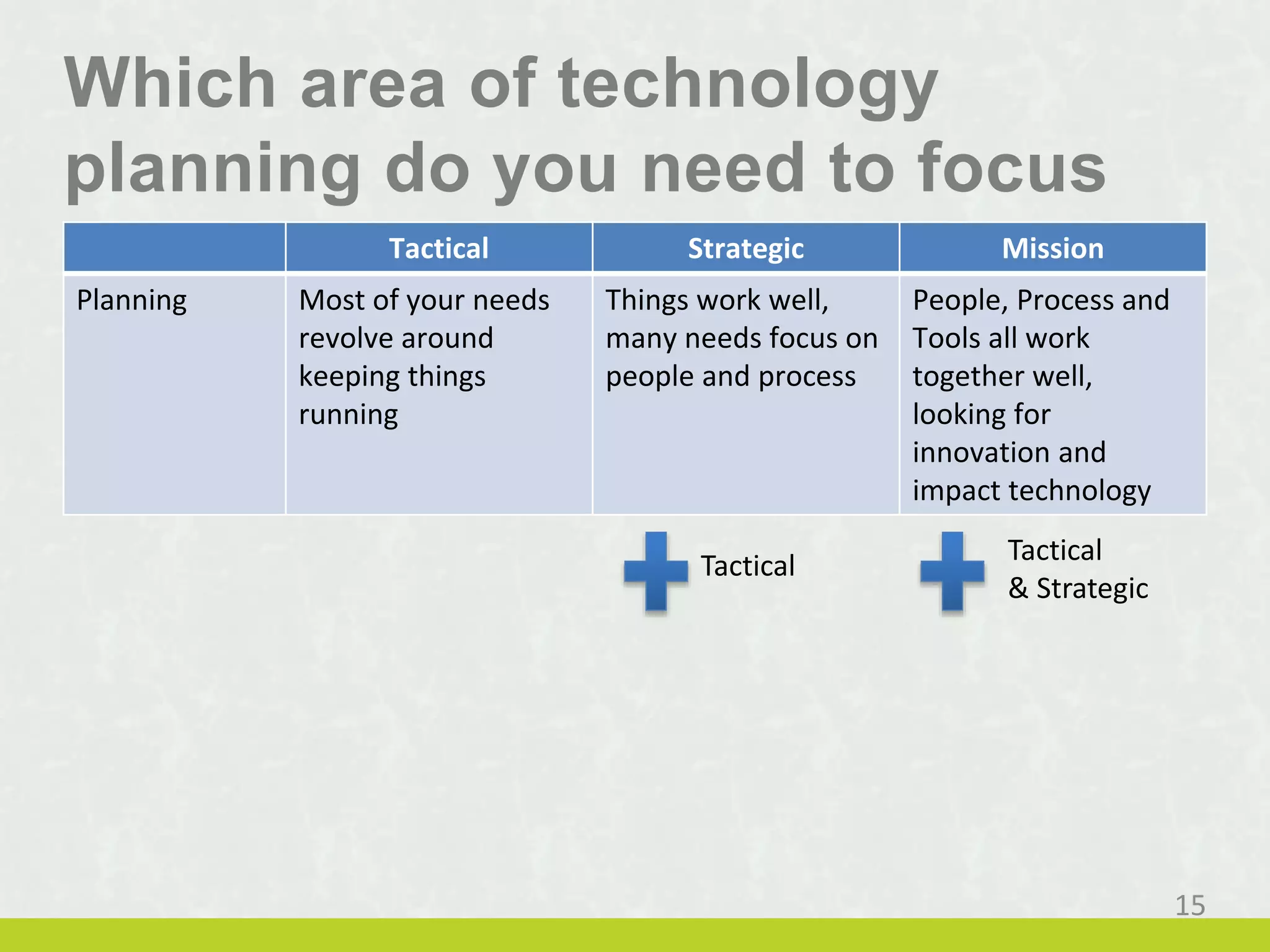
Which area of technology
planning do you need to focus
on? Tactical Strategic Mission
Planning Most of your needs
revolve around
keeping things
running
Things work well,
many needs focus on
people and process
People, Process and
Tools all work
together well,
looking for
innovation and
impact technology
Tactical Tactical
& Strategic
15
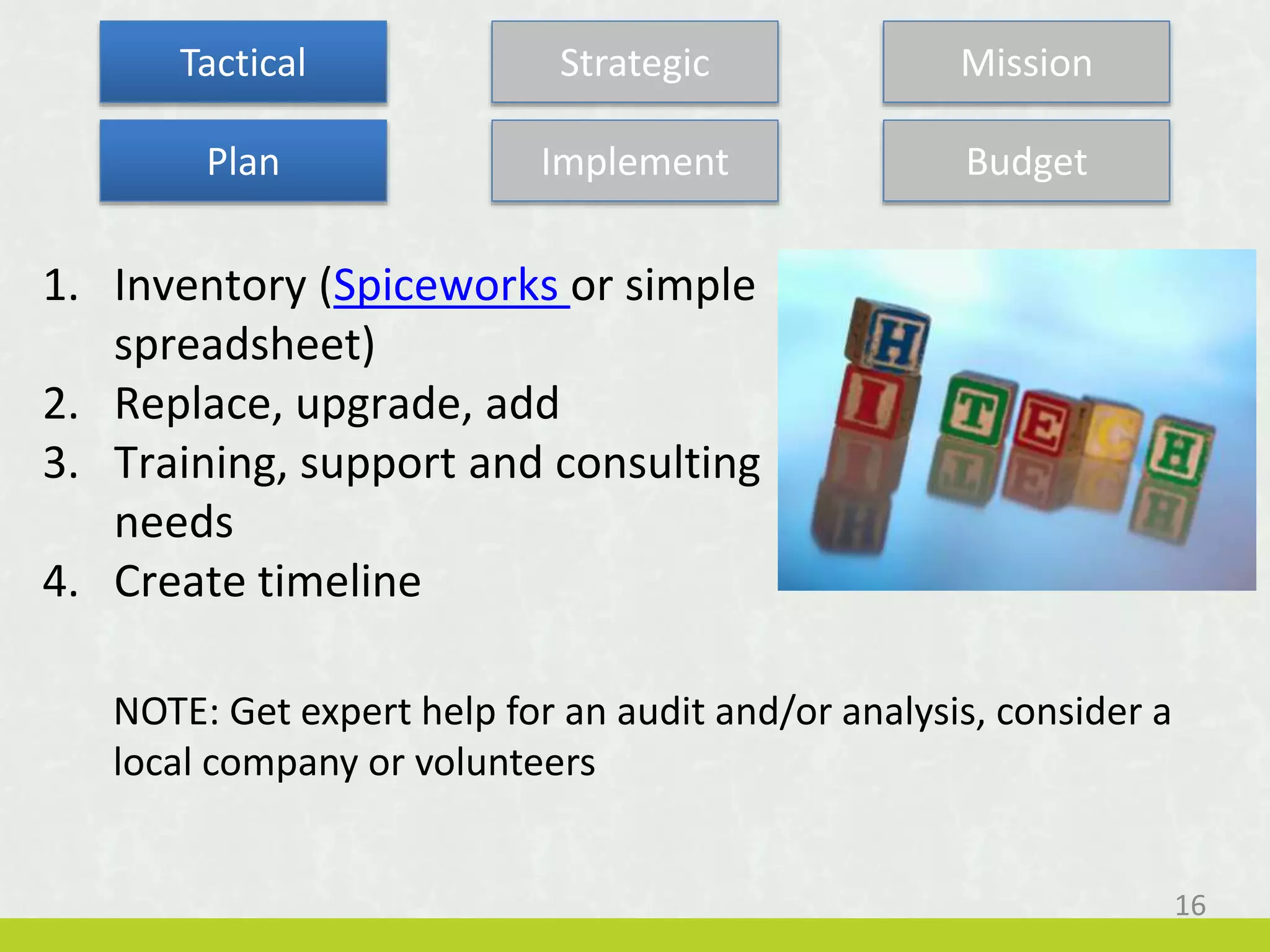
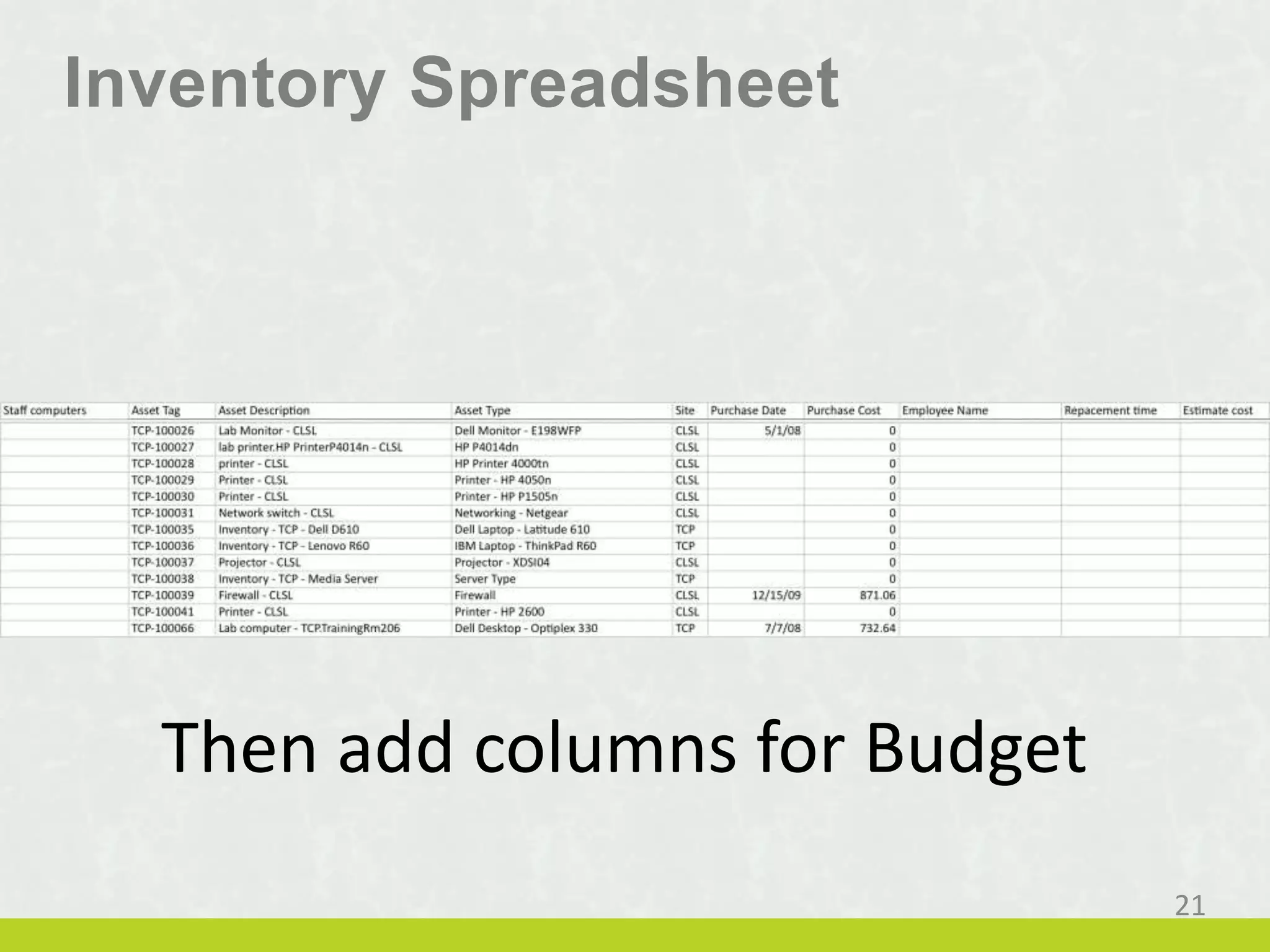
1. Inventory (Spiceworks or simple
spreadsheet)
2. Replace, upgrade, add
3. Training, support and consulting
needs
4. Create timeline
NOTE: Get expert help for an audit and/or analysis, consider a
local company or volunteers
Tactical Strategic Mission
Plan Implement Budget
16
• Rely on small teams or
outside resources managed
by one of your staff
• Move commodities to the
cloud
• Use what you have
Plan Implement Budget
Key is to shift from fighting fires to being proactive.
Find time to be strategic.
17
Tactical Strategic Mission
• Quotes based on your replacement
and upgrade timeline.
• Distribute expenses to programs or
centralize?
• Leverage your NPO status
*NOTE: set a min. standard for donated tech, old
donations cost more than they help.
Plan Implement Budget
18
Tactical Strategic Mission
How do you currently budget for technology?
• No specific tech budget
• Budget for each item to replace
• Budget to replace and for projects
• Fund setup for strategic technology
Plan Implement Budget
19
Tactical Strategic Mission
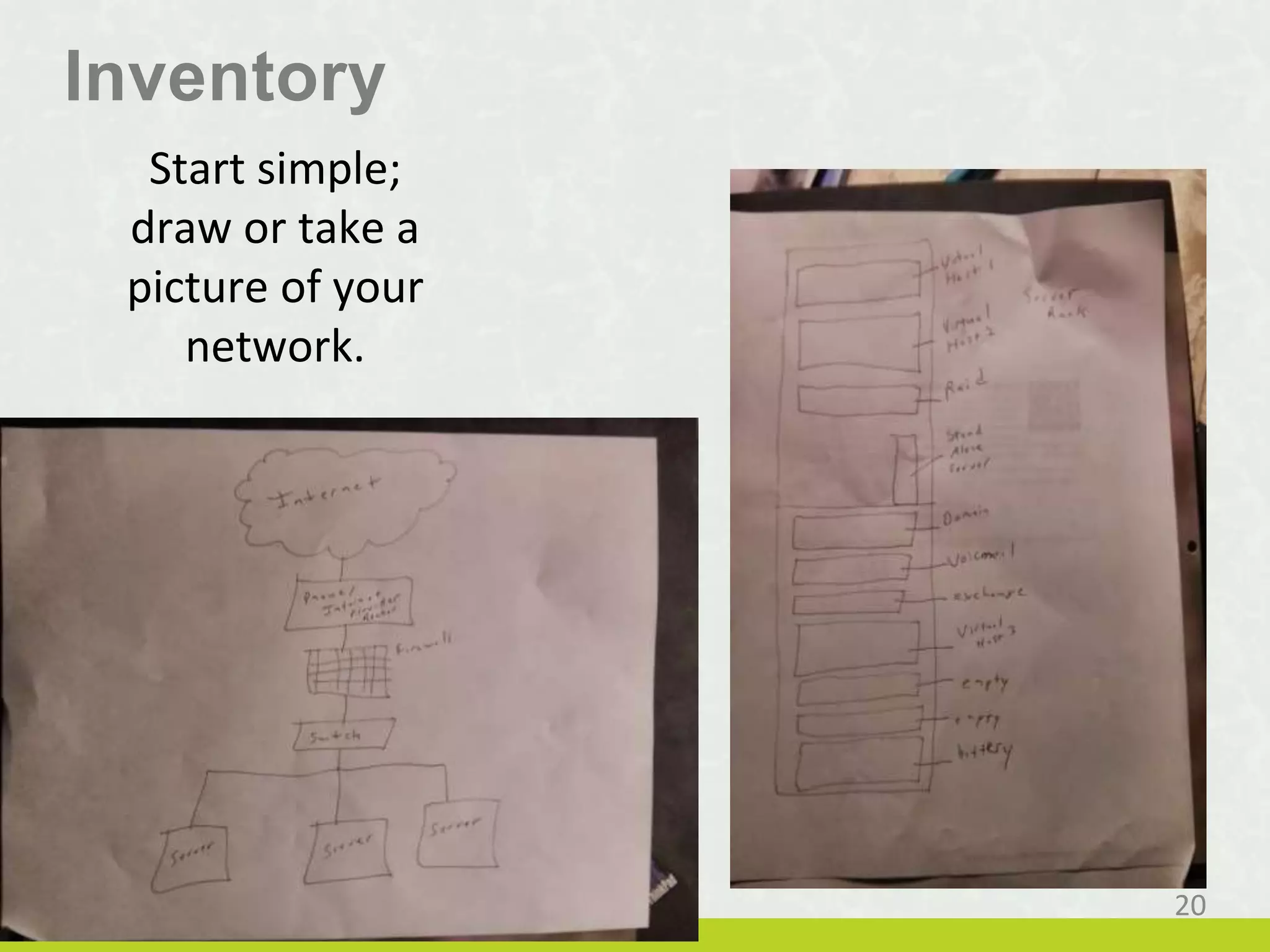
Inventory
Start simple;
draw or take a
picture of your
network.
20
Inventory Spreadsheet
Then add columns for Budget
21
Tech Trap = Seeing past what doesn’t work
Once your tech works, you can think strategy.
What is the biggest business need in your org and what
role can technology play?
Tactical Strategic Mission
Plan Implement Budget
22
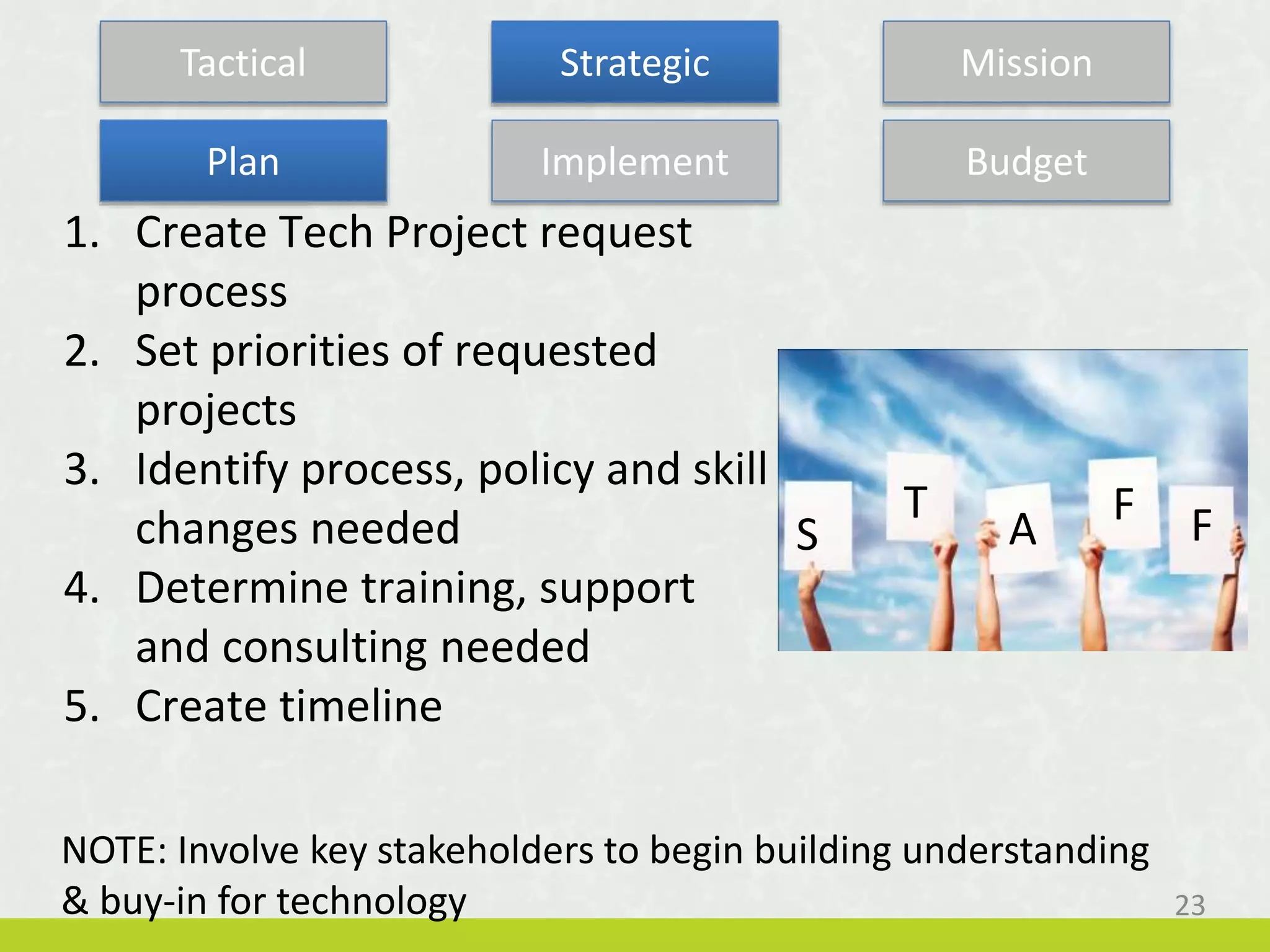
1. Create Tech Project request
process
2. Set priorities of requested
projects
3. Identify process, policy and skill
changes needed
4. Determine training, support
and consulting needed
5. Create timeline
NOTE: Involve key stakeholders to begin building understanding
& buy-in for technology
Plan Implement Budget
S
T
A
F F
23
Tactical Strategic Mission
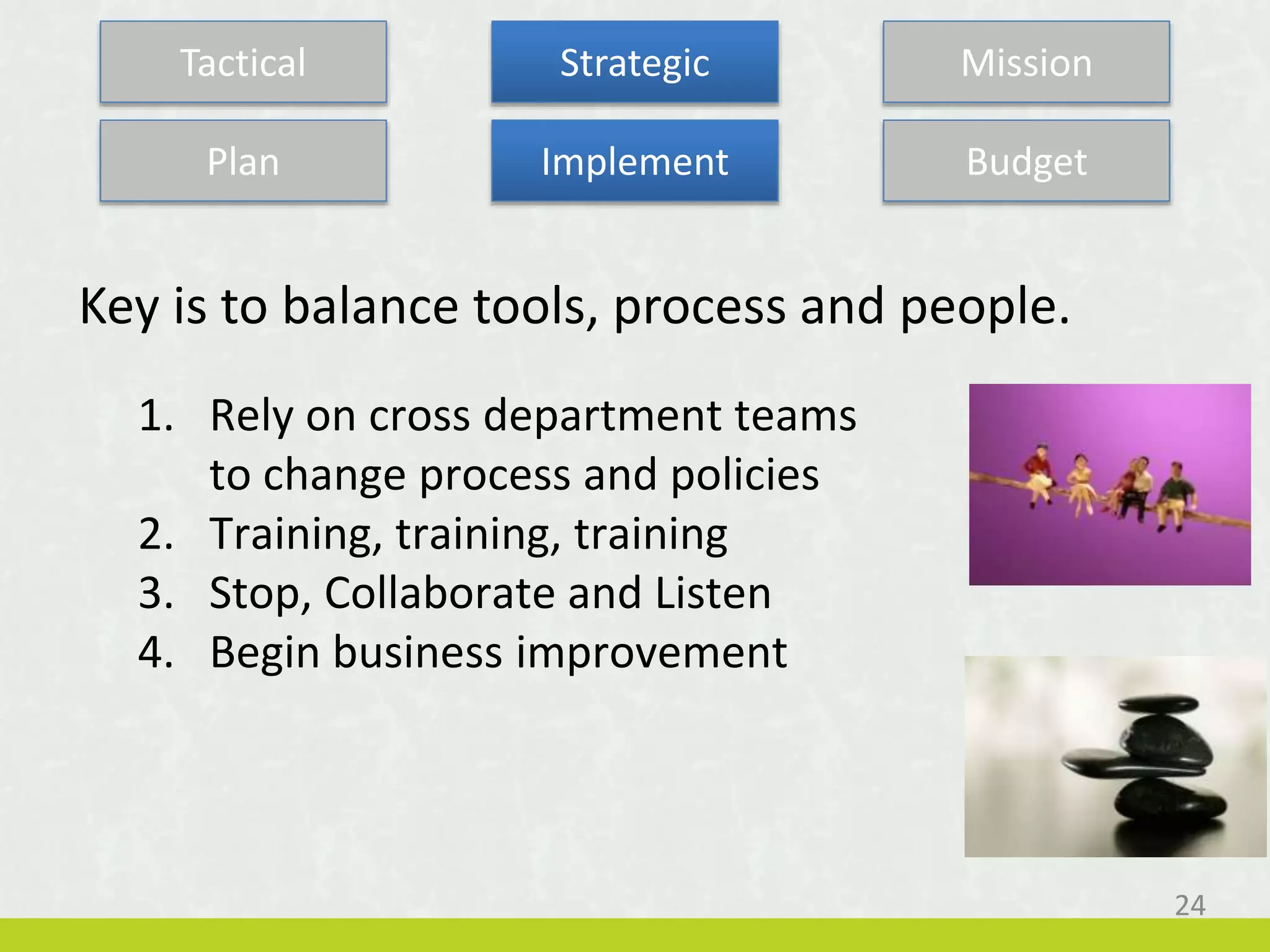
1. Rely on cross department teams
to change process and policies
2. Training, training, training
3. Stop, Collaborate and Listen
4. Begin business improvement
Plan Implement Budget
Key is to balance tools, process and people.
24
Tactical Strategic Mission
1. Investigate a range of solutions for
each project
2. Capital or operations expense?
3. 70/30 rule
4. Fund Projects, Not Technology
Plan Implement Budget
25
Tactical Strategic Mission
70 / 30 Rule
Spend 30% on Technology
Nuts, bolts & infrastructure
Spend 70% on People & Support
Training, systems, maintenance
26
Tip:
Don’t wait till you are hungry to
go to the grocery store…
Which of these has been
implemented at your org?
(Select all that apply)
1. Process mapping
2. Formal project management
3. Regular technology training
4. IT Help Desk tracking
5. Technology steering committee
6. None of the above
27
1. Look for ways to impact mission
or change service delivery
2. What can you do differently?
3. Look for emerging technology
NOTE: These will typically be large projects and may take years to
implement. You have to be willing to experiment (and possibly
fail).
Tactical Strategic Mission
Plan Implement Budget
28
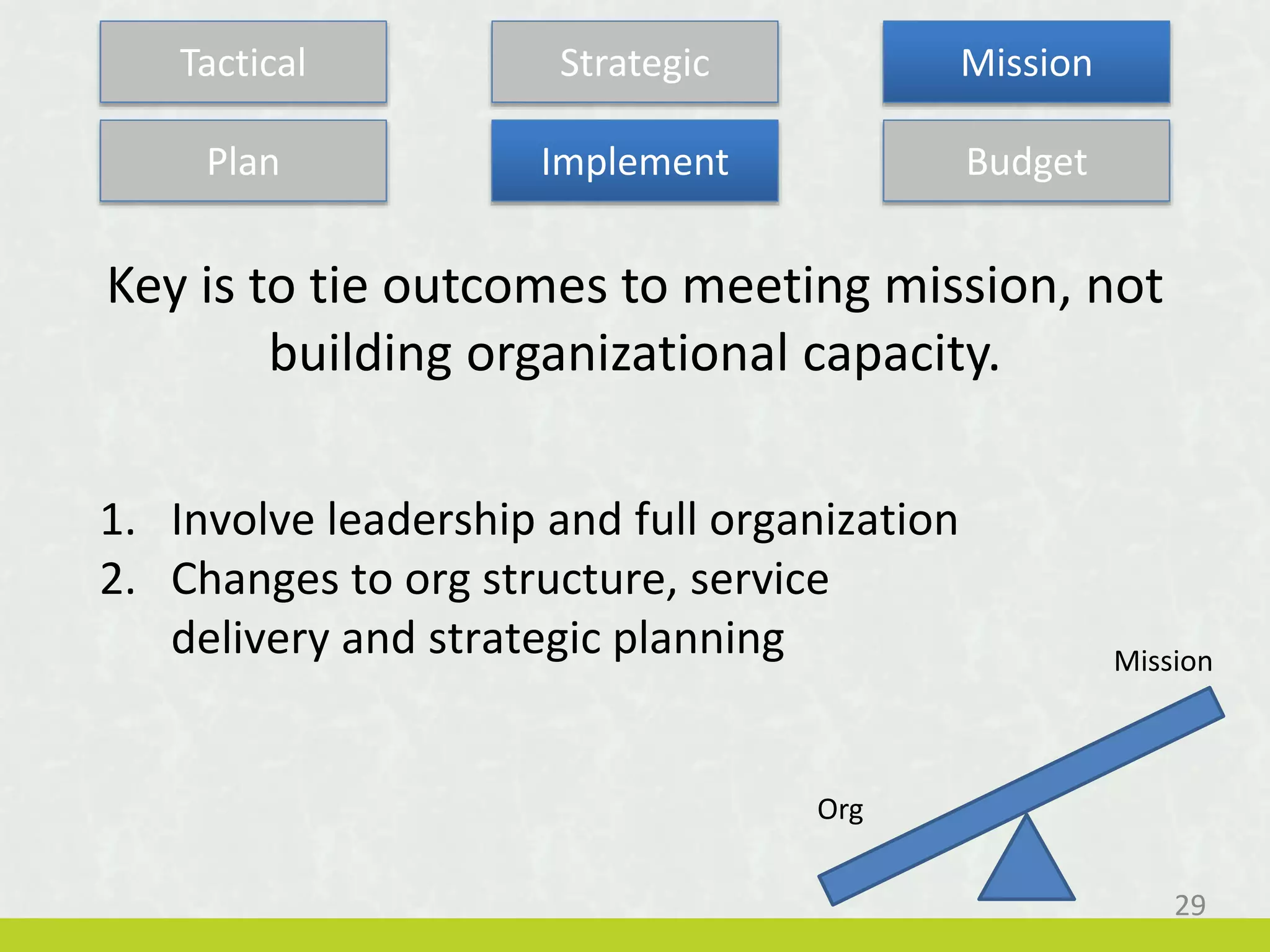
1. Involve leadership and full organization
2. Changes to org structure, service
delivery and strategic planning
Plan Implement Budget
Key is to tie outcomes to meeting mission, not
building organizational capacity.
Mission
Org
29
Tactical Strategic Mission
1. Budget driven by org’s overall
budget and strategic plan, plus
technology plan.
2. Move toward a technology fund
of 2-4% of operating budget.
Plan Implement Budget
30
Tactical Strategic Mission
Share a mission strategy you are working on that could
benefit from technology.
Plan Implement Budget
31
Tactical Strategic Mission
Technology Planning
1. Look for common questionsproblems
Document mgmt, data, slow computers, etc.
2. Identify themes
Security, innovation, reporting, stability, communications, collaboration, etc.
3. Mission Impact
Get input from the people you serve or look to others in your field
32
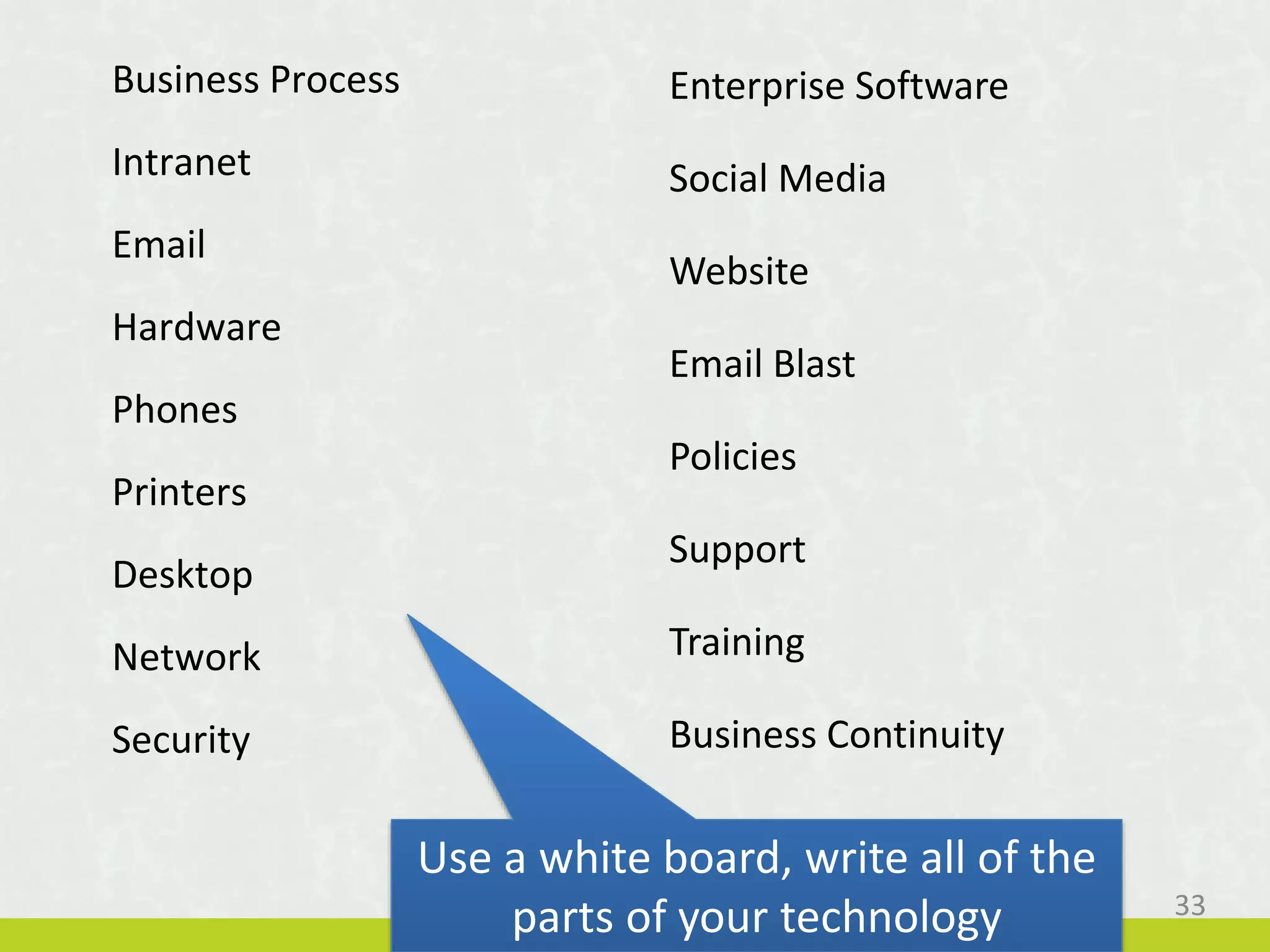
Business Process
Intranet
Email
Hardware
Phones
Printers
Desktop
Network
Security
Enterprise Software
Social Media
Website
Email Blast
Policies
Support
Training
Business Continuity
Use a white board, write all of the
parts of your technology 33
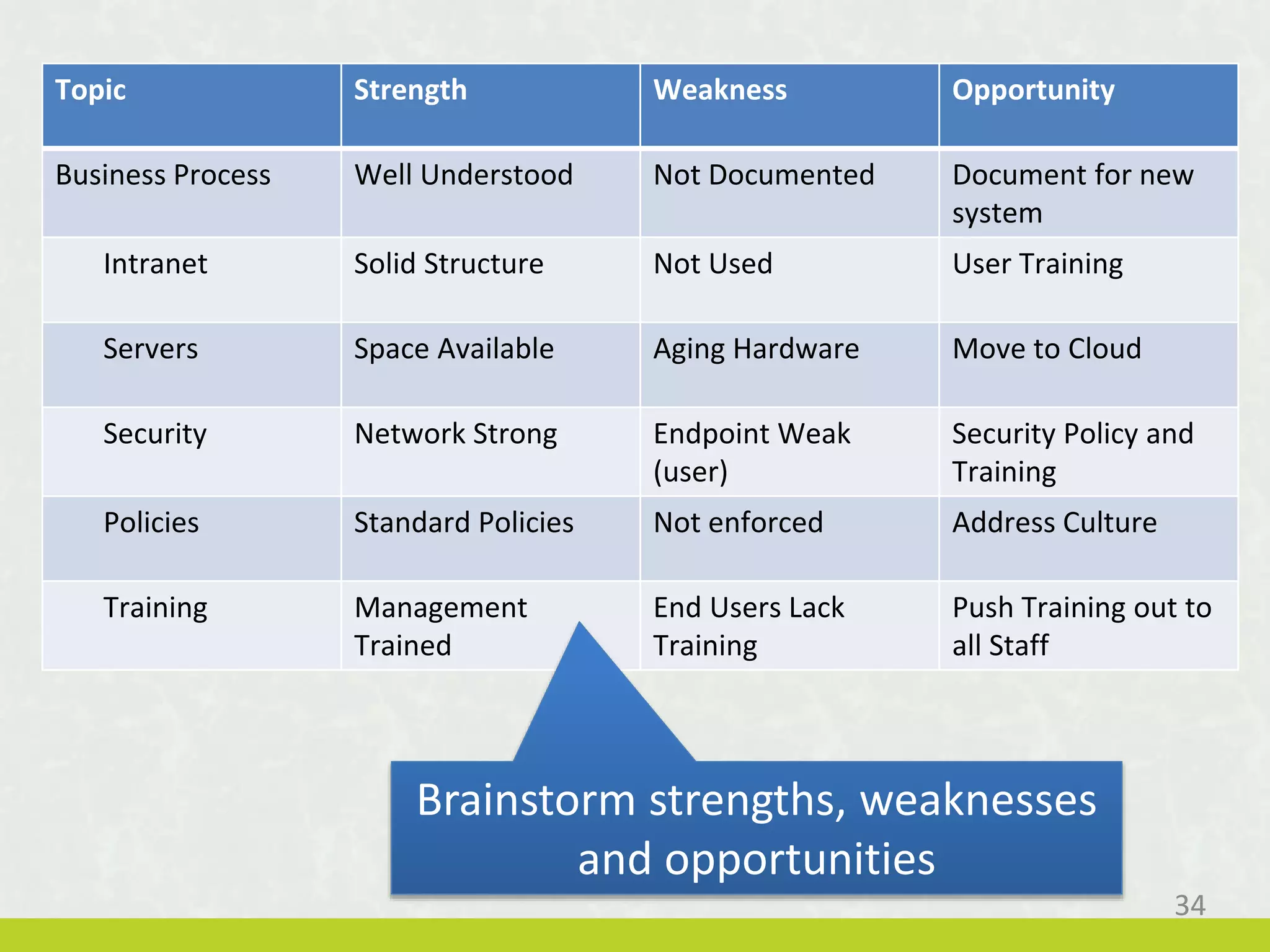
34
Topic Strength Weakness Opportunity
Business Process Well Understood Not Documented Document for new
system
Intranet Solid Structure Not Used User Training
Servers Space Available Aging Hardware Move to Cloud
Security Network Strong Endpoint Weak
(user)
Security Policy and
Training
Policies Standard Policies Not enforced Address Culture
Training Management
Trained
End Users Lack
Training
Push Training out to
all Staff
Brainstorm strengths, weaknesses
and opportunities
Session Objectives
2. Know how to budget effectively for technology by
including all costs (not just the purchase price)
35
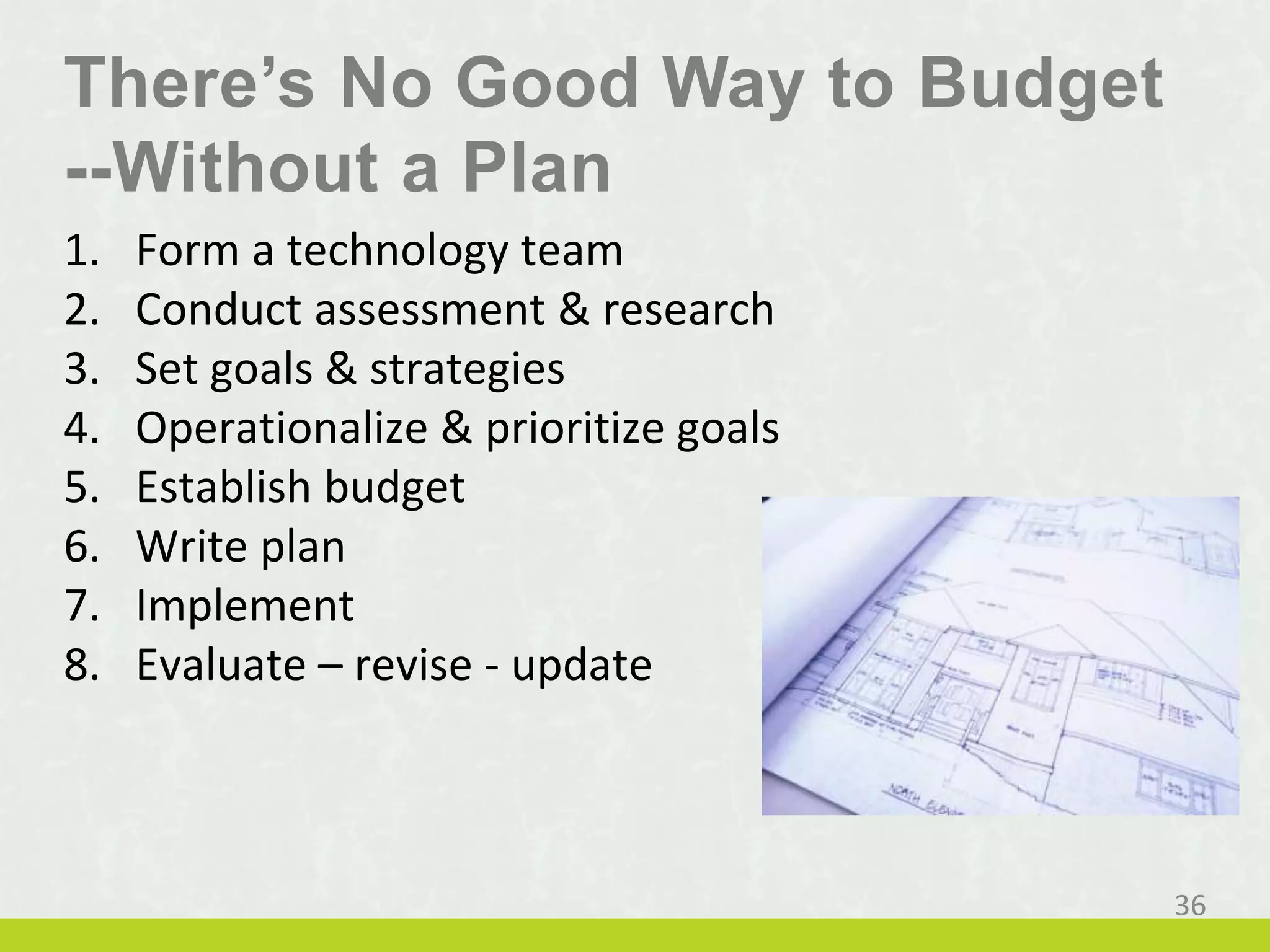
There’s No Good Way to Budget
--Without a Plan
1. Form a technology team
2. Conduct assessment & research
3. Set goals & strategies
4. Operationalize & prioritize goals
5. Establish budget
6. Write plan
7. Implement
8. Evaluate – revise - update
36
1. Replace – create a schedule, budget by item
2. Upgrade – plan for additions, budget by item
3. Support – 70/30
4. Projects – gather requests & estimate
37
There’s No Good Way to Budget
--Without a Plan
Session Objectives
3. Outline ways to build an organizational culture
where technology is included in all planning and
strategy for the organization.
38
Is technology staff involved
in Strategic Planning?
1. We don’t have a strategic plan
2. Strategic Planning doesn’t include tech staff
3. Strategic Planning mentions tech, but tech staff not
involved
4. Strategic Planning involved Tech Staff
My Note: Being given the strategic plan is not the same as being
involved in the process of creating it.
39
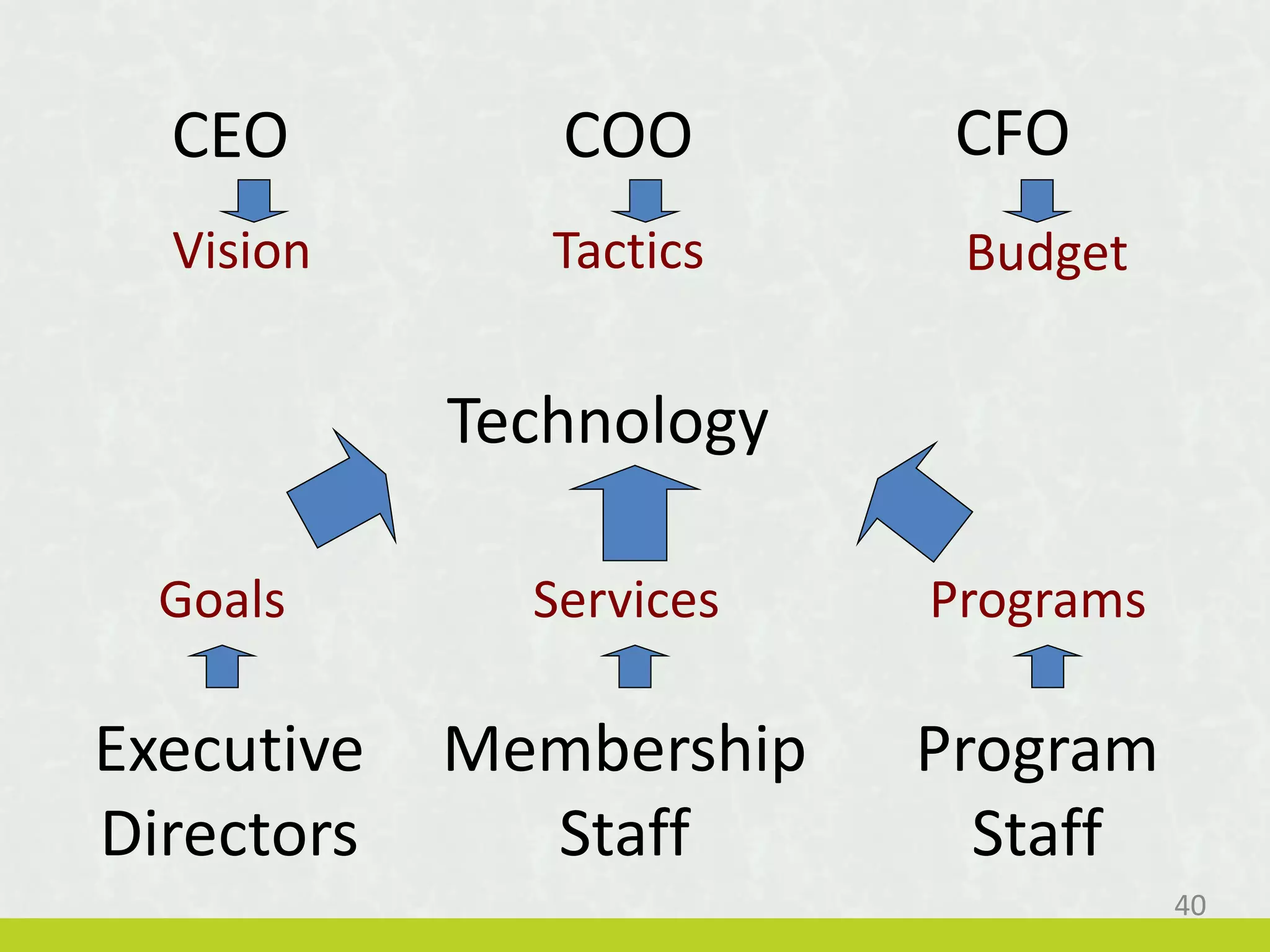
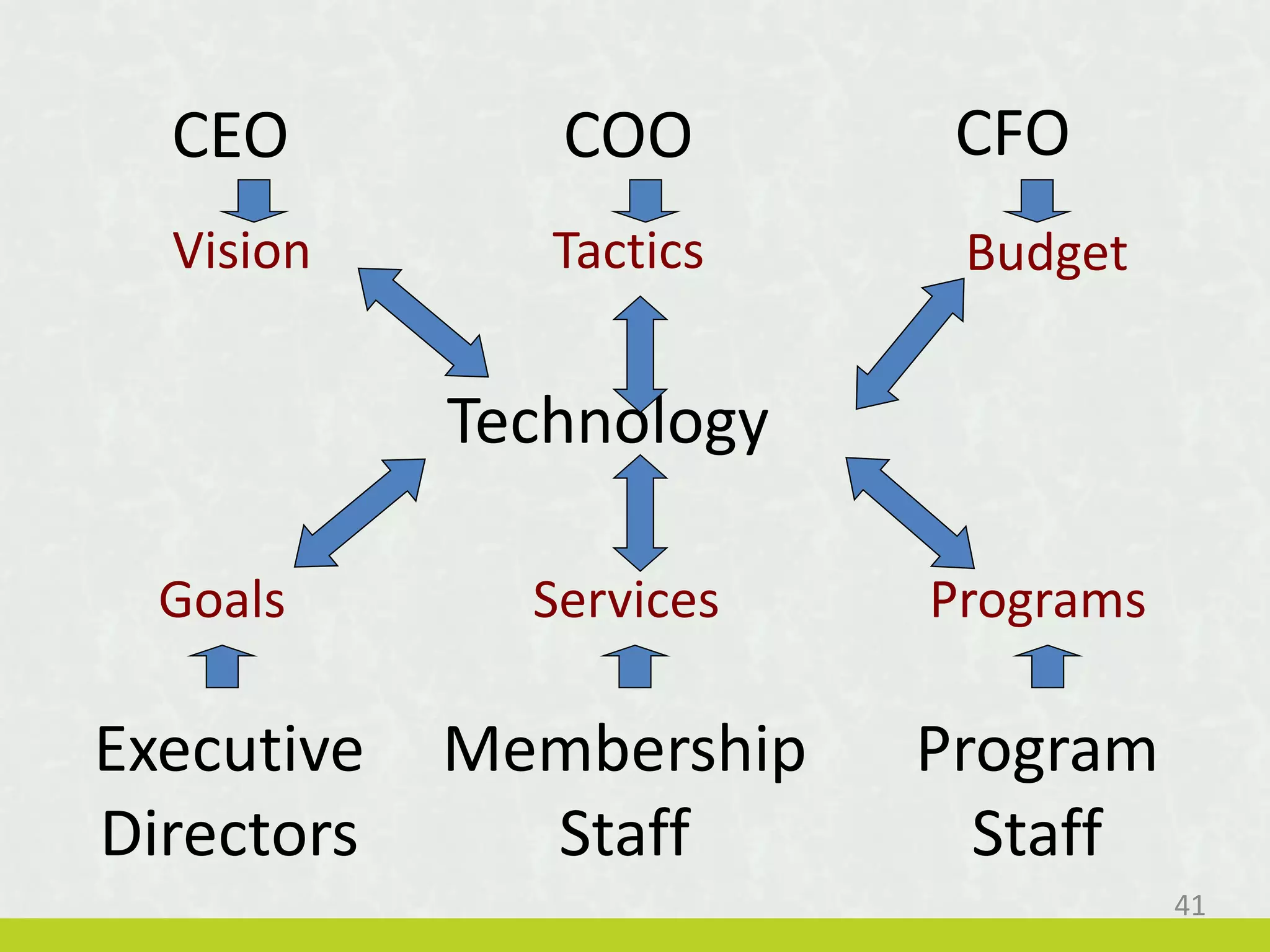
CEO CFO
Program
Staff
Executive
Directors
COO
Membership
Staff
Vision Tactics Budget
ProgramsServicesGoals
Technology
40
CEO CFO
Program
Staff
Executive
Directors
COO
Membership
Staff
Vision Tactics Budget
ProgramsServicesGoals
Technology
41
Source:http://uncw.edu
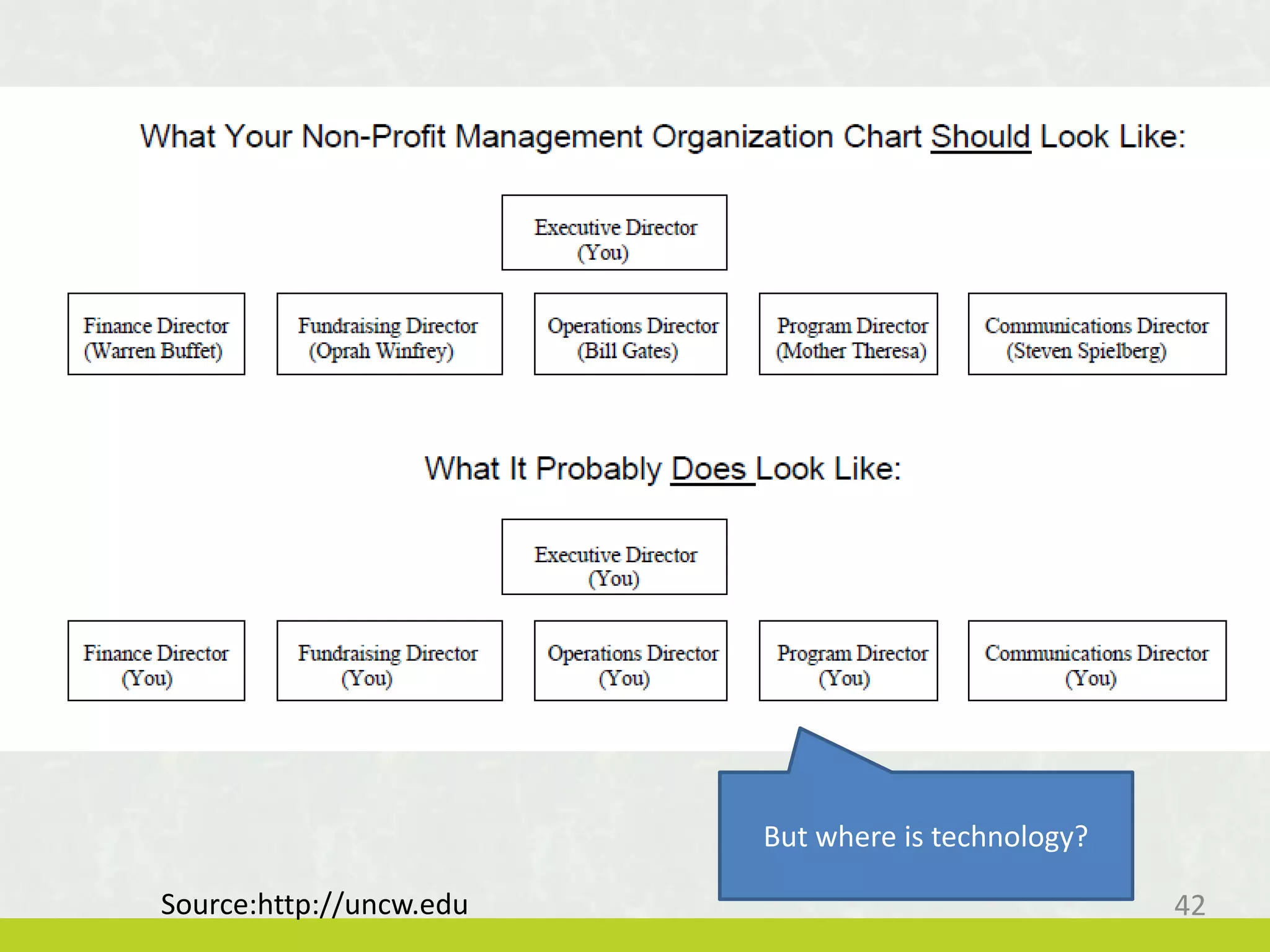
But where is technology?
42
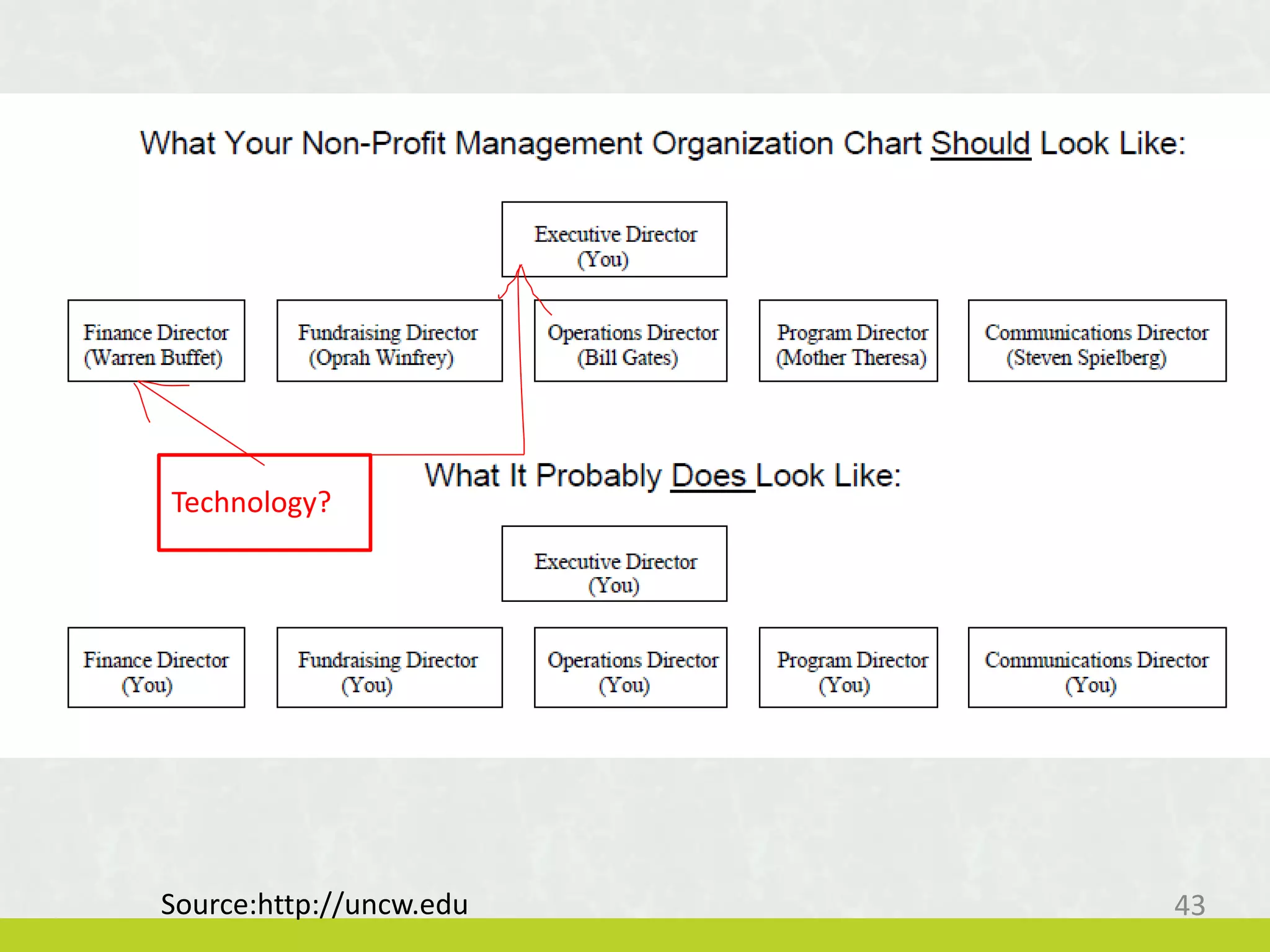
Technology?
Source:http://uncw.edu 43
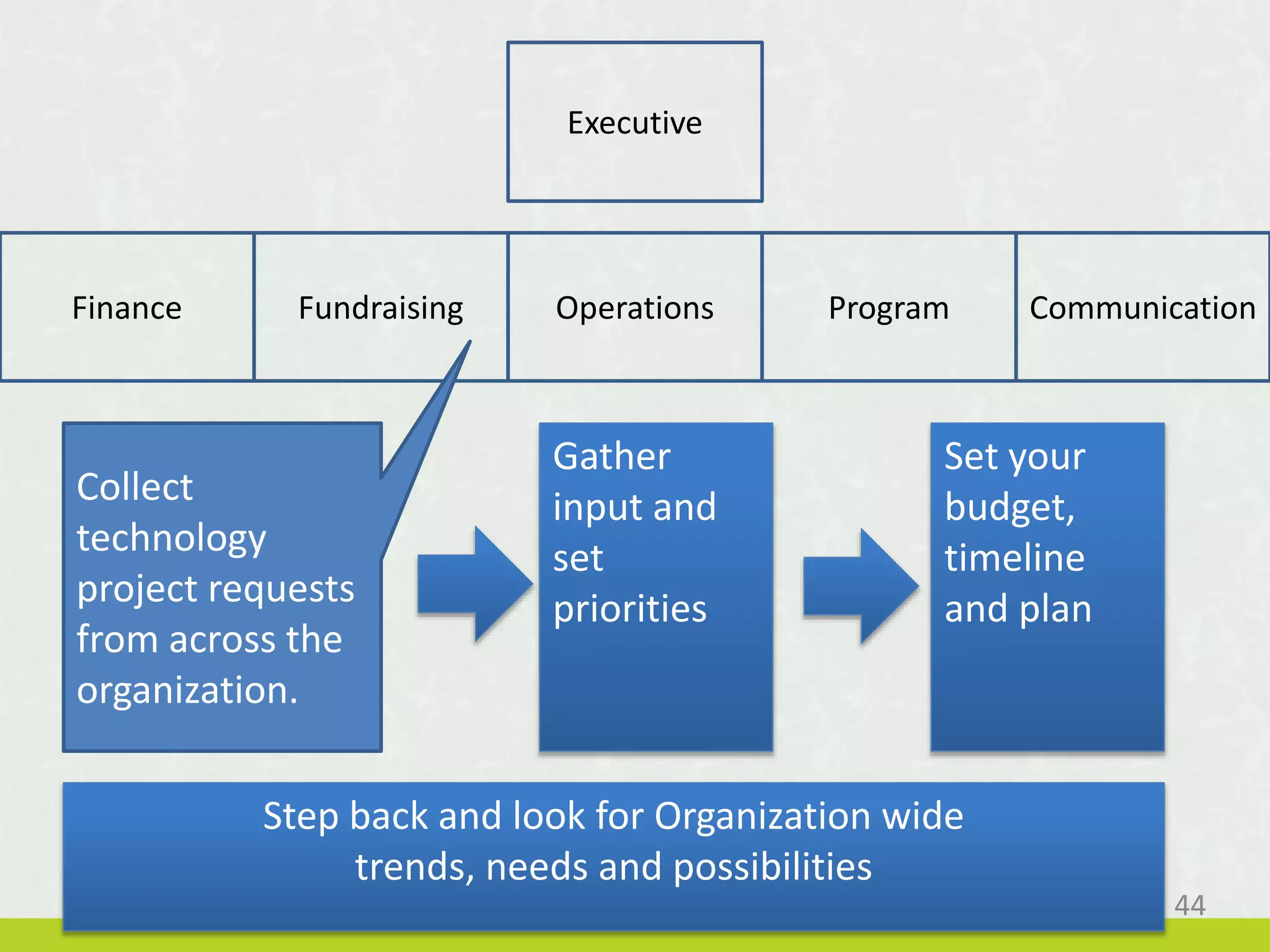
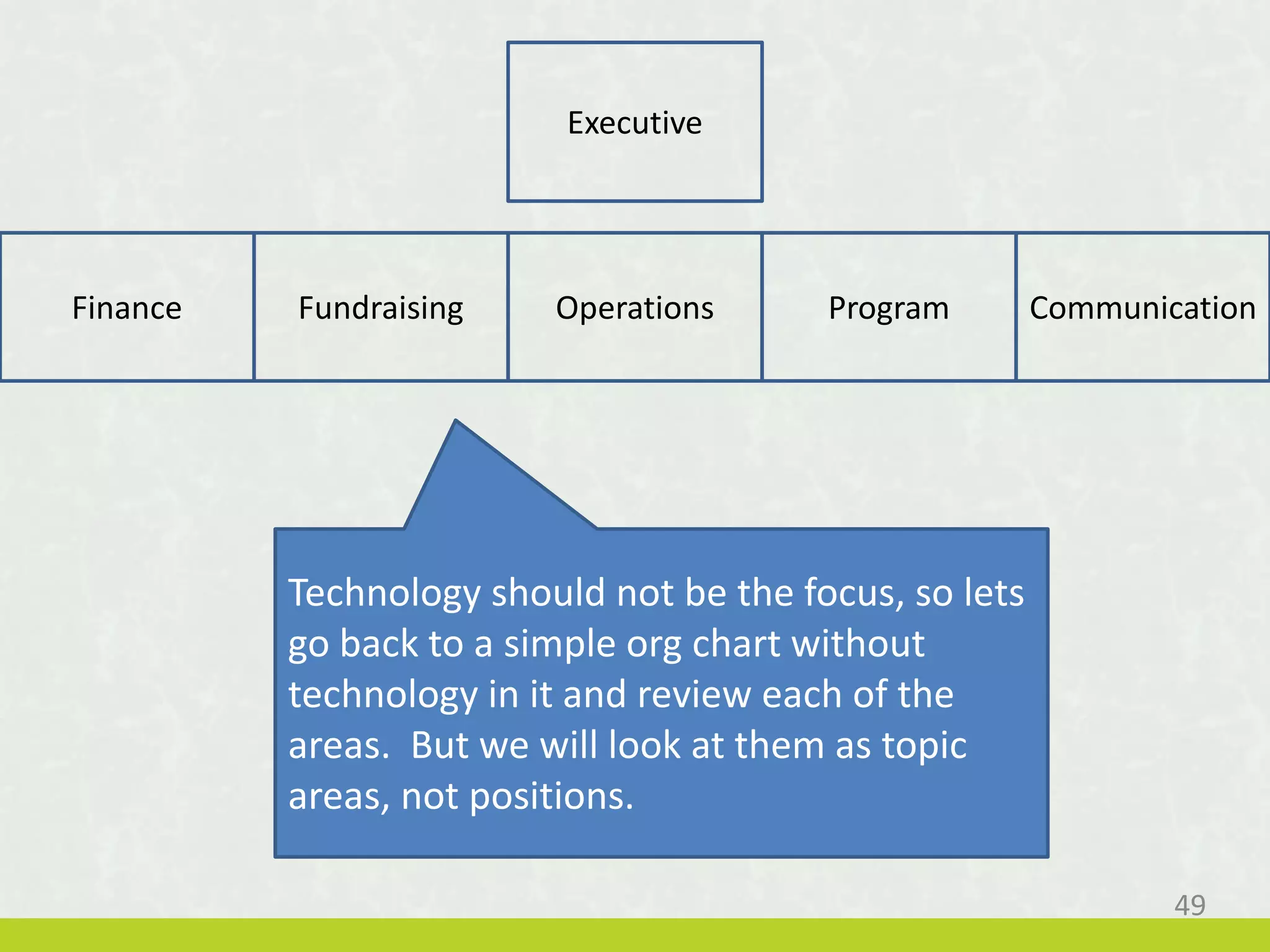
Finance Fundraising Operations Program Communication
Executive
Collect
technology
project requests
from across the
organization.
Gather
input and
set
priorities
Set your
budget,
timeline
and plan
Step back and look for Organization wide
trends, needs and possibilities
44
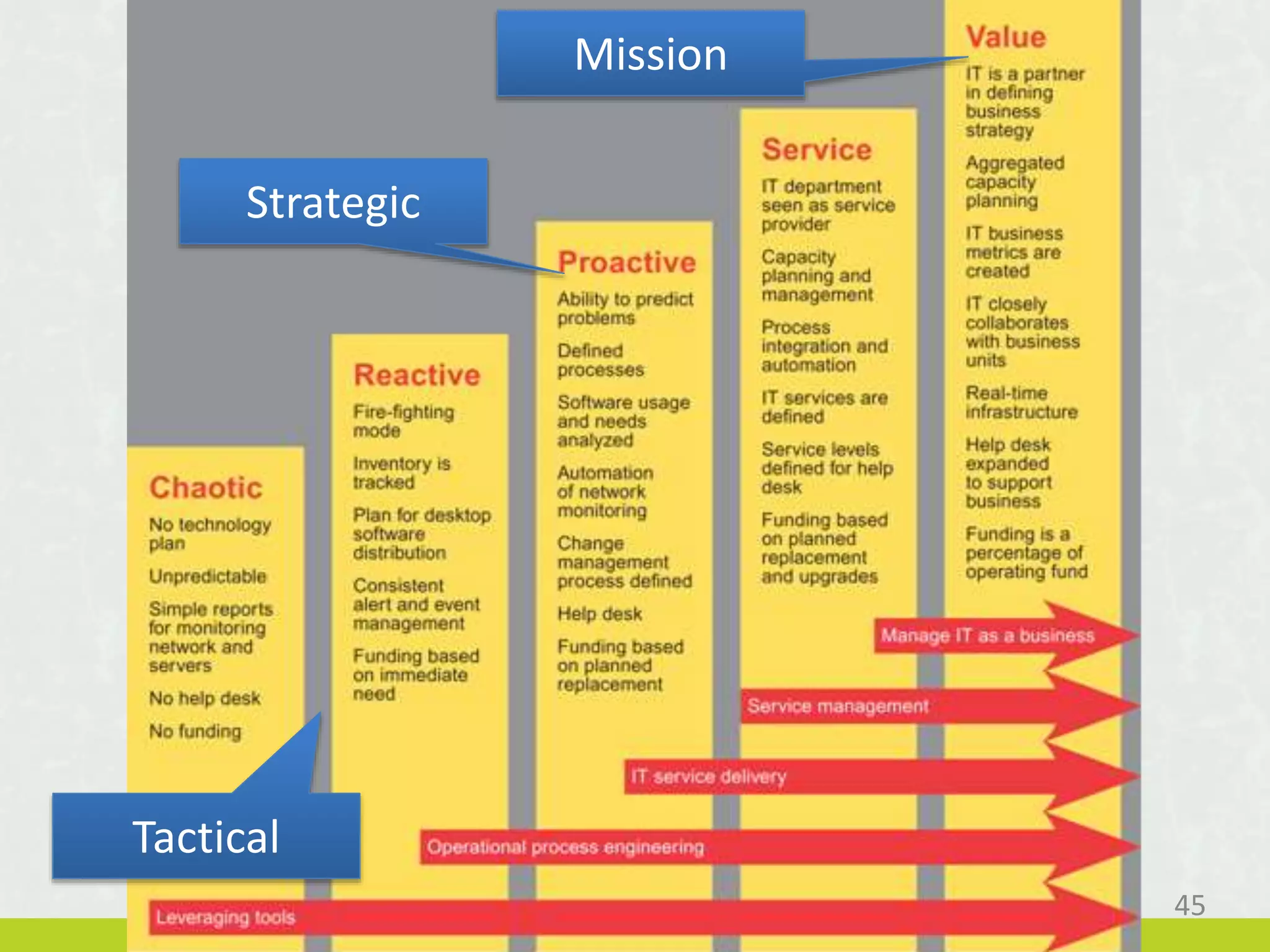
45
Mission
Strategic
Tactical
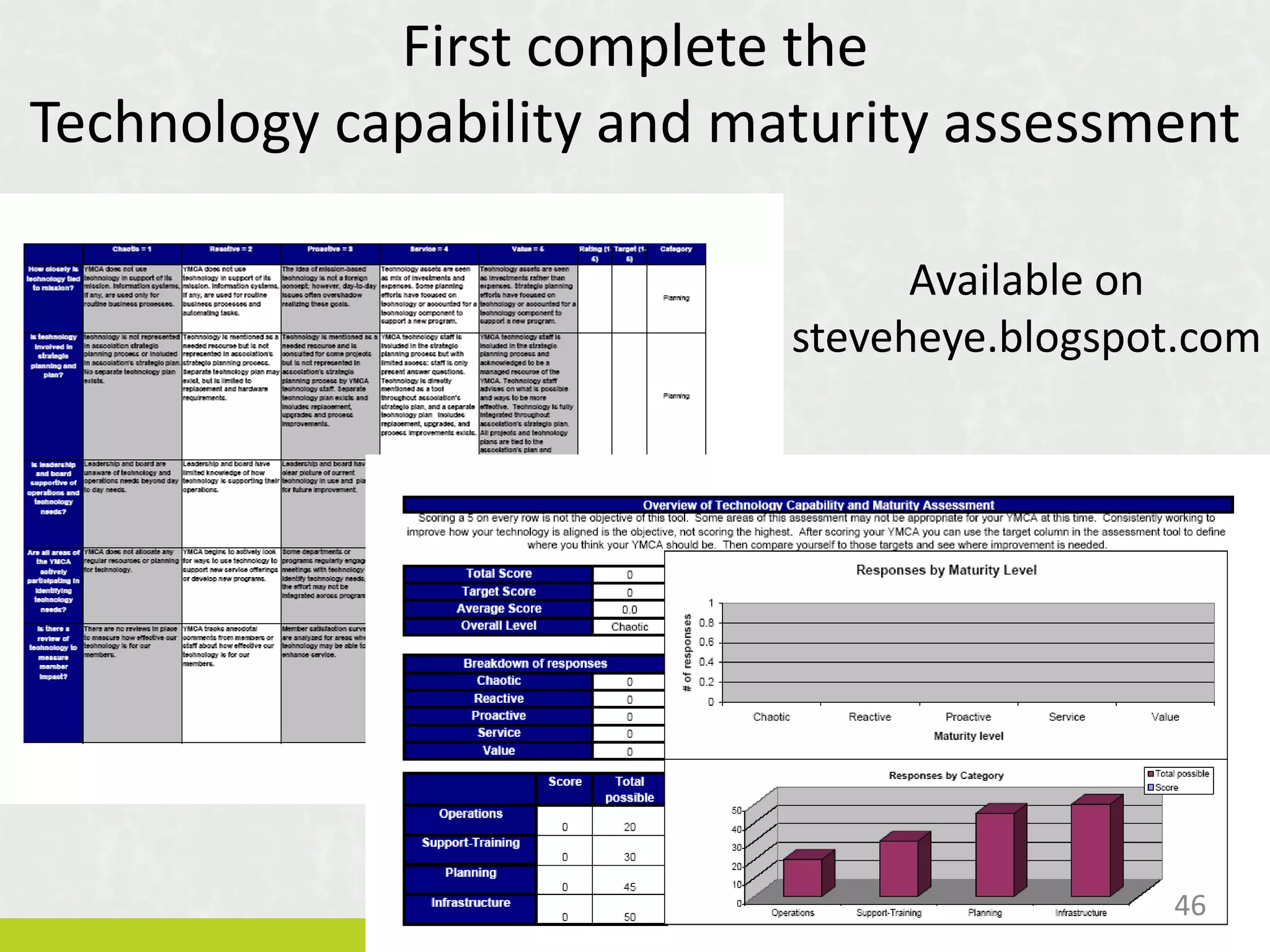
First complete the
Technology capability and maturity assessment
Available on
steveheye.blogspot.com
46
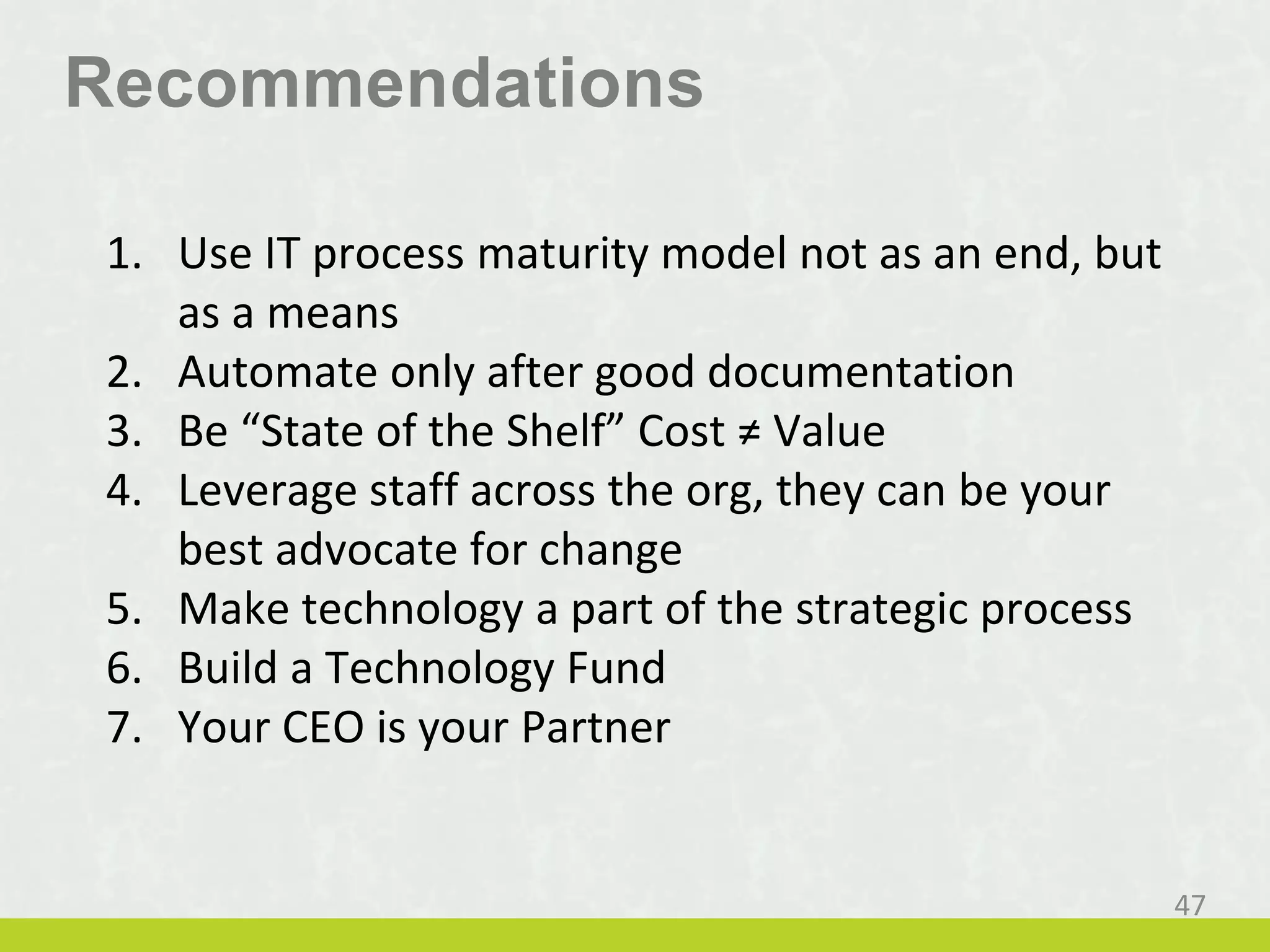
Recommendations
1. Use IT process maturity model not as an end, but
as a means
2. Automate only after good documentation
3. Be “State of the Shelf” Cost ≠ Value
4. Leverage staff across the org, they can be your
best advocate for change
5. Make technology a part of the strategic process
6. Build a Technology Fund
7. Your CEO is your Partner
47
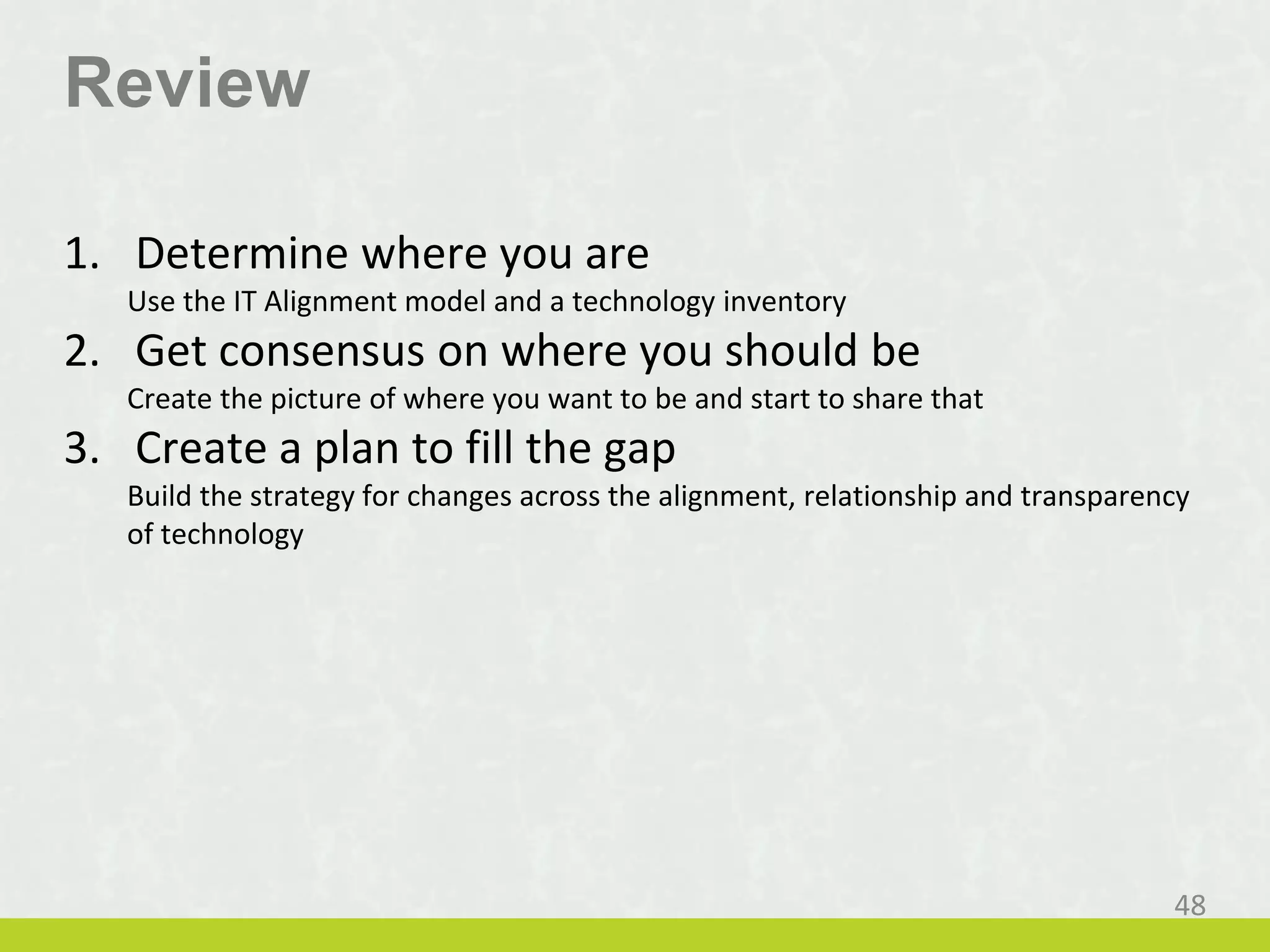
Review
1. Determine where you are
Use the IT Alignment model and a technology inventory
2. Get consensus on where you should be
Create the picture of where you want to be and start to share that
3. Create a plan to fill the gap
Build the strategy for changes across the alignment, relationship and transparency
of technology
48
Finance Fundraising Operations Program Communication
Executive
Technology should not be the focus, so lets
go back to a simple org chart without
technology in it and review each of the
areas. But we will look at them as topic
areas, not positions.
49
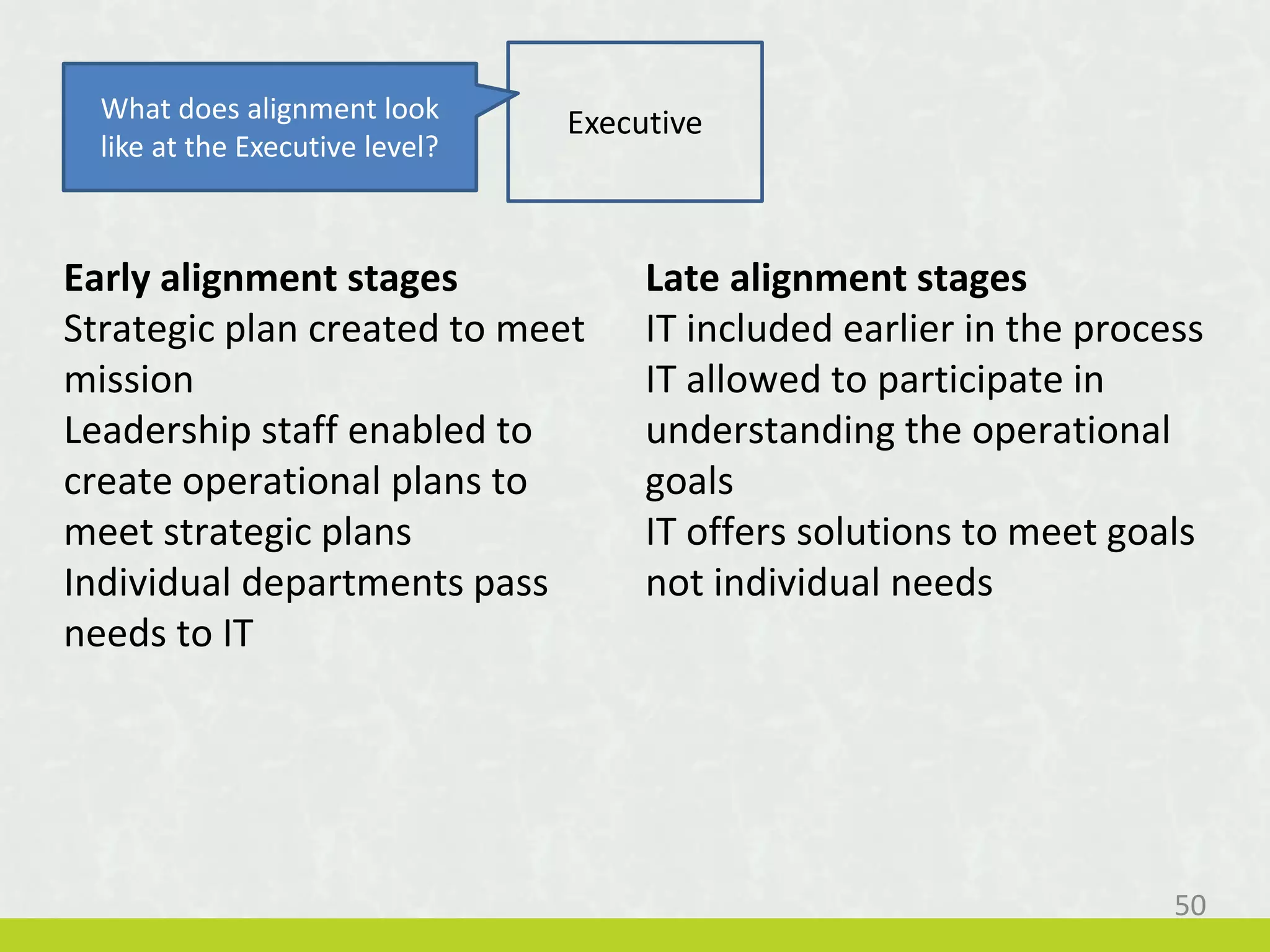
Early alignment stages
Strategic plan created to meet
mission
Leadership staff enabled to
create operational plans to
meet strategic plans
Individual departments pass
needs to IT
Late alignment stages
IT included earlier in the process
IT allowed to participate in
understanding the operational
goals
IT offers solutions to meet goals
not individual needs
ExecutiveWhat does alignment look
like at the Executive level?
50
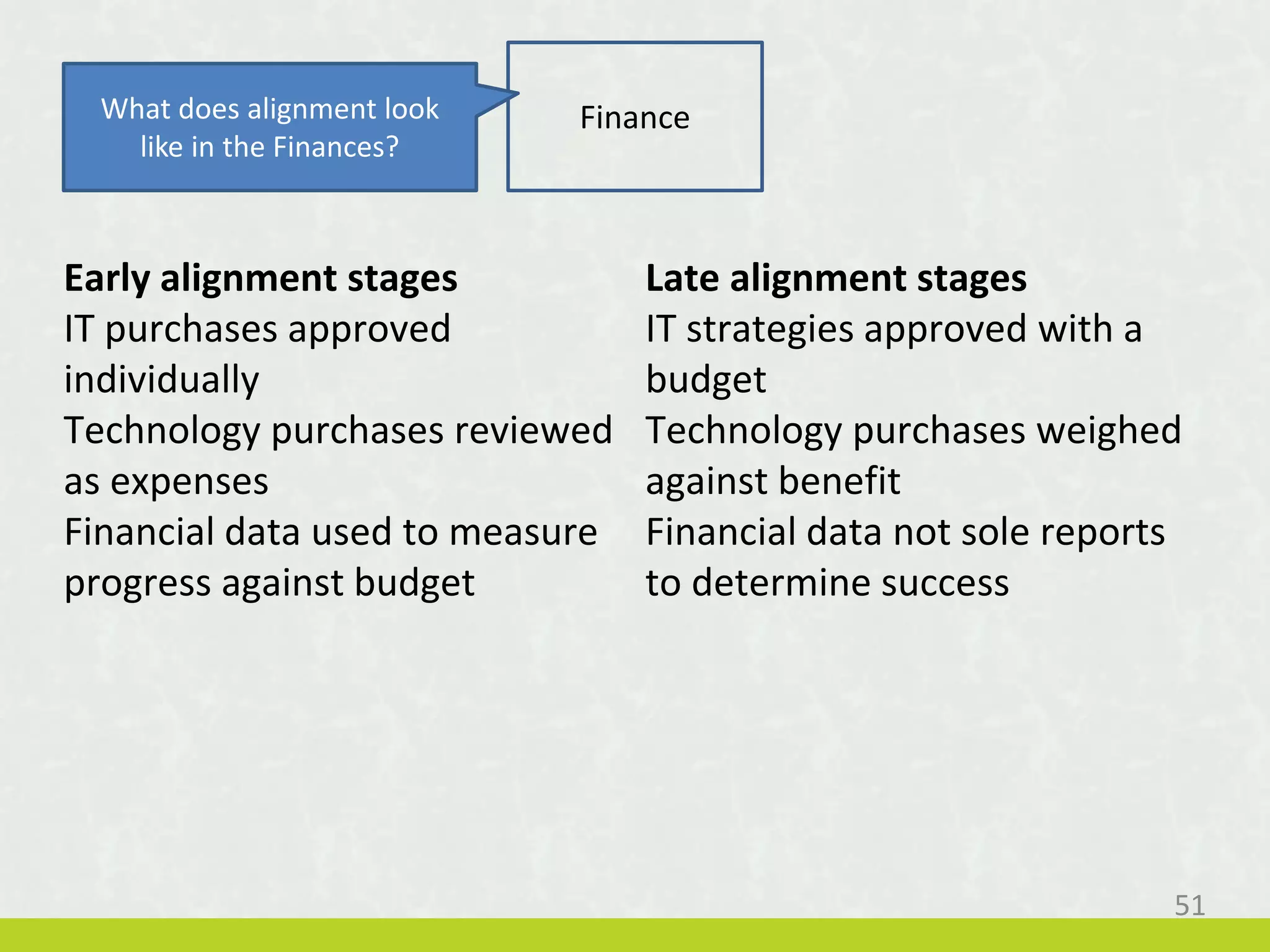
Early alignment stages
IT purchases approved
individually
Technology purchases reviewed
as expenses
Financial data used to measure
progress against budget
Late alignment stages
IT strategies approved with a
budget
Technology purchases weighed
against benefit
Financial data not sole reports
to determine success
FinanceWhat does alignment look
like in the Finances?
51
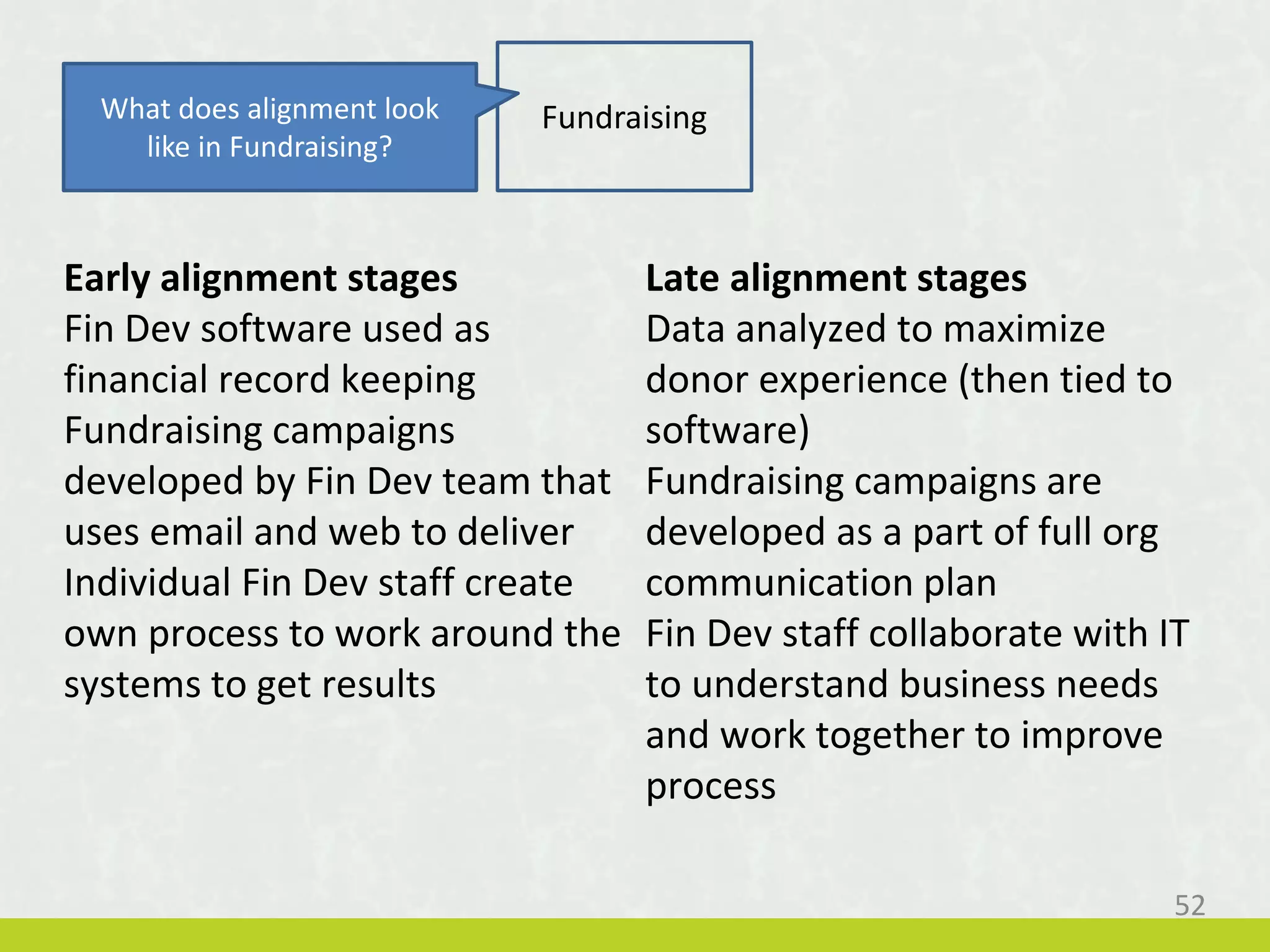
Early alignment stages
Fin Dev software used as
financial record keeping
Fundraising campaigns
developed by Fin Dev team that
uses email and web to deliver
Individual Fin Dev staff create
own process to work around the
systems to get results
Late alignment stages
Data analyzed to maximize
donor experience (then tied to
software)
Fundraising campaigns are
developed as a part of full org
communication plan
Fin Dev staff collaborate with IT
to understand business needs
and work together to improve
process
FundraisingWhat does alignment look
like in Fundraising?
52
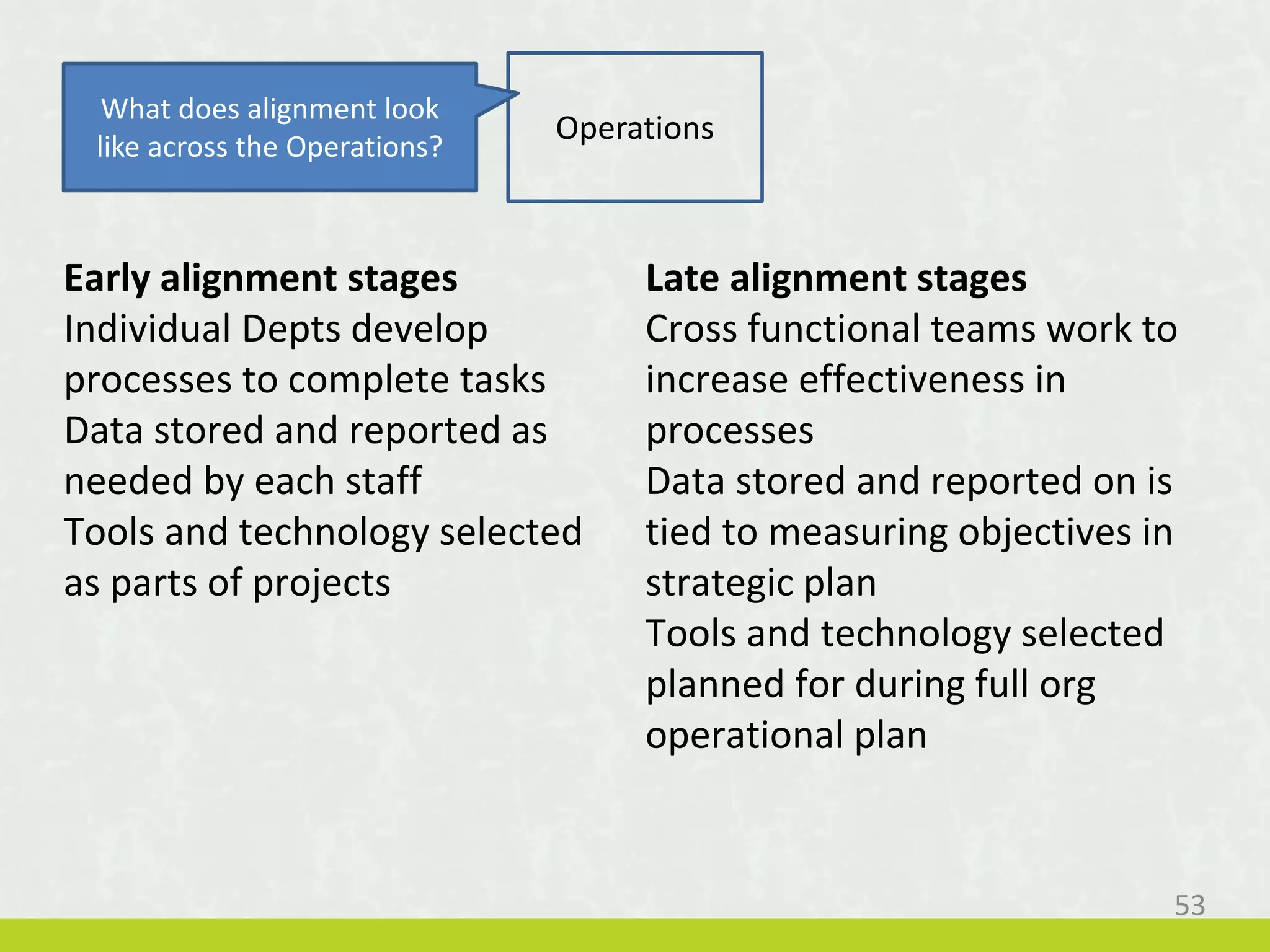
Early alignment stages
Individual Depts develop
processes to complete tasks
Data stored and reported as
needed by each staff
Tools and technology selected
as parts of projects
Late alignment stages
Cross functional teams work to
increase effectiveness in
processes
Data stored and reported on is
tied to measuring objectives in
strategic plan
Tools and technology selected
planned for during full org
operational plan
Operations
What does alignment look
like across the Operations?
53
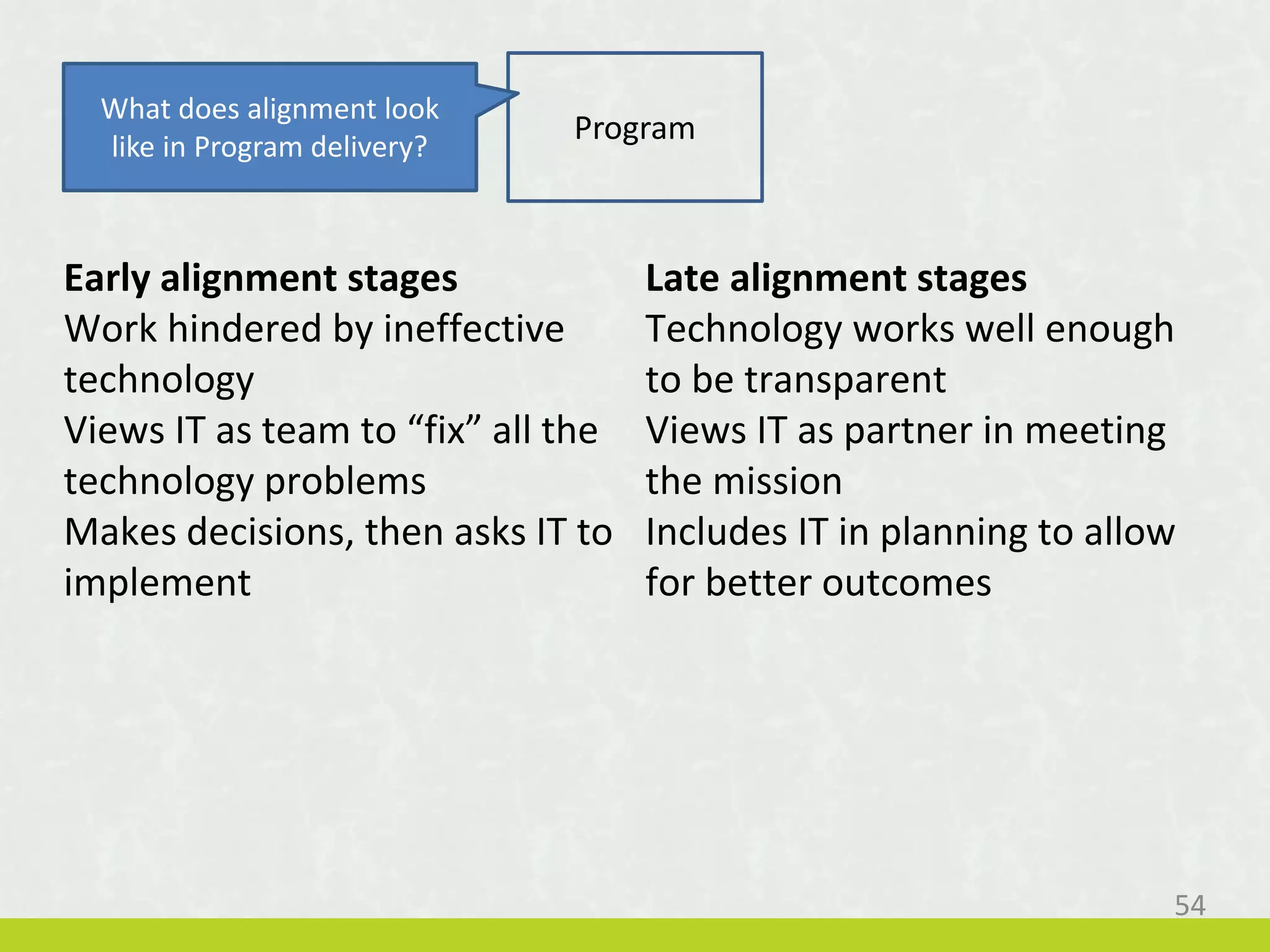
Early alignment stages
Work hindered by ineffective
technology
Views IT as team to “fix” all the
technology problems
Makes decisions, then asks IT to
implement
Late alignment stages
Technology works well enough
to be transparent
Views IT as partner in meeting
the mission
Includes IT in planning to allow
for better outcomes
Program
What does alignment look
like in Program delivery?
54
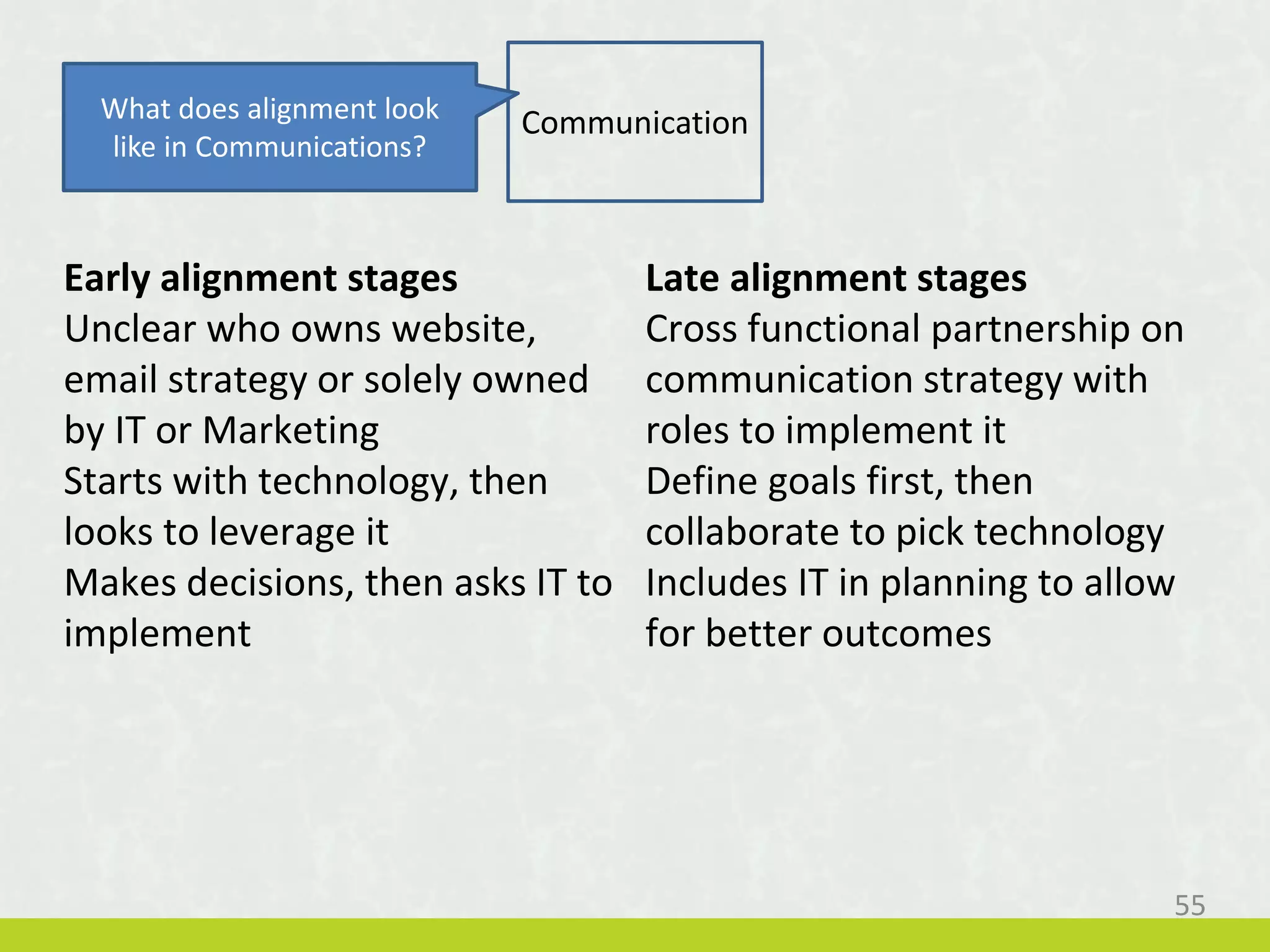
Early alignment stages
Unclear who owns website,
email strategy or solely owned
by IT or Marketing
Starts with technology, then
looks to leverage it
Makes decisions, then asks IT to
implement
Late alignment stages
Cross functional partnership on
communication strategy with
roles to implement it
Define goals first, then
collaborate to pick technology
Includes IT in planning to allow
for better outcomes
CommunicationWhat does alignment look
like in Communications?
55

Technology Planning and Implementation

  • 1.
    Certificate Core IT Planningand Implementation
  • 2.
    IT Planning andImplementation Steve Heye Solution Consultant NetSuite.org @steveheye steveheye.blogspot.com Tactical Strategic Mission Planning Most of your needs revolve around keeping things running Things work well, many needs focus on people and process People, Process and Tools all work together well, looking for innovation and impact technology
  • 3.
    Session Objectives 1. Understandyour level of technology maturity and determine where to focus technology expertise 2. Know how to budget effectively for technology by including all costs (not just the purchase price) 3. Outline ways to build an organizational culture where technology is included in all planning and strategy for the organization. 3
  • 4.
    Session Objectives 1. Understandyour level of technology maturity and determine where to focus technology expertise 4
  • 5.
    Technology Planning isSimple But there is a difference between simple and easy. 5 You are here Wish you were here 1. Determine where you are 2. Get consensus on where you should be 3. Create a plan to fill the gap
  • 6.
    IT Basics Manage Regular Maintenance& Upgrades, Help Desk Onsite & Offsite Backups, Restore Tested Plan Technology Vision and Plan Business Continuity  Govern  Business Process, Project Management, Change Management  Policies and Procedures  Partner in planning  Enable  Training and support  Process improvement
  • 7.
    Business System Basics Staff Capacity  Information/Knowledge Management - Intranet  File Server, SharePoint, Google Sites  Communications  Exchange Server, Office365, Google Gmail  Organization Capacity  Database  CRM – Customer Relationship Management  Enterprise Software
  • 8.
    Network Basics  NetworkInfrastructure  Storage, Memory, Processing, Routing  Maintenance  Patches, Updates, Upgrades  Backups  Safeguarding your data is essential  Bandwidth  Internet connectivity is a mission critical need  Protection  Practice safe computing by protecting your network and all who use it  Acceptable Use Policies  Permission to discipline those who do not practice safe computing
  • 9.
  • 10.
    Options  On Premise Traditional client-server environment  Cloud  Software as a Service (SaaS)  Platform as a Service (PaaS)  Infrastructure as a Service (IaaS)  Hybird  A little of this and a little of that
  • 11.
  • 12.
    12 Strategic 1. Business Process 2.Staff Skills 3. Strategy Begins Mission 1. Innovation 2. Impact Tactical 1. Focus is on keeping things running 2. Network, Hardware, Software 3. Little to No Strategy
  • 13.
    Enterprise Applications Business Applications Core Business Support Desktop/ Laptop Infrastructure Management Help Desk Servers / Network E-Mail • Patch Mgmt • Upgrades • Anti-Virus • Asset Tracking • Password Reset • “How to” • Equipment failures • Fault Mgmt • Performance Mgmt • Configuration • Upgrades • SPAM • Upgrades Value Commodity Strategic Tactical Technology Hemispheres 13
  • 14.
    Make it Happen TacticalStrategic Mission Planning Tech Plan = Focus on a solid foundation (network, hardware & software) for efficiency Operations Plan = Integrate tools, people and process to improve effectiveness Org Strategic Plan = Align technology and innovate to make an impact & add value Implementing Focus on IT, stability & basic support Cross Departmental, build collaboration & skills Change program/ service delivery & organization culture Budgeting Replace & upgrade based on software/hardware inventory, build IT skills Include process improvement, training and support Allow for experimentation, innovation and technology fund Infrastructure Infrastructure & Operations 14
  • 15.
    Which area oftechnology planning do you need to focus on? Tactical Strategic Mission Planning Most of your needs revolve around keeping things running Things work well, many needs focus on people and process People, Process and Tools all work together well, looking for innovation and impact technology Tactical Tactical & Strategic 15
  • 16.
    1. Inventory (Spiceworksor simple spreadsheet) 2. Replace, upgrade, add 3. Training, support and consulting needs 4. Create timeline NOTE: Get expert help for an audit and/or analysis, consider a local company or volunteers Tactical Strategic Mission Plan Implement Budget 16
  • 17.
    • Rely onsmall teams or outside resources managed by one of your staff • Move commodities to the cloud • Use what you have Plan Implement Budget Key is to shift from fighting fires to being proactive. Find time to be strategic. 17 Tactical Strategic Mission
  • 18.
    • Quotes basedon your replacement and upgrade timeline. • Distribute expenses to programs or centralize? • Leverage your NPO status *NOTE: set a min. standard for donated tech, old donations cost more than they help. Plan Implement Budget 18 Tactical Strategic Mission
  • 19.
    How do youcurrently budget for technology? • No specific tech budget • Budget for each item to replace • Budget to replace and for projects • Fund setup for strategic technology Plan Implement Budget 19 Tactical Strategic Mission
  • 20.
    Inventory Start simple; draw ortake a picture of your network. 20
  • 21.
    Inventory Spreadsheet Then addcolumns for Budget 21
  • 22.
    Tech Trap =Seeing past what doesn’t work Once your tech works, you can think strategy. What is the biggest business need in your org and what role can technology play? Tactical Strategic Mission Plan Implement Budget 22
  • 23.
    1. Create TechProject request process 2. Set priorities of requested projects 3. Identify process, policy and skill changes needed 4. Determine training, support and consulting needed 5. Create timeline NOTE: Involve key stakeholders to begin building understanding & buy-in for technology Plan Implement Budget S T A F F 23 Tactical Strategic Mission
  • 24.
    1. Rely oncross department teams to change process and policies 2. Training, training, training 3. Stop, Collaborate and Listen 4. Begin business improvement Plan Implement Budget Key is to balance tools, process and people. 24 Tactical Strategic Mission
  • 25.
    1. Investigate arange of solutions for each project 2. Capital or operations expense? 3. 70/30 rule 4. Fund Projects, Not Technology Plan Implement Budget 25 Tactical Strategic Mission
  • 26.
    70 / 30Rule Spend 30% on Technology Nuts, bolts & infrastructure Spend 70% on People & Support Training, systems, maintenance 26 Tip: Don’t wait till you are hungry to go to the grocery store…
  • 27.
    Which of thesehas been implemented at your org? (Select all that apply) 1. Process mapping 2. Formal project management 3. Regular technology training 4. IT Help Desk tracking 5. Technology steering committee 6. None of the above 27
  • 28.
    1. Look forways to impact mission or change service delivery 2. What can you do differently? 3. Look for emerging technology NOTE: These will typically be large projects and may take years to implement. You have to be willing to experiment (and possibly fail). Tactical Strategic Mission Plan Implement Budget 28
  • 29.
    1. Involve leadershipand full organization 2. Changes to org structure, service delivery and strategic planning Plan Implement Budget Key is to tie outcomes to meeting mission, not building organizational capacity. Mission Org 29 Tactical Strategic Mission
  • 30.
    1. Budget drivenby org’s overall budget and strategic plan, plus technology plan. 2. Move toward a technology fund of 2-4% of operating budget. Plan Implement Budget 30 Tactical Strategic Mission
  • 31.
    Share a missionstrategy you are working on that could benefit from technology. Plan Implement Budget 31 Tactical Strategic Mission
  • 32.
    Technology Planning 1. Lookfor common questionsproblems Document mgmt, data, slow computers, etc. 2. Identify themes Security, innovation, reporting, stability, communications, collaboration, etc. 3. Mission Impact Get input from the people you serve or look to others in your field 32
  • 33.
    Business Process Intranet Email Hardware Phones Printers Desktop Network Security Enterprise Software SocialMedia Website Email Blast Policies Support Training Business Continuity Use a white board, write all of the parts of your technology 33
  • 34.
    34 Topic Strength WeaknessOpportunity Business Process Well Understood Not Documented Document for new system Intranet Solid Structure Not Used User Training Servers Space Available Aging Hardware Move to Cloud Security Network Strong Endpoint Weak (user) Security Policy and Training Policies Standard Policies Not enforced Address Culture Training Management Trained End Users Lack Training Push Training out to all Staff Brainstorm strengths, weaknesses and opportunities
  • 35.
    Session Objectives 2. Knowhow to budget effectively for technology by including all costs (not just the purchase price) 35
  • 36.
    There’s No GoodWay to Budget --Without a Plan 1. Form a technology team 2. Conduct assessment & research 3. Set goals & strategies 4. Operationalize & prioritize goals 5. Establish budget 6. Write plan 7. Implement 8. Evaluate – revise - update 36
  • 37.
    1. Replace –create a schedule, budget by item 2. Upgrade – plan for additions, budget by item 3. Support – 70/30 4. Projects – gather requests & estimate 37 There’s No Good Way to Budget --Without a Plan
  • 38.
    Session Objectives 3. Outlineways to build an organizational culture where technology is included in all planning and strategy for the organization. 38
  • 39.
    Is technology staffinvolved in Strategic Planning? 1. We don’t have a strategic plan 2. Strategic Planning doesn’t include tech staff 3. Strategic Planning mentions tech, but tech staff not involved 4. Strategic Planning involved Tech Staff My Note: Being given the strategic plan is not the same as being involved in the process of creating it. 39
  • 40.
  • 41.
  • 42.
  • 43.
  • 44.
    Finance Fundraising OperationsProgram Communication Executive Collect technology project requests from across the organization. Gather input and set priorities Set your budget, timeline and plan Step back and look for Organization wide trends, needs and possibilities 44
  • 45.
  • 46.
    First complete the Technologycapability and maturity assessment Available on steveheye.blogspot.com 46
  • 47.
    Recommendations 1. Use ITprocess maturity model not as an end, but as a means 2. Automate only after good documentation 3. Be “State of the Shelf” Cost ≠ Value 4. Leverage staff across the org, they can be your best advocate for change 5. Make technology a part of the strategic process 6. Build a Technology Fund 7. Your CEO is your Partner 47
  • 48.
    Review 1. Determine whereyou are Use the IT Alignment model and a technology inventory 2. Get consensus on where you should be Create the picture of where you want to be and start to share that 3. Create a plan to fill the gap Build the strategy for changes across the alignment, relationship and transparency of technology 48
  • 49.
    Finance Fundraising OperationsProgram Communication Executive Technology should not be the focus, so lets go back to a simple org chart without technology in it and review each of the areas. But we will look at them as topic areas, not positions. 49
  • 50.
    Early alignment stages Strategicplan created to meet mission Leadership staff enabled to create operational plans to meet strategic plans Individual departments pass needs to IT Late alignment stages IT included earlier in the process IT allowed to participate in understanding the operational goals IT offers solutions to meet goals not individual needs ExecutiveWhat does alignment look like at the Executive level? 50
  • 51.
    Early alignment stages ITpurchases approved individually Technology purchases reviewed as expenses Financial data used to measure progress against budget Late alignment stages IT strategies approved with a budget Technology purchases weighed against benefit Financial data not sole reports to determine success FinanceWhat does alignment look like in the Finances? 51
  • 52.
    Early alignment stages FinDev software used as financial record keeping Fundraising campaigns developed by Fin Dev team that uses email and web to deliver Individual Fin Dev staff create own process to work around the systems to get results Late alignment stages Data analyzed to maximize donor experience (then tied to software) Fundraising campaigns are developed as a part of full org communication plan Fin Dev staff collaborate with IT to understand business needs and work together to improve process FundraisingWhat does alignment look like in Fundraising? 52
  • 53.
    Early alignment stages IndividualDepts develop processes to complete tasks Data stored and reported as needed by each staff Tools and technology selected as parts of projects Late alignment stages Cross functional teams work to increase effectiveness in processes Data stored and reported on is tied to measuring objectives in strategic plan Tools and technology selected planned for during full org operational plan Operations What does alignment look like across the Operations? 53
  • 54.
    Early alignment stages Workhindered by ineffective technology Views IT as team to “fix” all the technology problems Makes decisions, then asks IT to implement Late alignment stages Technology works well enough to be transparent Views IT as partner in meeting the mission Includes IT in planning to allow for better outcomes Program What does alignment look like in Program delivery? 54
  • 55.
    Early alignment stages Unclearwho owns website, email strategy or solely owned by IT or Marketing Starts with technology, then looks to leverage it Makes decisions, then asks IT to implement Late alignment stages Cross functional partnership on communication strategy with roles to implement it Define goals first, then collaborate to pick technology Includes IT in planning to allow for better outcomes CommunicationWhat does alignment look like in Communications? 55