an Algoworks® 
initiative 
How to Integrate 
QuickBooks with 
Salesforce? 
support@algoworks.com Toll-Free: +1-877-284-1028
CONTENT 
1) Introduction 
2) Ways to integrate 
1) App Way 
2) Custom Integrate 
3) Things to Consider Before integrating 
Salesforce with Quickbooks 
support@algoworks.com Toll-Free: +1-877-284-1028
INTRODUCTION 
• QuickBooks and Salesforce – Two most popularly used cloud based 
softwares 
• Integration is a demand -> Cause it can save hours and days which are 
usually wasted in manual data migration 
support@algoworks.com Toll-Free: +1-877-284-1028
WAYS TO INTEGRATE - APP WAY 
Intuit – Salesforce Integration for QuickBooks 
• It was one of the earliest such App and is made 
by Intuit Inc. itself, the firm behind QuickBooks. 
It had lots of bugs in its early stage but it is 
catching up to its competitors. The only plus 
point of this App is that it’s very cheap. 
support@algoworks.com Toll-Free: +1-877-284-1028 
Pricing:- 
$28 / $70 per user per month, 
plus some addition charges. 
Most suitable for :- 
Small scale organizations 
https://appexchange.salesforce.com/listingDetail?listingId=a0N30000009wTghEAE
WAYS TO INTEGRATE - APP WAY 
Avankia – DBSync QuickBooks Integration for 
Salesforce 
• One of the most favored and most used solution for 
QuickBooks and Salesforce integration. Have support 
for custom mapping. 
support@algoworks.com Toll-Free: +1-877-284-1028 
Pricing:- 
Free / $795 / $1495 annually. 
Most suitable for :- 
Small to medium scale 
organizations 
https://appexchange.salesforce.com/listingDetail?listingId=a0N300000016bTHEAY
WAYS TO INTEGRATE - APP WAY 
Boomi Atmosphere 
• It is a powerful multipurpose tool and can be 
used to accomplish a lot of integration task, not 
just QuickBooks and Salesforce integration. 
Expensive but complete integration solution. 
Good for those firms that have lots of third 
party applications to connect with Salesforce. 
In short it is the mother and daddy of all 
integration cloud solutions. 
support@algoworks.com Toll-Free: +1-877-284-1028 
Pricing:- 
$2000 / $4000 / $8000/ $12000 
per month 
Most suitable for :- 
Medium to large scale 
organizations. 
https://appexchange.salesforce.com/listingDetail?listingId=a0N30000009wTghEAE
WAYS TO INTEGRATE – CUSTOM INTEGRATION 
Intuit, the company behind QuickBooks, 
has released its own SDK, a collection of protocols 
for integration. 
• This can be used to create a custom solution to 
integrate your products. However custom 
development and would obviously cost more as you 
would have to hire dedicated Salesforce 
developers. 
support@algoworks.com Toll-Free: +1-877-284-1028 
• Good for: 
Who are heavily 
dependent on 
Salesforce and 
QuickBooks and have 
many fields to syn. 
https://developer.intuit.com/docs/0025_quickbooksapi/0055_devkits
‘Things to consider before integrating 
Salesforce with QuickBooks’
INTEGRATING SALESFORCE WITH QUICKBOOKS 
• Versions of QuickBooks and 
Salesforce that you are integrating. Its 
more so with QuickBooks because the 
product has both desktop and cloud 
versions. 
support@algoworks.com Toll-Free: +1-877-284-1028
INTEGRATING SALESFORCE WITH QUICKBOOKS 
• What is the final goal of 
integrating? Do you want a 
one way integration or a two 
way, i.e. do you want a 
system that only retrieves 
information from one product 
to another or a system that 
can allow users to change 
the value in both systems. 
support@algoworks.com Toll-Free: +1-877-284-1028
INTEGRATING SALESFORCE WITH QUICKBOOKS 
• Should the system update records 
in real time or do you need a 
system that has to update on a 
specific schedule like on a daily, 
weekly, or monthly basis. 
support@algoworks.com Toll-Free: +1-877-284-1028
INTEGRATING SALESFORCE WITH QUICKBOOKS 
• What type of trigger you want to 
move a record from one system to 
another or update a record? 
support@algoworks.com Toll-Free: +1-877-284-1028
INTEGRATING SALESFORCE WITH QUICKBOOKS 
• What type of approvals a user 
would need to update a transaction 
into your QuickBooks accounting 
system? 
support@algoworks.com Toll-Free: +1-877-284-1028
INTEGRATING SALESFORCE WITH QUICKBOOKS 
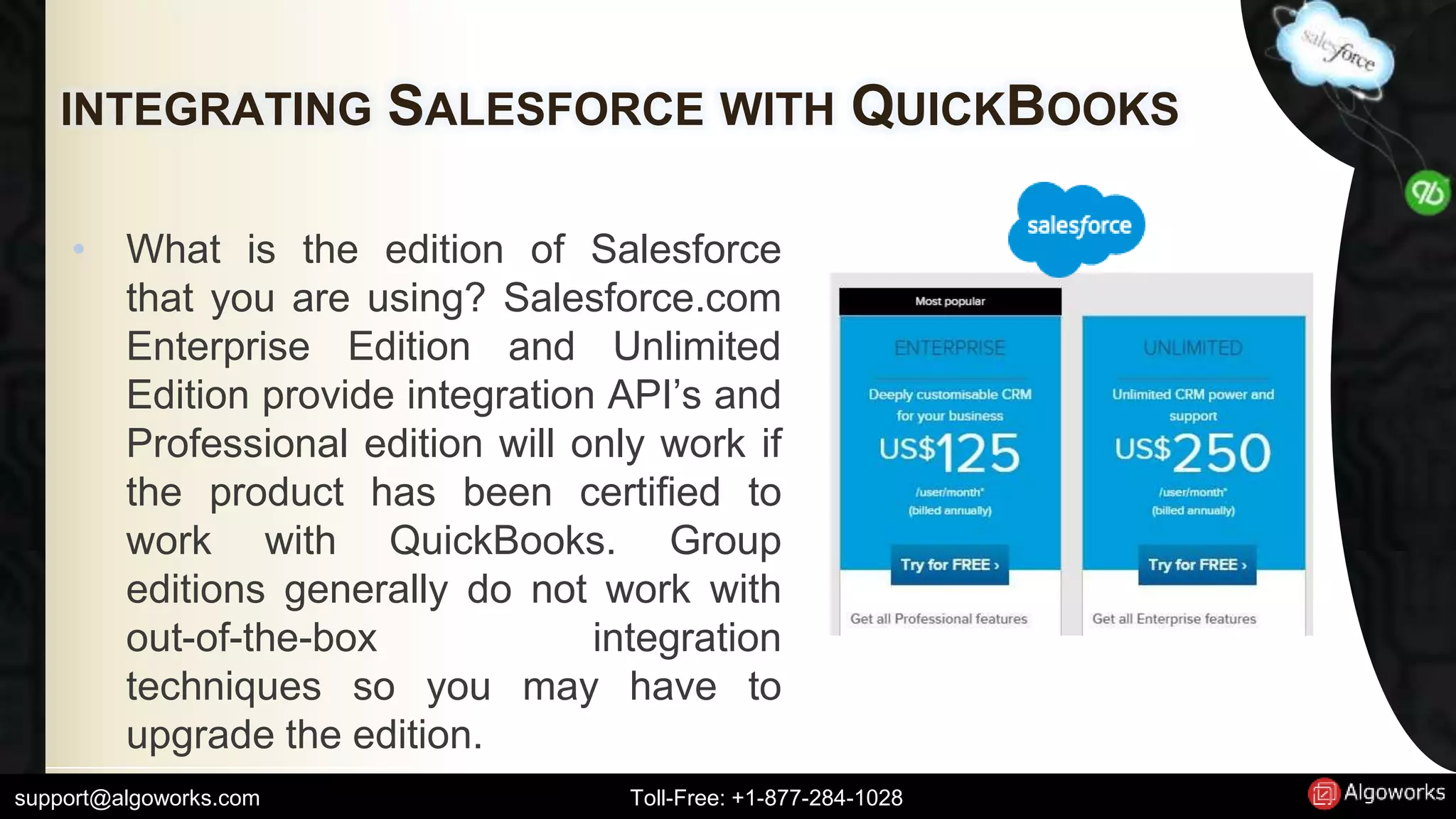
• What is the edition of Salesforce 
that you are using? Salesforce.com 
Enterprise Edition and Unlimited 
Edition provide integration API’s and 
Professional edition will only work if 
the product has been certified to 
work with QuickBooks. Group 
editions generally do not work with 
out-of-the-box integration 
techniques so you may have to 
upgrade the edition. 
support@algoworks.com Toll-Free: +1-877-284-1028
INTEGRATING SALESFORCE WITH QUICKBOOKS 
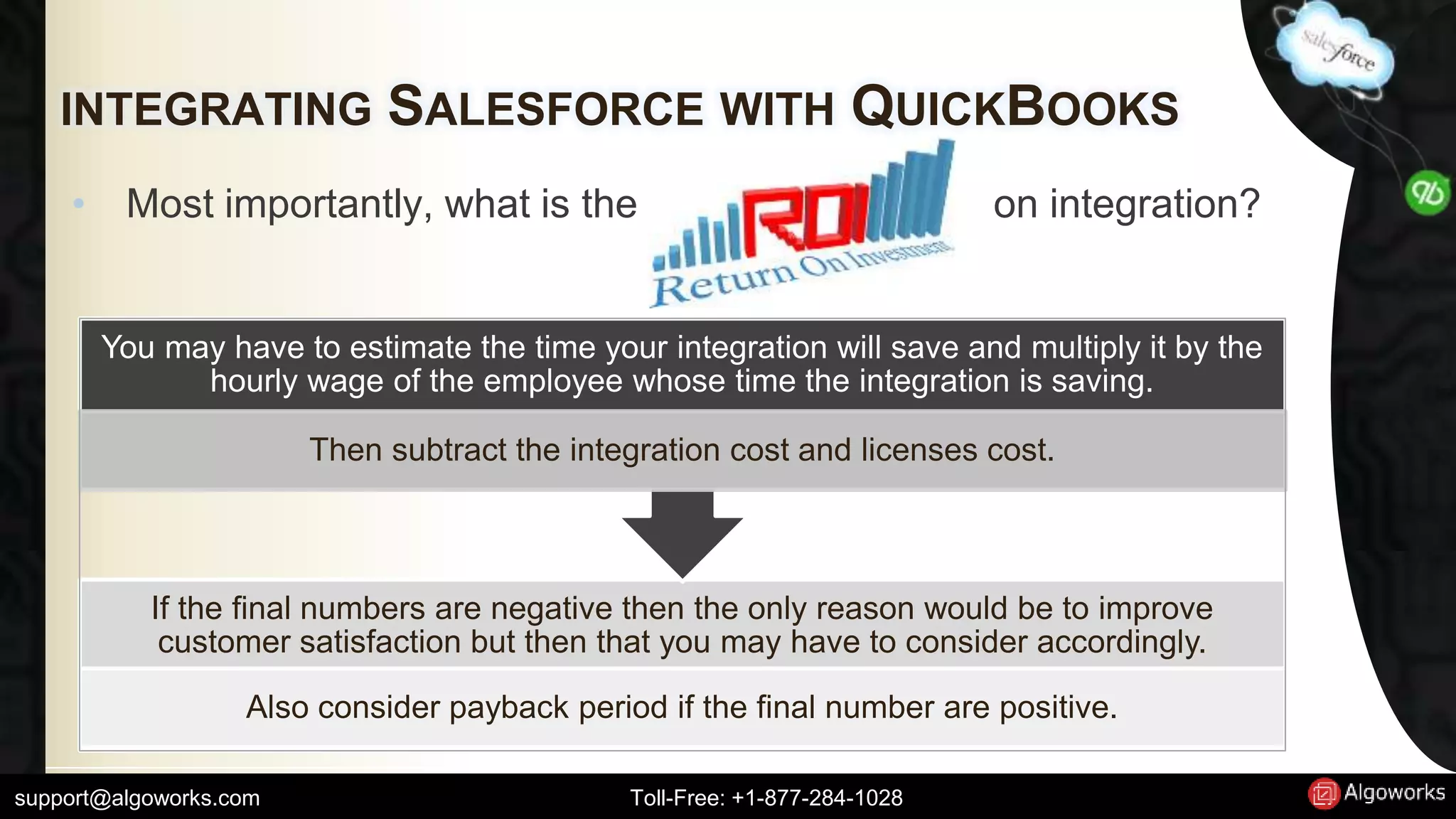
• Most importantly, what is the on integration? 
You may have to estimate the time your integration will save and multiply it by the 
hourly wage of the employee whose time the integration is saving. 
Then subtract the integration cost and licenses cost. 
If the final numbers are negative then the only reason would be to improve 
customer satisfaction but then that you may have to consider accordingly. 
Also consider payback period if the final number are positive. 
support@algoworks.com Toll-Free: +1-877-284-1028
INTEGRATING SALESFORCE WITH QUICKBOOKS 
• Does the Salesforce configuration and 
QuickBooks business process workflow 
match and can be integrated? To check this 
you should make sure that custom fields are 
there in both Salesforce and QuickBooks 
products. 
• Many times if the developers of both products 
are different, there are some clashes related 
to incompatible value fields and missing 
value fields. 
support@algoworks.com Toll-Free: +1-877-284-1028
SO WHAT NEXT? 
• Go ahead and integrate Salesforce with 
Quickbooks now! 
• You are good to go! 
• Note- Assistance of professional services is 
advised. 
support@algoworks.com Toll-Free: +1-877-284-1028
Thank you! 
Learn about how Algoworks can help your business! 
Call us at +1-877-284-1028 
Mail us at sales@algoworks.com, 
support@algoworks.com 
Visit Us At Link 
Official Blog Link - http://www.algoworks.com/blog/how-to-integrate-quickbooks-with-salesforce/ 
support@algoworks.com Toll-Free: +1-877-284-1028

Quickbooks Integration with Salesforce - Tips from Certified Consultants

  • 1.
    an Algoworks® initiative How to Integrate QuickBooks with Salesforce? support@algoworks.com Toll-Free: +1-877-284-1028
  • 2.
    CONTENT 1) Introduction 2) Ways to integrate 1) App Way 2) Custom Integrate 3) Things to Consider Before integrating Salesforce with Quickbooks support@algoworks.com Toll-Free: +1-877-284-1028
  • 3.
    INTRODUCTION • QuickBooksand Salesforce – Two most popularly used cloud based softwares • Integration is a demand -> Cause it can save hours and days which are usually wasted in manual data migration support@algoworks.com Toll-Free: +1-877-284-1028
  • 4.
    WAYS TO INTEGRATE- APP WAY Intuit – Salesforce Integration for QuickBooks • It was one of the earliest such App and is made by Intuit Inc. itself, the firm behind QuickBooks. It had lots of bugs in its early stage but it is catching up to its competitors. The only plus point of this App is that it’s very cheap. support@algoworks.com Toll-Free: +1-877-284-1028 Pricing:- $28 / $70 per user per month, plus some addition charges. Most suitable for :- Small scale organizations https://appexchange.salesforce.com/listingDetail?listingId=a0N30000009wTghEAE
  • 5.
    WAYS TO INTEGRATE- APP WAY Avankia – DBSync QuickBooks Integration for Salesforce • One of the most favored and most used solution for QuickBooks and Salesforce integration. Have support for custom mapping. support@algoworks.com Toll-Free: +1-877-284-1028 Pricing:- Free / $795 / $1495 annually. Most suitable for :- Small to medium scale organizations https://appexchange.salesforce.com/listingDetail?listingId=a0N300000016bTHEAY
  • 6.
    WAYS TO INTEGRATE- APP WAY Boomi Atmosphere • It is a powerful multipurpose tool and can be used to accomplish a lot of integration task, not just QuickBooks and Salesforce integration. Expensive but complete integration solution. Good for those firms that have lots of third party applications to connect with Salesforce. In short it is the mother and daddy of all integration cloud solutions. support@algoworks.com Toll-Free: +1-877-284-1028 Pricing:- $2000 / $4000 / $8000/ $12000 per month Most suitable for :- Medium to large scale organizations. https://appexchange.salesforce.com/listingDetail?listingId=a0N30000009wTghEAE
  • 7.
    WAYS TO INTEGRATE– CUSTOM INTEGRATION Intuit, the company behind QuickBooks, has released its own SDK, a collection of protocols for integration. • This can be used to create a custom solution to integrate your products. However custom development and would obviously cost more as you would have to hire dedicated Salesforce developers. support@algoworks.com Toll-Free: +1-877-284-1028 • Good for: Who are heavily dependent on Salesforce and QuickBooks and have many fields to syn. https://developer.intuit.com/docs/0025_quickbooksapi/0055_devkits
  • 8.
    ‘Things to considerbefore integrating Salesforce with QuickBooks’
  • 9.
    INTEGRATING SALESFORCE WITHQUICKBOOKS • Versions of QuickBooks and Salesforce that you are integrating. Its more so with QuickBooks because the product has both desktop and cloud versions. support@algoworks.com Toll-Free: +1-877-284-1028
  • 10.
    INTEGRATING SALESFORCE WITHQUICKBOOKS • What is the final goal of integrating? Do you want a one way integration or a two way, i.e. do you want a system that only retrieves information from one product to another or a system that can allow users to change the value in both systems. support@algoworks.com Toll-Free: +1-877-284-1028
  • 11.
    INTEGRATING SALESFORCE WITHQUICKBOOKS • Should the system update records in real time or do you need a system that has to update on a specific schedule like on a daily, weekly, or monthly basis. support@algoworks.com Toll-Free: +1-877-284-1028
  • 12.
    INTEGRATING SALESFORCE WITHQUICKBOOKS • What type of trigger you want to move a record from one system to another or update a record? support@algoworks.com Toll-Free: +1-877-284-1028
  • 13.
    INTEGRATING SALESFORCE WITHQUICKBOOKS • What type of approvals a user would need to update a transaction into your QuickBooks accounting system? support@algoworks.com Toll-Free: +1-877-284-1028
  • 14.
    INTEGRATING SALESFORCE WITHQUICKBOOKS • What is the edition of Salesforce that you are using? Salesforce.com Enterprise Edition and Unlimited Edition provide integration API’s and Professional edition will only work if the product has been certified to work with QuickBooks. Group editions generally do not work with out-of-the-box integration techniques so you may have to upgrade the edition. support@algoworks.com Toll-Free: +1-877-284-1028
  • 15.
    INTEGRATING SALESFORCE WITHQUICKBOOKS • Most importantly, what is the on integration? You may have to estimate the time your integration will save and multiply it by the hourly wage of the employee whose time the integration is saving. Then subtract the integration cost and licenses cost. If the final numbers are negative then the only reason would be to improve customer satisfaction but then that you may have to consider accordingly. Also consider payback period if the final number are positive. support@algoworks.com Toll-Free: +1-877-284-1028
  • 16.
    INTEGRATING SALESFORCE WITHQUICKBOOKS • Does the Salesforce configuration and QuickBooks business process workflow match and can be integrated? To check this you should make sure that custom fields are there in both Salesforce and QuickBooks products. • Many times if the developers of both products are different, there are some clashes related to incompatible value fields and missing value fields. support@algoworks.com Toll-Free: +1-877-284-1028
  • 17.
    SO WHAT NEXT? • Go ahead and integrate Salesforce with Quickbooks now! • You are good to go! • Note- Assistance of professional services is advised. support@algoworks.com Toll-Free: +1-877-284-1028
  • 18.
    Thank you! Learnabout how Algoworks can help your business! Call us at +1-877-284-1028 Mail us at sales@algoworks.com, support@algoworks.com Visit Us At Link Official Blog Link - http://www.algoworks.com/blog/how-to-integrate-quickbooks-with-salesforce/ support@algoworks.com Toll-Free: +1-877-284-1028