Linkedin.com
– present, active,
now and forever,
amen.        Russ Knight
              OJTjobs@gmail.com
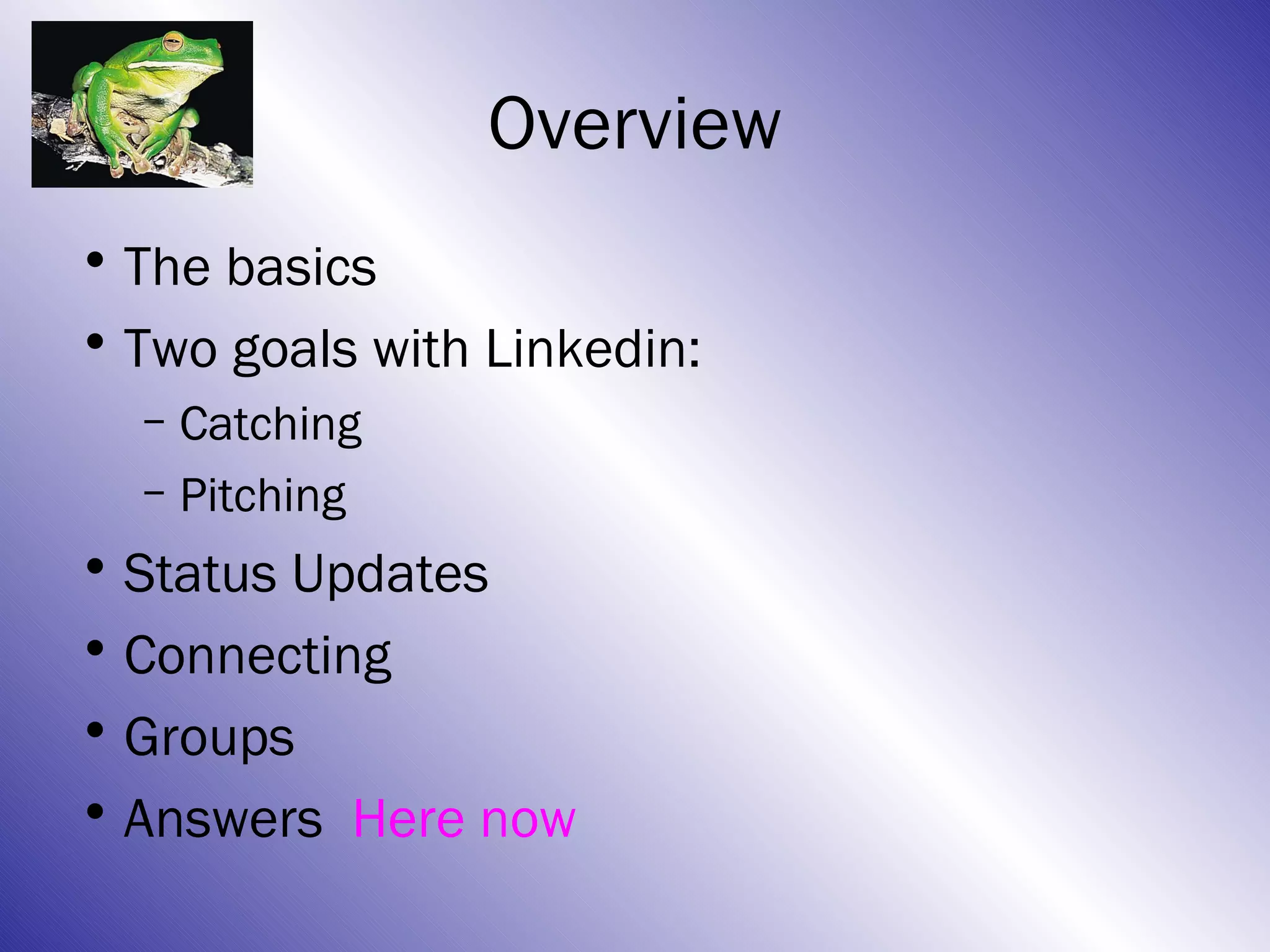
Overview
• The basics – Starting here
• Two goals with Linkedin:
  – Catching
  – Pitching
• Status Updates
• Connecting
• Groups
• Answers
The Basics of LinkedIn
• LinkedIn is THE place everyone goes to find
  people – recruiters, hiring managers or
  anyone else with a problem or a question.
• Build your profile intentionally so people can
  find you (catching.)
• Connect with lots of people and use
  interactively so you can find people
  (pitching.)
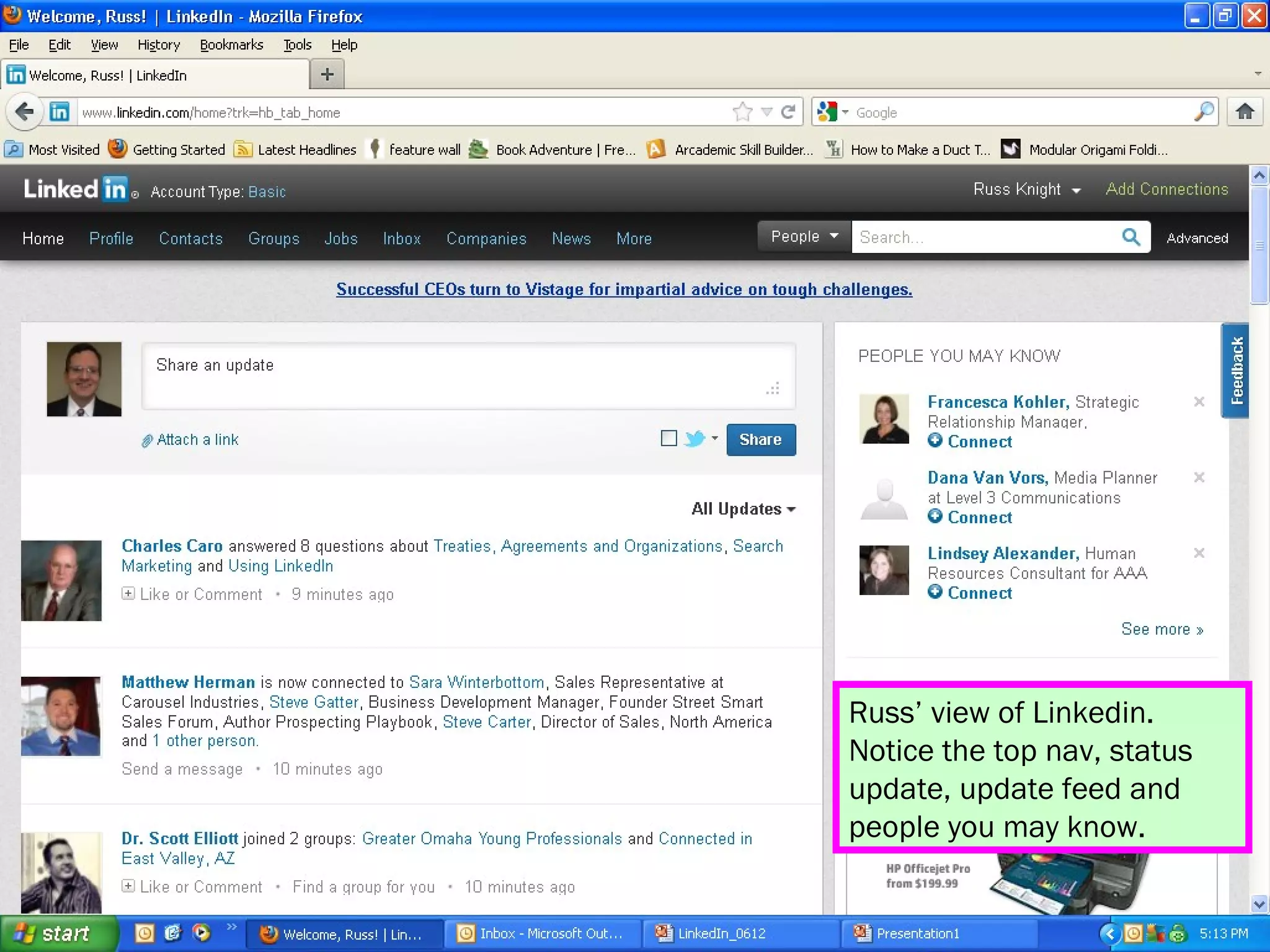
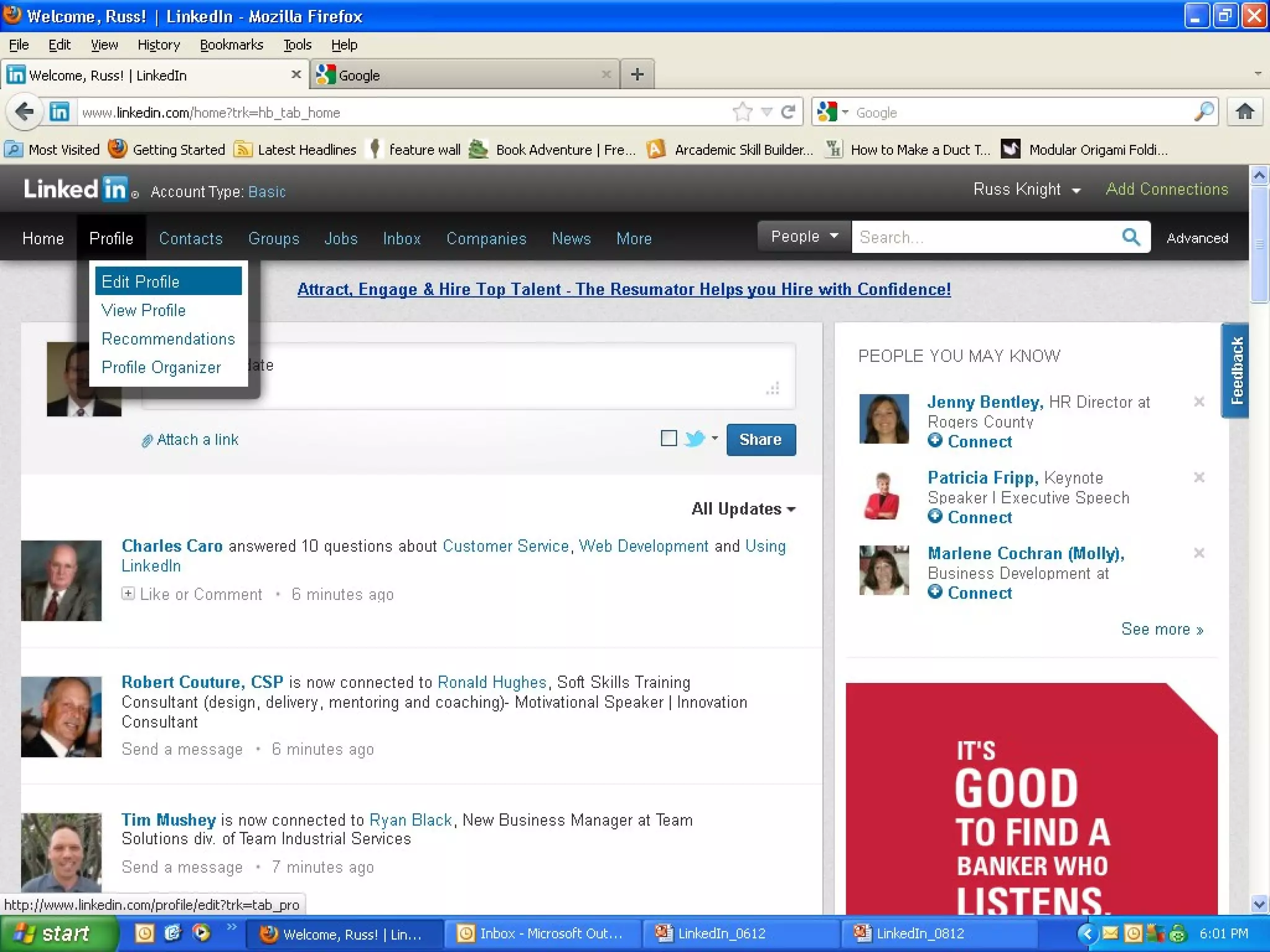
Russ’ view of Linkedin.
Notice the top nav, status
update, update feed and
people you may know.
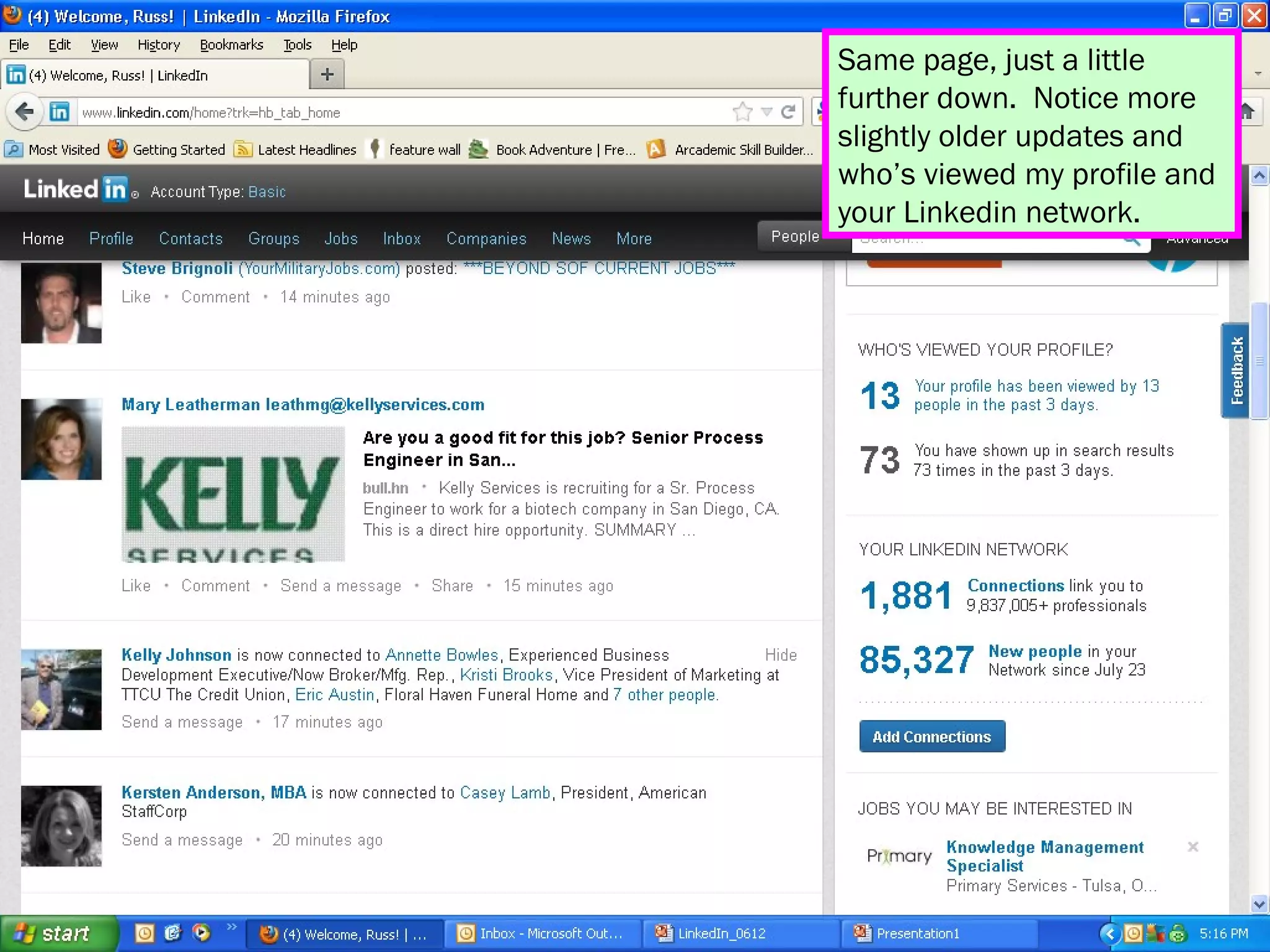
Same page, just a little
further down. Notice more
slightly older updates and
who’s viewed my profile and
your Linkedin network.
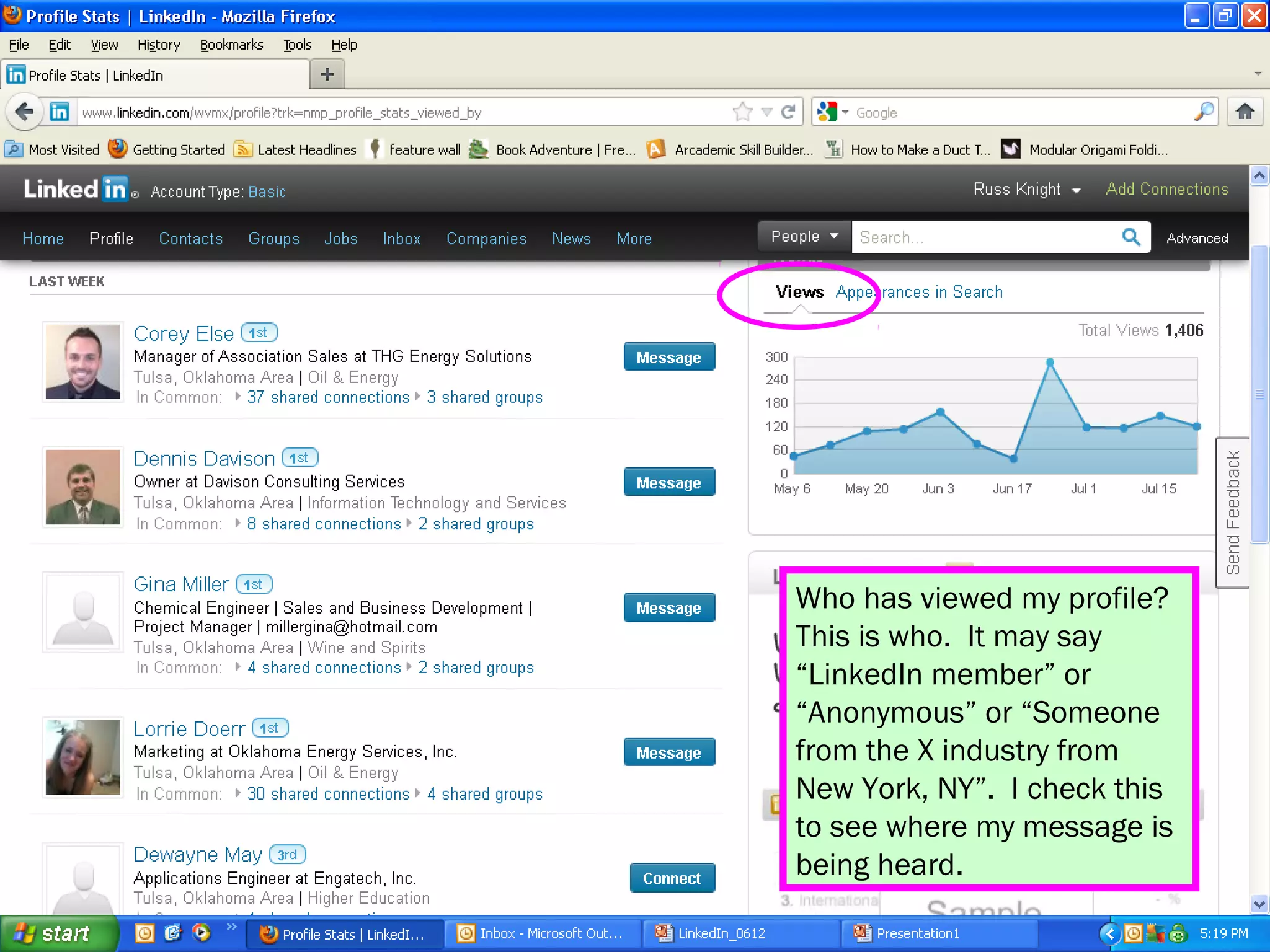
Who has viewed my profile?
This is who. It may say
“LinkedIn member” or
“Anonymous” or “Someone
from the X industry from
New York, NY”. I check this
to see where my message is
being heard.
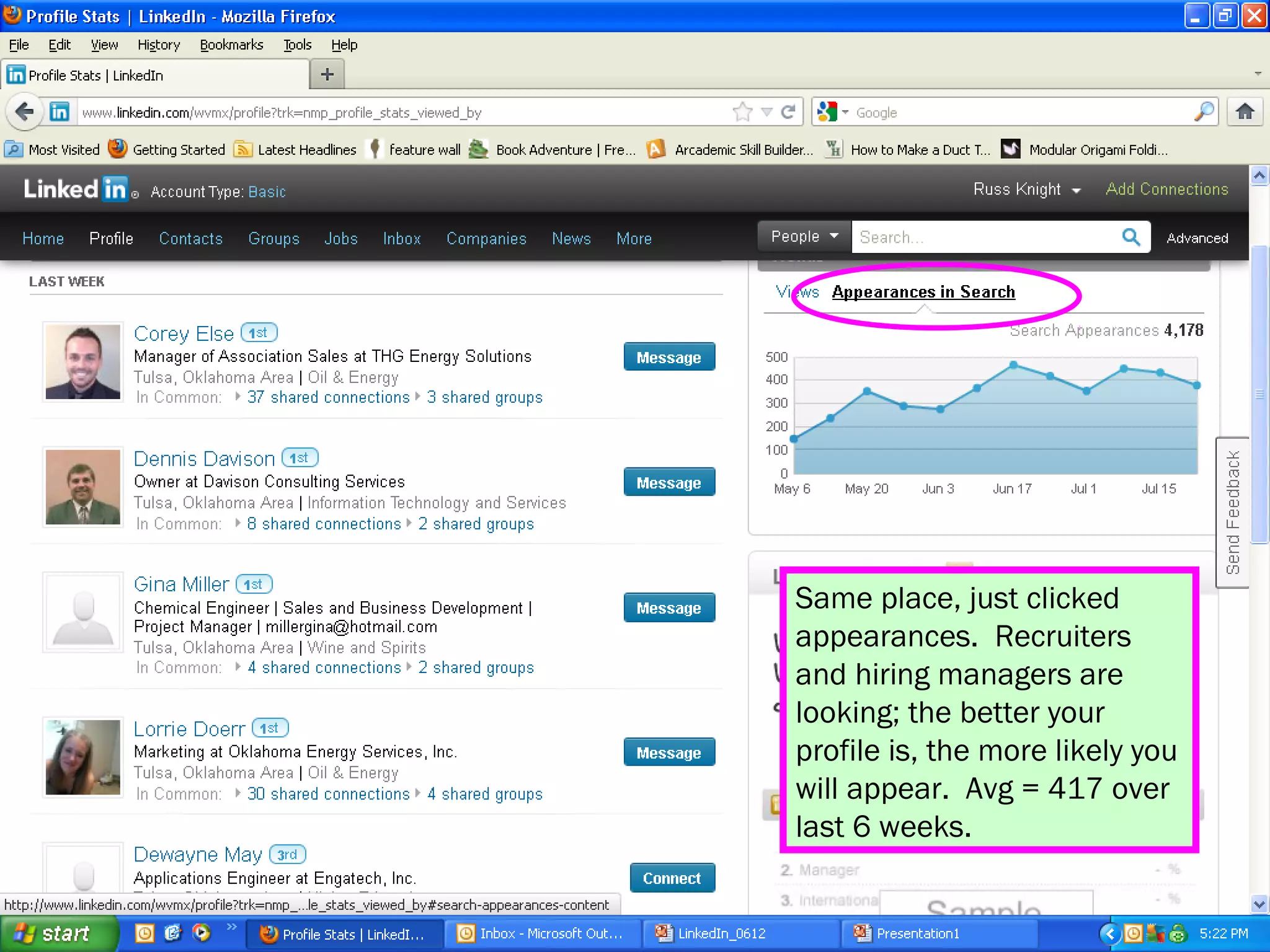
Same place, just clicked
appearances. Recruiters
and hiring managers are
looking; the better your
profile is, the more likely you
will appear. Avg = 417 over
last 6 weeks.
Your First Profile Objective
• 100% Complete – LinkedIn will help you
  chart your progress as you move towards
  100%.
• This is only the beginning, but a good first
  goal.
• Once you get 100%, keep updating,
  improving and use this tool socially.
• Never stop networking!
Profile Parts & Pieces
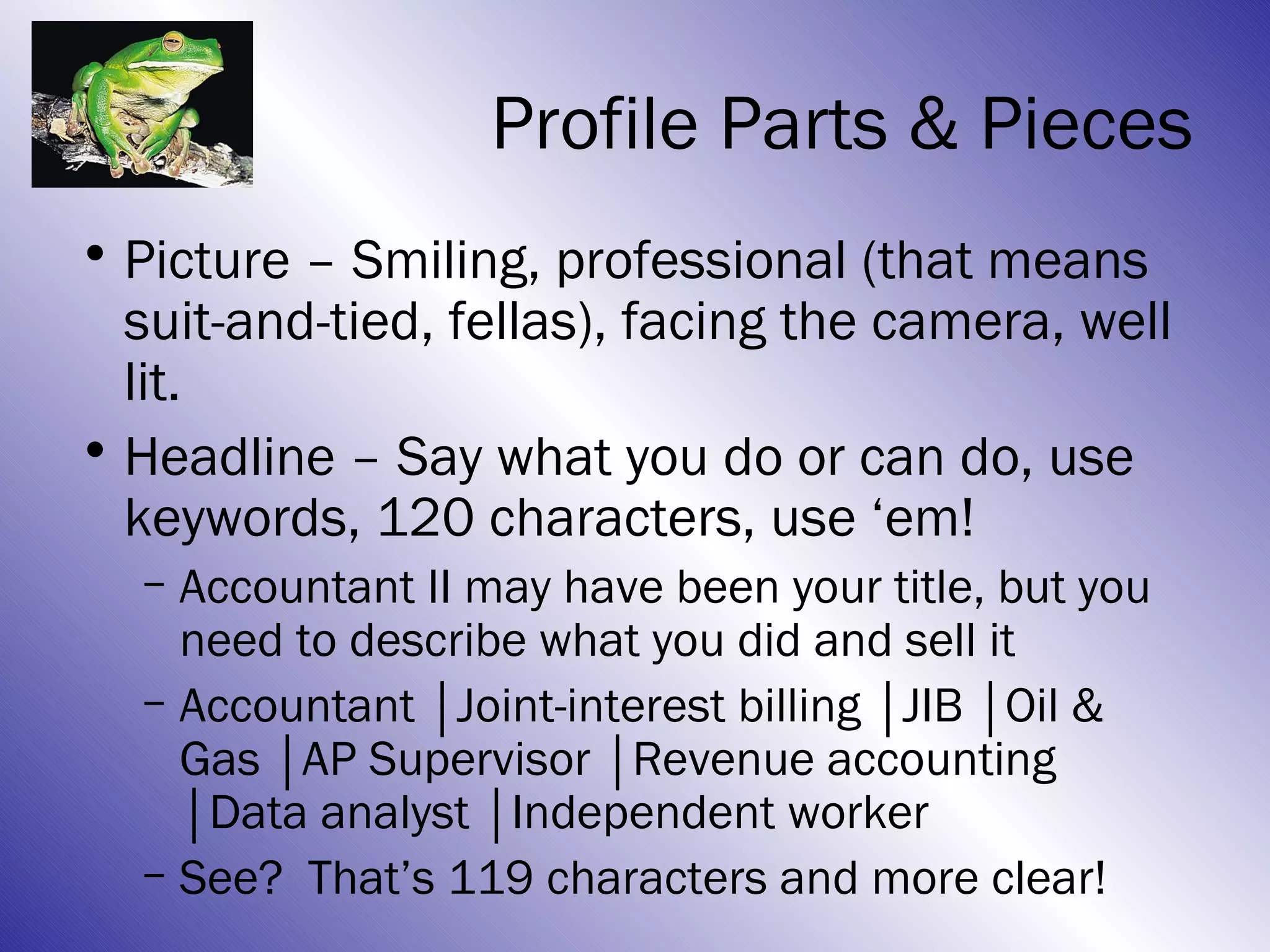
• Picture – Smiling, professional (that means
  suit-and-tied, fellas), facing the camera, well
  lit.
• Headline – Say what you do or can do, use
  keywords, 120 characters, use ‘em!
  – Accountant II may have been your title, but you
    need to describe what you did and sell it
  – Accountant │Joint-interest billing │JIB │Oil &
    Gas │AP Supervisor │Revenue accounting
    │Data analyst │Independent worker
  – See? That’s 119 characters and more clear!
Profile Parts & Pieces
• Current title? Consider deleting it.
  – Alternatives: Actively seeking next opportunity,
    immediate availability, open to new challenges,
    or list a key volunteer role you are filling
  – Avoid: Unemployed, Retired, etc.; look forward!
• Public profile: customize it!
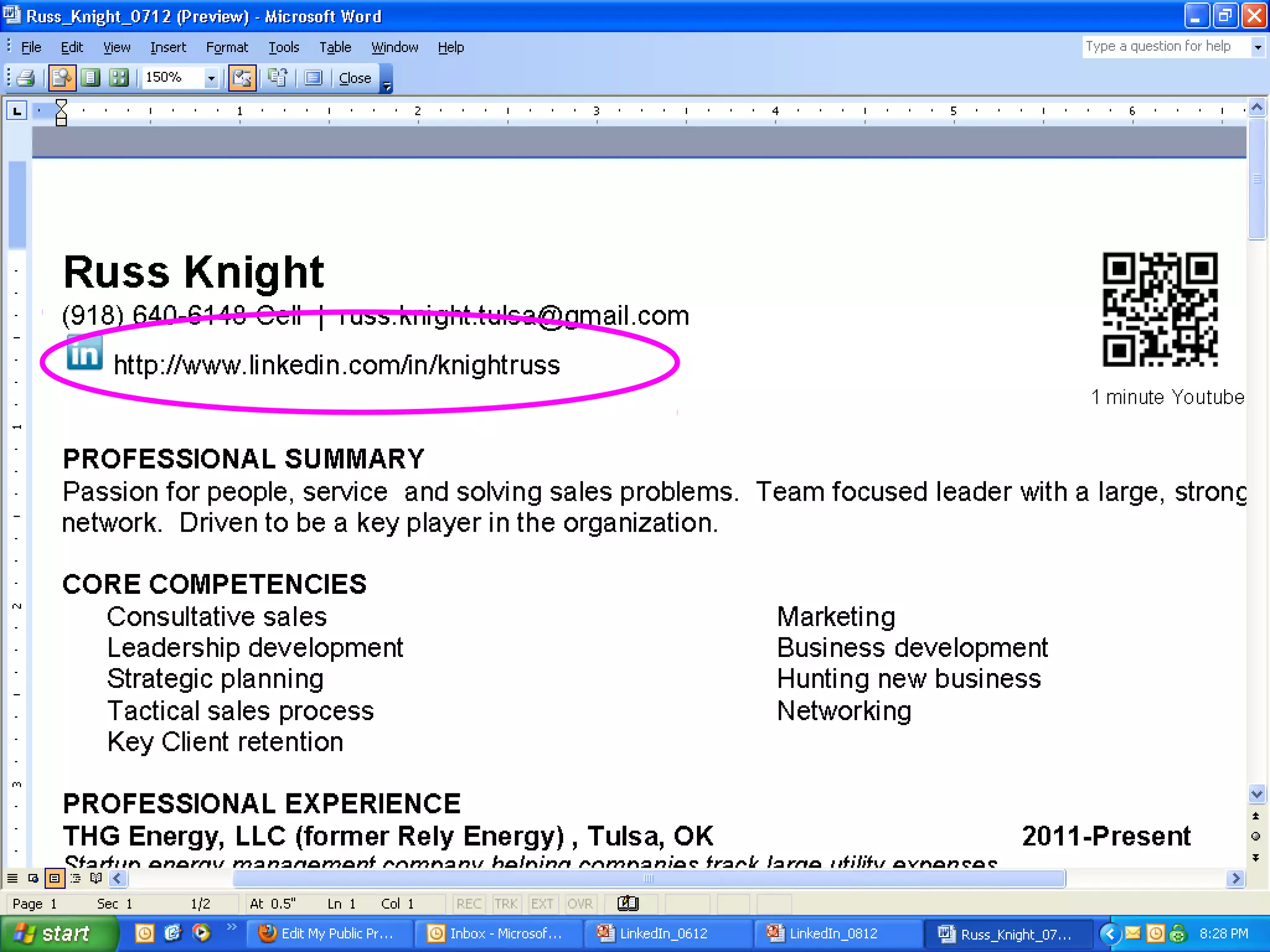
  – http://www.linkedin.com/in/knightruss
  – http://www.linkedin.com/pub/hans-helmerich/9/992/a44
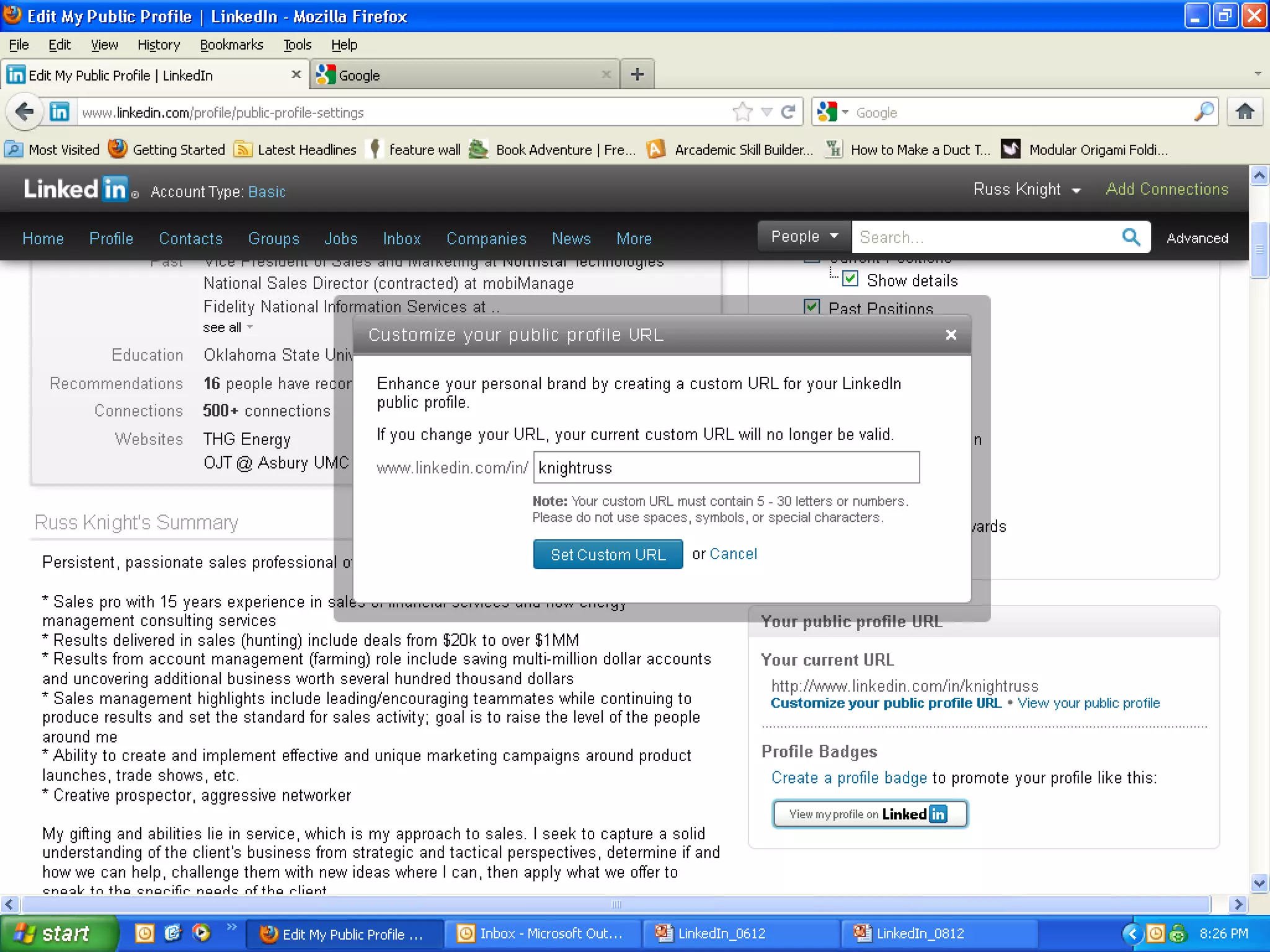
  – See the difference? Here’s how to customize:
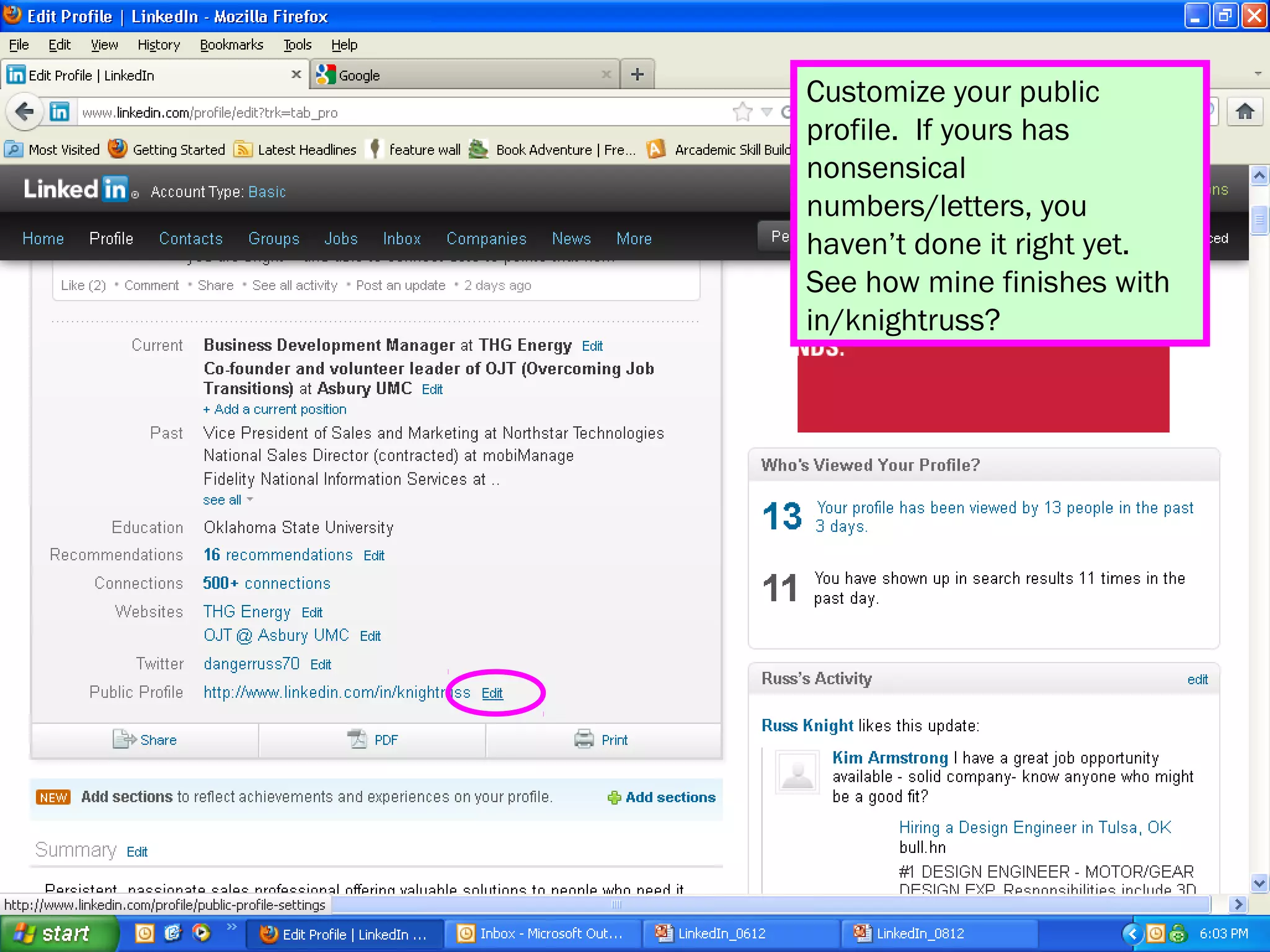
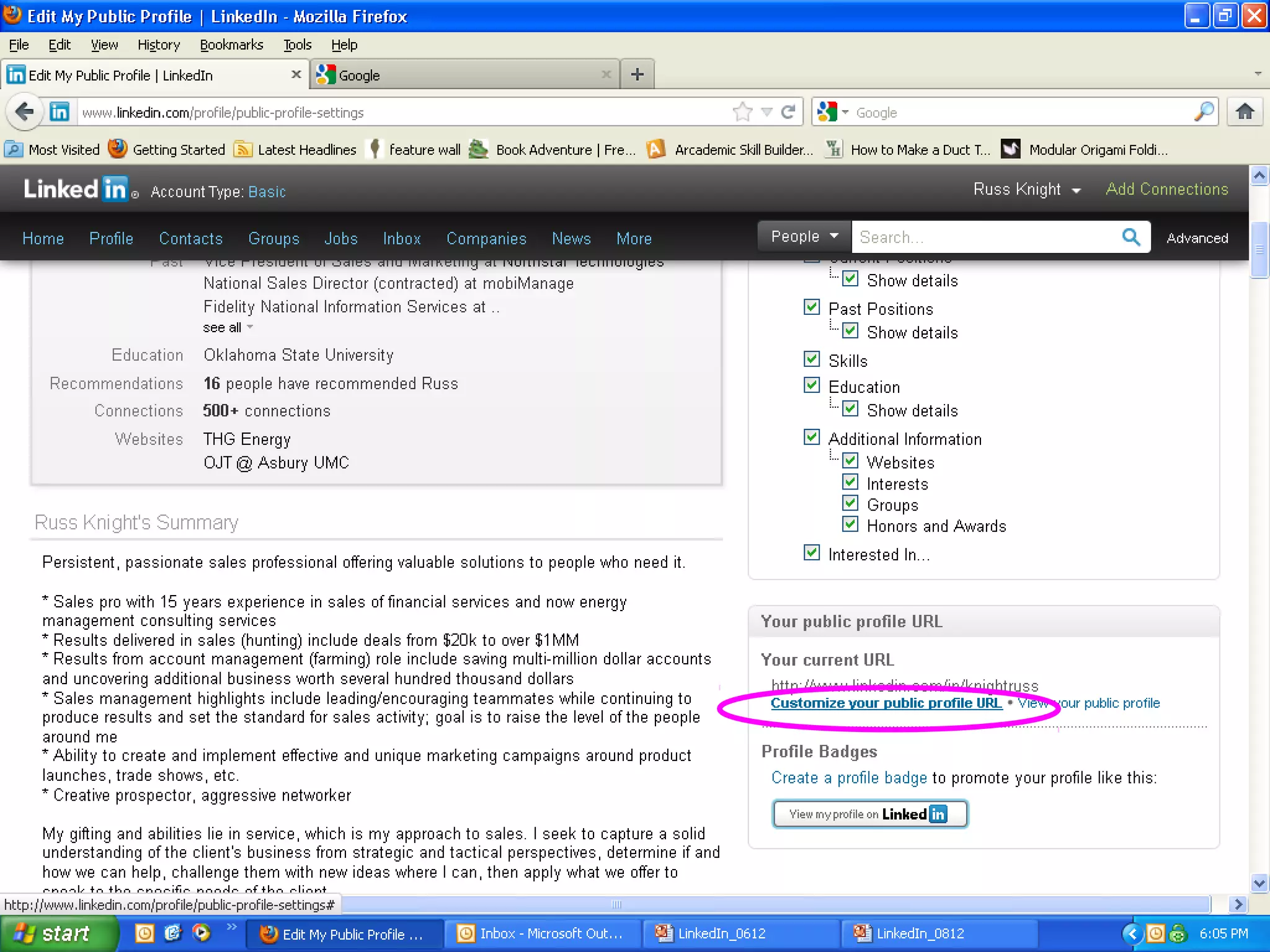
Customize your public
profile. If yours has
nonsensical
numbers/letters, you
haven’t done it right yet.
See how mine finishes with
in/knightruss?
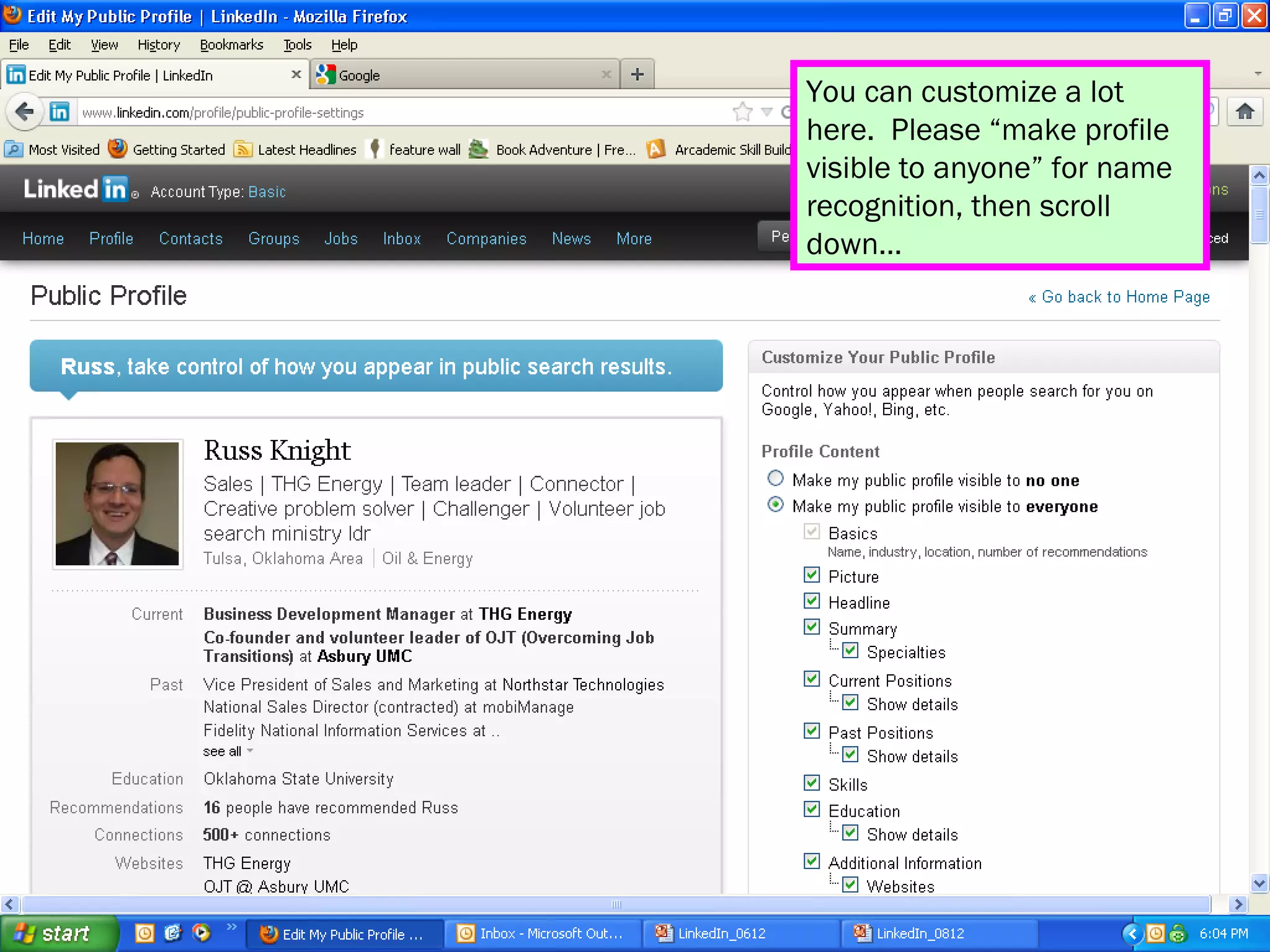
You can customize a lot
here. Please “make profile
visible to anyone” for name
recognition, then scroll
down…
Profile Parts & Pieces
• References: Two is what you need; Don’t
  worry about many more.
  – Suggest a time when…to help someone tell a
    good story about you.
  – Write one for them first, they will be prompted to
    reciprocate, which is AOK!
  – Don’t accept a mediocre rec; ask them to revise.
  – If you don’t like the rec, don’t publish it.
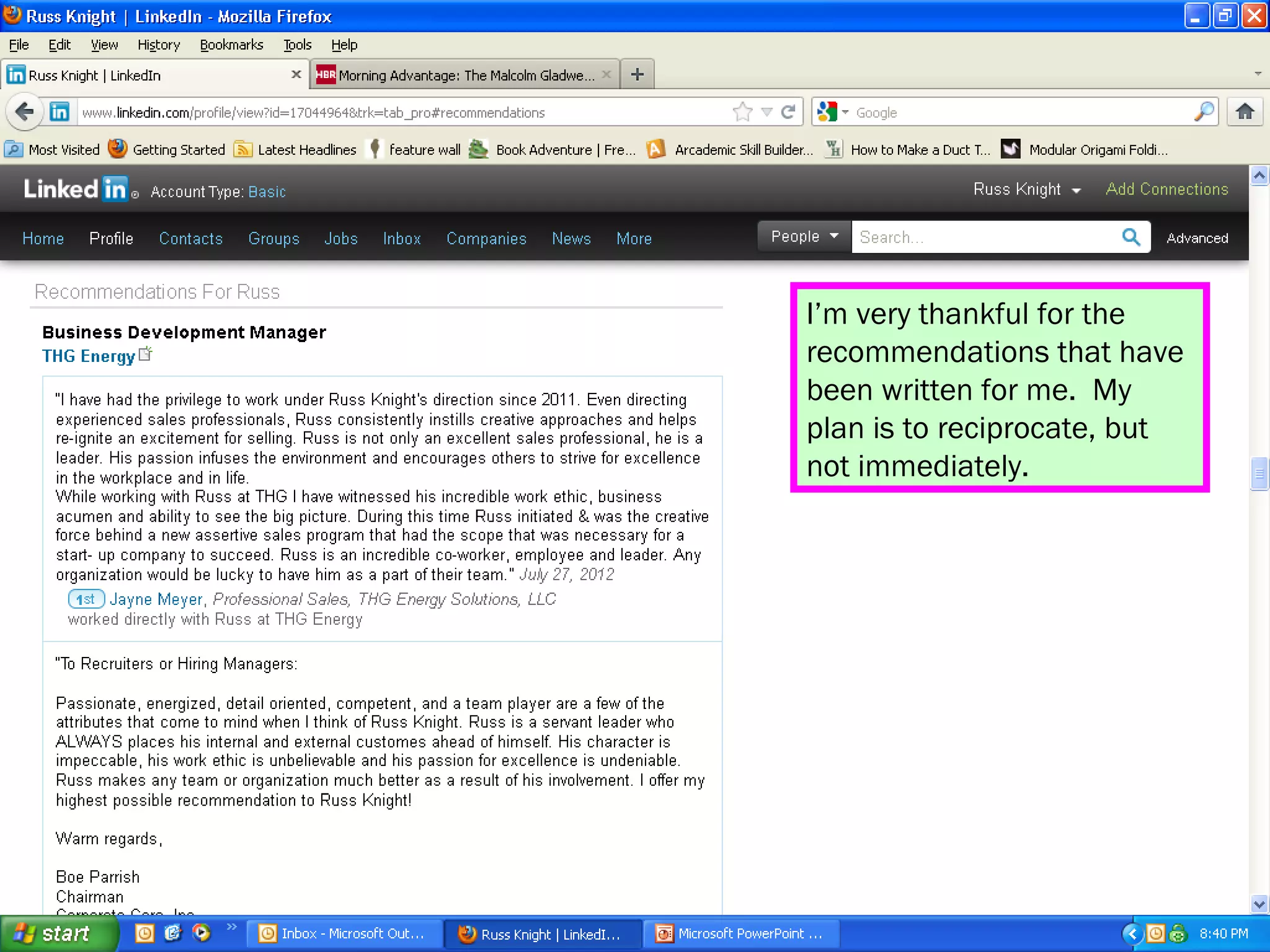
I’m very thankful for the
recommendations that have
been written for me. My
plan is to reciprocate, but
not immediately.
“Forget the former
things; do not dwell on
the past. See, I am doing
a new thing! Now it
springs up; do you not
perceive it? I am making
a way in the wilderness
and streams in the
wasteland.”
      Isaiah 43:18-19
Overview
• The basics
• Two goals with Linkedin: Now here
  – Catching
  – Pitching
• Status Updates
• Connecting
• Groups
• Answers
Goal #1: Catching
• Catching = building your profile to be found.
• People are looking for you; help them!
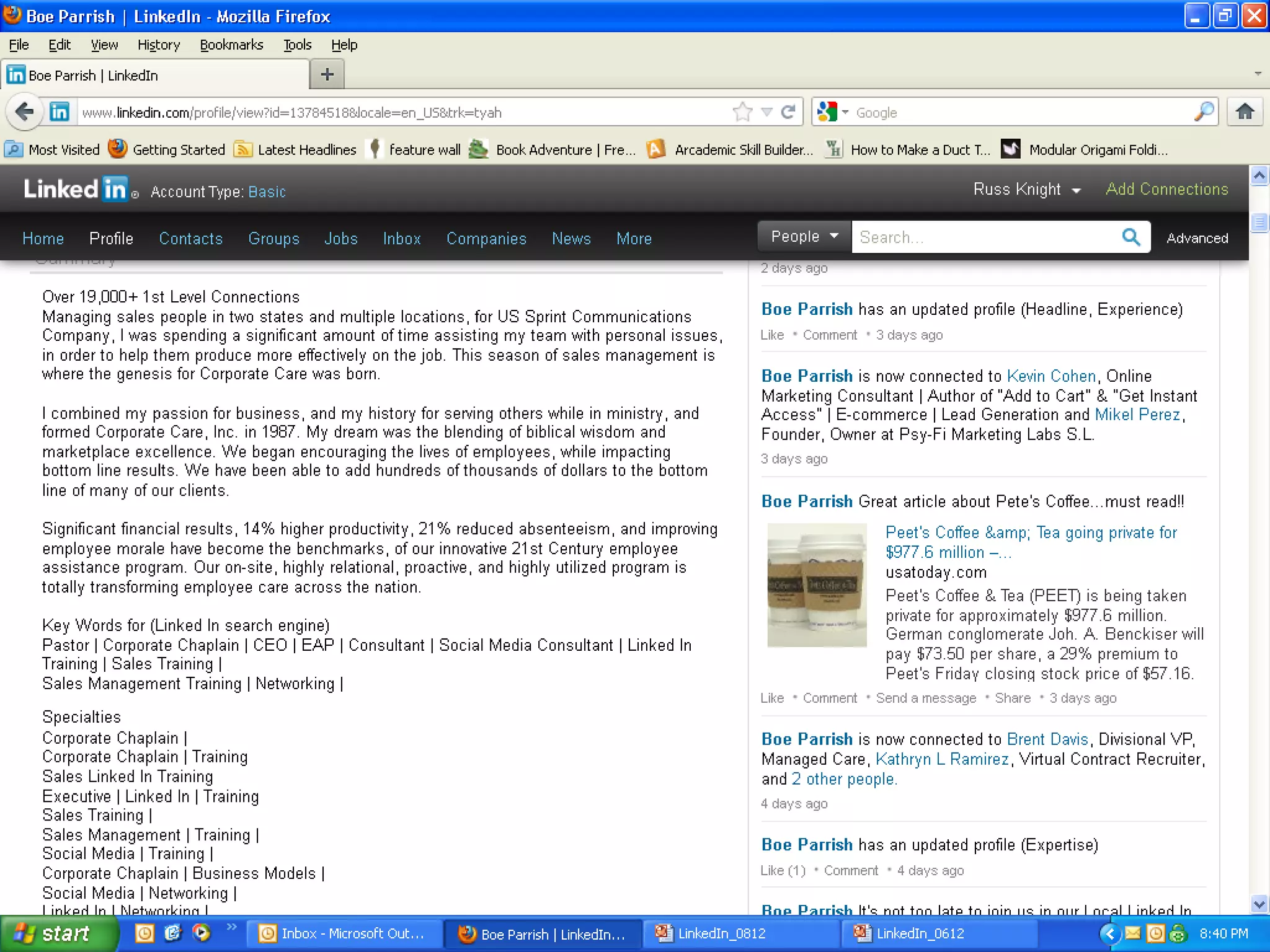
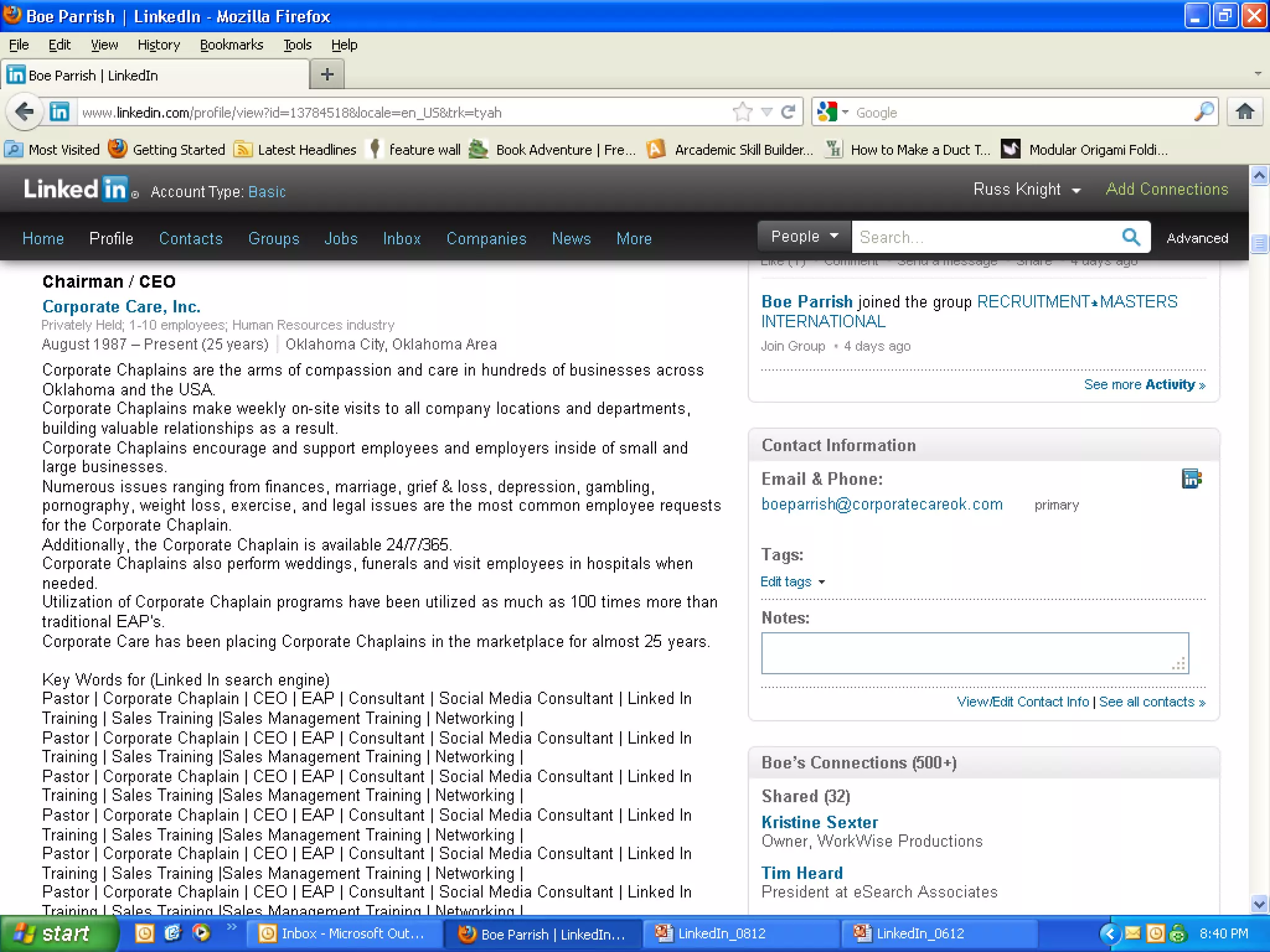
• Use keywords a lot: Headline, summary, under
  every job, repeat important things in different ways.
• Speak to results: $, #, % throughout.
• Adding a list of keywords – just to be found on
  LinkedIn is a good method.
• Connect with lots of people, especially connectors:
  recruiters, thought-leaders well known in your
  industry and people with lots of connections!
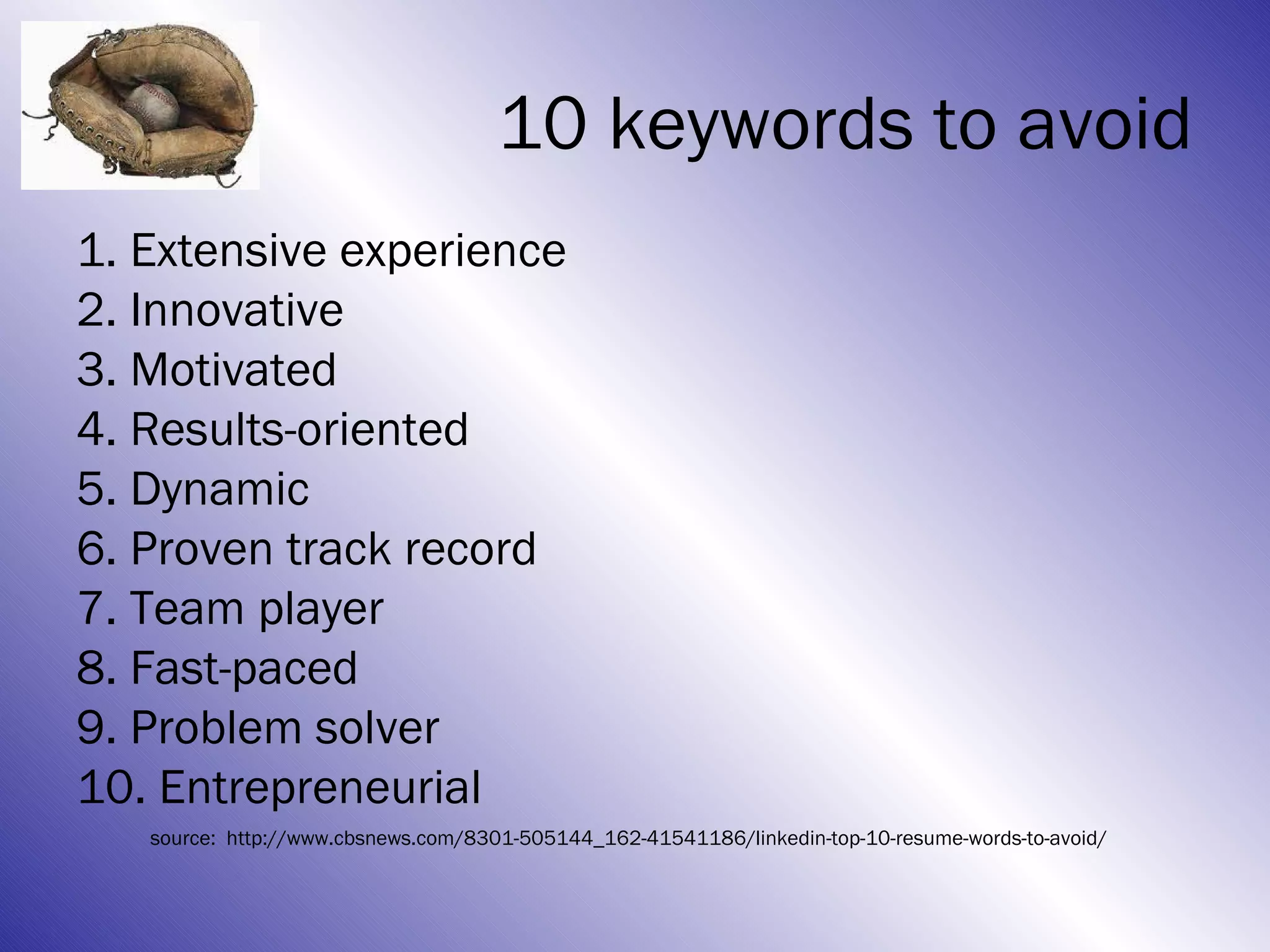
A word about keywords
• Do a search for “Google keywords” and a
  tool will come up that may help you
• You want to differentiate!
• Avoid common descriptors.
• Comb through your message for “white-
  noise” and cut the things that don’t really
  describe the value you bring.
• Would someone else say it?
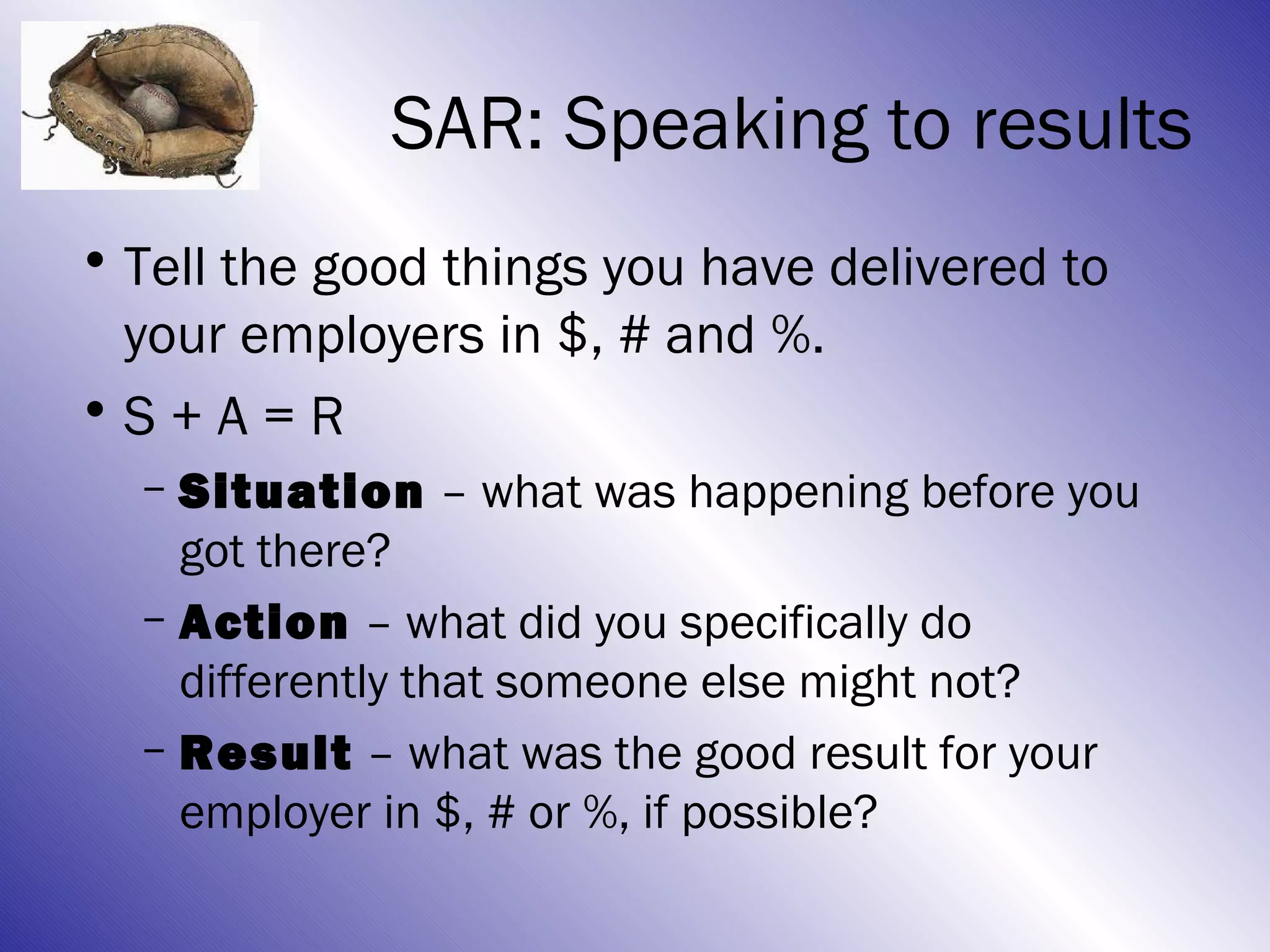
10 keywords to avoid
1. Extensive experience
2. Innovative
3. Motivated
4. Results-oriented
5. Dynamic
6. Proven track record
7. Team player
8. Fast-paced
9. Problem solver
10. Entrepreneurial
   source: http://www.cbsnews.com/8301-505144_162-41541186/linkedin-top-10-resume-words-to-avoid/
SAR: Speaking to results
• Tell the good things you have delivered to
  your employers in $, # and %.
•S + A = R
  – Situation – what was happening before you
    got there?
  – Action – what did you specifically do
    differently that someone else might not?
  – Result – what was the good result for your
    employer in $, # or %, if possible?
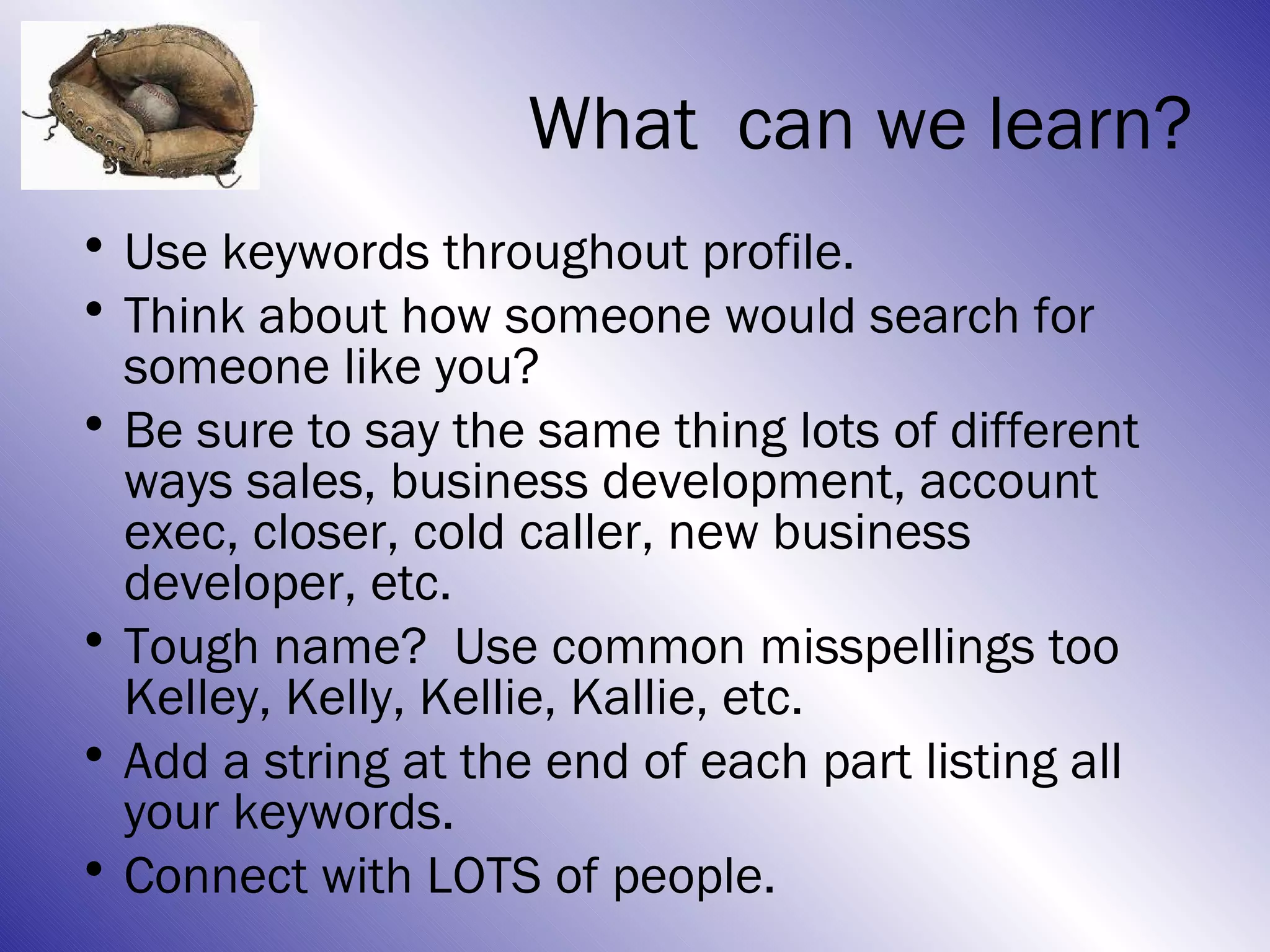
What can we learn?
• Use keywords throughout profile.
• Think about how someone would search for
  someone like you?
• Be sure to say the same thing lots of different
  ways sales, business development, account
  exec, closer, cold caller, new business
  developer, etc.
• Tough name? Use common misspellings too
  Kelley, Kelly, Kellie, Kallie, etc.
• Add a string at the end of each part listing all
  your keywords.
• Connect with LOTS of people.
“Dear friends, do not be
surprised at the fiery
ordeal that has come on
you to test you, as
though something
strange were happening
to you. But rejoice
inasmuch as you
participate in the
sufferings of Christ, so
that you may be
overjoyed when his glory
is revealed.”
      1 Peter 4:12-13
Overview
• The basics
• Two goals with Linkedin:
  – Catching
  – Pitching Here now
• Status Updates
• Connecting
• Groups
• Answers
Goal #2: Pitching
• Pitching= you are on offense, going out
  and finding connections & projecting.
• This is a great way to find the people you
  need to advance your search.
• Hiring managers, former co-workers,
  recruiters, influencers, connectors.
• If it’s worth filling out an application, it’s
  worth making a human connection so you
  aren’t just another resume in a stack.
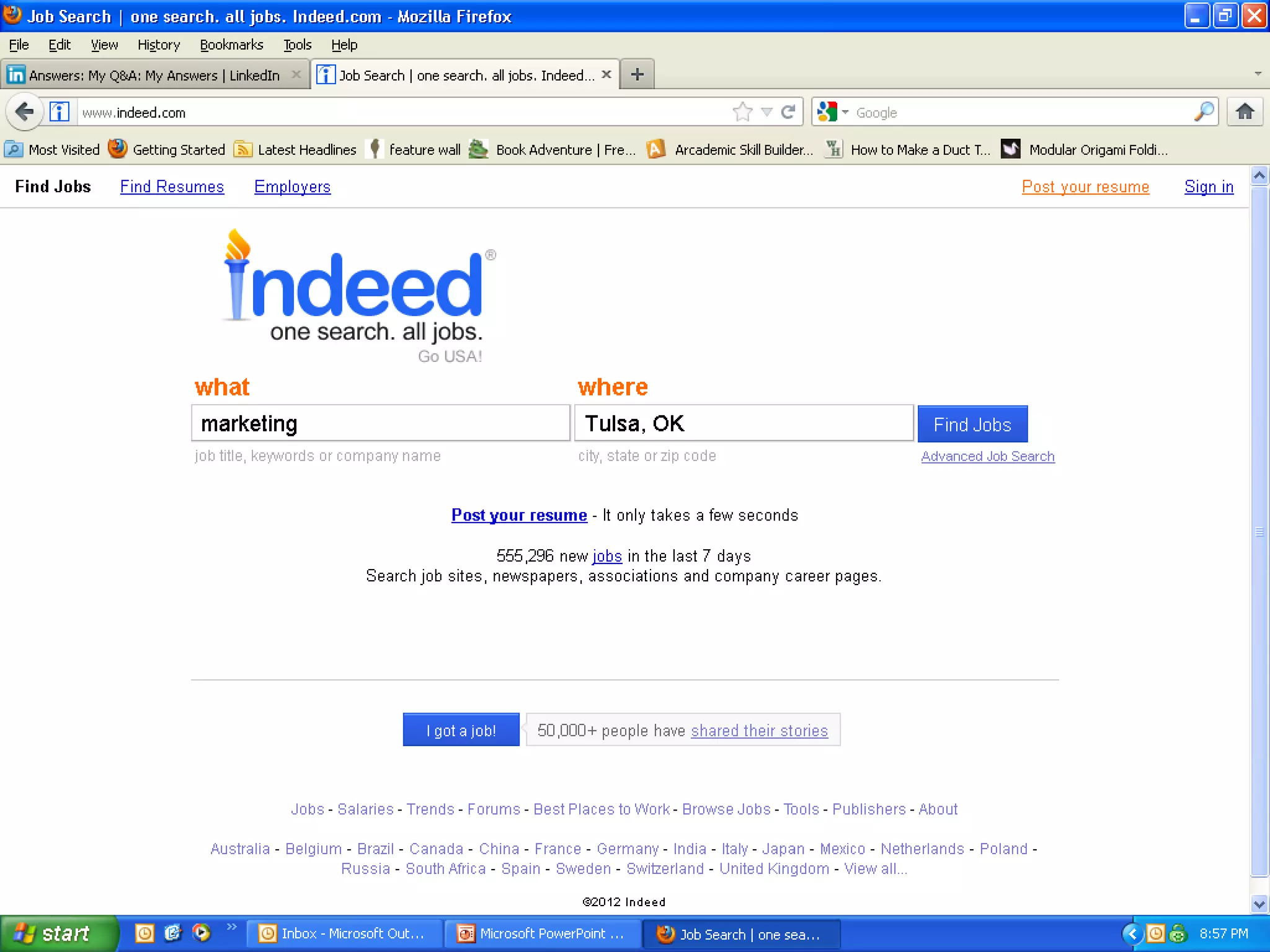
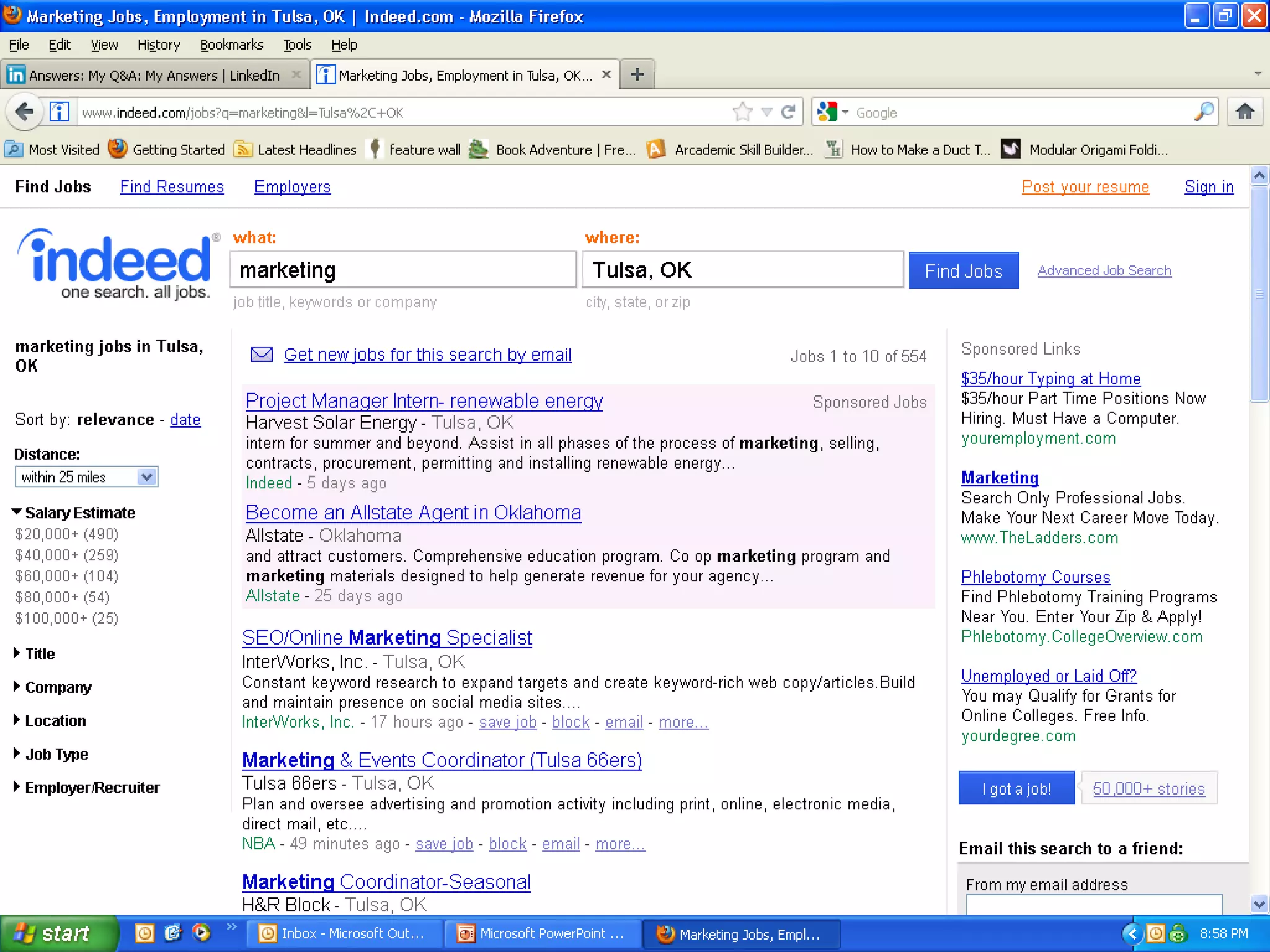
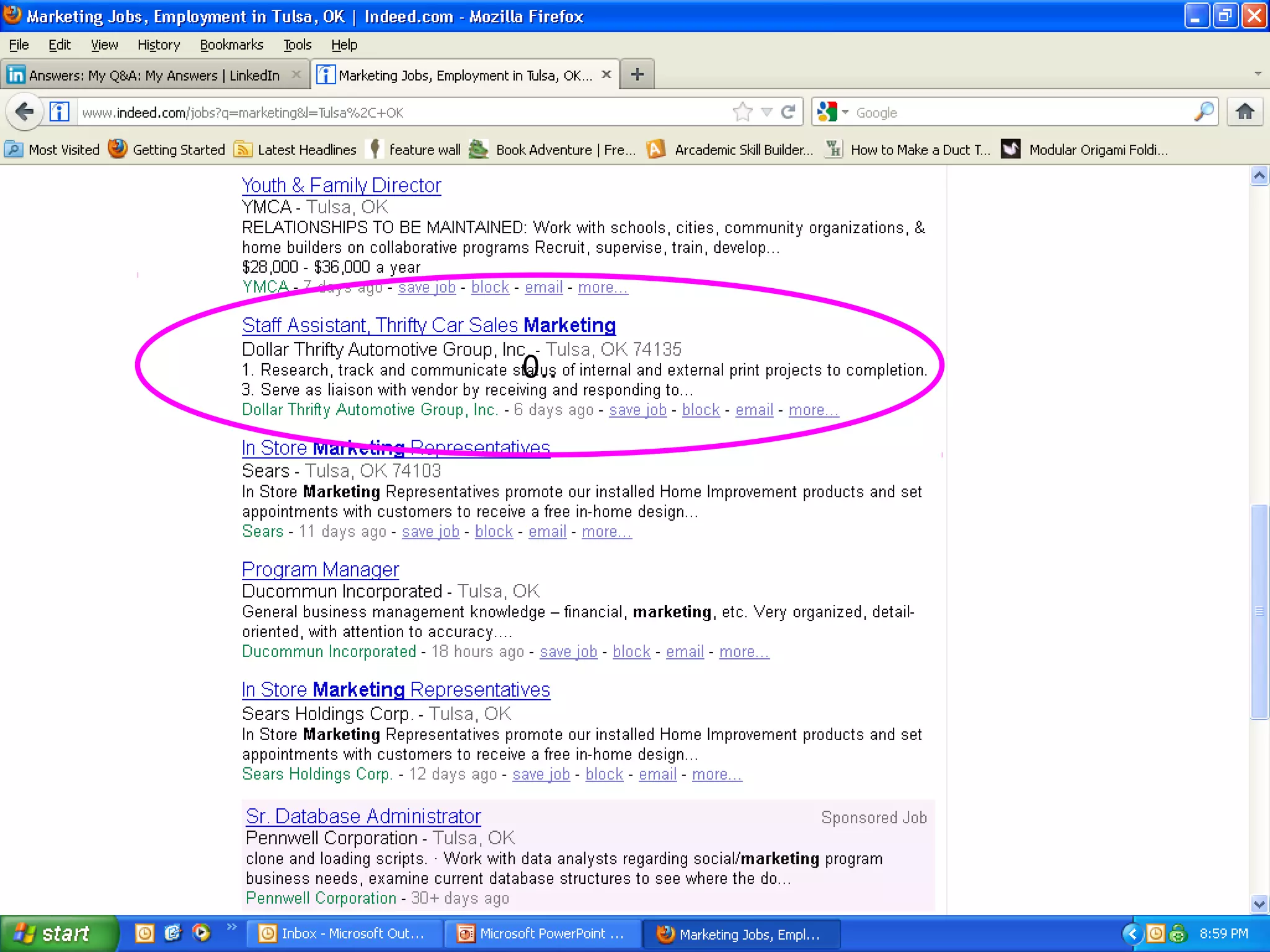
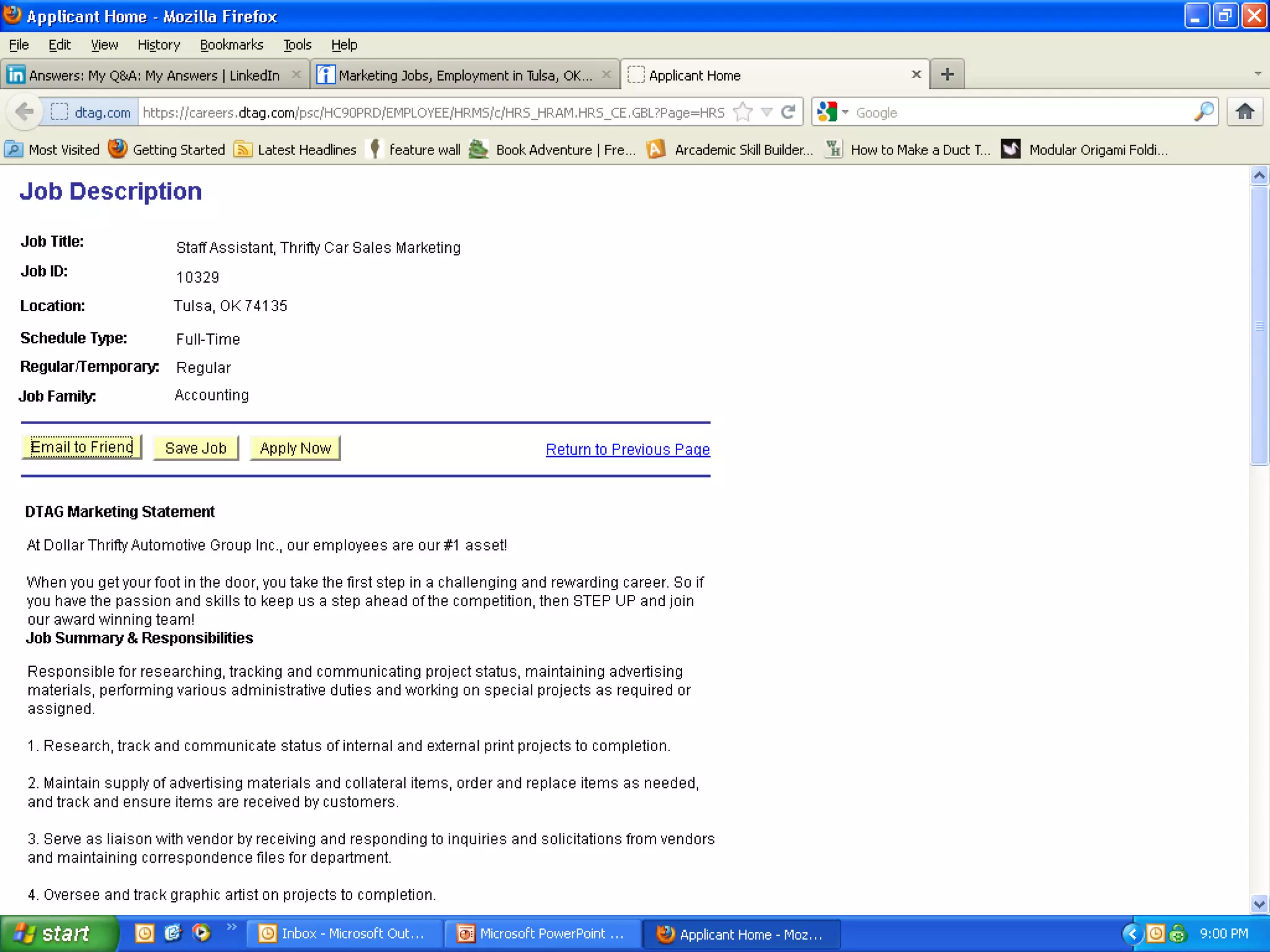
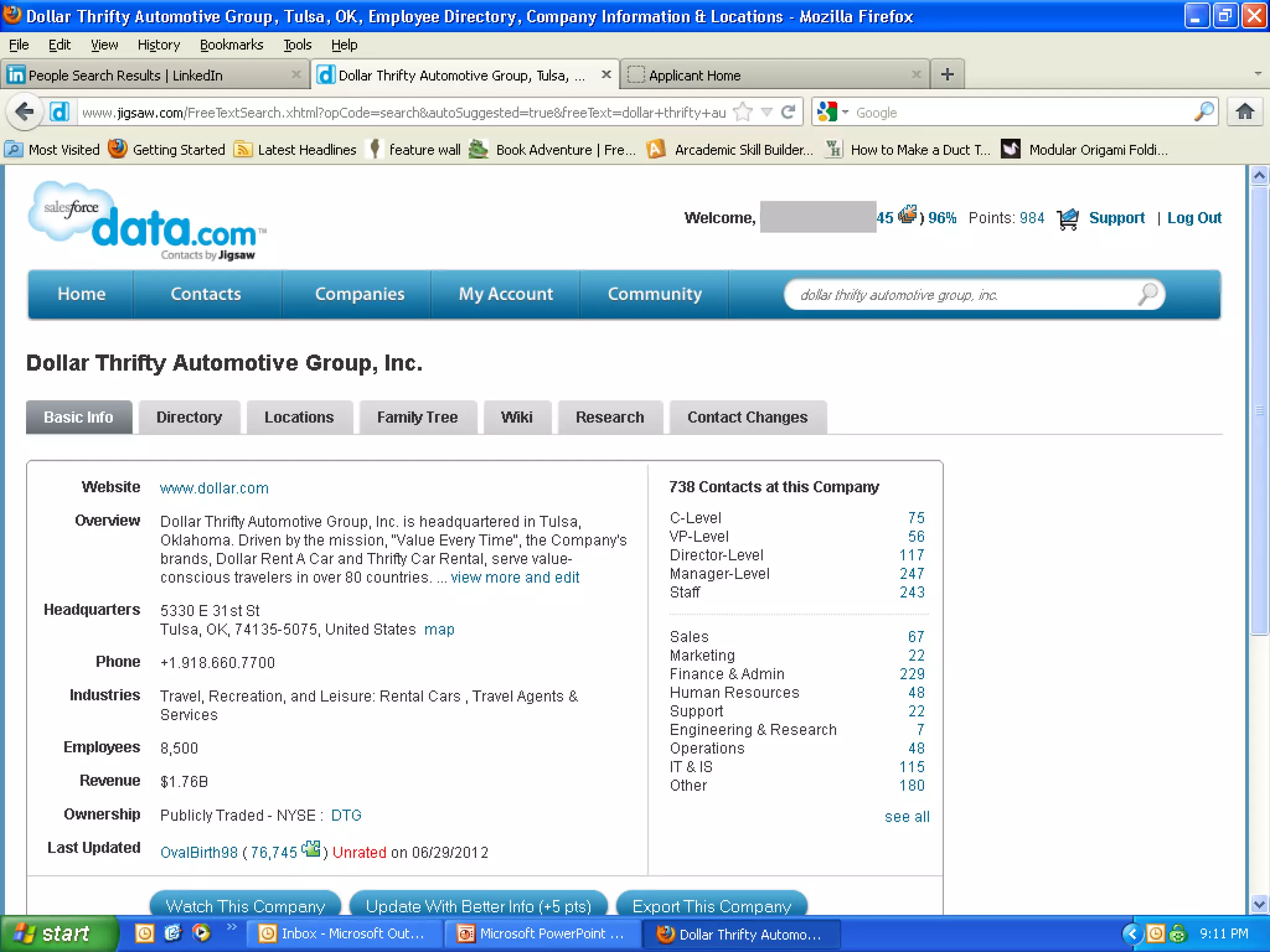
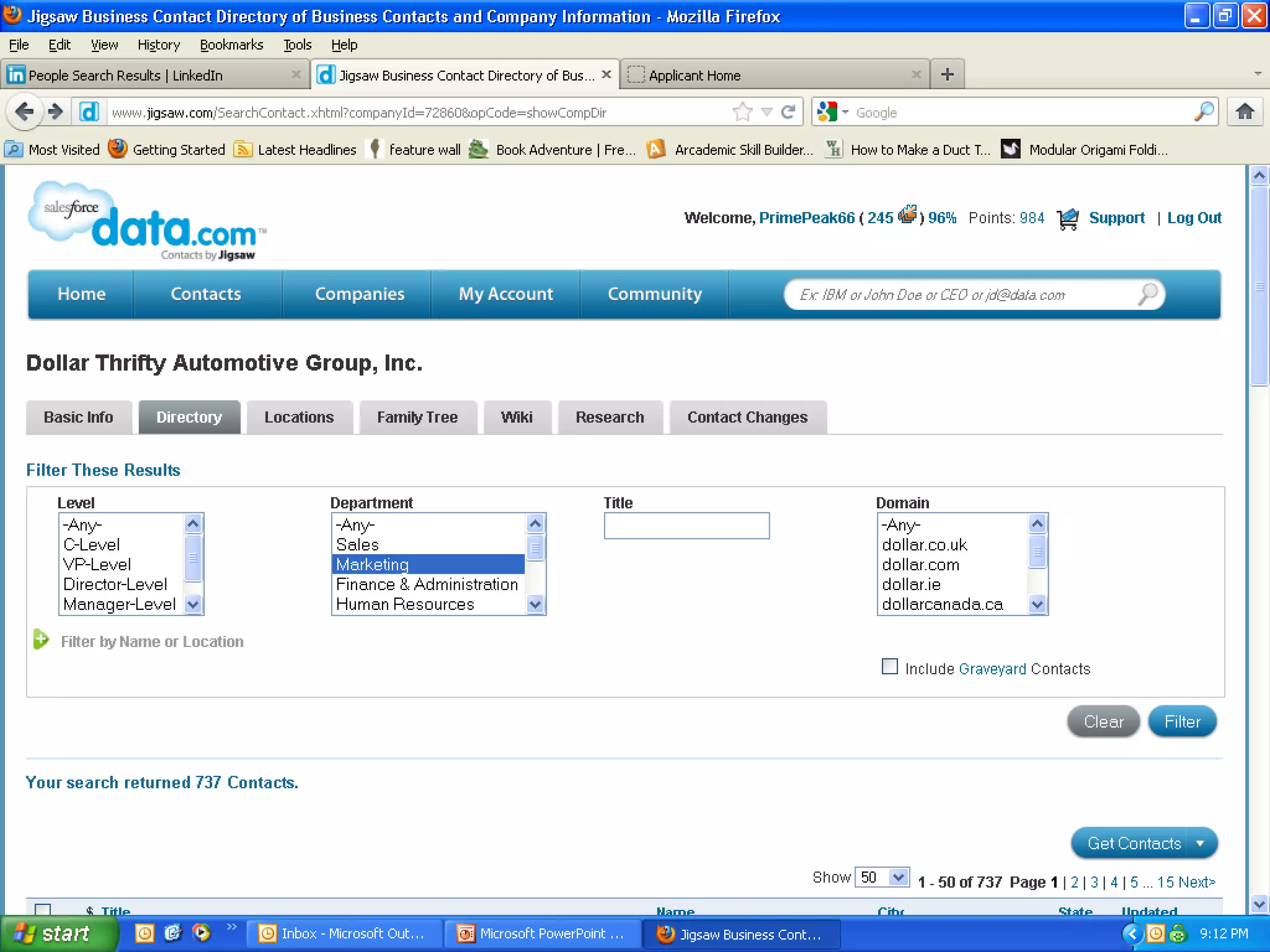
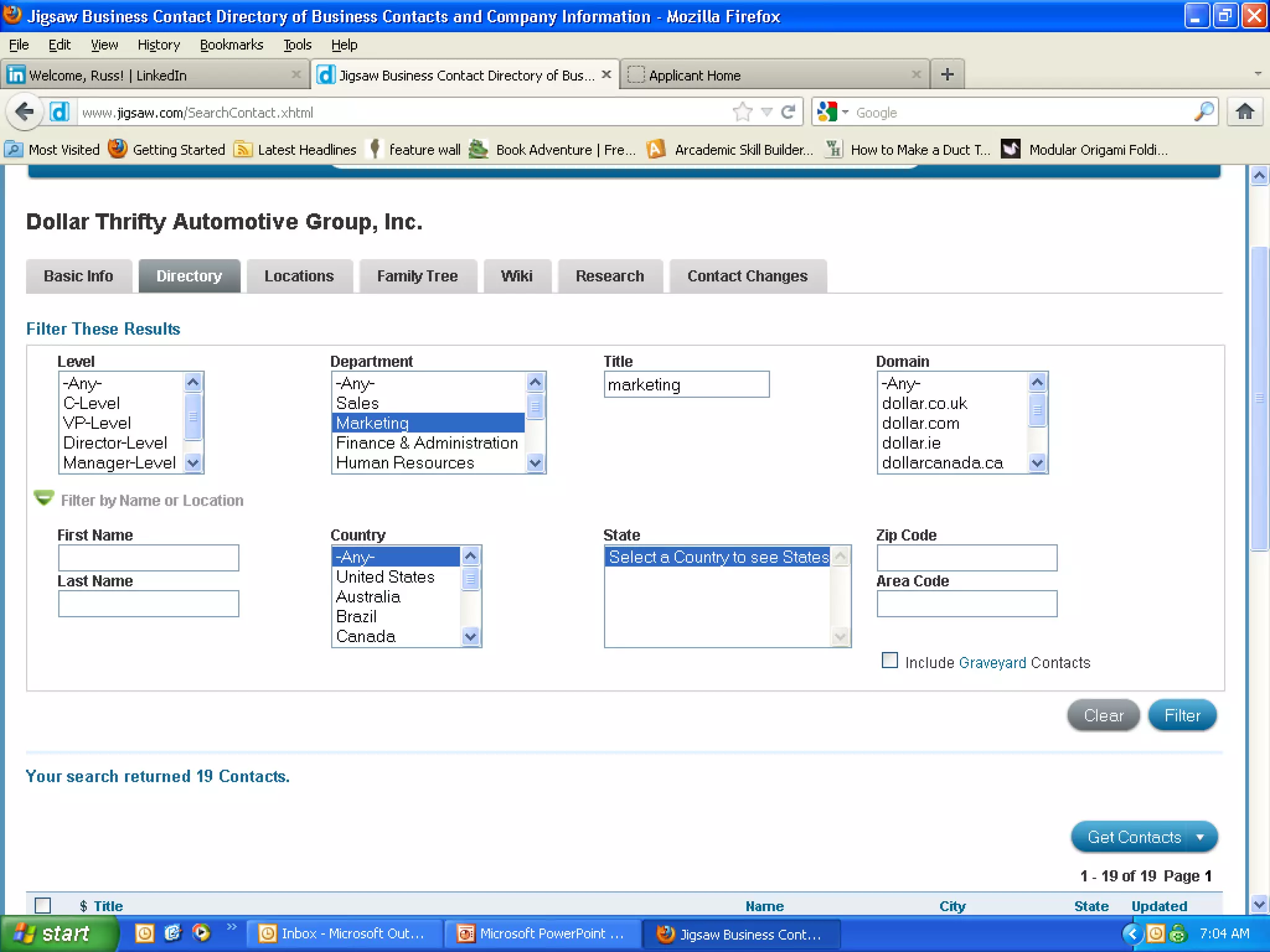
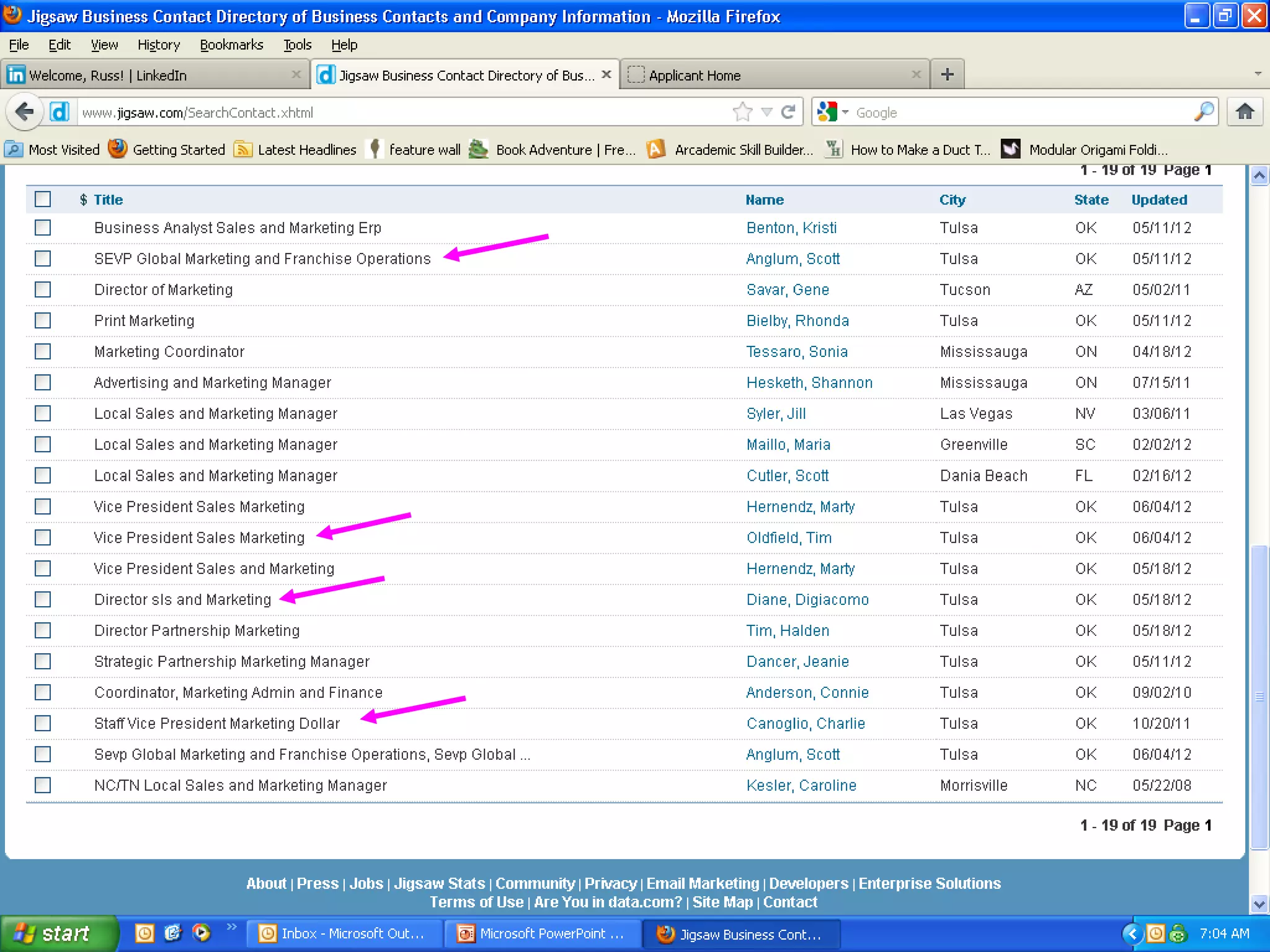
• Example from Indeed to find a job, Jigsaw
  to find the contact, along with LinkedIn
0..
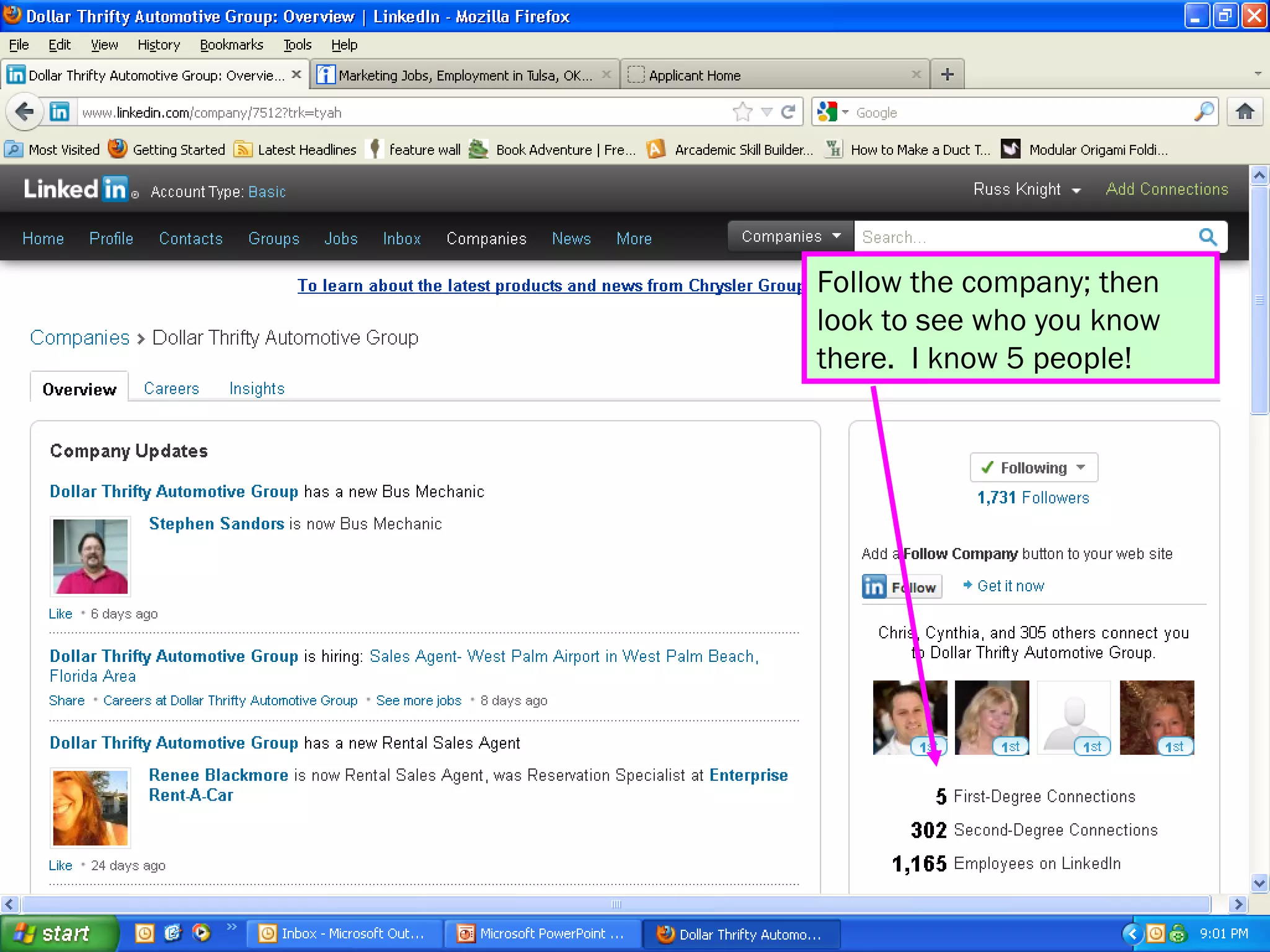
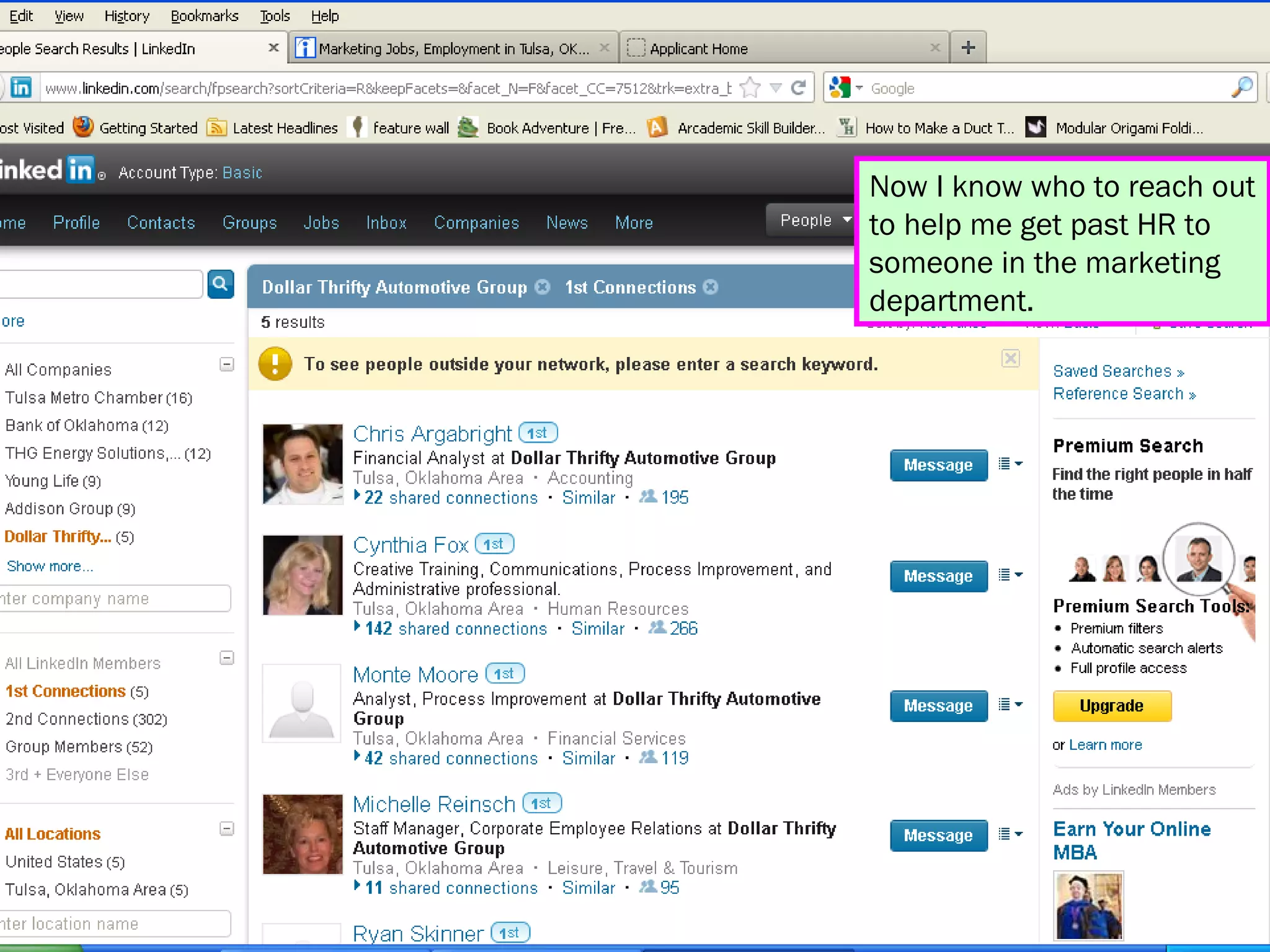
Follow the company; then
look to see who you know
there. I know 5 people!
Now I know who to reach out
to help me get past HR to
someone in the marketing
department.
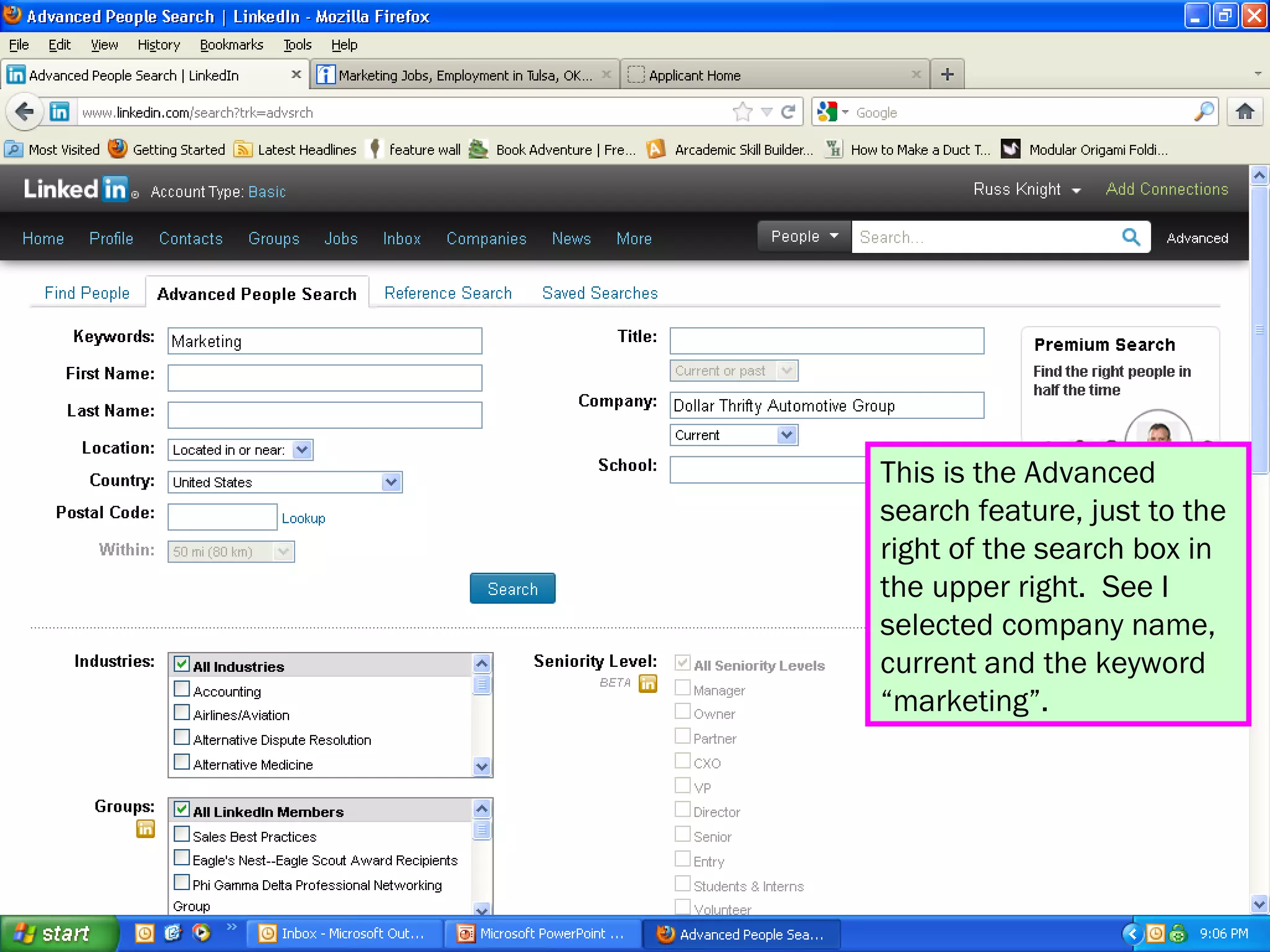
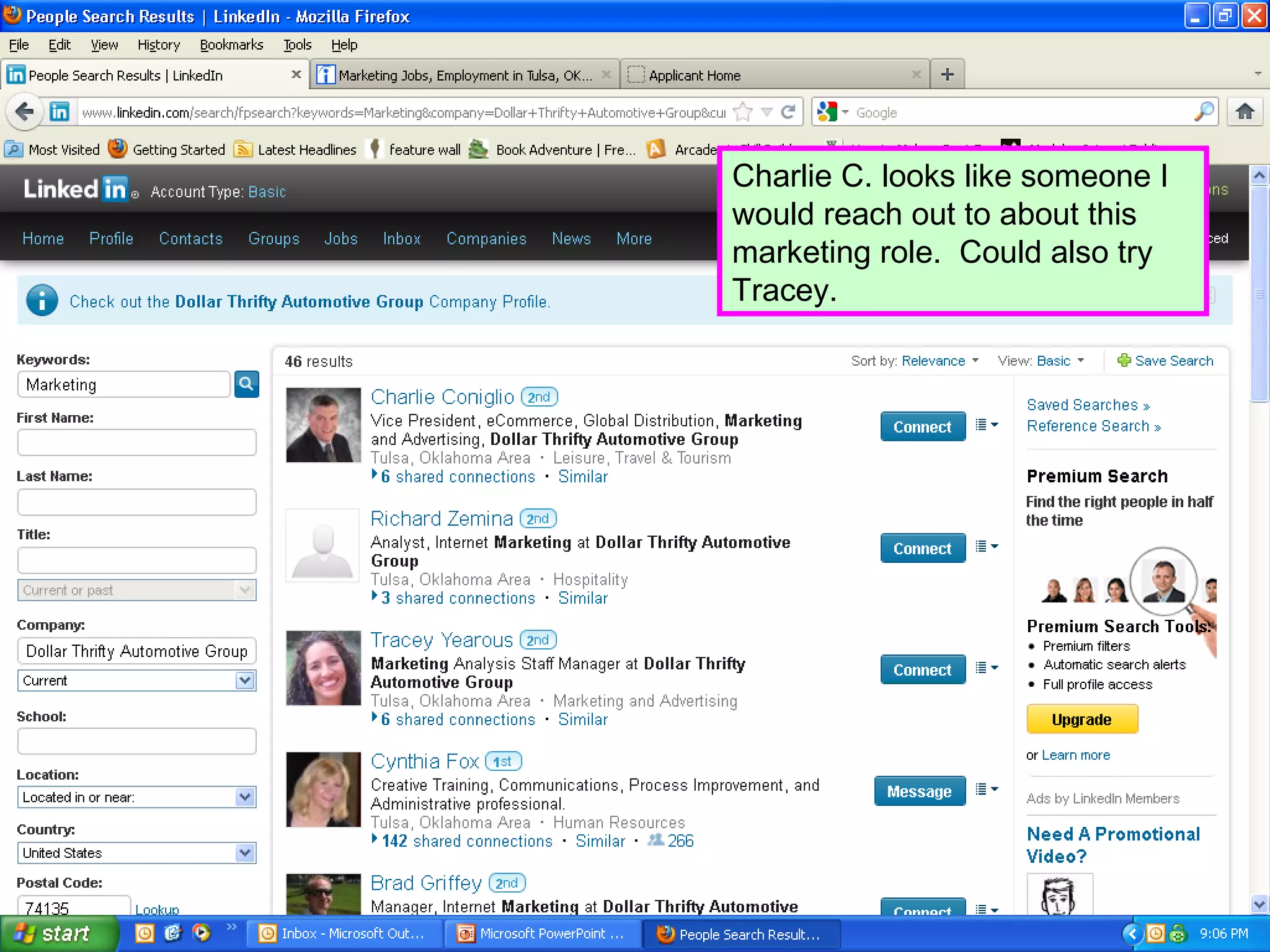
This is the Advanced
search feature, just to the
right of the search box in
the upper right. See I
selected company name,
current and the keyword
“marketing”.
Charlie C. looks like someone I
would reach out to about this
marketing role. Could also try
Tracey.
What if we missed on LI?
• We found a couple of possibilities on LI,
  but what if we didn’t?
• Google.
• Data.com / Jigsaw.com.
• Confirm it on LinkedIn – information is
  updated 1st person, not crowd sourced, so
  likely more accurate.
“Have I not commanded
you? Be strong and
courageous. Do not be
afraid; do not be
discouraged, for the
Lord your God will be
with you wherever you
go.”
     -Joshua 1:9
Overview
• The basics
• Two goals with Linkedin:
  – Catching
  – Pitching
• Status Updates Here now
• Connecting
• Groups
• Answers
Status updates
• Always good news; never negative!
• Article about your industry, vocation, job
  search or general interest.
• Community or industry event.
• Interact with other people’s content – it’s
  SOCIAL media.
• Make a point to regularly post something.
• Quote or verse that inspires you.
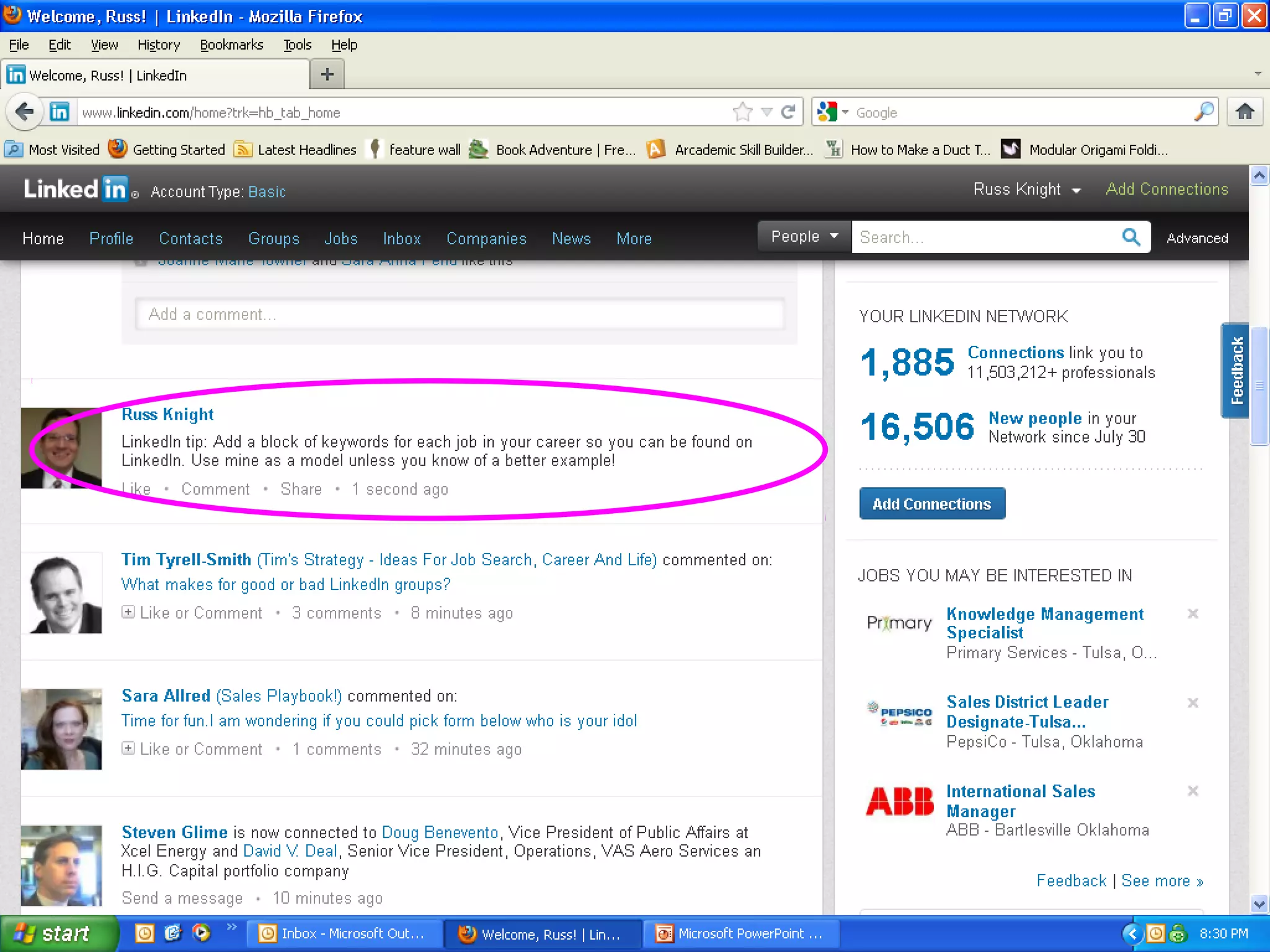
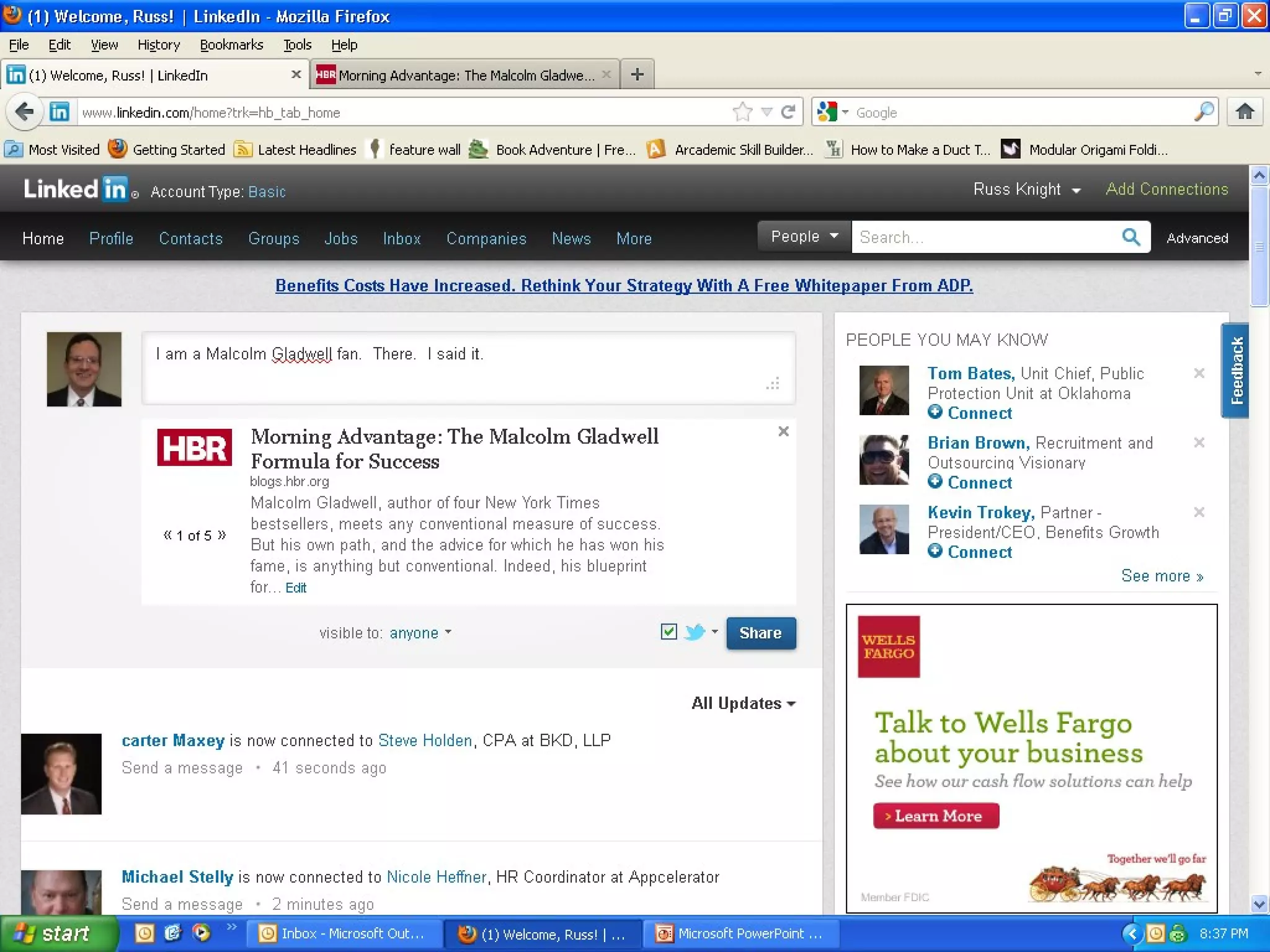
• Status update screen shot
“Praise be to the God
and Father of our Lord
Jesus Chris, the Father
of compassion and the
God of all comfort, who
comforts us in all our
troubles, so that we can
comfort those in any
trouble with the comfort
we ourselves receive
from God.”
      -2 Corinthians 1:3-
4
Overview
• The basics
• Two goals with Linkedin:
  – Catching
  – Pitching
• Status Updates
• Connecting Here now
• Groups
• Answers
Connecting
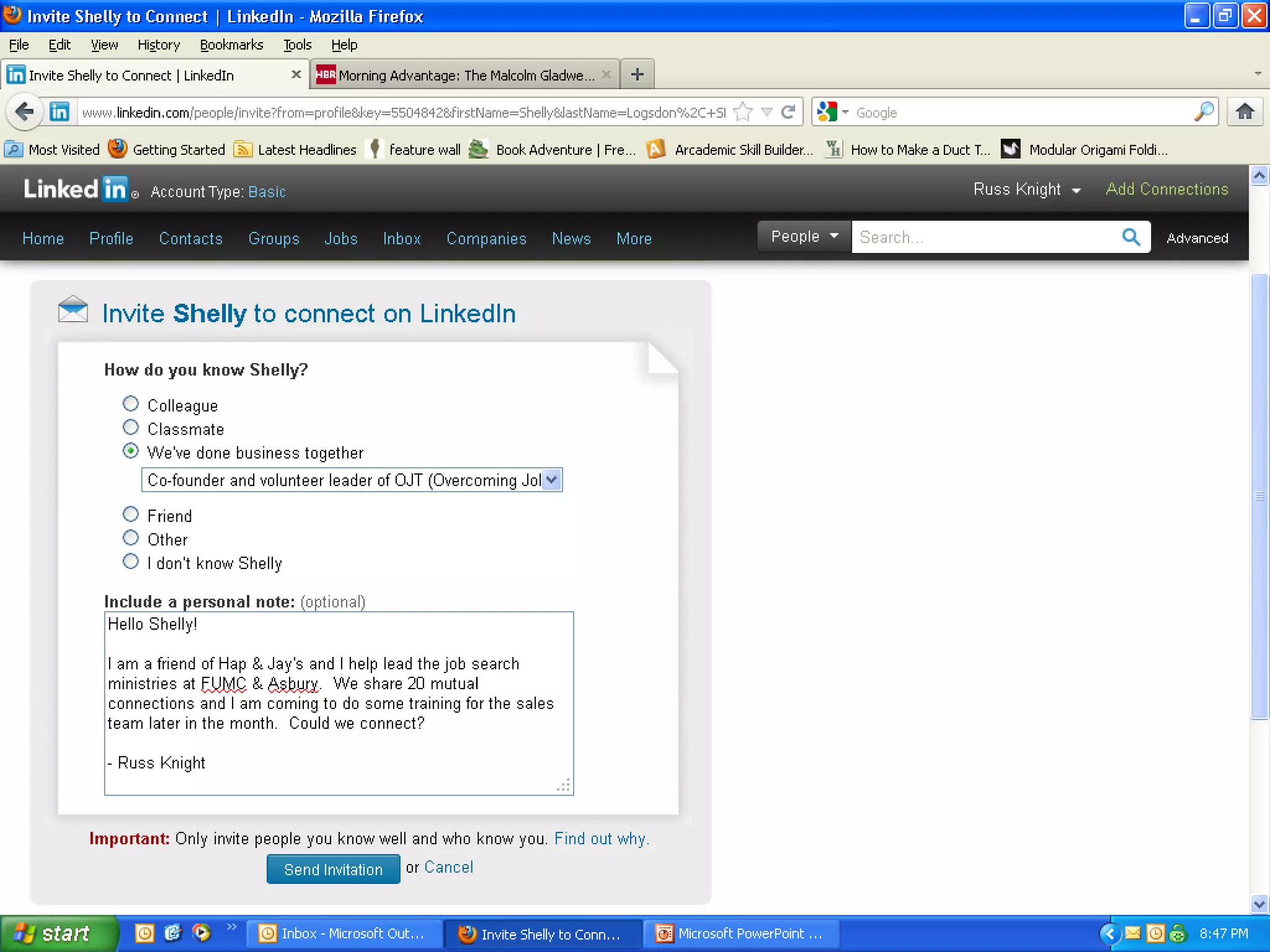
• Always customize the invite; sell them on the
  value in connecting with you.
• Remind them how they know you, even if you
  met earlier in the day.
• Offer value – give them a reason.
• “Russ here from the job search ministry! I’m searching for a
  position to help apply my passion for people and solve sales
  challenges. Might you know someone looking for that?
  Could we connect in case I might help you or someone you
  know?”
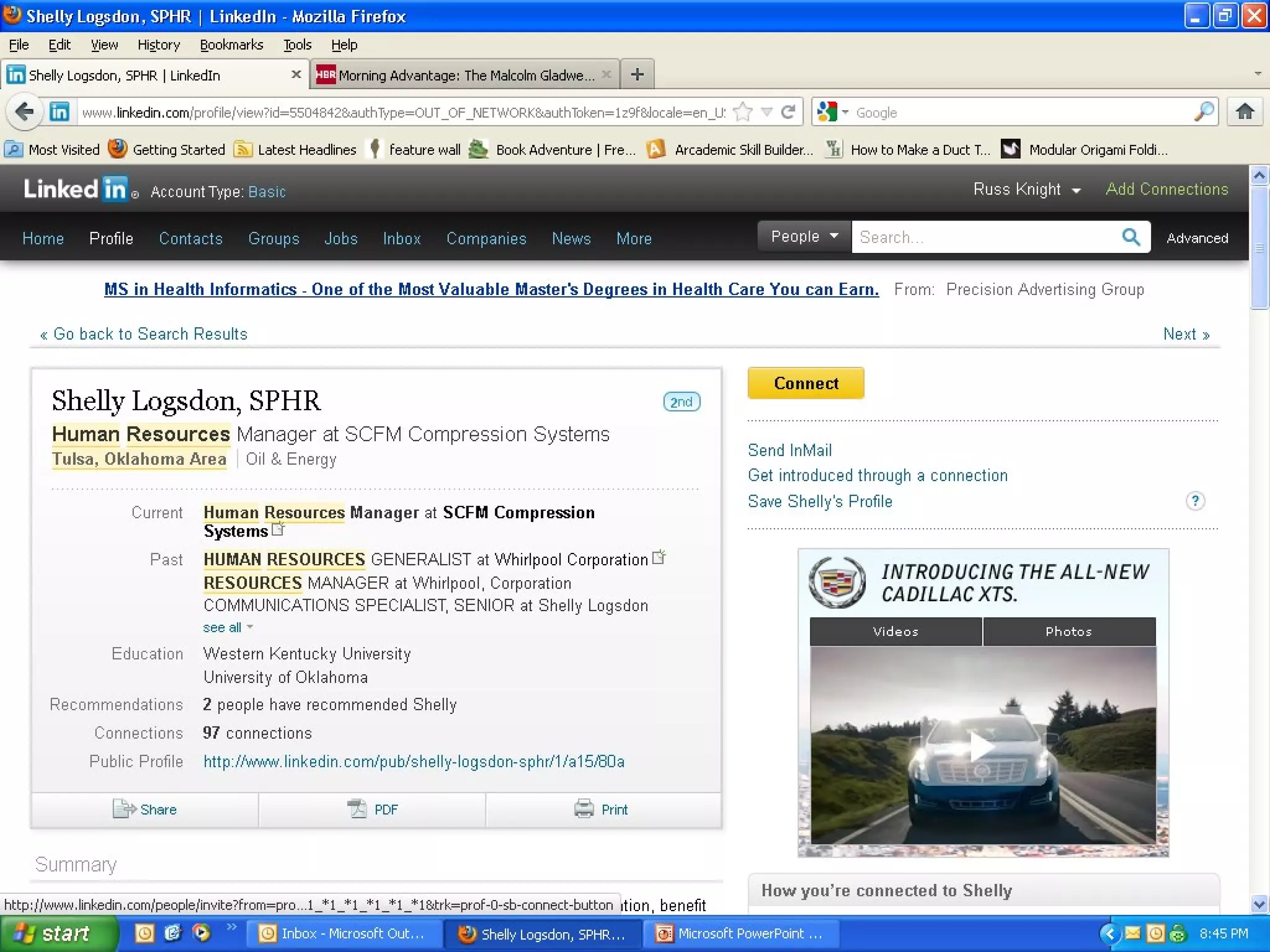
Connecting
• Example of connecting, should take
  several screenshots
“Brothers and sisters, as
an example of patience
in the face of suffering,
take the prophets who
spoke in the name of the
Lord. As you know, we
count as blessed those
who have persevered.
You have heard of Job’s
perseverance and have
seen what the Lord
finally brought about.
The Lord is full of
compassion and mercy.”
      -James 5:10-11
Overview
• The basics
• Two goals with Linkedin:
  – Catching
  – Pitching
• Status Updates
• Connecting
• Groups Here now
• Answers
Groups
• Groups allow you to connect with lots of
  people quickly
• Participate and be relevant (remember, you
  are pitching/projecting!)
• Group categories: Industry, discipline,
  geography, interest, and…
• You can join 50 (or so) with free account
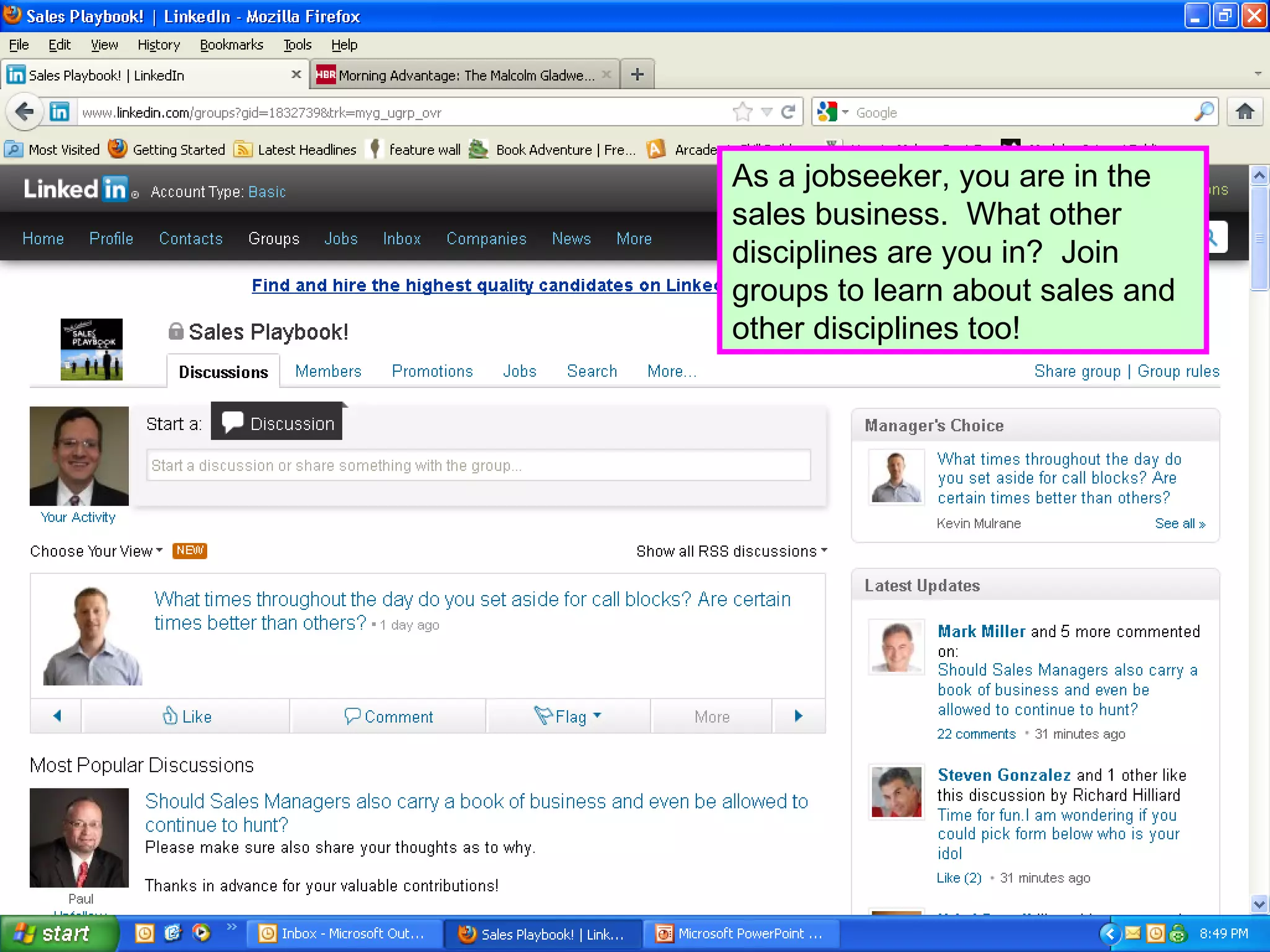
As a jobseeker, you are in the
sales business. What other
disciplines are you in? Join
groups to learn about sales and
other disciplines too!
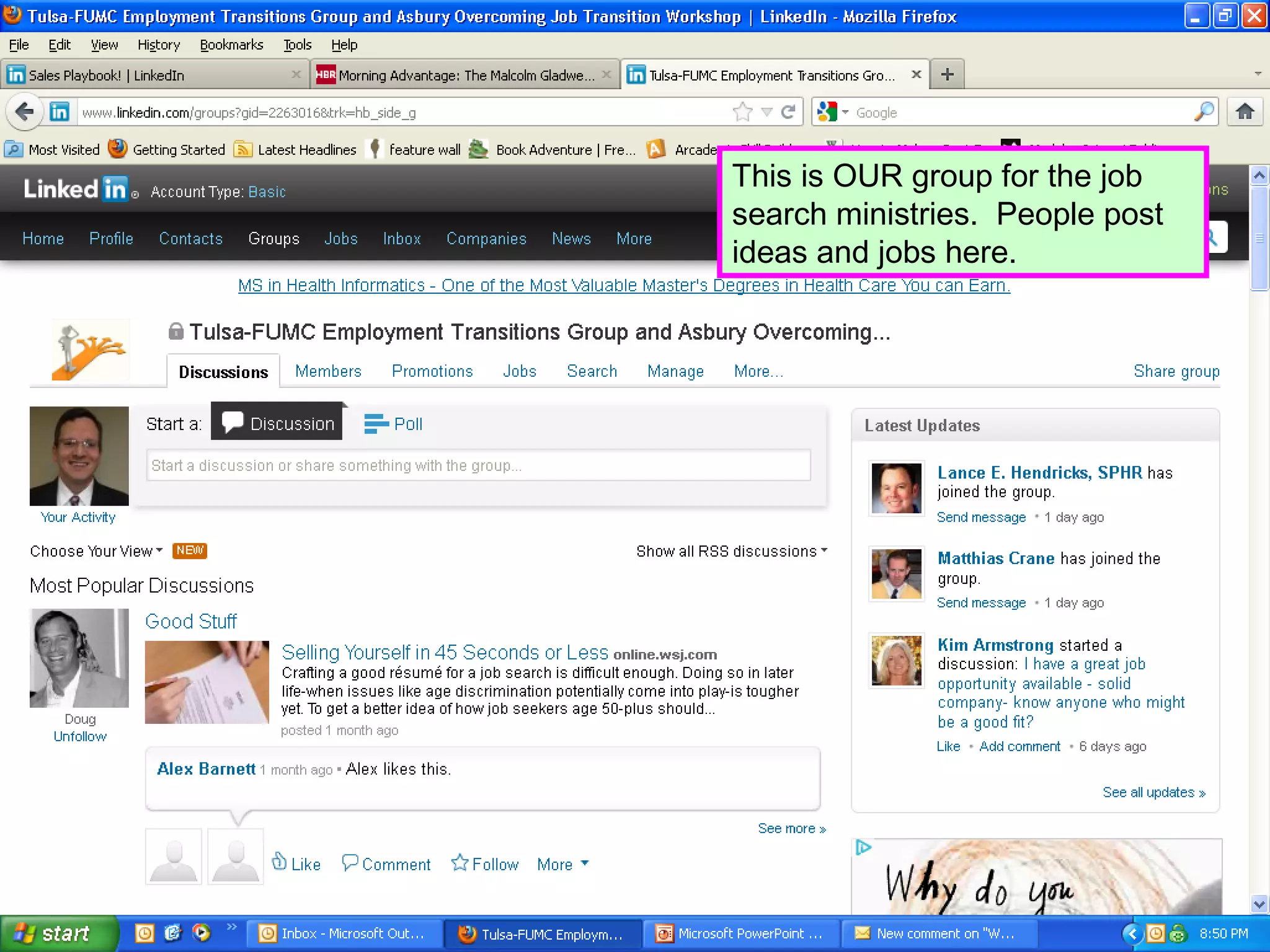
This is OUR group for the job
search ministries. People post
ideas and jobs here.
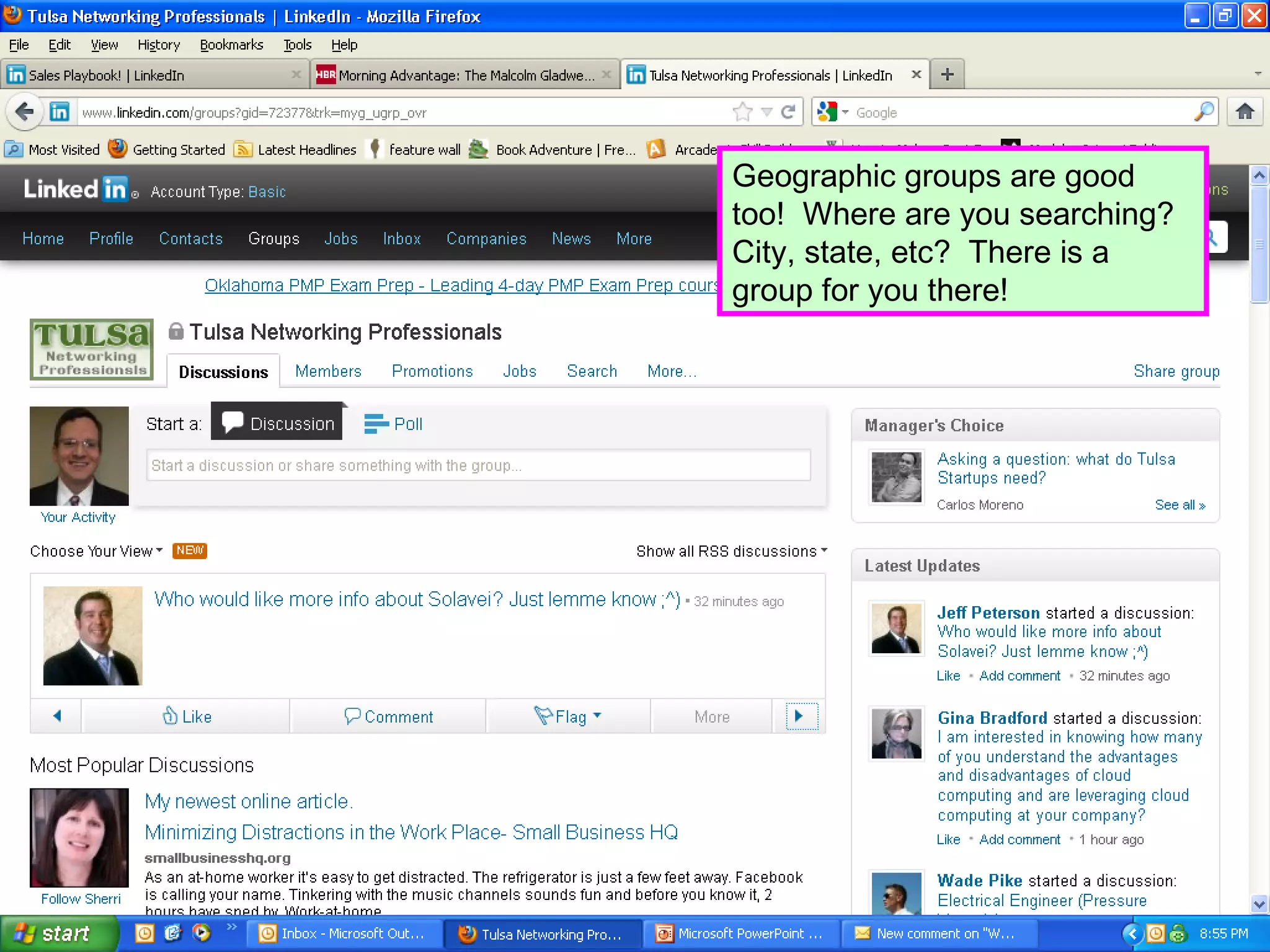
Geographic groups are good
too! Where are you searching?
City, state, etc? There is a
group for you there!
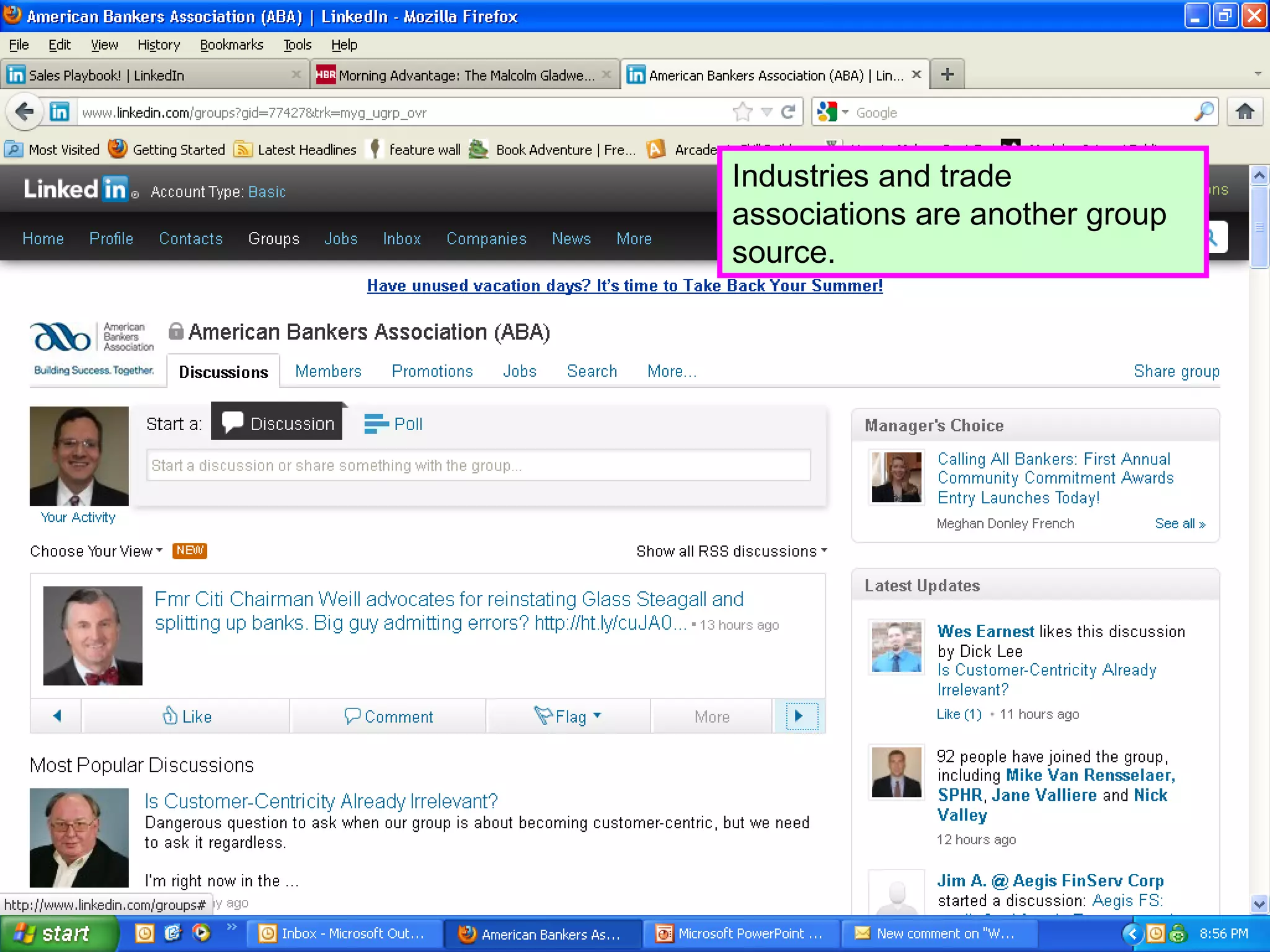
Industries and trade
associations are another group
source.
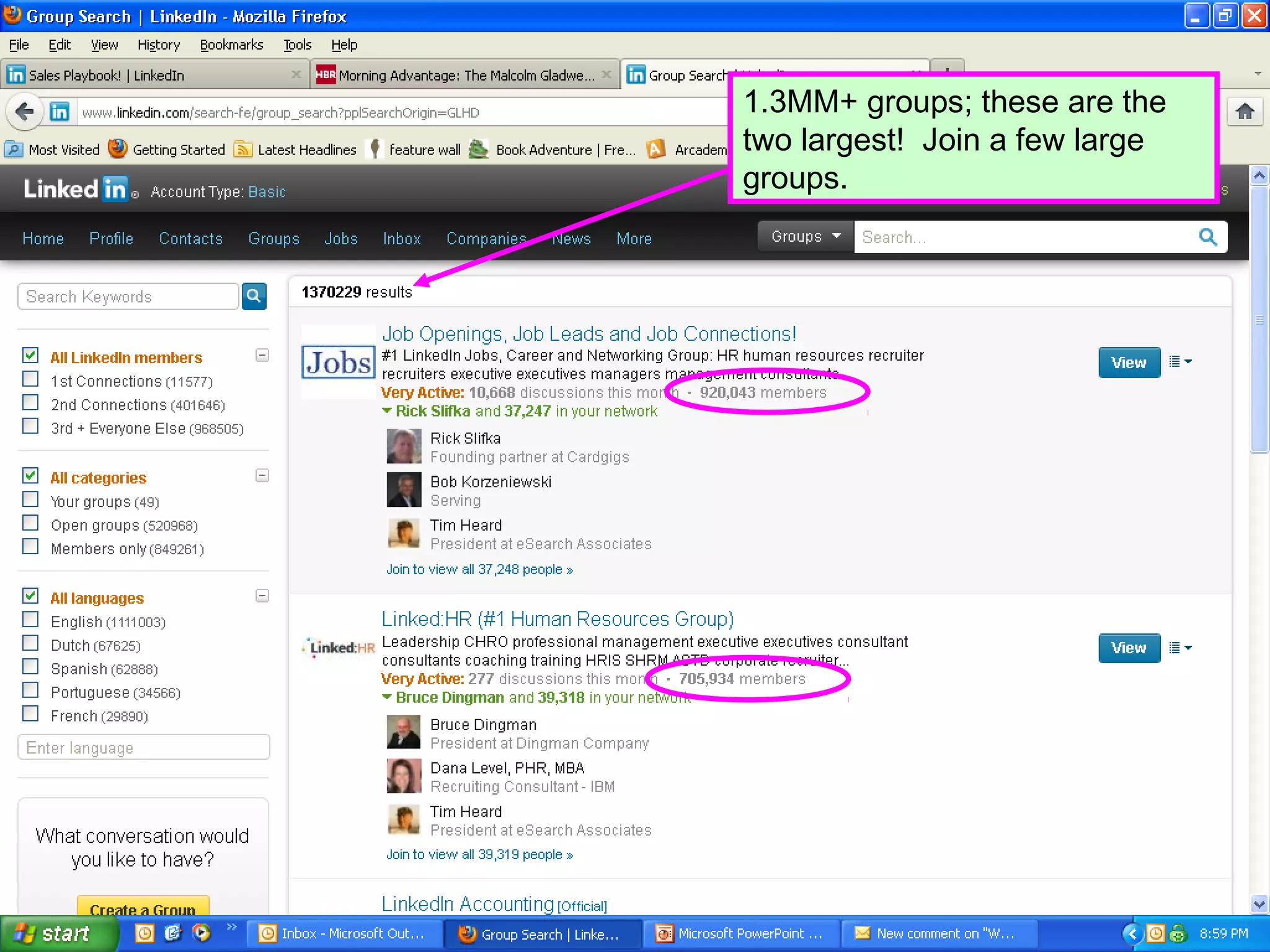
1.3MM+ groups; these are the
two largest! Join a few large
groups.
“Humble yourselves,
therefore, under God’s
mighty hand, that he may
lift you up in due time.
Cast all your anxiety on
him because he cares for
you.”
      -1 Peter 5:6-7
Overview
• The basics
• Two goals with Linkedin:
  – Catching
  – Pitching
• Status Updates
• Connecting
• Groups
• Answers Here now
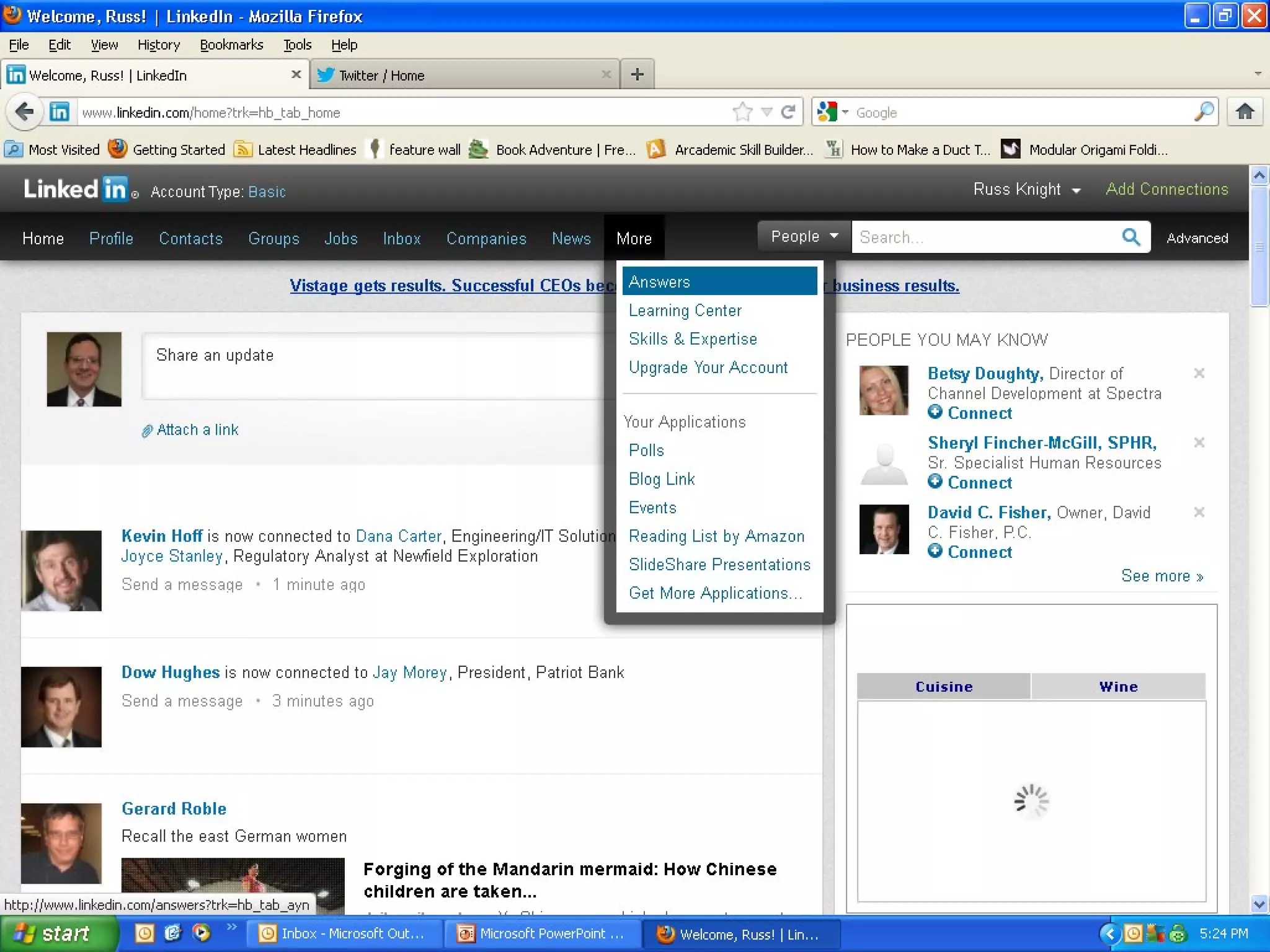
Answers
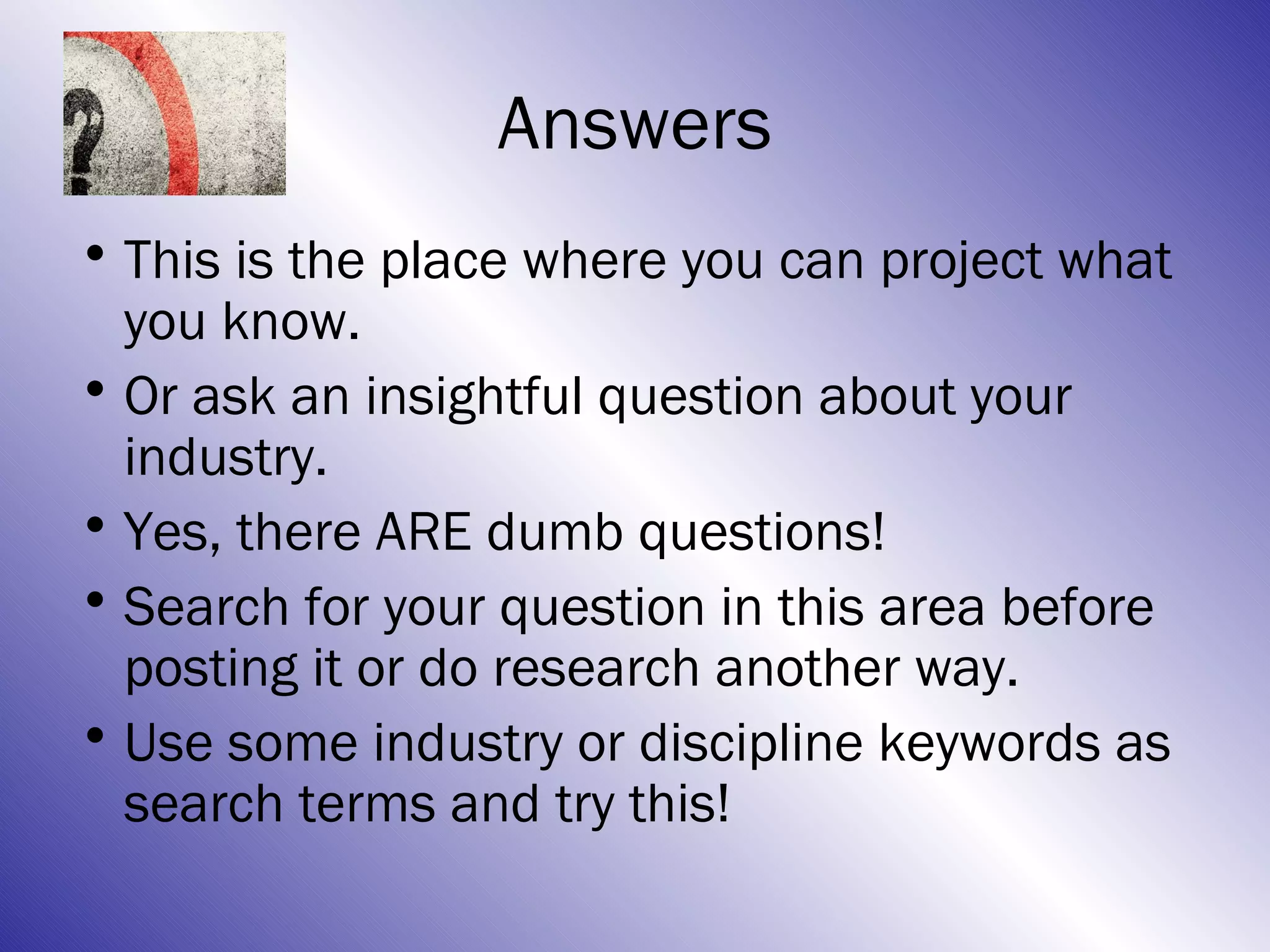
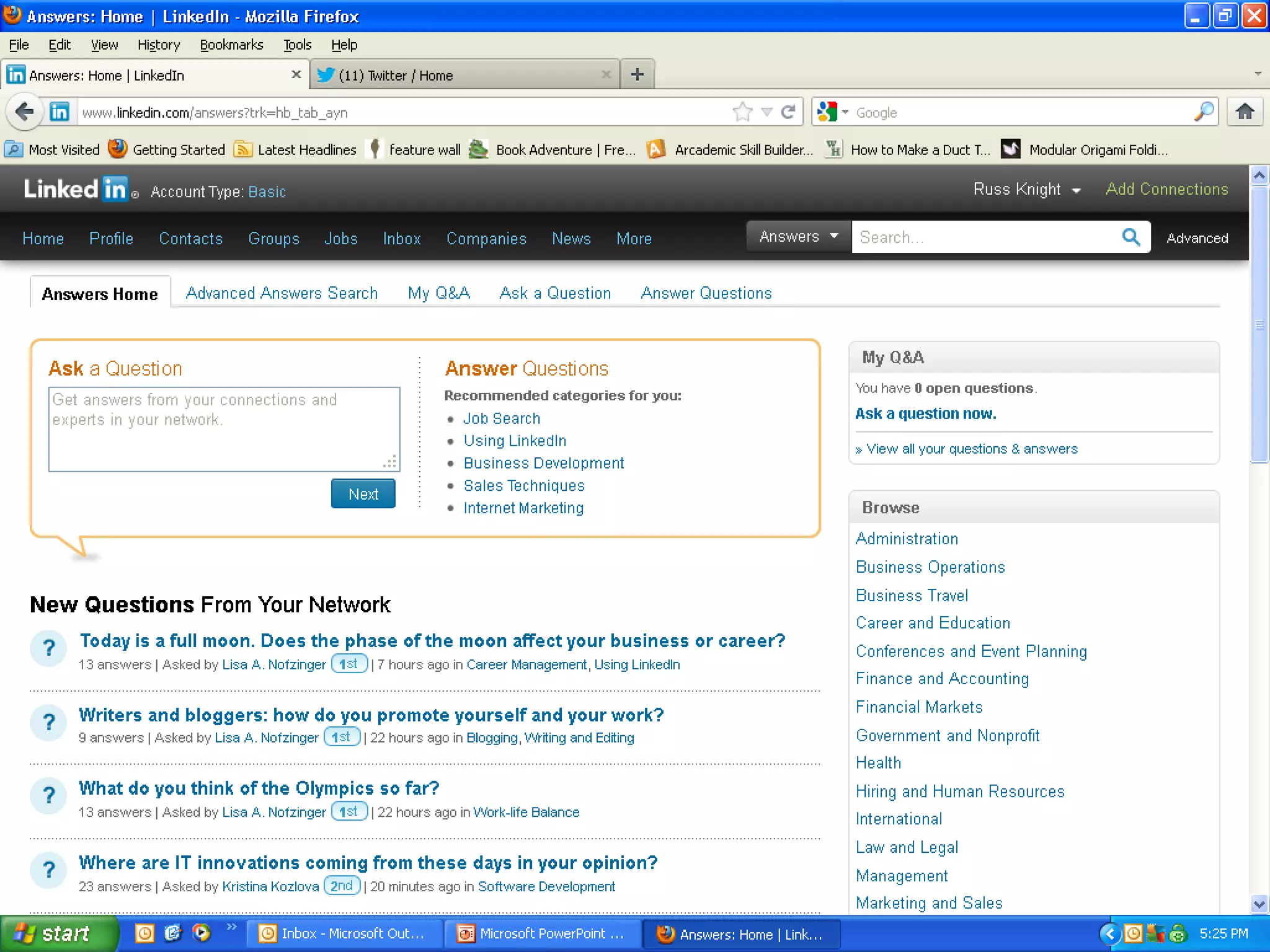
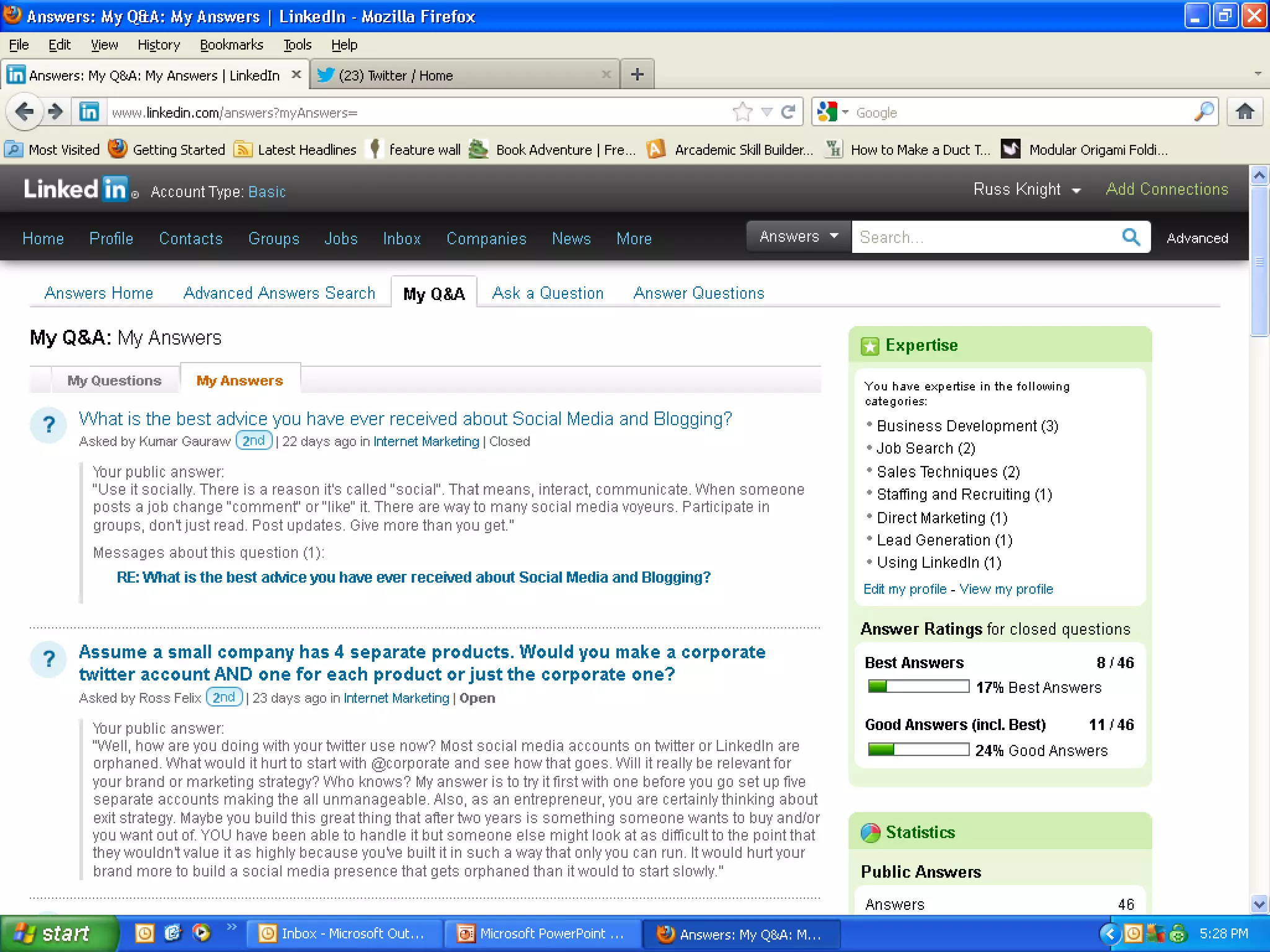
• This is the place where you can project what
  you know.
• Or ask an insightful question about your
  industry.
• Yes, there ARE dumb questions!
• Search for your question in this area before
  posting it or do research another way.
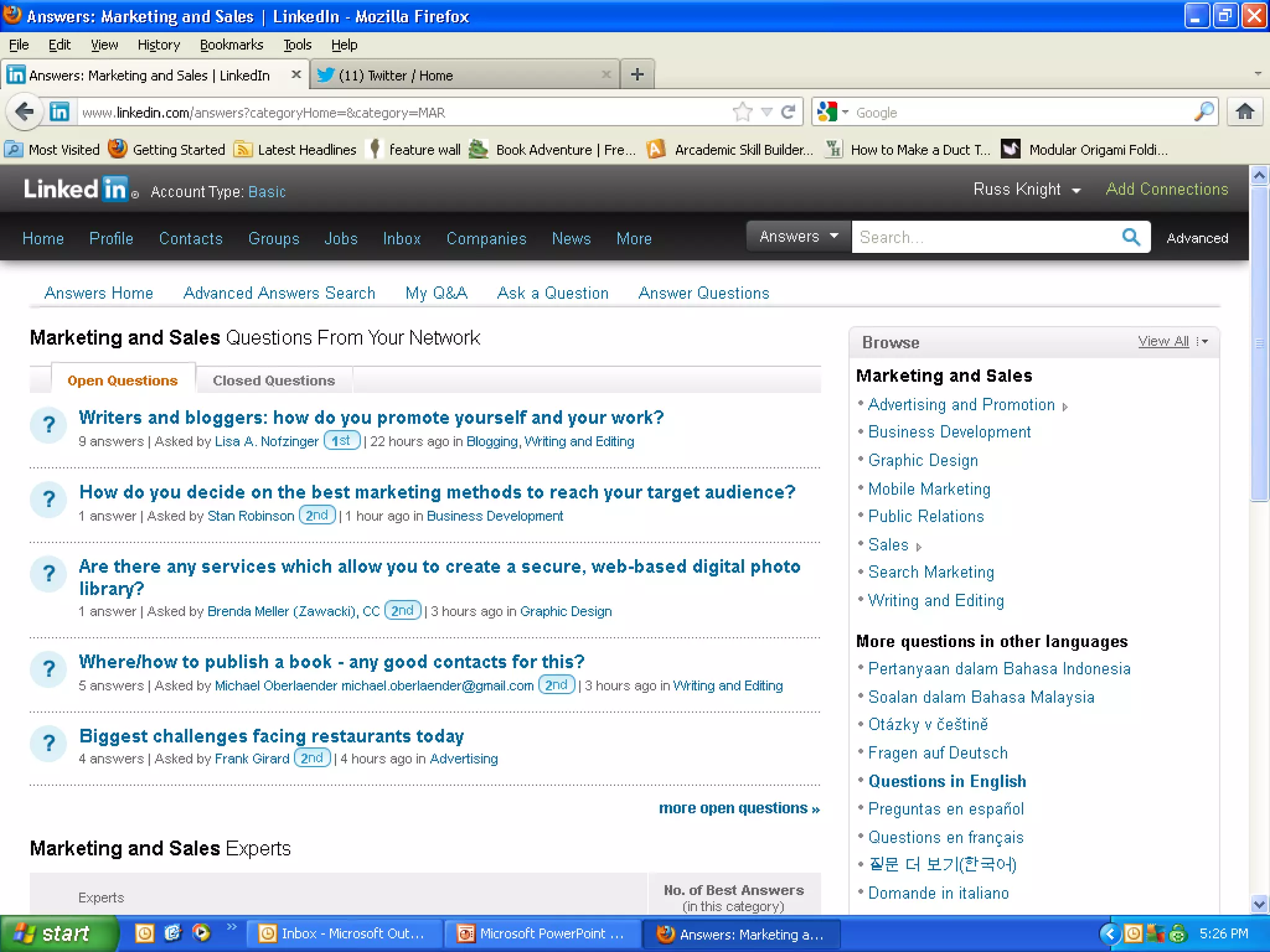
• Use some industry or discipline keywords as
  search terms and try this!
Answers
Summary
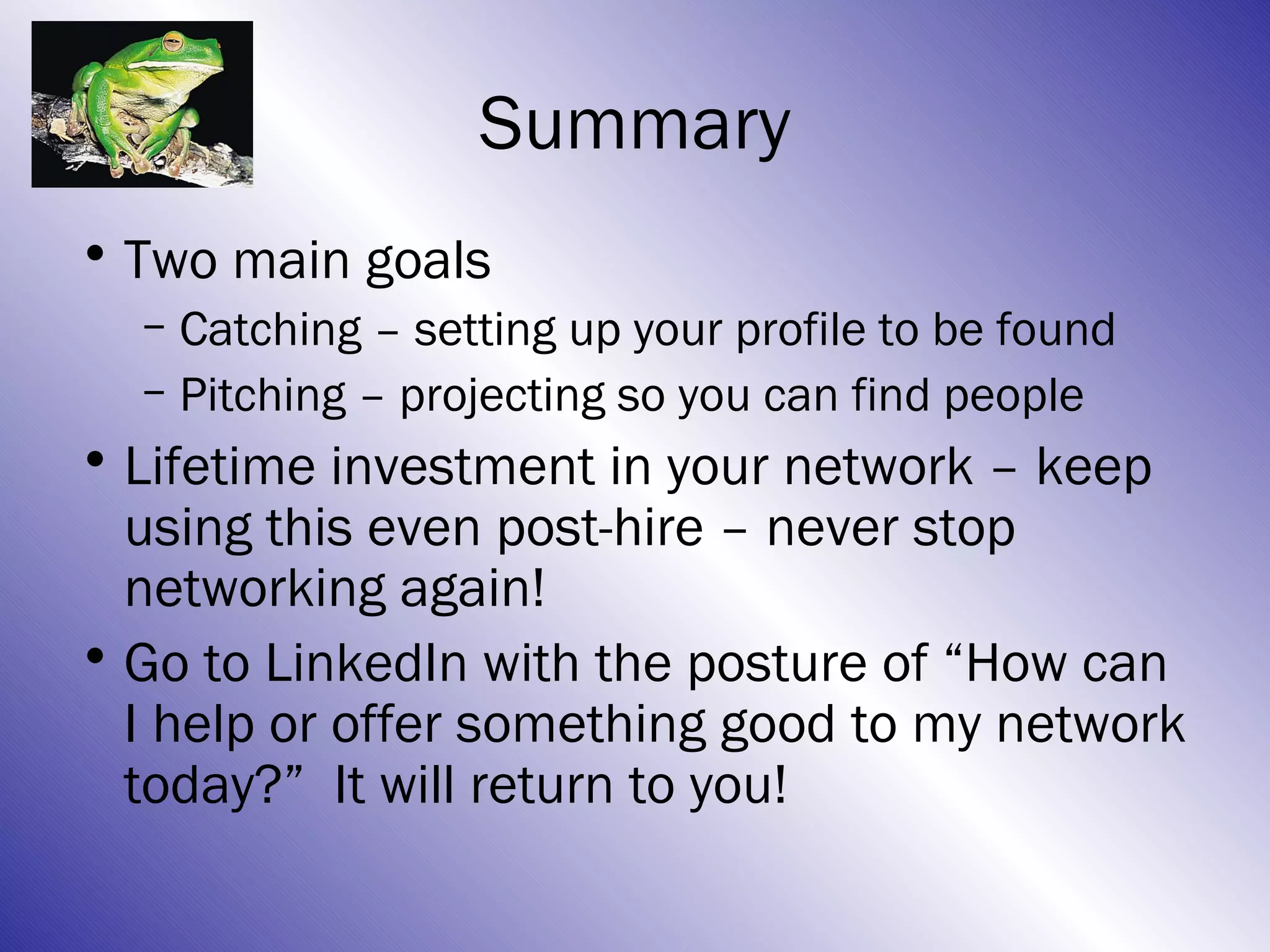
• Two main goals
  – Catching – setting up your profile to be found
  – Pitching – projecting so you can find people
• Lifetime investment in your network – keep
  using this even post-hire – never stop
  networking again!
• Go to LinkedIn with the posture of “How can
  I help or offer something good to my network
  today?” It will return to you!
Now, go
        connect!
Russ Knight drives marketing for Career
Development Partners and is the co-founder of
OJT @ Asbury and one of the leaders of FUMC’s
Employment Transition ministry in Tulsa, OK.
(918) 640-6148-c or OJTjobs@gmail.com

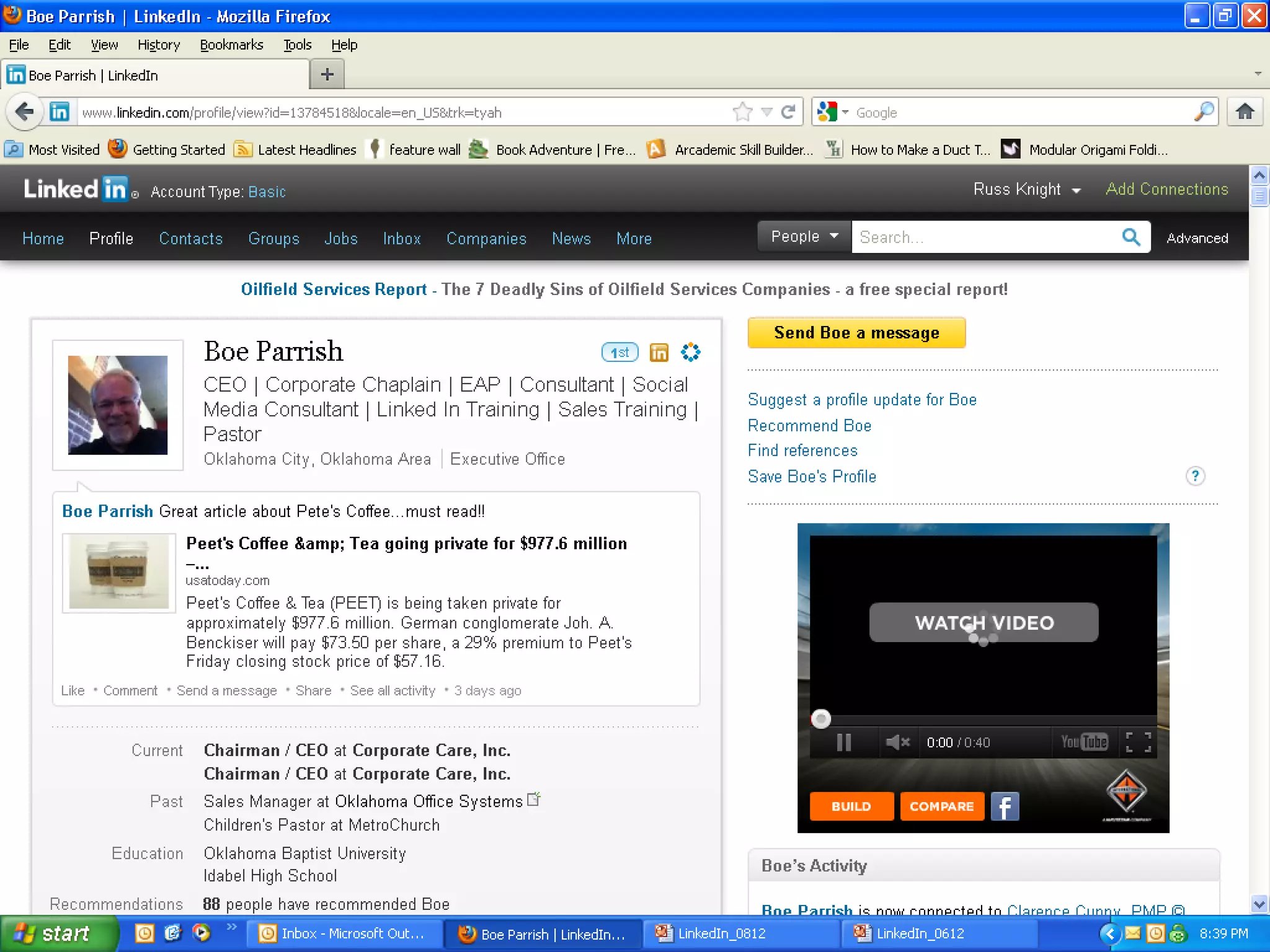
Thanks to Boe Parrish for letting me use his profile as an
example and for the sunrise photos!

Linked In 0812

  • 1.
    Linkedin.com – present, active, nowand forever, amen. Russ Knight OJTjobs@gmail.com
  • 2.
    Overview • The basics– Starting here • Two goals with Linkedin: – Catching – Pitching • Status Updates • Connecting • Groups • Answers
  • 3.
    The Basics ofLinkedIn • LinkedIn is THE place everyone goes to find people – recruiters, hiring managers or anyone else with a problem or a question. • Build your profile intentionally so people can find you (catching.) • Connect with lots of people and use interactively so you can find people (pitching.)
  • 4.
    Russ’ view ofLinkedin. Notice the top nav, status update, update feed and people you may know.
  • 5.
    Same page, justa little further down. Notice more slightly older updates and who’s viewed my profile and your Linkedin network.
  • 6.
    Who has viewedmy profile? This is who. It may say “LinkedIn member” or “Anonymous” or “Someone from the X industry from New York, NY”. I check this to see where my message is being heard.
  • 7.
    Same place, justclicked appearances. Recruiters and hiring managers are looking; the better your profile is, the more likely you will appear. Avg = 417 over last 6 weeks.
  • 8.
    Your First ProfileObjective • 100% Complete – LinkedIn will help you chart your progress as you move towards 100%. • This is only the beginning, but a good first goal. • Once you get 100%, keep updating, improving and use this tool socially. • Never stop networking!
  • 9.
    Profile Parts &Pieces • Picture – Smiling, professional (that means suit-and-tied, fellas), facing the camera, well lit. • Headline – Say what you do or can do, use keywords, 120 characters, use ‘em! – Accountant II may have been your title, but you need to describe what you did and sell it – Accountant │Joint-interest billing │JIB │Oil & Gas │AP Supervisor │Revenue accounting │Data analyst │Independent worker – See? That’s 119 characters and more clear!
  • 10.
    Profile Parts &Pieces • Current title? Consider deleting it. – Alternatives: Actively seeking next opportunity, immediate availability, open to new challenges, or list a key volunteer role you are filling – Avoid: Unemployed, Retired, etc.; look forward! • Public profile: customize it! – http://www.linkedin.com/in/knightruss – http://www.linkedin.com/pub/hans-helmerich/9/992/a44 – See the difference? Here’s how to customize:
  • 12.
    Customize your public profile.If yours has nonsensical numbers/letters, you haven’t done it right yet. See how mine finishes with in/knightruss?
  • 13.
    You can customizea lot here. Please “make profile visible to anyone” for name recognition, then scroll down…
  • 17.
    Profile Parts &Pieces • References: Two is what you need; Don’t worry about many more. – Suggest a time when…to help someone tell a good story about you. – Write one for them first, they will be prompted to reciprocate, which is AOK! – Don’t accept a mediocre rec; ask them to revise. – If you don’t like the rec, don’t publish it.
  • 18.
    I’m very thankfulfor the recommendations that have been written for me. My plan is to reciprocate, but not immediately.
  • 19.
    “Forget the former things;do not dwell on the past. See, I am doing a new thing! Now it springs up; do you not perceive it? I am making a way in the wilderness and streams in the wasteland.” Isaiah 43:18-19
  • 20.
    Overview • The basics •Two goals with Linkedin: Now here – Catching – Pitching • Status Updates • Connecting • Groups • Answers
  • 21.
    Goal #1: Catching •Catching = building your profile to be found. • People are looking for you; help them! • Use keywords a lot: Headline, summary, under every job, repeat important things in different ways. • Speak to results: $, #, % throughout. • Adding a list of keywords – just to be found on LinkedIn is a good method. • Connect with lots of people, especially connectors: recruiters, thought-leaders well known in your industry and people with lots of connections!
  • 22.
    A word aboutkeywords • Do a search for “Google keywords” and a tool will come up that may help you • You want to differentiate! • Avoid common descriptors. • Comb through your message for “white- noise” and cut the things that don’t really describe the value you bring. • Would someone else say it?
  • 23.
    10 keywords toavoid 1. Extensive experience 2. Innovative 3. Motivated 4. Results-oriented 5. Dynamic 6. Proven track record 7. Team player 8. Fast-paced 9. Problem solver 10. Entrepreneurial source: http://www.cbsnews.com/8301-505144_162-41541186/linkedin-top-10-resume-words-to-avoid/
  • 24.
    SAR: Speaking toresults • Tell the good things you have delivered to your employers in $, # and %. •S + A = R – Situation – what was happening before you got there? – Action – what did you specifically do differently that someone else might not? – Result – what was the good result for your employer in $, # or %, if possible?
  • 28.
    What can welearn? • Use keywords throughout profile. • Think about how someone would search for someone like you? • Be sure to say the same thing lots of different ways sales, business development, account exec, closer, cold caller, new business developer, etc. • Tough name? Use common misspellings too Kelley, Kelly, Kellie, Kallie, etc. • Add a string at the end of each part listing all your keywords. • Connect with LOTS of people.
  • 29.
    “Dear friends, donot be surprised at the fiery ordeal that has come on you to test you, as though something strange were happening to you. But rejoice inasmuch as you participate in the sufferings of Christ, so that you may be overjoyed when his glory is revealed.” 1 Peter 4:12-13
  • 30.
    Overview • The basics •Two goals with Linkedin: – Catching – Pitching Here now • Status Updates • Connecting • Groups • Answers
  • 31.
    Goal #2: Pitching •Pitching= you are on offense, going out and finding connections & projecting. • This is a great way to find the people you need to advance your search. • Hiring managers, former co-workers, recruiters, influencers, connectors. • If it’s worth filling out an application, it’s worth making a human connection so you aren’t just another resume in a stack.
  • 32.
    • Example fromIndeed to find a job, Jigsaw to find the contact, along with LinkedIn
  • 34.
  • 36.
    Follow the company;then look to see who you know there. I know 5 people!
  • 37.
    Now I knowwho to reach out to help me get past HR to someone in the marketing department.
  • 38.
    This is theAdvanced search feature, just to the right of the search box in the upper right. See I selected company name, current and the keyword “marketing”.
  • 39.
    Charlie C. lookslike someone I would reach out to about this marketing role. Could also try Tracey.
  • 40.
    What if wemissed on LI? • We found a couple of possibilities on LI, but what if we didn’t? • Google. • Data.com / Jigsaw.com. • Confirm it on LinkedIn – information is updated 1st person, not crowd sourced, so likely more accurate.
  • 45.
    “Have I notcommanded you? Be strong and courageous. Do not be afraid; do not be discouraged, for the Lord your God will be with you wherever you go.” -Joshua 1:9
  • 46.
    Overview • The basics •Two goals with Linkedin: – Catching – Pitching • Status Updates Here now • Connecting • Groups • Answers
  • 47.
    Status updates • Alwaysgood news; never negative! • Article about your industry, vocation, job search or general interest. • Community or industry event. • Interact with other people’s content – it’s SOCIAL media. • Make a point to regularly post something. • Quote or verse that inspires you.
  • 48.
    • Status updatescreen shot
  • 50.
    “Praise be tothe God and Father of our Lord Jesus Chris, the Father of compassion and the God of all comfort, who comforts us in all our troubles, so that we can comfort those in any trouble with the comfort we ourselves receive from God.” -2 Corinthians 1:3- 4
  • 51.
    Overview • The basics •Two goals with Linkedin: – Catching – Pitching • Status Updates • Connecting Here now • Groups • Answers
  • 52.
    Connecting • Always customizethe invite; sell them on the value in connecting with you. • Remind them how they know you, even if you met earlier in the day. • Offer value – give them a reason. • “Russ here from the job search ministry! I’m searching for a position to help apply my passion for people and solve sales challenges. Might you know someone looking for that? Could we connect in case I might help you or someone you know?”
  • 53.
    Connecting • Example ofconnecting, should take several screenshots
  • 55.
    “Brothers and sisters,as an example of patience in the face of suffering, take the prophets who spoke in the name of the Lord. As you know, we count as blessed those who have persevered. You have heard of Job’s perseverance and have seen what the Lord finally brought about. The Lord is full of compassion and mercy.” -James 5:10-11
  • 56.
    Overview • The basics •Two goals with Linkedin: – Catching – Pitching • Status Updates • Connecting • Groups Here now • Answers
  • 57.
    Groups • Groups allowyou to connect with lots of people quickly • Participate and be relevant (remember, you are pitching/projecting!) • Group categories: Industry, discipline, geography, interest, and… • You can join 50 (or so) with free account
  • 58.
    As a jobseeker,you are in the sales business. What other disciplines are you in? Join groups to learn about sales and other disciplines too!
  • 59.
    This is OURgroup for the job search ministries. People post ideas and jobs here.
  • 60.
    Geographic groups aregood too! Where are you searching? City, state, etc? There is a group for you there!
  • 61.
    Industries and trade associationsare another group source.
  • 62.
    1.3MM+ groups; theseare the two largest! Join a few large groups.
  • 63.
    “Humble yourselves, therefore, underGod’s mighty hand, that he may lift you up in due time. Cast all your anxiety on him because he cares for you.” -1 Peter 5:6-7
  • 64.
    Overview • The basics •Two goals with Linkedin: – Catching – Pitching • Status Updates • Connecting • Groups • Answers Here now
  • 65.
    Answers • This isthe place where you can project what you know. • Or ask an insightful question about your industry. • Yes, there ARE dumb questions! • Search for your question in this area before posting it or do research another way. • Use some industry or discipline keywords as search terms and try this!
  • 66.
  • 70.
    Summary • Two maingoals – Catching – setting up your profile to be found – Pitching – projecting so you can find people • Lifetime investment in your network – keep using this even post-hire – never stop networking again! • Go to LinkedIn with the posture of “How can I help or offer something good to my network today?” It will return to you!
  • 71.
    Now, go connect! Russ Knight drives marketing for Career Development Partners and is the co-founder of OJT @ Asbury and one of the leaders of FUMC’s Employment Transition ministry in Tulsa, OK. (918) 640-6148-c or OJTjobs@gmail.com Thanks to Boe Parrish for letting me use his profile as an example and for the sunrise photos!