Network Scanning and Port Scanning
Tool
-Pritesh Raka
 Introduction
 Overview
 Why NMAp?
 Primary uses of NMAP
 Basic NMAP Functions
 Host Detection
 Port Scanning
 Port States
 Port Scanning Techniques
 OS Detection
 Anatomy of NMAP Argument
 NMAP Using RedHat
 NMAP Using Windows
 Latest Releases
 NMAP = Network Mapper
 Nmap is and an Open Source utility which can quickly
scan broad ranges of devices and provide valuable
information about the devices on your network.It can
be used for IT auditing and asset discovery as well as
security profiling of the network.
 Nmap is a tool used for determining the hosts that are
running and what services the hosts are running.
 Originally developed by Gorden Lyon(Fyodor).
 Released in September 1997 stable version in 23 Aug
2014 , NMAP v6.47.
 Written in c,c++,Python. It is Cross Platform.
 Website http://nmap.org
 What Does NMAP do?
 NMAP uses raw IP packets to determine what
hosts are available on the network , the
services that are enabled, the operating
system and version of the host, what sort of
firewall and packet filters are in place and
many other aspects of the network.
 The Information can be used both proactively
to identify and correct security holes and by
attackers to perform reconnaissance about the
types and quantities of targets available and
what weaknesses exists.
 Nmap can use Syn/XMas/NULL scan in a
speed where you can see nowhere else .0 The
Nmap suite includes an advanced GUI and
results viewer (Zenmap ), a flexible data
transfer, redirection, and debugging tool
(Ncat ), a utility for comparing scan results
(Ndiff ), and a packet generation and response
analysis tool (Nping ). Nmap was named
“Security Product of the Year” by Linux
Journal, Info World, LinuxQuestions.Org, and
Codetalker Digest. It was even featured in
eight movies , including The Matrix Reloaded
, Die Hard 4 , and The Bourne Ultimatum.
 1. Determining open ports and services
running in an host:
 2. Determine the Operating System running
on a host
 3. Alter the source IP of the scan (One way is
to use –S option)
 4.Scriptable Interaction with the target- using
Nmap Scripting Engine(NSE)
 Host discovery
-Which Hosts are up(IP Addresses)
-Ping Scans
 Port Scanning
-Which ports of the target host have servers
listening on them
-Allows a guess of software and services a
machine is running
 OS Detection
-OS Detection/OS Fingerprinting
 What is Host Detection?
 Host detection is a feature of Nmap that tells it to
further analyze what the packet behavior is, and
asses what operating system the target host is
Based on.
 What is Version Detection?
 Version detection Expands on host detection by
also querying the ports Nmap finds open for what
the service is.
 How does Nmap identifies host?
 Nmap by default will perform either TCP SYN or
TCP Connect Ping to gather active hosts. In some
cases Nmap will even use ARP pinging to identify
hosts as well.
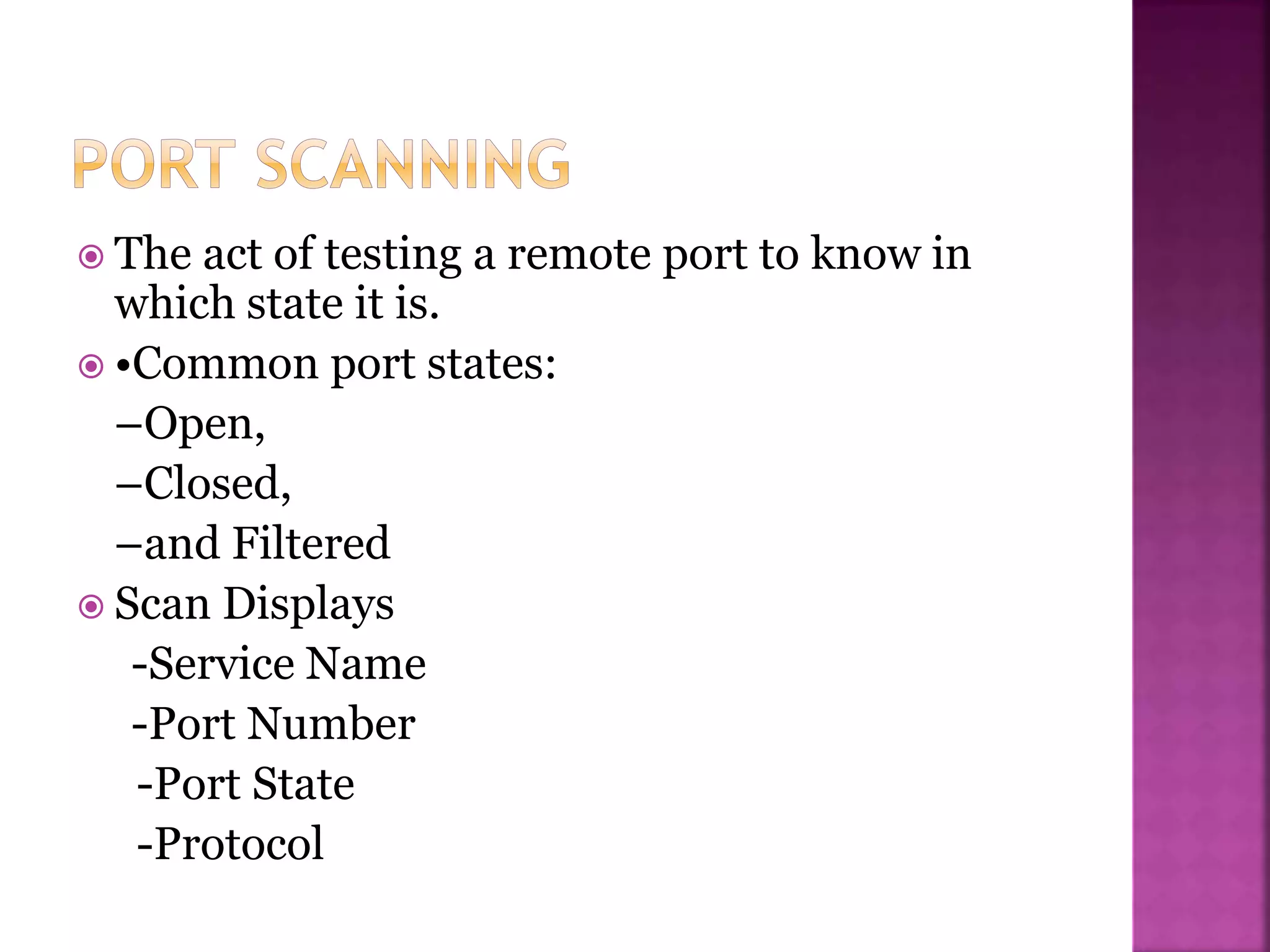
 The act of testing a remote port to know in
which state it is.
 •Common port states:
–Open,
–Closed,
–and Filtered
 Scan Displays
-Service Name
-Port Number
-Port State
-Protocol
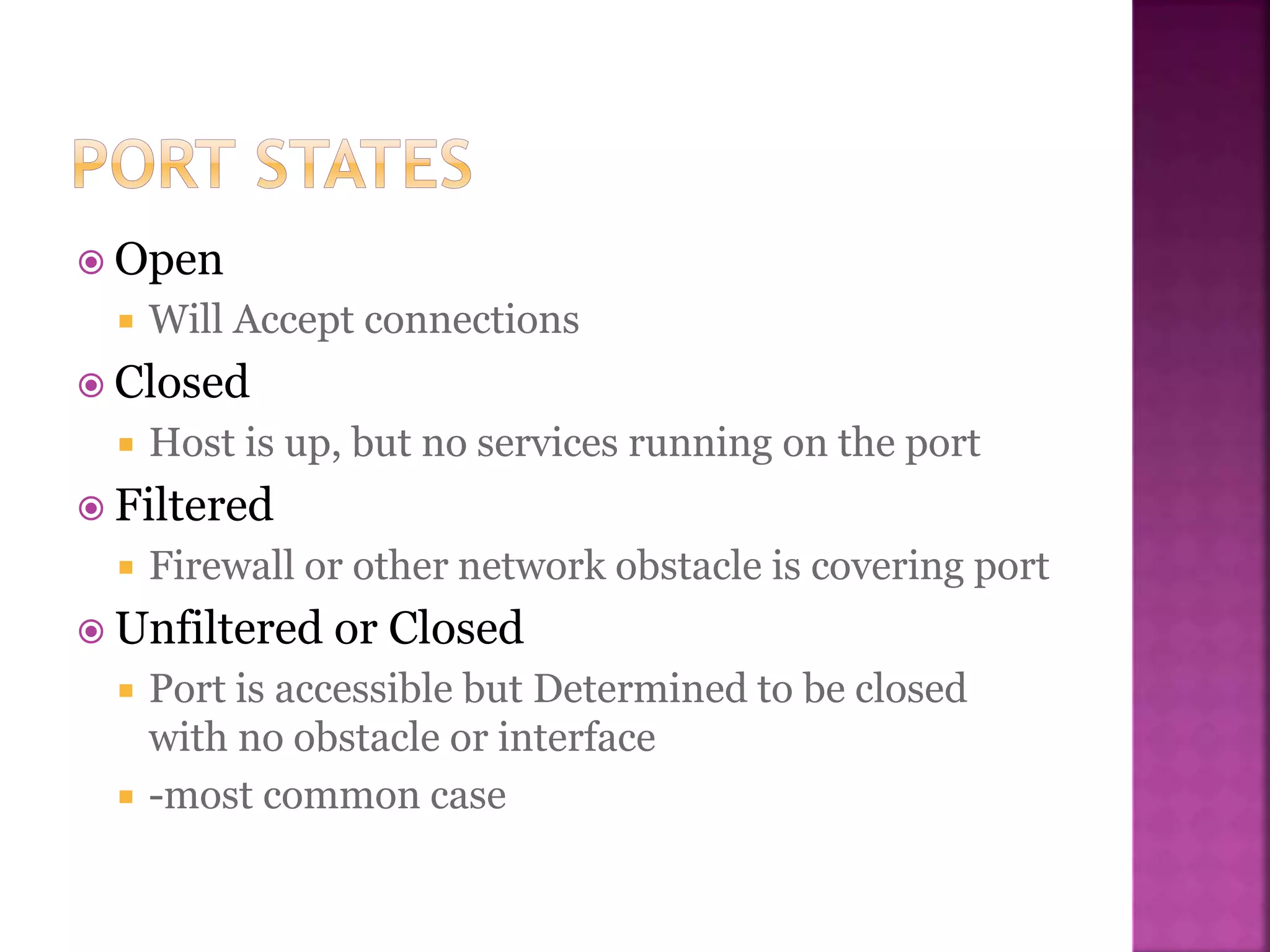
 Open
 Will Accept connections
 Closed
 Host is up, but no services running on the port
 Filtered
 Firewall or other network obstacle is covering port
 Unfiltered or Closed
 Port is accessible but Determined to be closed
with no obstacle or interface
 -most common case
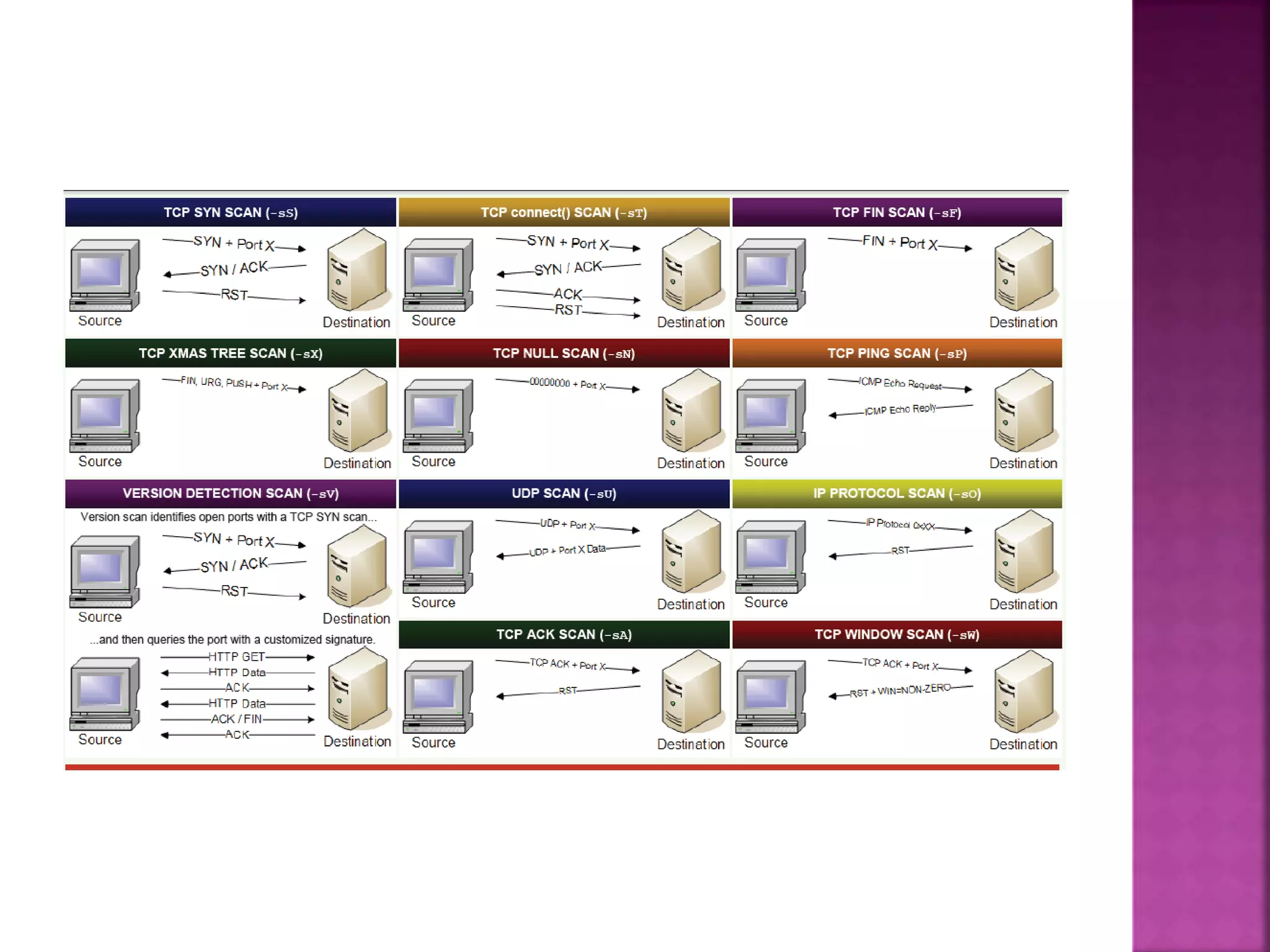
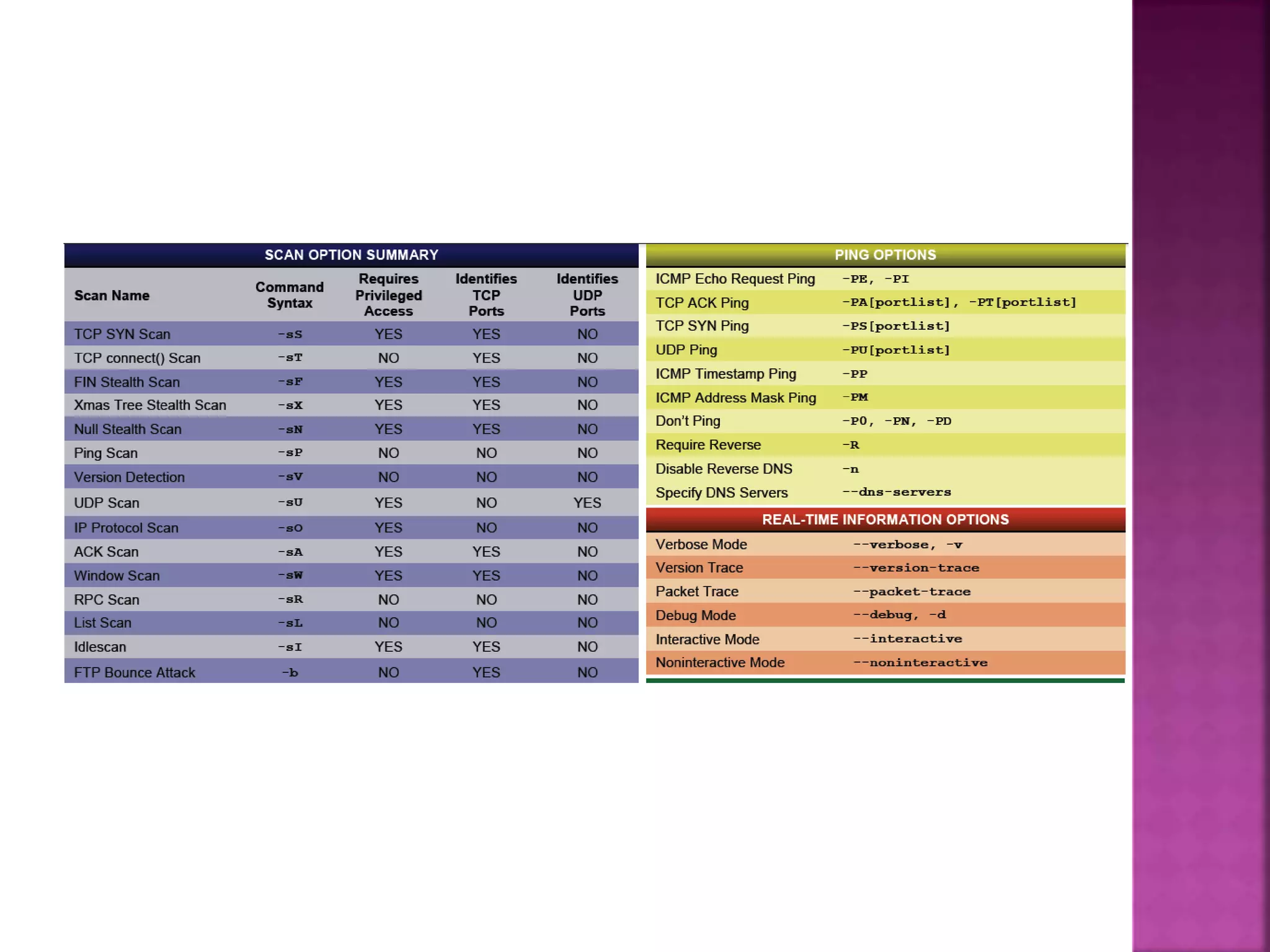
 •TCP SYN or Stealth Scan (-sS)
 •TCP Connect Scan (-sT)
 •TCP ACK Scan (-sA)
 •UDP Scan (-sU)
 •TCP FIN Scan (-sF)
 •TCP NULL Scan (-sN)
 •XMAS Tree Scan(-sX)
 •Custom Scan (--scanflags)
 •IP Protocol Scan (-sO)
 •Bounce Attack[ftp] (-b)
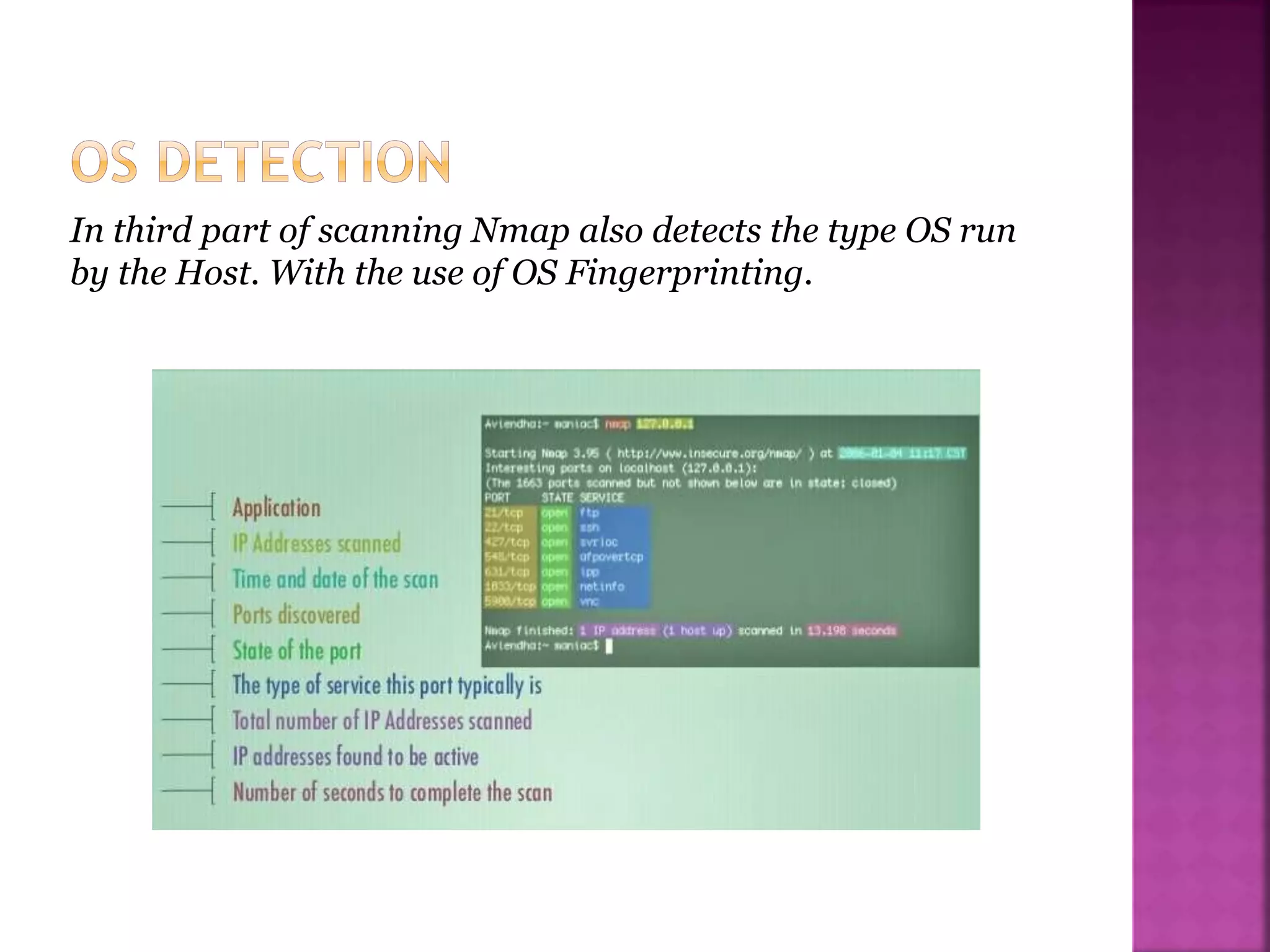
In third part of scanning Nmap also detects the type OS run
by the Host. With the use of OS Fingerprinting.
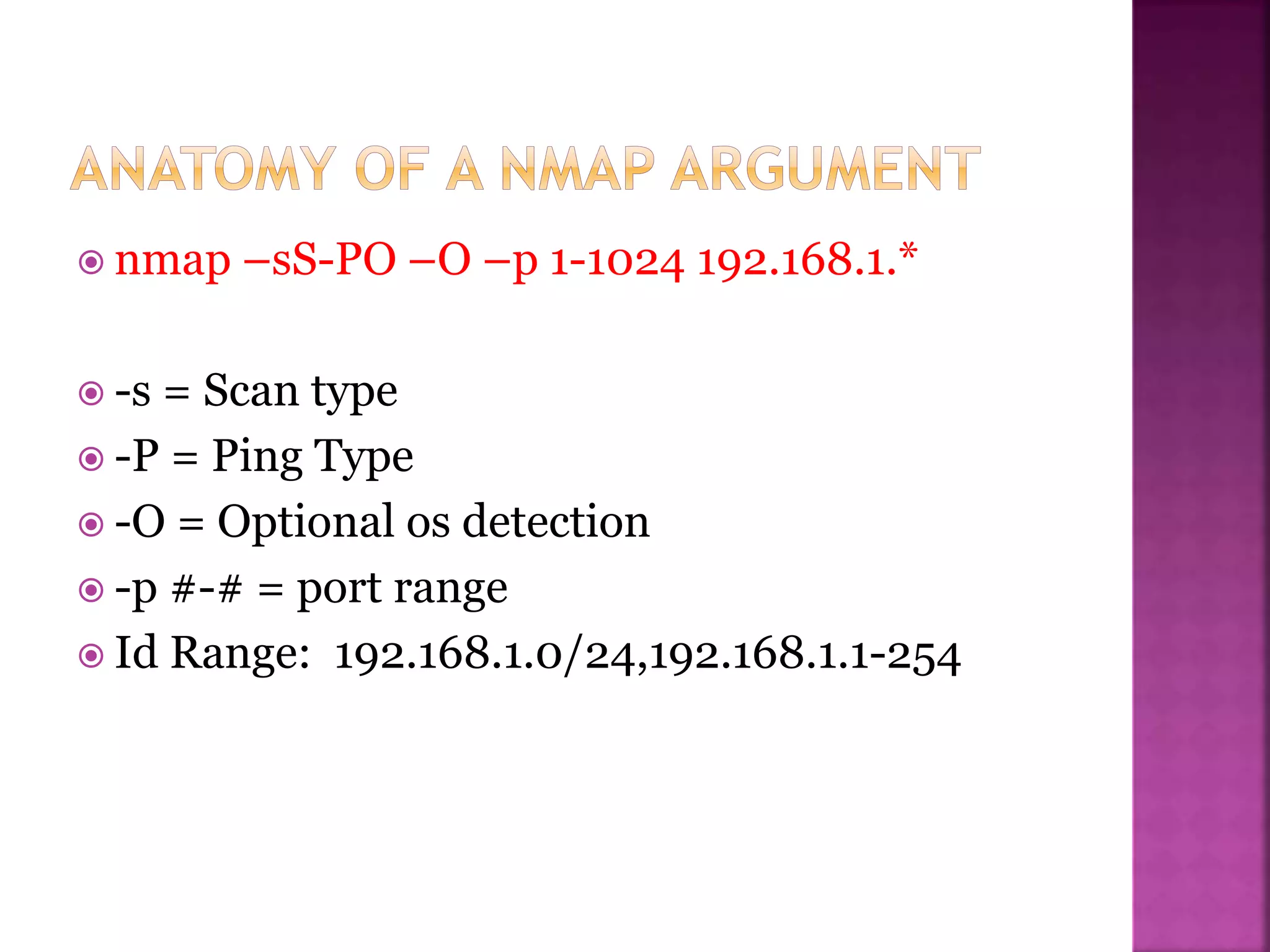
 nmap –sS-PO –O –p 1-1024 192.168.1.*
 -s = Scan type
 -P = Ping Type
 -O = Optional os detection
 -p #-# = port range
 Id Range: 192.168.1.0/24,192.168.1.1-254
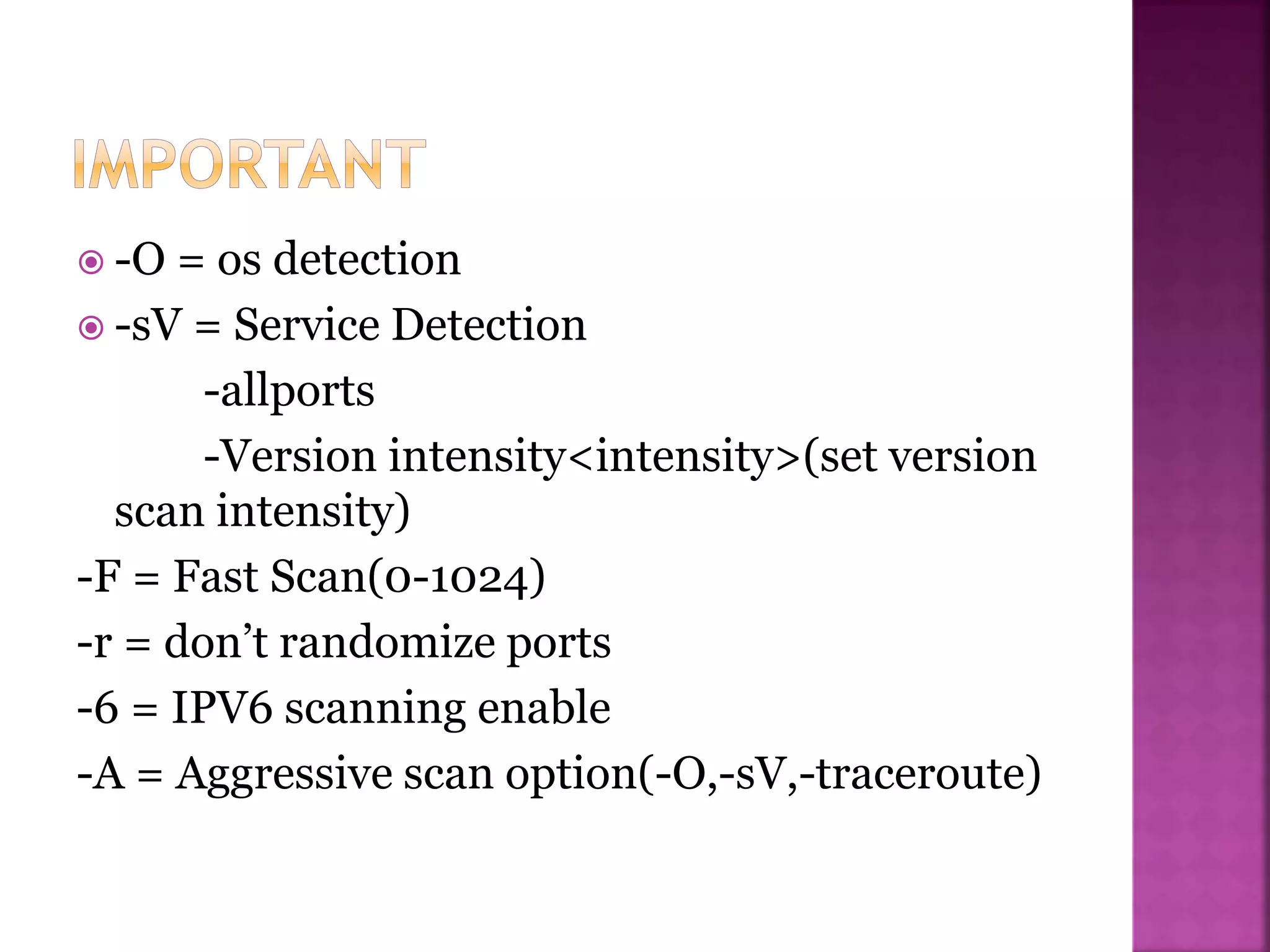
 -O = os detection
 -sV = Service Detection
-allports
-Version intensity<intensity>(set version
scan intensity)
-F = Fast Scan(0-1024)
-r = don’t randomize ports
-6 = IPV6 scanning enable
-A = Aggressive scan option(-O,-sV,-traceroute)
 Nmap is available for wide range of Operating
System platforms. The standard download is a
UNIX version.(Which runs on Linux, Solaris
,free/Net/Open BSD and Mac OS X) And the
windows version Nmap as well Recommended
GUI Zenmap.
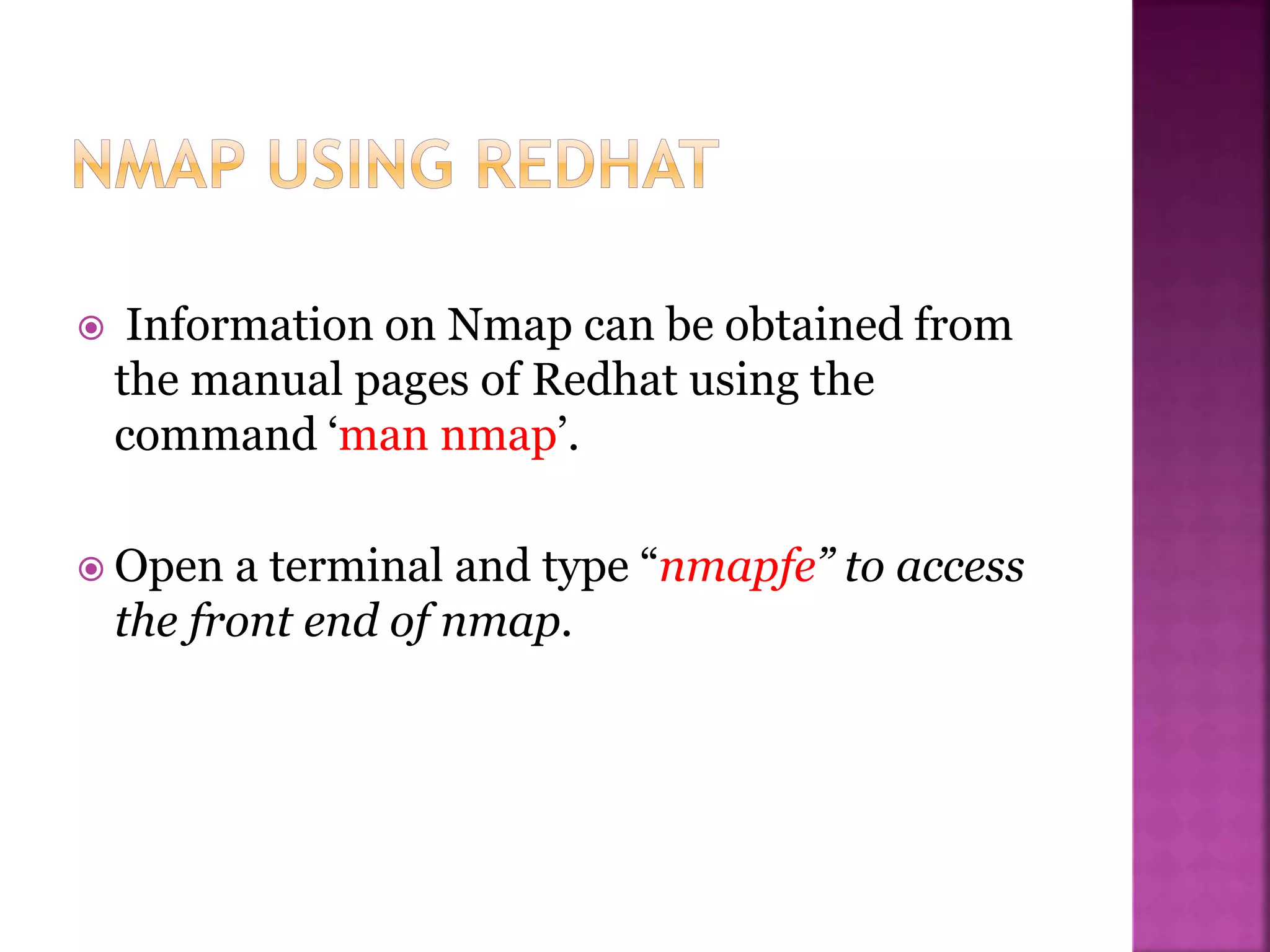
 Information on Nmap can be obtained from
the manual pages of Redhat using the
command ‘man nmap’.
 Open a terminal and type “nmapfe” to access
the front end of nmap.
 To Run Nmap on windows The two important
files to be installed are as follows:
 a) Nmap-<version>-win32.zip
 b) WinPcap 3.0 stable version. (WinPcap is the
packet capture library for Nmap).
 There is more User friendly version Available
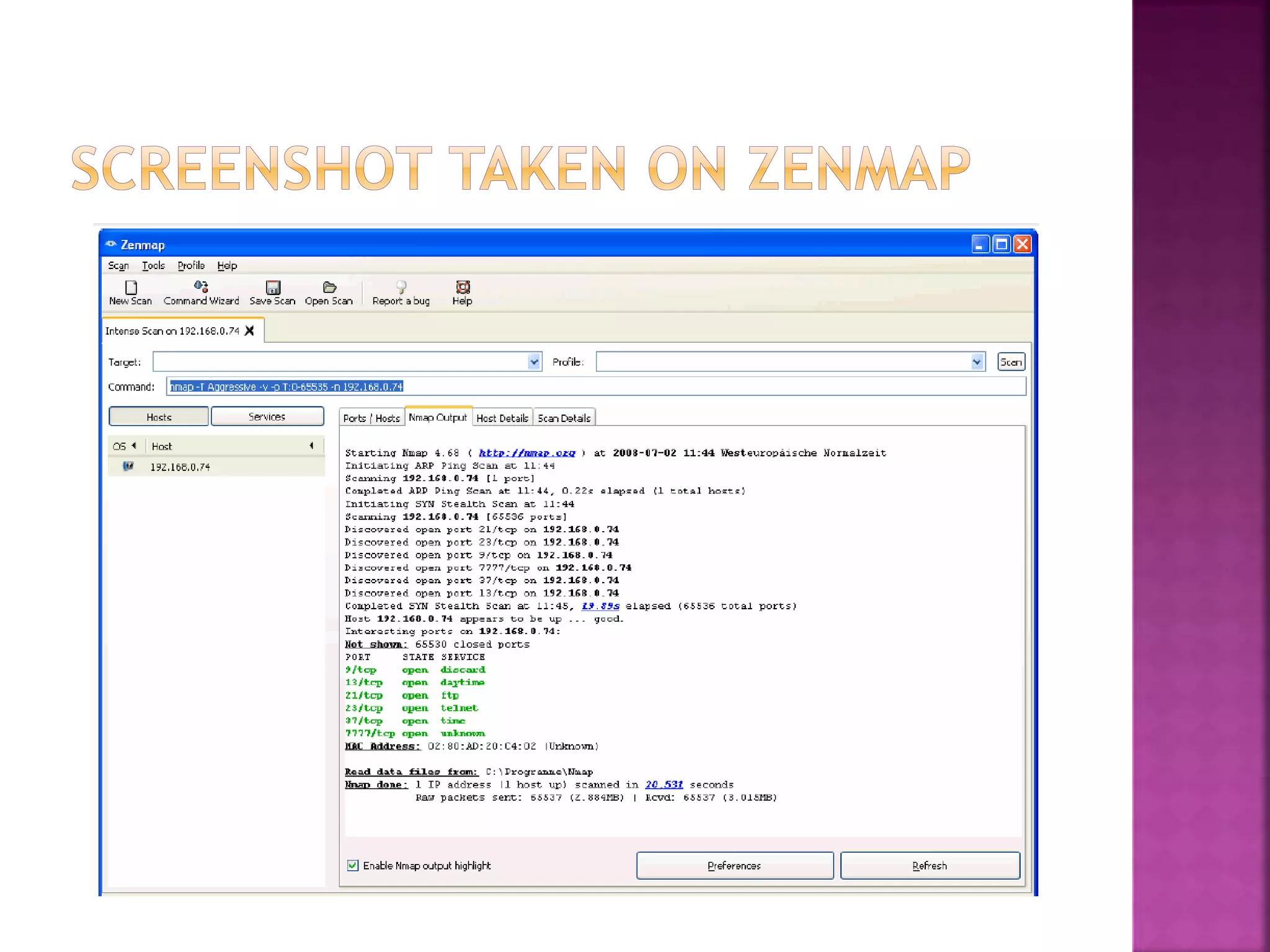
for us With GUI known ass Zenmap.
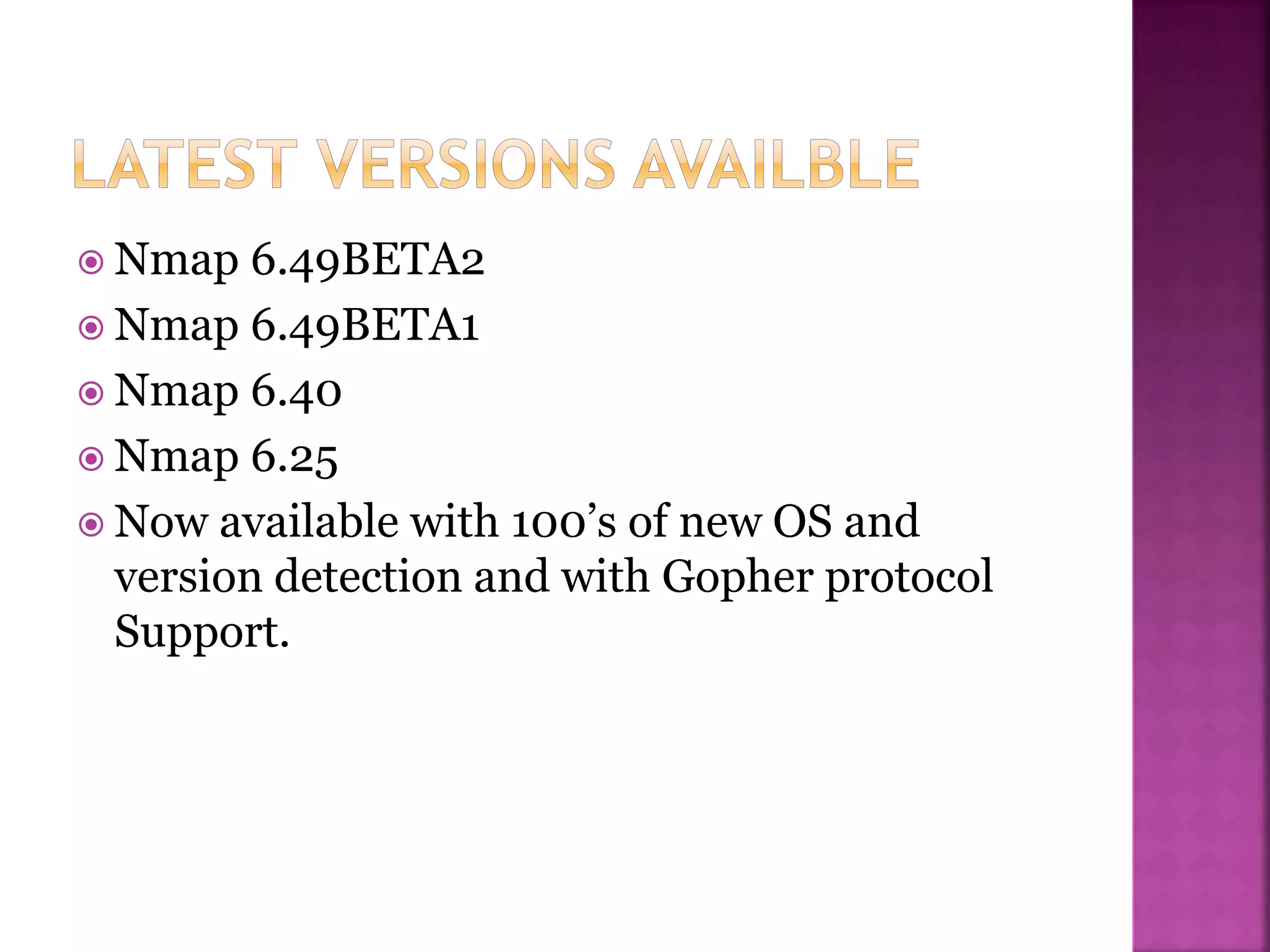
 Nmap 6.49BETA2
 Nmap 6.49BETA1
 Nmap 6.40
 Nmap 6.25
 Now available with 100’s of new OS and
version detection and with Gopher protocol
Support.
Thank You…!

NMap

  • 1.
    Network Scanning andPort Scanning Tool -Pritesh Raka
  • 2.
     Introduction  Overview Why NMAp?  Primary uses of NMAP  Basic NMAP Functions  Host Detection  Port Scanning  Port States  Port Scanning Techniques  OS Detection  Anatomy of NMAP Argument  NMAP Using RedHat  NMAP Using Windows  Latest Releases
  • 3.
     NMAP =Network Mapper  Nmap is and an Open Source utility which can quickly scan broad ranges of devices and provide valuable information about the devices on your network.It can be used for IT auditing and asset discovery as well as security profiling of the network.  Nmap is a tool used for determining the hosts that are running and what services the hosts are running.  Originally developed by Gorden Lyon(Fyodor).  Released in September 1997 stable version in 23 Aug 2014 , NMAP v6.47.  Written in c,c++,Python. It is Cross Platform.  Website http://nmap.org
  • 4.
     What DoesNMAP do?  NMAP uses raw IP packets to determine what hosts are available on the network , the services that are enabled, the operating system and version of the host, what sort of firewall and packet filters are in place and many other aspects of the network.  The Information can be used both proactively to identify and correct security holes and by attackers to perform reconnaissance about the types and quantities of targets available and what weaknesses exists.
  • 5.
     Nmap canuse Syn/XMas/NULL scan in a speed where you can see nowhere else .0 The Nmap suite includes an advanced GUI and results viewer (Zenmap ), a flexible data transfer, redirection, and debugging tool (Ncat ), a utility for comparing scan results (Ndiff ), and a packet generation and response analysis tool (Nping ). Nmap was named “Security Product of the Year” by Linux Journal, Info World, LinuxQuestions.Org, and Codetalker Digest. It was even featured in eight movies , including The Matrix Reloaded , Die Hard 4 , and The Bourne Ultimatum.
  • 6.
     1. Determiningopen ports and services running in an host:  2. Determine the Operating System running on a host  3. Alter the source IP of the scan (One way is to use –S option)  4.Scriptable Interaction with the target- using Nmap Scripting Engine(NSE)
  • 7.
     Host discovery -WhichHosts are up(IP Addresses) -Ping Scans  Port Scanning -Which ports of the target host have servers listening on them -Allows a guess of software and services a machine is running  OS Detection -OS Detection/OS Fingerprinting
  • 8.
     What isHost Detection?  Host detection is a feature of Nmap that tells it to further analyze what the packet behavior is, and asses what operating system the target host is Based on.  What is Version Detection?  Version detection Expands on host detection by also querying the ports Nmap finds open for what the service is.  How does Nmap identifies host?  Nmap by default will perform either TCP SYN or TCP Connect Ping to gather active hosts. In some cases Nmap will even use ARP pinging to identify hosts as well.
  • 9.
     The actof testing a remote port to know in which state it is.  •Common port states: –Open, –Closed, –and Filtered  Scan Displays -Service Name -Port Number -Port State -Protocol
  • 10.
     Open  WillAccept connections  Closed  Host is up, but no services running on the port  Filtered  Firewall or other network obstacle is covering port  Unfiltered or Closed  Port is accessible but Determined to be closed with no obstacle or interface  -most common case
  • 11.
     •TCP SYNor Stealth Scan (-sS)  •TCP Connect Scan (-sT)  •TCP ACK Scan (-sA)  •UDP Scan (-sU)  •TCP FIN Scan (-sF)  •TCP NULL Scan (-sN)  •XMAS Tree Scan(-sX)  •Custom Scan (--scanflags)  •IP Protocol Scan (-sO)  •Bounce Attack[ftp] (-b)
  • 12.
    In third partof scanning Nmap also detects the type OS run by the Host. With the use of OS Fingerprinting.
  • 13.
     nmap –sS-PO–O –p 1-1024 192.168.1.*  -s = Scan type  -P = Ping Type  -O = Optional os detection  -p #-# = port range  Id Range: 192.168.1.0/24,192.168.1.1-254
  • 14.
     -O =os detection  -sV = Service Detection -allports -Version intensity<intensity>(set version scan intensity) -F = Fast Scan(0-1024) -r = don’t randomize ports -6 = IPV6 scanning enable -A = Aggressive scan option(-O,-sV,-traceroute)
  • 15.
     Nmap isavailable for wide range of Operating System platforms. The standard download is a UNIX version.(Which runs on Linux, Solaris ,free/Net/Open BSD and Mac OS X) And the windows version Nmap as well Recommended GUI Zenmap.
  • 16.
     Information onNmap can be obtained from the manual pages of Redhat using the command ‘man nmap’.  Open a terminal and type “nmapfe” to access the front end of nmap.
  • 17.
     To RunNmap on windows The two important files to be installed are as follows:  a) Nmap-<version>-win32.zip  b) WinPcap 3.0 stable version. (WinPcap is the packet capture library for Nmap).  There is more User friendly version Available for us With GUI known ass Zenmap.
  • 21.
     Nmap 6.49BETA2 Nmap 6.49BETA1  Nmap 6.40  Nmap 6.25  Now available with 100’s of new OS and version detection and with Gopher protocol Support.
  • 23.