Diagnosing WordPress
Presented by Tim Butler
What do to when things go wrong
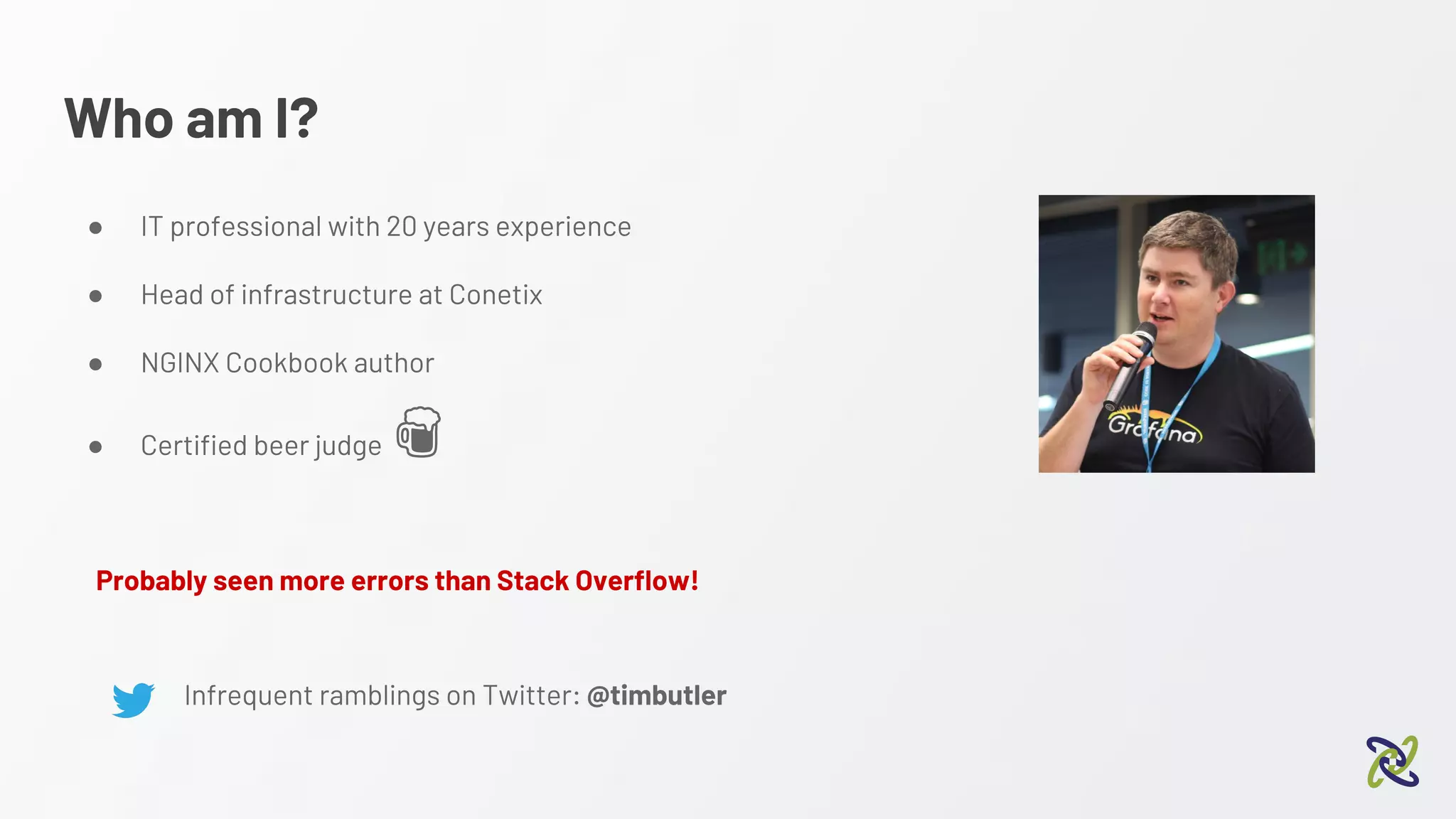
Who am I?
● IT professional with 20 years experience
● Head of infrastructure at Conetix
● NGINX Cookbook author
● Certified beer judge
Infrequent ramblings on Twitter: @timbutler
Probably seen more errors than Stack Overflow!
About this talk….
Aimed at developers and agencies
Just as applicable to business owners
Start with the basics and work our way up
Before we get started…..
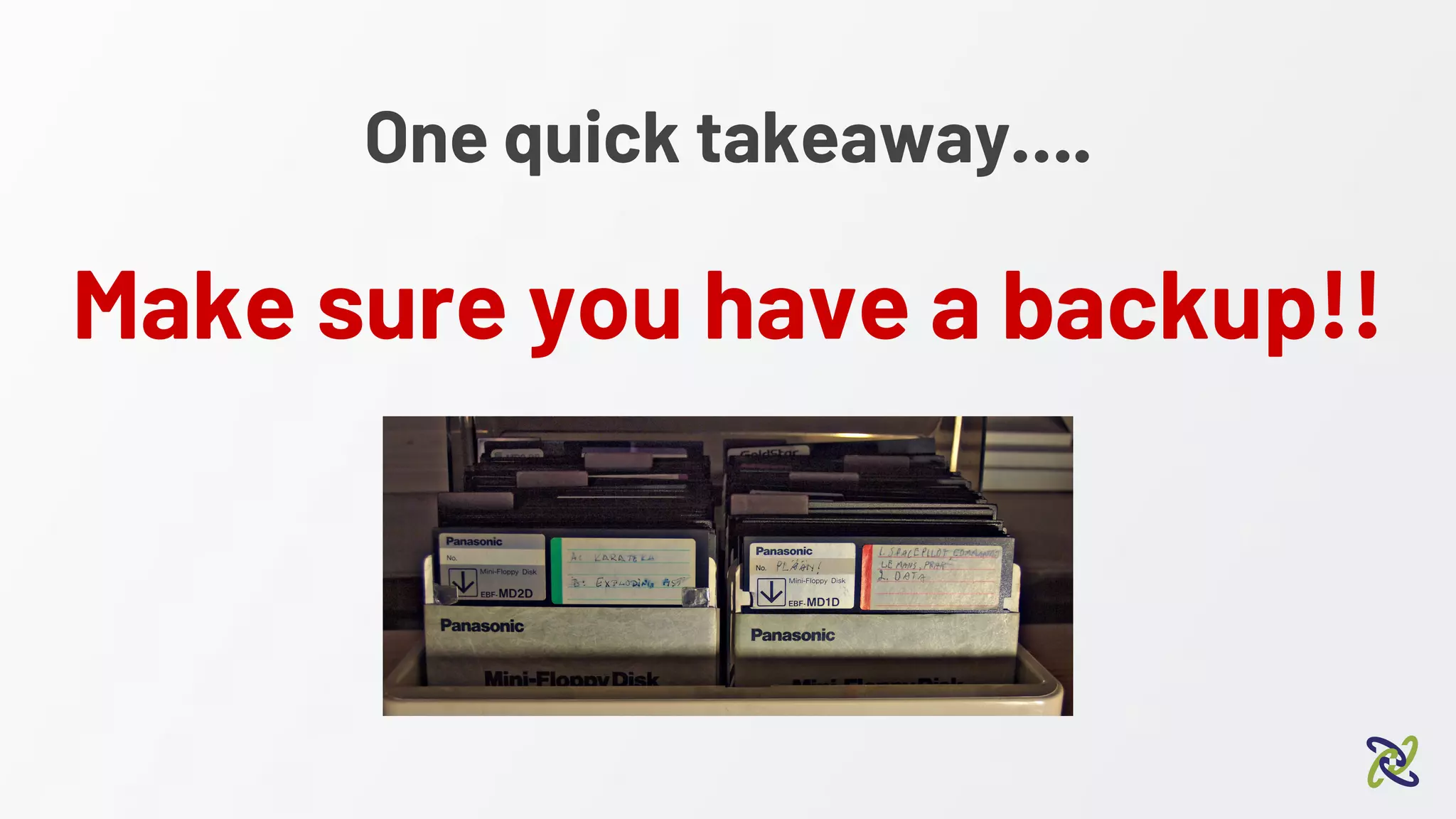
One quick takeaway….
Make sure you have a backup!!
How you usually find out there’s a
problem...
“WHY IS MY WEBSITE DOWN!!!!”
Additional management “assistance”
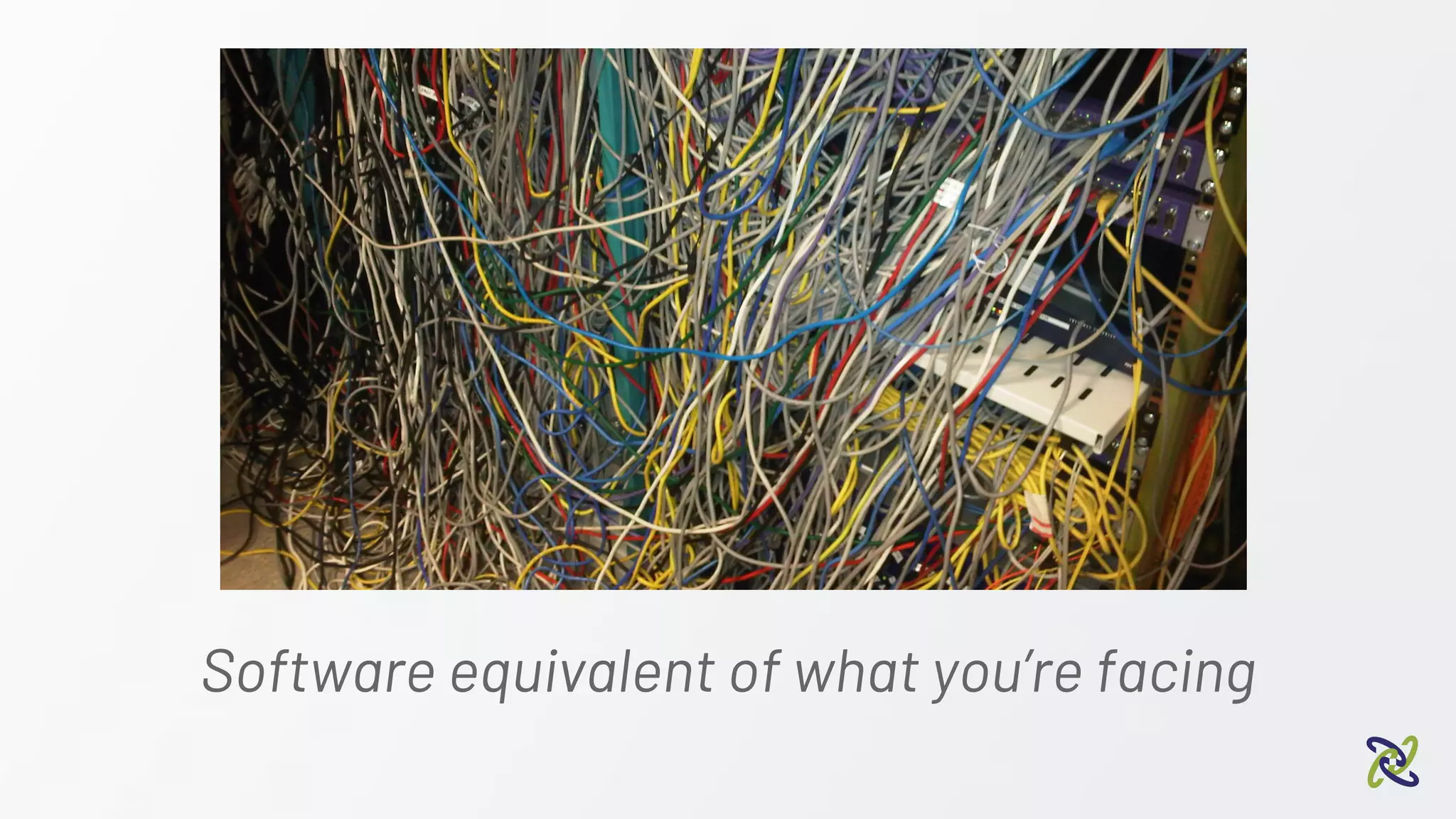
Software equivalent of what you’re facing
What you actually need….
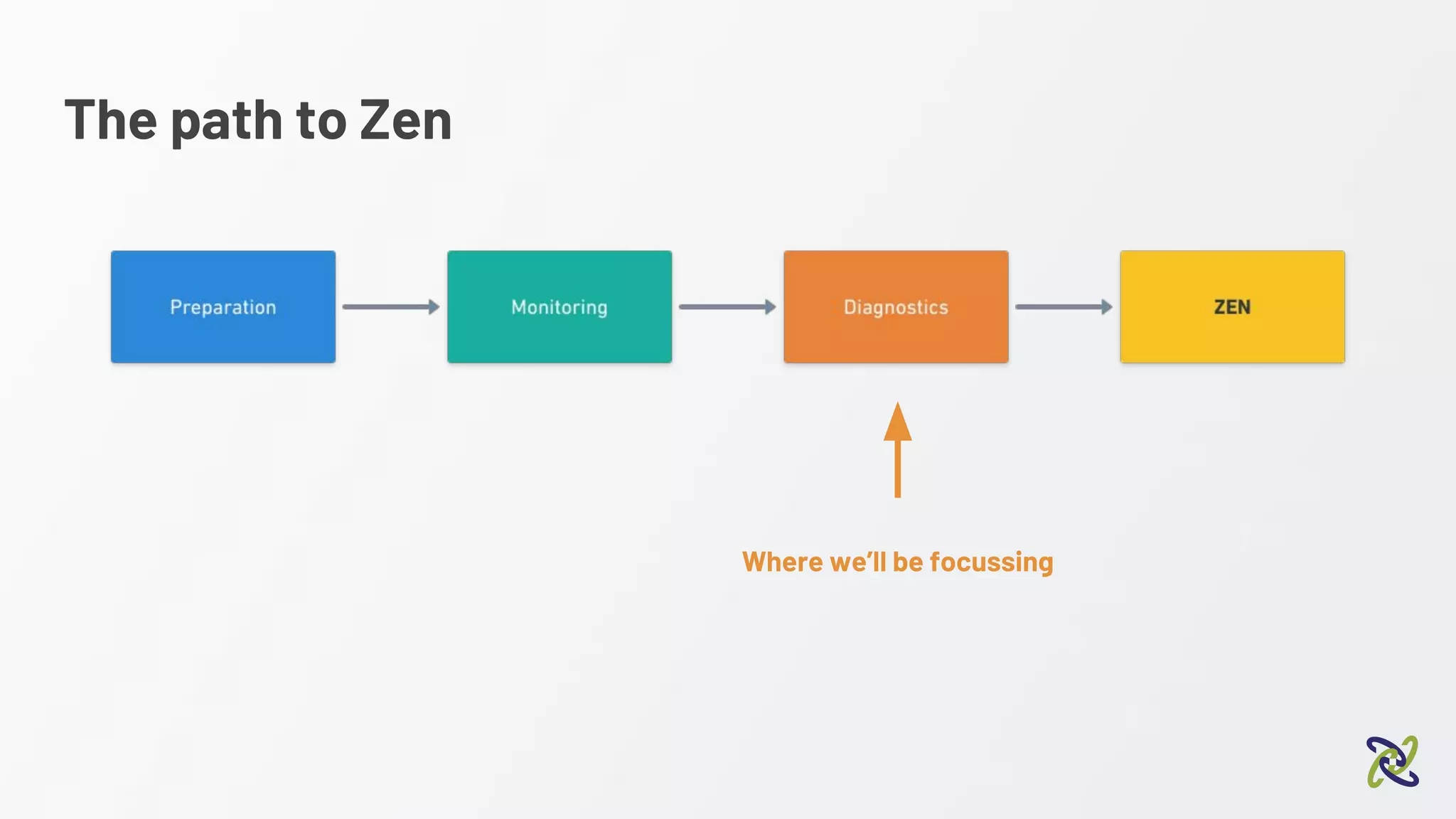
The path to Zen
Where we’ll be focussing
Preparation
Preparation
● Having a known state to compare to
○ Known plugins and versions installed
○ Known errors or PHP warnings
https://en-au.wordpress.org/plugins/stream/
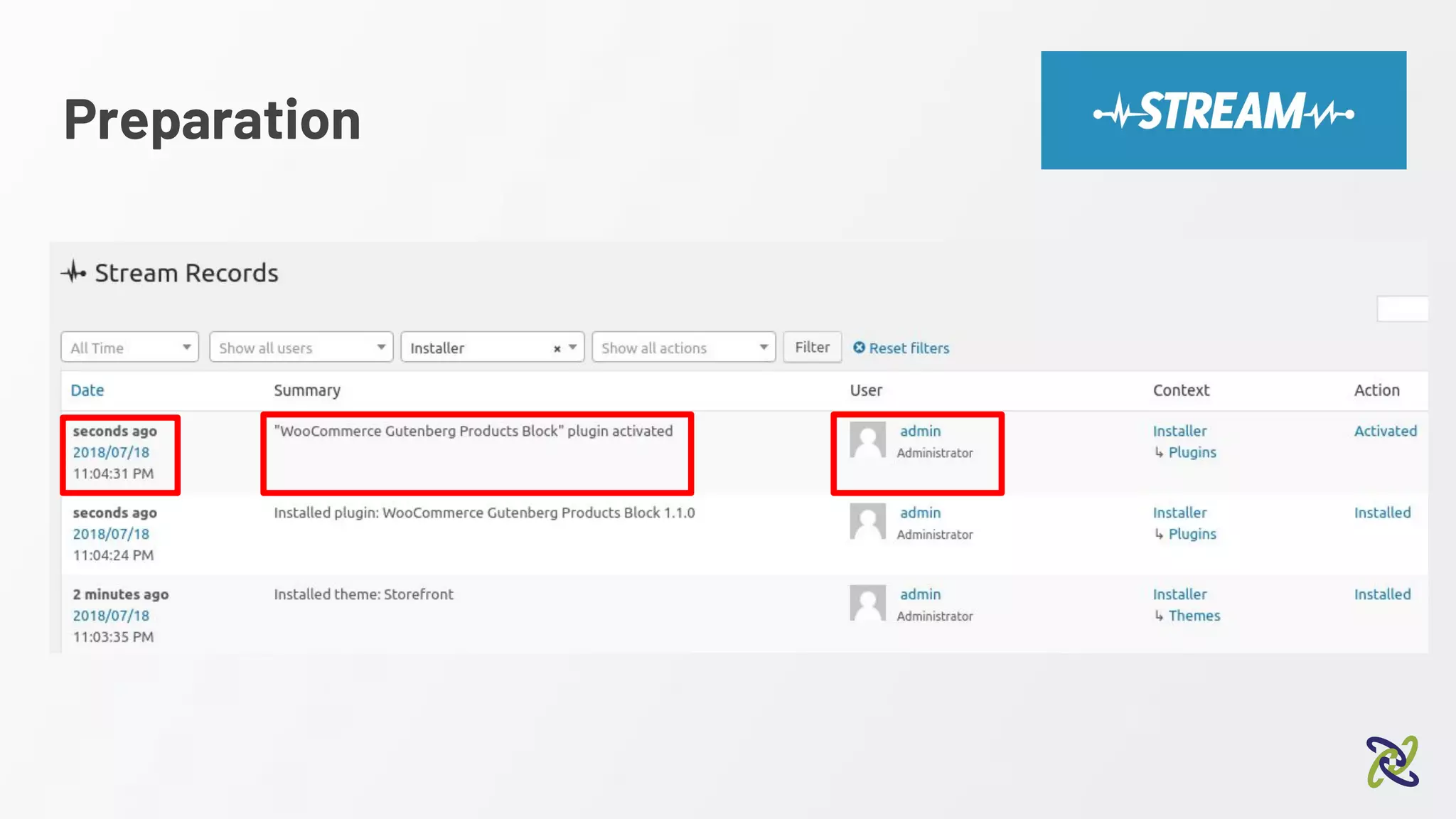
● Ability to track changes
Preparation
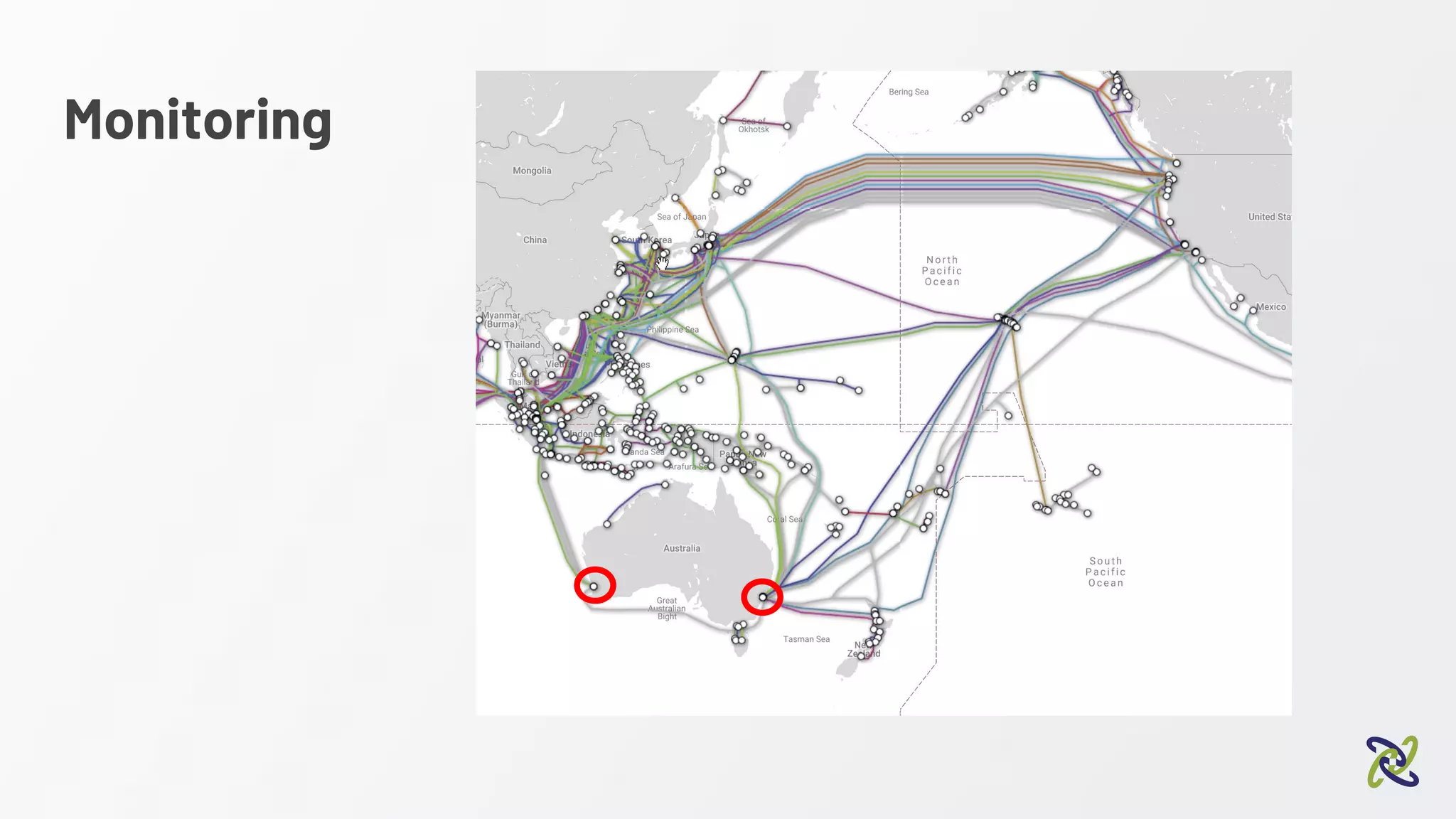
Monitoring
Monitoring
Forearmed is forewarned
Monitoring
● You want to know of issues before your clients
● System MUST have a point of presence in Australia
https://statuscake.com https://www.panopta.com/
Monitoring
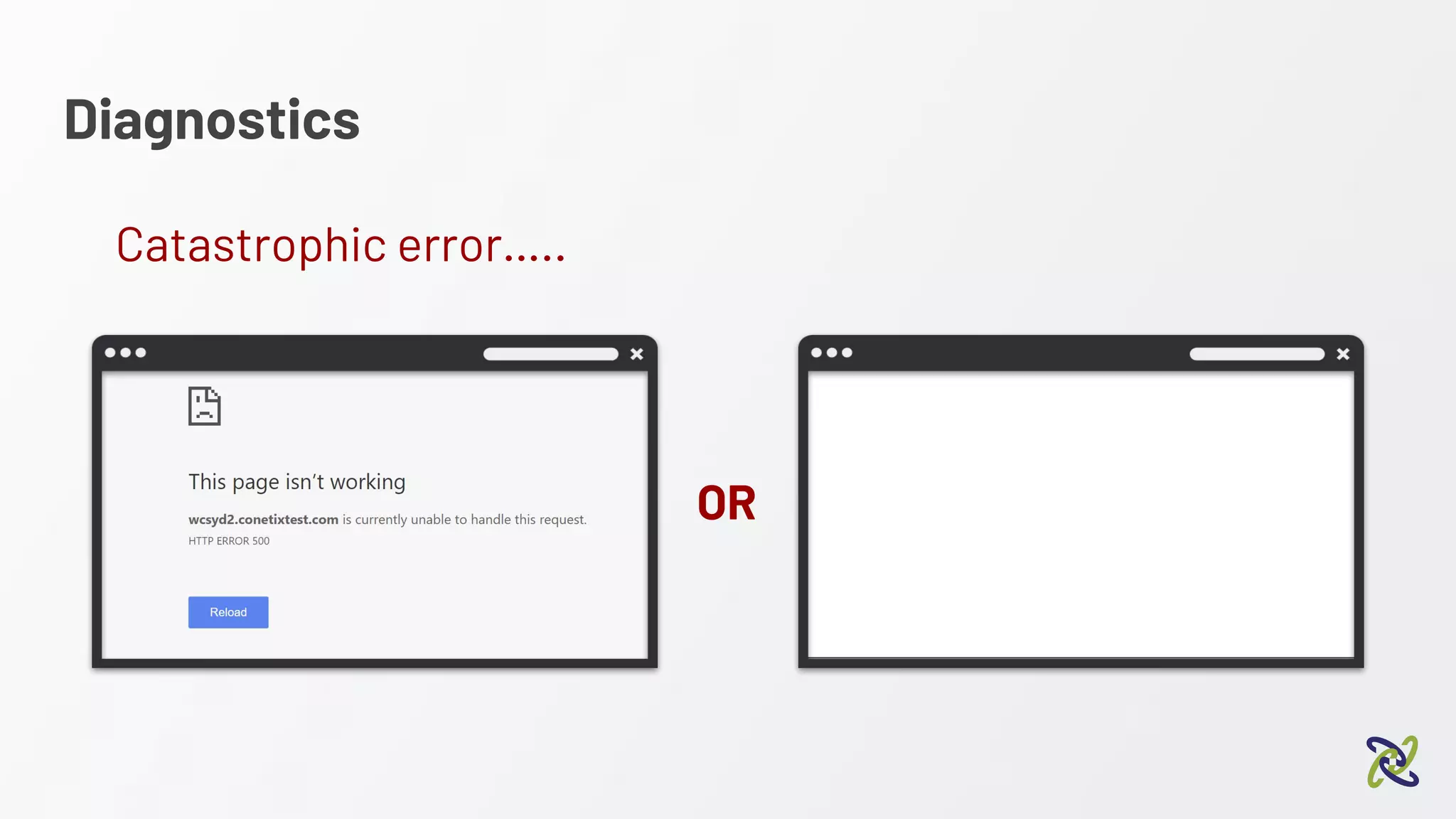
Diagnostics
Diagnostics
OR
Catastrophic error…..
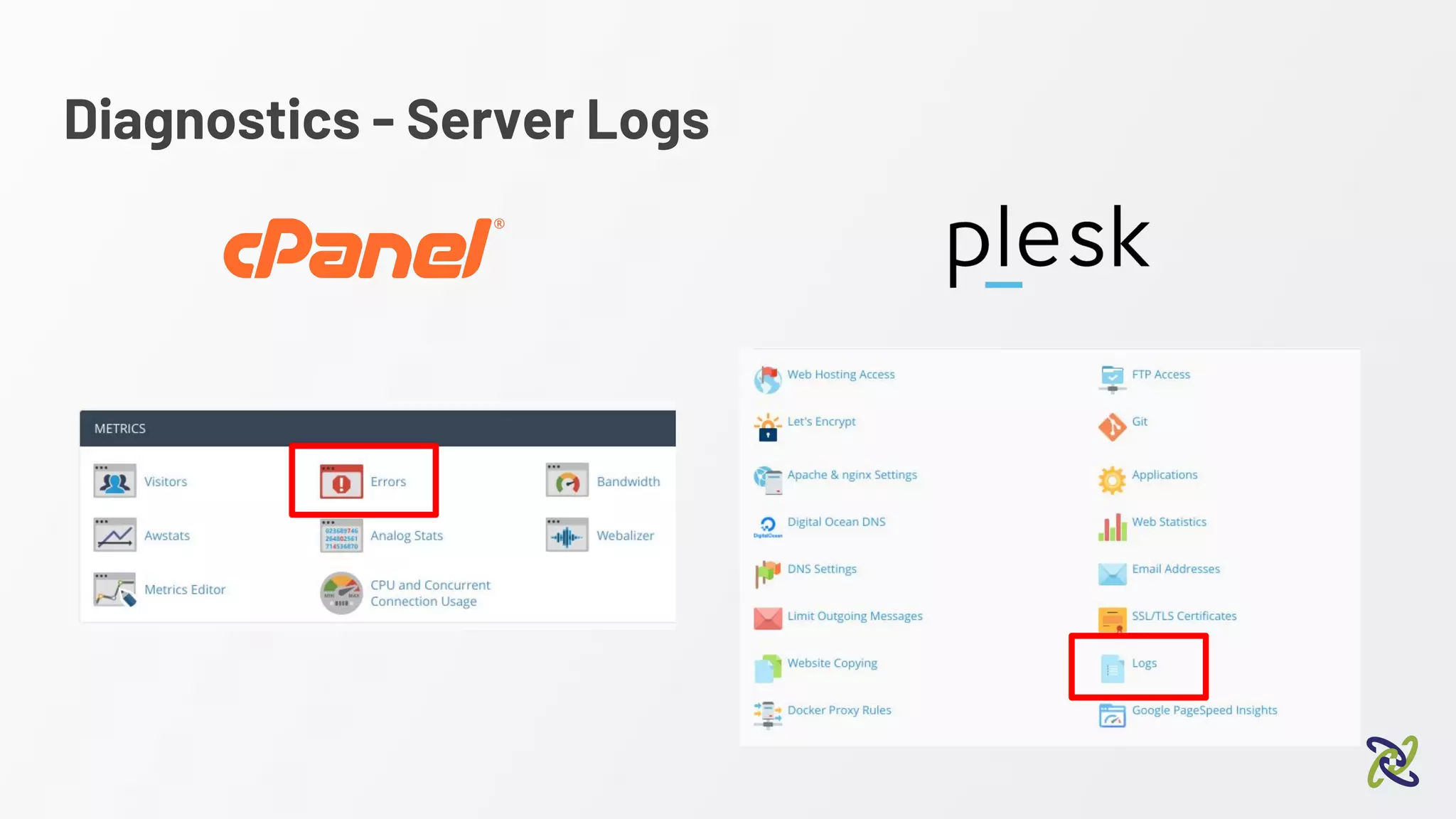
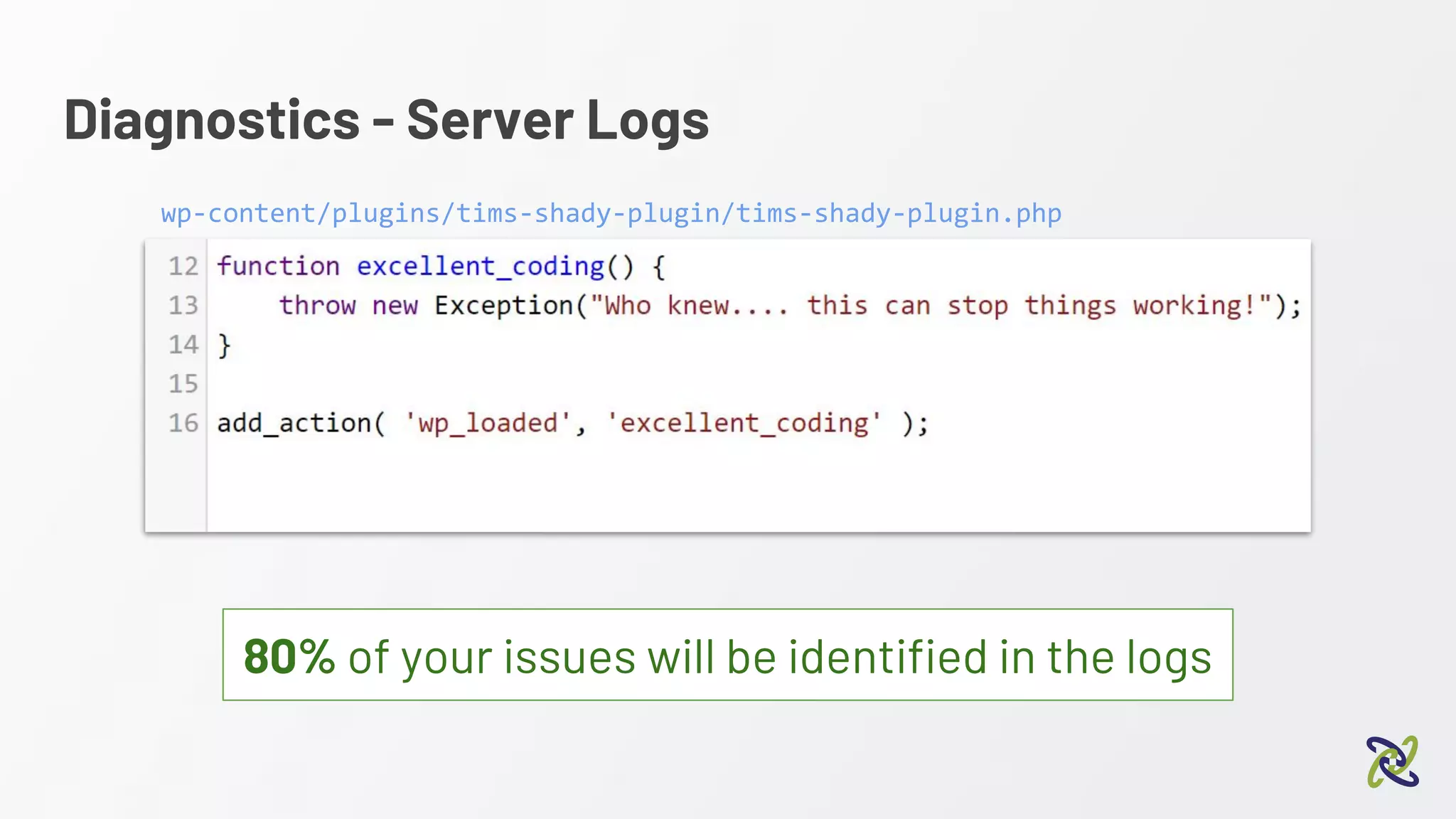
Diagnostics - Server Logs
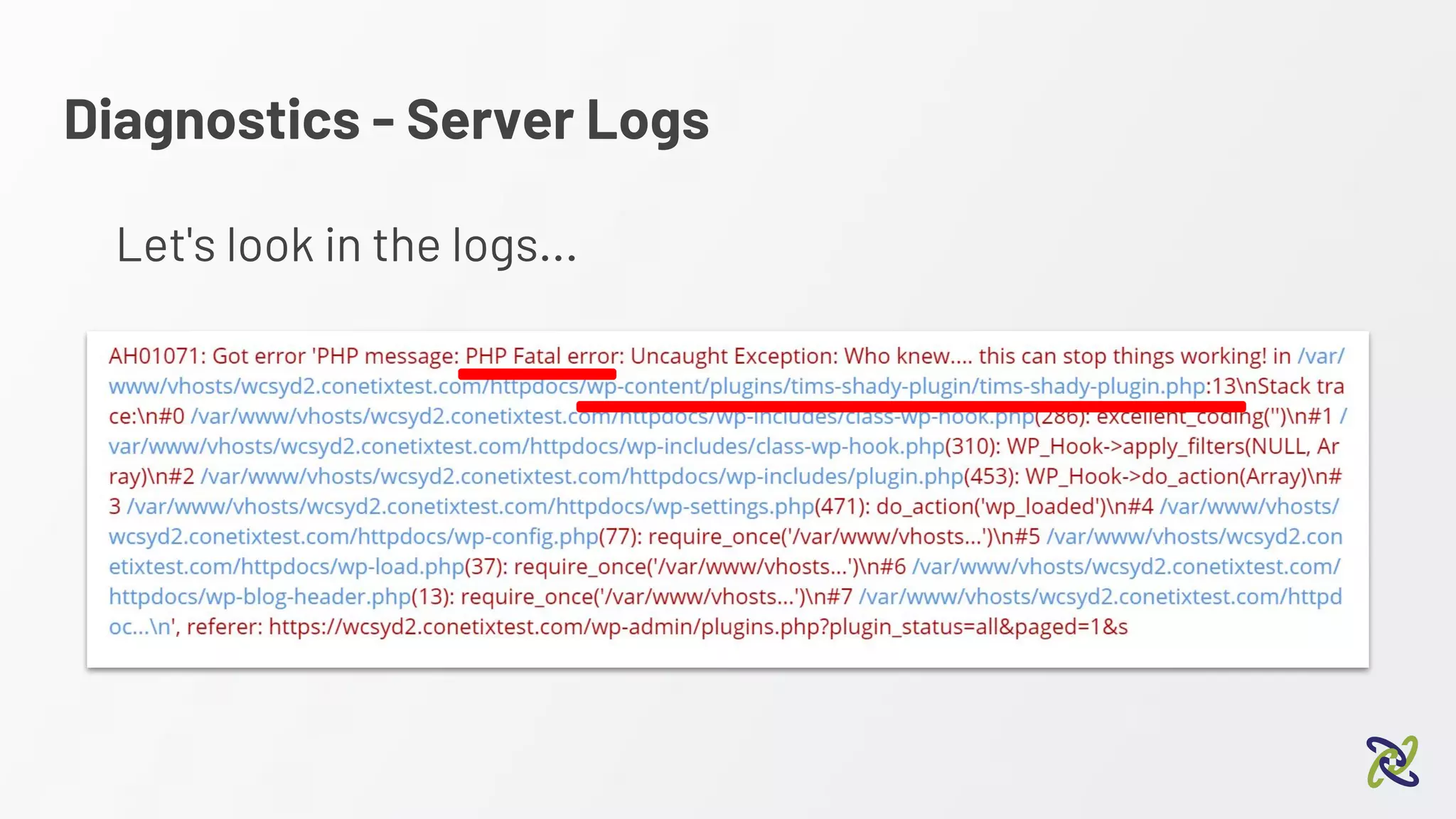
Let's look in the logs...
Diagnostics - Server Logs
80% of your issues will be identified in the logs
wp-content/plugins/tims-shady-plugin/tims-shady-plugin.php
Diagnostics - Server Logs
Consider centralised logging
SaaS Open Source
(host yourself)
https://papertrailapp.com/ https://www.graylog.org/
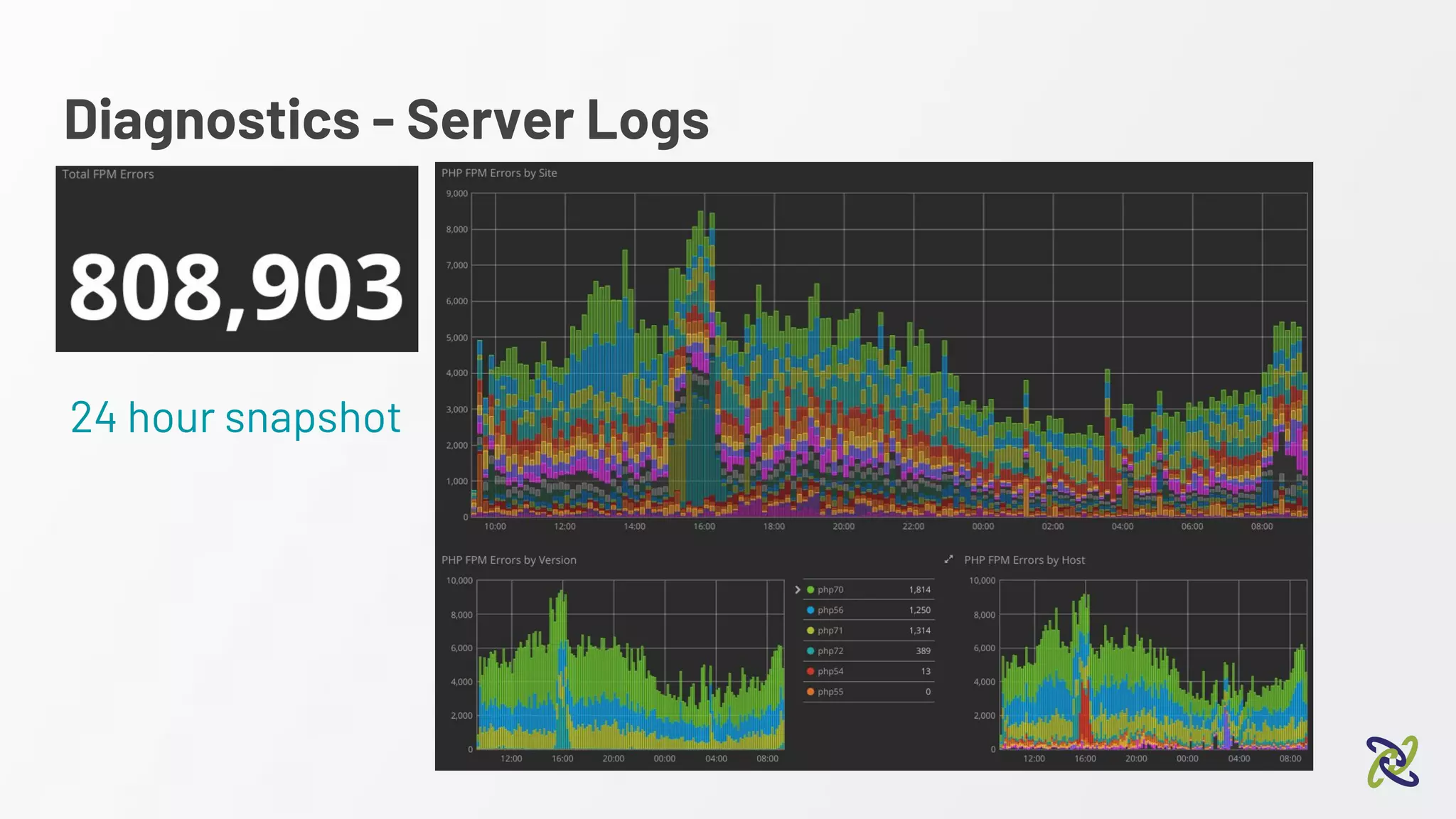
Diagnostics - Server Logs
24 hour snapshot
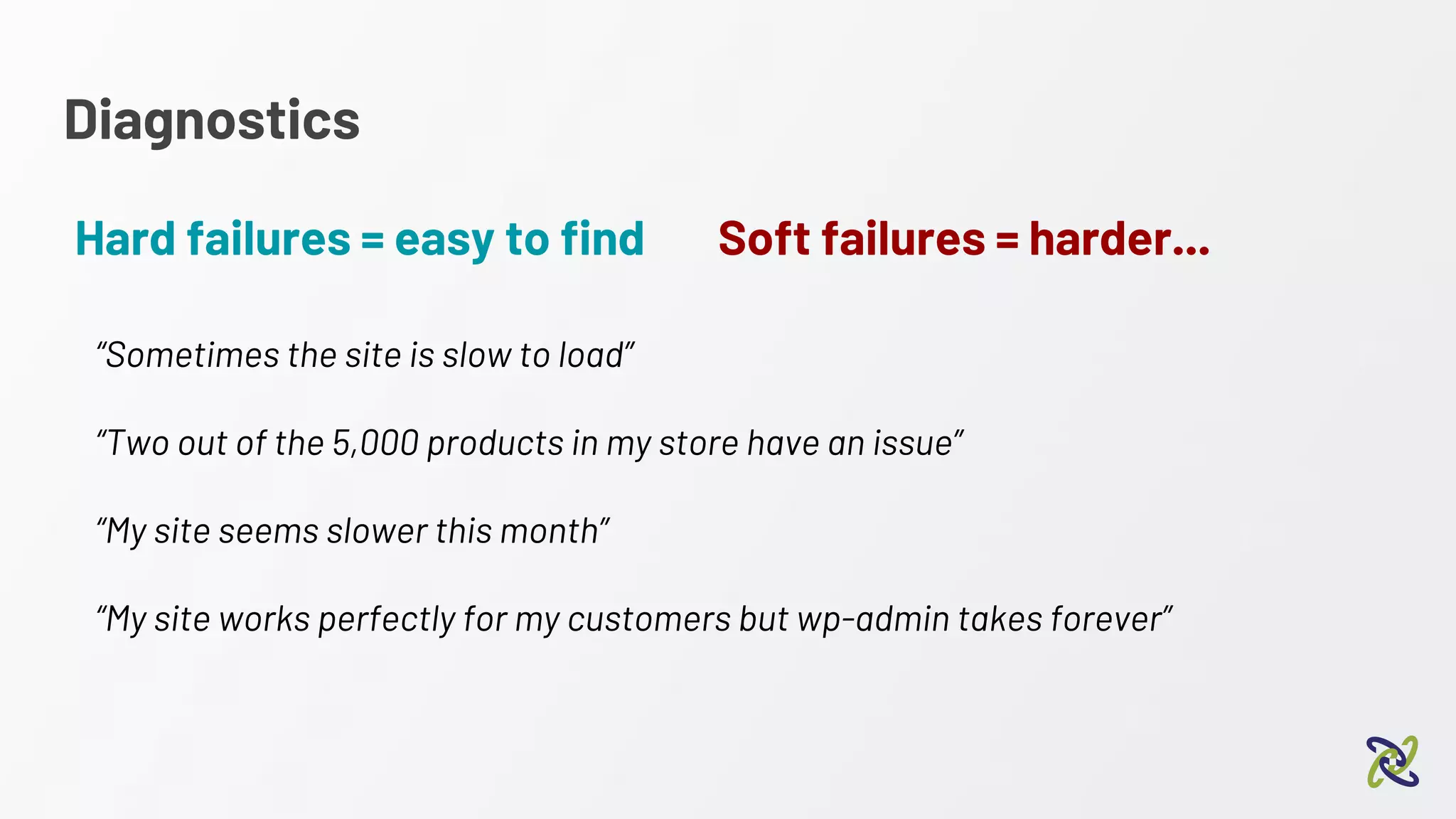
Diagnostics
Hard failures = easy to find
“Sometimes the site is slow to load”
“Two out of the 5,000 products in my store have an issue”
“My site seems slower this month”
“My site works perfectly for my customers but wp-admin takes forever”
Soft failures = harder...
WordPress Debugging
Diagnostics - WordPress Debugging
Great way to see more info on soft failures eg,
“Two out of the 5,000 products in my store have an issue”
Diagnostics - WordPress Debugging
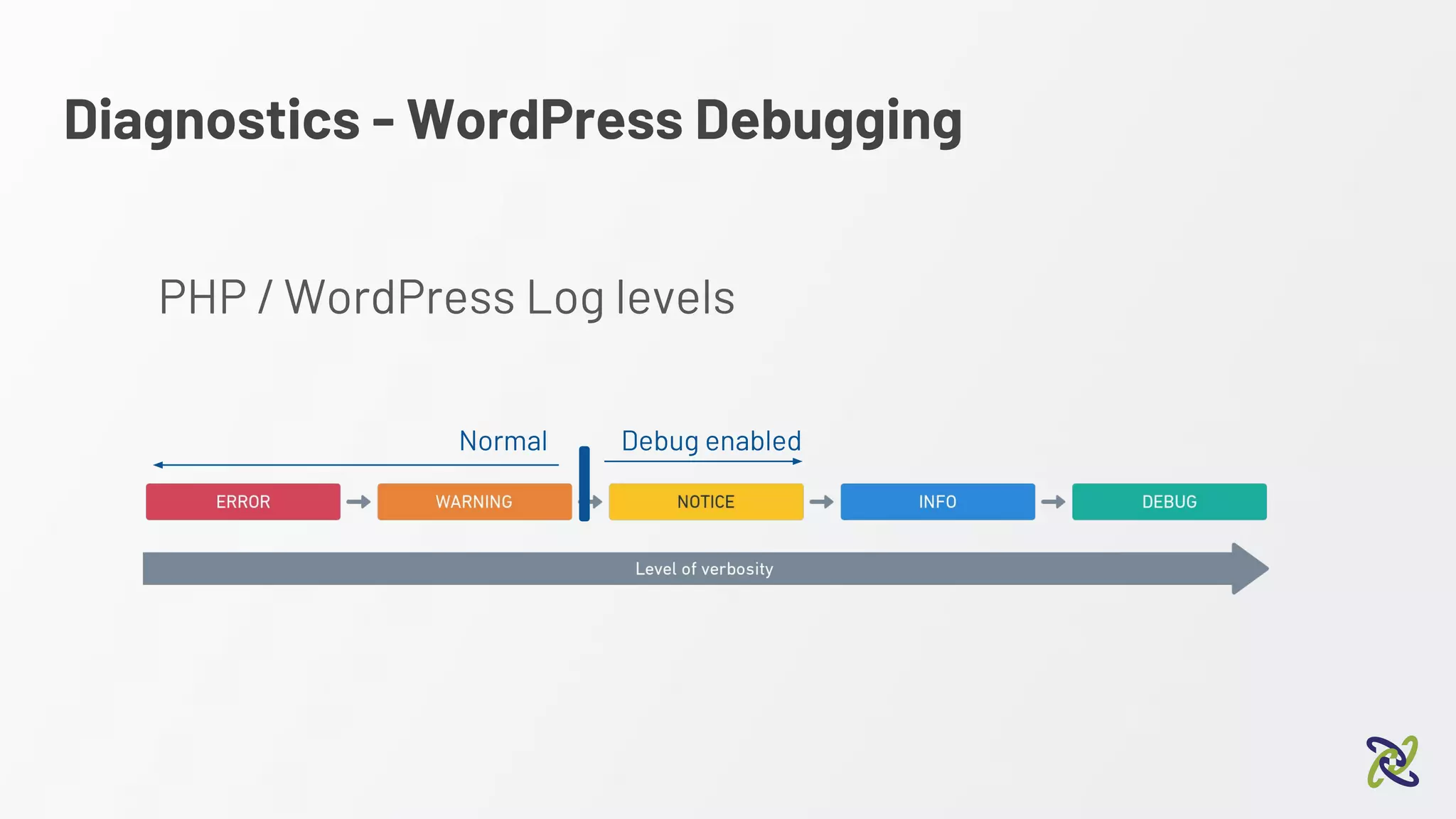
PHP / WordPress Log levels
Normal Debug enabled
Diagnostics - WordPress Debugging
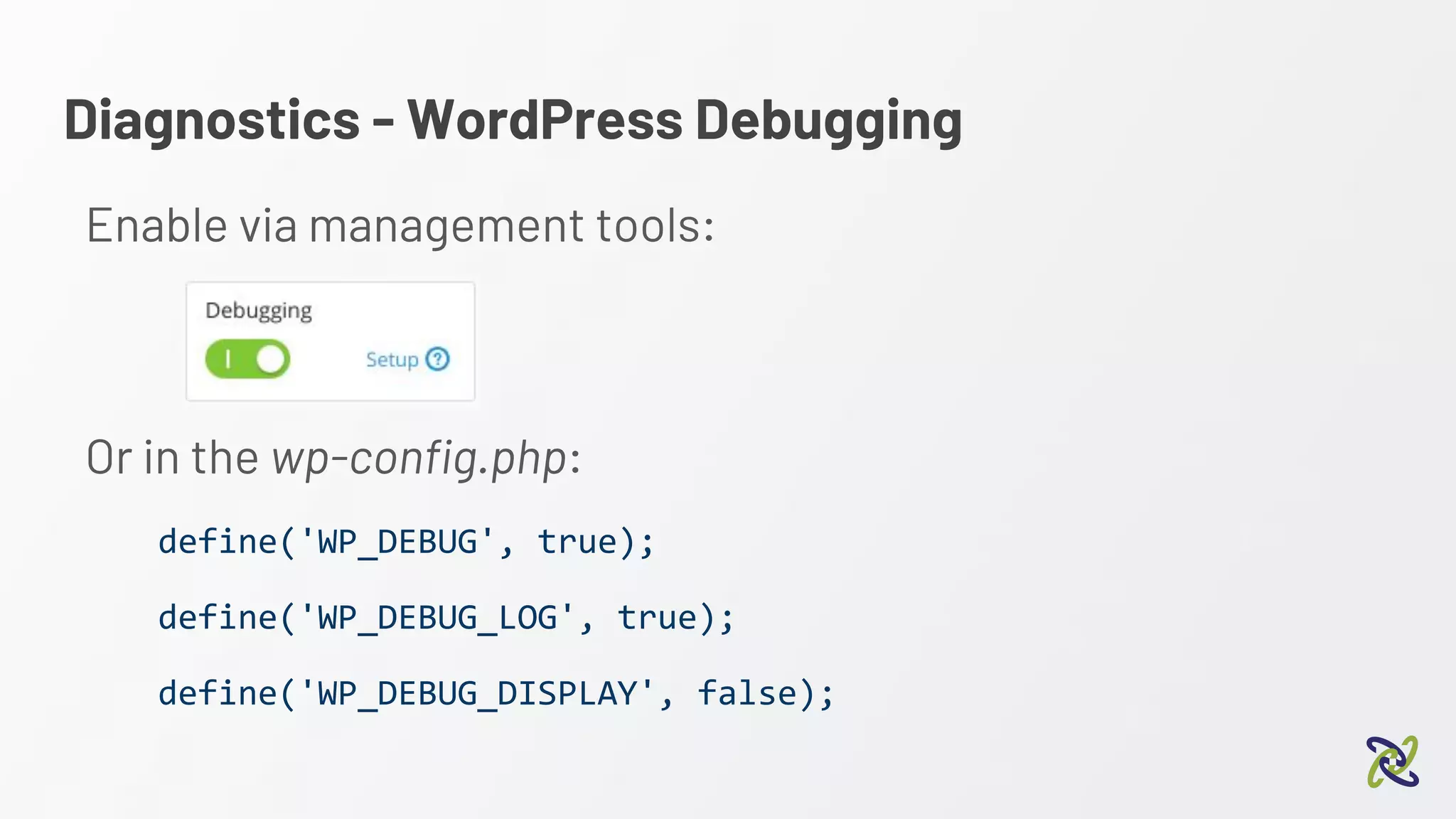
Enable via management tools:
Or in the wp-config.php:
define('WP_DEBUG', true);
define('WP_DEBUG_LOG', true);
define('WP_DEBUG_DISPLAY', false);
Diagnostics - WordPress Debugging
By default: wp-content/debug.log
[23-Jul-2018 06:32:09 UTC] PHP Notice: Undefined index: country in
/var/www/vhosts/wcsyd2.conetixtest.com/httpdocs/wp-content/plugins/woocommerce/includes/class-wc-geolite-integration.php on line 60
[23-Jul-2018 06:32:09 UTC] PHP Stack trace:
[23-Jul-2018 06:32:09 UTC] PHP 1. {main}() /var/www/vhosts/wcsyd2.conetixtest.com/httpdocs/index.php:0
[23-Jul-2018 06:32:09 UTC] PHP 2. require() /var/www/vhosts/wcsyd2.conetixtest.com/httpdocs/index.php:17
[23-Jul-2018 06:32:09 UTC] PHP 3. require_once() /var/www/vhosts/wcsyd2.conetixtest.com/httpdocs/wp-blog-header.php:13
[23-Jul-2018 06:32:09 UTC] PHP 4. require_once() /var/www/vhosts/wcsyd2.conetixtest.com/httpdocs/wp-load.php:37
[23-Jul-2018 06:32:09 UTC] PHP 5. require_once() /var/www/vhosts/wcsyd2.conetixtest.com/httpdocs/wp-config.php:80
[23-Jul-2018 06:32:09 UTC] PHP 6. do_action() /var/www/vhosts/wcsyd2.conetixtest.com/httpdocs/wp-settings.php:450
[23-Jul-2018 06:32:09 UTC] PHP 7. WP_Hook->do_action() /var/www/vhosts/wcsyd2.conetixtest.com/httpdocs/wp-includes/plugin.php:453
[23-Jul-2018 06:32:09 UTC] PHP 8. WP_Hook->apply_filters() /var/www/vhosts/wcsyd2.conetixtest.com/httpdocs/wp-includes/class-wp-hook.php:310
[23-Jul-2018 06:32:09 UTC] PHP 9. WooCommerce->init() /var/www/vhosts/wcsyd2.conetixtest.com/httpdocs/wp-includes/class-wp-hook.php:286
[23-Jul-2018 06:32:09 UTC] PHP 10. WC_Customer->__construct()
/var/www/vhosts/wcsyd2.conetixtest.com/httpdocs/wp-content/plugins/woocommerce/includes/class-woocommerce.php:480
[23-Jul-2018 06:32:09 UTC] PHP 11. WC_Data_Store->read()
/var/www/vhosts/wcsyd2.conetixtest.com/httpdocs/wp-content/plugins/woocommerce/includes/class-wc-customer.php:116
[23-Jul-2018 06:32:09 UTC] PHP 12. WC_Customer_Data_Store_Session->read()
/var/www/vhosts/wcsyd2.conetixtest.com/httpdocs/wp-content/plugins/woocommerce/includes/class-wc-data-store.php:156
[23-Jul-2018 06:32:09 UTC] PHP 13. WC_Customer_Data_Store_Session->set_defaults()
…...
Diagnostics - Diving a little deeper
Diagnostics
Make sure you have a backup!
Next items - run on staging / dev copy
Diagnostics - Diving a little deeper
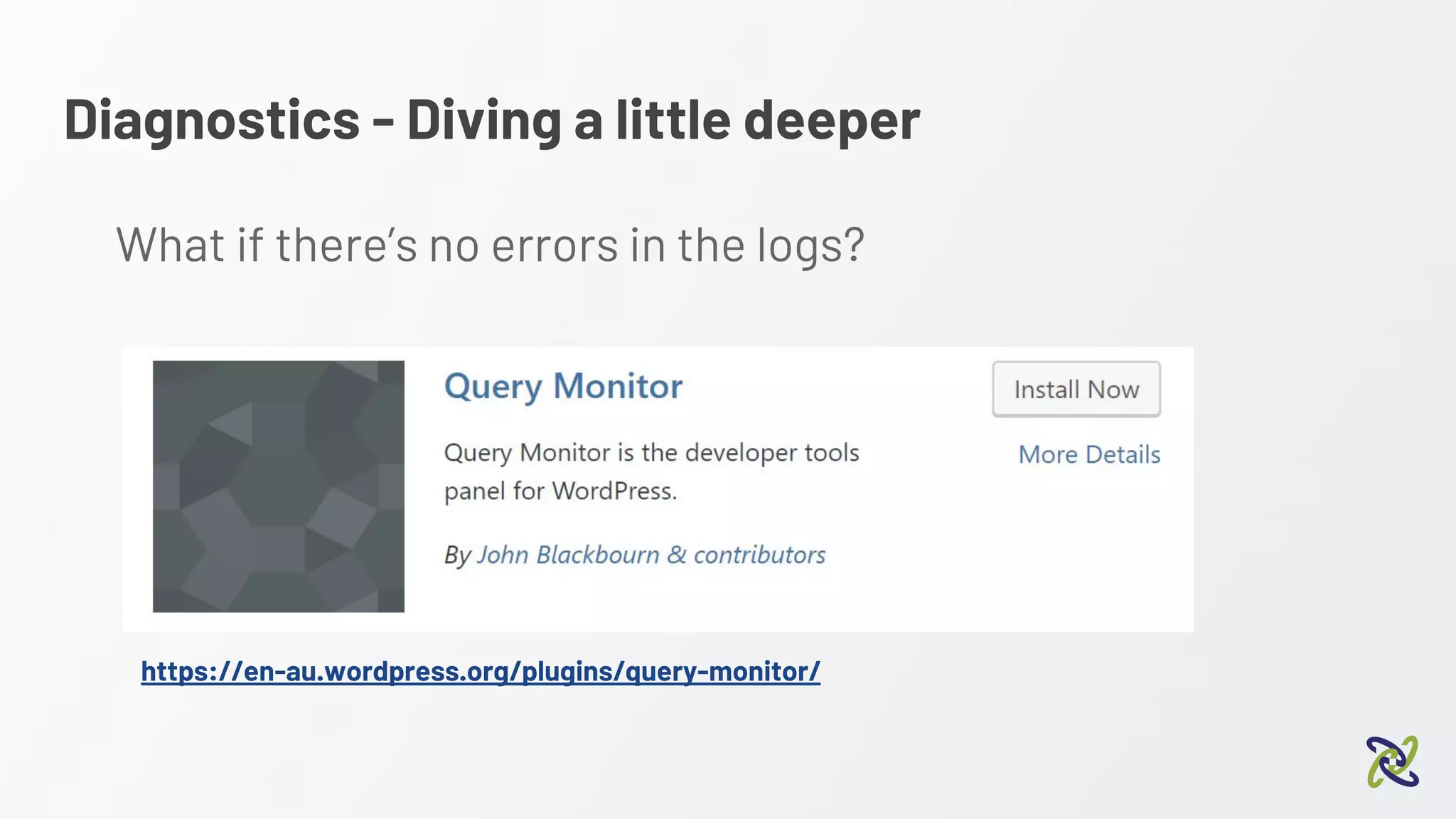
https://en-au.wordpress.org/plugins/query-monitor/
What if there’s no errors in the logs?
Diagnostics - Query Monitor
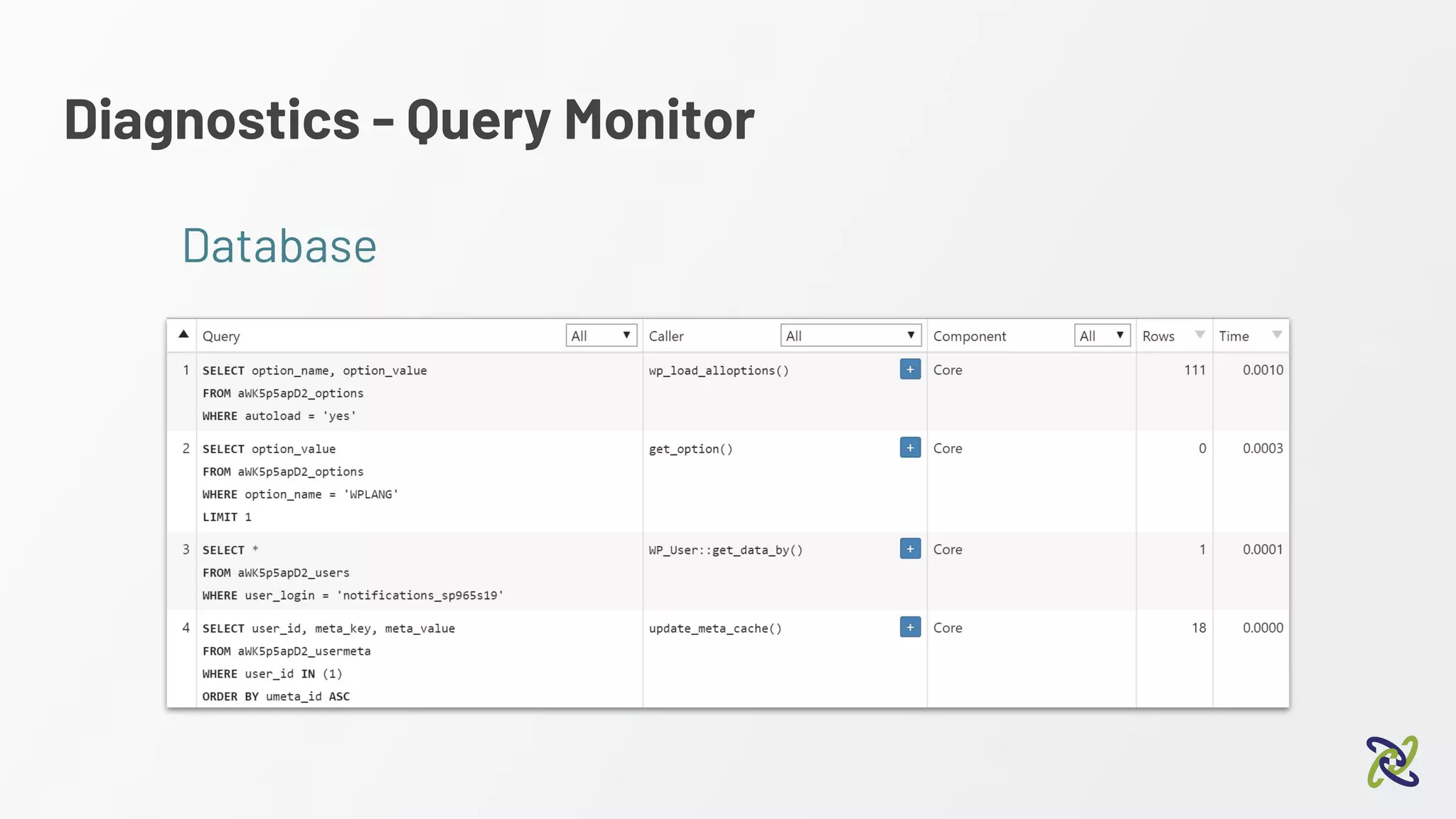
● Shows database queries
● See WordPress hooks
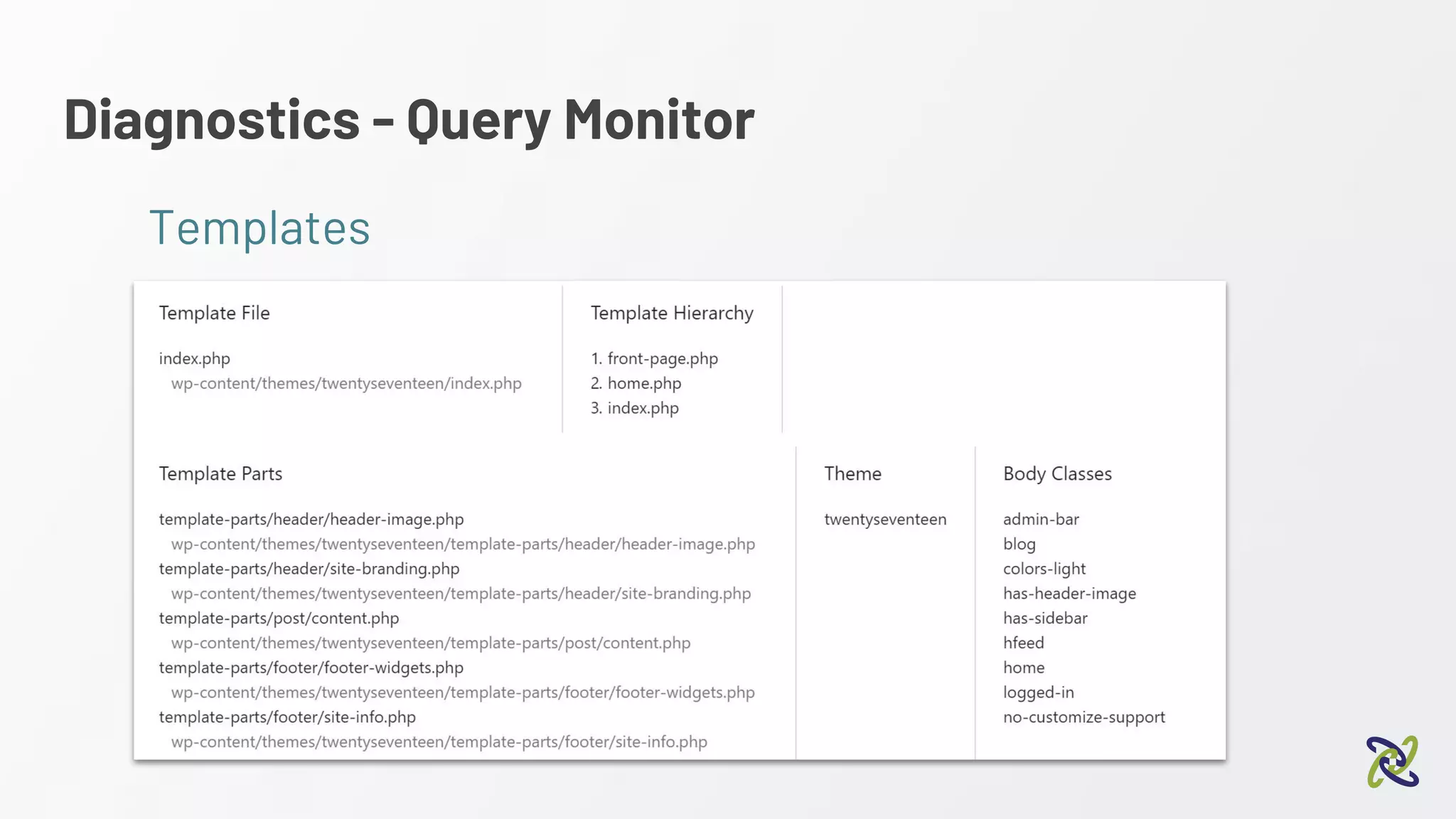
● See Theme templates used
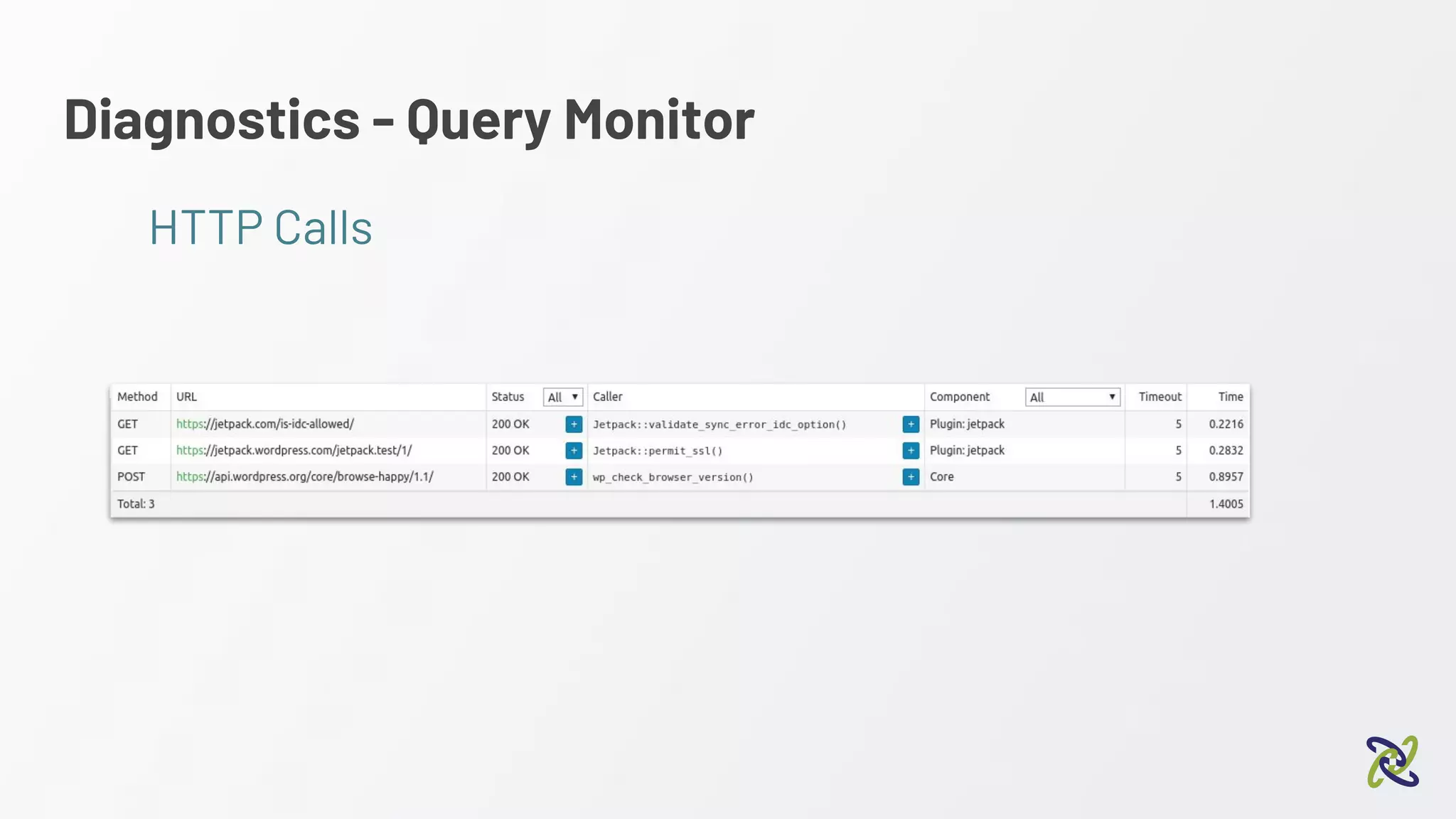
● See HTTP calls
● … And more!
Diagnostics - Query Monitor
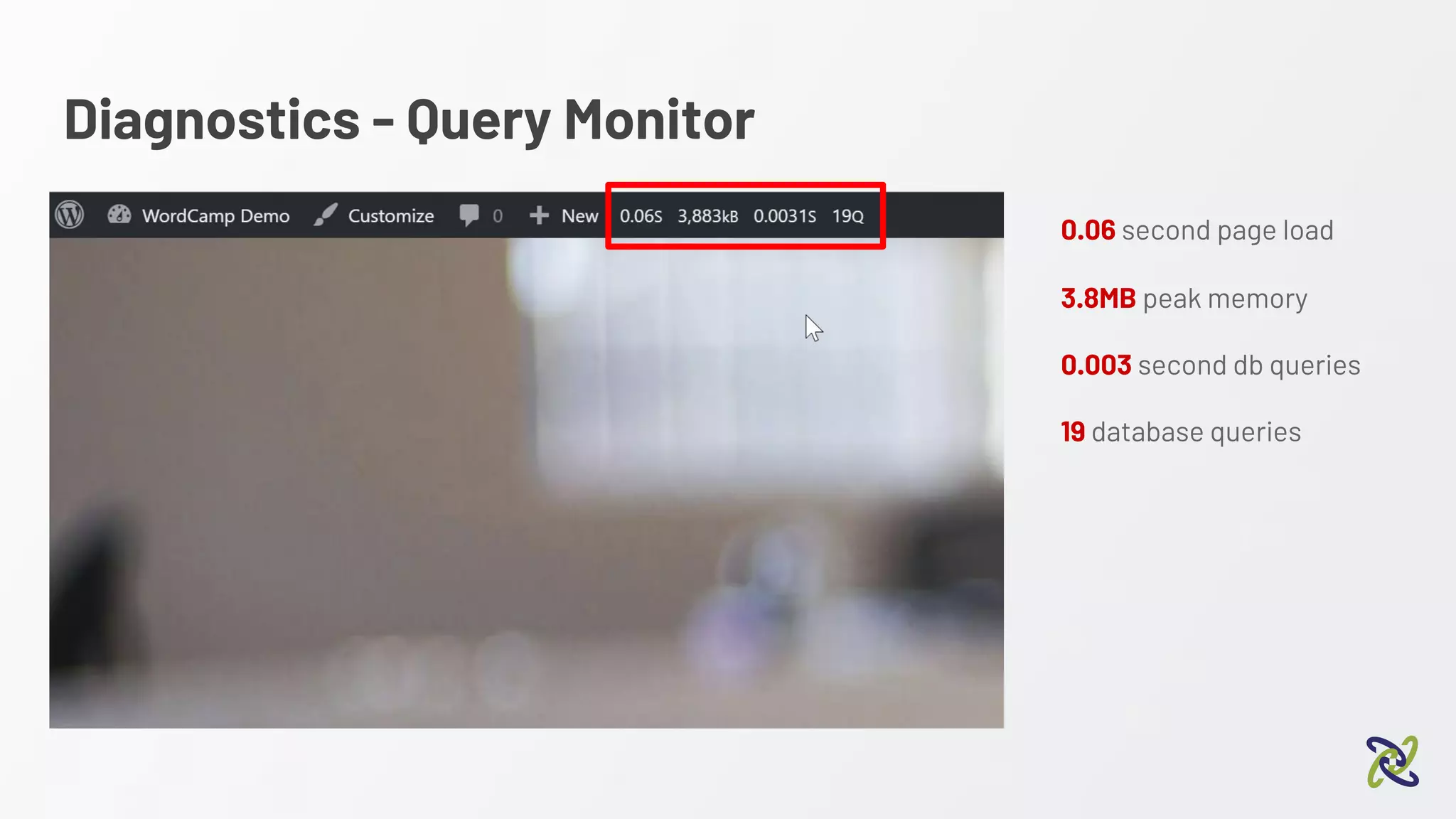
0.06 second page load
3.8MB peak memory
0.003 second db queries
19 database queries
Diagnostics - Query Monitor
Database
Diagnostics - Query Monitor
Templates
Diagnostics - Query Monitor
HTTP Calls
Diagnostics - Query Monitor
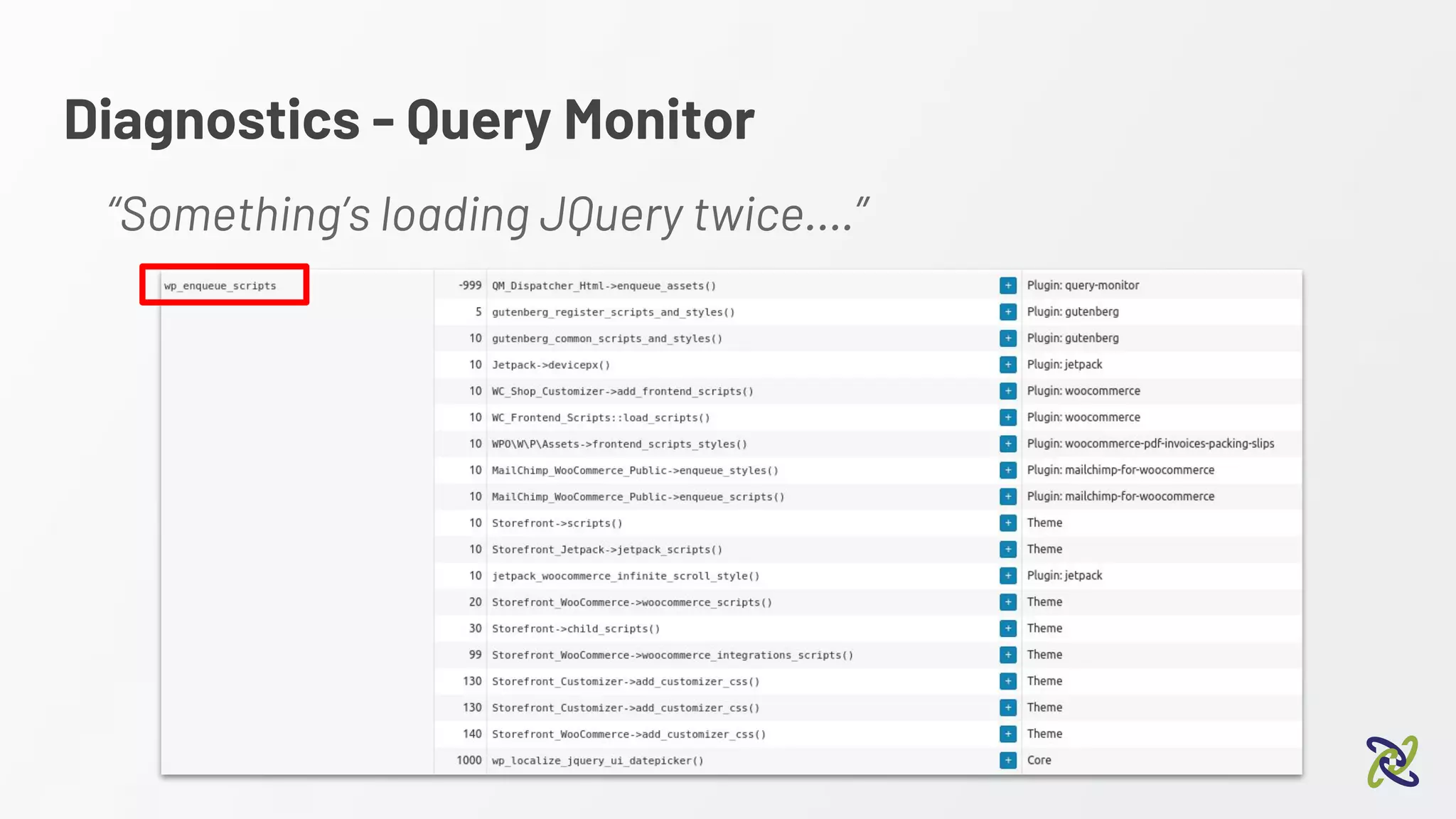
“Something’s loading JQuery twice….”
Diagnostics - Query Monitor
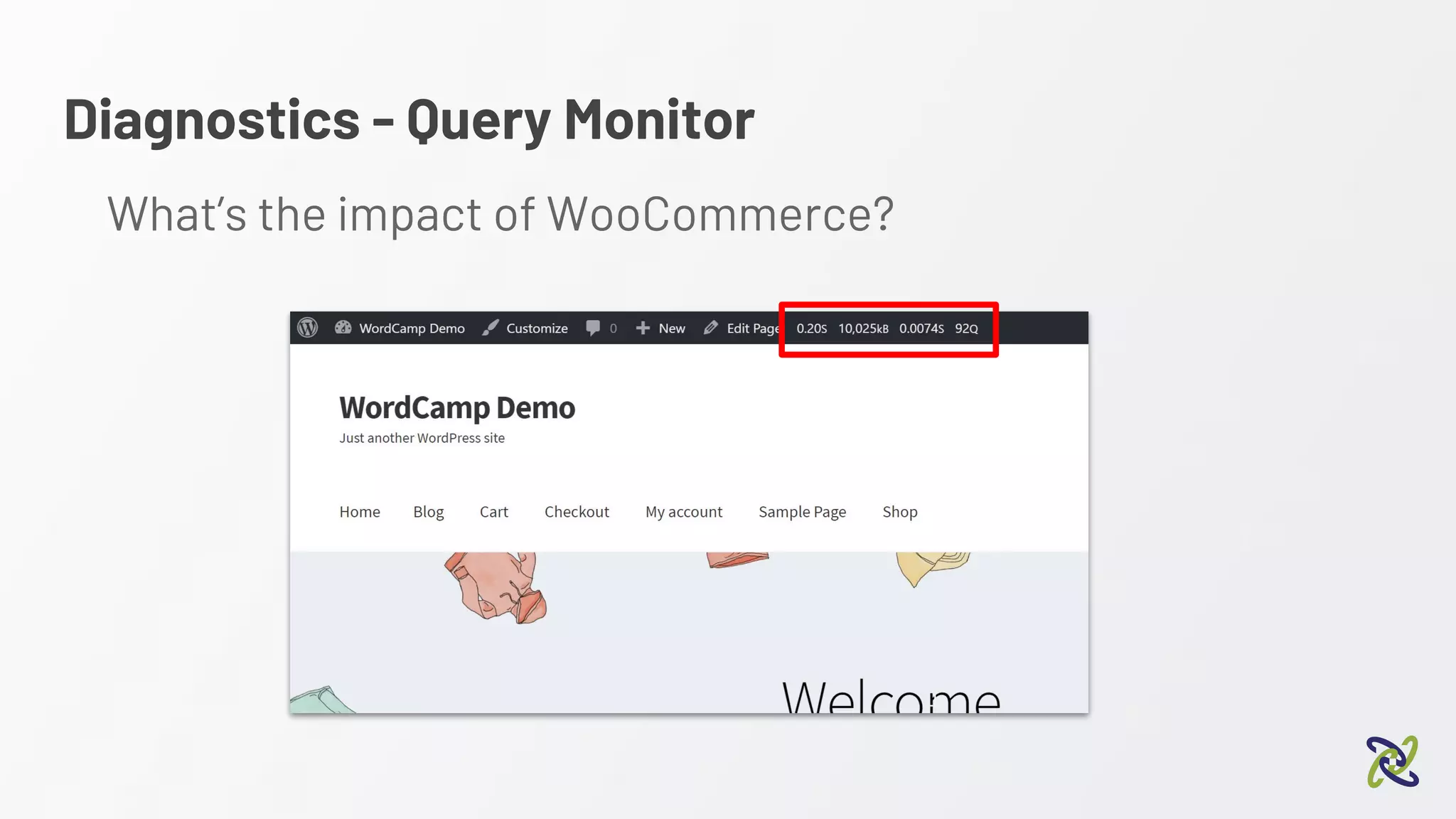
What’s the impact of WooCommerce?
Diagnostics - Query Monitor
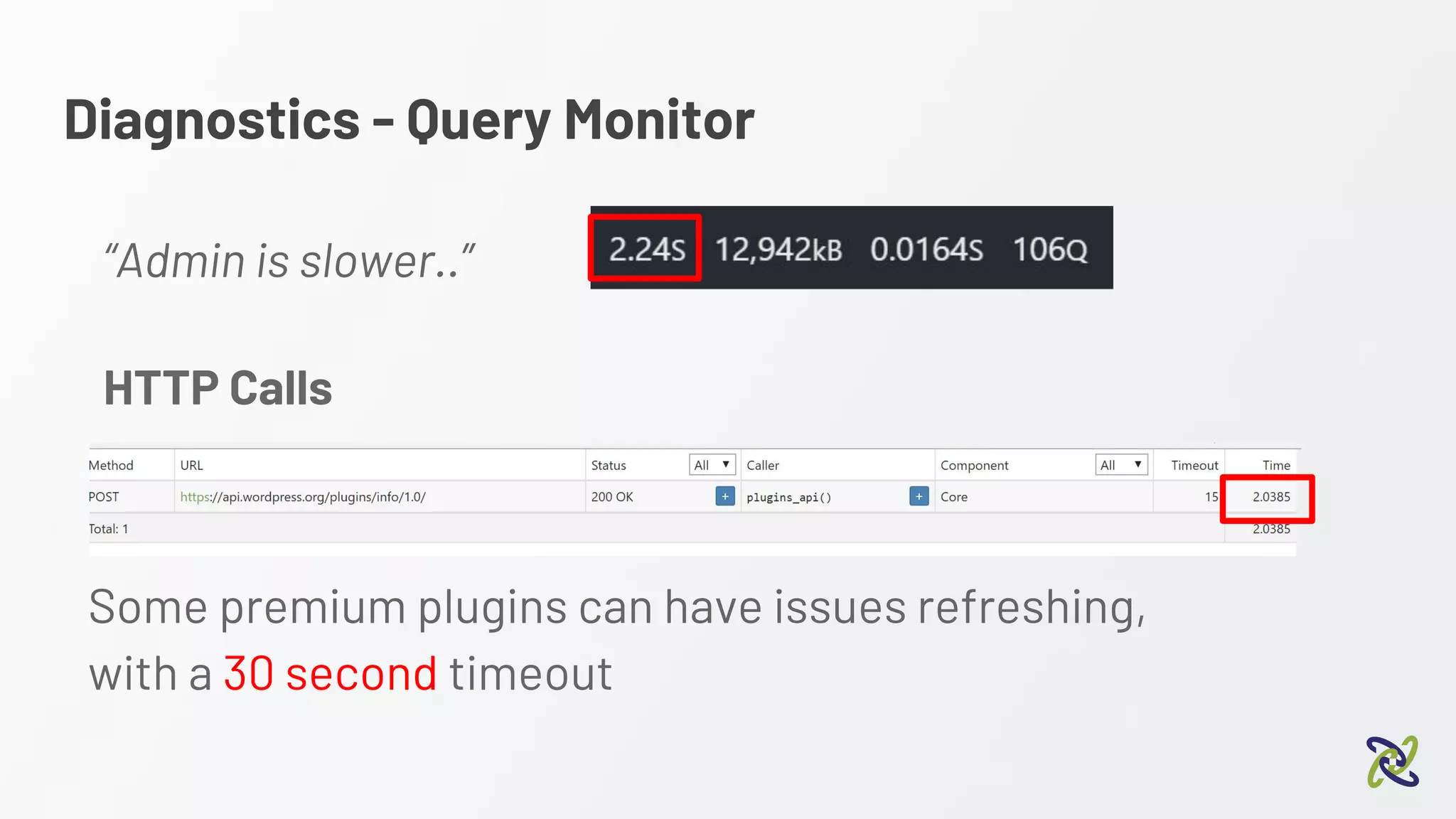
“Admin is slower..”
Some premium plugins can have issues refreshing,
with a 30 second timeout
HTTP Calls
We need to go deeper
Diagnostics - Query Monitor
Diagnostics
Warning: These examples require root access to a server
(your dev server!) or a localised, development install.
Diagnostics - Digging Deeper
Option 1 - XDebug
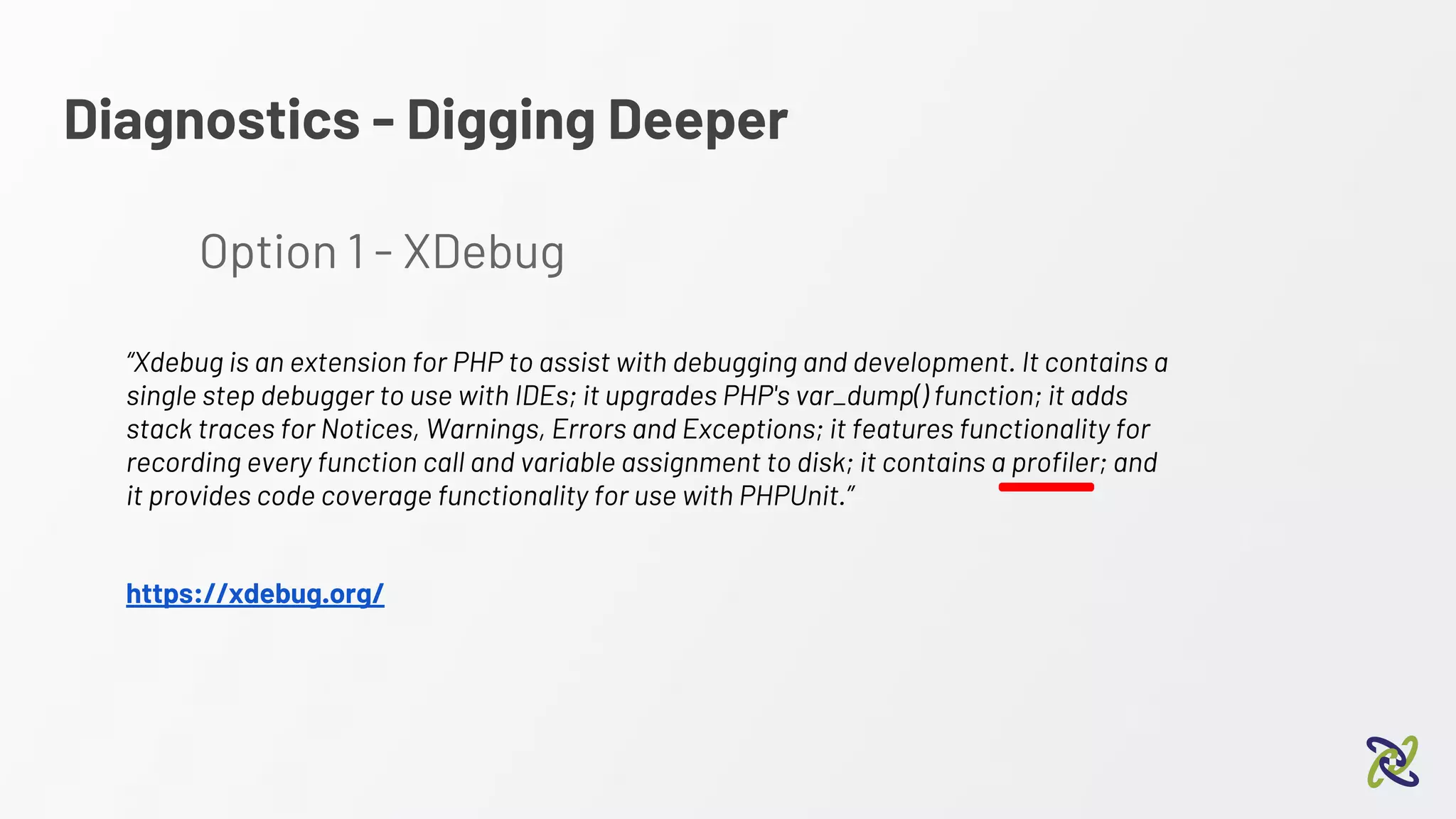
“Xdebug is an extension for PHP to assist with debugging and development. It contains a
single step debugger to use with IDEs; it upgrades PHP's var_dump() function; it adds
stack traces for Notices, Warnings, Errors and Exceptions; it features functionality for
recording every function call and variable assignment to disk; it contains a profiler; and
it provides code coverage functionality for use with PHPUnit.”
https://xdebug.org/
Diagnostics - XDebug
Debugging WordPress with xDebug
2:10 pm - Alex Bishop
Diagnostics - XDebug
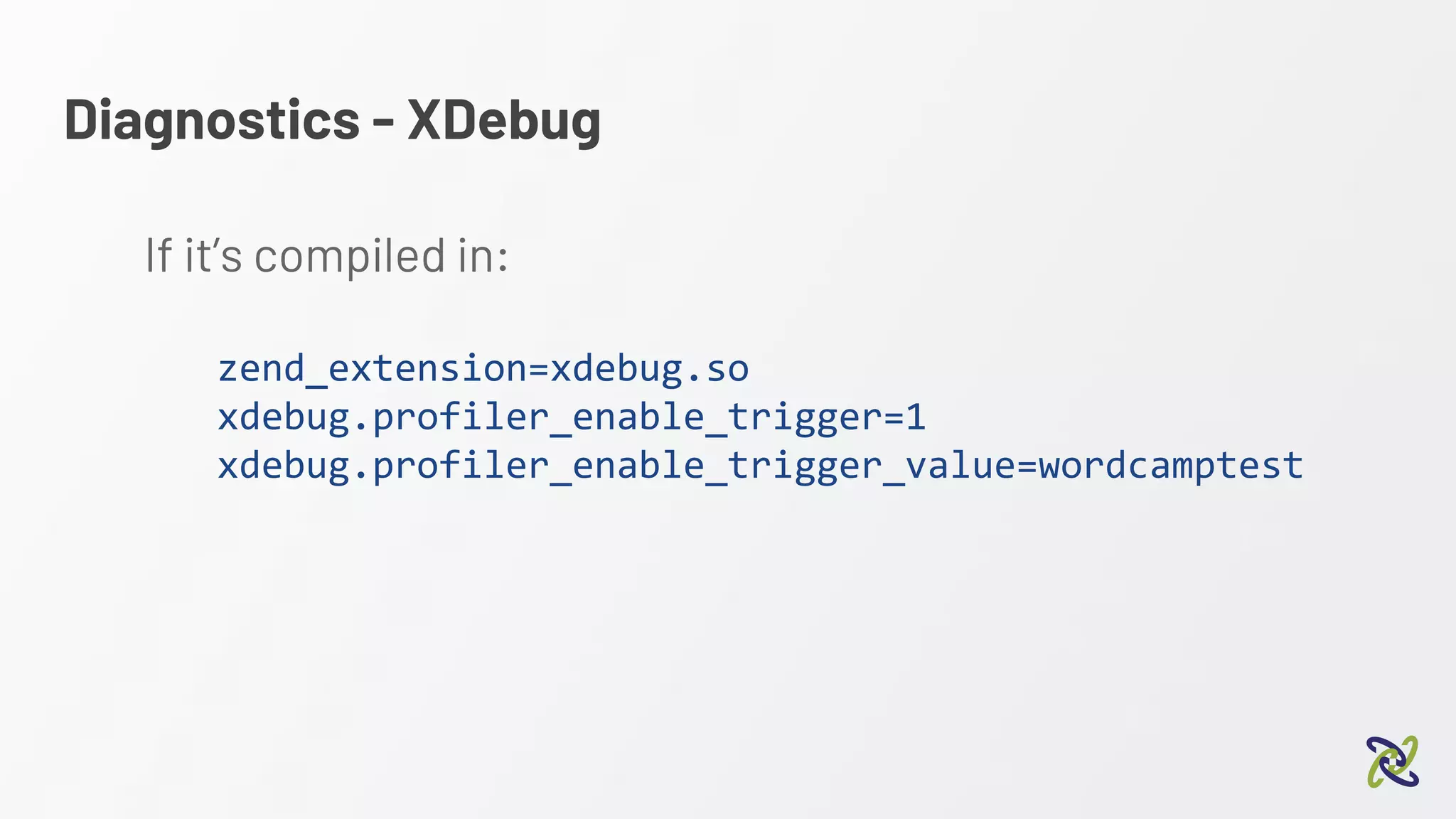
If it’s compiled in:
zend_extension=xdebug.so
xdebug.profiler_enable_trigger=1
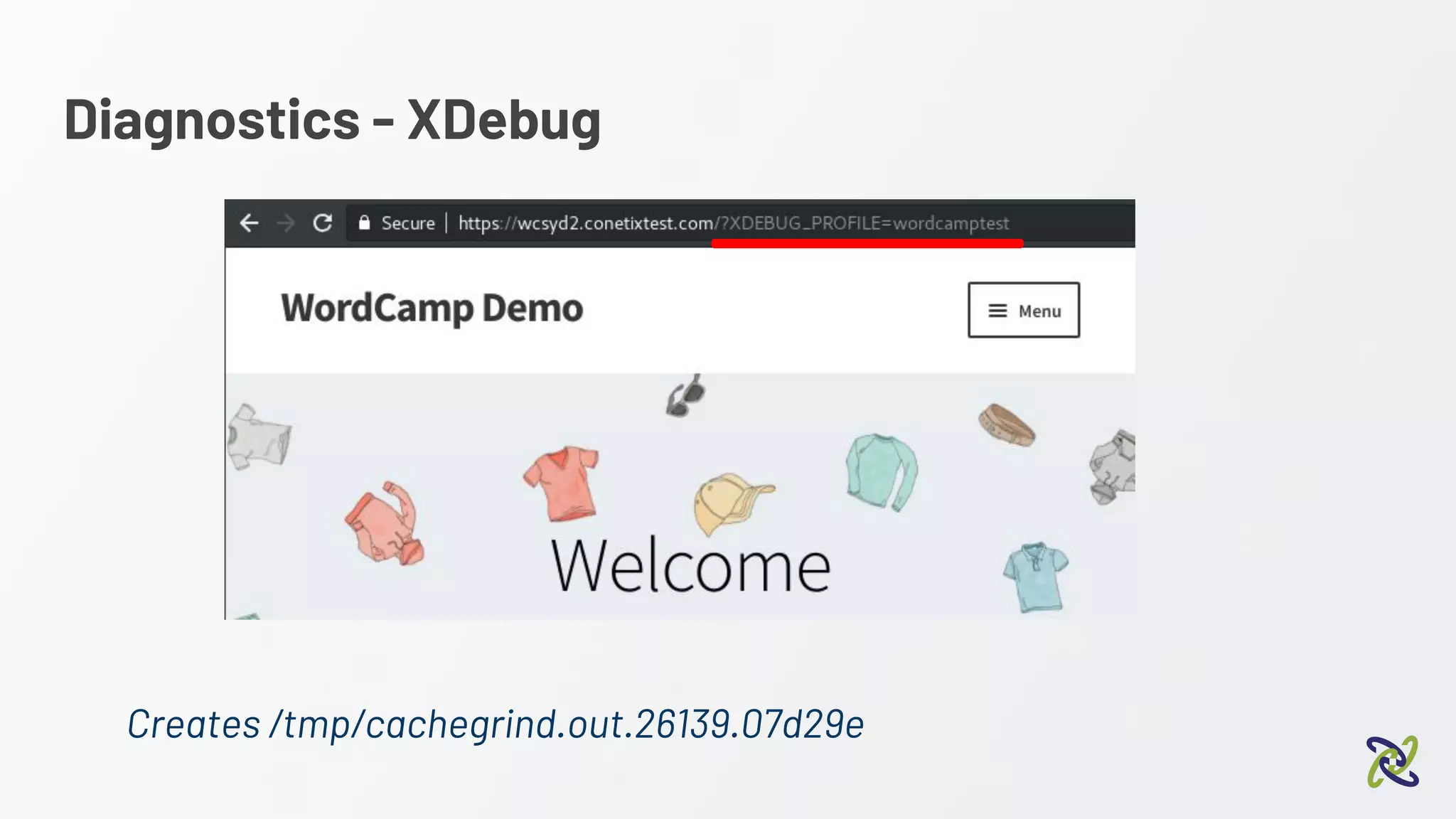
xdebug.profiler_enable_trigger_value=wordcamptest
Diagnostics - XDebug
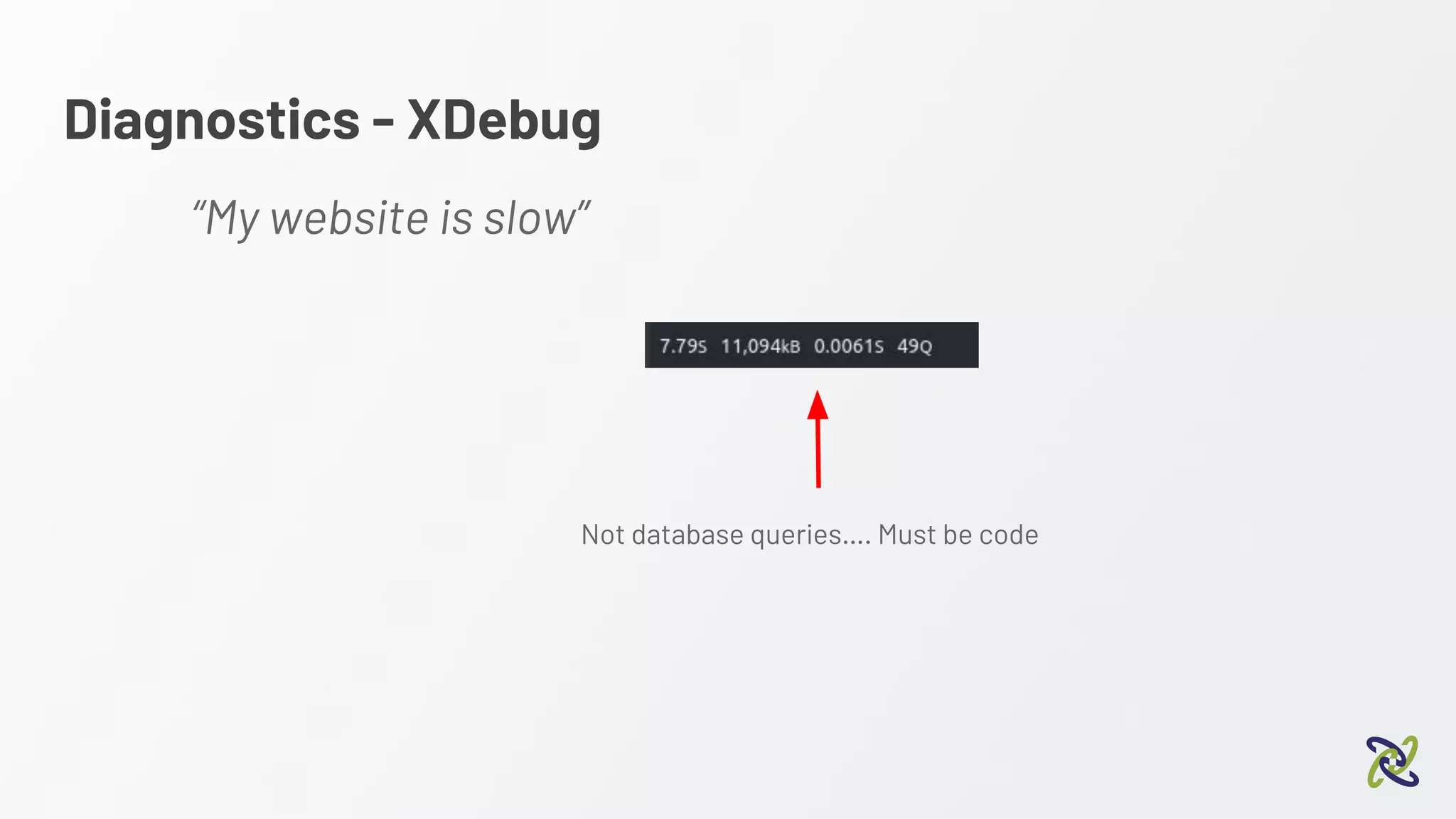
“My website is slow”
Not database queries…. Must be code
Diagnostics - XDebug
Creates /tmp/cachegrind.out.26139.07d29e
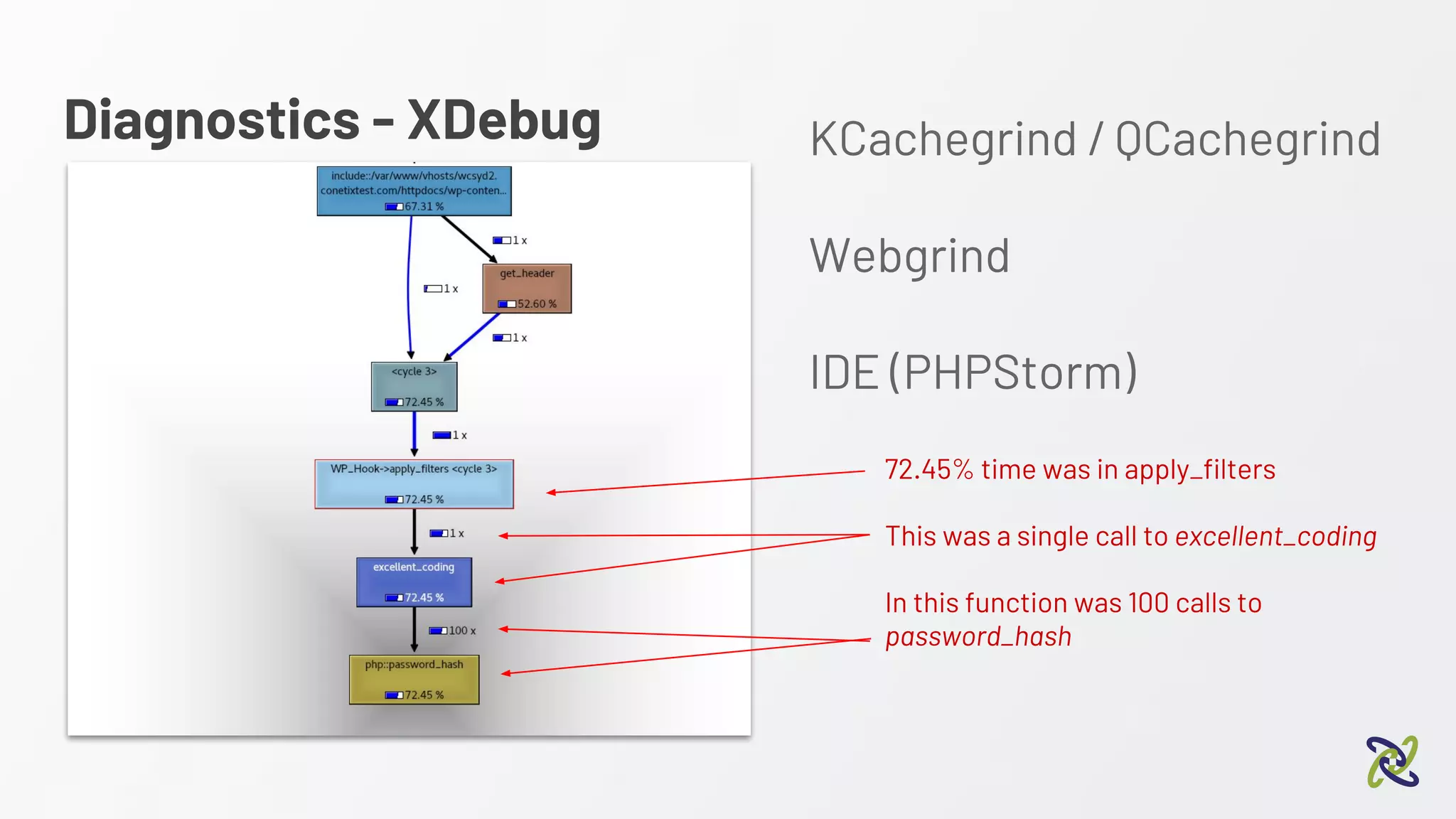
Diagnostics - XDebug KCachegrind / QCachegrind
Webgrind
IDE (PHPStorm)
72.45% time was in apply_filters
This was a single call to excellent_coding
In this function was 100 calls to
password_hash
Diagnostics - XDebug
z
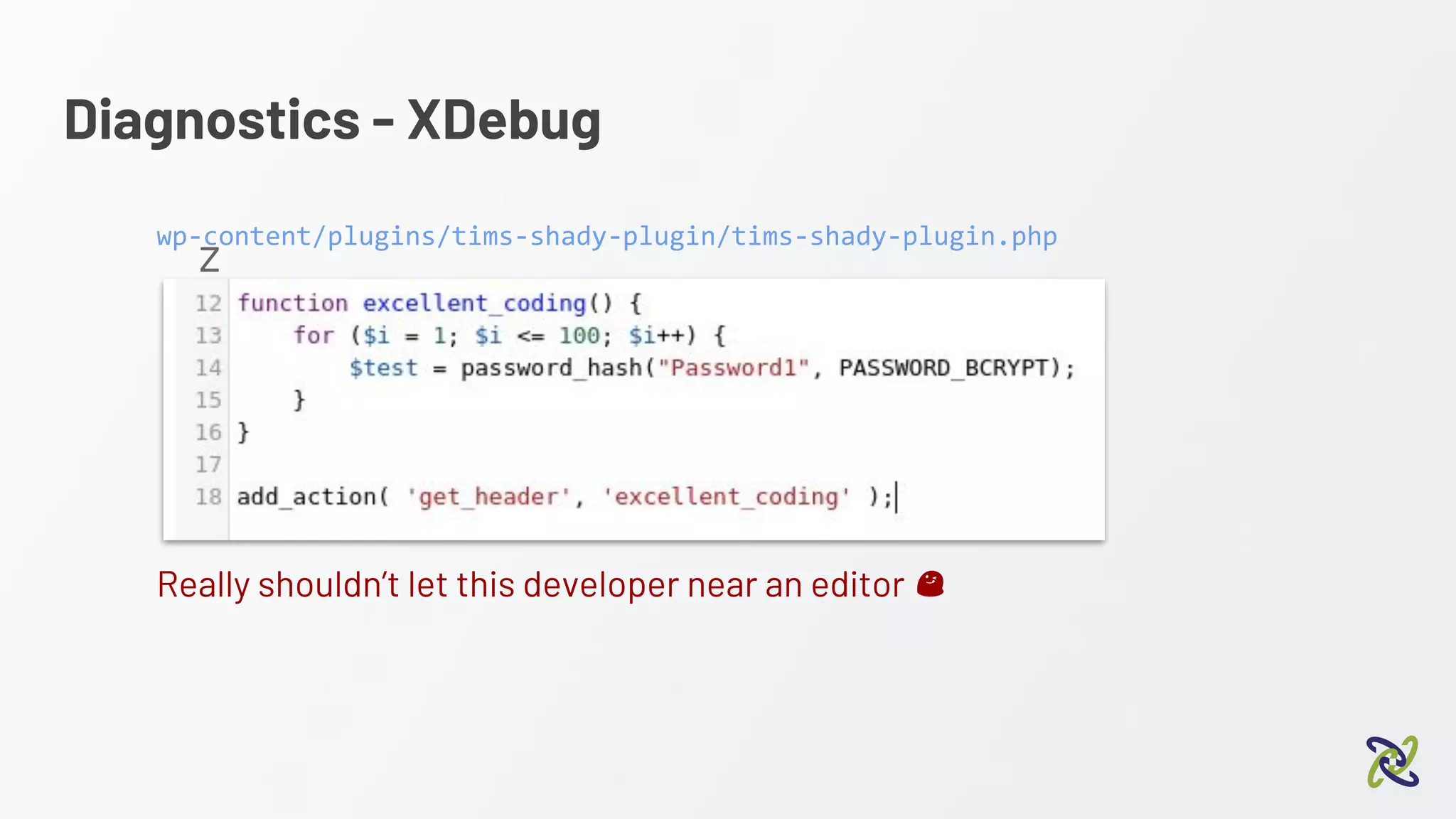
Really shouldn’t let this developer near an editor
wp-content/plugins/tims-shady-plugin/tims-shady-plugin.php
Diagnostics - XDebug
Debugging WordPress with xDebug
2:10 pm - Alex Bishop
Diagnostics - Digging Deeper
Option 2 - New Relic / APM
https://newrelic.com/
“A complete view of your applications and operating environment”
APM = Application Performance Management
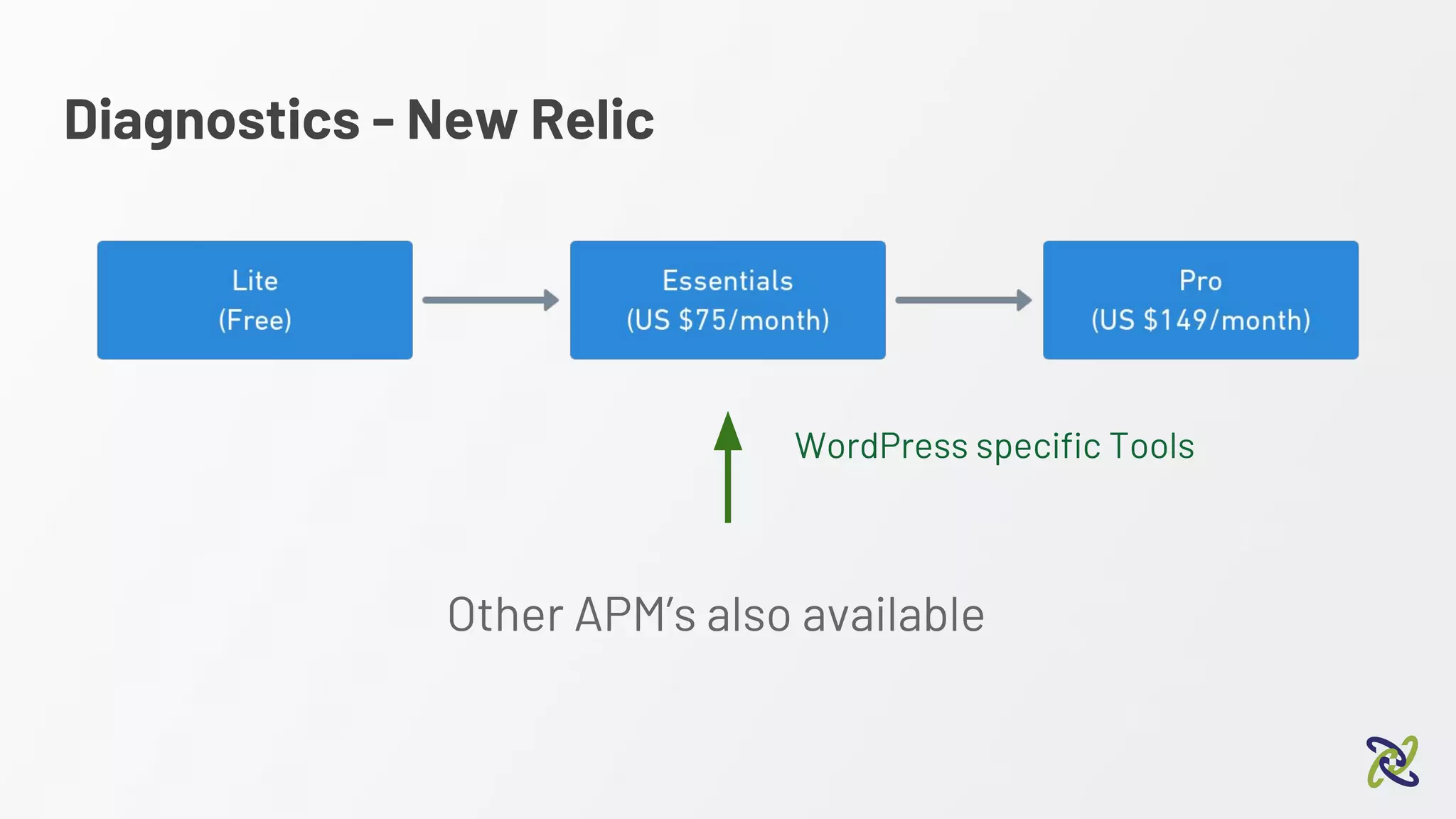
Diagnostics - New Relic
WordPress specific Tools
Other APM’s also available
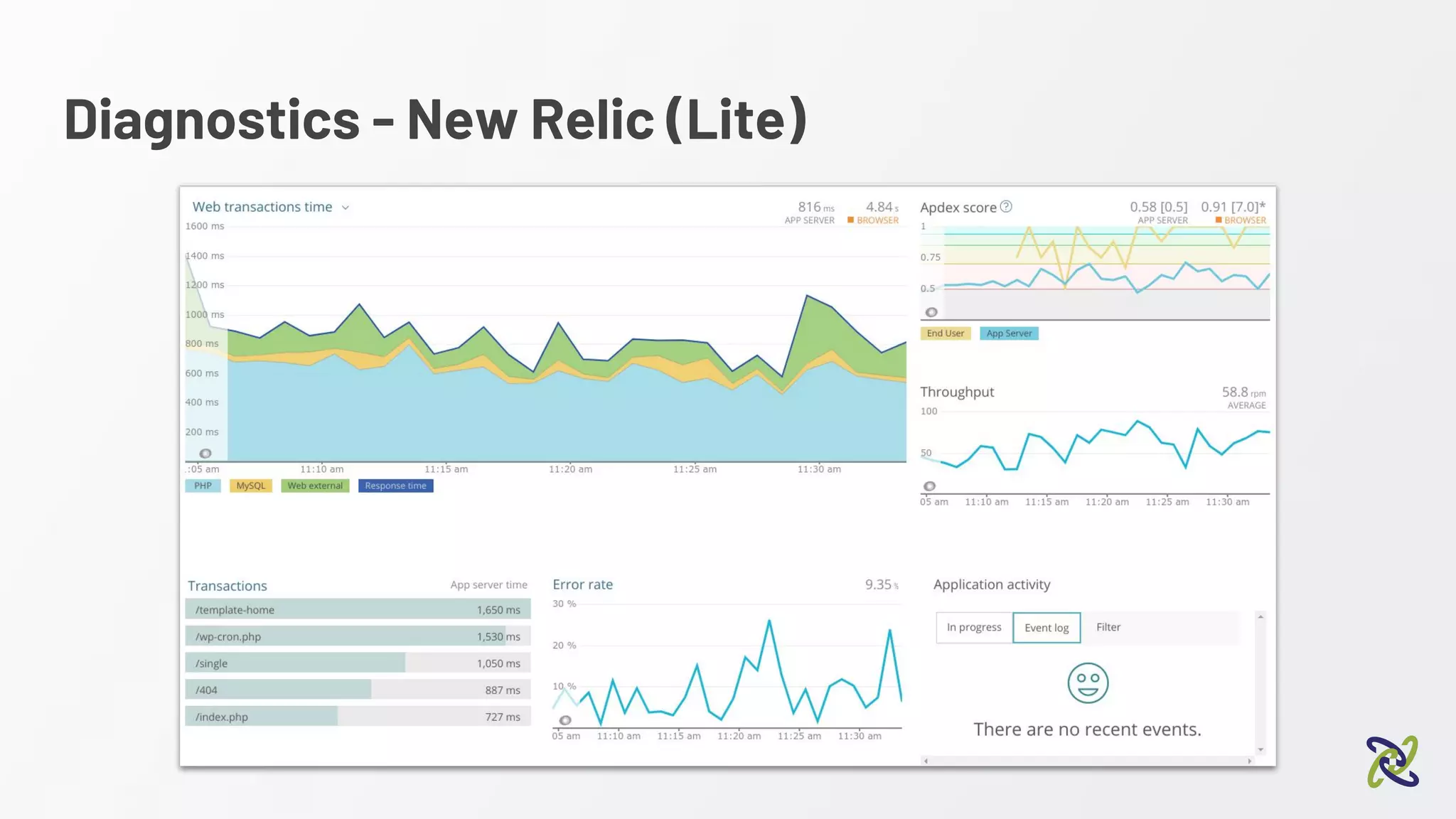
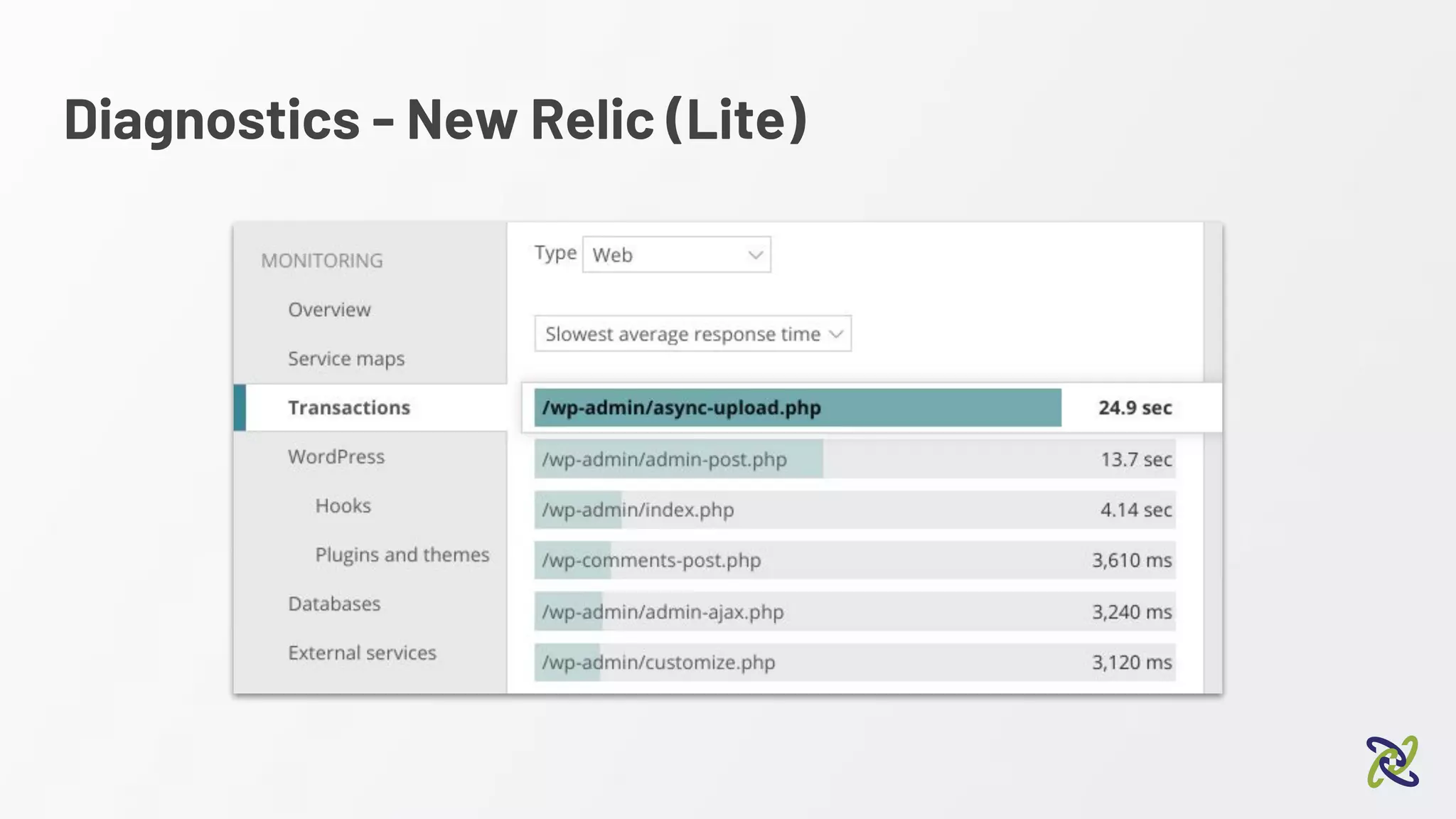
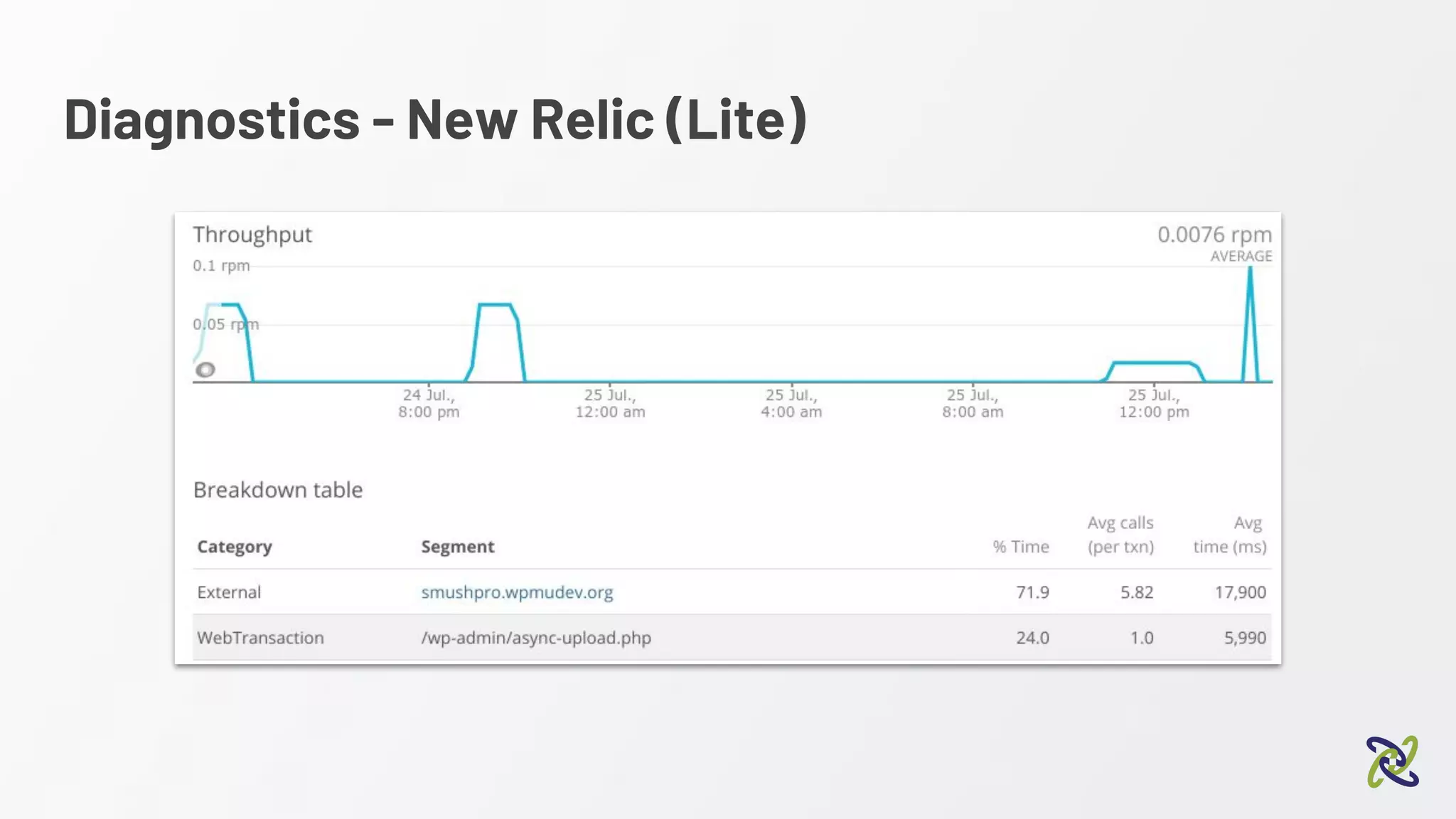
Diagnostics - New Relic (Lite)
Option 2 - New Relic
Diagnostics - New Relic (Lite)
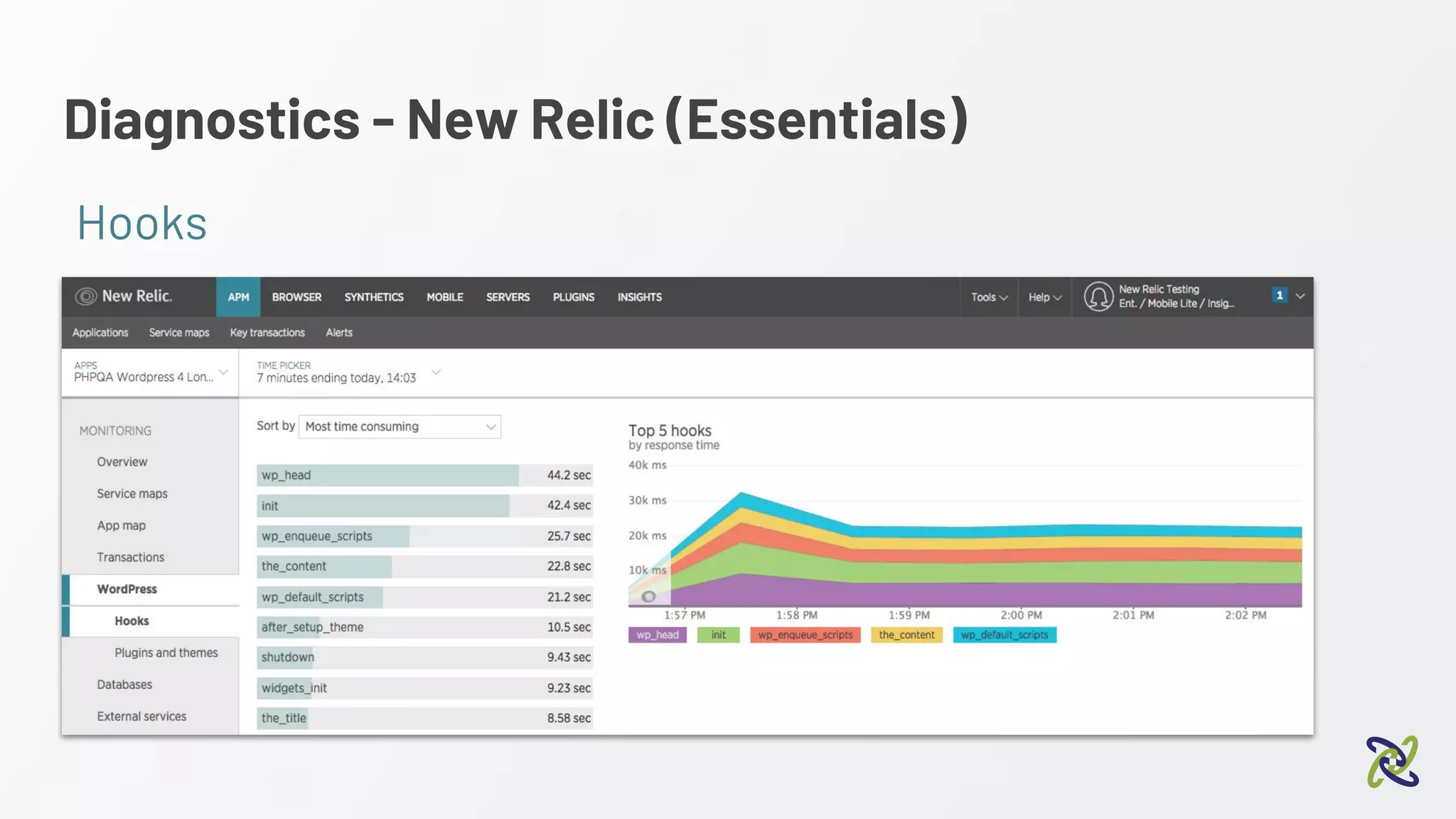
Diagnostics - New Relic (Essentials)
Hooks
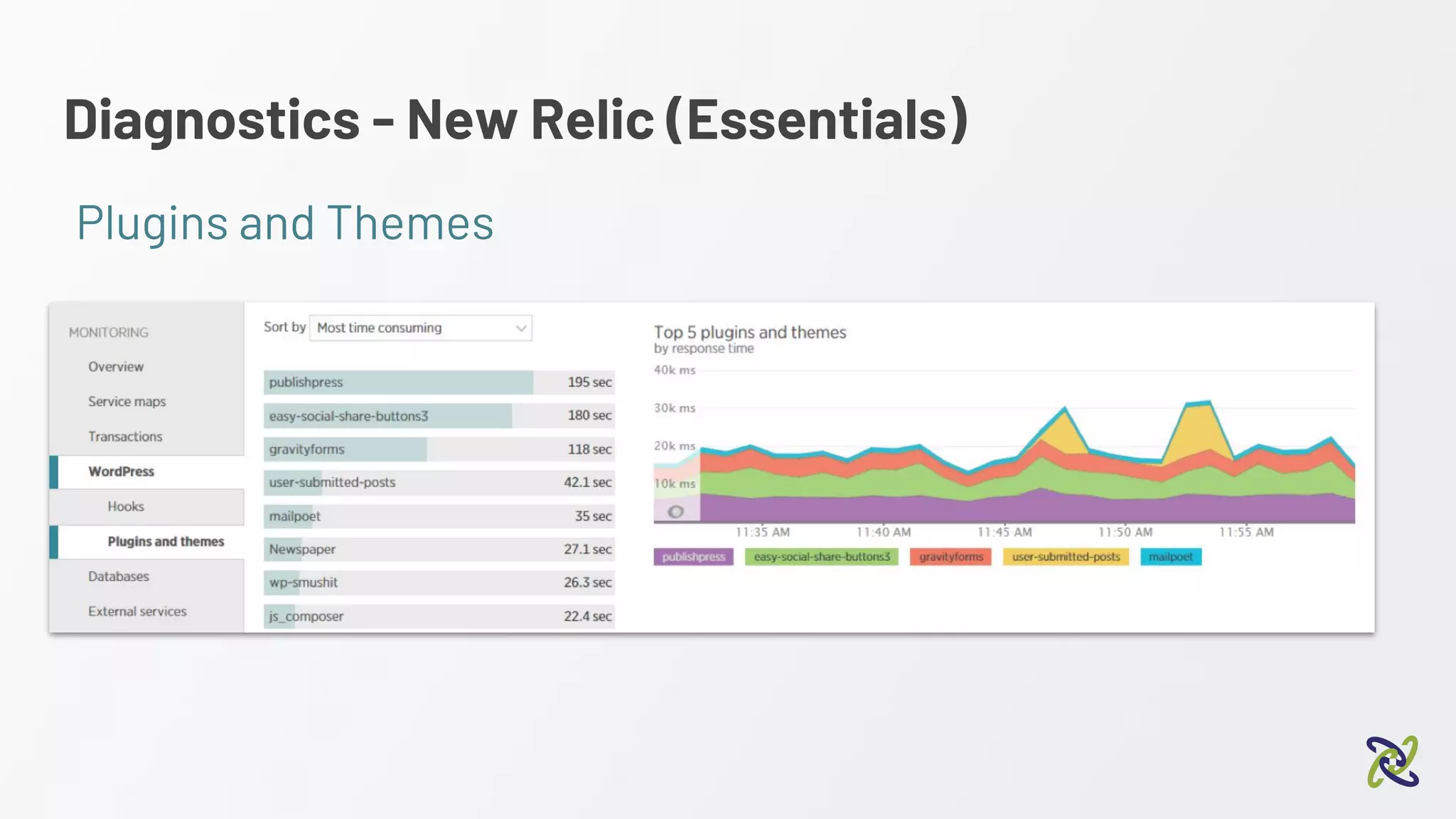
Diagnostics - New Relic (Essentials)
Plugins and Themes
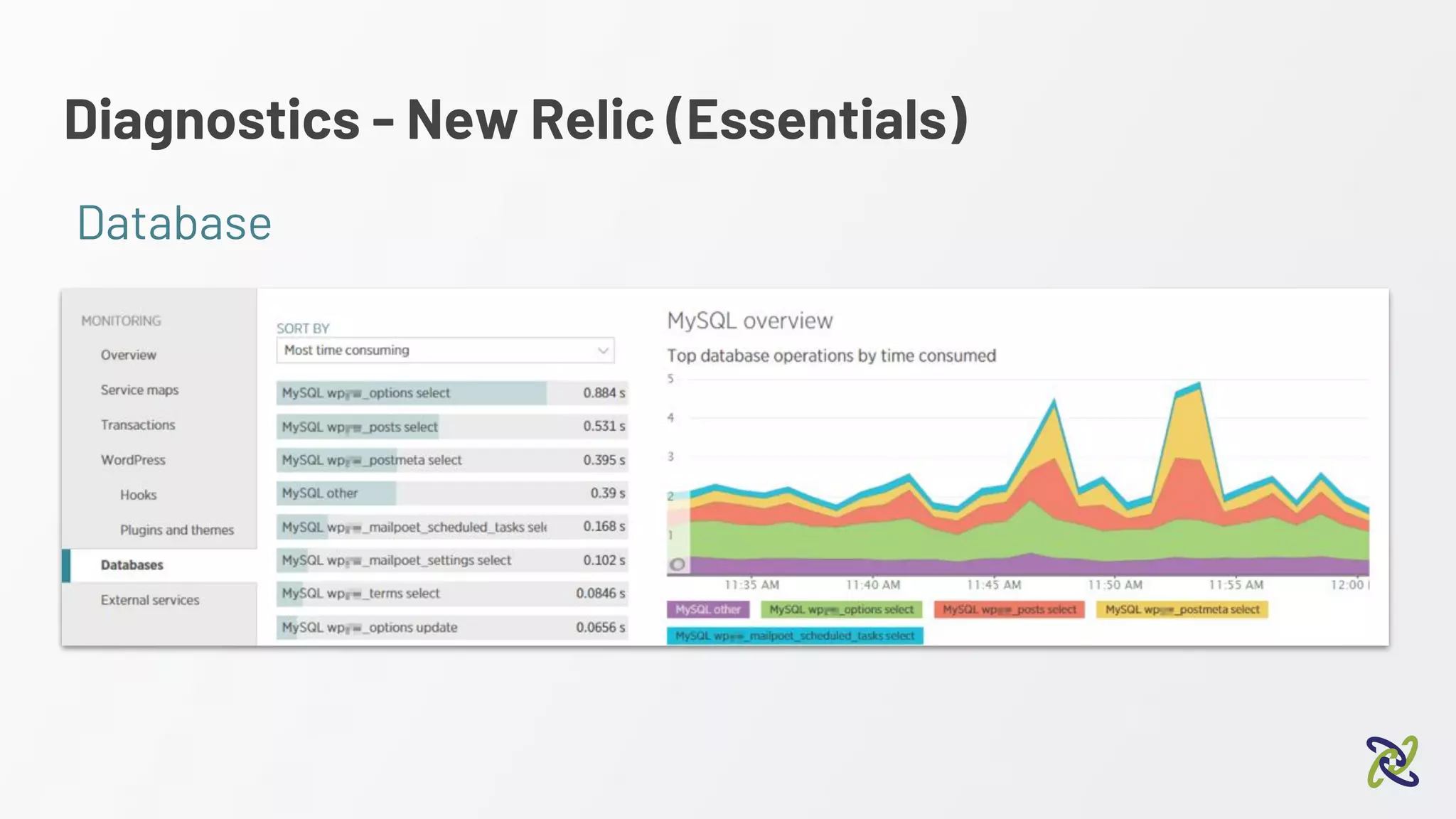
Diagnostics - New Relic (Essentials)
Database
Two quick, get out of jail free cards
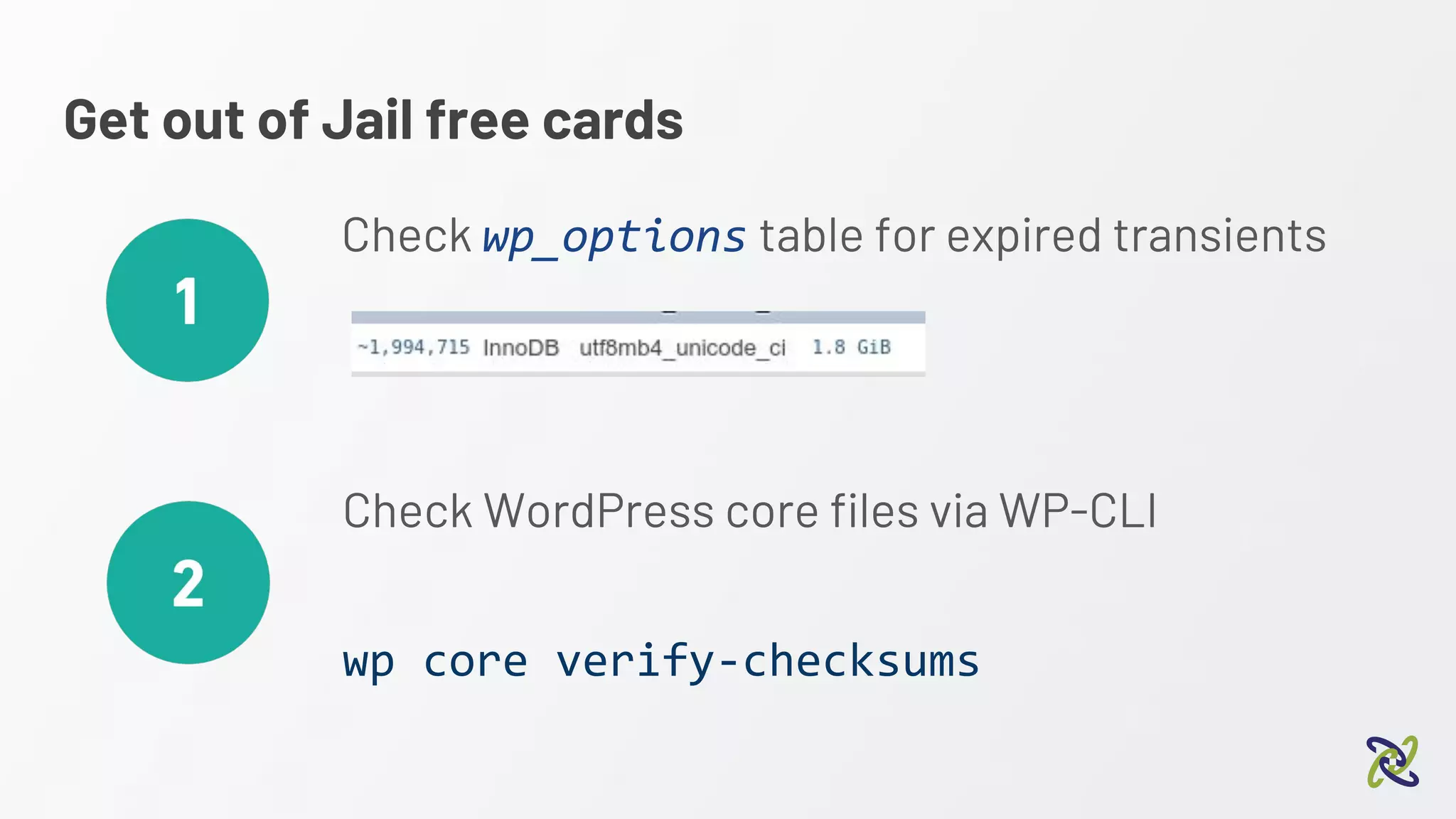
Get out of Jail free cards
Check wp_options table for expired transients
Check WordPress core files via WP-CLI
wp core verify-checksums
Summary
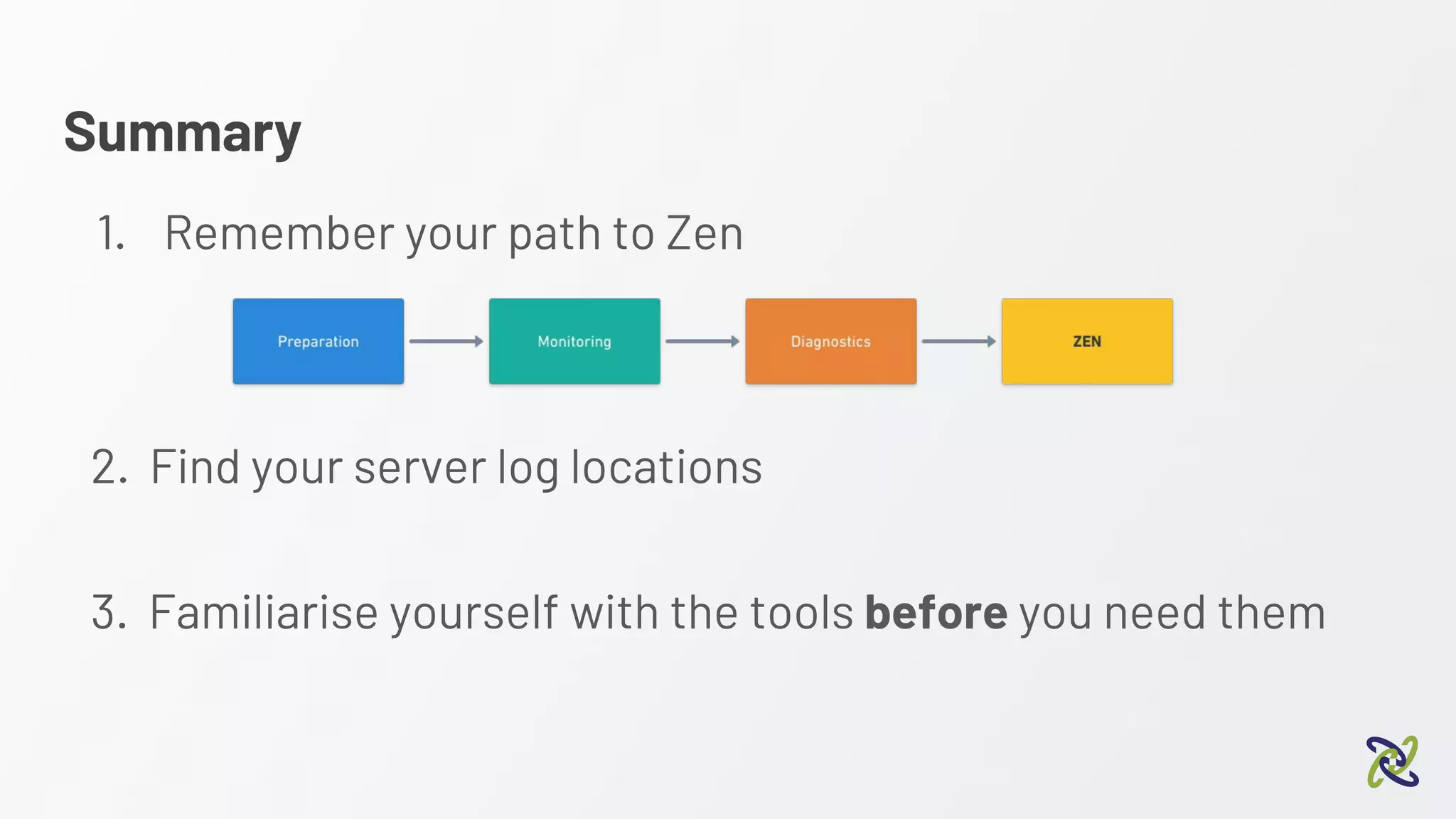
Summary
1. Remember your path to Zen
2. Find your server log locations
3. Familiarise yourself with the tools before you need them
One final reminder...
Make sure you have a backup!!
Questions?
Feel free to ask in person
or via @timbutler

Diagnosing WordPress: What to do when things go wrong

  • 1.
    Diagnosing WordPress Presented byTim Butler What do to when things go wrong
  • 2.
    Who am I? ●IT professional with 20 years experience ● Head of infrastructure at Conetix ● NGINX Cookbook author ● Certified beer judge Infrequent ramblings on Twitter: @timbutler Probably seen more errors than Stack Overflow!
  • 3.
    About this talk…. Aimedat developers and agencies Just as applicable to business owners Start with the basics and work our way up
  • 4.
    Before we getstarted…..
  • 5.
    One quick takeaway…. Makesure you have a backup!!
  • 6.
    How you usuallyfind out there’s a problem...
  • 7.
    “WHY IS MYWEBSITE DOWN!!!!”
  • 8.
  • 9.
    Software equivalent ofwhat you’re facing
  • 10.
  • 11.
    The path toZen Where we’ll be focussing
  • 12.
  • 13.
    Preparation ● Having aknown state to compare to ○ Known plugins and versions installed ○ Known errors or PHP warnings https://en-au.wordpress.org/plugins/stream/ ● Ability to track changes
  • 14.
  • 15.
  • 16.
  • 17.
    Monitoring ● You wantto know of issues before your clients ● System MUST have a point of presence in Australia https://statuscake.com https://www.panopta.com/
  • 18.
  • 19.
  • 20.
  • 21.
  • 22.
    Diagnostics - ServerLogs Let's look in the logs...
  • 23.
    Diagnostics - ServerLogs 80% of your issues will be identified in the logs wp-content/plugins/tims-shady-plugin/tims-shady-plugin.php
  • 24.
    Diagnostics - ServerLogs Consider centralised logging SaaS Open Source (host yourself) https://papertrailapp.com/ https://www.graylog.org/
  • 25.
    Diagnostics - ServerLogs 24 hour snapshot
  • 26.
    Diagnostics Hard failures =easy to find “Sometimes the site is slow to load” “Two out of the 5,000 products in my store have an issue” “My site seems slower this month” “My site works perfectly for my customers but wp-admin takes forever” Soft failures = harder...
  • 27.
  • 28.
    Diagnostics - WordPressDebugging Great way to see more info on soft failures eg, “Two out of the 5,000 products in my store have an issue”
  • 29.
    Diagnostics - WordPressDebugging PHP / WordPress Log levels Normal Debug enabled
  • 30.
    Diagnostics - WordPressDebugging Enable via management tools: Or in the wp-config.php: define('WP_DEBUG', true); define('WP_DEBUG_LOG', true); define('WP_DEBUG_DISPLAY', false);
  • 31.
    Diagnostics - WordPressDebugging By default: wp-content/debug.log [23-Jul-2018 06:32:09 UTC] PHP Notice: Undefined index: country in /var/www/vhosts/wcsyd2.conetixtest.com/httpdocs/wp-content/plugins/woocommerce/includes/class-wc-geolite-integration.php on line 60 [23-Jul-2018 06:32:09 UTC] PHP Stack trace: [23-Jul-2018 06:32:09 UTC] PHP 1. {main}() /var/www/vhosts/wcsyd2.conetixtest.com/httpdocs/index.php:0 [23-Jul-2018 06:32:09 UTC] PHP 2. require() /var/www/vhosts/wcsyd2.conetixtest.com/httpdocs/index.php:17 [23-Jul-2018 06:32:09 UTC] PHP 3. require_once() /var/www/vhosts/wcsyd2.conetixtest.com/httpdocs/wp-blog-header.php:13 [23-Jul-2018 06:32:09 UTC] PHP 4. require_once() /var/www/vhosts/wcsyd2.conetixtest.com/httpdocs/wp-load.php:37 [23-Jul-2018 06:32:09 UTC] PHP 5. require_once() /var/www/vhosts/wcsyd2.conetixtest.com/httpdocs/wp-config.php:80 [23-Jul-2018 06:32:09 UTC] PHP 6. do_action() /var/www/vhosts/wcsyd2.conetixtest.com/httpdocs/wp-settings.php:450 [23-Jul-2018 06:32:09 UTC] PHP 7. WP_Hook->do_action() /var/www/vhosts/wcsyd2.conetixtest.com/httpdocs/wp-includes/plugin.php:453 [23-Jul-2018 06:32:09 UTC] PHP 8. WP_Hook->apply_filters() /var/www/vhosts/wcsyd2.conetixtest.com/httpdocs/wp-includes/class-wp-hook.php:310 [23-Jul-2018 06:32:09 UTC] PHP 9. WooCommerce->init() /var/www/vhosts/wcsyd2.conetixtest.com/httpdocs/wp-includes/class-wp-hook.php:286 [23-Jul-2018 06:32:09 UTC] PHP 10. WC_Customer->__construct() /var/www/vhosts/wcsyd2.conetixtest.com/httpdocs/wp-content/plugins/woocommerce/includes/class-woocommerce.php:480 [23-Jul-2018 06:32:09 UTC] PHP 11. WC_Data_Store->read() /var/www/vhosts/wcsyd2.conetixtest.com/httpdocs/wp-content/plugins/woocommerce/includes/class-wc-customer.php:116 [23-Jul-2018 06:32:09 UTC] PHP 12. WC_Customer_Data_Store_Session->read() /var/www/vhosts/wcsyd2.conetixtest.com/httpdocs/wp-content/plugins/woocommerce/includes/class-wc-data-store.php:156 [23-Jul-2018 06:32:09 UTC] PHP 13. WC_Customer_Data_Store_Session->set_defaults() …...
  • 32.
    Diagnostics - Divinga little deeper
  • 33.
    Diagnostics Make sure youhave a backup! Next items - run on staging / dev copy
  • 34.
    Diagnostics - Divinga little deeper https://en-au.wordpress.org/plugins/query-monitor/ What if there’s no errors in the logs?
  • 35.
    Diagnostics - QueryMonitor ● Shows database queries ● See WordPress hooks ● See Theme templates used ● See HTTP calls ● … And more!
  • 36.
    Diagnostics - QueryMonitor 0.06 second page load 3.8MB peak memory 0.003 second db queries 19 database queries
  • 37.
    Diagnostics - QueryMonitor Database
  • 38.
    Diagnostics - QueryMonitor Templates
  • 39.
    Diagnostics - QueryMonitor HTTP Calls
  • 40.
    Diagnostics - QueryMonitor “Something’s loading JQuery twice….”
  • 41.
    Diagnostics - QueryMonitor What’s the impact of WooCommerce?
  • 42.
    Diagnostics - QueryMonitor “Admin is slower..” Some premium plugins can have issues refreshing, with a 30 second timeout HTTP Calls
  • 43.
    We need togo deeper
  • 44.
  • 45.
    Diagnostics Warning: These examplesrequire root access to a server (your dev server!) or a localised, development install.
  • 46.
    Diagnostics - DiggingDeeper Option 1 - XDebug “Xdebug is an extension for PHP to assist with debugging and development. It contains a single step debugger to use with IDEs; it upgrades PHP's var_dump() function; it adds stack traces for Notices, Warnings, Errors and Exceptions; it features functionality for recording every function call and variable assignment to disk; it contains a profiler; and it provides code coverage functionality for use with PHPUnit.” https://xdebug.org/
  • 47.
    Diagnostics - XDebug DebuggingWordPress with xDebug 2:10 pm - Alex Bishop
  • 48.
    Diagnostics - XDebug Ifit’s compiled in: zend_extension=xdebug.so xdebug.profiler_enable_trigger=1 xdebug.profiler_enable_trigger_value=wordcamptest
  • 49.
    Diagnostics - XDebug “Mywebsite is slow” Not database queries…. Must be code
  • 50.
    Diagnostics - XDebug Creates/tmp/cachegrind.out.26139.07d29e
  • 51.
    Diagnostics - XDebugKCachegrind / QCachegrind Webgrind IDE (PHPStorm) 72.45% time was in apply_filters This was a single call to excellent_coding In this function was 100 calls to password_hash
  • 52.
    Diagnostics - XDebug z Reallyshouldn’t let this developer near an editor wp-content/plugins/tims-shady-plugin/tims-shady-plugin.php
  • 53.
    Diagnostics - XDebug DebuggingWordPress with xDebug 2:10 pm - Alex Bishop
  • 54.
    Diagnostics - DiggingDeeper Option 2 - New Relic / APM https://newrelic.com/ “A complete view of your applications and operating environment” APM = Application Performance Management
  • 55.
    Diagnostics - NewRelic WordPress specific Tools Other APM’s also available
  • 56.
    Diagnostics - NewRelic (Lite) Option 2 - New Relic
  • 57.
    Diagnostics - NewRelic (Lite)
  • 58.
    Diagnostics - NewRelic (Lite)
  • 59.
    Diagnostics - NewRelic (Essentials) Hooks
  • 60.
    Diagnostics - NewRelic (Essentials) Plugins and Themes
  • 61.
    Diagnostics - NewRelic (Essentials) Database
  • 62.
    Two quick, getout of jail free cards
  • 63.
    Get out ofJail free cards Check wp_options table for expired transients Check WordPress core files via WP-CLI wp core verify-checksums
  • 64.
  • 65.
    Summary 1. Remember yourpath to Zen 2. Find your server log locations 3. Familiarise yourself with the tools before you need them
  • 66.
    One final reminder... Makesure you have a backup!!
  • 67.
    Questions? Feel free toask in person or via @timbutler