
Design for
Social Media
Mohammad Hijazi | @mhijazi
#BeirutDW
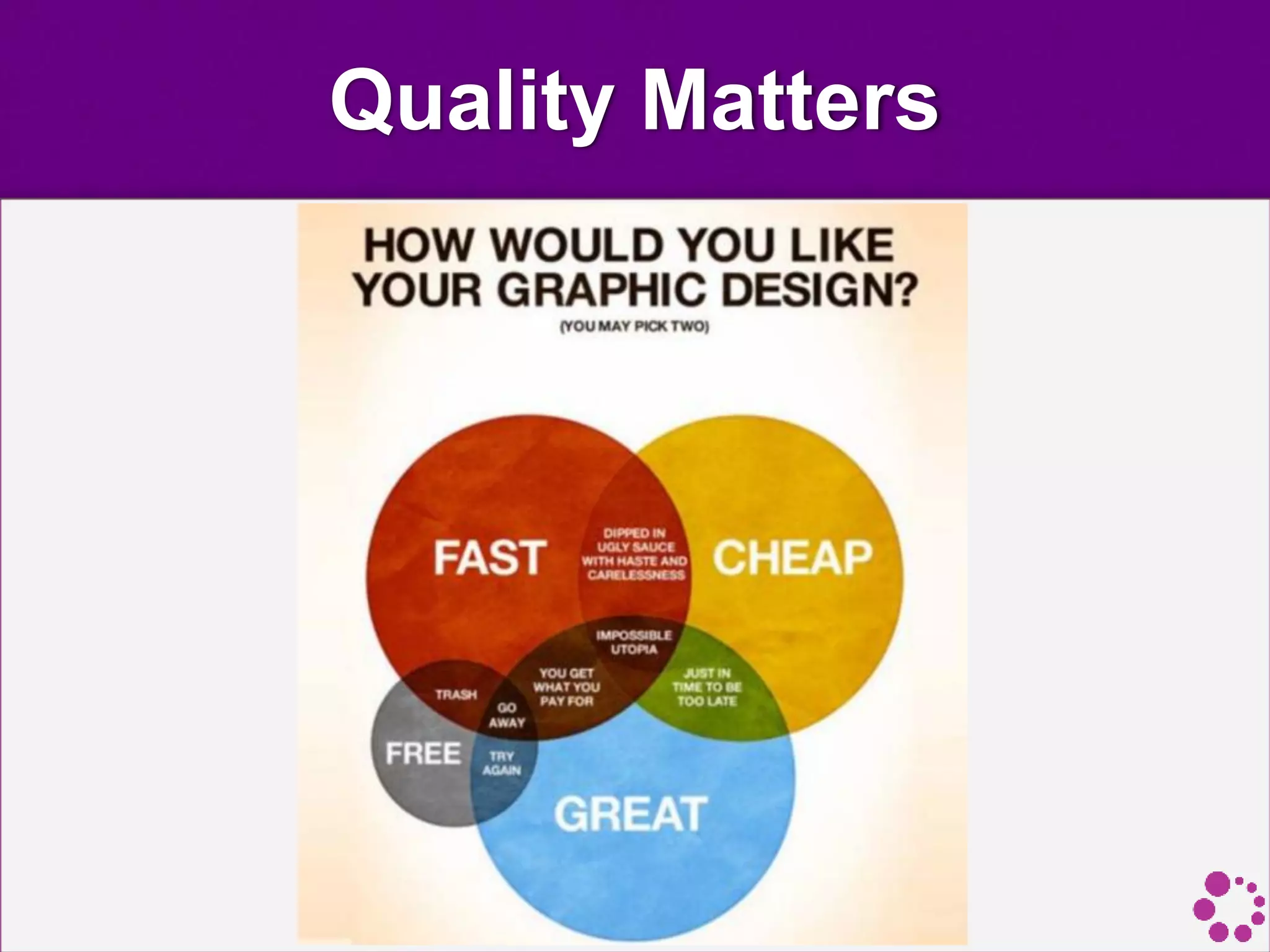
Quality Matters
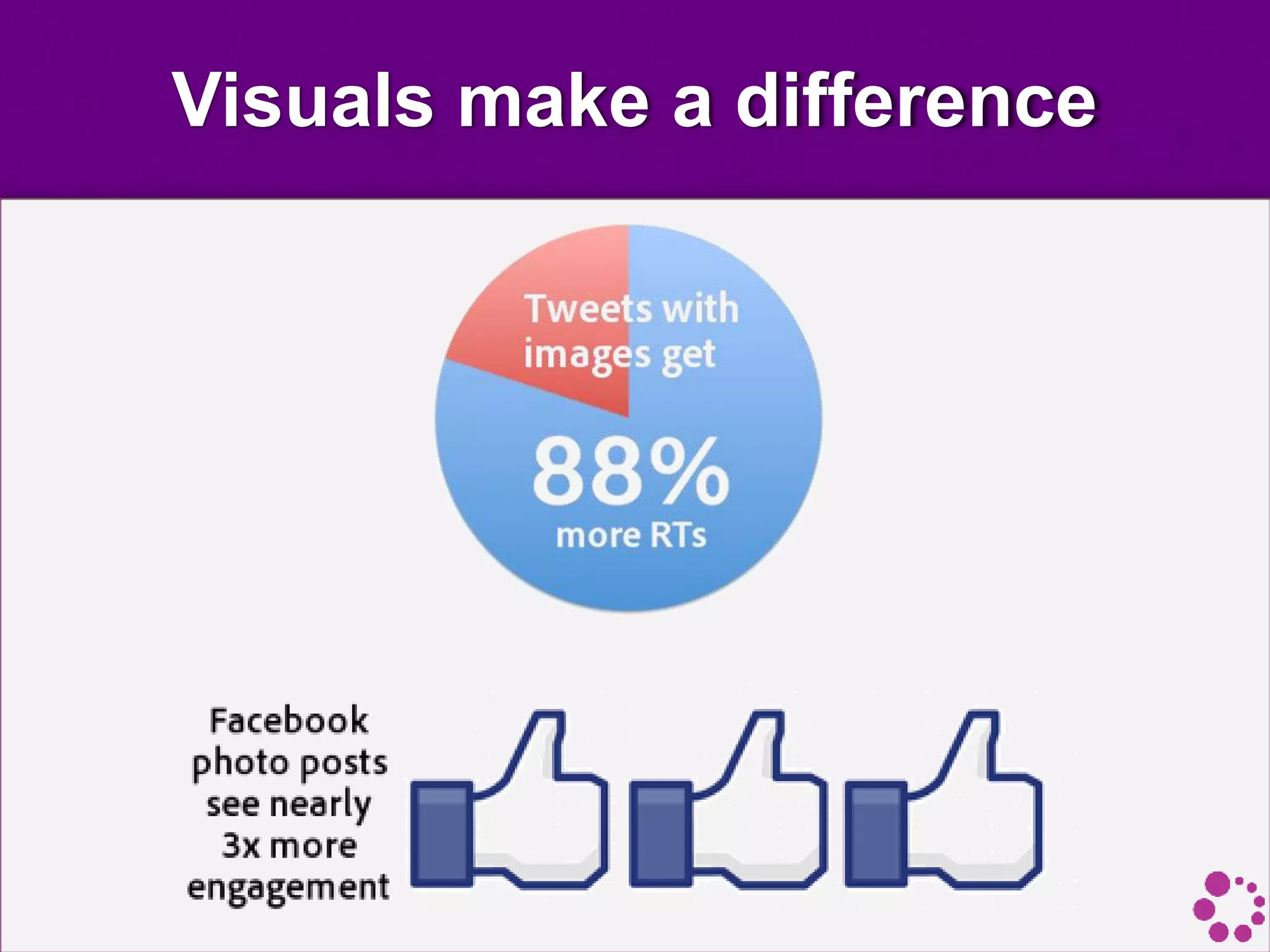
Visuals make a difference
Original Images
• Images are a great way to emotionally connect
your audience. When you use photos, always aim to
make them original and true to your brand.
• People tend to react well to pictures of "real"
people, but we distance ourselves from stock photos
because they are associated with advertising and spam.
Clean, simple images from a decent camera
are best.
• If you are going to overlay text on the image, shoot with
this in mind, so compose your image to incorporate
white space.
Original Images
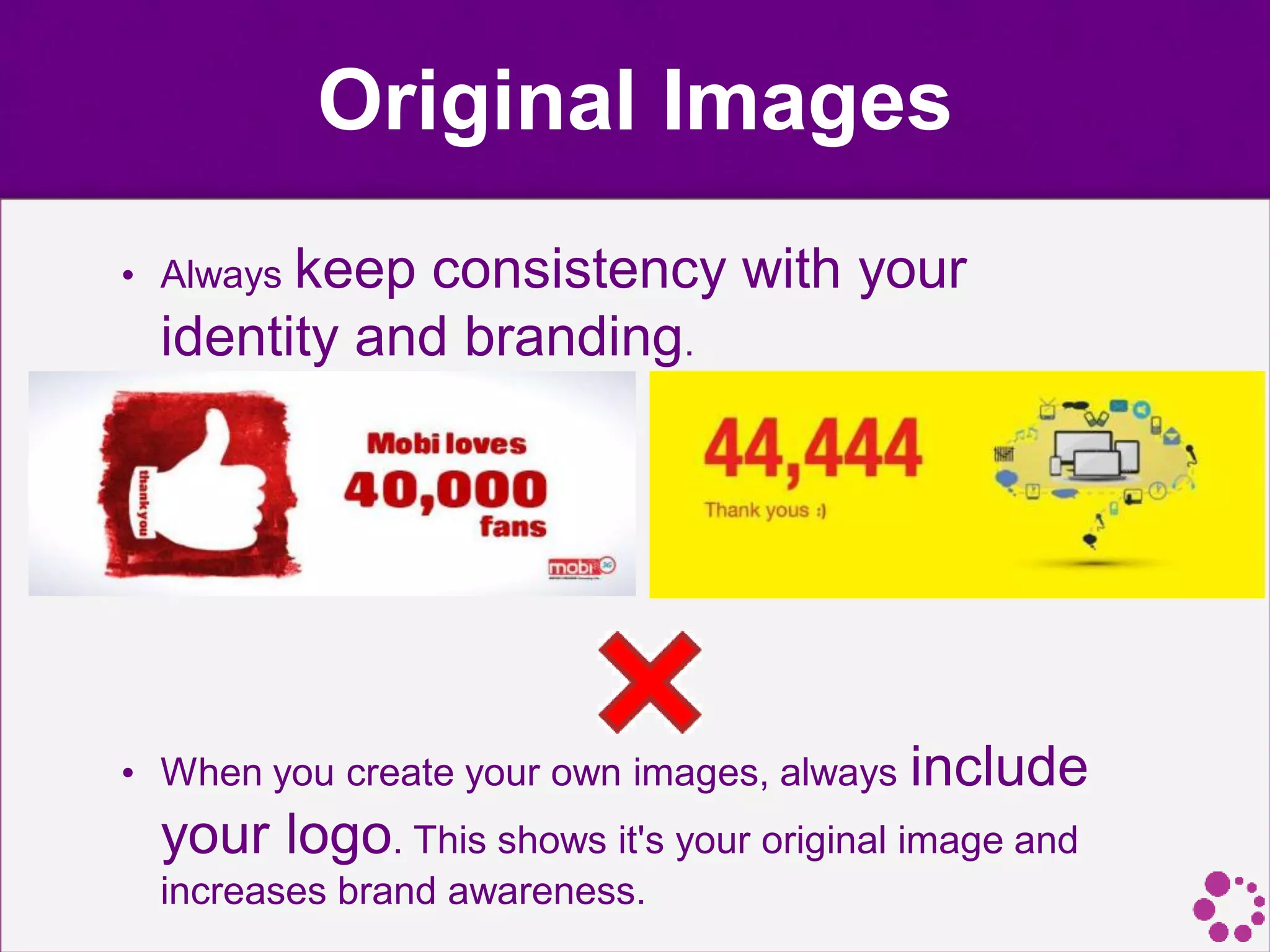
• Always keep consistency with your
identity and branding.
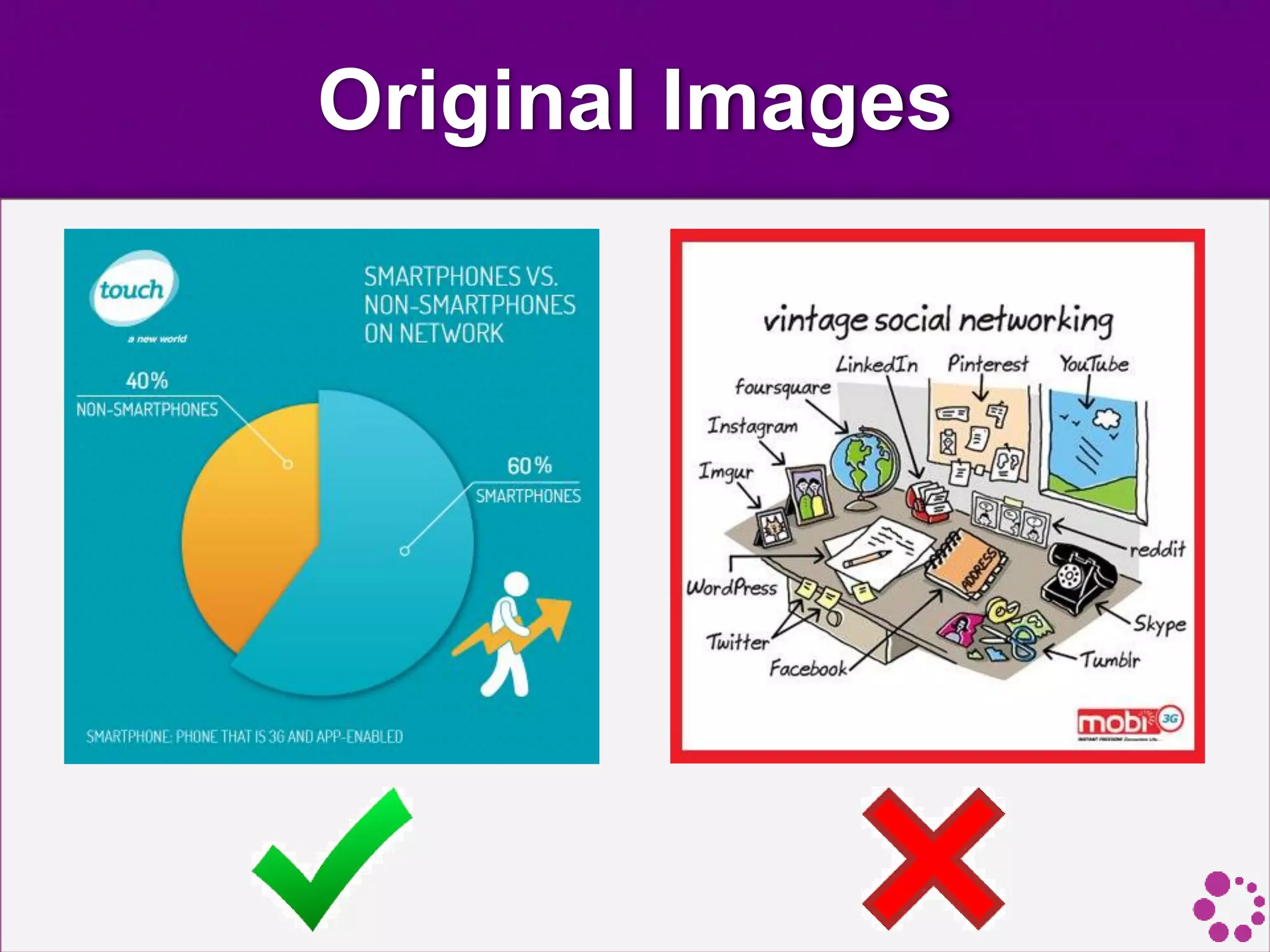
• When you create your own images, always include
your logo. This shows it's your original image and
increases brand awareness.
Original Images
Keep It Relevant
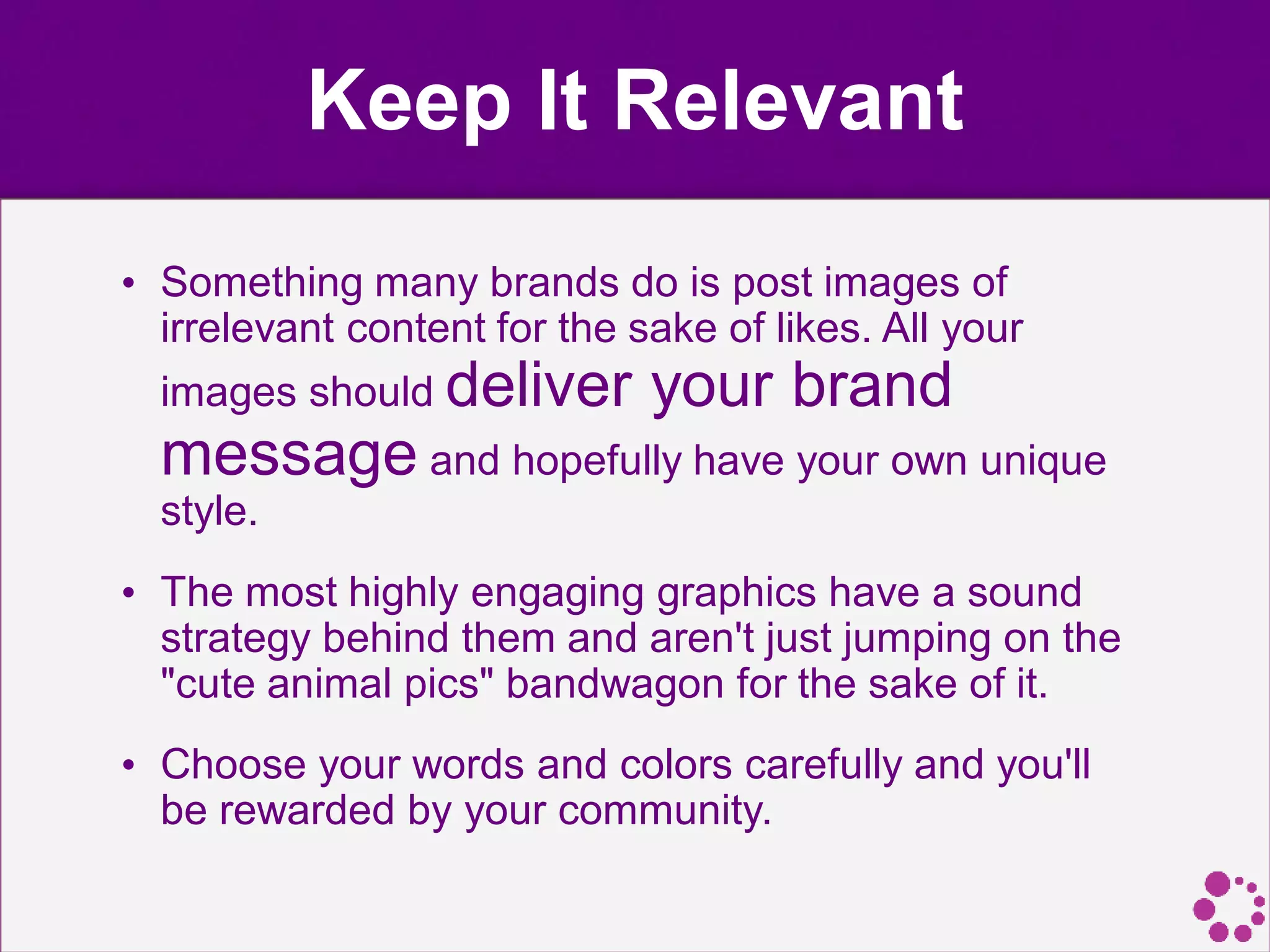
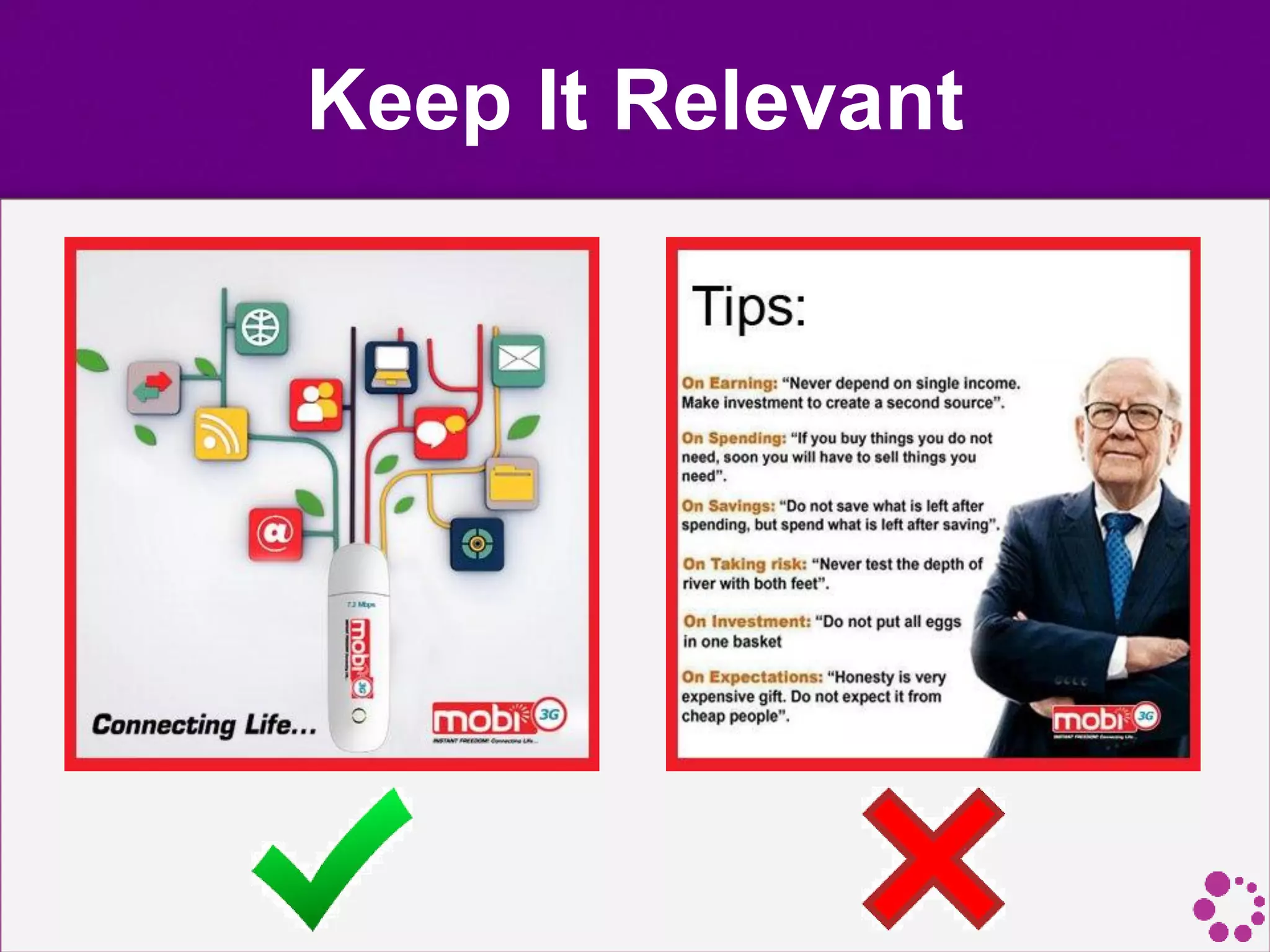
• Something many brands do is post images of
irrelevant content for the sake of likes. All your
images should deliver your brand
message and hopefully have your own unique
style.
• The most highly engaging graphics have a sound
strategy behind them and aren't just jumping on the
"cute animal pics" bandwagon for the sake of it.
• Choose your words and colors carefully and you'll
be rewarded by your community.
Keep It Relevant
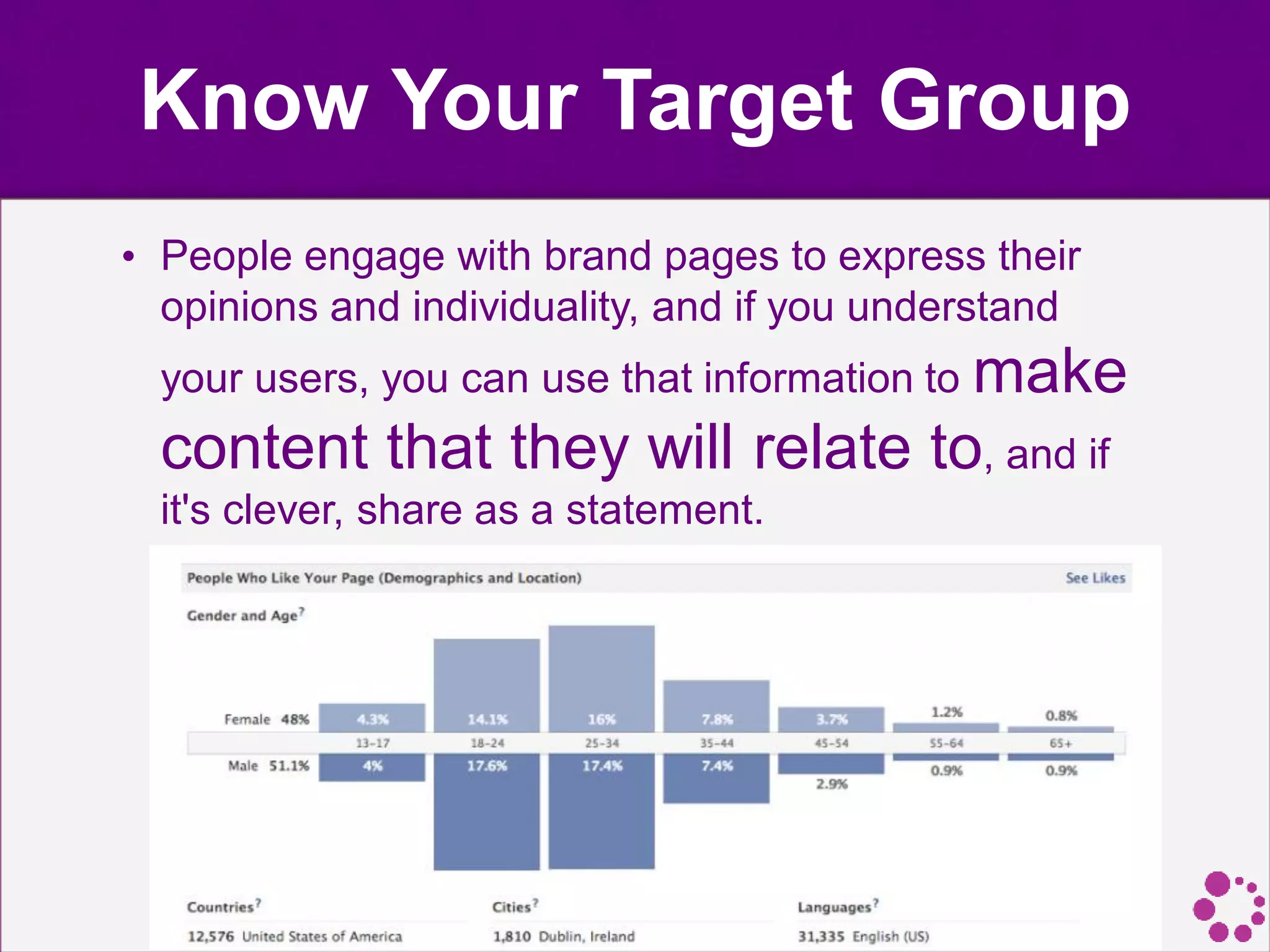
Know Your Target Group
• People engage with brand pages to express their
opinions and individuality, and if you understand
your users, you can use that information to make
content that they will relate to, and if
it's clever, share as a statement.
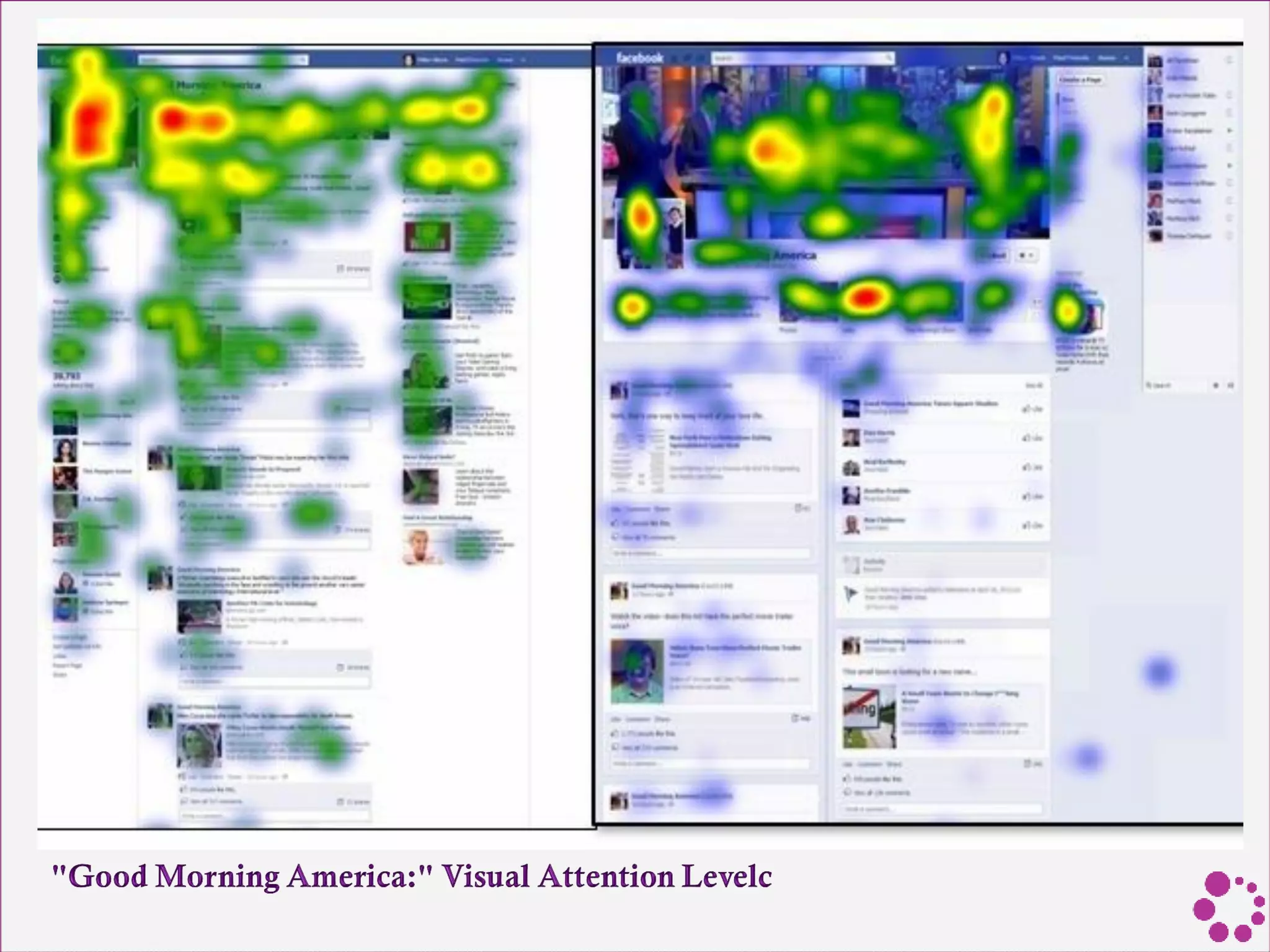
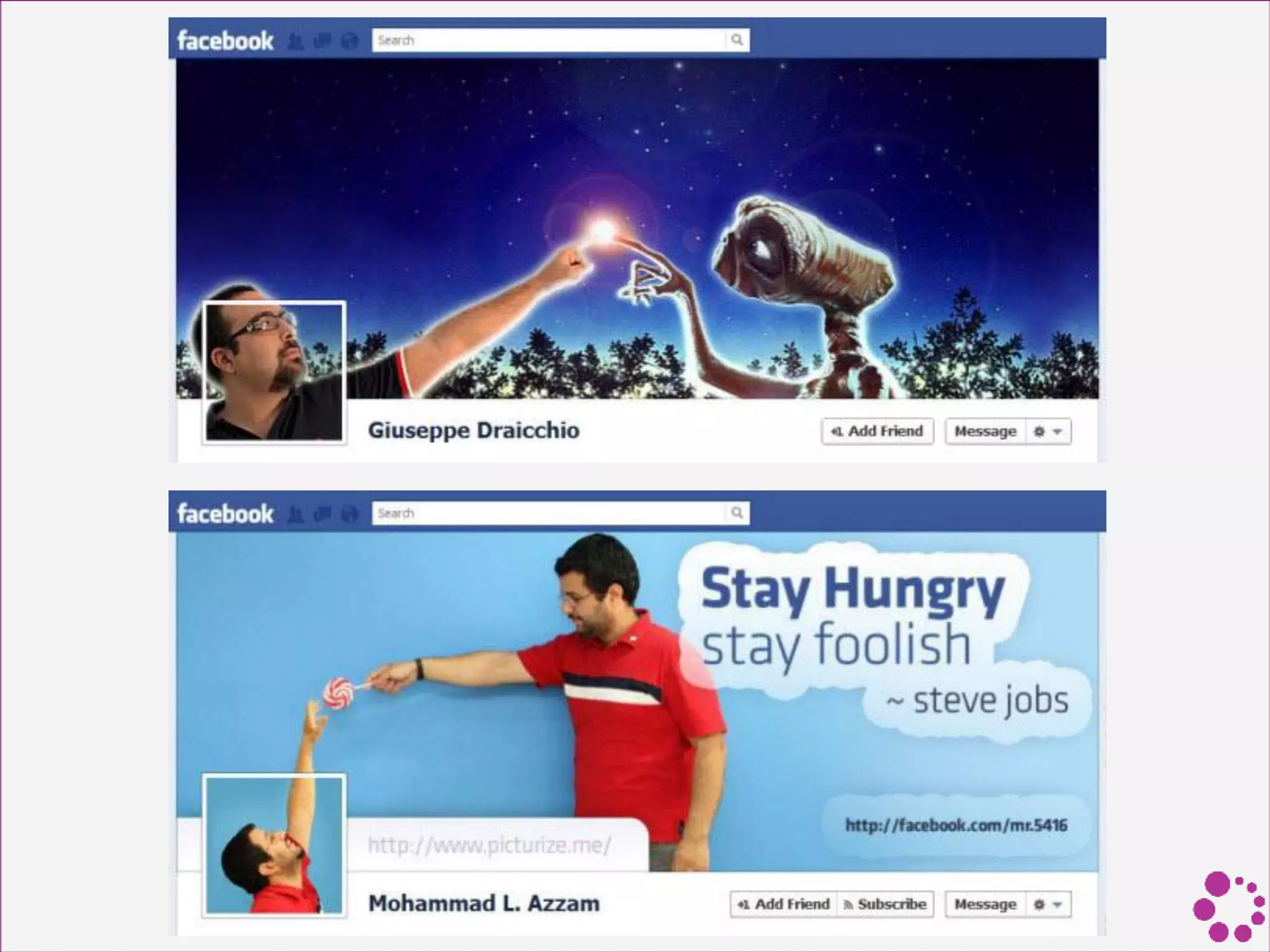
Cover Photos
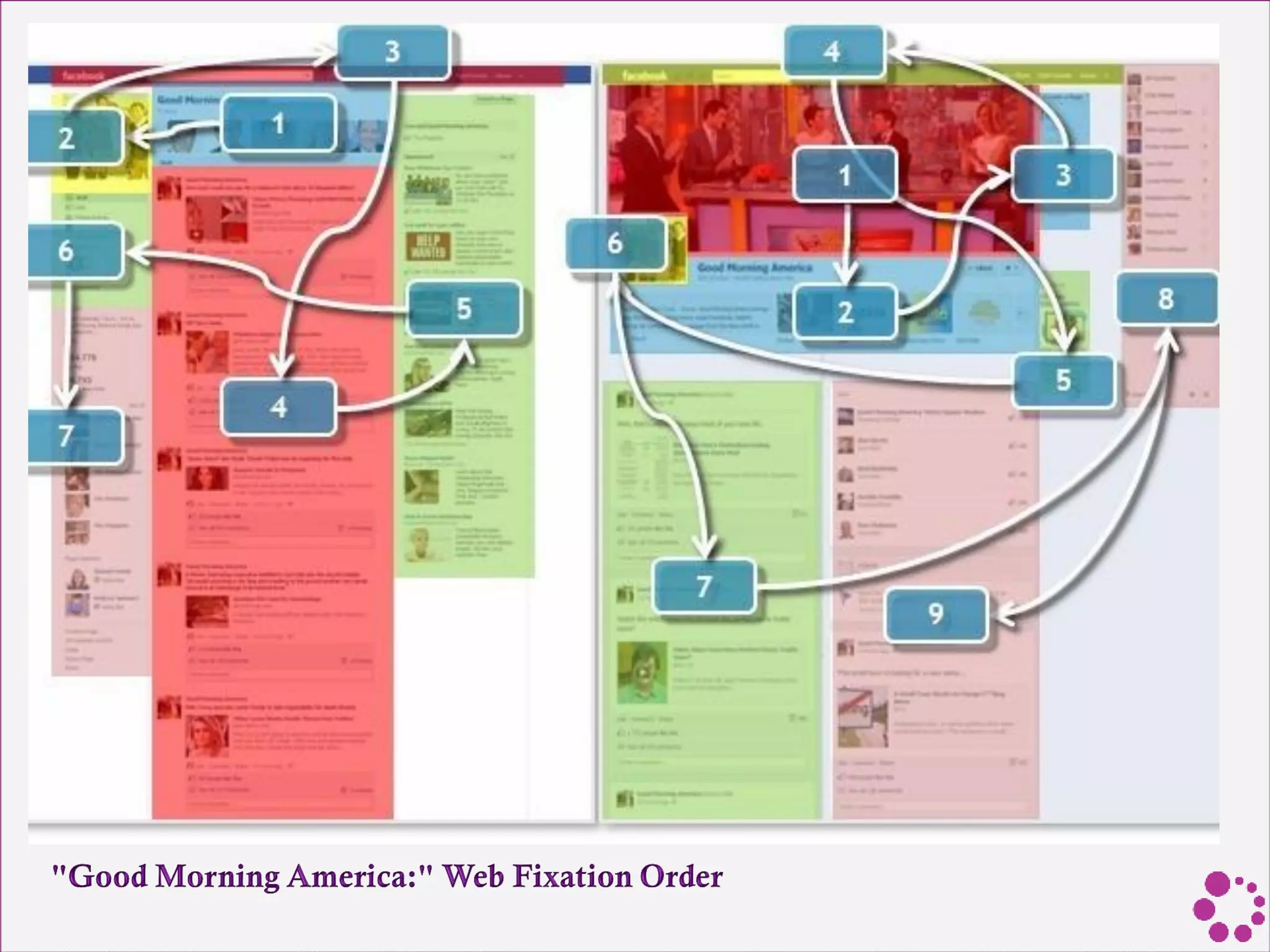
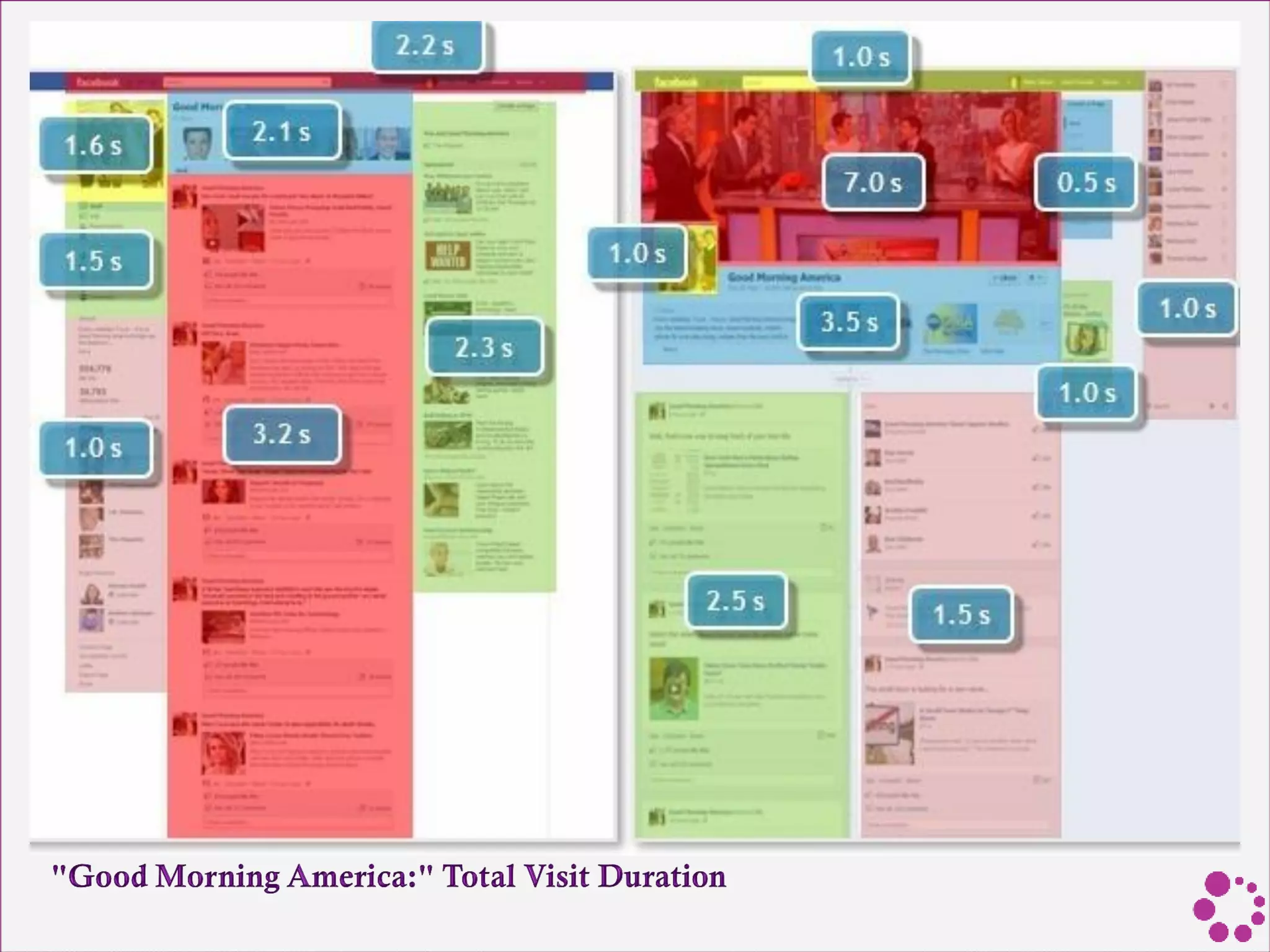
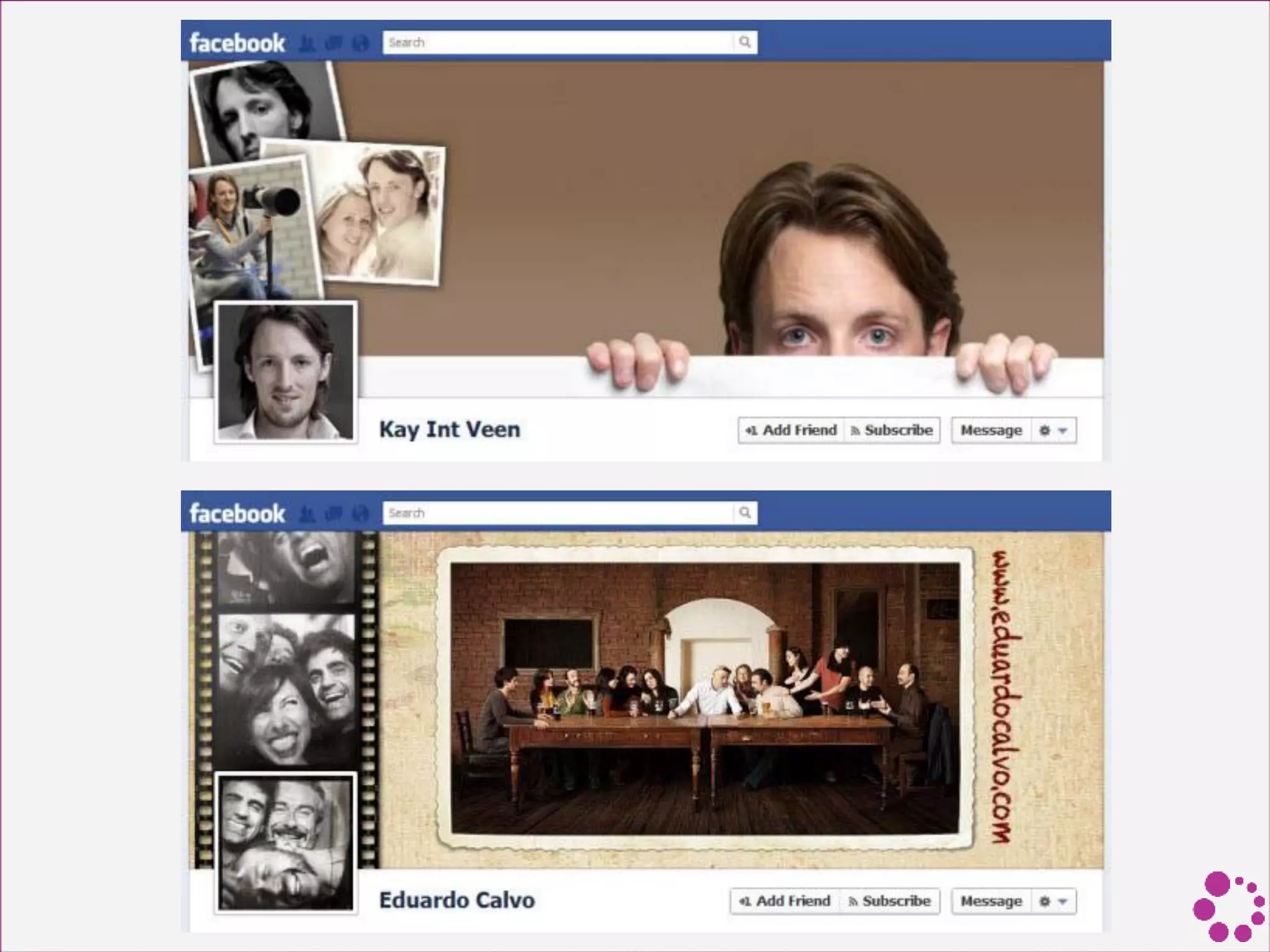
• Cover photos are the new Facebook Wall (at least
as far as attention goes).
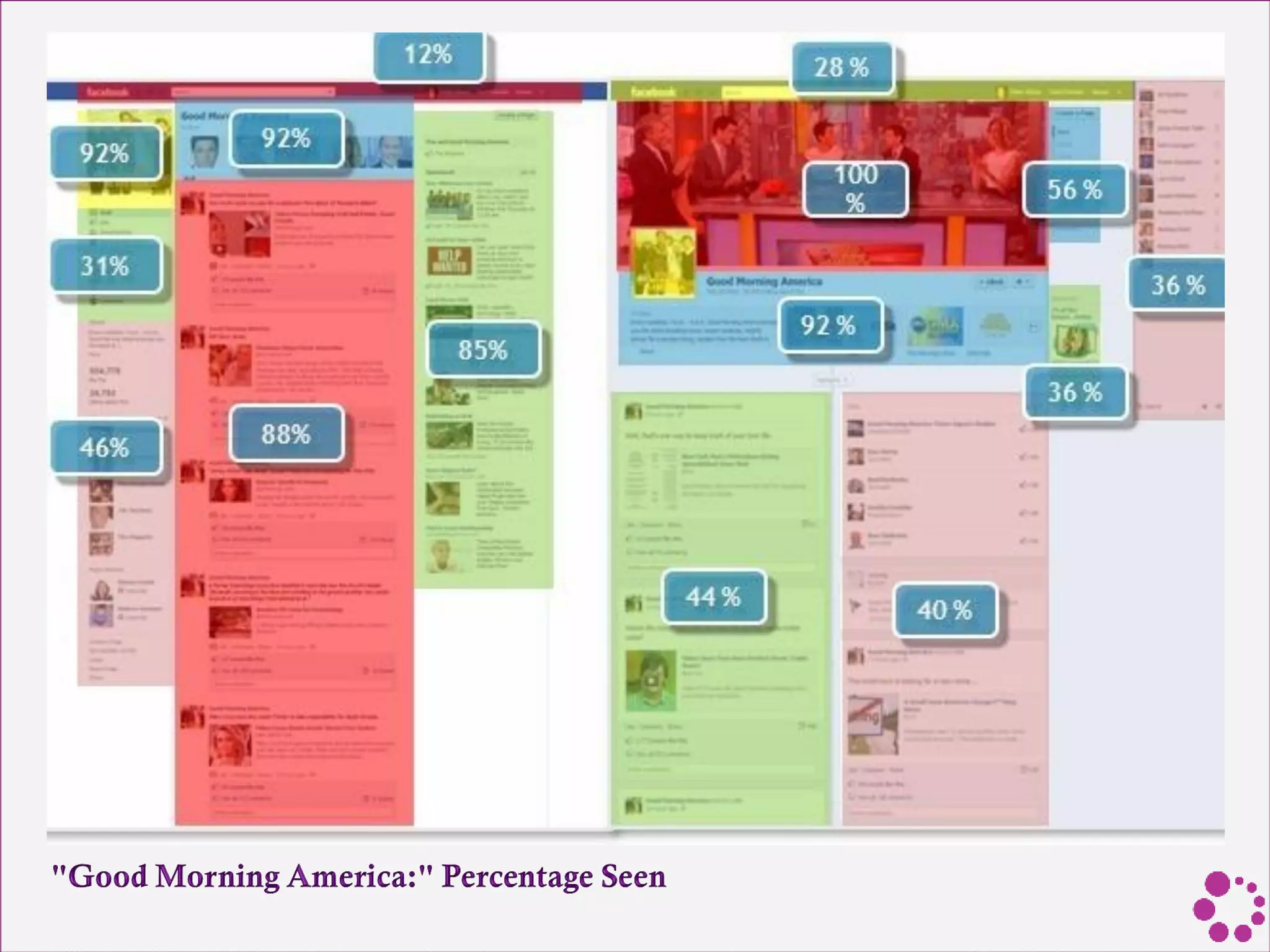
• Everyone will notice your cover photo. It's larger
than anything else and at the top of the page for a
reason, and 100% of viewers looked at it.
• Only 65% to 92% of viewers noticed profile photos
on Brand Pages.
• Cover photos with faces attract the most attention.
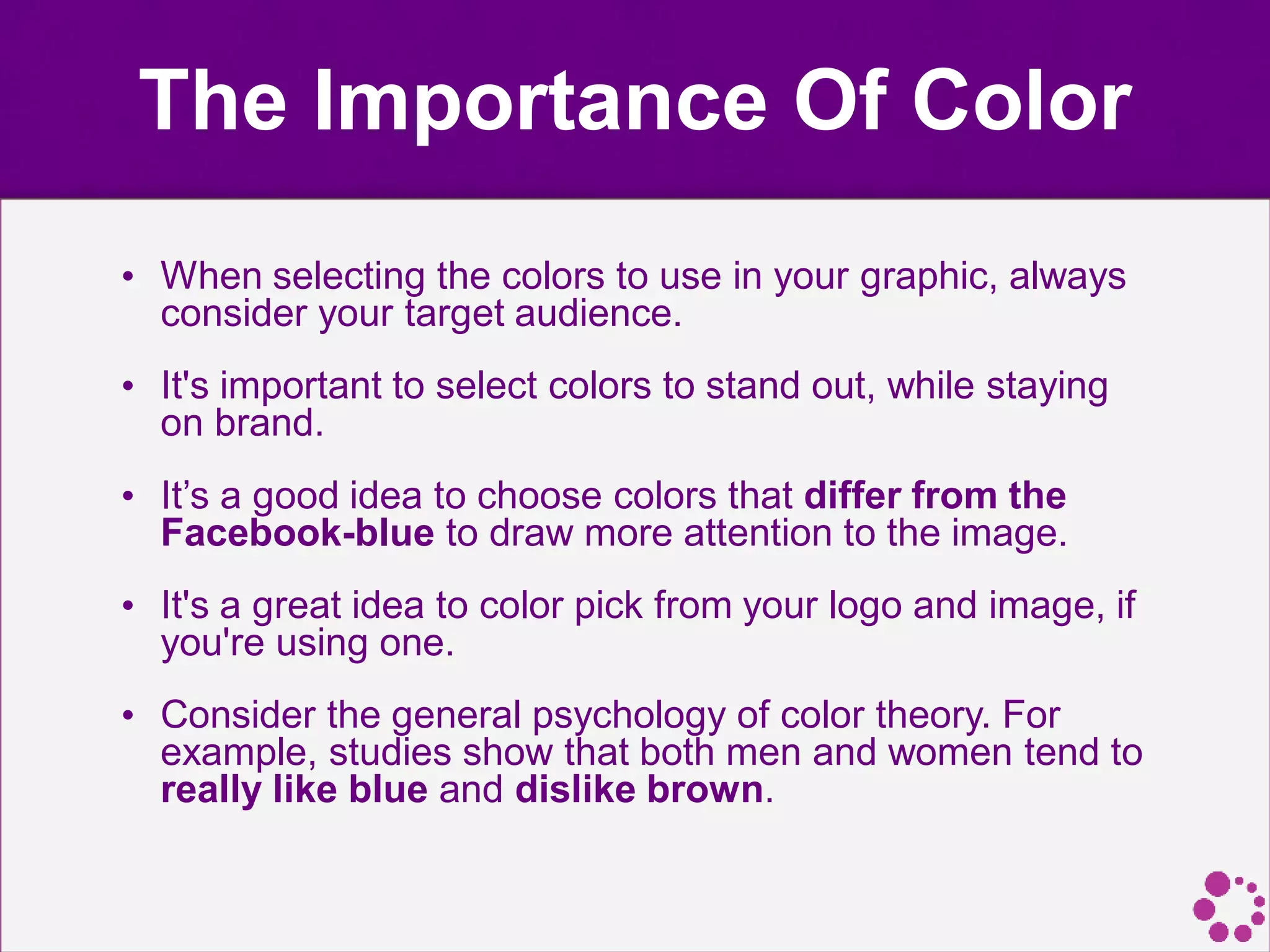
The Importance Of Color
• When selecting the colors to use in your graphic, always
consider your target audience.
• It's important to select colors to stand out, while staying
on brand.
• It’s a good idea to choose colors that differ from the
Facebook-blue to draw more attention to the image.
• It's a great idea to color pick from your logo and image, if
you're using one.
• Consider the general psychology of color theory. For
example, studies show that both men and women tend to
really like blue and dislike brown.
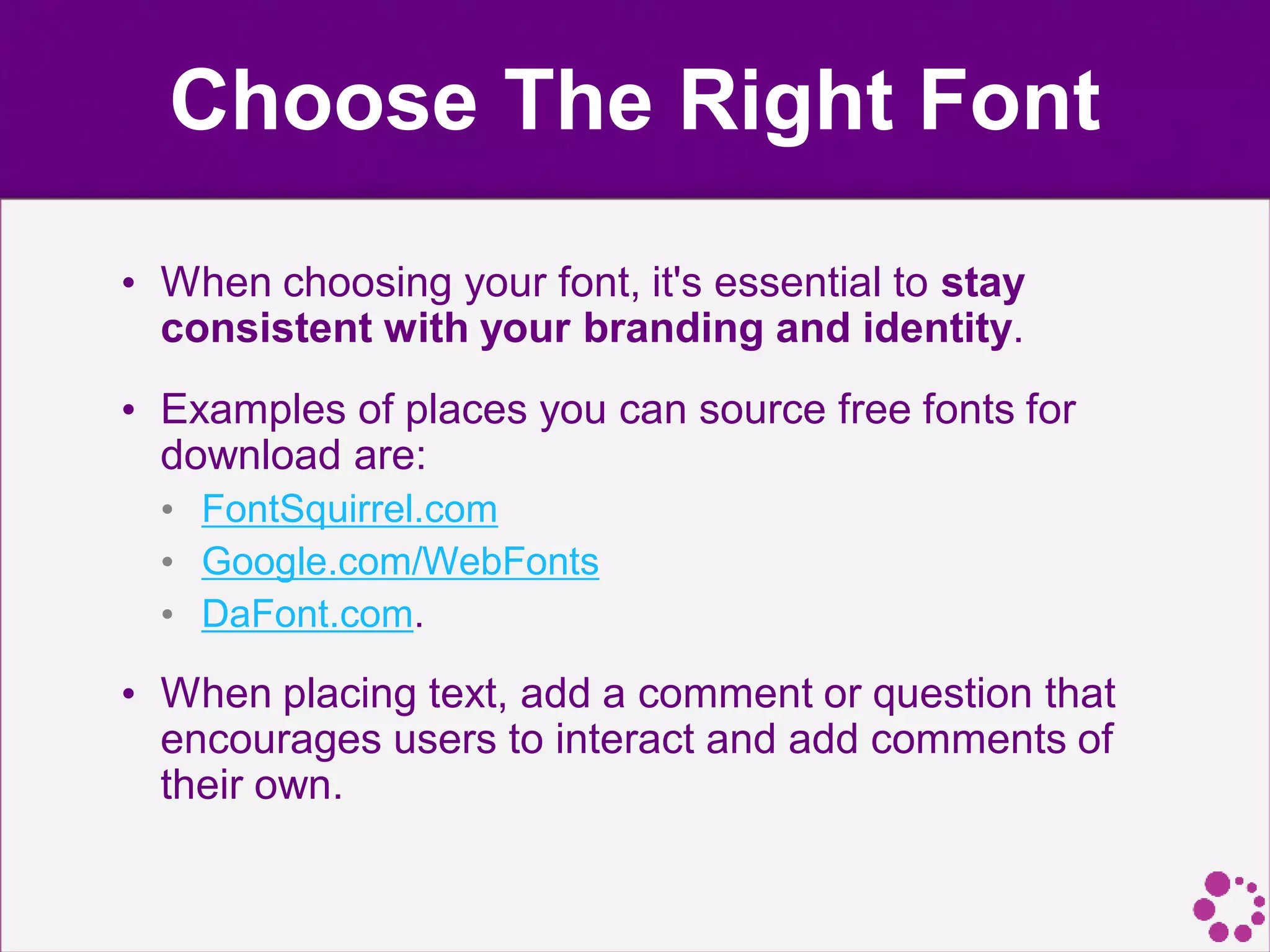
Choose The Right Font
• When choosing your font, it's essential to stay
consistent with your branding and identity.
• Examples of places you can source free fonts for
download are:
• FontSquirrel.com
• Google.com/WebFonts
• DaFont.com.
• When placing text, add a comment or question that
encourages users to interact and add comments of
their own.
Keep Up To Date With
Graphic Dimensions
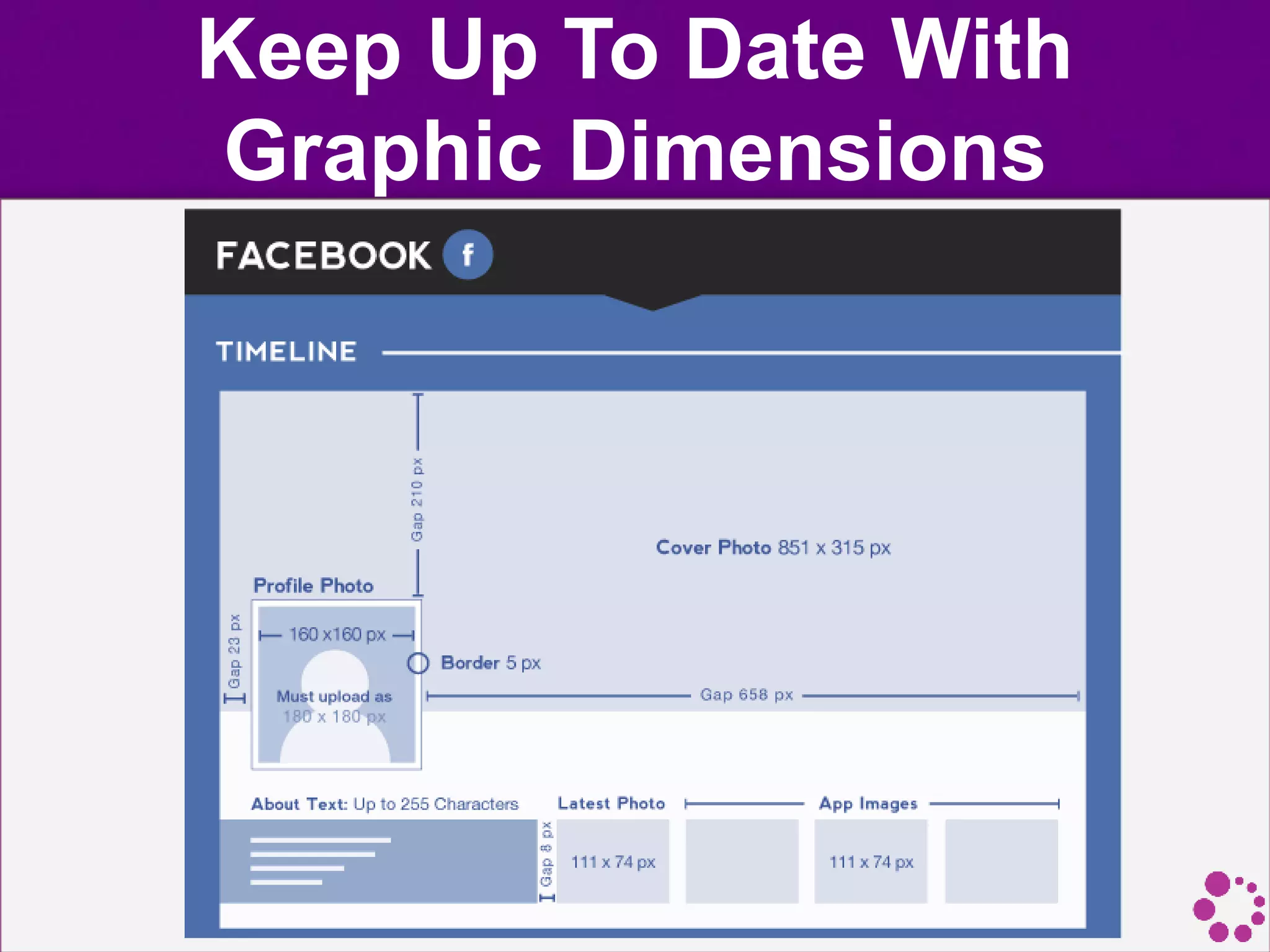
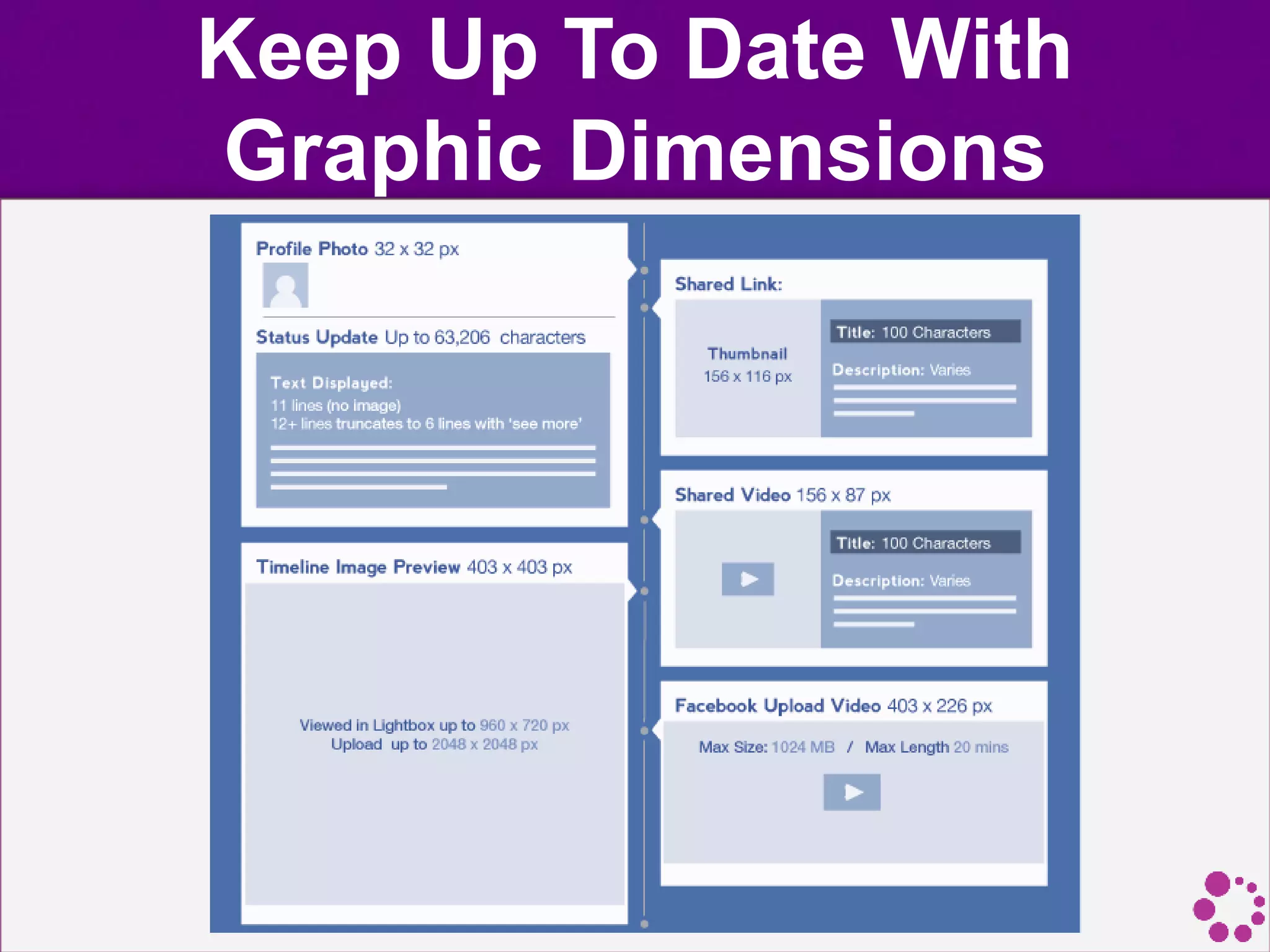
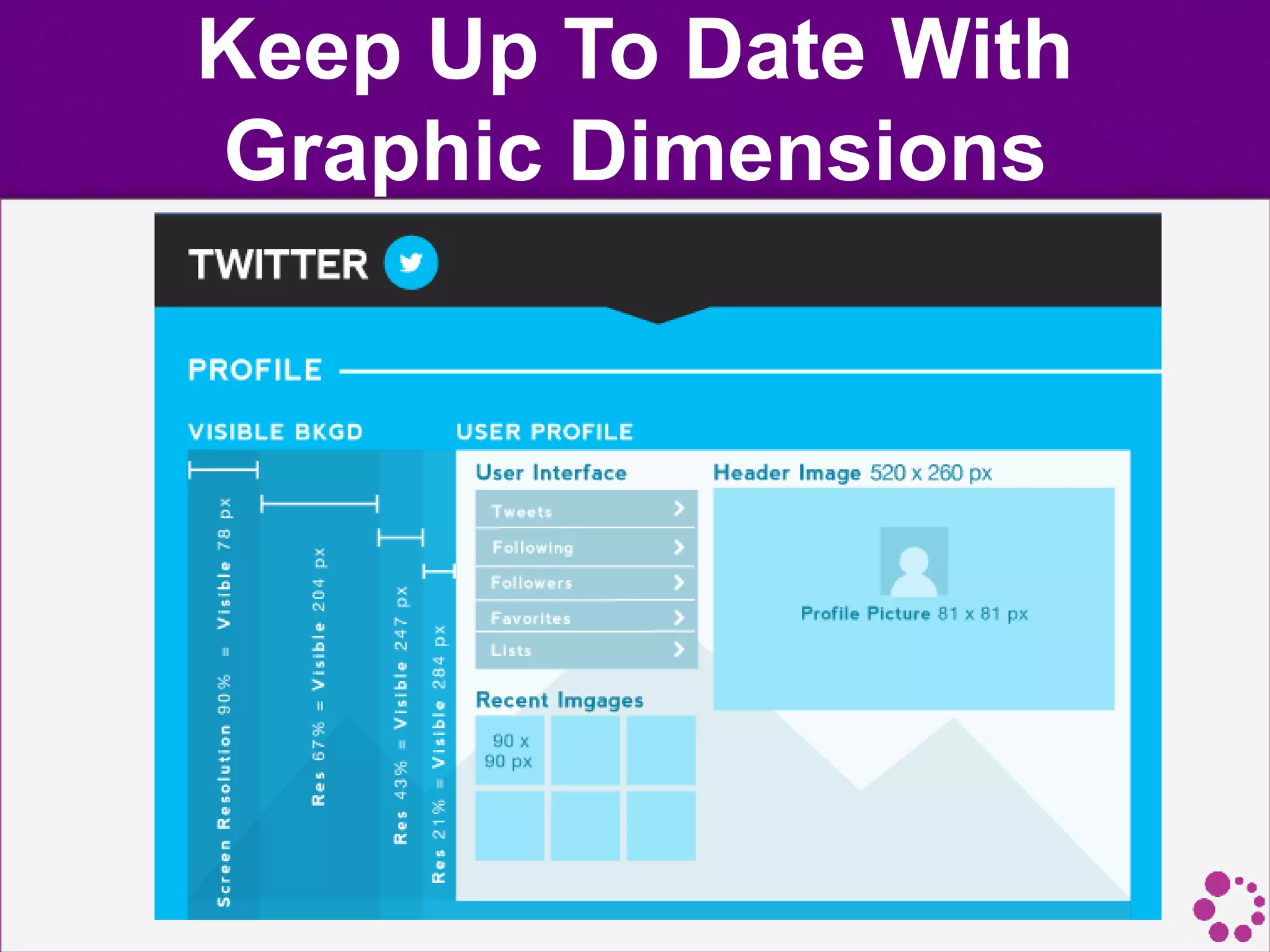
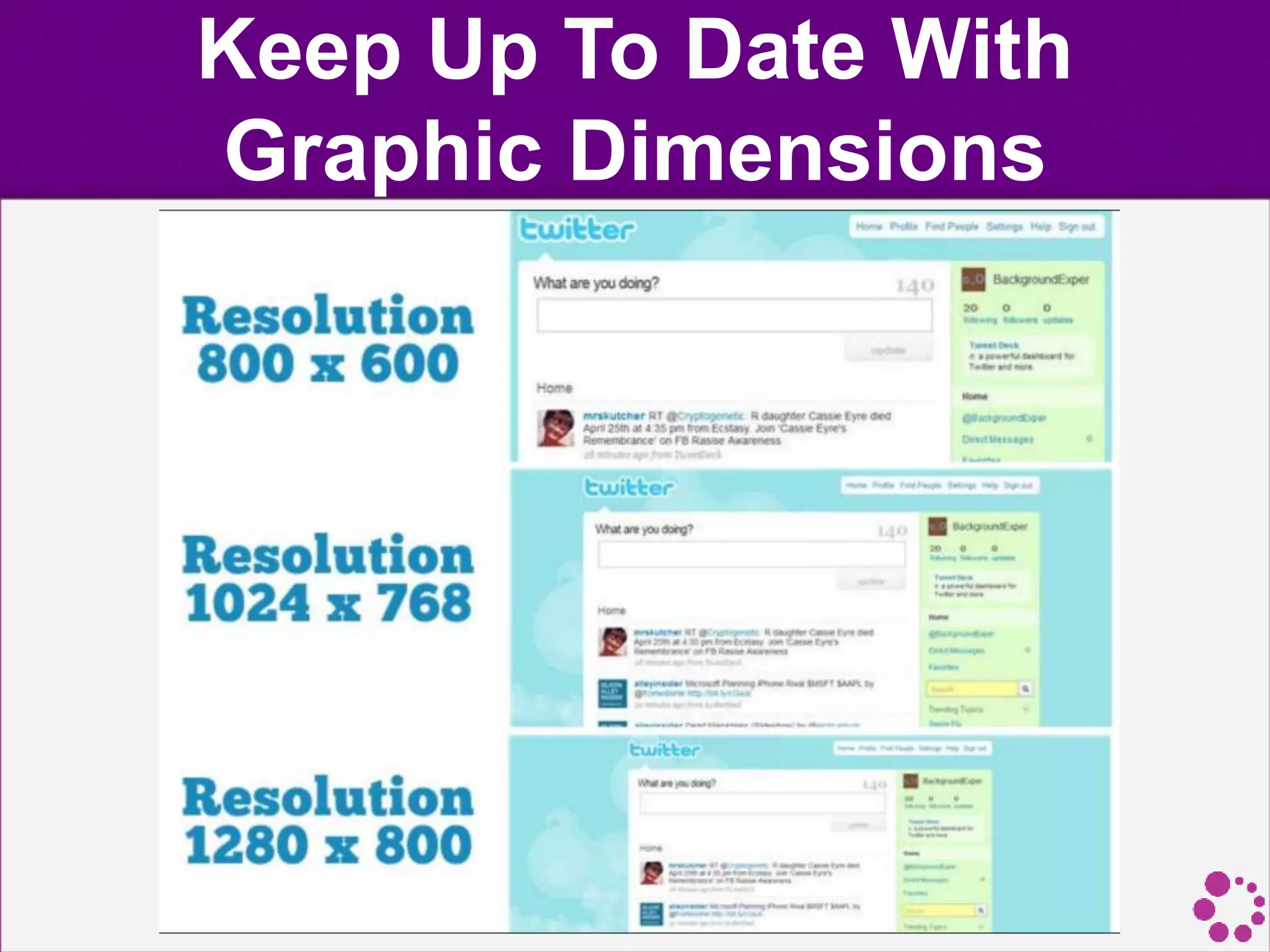
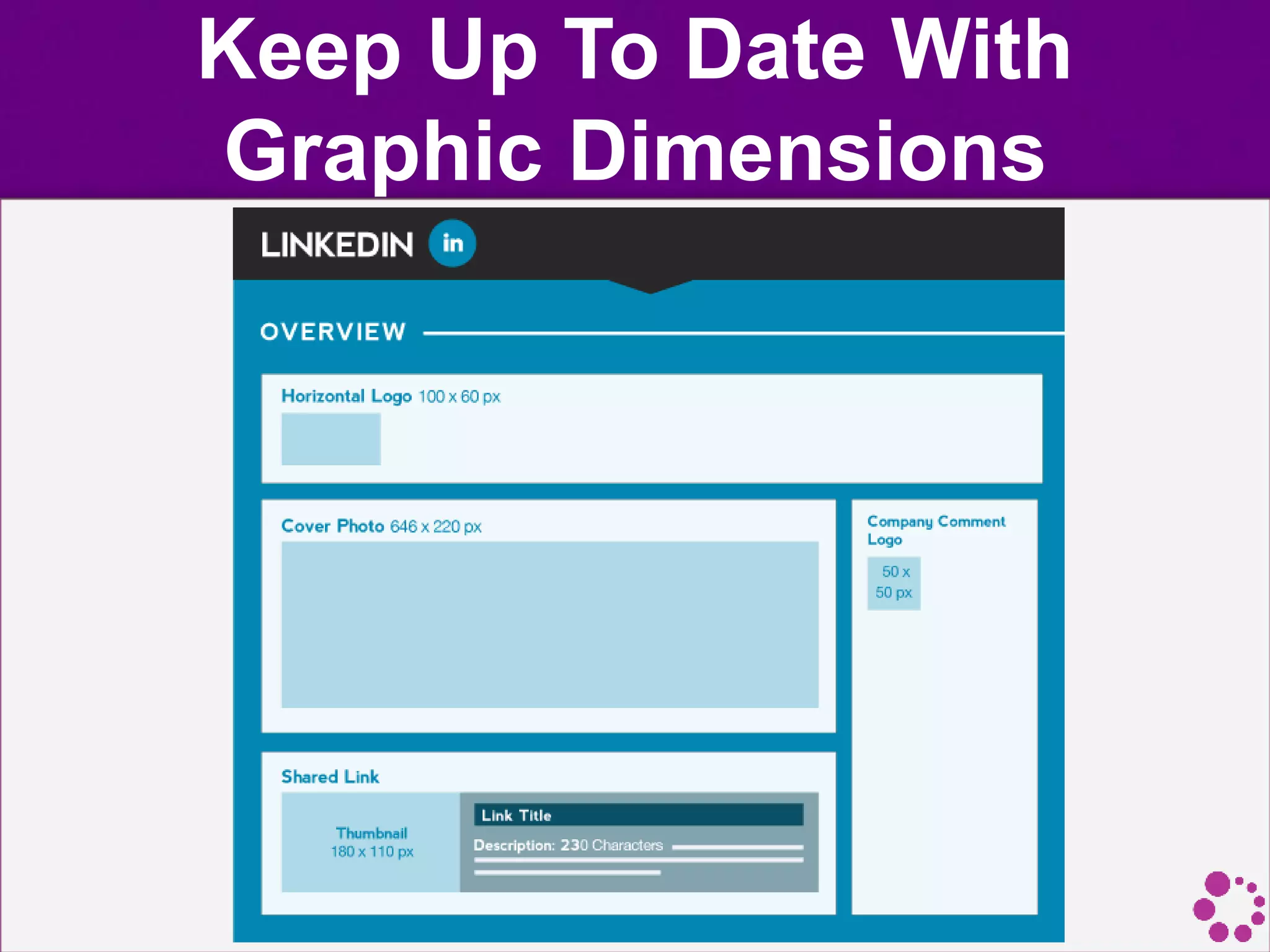
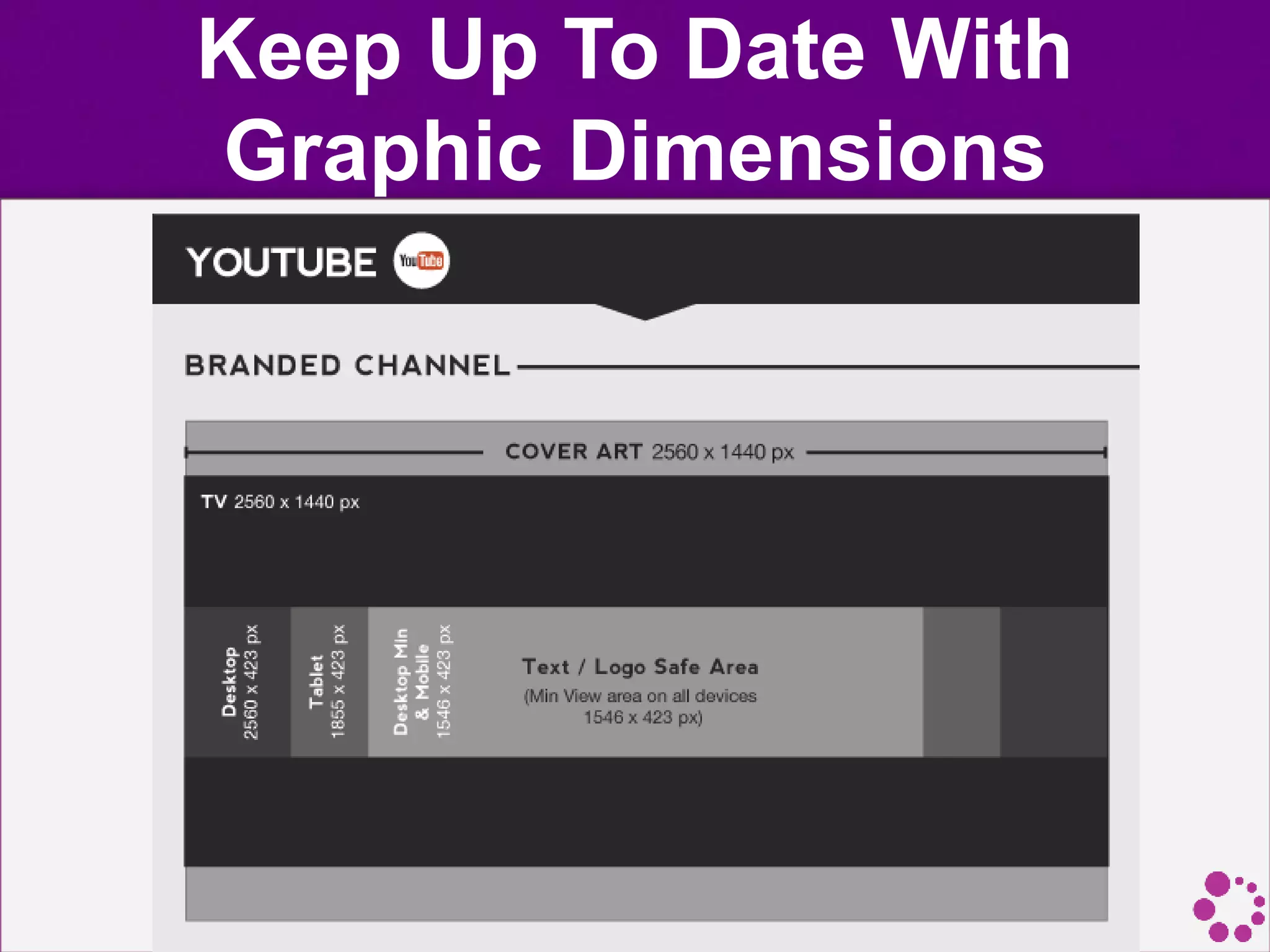
• Keep in mind that these are constantly changing as
each site updates their layouts, so it's a good idea to
regularly check for new dimensions.
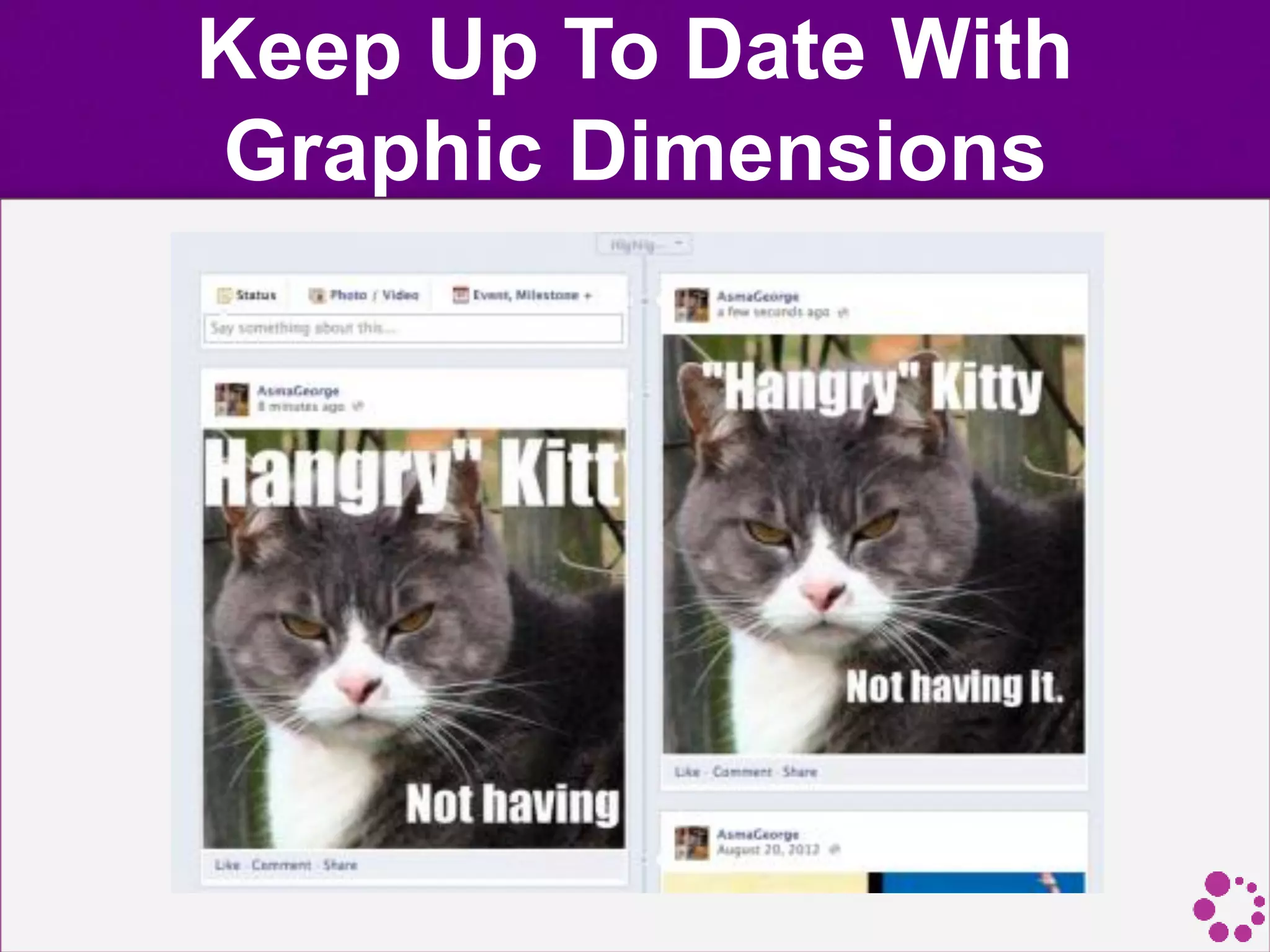
• Always remember to resize your images for social
media.
• When people aren’t in front of a computer, they’re in
front of a smartphone or tablet. The larger the photo
and the greater the resolution, the longer it takes to
process.
Keep Up To Date With
Graphic Dimensions
Keep Up To Date With
Graphic Dimensions
Keep Up To Date With
Graphic Dimensions
Keep Up To Date With
Graphic Dimensions
Keep Up To Date With
Graphic Dimensions
Keep Up To Date With
Graphic Dimensions
Keep Up To Date With
Graphic Dimensions
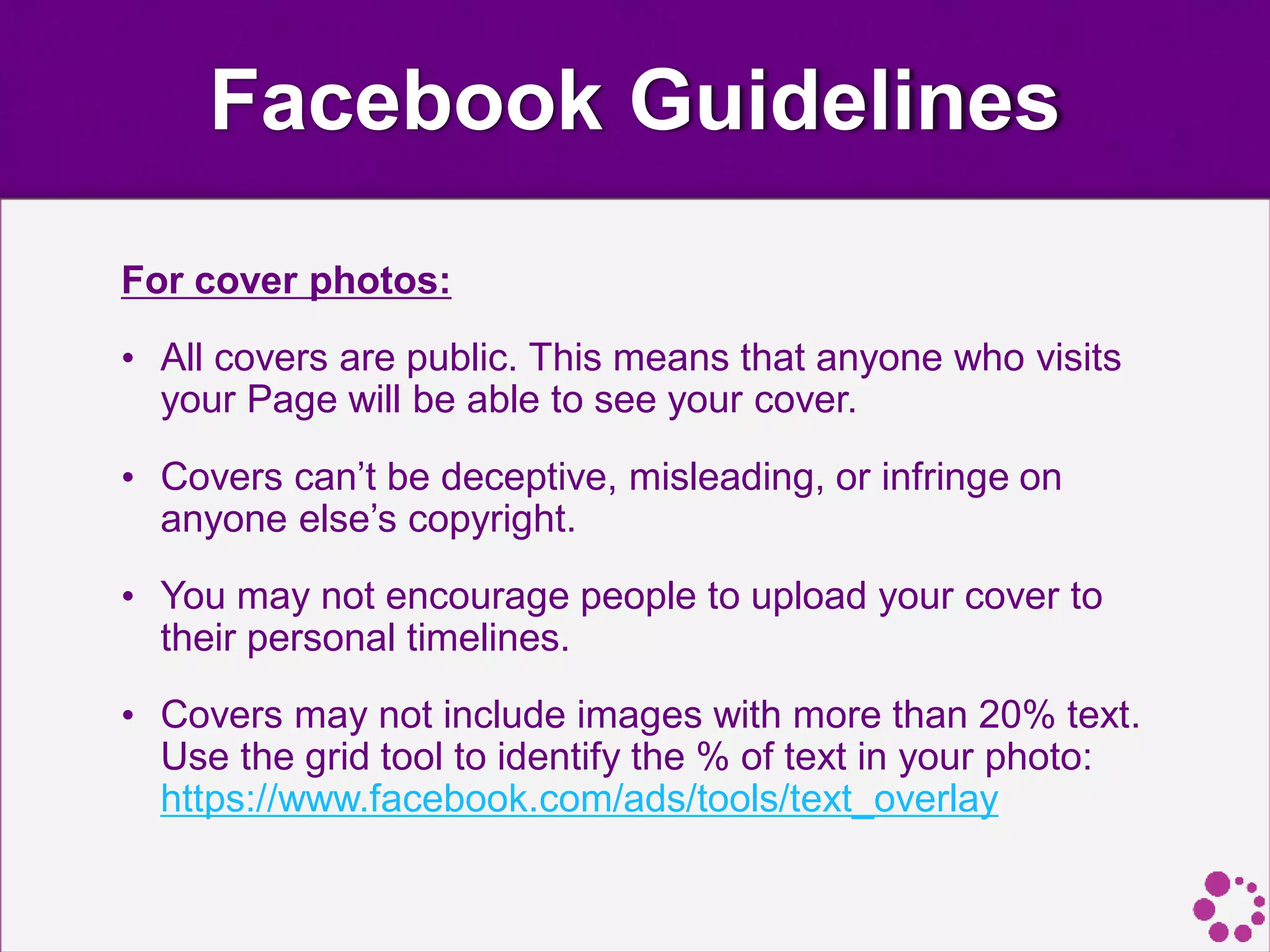
Facebook Guidelines
For cover photos:
• All covers are public. This means that anyone who visits
your Page will be able to see your cover.
• Covers can’t be deceptive, misleading, or infringe on
anyone else’s copyright.
• You may not encourage people to upload your cover to
their personal timelines.
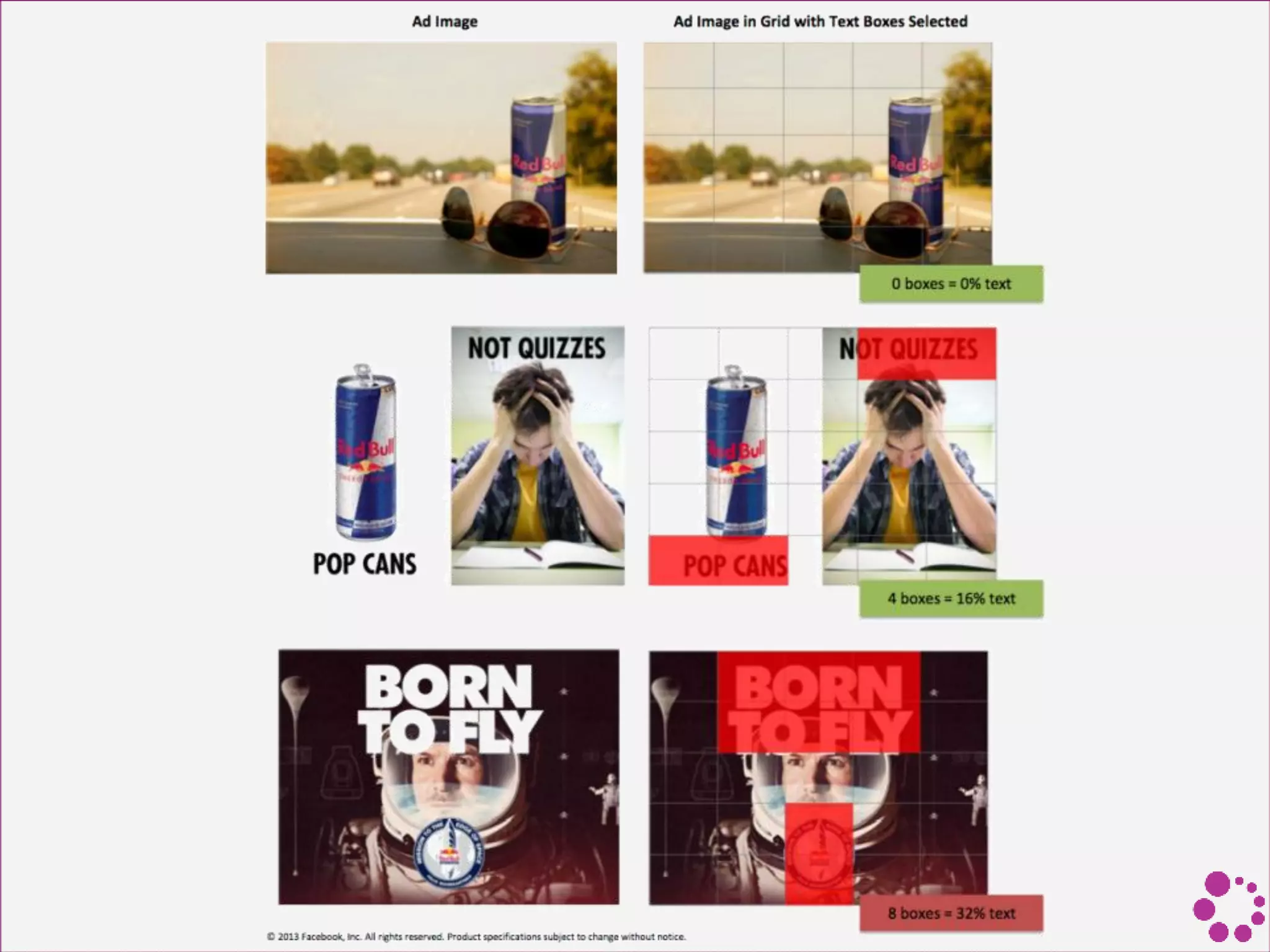
• Covers may not include images with more than 20% text.
Use the grid tool to identify the % of text in your photo:
https://www.facebook.com/ads/tools/text_overlay
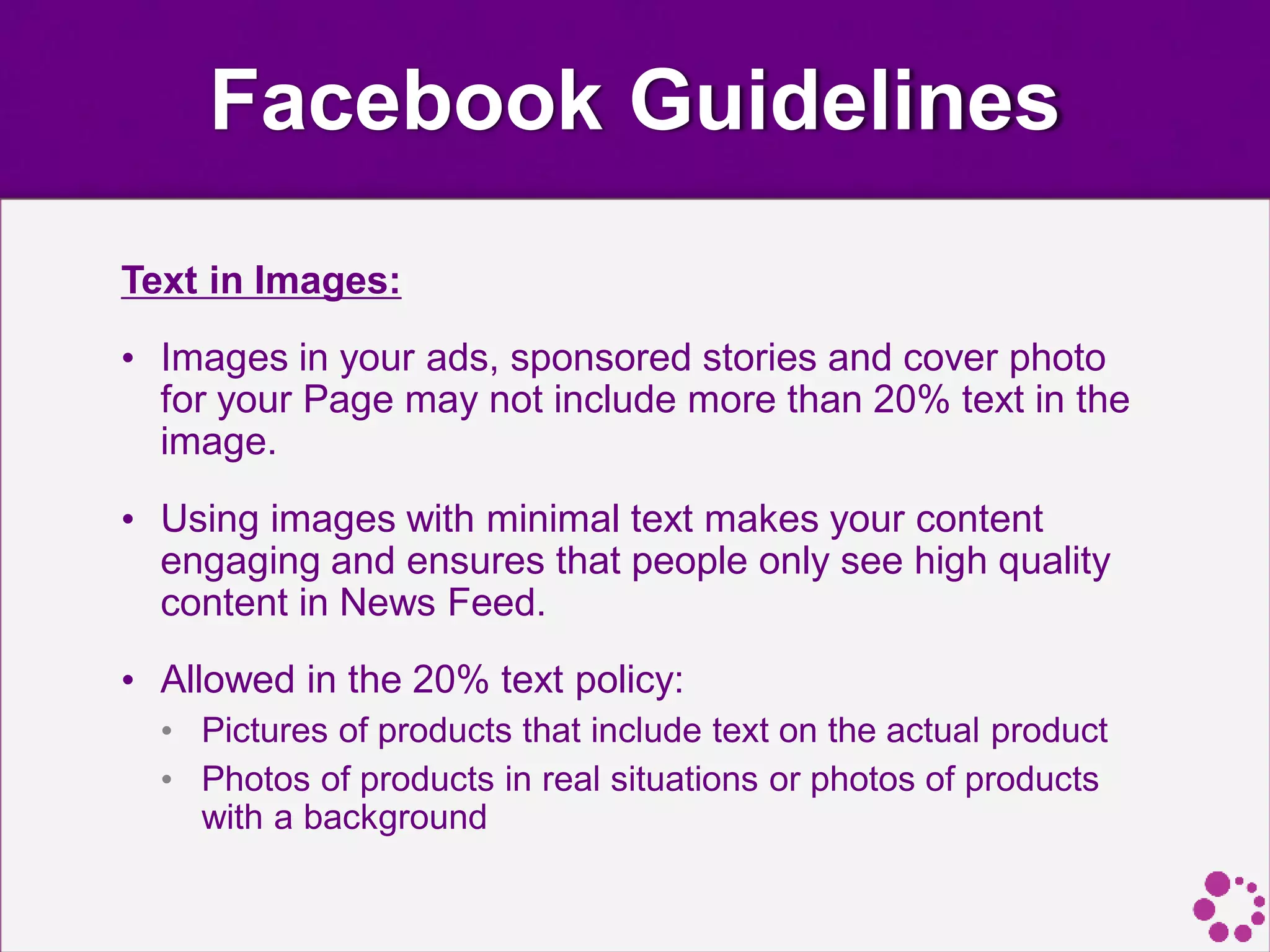
Facebook Guidelines
Text in Images:
• Images in your ads, sponsored stories and cover photo
for your Page may not include more than 20% text in the
image.
• Using images with minimal text makes your content
engaging and ensures that people only see high quality
content in News Feed.
• Allowed in the 20% text policy:
• Pictures of products that include text on the actual product
• Photos of products in real situations or photos of products
with a background
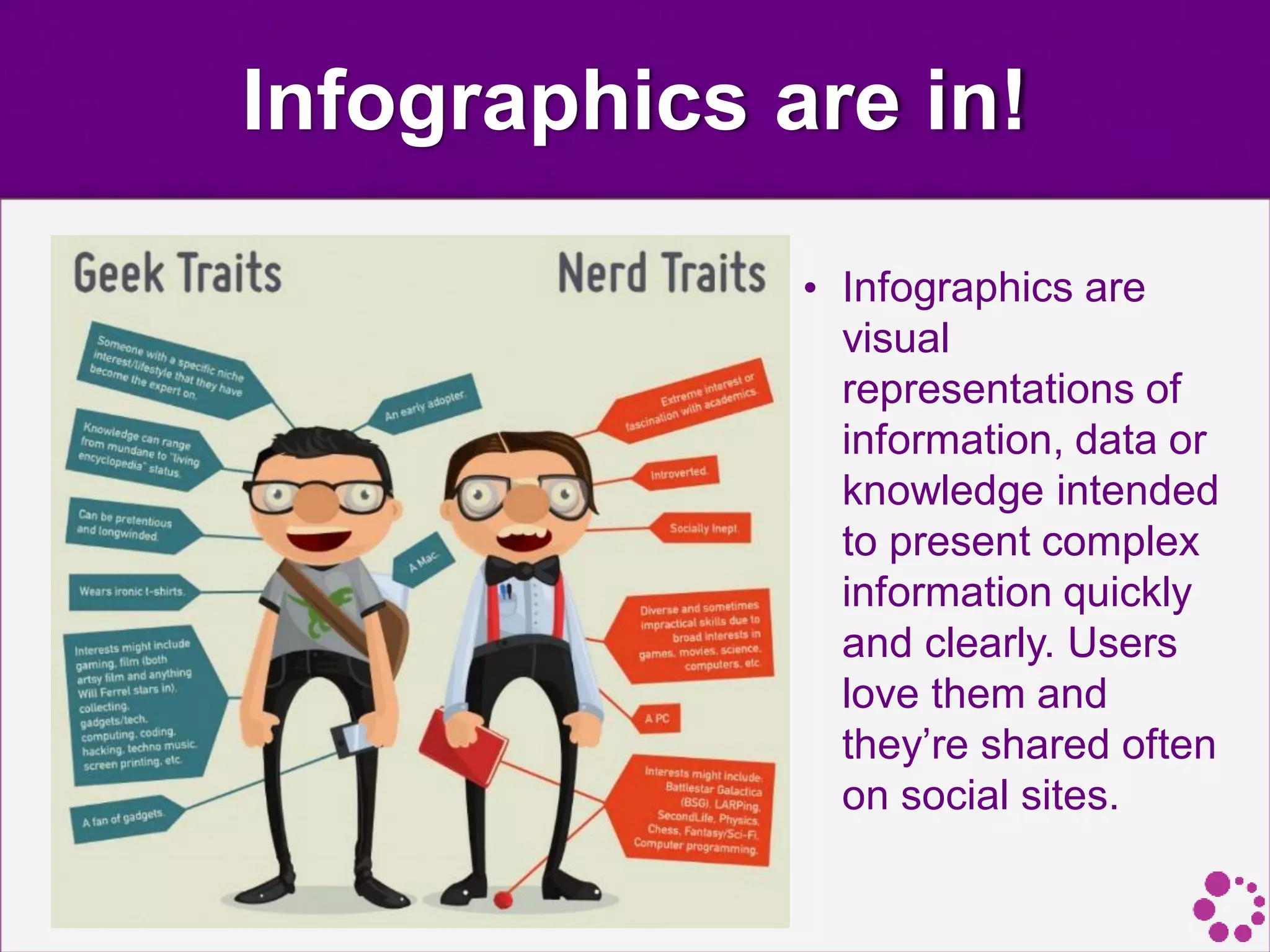
Infographics are in!
• Infographics are
visual
representations of
information, data or
knowledge intended
to present complex
information quickly
and clearly. Users
love them and
they’re shared often
on social sites.
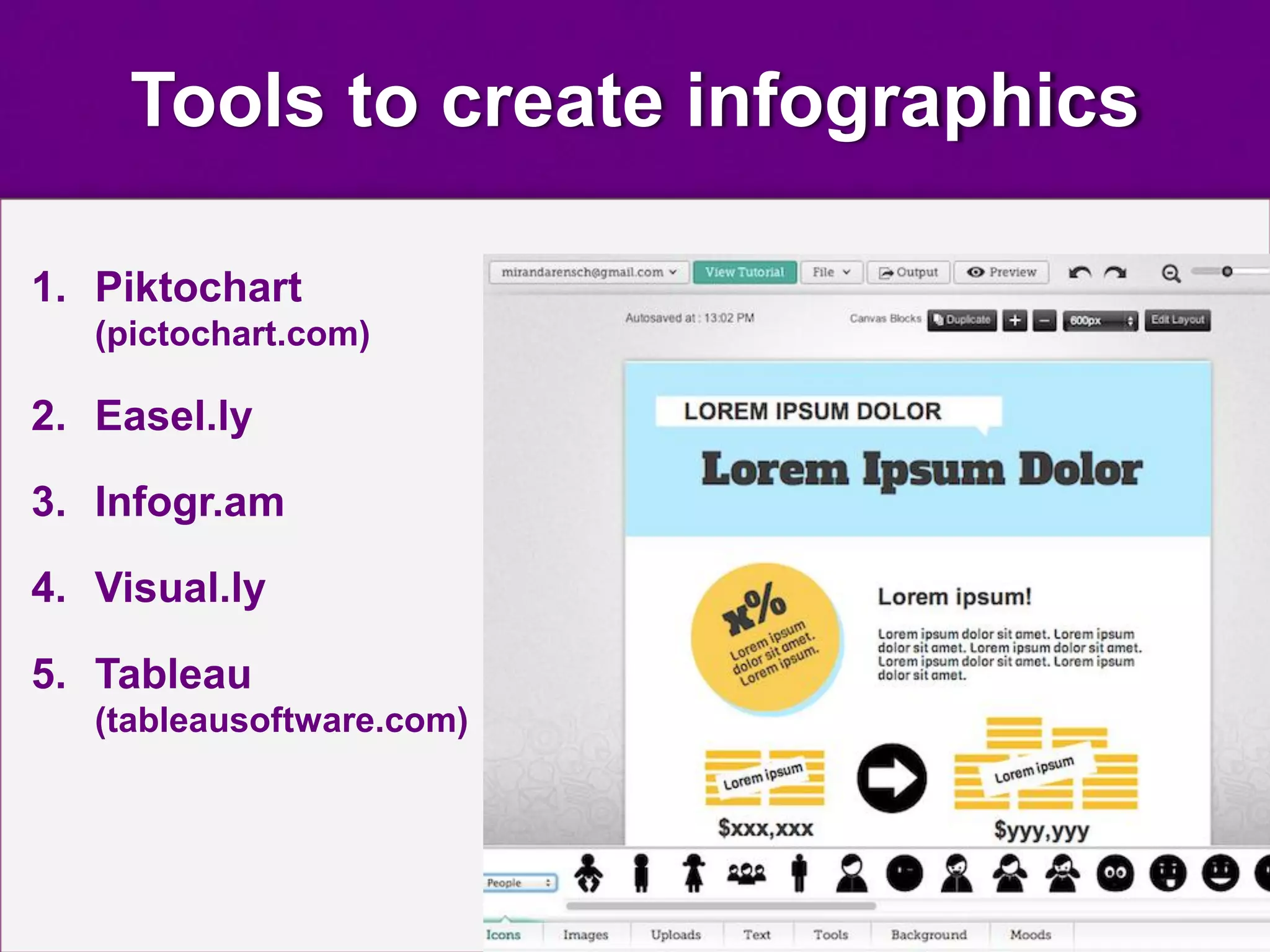
Tools to create infographics
1. Piktochart
(pictochart.com)
2. Easel.ly
3. Infogr.am
4. Visual.ly
5. Tableau
(tableausoftware.com)
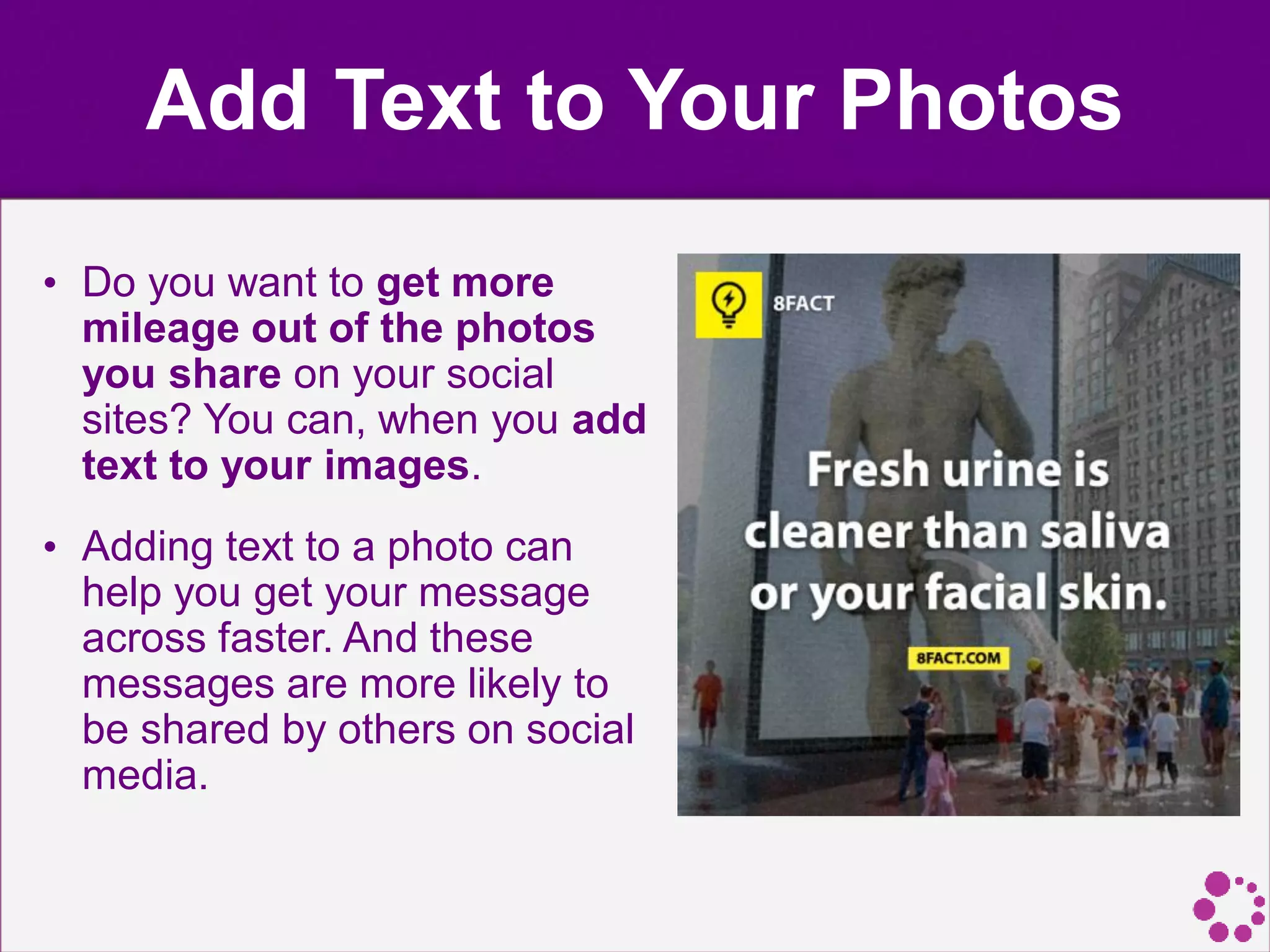
Add Text to Your Photos
• Do you want to get more
mileage out of the photos
you share on your social
sites? You can, when you add
text to your images.
• Adding text to a photo can
help you get your message
across faster. And these
messages are more likely to
be shared by others on social
media.
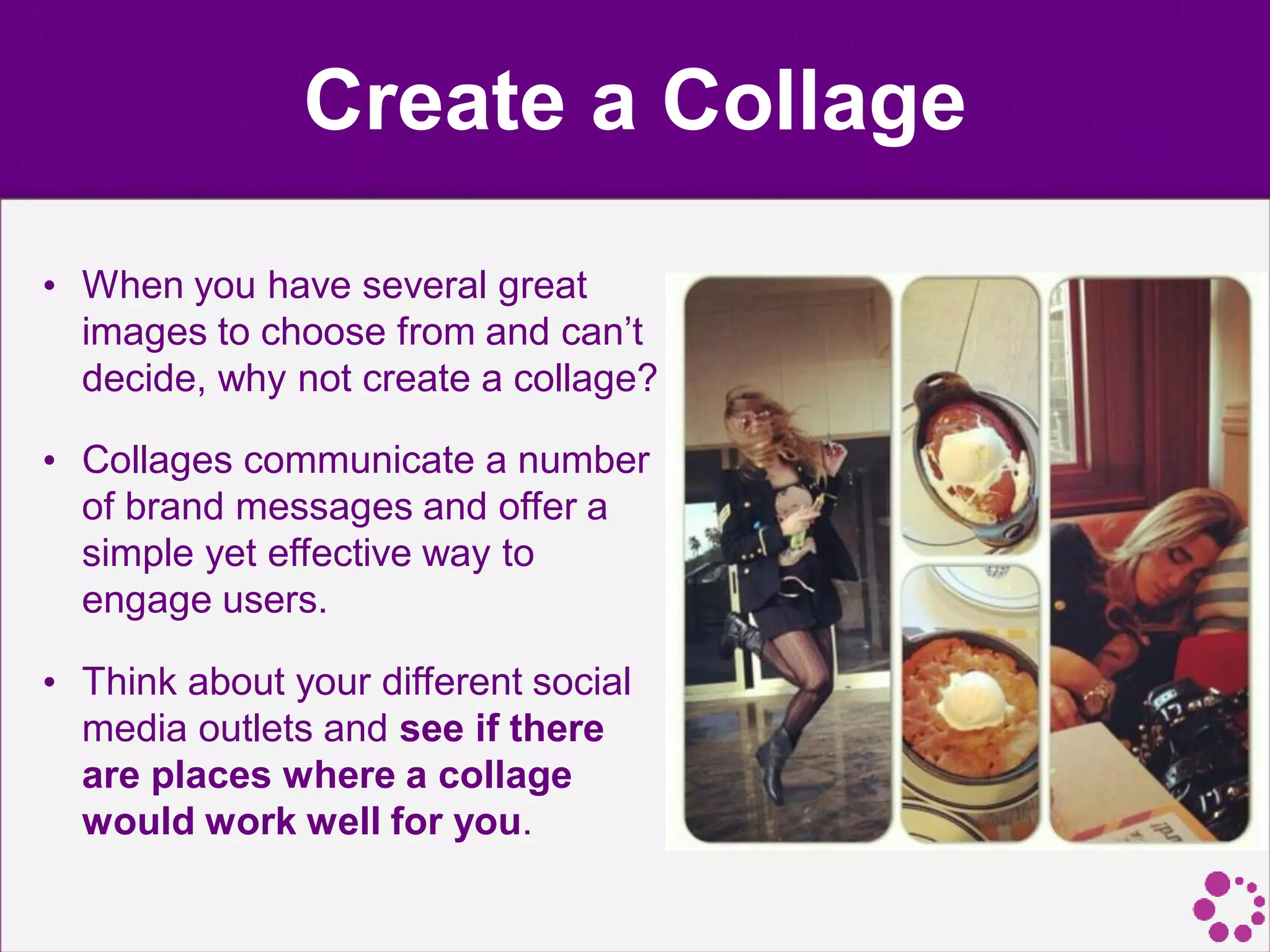
Create a Collage
• When you have several great
images to choose from and can’t
decide, why not create a collage?
• Collages communicate a number
of brand messages and offer a
simple yet effective way to
engage users.
• Think about your different social
media outlets and see if there
are places where a collage
would work well for you.
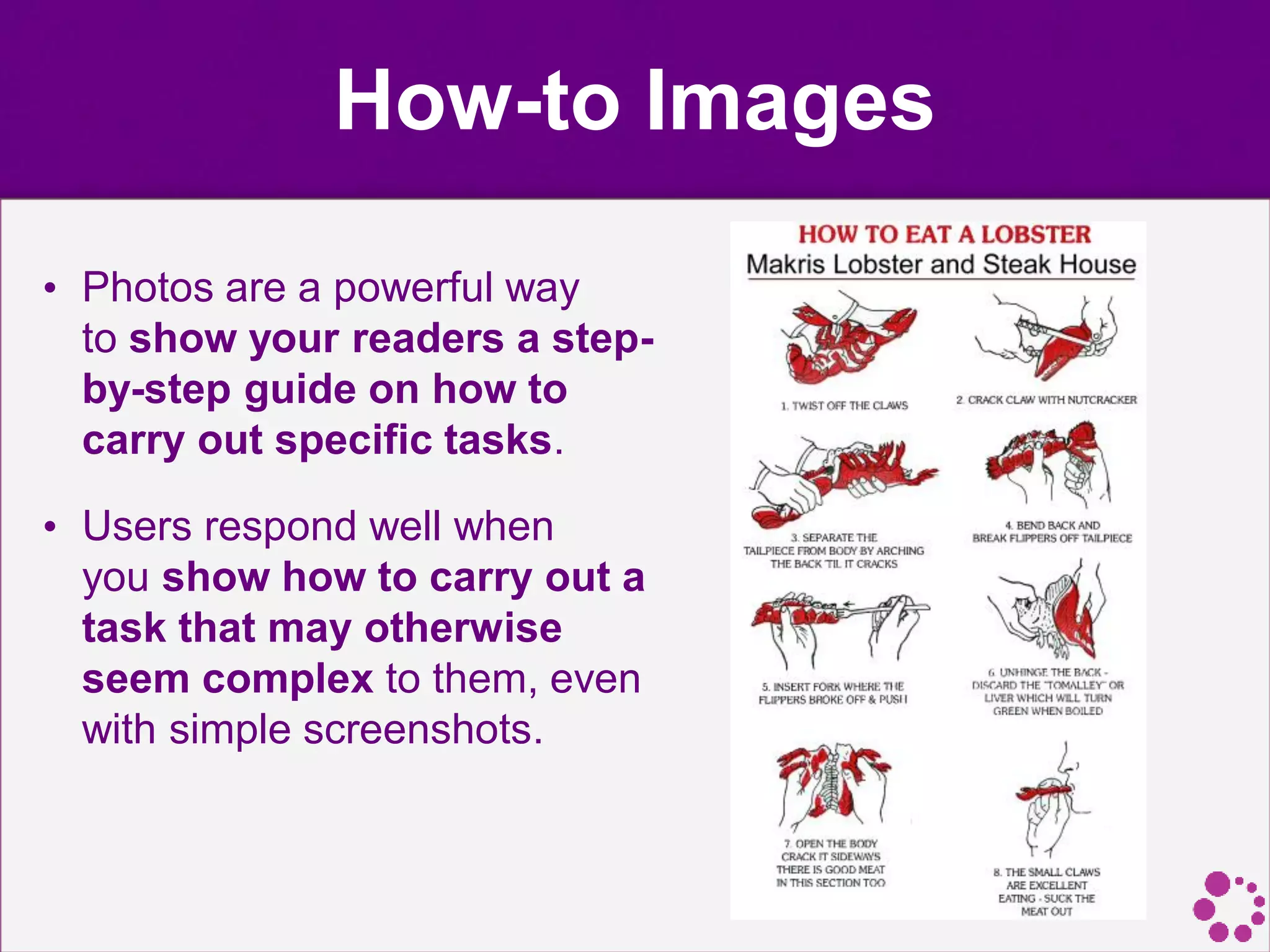
How-to Images
• Photos are a powerful way
to show your readers a step-
by-step guide on how to
carry out specific tasks.
• Users respond well when
you show how to carry out a
task that may otherwise
seem complex to them, even
with simple screenshots.
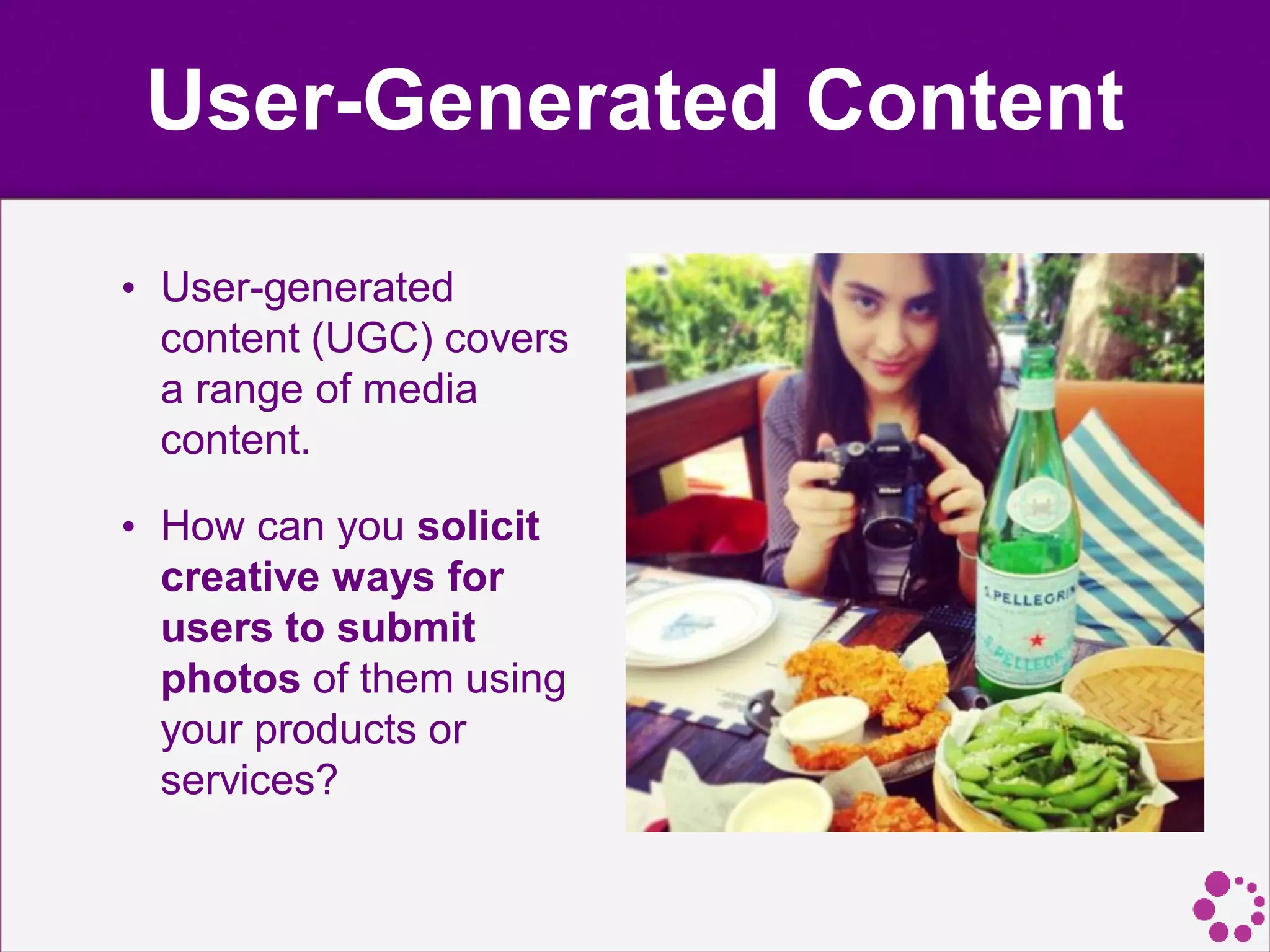
User-Generated Content
• User-generated
content (UGC) covers
a range of media
content.
• How can you solicit
creative ways for
users to submit
photos of them using
your products or
services?
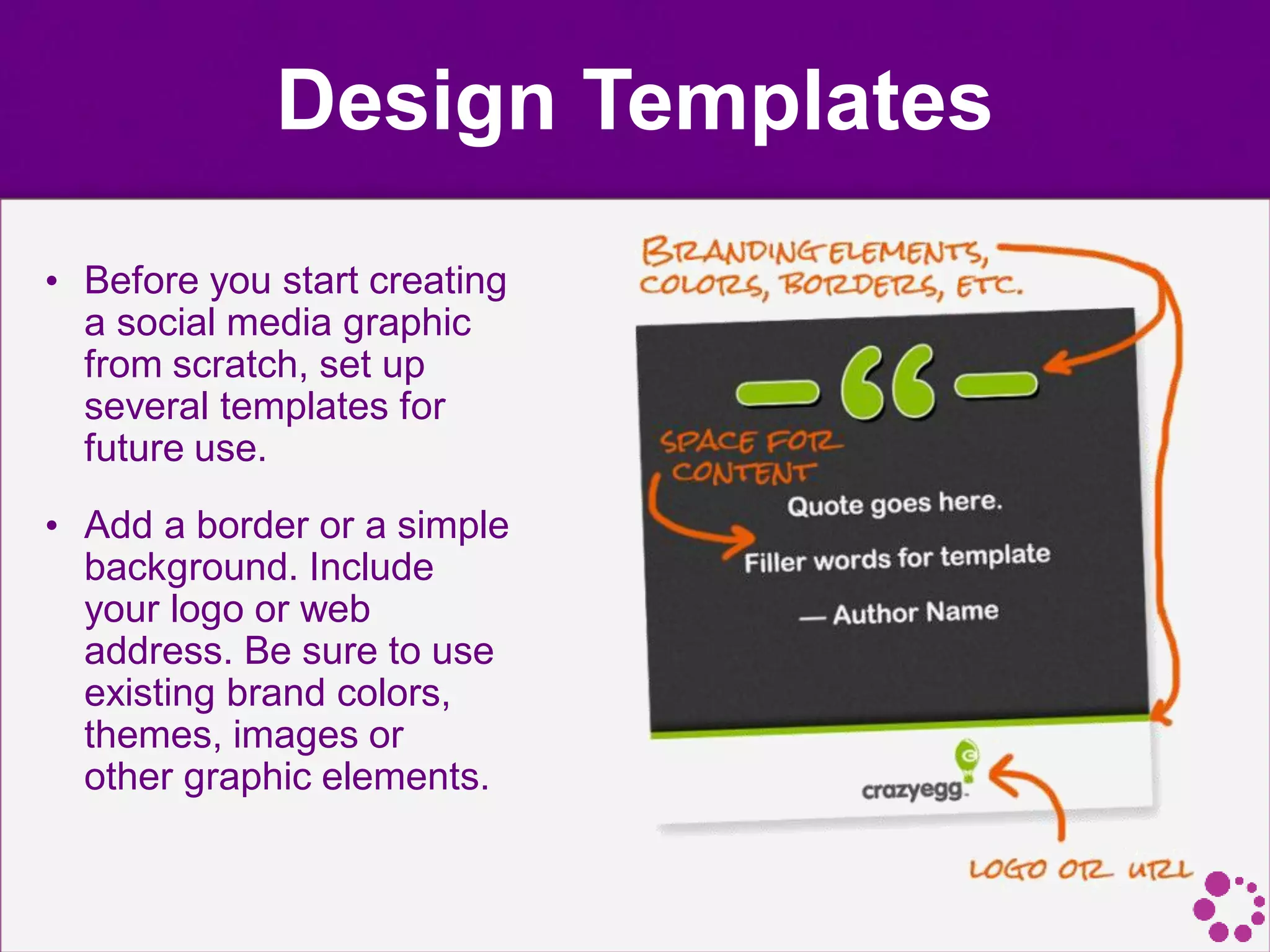
Design Templates
• Before you start creating
a social media graphic
from scratch, set up
several templates for
future use.
• Add a border or a simple
background. Include
your logo or web
address. Be sure to use
existing brand colors,
themes, images or
other graphic elements.
Optimize Images for User
Experience
• High Quality. People will be more likely to spend
additional time on an image that is high quality in terms
of composition and image resolution.
• Maintain Relevancy. It is even more essential that your
imagery is relevant for your audience. An image that is
disconnected from the text will put people off and they
will be discouraged to visit again. An example would be
a photo of a cute dog sleeping when your article is about
love for cats, or their rocky relationship with their
boyfriend.
• Don’t Make Them Work Too Hard. While some
journalists or PR representatives may lean toward using
abstract images, it is important to always keep the end
user in mind. An abstract image may be interesting to
look at but does it really help you sell your story?
Optimize Image Sizes
• The time a page takes to load is something every
designer worries about, or at least is something that
every designer should worry about.
• It doesn’t matter if the layout is nice and beautiful if it
doesn’t function properly. Since images can be
pretty heavy, this is certainly an issue to keep an eye
on.
Image Optimization Tools
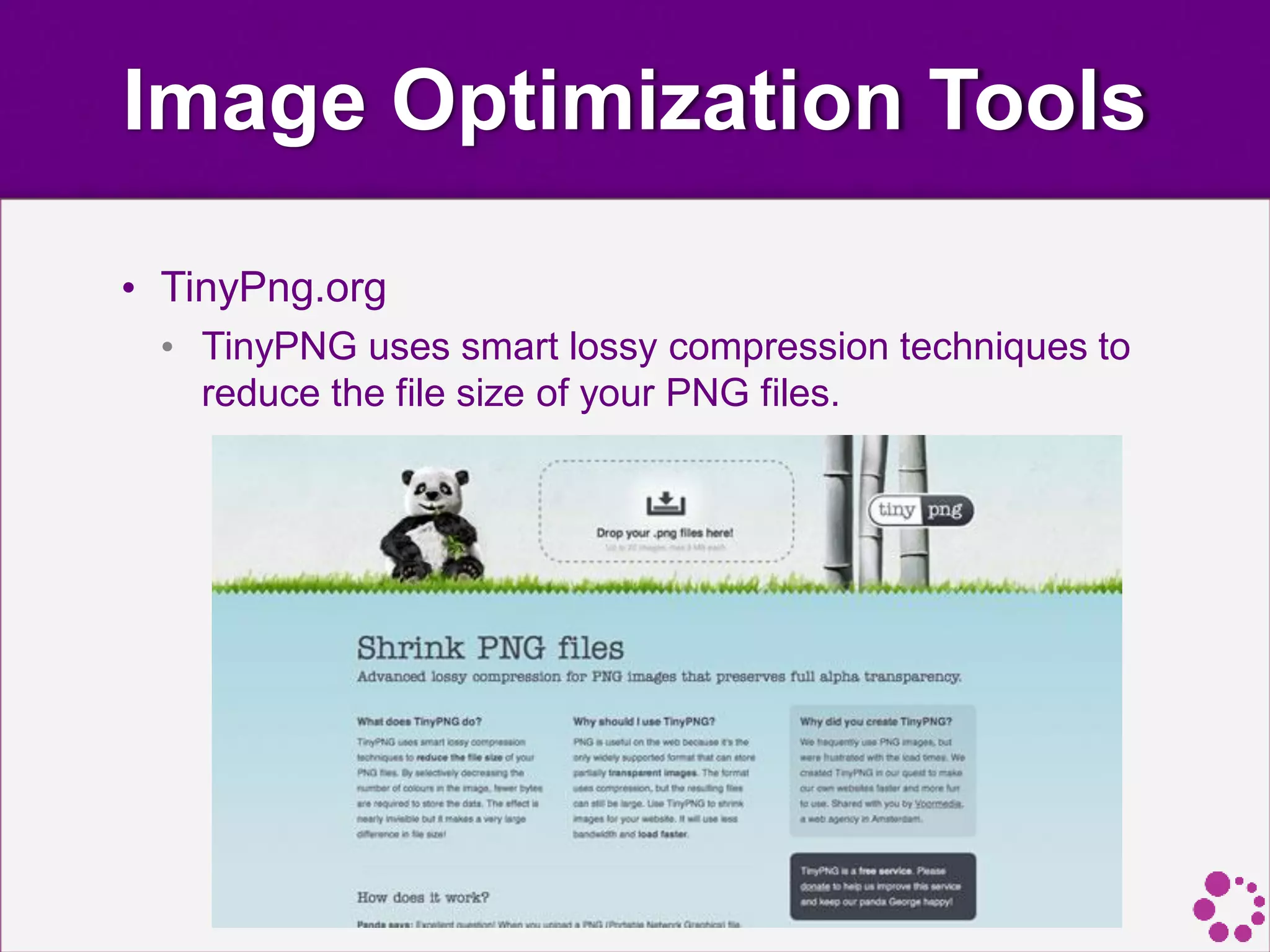
• TinyPng.org
• TinyPNG uses smart lossy compression techniques to
reduce the file size of your PNG files.
Image Optimization Tools
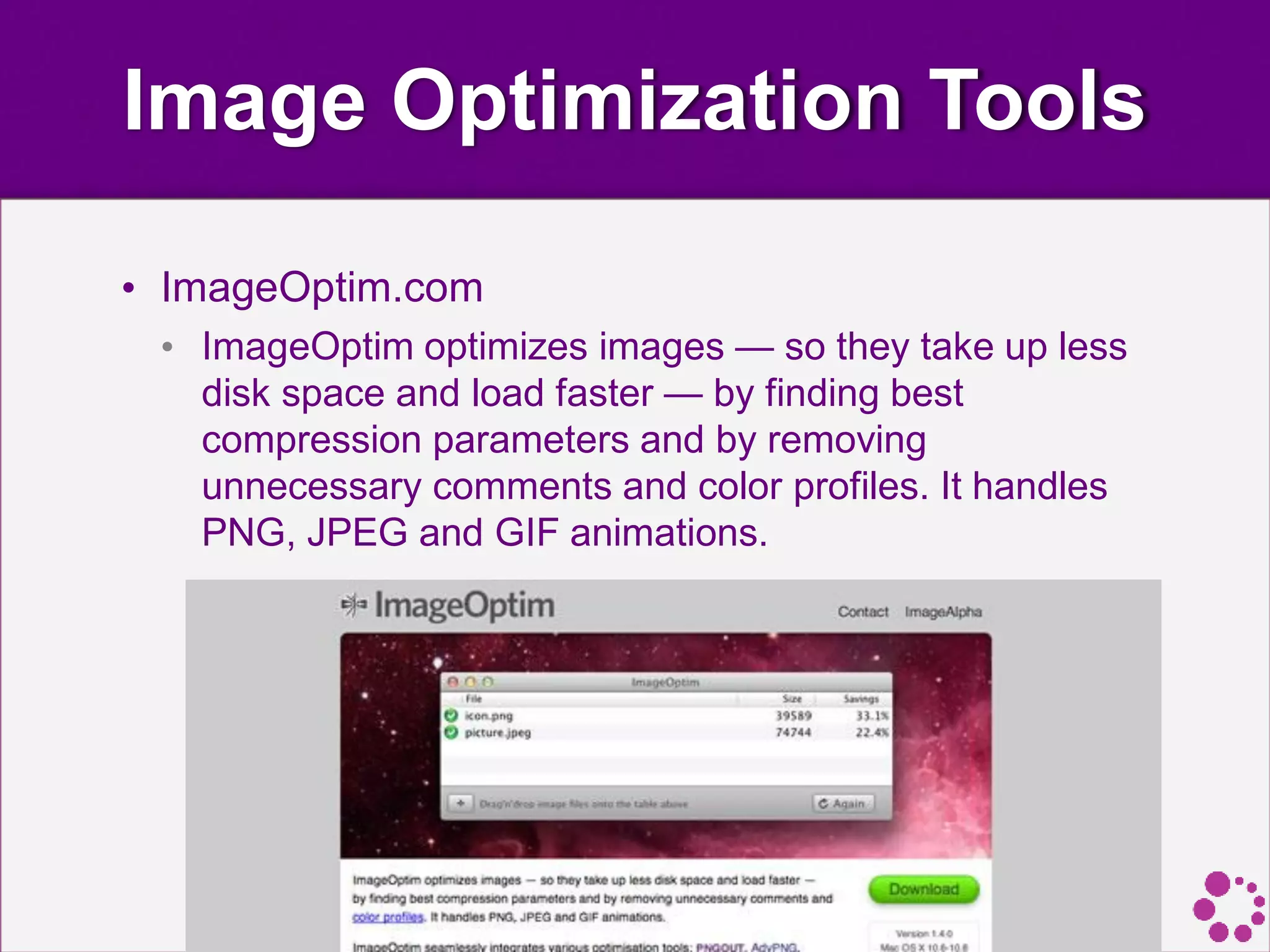
• ImageOptim.com
• ImageOptim optimizes images — so they take up less
disk space and load faster — by finding best
compression parameters and by removing
unnecessary comments and color profiles. It handles
PNG, JPEG and GIF animations.
Image Optimization Tools
• Smush.it
• Smush.it uses optimization techniques specific to
image format to remove unnecessary bytes from
image files.
Good Examples of
Design for Social
Media
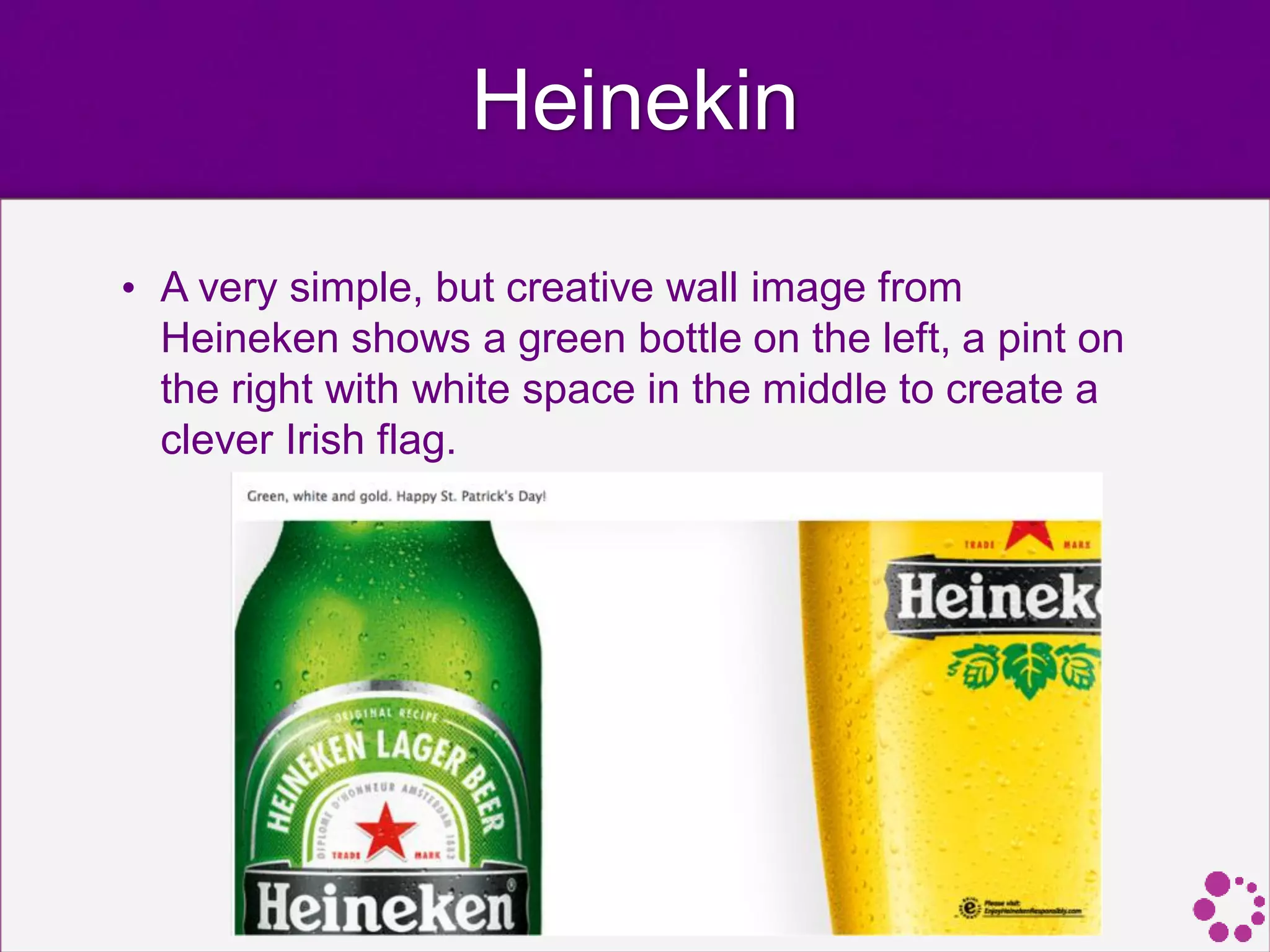
Heinekin
• A very simple, but creative wall image from
Heineken shows a green bottle on the left, a pint on
the right with white space in the middle to create a
clever Irish flag.
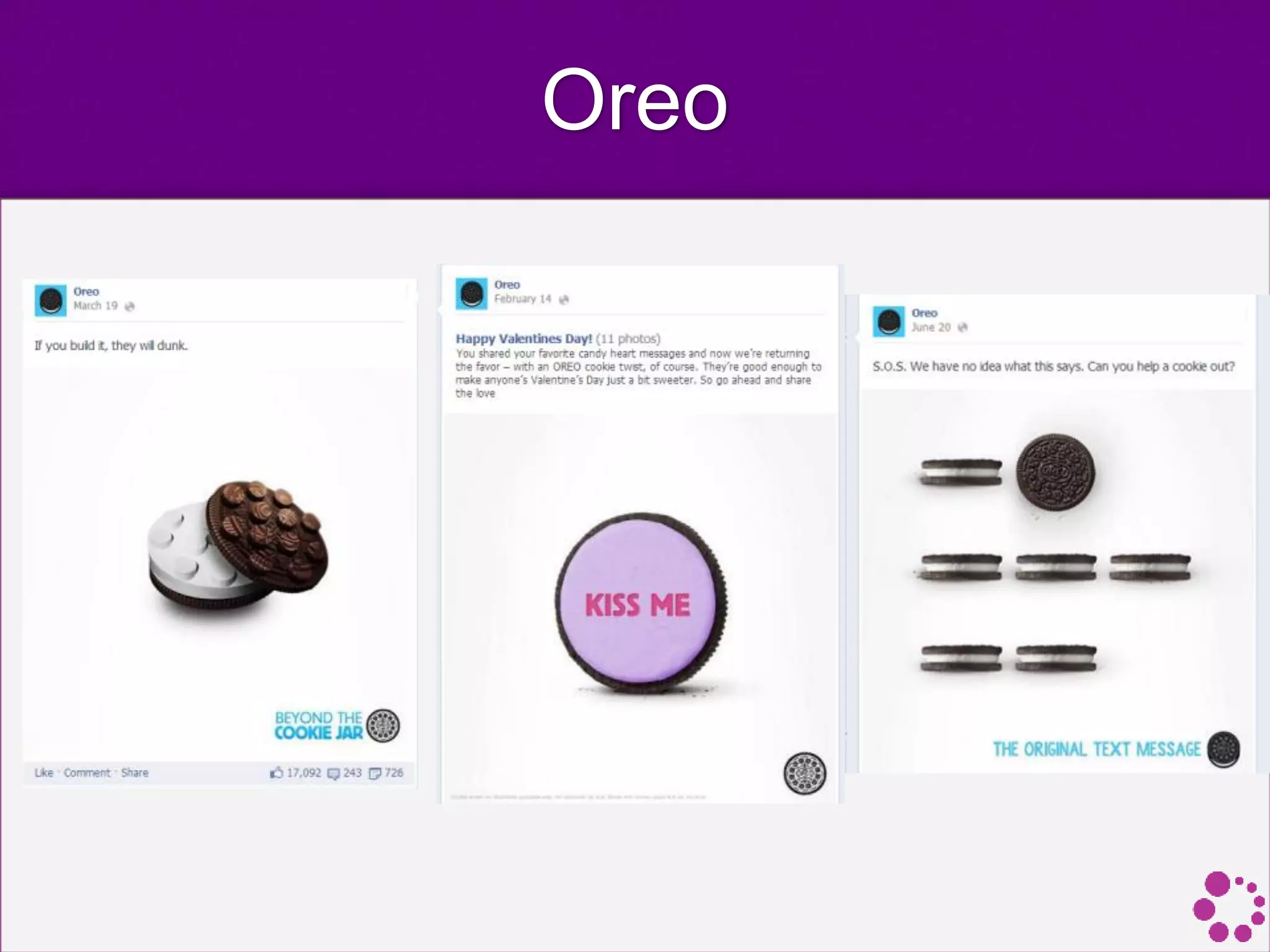
Oreo
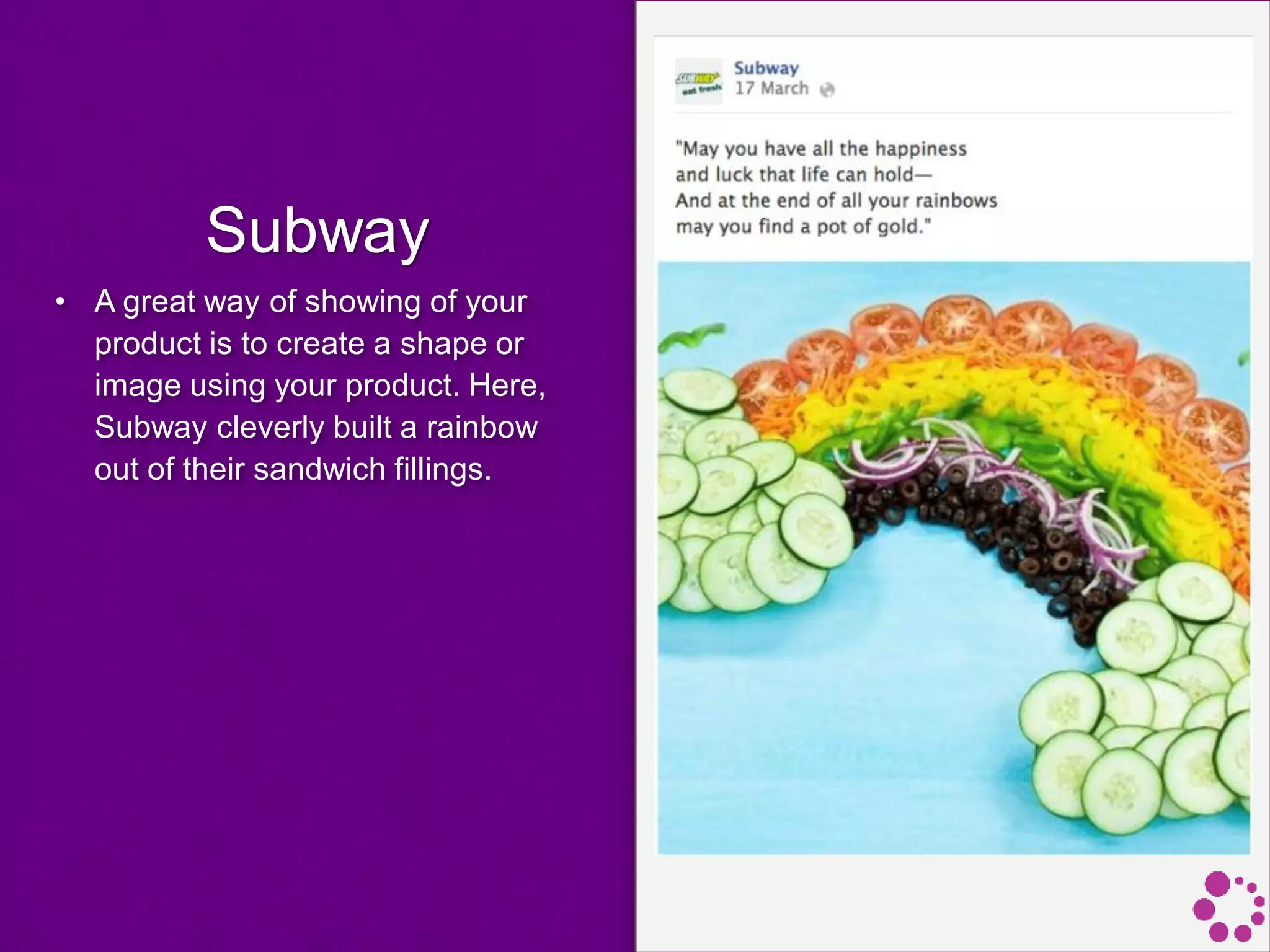
Subway
• A great way of showing of your
product is to create a shape or
image using your product. Here,
Subway cleverly built a rainbow
out of their sandwich fillings.
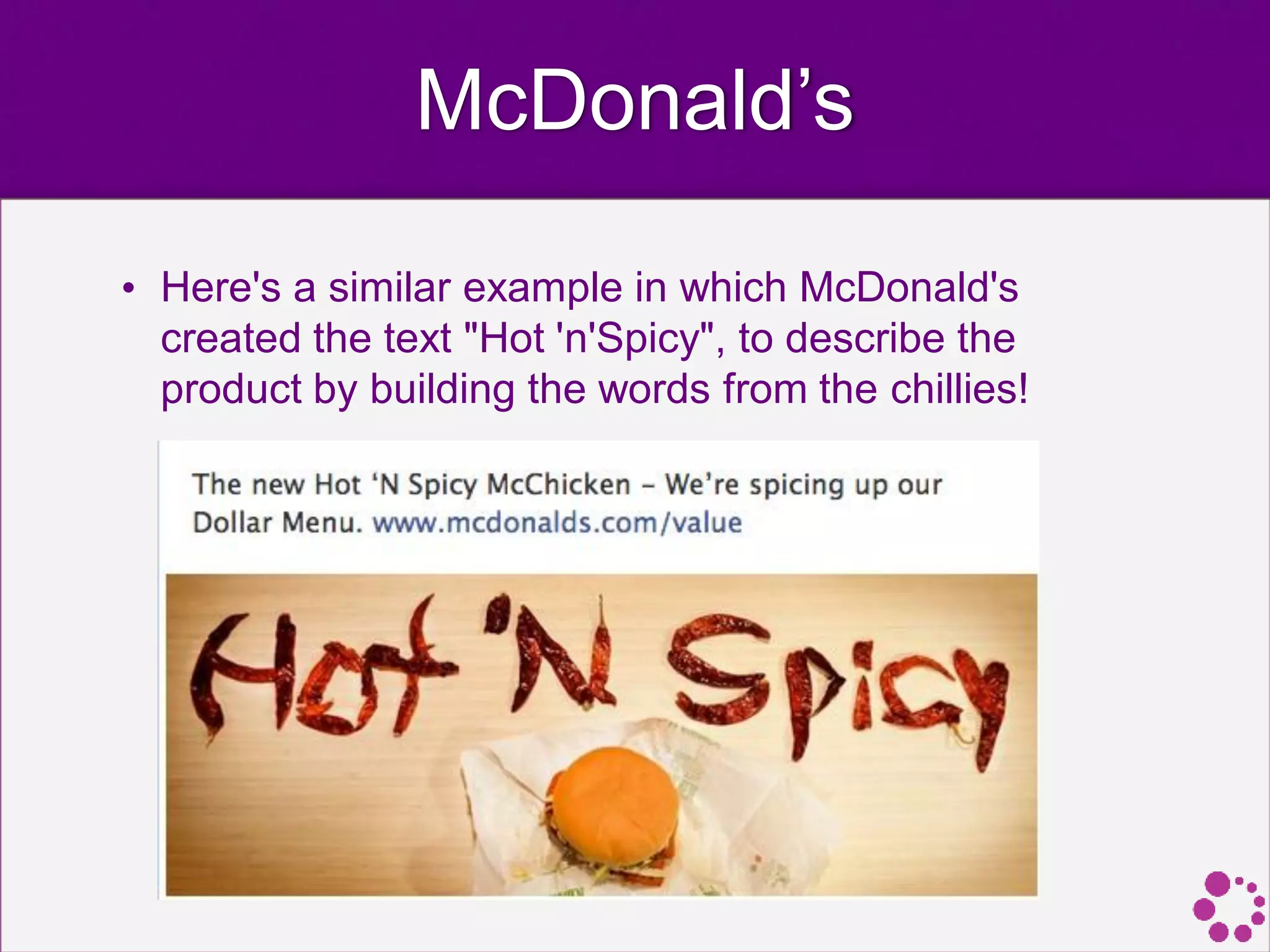
McDonald’s
• Here's a similar example in which McDonald's
created the text "Hot 'n'Spicy", to describe the
product by building the words from the chillies!
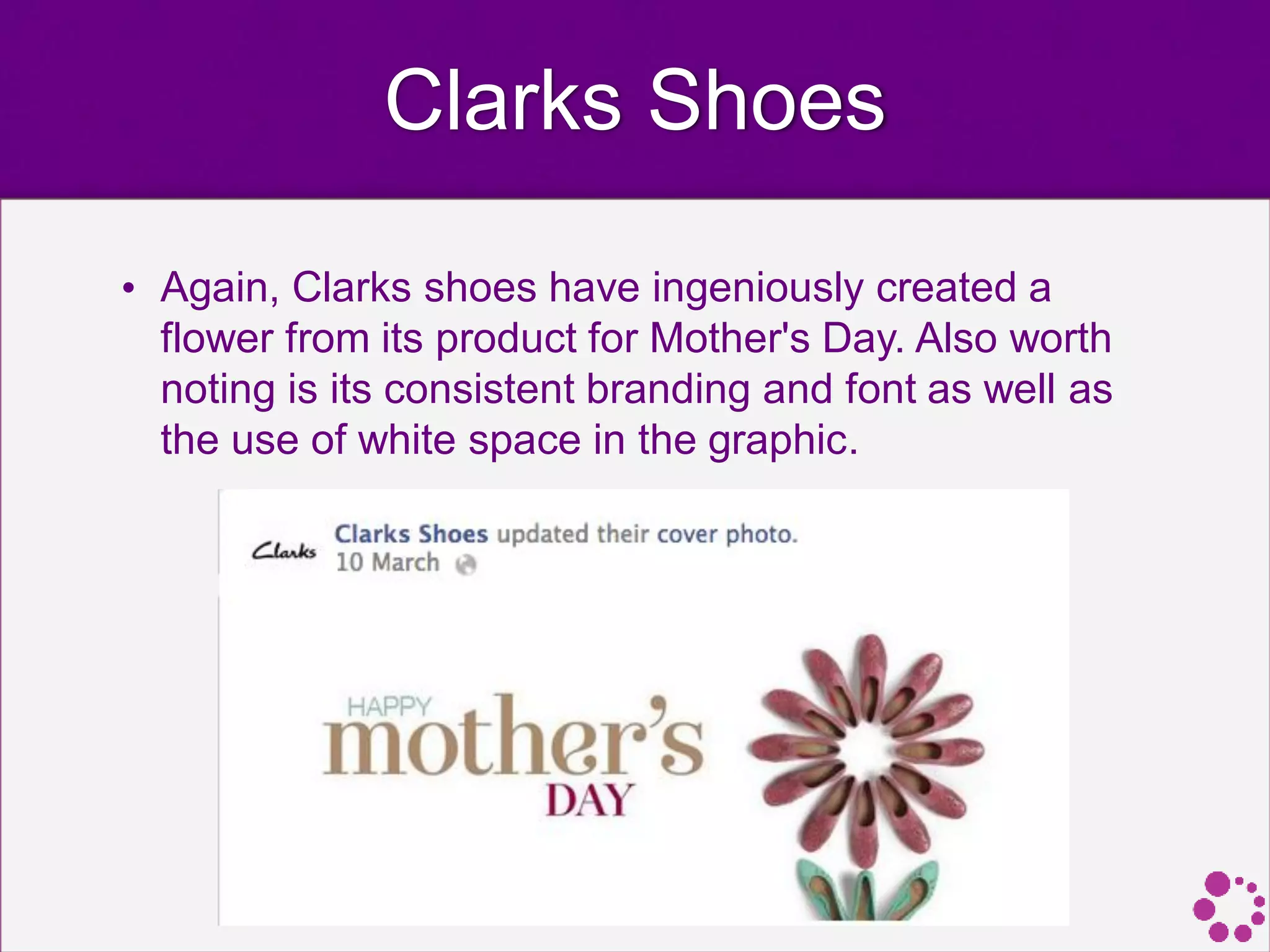
Clarks Shoes
• Again, Clarks shoes have ingeniously created a
flower from its product for Mother's Day. Also worth
noting is its consistent branding and font as well as
the use of white space in the graphic.
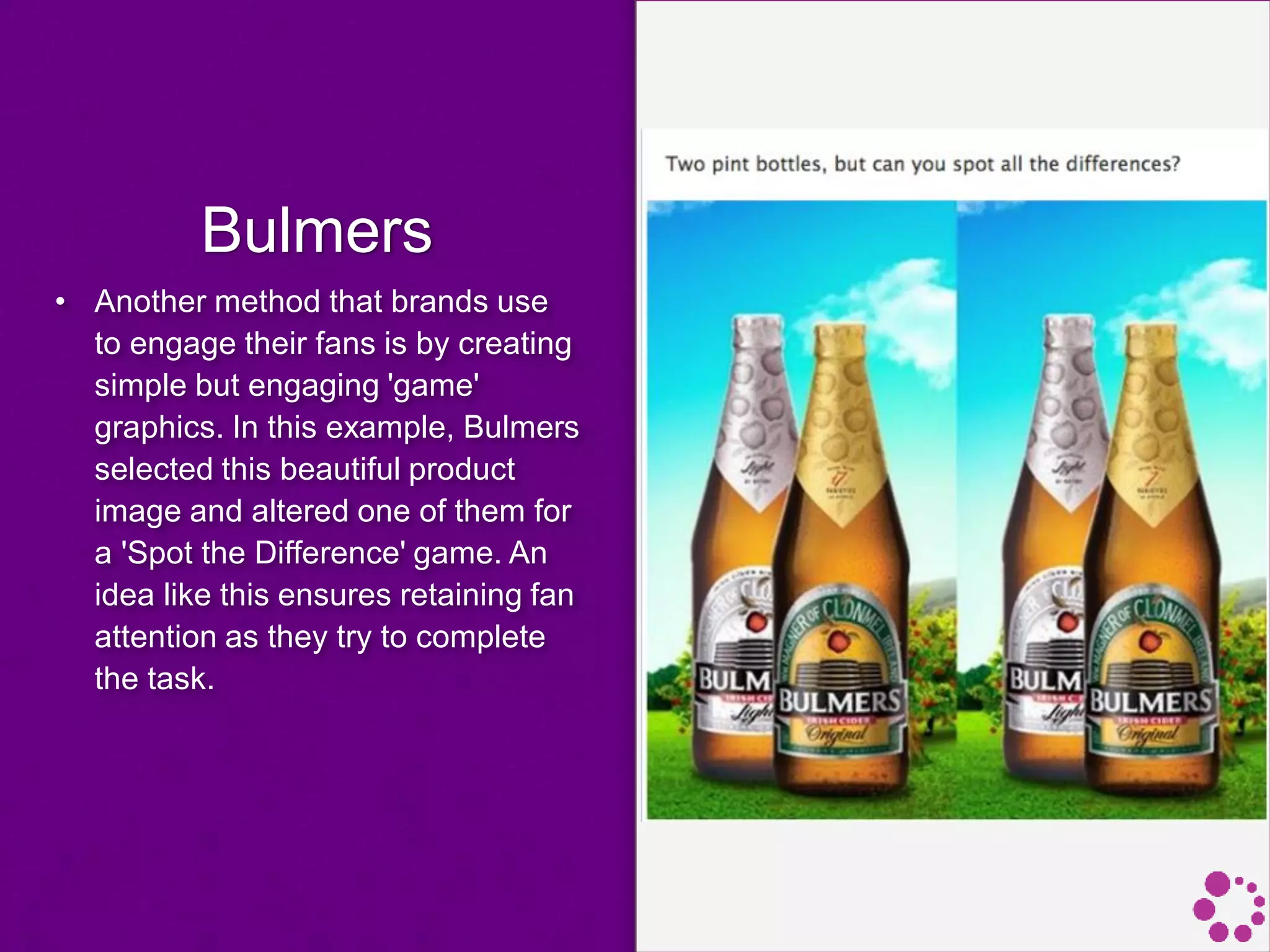
Bulmers
• Another method that brands use
to engage their fans is by creating
simple but engaging 'game'
graphics. In this example, Bulmers
selected this beautiful product
image and altered one of them for
a 'Spot the Difference' game. An
idea like this ensures retaining fan
attention as they try to complete
the task.
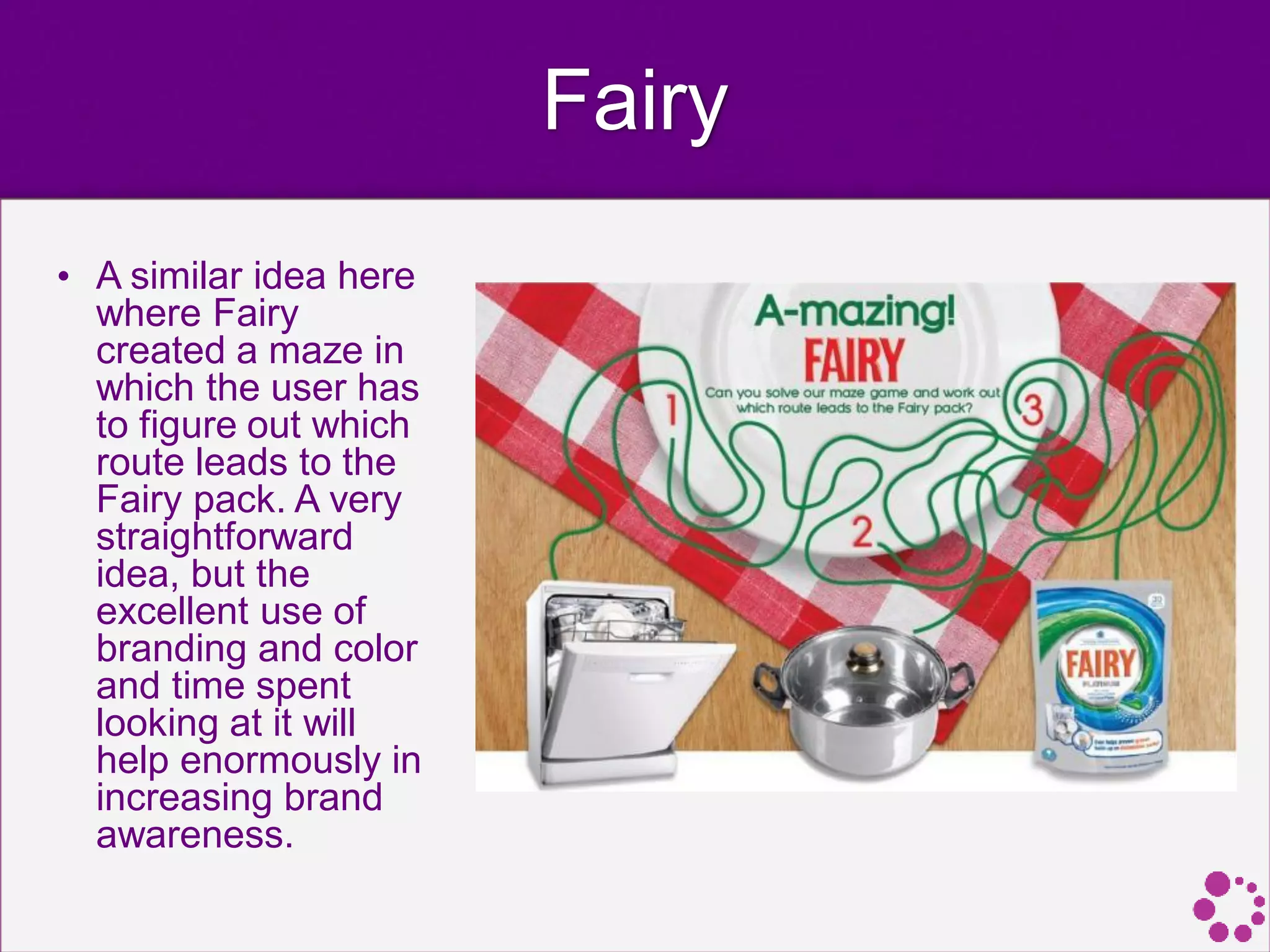
Fairy
• A similar idea here
where Fairy
created a maze in
which the user has
to figure out which
route leads to the
Fairy pack. A very
straightforward
idea, but the
excellent use of
branding and color
and time spent
looking at it will
help enormously in
increasing brand
awareness.
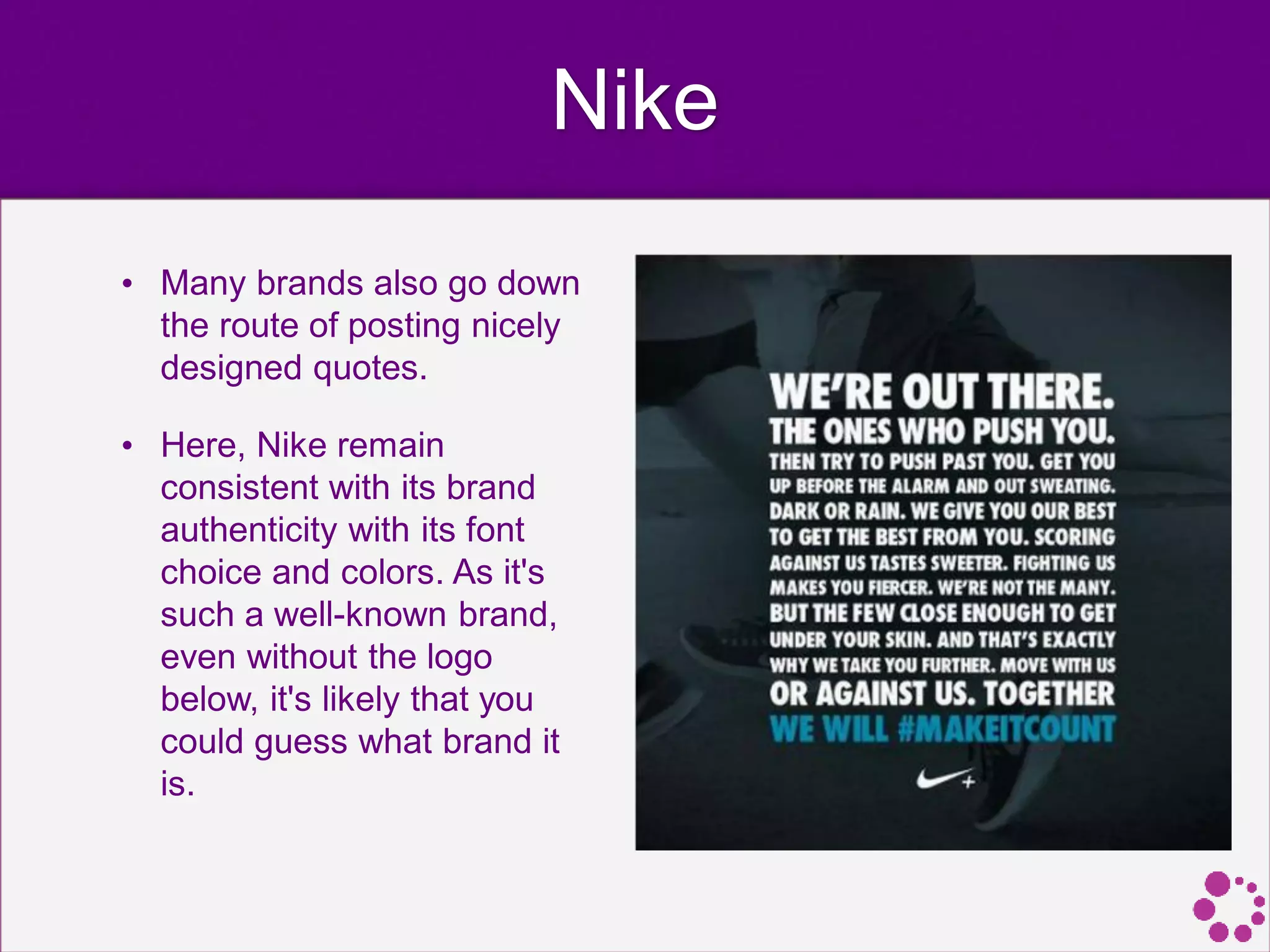
Nike
• Many brands also go down
the route of posting nicely
designed quotes.
• Here, Nike remain
consistent with its brand
authenticity with its font
choice and colors. As it's
such a well-known brand,
even without the logo
below, it's likely that you
could guess what brand it
is.
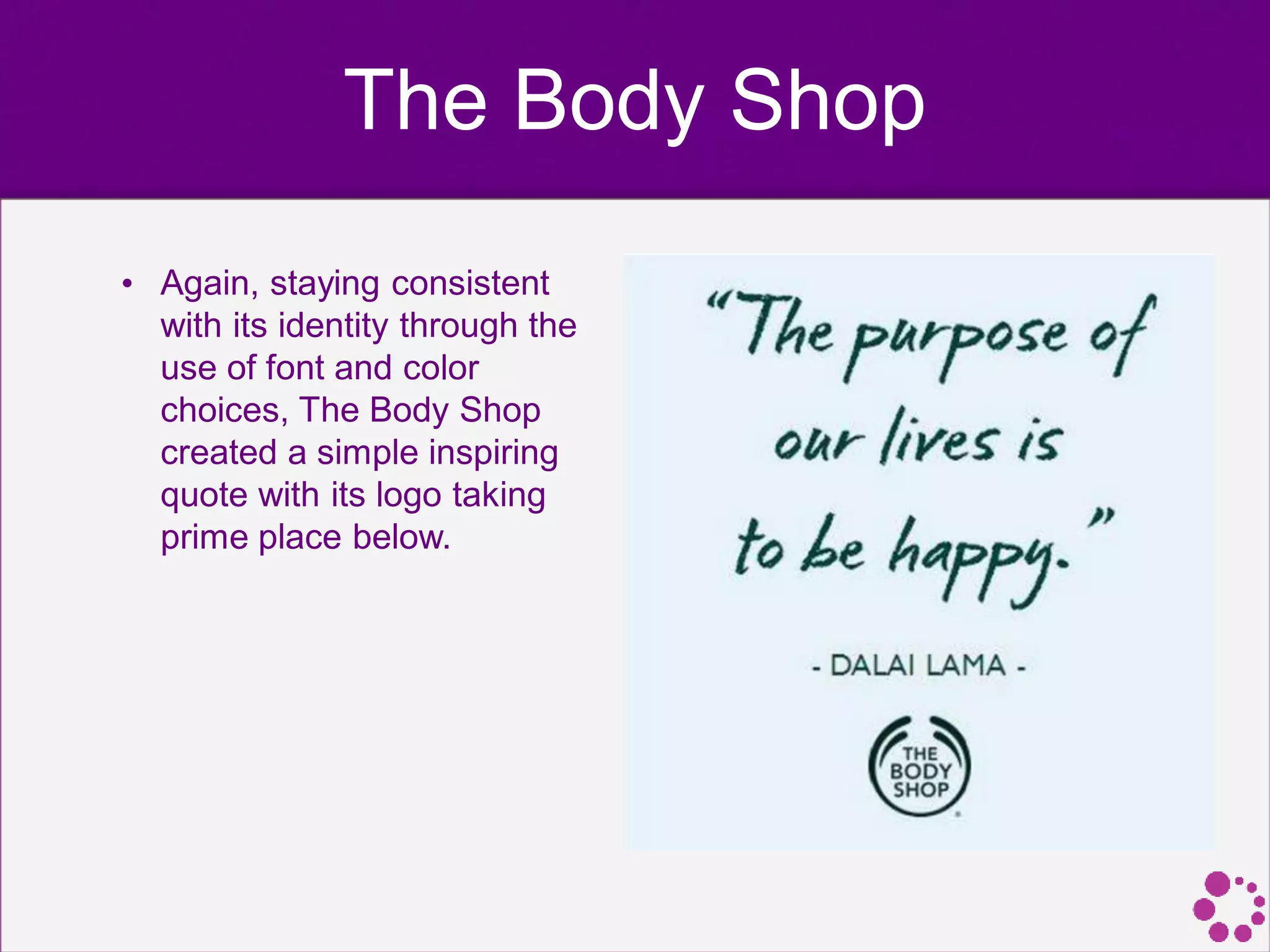
The Body Shop
• Again, staying consistent
with its identity through the
use of font and color
choices, The Body Shop
created a simple inspiring
quote with its logo taking
prime place below.
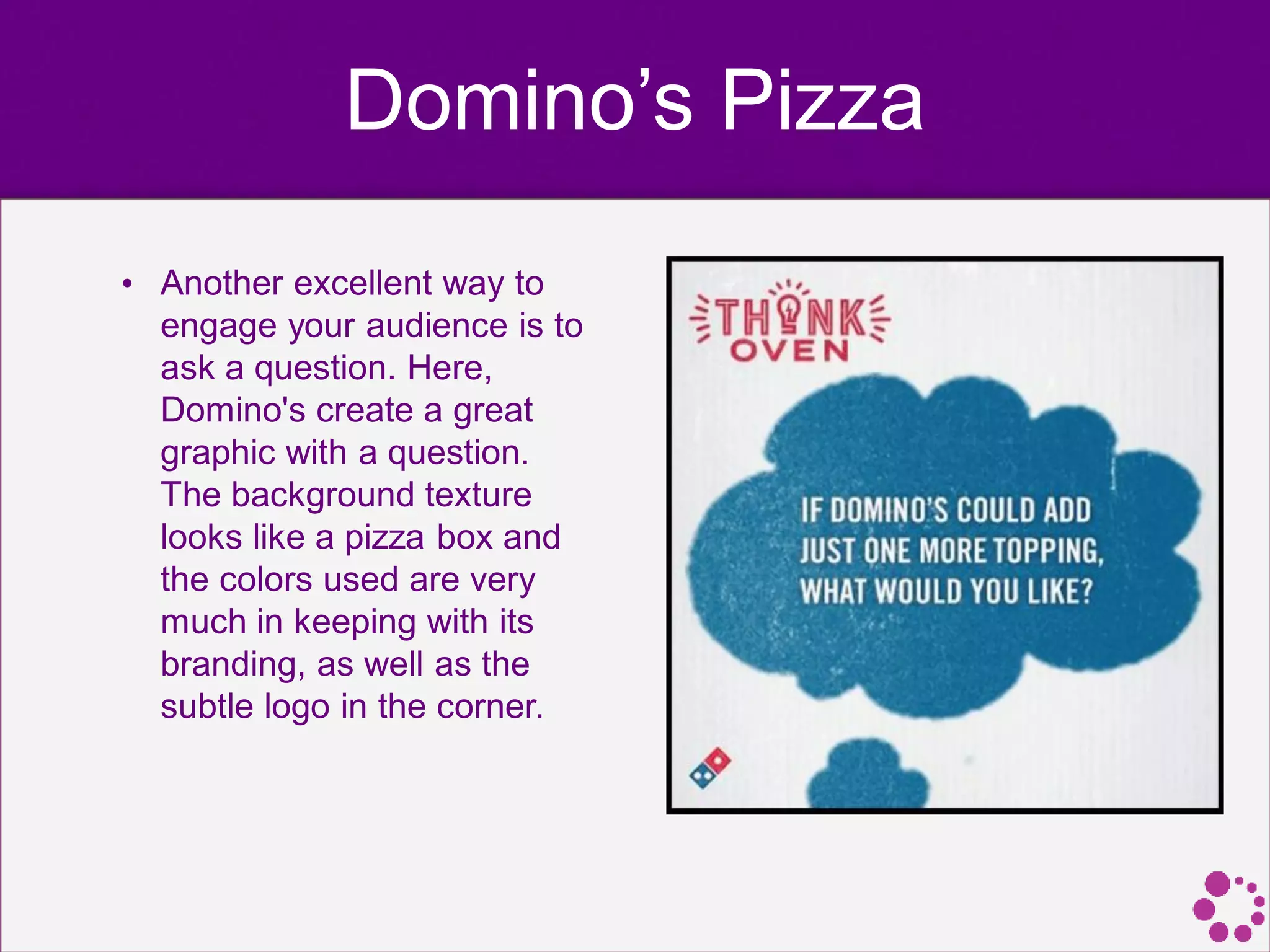
Domino’s Pizza
• Another excellent way to
engage your audience is to
ask a question. Here,
Domino's create a great
graphic with a question.
The background texture
looks like a pizza box and
the colors used are very
much in keeping with its
branding, as well as the
subtle logo in the corner.
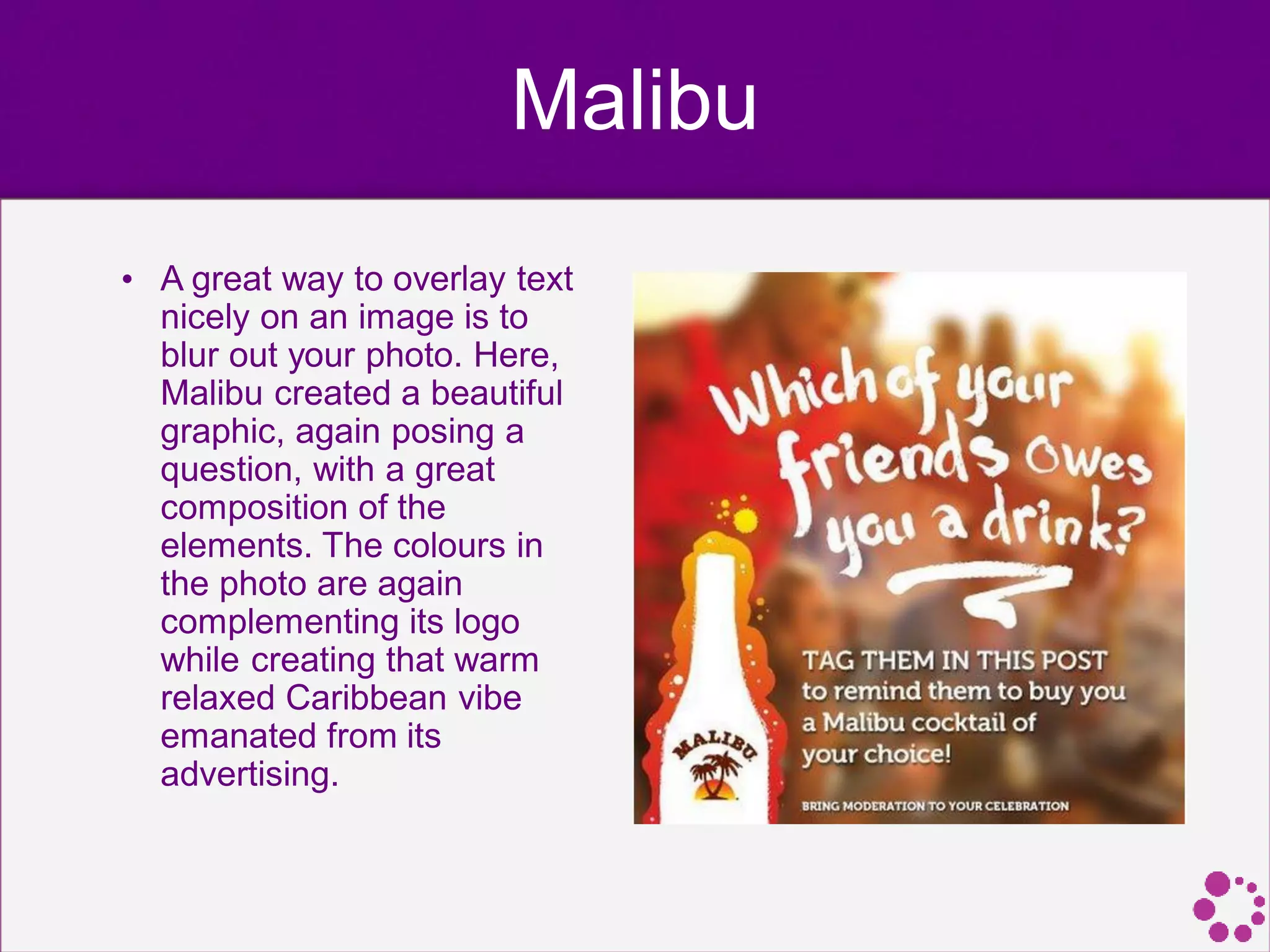
Malibu
• A great way to overlay text
nicely on an image is to
blur out your photo. Here,
Malibu created a beautiful
graphic, again posing a
question, with a great
composition of the
elements. The colours in
the photo are again
complementing its logo
while creating that warm
relaxed Caribbean vibe
emanated from its
advertising.
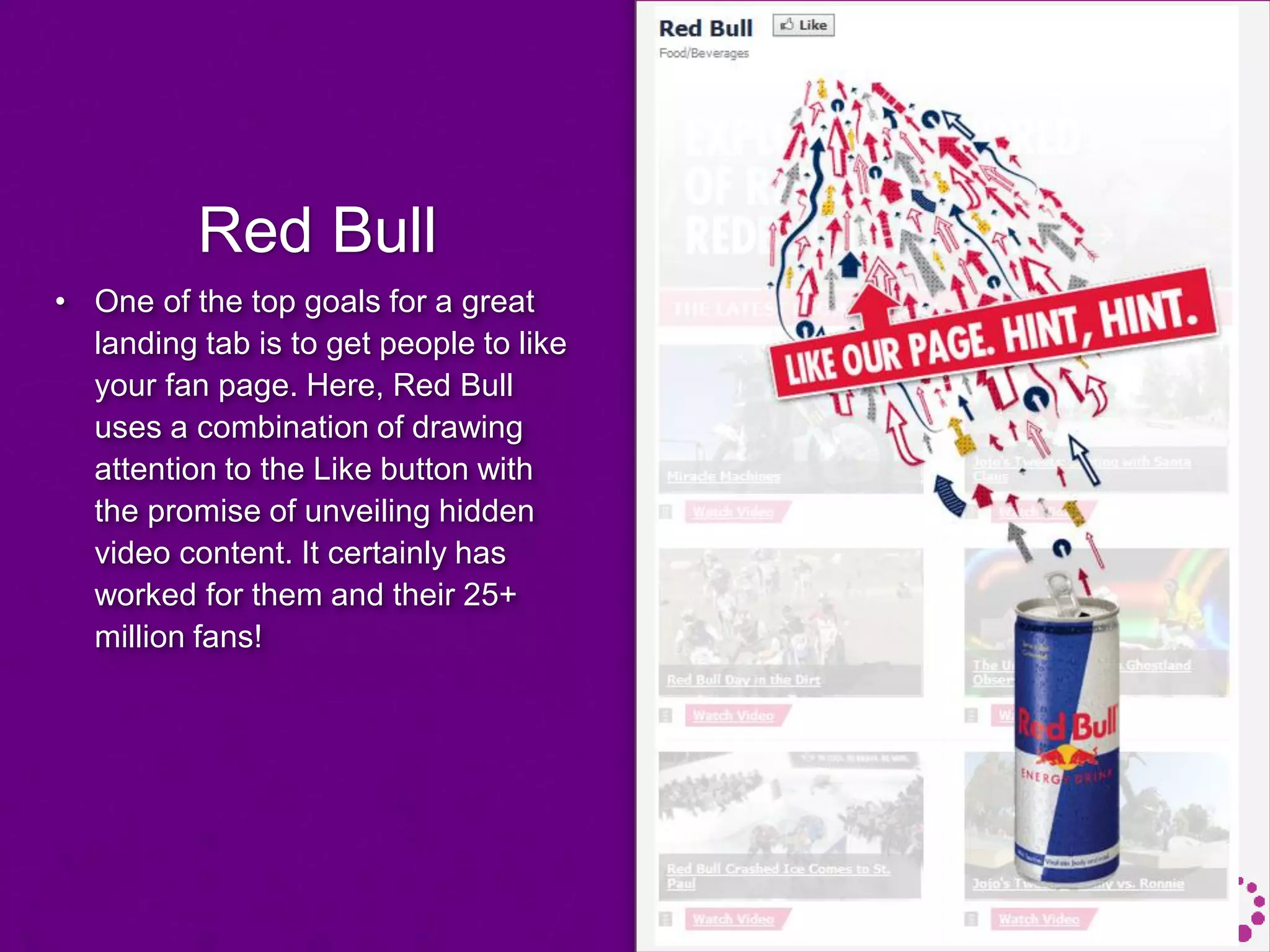
Red Bull
• One of the top goals for a great
landing tab is to get people to like
your fan page. Here, Red Bull
uses a combination of drawing
attention to the Like button with
the promise of unveiling hidden
video content. It certainly has
worked for them and their 25+
million fans!
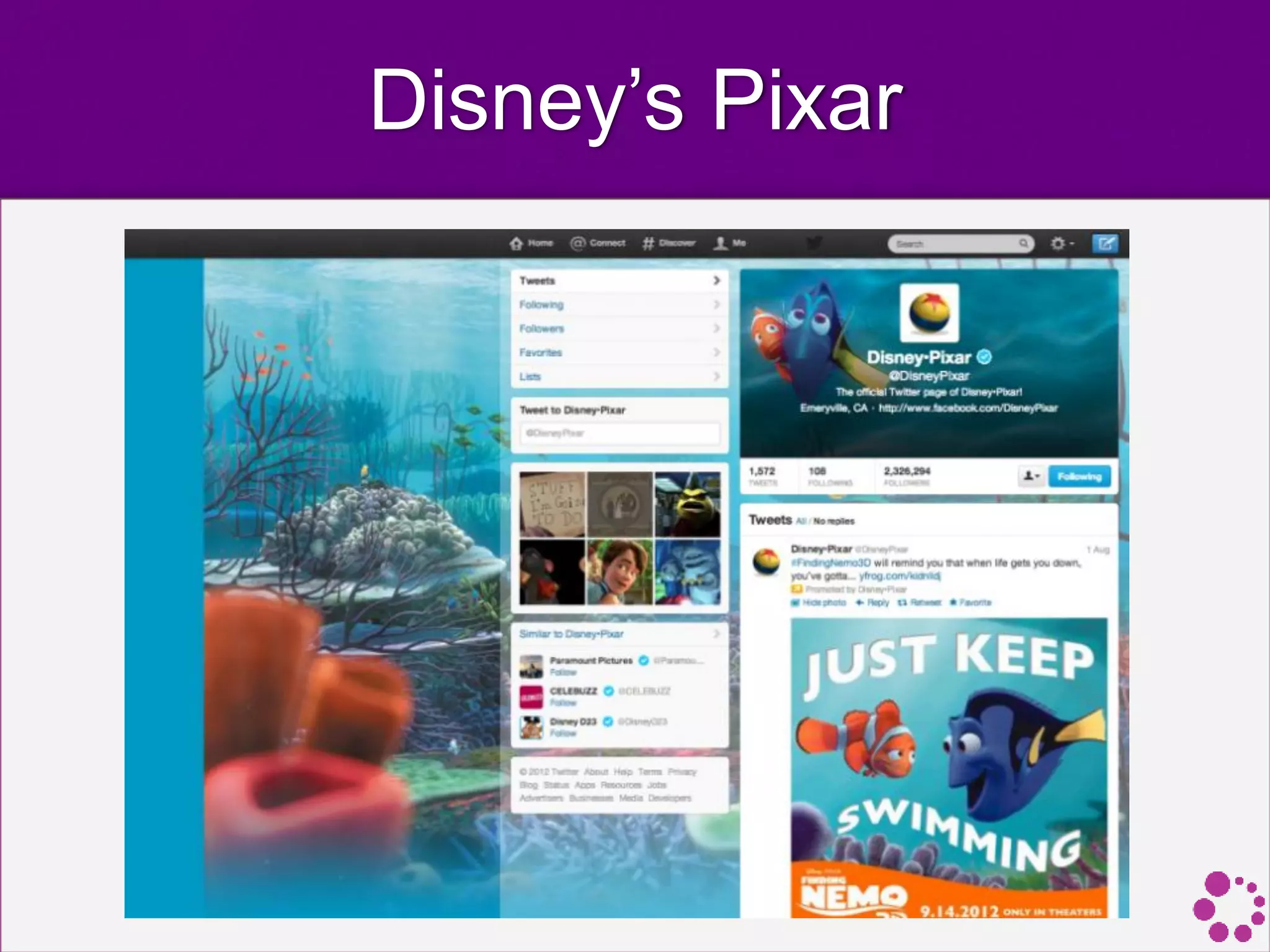
Disney’s Pixar
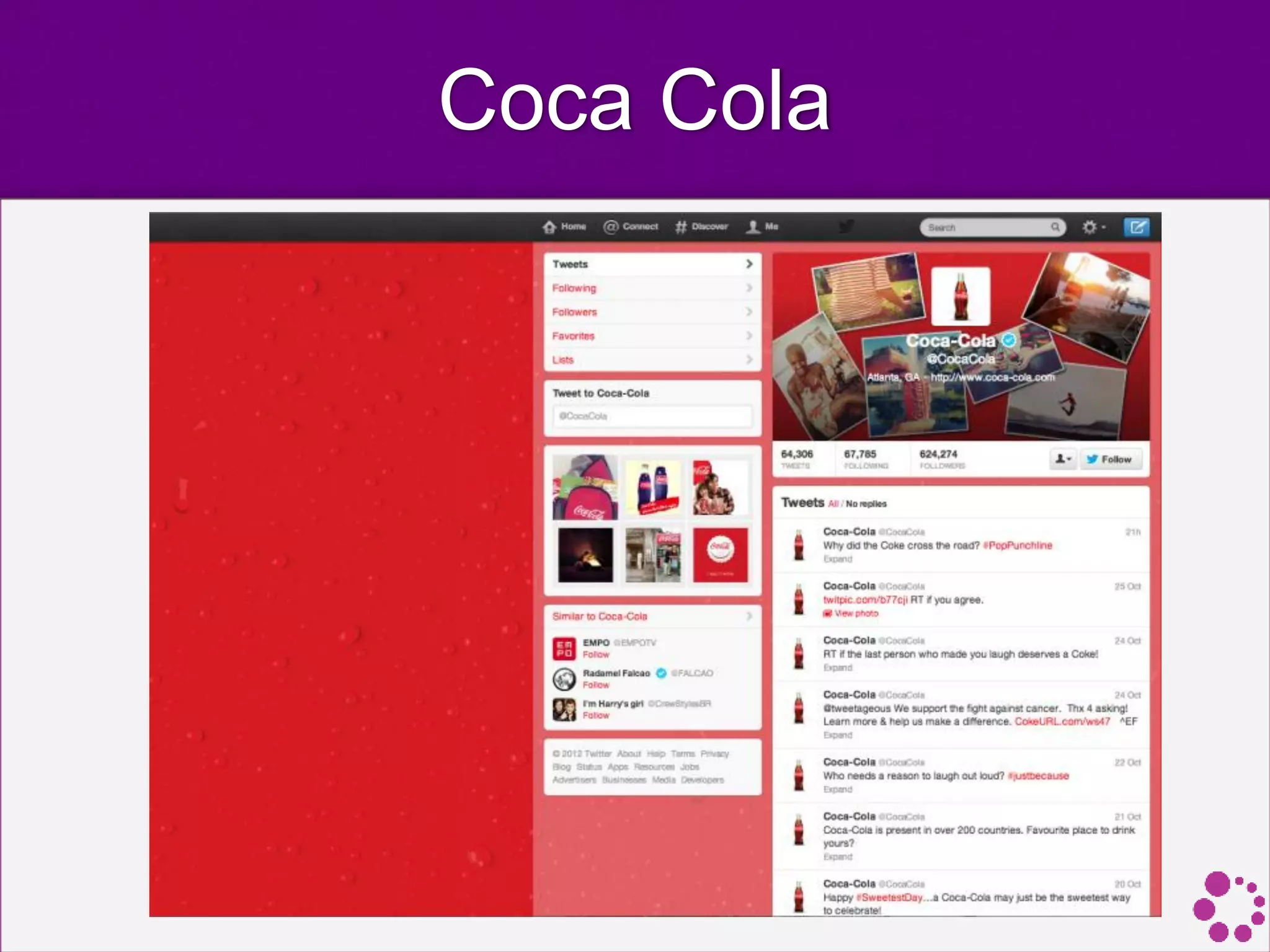
Coca Cola
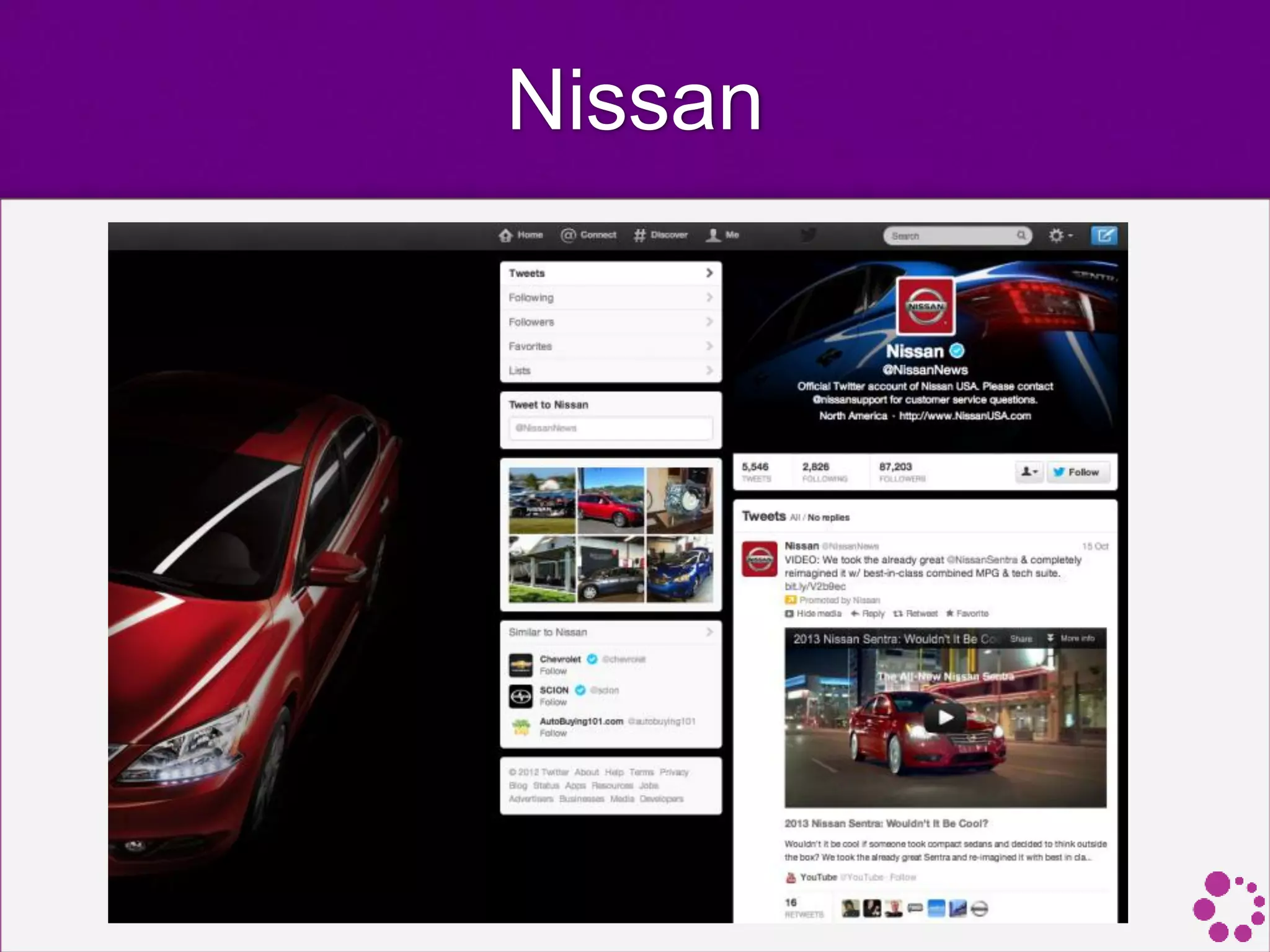
Nissan
Questions?
Thank you!
Sources
• The ridiculously exhaustive social media dimensions blueprint
[Infographic], TentSocial. http://j.mp/19izqJs
• How to Design Amazing Images For Your Social Media Profiles. Simply
Zesty. http://j.mp/15wPkZr
• Graphic Design + Social Media. Erica Bogdan. http://j.mp/15wQV1p
• Text in Images. Facebook. http://j.mp/1aGh1ob
• Essential Graphic Design for Social Media Managers: An Introduction.
Adobe. http://j.mp/19iDzgI
• 10 Tools for Creating Infographics and Visualizations. The Moz Blog.
http://j.mp/12YiULr
• Facebook Timeline Changed the Way We See Brand Pages; Here's How.
Mashable. http://j.mp/19iHf1U
• 26 Ways to Use Visuals in Your Social Media Marketing. SocialMedia
Examiner. http://j.mp/12k5zGU
• 3 Ways to Optimize Images: Search, Social Media & User Experience.
Top Rank. http://j.mp/17wPqXG
• On Image Overload? Try These 4 Easy Steps to Create Social Media
Graphics. The Daily Egg. http://j.mp/12k5LWH
• Facebook Timeline Cover: 40 (Really) Creative Examples. Hongkiat.com.
http://j.mp/1aHbJsw

Design for Social Media

  • 1.
    Design for Social Media MohammadHijazi | @mhijazi #BeirutDW
  • 2.
  • 3.
    Visuals make adifference
  • 4.
    Original Images • Imagesare a great way to emotionally connect your audience. When you use photos, always aim to make them original and true to your brand. • People tend to react well to pictures of "real" people, but we distance ourselves from stock photos because they are associated with advertising and spam. Clean, simple images from a decent camera are best. • If you are going to overlay text on the image, shoot with this in mind, so compose your image to incorporate white space.
  • 5.
    Original Images • Alwayskeep consistency with your identity and branding. • When you create your own images, always include your logo. This shows it's your original image and increases brand awareness.
  • 6.
  • 7.
    Keep It Relevant •Something many brands do is post images of irrelevant content for the sake of likes. All your images should deliver your brand message and hopefully have your own unique style. • The most highly engaging graphics have a sound strategy behind them and aren't just jumping on the "cute animal pics" bandwagon for the sake of it. • Choose your words and colors carefully and you'll be rewarded by your community.
  • 8.
  • 9.
    Know Your TargetGroup • People engage with brand pages to express their opinions and individuality, and if you understand your users, you can use that information to make content that they will relate to, and if it's clever, share as a statement.
  • 10.
    Cover Photos • Coverphotos are the new Facebook Wall (at least as far as attention goes). • Everyone will notice your cover photo. It's larger than anything else and at the top of the page for a reason, and 100% of viewers looked at it. • Only 65% to 92% of viewers noticed profile photos on Brand Pages. • Cover photos with faces attract the most attention.
  • 15.
    The Importance OfColor • When selecting the colors to use in your graphic, always consider your target audience. • It's important to select colors to stand out, while staying on brand. • It’s a good idea to choose colors that differ from the Facebook-blue to draw more attention to the image. • It's a great idea to color pick from your logo and image, if you're using one. • Consider the general psychology of color theory. For example, studies show that both men and women tend to really like blue and dislike brown.
  • 16.
    Choose The RightFont • When choosing your font, it's essential to stay consistent with your branding and identity. • Examples of places you can source free fonts for download are: • FontSquirrel.com • Google.com/WebFonts • DaFont.com. • When placing text, add a comment or question that encourages users to interact and add comments of their own.
  • 17.
    Keep Up ToDate With Graphic Dimensions • Keep in mind that these are constantly changing as each site updates their layouts, so it's a good idea to regularly check for new dimensions. • Always remember to resize your images for social media. • When people aren’t in front of a computer, they’re in front of a smartphone or tablet. The larger the photo and the greater the resolution, the longer it takes to process.
  • 18.
    Keep Up ToDate With Graphic Dimensions
  • 19.
    Keep Up ToDate With Graphic Dimensions
  • 20.
    Keep Up ToDate With Graphic Dimensions
  • 21.
    Keep Up ToDate With Graphic Dimensions
  • 22.
    Keep Up ToDate With Graphic Dimensions
  • 23.
    Keep Up ToDate With Graphic Dimensions
  • 24.
    Keep Up ToDate With Graphic Dimensions
  • 25.
    Facebook Guidelines For coverphotos: • All covers are public. This means that anyone who visits your Page will be able to see your cover. • Covers can’t be deceptive, misleading, or infringe on anyone else’s copyright. • You may not encourage people to upload your cover to their personal timelines. • Covers may not include images with more than 20% text. Use the grid tool to identify the % of text in your photo: https://www.facebook.com/ads/tools/text_overlay
  • 26.
    Facebook Guidelines Text inImages: • Images in your ads, sponsored stories and cover photo for your Page may not include more than 20% text in the image. • Using images with minimal text makes your content engaging and ensures that people only see high quality content in News Feed. • Allowed in the 20% text policy: • Pictures of products that include text on the actual product • Photos of products in real situations or photos of products with a background
  • 28.
    Infographics are in! •Infographics are visual representations of information, data or knowledge intended to present complex information quickly and clearly. Users love them and they’re shared often on social sites.
  • 29.
    Tools to createinfographics 1. Piktochart (pictochart.com) 2. Easel.ly 3. Infogr.am 4. Visual.ly 5. Tableau (tableausoftware.com)
  • 30.
    Add Text toYour Photos • Do you want to get more mileage out of the photos you share on your social sites? You can, when you add text to your images. • Adding text to a photo can help you get your message across faster. And these messages are more likely to be shared by others on social media.
  • 31.
    Create a Collage •When you have several great images to choose from and can’t decide, why not create a collage? • Collages communicate a number of brand messages and offer a simple yet effective way to engage users. • Think about your different social media outlets and see if there are places where a collage would work well for you.
  • 32.
    How-to Images • Photosare a powerful way to show your readers a step- by-step guide on how to carry out specific tasks. • Users respond well when you show how to carry out a task that may otherwise seem complex to them, even with simple screenshots.
  • 33.
    User-Generated Content • User-generated content(UGC) covers a range of media content. • How can you solicit creative ways for users to submit photos of them using your products or services?
  • 34.
    Design Templates • Beforeyou start creating a social media graphic from scratch, set up several templates for future use. • Add a border or a simple background. Include your logo or web address. Be sure to use existing brand colors, themes, images or other graphic elements.
  • 35.
    Optimize Images forUser Experience • High Quality. People will be more likely to spend additional time on an image that is high quality in terms of composition and image resolution. • Maintain Relevancy. It is even more essential that your imagery is relevant for your audience. An image that is disconnected from the text will put people off and they will be discouraged to visit again. An example would be a photo of a cute dog sleeping when your article is about love for cats, or their rocky relationship with their boyfriend. • Don’t Make Them Work Too Hard. While some journalists or PR representatives may lean toward using abstract images, it is important to always keep the end user in mind. An abstract image may be interesting to look at but does it really help you sell your story?
  • 36.
    Optimize Image Sizes •The time a page takes to load is something every designer worries about, or at least is something that every designer should worry about. • It doesn’t matter if the layout is nice and beautiful if it doesn’t function properly. Since images can be pretty heavy, this is certainly an issue to keep an eye on.
  • 37.
    Image Optimization Tools •TinyPng.org • TinyPNG uses smart lossy compression techniques to reduce the file size of your PNG files.
  • 38.
    Image Optimization Tools •ImageOptim.com • ImageOptim optimizes images — so they take up less disk space and load faster — by finding best compression parameters and by removing unnecessary comments and color profiles. It handles PNG, JPEG and GIF animations.
  • 39.
    Image Optimization Tools •Smush.it • Smush.it uses optimization techniques specific to image format to remove unnecessary bytes from image files.
  • 40.
    Good Examples of Designfor Social Media
  • 43.
    Heinekin • A verysimple, but creative wall image from Heineken shows a green bottle on the left, a pint on the right with white space in the middle to create a clever Irish flag.
  • 44.
  • 45.
    Subway • A greatway of showing of your product is to create a shape or image using your product. Here, Subway cleverly built a rainbow out of their sandwich fillings.
  • 46.
    McDonald’s • Here's asimilar example in which McDonald's created the text "Hot 'n'Spicy", to describe the product by building the words from the chillies!
  • 47.
    Clarks Shoes • Again,Clarks shoes have ingeniously created a flower from its product for Mother's Day. Also worth noting is its consistent branding and font as well as the use of white space in the graphic.
  • 48.
    Bulmers • Another methodthat brands use to engage their fans is by creating simple but engaging 'game' graphics. In this example, Bulmers selected this beautiful product image and altered one of them for a 'Spot the Difference' game. An idea like this ensures retaining fan attention as they try to complete the task.
  • 49.
    Fairy • A similaridea here where Fairy created a maze in which the user has to figure out which route leads to the Fairy pack. A very straightforward idea, but the excellent use of branding and color and time spent looking at it will help enormously in increasing brand awareness.
  • 50.
    Nike • Many brandsalso go down the route of posting nicely designed quotes. • Here, Nike remain consistent with its brand authenticity with its font choice and colors. As it's such a well-known brand, even without the logo below, it's likely that you could guess what brand it is.
  • 51.
    The Body Shop •Again, staying consistent with its identity through the use of font and color choices, The Body Shop created a simple inspiring quote with its logo taking prime place below.
  • 52.
    Domino’s Pizza • Anotherexcellent way to engage your audience is to ask a question. Here, Domino's create a great graphic with a question. The background texture looks like a pizza box and the colors used are very much in keeping with its branding, as well as the subtle logo in the corner.
  • 53.
    Malibu • A greatway to overlay text nicely on an image is to blur out your photo. Here, Malibu created a beautiful graphic, again posing a question, with a great composition of the elements. The colours in the photo are again complementing its logo while creating that warm relaxed Caribbean vibe emanated from its advertising.
  • 54.
    Red Bull • Oneof the top goals for a great landing tab is to get people to like your fan page. Here, Red Bull uses a combination of drawing attention to the Like button with the promise of unveiling hidden video content. It certainly has worked for them and their 25+ million fans!
  • 55.
  • 56.
  • 57.
  • 58.
  • 59.
    Sources • The ridiculouslyexhaustive social media dimensions blueprint [Infographic], TentSocial. http://j.mp/19izqJs • How to Design Amazing Images For Your Social Media Profiles. Simply Zesty. http://j.mp/15wPkZr • Graphic Design + Social Media. Erica Bogdan. http://j.mp/15wQV1p • Text in Images. Facebook. http://j.mp/1aGh1ob • Essential Graphic Design for Social Media Managers: An Introduction. Adobe. http://j.mp/19iDzgI • 10 Tools for Creating Infographics and Visualizations. The Moz Blog. http://j.mp/12YiULr • Facebook Timeline Changed the Way We See Brand Pages; Here's How. Mashable. http://j.mp/19iHf1U • 26 Ways to Use Visuals in Your Social Media Marketing. SocialMedia Examiner. http://j.mp/12k5zGU • 3 Ways to Optimize Images: Search, Social Media & User Experience. Top Rank. http://j.mp/17wPqXG • On Image Overload? Try These 4 Easy Steps to Create Social Media Graphics. The Daily Egg. http://j.mp/12k5LWH • Facebook Timeline Cover: 40 (Really) Creative Examples. Hongkiat.com. http://j.mp/1aHbJsw