Java Programming: From Problem Analysis to Program Design, 5e Chapter 5 Control Structures II: Repetition
Chapter Objectives Learn about repetition (looping) control structures Explore how to construct and use count-controlled, sentinel-controlled, flag-controlled, and EOF-controlled repetition structures Examine break and continue statements Discover how to form and use nested control structures Java Programming: From Problem Analysis to Program Design, 5e
Why Is Repetition Needed? There are many situations in which the same statements need to be executed several times Example Formulas used to find average grades for students in a class Java Programming: From Problem Analysis to Program Design, 5e
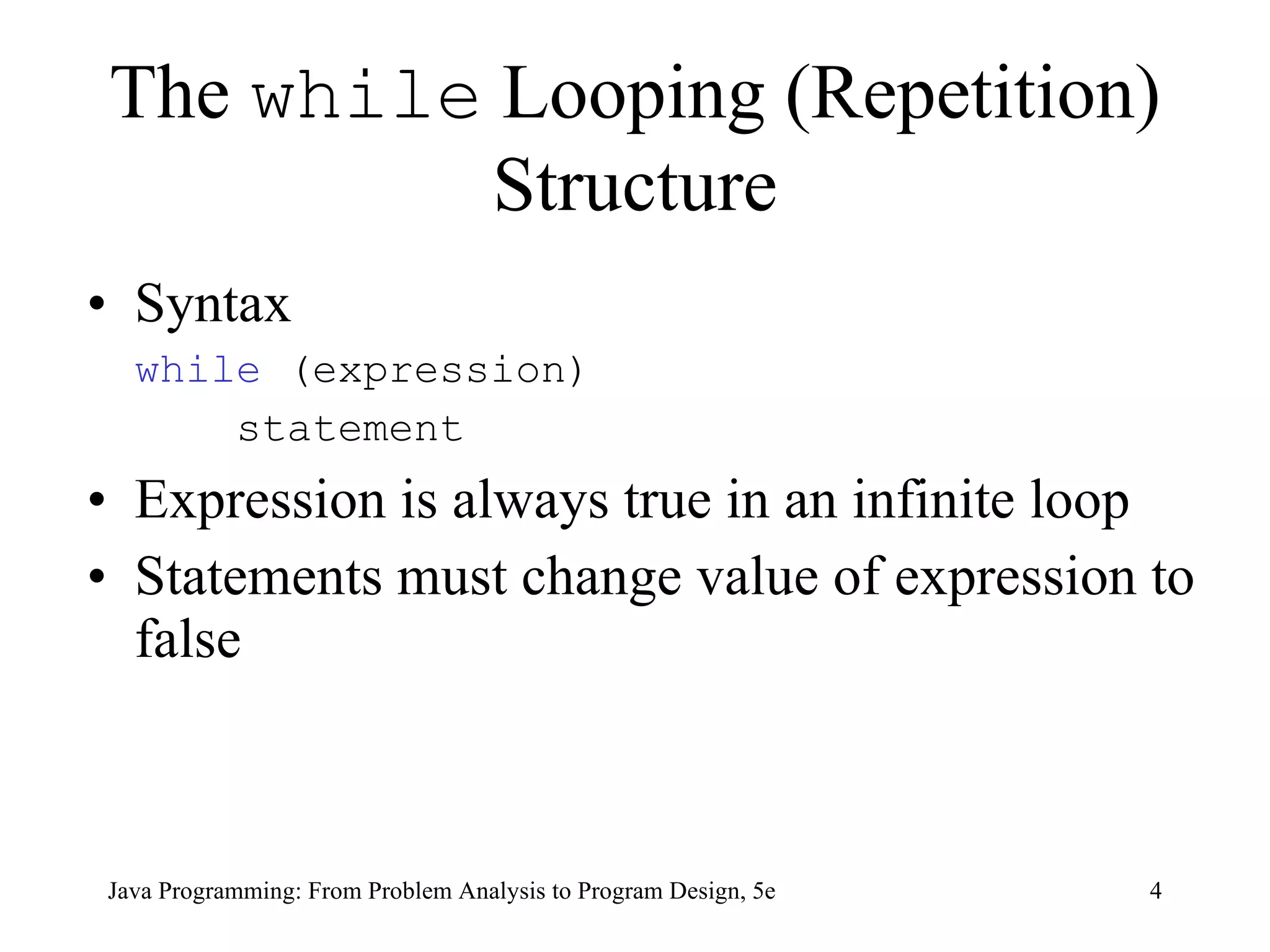
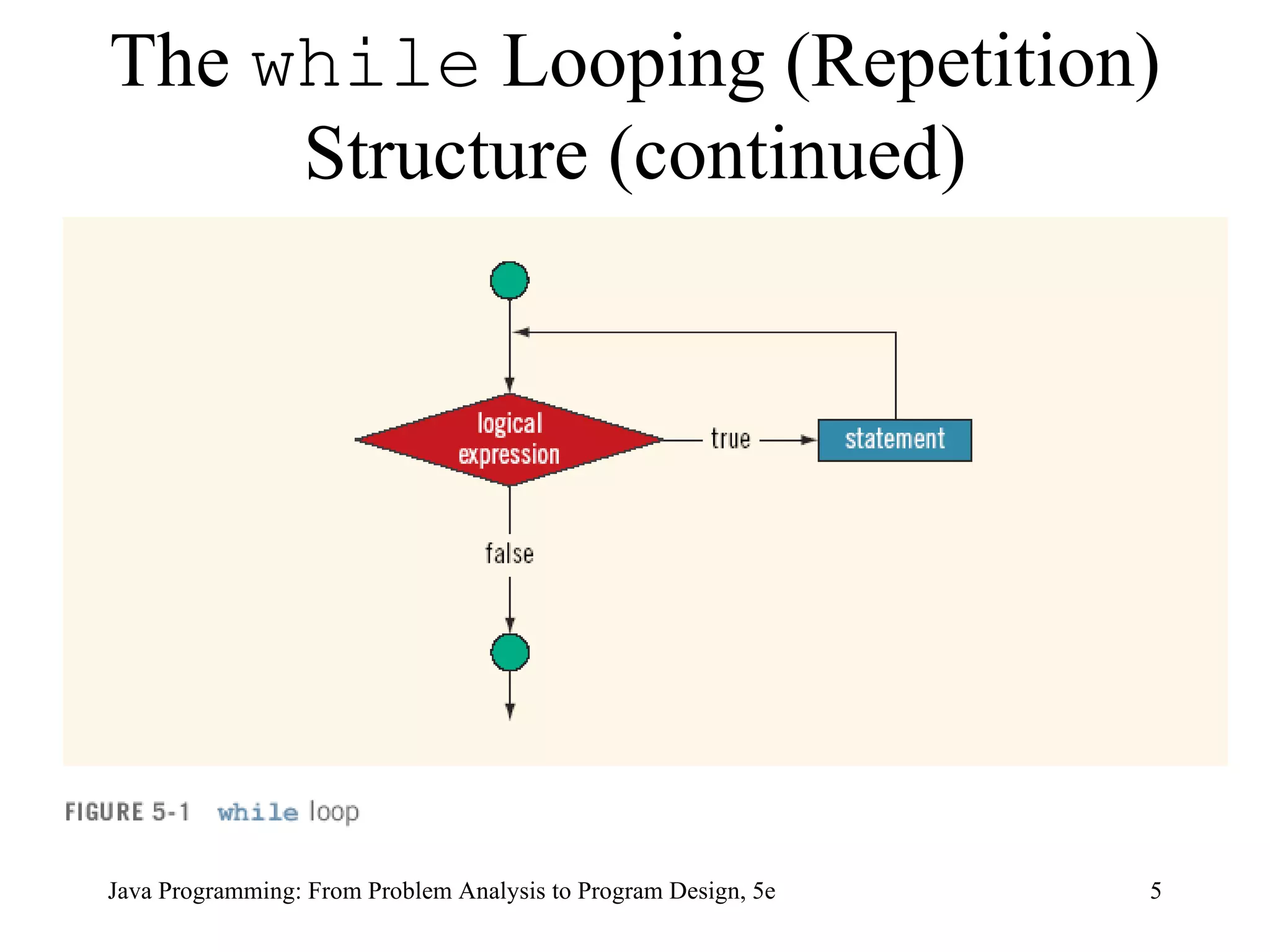
The  while  Looping (Repetition) Structure Syntax while  (expression)   statement Expression is always true in an infinite loop Statements must change value of expression to false  Java Programming: From Problem Analysis to Program Design, 5e
The  while  Looping (Repetition) Structure (continued) Java Programming: From Problem Analysis to Program Design, 5e
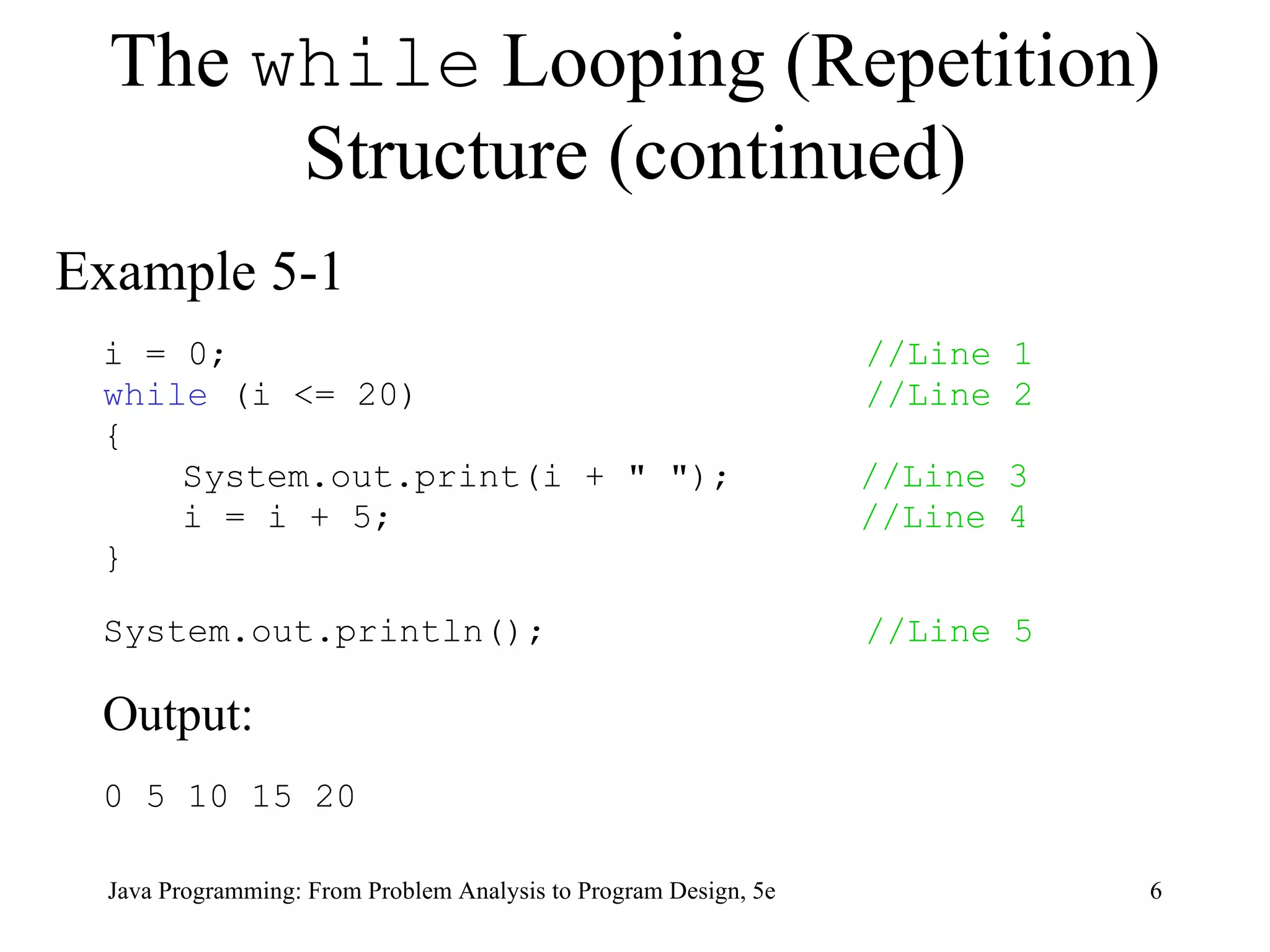
The  while  Looping (Repetition) Structure (continued) Example 5-1 i = 0;  //Line 1 while  (i <= 20)  //Line 2 { System.out.print(i + &quot; &quot;);  //Line 3 i = i + 5;  //Line 4 } System.out.println();  //Line 5 Output:  0 5 10 15 20 Java Programming: From Problem Analysis to Program Design, 5e
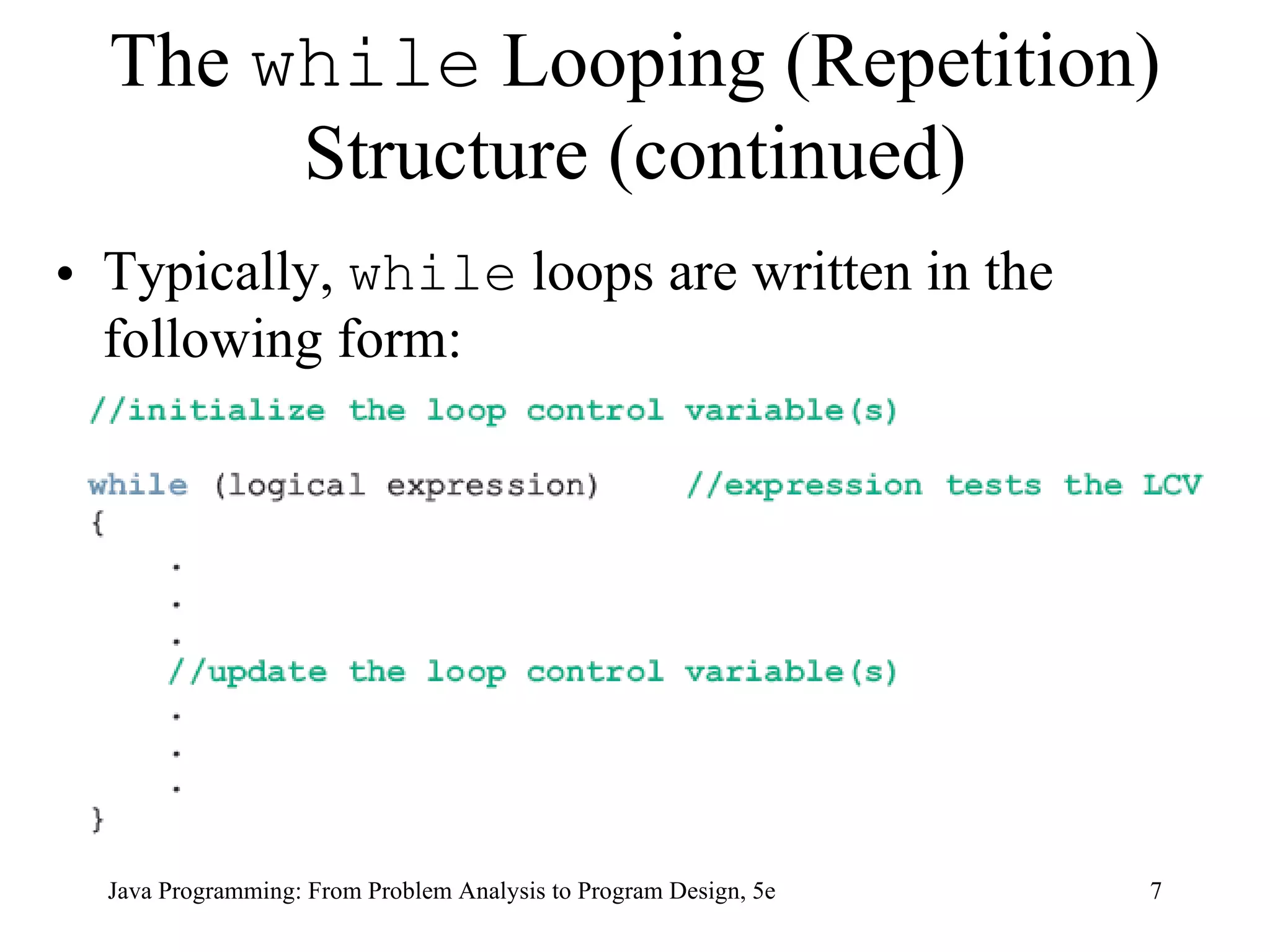
The  while  Looping (Repetition) Structure (continued) Typically,  while  loops are written in the following form: Java Programming: From Problem Analysis to Program Design, 5e
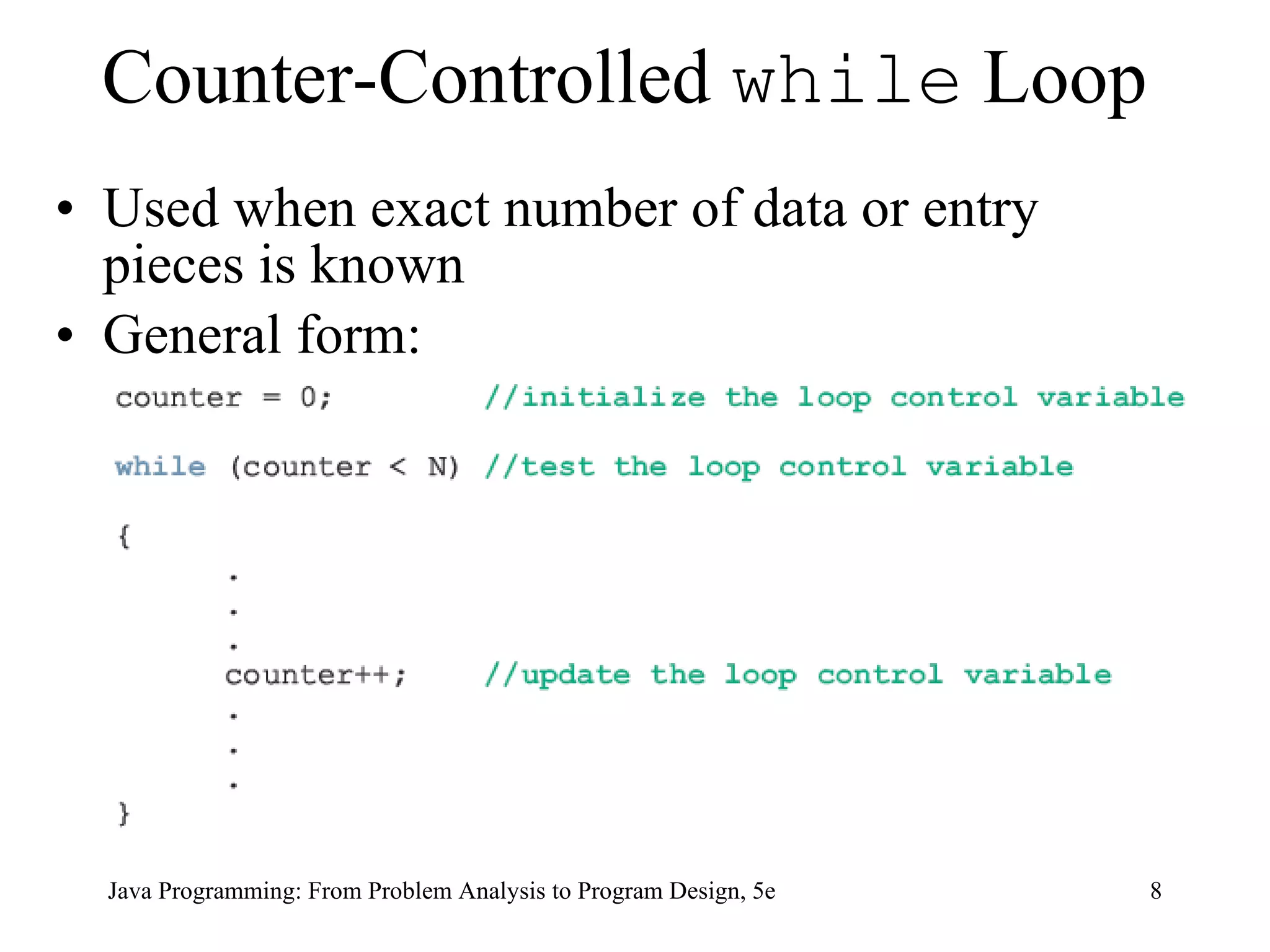
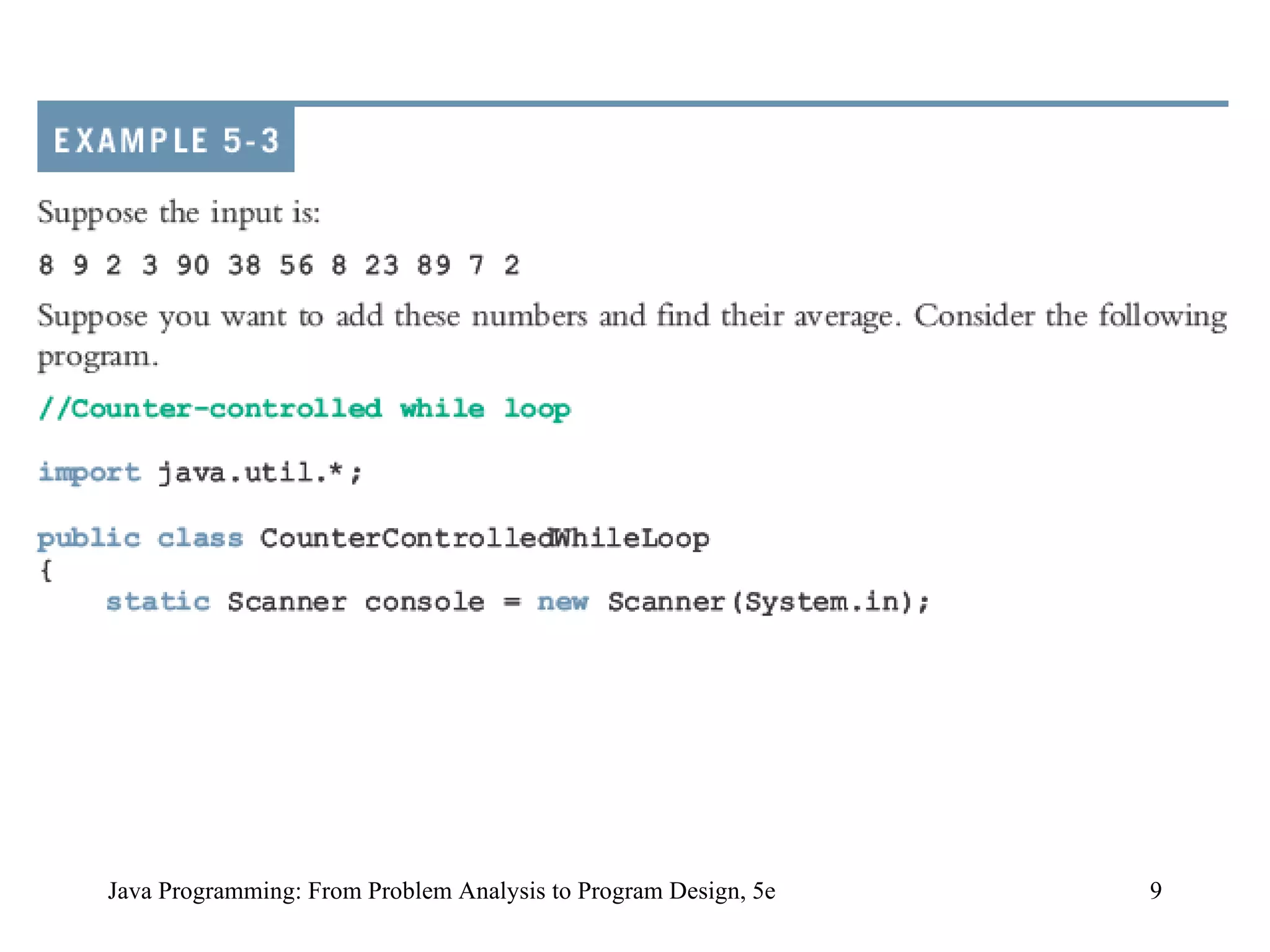
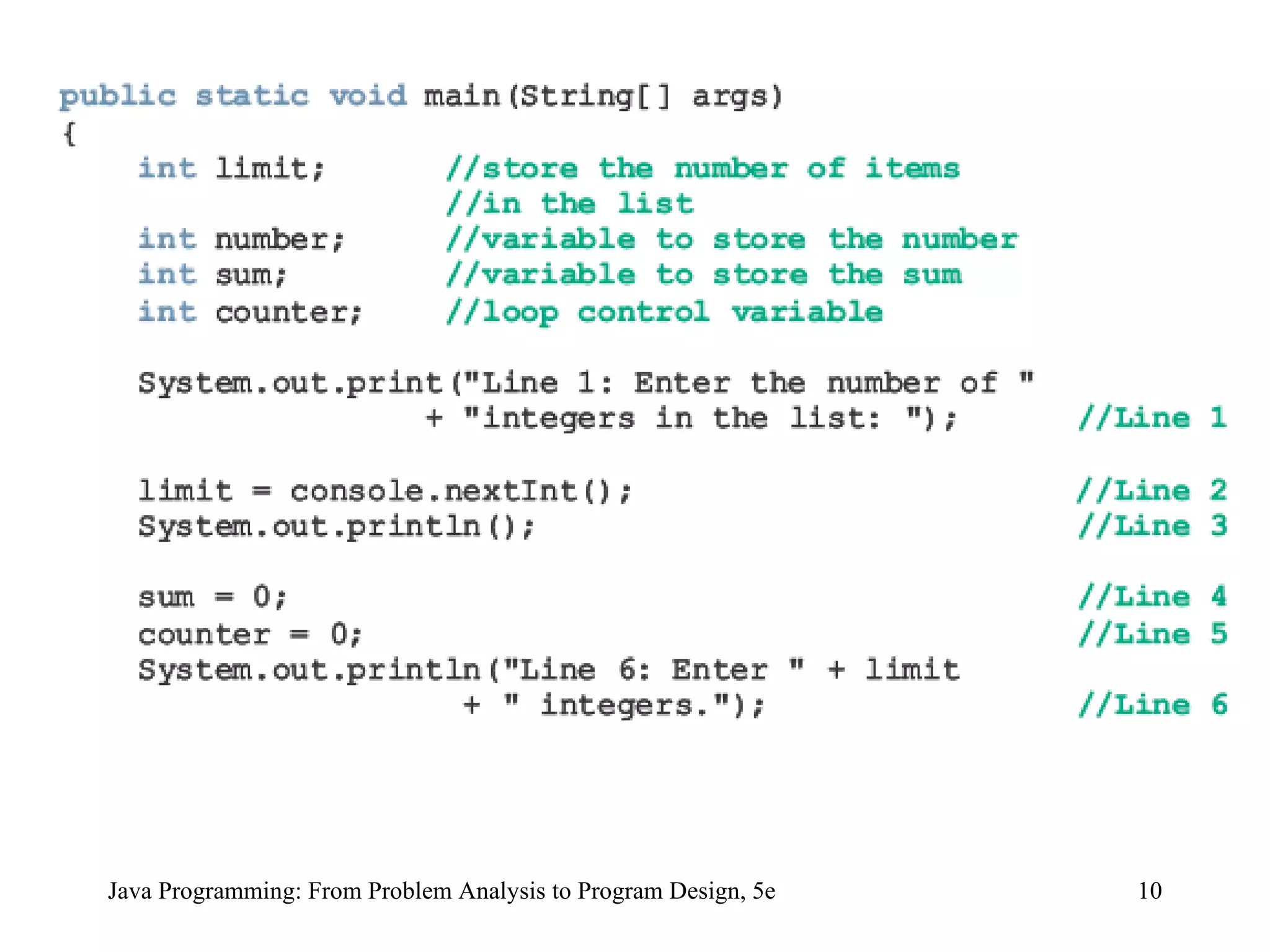
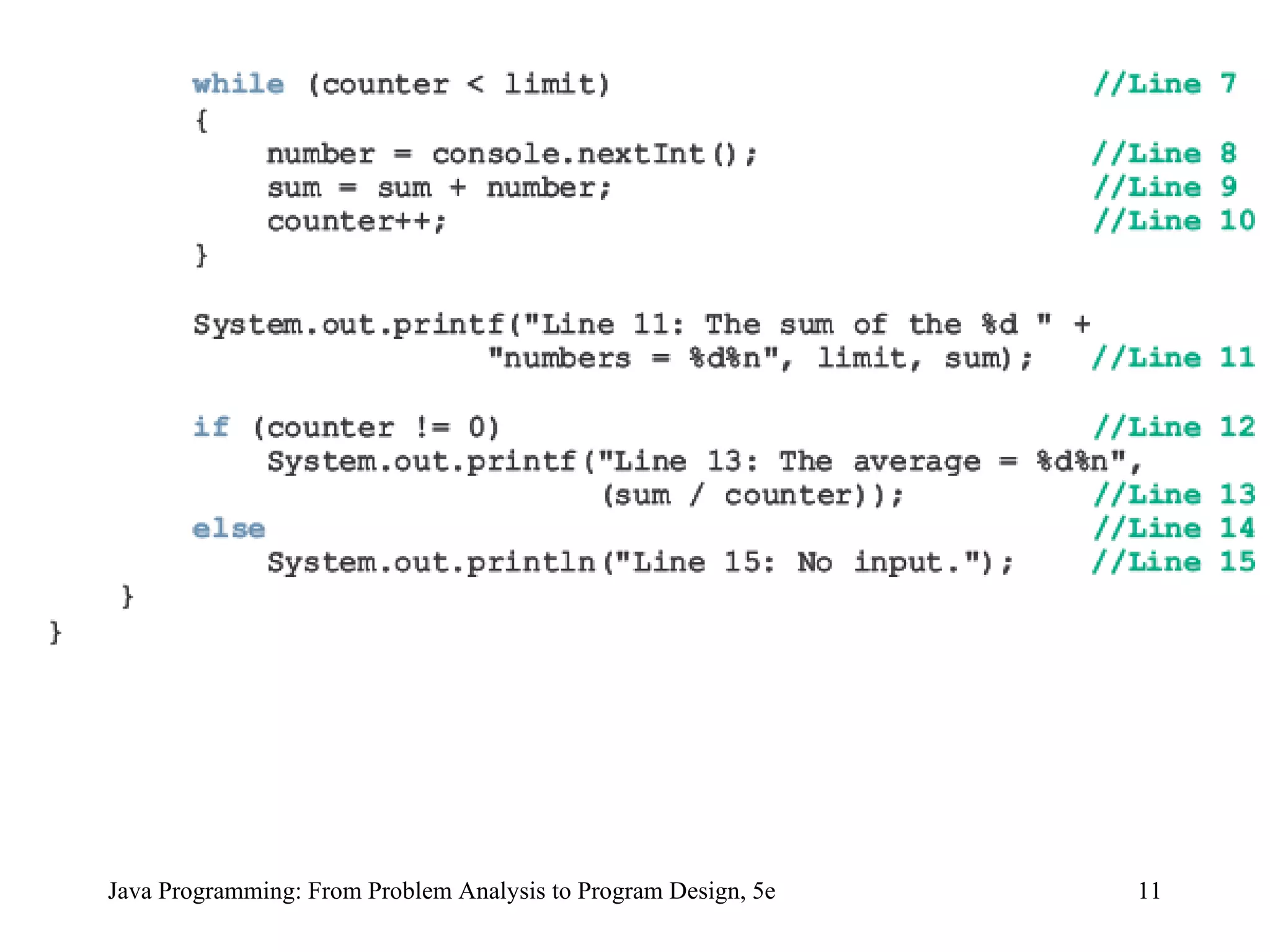
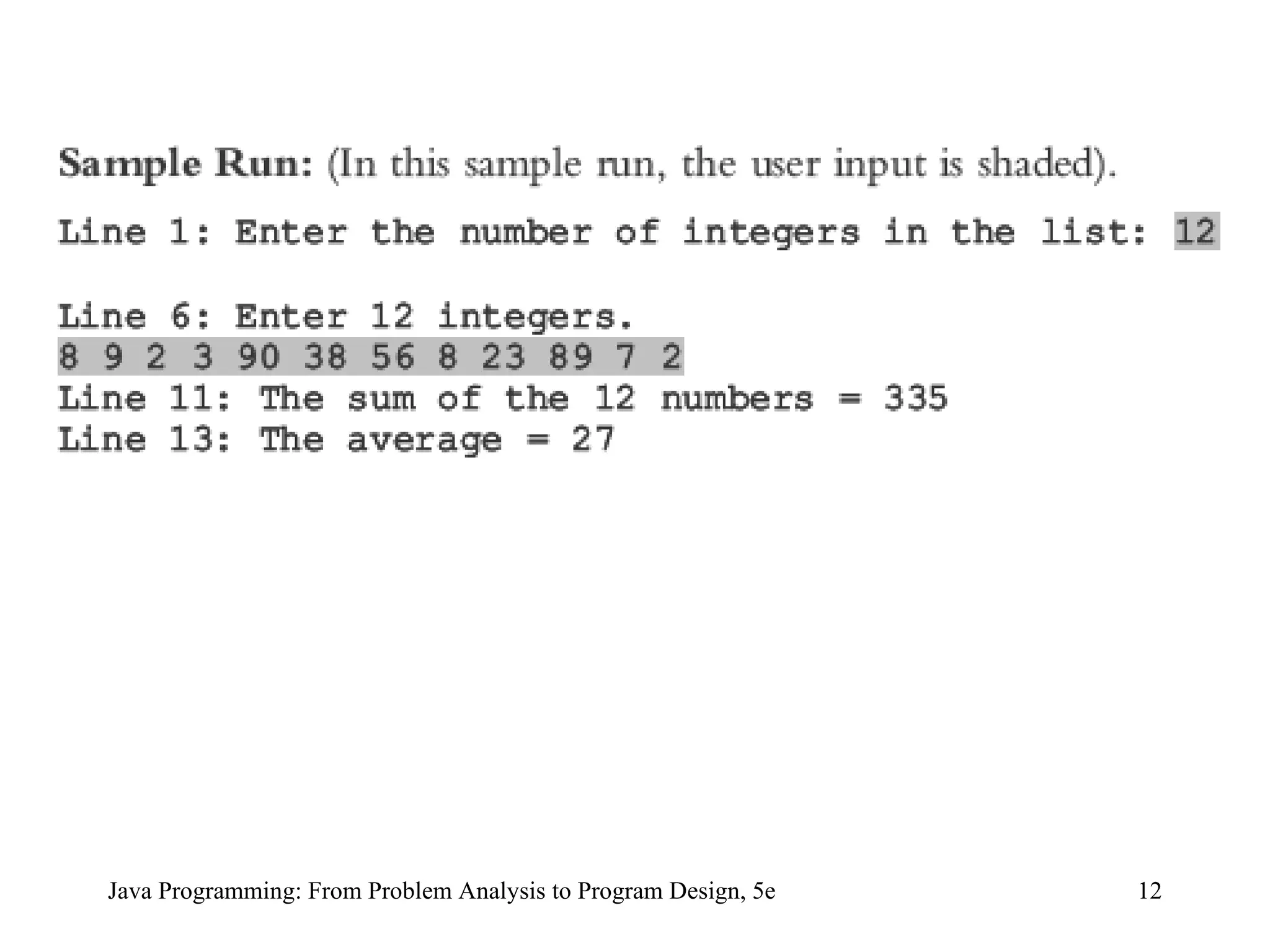
Counter-Controlled  while  Loop Used when exact number of data or entry pieces is known General form: Java Programming: From Problem Analysis to Program Design, 5e
Java Programming: From Problem Analysis to Program Design, 5e
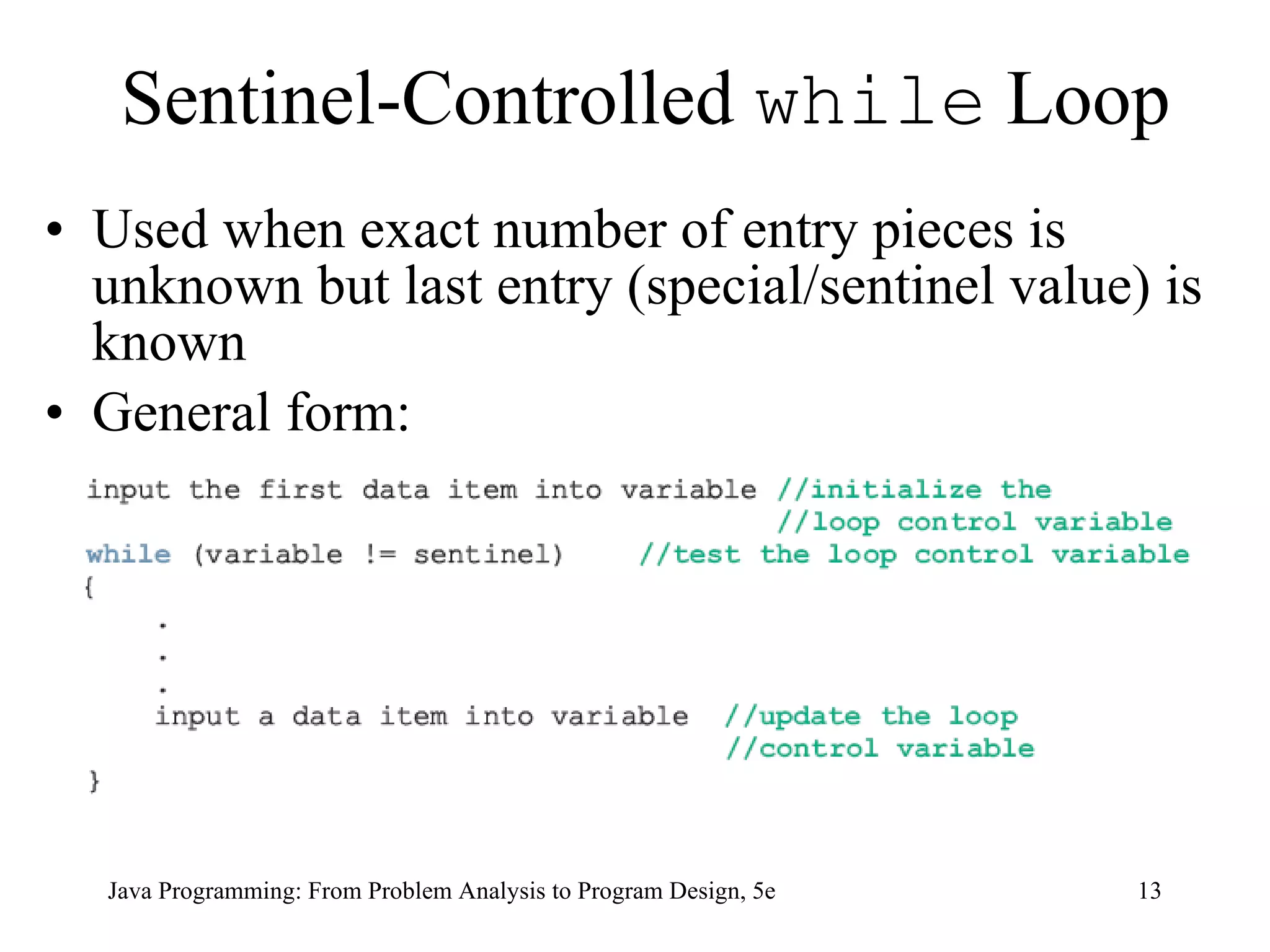
Sentinel-Controlled  while  Loop Used when exact number of entry pieces is unknown but last entry (special/sentinel value) is known General form: Java Programming: From Problem Analysis to Program Design, 5e
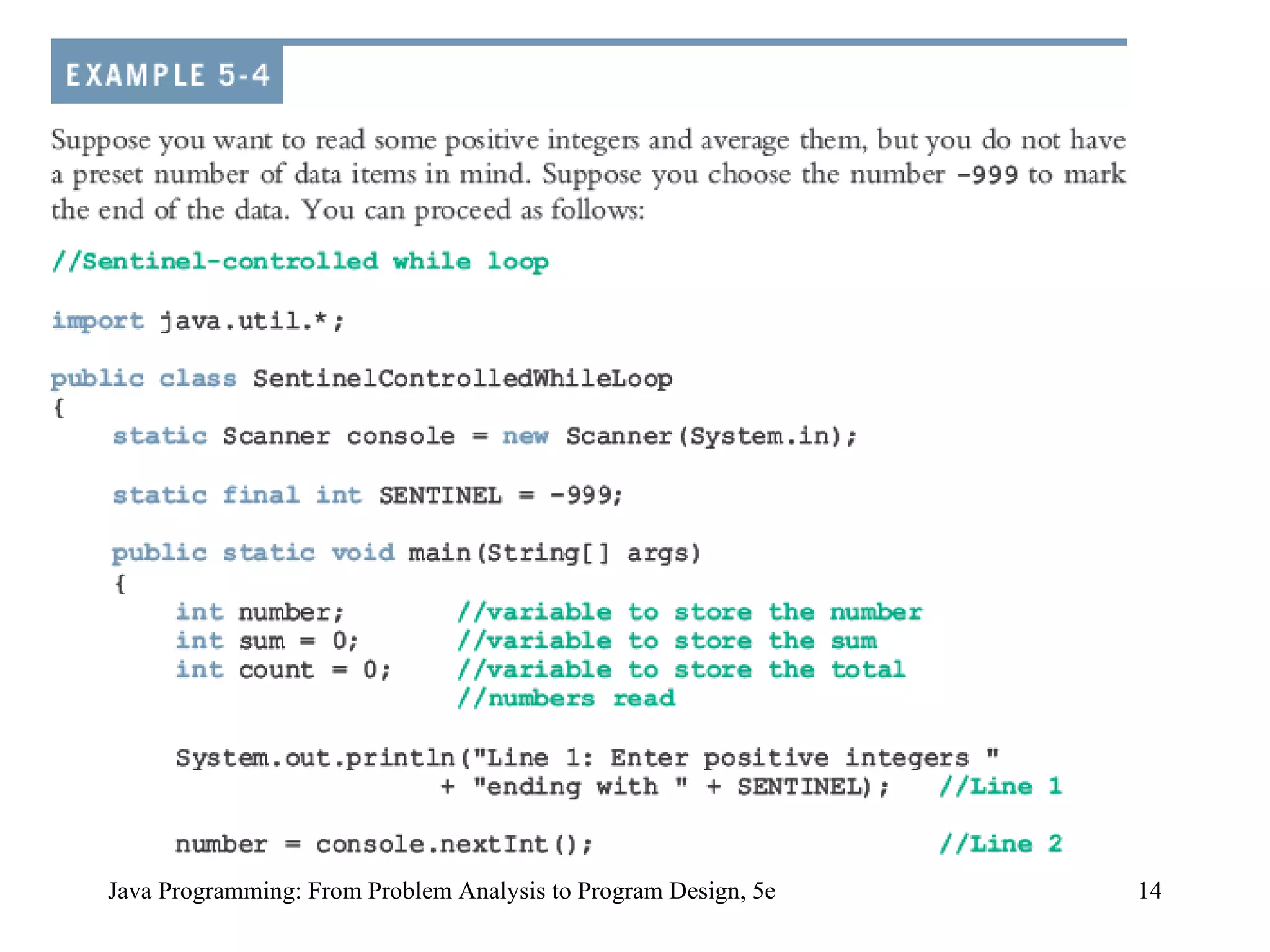
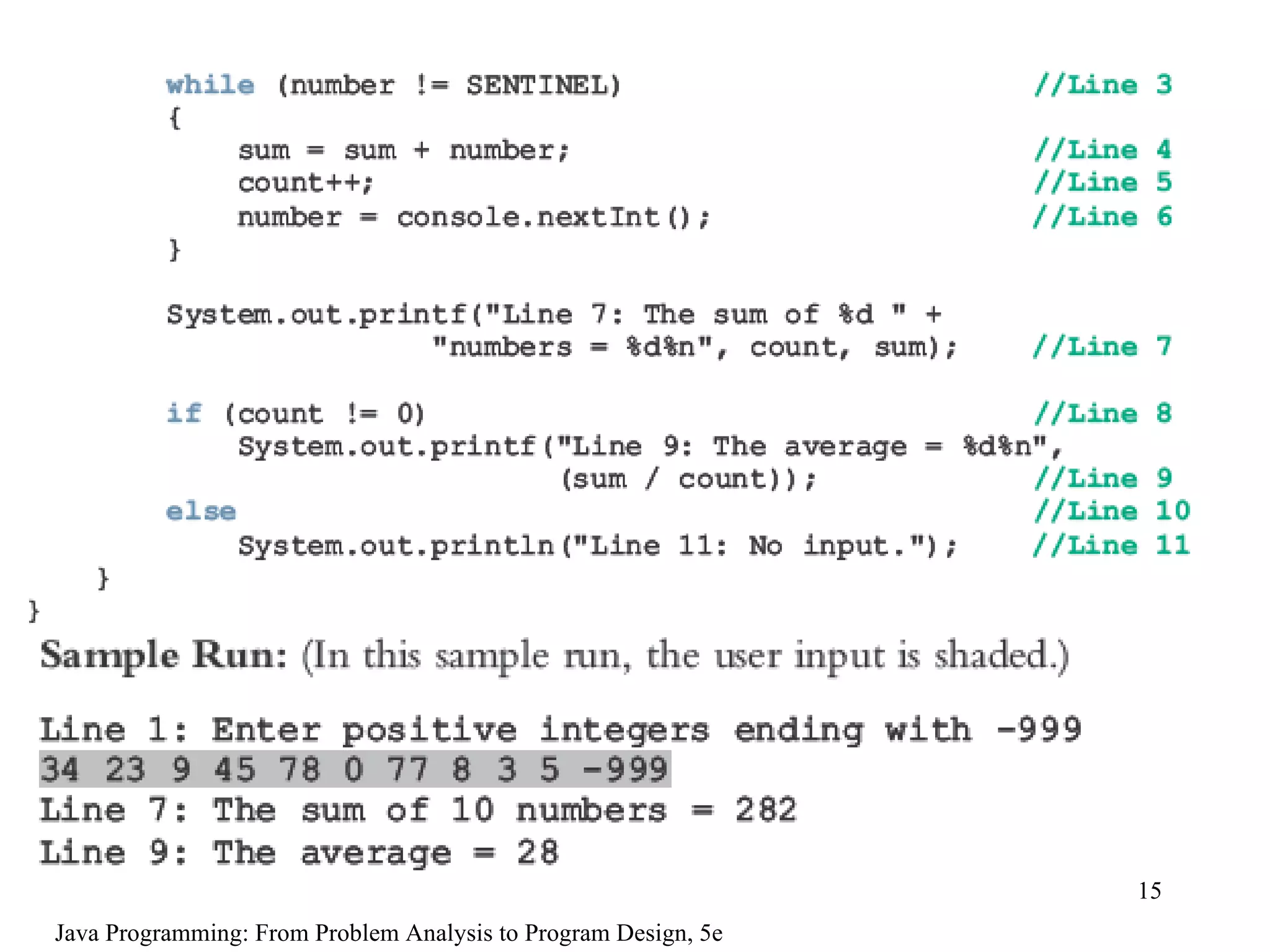
Java Programming: From Problem Analysis to Program Design, 5e
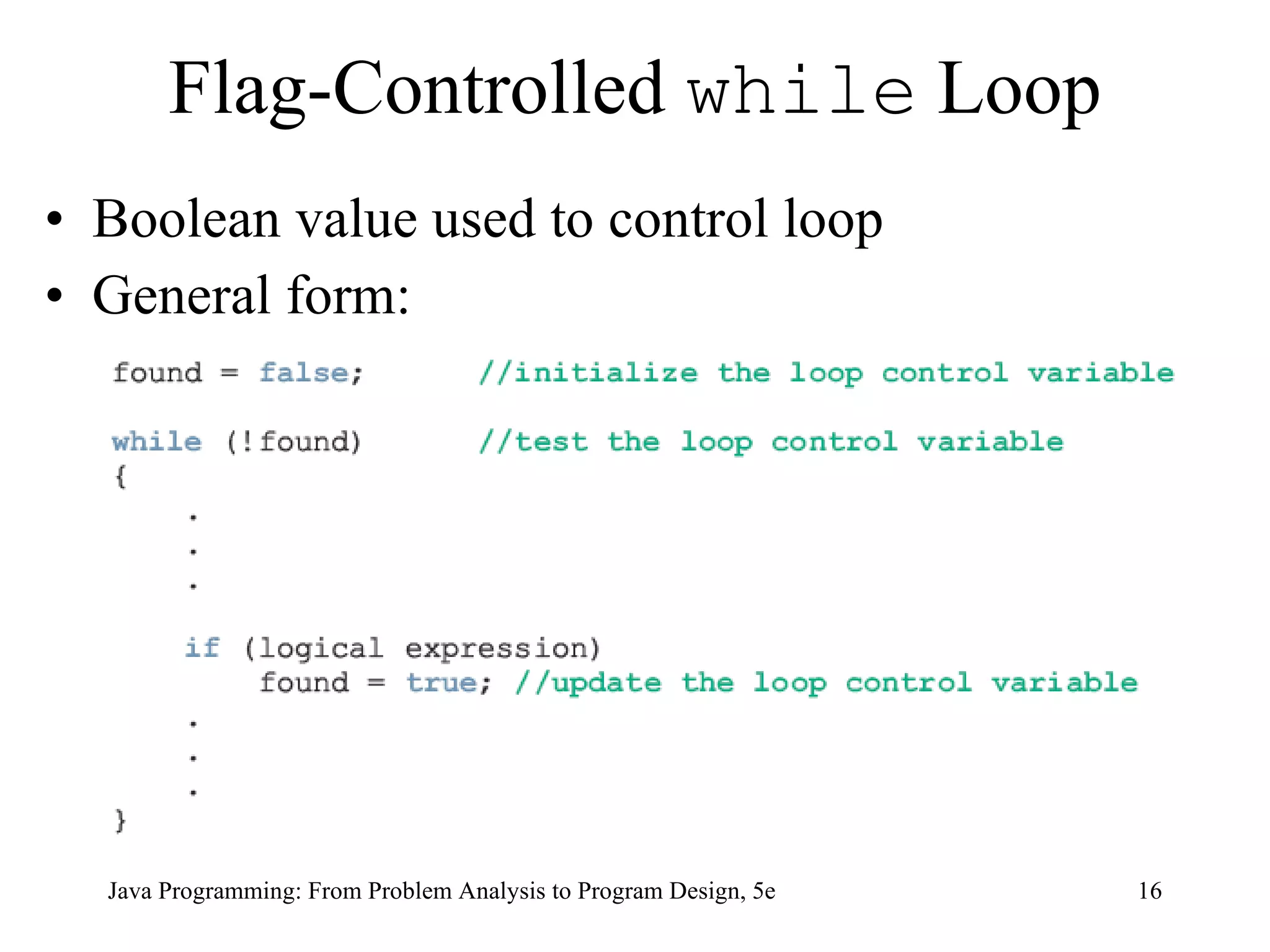
Flag-Controlled  while  Loop Boolean value used to control loop General form: Java Programming: From Problem Analysis to Program Design, 5e
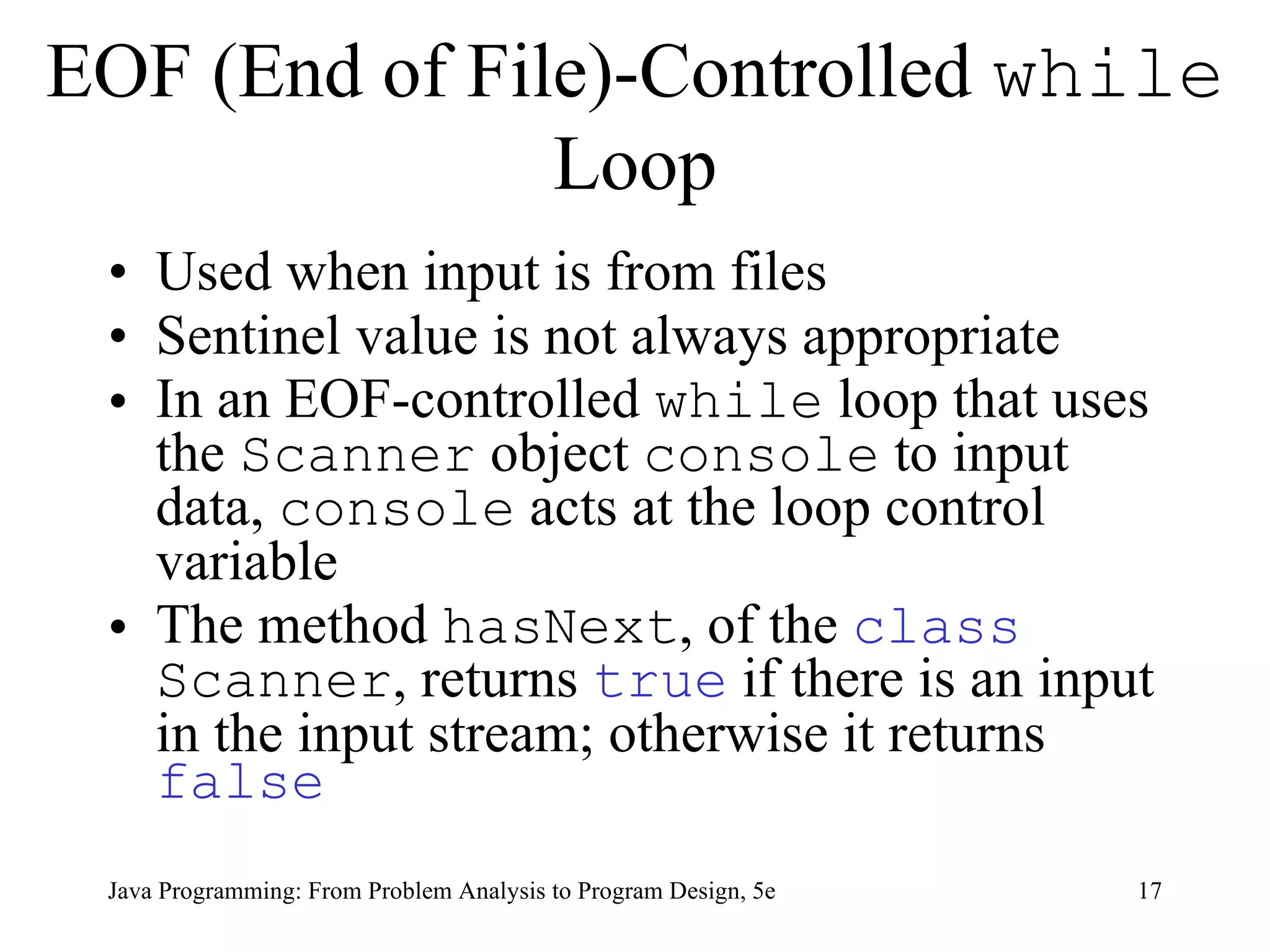
EOF (End of File)-Controlled  while  Loop Used when input is from files Sentinel value is not always appropriate In an EOF-controlled  while  loop that uses the  Scanner  object  console  to input data,  console  acts at the loop control variable The method  hasNext , of the  class   Scanner , returns  true  if there is an input in the input stream; otherwise it returns  false Java Programming: From Problem Analysis to Program Design, 5e
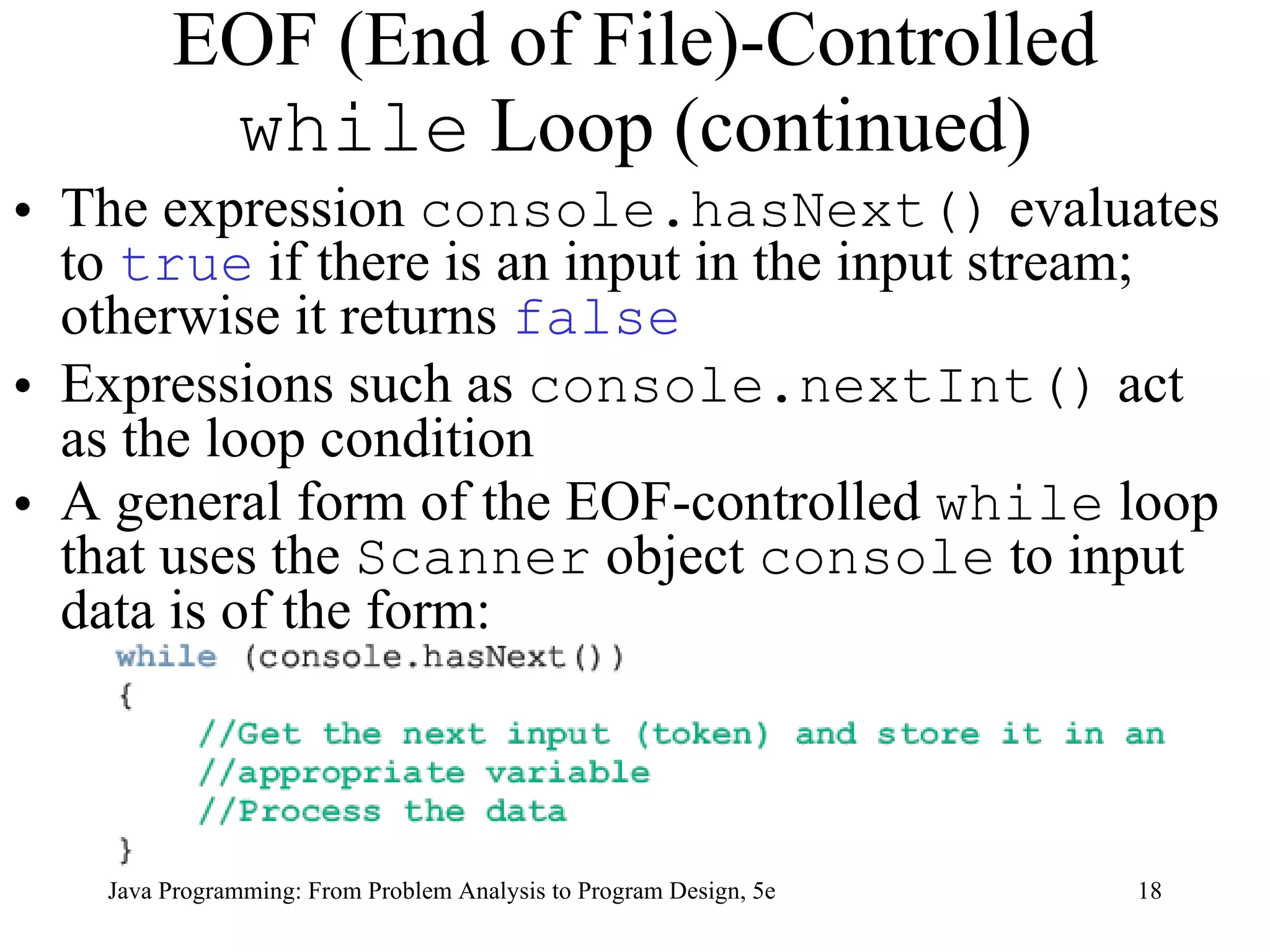
EOF (End of File)-Controlled  while  Loop (continued) The expression  console.hasNext()  evaluates to  true  if there is an input in the input stream; otherwise it returns  false   Expressions such as  console.nextInt()  act as the loop condition A general form of the EOF-controlled  while  loop that uses the  Scanner  object  console  to input data is of the form:  Java Programming: From Problem Analysis to Program Design, 5e
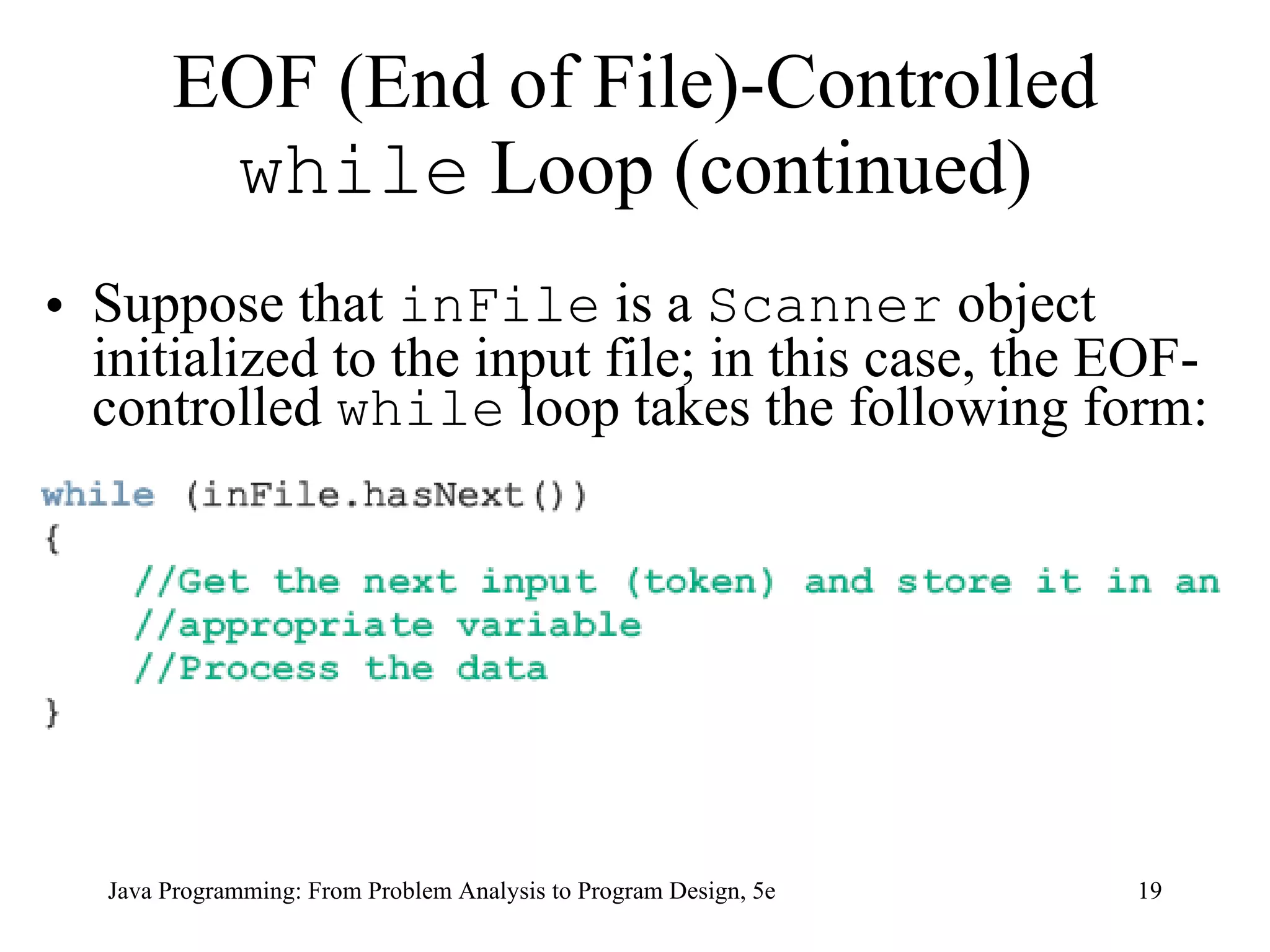
EOF (End of File)-Controlled  while  Loop (continued) Suppose that  inFile  is a  Scanner  object initialized to the input file; in this case, the EOF-controlled  while  loop takes the following form: Java Programming: From Problem Analysis to Program Design, 5e
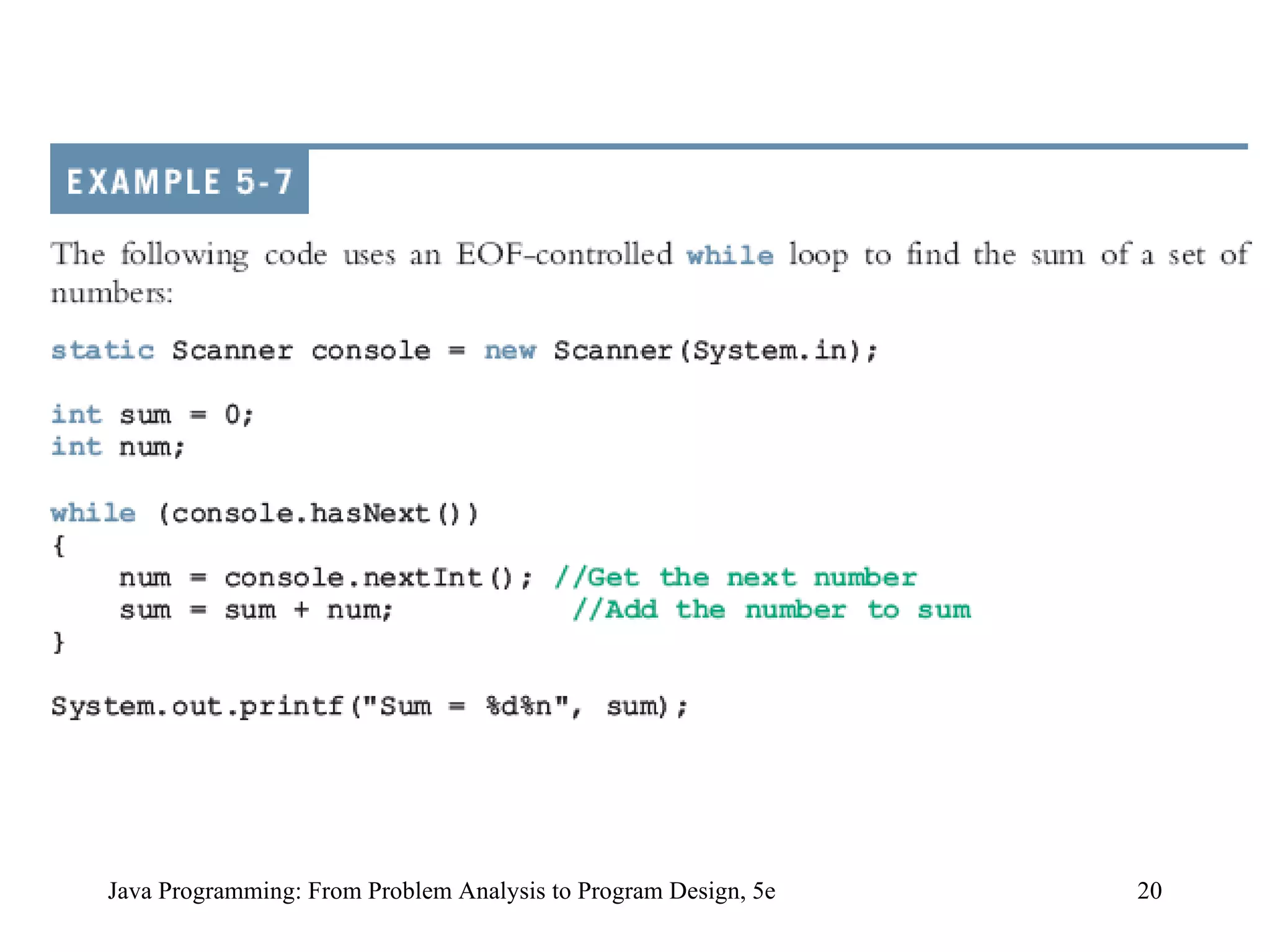
Java Programming: From Problem Analysis to Program Design, 5e
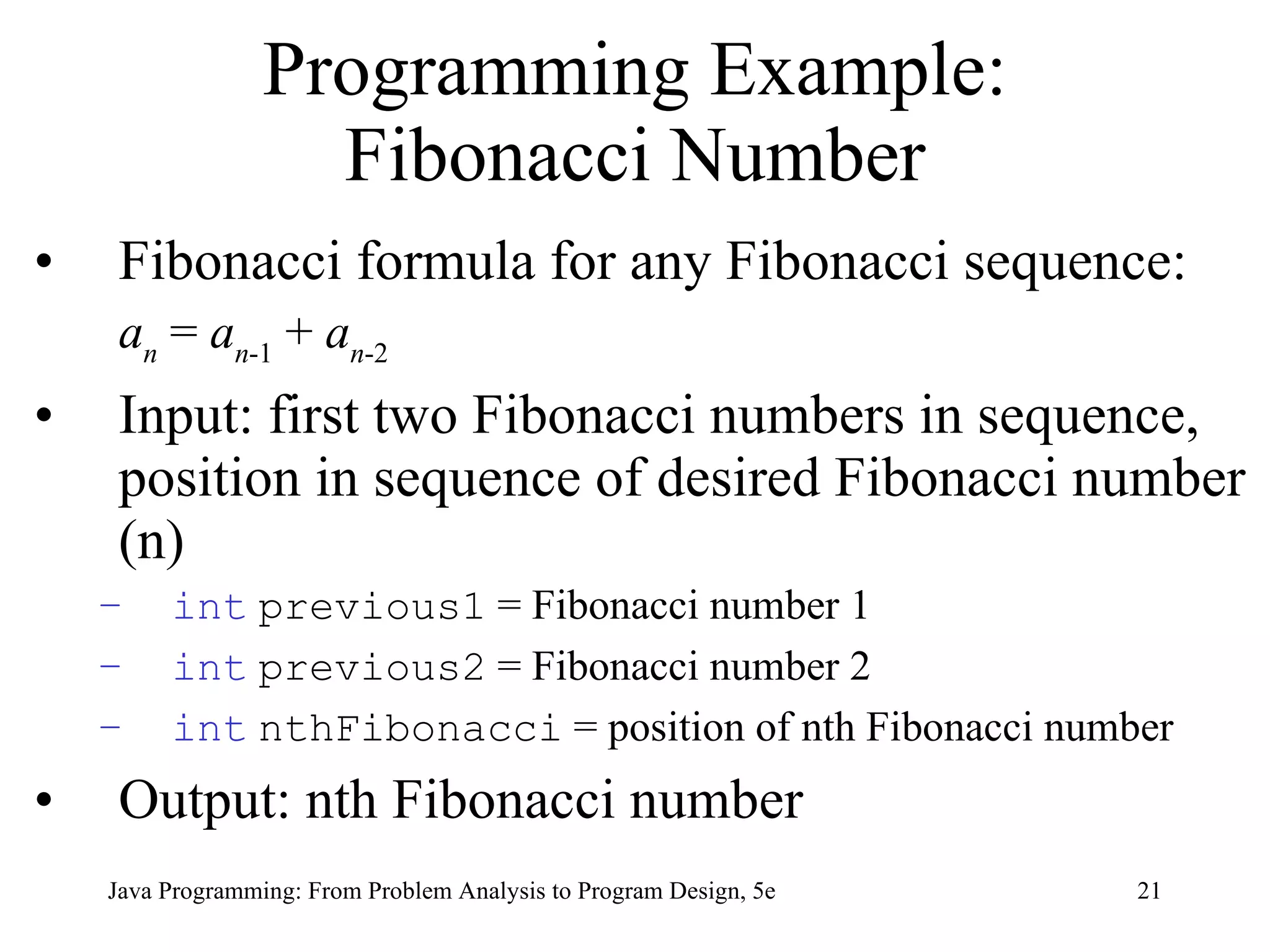
Programming Example: Fibonacci Number Fibonacci formula for any Fibonacci sequence: a n  =  a n -1  +  a n -2 Input:  first two Fibonacci numbers in sequence, position in sequence of desired Fibonacci number (n) int   previous1  = Fibonacci number 1 int   previous2  = Fibonacci number 2 int   nthFibonacci  = position of nth Fibonacci number Output: nth Fibonacci number  Java Programming: From Problem Analysis to Program Design, 5e
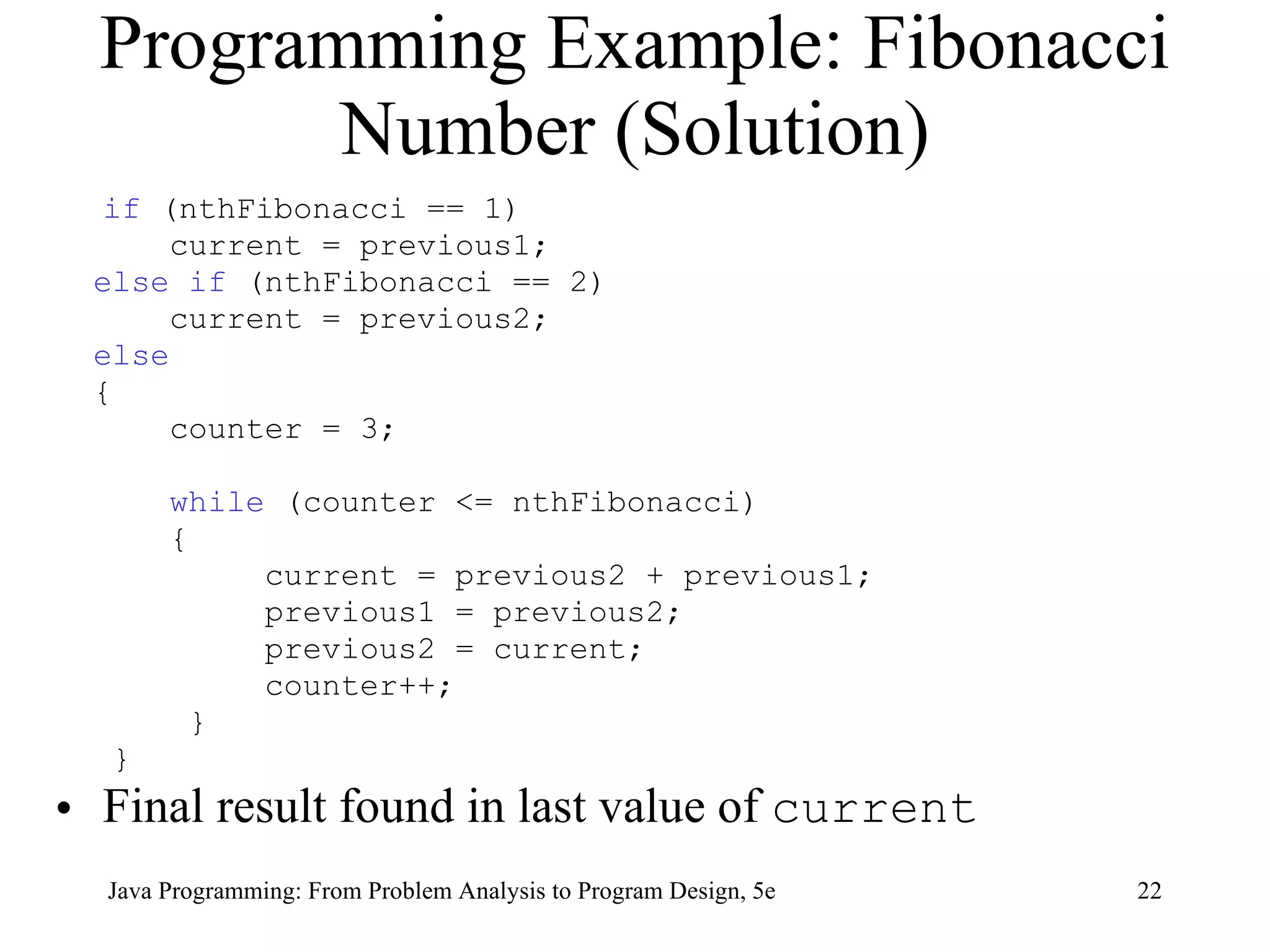
Programming Example: Fibonacci Number (Solution) if  (nthFibonacci == 1) current = previous1; else if  (nthFibonacci == 2) current = previous2; else { counter = 3;  while  (counter <= nthFibonacci) { current = previous2 + previous1; previous1 = previous2; previous2 = current;  counter++;  } } Final result found in last value of  current Java Programming: From Problem Analysis to Program Design, 5e
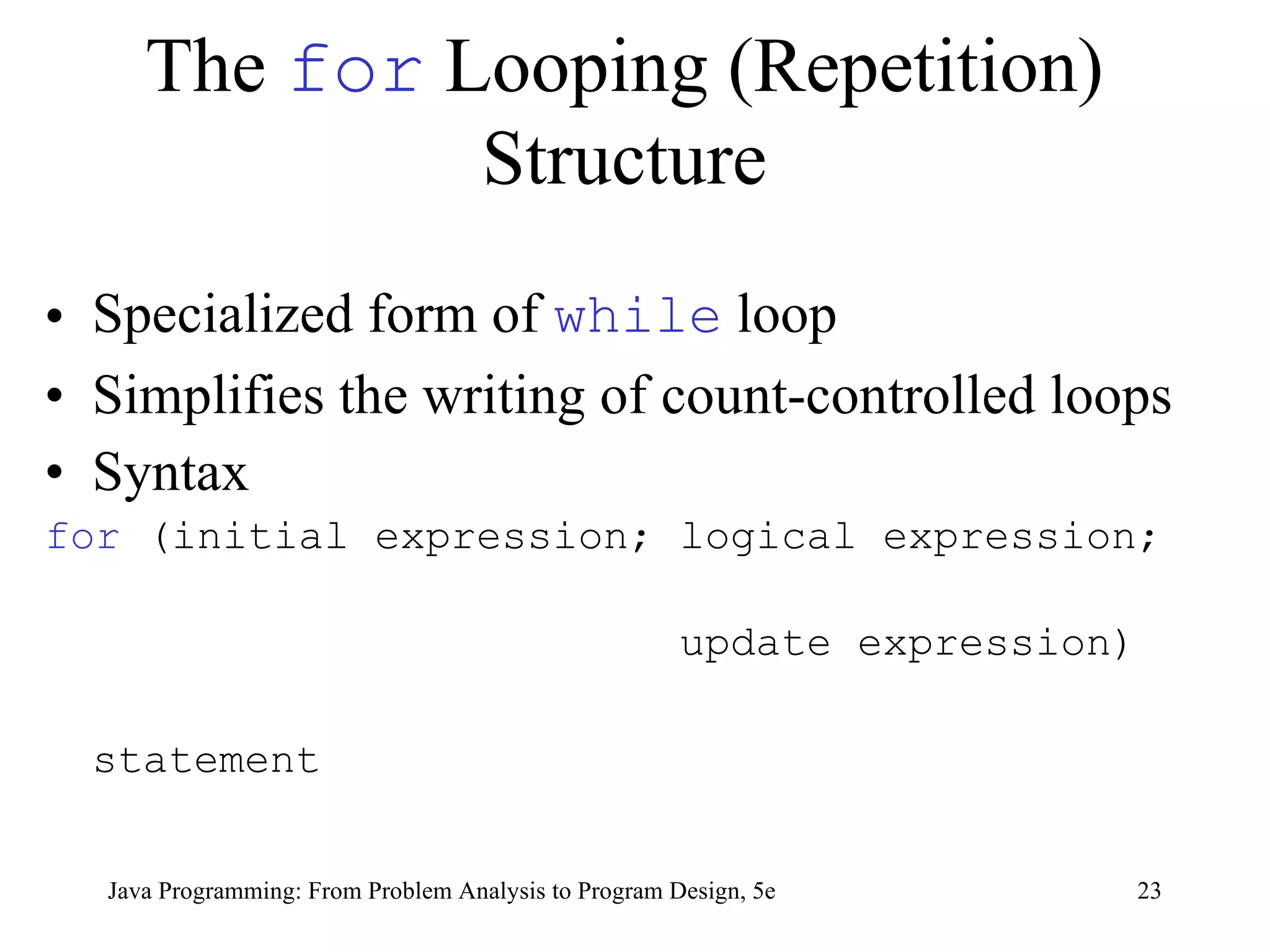
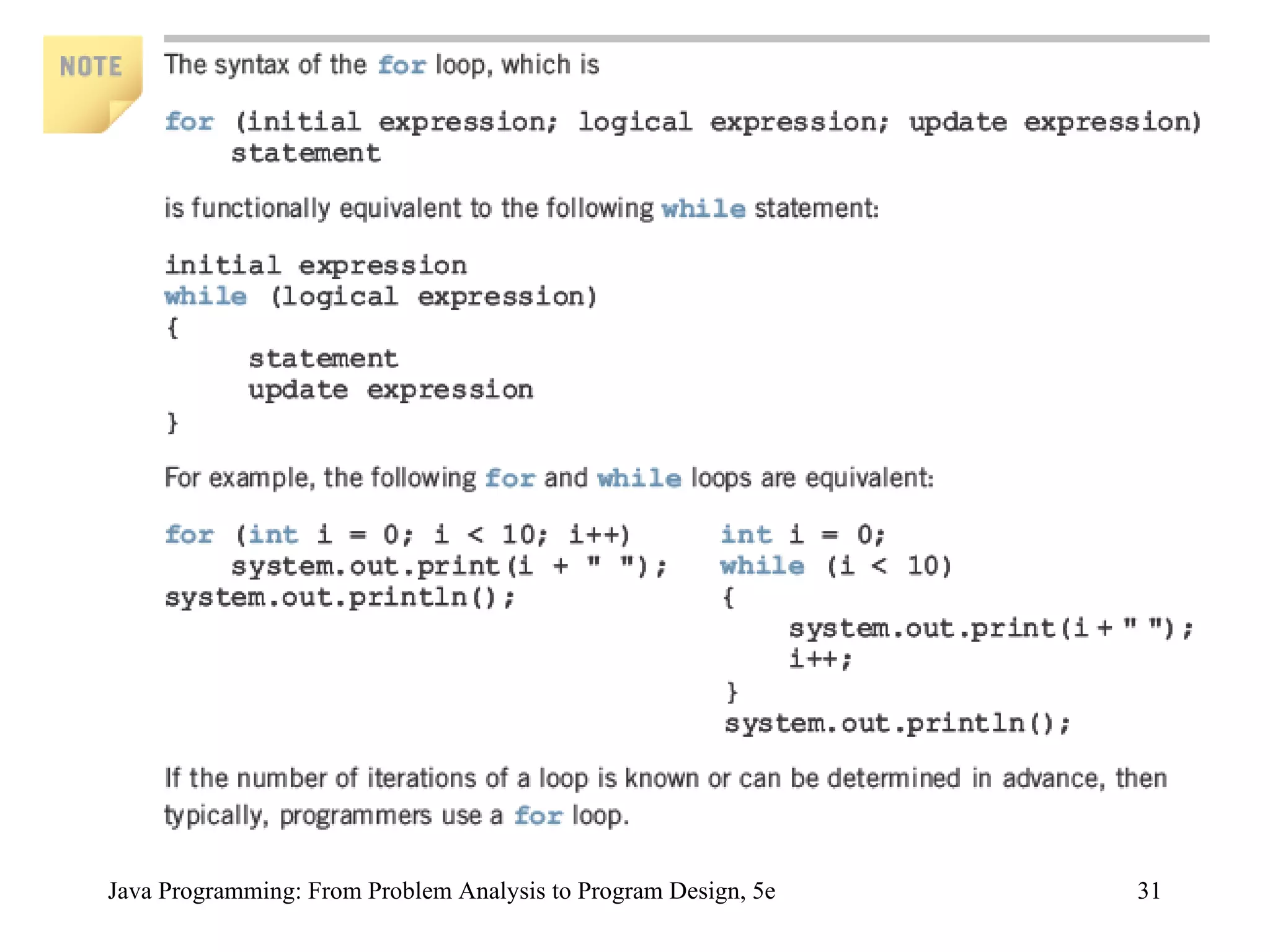
The  for  Looping (Repetition) Structure Specialized form of  while  loop Simplifies the writing of count-controlled loops Syntax for  (initial expression; logical expression;  update expression) statement Java Programming: From Problem Analysis to Program Design, 5e
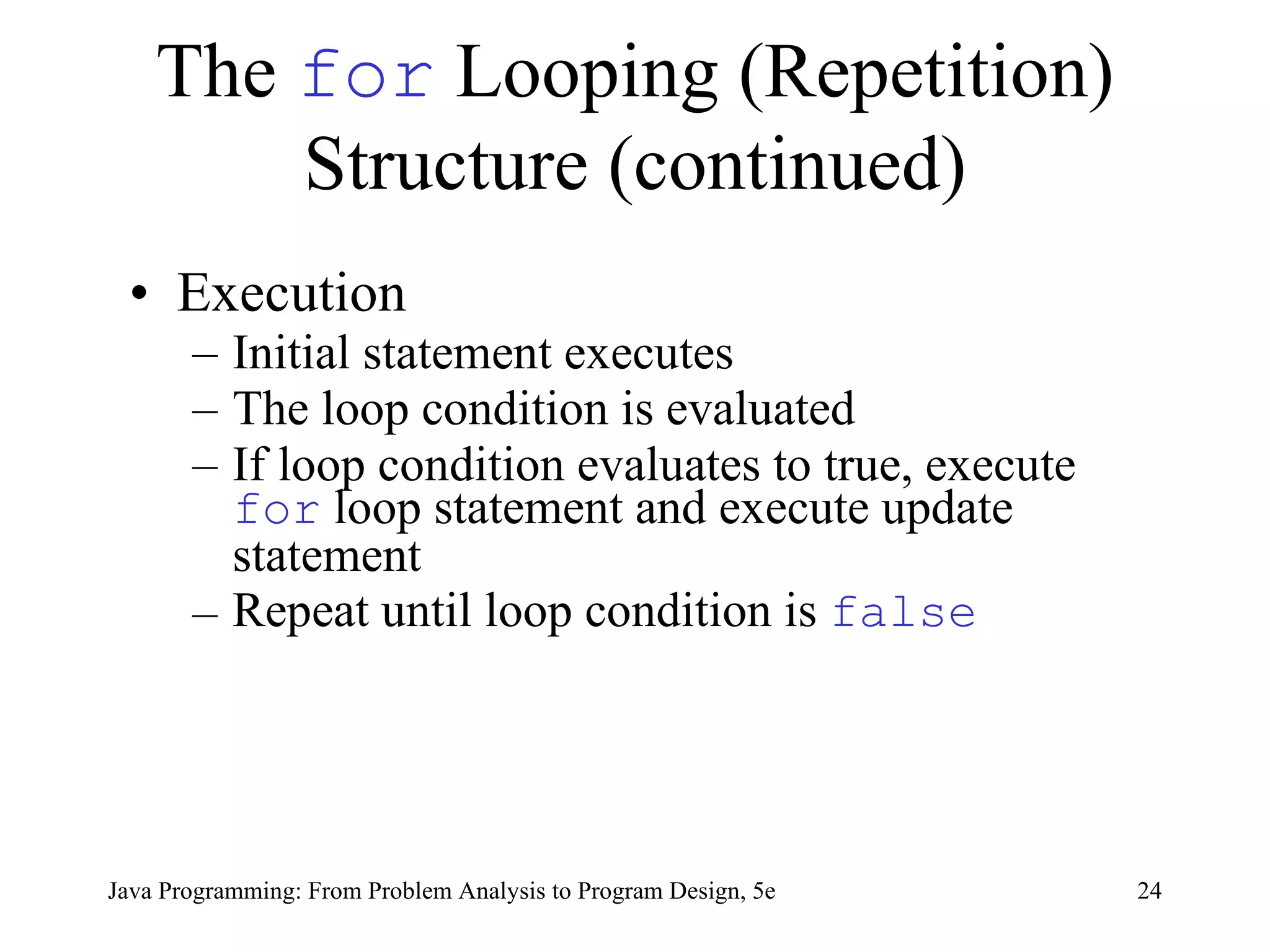
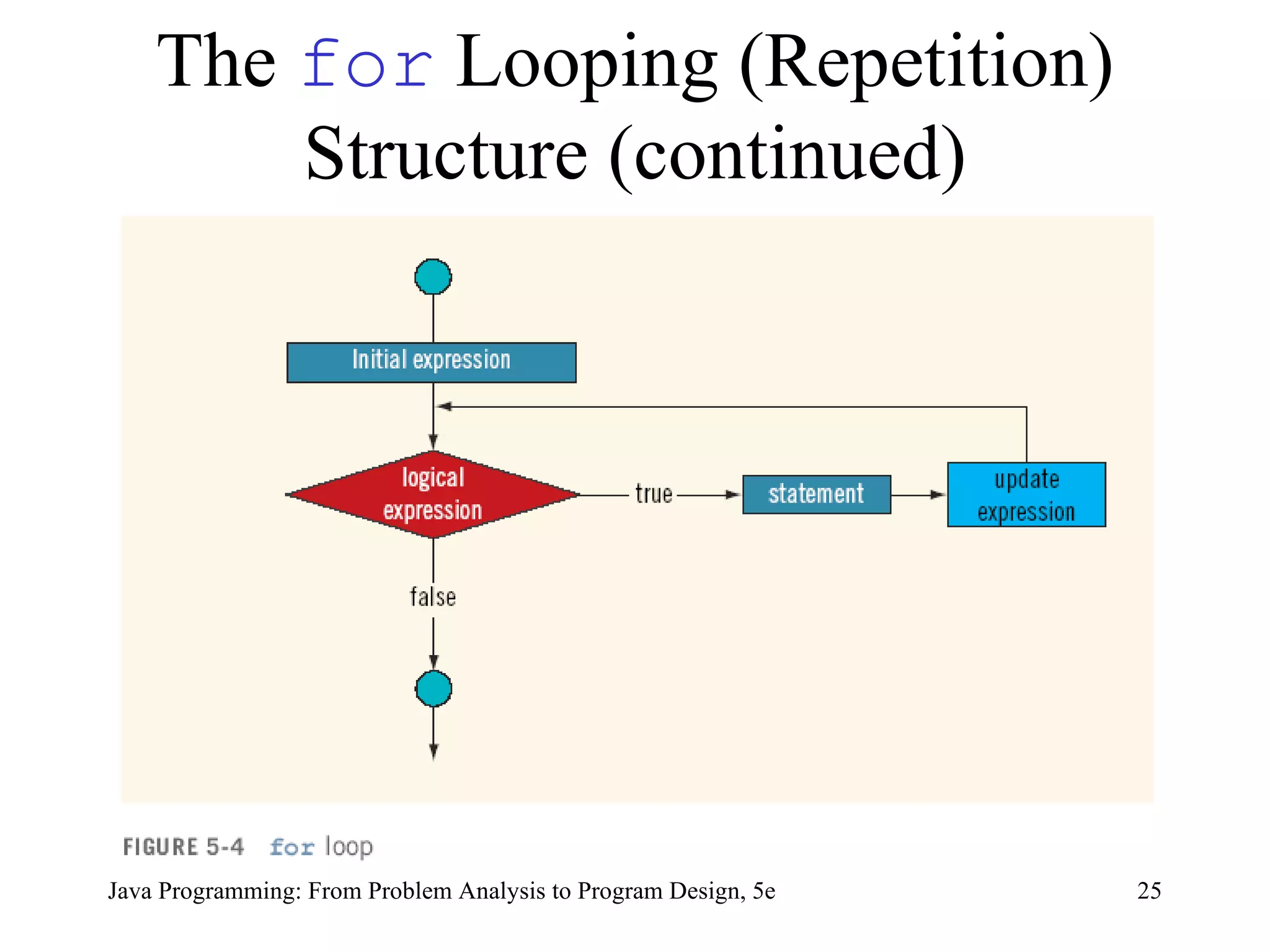
The  for  Looping (Repetition) Structure (continued) Execution Initial statement executes   The loop condition is evaluated If loop condition evaluates to true, execute  for  loop statement  and execute  update statement Repeat until loop condition is  false   Java Programming: From Problem Analysis to Program Design, 5e
The  for  Looping (Repetition) Structure (continued) Java Programming: From Problem Analysis to Program Design, 5e
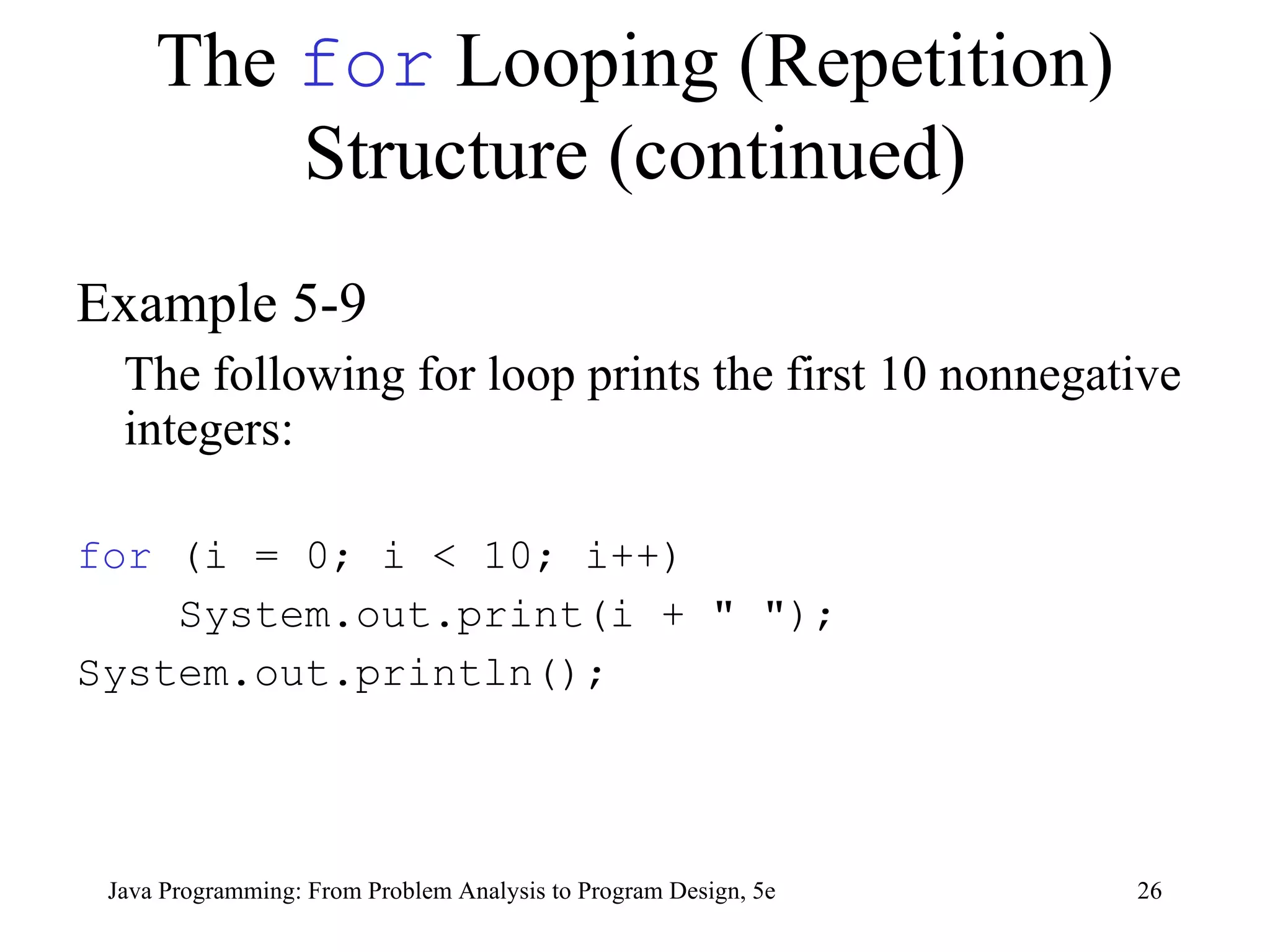
The  for  Looping (Repetition) Structure (continued) Example 5-9 The following for loop prints the first 10 nonnegative integers: for  (i = 0; i < 10; i++) System.out.print(i + &quot; &quot;); System.out.println(); Java Programming: From Problem Analysis to Program Design, 5e
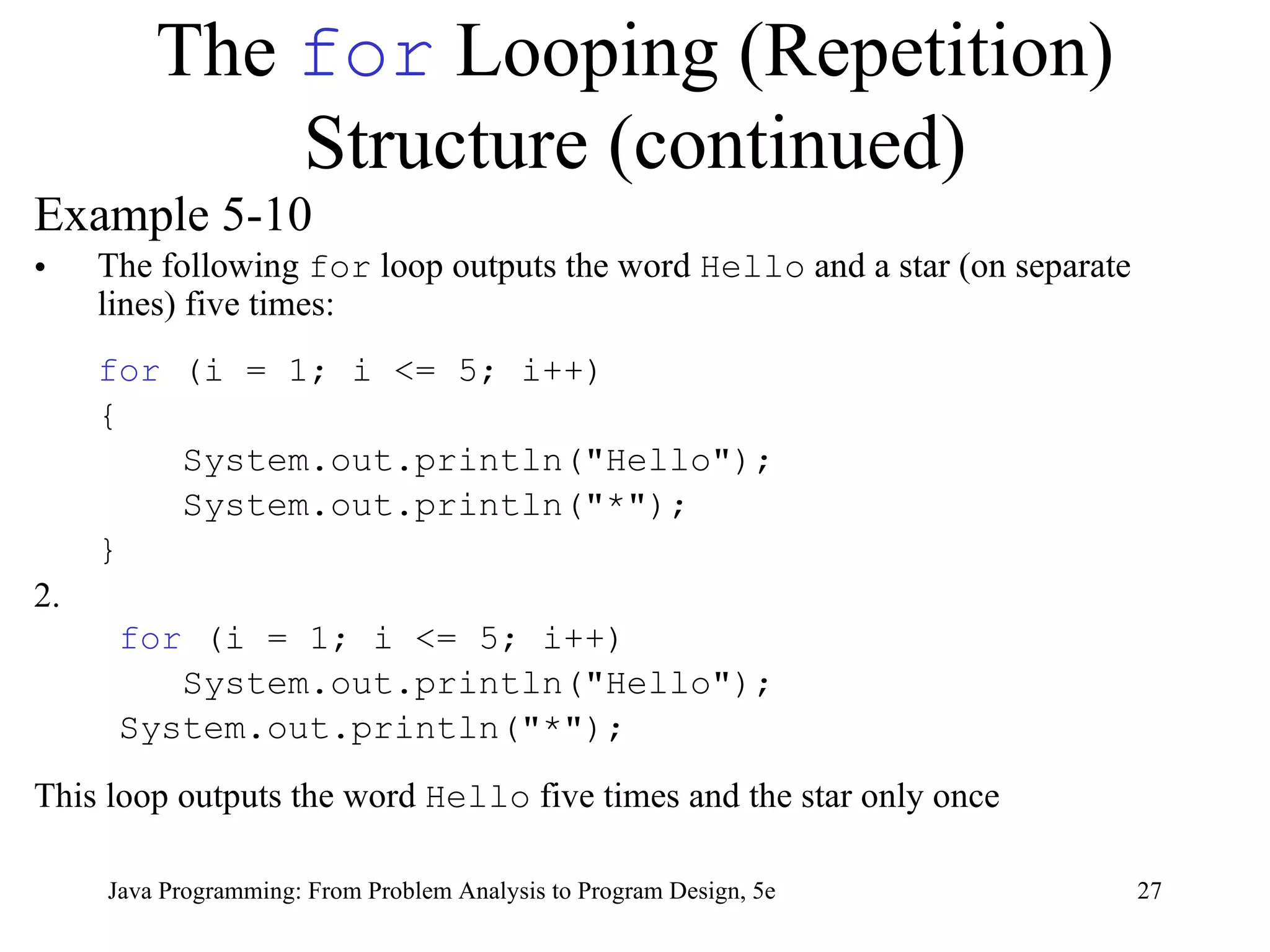
The  for  Looping (Repetition) Structure (continued) Example 5-10 The following  for  loop outputs the word  Hello  and a star (on separate lines) five times: for  (i = 1; i <= 5; i++) {   System.out.println(&quot;Hello&quot;);   System.out.println(&quot;*&quot;); } 2.   for  (i = 1; i <= 5; i++) System.out.println(&quot;Hello&quot;); System.out.println(&quot;*&quot;); This loop outputs the word  Hello  five times and the star only once Java Programming: From Problem Analysis to Program Design, 5e
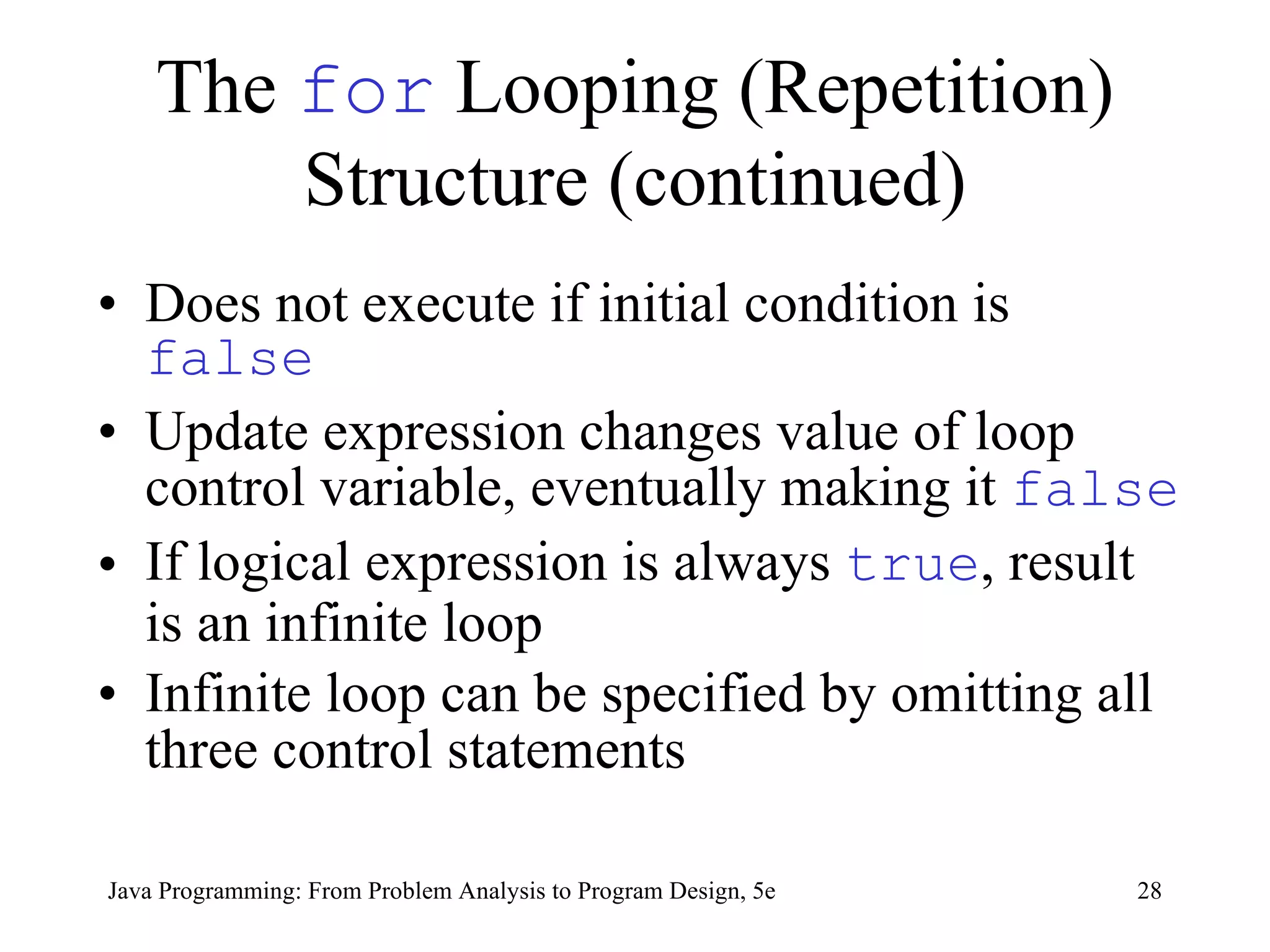
The  for  Looping (Repetition) Structure (continued) Does not execute if initial condition is  false Update expression changes value of loop control variable, eventually making it  false If logical expression is always  true , result is an infinite loop   Infinite loop can be specified by omitting all three control statements   Java Programming: From Problem Analysis to Program Design, 5e
The  for  Looping (Repetition) Structure (continued) If logical expression is omitted, it is assumed to be  true for  statement ending in semicolon is empty Java Programming: From Problem Analysis to Program Design, 5e
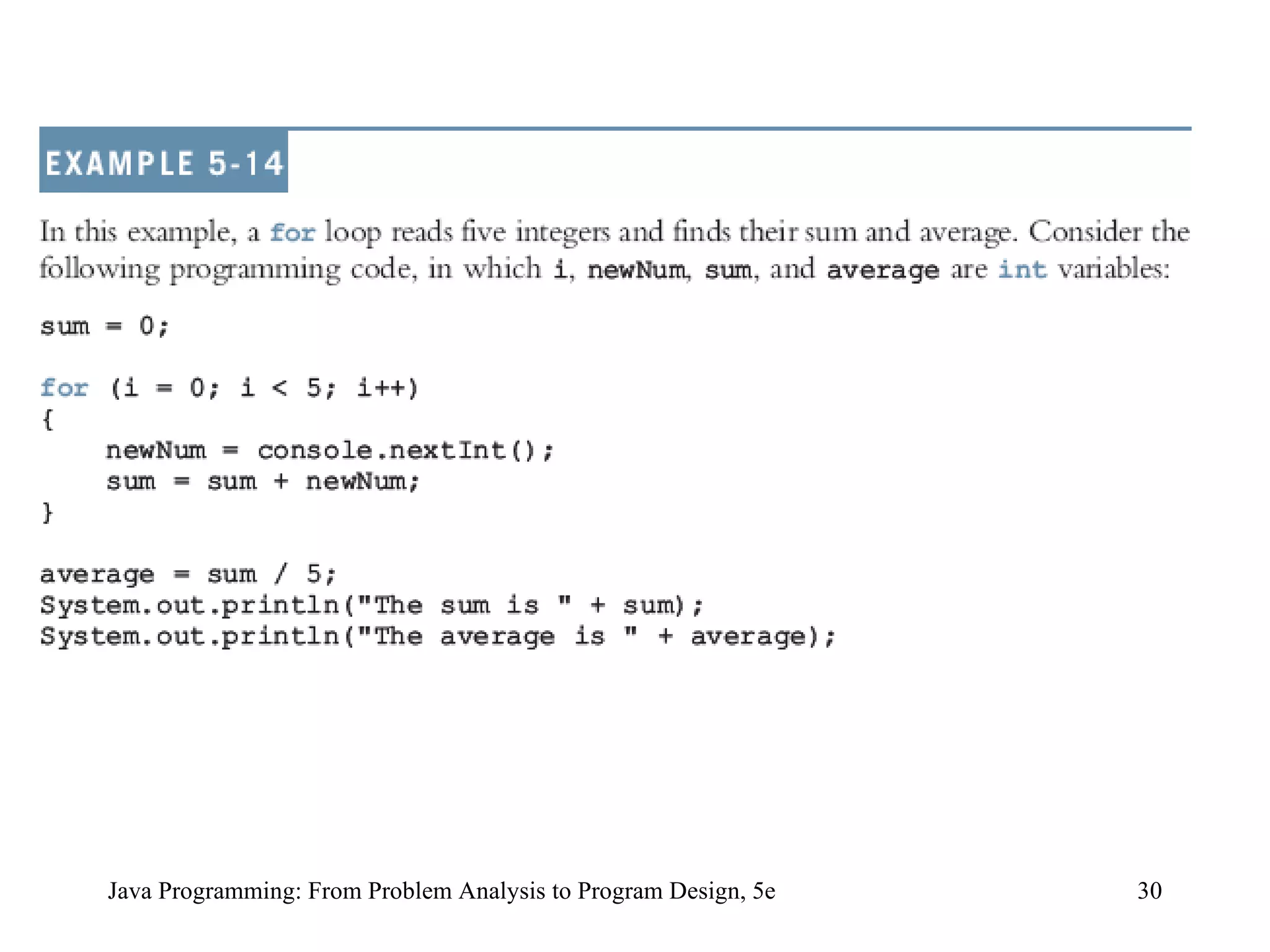
Java Programming: From Problem Analysis to Program Design, 5e
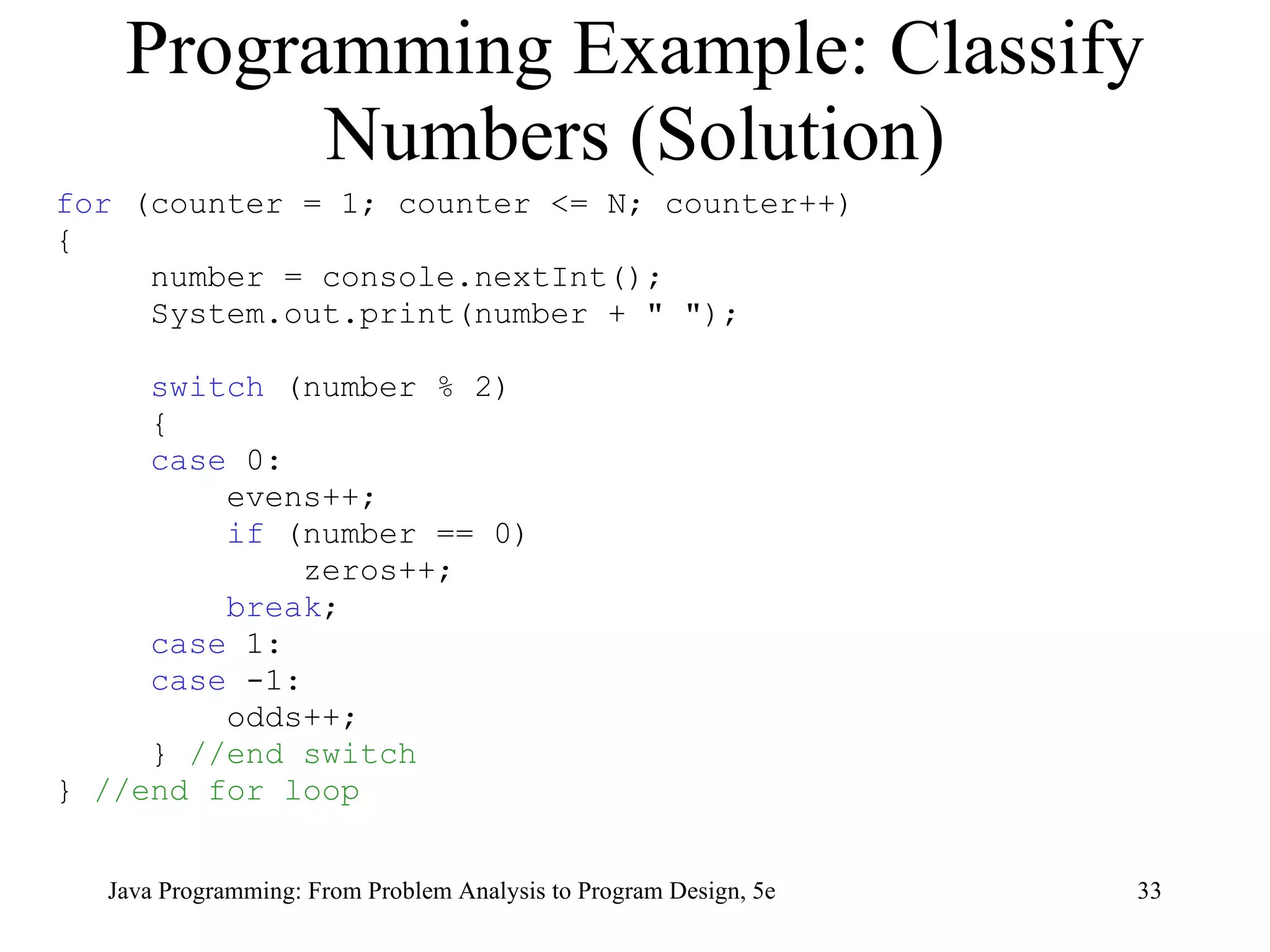
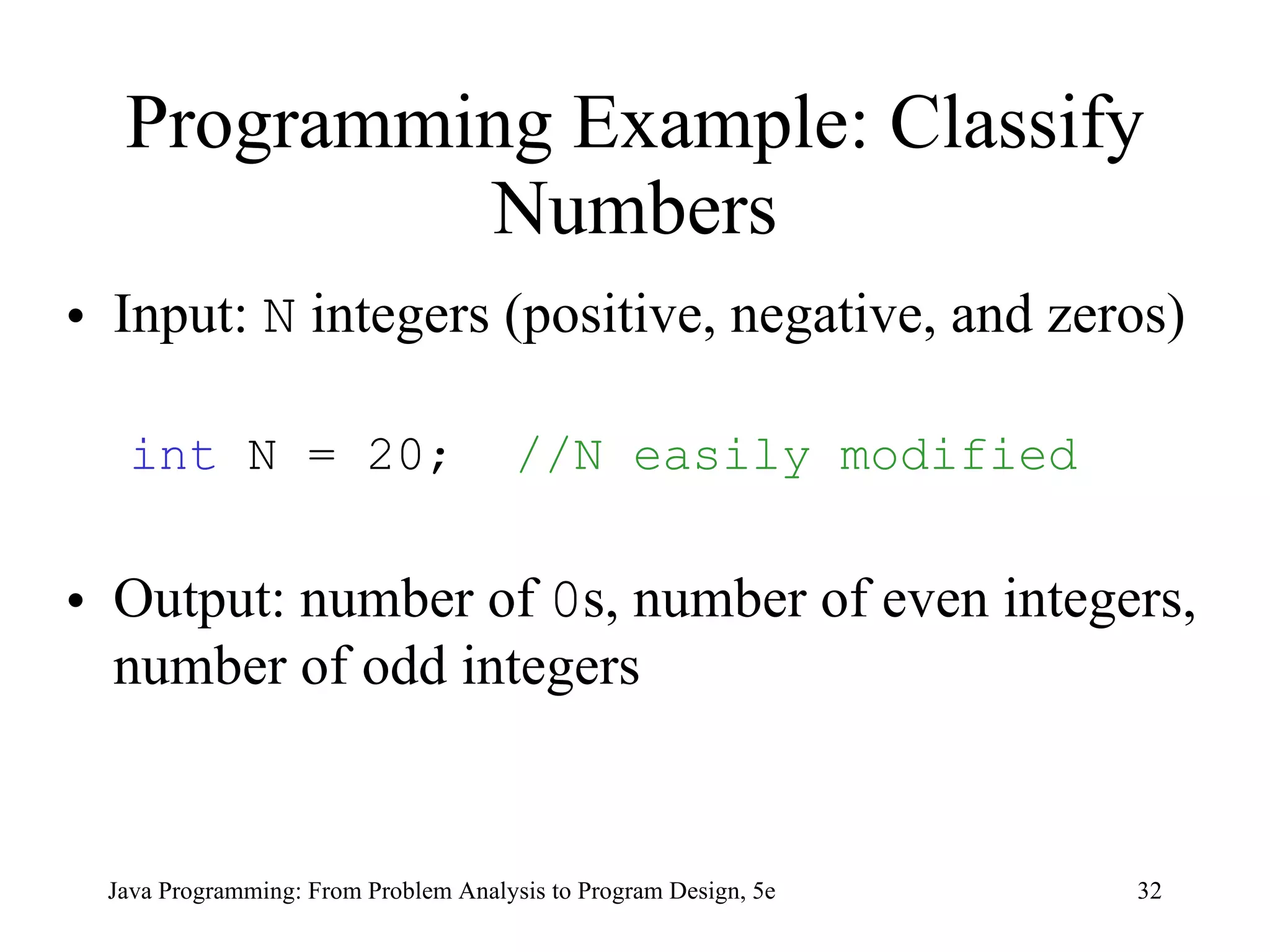
Programming Example: Classify Numbers Input:  N   integers (positive, negative, and zeros)  int  N = 20;  //N easily modified Output: number of  0 s, number of even integers, number of odd integers Java Programming: From Problem Analysis to Program Design, 5e
Programming Example: Classify Numbers (Solution) for  (counter = 1; counter <= N; counter++) { number = console.nextInt();  System.out.print(number + &quot; &quot;);  switch  (number % 2) { case  0:  evens++; if  (number == 0) zeros++; break ; case  1: case  -1:  odds++; }  //end switch }  //end for loop Java Programming: From Problem Analysis to Program Design, 5e
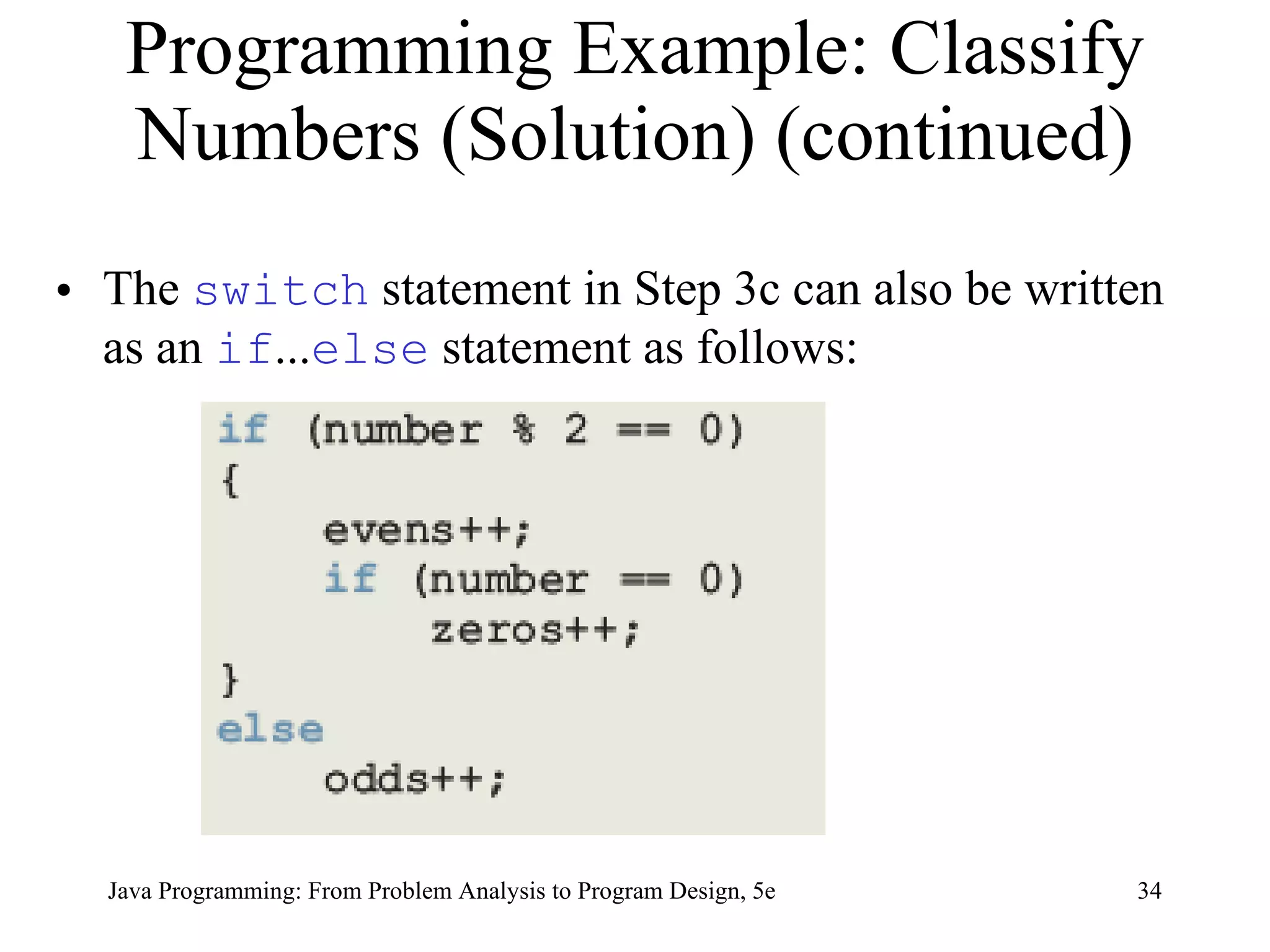
Programming Example: Classify Numbers (Solution) (continued) The  switch  statement in Step 3c can also be written as an  if ... else  statement as follows: Java Programming: From Problem Analysis to Program Design, 5e
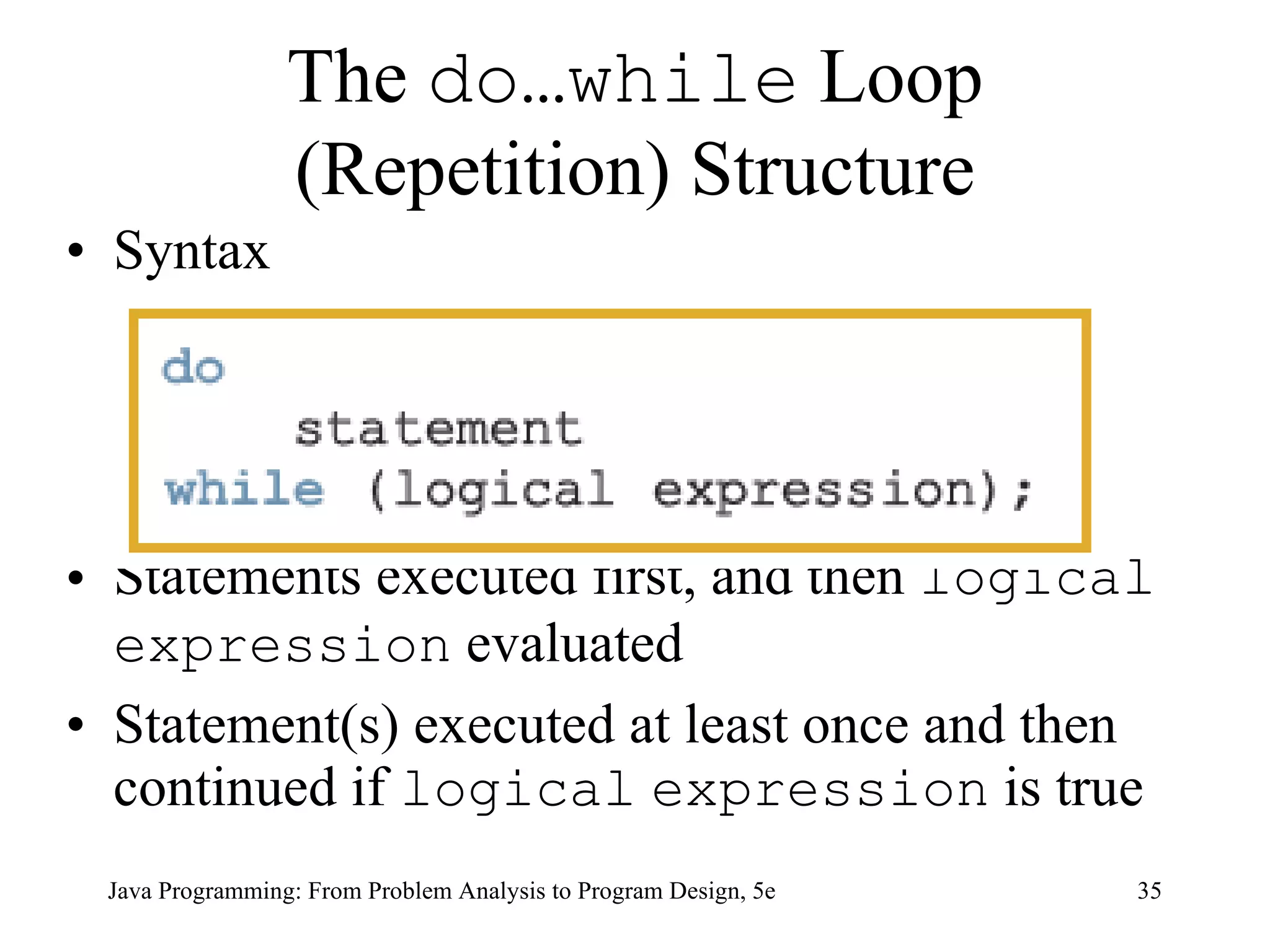
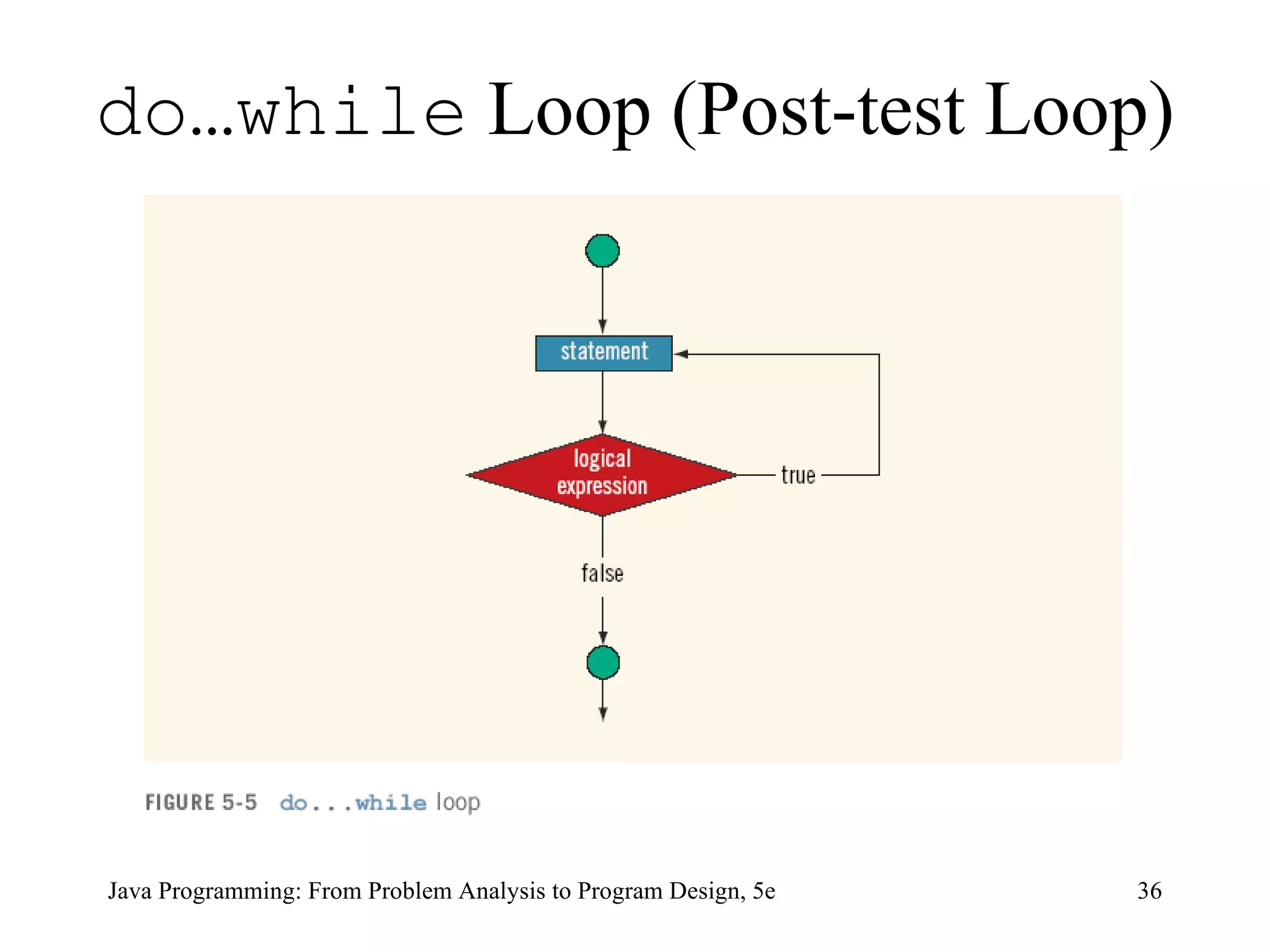
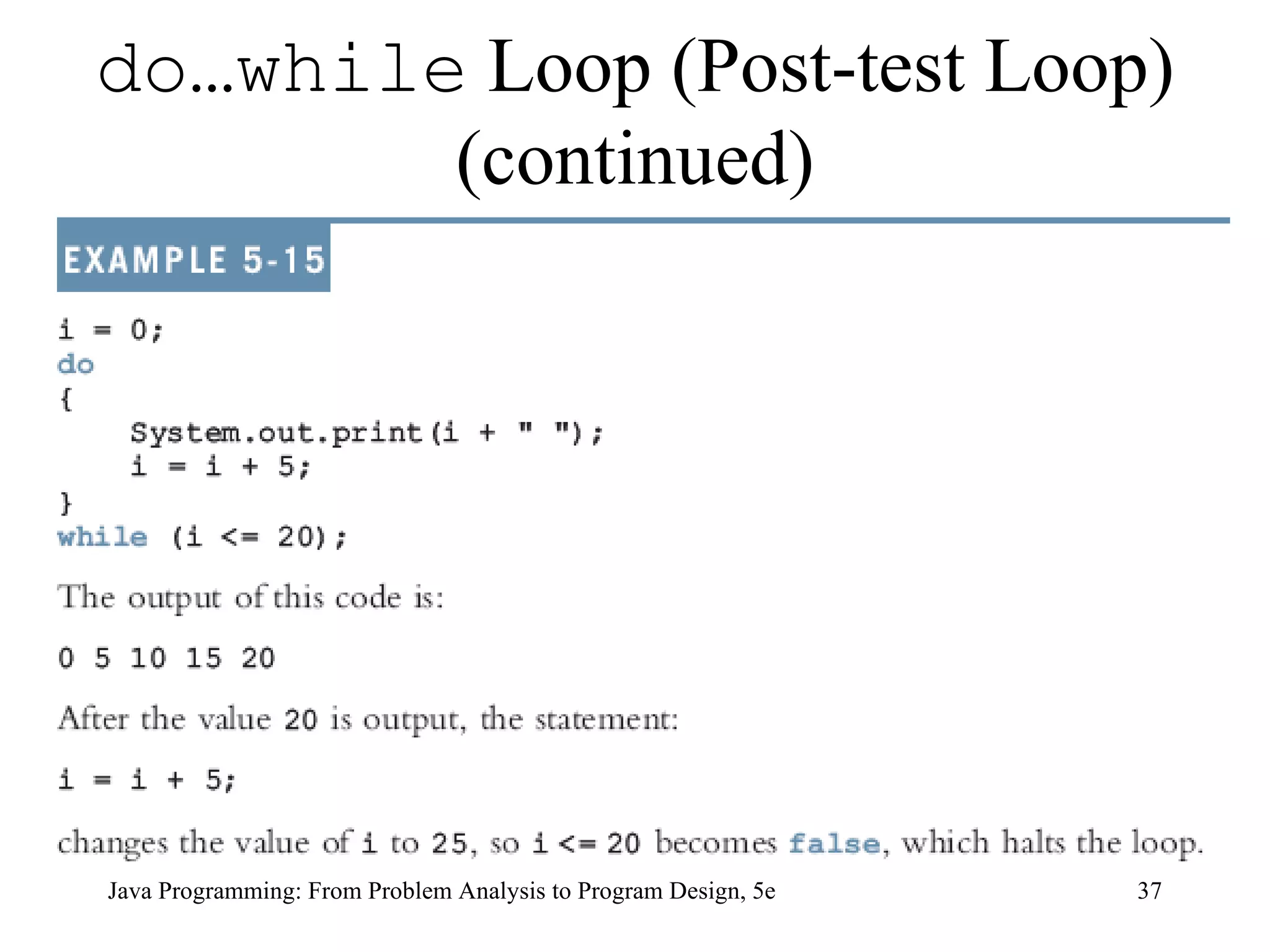
The  do…while  Loop (Repetition) Structure Syntax Statements executed first, and then  logical   expression  evaluated Statement(s) executed at least once and then continued if  logical   expression  is true Java Programming: From Problem Analysis to Program Design, 5e
do…while  Loop (Post-test Loop) Java Programming: From Problem Analysis to Program Design, 5e
do…while  Loop (Post-test Loop) (continued) Java Programming: From Problem Analysis to Program Design, 5e
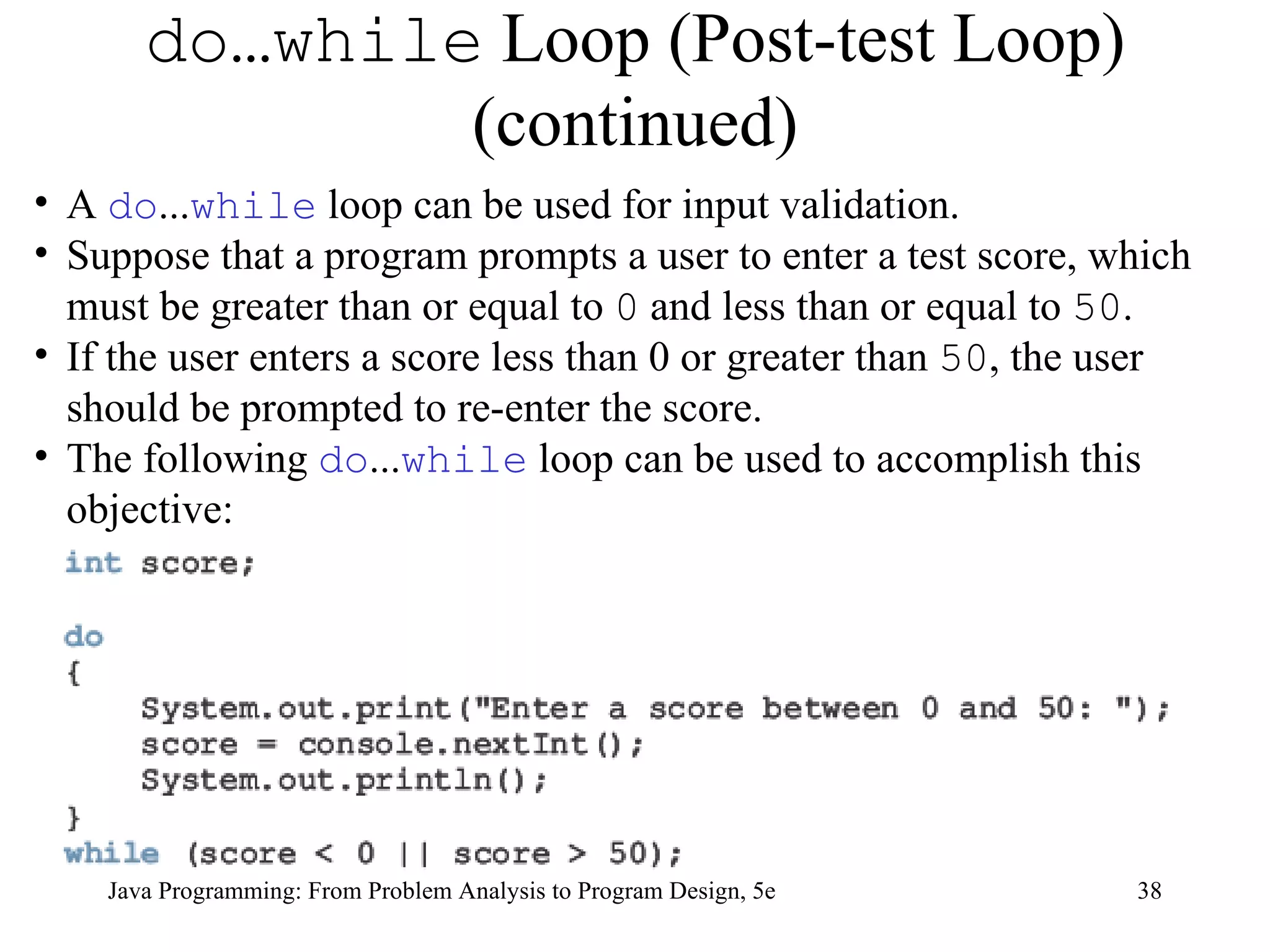
do…while  Loop (Post-test Loop) (continued) Java Programming: From Problem Analysis to Program Design, 5e A  do ... while  loop can be used for input validation.  Suppose that a program prompts a user to enter a test score, which must be greater than or equal to  0  and less than or equal to  50 .  If the user enters a score less than 0 or greater than  50 , the user should be prompted to re-enter the score.  The following  do ... while  loop can be used to accomplish this objective:
Java Programming: From Problem Analysis to Program Design, 5e Choosing the Right Looping Structure All three loops have a place in Java If you know or the program can determine in advance the number of repetitions needed, the for loop is the correct choice If you do not know and the program cannot determine in advance the number of repetitions needed, and it could be zero, the while loop is the right choice If you do not know and the program cannot determine in advance the number of repetitions needed, and it is at least one, the do...while loop is the right choice
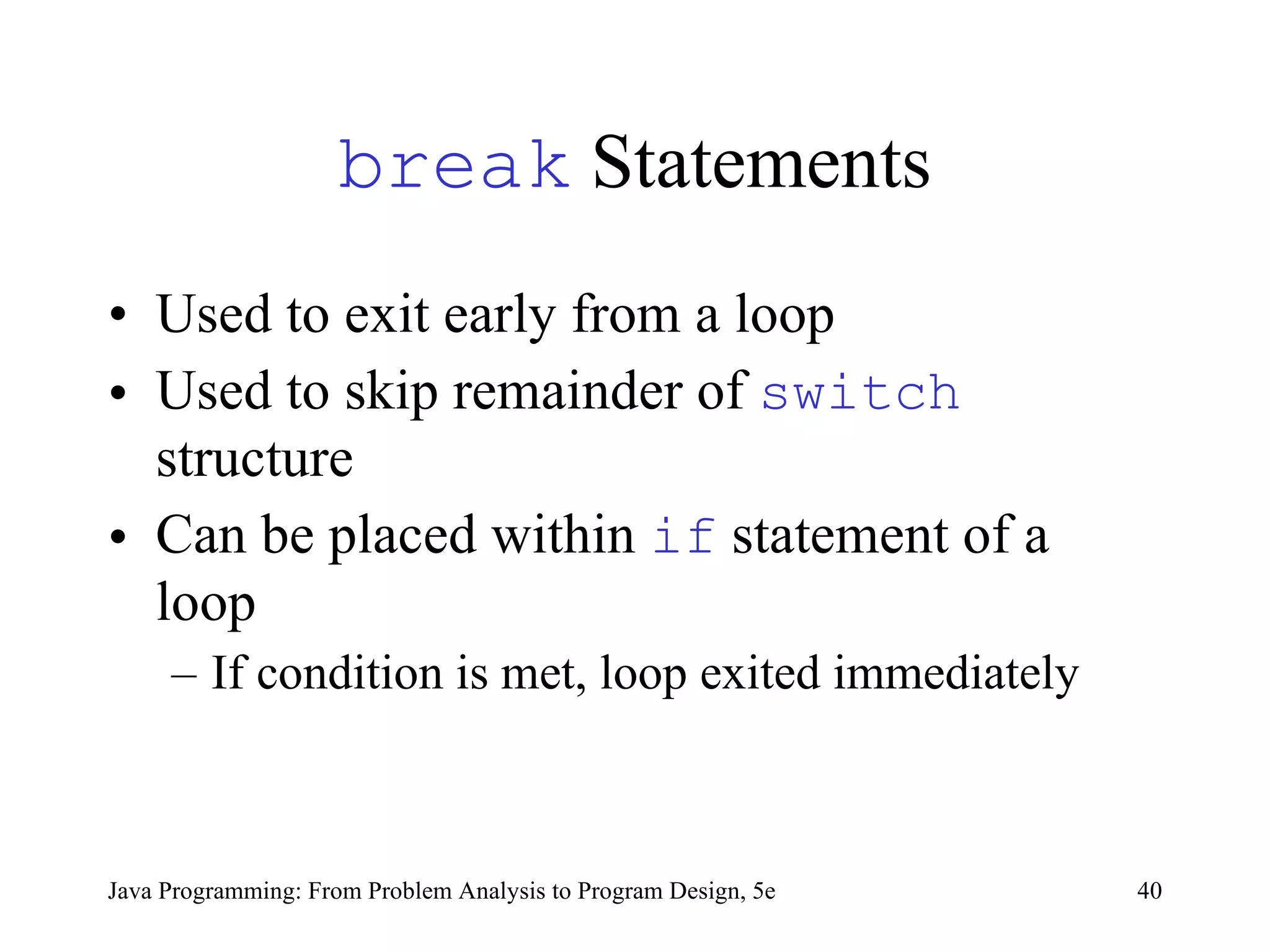
break  Statements Used to  exit early from a loop   Used to  skip remainder of  switch  structure Can be placed within  if  statement of a loop If condition is met, loop exited immediately   Java Programming: From Problem Analysis to Program Design, 5e
continue  Statements Used in  while ,  for , and  do ... while  structures When executed in a loop, the remaining statements in the loop are skipped; proceeds with the next iteration of the loop  When executed in a  while / do … while  structure, expression evaluated immediately after  continue  statement  In a  for  structure, the update expression is executed after the  continue  statement; then the loop condition executes  Java Programming: From Problem Analysis to Program Design, 5e
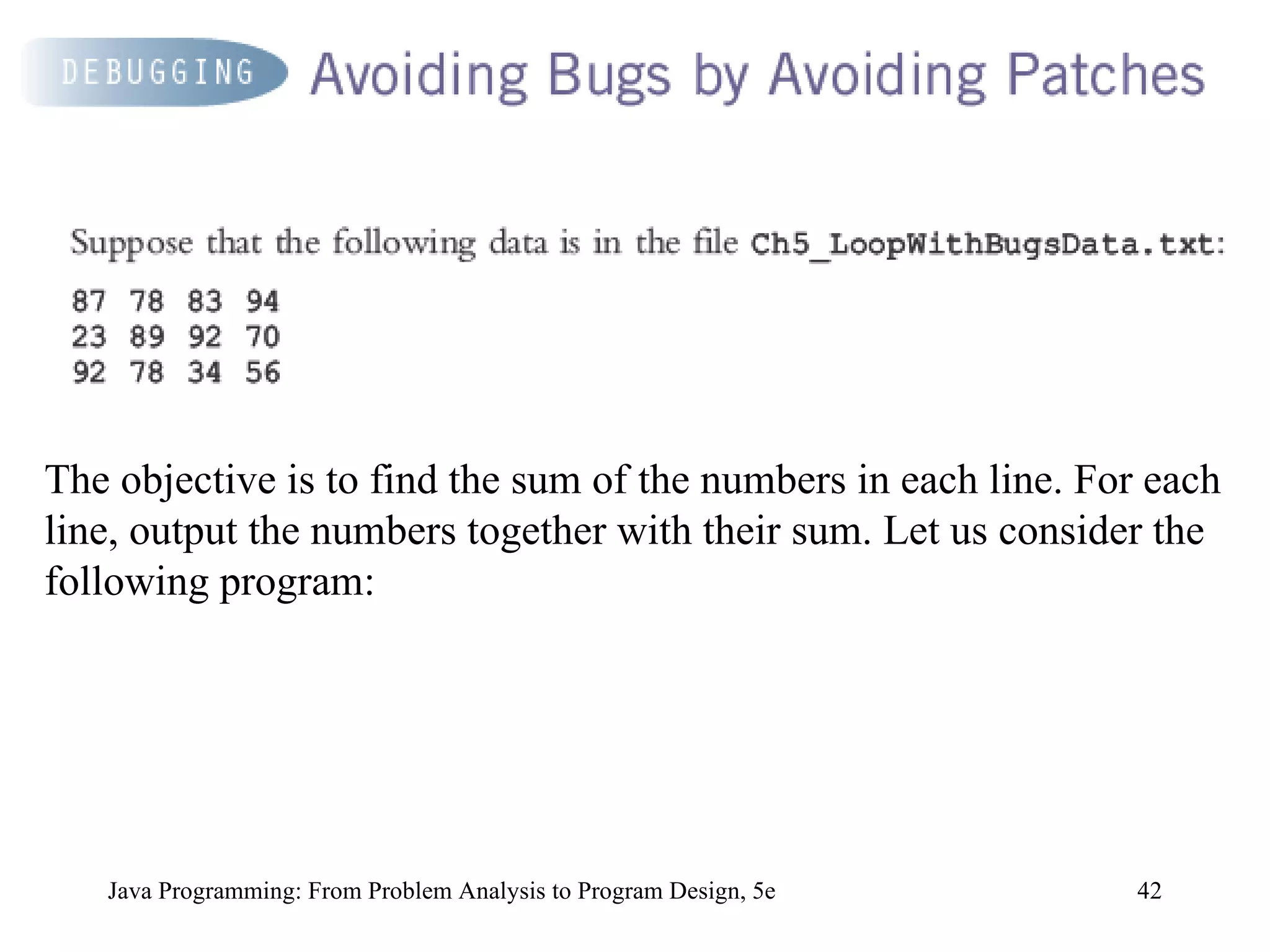
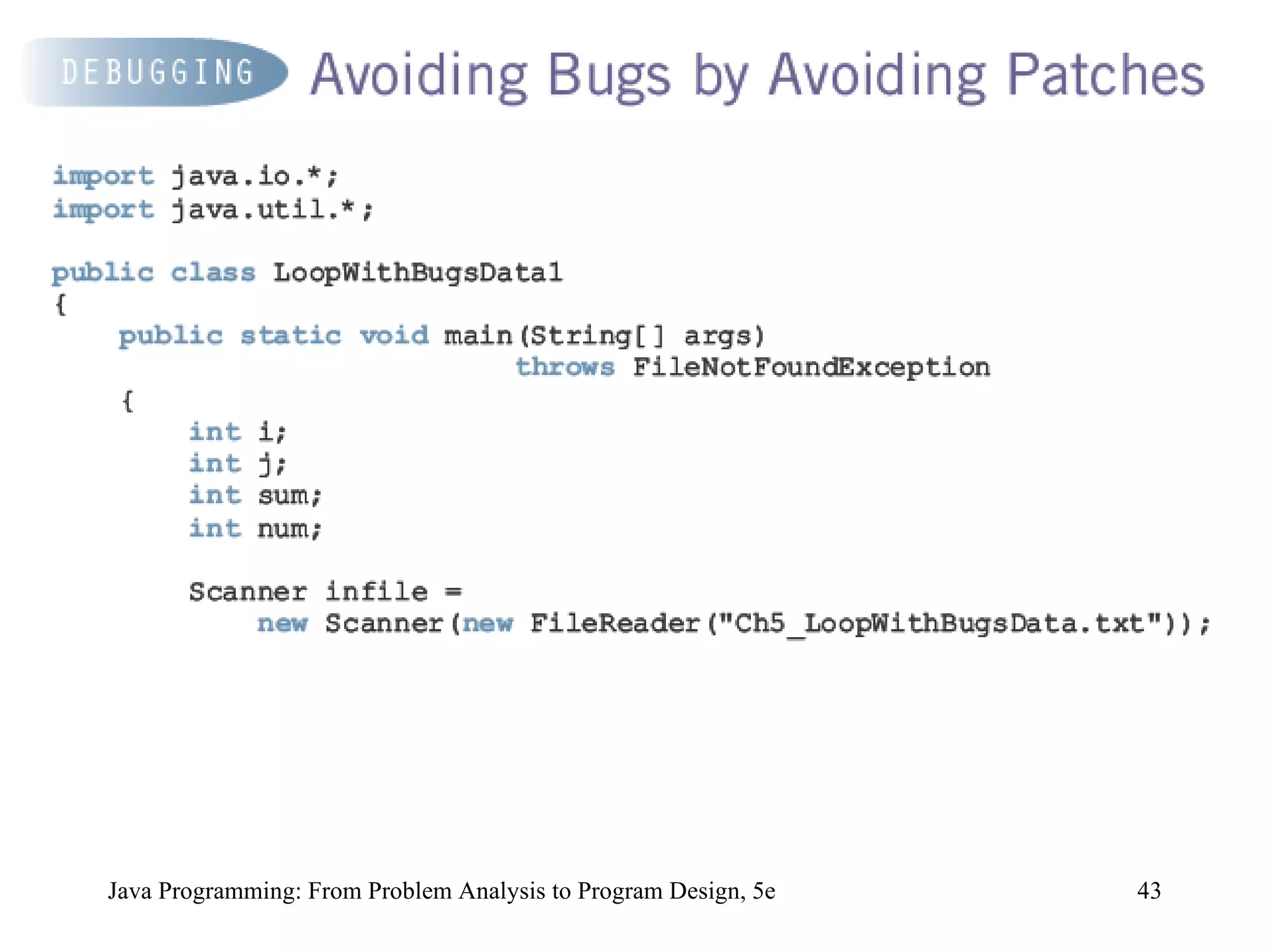
Java Programming: From Problem Analysis to Program Design, 5e The objective is to find the sum of the numbers in each line. For each line, output the numbers together with their sum. Let us consider the following program:
Java Programming: From Problem Analysis to Program Design, 5e
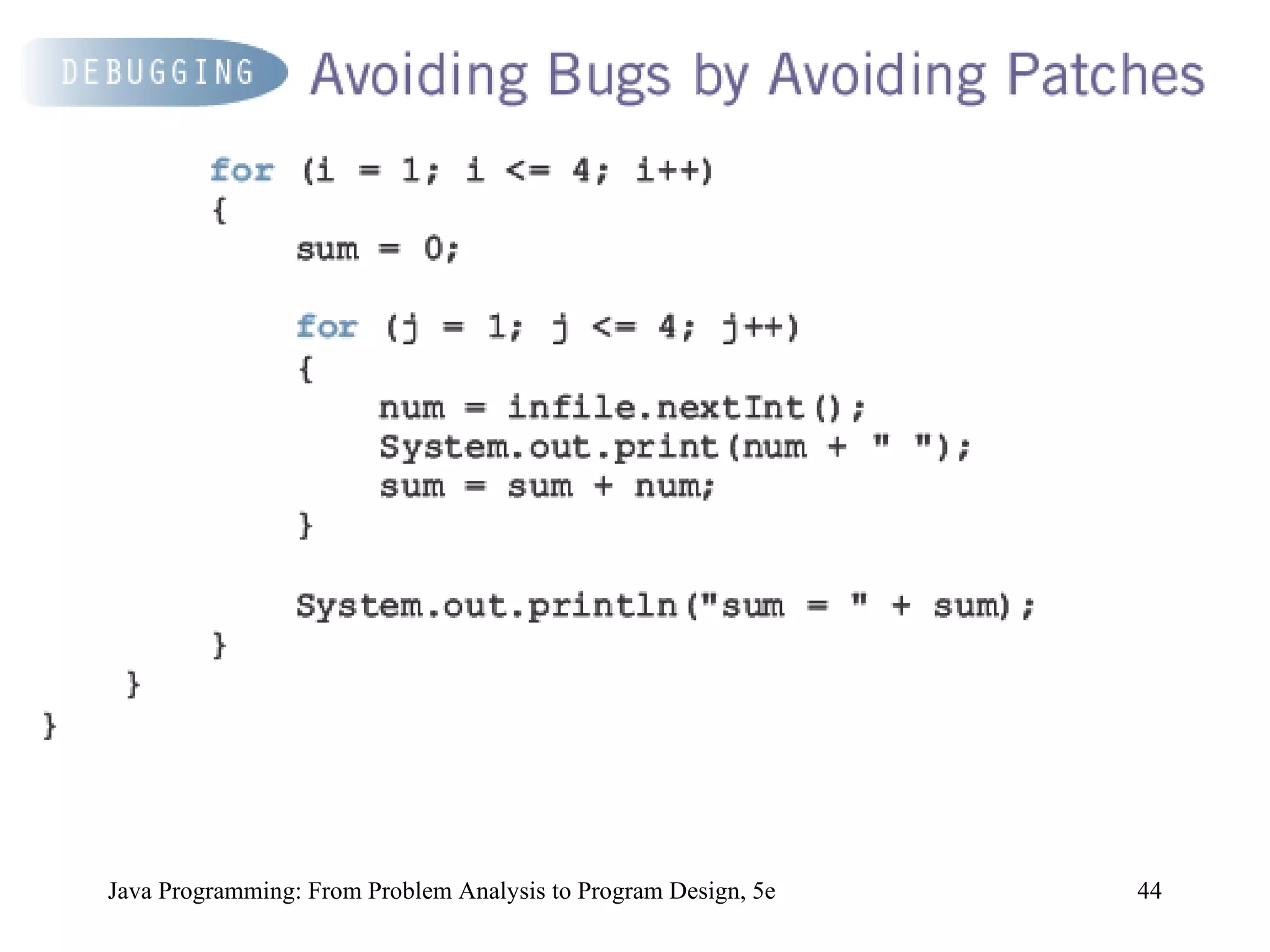
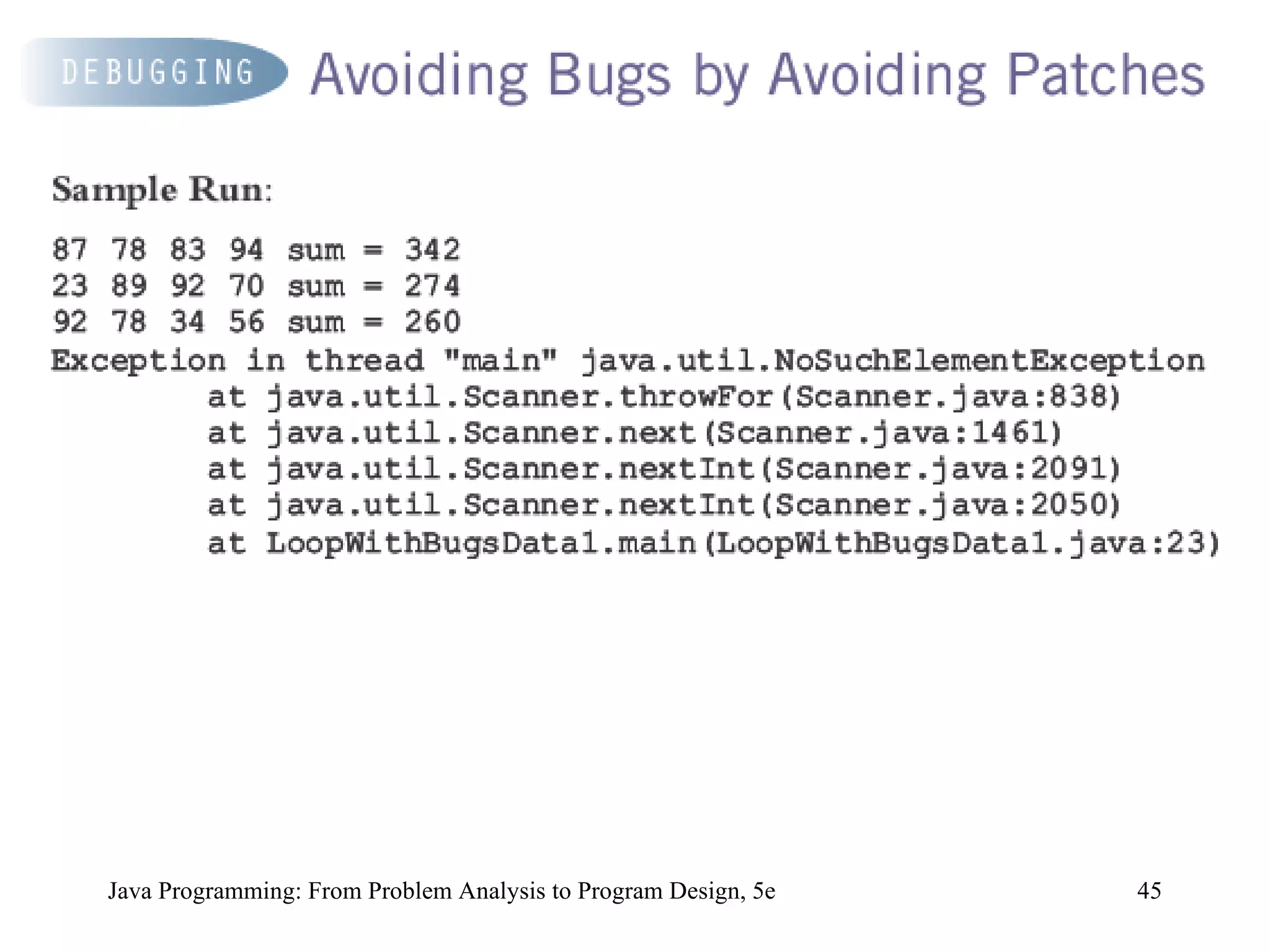
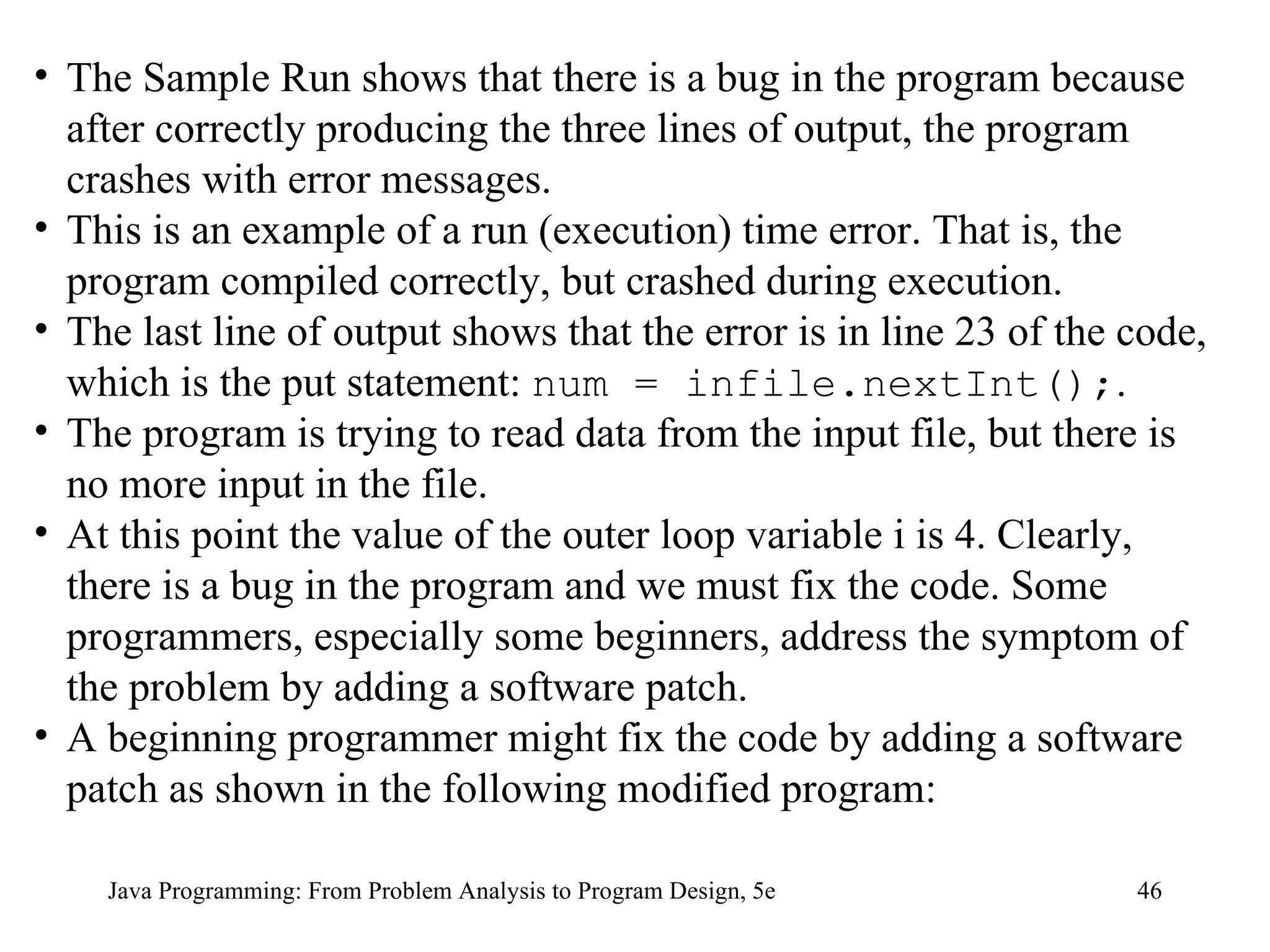
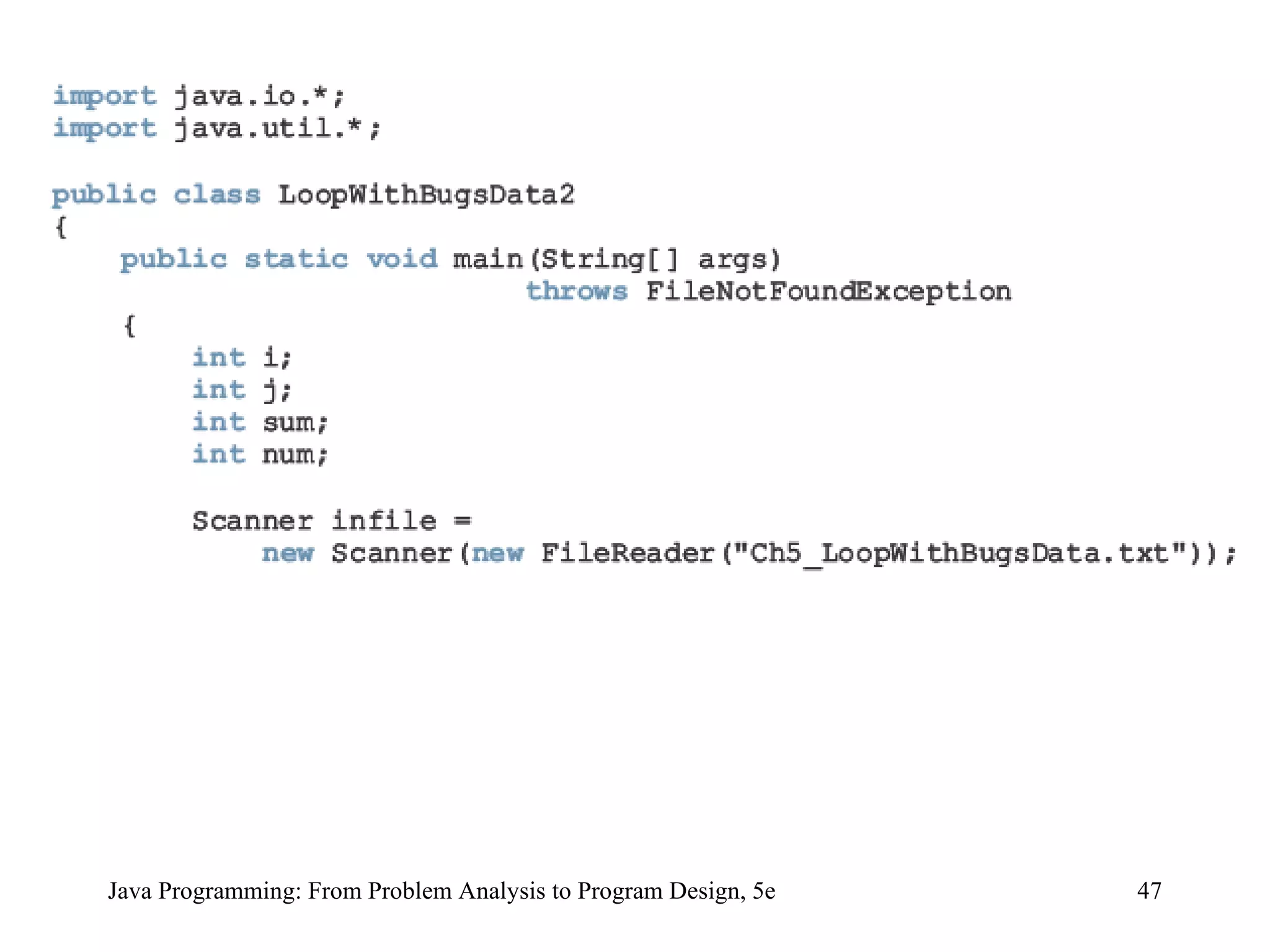
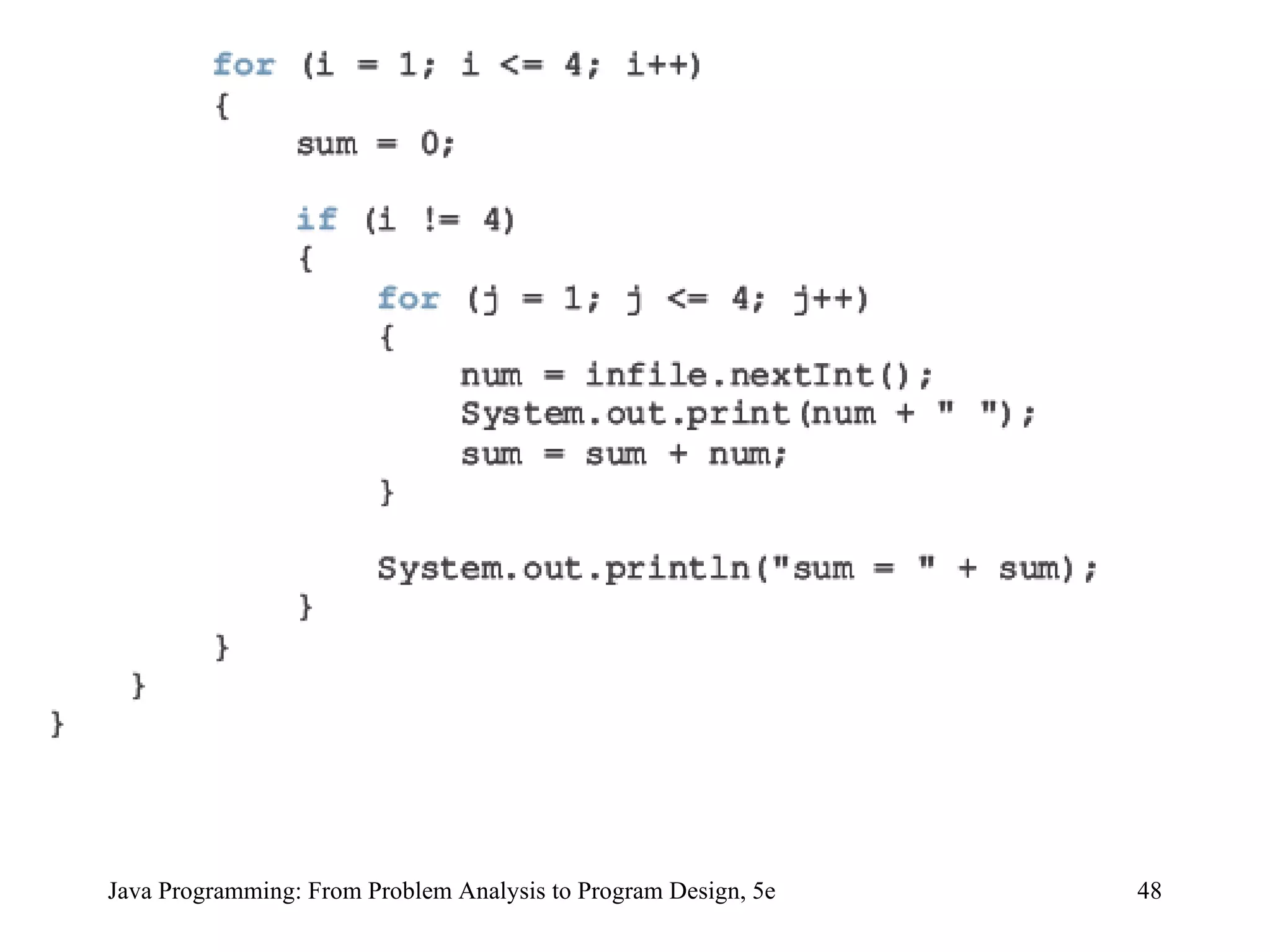
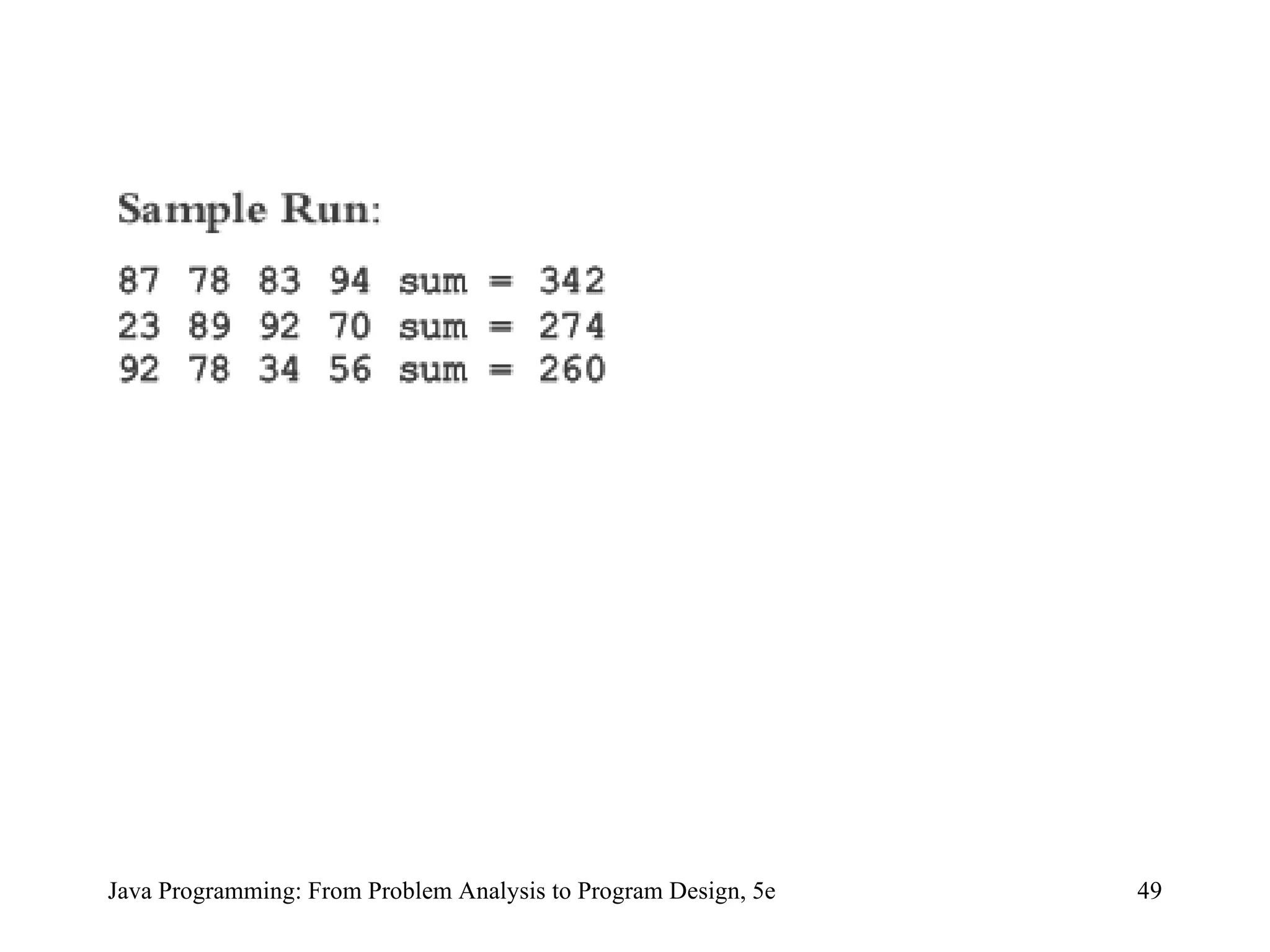
Java Programming: From Problem Analysis to Program Design, 5e The Sample Run shows that there is a bug in the program because after correctly producing the three lines of output, the program crashes with error messages.  This is an example of a run (execution) time error. That is, the program compiled correctly, but crashed during execution.  The last line of output shows that the error is in line 23 of the code, which is the put statement:  num = infile.nextInt(); .  The program is trying to read data from the input file, but there is no more input in the file.  At this point the value of the outer loop variable i is 4. Clearly, there is a bug in the program and we must fix the code. Some programmers, especially some beginners, address the symptom of the problem by adding a software patch.  A beginning programmer might fix the code by adding a software patch as shown in the following modified program:
Java Programming: From Problem Analysis to Program Design, 5e
Java Programming: From Problem Analysis to Program Design, 5e The programmer merely observed the symptom and addressed the problem by adding a software patch.  Not only will the program execute extra statements, it is also an example of a partially understood concept.  It appears that the programmer does not have a good grasp of why the earlier program produced four lines rather than three. Adding a patch eliminated the symptom, but it is a poor programming practice.  The programmer must resolve why the program produced four lines.  Looking at the program closely, we can see that the four lines are produced because the outer loop executes four times.
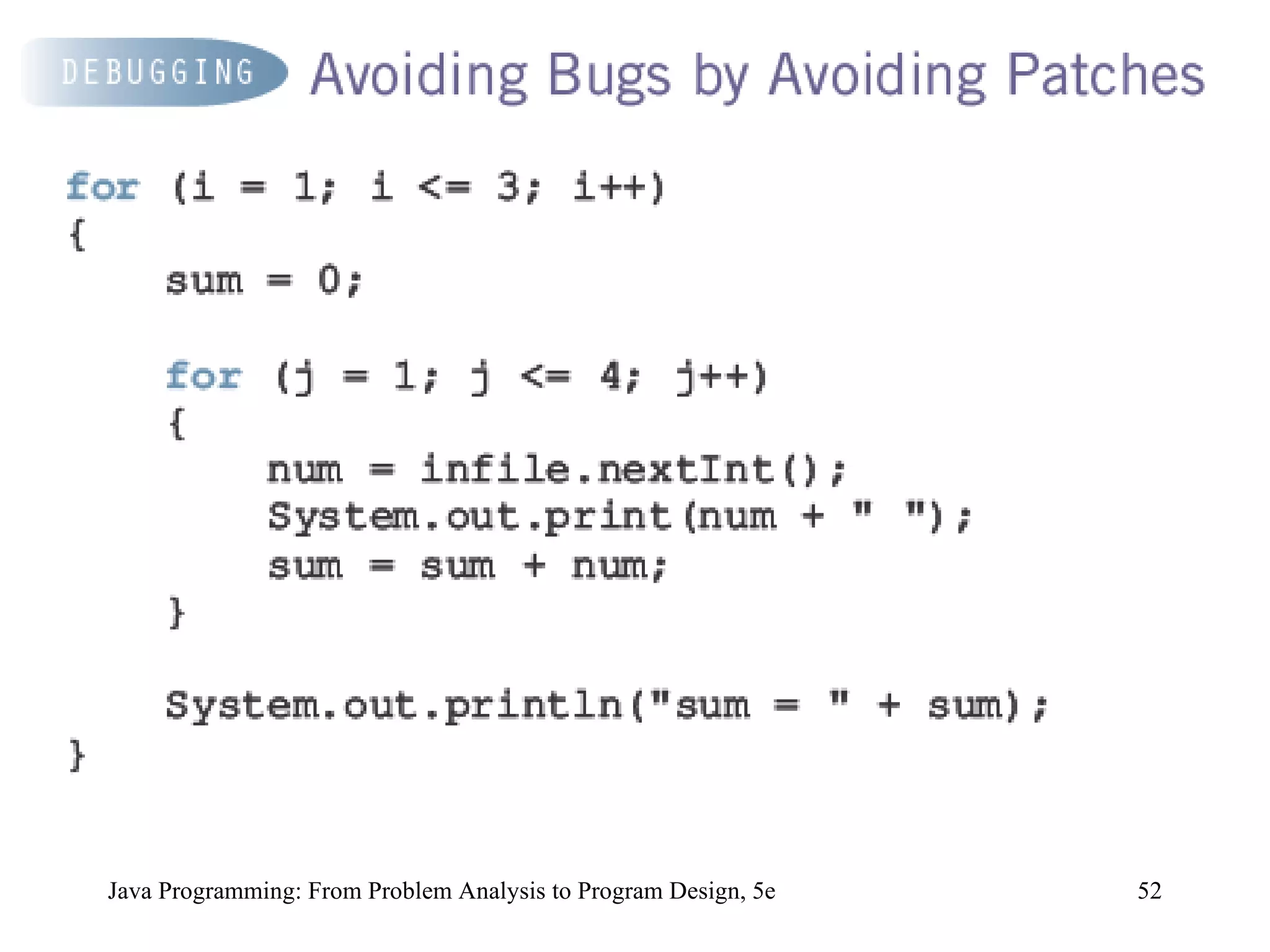
Java Programming: From Problem Analysis to Program Design, 5e The values assigned to loop control variable i are 1, 2, 3, and 4.  This is an example of the classic ‘‘off by one’’ problem. (In the ‘‘off by one’’ problem, either the loop executes one too many or one too few times.)  We can eliminate this problem by correctly setting the values of the loop control variable. For example, we can rewrite the loops as follows:
Java Programming: From Problem Analysis to Program Design, 5e
Java Programming: From Problem Analysis to Program Design, 5e If there are syntax errors, the compiler will identify them.  If there are logical errors, we must carefully look at the code or even maybe at the design to try to find the errors.  To increase the reliability of the program, errors must be discovered and fixed before the program is released to the users.  Once an algorithm is written, the next step is to verify that it works properly.  If the algorithm is a simple sequential flow or contains a branch, it can be hand traced or you can use the debugger, if any, provided by the IDE.
Java Programming: From Problem Analysis to Program Design, 5e Typically, loops are harder to debug. The correctness of a loop can be verified by using loop invariants.  A loop invariant is a set of statements that remains true each time the loop body is executed. Let p be a loop invariant and q be the (logical) expression in a loop statement.  Then p && q remains true before each iteration of the loop and p && not(q) is true after the loop terminates.
Java Programming: From Problem Analysis to Program Design, 5e The most common error associated with loops is off by one.  If a loop turns out to be an infinite loop, the error is most likely in the logical expression that controls the execution of the loop.  Check the logical expression carefully and see if you have reversed an inequality, an assignment statement symbol appears in place of the equality operator, or && appears in place of ||.  If the loop changes the values of variables, you can print the values of the variables before and/or after each iteration or you can use your IDE’s debugger, if any, and watch the values of variables during each iteration.  Debugging can be a tiresome process.  If your program is very bad, do not debug; throw it away and start over.
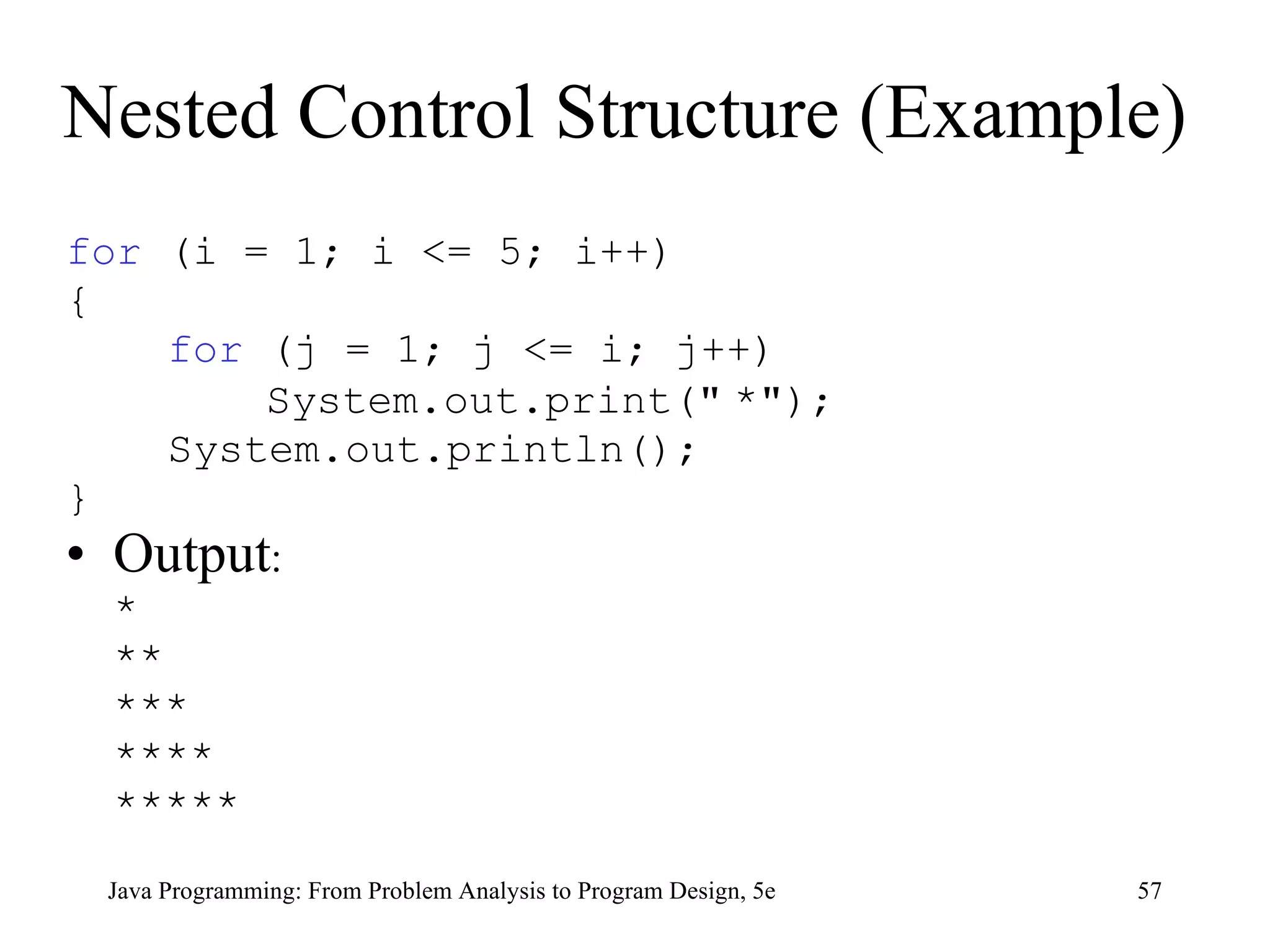
Nested Control Structure Provides new power, subtlety, and complexity if ,  if … else , and  switch  structures can be placed within  while  loops  for  loops can be found within other  for  loops  Java Programming: From Problem Analysis to Program Design, 5e
Nested Control Structure (Example) for  (i = 1; i <= 5; i++) { for  (j = 1; j <= i; j++)   System.out.print( &quot;   * &quot; ); System.out.println(); } Output : * ** *** **** ***** Java Programming: From Problem Analysis to Program Design, 5e
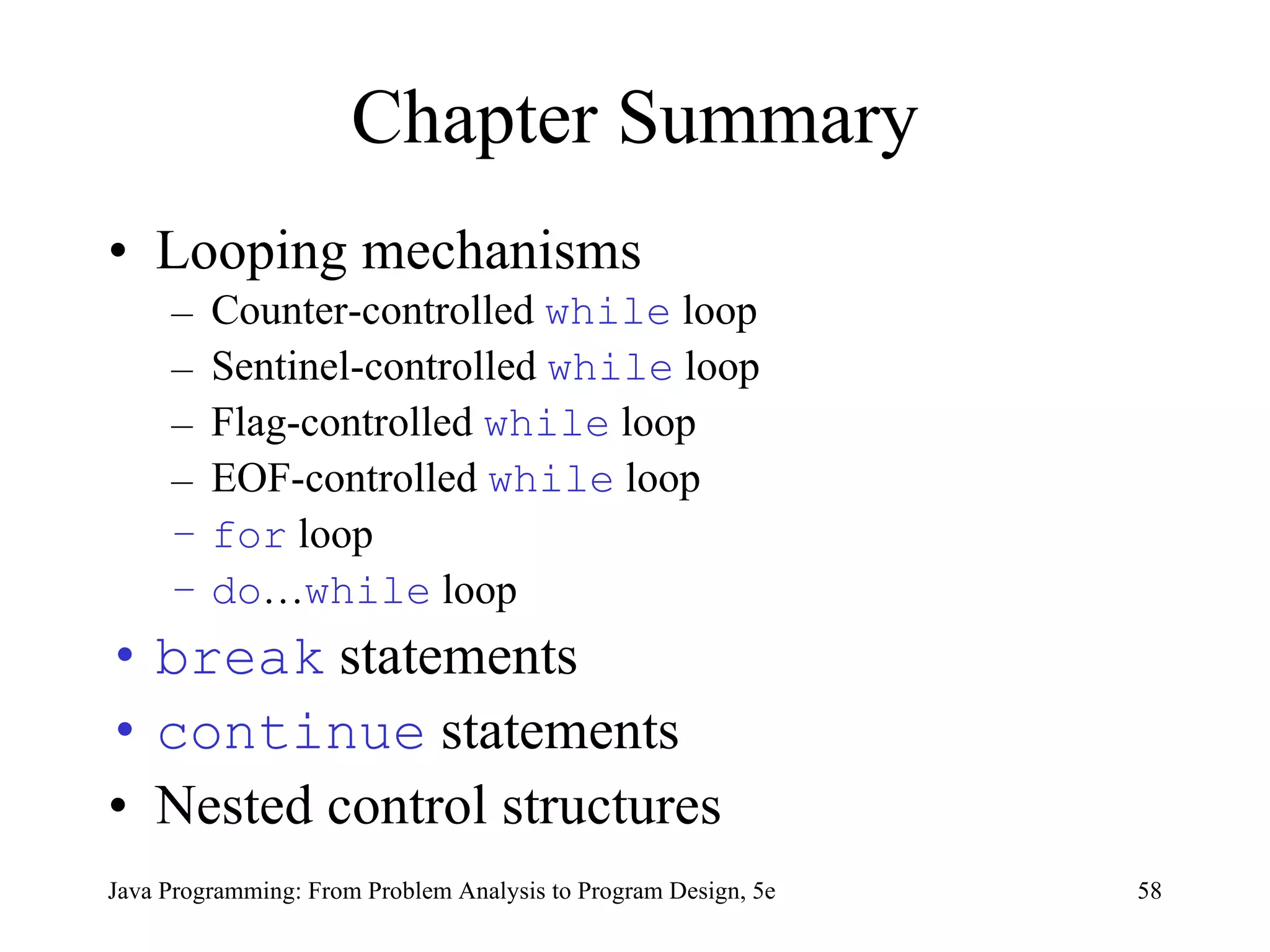
Chapter Summary Looping mechanisms Counter-controlled  while  loop Sentinel-controlled  while  loop Flag-controlled  while  loop EOF-controlled  while  loop for  loop do … while  loop break  statements continue  statements Nested control structures Java Programming: From Problem Analysis to Program Design, 5e

9781111530532 ppt ch05

  • 1.
    Java Programming: FromProblem Analysis to Program Design, 5e Chapter 5 Control Structures II: Repetition
  • 2.
    Chapter Objectives Learnabout repetition (looping) control structures Explore how to construct and use count-controlled, sentinel-controlled, flag-controlled, and EOF-controlled repetition structures Examine break and continue statements Discover how to form and use nested control structures Java Programming: From Problem Analysis to Program Design, 5e
  • 3.
    Why Is RepetitionNeeded? There are many situations in which the same statements need to be executed several times Example Formulas used to find average grades for students in a class Java Programming: From Problem Analysis to Program Design, 5e
  • 4.
    The while Looping (Repetition) Structure Syntax while (expression) statement Expression is always true in an infinite loop Statements must change value of expression to false Java Programming: From Problem Analysis to Program Design, 5e
  • 5.
    The while Looping (Repetition) Structure (continued) Java Programming: From Problem Analysis to Program Design, 5e
  • 6.
    The while Looping (Repetition) Structure (continued) Example 5-1 i = 0; //Line 1 while (i <= 20) //Line 2 { System.out.print(i + &quot; &quot;); //Line 3 i = i + 5; //Line 4 } System.out.println(); //Line 5 Output: 0 5 10 15 20 Java Programming: From Problem Analysis to Program Design, 5e
  • 7.
    The while Looping (Repetition) Structure (continued) Typically, while loops are written in the following form: Java Programming: From Problem Analysis to Program Design, 5e
  • 8.
    Counter-Controlled while Loop Used when exact number of data or entry pieces is known General form: Java Programming: From Problem Analysis to Program Design, 5e
  • 9.
    Java Programming: FromProblem Analysis to Program Design, 5e
  • 10.
    Java Programming: FromProblem Analysis to Program Design, 5e
  • 11.
    Java Programming: FromProblem Analysis to Program Design, 5e
  • 12.
    Java Programming: FromProblem Analysis to Program Design, 5e
  • 13.
    Sentinel-Controlled while Loop Used when exact number of entry pieces is unknown but last entry (special/sentinel value) is known General form: Java Programming: From Problem Analysis to Program Design, 5e
  • 14.
    Java Programming: FromProblem Analysis to Program Design, 5e
  • 15.
    Java Programming: FromProblem Analysis to Program Design, 5e
  • 16.
    Flag-Controlled while Loop Boolean value used to control loop General form: Java Programming: From Problem Analysis to Program Design, 5e
  • 17.
    EOF (End ofFile)-Controlled while Loop Used when input is from files Sentinel value is not always appropriate In an EOF-controlled while loop that uses the Scanner object console to input data, console acts at the loop control variable The method hasNext , of the class Scanner , returns true if there is an input in the input stream; otherwise it returns false Java Programming: From Problem Analysis to Program Design, 5e
  • 18.
    EOF (End ofFile)-Controlled while Loop (continued) The expression console.hasNext() evaluates to true if there is an input in the input stream; otherwise it returns false Expressions such as console.nextInt() act as the loop condition A general form of the EOF-controlled while loop that uses the Scanner object console to input data is of the form: Java Programming: From Problem Analysis to Program Design, 5e
  • 19.
    EOF (End ofFile)-Controlled while Loop (continued) Suppose that inFile is a Scanner object initialized to the input file; in this case, the EOF-controlled while loop takes the following form: Java Programming: From Problem Analysis to Program Design, 5e
  • 20.
    Java Programming: FromProblem Analysis to Program Design, 5e
  • 21.
    Programming Example: FibonacciNumber Fibonacci formula for any Fibonacci sequence: a n = a n -1 + a n -2 Input: first two Fibonacci numbers in sequence, position in sequence of desired Fibonacci number (n) int previous1 = Fibonacci number 1 int previous2 = Fibonacci number 2 int nthFibonacci = position of nth Fibonacci number Output: nth Fibonacci number Java Programming: From Problem Analysis to Program Design, 5e
  • 22.
    Programming Example: FibonacciNumber (Solution) if (nthFibonacci == 1) current = previous1; else if (nthFibonacci == 2) current = previous2; else { counter = 3; while (counter <= nthFibonacci) { current = previous2 + previous1; previous1 = previous2; previous2 = current; counter++; } } Final result found in last value of current Java Programming: From Problem Analysis to Program Design, 5e
  • 23.
    The for Looping (Repetition) Structure Specialized form of while loop Simplifies the writing of count-controlled loops Syntax for (initial expression; logical expression; update expression) statement Java Programming: From Problem Analysis to Program Design, 5e
  • 24.
    The for Looping (Repetition) Structure (continued) Execution Initial statement executes The loop condition is evaluated If loop condition evaluates to true, execute for loop statement and execute update statement Repeat until loop condition is false Java Programming: From Problem Analysis to Program Design, 5e
  • 25.
    The for Looping (Repetition) Structure (continued) Java Programming: From Problem Analysis to Program Design, 5e
  • 26.
    The for Looping (Repetition) Structure (continued) Example 5-9 The following for loop prints the first 10 nonnegative integers: for (i = 0; i < 10; i++) System.out.print(i + &quot; &quot;); System.out.println(); Java Programming: From Problem Analysis to Program Design, 5e
  • 27.
    The for Looping (Repetition) Structure (continued) Example 5-10 The following for loop outputs the word Hello and a star (on separate lines) five times: for (i = 1; i <= 5; i++) { System.out.println(&quot;Hello&quot;); System.out.println(&quot;*&quot;); } 2. for (i = 1; i <= 5; i++) System.out.println(&quot;Hello&quot;); System.out.println(&quot;*&quot;); This loop outputs the word Hello five times and the star only once Java Programming: From Problem Analysis to Program Design, 5e
  • 28.
    The for Looping (Repetition) Structure (continued) Does not execute if initial condition is false Update expression changes value of loop control variable, eventually making it false If logical expression is always true , result is an infinite loop Infinite loop can be specified by omitting all three control statements Java Programming: From Problem Analysis to Program Design, 5e
  • 29.
    The for Looping (Repetition) Structure (continued) If logical expression is omitted, it is assumed to be true for statement ending in semicolon is empty Java Programming: From Problem Analysis to Program Design, 5e
  • 30.
    Java Programming: FromProblem Analysis to Program Design, 5e
  • 31.
    Java Programming: FromProblem Analysis to Program Design, 5e
  • 32.
    Programming Example: ClassifyNumbers Input: N integers (positive, negative, and zeros) int N = 20; //N easily modified Output: number of 0 s, number of even integers, number of odd integers Java Programming: From Problem Analysis to Program Design, 5e
  • 33.
    Programming Example: ClassifyNumbers (Solution) for (counter = 1; counter <= N; counter++) { number = console.nextInt(); System.out.print(number + &quot; &quot;); switch (number % 2) { case 0: evens++; if (number == 0) zeros++; break ; case 1: case -1: odds++; } //end switch } //end for loop Java Programming: From Problem Analysis to Program Design, 5e
  • 34.
    Programming Example: ClassifyNumbers (Solution) (continued) The switch statement in Step 3c can also be written as an if ... else statement as follows: Java Programming: From Problem Analysis to Program Design, 5e
  • 35.
    The do…while Loop (Repetition) Structure Syntax Statements executed first, and then logical expression evaluated Statement(s) executed at least once and then continued if logical expression is true Java Programming: From Problem Analysis to Program Design, 5e
  • 36.
    do…while Loop(Post-test Loop) Java Programming: From Problem Analysis to Program Design, 5e
  • 37.
    do…while Loop(Post-test Loop) (continued) Java Programming: From Problem Analysis to Program Design, 5e
  • 38.
    do…while Loop(Post-test Loop) (continued) Java Programming: From Problem Analysis to Program Design, 5e A do ... while loop can be used for input validation. Suppose that a program prompts a user to enter a test score, which must be greater than or equal to 0 and less than or equal to 50 . If the user enters a score less than 0 or greater than 50 , the user should be prompted to re-enter the score. The following do ... while loop can be used to accomplish this objective:
  • 39.
    Java Programming: FromProblem Analysis to Program Design, 5e Choosing the Right Looping Structure All three loops have a place in Java If you know or the program can determine in advance the number of repetitions needed, the for loop is the correct choice If you do not know and the program cannot determine in advance the number of repetitions needed, and it could be zero, the while loop is the right choice If you do not know and the program cannot determine in advance the number of repetitions needed, and it is at least one, the do...while loop is the right choice
  • 40.
    break StatementsUsed to exit early from a loop Used to skip remainder of switch structure Can be placed within if statement of a loop If condition is met, loop exited immediately Java Programming: From Problem Analysis to Program Design, 5e
  • 41.
    continue StatementsUsed in while , for , and do ... while structures When executed in a loop, the remaining statements in the loop are skipped; proceeds with the next iteration of the loop When executed in a while / do … while structure, expression evaluated immediately after continue statement In a for structure, the update expression is executed after the continue statement; then the loop condition executes Java Programming: From Problem Analysis to Program Design, 5e
  • 42.
    Java Programming: FromProblem Analysis to Program Design, 5e The objective is to find the sum of the numbers in each line. For each line, output the numbers together with their sum. Let us consider the following program:
  • 43.
    Java Programming: FromProblem Analysis to Program Design, 5e
  • 44.
    Java Programming: FromProblem Analysis to Program Design, 5e
  • 45.
    Java Programming: FromProblem Analysis to Program Design, 5e
  • 46.
    Java Programming: FromProblem Analysis to Program Design, 5e The Sample Run shows that there is a bug in the program because after correctly producing the three lines of output, the program crashes with error messages. This is an example of a run (execution) time error. That is, the program compiled correctly, but crashed during execution. The last line of output shows that the error is in line 23 of the code, which is the put statement: num = infile.nextInt(); . The program is trying to read data from the input file, but there is no more input in the file. At this point the value of the outer loop variable i is 4. Clearly, there is a bug in the program and we must fix the code. Some programmers, especially some beginners, address the symptom of the problem by adding a software patch. A beginning programmer might fix the code by adding a software patch as shown in the following modified program:
  • 47.
    Java Programming: FromProblem Analysis to Program Design, 5e
  • 48.
    Java Programming: FromProblem Analysis to Program Design, 5e
  • 49.
    Java Programming: FromProblem Analysis to Program Design, 5e
  • 50.
    Java Programming: FromProblem Analysis to Program Design, 5e The programmer merely observed the symptom and addressed the problem by adding a software patch. Not only will the program execute extra statements, it is also an example of a partially understood concept. It appears that the programmer does not have a good grasp of why the earlier program produced four lines rather than three. Adding a patch eliminated the symptom, but it is a poor programming practice. The programmer must resolve why the program produced four lines. Looking at the program closely, we can see that the four lines are produced because the outer loop executes four times.
  • 51.
    Java Programming: FromProblem Analysis to Program Design, 5e The values assigned to loop control variable i are 1, 2, 3, and 4. This is an example of the classic ‘‘off by one’’ problem. (In the ‘‘off by one’’ problem, either the loop executes one too many or one too few times.) We can eliminate this problem by correctly setting the values of the loop control variable. For example, we can rewrite the loops as follows:
  • 52.
    Java Programming: FromProblem Analysis to Program Design, 5e
  • 53.
    Java Programming: FromProblem Analysis to Program Design, 5e If there are syntax errors, the compiler will identify them. If there are logical errors, we must carefully look at the code or even maybe at the design to try to find the errors. To increase the reliability of the program, errors must be discovered and fixed before the program is released to the users. Once an algorithm is written, the next step is to verify that it works properly. If the algorithm is a simple sequential flow or contains a branch, it can be hand traced or you can use the debugger, if any, provided by the IDE.
  • 54.
    Java Programming: FromProblem Analysis to Program Design, 5e Typically, loops are harder to debug. The correctness of a loop can be verified by using loop invariants. A loop invariant is a set of statements that remains true each time the loop body is executed. Let p be a loop invariant and q be the (logical) expression in a loop statement. Then p && q remains true before each iteration of the loop and p && not(q) is true after the loop terminates.
  • 55.
    Java Programming: FromProblem Analysis to Program Design, 5e The most common error associated with loops is off by one. If a loop turns out to be an infinite loop, the error is most likely in the logical expression that controls the execution of the loop. Check the logical expression carefully and see if you have reversed an inequality, an assignment statement symbol appears in place of the equality operator, or && appears in place of ||. If the loop changes the values of variables, you can print the values of the variables before and/or after each iteration or you can use your IDE’s debugger, if any, and watch the values of variables during each iteration. Debugging can be a tiresome process. If your program is very bad, do not debug; throw it away and start over.
  • 56.
    Nested Control StructureProvides new power, subtlety, and complexity if , if … else , and switch structures can be placed within while loops for loops can be found within other for loops Java Programming: From Problem Analysis to Program Design, 5e
  • 57.
    Nested Control Structure(Example) for (i = 1; i <= 5; i++) { for (j = 1; j <= i; j++) System.out.print( &quot; * &quot; ); System.out.println(); } Output : * ** *** **** ***** Java Programming: From Problem Analysis to Program Design, 5e
  • 58.
    Chapter Summary Loopingmechanisms Counter-controlled while loop Sentinel-controlled while loop Flag-controlled while loop EOF-controlled while loop for loop do … while loop break statements continue statements Nested control structures Java Programming: From Problem Analysis to Program Design, 5e