brought to you by
Bruce A. Bennett
Career Coach Corner
March 27, 2018 1
Using
For Job Search
Notes & Goals for session
General Notes
My Background
Workshop is interactive
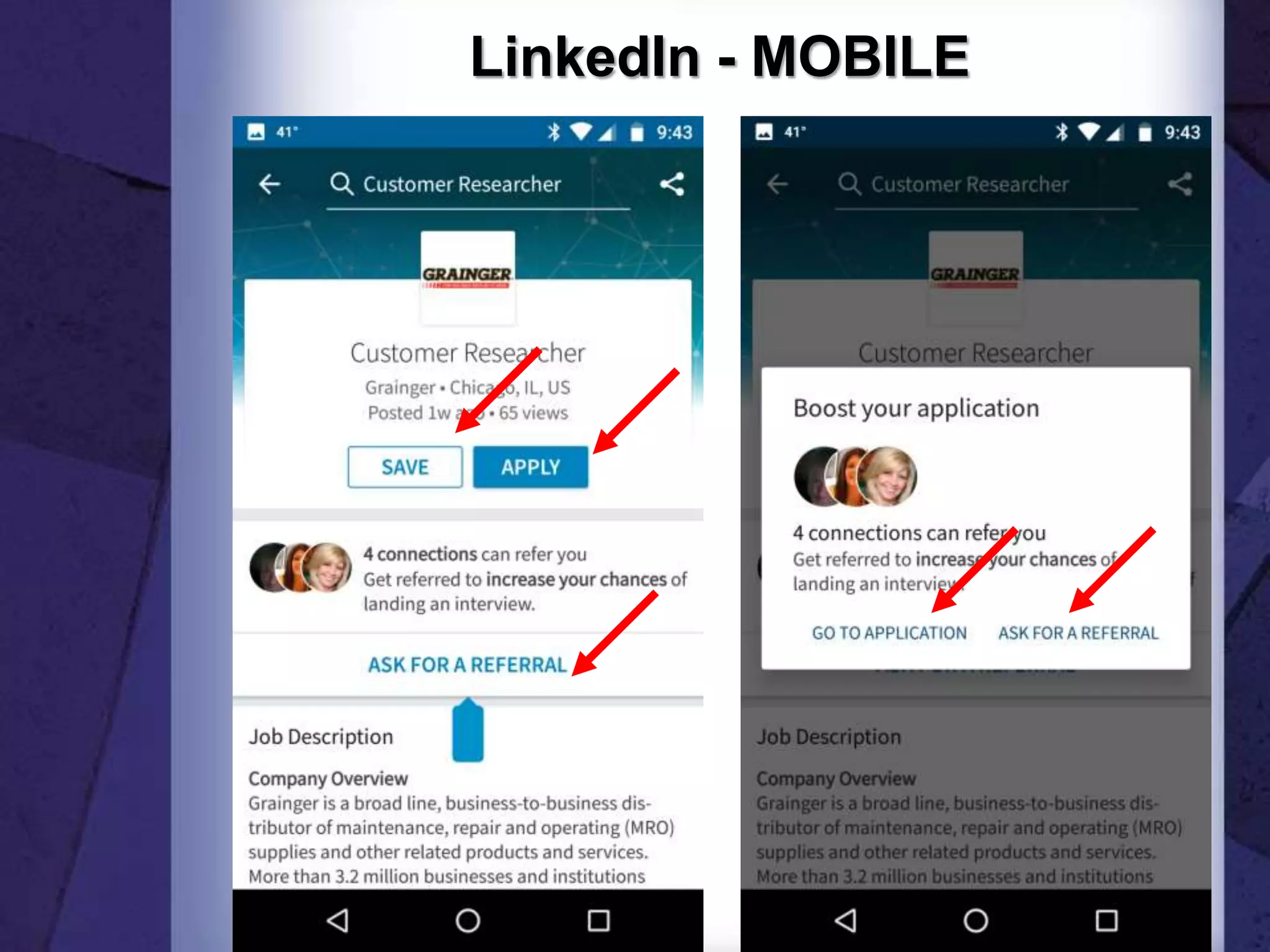
Red Arrows
Parking lot
My contact info is on last slide
Presentation available on line
Goals
Building your profile
Job search agent
Personalize
Outline for session
Important elements of your profile
SEO
Building your network
Adding your skills
Interests and Groups
Finding jobs
Mobile
Presenting Yourself in 2018
Social Media
Revolution
Social Media Revolution Series
by Erik Qualman
based on his
#1 Bestseller Socialnomics
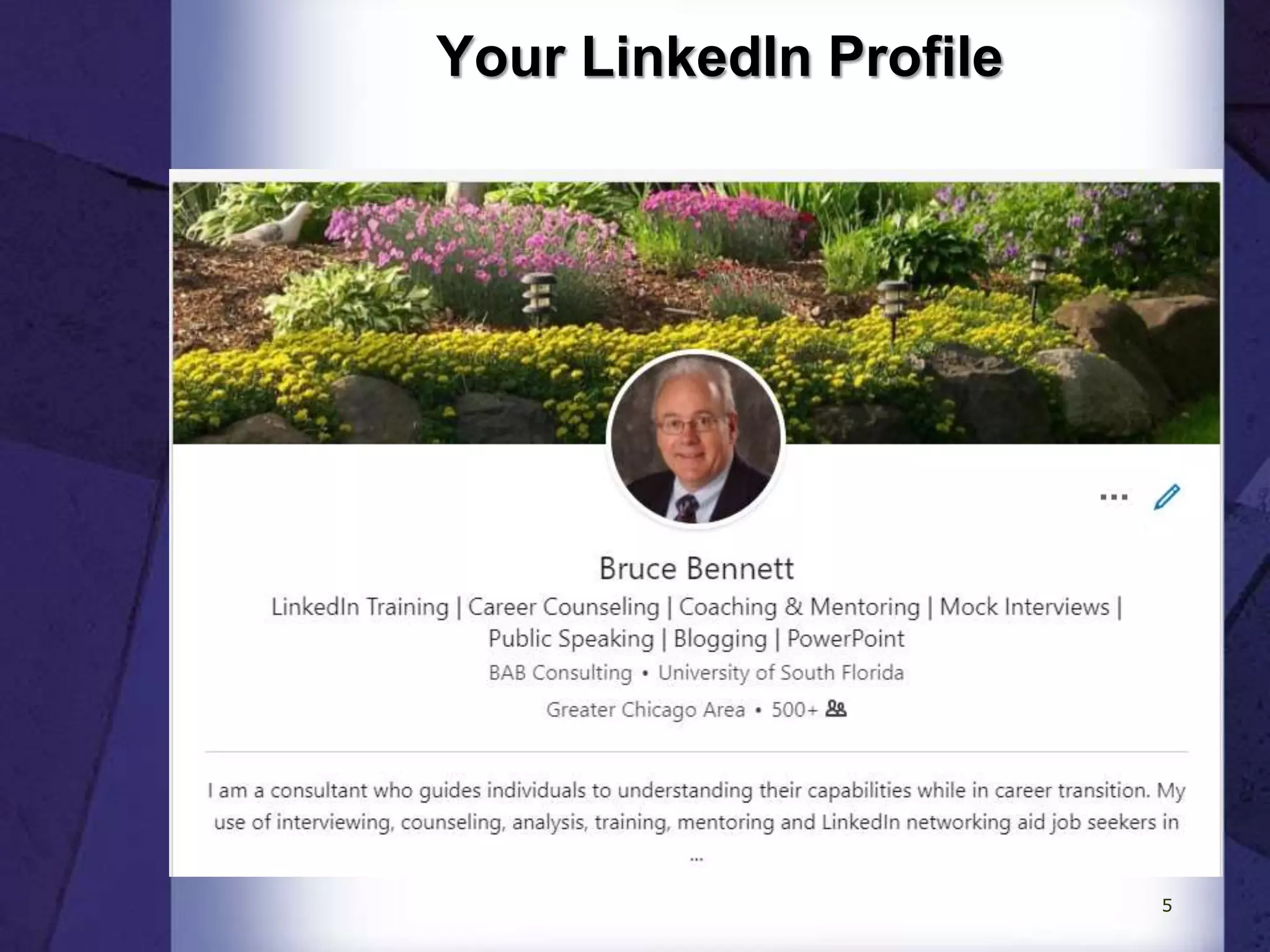
Your LinkedIn Profile
5
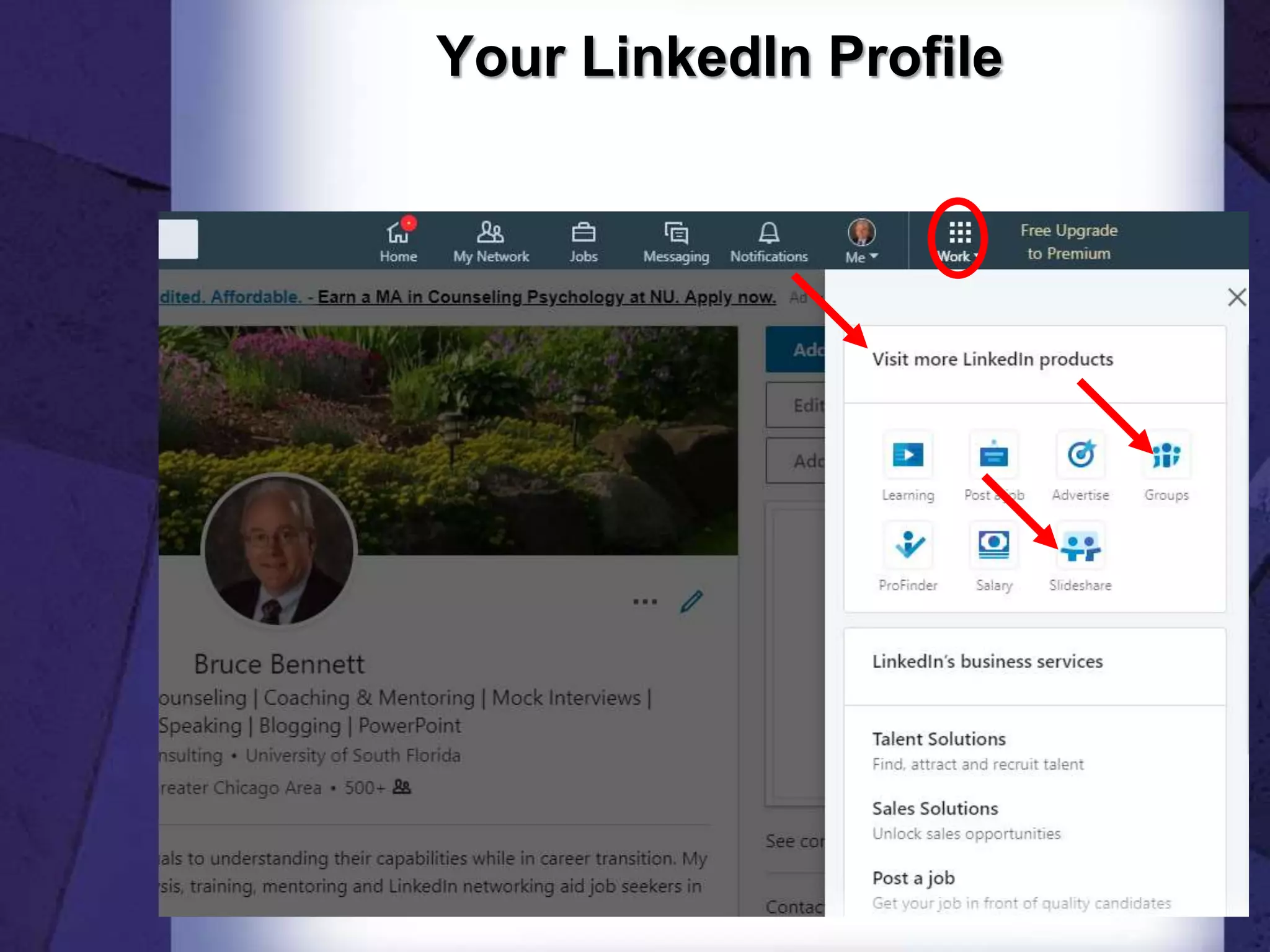
Your LinkedIn Profile
6
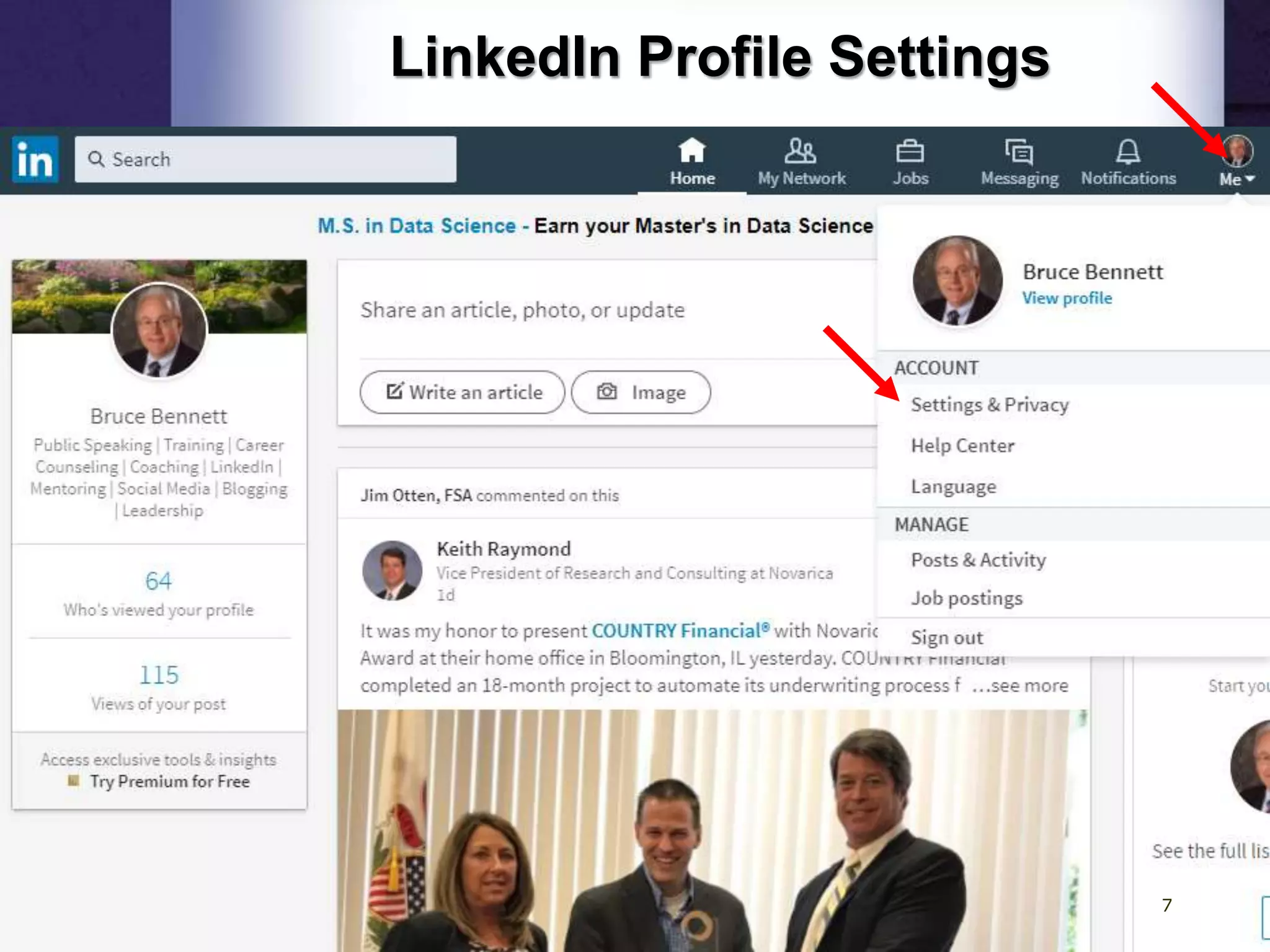
LinkedIn Profile Settings
7
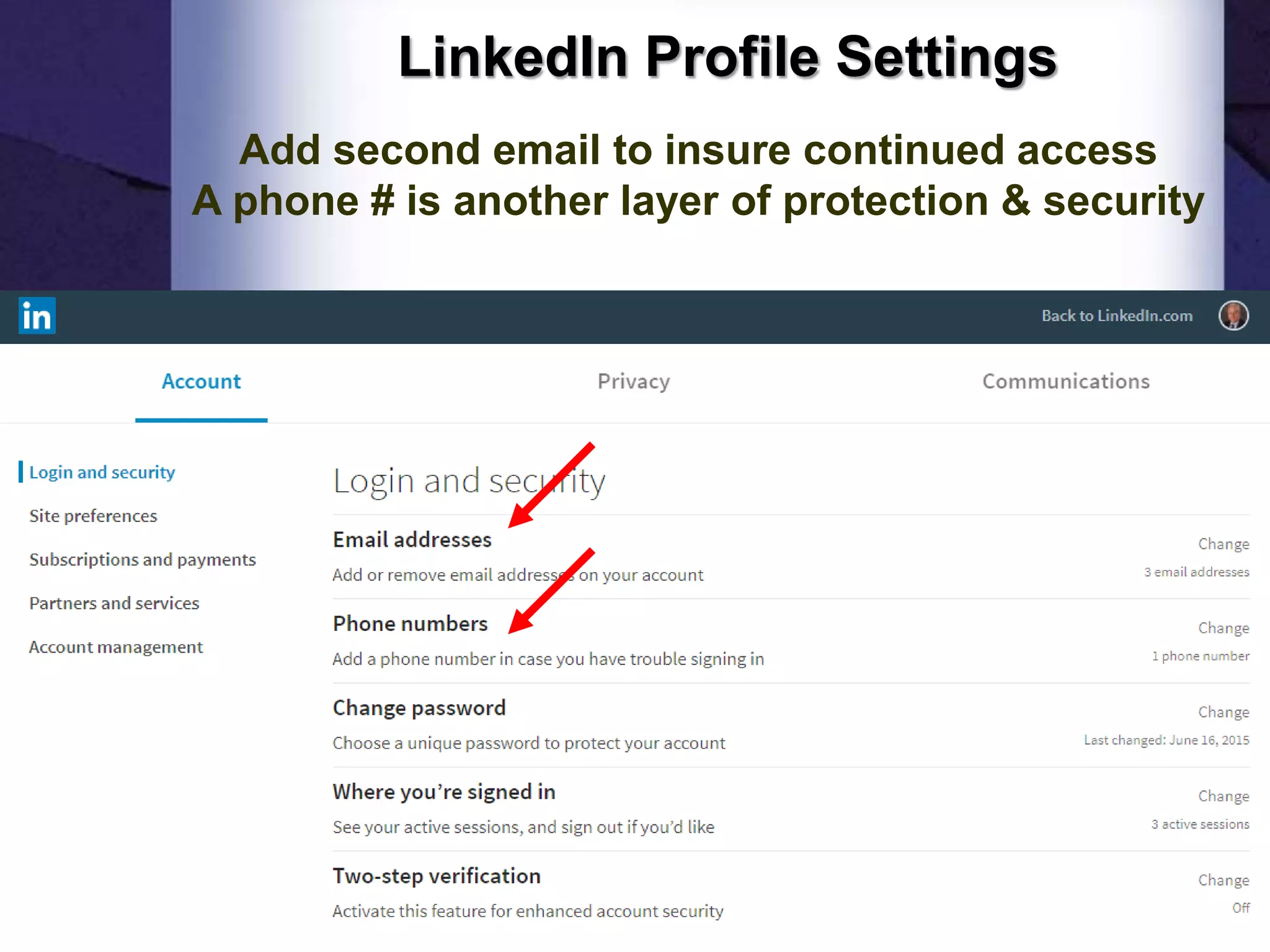
LinkedIn Profile Settings
Add second email to insure continued access
A phone # is another layer of protection & security
8
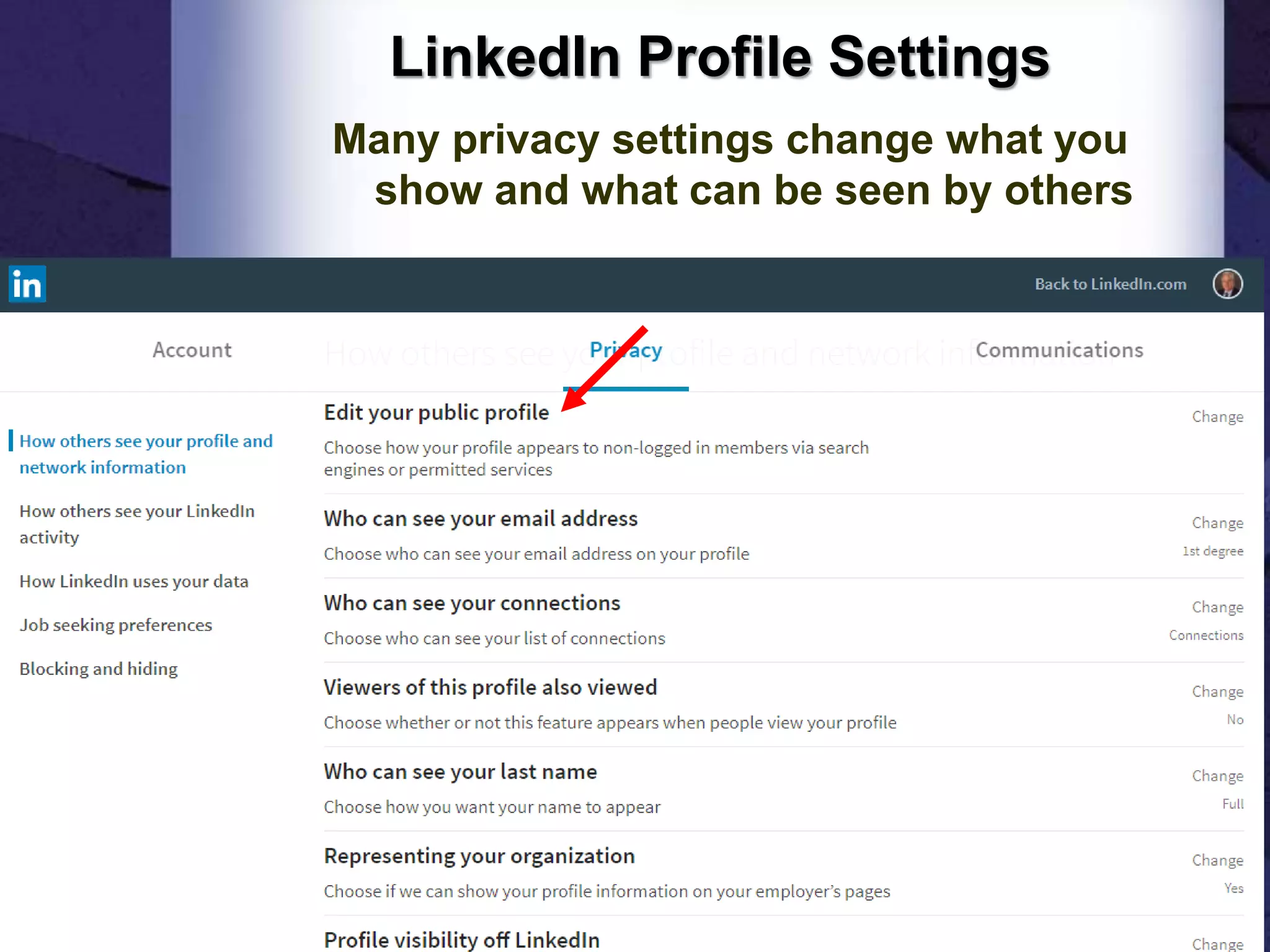
LinkedIn Profile Settings
Many privacy settings change what you
show and what can be seen by others
9
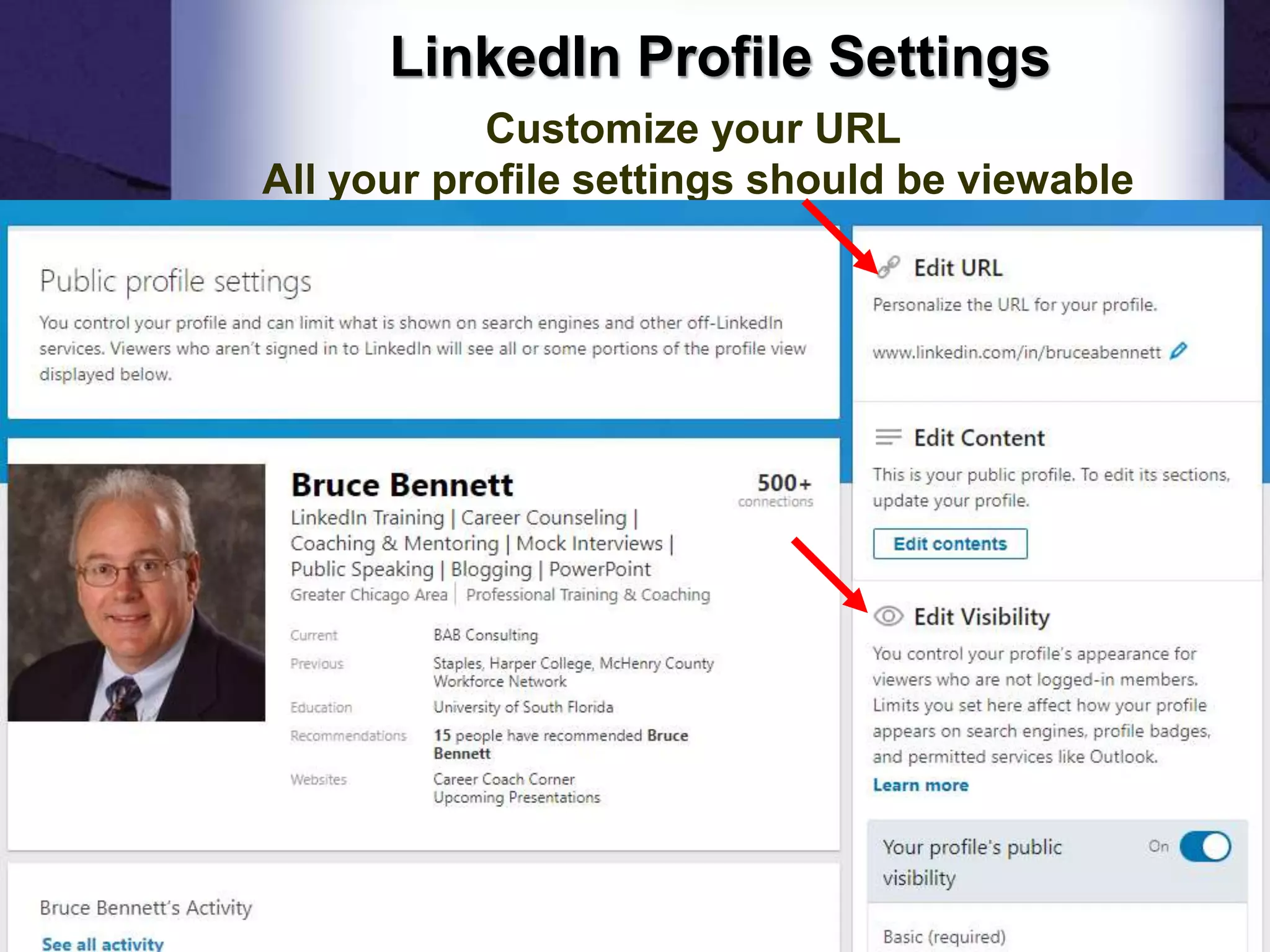
LinkedIn Profile Settings
Customize your URL
All your profile settings should be viewable
10
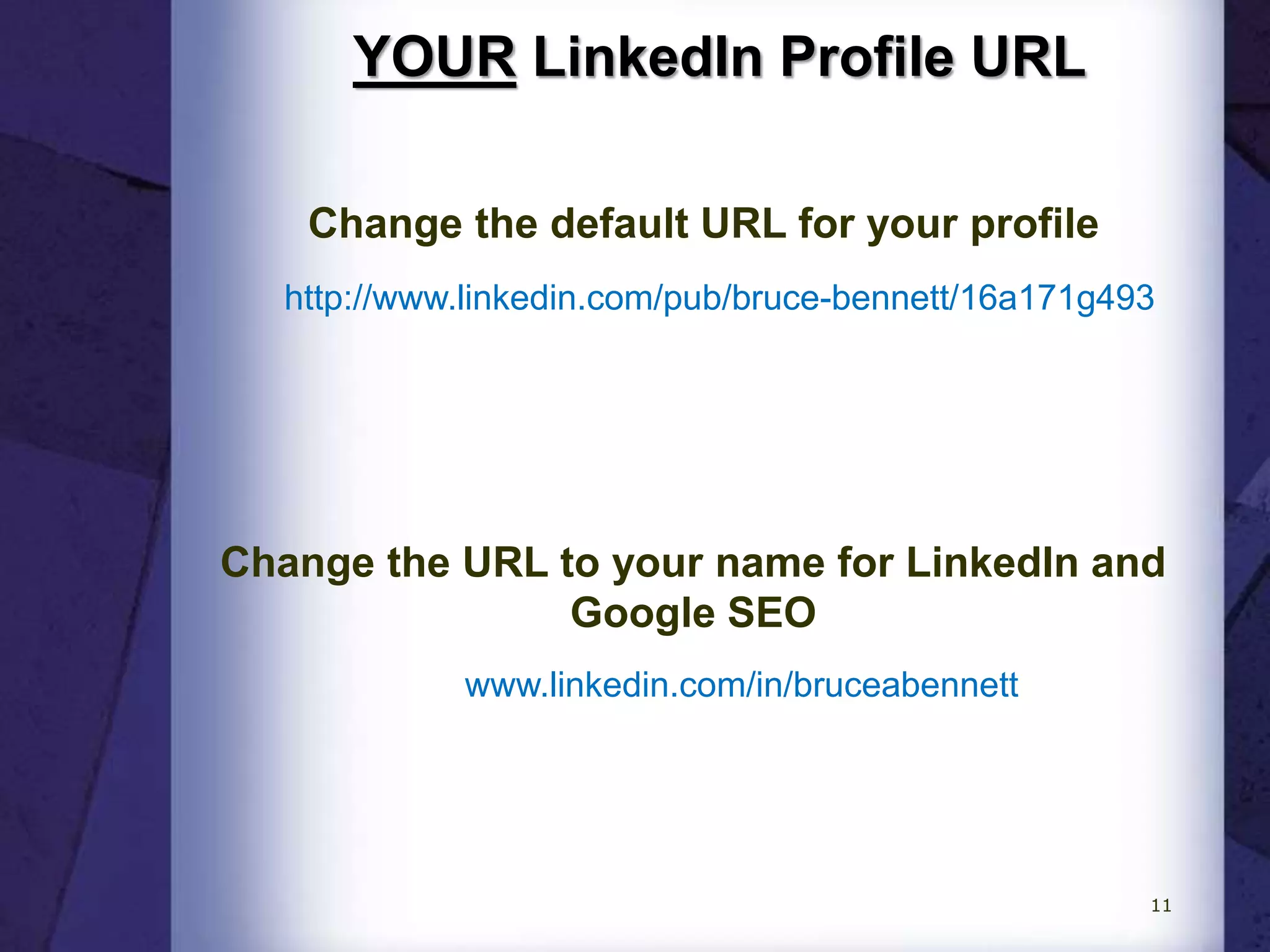
YOUR LinkedIn Profile URL
www.linkedin.com/in/bruceabennett
Change the default URL for your profile
http://www.linkedin.com/pub/bruce-bennett/16a171g493
Change the URL to your name for LinkedIn and
Google SEO
11
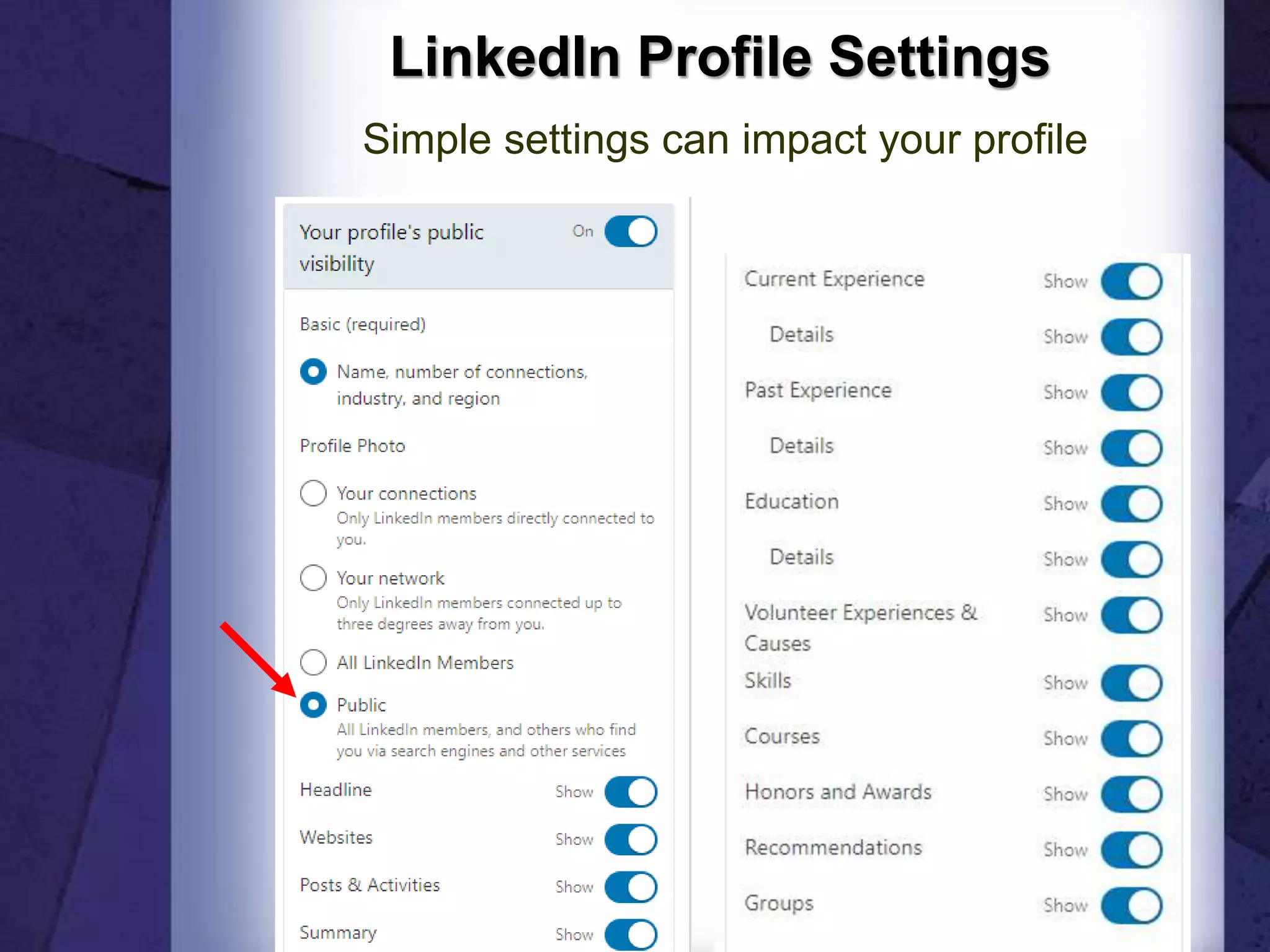
LinkedIn Profile Settings
Simple settings can impact your profile
12
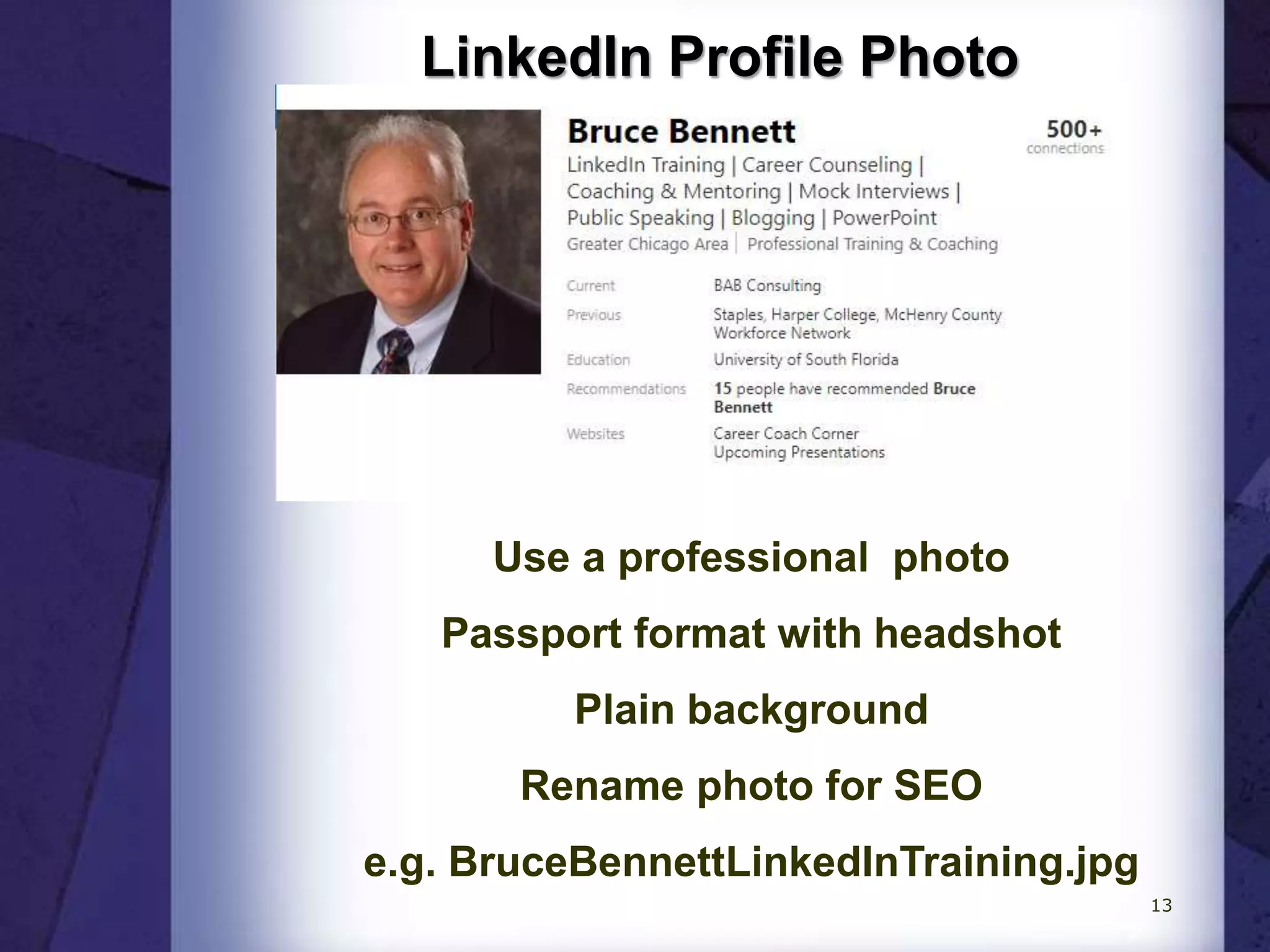
LinkedIn Profile Photo
Use a professional photo
Passport format with headshot
Plain background
Rename photo for SEO
e.g. BruceBennettLinkedInTraining.jpg
13
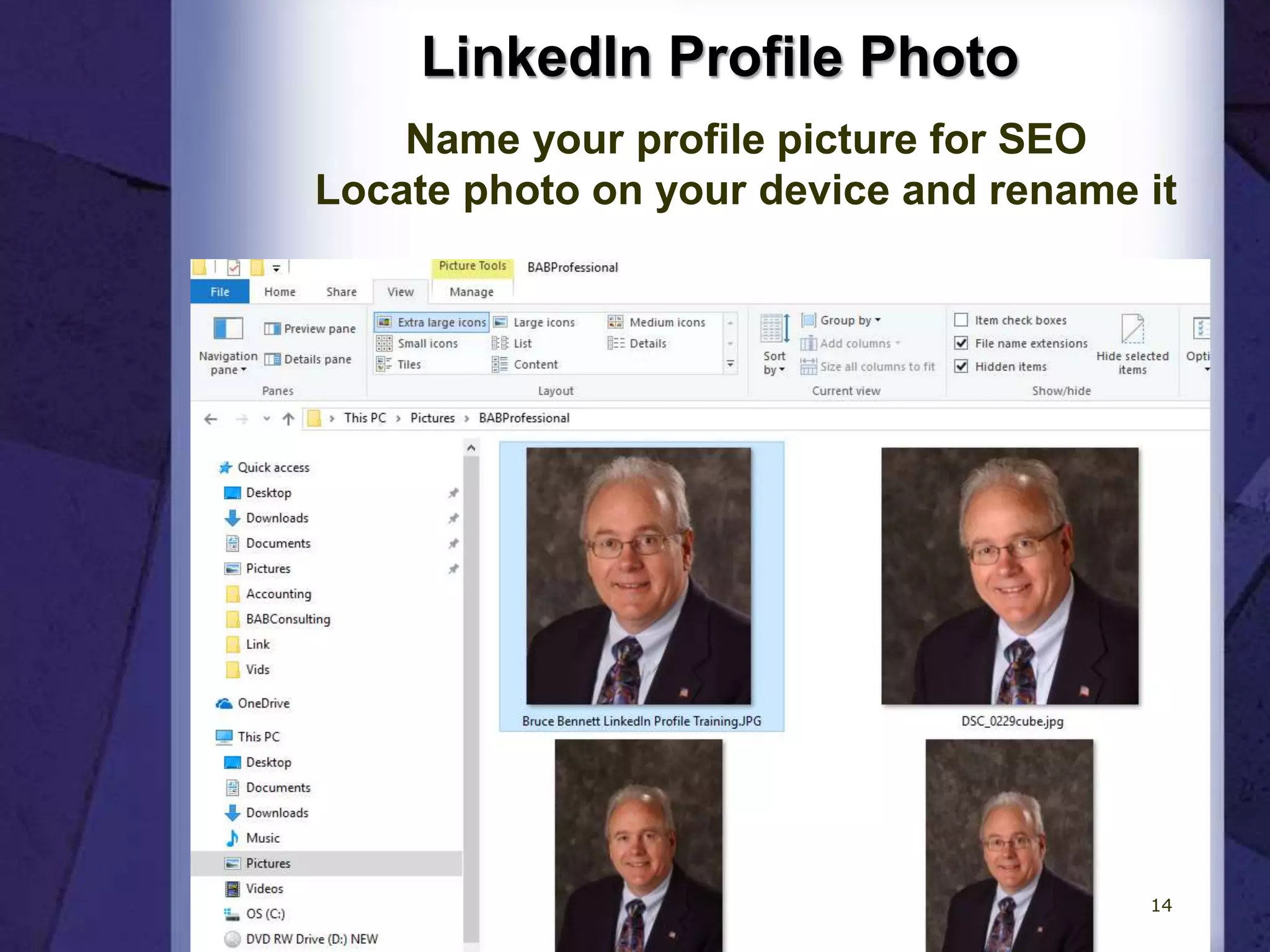
LinkedIn Profile Photo
Name your profile picture for SEO
Locate photo on your device and rename it
14
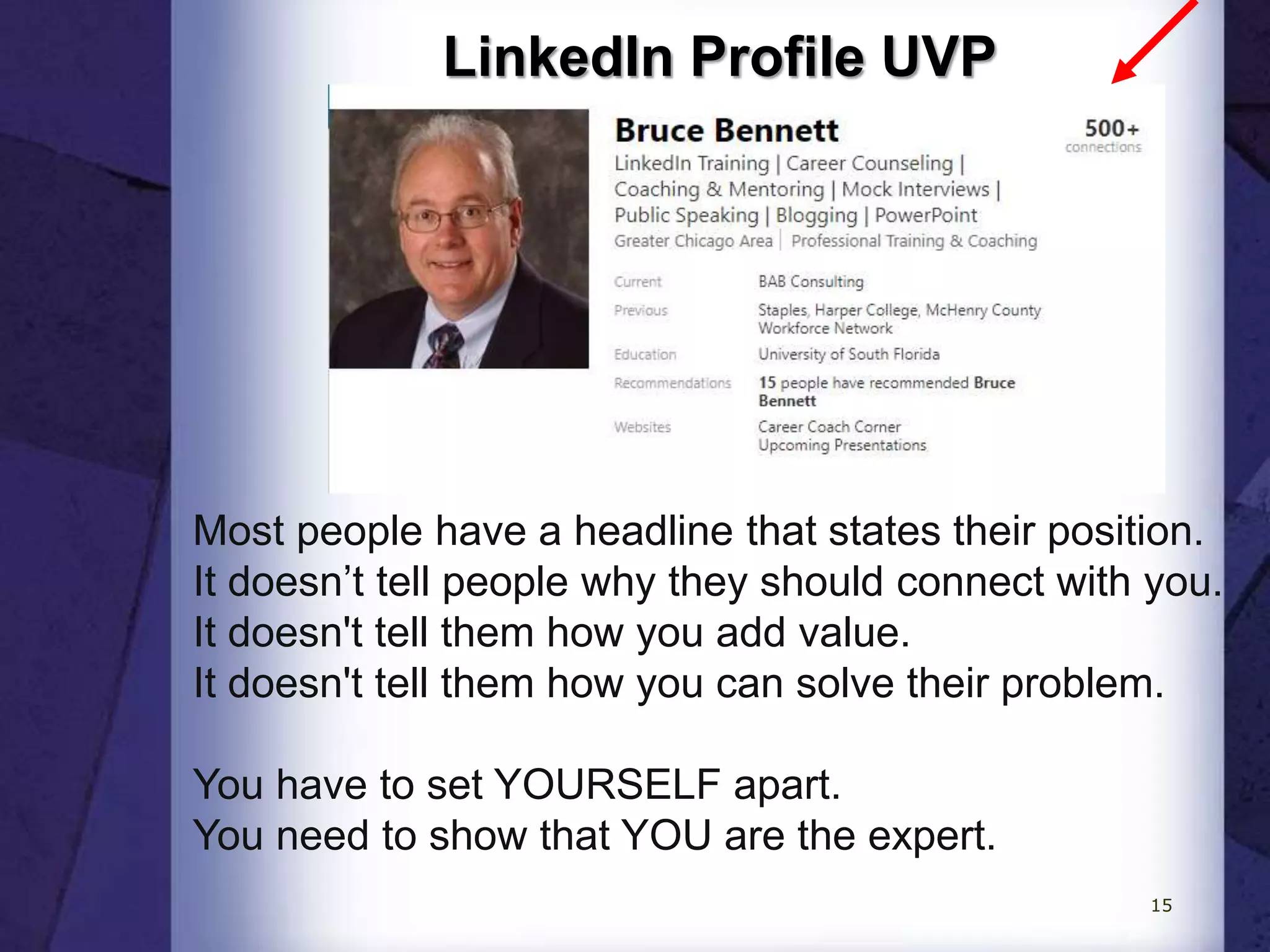
LinkedIn Profile UVP
Most people have a headline that states their position.
It doesn’t tell people why they should connect with you.
It doesn't tell them how you add value.
It doesn't tell them how you can solve their problem.
You have to set YOURSELF apart.
You need to show that YOU are the expert.
15
LinkedIn Profile UVP
Optimize Your Important SKILLS
The first word in your LinkedIn headline gets
the SEO results from the search algorithm.
Thus, it’s critical that you start your headline
with your most important SKILL.
Many members do not understand this, so if
you do it, you will get powerful SEO results.
It matters because if you do not come up high
in search results, then you will not get the
chance to convince someone to click through
to your profile.
16
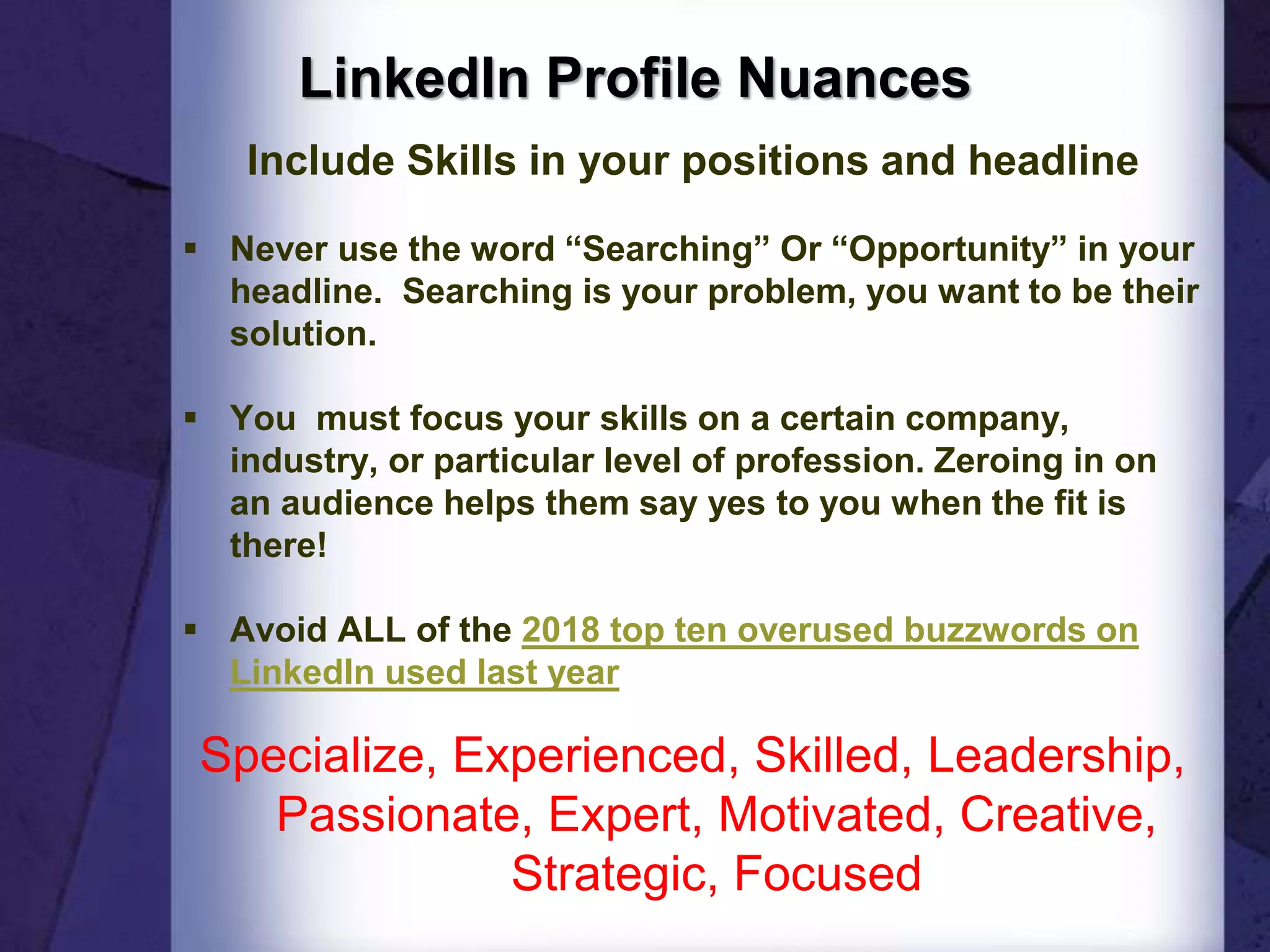
LinkedIn Profile Nuances
Include Skills in your positions and headline
 Never use the word “Searching” Or “Opportunity” in your
headline. Searching is your problem, you want to be their
solution.
 You must focus your skills on a certain company,
industry, or particular level of profession. Zeroing in on
an audience helps them say yes to you when the fit is
there!
 Avoid ALL of the 2018 top ten overused buzzwords on
LinkedIn used last year
Specialize, Experienced, Skilled, Leadership,
Passionate, Expert, Motivated, Creative,
Strategic, Focused
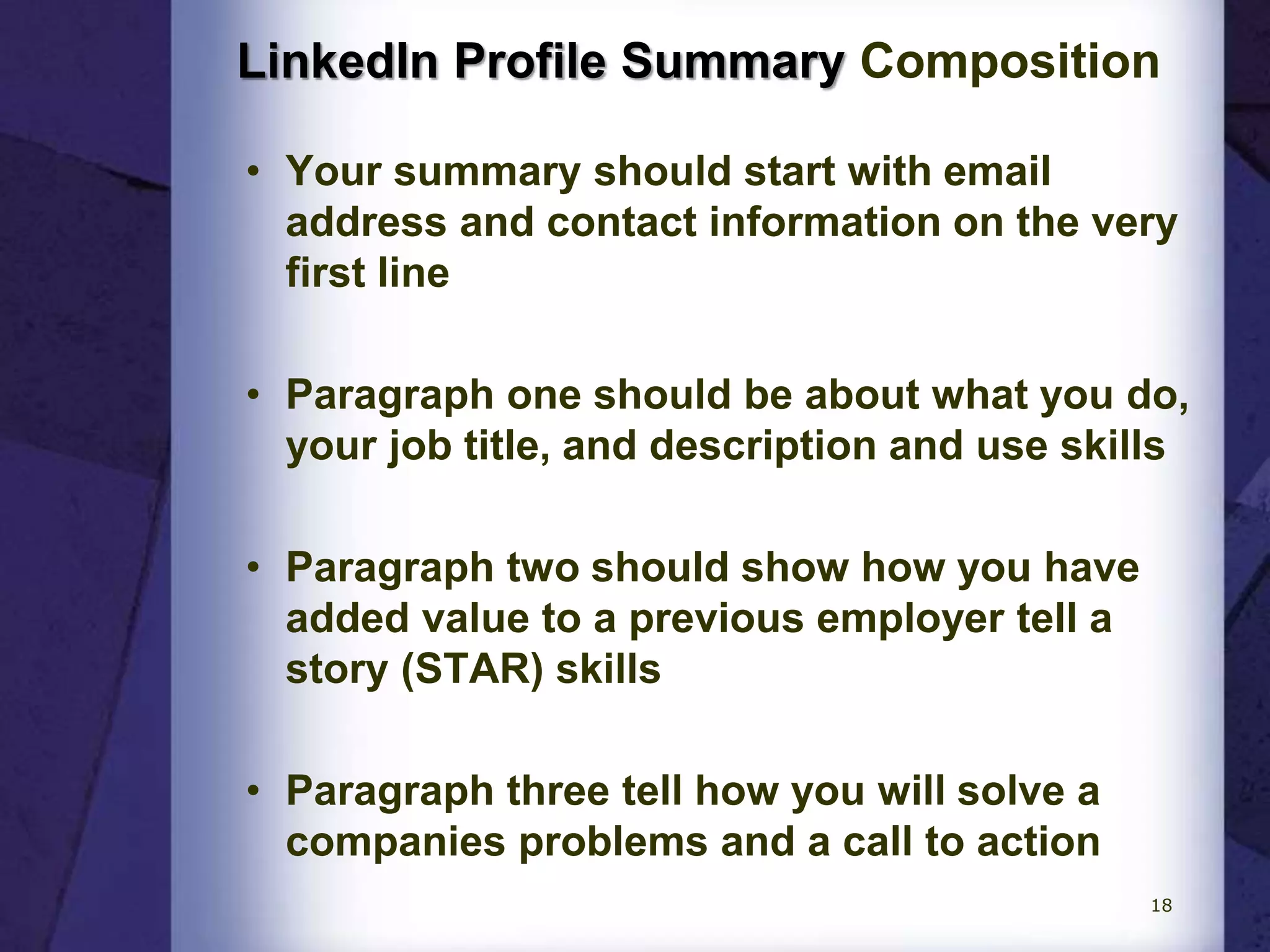
LinkedIn Profile Summary Composition
• Your summary should start with email
address and contact information on the very
first line
• Paragraph one should be about what you do,
your job title, and description and use skills
• Paragraph two should show how you have
added value to a previous employer tell a
story (STAR) skills
• Paragraph three tell how you will solve a
companies problems and a call to action
18
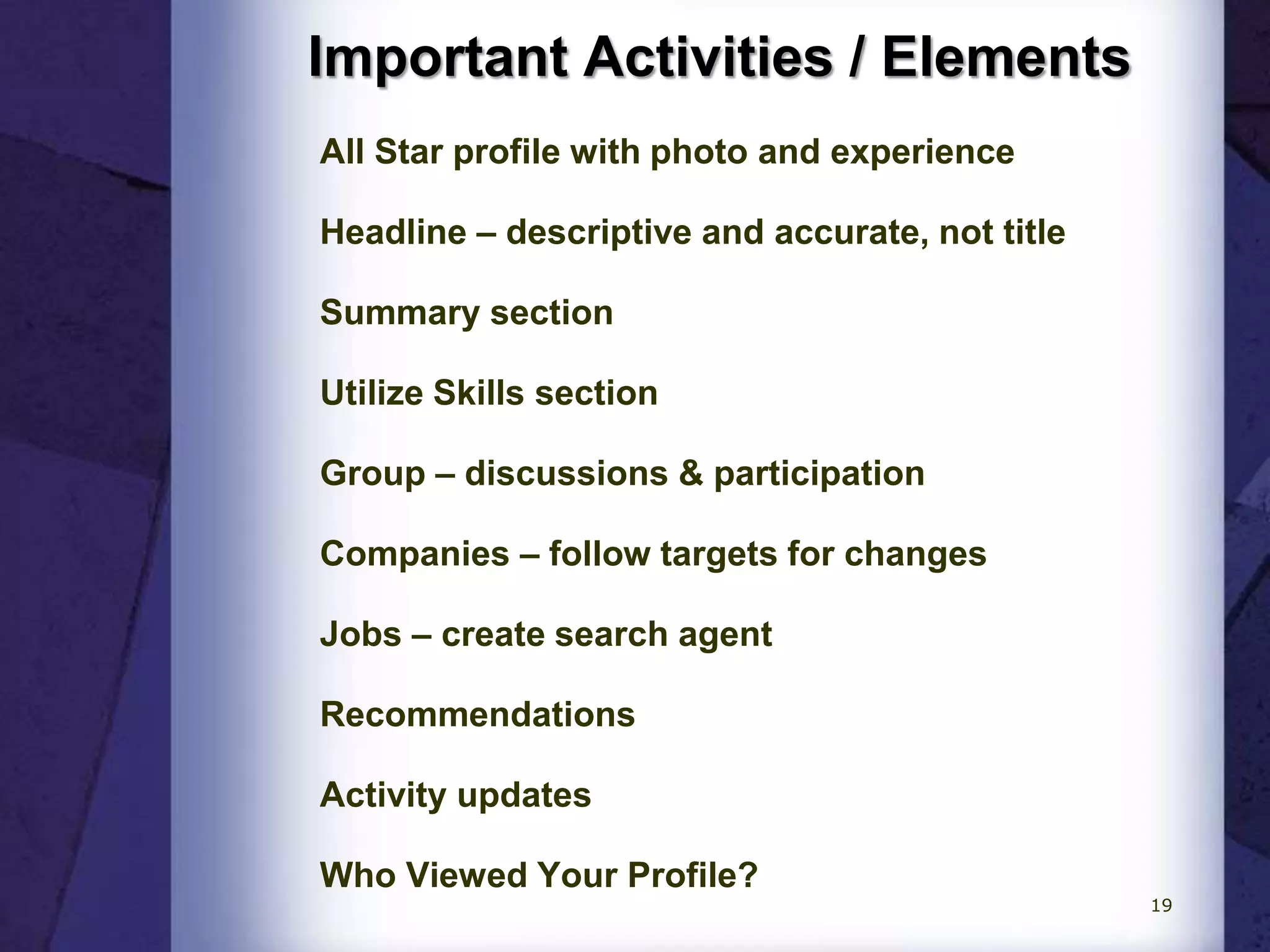
Important Activities / Elements
All Star profile with photo and experience
Headline – descriptive and accurate, not title
Summary section
Utilize Skills section
Group – discussions & participation
Companies – follow targets for changes
Jobs – create search agent
Recommendations
Activity updates
Who Viewed Your Profile?
19
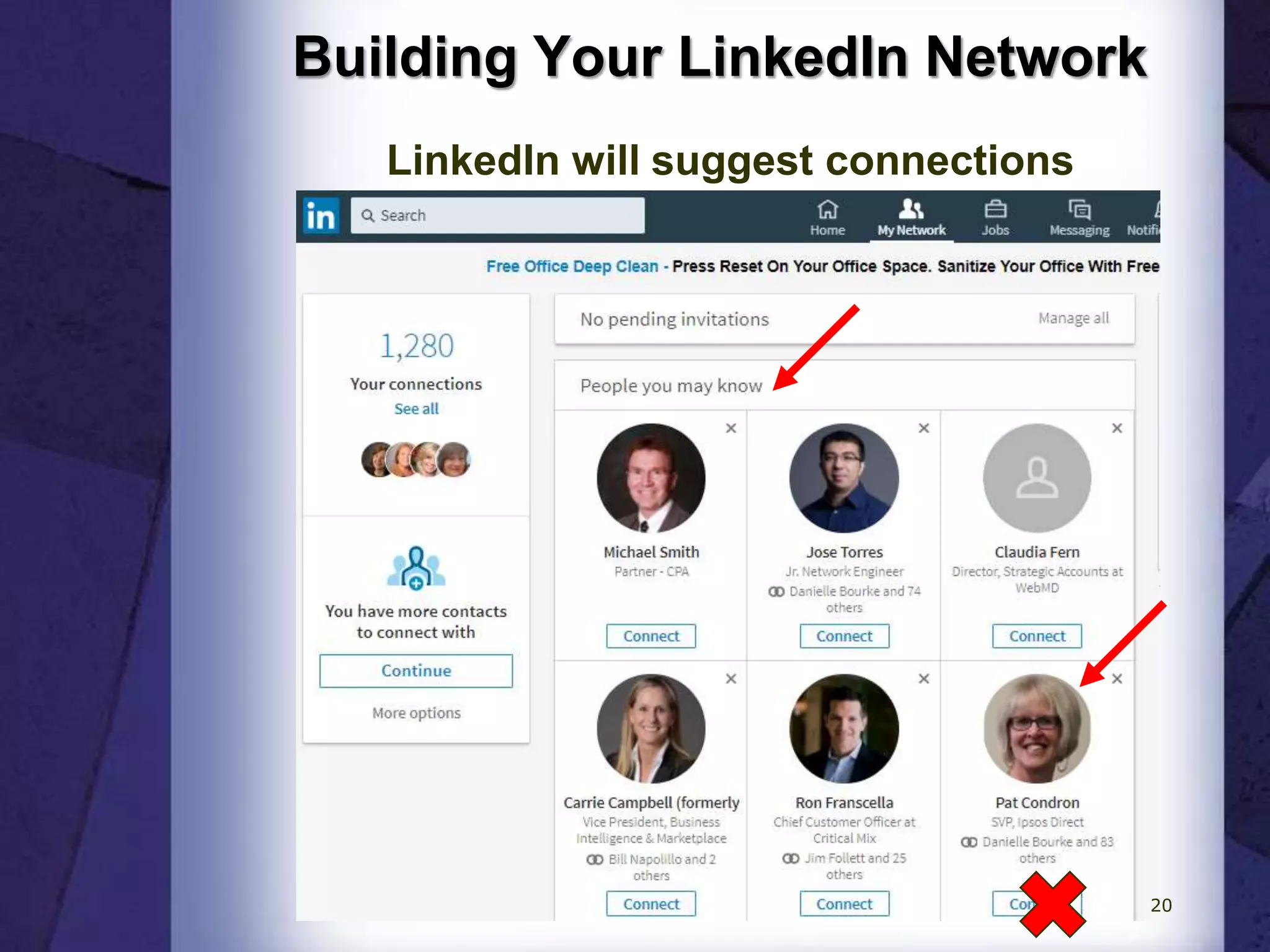
Building Your LinkedIn Network
LinkedIn will suggest connections
20
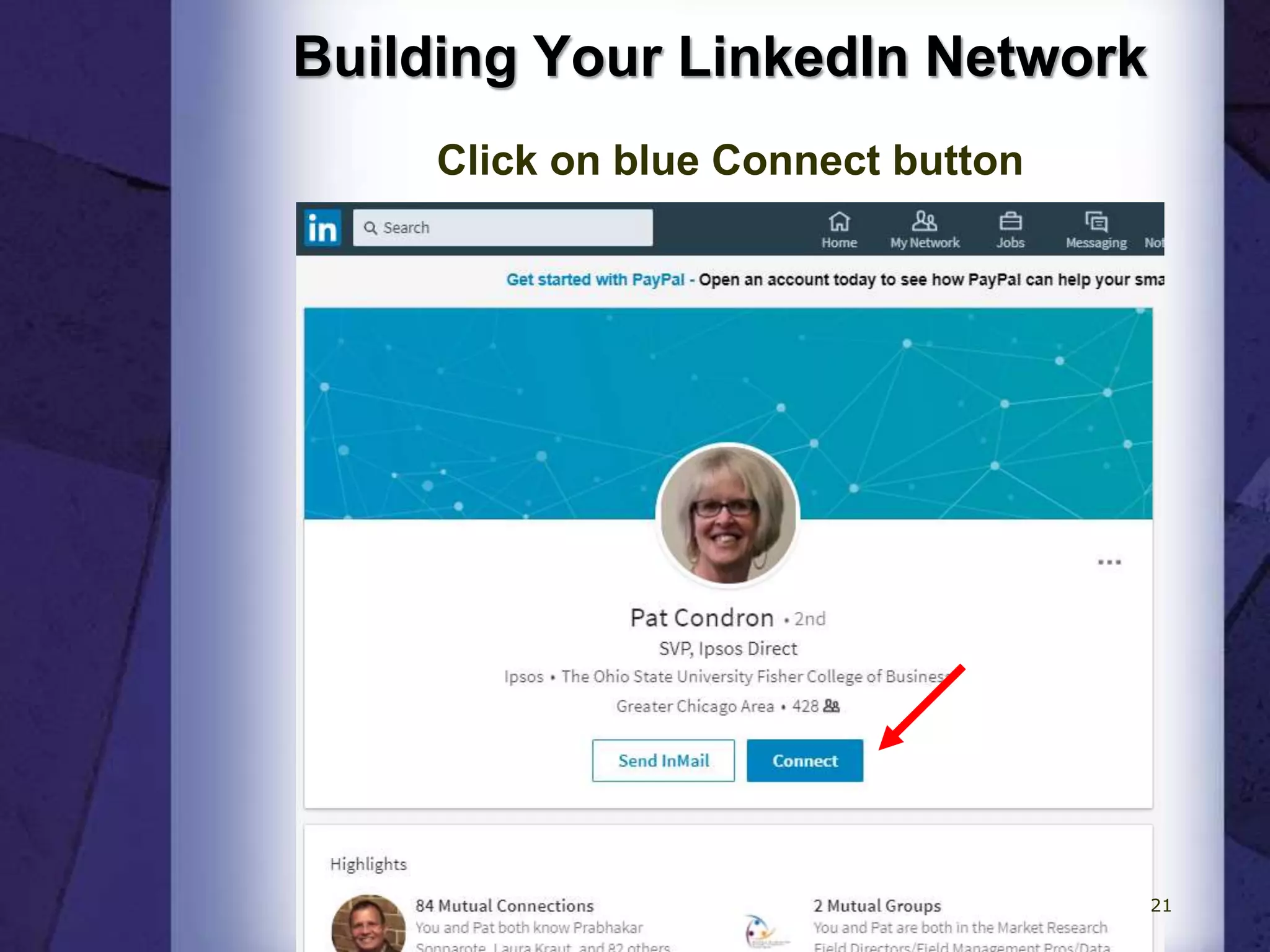
Building Your LinkedIn Network
Click on blue Connect button
21
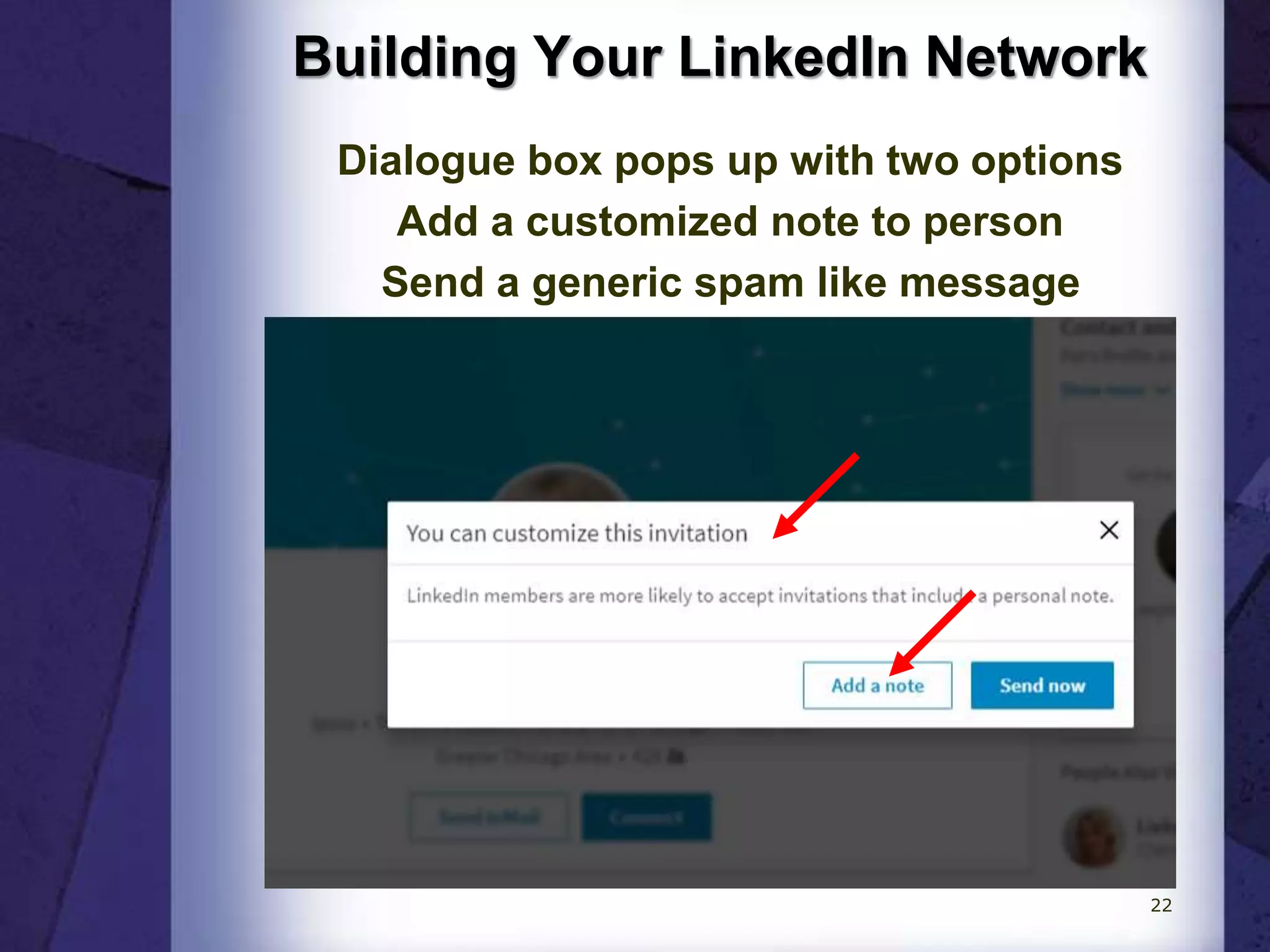
Building Your LinkedIn Network
Dialogue box pops up with two options
Add a customized note to person
Send a generic spam like message
22
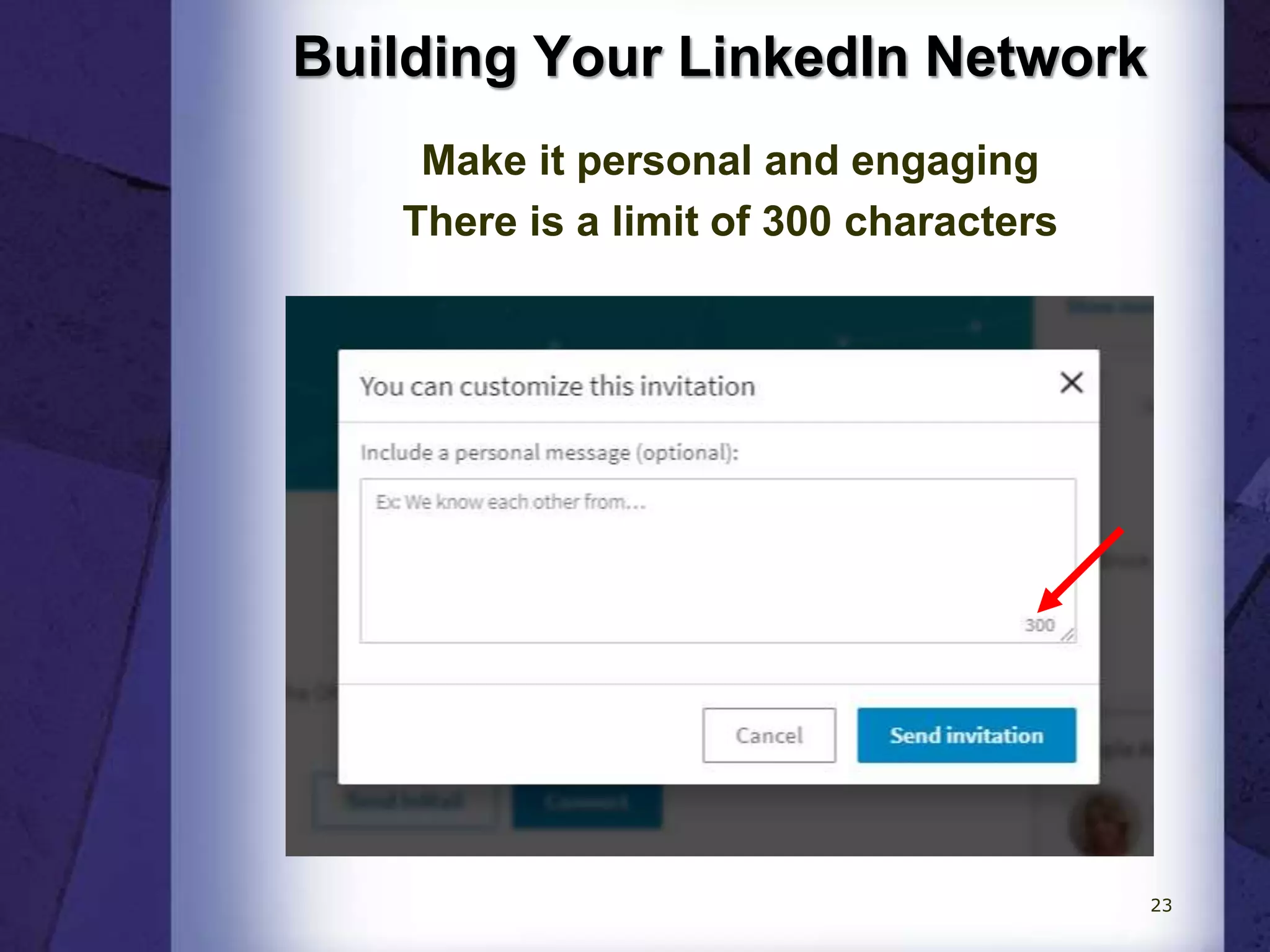
Building Your LinkedIn Network
Make it personal and engaging
There is a limit of 300 characters
23
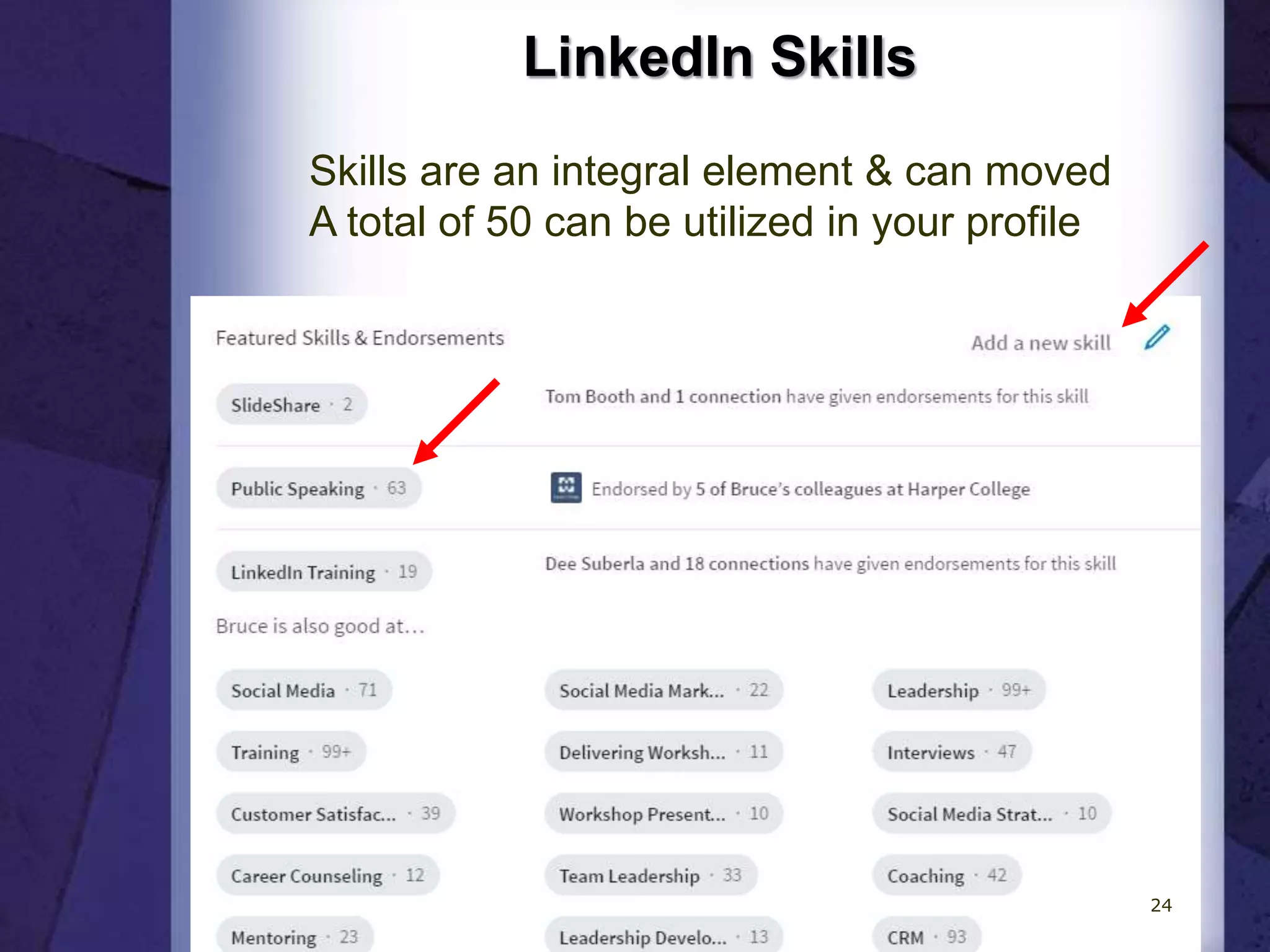
LinkedIn Skills
Skills are an integral element & can moved
A total of 50 can be utilized in your profile
24
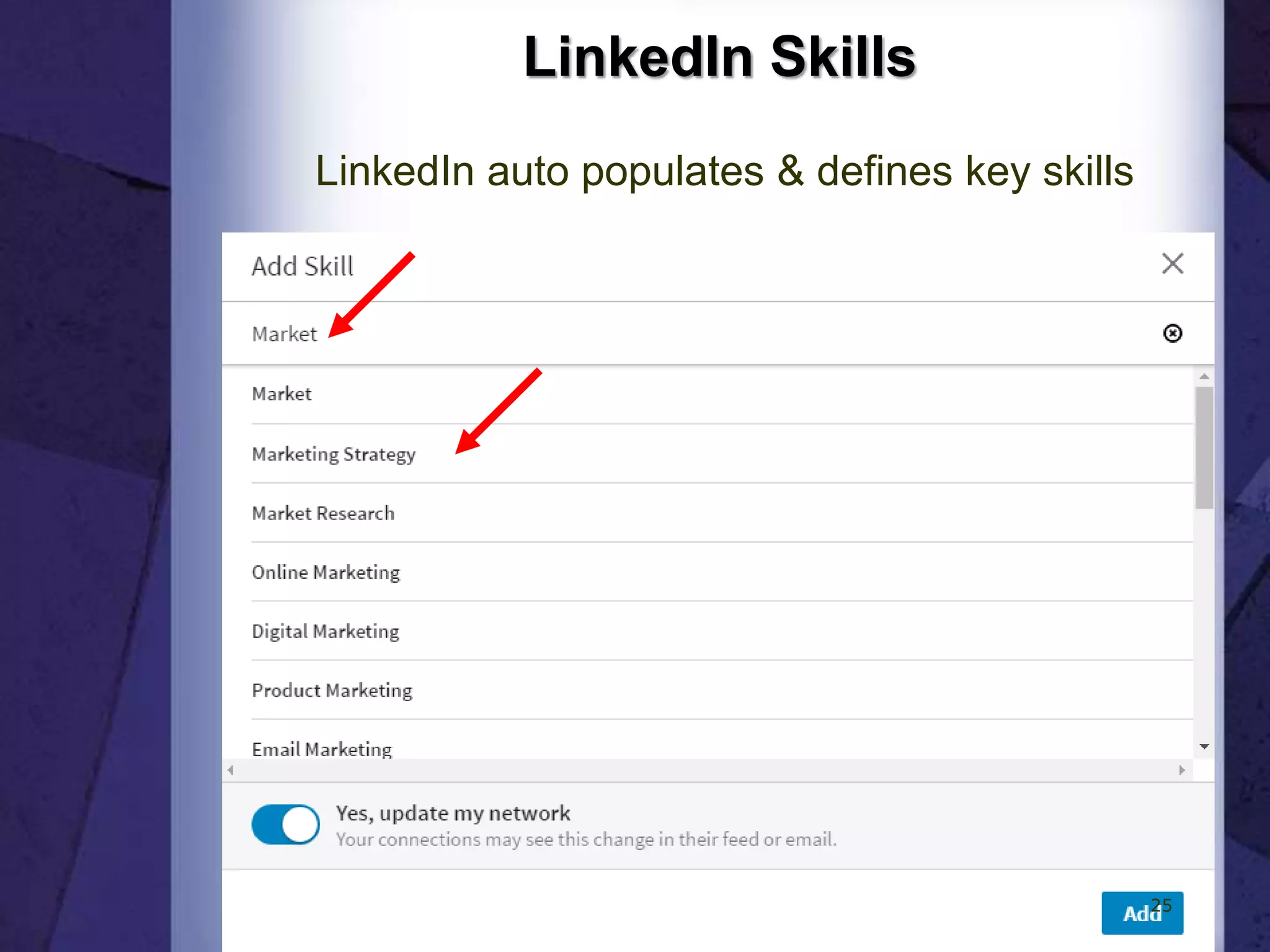
LinkedIn Skills
LinkedIn auto populates & defines key skills
25
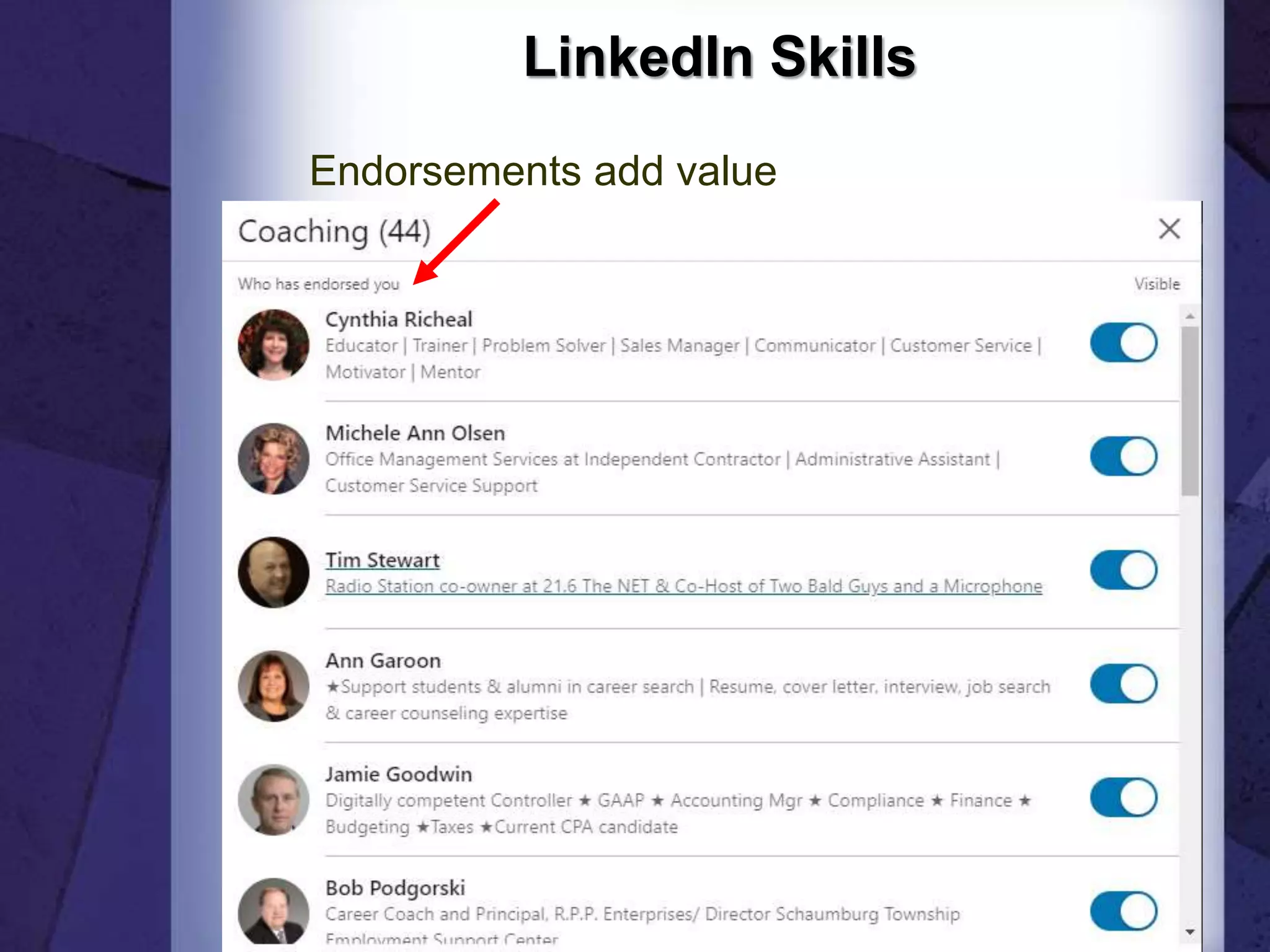
LinkedIn Skills
Endorsements add value
26
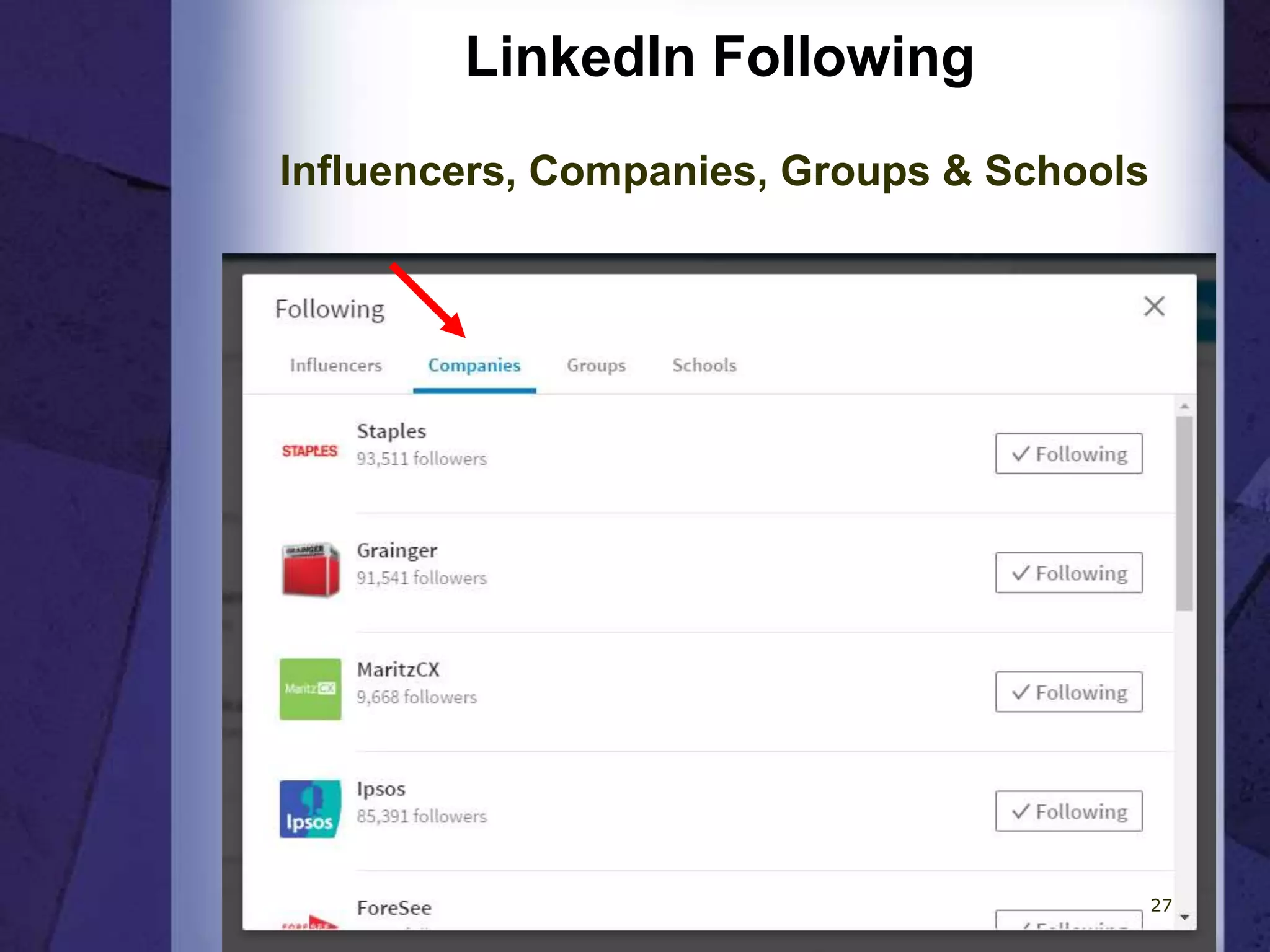
LinkedIn Following
Influencers, Companies, Groups & Schools
27
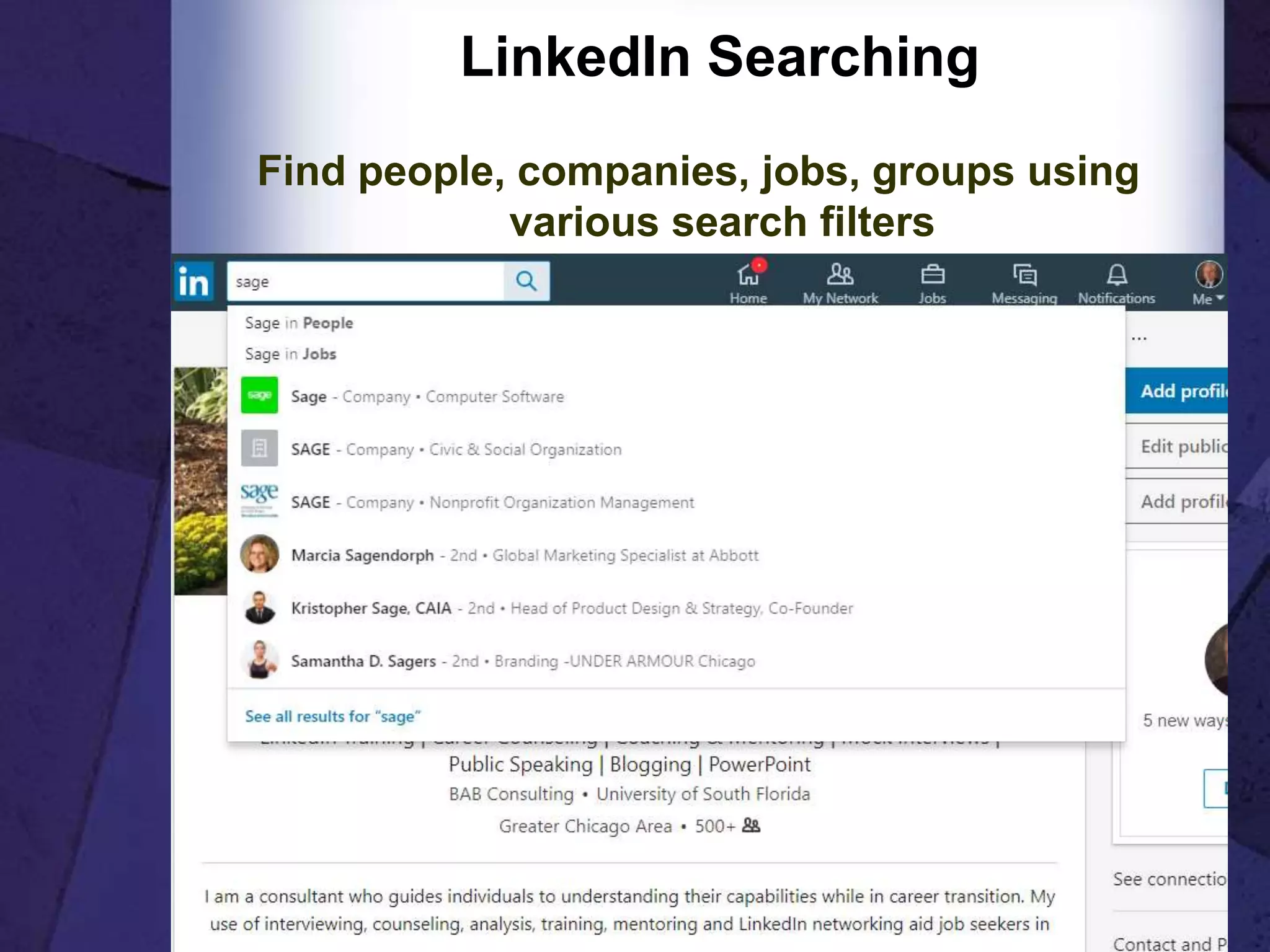
LinkedIn Searching
Find people, companies, jobs, groups using
various search filters
28
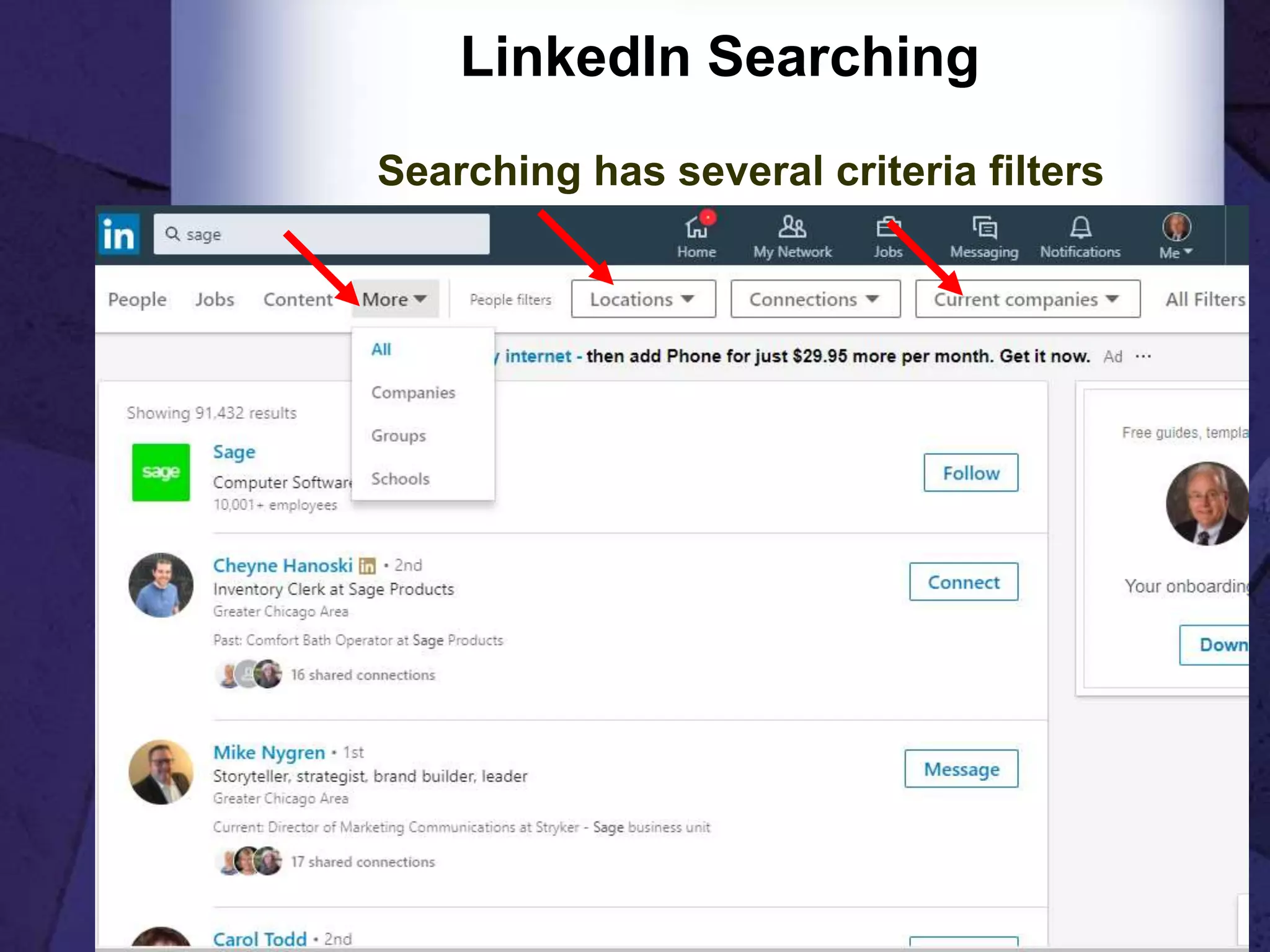
LinkedIn Searching
Searching has several criteria filters
29
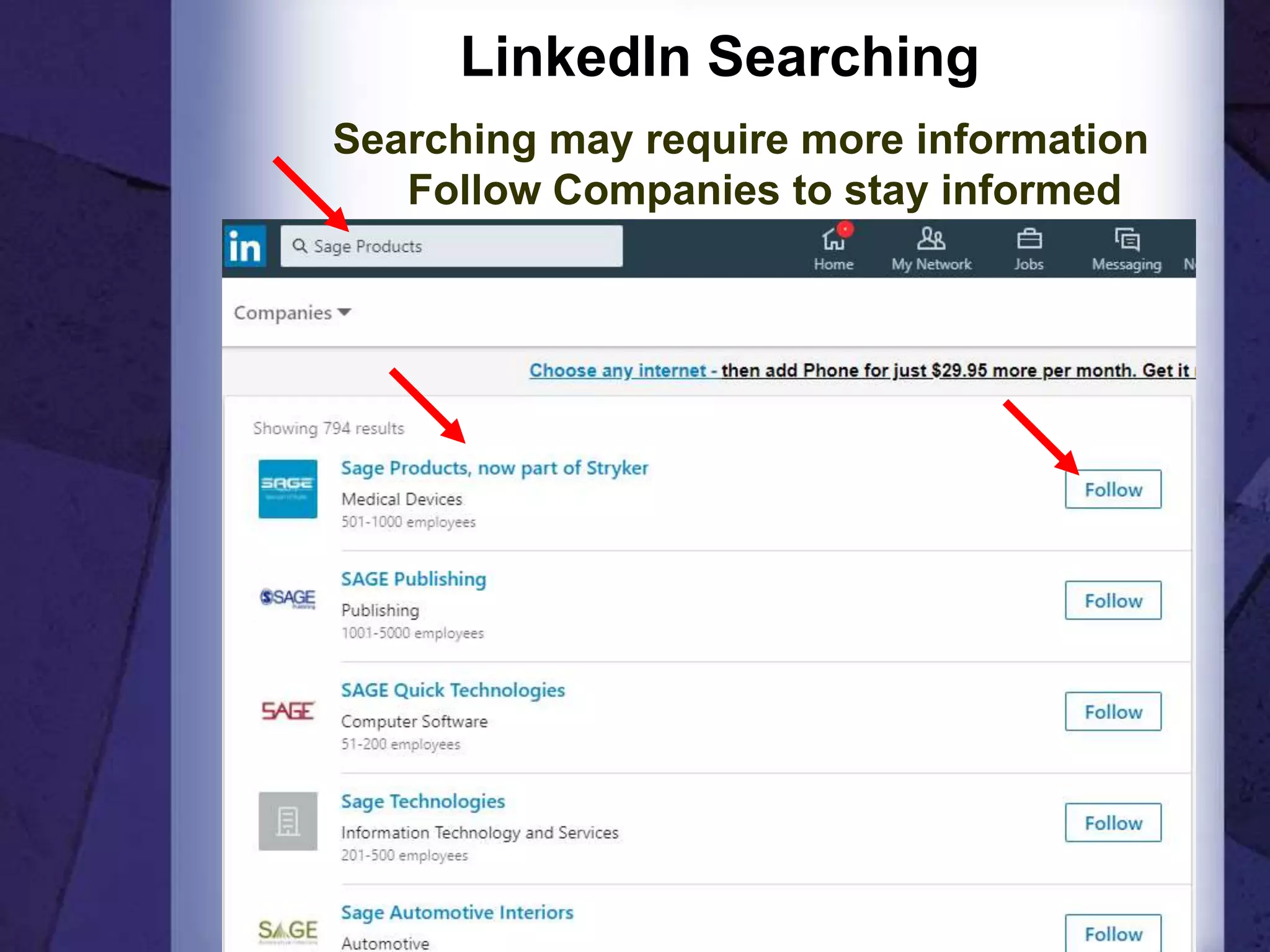
LinkedIn Searching
Searching may require more information
Follow Companies to stay informed
30
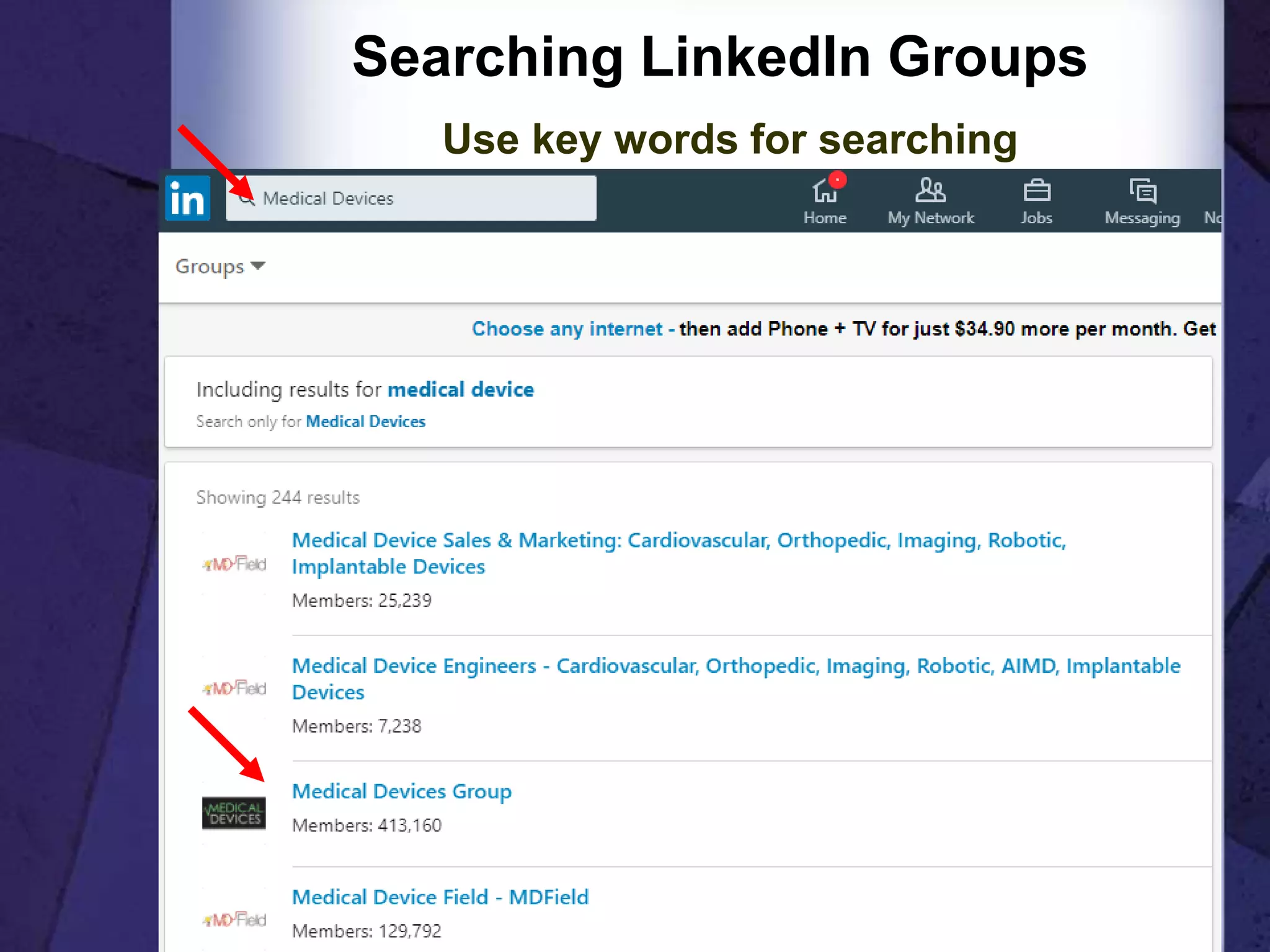
Searching LinkedIn Groups
Use key words for searching
31
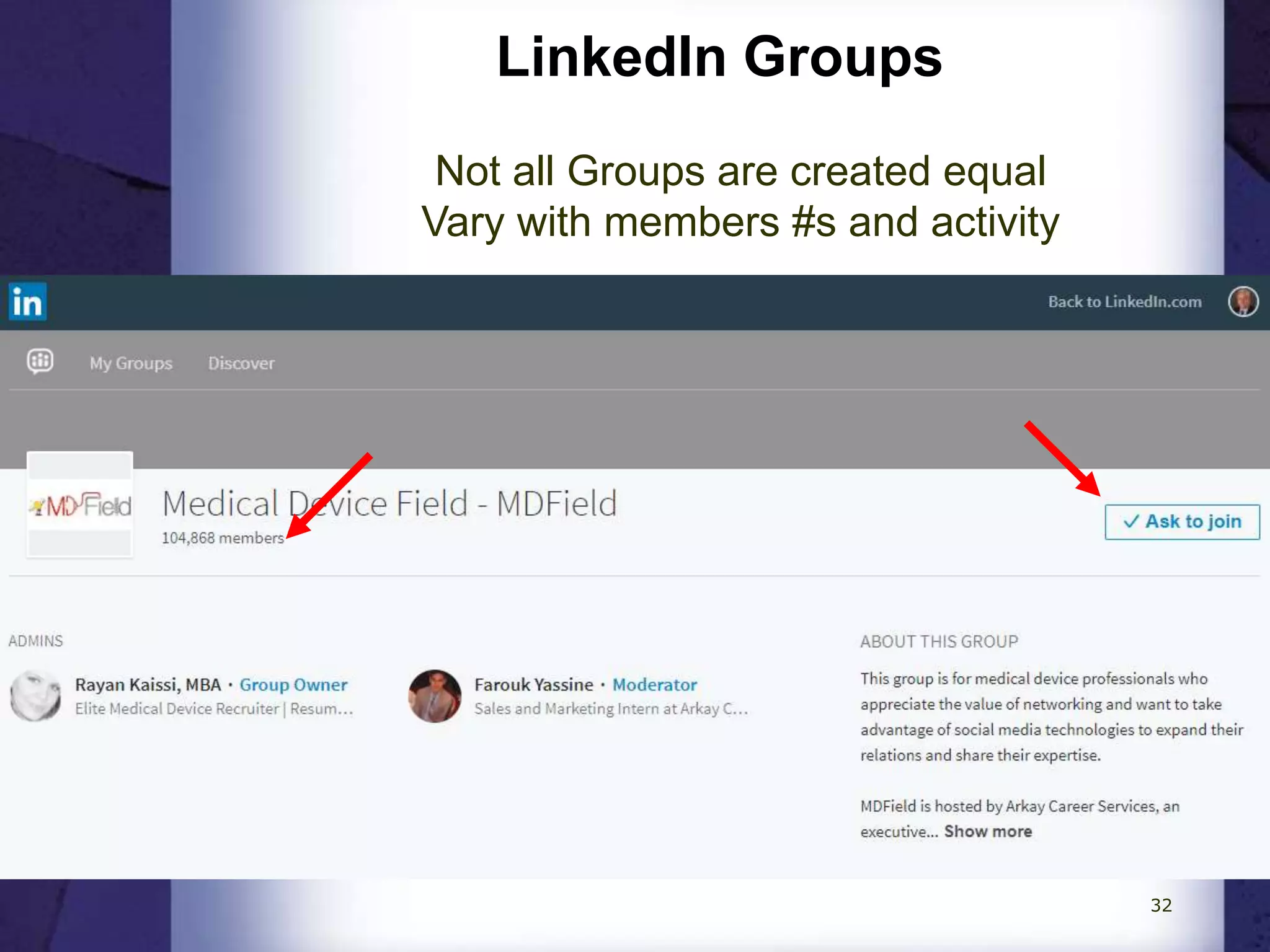
LinkedIn Groups
Not all Groups are created equal
Vary with members #s and activity
32
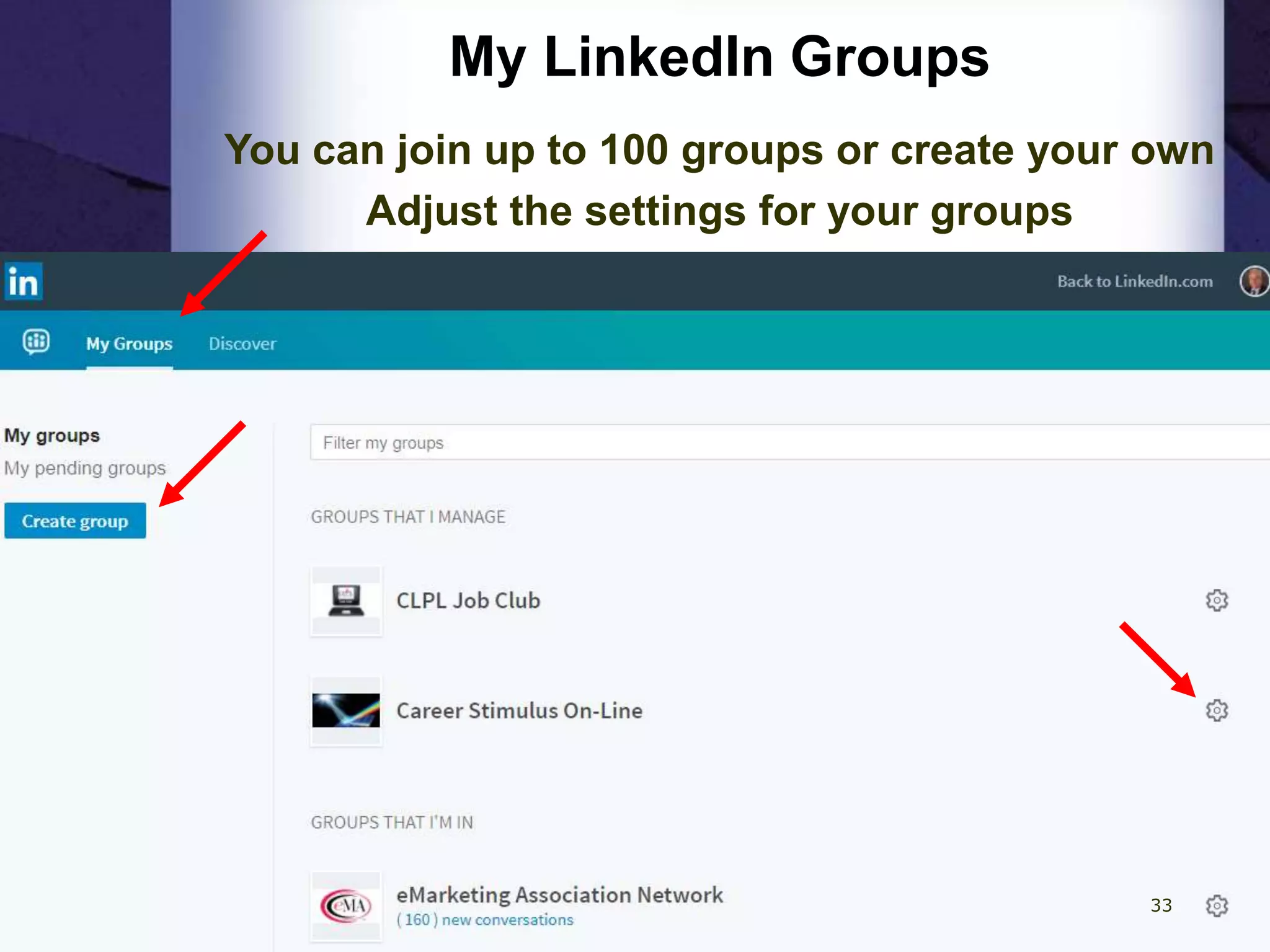
My LinkedIn Groups
You can join up to 100 groups or create your own
Adjust the settings for your groups
33
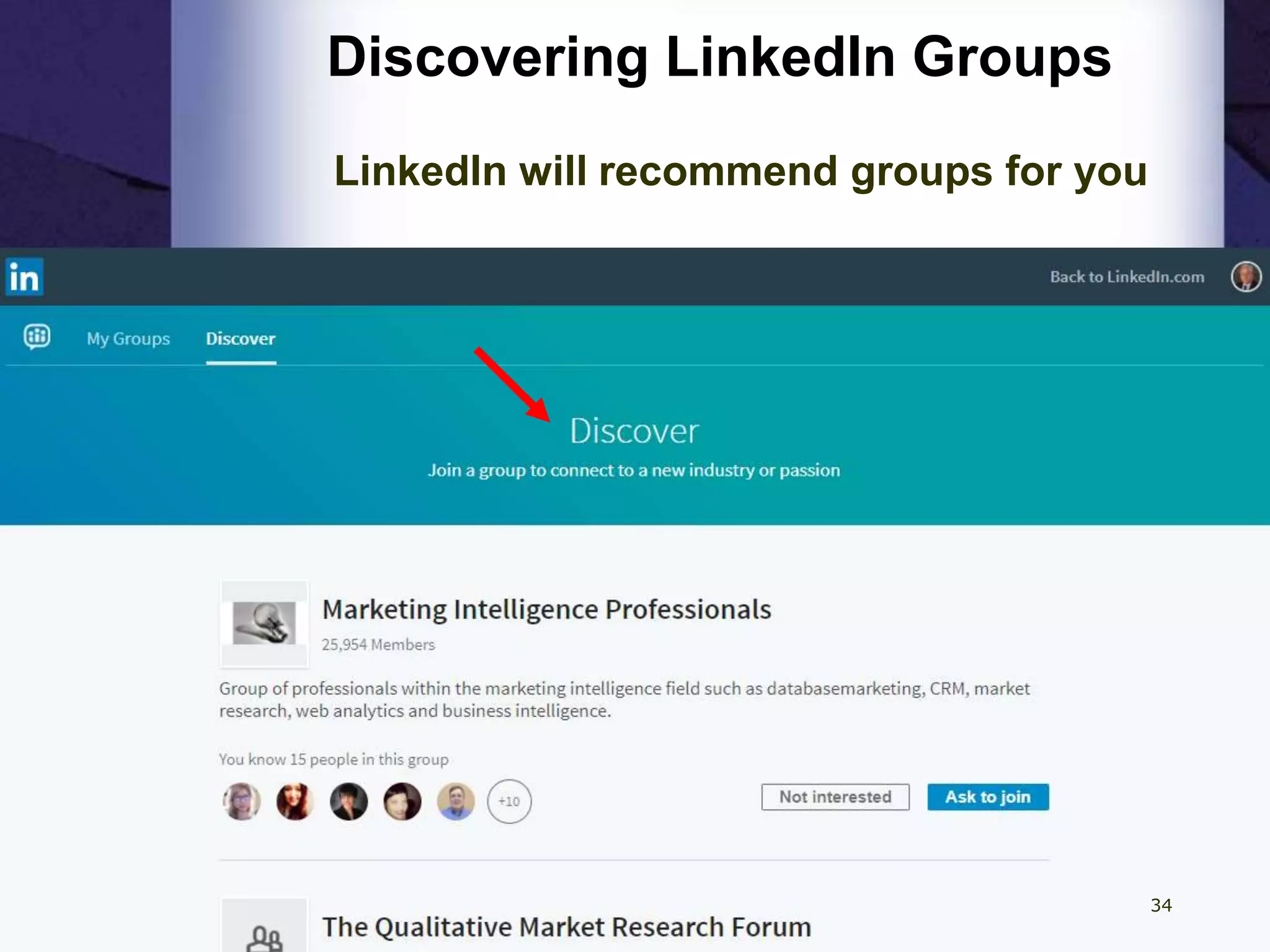
Discovering LinkedIn Groups
LinkedIn will recommend groups for you
34
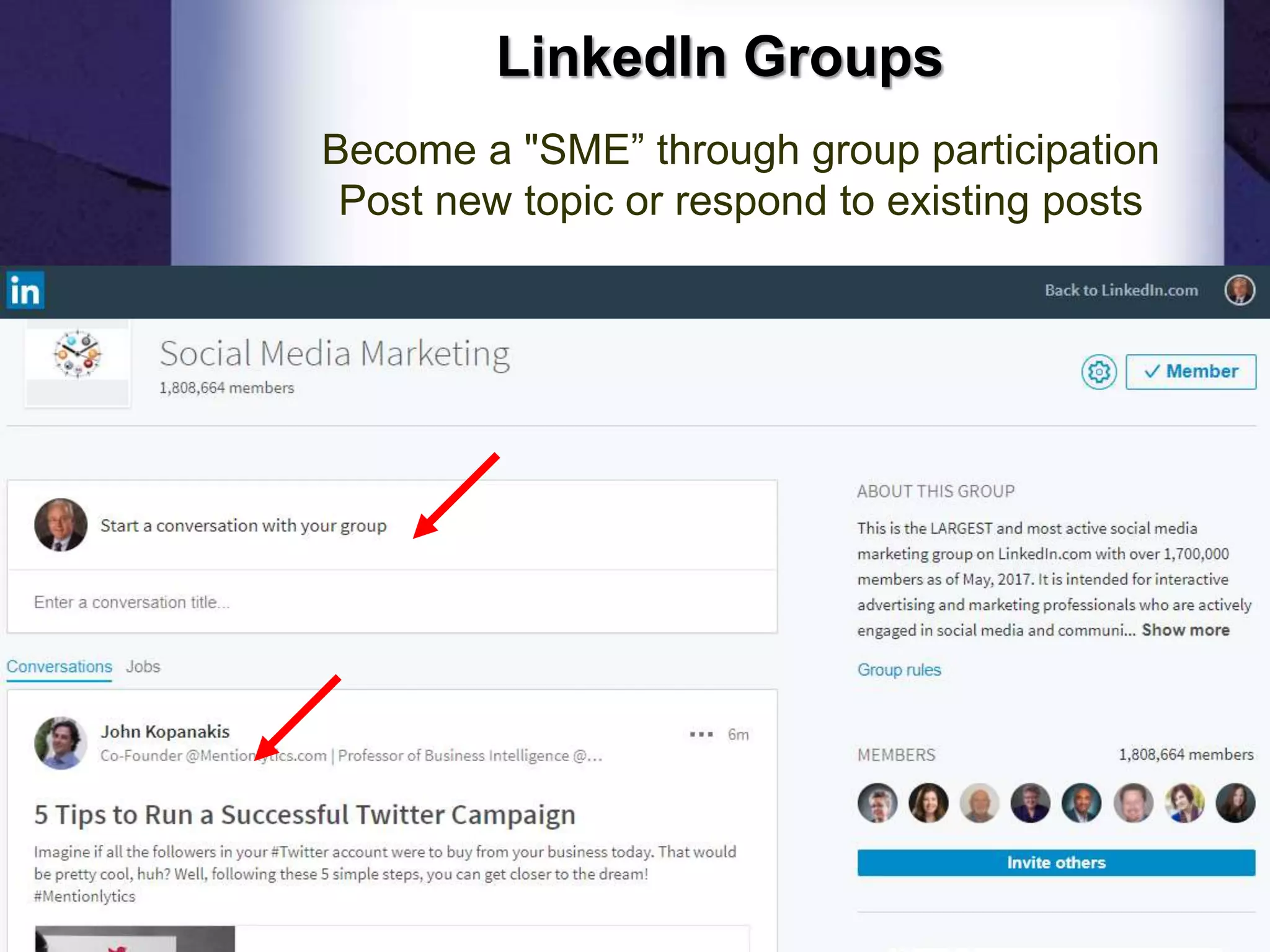
LinkedIn Groups
Become a "SME” through group participation
Post new topic or respond to existing posts
35
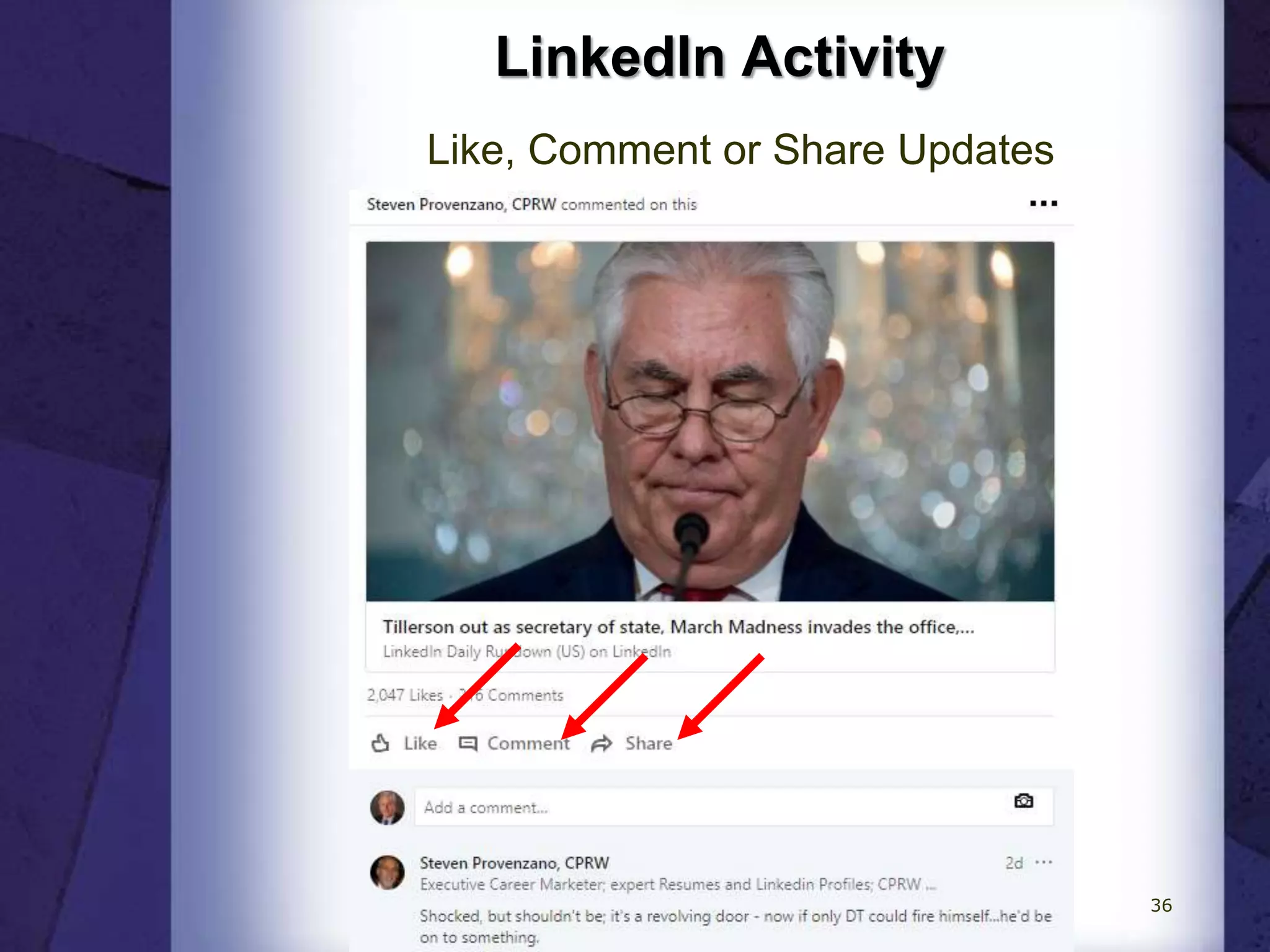
LinkedIn Activity
Like, Comment or Share Updates
36
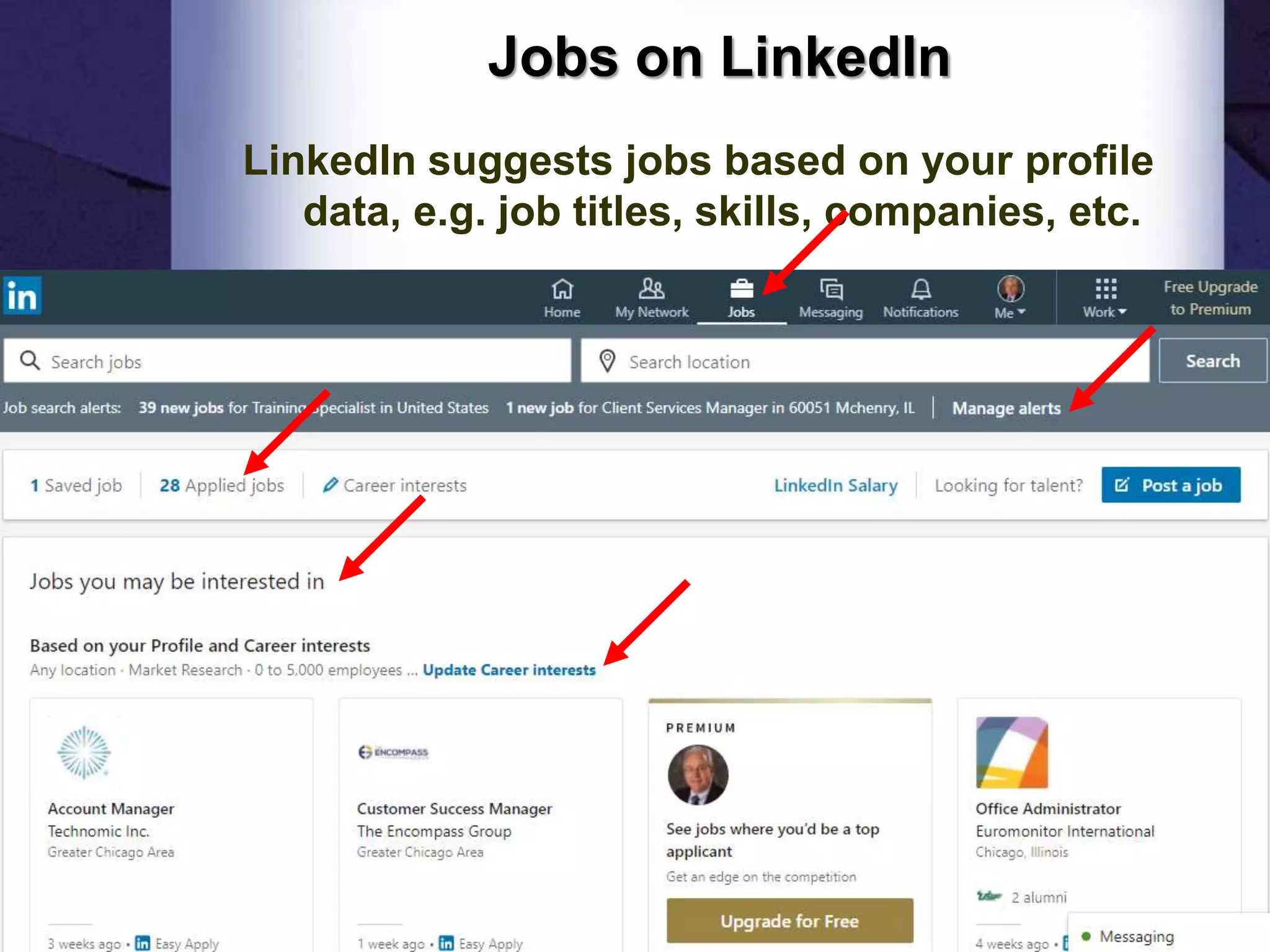
Jobs on LinkedIn
LinkedIn suggests jobs based on your profile
data, e.g. job titles, skills, companies, etc.
37
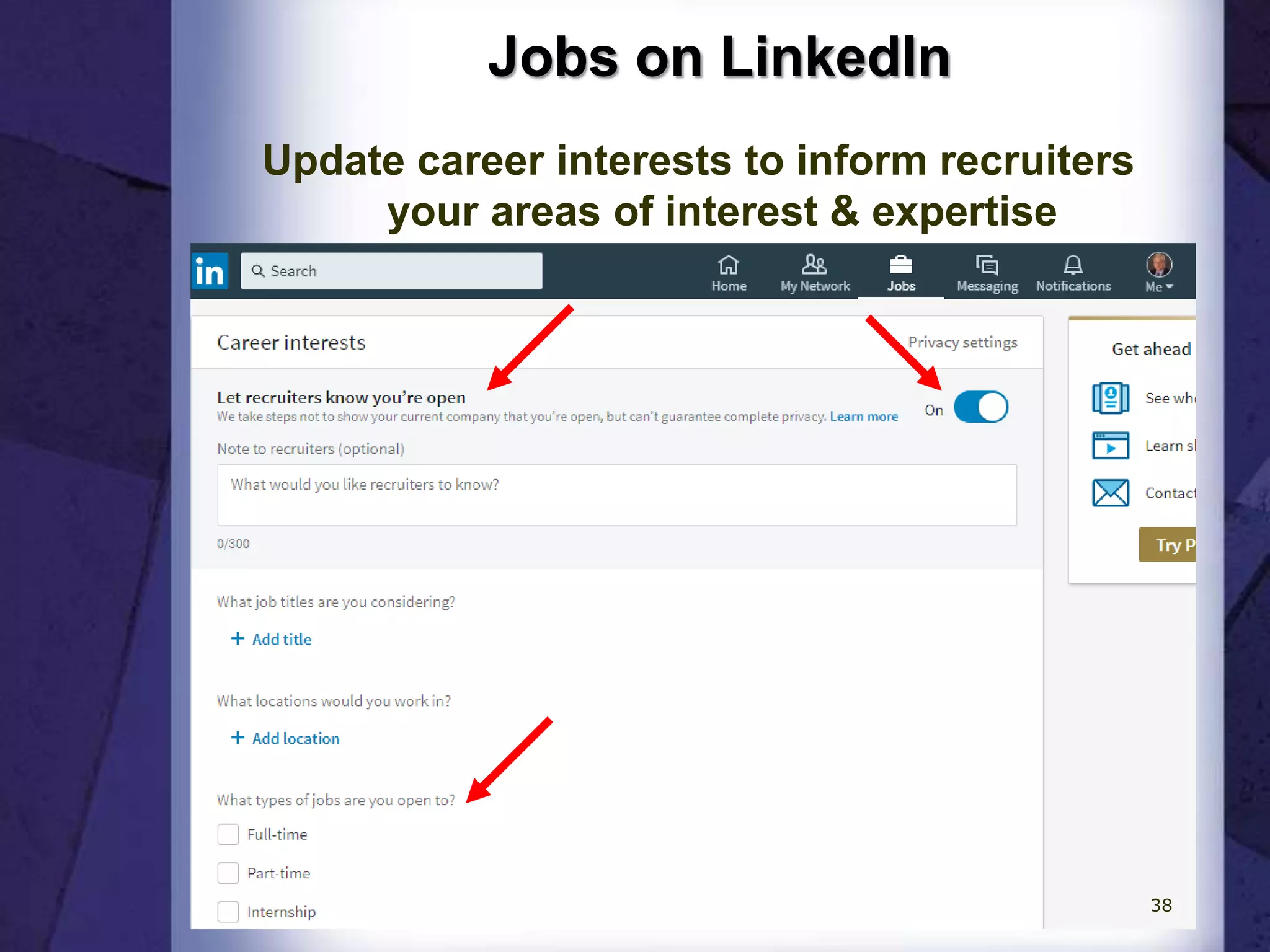
Jobs on LinkedIn
Update career interests to inform recruiters
your areas of interest & expertise
38
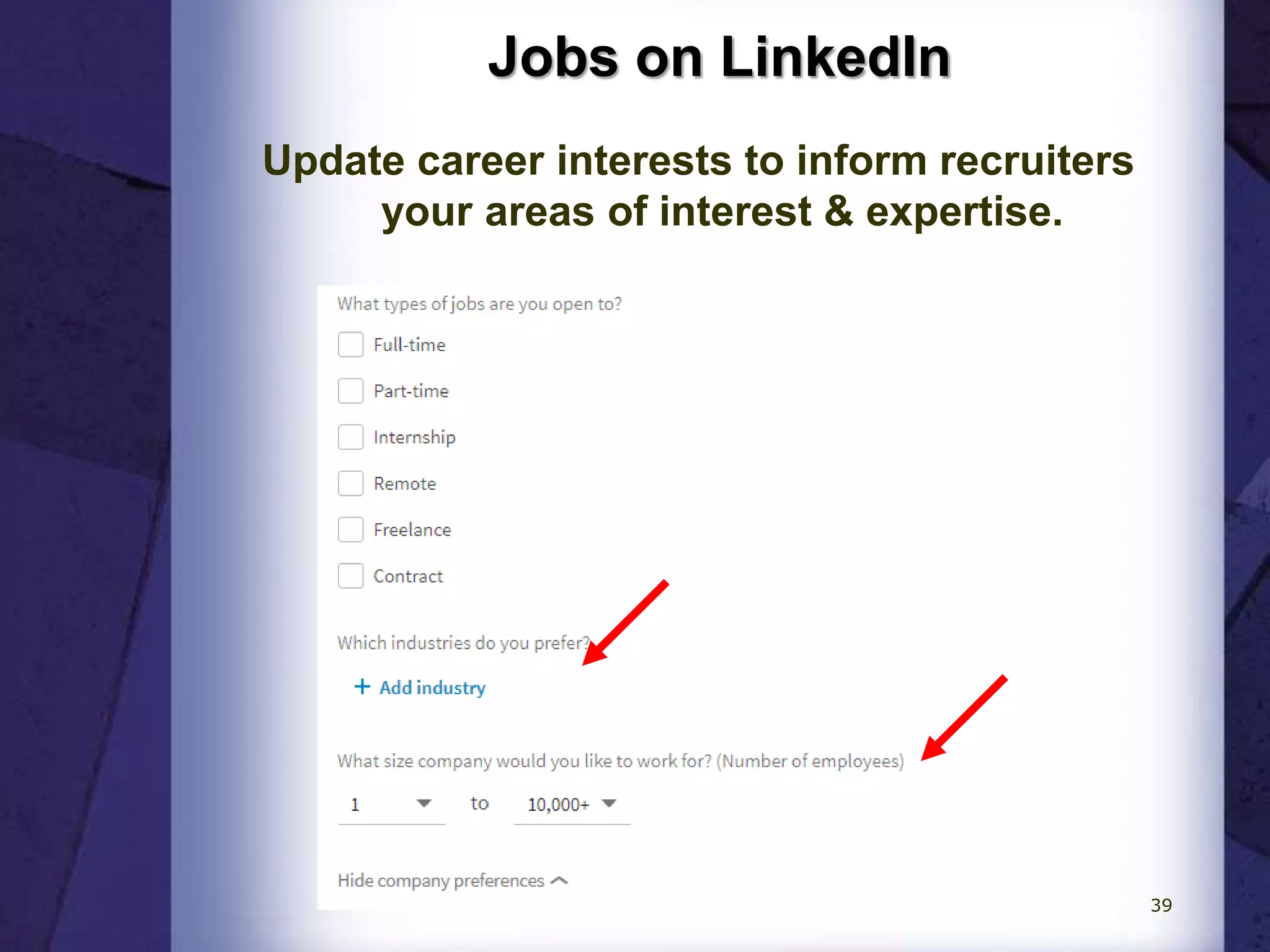
Jobs on LinkedIn
Update career interests to inform recruiters
your areas of interest & expertise.
39
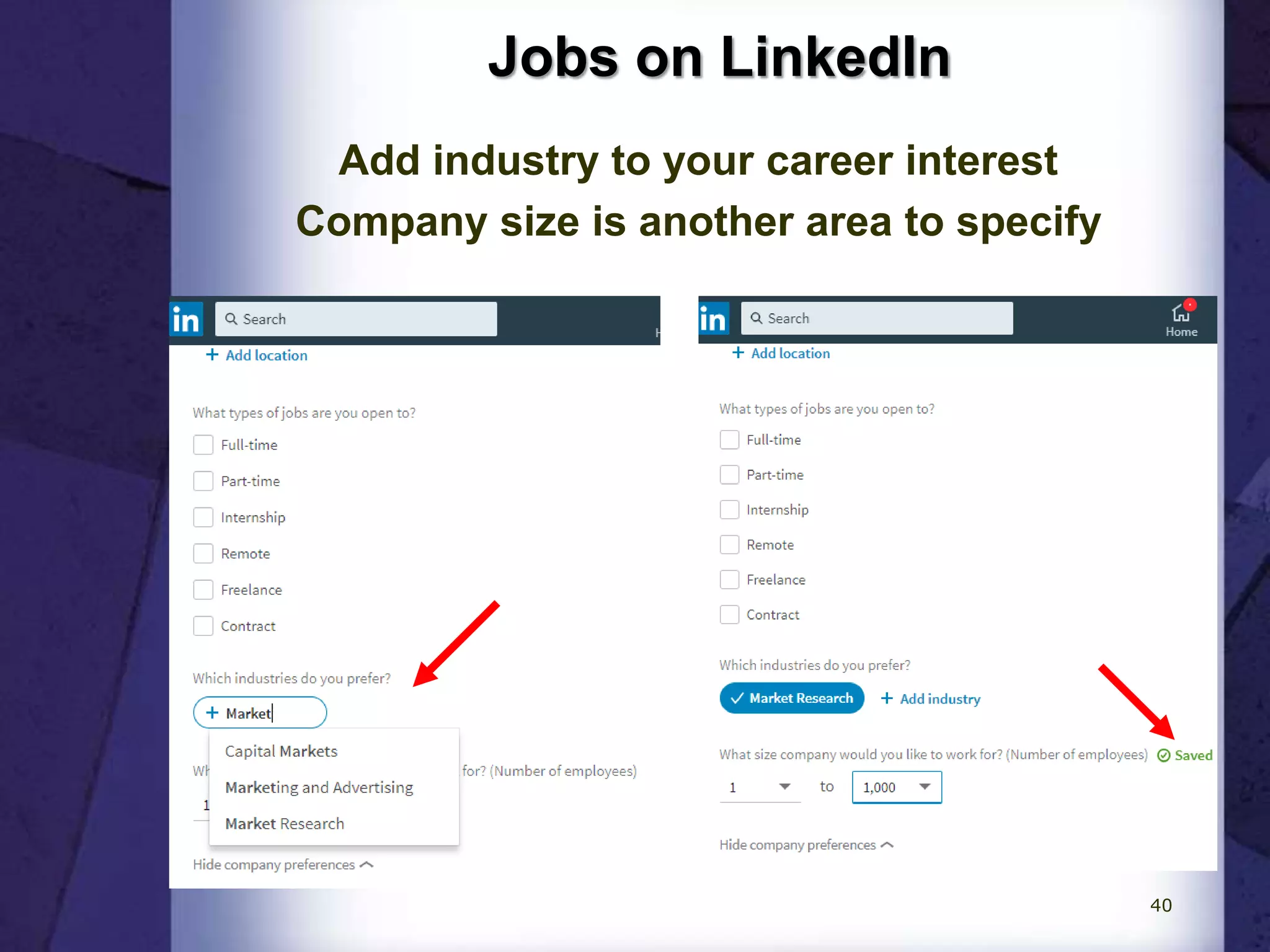
Jobs on LinkedIn
Add industry to your career interest
Company size is another area to specify
40
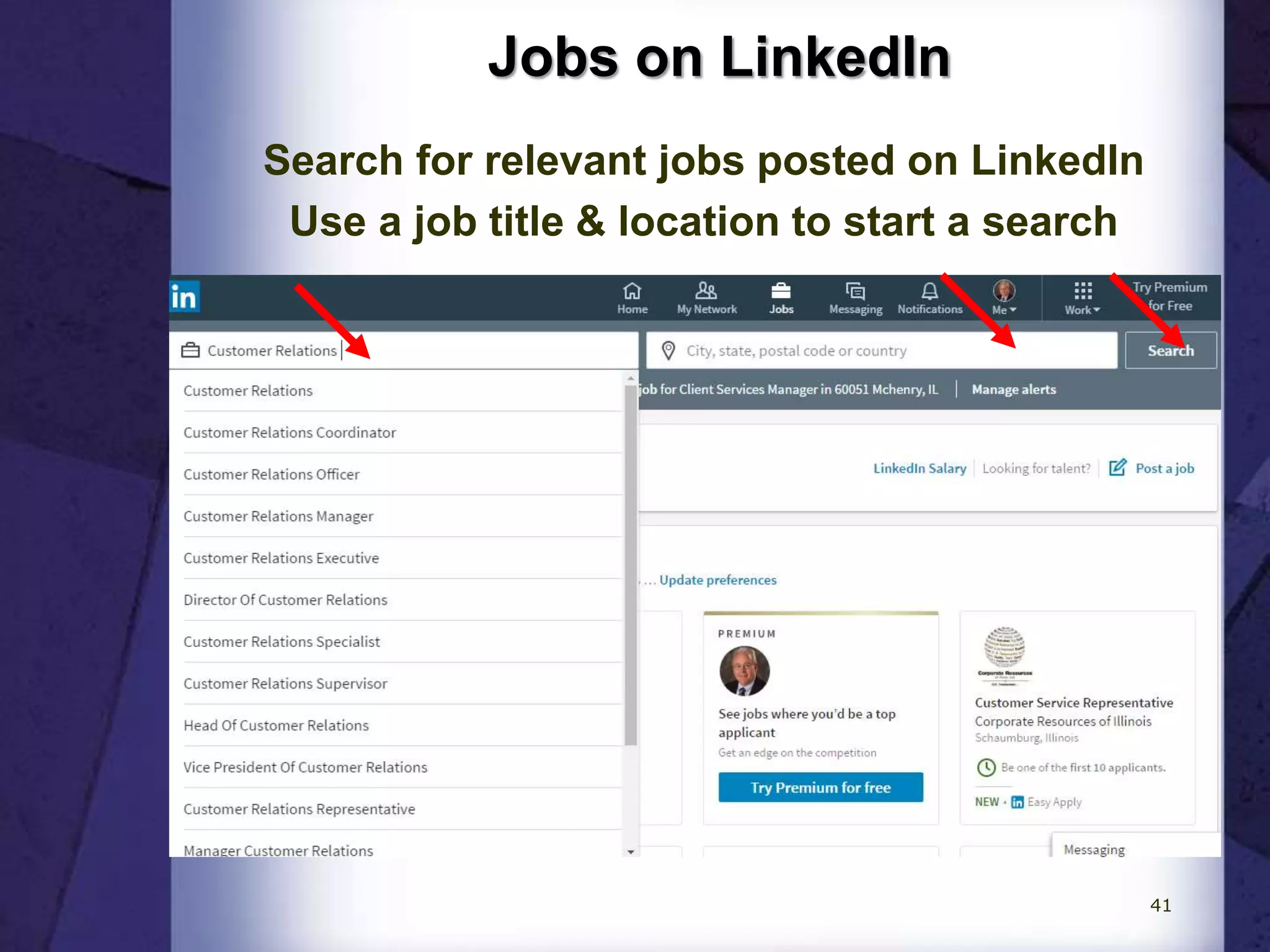
Jobs on LinkedIn
Search for relevant jobs posted on LinkedIn
Use a job title & location to start a search
41
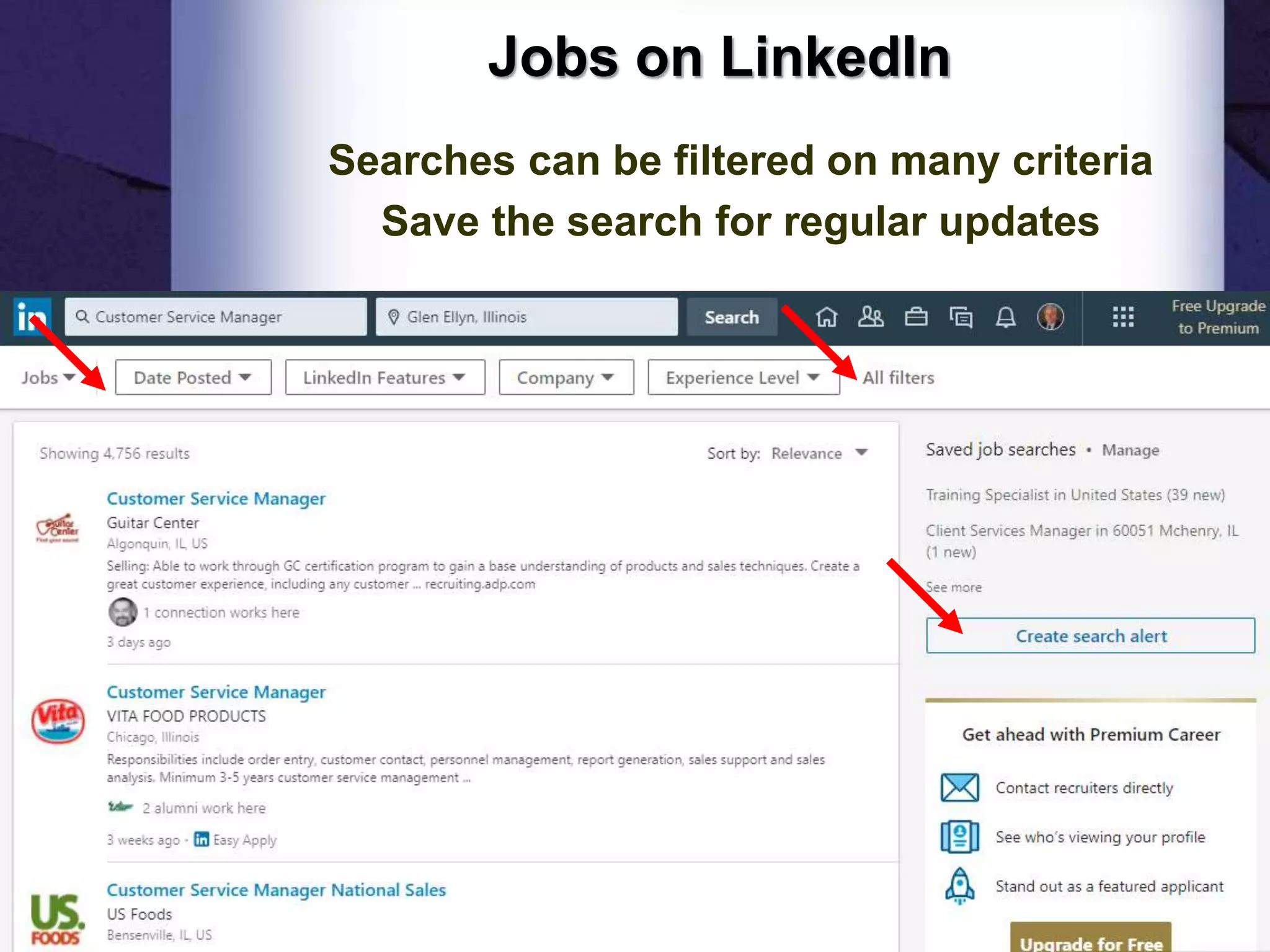
Jobs on LinkedIn
Searches can be filtered on many criteria
Save the search for regular updates
42
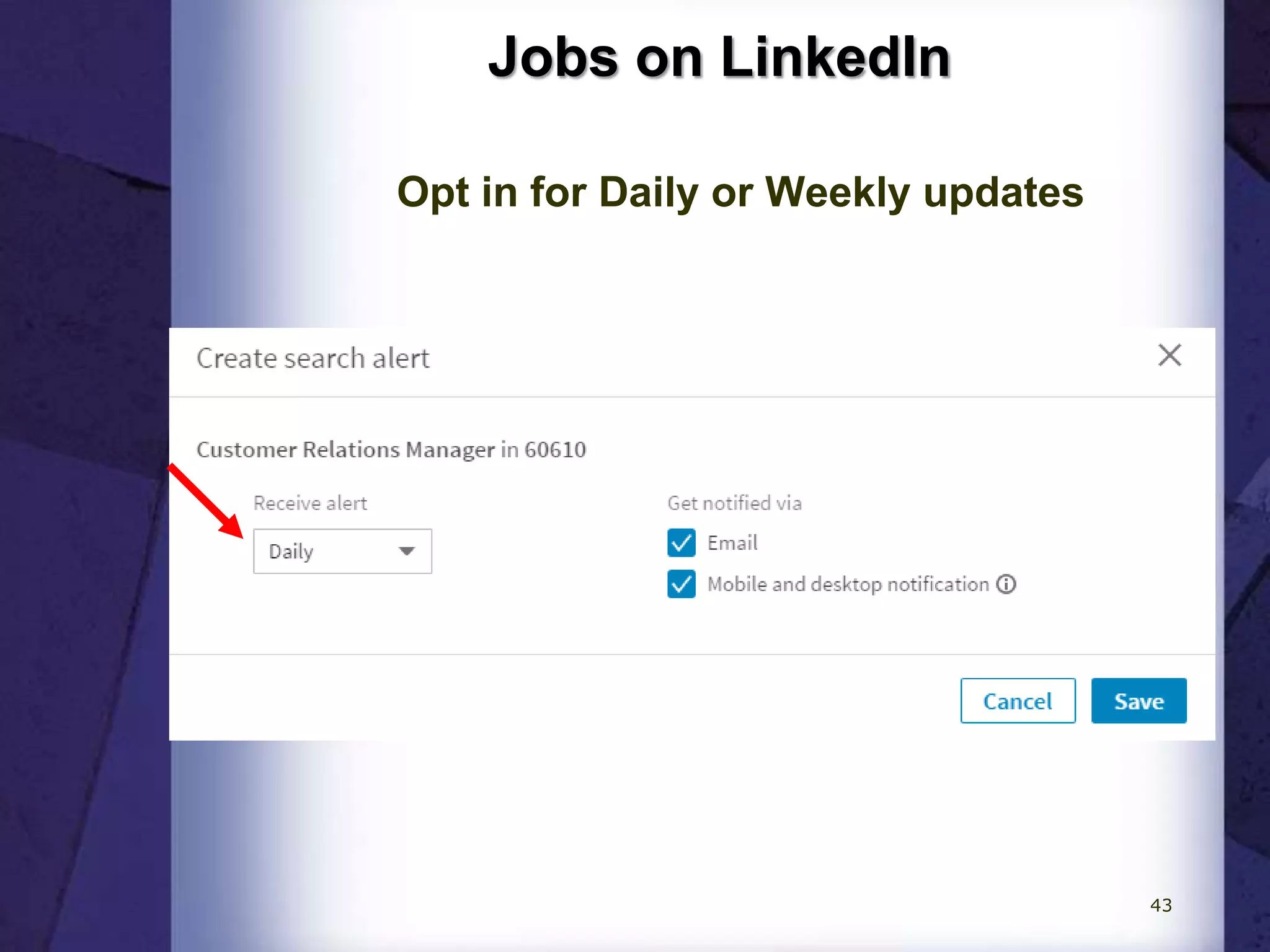
Jobs on LinkedIn
Opt in for Daily or Weekly updates
43
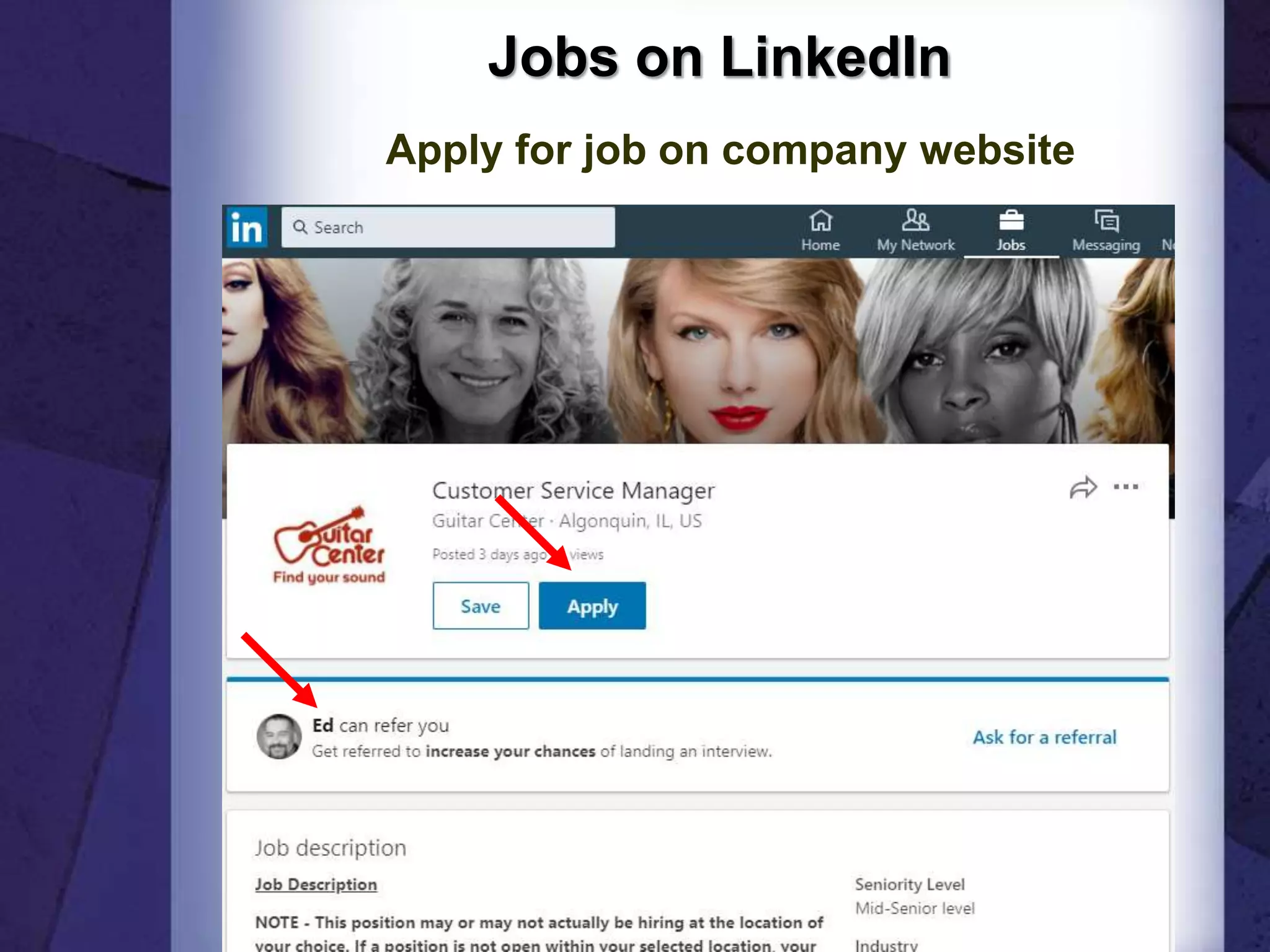
Jobs on LinkedIn
Apply for job on company website
44
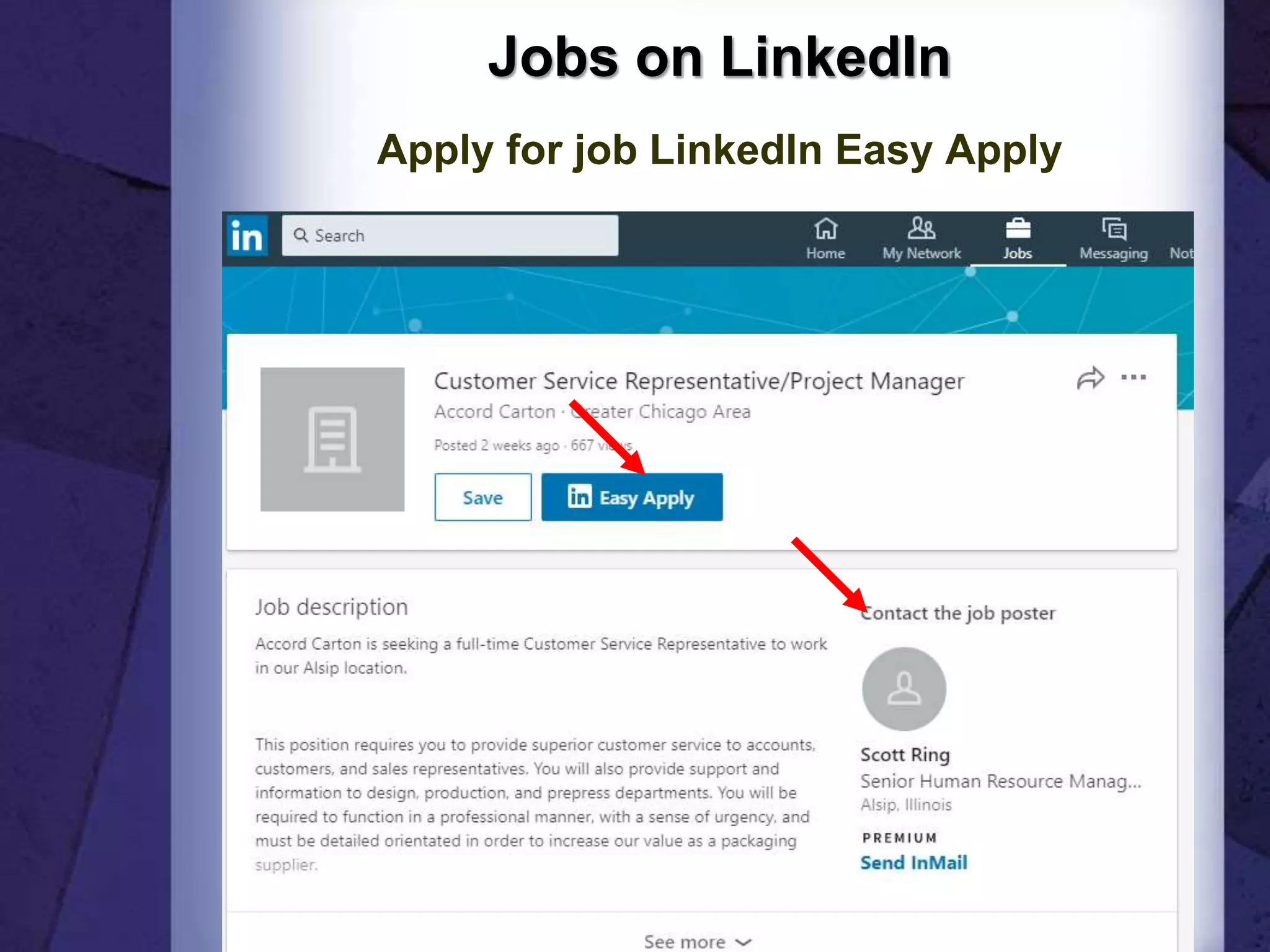
Jobs on LinkedIn
Apply for job LinkedIn Easy Apply
45
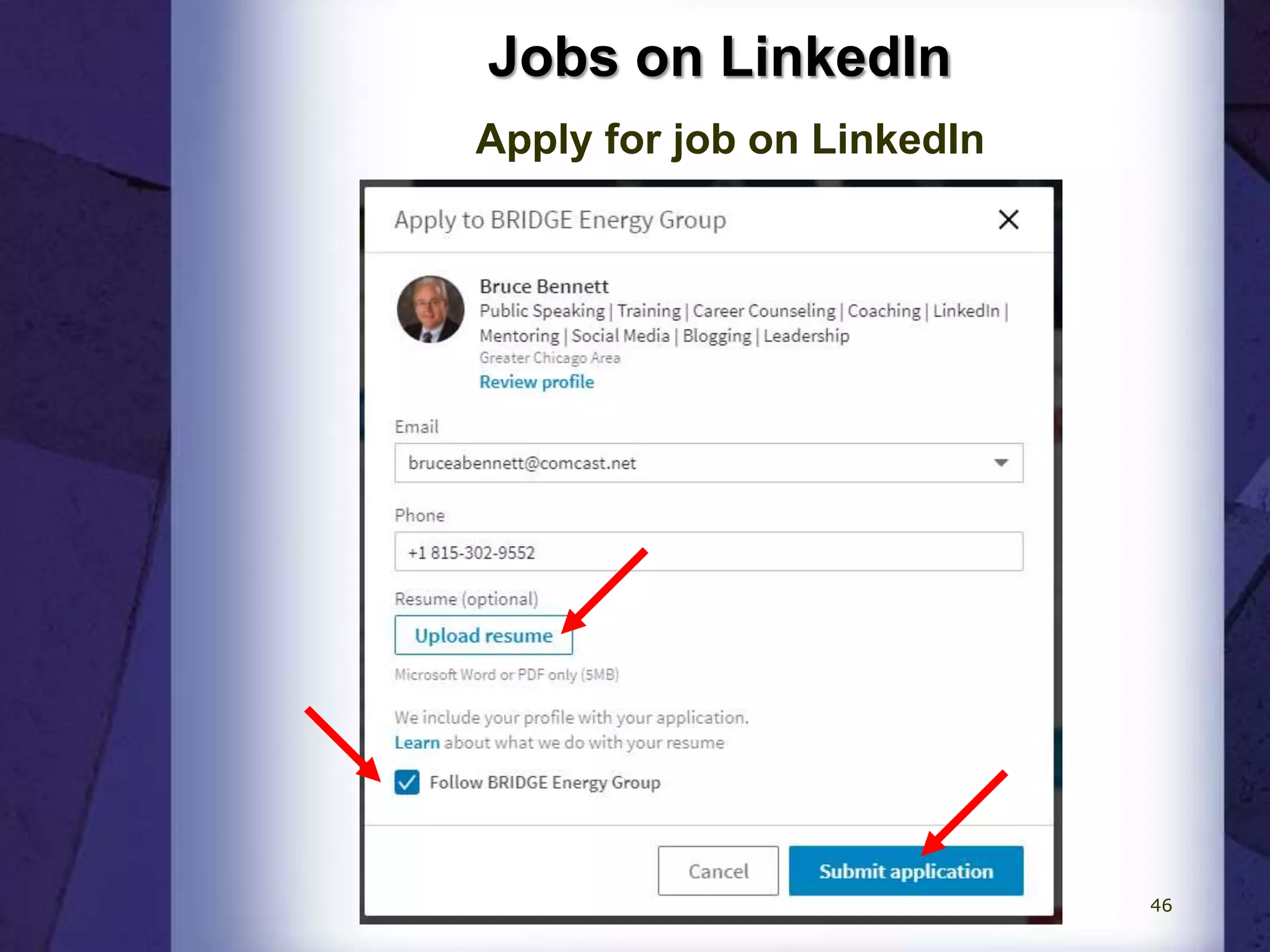
Jobs on LinkedIn
Apply for job on LinkedIn
46
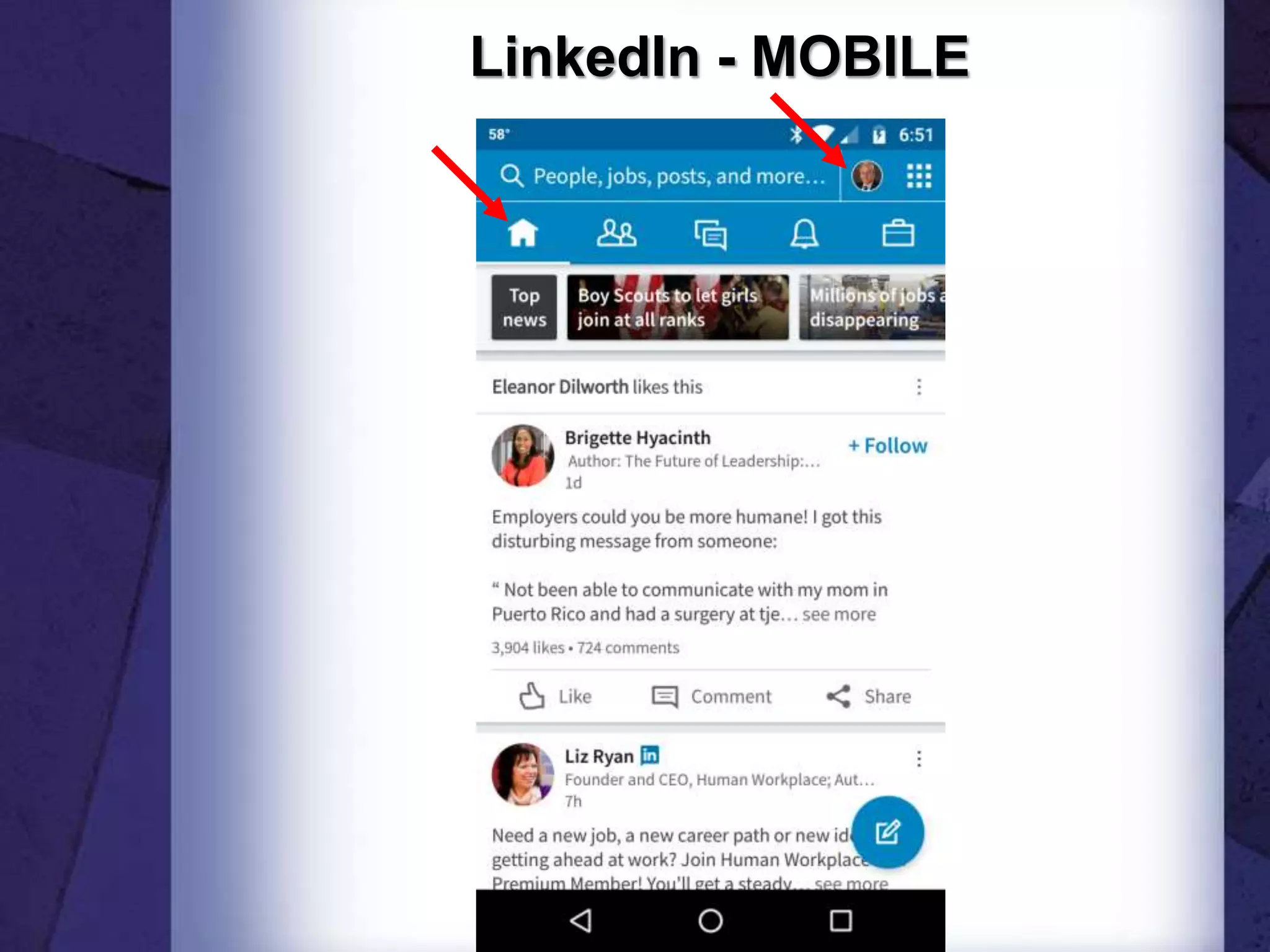
LinkedIn - MOBILE
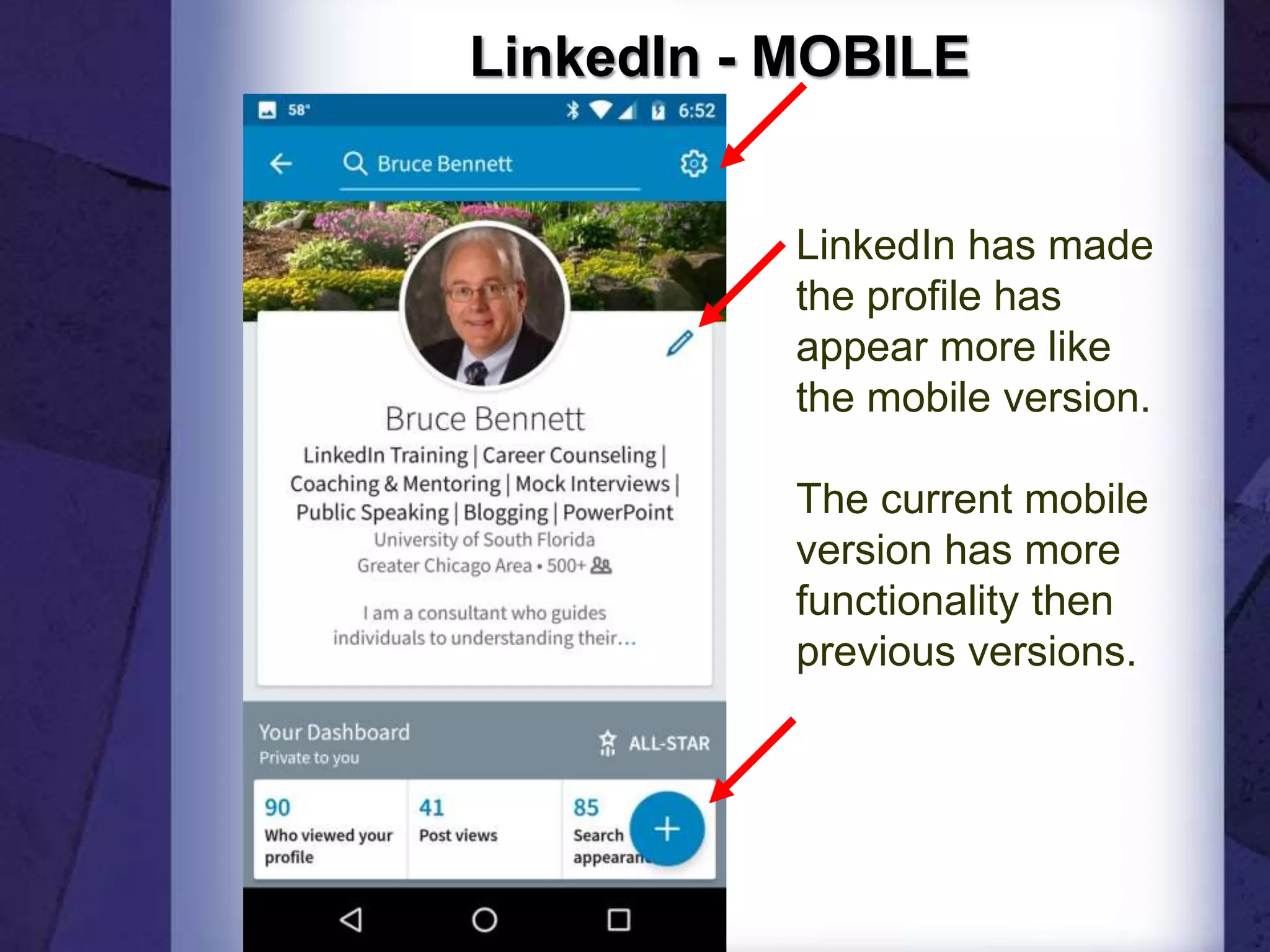
LinkedIn - MOBILE
LinkedIn has made
the profile has
appear more like
the mobile version.
The current mobile
version has more
functionality then
previous versions.
LinkedIn - MOBILE
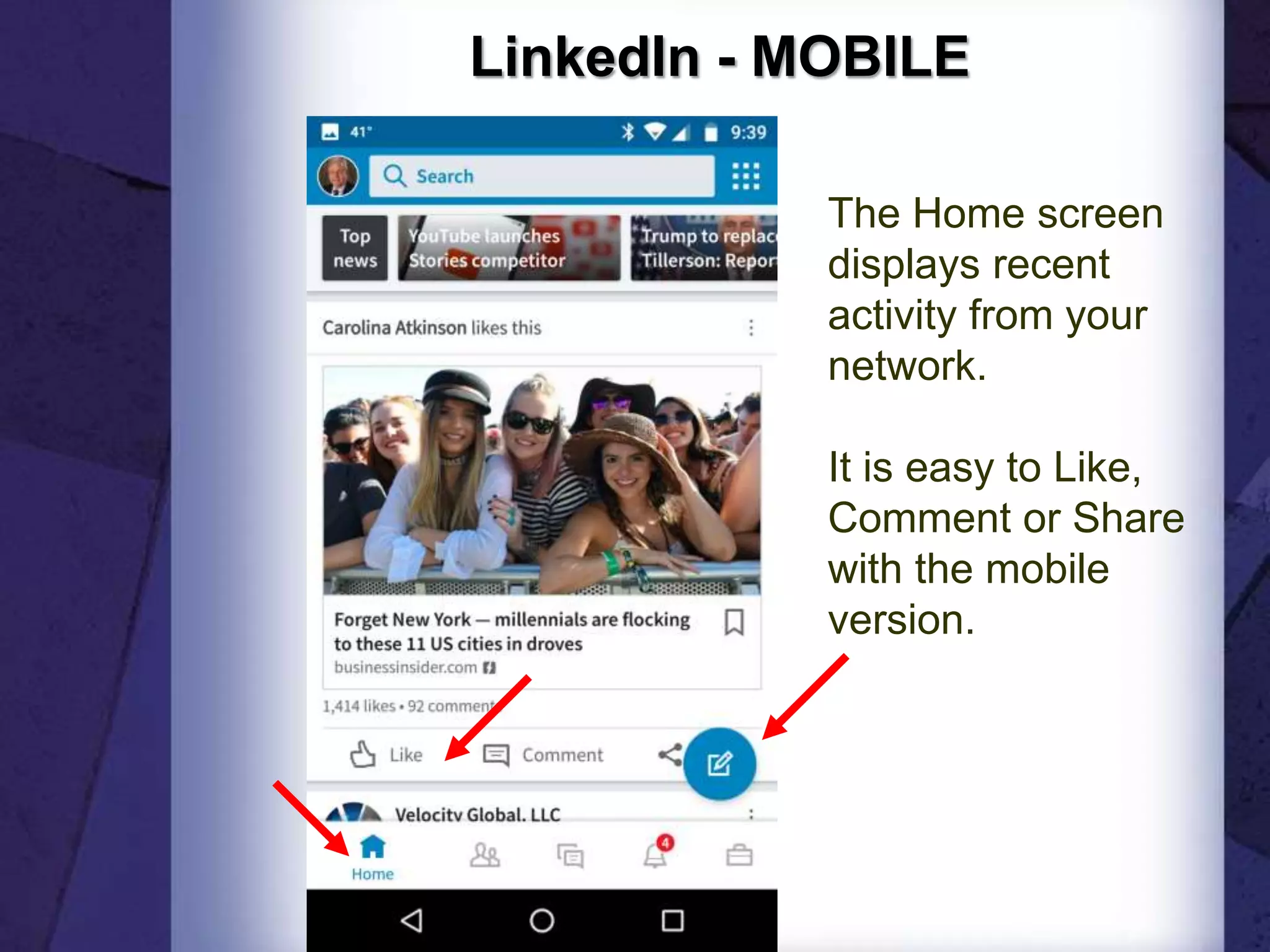
The Home screen
displays recent
activity from your
network.
It is easy to Like,
Comment or Share
with the mobile
version.
LinkedIn - MOBILE
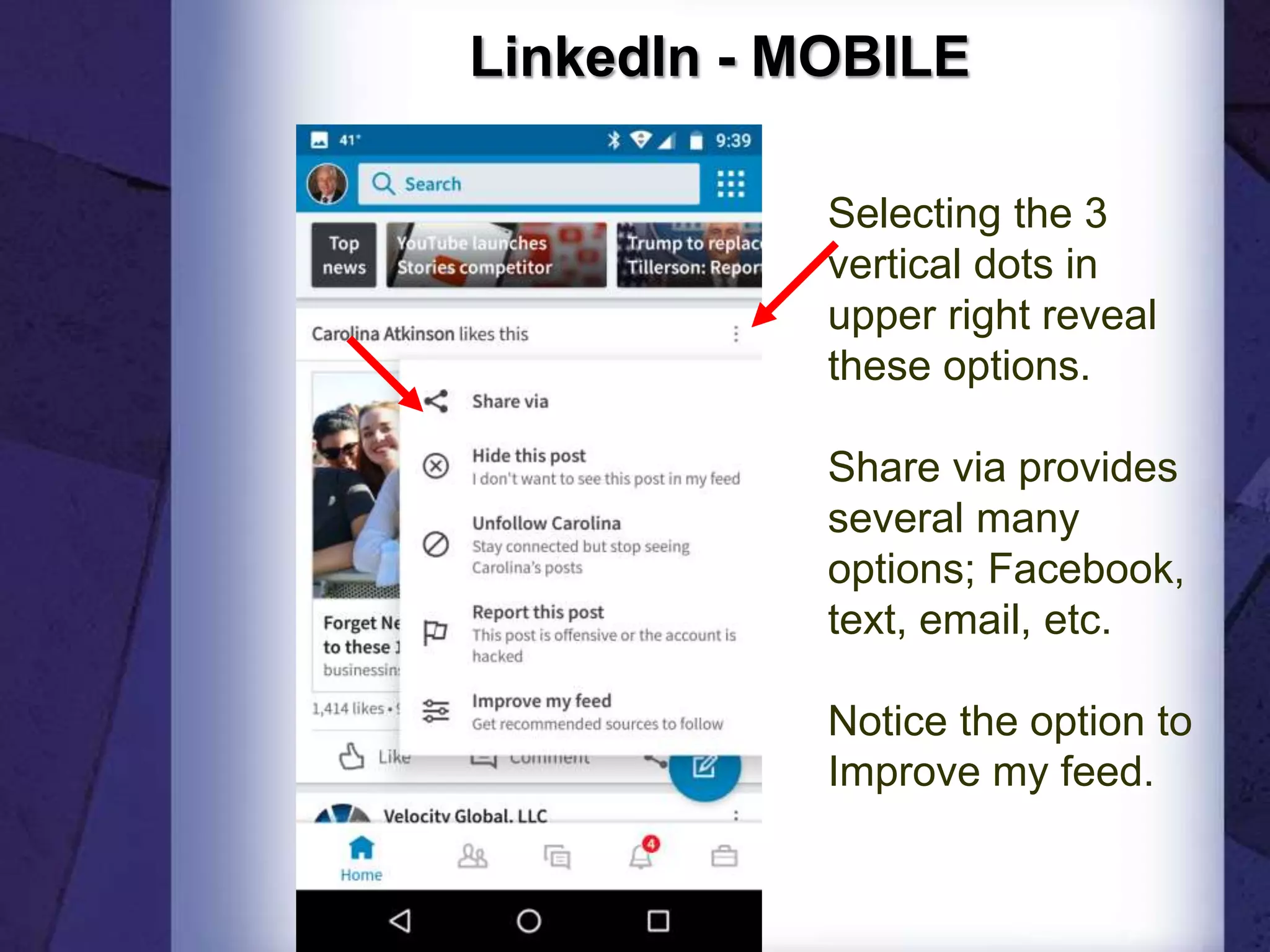
Selecting the 3
vertical dots in
upper right reveal
these options.
Share via provides
several many
options; Facebook,
text, email, etc.
Notice the option to
Improve my feed.
LinkedIn - MOBILE
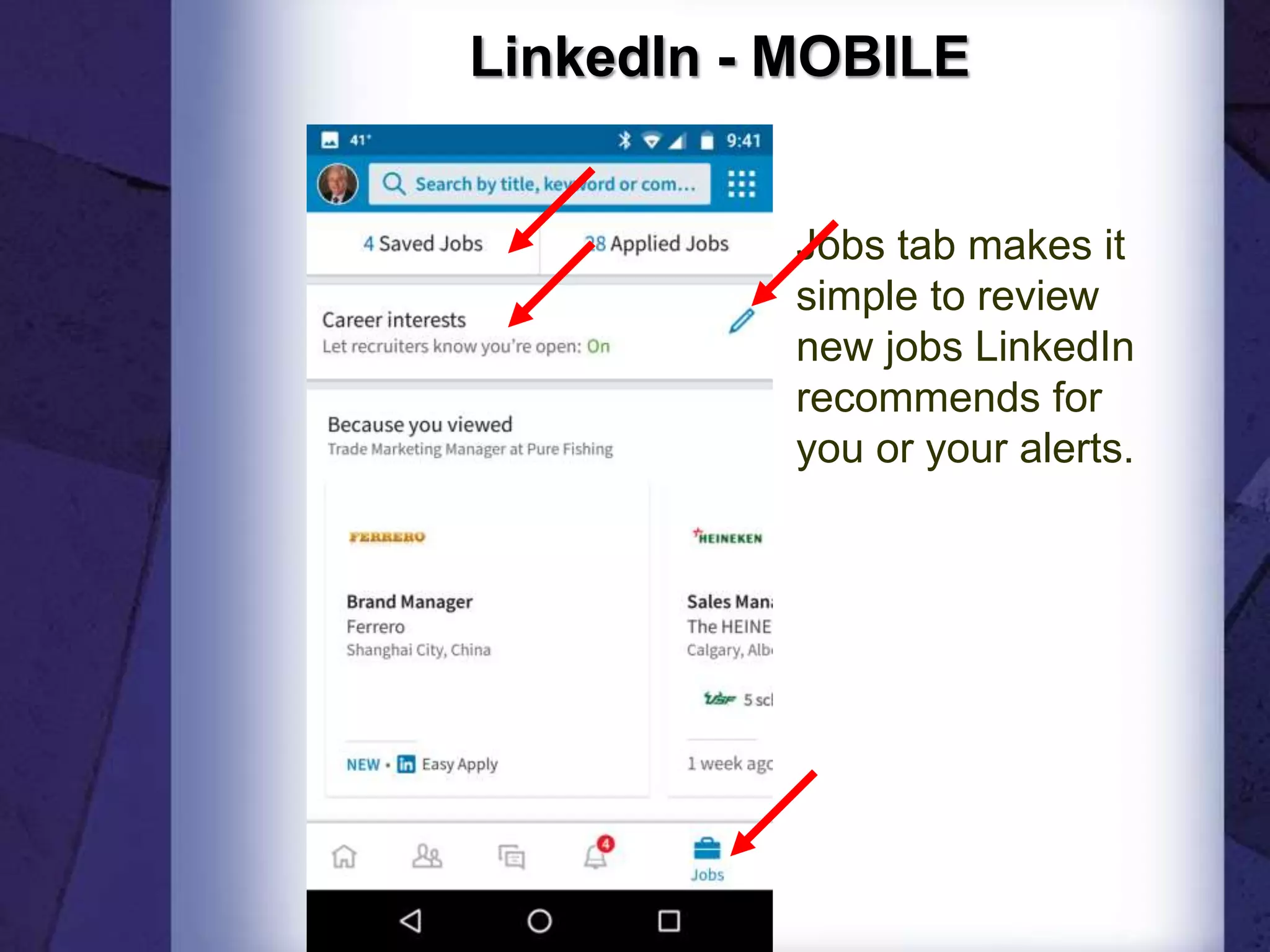
Jobs tab makes it
simple to review
new jobs LinkedIn
recommends for
you or your alerts.
LinkedIn - MOBILE
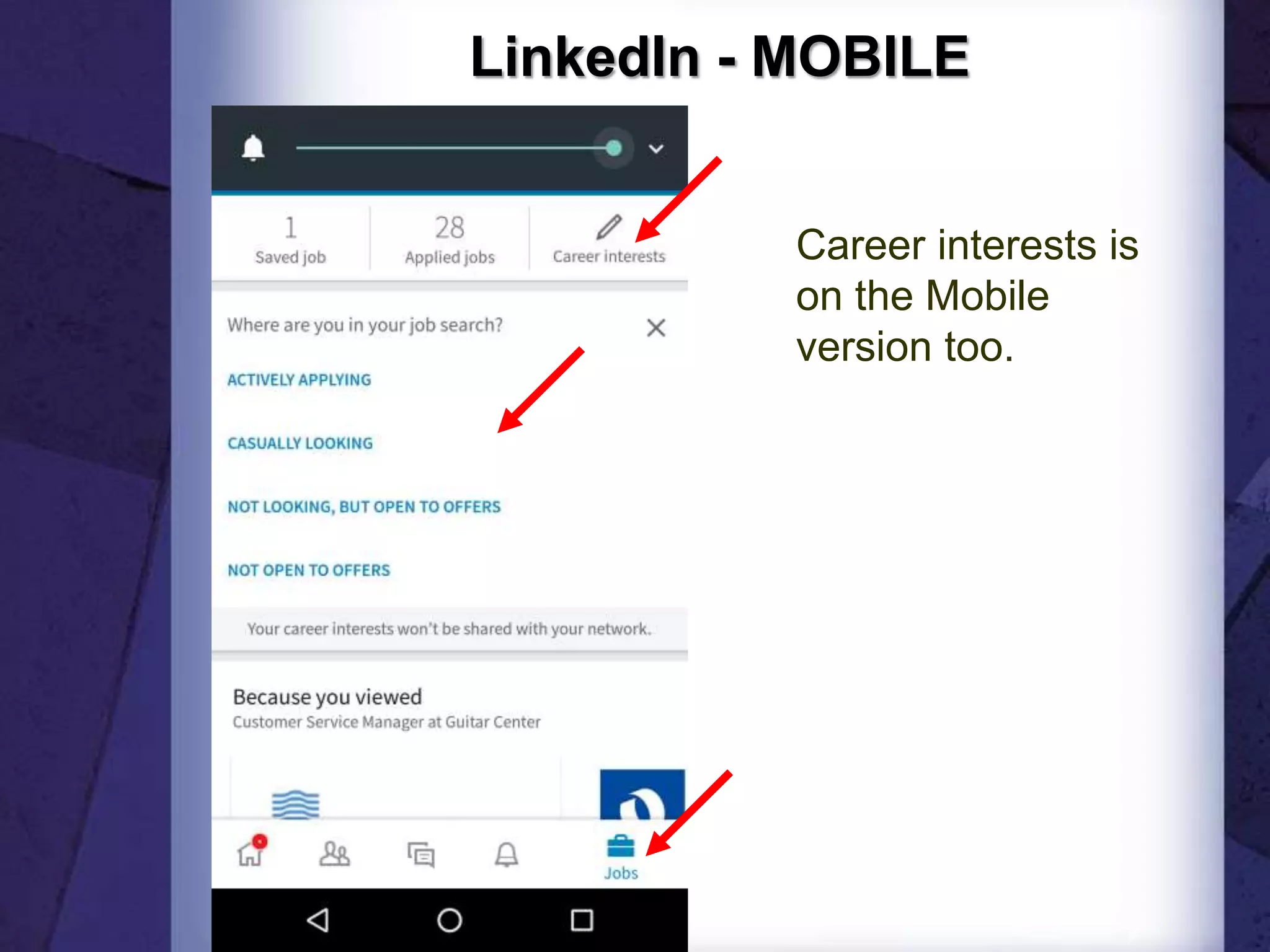
Career interests is
on the Mobile
version too.
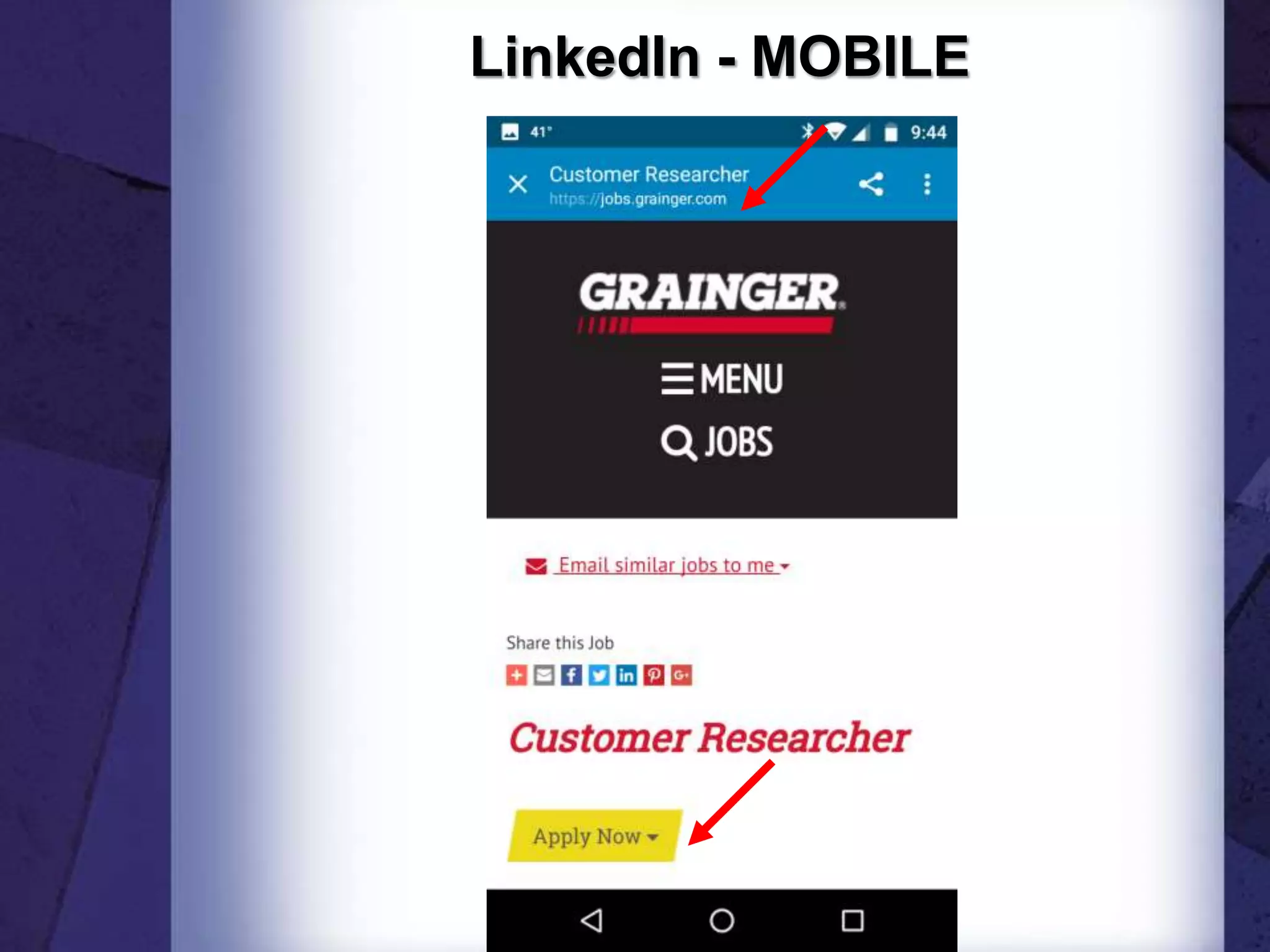
LinkedIn - MOBILE
LinkedIn - MOBILE
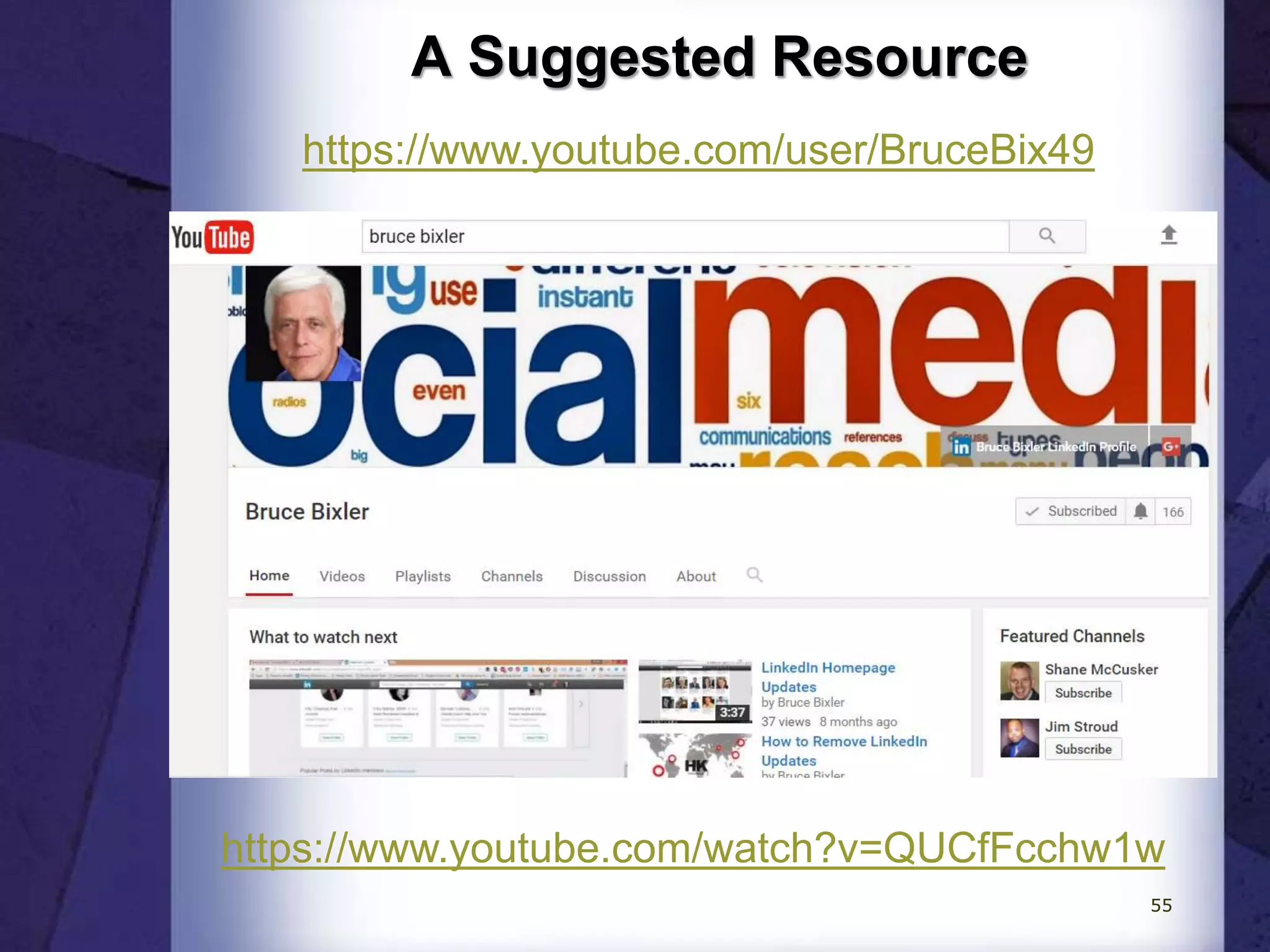
A Suggested Resource
https://www.youtube.com/user/BruceBix49
https://www.youtube.com/watch?v=QUCfFcchw1w
55
Questions?
Feel free to connect on LinkedIn
http://www.linkedin.com/in/bruceabennett
Bruce A. Bennett
Phone: 815-302-9552
BruceABennett@comcast.net
https://bruce73.wordpress.com/
Career Coach Corner
http://bruce73.wordpress.com/
56

Using LinkedIn for Job Search