
Using Twitter/Facebook in
Your Job Search
Mark Van Baale
New Landing Presents:
Twitter/Facebook in Job Search
• Meet your presenter
– Mark Van Baale: Kansas City Social Media Group
• Today’s Agenda
– Setting up a Twitter Profile
– Building Your Network of Connections
– How to Use Twitter Job Searches to follow Conversations
– Using Hashtags to Boost Your Job Search
– Participate in Twitter Chats
– Facebook: Untapped Job Board
– Facebook Do's and Don'ts in Job Search
What is Twitter?
• Free microblogging service that allows users to
communicate with one another using short text-
based messages
• Maximum of 140 charcters in length for each
message (tweet) sent
• Can be used on mobile devices, laptops, etc.
• Ability to talk with anyone around the world at
anytime.
Setting up Twitter Profile
Go to Twitter.com and click on Sign Up.
– Add a username (@name on Twitter)
– Add an avatar (professional picture
recommended)
– Add a website link/blog (Many people add
a link to their LinkedIn profile)
– Add a short bio telling about yourself. If
you are a job seeker, mention that in your
bio.
– Personalize your background if you wish
(info about yourself, links to your websites,
etc.)
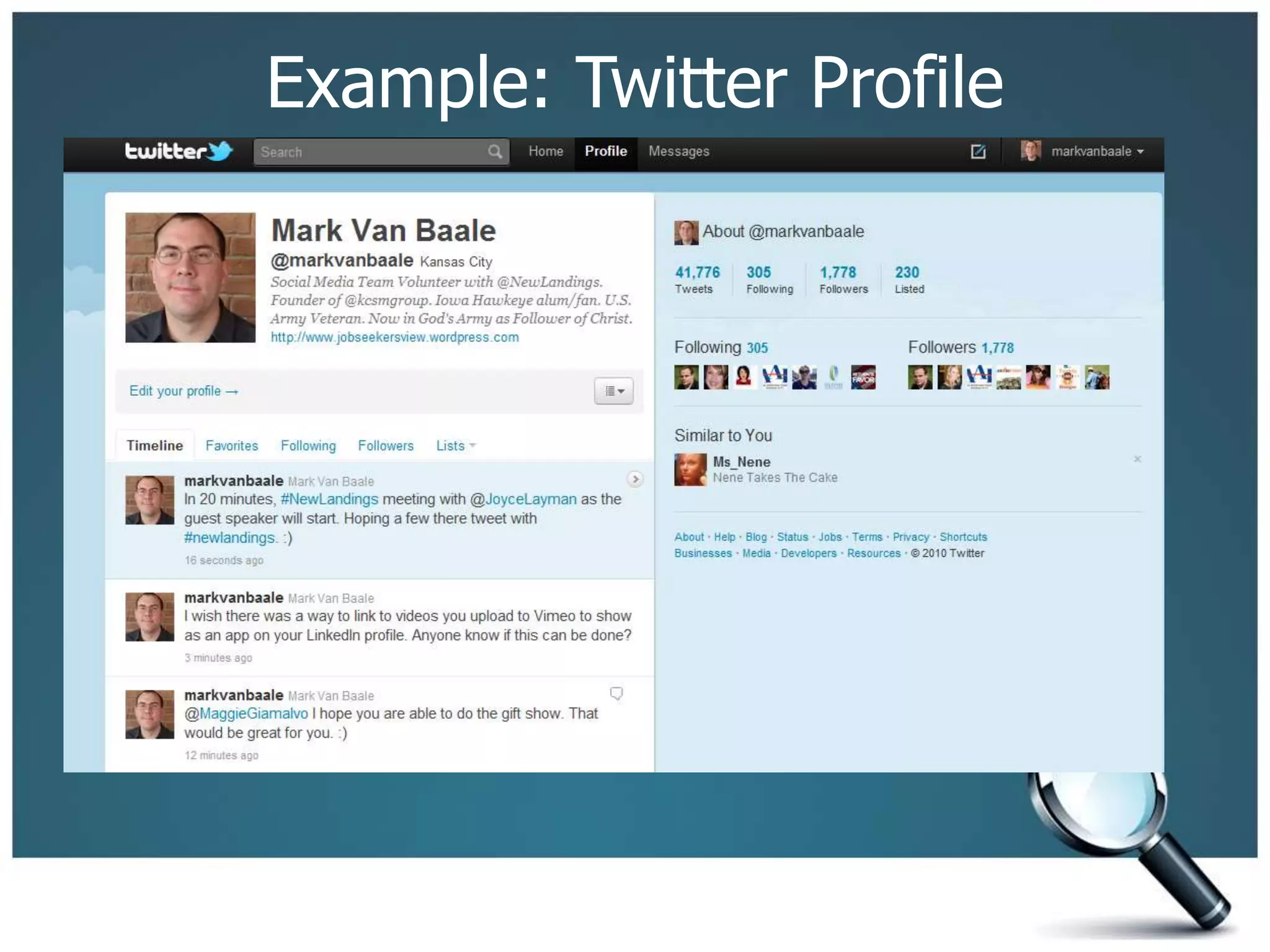
Example: Twitter Profile
Beginner Tips
– Twitter is what you make of it. It revolves
around personal relationships.
– Most successful Twitter users engage in
facilitating and building friendships using
the tool.
– Take time to learn about other people via
their tweets and “listen” in on
conversations.
– Join in on conversations to share your
thoughts.
– Use Twitter tools to find people with
similar interests you share or in
occupations/industries you wish to move
into.
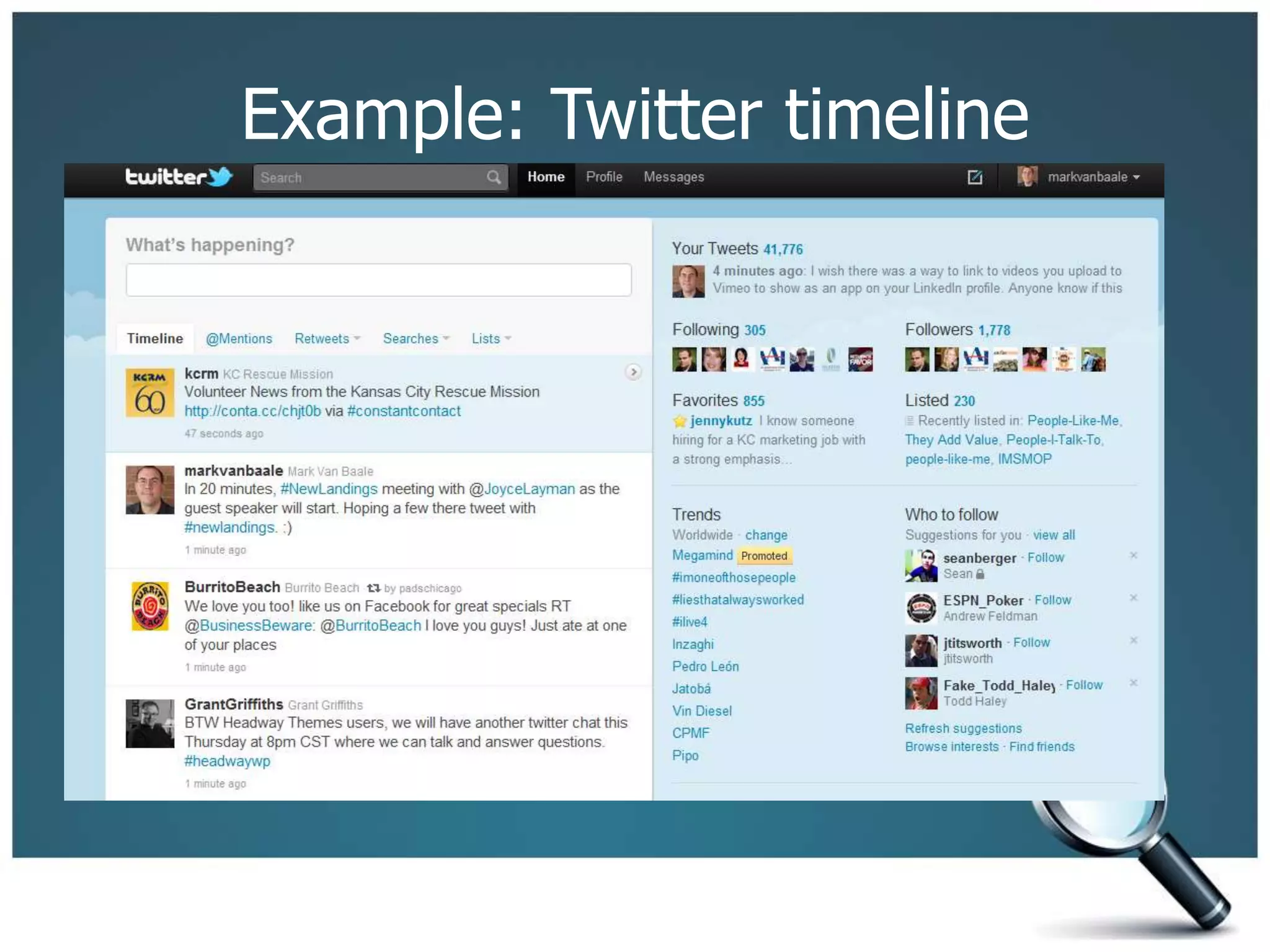
Example: Twitter timeline
Twitter Glossary
– @name means you are sending a response
to a specific user.
– d name means you are sending a direct
message (to be read by only that person)
– #xxxxx is a hashtag that people use often
in Twitter chats, at conferences/meetups,
or to search on a topic/trend
 Example: #newlandings, #jobsearch
– Lists are groups of people/brands that
share a common interest, tactic to quickly
browse though what people are sharing in
a list you create or you join.
Building Network of Connections
Tools to use:
– Twellow.com
 “Yellow pages” for Twitter professionals
 Find people by category
– WeFollow.com
 User-powered Twitter directory. It dynamically
creates categories and shows you who is associated
with each.
– Twitter’s Search at http://search.twitter.com
 Search for terms you have an interest in (job
search, recruiter, etc.) and follow people
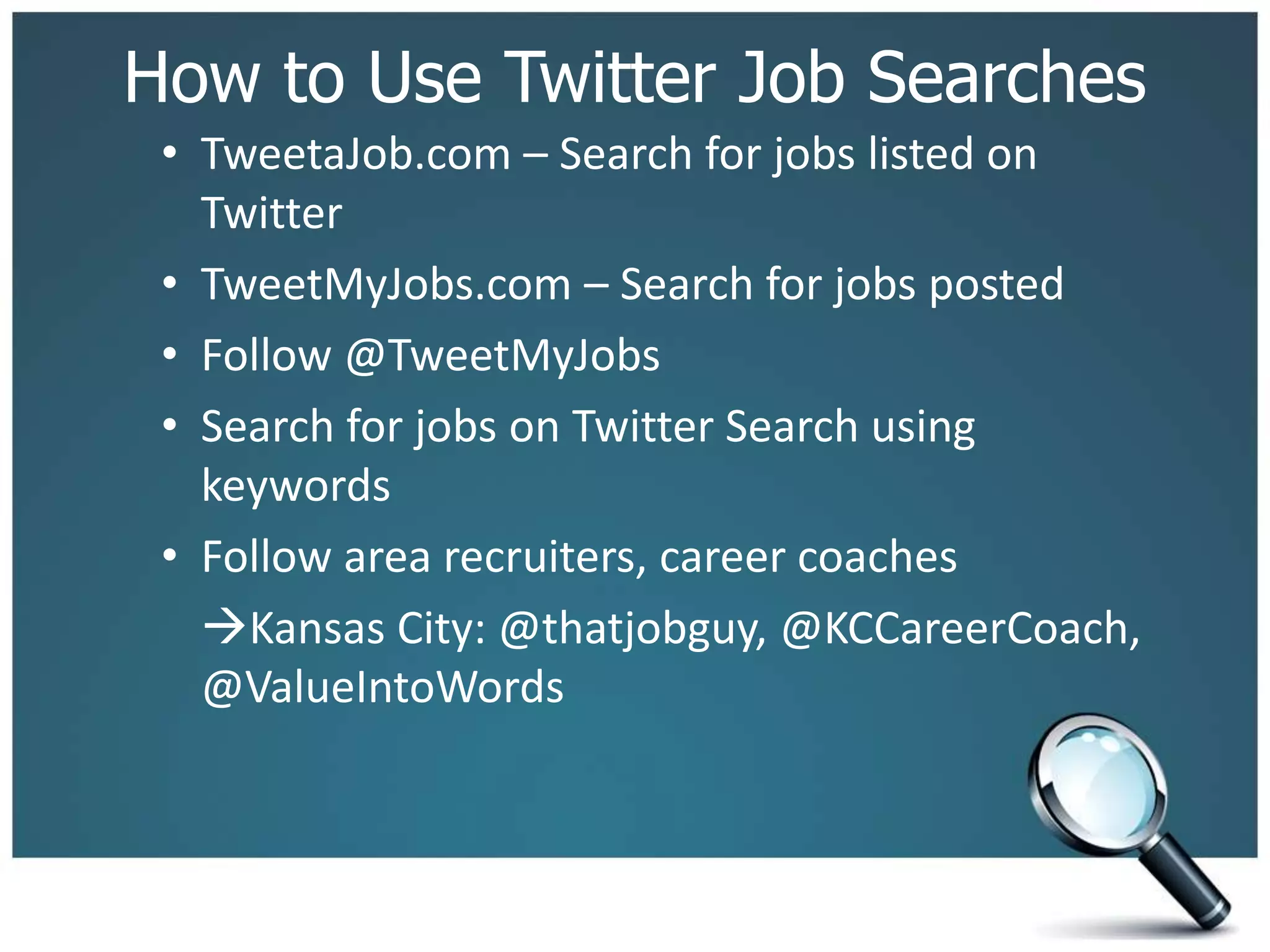
How to Use Twitter Job Searches
• TweetaJob.com – Search for jobs listed on
Twitter
• TweetMyJobs.com – Search for jobs posted
• Follow @TweetMyJobs
• Search for jobs on Twitter Search using
keywords
• Follow area recruiters, career coaches
Kansas City: @thatjobguy, @KCCareerCoach,
@ValueIntoWords
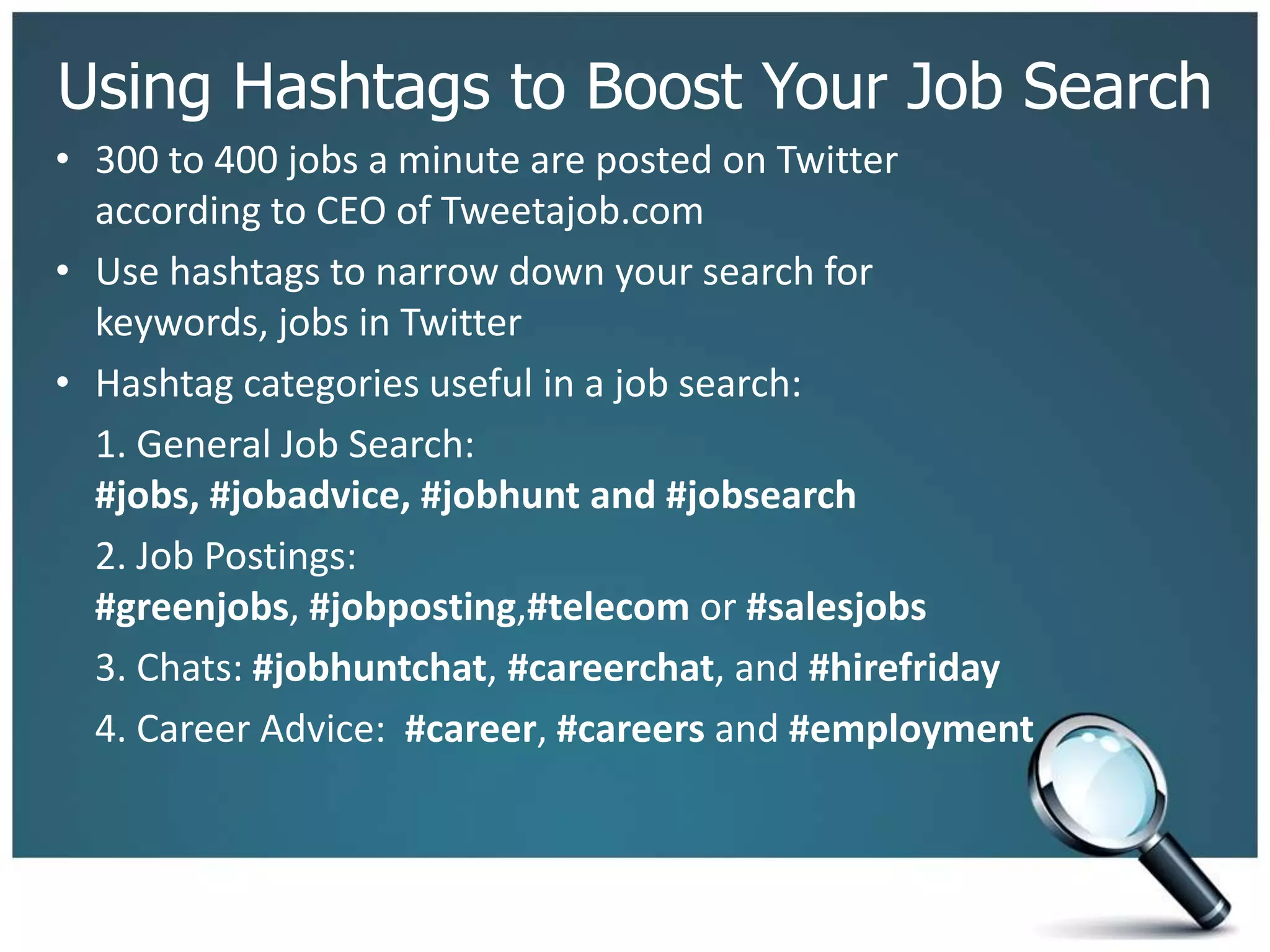
Using Hashtags to Boost Your Job Search
• 300 to 400 jobs a minute are posted on Twitter
according to CEO of Tweetajob.com
• Use hashtags to narrow down your search for
keywords, jobs in Twitter
• Hashtag categories useful in a job search:
1. General Job Search:
#jobs, #jobadvice, #jobhunt and #jobsearch
2. Job Postings:
#greenjobs, #jobposting,#telecom or #salesjobs
3. Chats: #jobhuntchat, #careerchat, and #hirefriday
4. Career Advice: #career, #careers and #employment
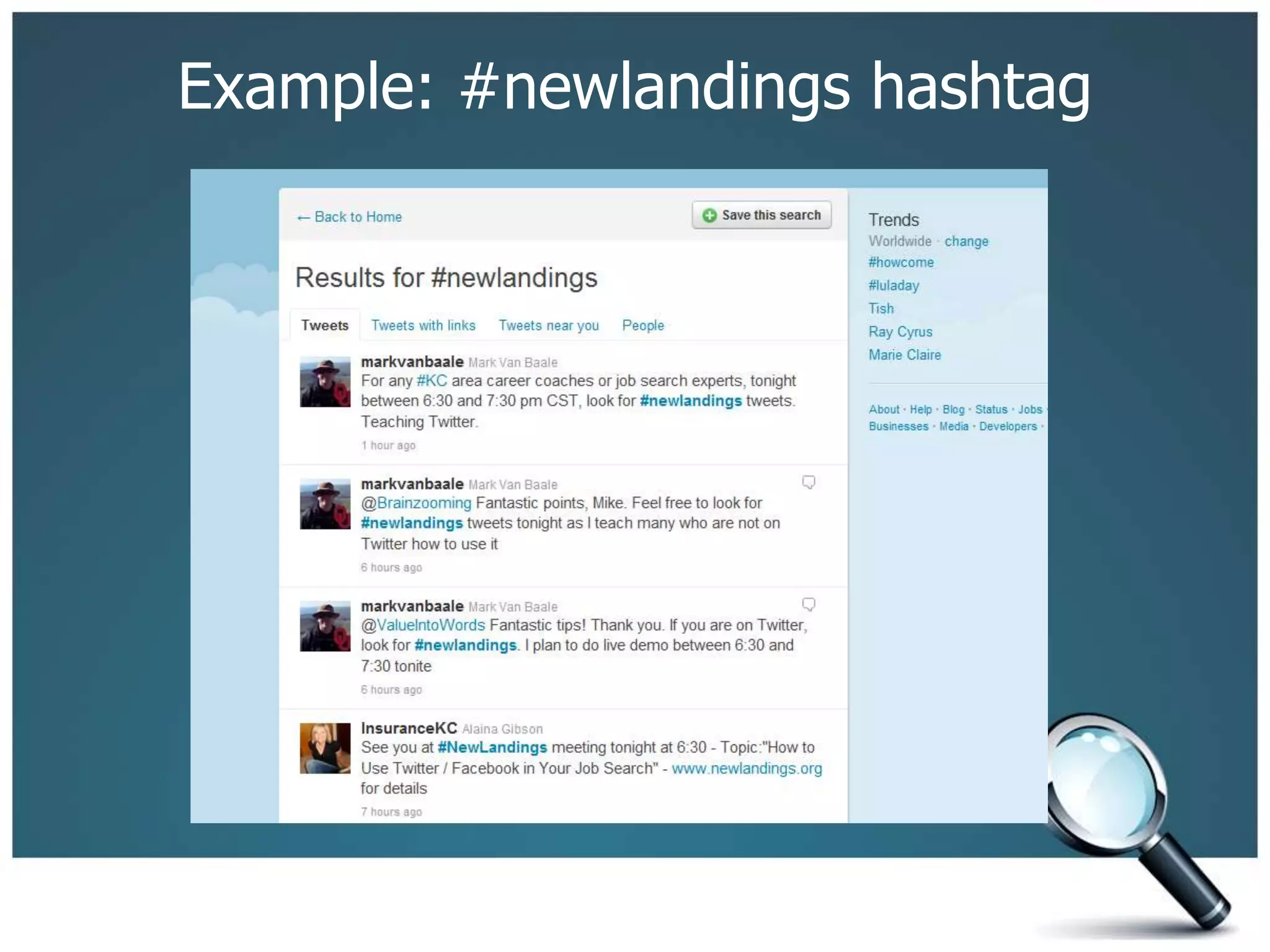
Example: #newlandings hashtag
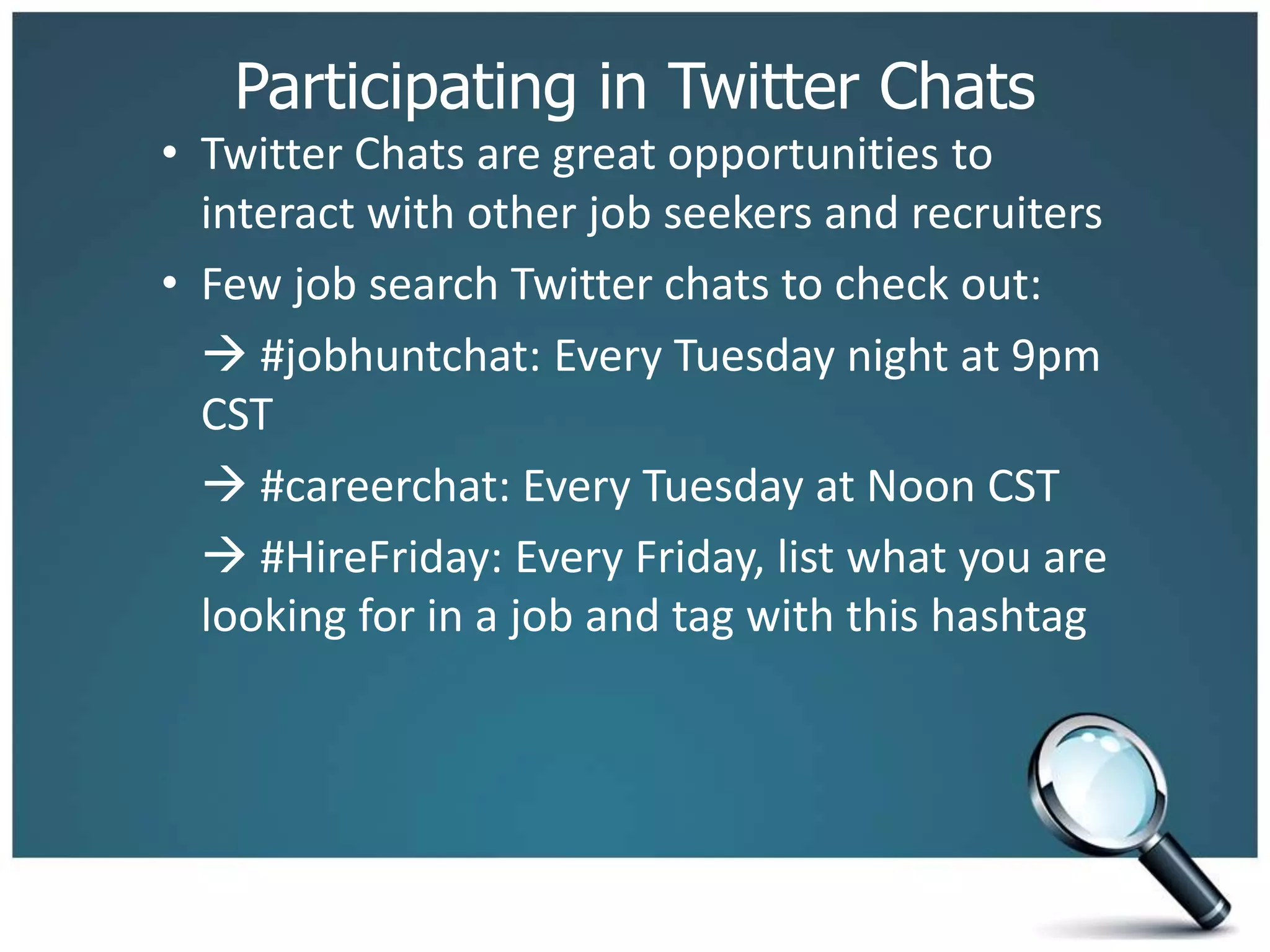
Participating in Twitter Chats
• Twitter Chats are great opportunities to
interact with other job seekers and recruiters
• Few job search Twitter chats to check out:
 #jobhuntchat: Every Tuesday night at 9pm
CST
 #careerchat: Every Tuesday at Noon CST
 #HireFriday: Every Friday, list what you are
looking for in a job and tag with this hashtag
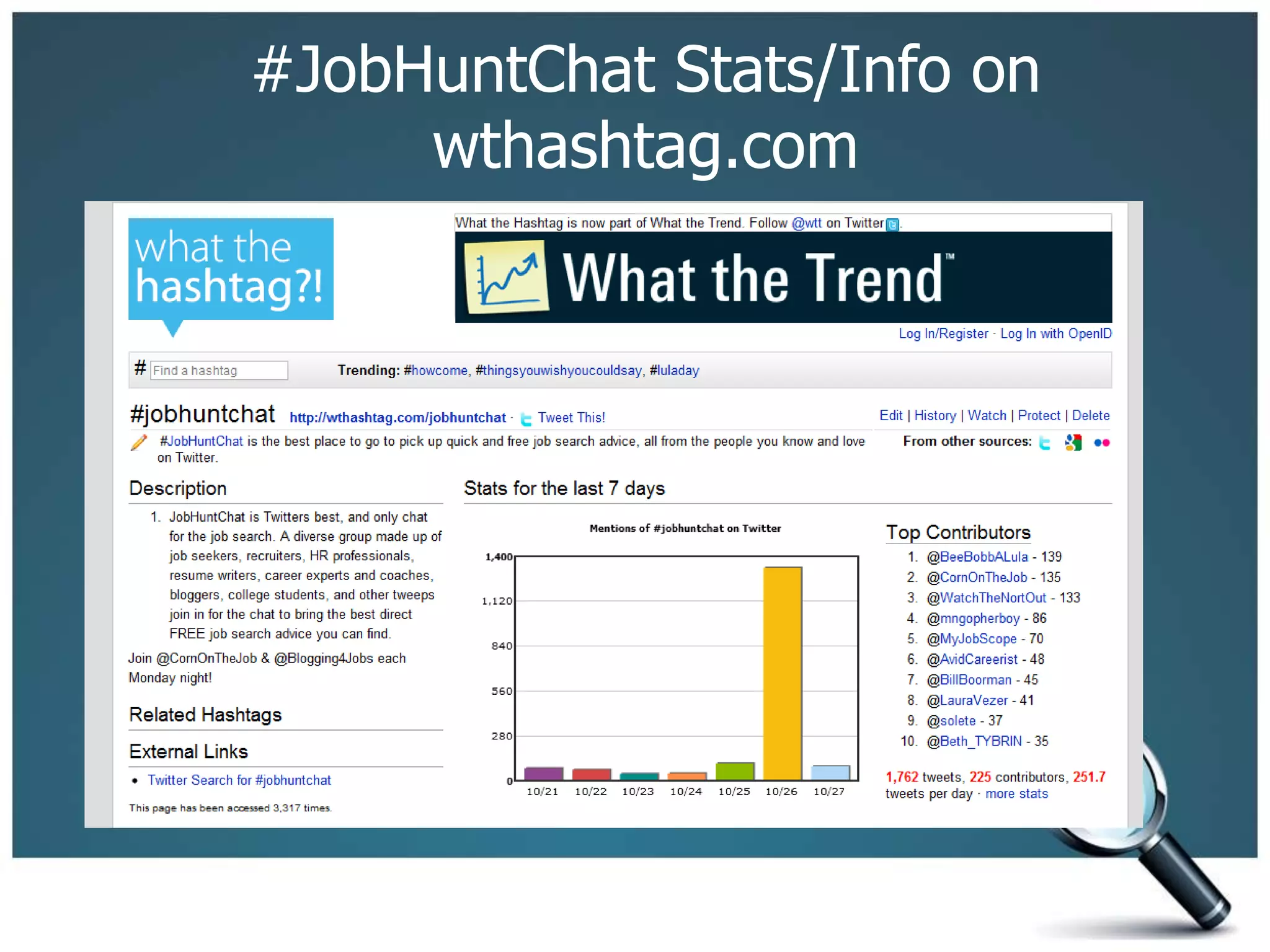
#JobHuntChat Stats/Info on
wthashtag.com
Facebook Do’s and Don’ts
Do’s:
1. Interact with people/companies
2. Post relevant and interesting information
Don’ts:
1. Don’t use foul language.
2. Don’t share inappropriate photos.
3. Don’t make negative comments about
previous employers.
4. Don’t share too much personal
information.
Facebook: The Untapped Job Board
– Many small businesses/companies are on
Facebook
– “Like” companies to get a feel of what they post,
interact with the company
– Often, pictures from events held by a company
will be posted so you can get a feel of the
company culture
– Post a link on the Facebook page of a company if
you think fans of that company might be
interested in info you wish to share.
– Search Facebook for HireFriday and like their page
to interact with recruiters, job seekers, etc.
 Collective group of individuals who have jobs,
who know of jobs, and who are looking for jobs.
Twitter/Facebook for Job Search Summary
• Takeaways (To Do’s)
 Set up your Twitter profile if not done yet
 Find and connect with other people
- If you want to connect with me, go to
http://twitter.com/markvanbaale
- Make sure to follow @NewLandings, @TheJobRadioShow
 Keep an eye on #newlandings hashtag for jobs, news, links to articles
that may be of interest to you in your job search
 Listen and/or participate in conversations with people
 Ask questions related to your job search, what other people are doing
 Participate in Twitter chats (example: #jobhuntchat on Tuesday night at
9 pm CST)
 Interest in a Twitter chat focused on #newlandings post Wed.
night meetings to ask questions, share knowledge?
Mark’s Contact Information
• Twitter: @markvanbaale or
http://twitter.com/markvanbaale
• LinkedIN: http://www.linkedin.com/in/markvanbaale
• Job Seekers Blog:
http://jobseekersview.wordpress.com
 Weekly post about networking events, career
fairs, job search workshops, etc. in Kansas City area
• Email: markvanbaale@gmail.com

Twitter and fb for the job seeker.ppt

  • 1.
    Using Twitter/Facebook in YourJob Search Mark Van Baale
  • 2.
    New Landing Presents: Twitter/Facebookin Job Search • Meet your presenter – Mark Van Baale: Kansas City Social Media Group • Today’s Agenda – Setting up a Twitter Profile – Building Your Network of Connections – How to Use Twitter Job Searches to follow Conversations – Using Hashtags to Boost Your Job Search – Participate in Twitter Chats – Facebook: Untapped Job Board – Facebook Do's and Don'ts in Job Search
  • 3.
    What is Twitter? •Free microblogging service that allows users to communicate with one another using short text- based messages • Maximum of 140 charcters in length for each message (tweet) sent • Can be used on mobile devices, laptops, etc. • Ability to talk with anyone around the world at anytime.
  • 4.
    Setting up TwitterProfile Go to Twitter.com and click on Sign Up. – Add a username (@name on Twitter) – Add an avatar (professional picture recommended) – Add a website link/blog (Many people add a link to their LinkedIn profile) – Add a short bio telling about yourself. If you are a job seeker, mention that in your bio. – Personalize your background if you wish (info about yourself, links to your websites, etc.)
  • 5.
  • 6.
    Beginner Tips – Twitteris what you make of it. It revolves around personal relationships. – Most successful Twitter users engage in facilitating and building friendships using the tool. – Take time to learn about other people via their tweets and “listen” in on conversations. – Join in on conversations to share your thoughts. – Use Twitter tools to find people with similar interests you share or in occupations/industries you wish to move into.
  • 7.
  • 8.
    Twitter Glossary – @namemeans you are sending a response to a specific user. – d name means you are sending a direct message (to be read by only that person) – #xxxxx is a hashtag that people use often in Twitter chats, at conferences/meetups, or to search on a topic/trend  Example: #newlandings, #jobsearch – Lists are groups of people/brands that share a common interest, tactic to quickly browse though what people are sharing in a list you create or you join.
  • 9.
    Building Network ofConnections Tools to use: – Twellow.com  “Yellow pages” for Twitter professionals  Find people by category – WeFollow.com  User-powered Twitter directory. It dynamically creates categories and shows you who is associated with each. – Twitter’s Search at http://search.twitter.com  Search for terms you have an interest in (job search, recruiter, etc.) and follow people
  • 10.
    How to UseTwitter Job Searches • TweetaJob.com – Search for jobs listed on Twitter • TweetMyJobs.com – Search for jobs posted • Follow @TweetMyJobs • Search for jobs on Twitter Search using keywords • Follow area recruiters, career coaches Kansas City: @thatjobguy, @KCCareerCoach, @ValueIntoWords
  • 11.
    Using Hashtags toBoost Your Job Search • 300 to 400 jobs a minute are posted on Twitter according to CEO of Tweetajob.com • Use hashtags to narrow down your search for keywords, jobs in Twitter • Hashtag categories useful in a job search: 1. General Job Search: #jobs, #jobadvice, #jobhunt and #jobsearch 2. Job Postings: #greenjobs, #jobposting,#telecom or #salesjobs 3. Chats: #jobhuntchat, #careerchat, and #hirefriday 4. Career Advice: #career, #careers and #employment
  • 12.
  • 13.
    Participating in TwitterChats • Twitter Chats are great opportunities to interact with other job seekers and recruiters • Few job search Twitter chats to check out:  #jobhuntchat: Every Tuesday night at 9pm CST  #careerchat: Every Tuesday at Noon CST  #HireFriday: Every Friday, list what you are looking for in a job and tag with this hashtag
  • 14.
  • 15.
    Facebook Do’s andDon’ts Do’s: 1. Interact with people/companies 2. Post relevant and interesting information Don’ts: 1. Don’t use foul language. 2. Don’t share inappropriate photos. 3. Don’t make negative comments about previous employers. 4. Don’t share too much personal information.
  • 16.
    Facebook: The UntappedJob Board – Many small businesses/companies are on Facebook – “Like” companies to get a feel of what they post, interact with the company – Often, pictures from events held by a company will be posted so you can get a feel of the company culture – Post a link on the Facebook page of a company if you think fans of that company might be interested in info you wish to share. – Search Facebook for HireFriday and like their page to interact with recruiters, job seekers, etc.  Collective group of individuals who have jobs, who know of jobs, and who are looking for jobs.
  • 17.
    Twitter/Facebook for JobSearch Summary • Takeaways (To Do’s)  Set up your Twitter profile if not done yet  Find and connect with other people - If you want to connect with me, go to http://twitter.com/markvanbaale - Make sure to follow @NewLandings, @TheJobRadioShow  Keep an eye on #newlandings hashtag for jobs, news, links to articles that may be of interest to you in your job search  Listen and/or participate in conversations with people  Ask questions related to your job search, what other people are doing  Participate in Twitter chats (example: #jobhuntchat on Tuesday night at 9 pm CST)  Interest in a Twitter chat focused on #newlandings post Wed. night meetings to ask questions, share knowledge?
  • 18.
    Mark’s Contact Information •Twitter: @markvanbaale or http://twitter.com/markvanbaale • LinkedIN: http://www.linkedin.com/in/markvanbaale • Job Seekers Blog: http://jobseekersview.wordpress.com  Weekly post about networking events, career fairs, job search workshops, etc. in Kansas City area • Email: markvanbaale@gmail.com