COMM 202: Career
Fundamentals
Amanda Bamford
Tutorial 4
T02 & T16
Our Agenda for Today
1. Course Timeline
2. Resumes and Cover
Letters
3. TA Feedback
Course Timeline
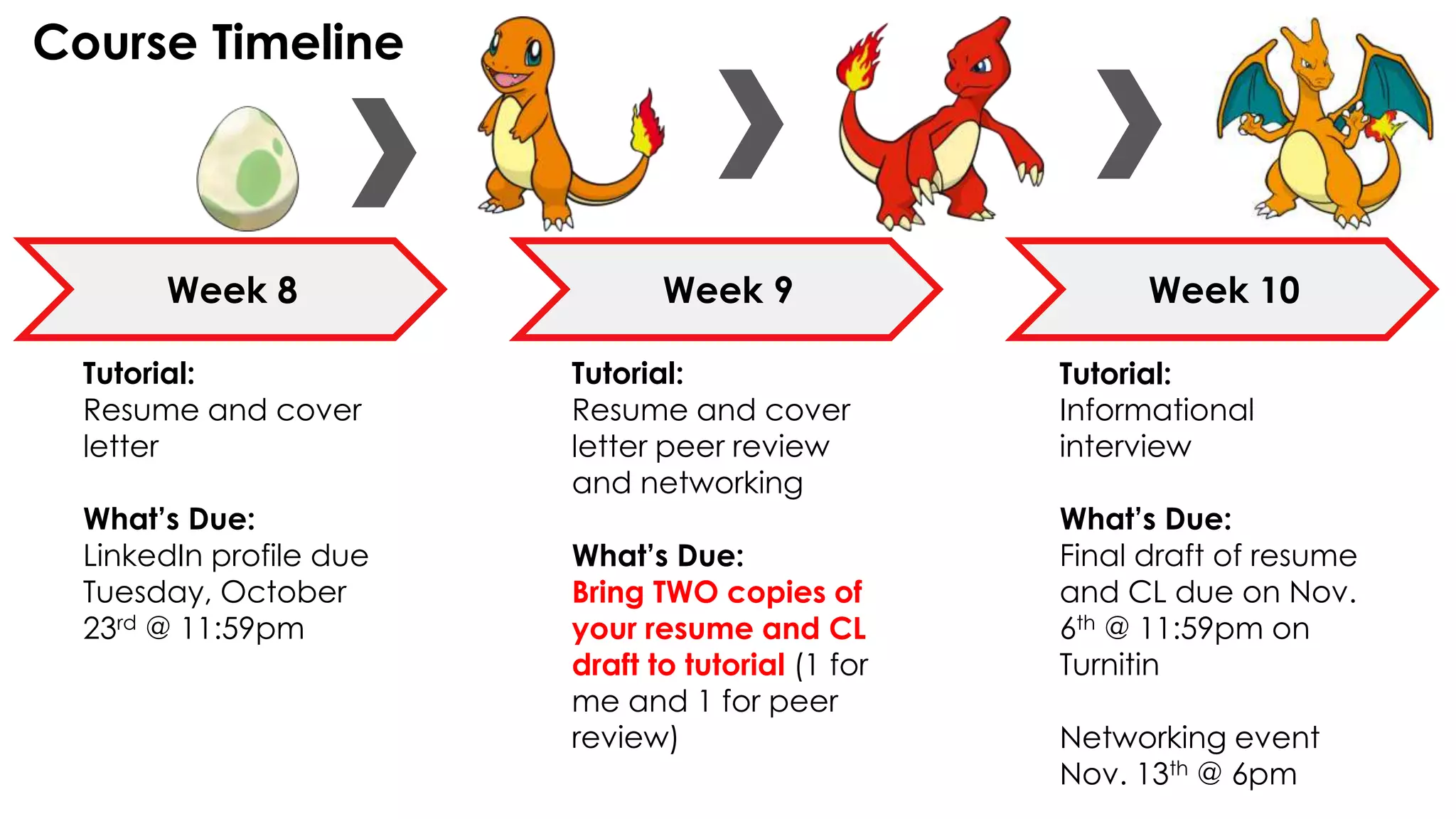
Week 8 Week 9 Week 10
Tutorial:
Resume and cover
letter
What’s Due:
LinkedIn profile due
Tuesday, October
23rd @ 11:59pm
Tutorial:
Resume and cover
letter peer review
and networking
What’s Due:
Bring TWO copies of
your resume and CL
draft to tutorial (1 for
me and 1 for peer
review)
Tutorial:
Informational
interview
What’s Due:
Final draft of resume
and CL due on Nov.
6th @ 11:59pm on
Turnitin
Networking event
Nov. 13th @ 6pm
Tools &
Resources
BUSINESS
CAREER CENTRE
RESOURCES
Tools at your
fingertips to help
you succeed
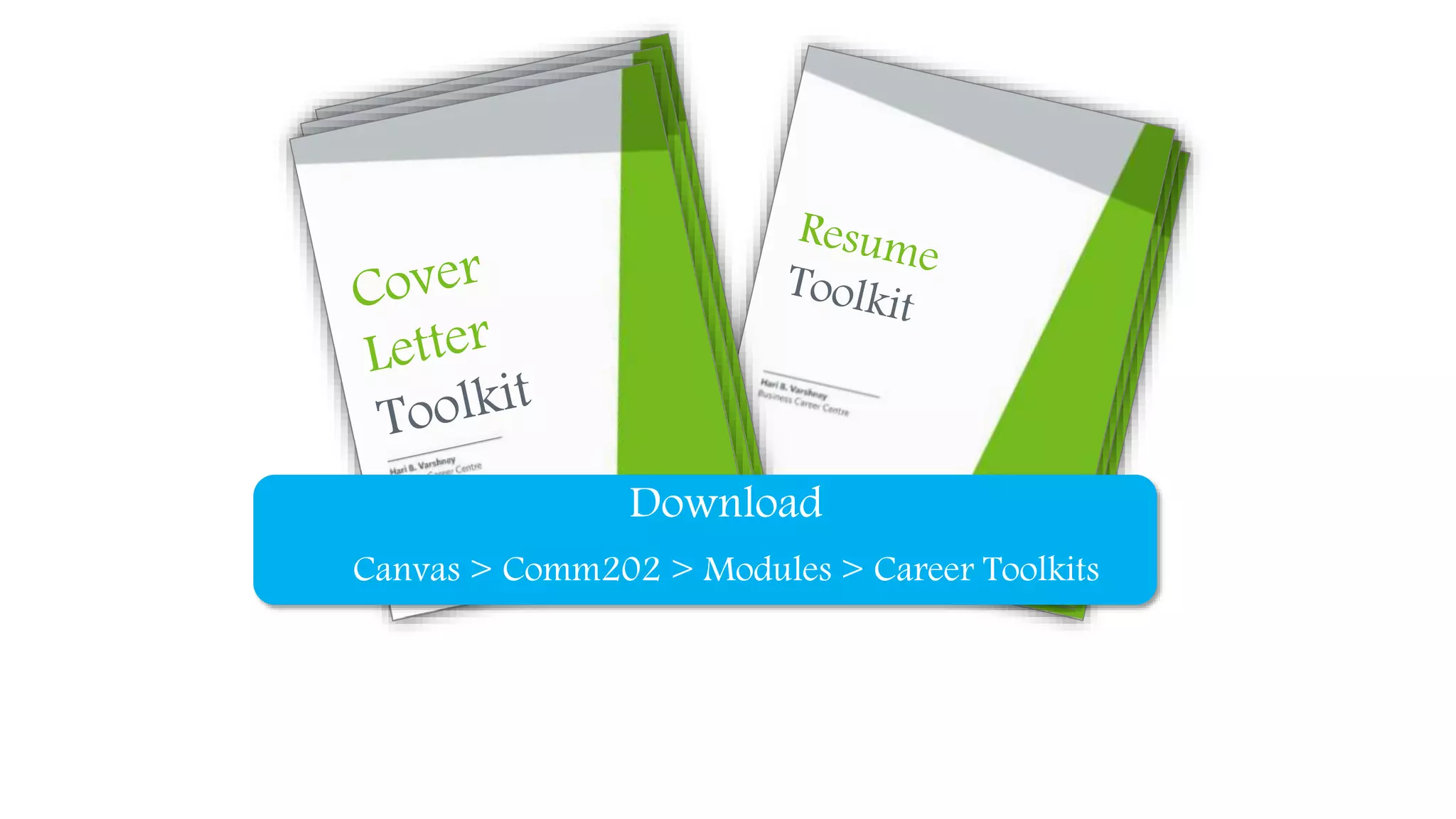
1. Career Toolkits
2. VMock
3. Ready, Set, Get Hired! Coaching
Download
Canvas > Comm202 > Modules > Career Toolkits
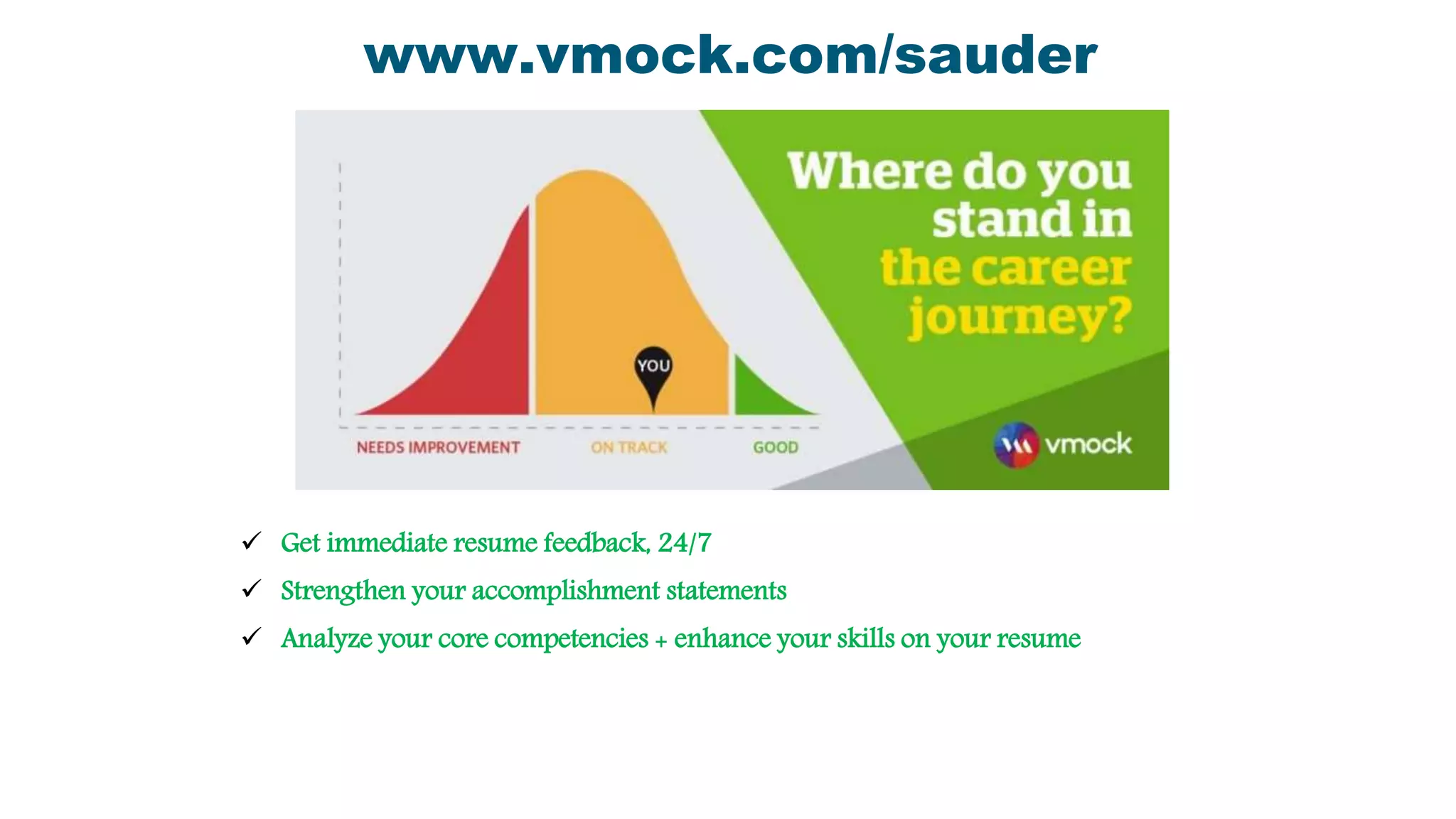
 Get immediate resume feedback, 24/7
 Strengthen your accomplishment statements
 Analyze your core competencies + enhance your skills on your resume
www.vmock.com/sauder
Ready, Set, Get Hired!
60 minute personalized 1:1
coaching appointment with an
external consultant
• Jobs
• CPA Recruit
• Interview Preparation
• Mock Interviews
• LinkedIn Profile Reviews
• And More!
Book now on COOL
Engage with an
External Consultant
Oct 22 – 26
Nov 21 - 23
Dates & Times:
• Tuesday, October 23rd → 11:30am - 1pm
• Wednesday, October 31st → 4 - 5:30pm
• Friday, November 2nd → 12:00pm - 1:30pm
• Monday, November 5th → 4 - 6pm
How to sign up:
1. Log into COOL
2. Under Workshops/Events, select
Workshops/Other Events
3. Search up COMM 202 in the Search Bar and
COMM 202 Office Hours should appear.
4. Hit RSVP and you're good to go
Office Hours
Formatting &
Consistency
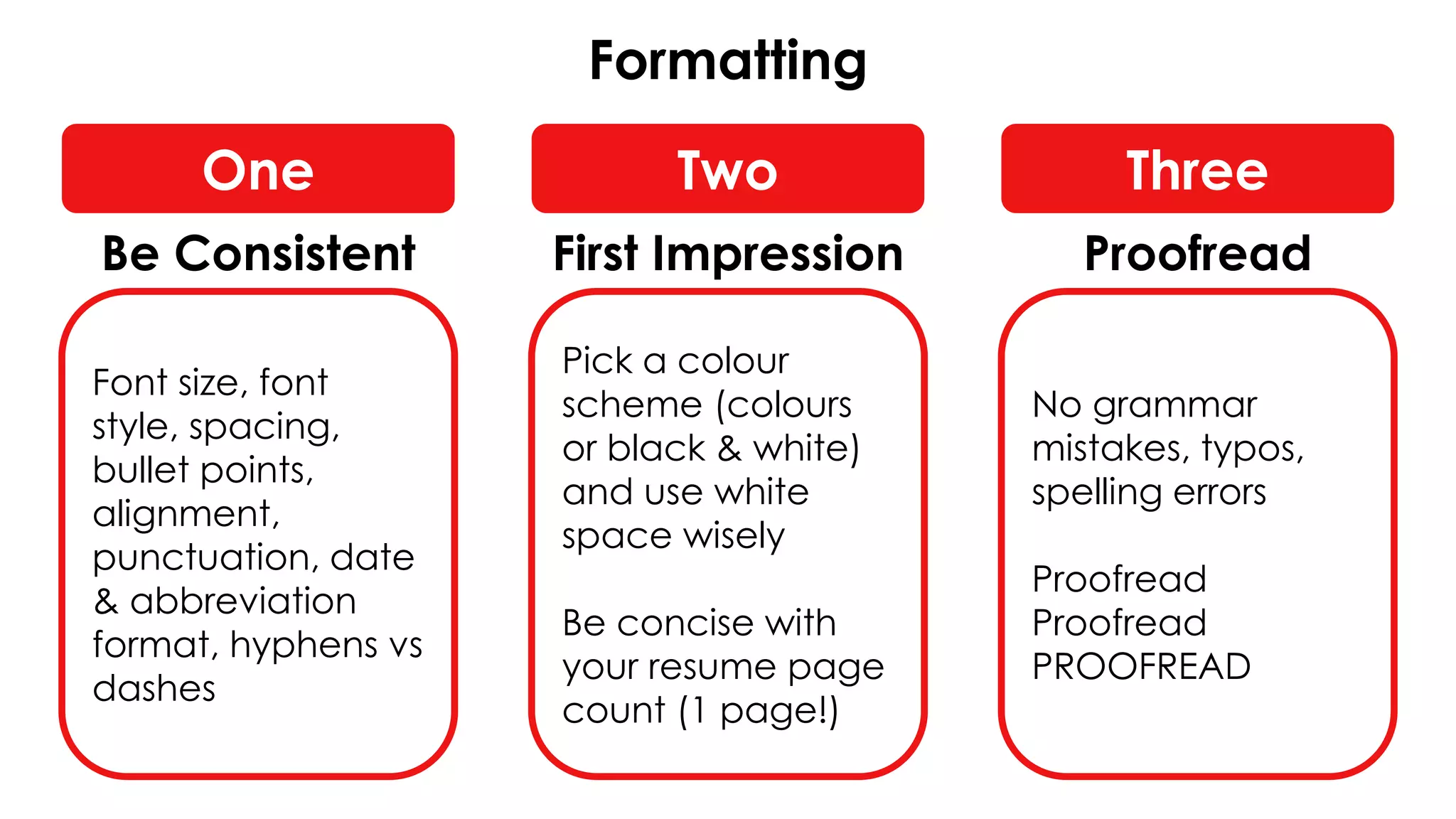
Formatting
Font size, font
style, spacing,
bullet points,
alignment,
punctuation, date
& abbreviation
format, hyphens vs
dashes
Pick a colour
scheme (colours
or black & white)
and use white
space wisely
Be concise with
your resume page
count (1 page!)
No grammar
mistakes, typos,
spelling errors
Proofread
Proofread
PROOFREAD
One Two Three
Be Consistent First Impression Proofread
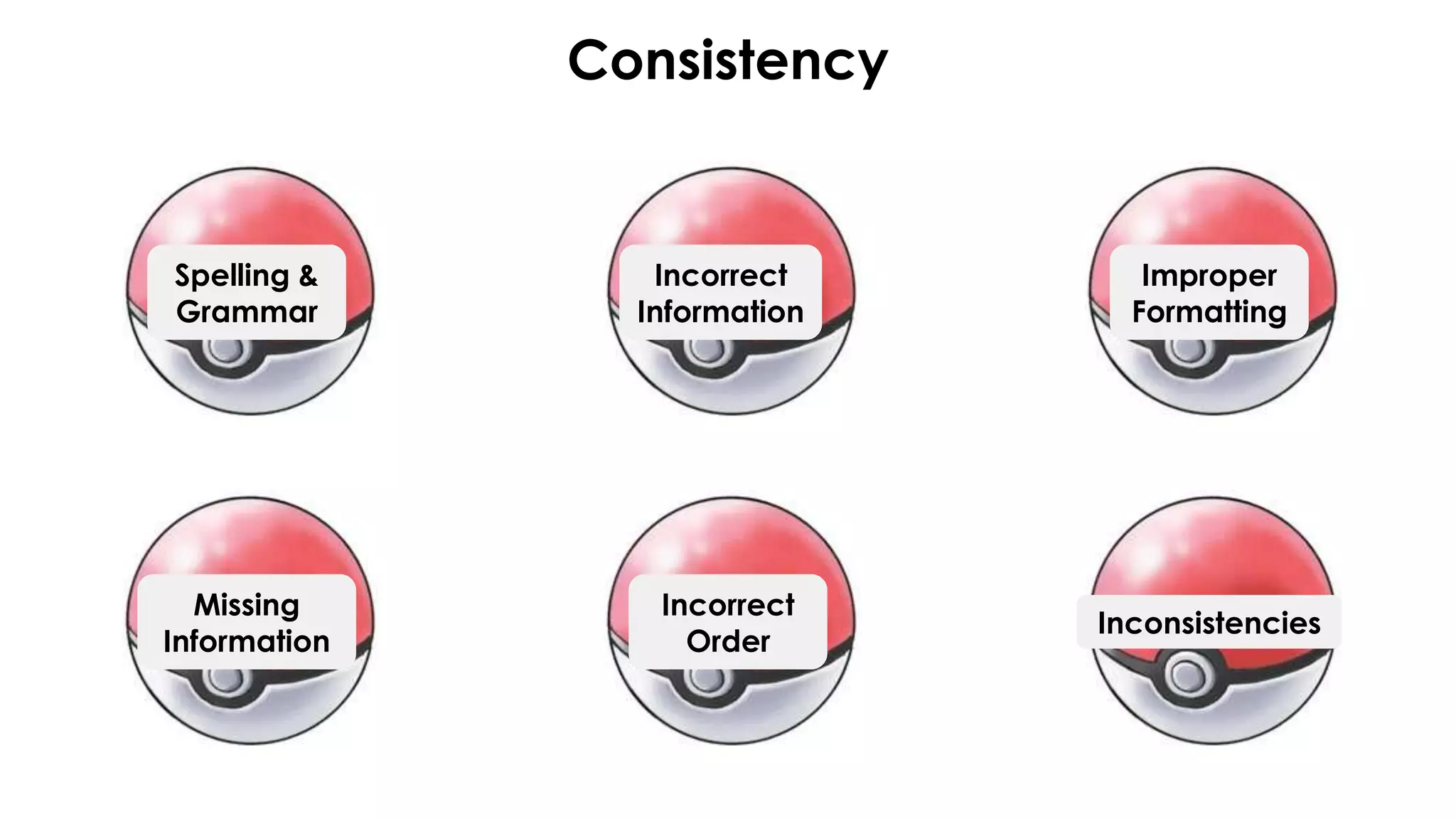
Consistency
Spelling &
Grammar
Incorrect
Information
Incorrect
Order
Improper
Formatting
Inconsistencies
Missing
Information
Resumes
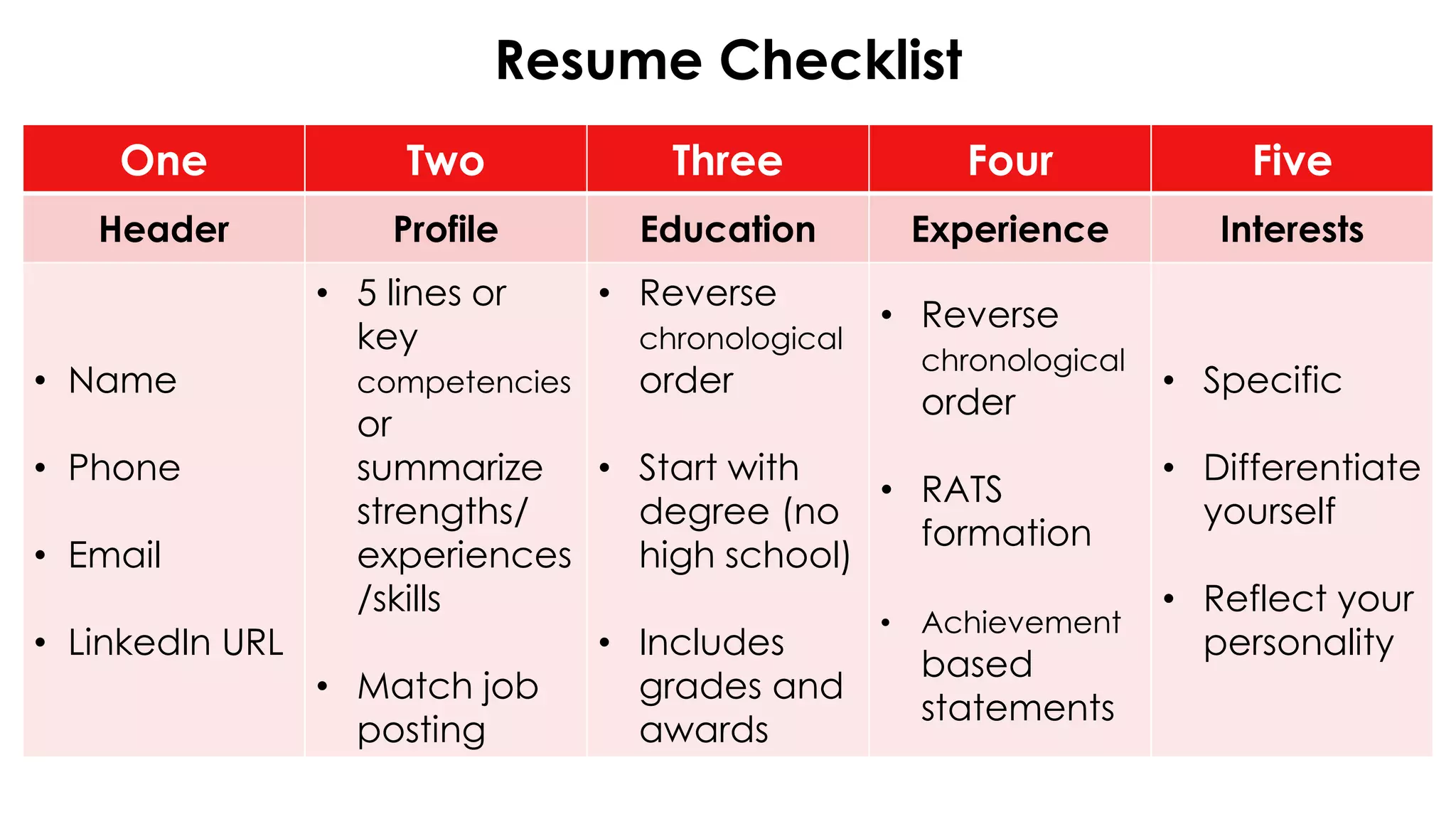
Resume Checklist
One Two Three Four Five
Header Profile Education Experience Interests
• Name
• Phone
• Email
• LinkedIn URL
• 5 lines or
key
competencies
or
summarize
strengths/
experiences
/skills
• Match job
posting
• Reverse
chronological
order
• Start with
degree (no
high school)
• Includes
grades and
awards
• Reverse
chronological
order
• RATS
formation
• Achievement
based
statements
• Specific
• Differentiate
yourself
• Reflect your
personality
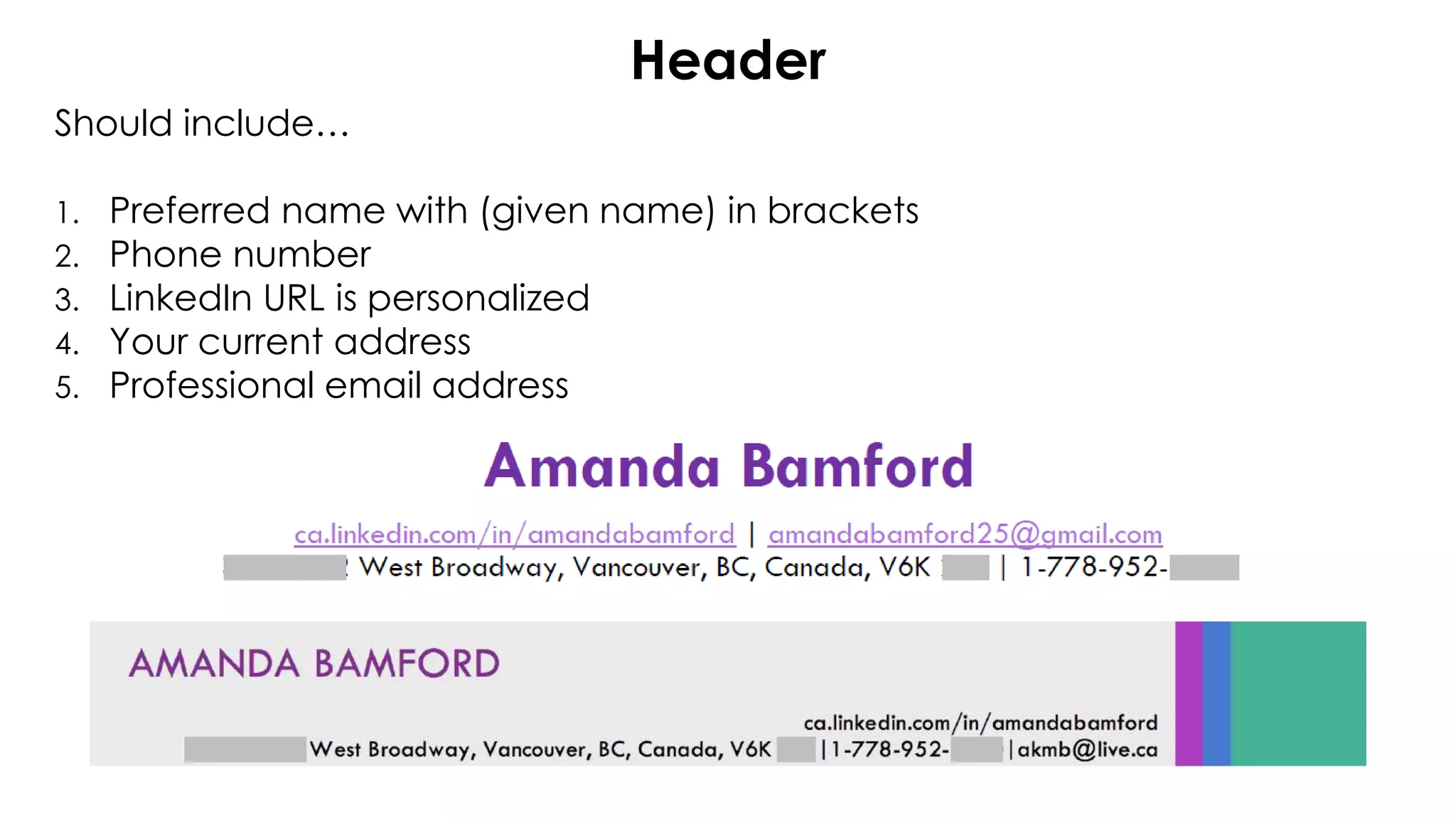
Header
Should include…
1. Preferred name with (given name) in brackets
2. Phone number
3. LinkedIn URL is personalized
4. Your current address
5. Professional email address
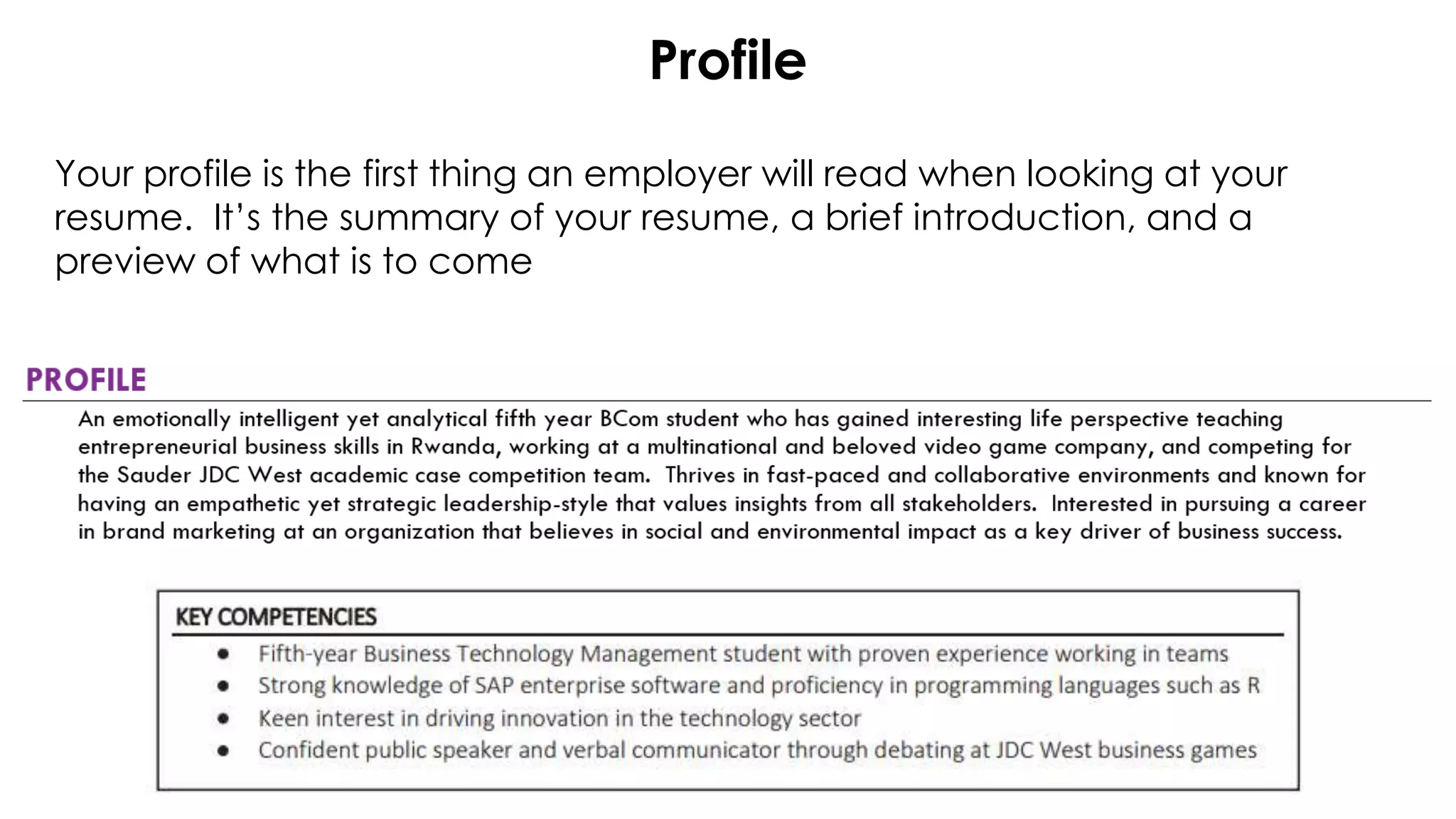
Profile
Your profile is the first thing an employer will read when looking at your
resume. It’s the summary of your resume, a brief introduction, and a
preview of what is to come
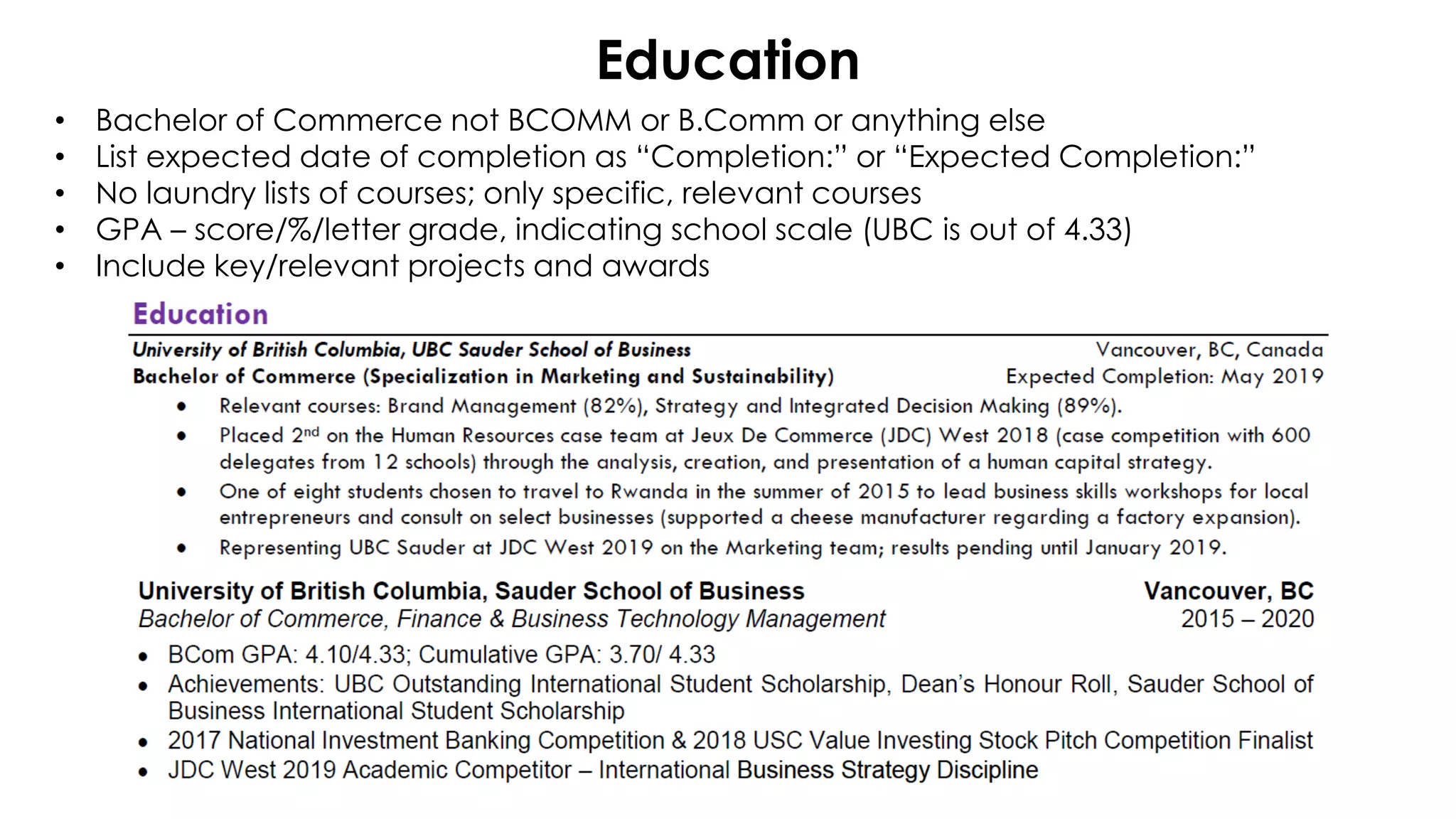
Education
• Bachelor of Commerce not BCOMM or B.Comm or anything else
• List expected date of completion as “Completion:” or “Expected Completion:”
• No laundry lists of courses; only specific, relevant courses
• GPA – score/%/letter grade, indicating school scale (UBC is out of 4.33)
• Include key/relevant projects and awards
Education
• Bachelor of Commerce not BCOMM or B.Comm or anything else
• List expected date of completion as “Completion:” or “Expected Completion:”
• No laundry lists of courses; only specific, relevant courses
• GPA – score/%/letter grade, indicating school scale (UBC is out of 4.33)
• Include key/relevant projects and awards
Sauder rebranded!
It’s now “UBC Sauder
School of Business”
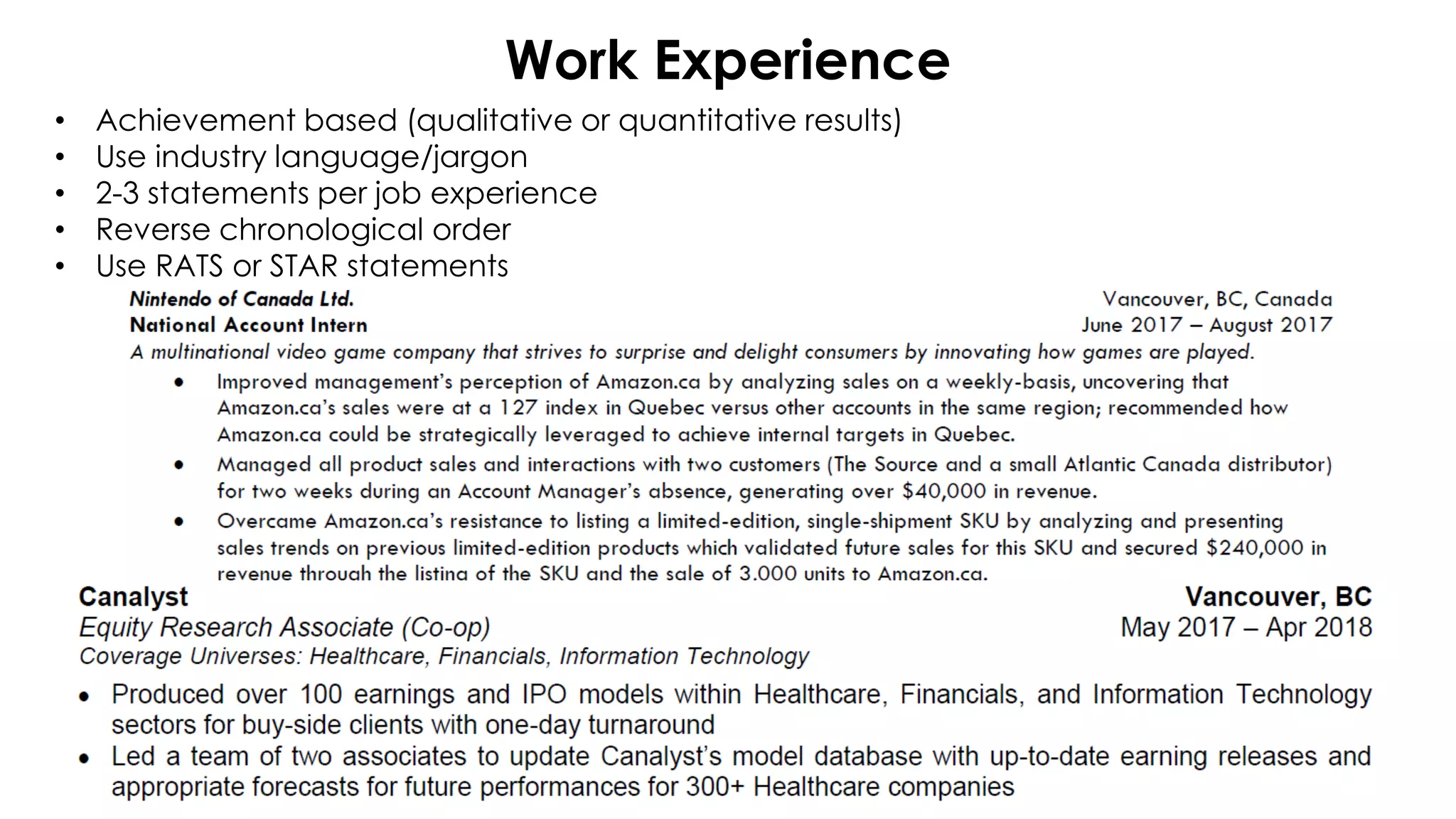
Work Experience
• Achievement based (qualitative or quantitative results)
• Use industry language/jargon
• 2-3 statements per job experience
• Reverse chronological order
• Use RATS or STAR statements
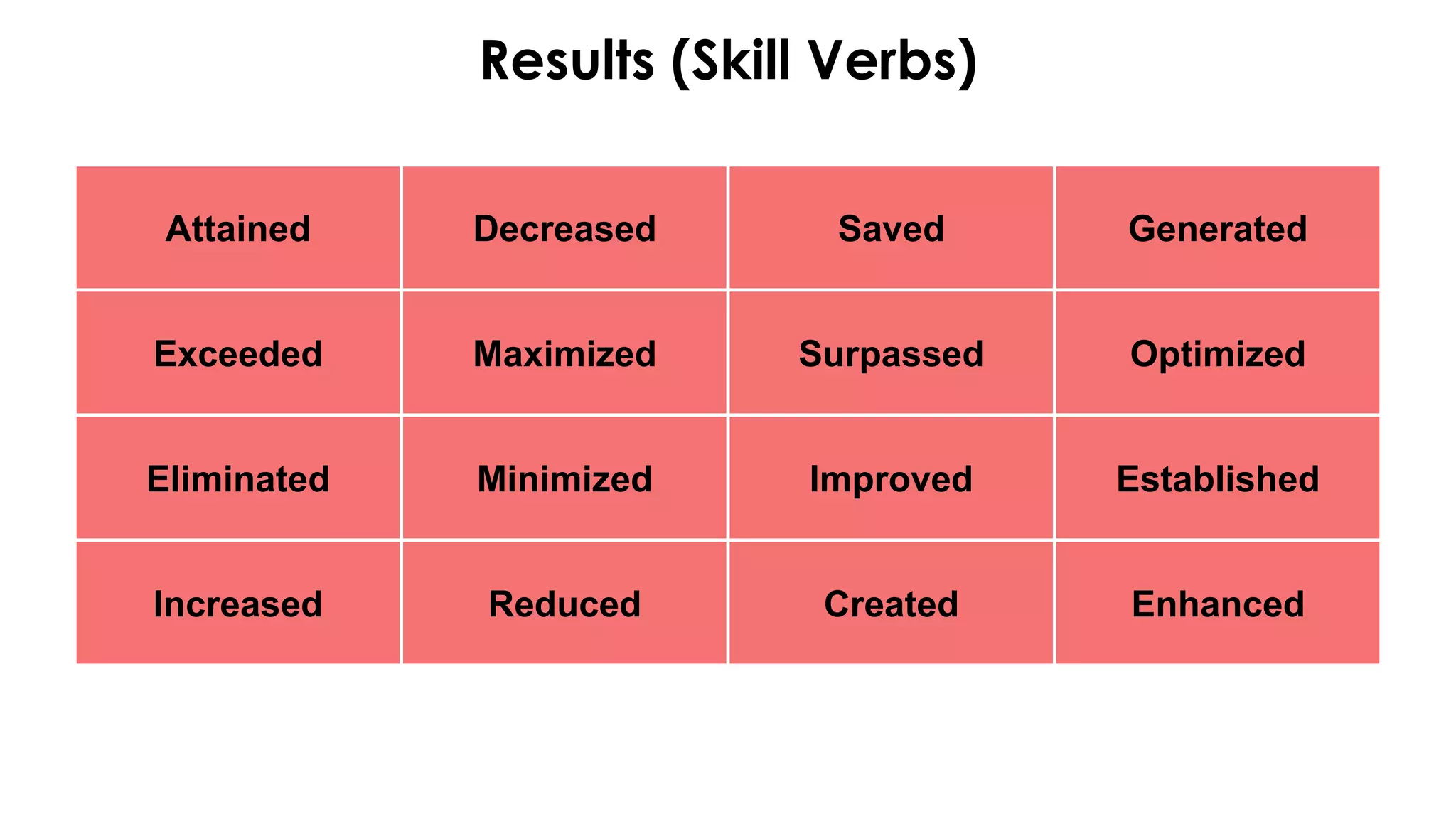
Results (Skill Verbs)
Attained Decreased Saved Generated
Exceeded Maximized Surpassed Optimized
Eliminated Minimized Improved Established
Increased Reduced Created Enhanced
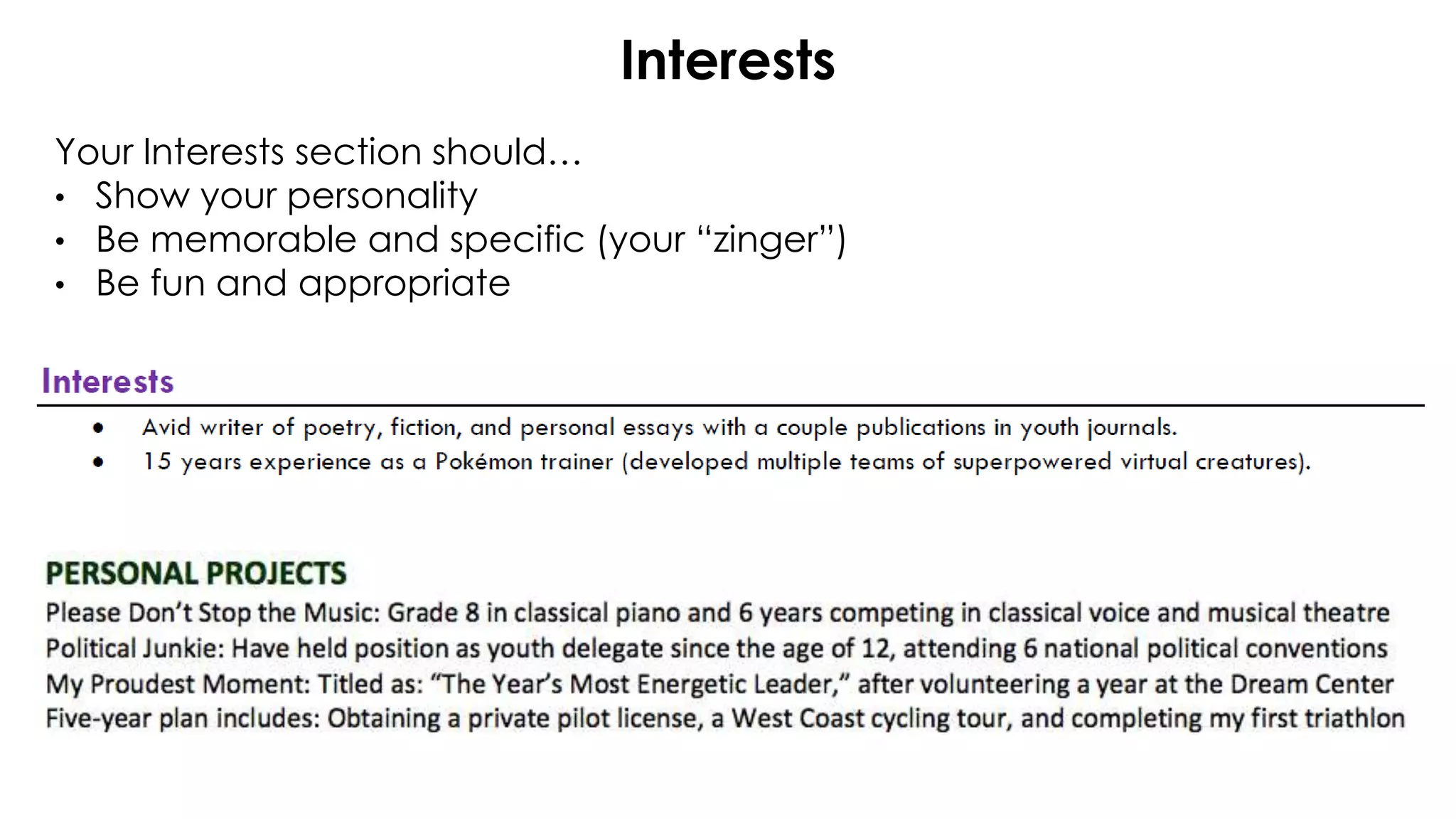
Interests
Your Interests section should…
• Show your personality
• Be memorable and specific (your “zinger”)
• Be fun and appropriate
Cover Letters
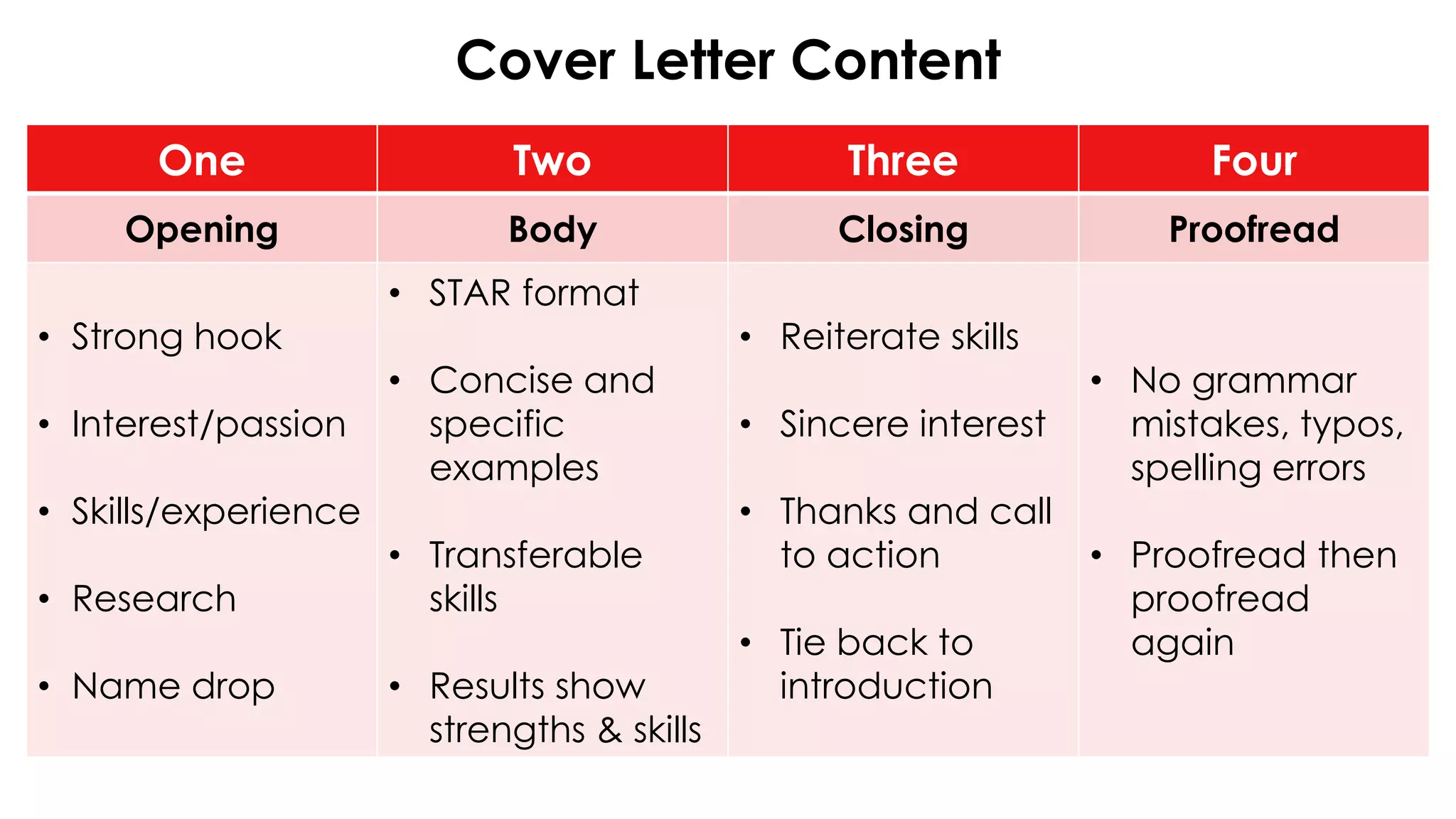
Cover Letter Content
One Two Three Four
Opening Body Closing Proofread
• Strong hook
• Interest/passion
• Skills/experience
• Research
• Name drop
• STAR format
• Concise and
specific
examples
• Transferable
skills
• Results show
strengths & skills
• Reiterate skills
• Sincere interest
• Thanks and call
to action
• Tie back to
introduction
• No grammar
mistakes, typos,
spelling errors
• Proofread then
proofread
again
Opening
Opening
• Strong hook
• Interest/passion
• Skills/experience
• Research
• Name drop
Body – Skills Matching Paragraphs
Body
• STAR format
• Concise and
specific
examples
• Transferable
skills
• Results show
strengths & skills
Closing
Closing
• Reiterate skills
• Sincere interest
• Thanks and call
to action
• Tie back to
introduction
Addressing the Cover Letter
Date
Contact Name
Title
Company
Address 1
City, Province Postal Code
Re: Position Title (reference number if given)
Dear [First name Last name],
or Dear Hiring Manager/Committee,
What Does My Cover Letter Look Like?
For your assignment, make sure you say:
Dear [First name Last name],
or
Dear Hiring Manager/Committee,
Ending Formatting
Sincerely, / Regards, / Best,
(Written signature if you want)
Your name
BCom Candidate 20XX
Sauder School of Business
Enclosed or Attached*: Resume
* Enclosed: physical copy
* Attached: electronic copy
Feedback Time!
What should I
start, continue,
or stop?
Action Items for Next Week
1. Office Hours: Sign-up on COOL
2. Resume and CL Drafts: Bring TWO
hard copies of your Resume and
CL to your tutorial next week
(worth 2%)
3. Resume & CL Final Copy: Due
November 6th @ 11:59pm on
Turnitin
4. Networking Event: Tuesday, Nov.
13th from 6pm – 8pm
Questions?
Have a great day!

Tutorial 4 - Amanda (T02 & T16)

  • 1.
    COMM 202: Career Fundamentals AmandaBamford Tutorial 4 T02 & T16
  • 2.
    Our Agenda forToday 1. Course Timeline 2. Resumes and Cover Letters 3. TA Feedback
  • 3.
    Course Timeline Week 8Week 9 Week 10 Tutorial: Resume and cover letter What’s Due: LinkedIn profile due Tuesday, October 23rd @ 11:59pm Tutorial: Resume and cover letter peer review and networking What’s Due: Bring TWO copies of your resume and CL draft to tutorial (1 for me and 1 for peer review) Tutorial: Informational interview What’s Due: Final draft of resume and CL due on Nov. 6th @ 11:59pm on Turnitin Networking event Nov. 13th @ 6pm
  • 4.
  • 5.
    BUSINESS CAREER CENTRE RESOURCES Tools atyour fingertips to help you succeed 1. Career Toolkits 2. VMock 3. Ready, Set, Get Hired! Coaching
  • 6.
    Download Canvas > Comm202> Modules > Career Toolkits
  • 7.
     Get immediateresume feedback, 24/7  Strengthen your accomplishment statements  Analyze your core competencies + enhance your skills on your resume www.vmock.com/sauder
  • 8.
    Ready, Set, GetHired! 60 minute personalized 1:1 coaching appointment with an external consultant • Jobs • CPA Recruit • Interview Preparation • Mock Interviews • LinkedIn Profile Reviews • And More! Book now on COOL Engage with an External Consultant Oct 22 – 26 Nov 21 - 23
  • 9.
    Dates & Times: •Tuesday, October 23rd → 11:30am - 1pm • Wednesday, October 31st → 4 - 5:30pm • Friday, November 2nd → 12:00pm - 1:30pm • Monday, November 5th → 4 - 6pm How to sign up: 1. Log into COOL 2. Under Workshops/Events, select Workshops/Other Events 3. Search up COMM 202 in the Search Bar and COMM 202 Office Hours should appear. 4. Hit RSVP and you're good to go Office Hours
  • 10.
  • 11.
    Formatting Font size, font style,spacing, bullet points, alignment, punctuation, date & abbreviation format, hyphens vs dashes Pick a colour scheme (colours or black & white) and use white space wisely Be concise with your resume page count (1 page!) No grammar mistakes, typos, spelling errors Proofread Proofread PROOFREAD One Two Three Be Consistent First Impression Proofread
  • 12.
  • 13.
  • 14.
    Resume Checklist One TwoThree Four Five Header Profile Education Experience Interests • Name • Phone • Email • LinkedIn URL • 5 lines or key competencies or summarize strengths/ experiences /skills • Match job posting • Reverse chronological order • Start with degree (no high school) • Includes grades and awards • Reverse chronological order • RATS formation • Achievement based statements • Specific • Differentiate yourself • Reflect your personality
  • 15.
    Header Should include… 1. Preferredname with (given name) in brackets 2. Phone number 3. LinkedIn URL is personalized 4. Your current address 5. Professional email address
  • 16.
    Profile Your profile isthe first thing an employer will read when looking at your resume. It’s the summary of your resume, a brief introduction, and a preview of what is to come
  • 17.
    Education • Bachelor ofCommerce not BCOMM or B.Comm or anything else • List expected date of completion as “Completion:” or “Expected Completion:” • No laundry lists of courses; only specific, relevant courses • GPA – score/%/letter grade, indicating school scale (UBC is out of 4.33) • Include key/relevant projects and awards
  • 18.
    Education • Bachelor ofCommerce not BCOMM or B.Comm or anything else • List expected date of completion as “Completion:” or “Expected Completion:” • No laundry lists of courses; only specific, relevant courses • GPA – score/%/letter grade, indicating school scale (UBC is out of 4.33) • Include key/relevant projects and awards Sauder rebranded! It’s now “UBC Sauder School of Business”
  • 19.
    Work Experience • Achievementbased (qualitative or quantitative results) • Use industry language/jargon • 2-3 statements per job experience • Reverse chronological order • Use RATS or STAR statements
  • 20.
    Results (Skill Verbs) AttainedDecreased Saved Generated Exceeded Maximized Surpassed Optimized Eliminated Minimized Improved Established Increased Reduced Created Enhanced
  • 21.
    Interests Your Interests sectionshould… • Show your personality • Be memorable and specific (your “zinger”) • Be fun and appropriate
  • 22.
  • 23.
    Cover Letter Content OneTwo Three Four Opening Body Closing Proofread • Strong hook • Interest/passion • Skills/experience • Research • Name drop • STAR format • Concise and specific examples • Transferable skills • Results show strengths & skills • Reiterate skills • Sincere interest • Thanks and call to action • Tie back to introduction • No grammar mistakes, typos, spelling errors • Proofread then proofread again
  • 24.
    Opening Opening • Strong hook •Interest/passion • Skills/experience • Research • Name drop
  • 25.
    Body – SkillsMatching Paragraphs Body • STAR format • Concise and specific examples • Transferable skills • Results show strengths & skills
  • 26.
    Closing Closing • Reiterate skills •Sincere interest • Thanks and call to action • Tie back to introduction
  • 27.
    Addressing the CoverLetter Date Contact Name Title Company Address 1 City, Province Postal Code Re: Position Title (reference number if given) Dear [First name Last name], or Dear Hiring Manager/Committee,
  • 28.
    What Does MyCover Letter Look Like? For your assignment, make sure you say: Dear [First name Last name], or Dear Hiring Manager/Committee,
  • 29.
    Ending Formatting Sincerely, /Regards, / Best, (Written signature if you want) Your name BCom Candidate 20XX Sauder School of Business Enclosed or Attached*: Resume * Enclosed: physical copy * Attached: electronic copy
  • 30.
    Feedback Time! What shouldI start, continue, or stop?
  • 31.
    Action Items forNext Week 1. Office Hours: Sign-up on COOL 2. Resume and CL Drafts: Bring TWO hard copies of your Resume and CL to your tutorial next week (worth 2%) 3. Resume & CL Final Copy: Due November 6th @ 11:59pm on Turnitin 4. Networking Event: Tuesday, Nov. 13th from 6pm – 8pm
  • 32.

Editor's Notes

  • #4 :03
  • #7 Two of your Career Toolkits give you step-by-step instructions on how to create a winning resume and cover letter. Make sure you go through the cover letter and resume toolkits to help with your Comm202 assignments.
  • #8 Want immediate feedback on your resume? Upload it now to vmock.com/sauder. VMock analyzes your resume on the spot, gives you a score, and enables you to get customized, line-by-line feedback. It’s known as a “content checker” – it will especially help with RATs statements and giving you tips to enhance your bullet points on your resume. Keep in mind: -VMock is picky with formatting! Follow the formatting as laid out in the resume toolkit and template to use in VMock -Do not simply put your resume in VMock and then take that as all the work you need to do for the assignment, or for applying to a job! - Your VMock score is NOT your Comm202 resume grade. Use VMock as a guide to improve your resume, but after using the platform, ensure you follow the parameters of the assignment as your compass for your grade. Example: VMock may not catch every spelling error, so you need to make sure you check this on your own. Tips to help you get started: - Go to www.VMock.com/sauder and login with your CWL and password. Upload your resume in PDF You have 10 free uploads each academic year – use them wisely! They will be set in August or September of each year while you’re a student. Get a score of 75 or above to get further resume coaching from a BCom career coach. Questions? Ask a coach or Peer Advisor.
  • #9 RSH availability for Oct 22-26 has been entered into COOL. This offering is themed around COMM 202 Resume & Cover Letter Assignment support, as well as general job applications.
  • #10 Done
  • #12 Done
  • #13 Done
  • #15 Done
  • #16 Done
  • #17 Done
  • #18 Done
  • #19 Done
  • #20 Done
  • #21 Done
  • #22 Done
  • #23 Done
  • #25 Done
  • #26 Done
  • #27 Done
  • #28 Done
  • #29 Done
  • #30 Done
  • #31 Done
  • #32 By 0:44
  • #33 Done
  • #34 Done