How to Optimize your LinkedIn
profile for Job Search
Starting at 2:00 PM
Powered by
1
2
3
4
5
6
What we will cover
in this workshop
Introduction: What is LinkedIn?
Build your LinkedIn profile
Build your professional network
Use your network on LinkedIn
to connect to opportunity
Search and apply for jobs
on LinkedIn
Extra credit
I like donuts
Watch me eat a donut
Here’s a cool photo of my donut
Here’s a donut recipe
I’m listening to “Donuts” Anyone
want a donut?
What you do on
other social media
I hope to operate a donut
franchise one day.
I’m looking for a job at a donut
company.
I have three years experience
making donuts.
My top skills are donut production
and sales.
Here are 3 recommendations from
former donut colleagues.
On LinkedIn:
A professional mindset
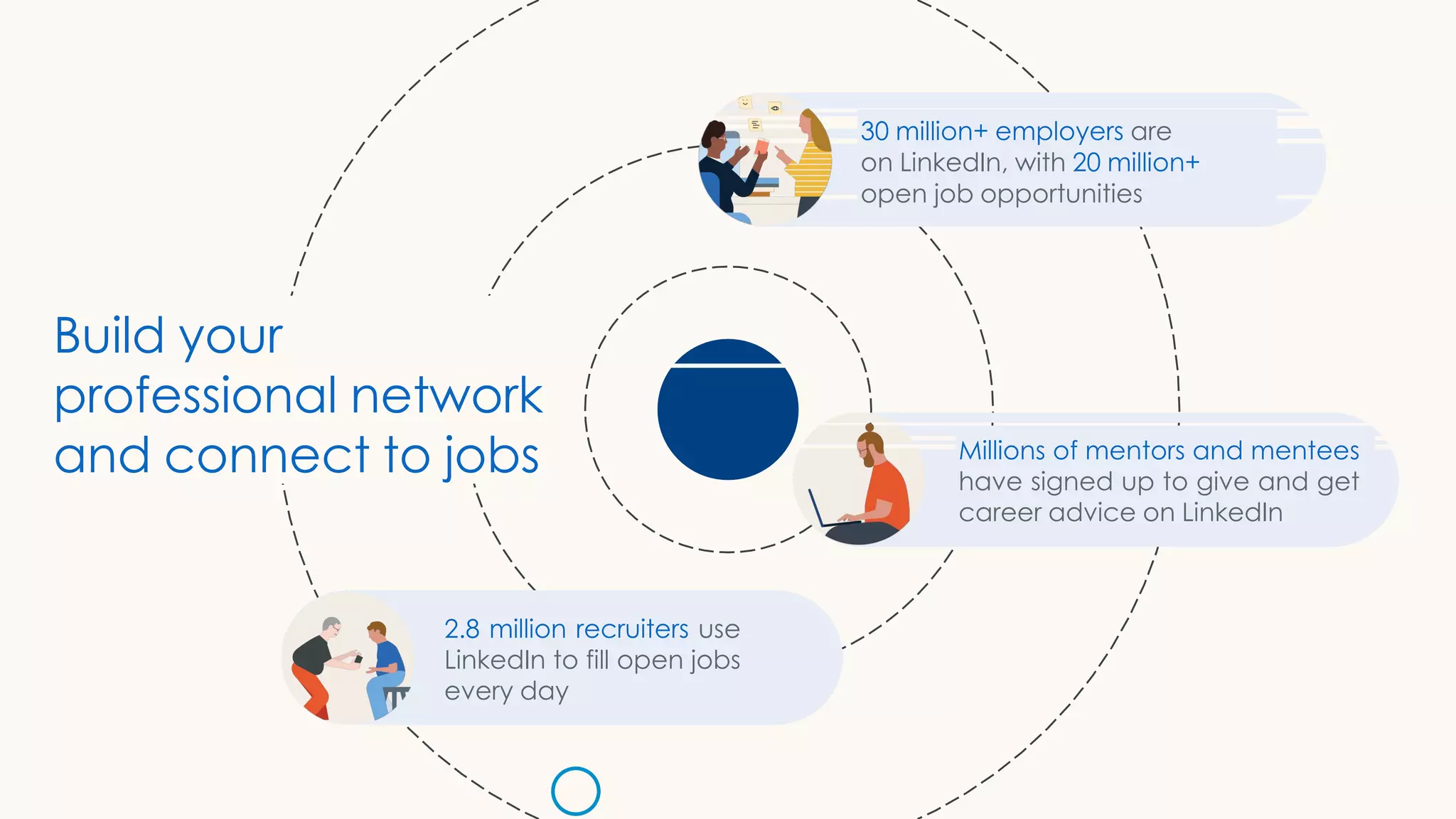
30 million+ employers are
on LinkedIn, with 20 million+
open job opportunities
Millions of mentors and mentees
have signed up to give and get
career advice on LinkedIn
2.8 million recruiters use
LinkedIn to fill open jobs
every day
Build your
professional network
and connect to jobs
Build your
LinkedIn profile
1. Set up your account
2. Profile vs. resume
3. Create an All- star profile
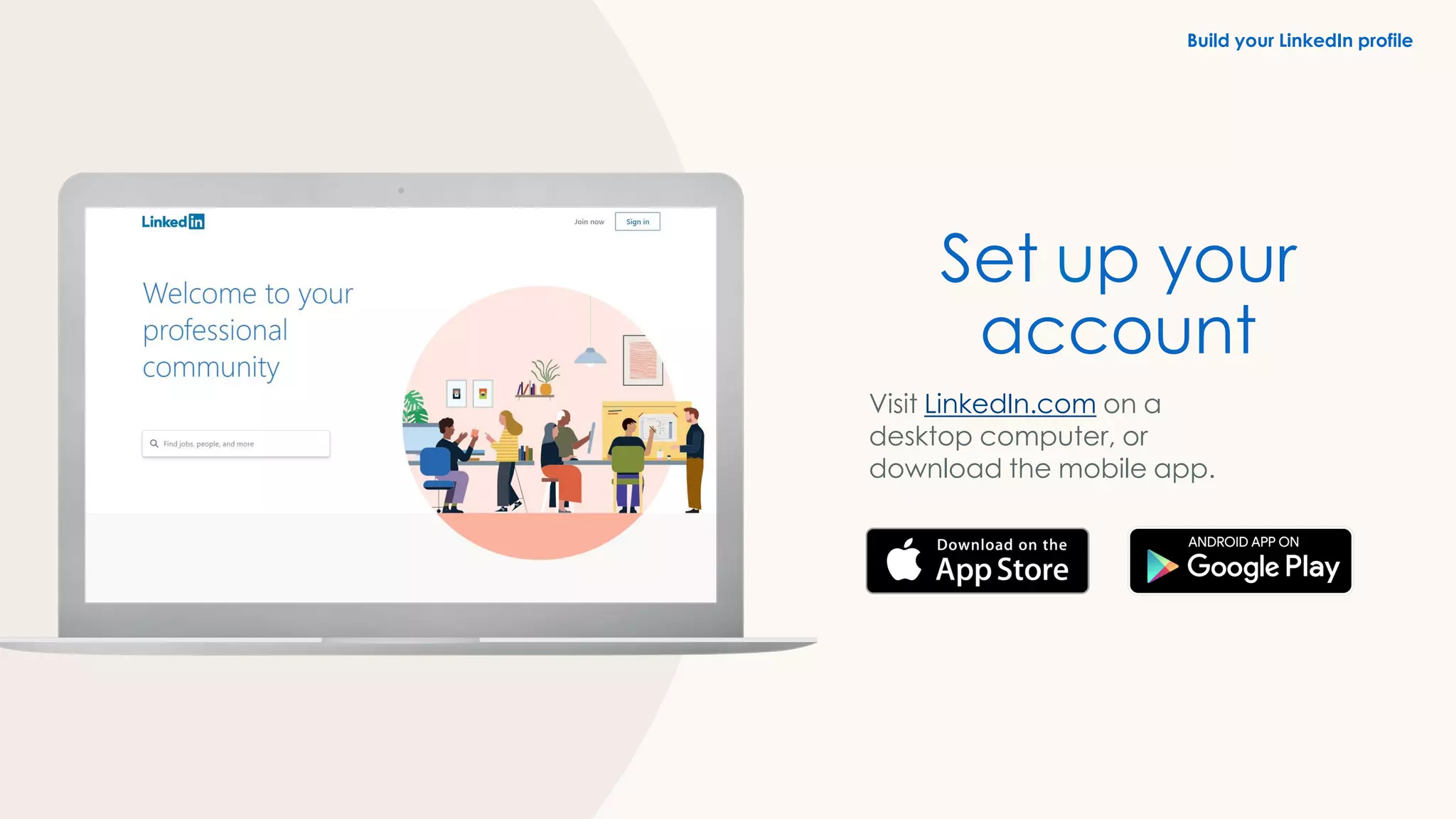
Set up your
account
Visit LinkedIn.com on a
desktop computer, or
download the mobile app.
Build your LinkedIn profile
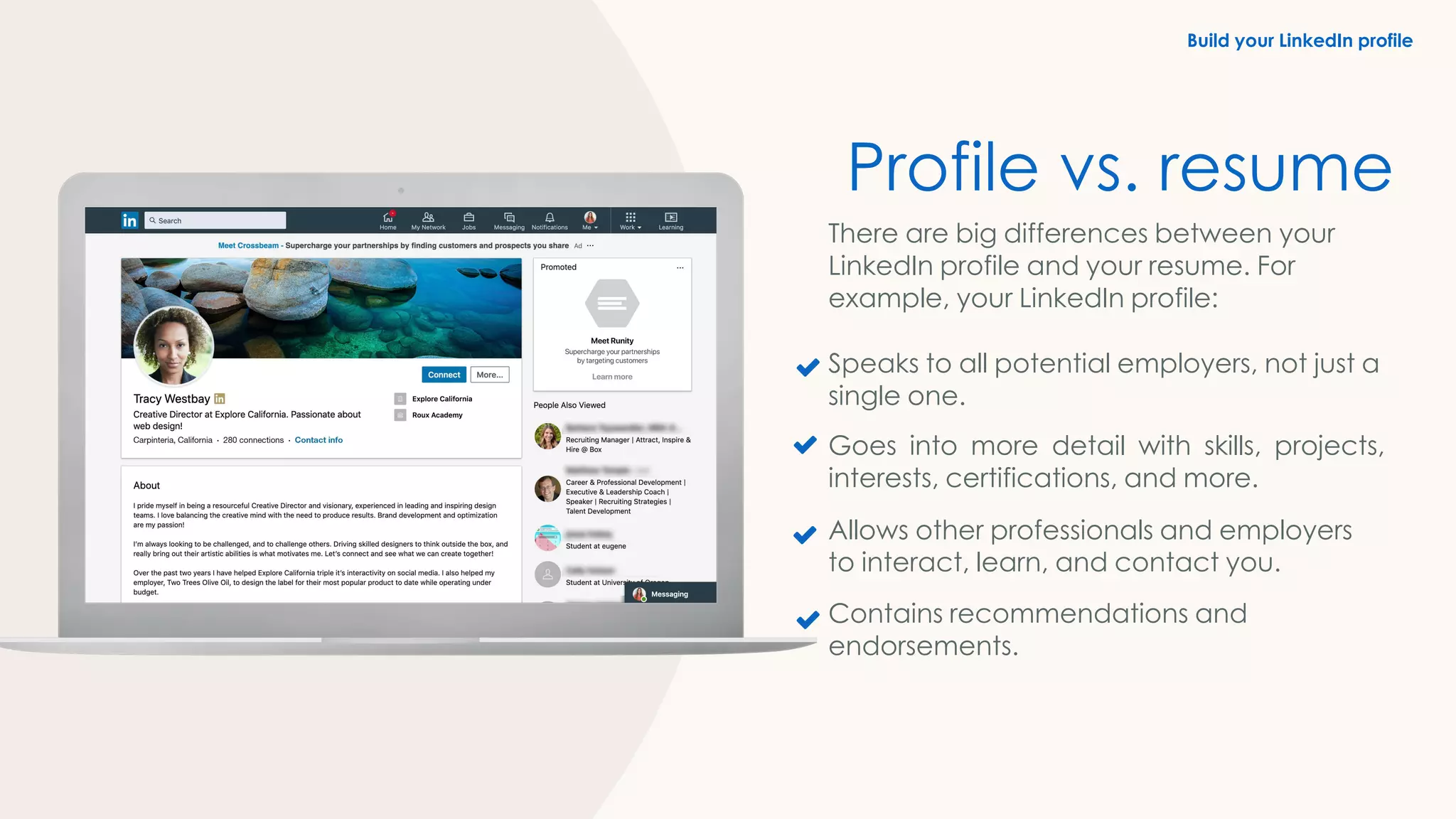
Profile vs. resume
There are big differences between your
LinkedIn profile and your resume. For
example, your LinkedIn profile:
Speaks to all potential employers, not just a
single one.
Goes into more detail with skills, projects,
interests, certifications, and more.
Allows other professionals and employers
to interact, learn, and contact you.
Contains recommendations and
endorsements.
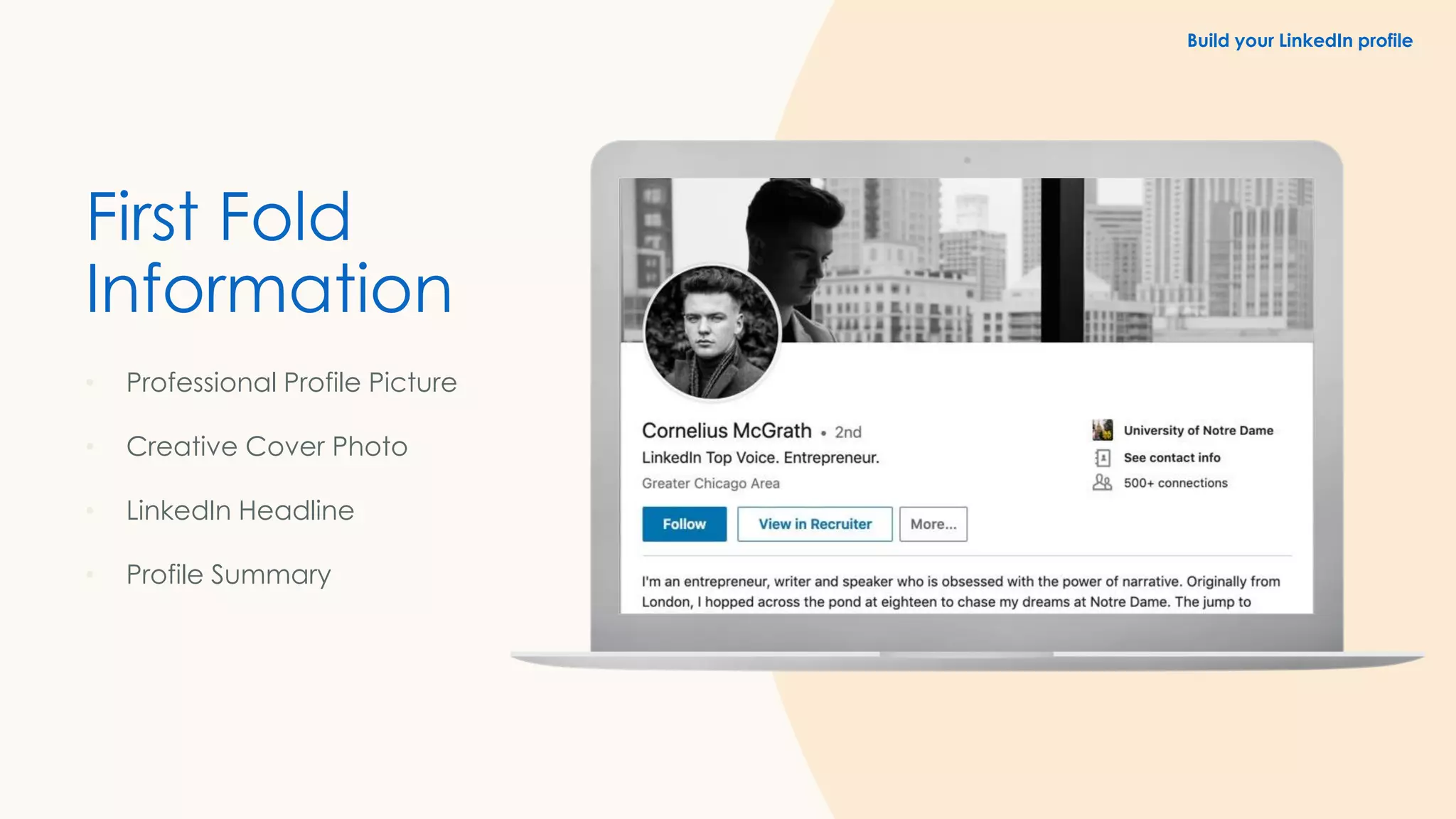
First Fold
Information
• Professional Profile Picture
• Creative Cover Photo
• LinkedIn Headline
• Profile Summary
Build your LinkedIn profile
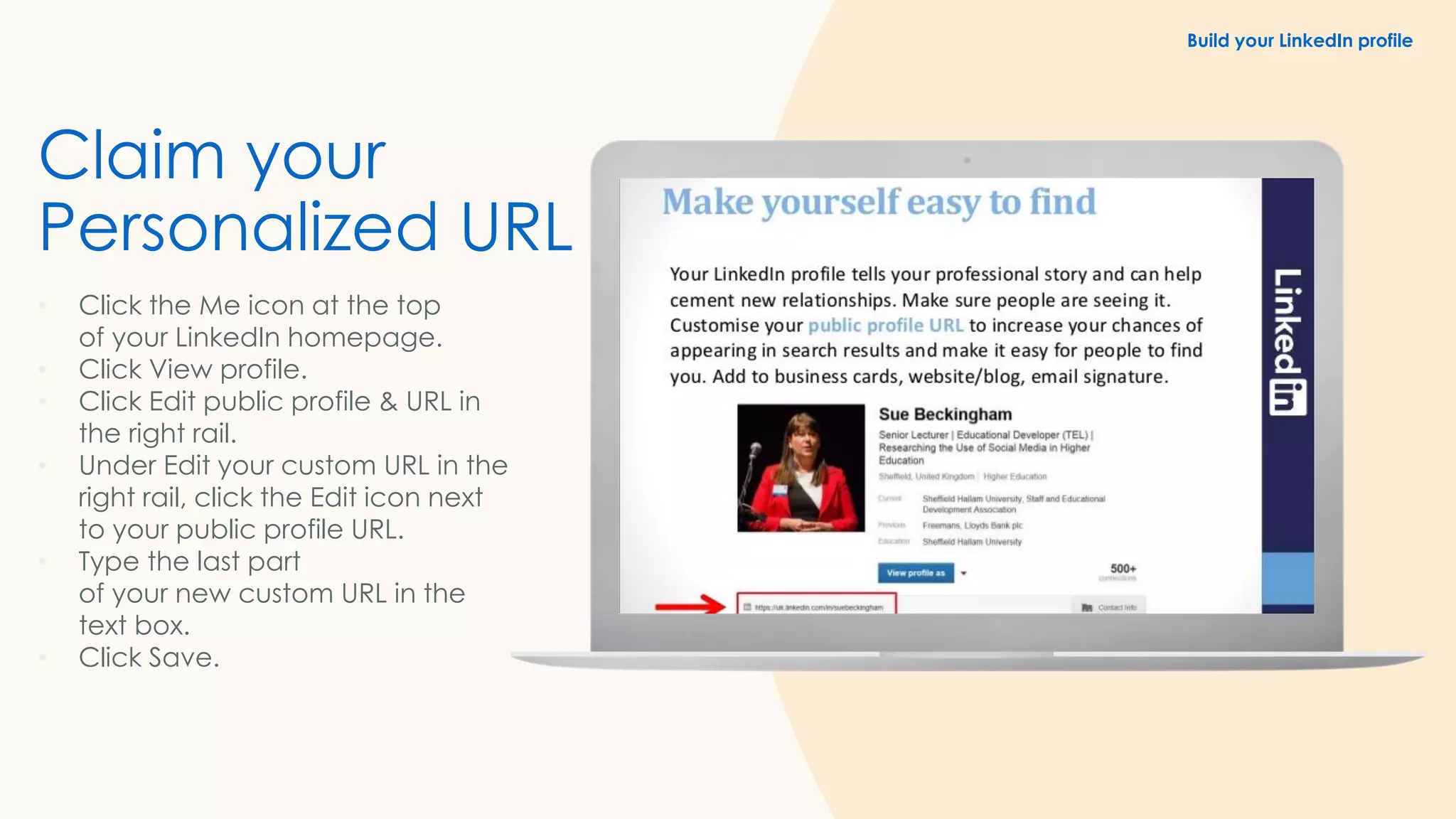
Claim your
Personalized URL
• Click the Me icon at the top
of your LinkedIn homepage.
• Click View profile.
• Click Edit public profile & URL in
the right rail.
• Under Edit your custom URL in the
right rail, click the Edit icon next
to your public profile URL.
• Type the last part
of your new custom URL in the
text box.
• Click Save.
Build your LinkedIn profile
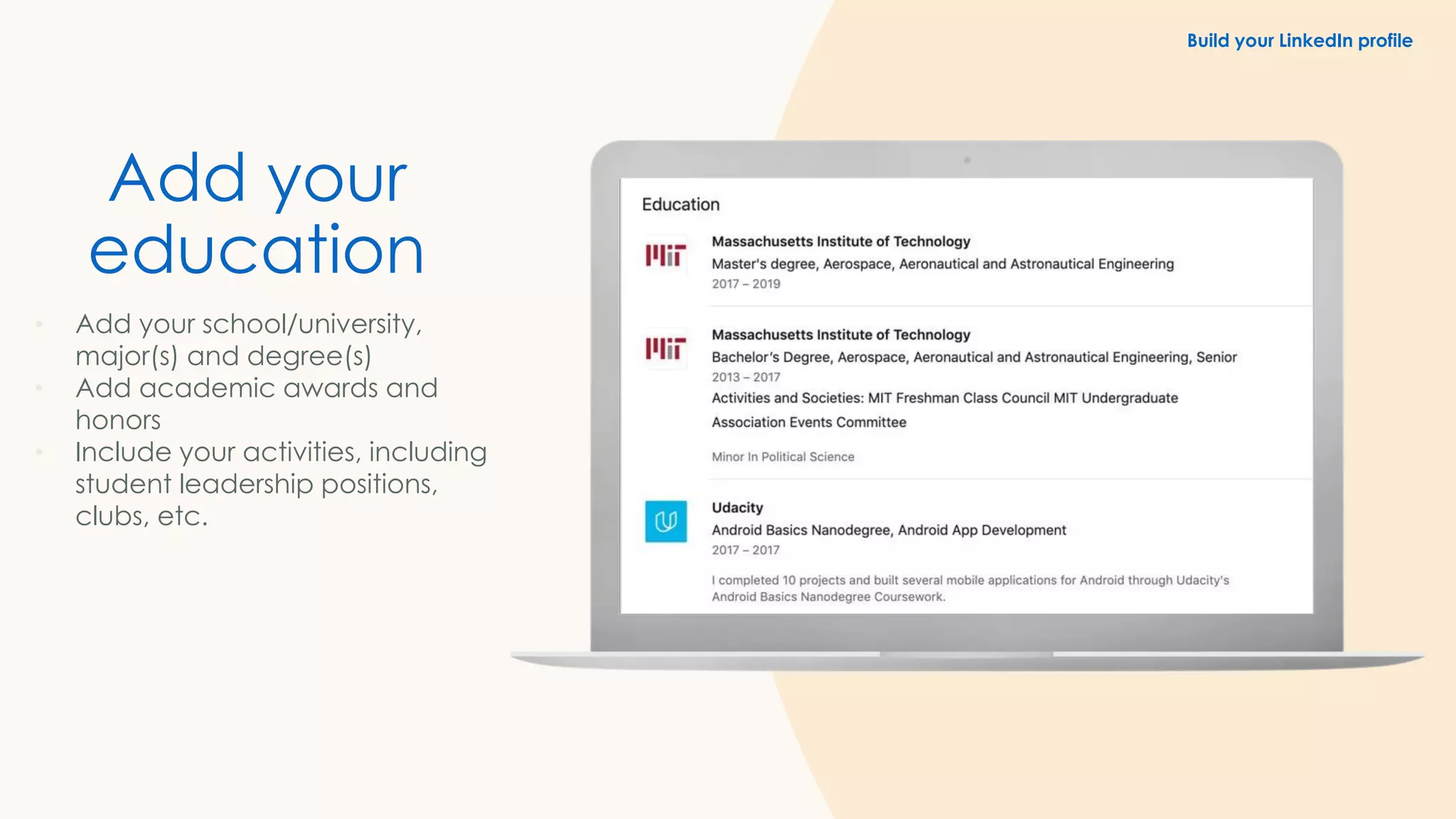
Add your
education
• Add your school/university,
major(s) and degree(s)
• Add academic awards and
honors
• Include your activities, including
student leadership positions,
clubs, etc.
Build your LinkedIn profile
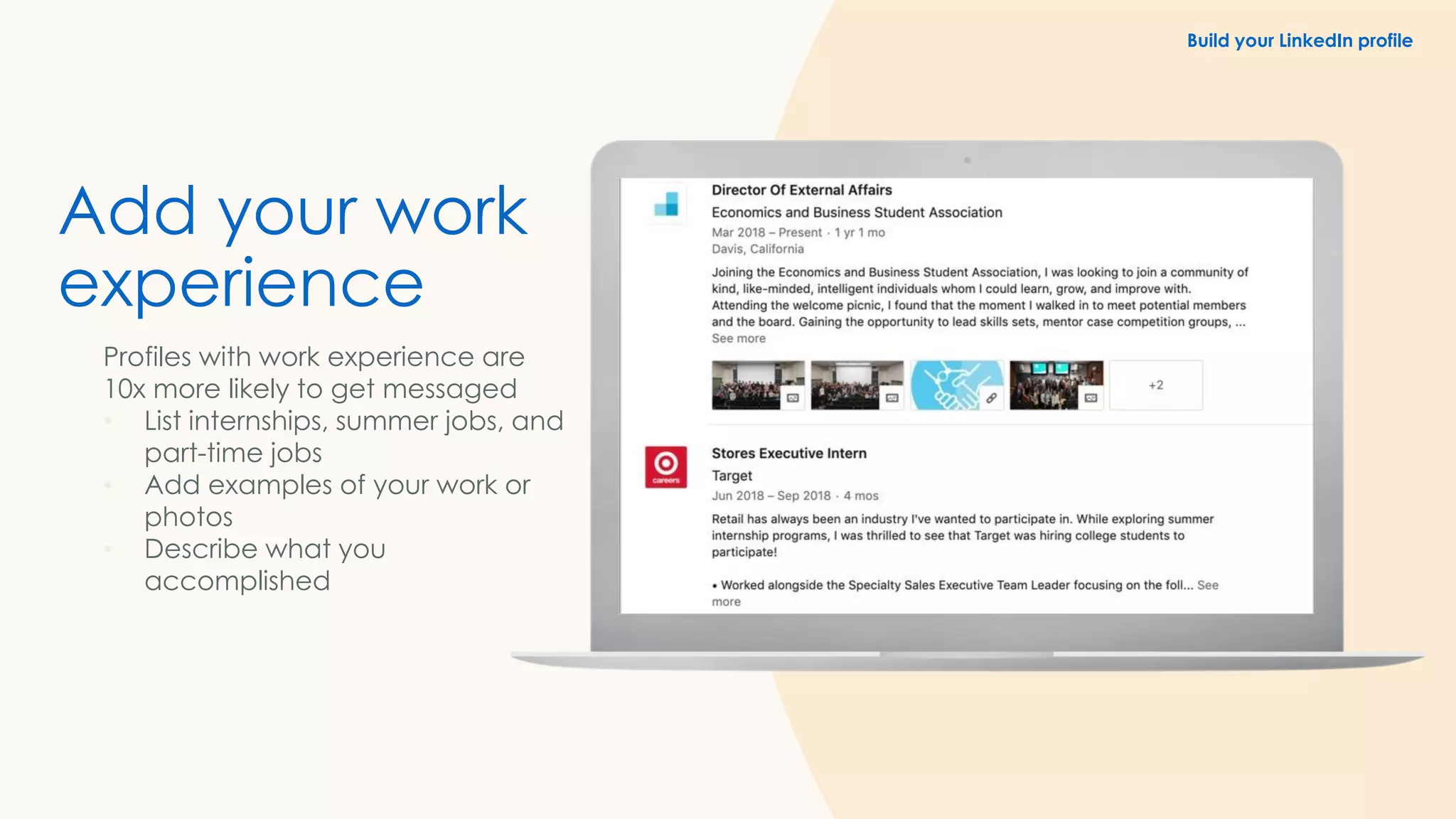
Add your work
experience
Profiles with work experience are
10x more likely to get messaged
• List internships, summer jobs, and
part-time jobs
• Add examples of your work or
photos
• Describe what you
accomplished
Build your LinkedIn profile
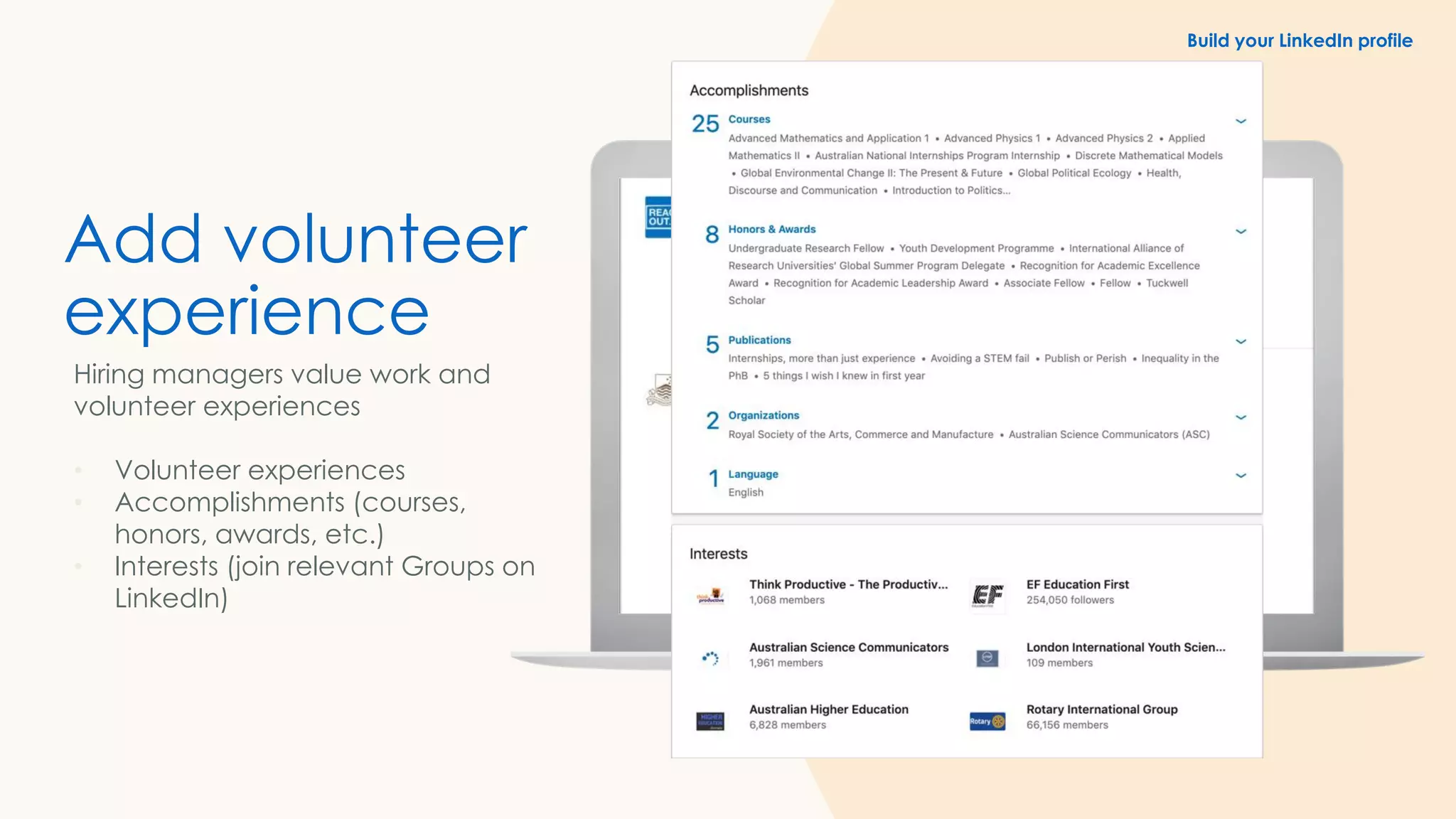
Add volunteer
experience
Hiring managers value work and
volunteer experiences
• Volunteer experiences
• Accomplishments (courses,
honors, awards, etc.)
• Interests (join relevant Groups on
LinkedIn)
Build your LinkedIn profile
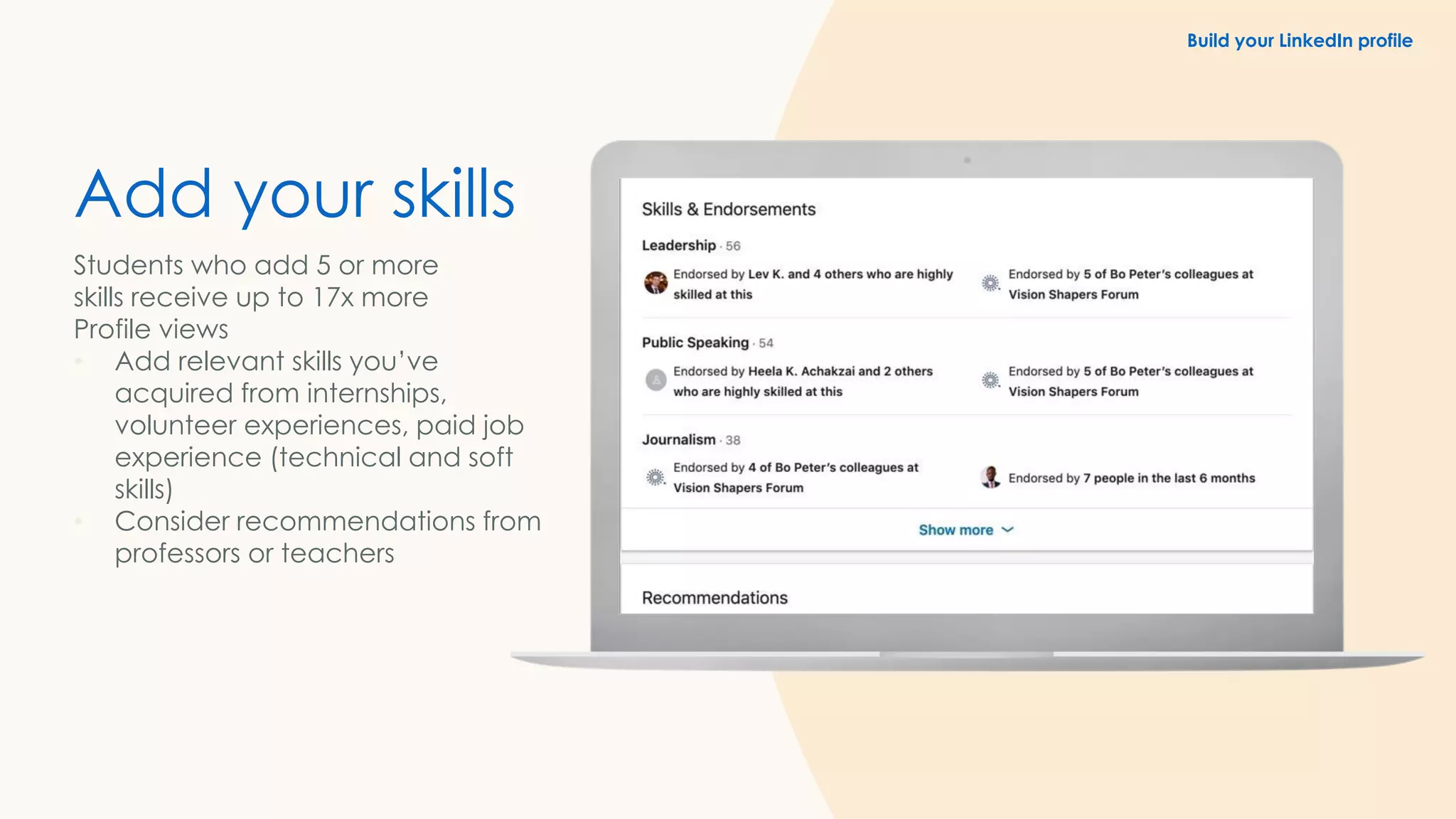
Add your skills
Students who add 5 or more
skills receive up to 17x more
Profile views
• Add relevant skills you’ve
acquired from internships,
volunteer experiences, paid job
experience (technical and soft
skills)
• Consider recommendations from
professors or teachers
Build your LinkedIn profile
v
1. Build your professional network
2. Discover existing connections
3. Search for new connections
4. Expand your network strategically
Build your
professional
network
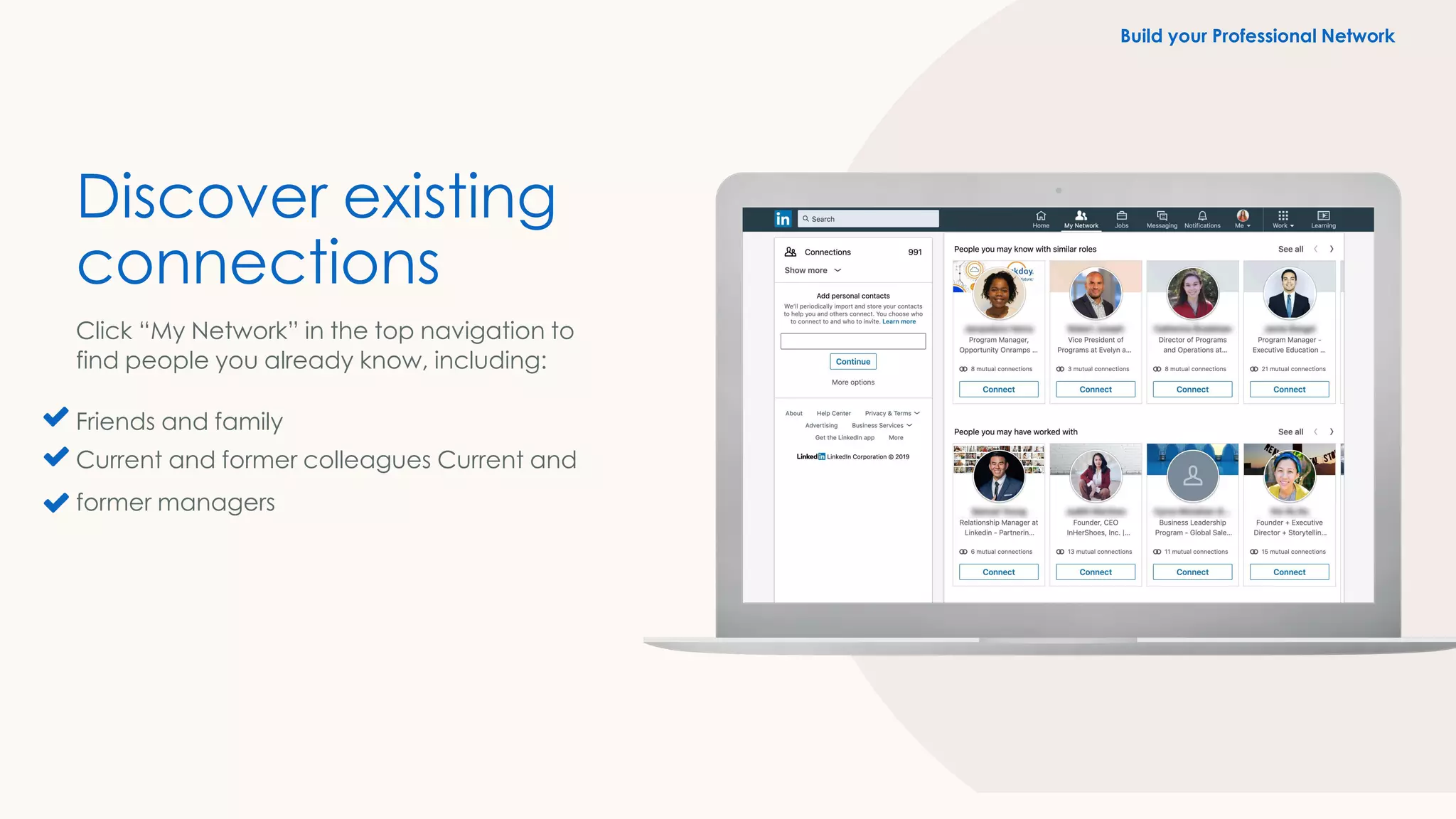
Discover existing
connections
Click “My Network” in the top navigation to
find people you already know, including:
Friends and family
Current and former colleagues Current and
former managers
Build your Professional Network
Build your professional network
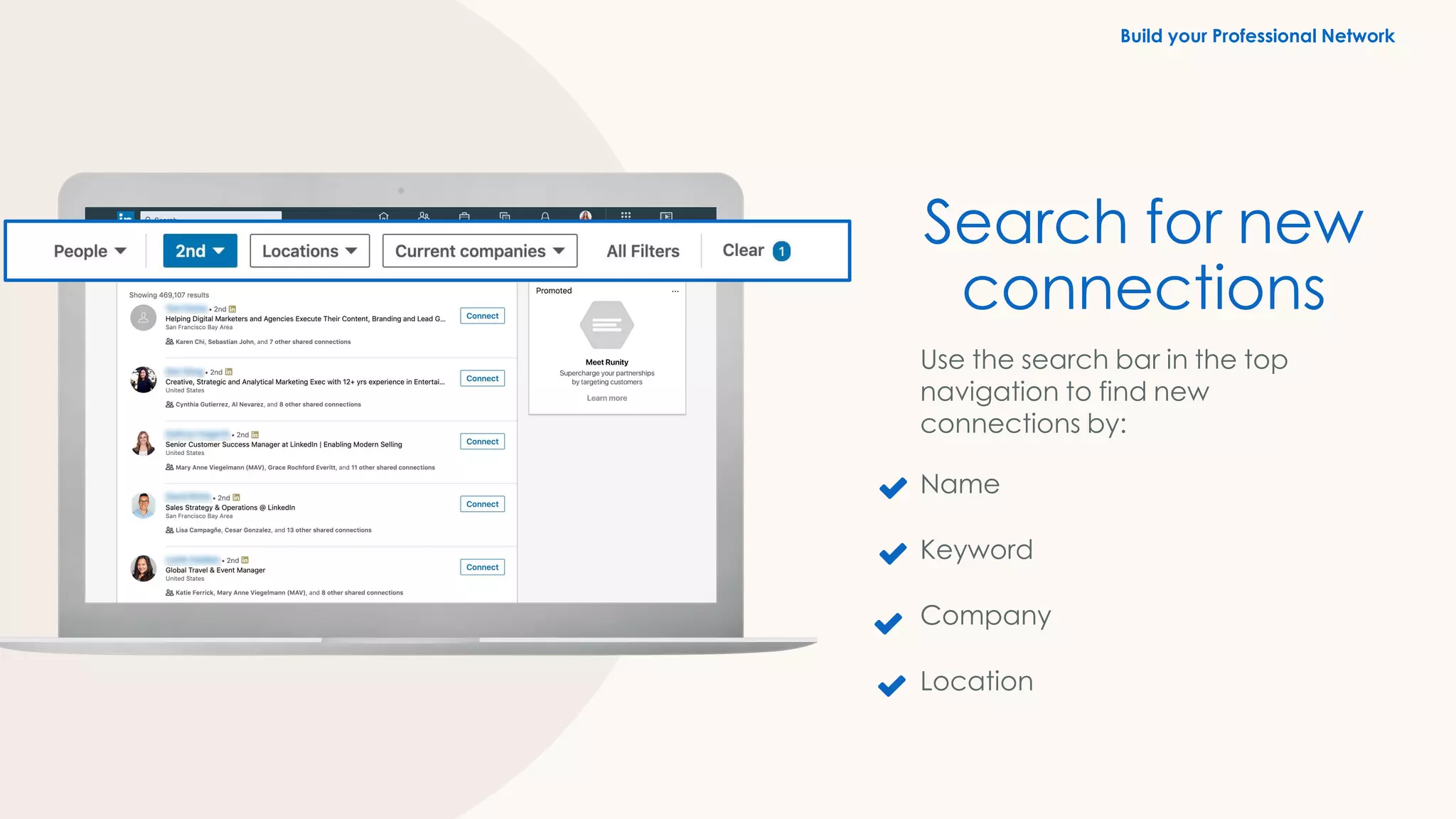
Search for new
connections
Use the search bar in the top
navigation to find new
connections by:
Name
Keyword
Company
Location
Build your Professional Network
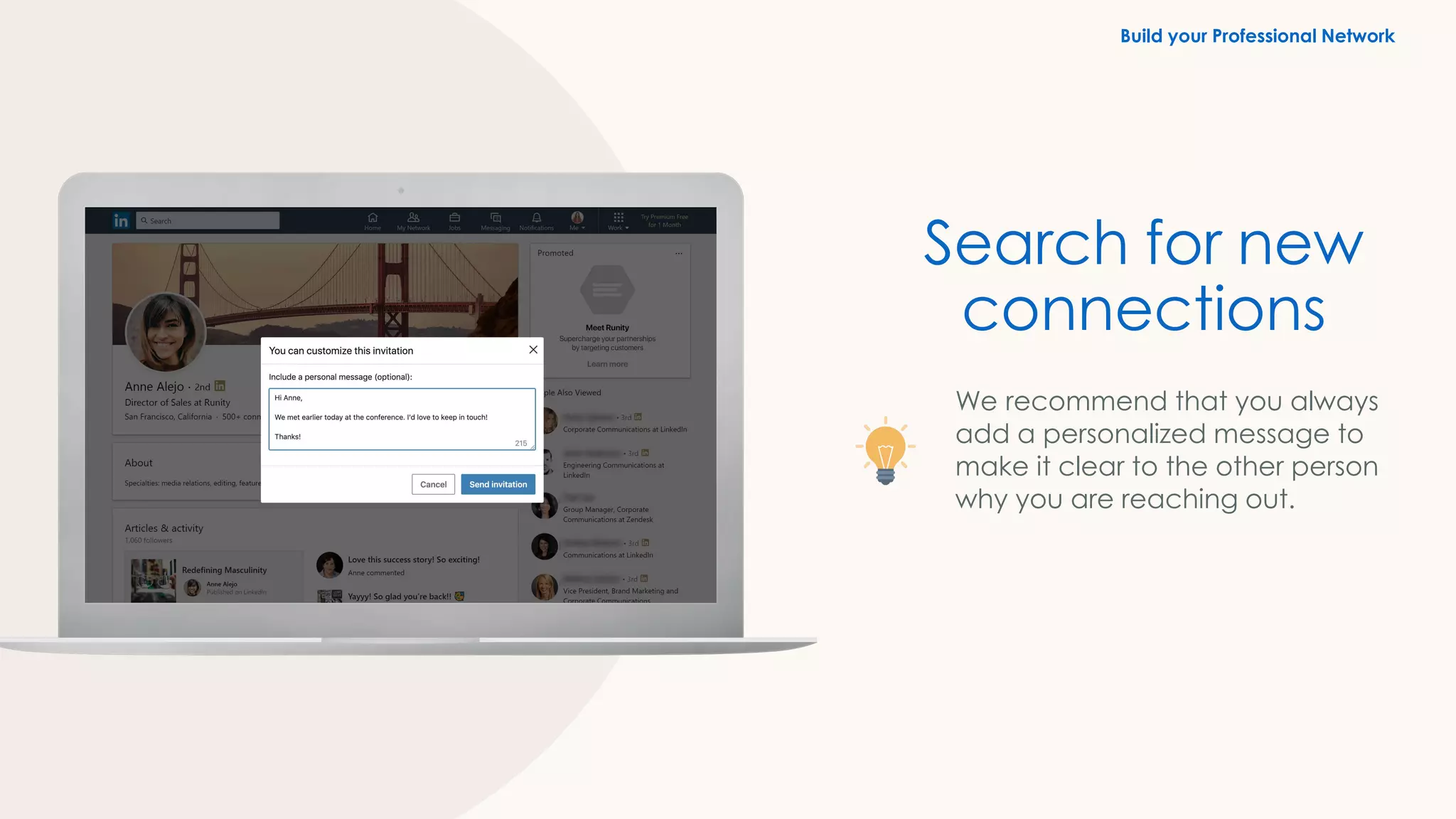
We recommend that you always
add a personalized message to
make it clear to the other person
why you are reaching out.
Search for new
connections
Build your Professional Network
Expand your network
strategically
✓ Who should I reach out to on
LinkedIn?
✓ What should I say?
Did you know?
50%+ of hires result from a
personal connection
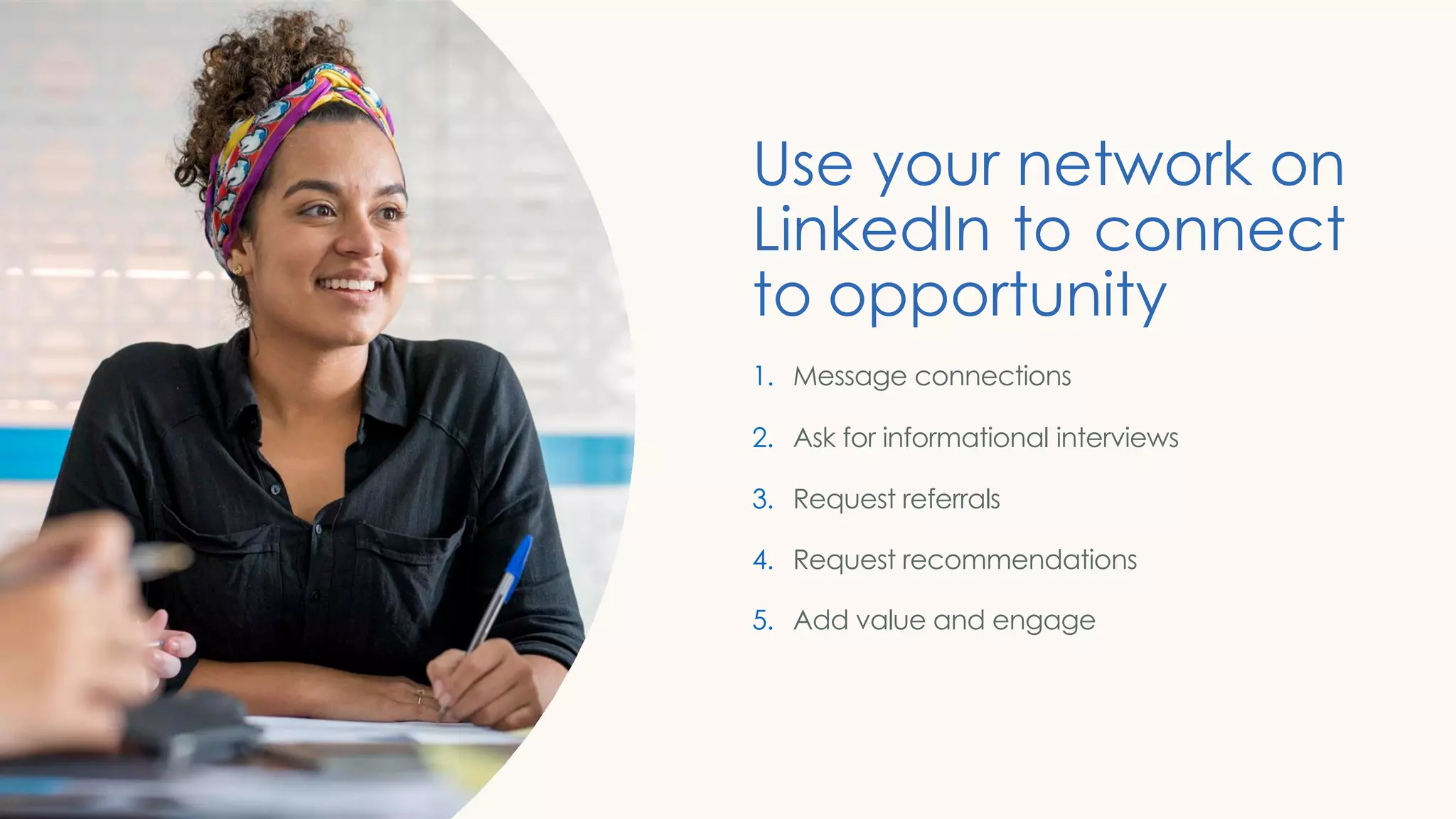
Use your network on
LinkedIn to connect
to opportunity
1. Message connections
2. Ask for informational interviews
3. Request referrals
4. Request recommendations
5. Add value and engage
Lauren’s story:
Your network can help you get the job
Send messages to your
connections directly from:
LinkedIn messaging page
Your connections page
Their profile page
Message connections
Use Your Network
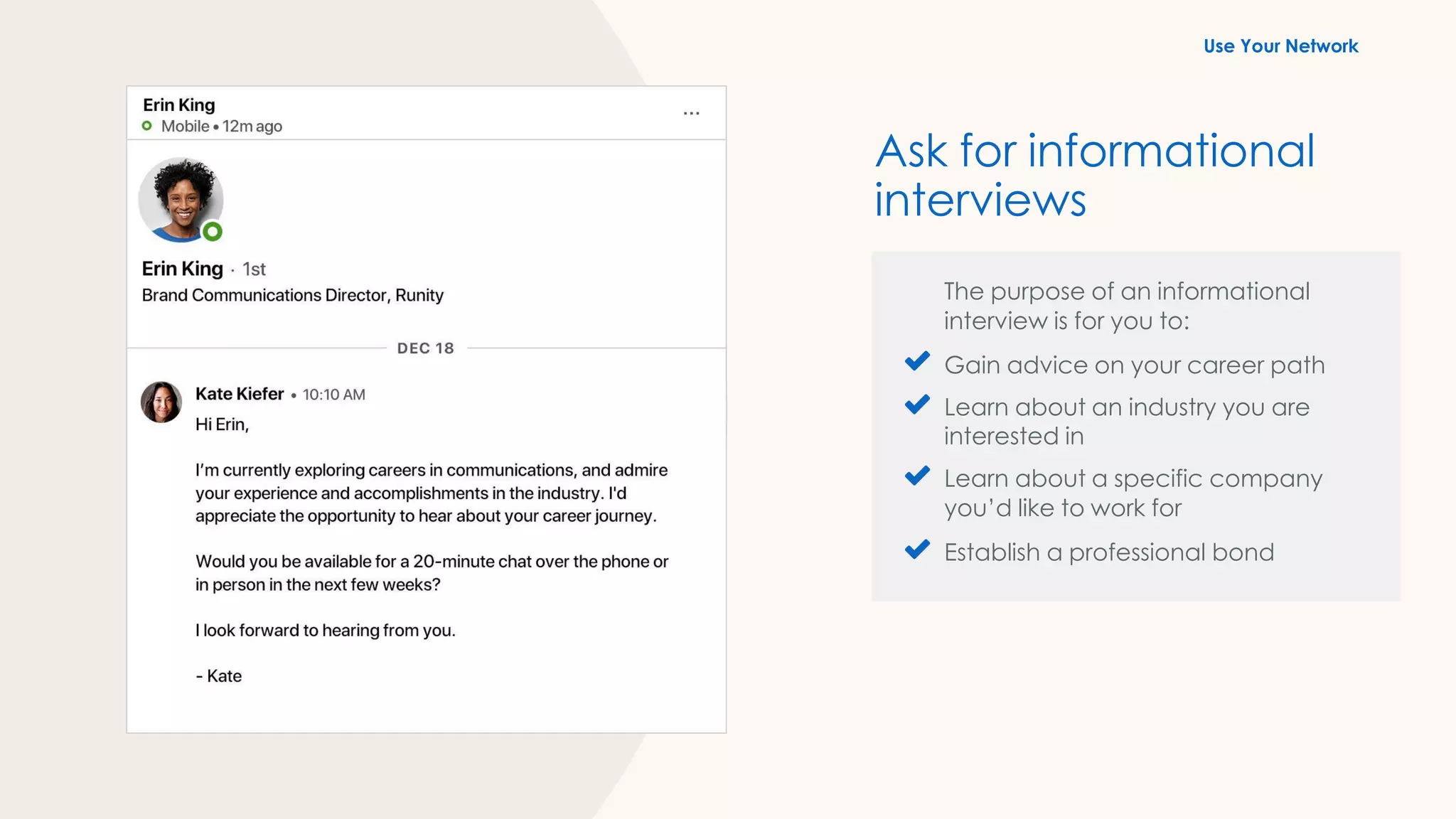
The purpose of an informational
interview is for you to:
Gain advice on your career path
Learn about an industry you are
interested in
Learn about a specific company
you’d like to work for
Establish a professional bond
Ask for informational
interviews
Use Your Network
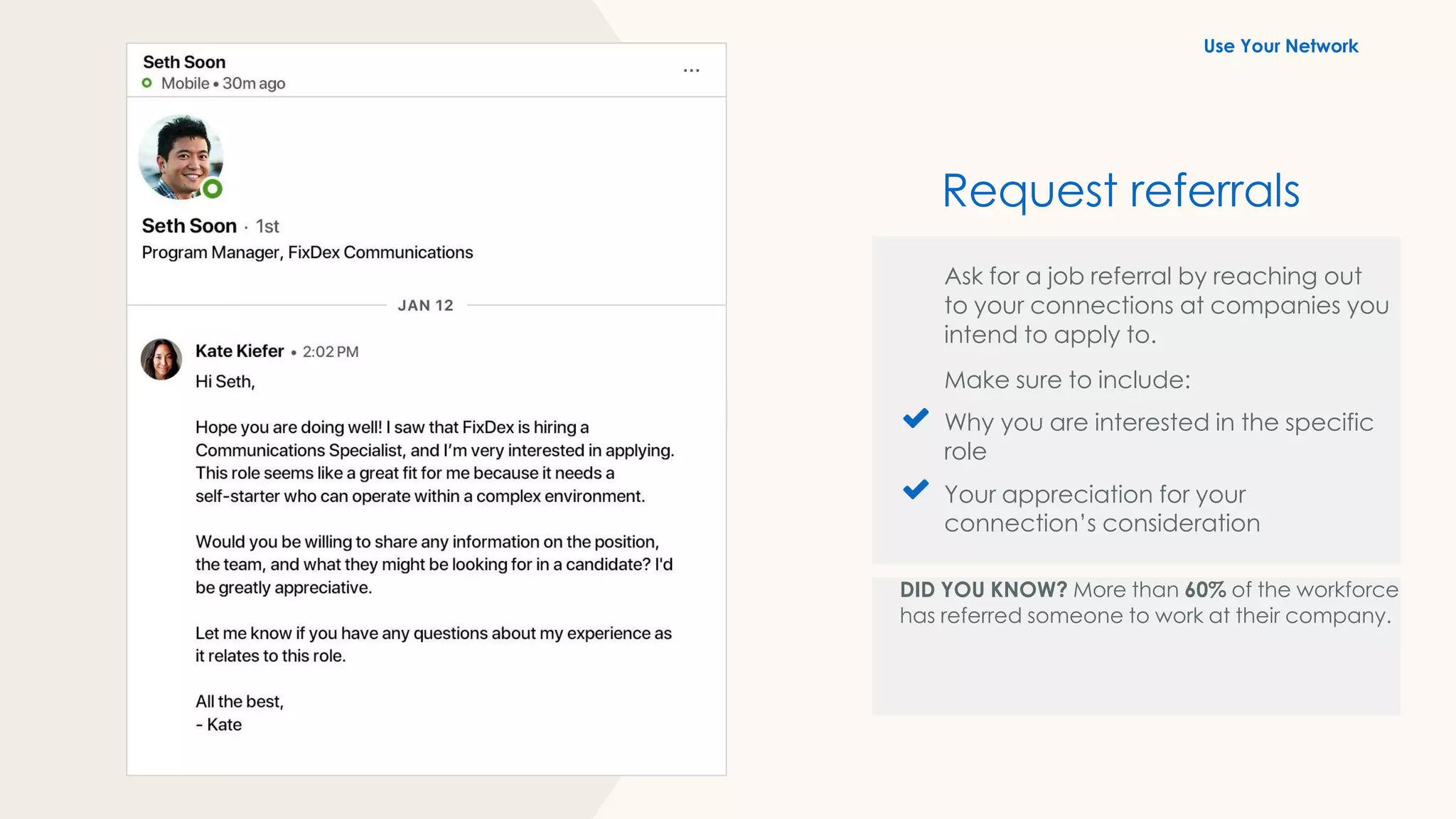
Ask for a job referral by reaching out
to your connections at companies you
intend to apply to.
Make sure to include:
Why you are interested in the specific
role
Your appreciation for your
connection’s consideration
DID YOU KNOW? More than 60% of the workforce
has referred someone to work at their company.
Request referrals
Use Your Network
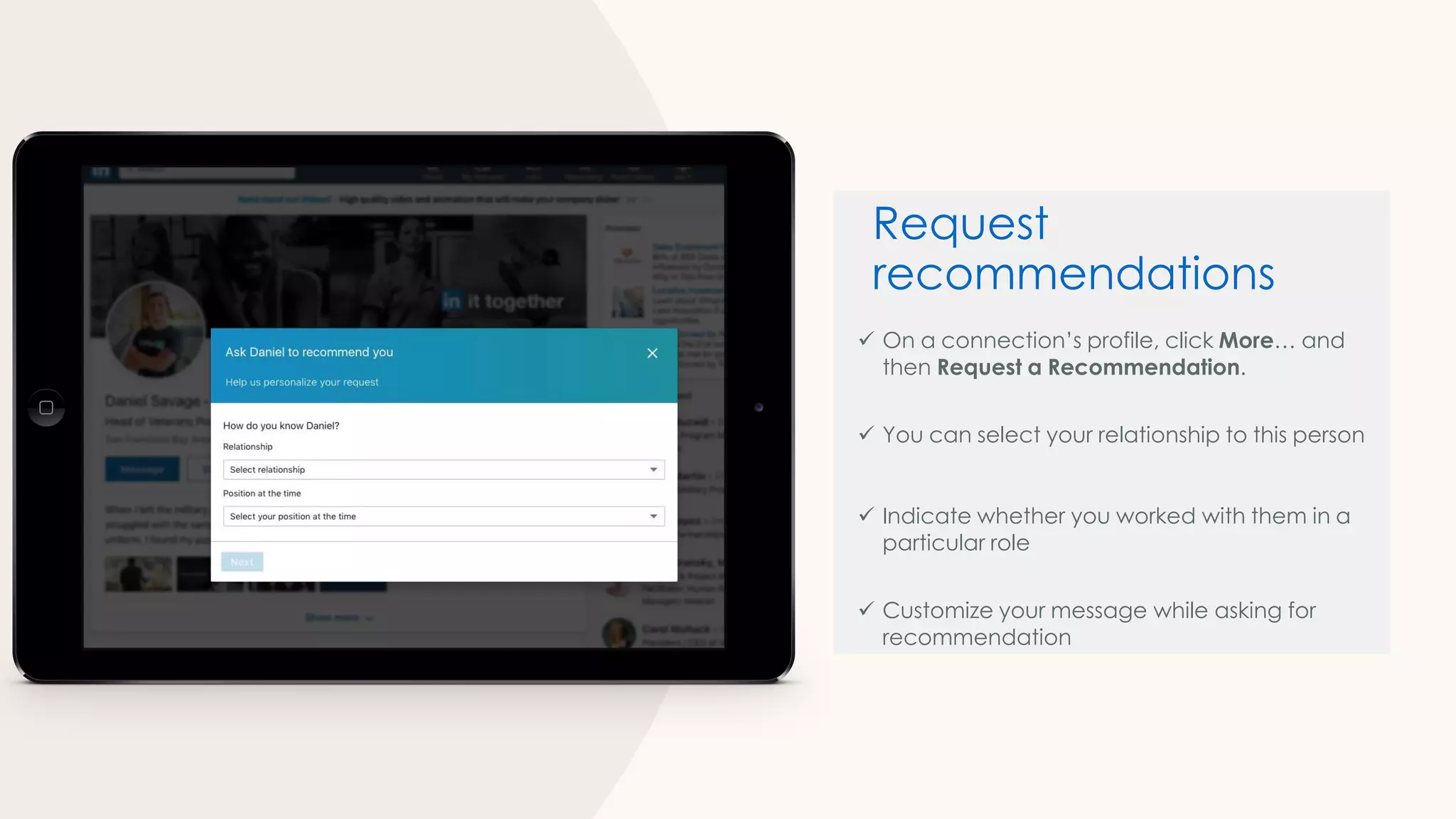
✓ On a connection’s profile, click More… and
then Request a Recommendation.
✓ You can select your relationship to this person
✓ Indicate whether you worked with them in a
particular role
✓ Customize your message while asking for
recommendation
Request
recommendations
Did you know?
LinkedIn members are 9X
more likely to get hired
when referred
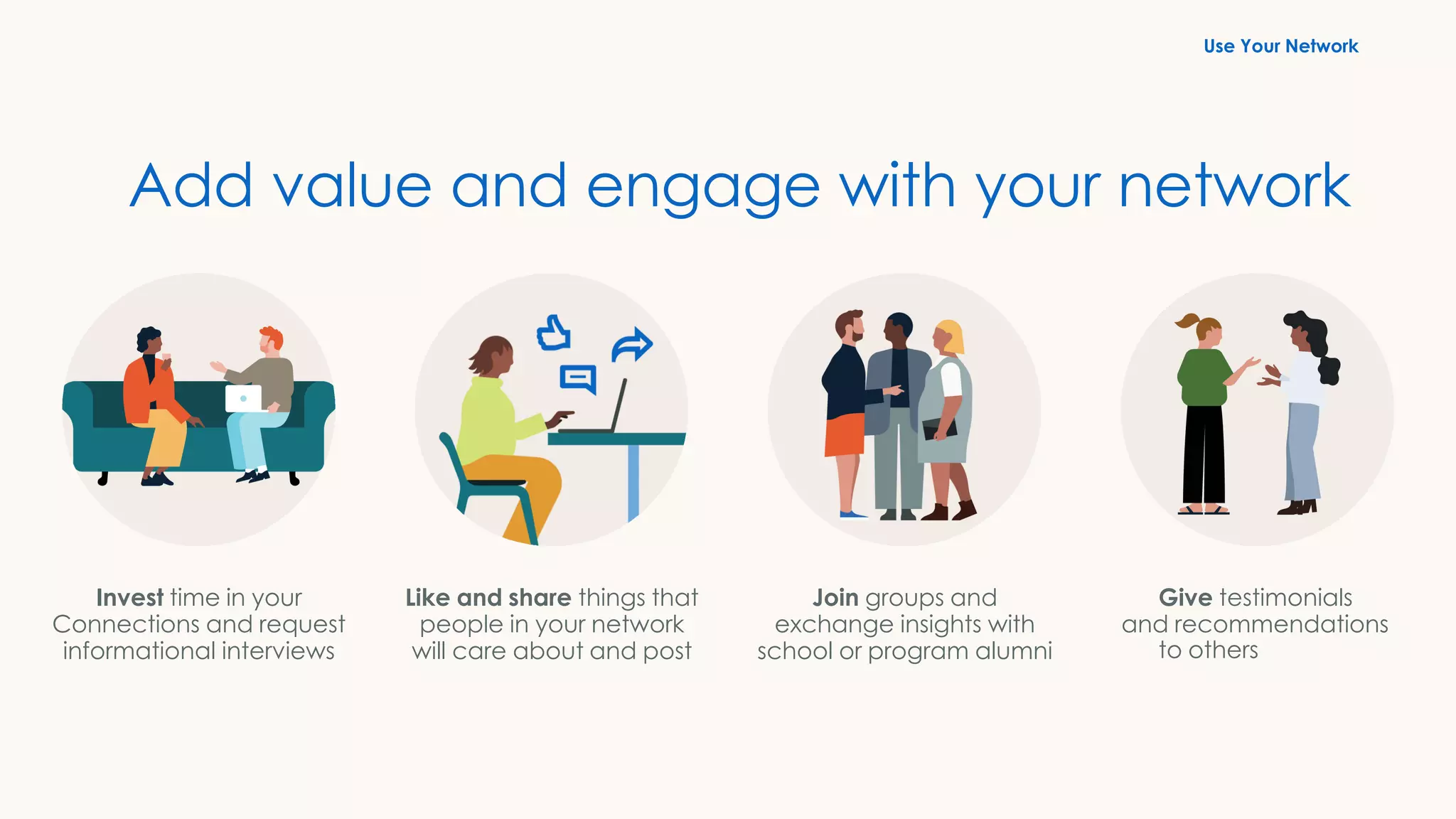
Like and share things that
people in your network
will care about and post
Join groups and
exchange insights with
school or program alumni
Invest time in your
Connections and request
informational interviews
Give testimonials
and recommendations
to others
Add value and engage with your network
Use Your Network
Search and apply
for jobs on LinkedIn
1. Set career interests
2. Search for jobs
3. Create search alerts
4. Review “Jobs You May Be Interested In”
5. Follow companies
6. Apply actively
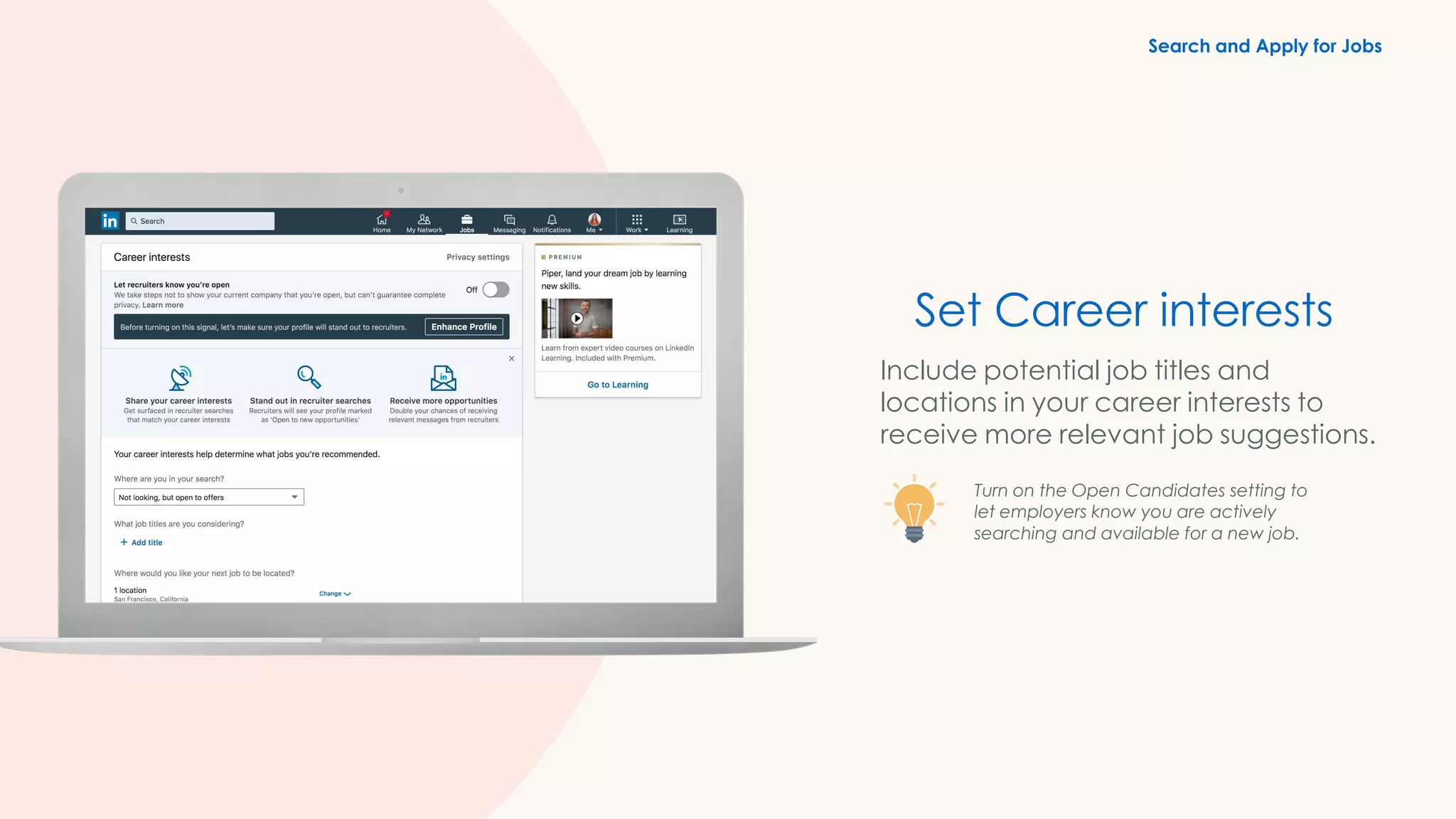
Set Career interests
Include potential job titles and
locations in your career interests to
receive more relevant job suggestions.
Turn on the Open Candidates setting to
let employers know you are actively
searching and available for a new job.
Search and Apply for Jobs
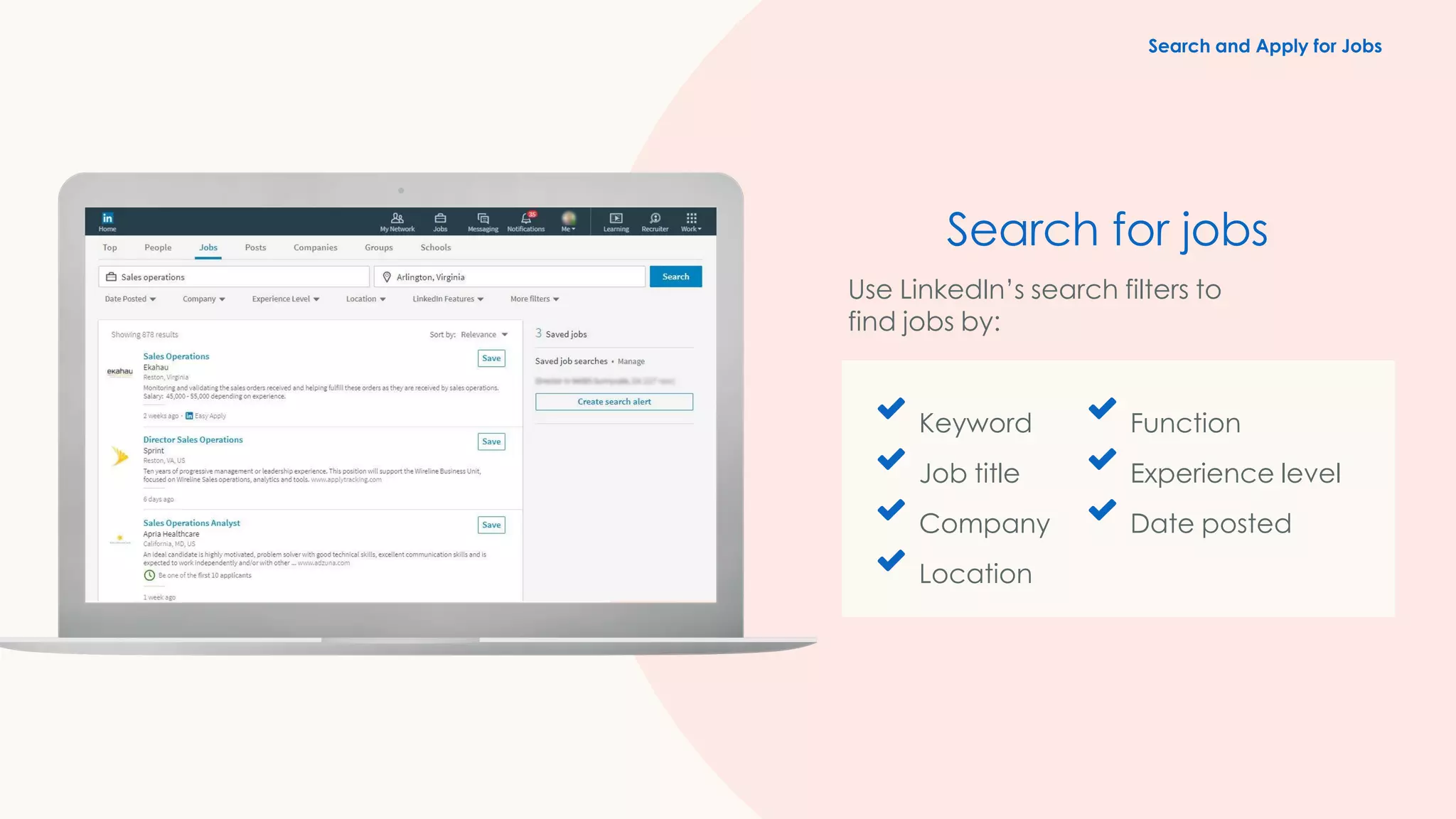
Keyword
Job title
Company
Location
Function
Experience level
Date posted
Search for jobs
Use LinkedIn’s search filters to
find jobs by:
Search and Apply for Jobs
Keyword
Job title
Company
Location
Function Industry
Experience level
Date posted
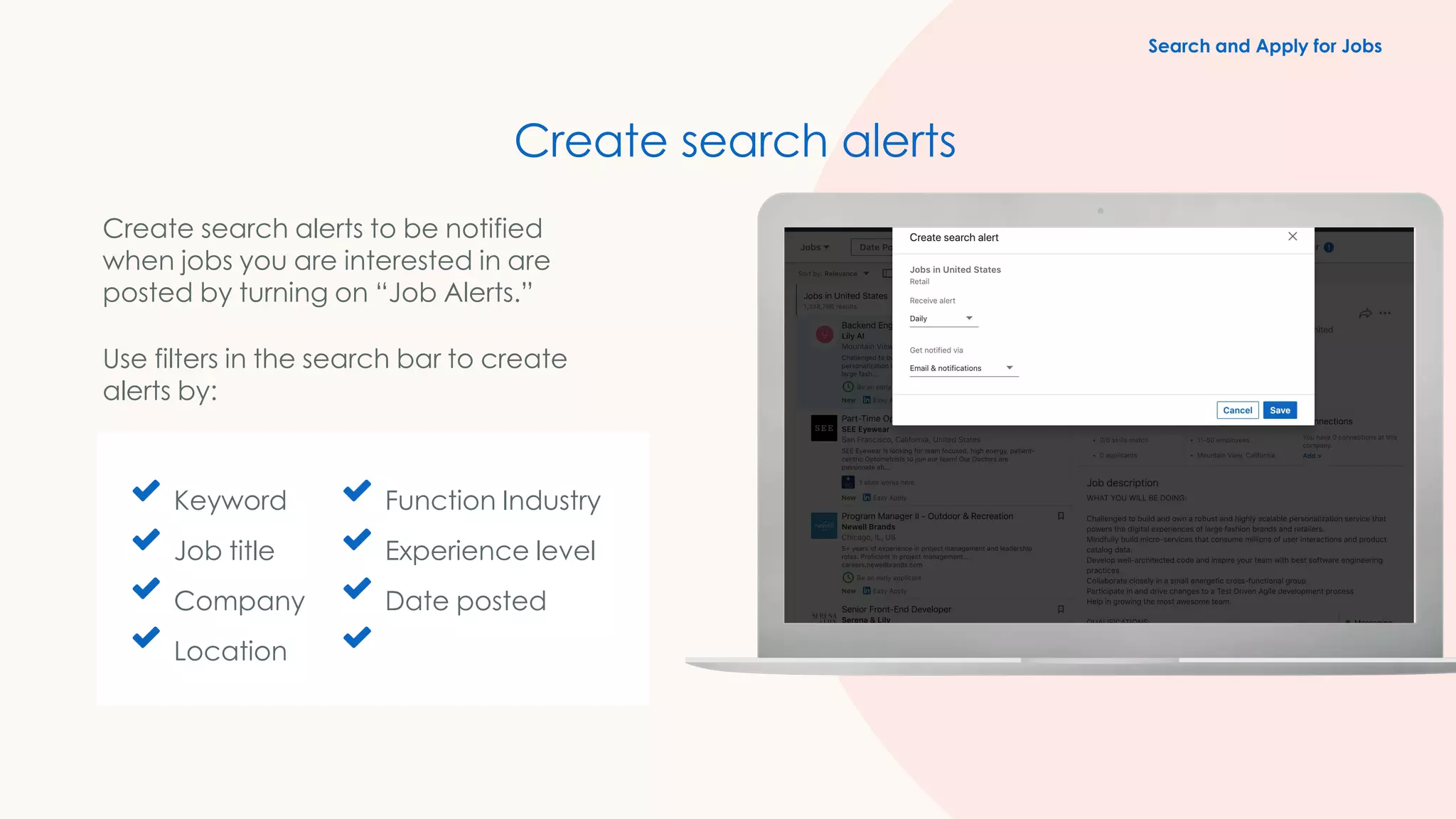
Create search alerts
Create search alerts to be notified
when jobs you are interested in are
posted by turning on “Job Alerts.”
Use filters in the search bar to create
alerts by:
Search and Apply for Jobs
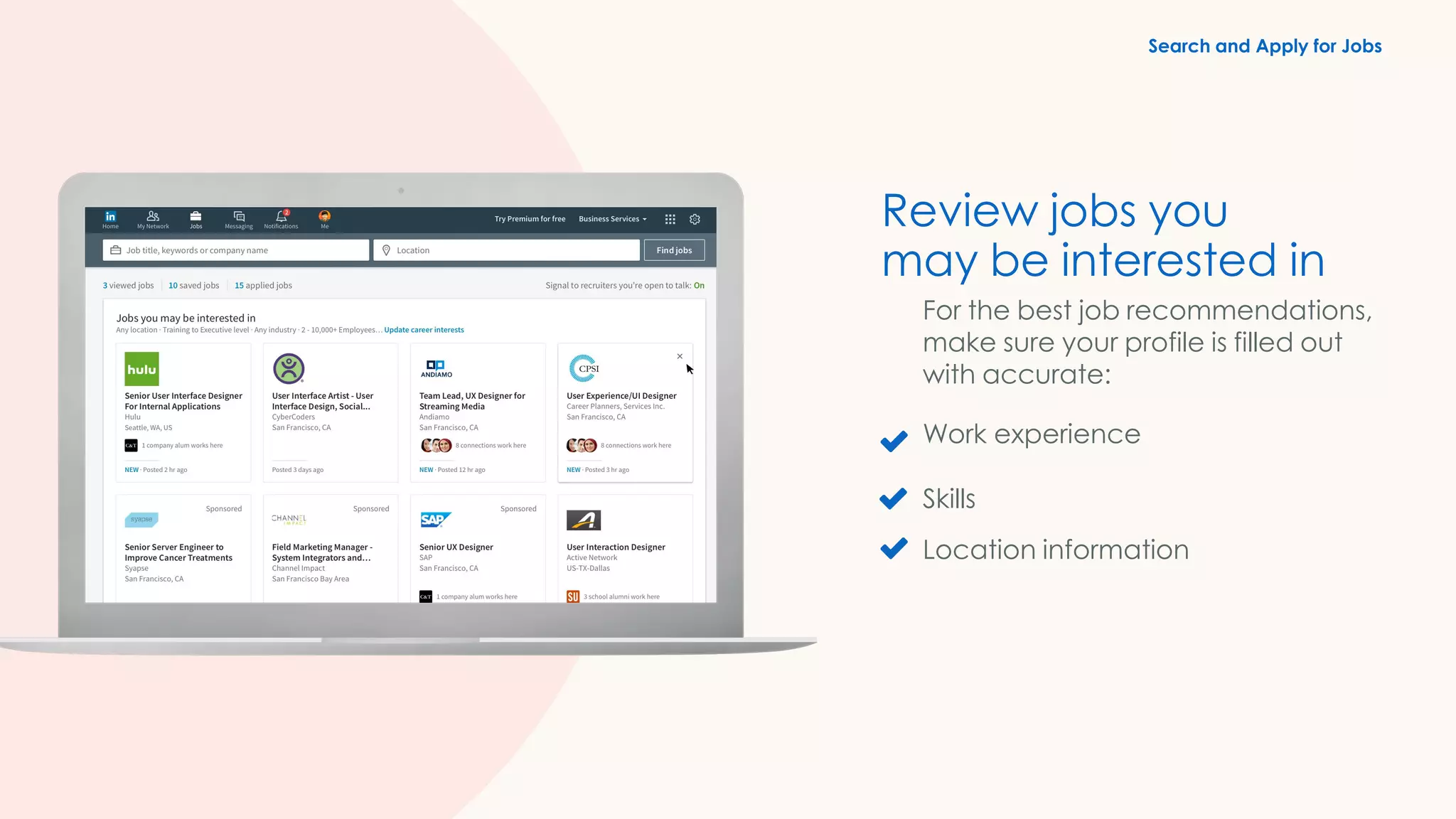
Review jobs you
may be interested in
For the best job recommendations,
make sure your profile is filled out
with accurate:
Work experience
Skills
Location information
Search and Apply for Jobs
Applicants who apply to jobs within the first three
days of posting are 13% more likely to get the job.
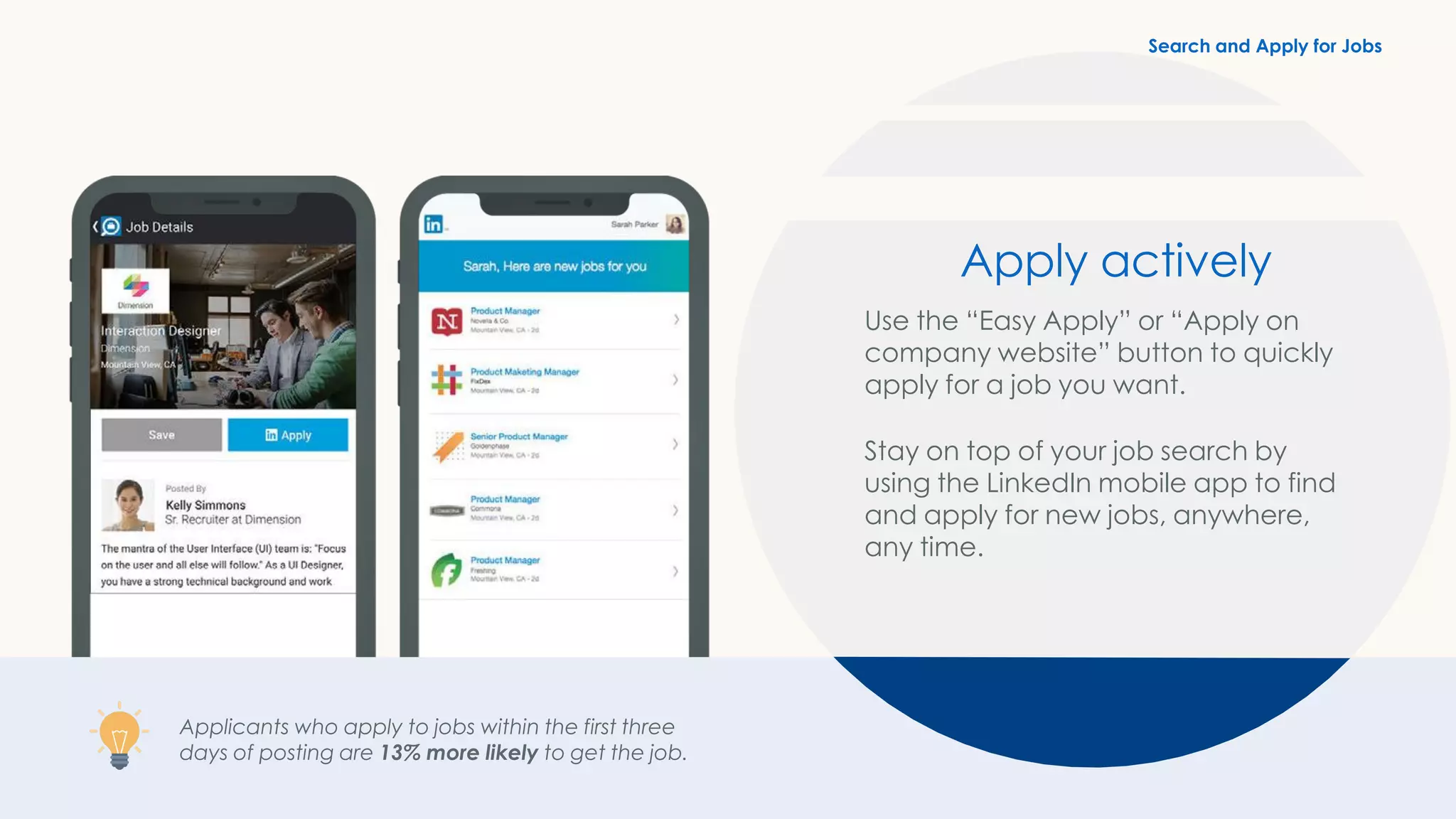
Apply actively
Use the “Easy Apply” or “Apply on
company website” button to quickly
apply for a job you want.
Stay on top of your job search by
using the LinkedIn mobile app to find
and apply for new jobs, anywhere,
any time.
Search and Apply for Jobs
job seekers visit LinkedIn
jobs every week
Did you know?
25M+
Extra credit
Additional features and
guidance to help you advance
your career
1. Follow Companies
2. Explore alumni
3. Join groups
4. Privacy settings
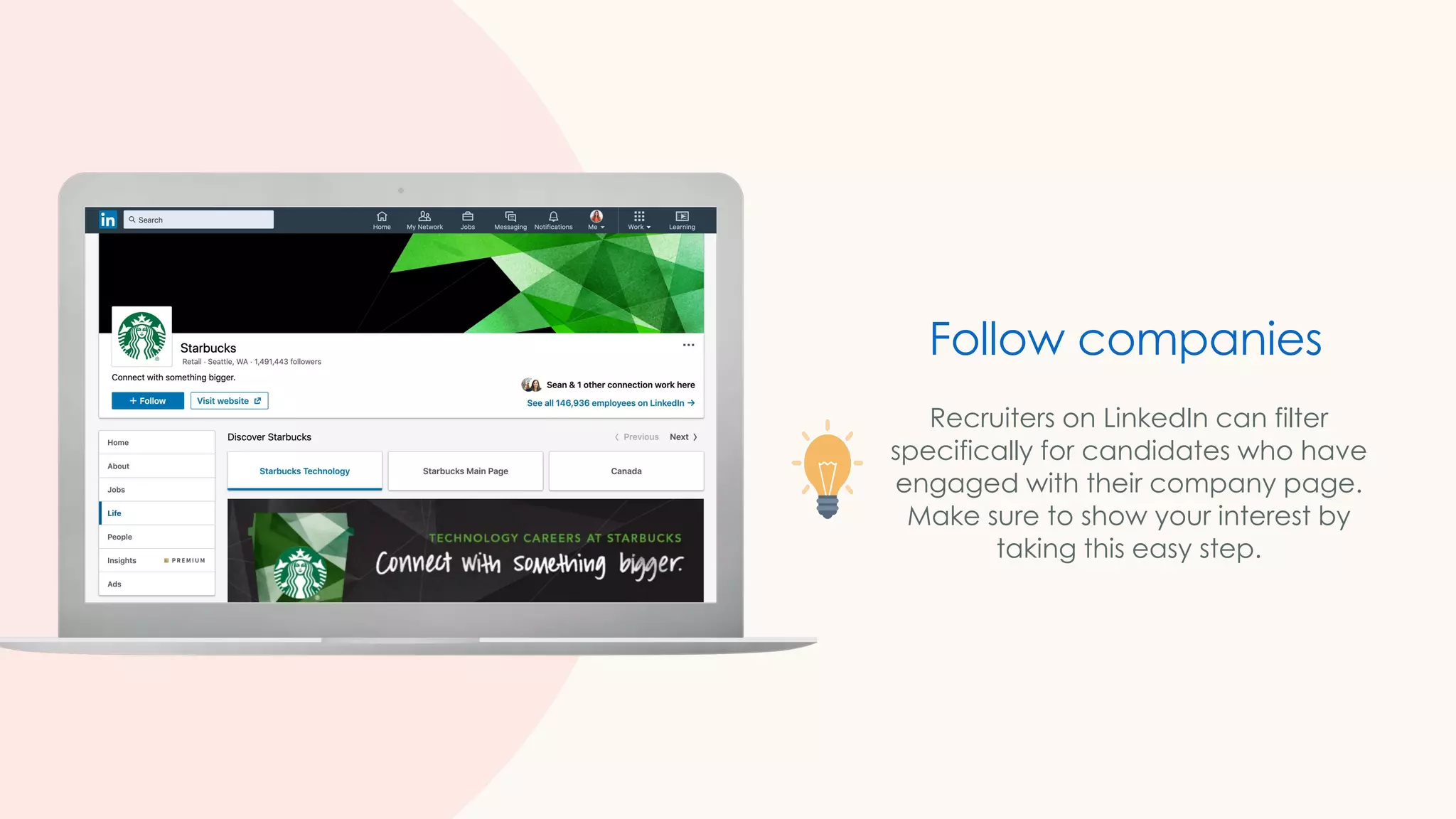
Recruiters on LinkedIn can filter
specifically for candidates who have
engaged with their company page.
Make sure to show your interest by
taking this easy step.
Follow companies
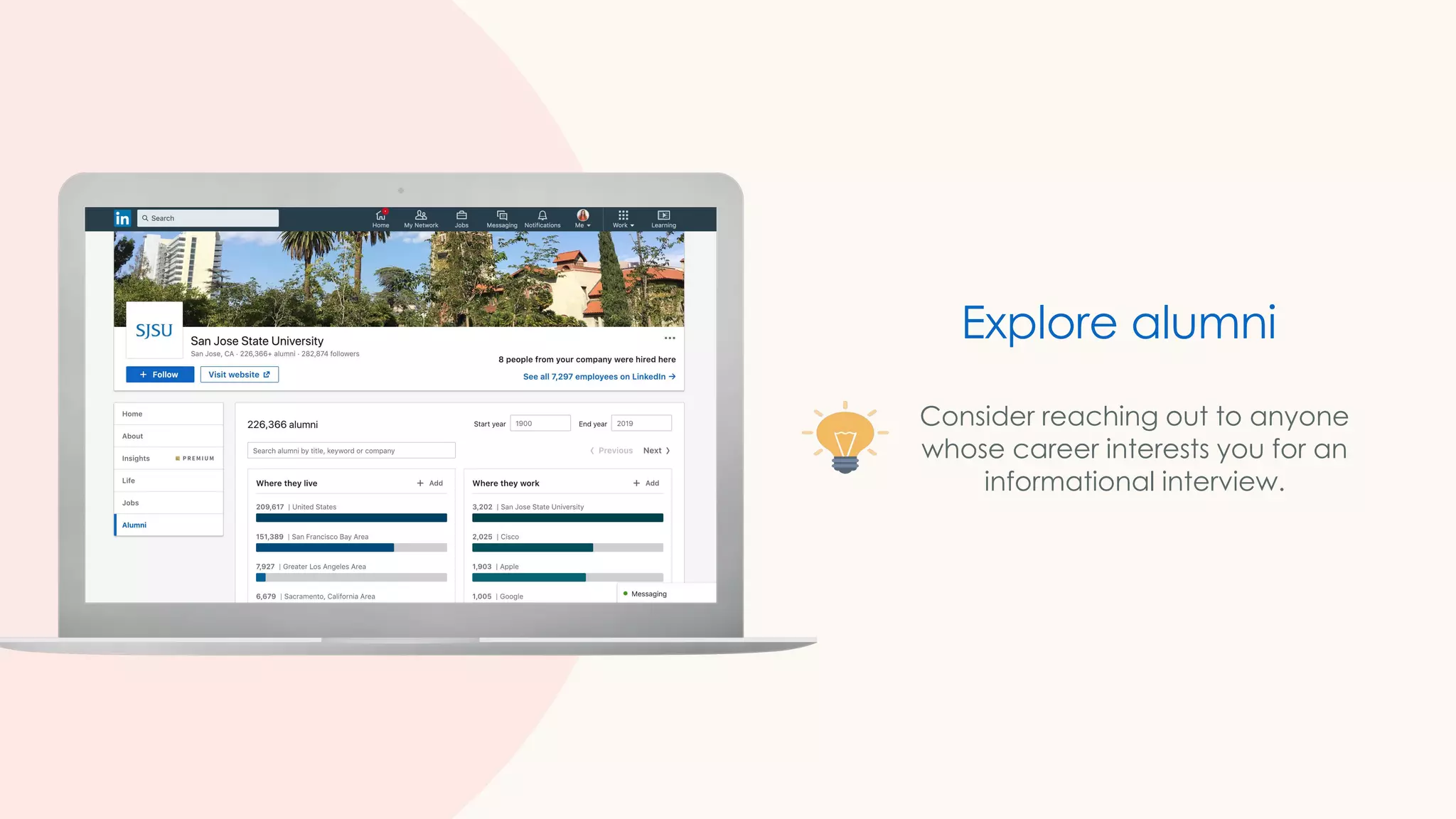
Consider reaching out to anyone
whose career interests you for an
informational interview.
Explore alumni
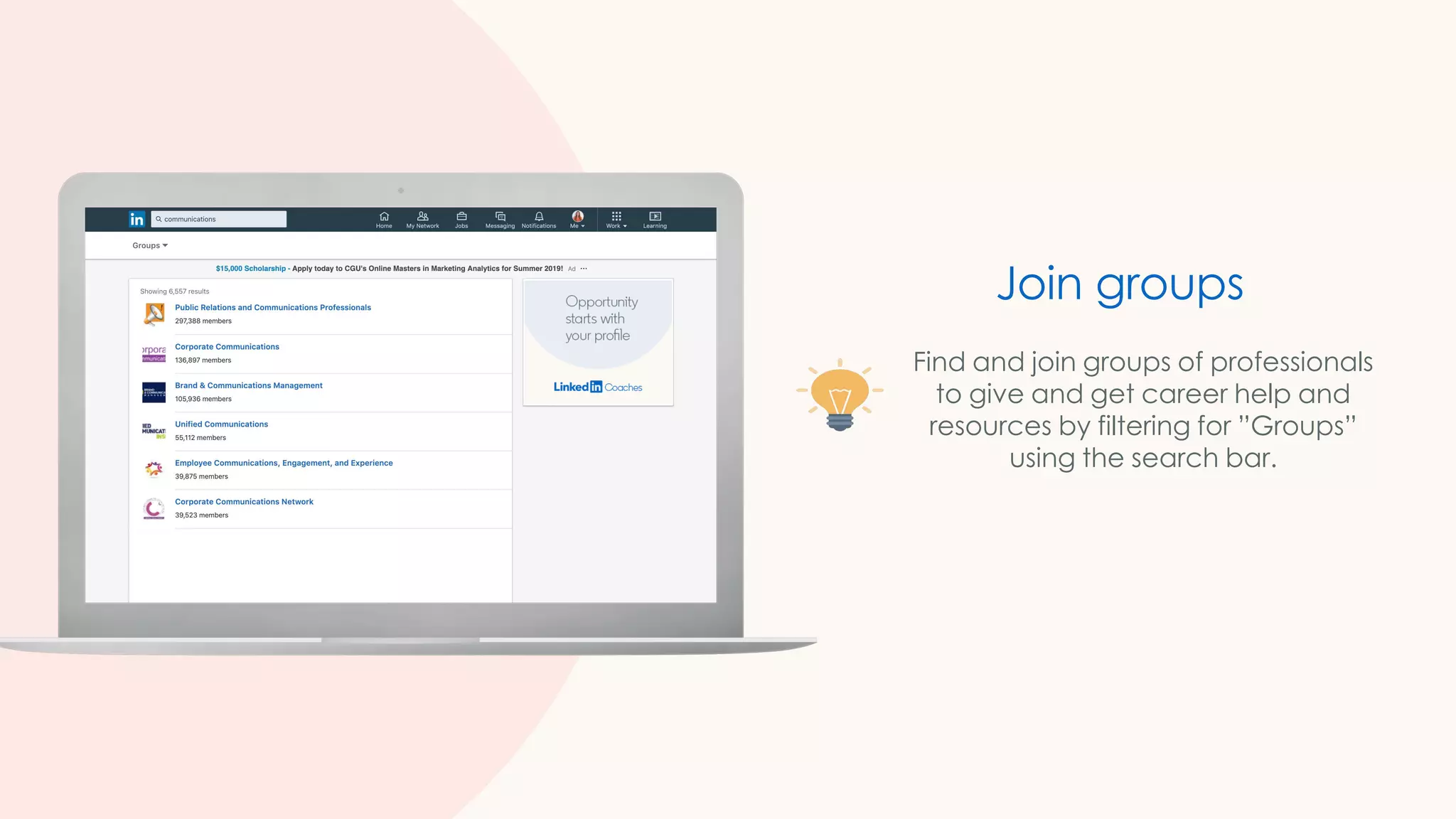
Join groups
Find and join groups of professionals
to give and get career help and
resources by filtering for ”Groups”
using the search bar.
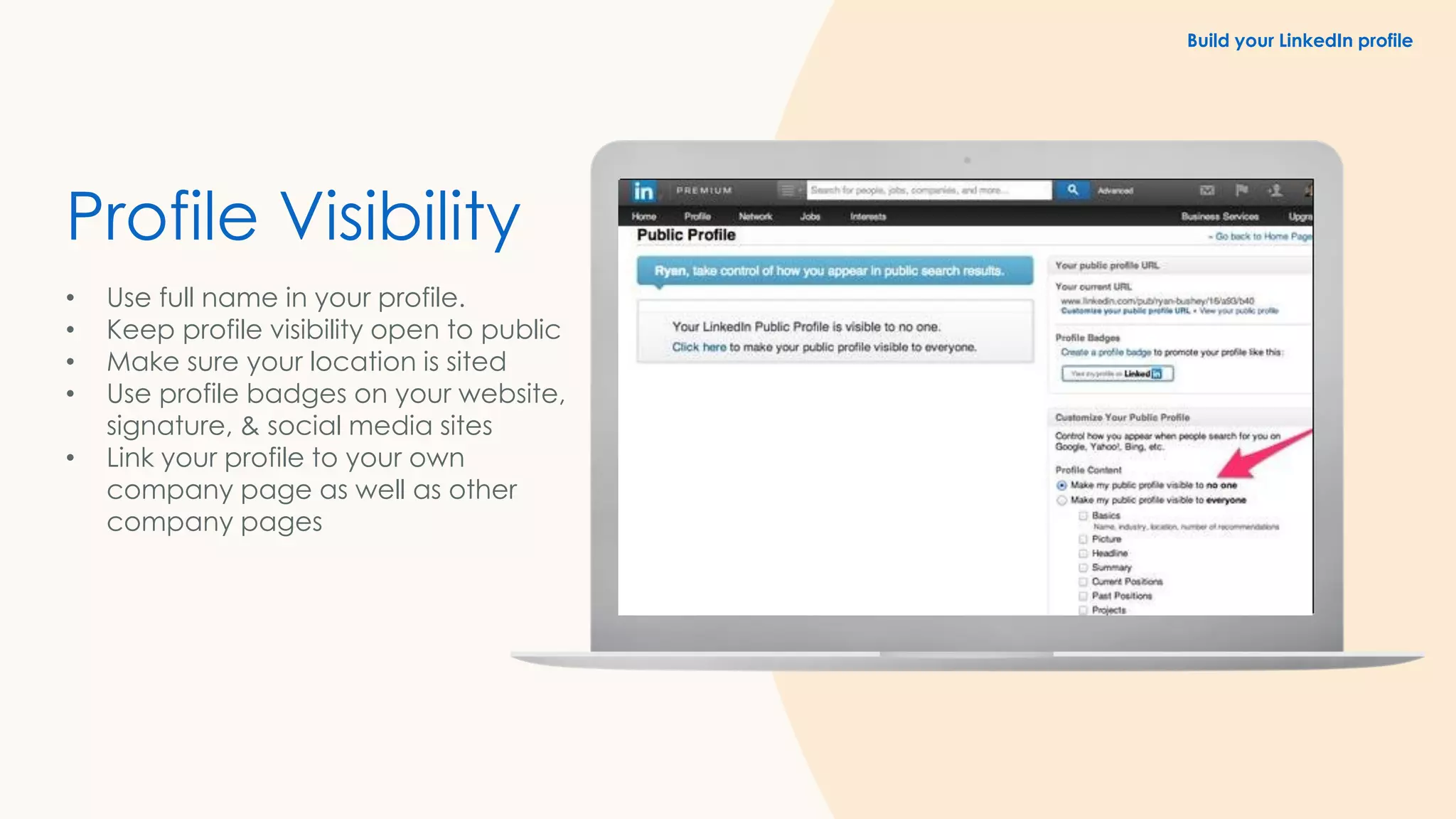
Profile Visibility
• Use full name in your profile.
• Keep profile visibility open to public
• Make sure your location is sited
• Use profile badges on your website,
signature, & social media sites
• Link your profile to your own
company page as well as other
company pages
Build your LinkedIn profile
Connect with me here
Shelly Kaushik

How to optimize your linkedin profiel for job search

  • 1.
    How to Optimizeyour LinkedIn profile for Job Search Starting at 2:00 PM Powered by
  • 2.
    1 2 3 4 5 6 What we willcover in this workshop Introduction: What is LinkedIn? Build your LinkedIn profile Build your professional network Use your network on LinkedIn to connect to opportunity Search and apply for jobs on LinkedIn Extra credit
  • 3.
    I like donuts Watchme eat a donut Here’s a cool photo of my donut Here’s a donut recipe I’m listening to “Donuts” Anyone want a donut? What you do on other social media
  • 4.
    I hope tooperate a donut franchise one day. I’m looking for a job at a donut company. I have three years experience making donuts. My top skills are donut production and sales. Here are 3 recommendations from former donut colleagues. On LinkedIn: A professional mindset
  • 5.
    30 million+ employersare on LinkedIn, with 20 million+ open job opportunities Millions of mentors and mentees have signed up to give and get career advice on LinkedIn 2.8 million recruiters use LinkedIn to fill open jobs every day Build your professional network and connect to jobs
  • 6.
    Build your LinkedIn profile 1.Set up your account 2. Profile vs. resume 3. Create an All- star profile
  • 7.
    Set up your account VisitLinkedIn.com on a desktop computer, or download the mobile app. Build your LinkedIn profile
  • 8.
    Build your LinkedInprofile Profile vs. resume There are big differences between your LinkedIn profile and your resume. For example, your LinkedIn profile: Speaks to all potential employers, not just a single one. Goes into more detail with skills, projects, interests, certifications, and more. Allows other professionals and employers to interact, learn, and contact you. Contains recommendations and endorsements.
  • 9.
    First Fold Information • ProfessionalProfile Picture • Creative Cover Photo • LinkedIn Headline • Profile Summary Build your LinkedIn profile
  • 10.
    Claim your Personalized URL •Click the Me icon at the top of your LinkedIn homepage. • Click View profile. • Click Edit public profile & URL in the right rail. • Under Edit your custom URL in the right rail, click the Edit icon next to your public profile URL. • Type the last part of your new custom URL in the text box. • Click Save. Build your LinkedIn profile
  • 11.
    Add your education • Addyour school/university, major(s) and degree(s) • Add academic awards and honors • Include your activities, including student leadership positions, clubs, etc. Build your LinkedIn profile
  • 12.
    Add your work experience Profileswith work experience are 10x more likely to get messaged • List internships, summer jobs, and part-time jobs • Add examples of your work or photos • Describe what you accomplished Build your LinkedIn profile
  • 13.
    Add volunteer experience Hiring managersvalue work and volunteer experiences • Volunteer experiences • Accomplishments (courses, honors, awards, etc.) • Interests (join relevant Groups on LinkedIn) Build your LinkedIn profile
  • 14.
    Add your skills Studentswho add 5 or more skills receive up to 17x more Profile views • Add relevant skills you’ve acquired from internships, volunteer experiences, paid job experience (technical and soft skills) • Consider recommendations from professors or teachers Build your LinkedIn profile
  • 15.
    v 1. Build yourprofessional network 2. Discover existing connections 3. Search for new connections 4. Expand your network strategically Build your professional network
  • 16.
    Discover existing connections Click “MyNetwork” in the top navigation to find people you already know, including: Friends and family Current and former colleagues Current and former managers Build your Professional Network
  • 17.
    Build your professionalnetwork Search for new connections Use the search bar in the top navigation to find new connections by: Name Keyword Company Location Build your Professional Network
  • 18.
    We recommend thatyou always add a personalized message to make it clear to the other person why you are reaching out. Search for new connections Build your Professional Network
  • 19.
    Expand your network strategically ✓Who should I reach out to on LinkedIn? ✓ What should I say?
  • 20.
    Did you know? 50%+of hires result from a personal connection
  • 21.
    Use your networkon LinkedIn to connect to opportunity 1. Message connections 2. Ask for informational interviews 3. Request referrals 4. Request recommendations 5. Add value and engage
  • 22.
    Lauren’s story: Your networkcan help you get the job Send messages to your connections directly from: LinkedIn messaging page Your connections page Their profile page Message connections Use Your Network
  • 23.
    The purpose ofan informational interview is for you to: Gain advice on your career path Learn about an industry you are interested in Learn about a specific company you’d like to work for Establish a professional bond Ask for informational interviews Use Your Network
  • 24.
    Ask for ajob referral by reaching out to your connections at companies you intend to apply to. Make sure to include: Why you are interested in the specific role Your appreciation for your connection’s consideration DID YOU KNOW? More than 60% of the workforce has referred someone to work at their company. Request referrals Use Your Network
  • 25.
    ✓ On aconnection’s profile, click More… and then Request a Recommendation. ✓ You can select your relationship to this person ✓ Indicate whether you worked with them in a particular role ✓ Customize your message while asking for recommendation Request recommendations
  • 26.
    Did you know? LinkedInmembers are 9X more likely to get hired when referred
  • 27.
    Like and sharethings that people in your network will care about and post Join groups and exchange insights with school or program alumni Invest time in your Connections and request informational interviews Give testimonials and recommendations to others Add value and engage with your network Use Your Network
  • 28.
    Search and apply forjobs on LinkedIn 1. Set career interests 2. Search for jobs 3. Create search alerts 4. Review “Jobs You May Be Interested In” 5. Follow companies 6. Apply actively
  • 29.
    Set Career interests Includepotential job titles and locations in your career interests to receive more relevant job suggestions. Turn on the Open Candidates setting to let employers know you are actively searching and available for a new job. Search and Apply for Jobs
  • 30.
    Keyword Job title Company Location Function Experience level Dateposted Search for jobs Use LinkedIn’s search filters to find jobs by: Search and Apply for Jobs
  • 31.
    Keyword Job title Company Location Function Industry Experiencelevel Date posted Create search alerts Create search alerts to be notified when jobs you are interested in are posted by turning on “Job Alerts.” Use filters in the search bar to create alerts by: Search and Apply for Jobs
  • 32.
    Review jobs you maybe interested in For the best job recommendations, make sure your profile is filled out with accurate: Work experience Skills Location information Search and Apply for Jobs
  • 33.
    Applicants who applyto jobs within the first three days of posting are 13% more likely to get the job. Apply actively Use the “Easy Apply” or “Apply on company website” button to quickly apply for a job you want. Stay on top of your job search by using the LinkedIn mobile app to find and apply for new jobs, anywhere, any time. Search and Apply for Jobs
  • 34.
    job seekers visitLinkedIn jobs every week Did you know? 25M+
  • 35.
    Extra credit Additional featuresand guidance to help you advance your career 1. Follow Companies 2. Explore alumni 3. Join groups 4. Privacy settings
  • 36.
    Recruiters on LinkedIncan filter specifically for candidates who have engaged with their company page. Make sure to show your interest by taking this easy step. Follow companies
  • 37.
    Consider reaching outto anyone whose career interests you for an informational interview. Explore alumni
  • 38.
    Join groups Find andjoin groups of professionals to give and get career help and resources by filtering for ”Groups” using the search bar.
  • 39.
    Profile Visibility • Usefull name in your profile. • Keep profile visibility open to public • Make sure your location is sited • Use profile badges on your website, signature, & social media sites • Link your profile to your own company page as well as other company pages Build your LinkedIn profile
  • 40.
    Connect with mehere Shelly Kaushik