© 2017  Tanzen
© 2017  Tanzen
© 2017  Tanzen
© 2017  Tanzen
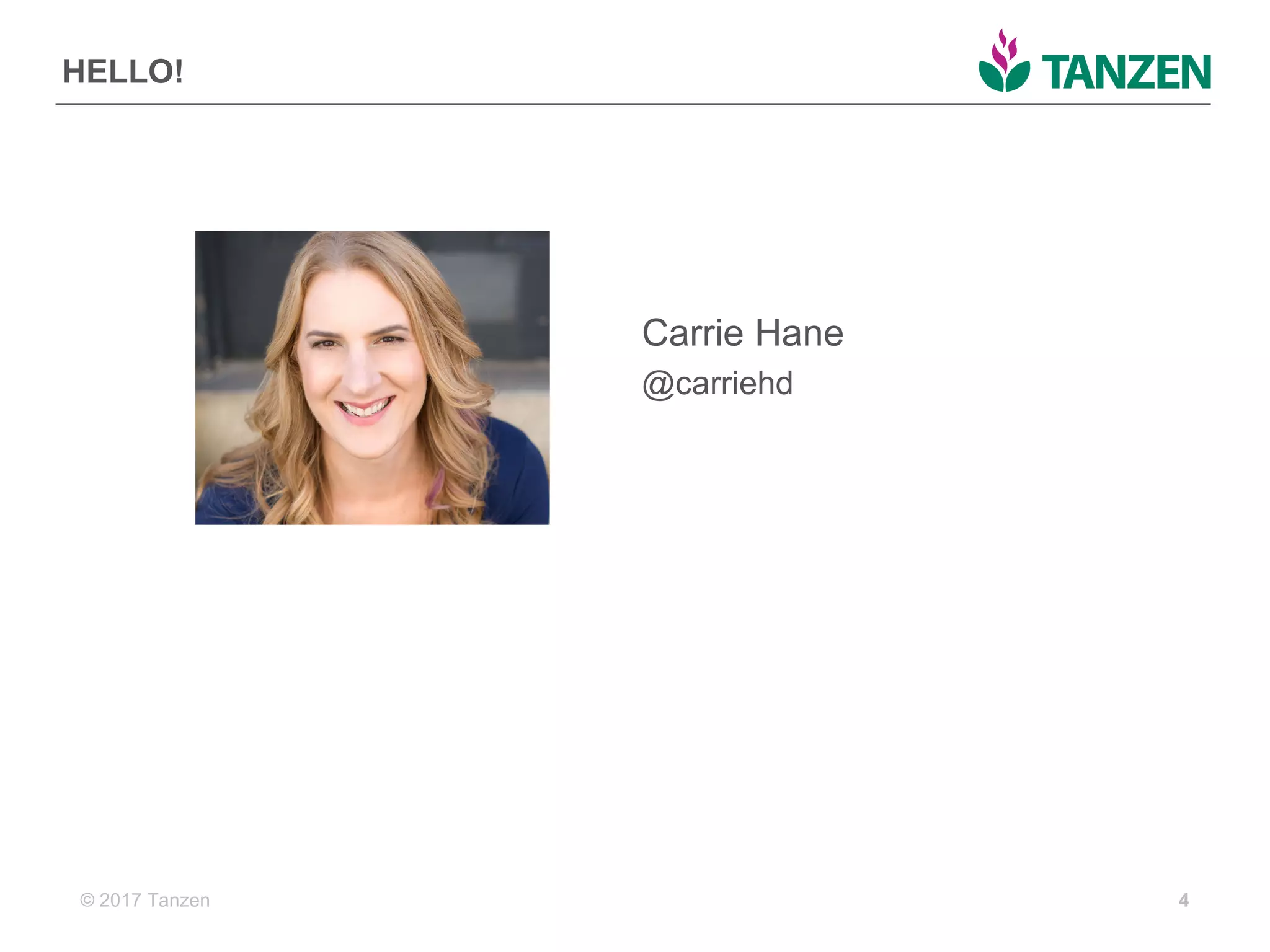
HELLO!
4
Carrie  Hane
@carriehd
© 2017  Tanzen 5
Who  are  you?
© 2017  Tanzen 6
WHERE  ARE  WE  
TODAY?
A  quick  history  of  the  web
© 2017  Tanzen
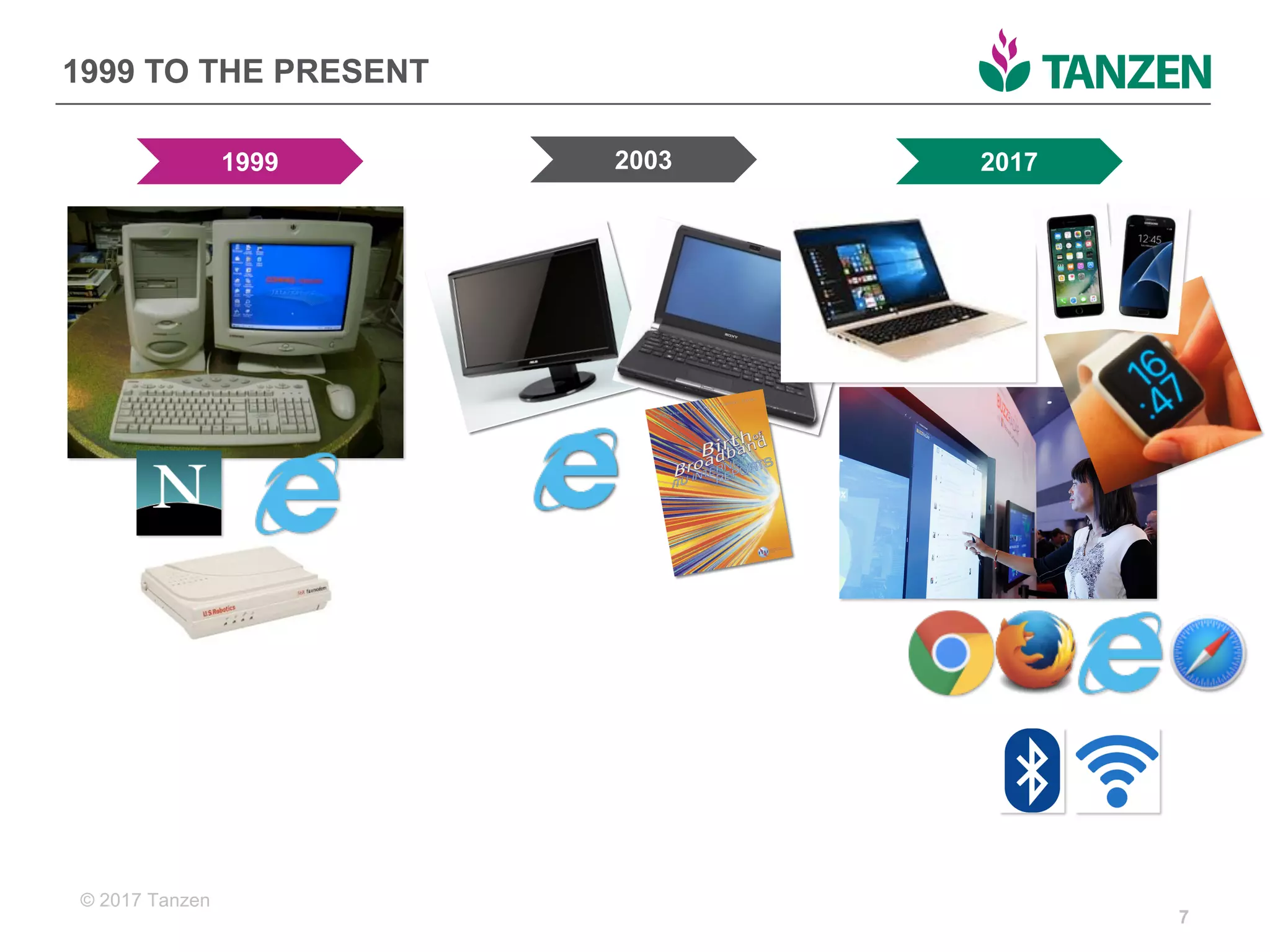
1999  TO  THE  PRESENT
7
1999 2003 2017
© 2017  Tanzen
WE’VE  GOT  SOME  PROBLEMS
• So  much  content
• So  many  devices
• Changing  design  trends
• Organization-­centric
• Silos
8
© 2017  Tanzen 9
How  can  we  break  the  cycle  of  tear-­down  websites?
How  do  we  stop  our  organizations  from  being  hoarders?
How  can  we  stop  building  websites  that  are  hard  to  
maintain?
© 2017  Tanzen
WE  KNOW  WHAT’S  COMING
• Artificial  intelligence  
• Internet  of  things
• Screenless interfaces
• Portable  interactive  experiences
• Devices  talking  to  each  other
• Information  being  shared  across  systems
10
© 2017  Tanzen 11
THINKING  
DIFFERENTLY
Future-­friendly  content
© 2017  Tanzen
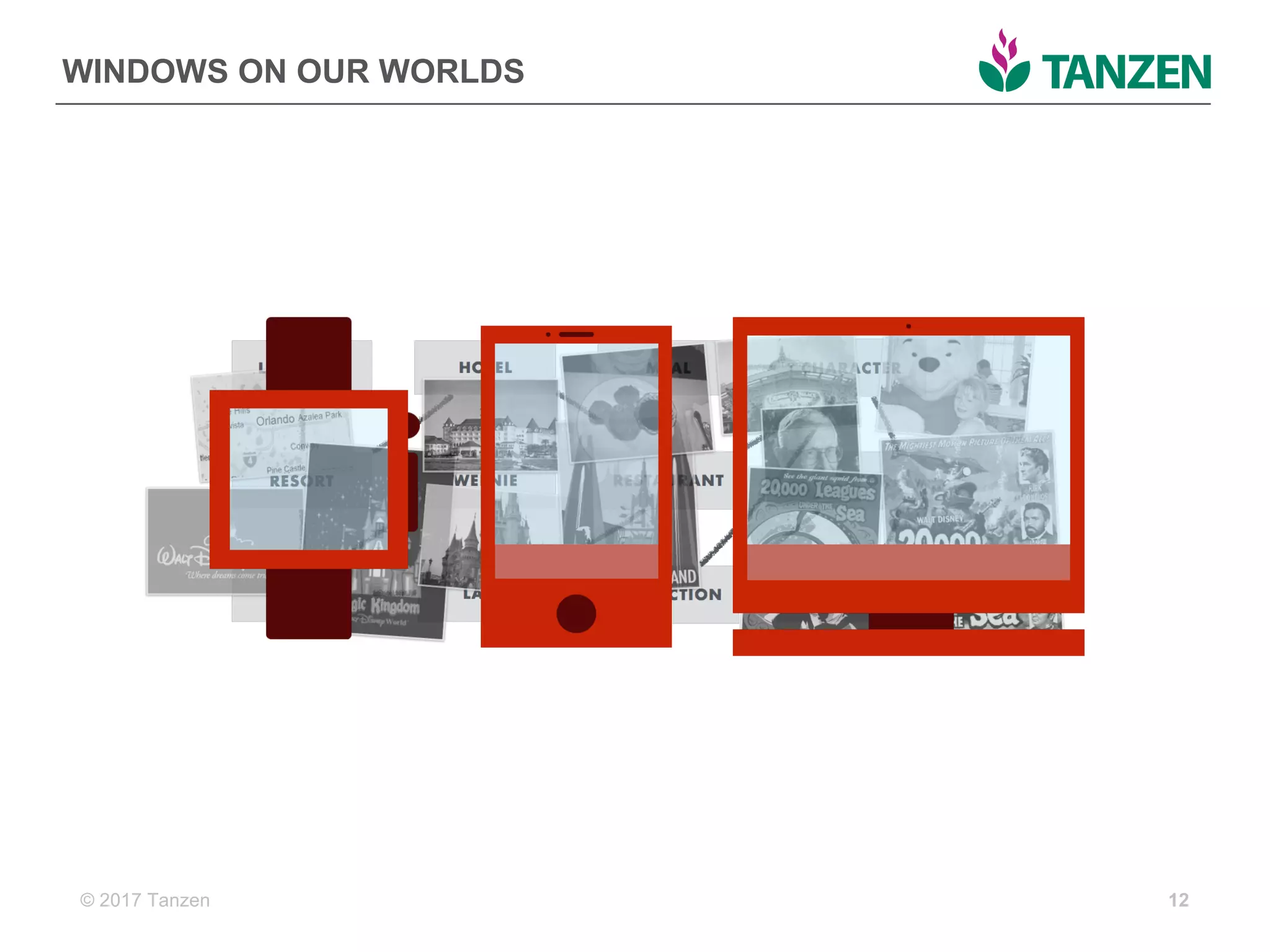
WINDOWS  ON  OUR  WORLDS
12
© 2017  Tanzen 13
structured  content  
Information  that  is  planned,  developed,  and  
connected  outside  of  an  interface.  It  treats  
content  as  as  data  so  that  it  makes  sense  to  
people  and  computers.  
© 2017  Tanzen 14
Are  you  using  a  structured  content  
approach?
© 2017  Tanzen
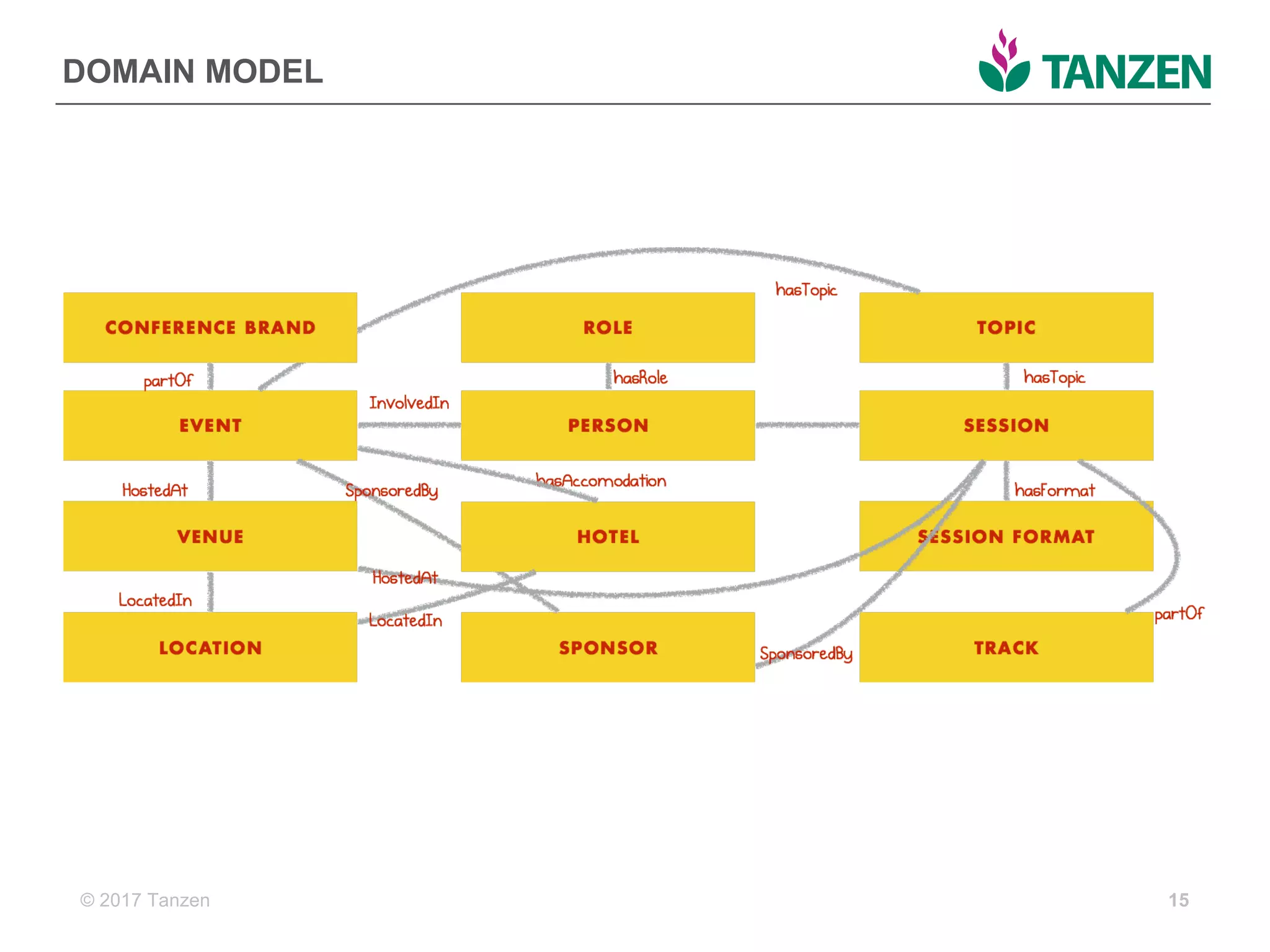
DOMAIN  MODEL
15
© 2017  Tanzen
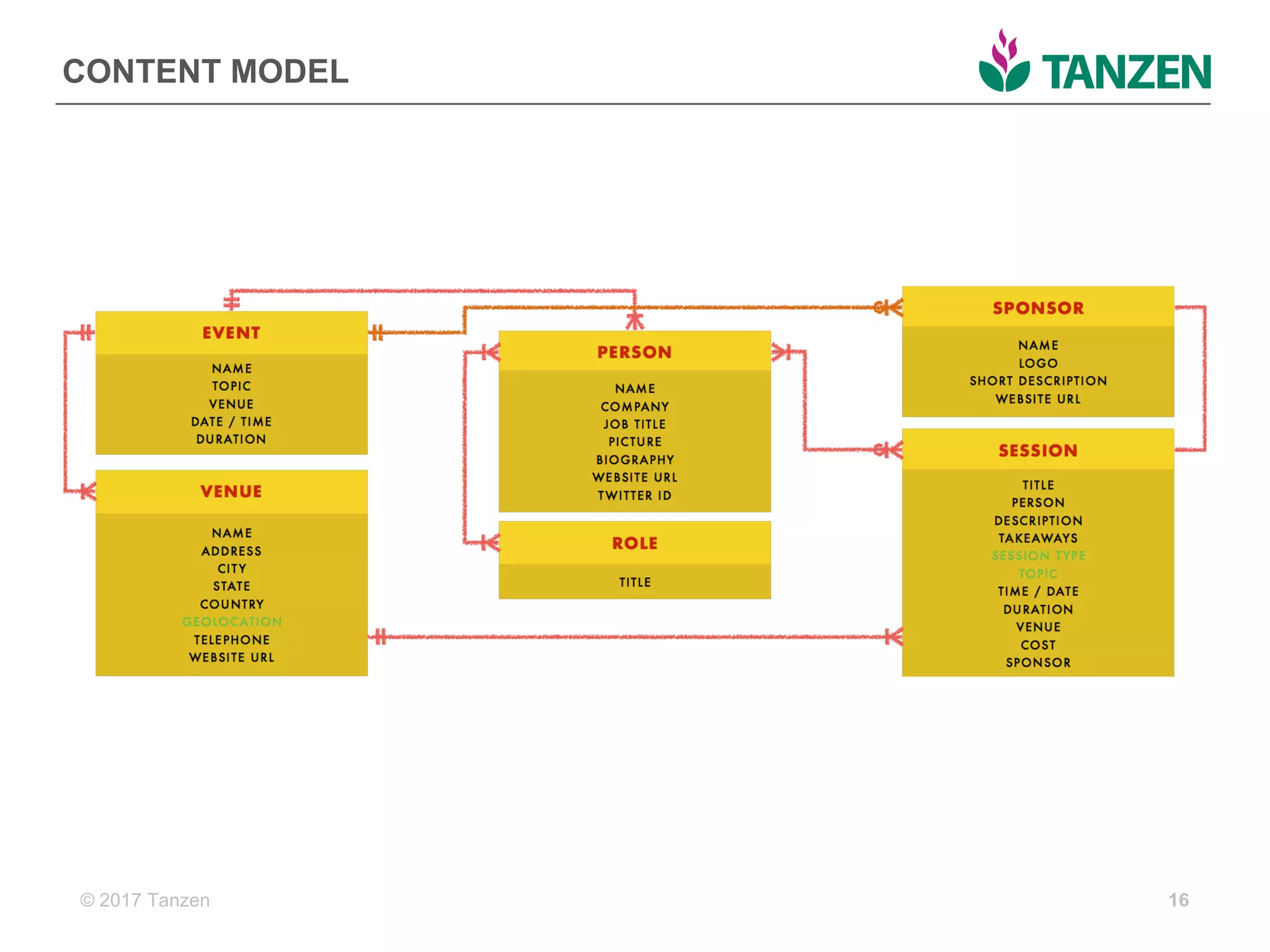
CONTENT  MODEL
16
© 2017  Tanzen
ARE  YOU  WITH  ME?
© 2017  Tanzen 18
IMPLEMENTING  
FUTURE-­FRIENDLY  
CONTENT
Building  the  CMS  to  
support  the  content
© 2017  Tanzen
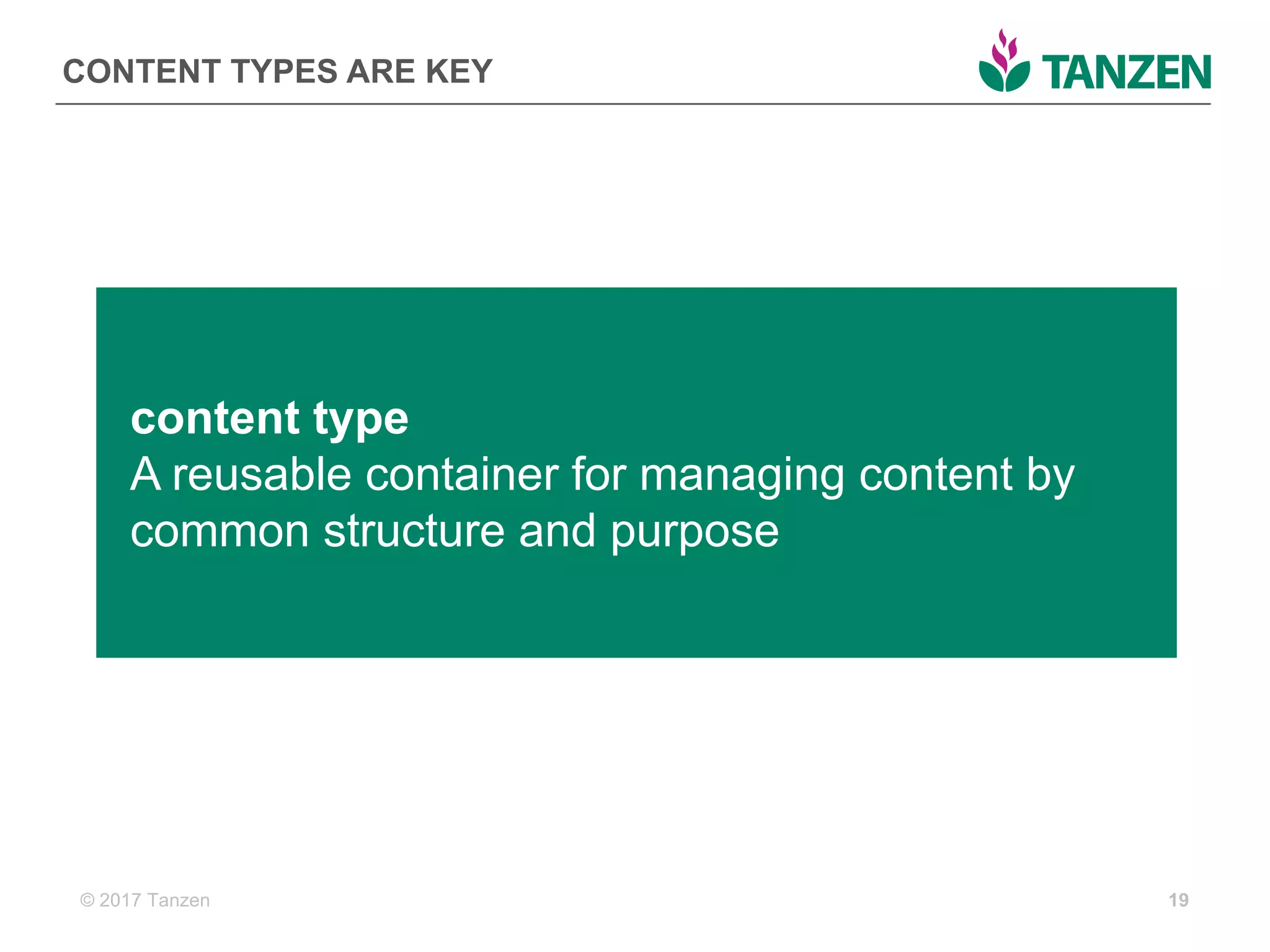
CONTENT  TYPES  ARE  KEY
19
content  type
A  reusable  container  for  managing  content  by  
common  structure  and  purpose
© 2017  Tanzen
WHAT  DOES  THE  RIGHT  CMS  LOOK  LIKE?
• Flexible  and  unstructured
• Node-­based,  separating  
content  from  presentation  
or  container
• Model-­driven,  has  no  (or  
optional)  rendering  engine  
and  exposes  an  API
• Designed  for  the  author  
experience
20
YESNO
© 2017  Tanzen
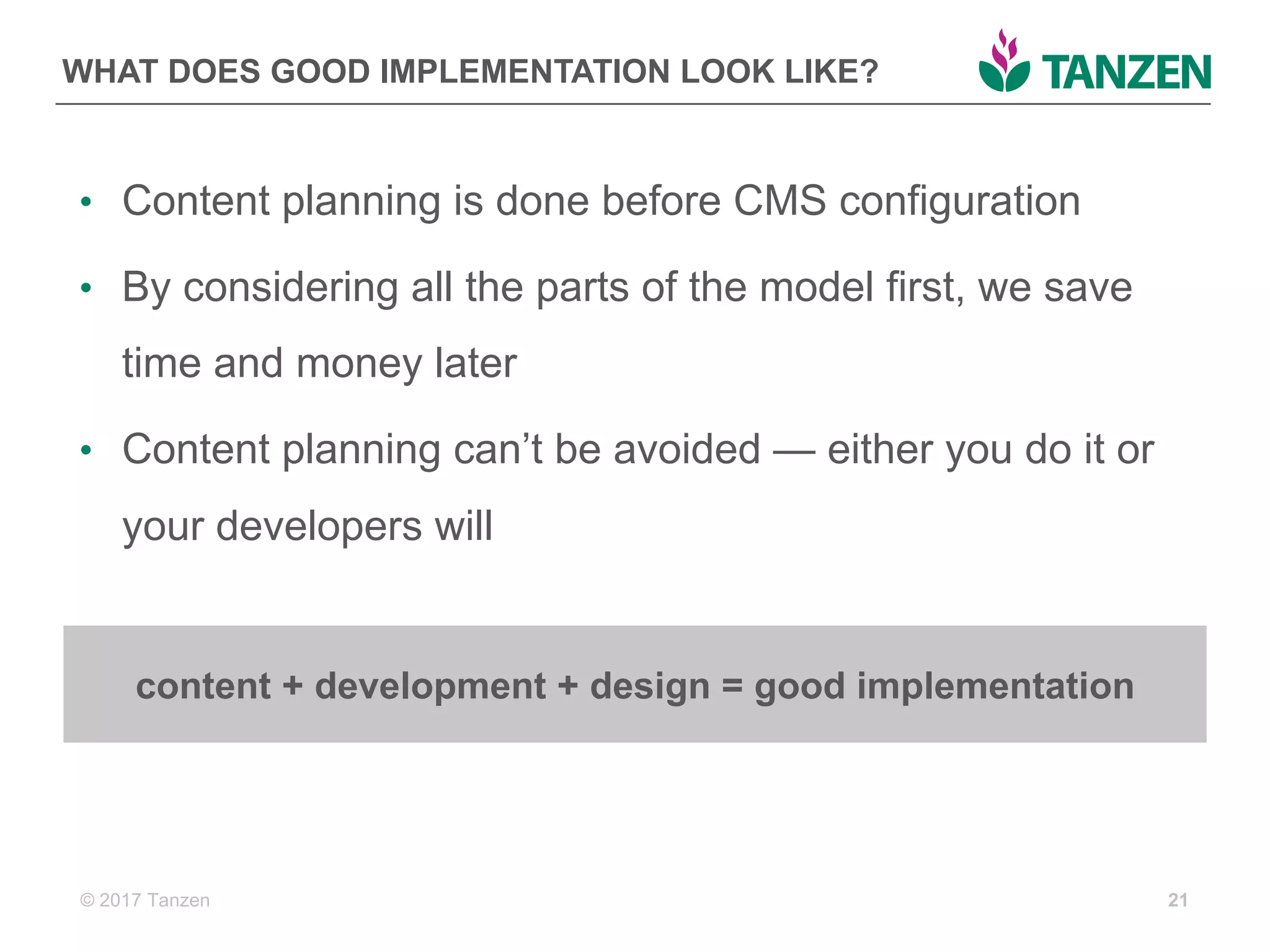
WHAT  DOES  GOOD  IMPLEMENTATION  LOOK  LIKE?
• Content  planning  is  done  before  CMS  configuration
• By  considering  all  the  parts  of  the  model  first,  we  save  
time  and  money  later
• Content  planning  can’t  be  avoided  — either  you  do  it  or  
your  developers  will
21
content  +  development  +  design  =  good  implementation
© 2017  Tanzen
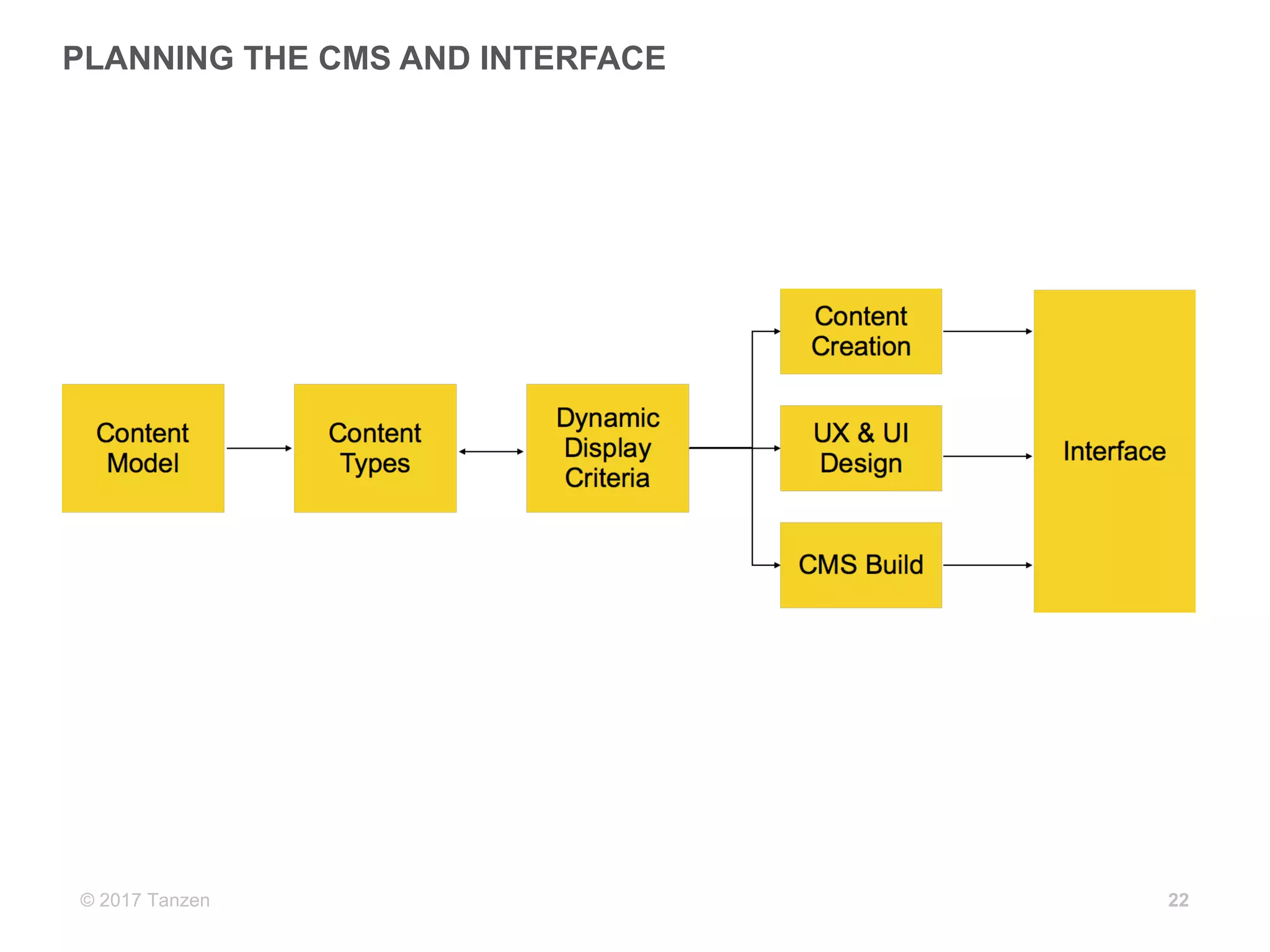
PLANNING  THE  CMS  AND  INTERFACE  
22
© 2017  Tanzen
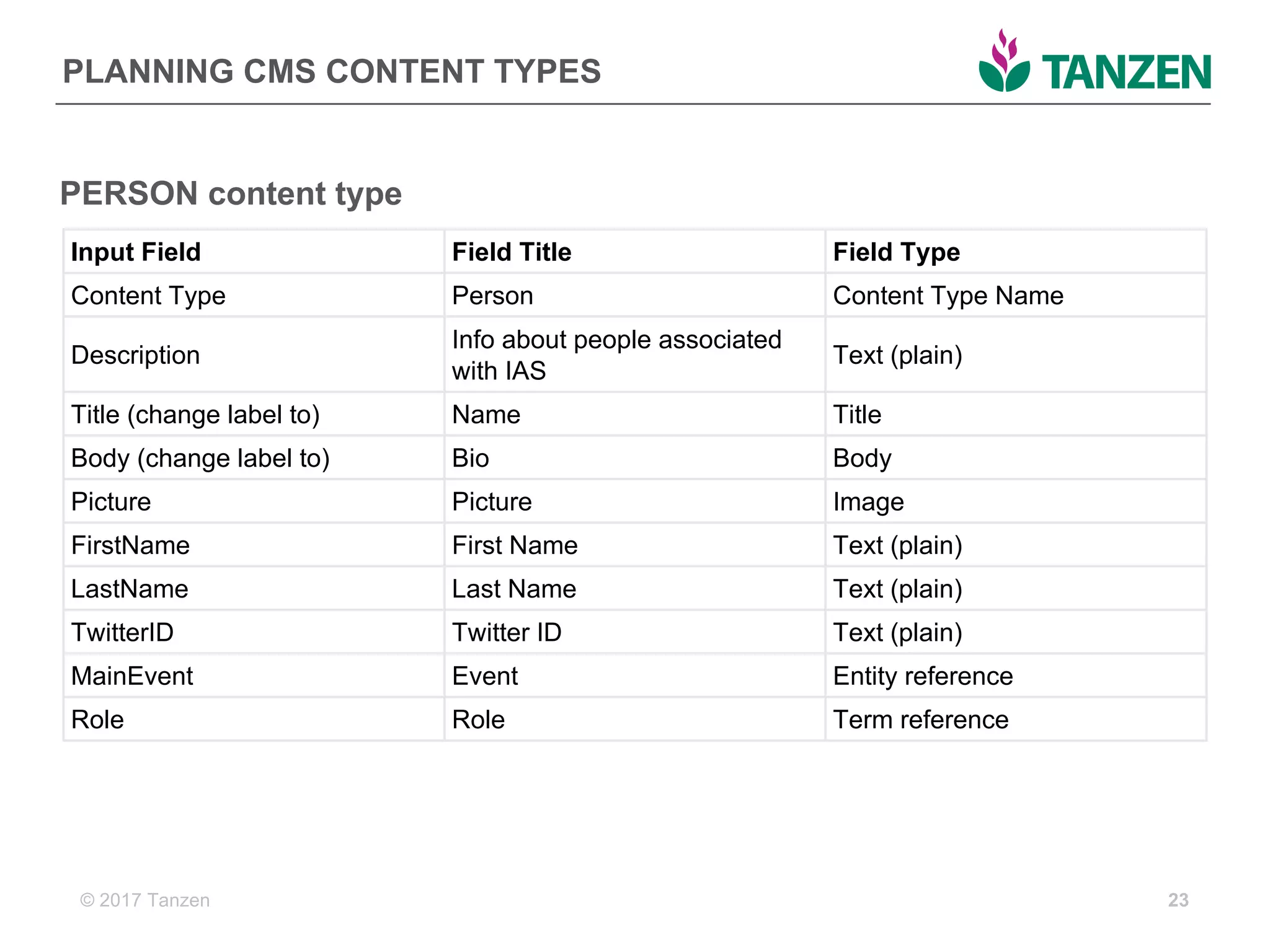
PLANNING  CMS  CONTENT  TYPES
23
Input  Field Field  Title Field  Type
Content  Type Person Content  Type  Name
Description
Info  about  people  associated  
with  IAS
Text  (plain)
Title  (change  label  to) Name Title
Body  (change  label  to) Bio Body
Picture Picture Image
FirstName First  Name Text  (plain)
LastName Last  Name Text  (plain)
TwitterID Twitter  ID Text  (plain)
MainEvent Event Entity  reference
Role Role Term  reference
PERSON  content  type
© 2017  Tanzen
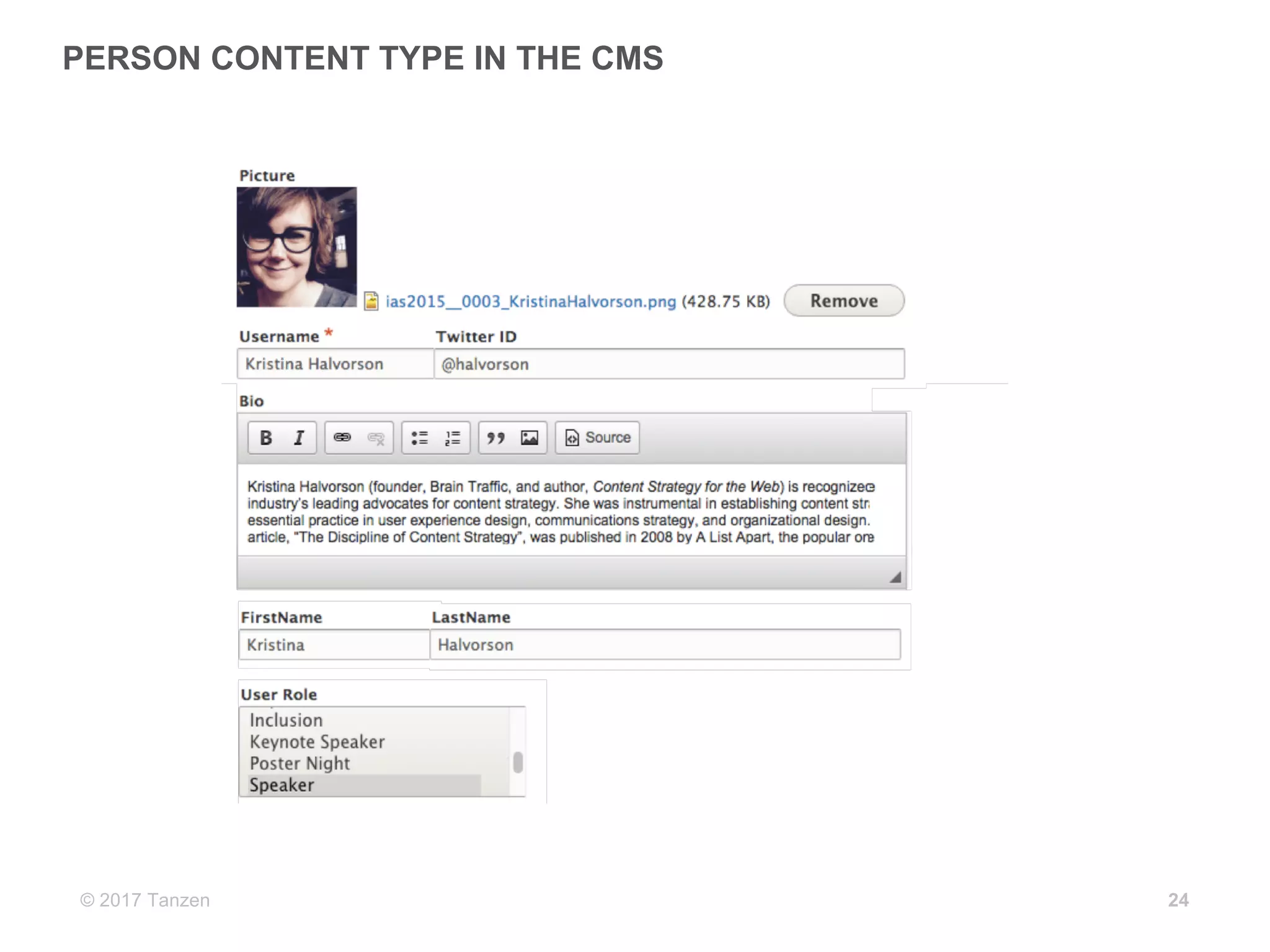
PERSON  CONTENT  TYPE  IN  THE  CMS  
24
© 2017  Tanzen
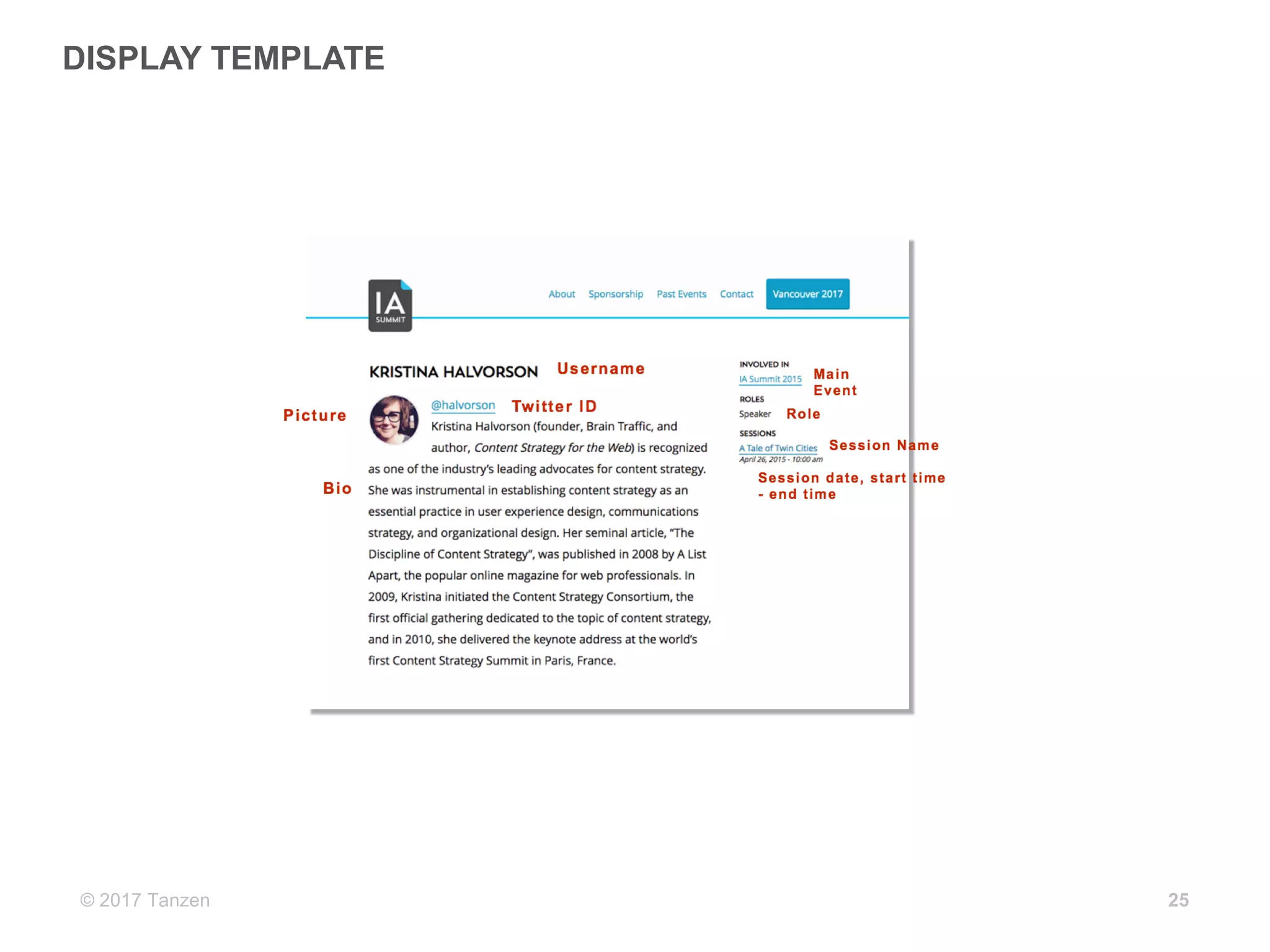
DISPLAY  TEMPLATE
25
© 2017  Tanzen
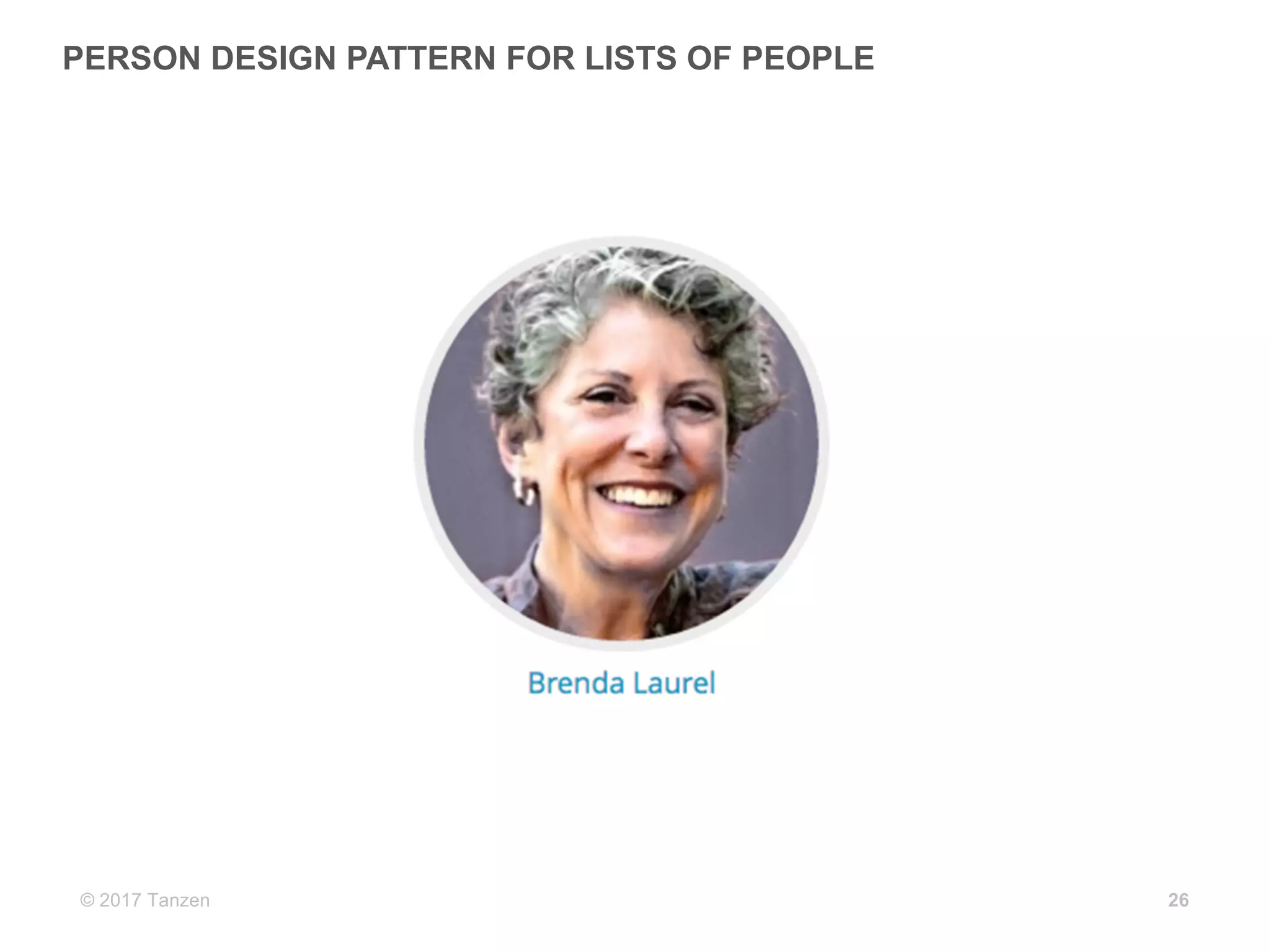
PERSON  DESIGN  PATTERN  FOR  LISTS  OF  PEOPLE
26
© 2017  Tanzen
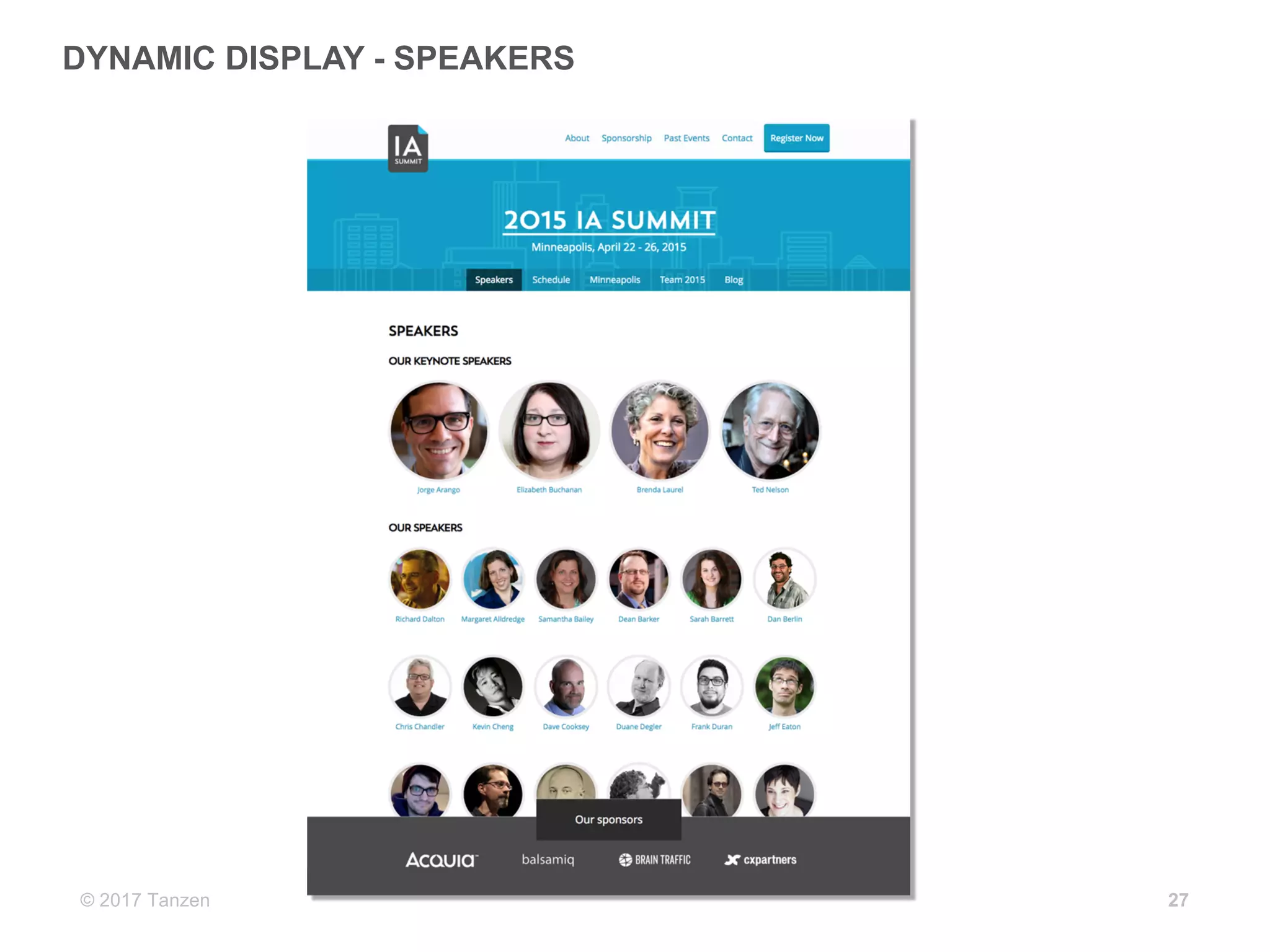
DYNAMIC  DISPLAY  -­ SPEAKERS
27
© 2017  Tanzen
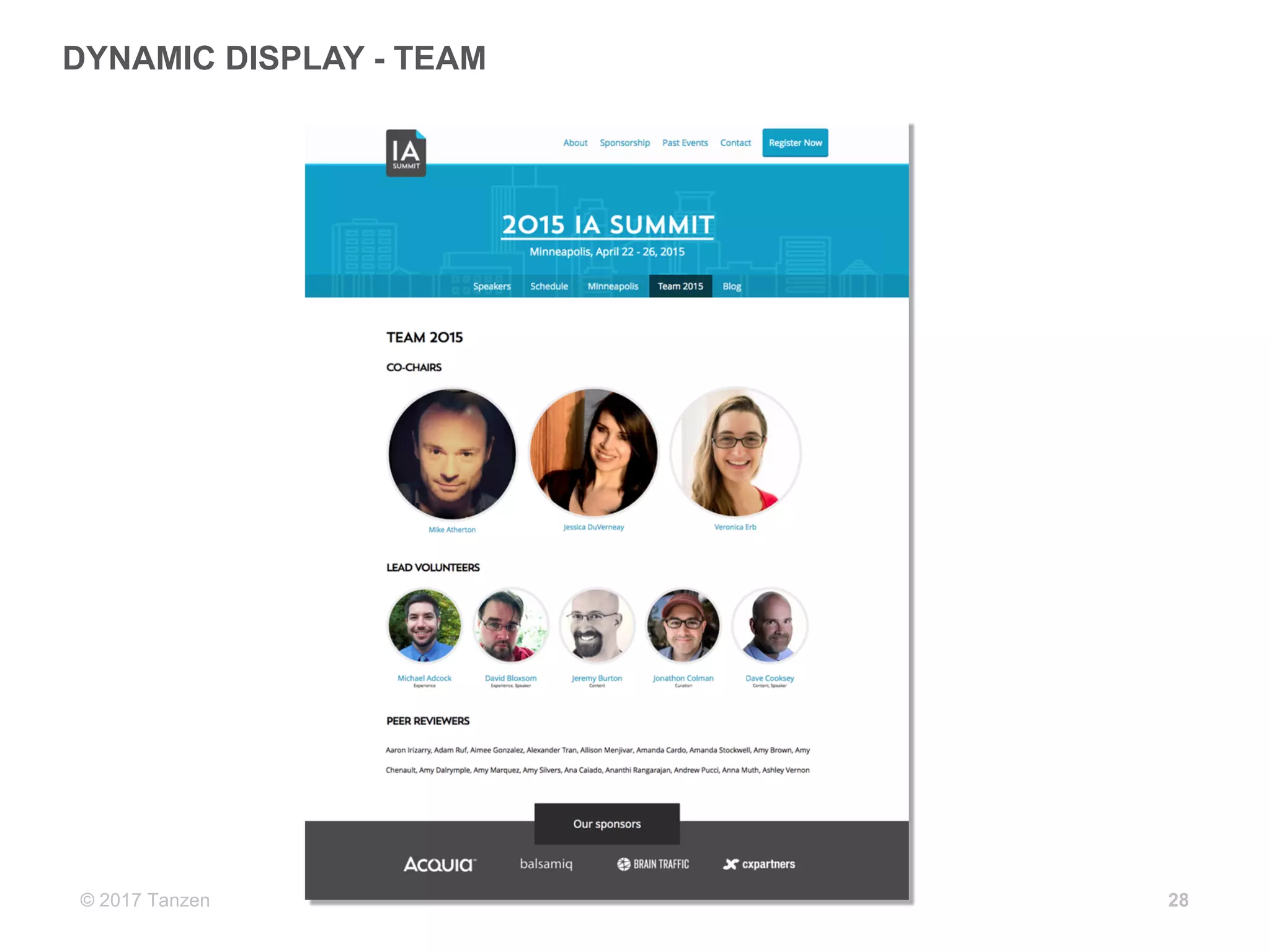
DYNAMIC  DISPLAY  -­ TEAM
28
© 2017  Tanzen 29
Now  you  can…
Do  so  much  more
© 2017  Tanzen
YOU  CAN…
• Change  designs  or  CMS  without  a  complete  redesign  
and  re-­architecture
• Publish  across  channels  with  a  single  piece  of  content
• Integrate  with  other  systems  more  easily
• Reuse  content  throughout  the  websites  or  interfaces
• Improve  SEO
30
© 2017  Tanzen
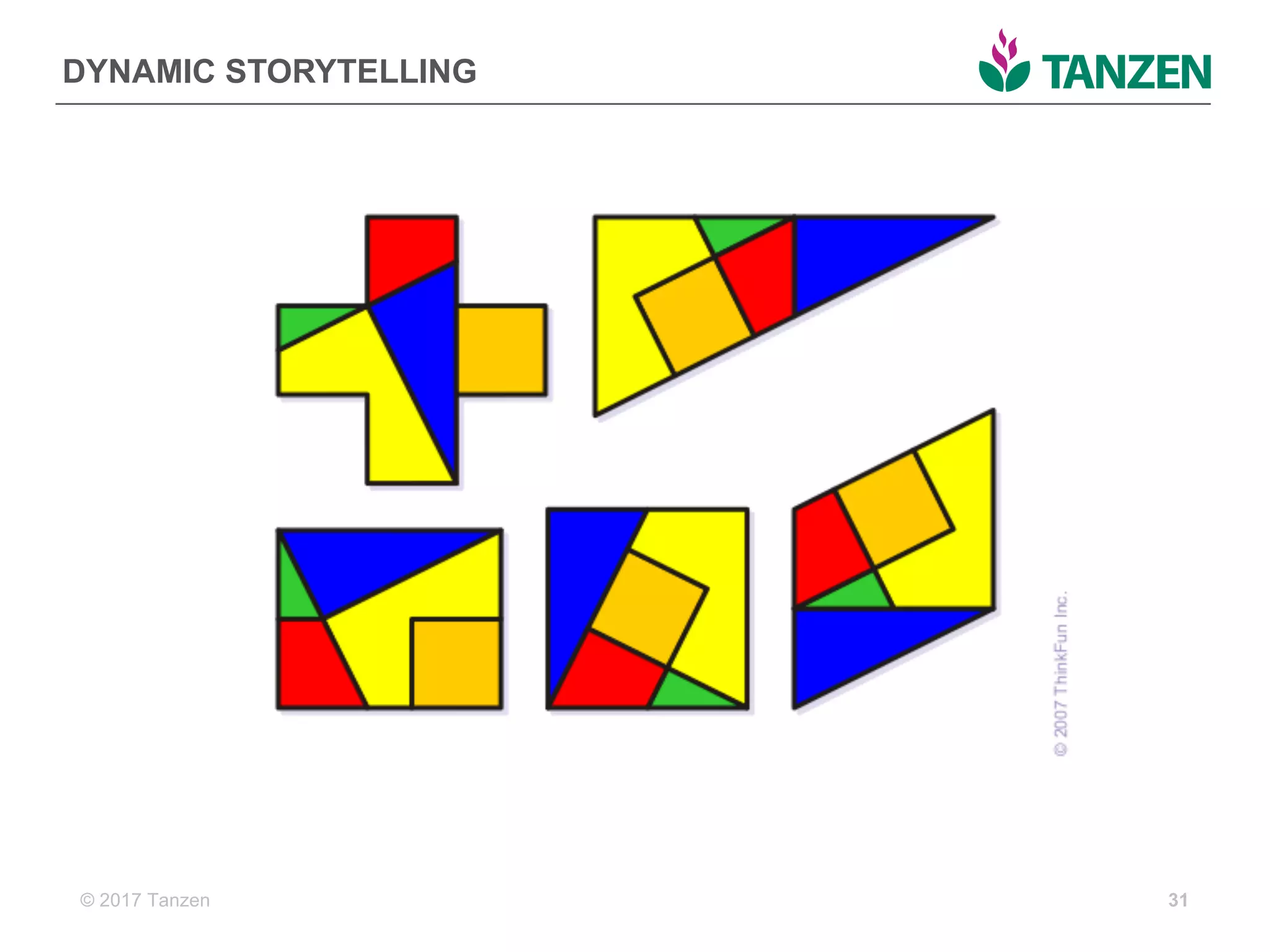
DYNAMIC  STORYTELLING
31
© 2017  Tanzen
RECAP
• Why  we  need  a  different  way  of  thinking  about  websites
• Start  designing  outside  the  interface  with  domain  and  
content  modeling
• Choosing  the  right  CMS
• Planning  a  good  implementation
• Dynamic  storytelling  potential
32
© 2017  Tanzen
What  are  the  anticipated  challenges  to  
switching  to  a  structured  content  
approach?
33
© 2017  Tanzen
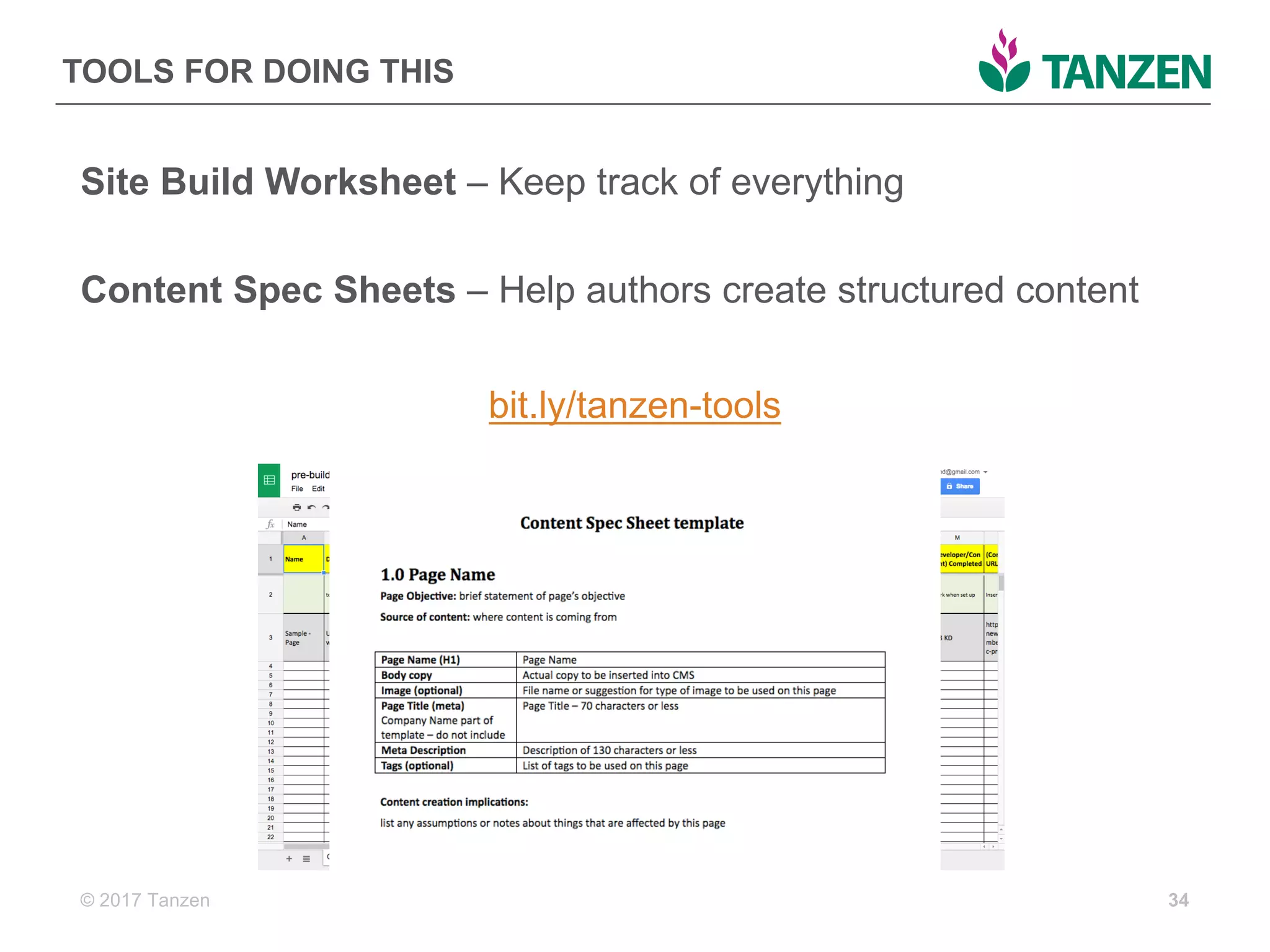
TOOLS  FOR  DOING  THIS
Site  Build  Worksheet  – Keep  track  of  everything
Content  Spec  Sheets  – Help  authors  create  structured  content
bit.ly/tanzen-­tools
34
© 2017  Tanzen
MORE  RESOURCES  ON  STRUCTURED  CONTENT
• Tanzen  blog  (www.tanzenconsulting.com/blog)
• UX  Booth  articles  (www.uxbooth.com/author/carriehane)
• Designing  Future-­Friendly  Content:  Modeling  Structure  for  
Every  User  Interface  (on  Medium)
• Training  the  CMS  (on  A  List  Apart)
• Web  Content  Management by  Deane  Barker
• Content  Everywhere by  Sara  Wachter-­Boettcher
• Content  Strategy  for  Mobile  by  Karen  McGrane
35
© 2017  Tanzen 3636
THANK  YOU
QUESTIONS?
Carrie  Hane
tanzenconsulting.com
carrie@tanzenconsulting.com
@carriehd

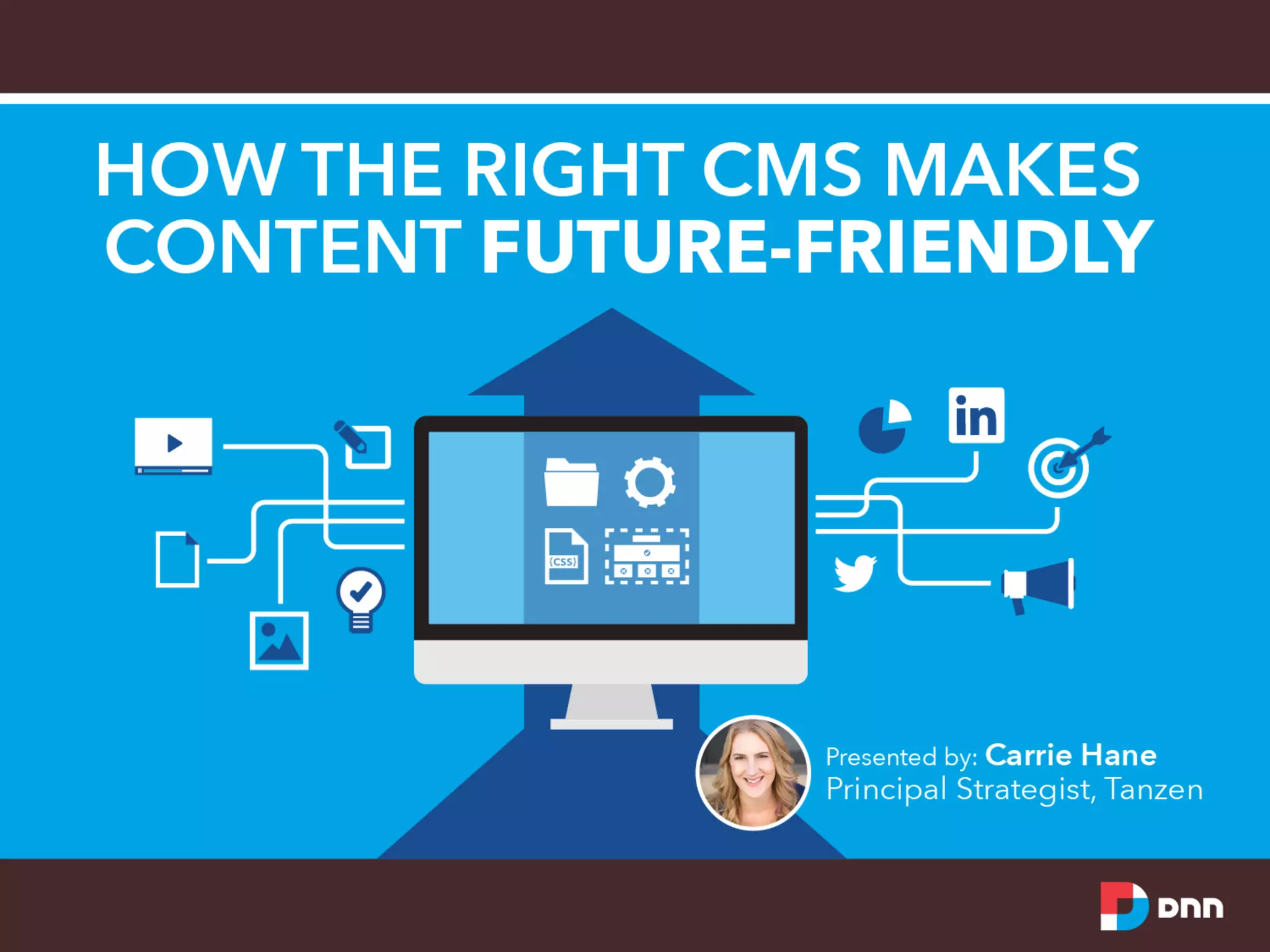
How the Right CMS Makes Content Future-Friendly

  • 1.
  • 2.
  • 3.
  • 4.
  • 5.
    © 2017  Tanzen5 Who  are  you?
  • 6.
    © 2017  Tanzen6 WHERE  ARE  WE   TODAY? A  quick  history  of  the  web
  • 7.
    © 2017  Tanzen 1999 TO  THE  PRESENT 7 1999 2003 2017
  • 8.
    © 2017  Tanzen WE’VE GOT  SOME  PROBLEMS • So  much  content • So  many  devices • Changing  design  trends • Organization-­centric • Silos 8
  • 9.
    © 2017  Tanzen9 How  can  we  break  the  cycle  of  tear-­down  websites? How  do  we  stop  our  organizations  from  being  hoarders? How  can  we  stop  building  websites  that  are  hard  to   maintain?
  • 10.
    © 2017  Tanzen WE KNOW  WHAT’S  COMING • Artificial  intelligence   • Internet  of  things • Screenless interfaces • Portable  interactive  experiences • Devices  talking  to  each  other • Information  being  shared  across  systems 10
  • 11.
    © 2017  Tanzen11 THINKING   DIFFERENTLY Future-­friendly  content
  • 12.
    © 2017  Tanzen WINDOWS ON  OUR  WORLDS 12
  • 13.
    © 2017  Tanzen13 structured  content   Information  that  is  planned,  developed,  and   connected  outside  of  an  interface.  It  treats   content  as  as  data  so  that  it  makes  sense  to   people  and  computers.  
  • 14.
    © 2017  Tanzen14 Are  you  using  a  structured  content   approach?
  • 15.
  • 16.
  • 17.
    © 2017  Tanzen ARE YOU  WITH  ME?
  • 18.
    © 2017  Tanzen18 IMPLEMENTING   FUTURE-­FRIENDLY   CONTENT Building  the  CMS  to   support  the  content
  • 19.
    © 2017  Tanzen CONTENT TYPES  ARE  KEY 19 content  type A  reusable  container  for  managing  content  by   common  structure  and  purpose
  • 20.
    © 2017  Tanzen WHAT DOES  THE  RIGHT  CMS  LOOK  LIKE? • Flexible  and  unstructured • Node-­based,  separating   content  from  presentation   or  container • Model-­driven,  has  no  (or   optional)  rendering  engine   and  exposes  an  API • Designed  for  the  author   experience 20 YESNO
  • 21.
    © 2017  Tanzen WHAT DOES  GOOD  IMPLEMENTATION  LOOK  LIKE? • Content  planning  is  done  before  CMS  configuration • By  considering  all  the  parts  of  the  model  first,  we  save   time  and  money  later • Content  planning  can’t  be  avoided  — either  you  do  it  or   your  developers  will 21 content  +  development  +  design  =  good  implementation
  • 22.
    © 2017  Tanzen PLANNING THE  CMS  AND  INTERFACE   22
  • 23.
    © 2017  Tanzen PLANNING CMS  CONTENT  TYPES 23 Input  Field Field  Title Field  Type Content  Type Person Content  Type  Name Description Info  about  people  associated   with  IAS Text  (plain) Title  (change  label  to) Name Title Body  (change  label  to) Bio Body Picture Picture Image FirstName First  Name Text  (plain) LastName Last  Name Text  (plain) TwitterID Twitter  ID Text  (plain) MainEvent Event Entity  reference Role Role Term  reference PERSON  content  type
  • 24.
    © 2017  Tanzen PERSON CONTENT  TYPE  IN  THE  CMS   24
  • 25.
  • 26.
    © 2017  Tanzen PERSON DESIGN  PATTERN  FOR  LISTS  OF  PEOPLE 26
  • 27.
    © 2017  Tanzen DYNAMIC DISPLAY  -­ SPEAKERS 27
  • 28.
    © 2017  Tanzen DYNAMIC DISPLAY  -­ TEAM 28
  • 29.
    © 2017  Tanzen29 Now  you  can… Do  so  much  more
  • 30.
    © 2017  Tanzen YOU CAN… • Change  designs  or  CMS  without  a  complete  redesign   and  re-­architecture • Publish  across  channels  with  a  single  piece  of  content • Integrate  with  other  systems  more  easily • Reuse  content  throughout  the  websites  or  interfaces • Improve  SEO 30
  • 31.
    © 2017  Tanzen DYNAMIC STORYTELLING 31
  • 32.
    © 2017  Tanzen RECAP •Why  we  need  a  different  way  of  thinking  about  websites • Start  designing  outside  the  interface  with  domain  and   content  modeling • Choosing  the  right  CMS • Planning  a  good  implementation • Dynamic  storytelling  potential 32
  • 33.
    © 2017  Tanzen What are  the  anticipated  challenges  to   switching  to  a  structured  content   approach? 33
  • 34.
    © 2017  Tanzen TOOLS FOR  DOING  THIS Site  Build  Worksheet  – Keep  track  of  everything Content  Spec  Sheets  – Help  authors  create  structured  content bit.ly/tanzen-­tools 34
  • 35.
    © 2017  Tanzen MORE RESOURCES  ON  STRUCTURED  CONTENT • Tanzen  blog  (www.tanzenconsulting.com/blog) • UX  Booth  articles  (www.uxbooth.com/author/carriehane) • Designing  Future-­Friendly  Content:  Modeling  Structure  for   Every  User  Interface  (on  Medium) • Training  the  CMS  (on  A  List  Apart) • Web  Content  Management by  Deane  Barker • Content  Everywhere by  Sara  Wachter-­Boettcher • Content  Strategy  for  Mobile  by  Karen  McGrane 35
  • 36.
    © 2017  Tanzen3636 THANK  YOU QUESTIONS? Carrie  Hane tanzenconsulting.com carrie@tanzenconsulting.com @carriehd