Google Analytics

        BY
  Zia Ur Rahman
   CyberdesignZ
Today's Goals

• Google Analytics: what is it?
• Google analytics setup and configuration?
• Google analytics internal map/how to use it?
What is                                  ?

"Google Analytics is a full-featured, powerful
analytics package.“


Track usage, entry points, searches, etc. via a
web based interface. Reports can be viewed,
emailed and exported.

This free version is limited to 5 million
pageviews a month
What is                                    ?
• Free service offered by Google

• The most widely used website statistics service*

• Provides statistics and reports about visitors and
  transactions on a website

• At-a-glance dashboard view as well as detailed
  reports
Brief History of Google Analytics
• Developed from Urchin – acquired April 2005
• Publically available to all users since August
  2006
• Current tag rolled out in late 2007
• Major upgrades in Q4 in 2008, 2009
What does it do?
Google Analytics is a powerful tool that analyzes:
• Website traffic
    – Where visitors came from
    – How they are navigating through your site
        • How they navigated from page to page
        • Which pages they stayed on longest or left from the most frequently (“bounce rate”)
• Conversions
• E-commerce
    – Volume of transactions
    – Dollar value of transaction
    – Success of transactions
        • % complete and % dropped out of sales funnel
• AdWords Performance
How does Google Analytics work?
• Establish a User ID and password at
  google.com/analytics

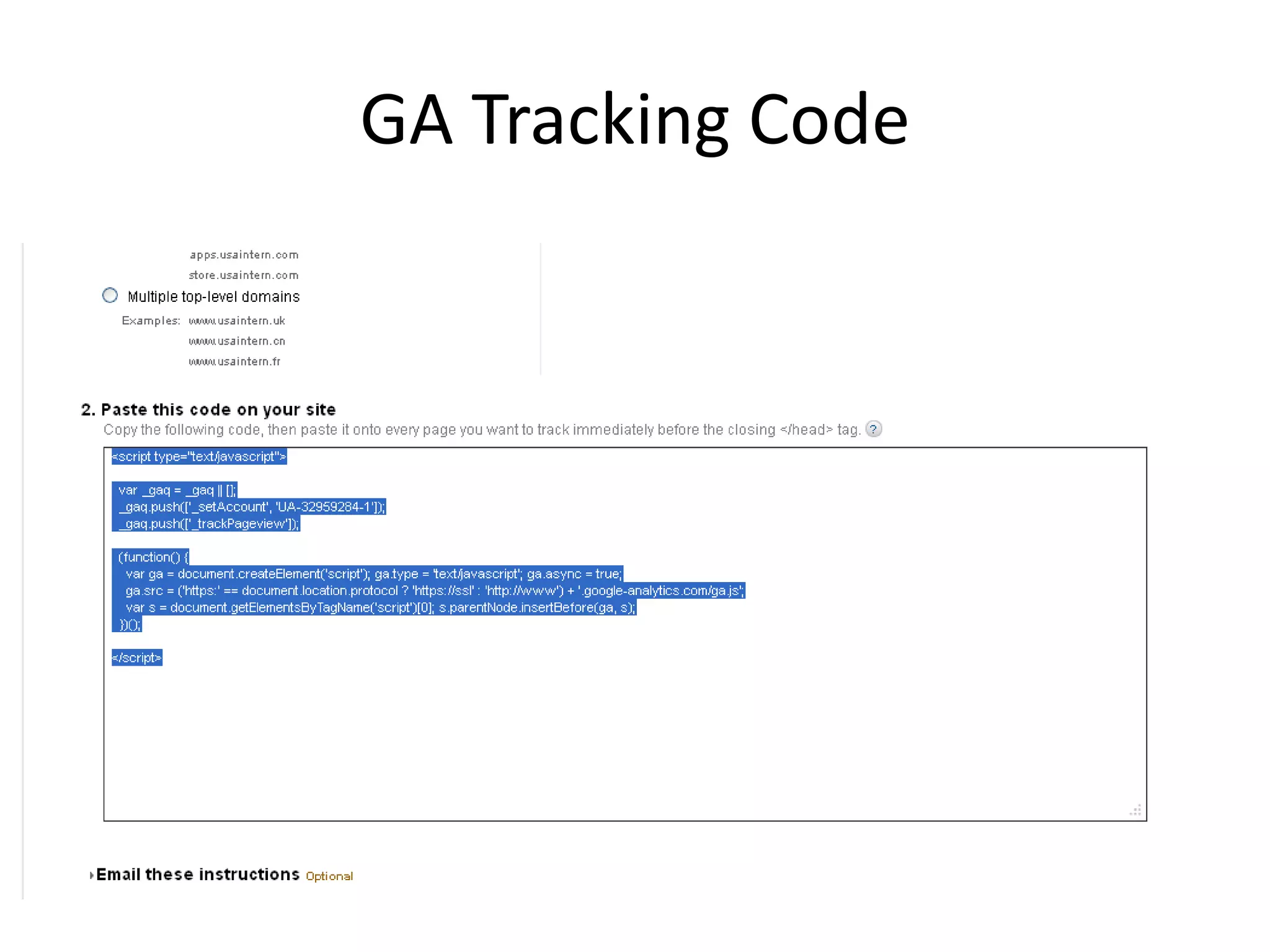
• Google then provides a “page tag” or Google
  Analytics Tracking Code that needs to be
  added to each page of a website

• This tag collects data and sends it back to the
  Google servers for processing
• Google Analytics Setup And configuration
Getting Started – What you need:
• A Google Account –
                http://google.com/accounts
• A website
• Access to your website’s code (or CMS in some
  cases)
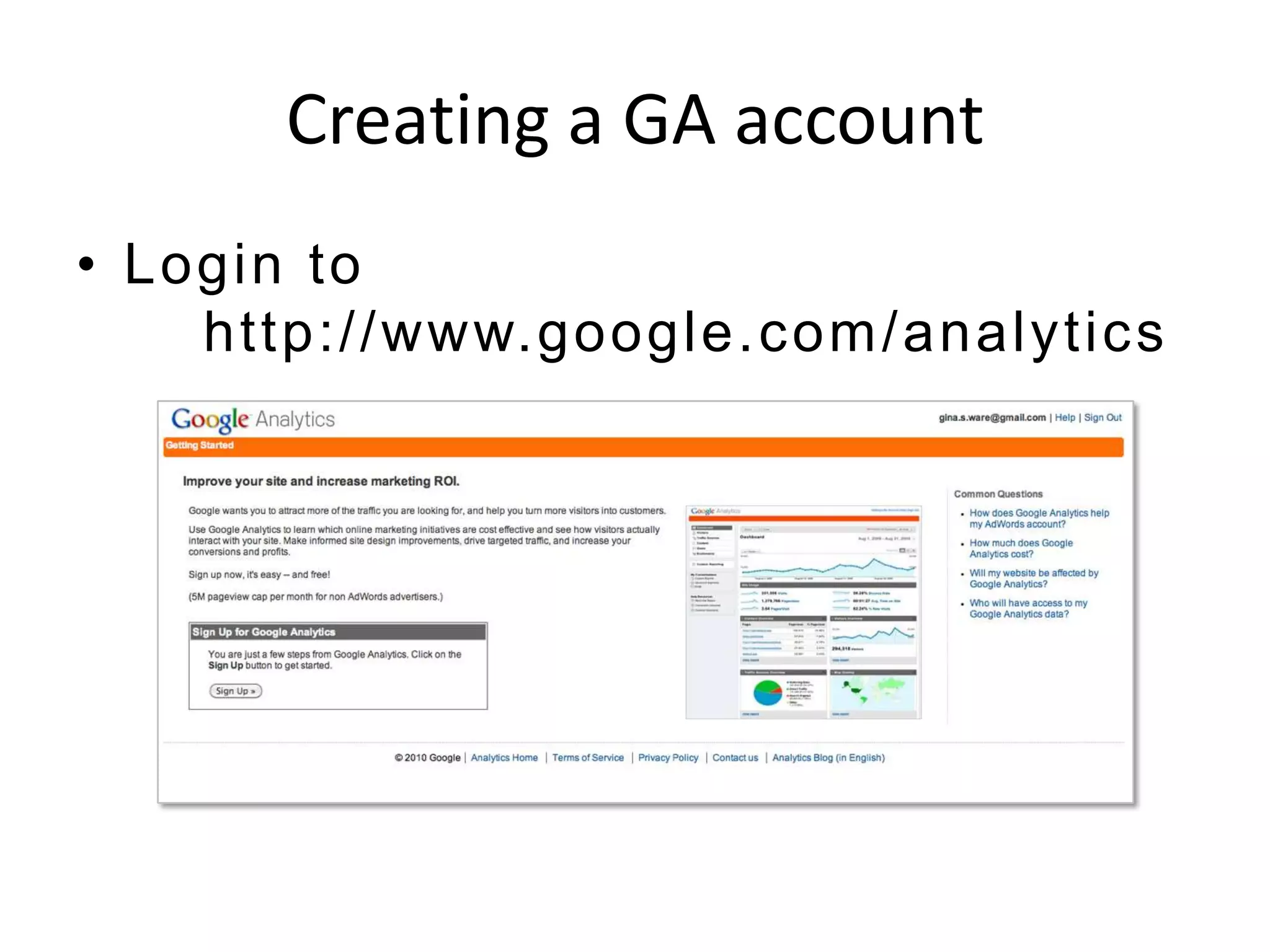
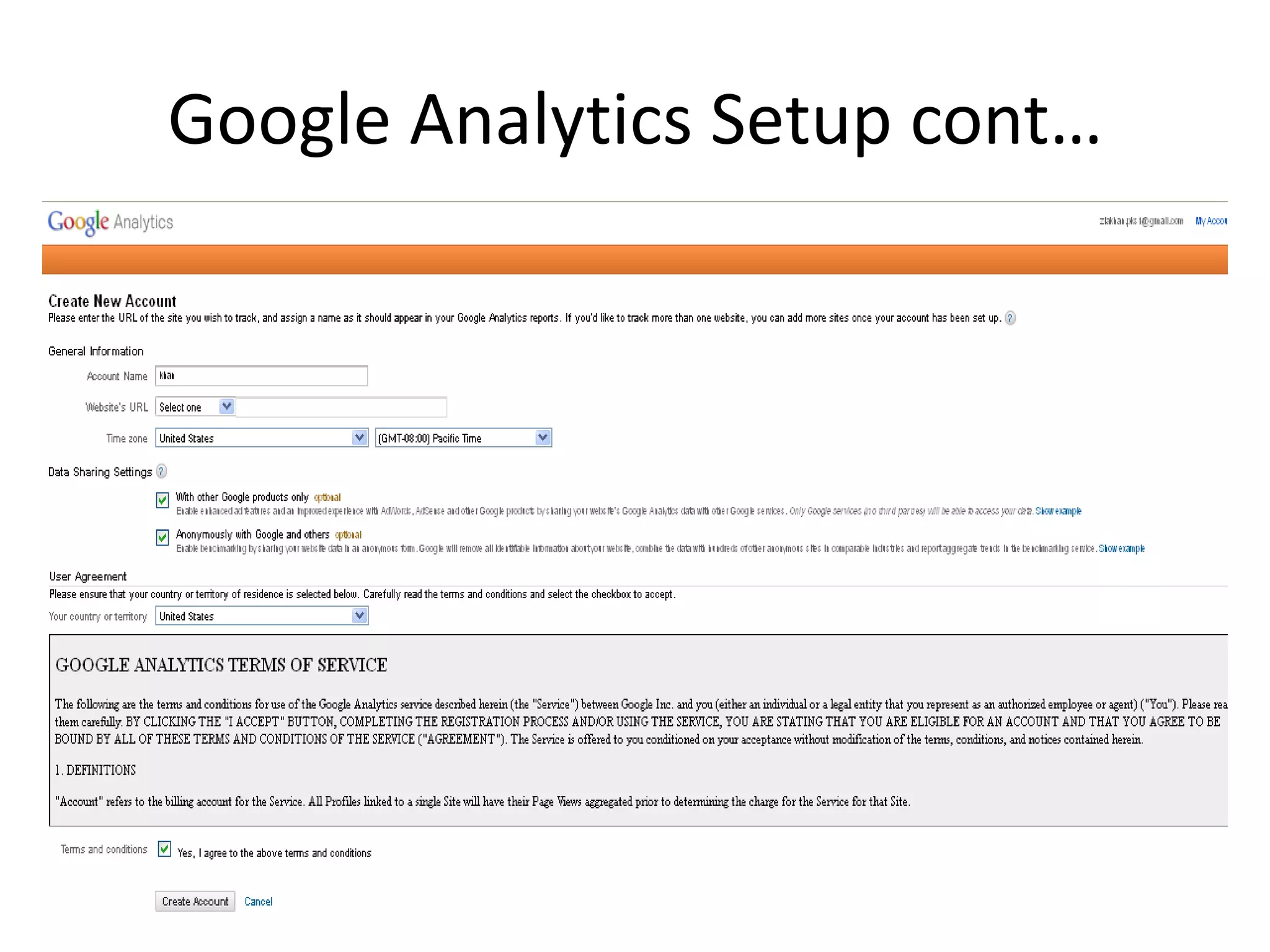
Creating a GA account
• Login to
    http://www.google.com /analytics
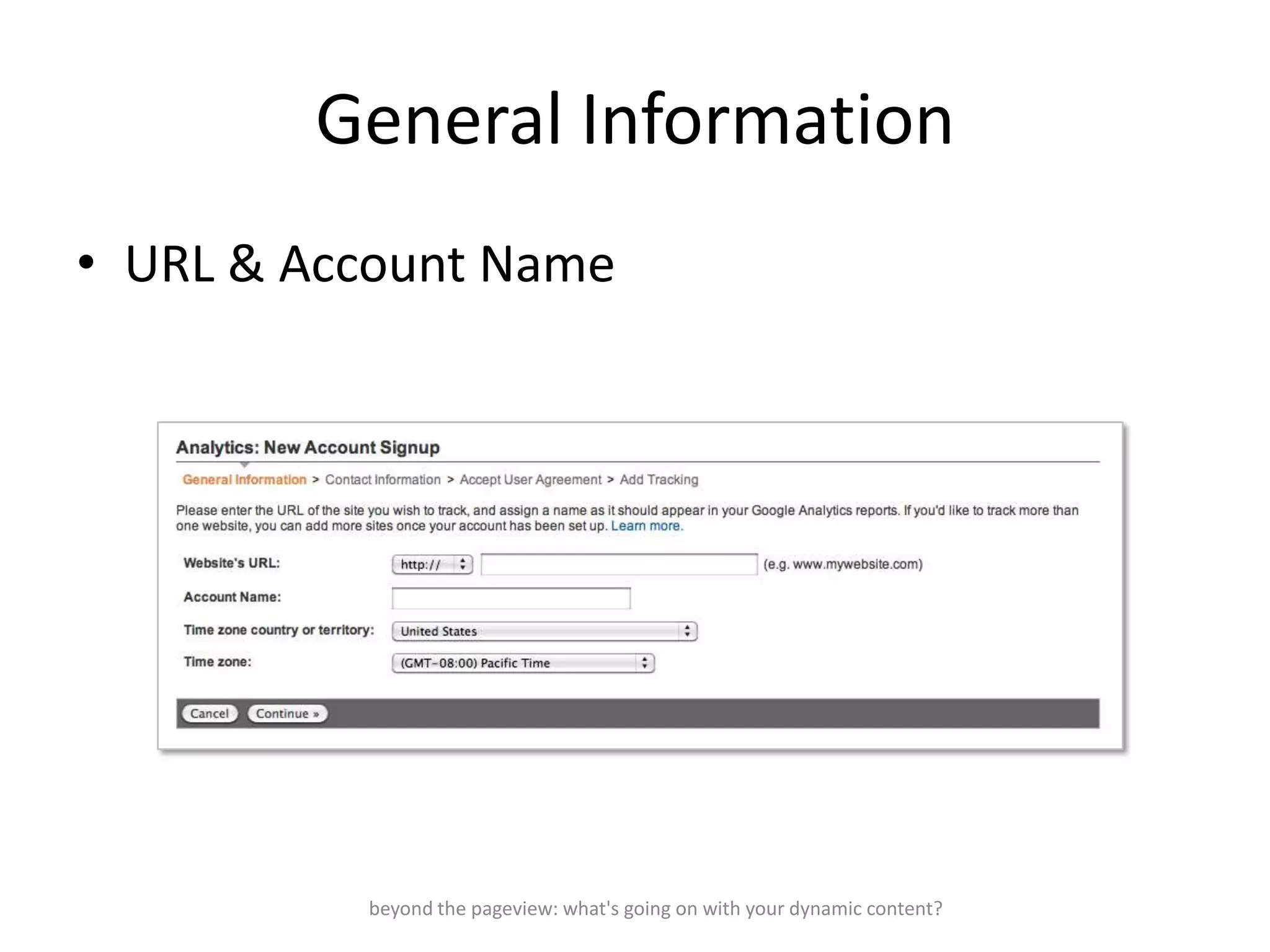
General Information
• URL & Account Name


          beyond the pageview: what's going on with your dynamic content?
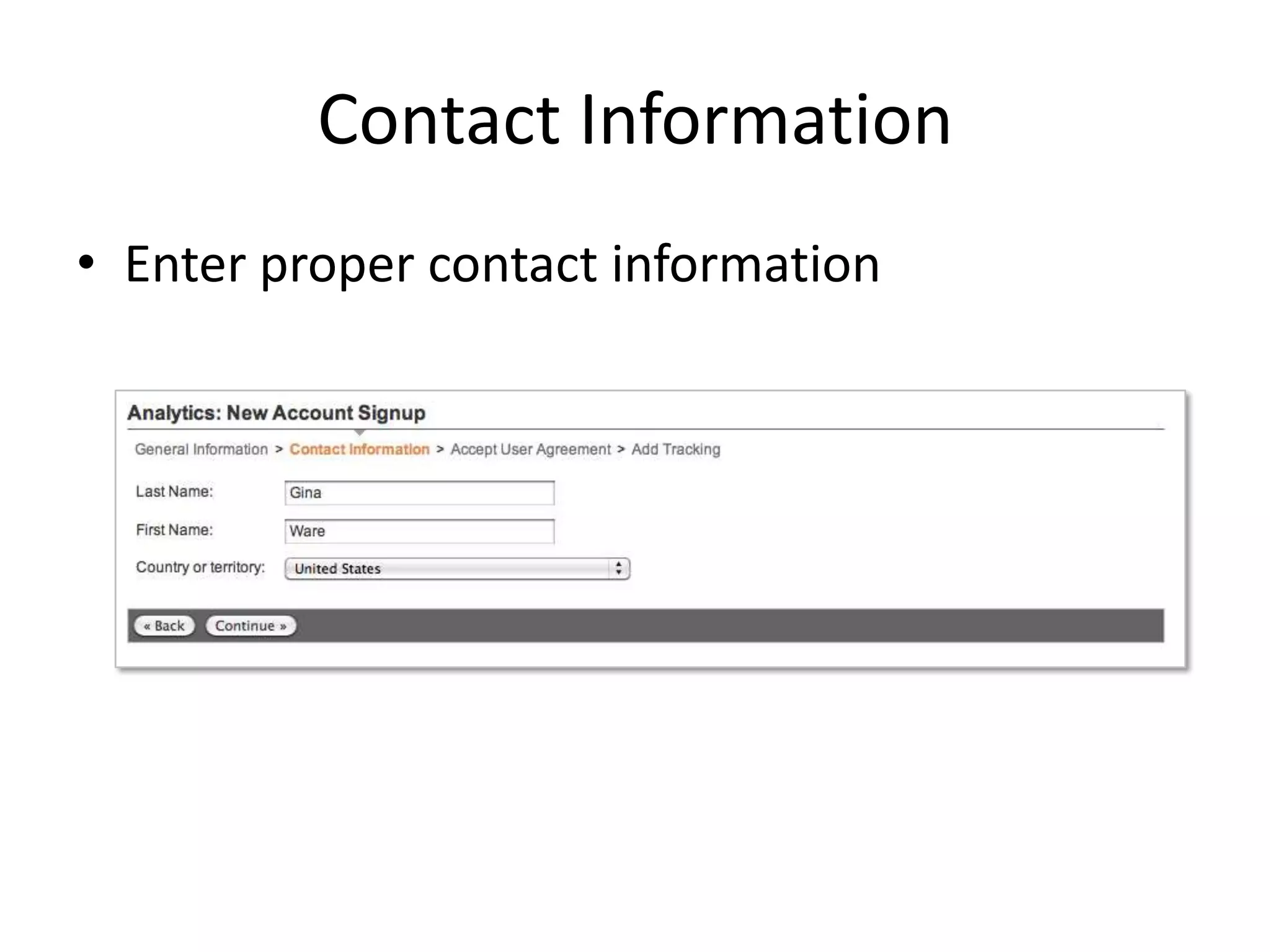
Contact Information
• Enter proper contact information
GA Tracking Code
Google Analytics Setup cont…
Configurations
•   Filters
•   Adding Profiles
•   Custom Segmentation
•   Goals
•   E- Comerace Tracking
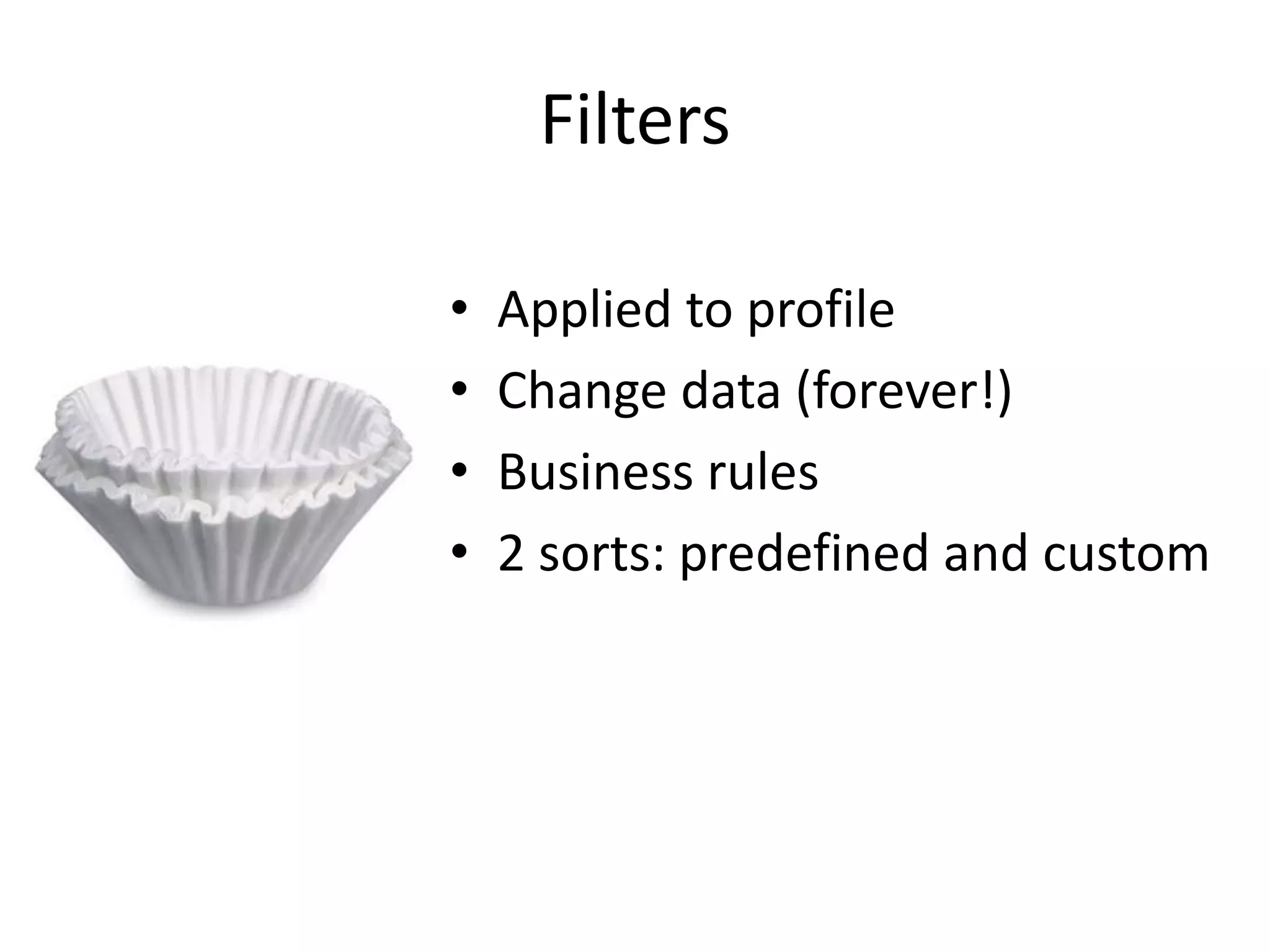
Filters

•   Applied to profile
•   Change data (forever!)
•   Business rules
•   2 sorts: predefined and custom
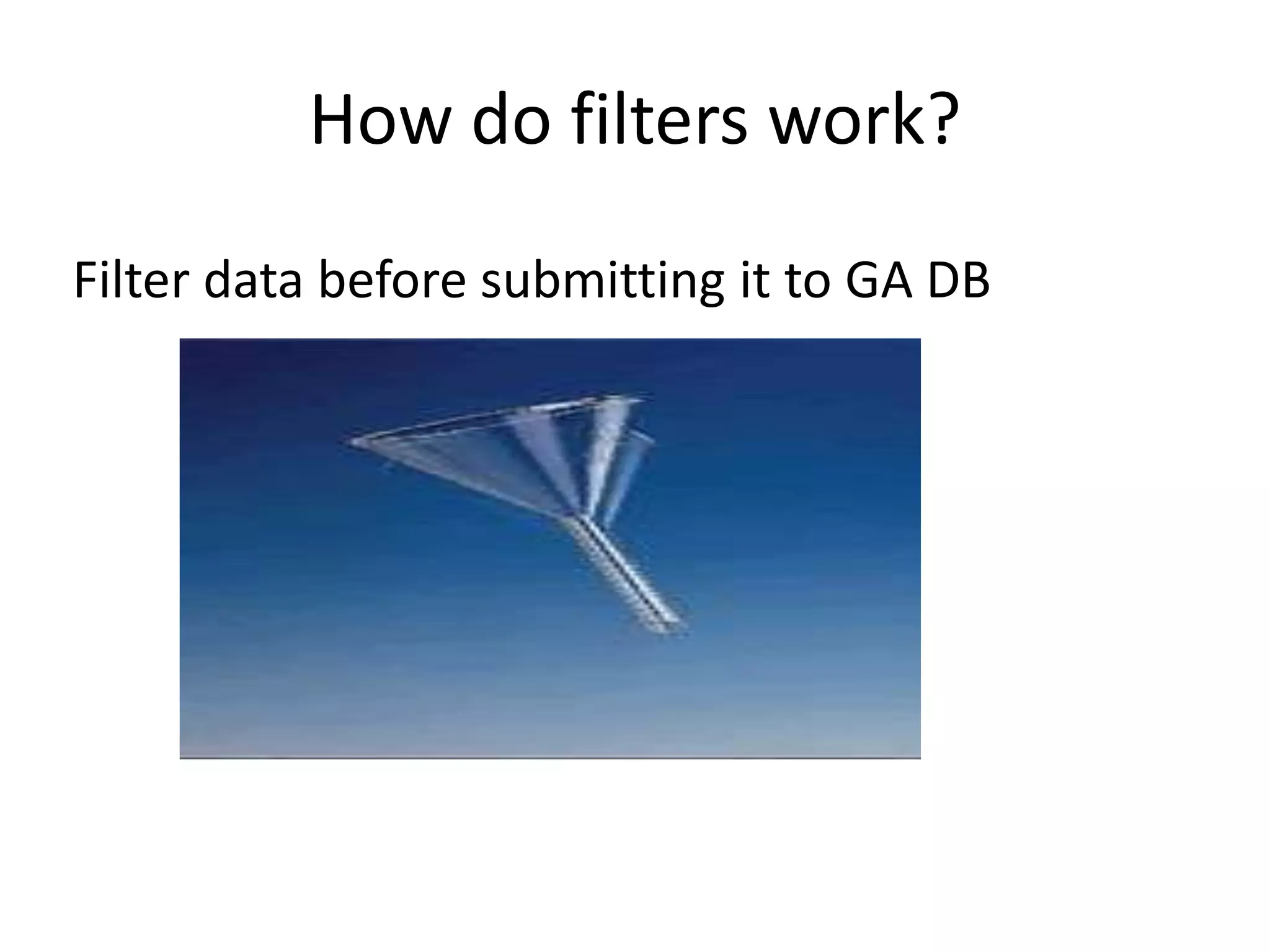
How do filters work?
Filter data before submitting it to GA DB
Filter Type
• 10 different types
• 3 predefined
• 7 custom
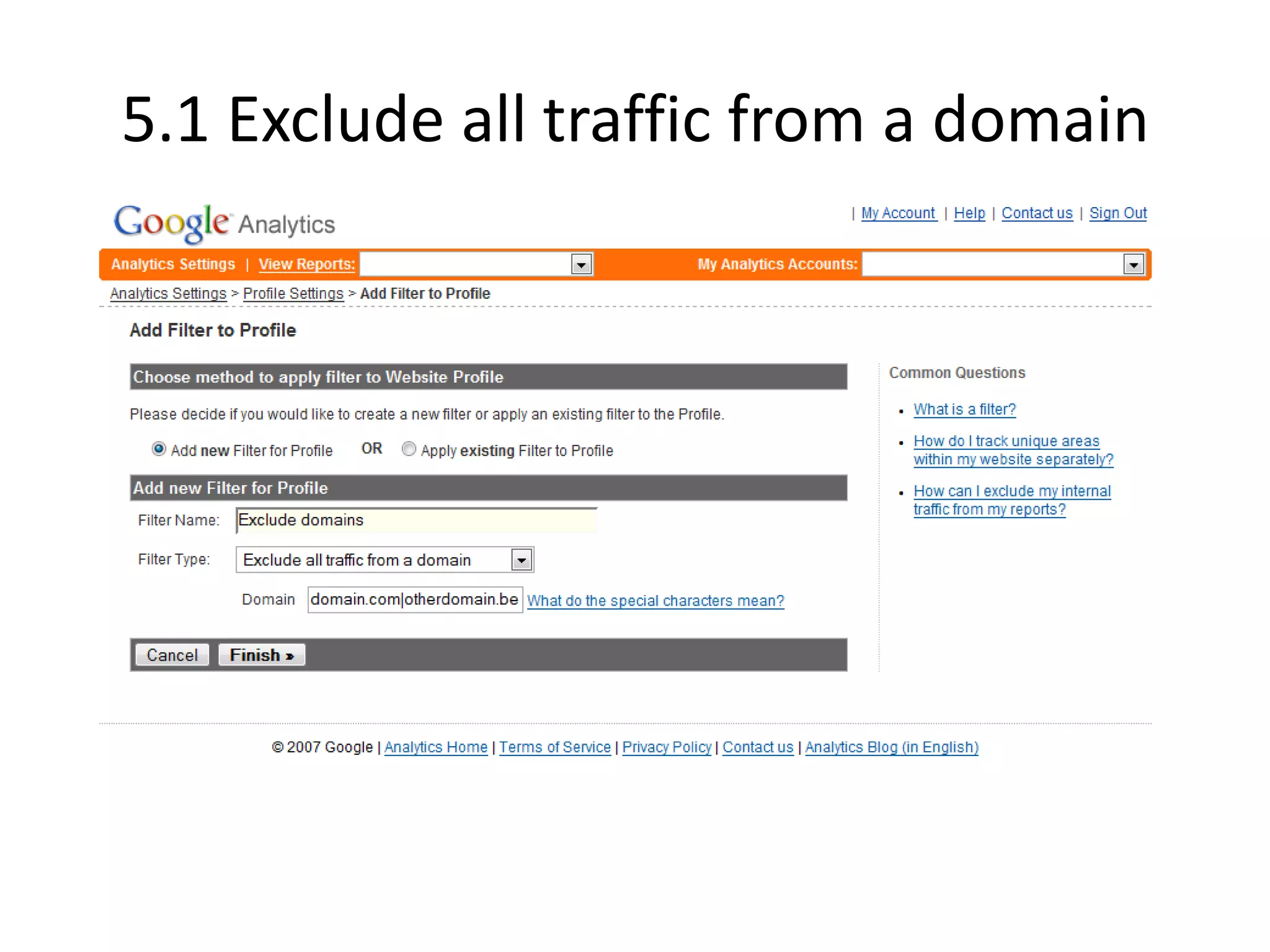
5.1 Exclude all traffic from a domain
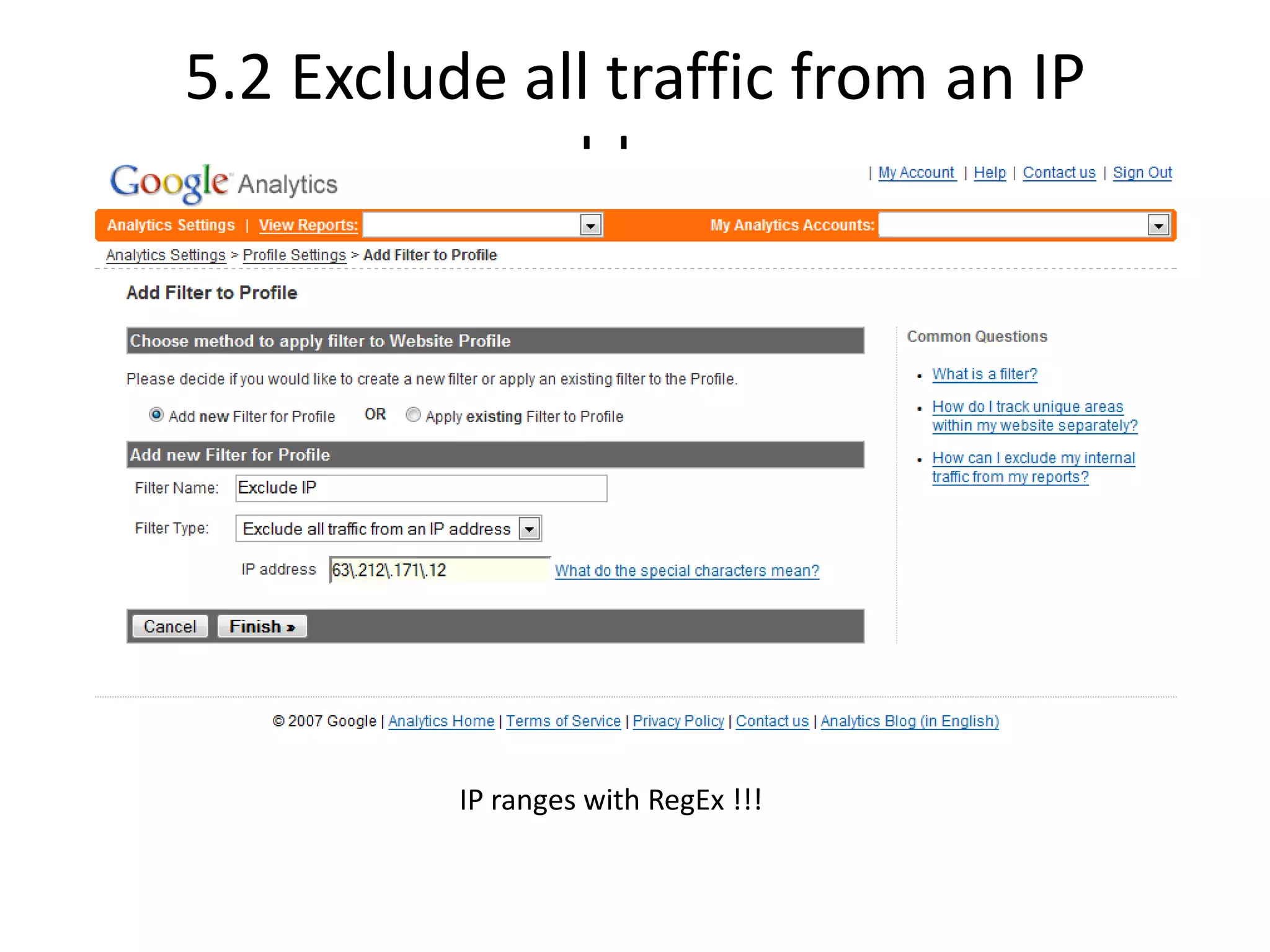
5.2 Exclude all traffic from an IP
            address


          IP ranges with RegEx !!!
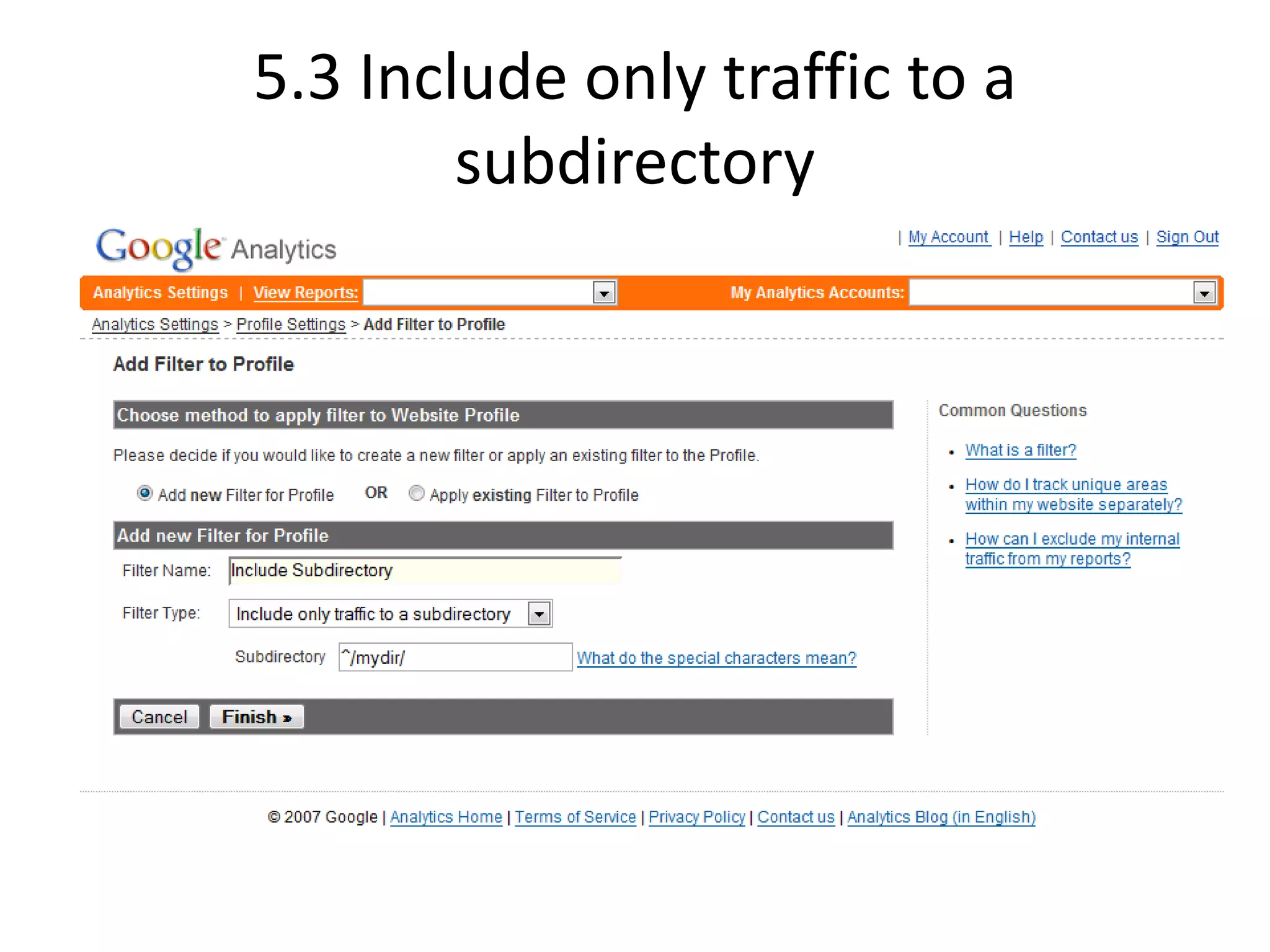
5.3 Include only traffic to a
        subdirectory
Configurations
•   Filters
•   Adding Profiles
•   Goals and funnels
•   Custom Segmentation
•   E- Come race Tracking
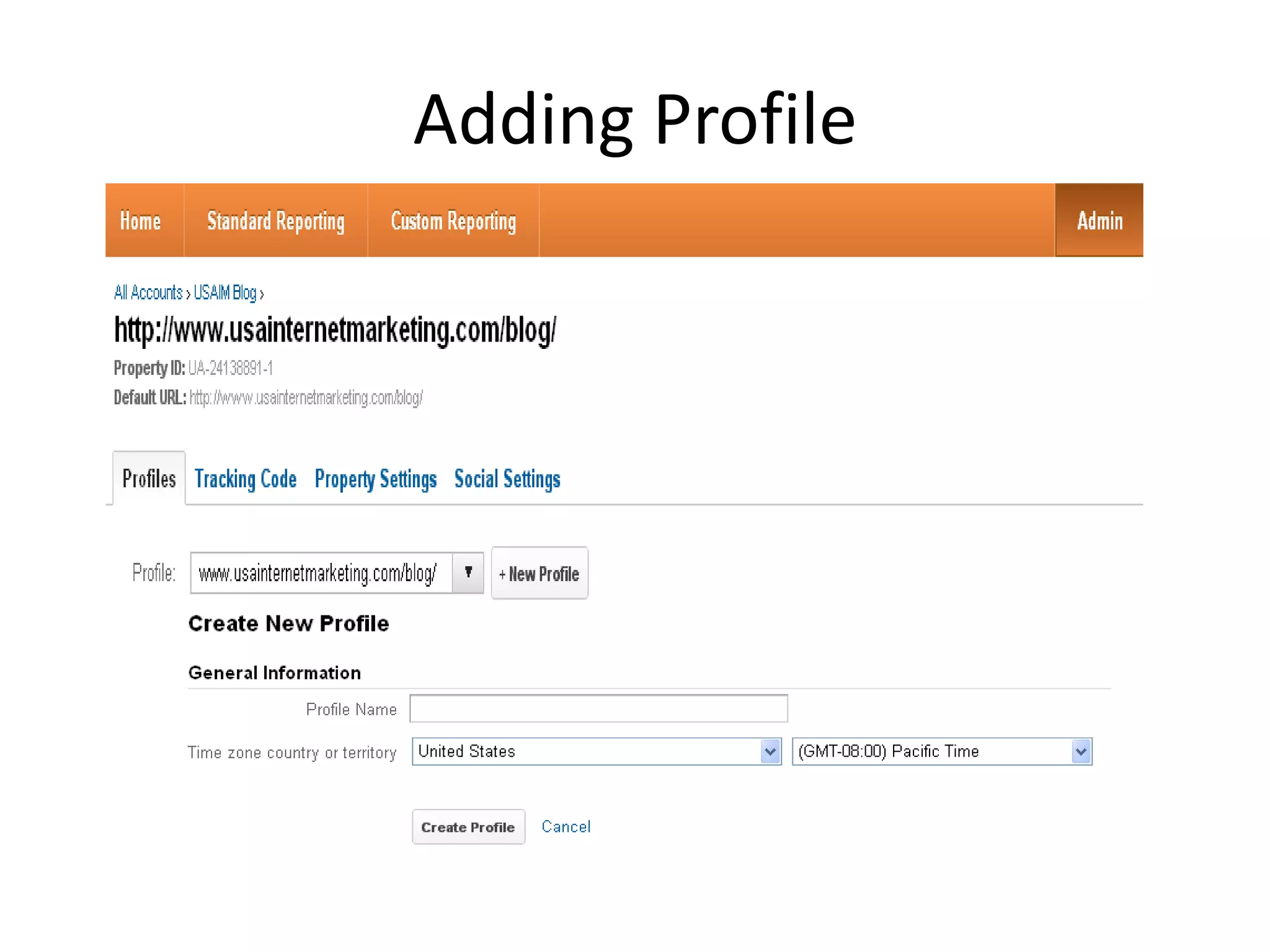
Adding Profile
Configurations
•   Filters
•   Adding Profiles
•   Goals and funnels
•   Custom Segmentation
•   E- Come race Tracking
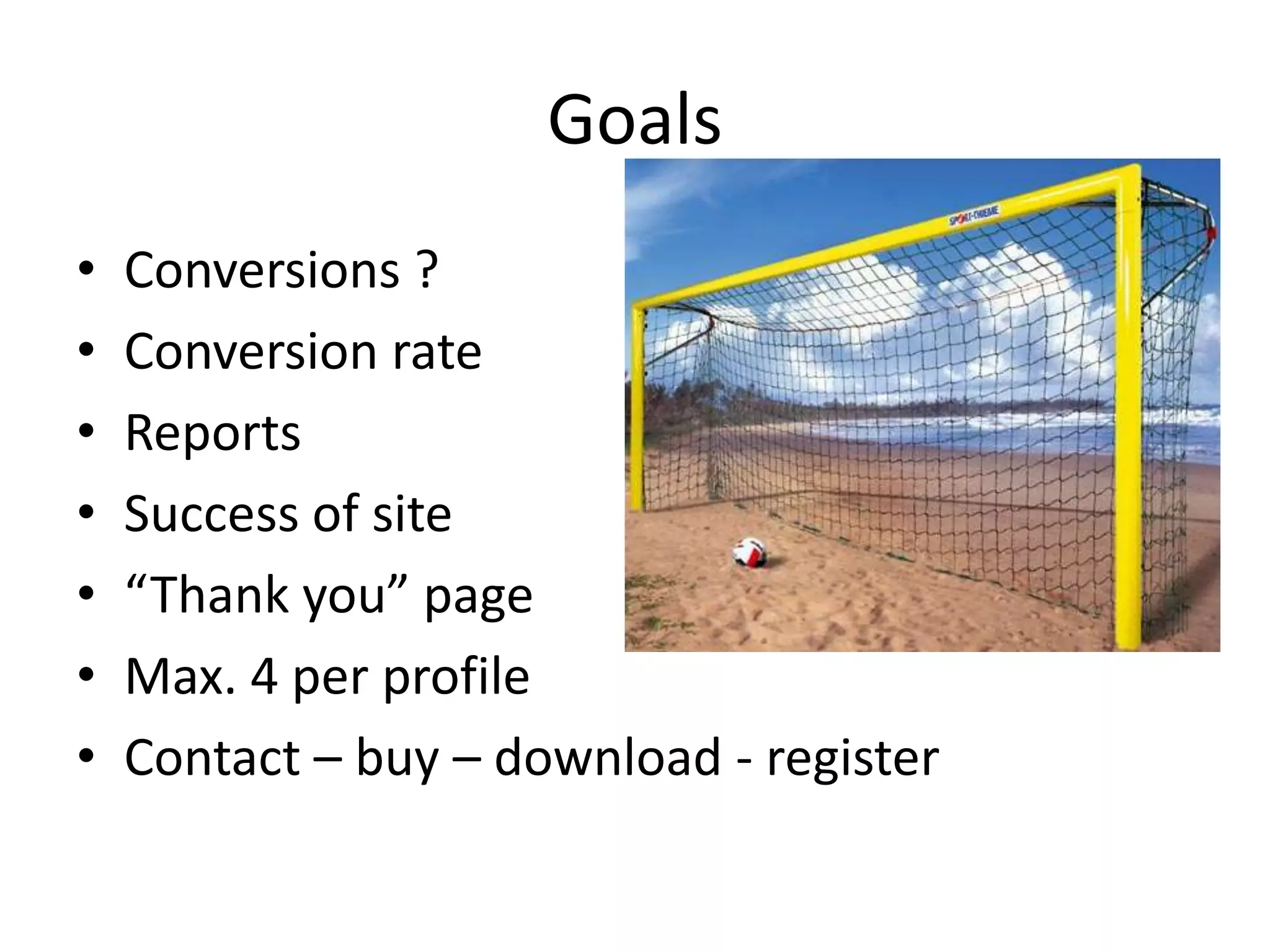
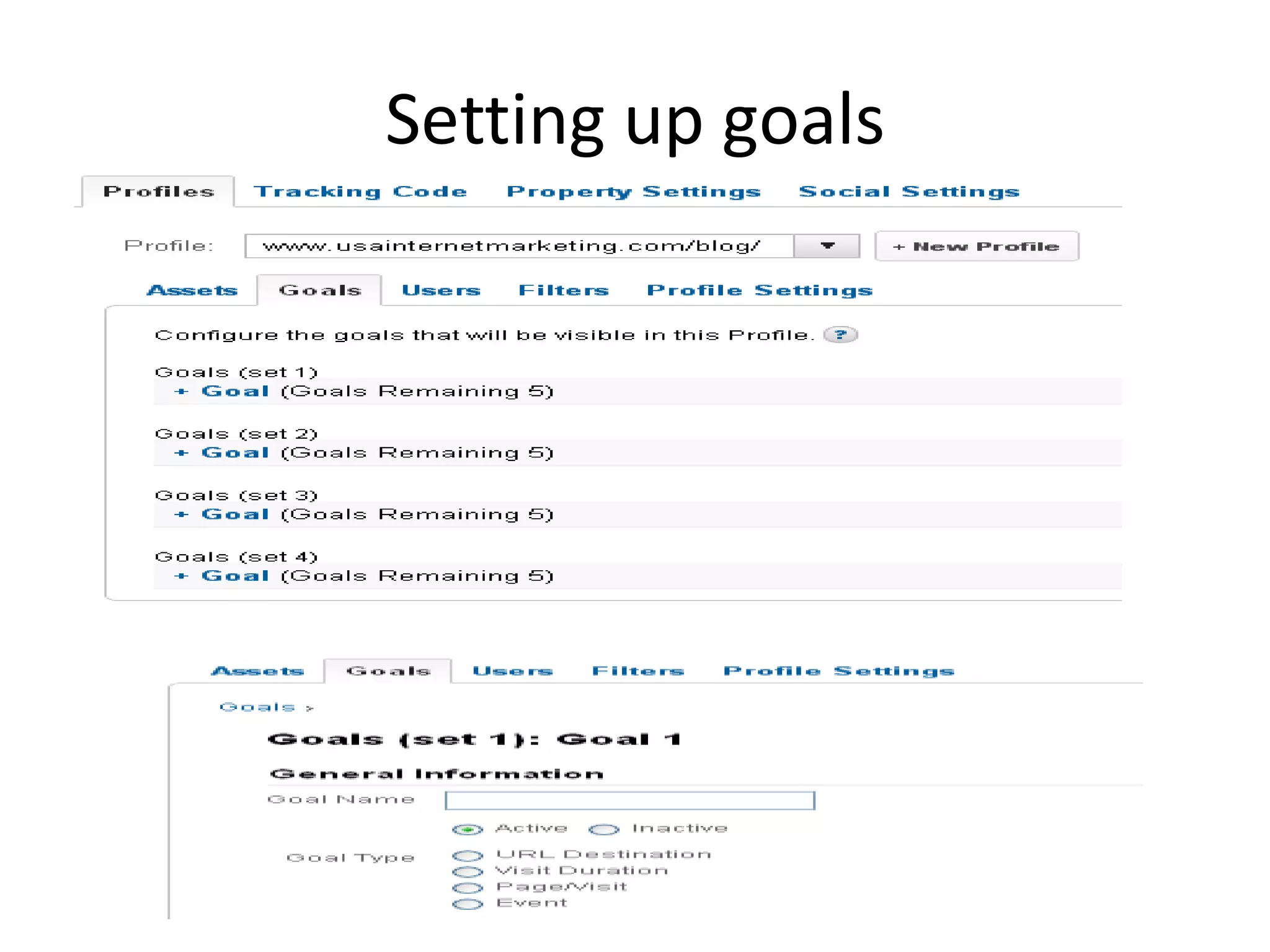
Goals
•   Conversions ?
•   Conversion rate
•   Reports
•   Success of site
•   “Thank you” page
•   Max. 4 per profile
•   Contact – buy – download - register
Setting up goals
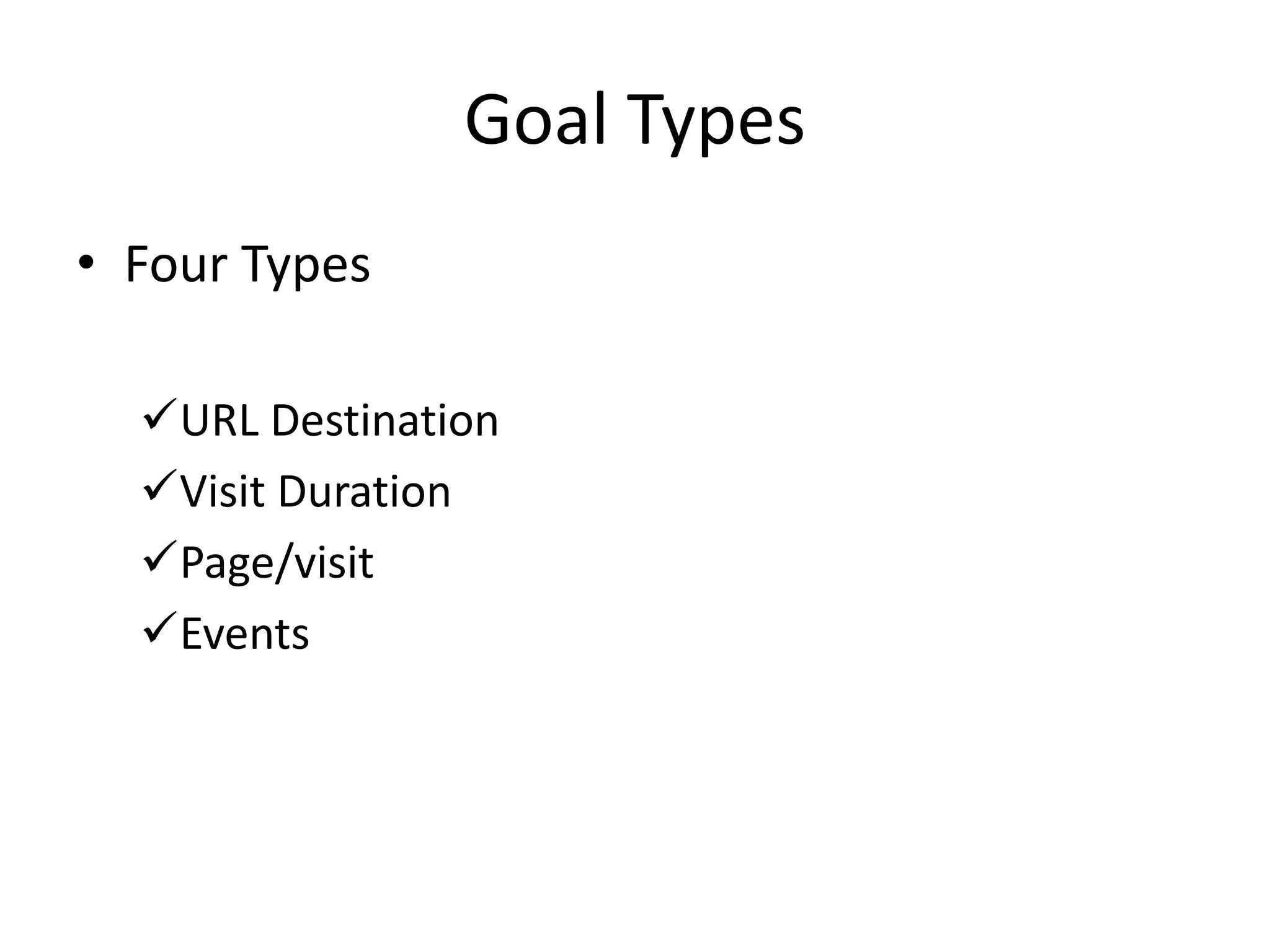
Goal Types
• Four Types

  URL Destination
  Visit Duration
  Page/visit
  Events
Setup Funnels
Configurations
•   Filters
•   Adding Profiles
•   Goals and funnels
•   Custom Segmentation
•   E- Comerace Tracking
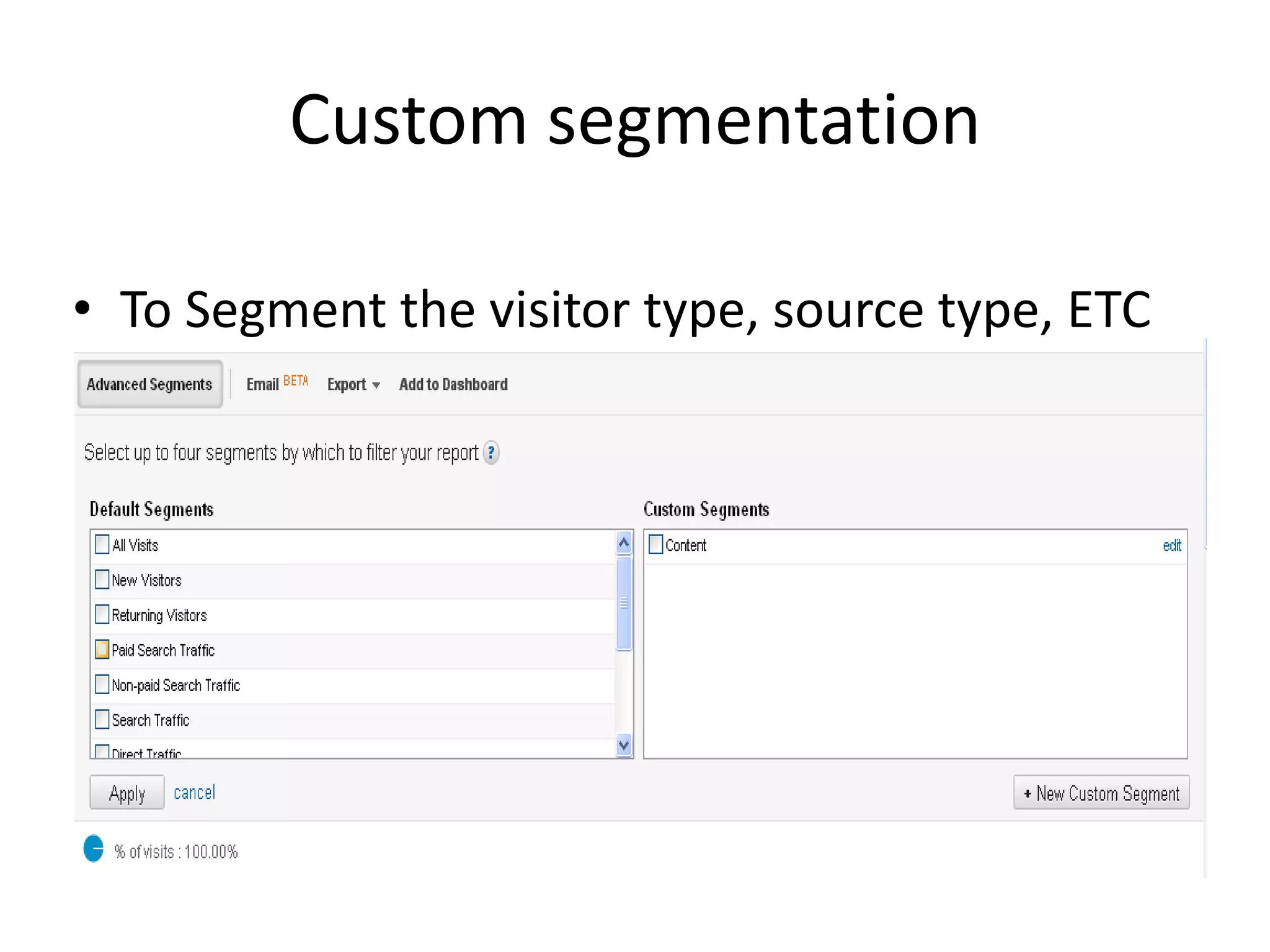
Custom segmentation

• To Segment the visitor type, source type, ETC
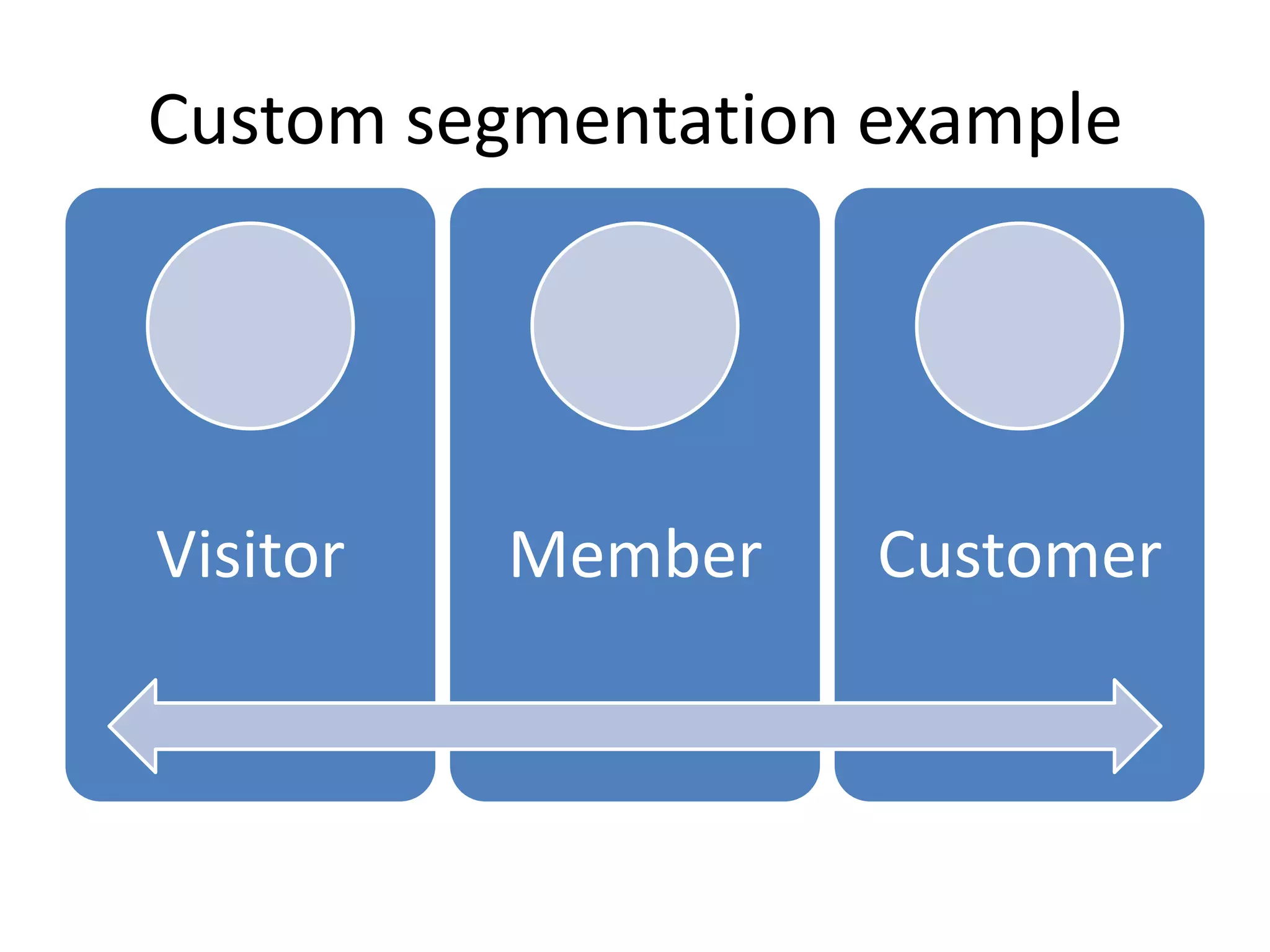
Custom segmentation example


Visitor   Member    Customer
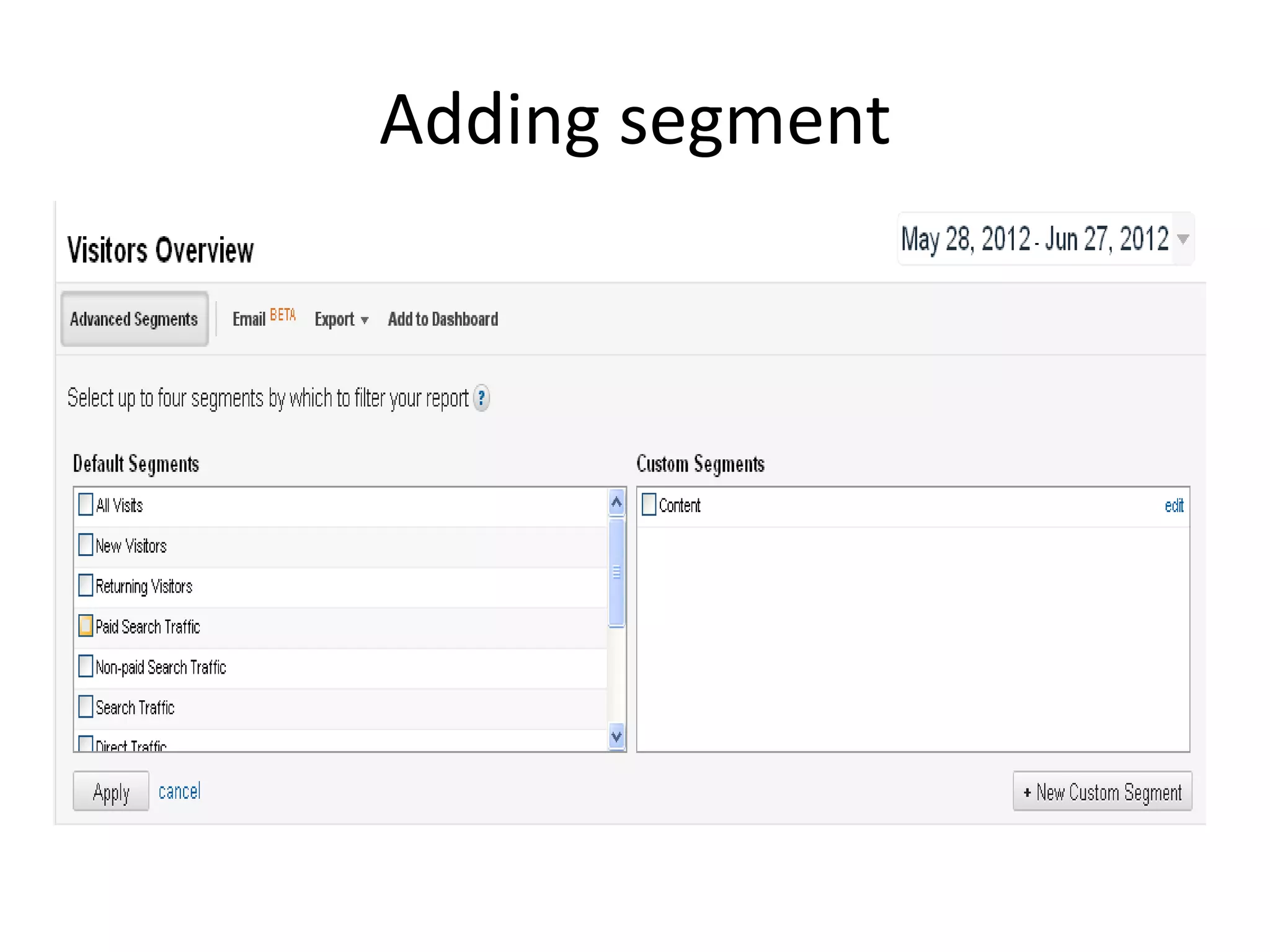
Adding segment
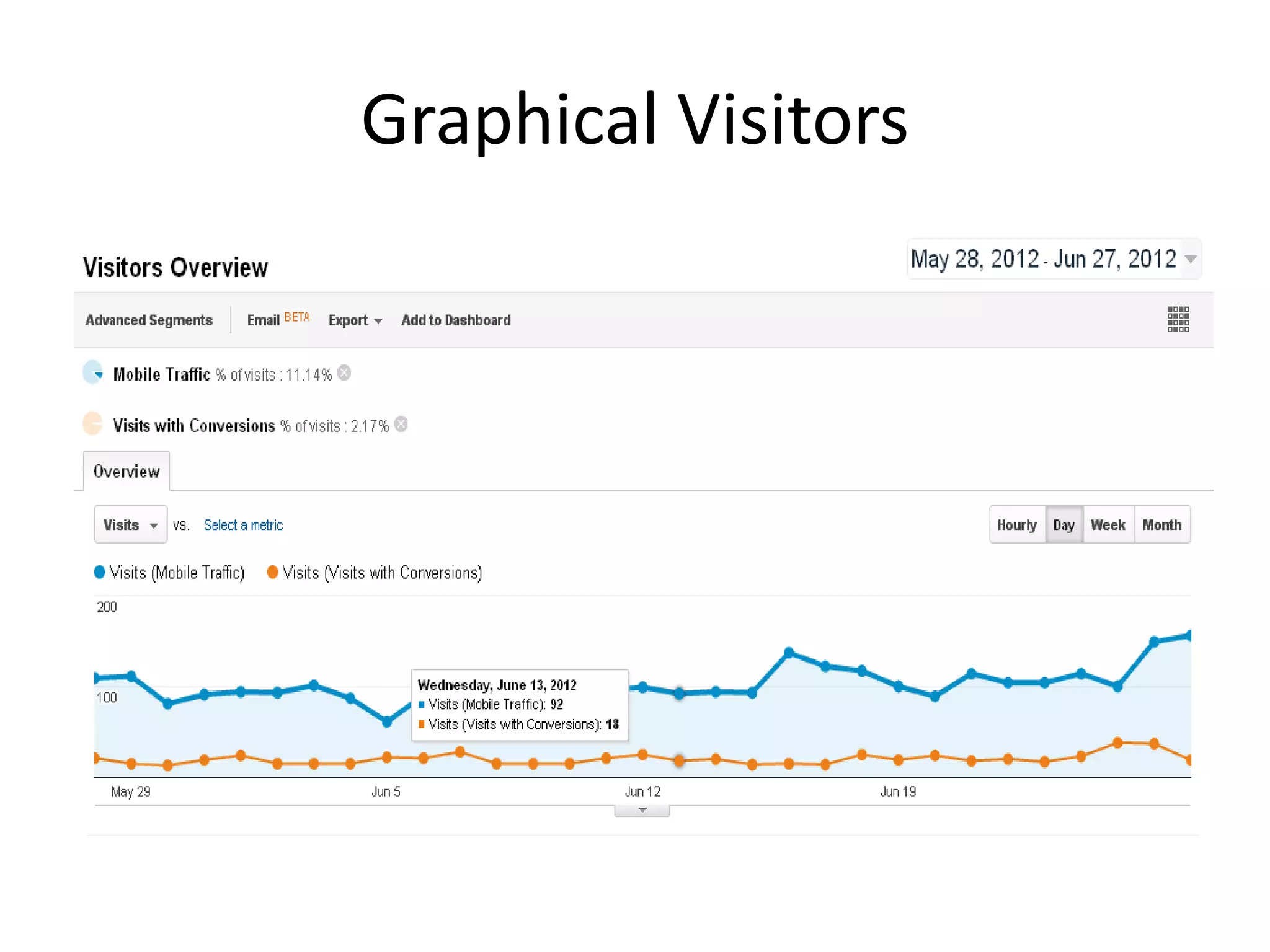
Graphical Visitors
Configurations
•   Filters
•   Adding Profiles
•   Goals and funnels
•   Custom Segmentation
•   E- Commerce Tracking
Implementing E-commerce tracking
• Activate E-commerce tracking in profile
• Add code below GATC
• Extra reports
• Data from transaction needs to be transfered
  to GA
• urchin.js vs. GA.js
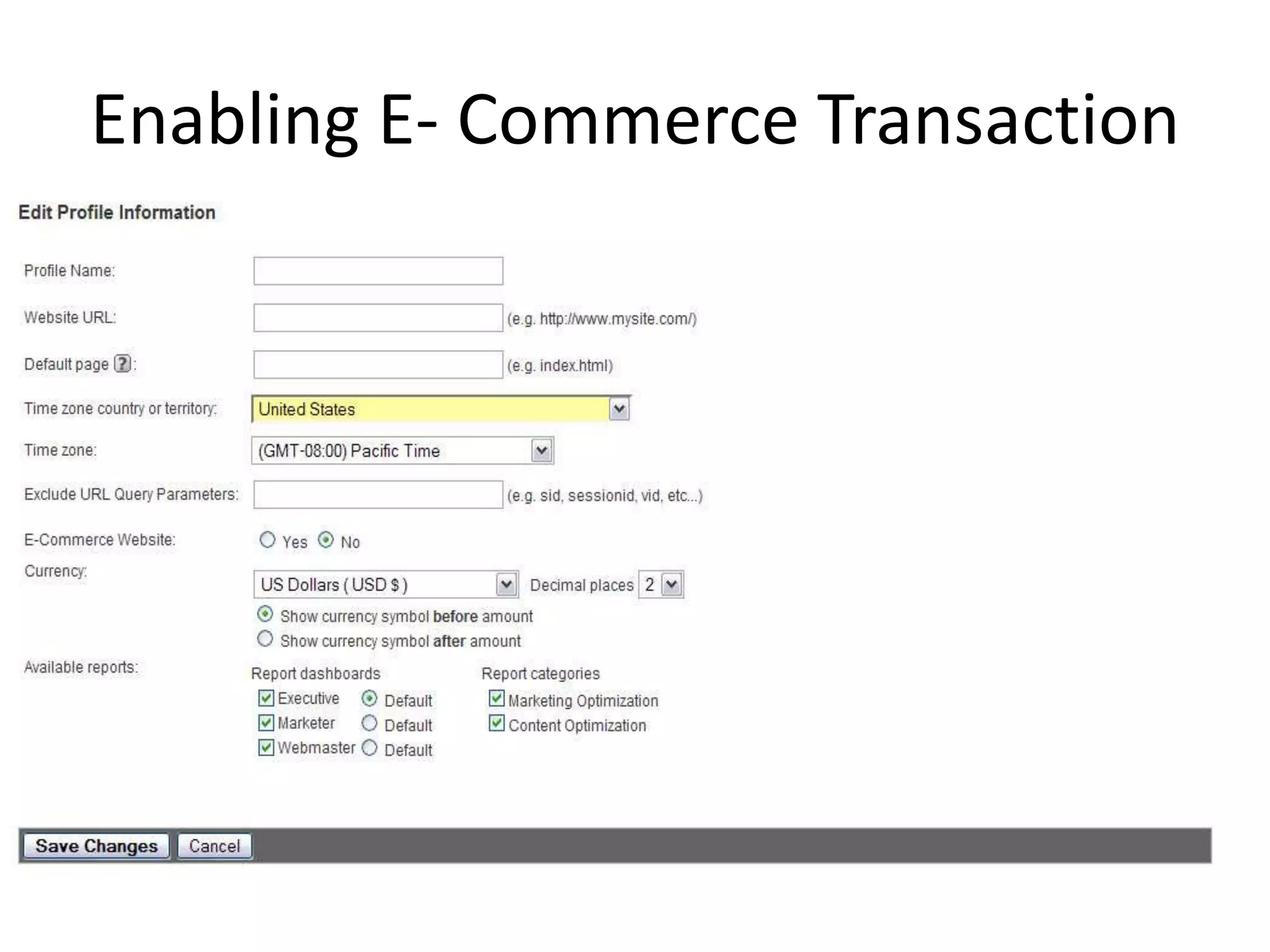
Enabling E- Commerce Transaction
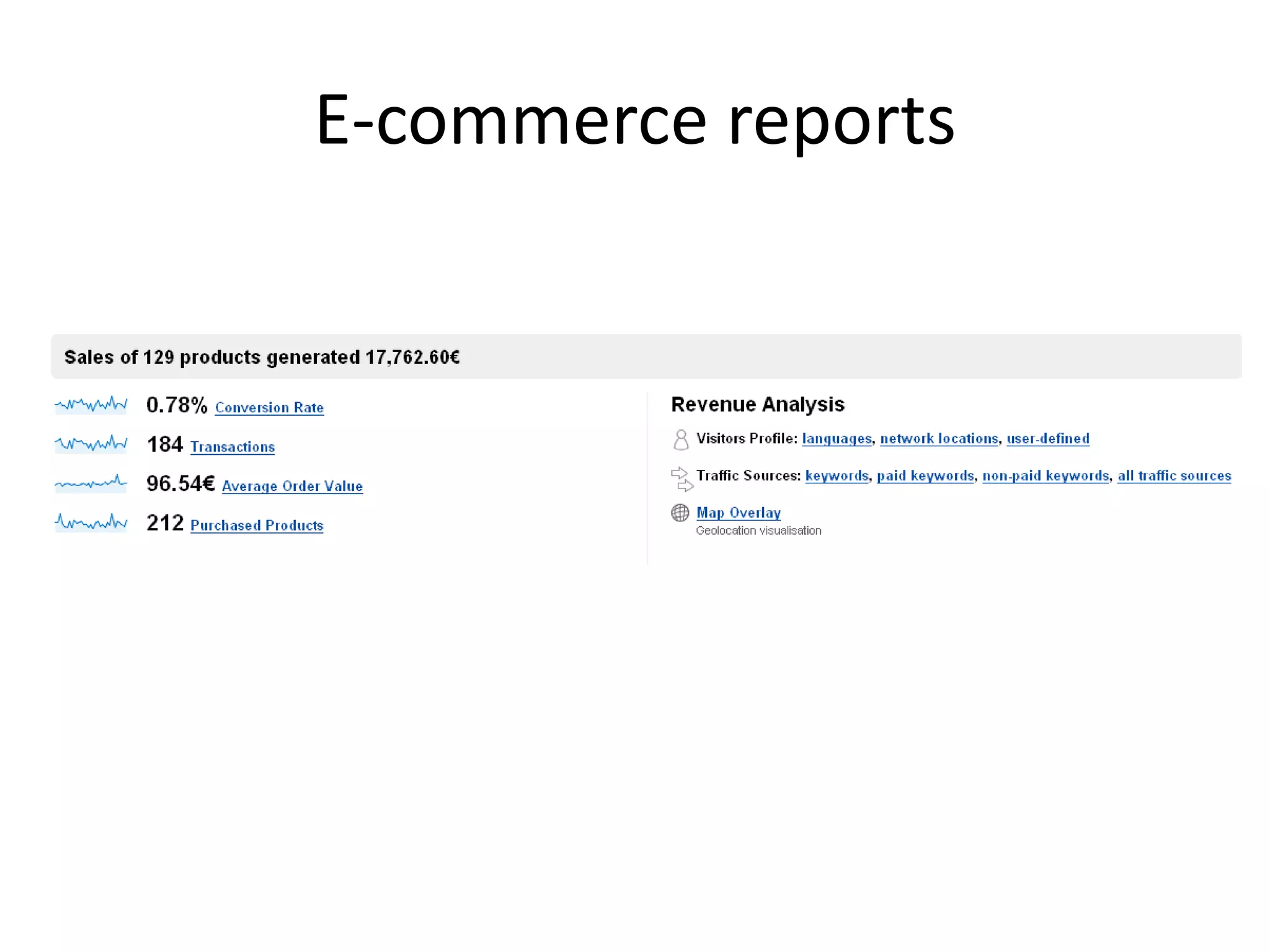
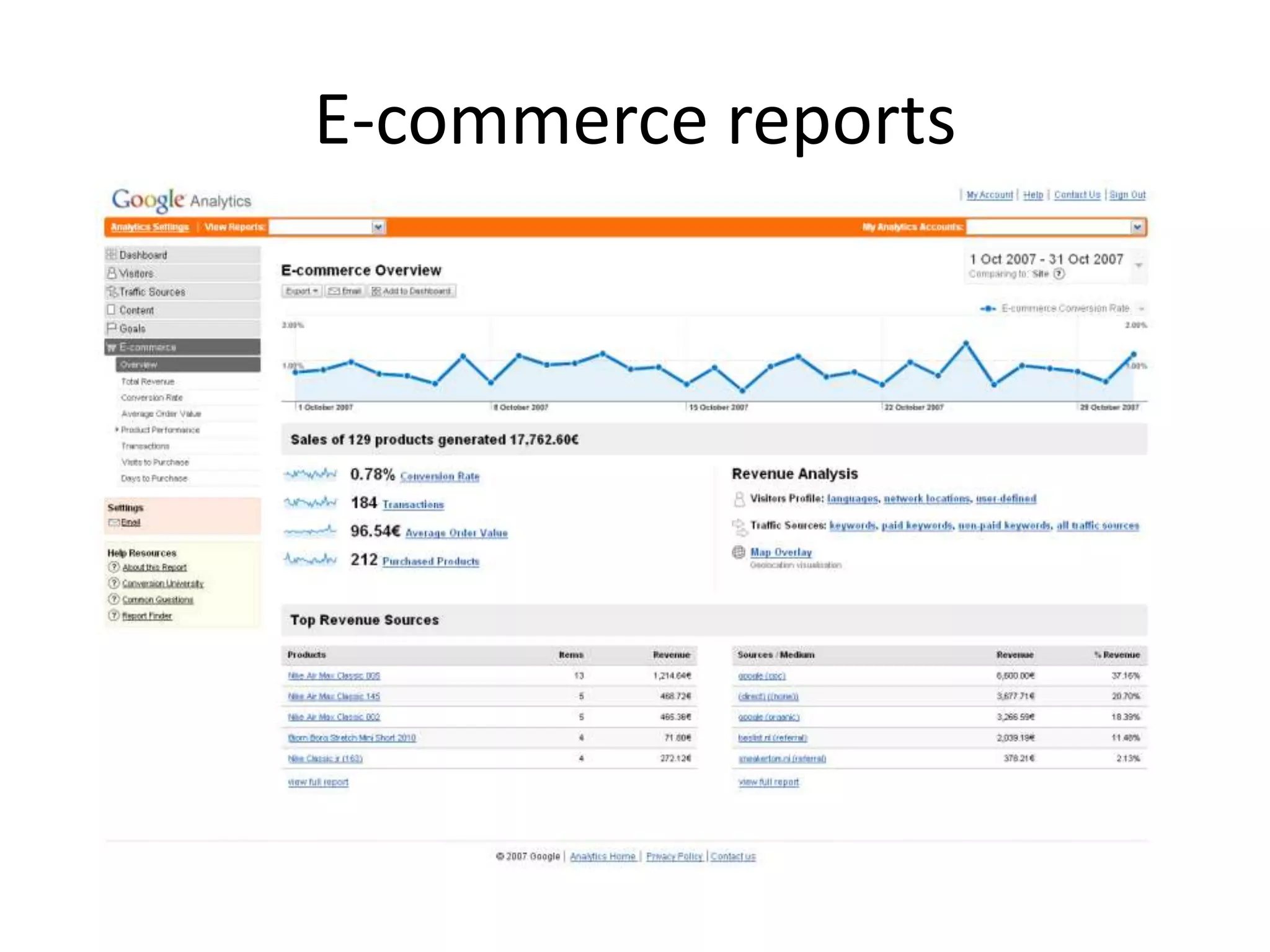
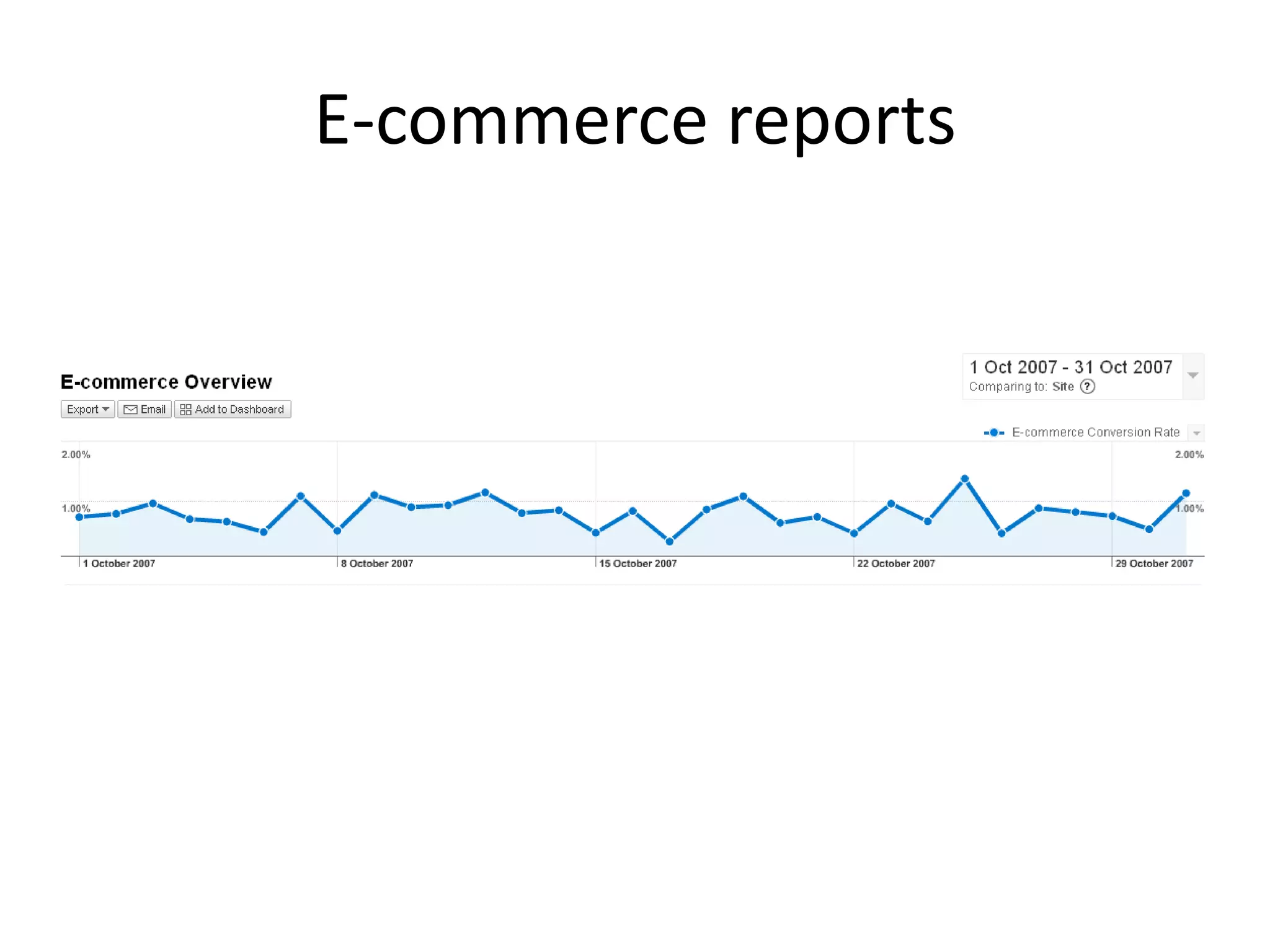
E-commerce reports
E-commerce reports
E-commerce reports
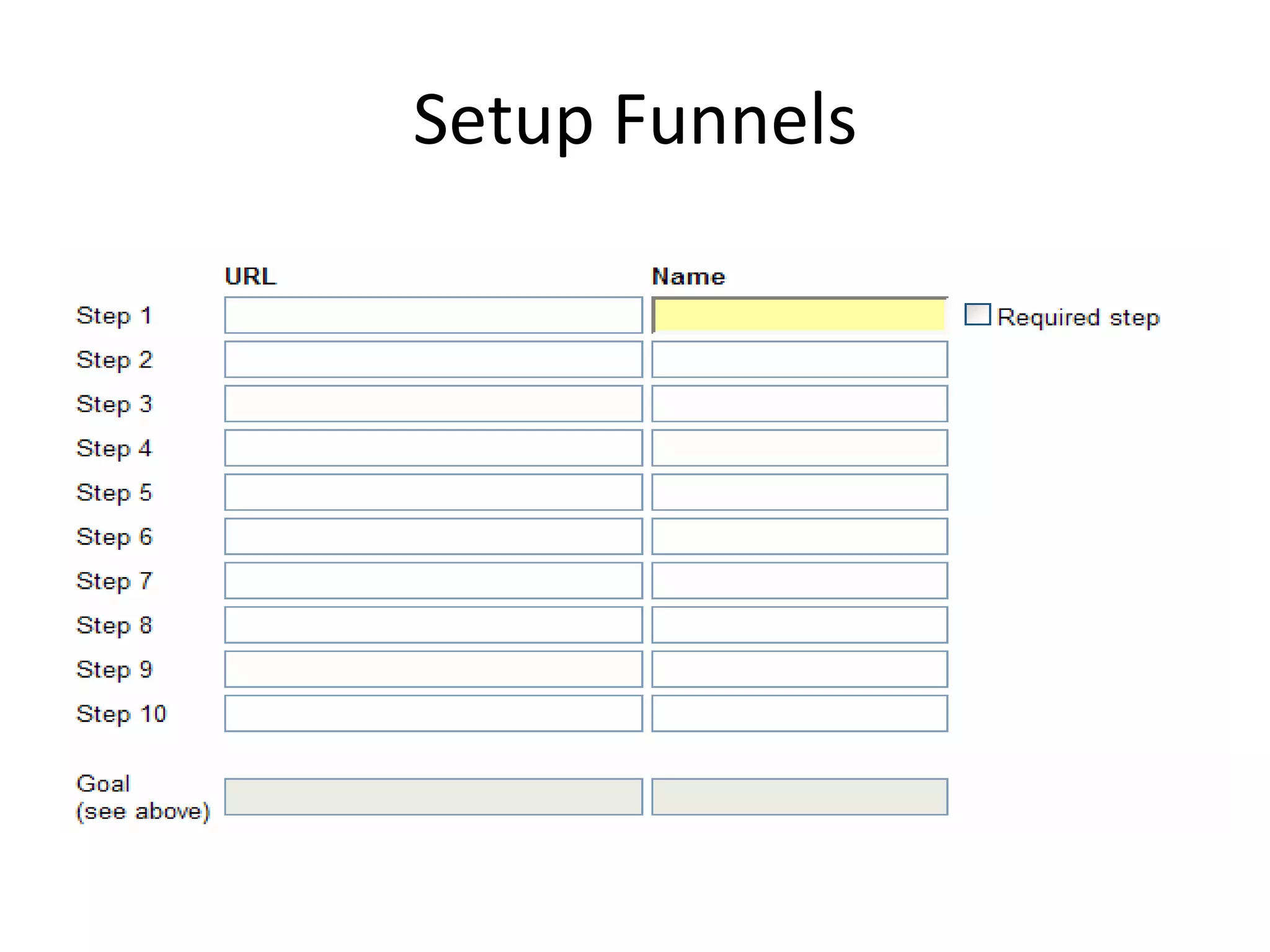
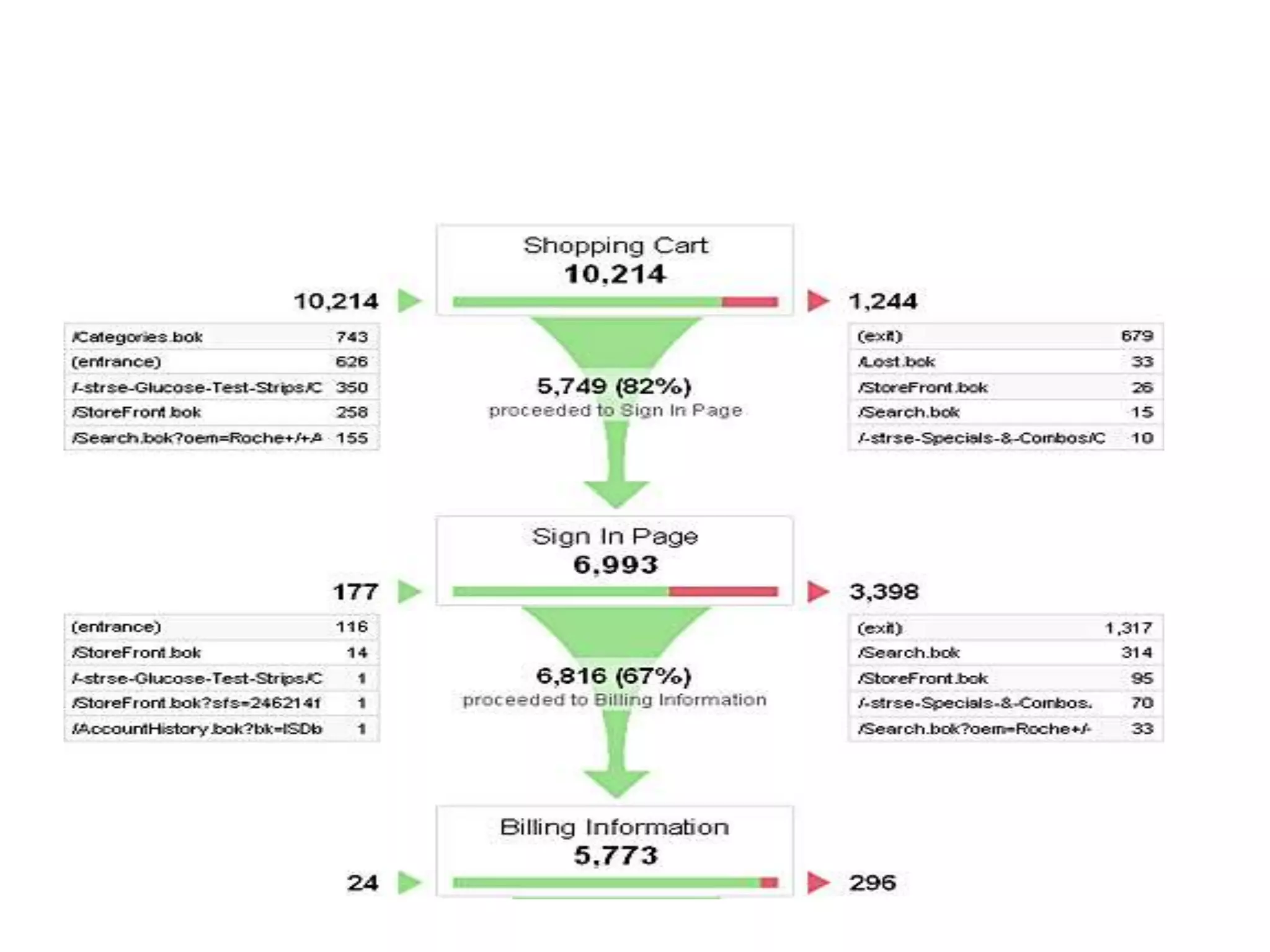
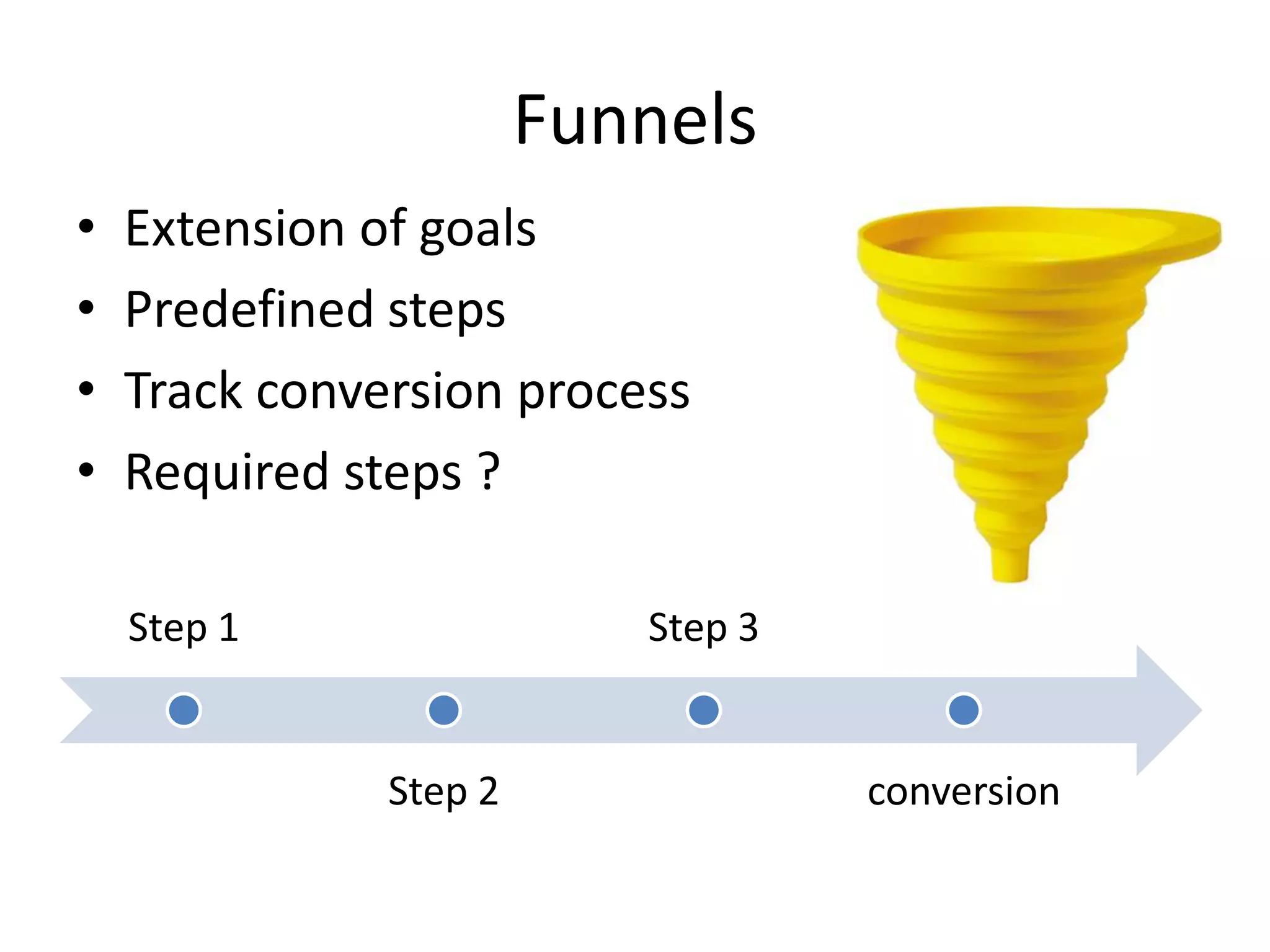
Funnels
•   Extension of goals
•   Predefined steps
•   Track conversion process
•   Required steps ?

    Step 1                 Step 3


               Step 2               conversion
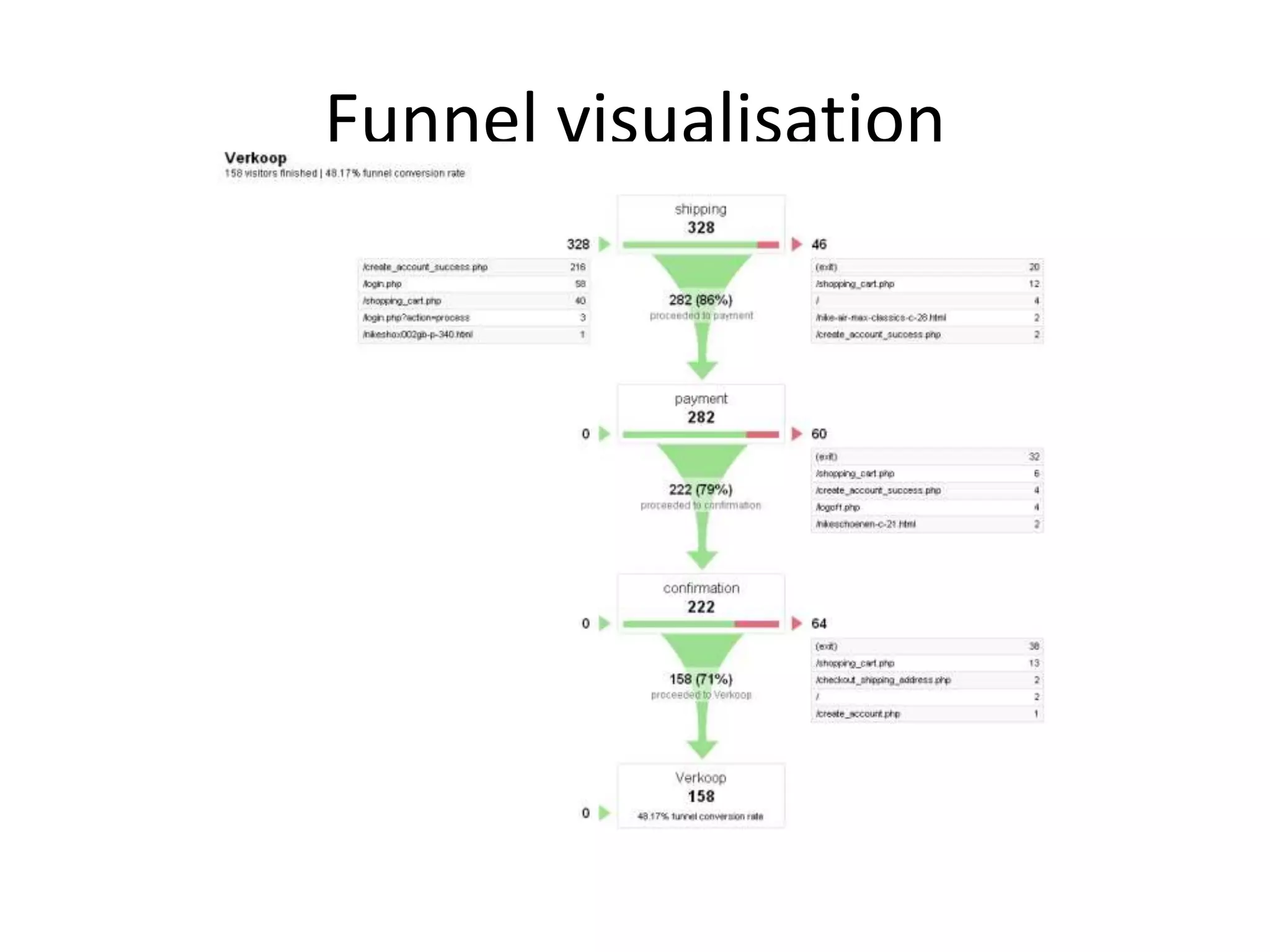
Funnel visualisation
Configurations
•   Filters
•   Adding Profiles
•   Goals and funnels
•   Custom Segmentation
•   E- Commerce Tracking
Today's Goals

• Google Analytics: what is it?
• Google analytics setup and configuration?
• Google Analytics Internal Map
Google Analytics Internal Map
•   Home
•   Standard Reporting
•   Custom Reporting
•   Admin
•   Help

Google analytics-basics-presentation

  • 1.
    Google Analytics BY Zia Ur Rahman CyberdesignZ
  • 2.
    Today's Goals • GoogleAnalytics: what is it? • Google analytics setup and configuration? • Google analytics internal map/how to use it?
  • 3.
    What is ? "Google Analytics is a full-featured, powerful analytics package.“ Track usage, entry points, searches, etc. via a web based interface. Reports can be viewed, emailed and exported. This free version is limited to 5 million pageviews a month
  • 4.
    What is ? • Free service offered by Google • The most widely used website statistics service* • Provides statistics and reports about visitors and transactions on a website • At-a-glance dashboard view as well as detailed reports
  • 5.
    Brief History ofGoogle Analytics • Developed from Urchin – acquired April 2005 • Publically available to all users since August 2006 • Current tag rolled out in late 2007 • Major upgrades in Q4 in 2008, 2009
  • 6.
    What does itdo? Google Analytics is a powerful tool that analyzes: • Website traffic – Where visitors came from – How they are navigating through your site • How they navigated from page to page • Which pages they stayed on longest or left from the most frequently (“bounce rate”) • Conversions • E-commerce – Volume of transactions – Dollar value of transaction – Success of transactions • % complete and % dropped out of sales funnel • AdWords Performance
  • 7.
    How does GoogleAnalytics work? • Establish a User ID and password at google.com/analytics • Google then provides a “page tag” or Google Analytics Tracking Code that needs to be added to each page of a website • This tag collects data and sends it back to the Google servers for processing
  • 8.
    • Google AnalyticsSetup And configuration
  • 9.
    Getting Started –What you need: • A Google Account – http://google.com/accounts • A website • Access to your website’s code (or CMS in some cases)
  • 10.
    Creating a GAaccount • Login to http://www.google.com /analytics
  • 11.
    General Information • URL& Account Name beyond the pageview: what's going on with your dynamic content?
  • 12.
    Contact Information • Enterproper contact information
  • 13.
  • 14.
  • 15.
    Configurations • Filters • Adding Profiles • Custom Segmentation • Goals • E- Comerace Tracking
  • 16.
    Filters • Applied to profile • Change data (forever!) • Business rules • 2 sorts: predefined and custom
  • 17.
    How do filterswork? Filter data before submitting it to GA DB
  • 18.
    Filter Type • 10different types • 3 predefined • 7 custom
  • 19.
    5.1 Exclude alltraffic from a domain
  • 20.
    5.2 Exclude alltraffic from an IP address IP ranges with RegEx !!!
  • 21.
    5.3 Include onlytraffic to a subdirectory
  • 22.
    Configurations • Filters • Adding Profiles • Goals and funnels • Custom Segmentation • E- Come race Tracking
  • 23.
  • 24.
    Configurations • Filters • Adding Profiles • Goals and funnels • Custom Segmentation • E- Come race Tracking
  • 25.
    Goals • Conversions ? • Conversion rate • Reports • Success of site • “Thank you” page • Max. 4 per profile • Contact – buy – download - register
  • 26.
  • 27.
    Goal Types • FourTypes URL Destination Visit Duration Page/visit Events
  • 28.
  • 30.
    Configurations • Filters • Adding Profiles • Goals and funnels • Custom Segmentation • E- Comerace Tracking
  • 31.
    Custom segmentation • ToSegment the visitor type, source type, ETC
  • 32.
  • 33.
  • 34.
  • 35.
    Configurations • Filters • Adding Profiles • Goals and funnels • Custom Segmentation • E- Commerce Tracking
  • 36.
    Implementing E-commerce tracking •Activate E-commerce tracking in profile • Add code below GATC • Extra reports • Data from transaction needs to be transfered to GA • urchin.js vs. GA.js
  • 37.
  • 38.
  • 39.
  • 40.
  • 41.
    Funnels • Extension of goals • Predefined steps • Track conversion process • Required steps ? Step 1 Step 3 Step 2 conversion
  • 42.
  • 43.
    Configurations • Filters • Adding Profiles • Goals and funnels • Custom Segmentation • E- Commerce Tracking
  • 44.
    Today's Goals • GoogleAnalytics: what is it? • Google analytics setup and configuration? • Google Analytics Internal Map
  • 45.
    Google Analytics InternalMap • Home • Standard Reporting • Custom Reporting • Admin • Help