REGIDOR G. GABOY
CLSU - Center for Educational Resources Development
                               and Services (CERDS)
Photography
   Photography is a means of recording forever
    the things one sees for a moment. It is better
    than memory because it does more than just
    recall things to the mind. It enables us to
    show what we have done, where we have
    been, what we have seen and even what we
    have thought
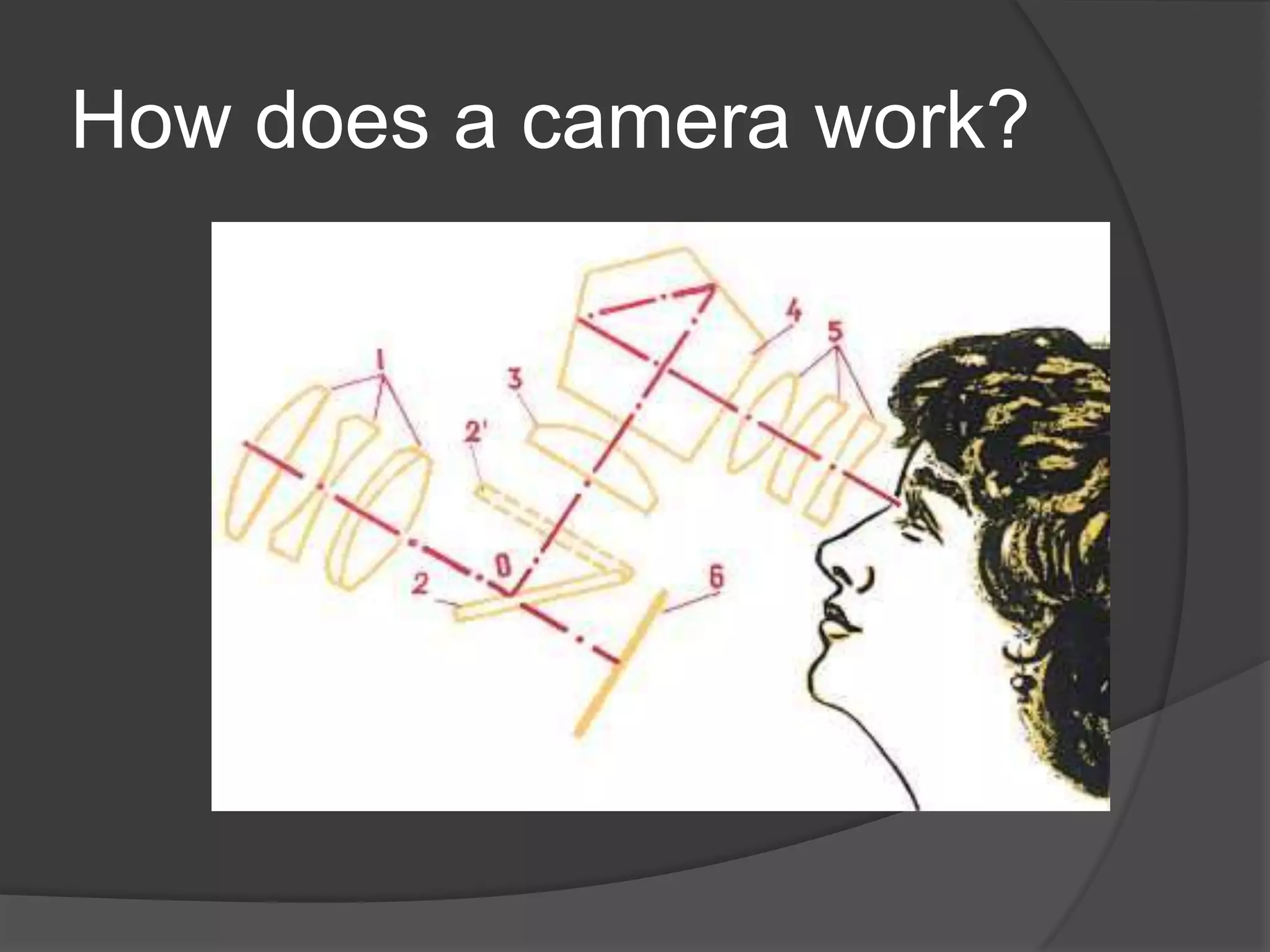
How does a camera work?
Know your camera!
 What is your camera?
 What is the capability of your camera?
Basic Terms: Speed and
Sensitivity
   ASA–American Standard Association

   ISO-International Standard (from
    International Organizational Standard)

   DIN-German Institute for Standardization

   GOST (Russian: ГОСТ) is an arithmetic
    scale which was used in the former Soviet
    Union before 1987
Automatic Settings
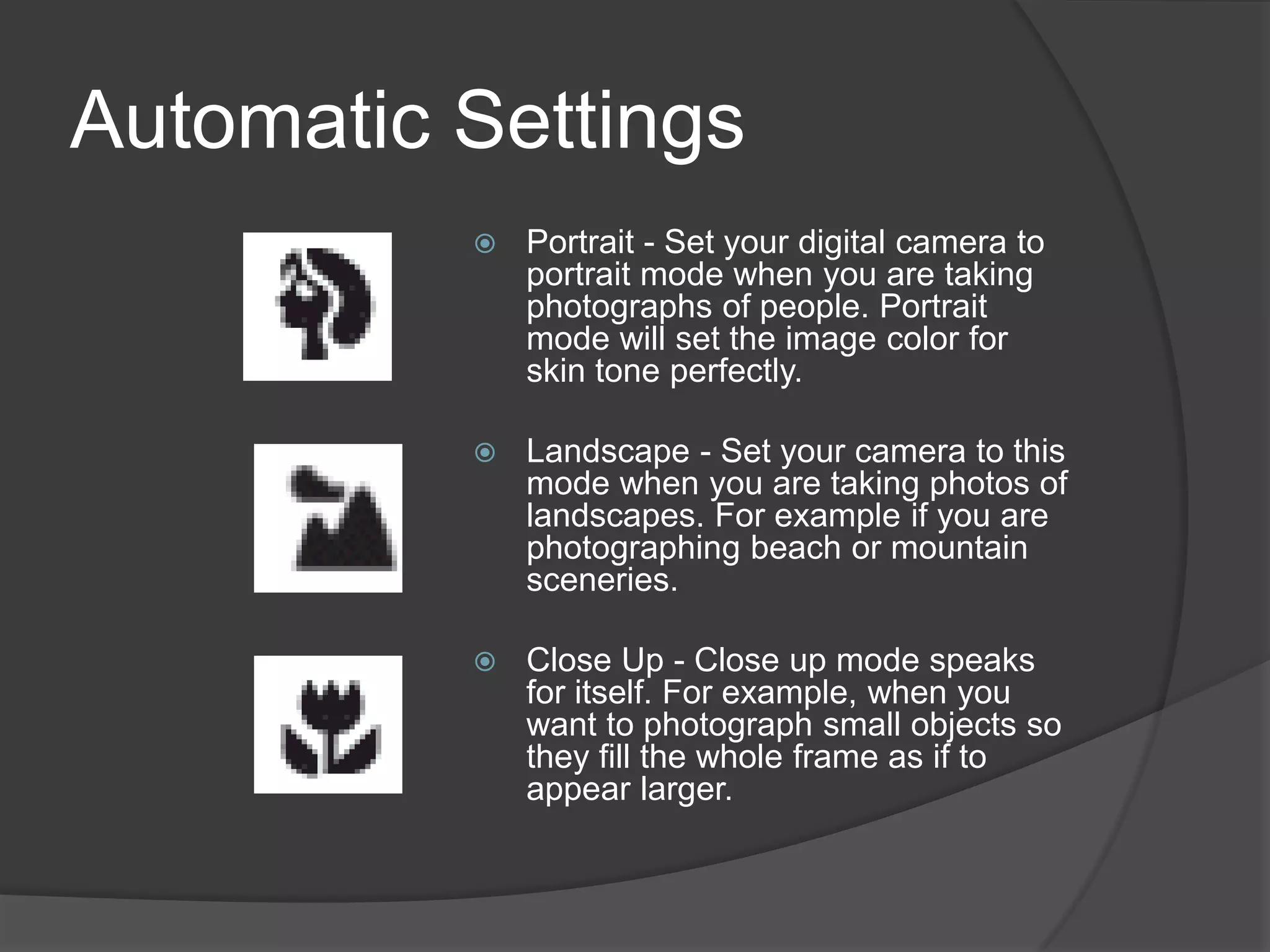
             Portrait - Set your digital camera to
              portrait mode when you are taking
              photographs of people. Portrait
              mode will set the image color for
              skin tone perfectly.

             Landscape - Set your camera to this
              mode when you are taking photos of
              landscapes. For example if you are
              photographing beach or mountain
              sceneries.

             Close Up - Close up mode speaks
              for itself. For example, when you
              want to photograph small objects so
              they fill the whole frame as if to
              appear larger.
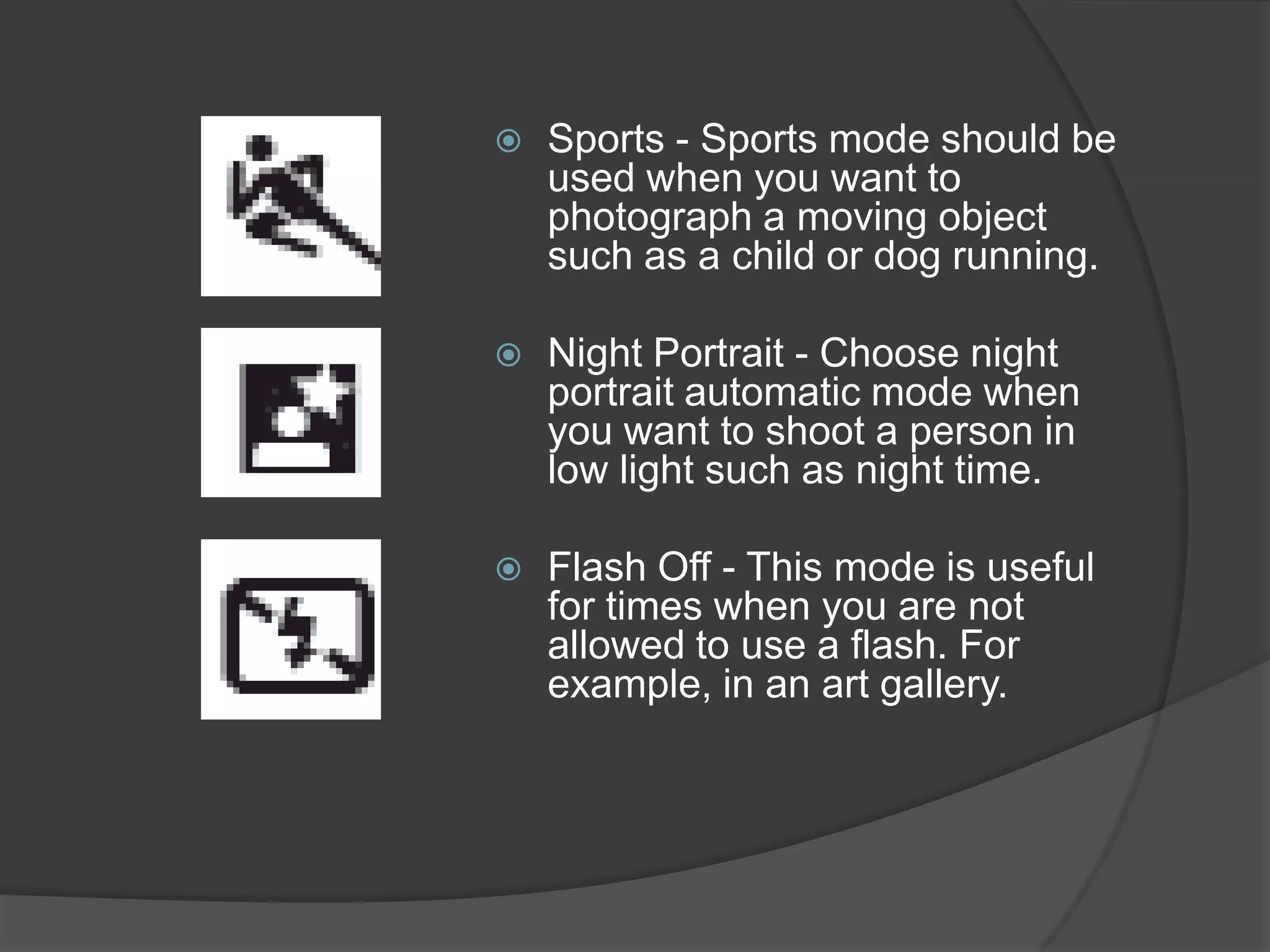
   Sports - Sports mode should be
    used when you want to
    photograph a moving object
    such as a child or dog running.

   Night Portrait - Choose night
    portrait automatic mode when
    you want to shoot a person in
    low light such as night time.

   Flash Off - This mode is useful
    for times when you are not
    allowed to use a flash. For
    example, in an art gallery.
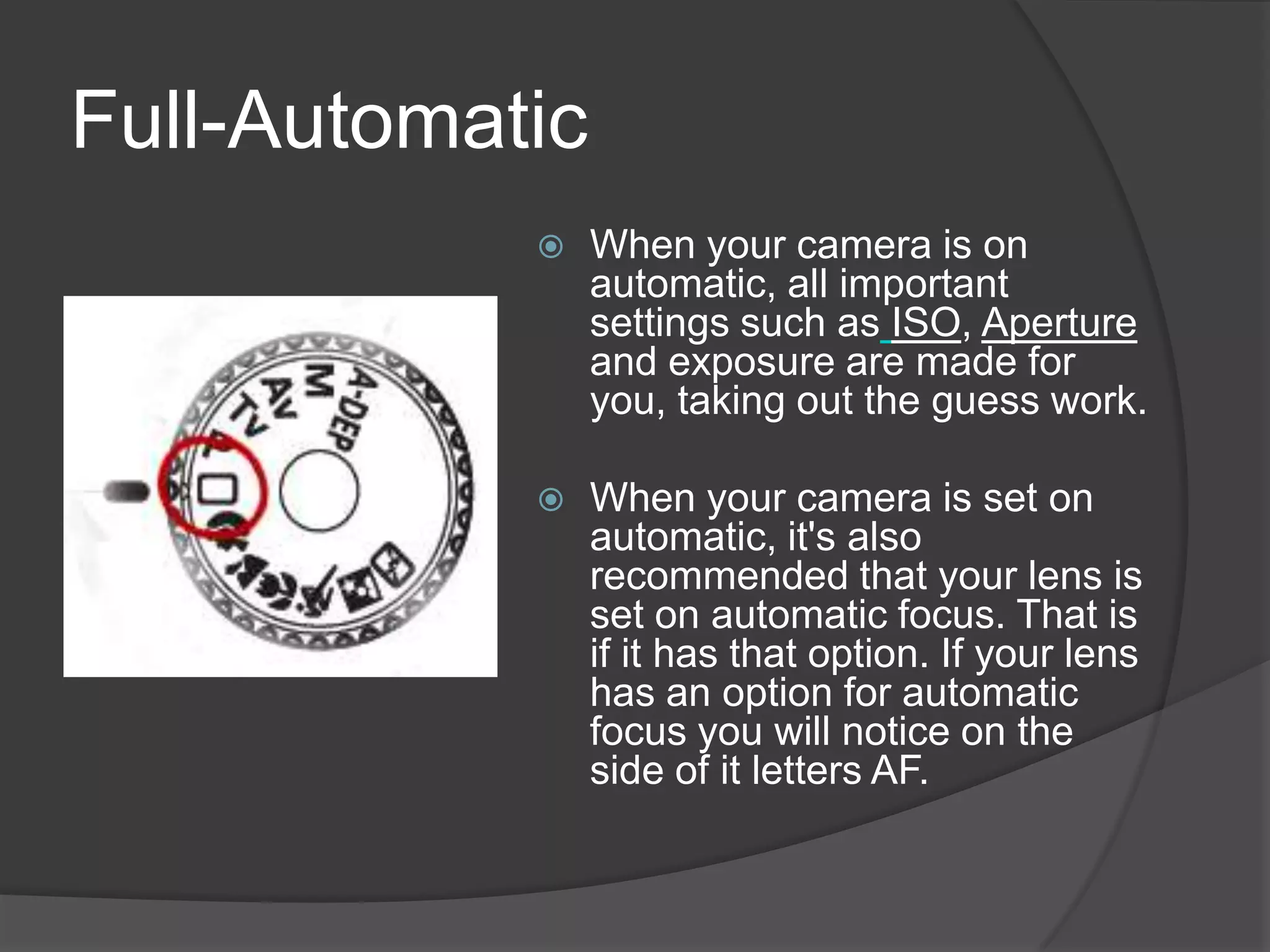
Full-Automatic
                When your camera is on
                 automatic, all important
                 settings such as ISO, Aperture
                 and exposure are made for
                 you, taking out the guess work.

                When your camera is set on
                 automatic, it's also
                 recommended that your lens is
                 set on automatic focus. That is
                 if it has that option. If your lens
                 has an option for automatic
                 focus you will notice on the
                 side of it letters AF.
Settings and options


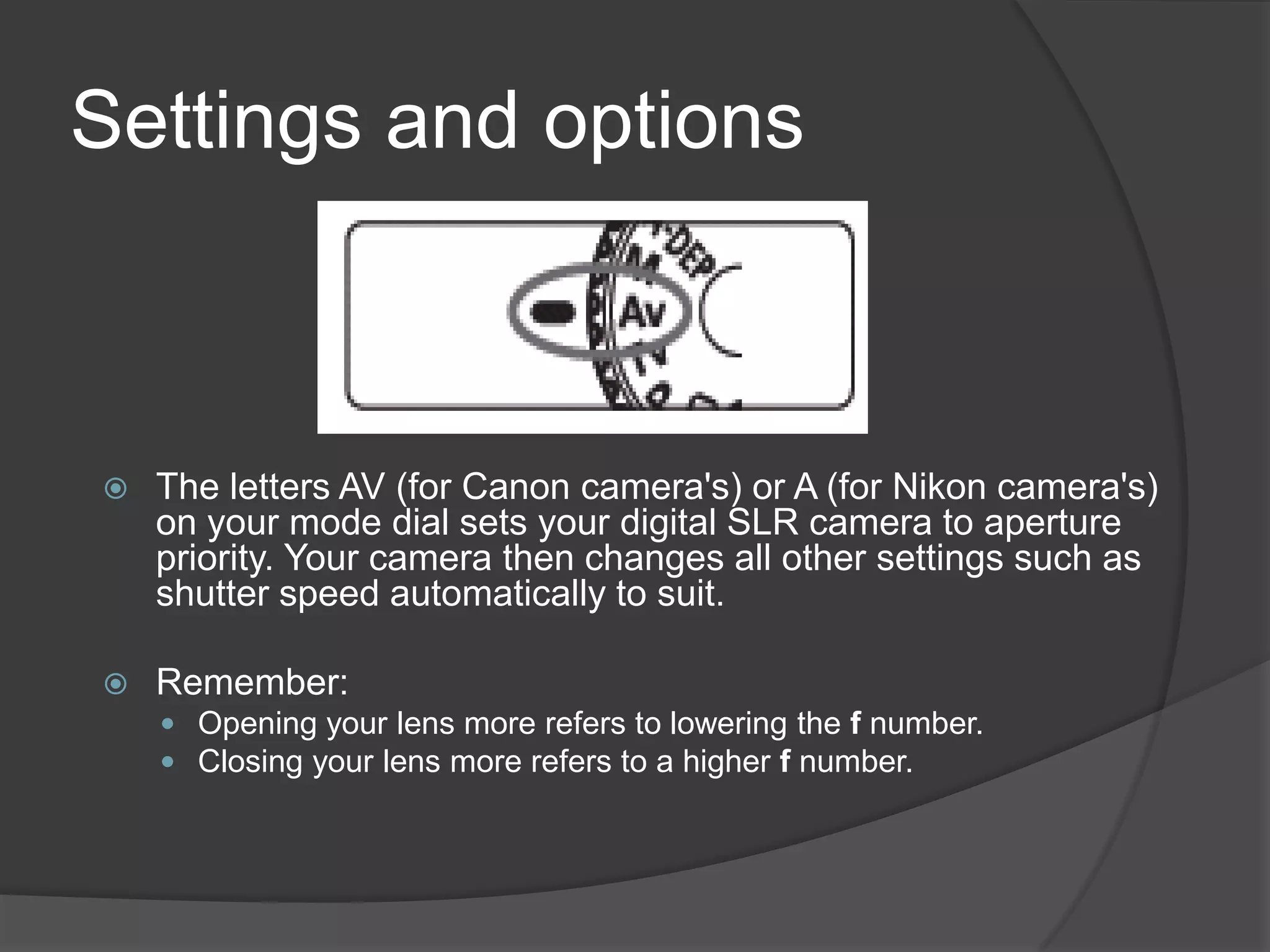
   The letters AV (for Canon camera's) or A (for Nikon camera's)
    on your mode dial sets your digital SLR camera to aperture
    priority. Your camera then changes all other settings such as
    shutter speed automatically to suit.

   Remember:
     Opening your lens more refers to lowering the f number.
     Closing your lens more refers to a higher f number.
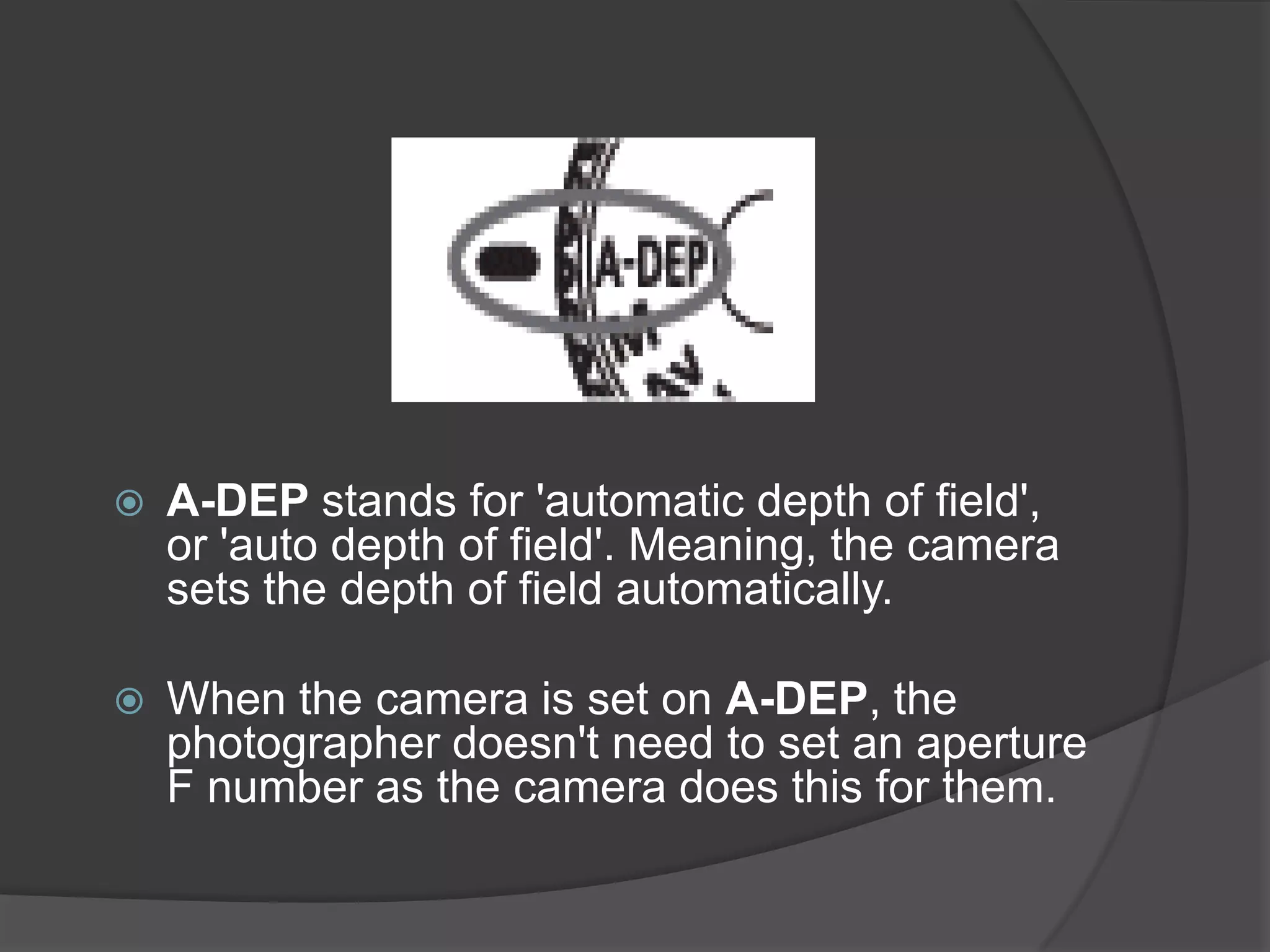
   A-DEP stands for 'automatic depth of field',
    or 'auto depth of field'. Meaning, the camera
    sets the depth of field automatically.

   When the camera is set on A-DEP, the
    photographer doesn't need to set an aperture
    F number as the camera does this for them.
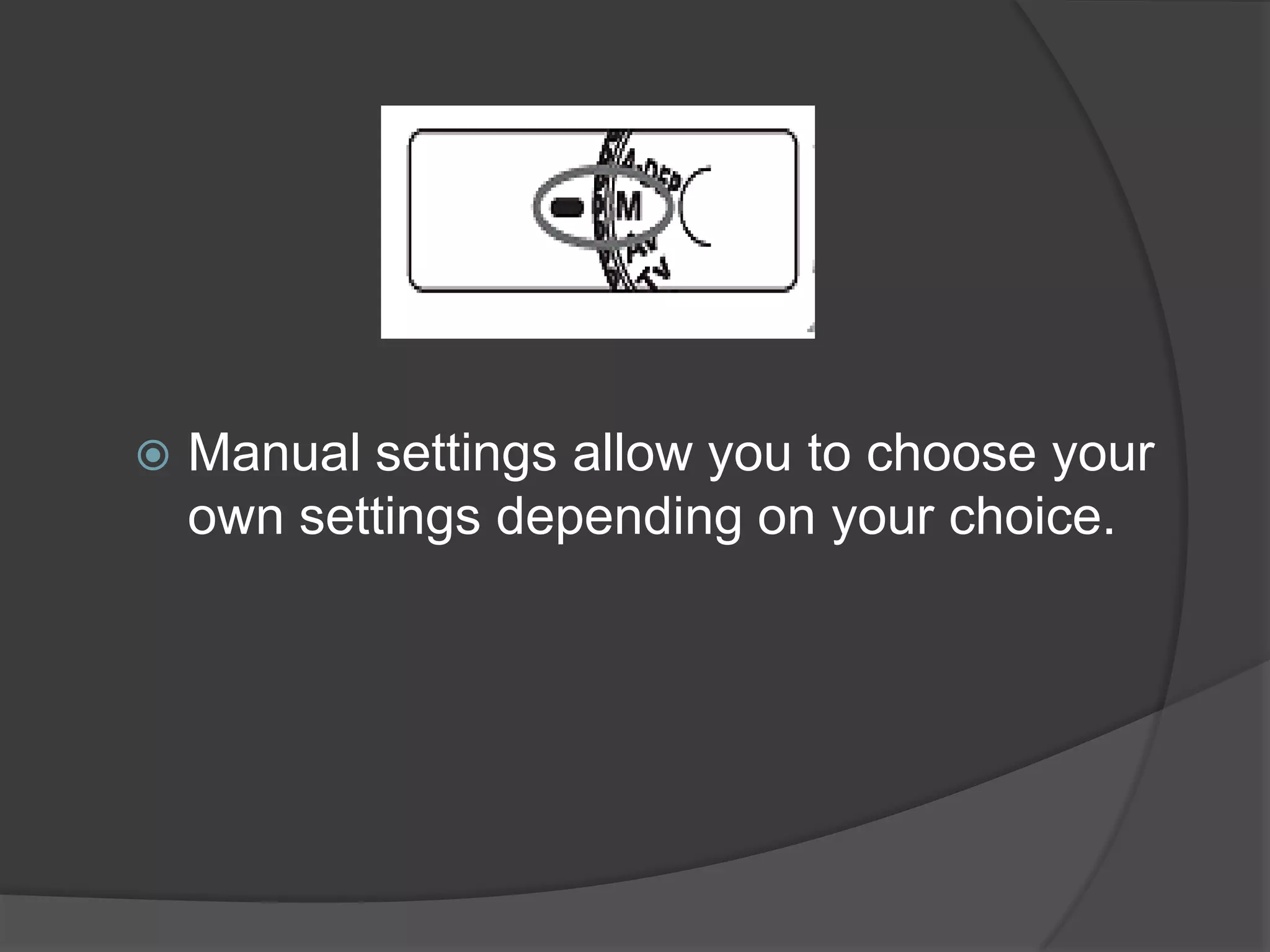
   Manual settings allow you to choose your
    own settings depending on your choice.
Camera: Canon EOS 400D /
                                                        Rebel XTi
                                                        Lens: Canon EF-S17-85mm
                                                        f/4-5.6 IS USM
                                                        Exposure: 0.2 sec (1/5)
                                                        Aperture: f/22
                                                        Focal Length: 85 mm
                                                        ISO Speed: 100
                                                        Exposure Program: Manual
                                                        Flash: Flash did not fire
    http://www.slrphotographyguide.com

Why this shot worked (According to the photographer)
           ―For this beach landscape, I wanted the whole scene from the sand in the
foreground, to the island and boat in the background to be fully in focus. I also intended
for the ocean waves to have a slow motion dreamy look and feel to them.
           For this to be achieved, the camera needed to be set on a high aperture f/22,
and a relatively slow shutter speed of 1/5th of a second. If I had set the camera to
aperture priority, then the shutter speed would have been automatically created for me,
or conversely if I'd set shutter priority, the camera would have automatically set the
aperture to suit.
           Therefore, setting the camera on manual mode, allowed me to fully choose
both the aperture and the shutter speed.‖ -
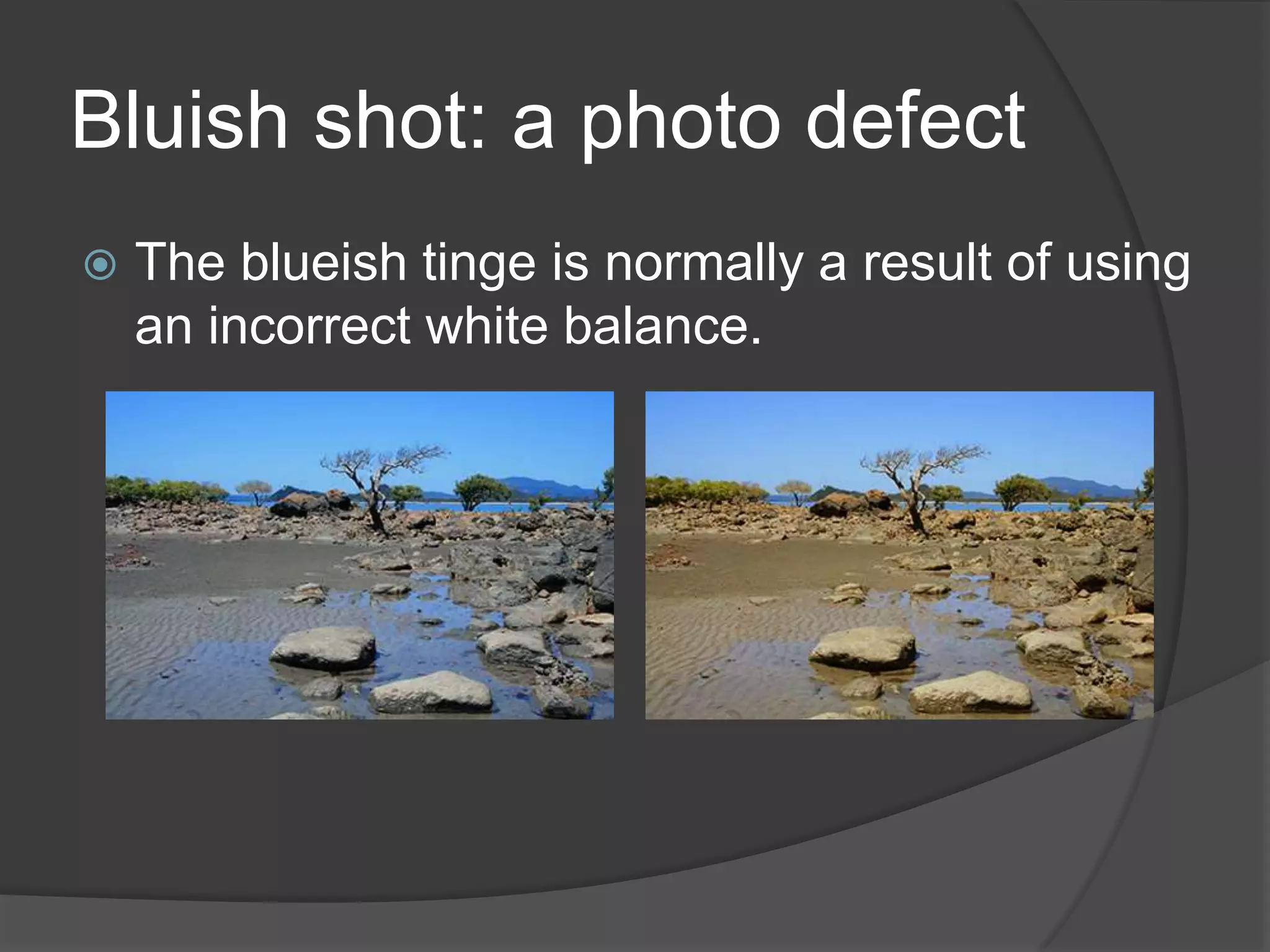
Bluish shot: a photo defect
   The blueish tinge is normally a result of using
    an incorrect white balance.
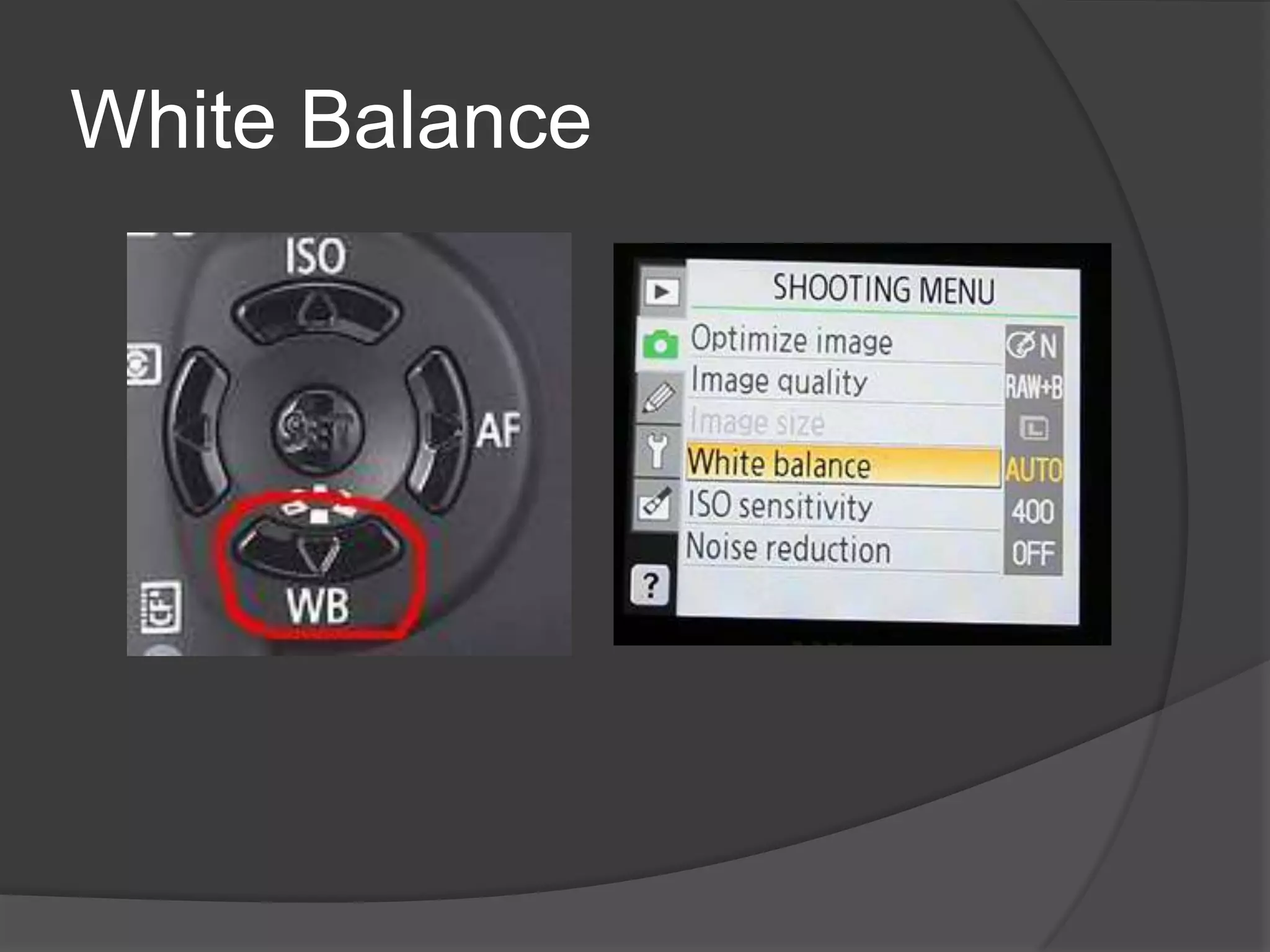
White Balance
When to use white balance?
   Daylight (Canon) and Direct Sunlight (Nikon):
    This is a good setting for direct sunlight. For
    example, a beach landscape mid morning where
    you're not shooting into shade.

   When to use Shade white balance: Use shade
    white balance in shady area's or sunset shots. It
    will help give a warmer color to your shots.

   When to use Cloudy: This is a good setting for
    cloudy days. It's also quite effective for shady
    area's as well.
   When to use Tungsten white balance: This
    is one of the most extreme balance settings
    of them all and should only be used with
    tungsten light bulbs. Or at times where you
    purposefully want a blue tinge to your
    images.

   When to use fluorescent: This setting will
    help make inside fluorescent house lighting,
    look a bit better than the yellowy orange color
    you usually see.

   Flash white balance: Flash white balance is
    used mostly for studio work.
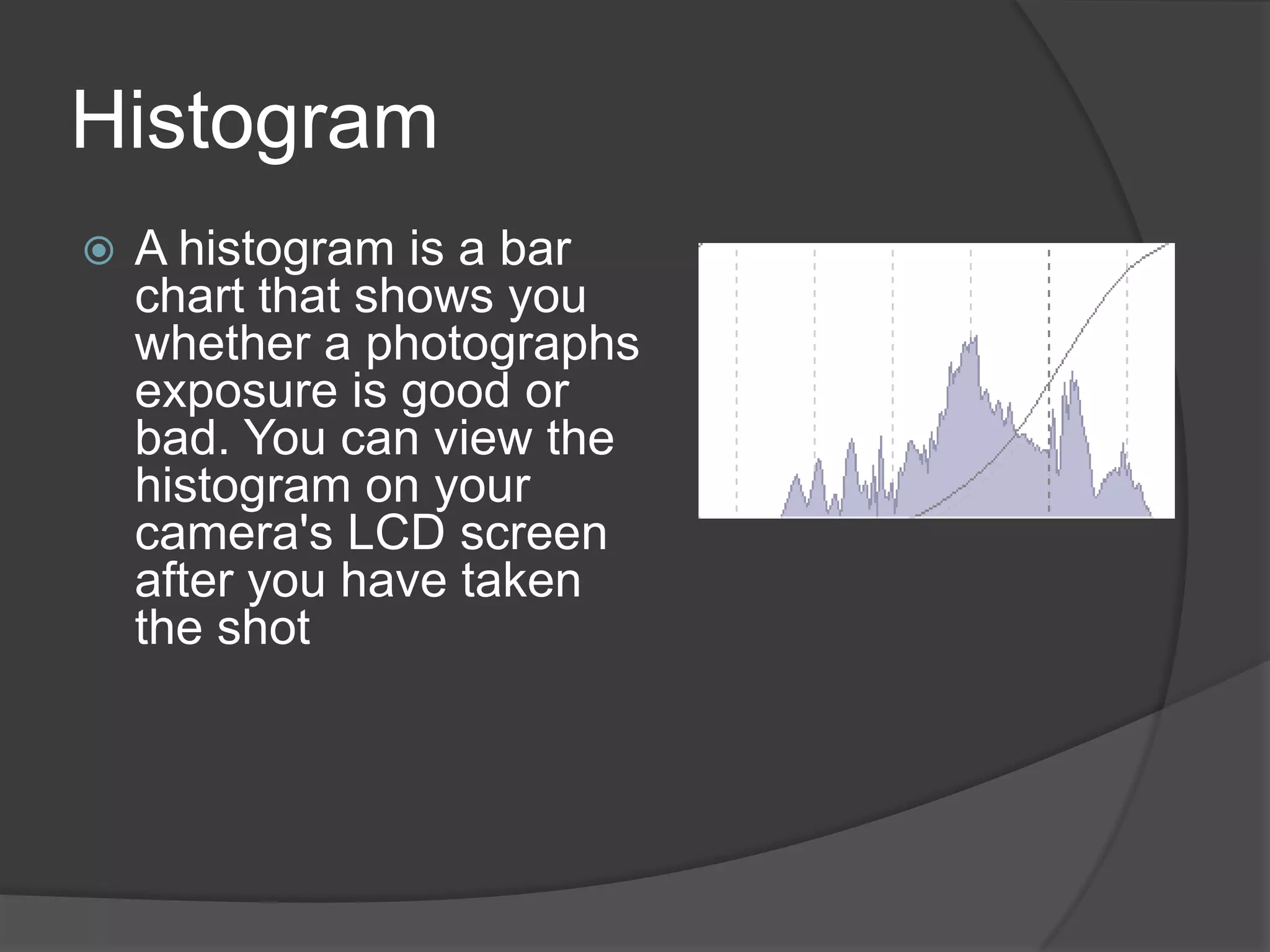
Histogram
   A histogram is a bar
    chart that shows you
    whether a photographs
    exposure is good or
    bad. You can view the
    histogram on your
    camera's LCD screen
    after you have taken
    the shot
How does it work?
                As you can see
                by the image
                below, it was
                underexposed
                (too dark). There
                is very little detail
                seen in the tree's,
                footpath and two
                people on the left.
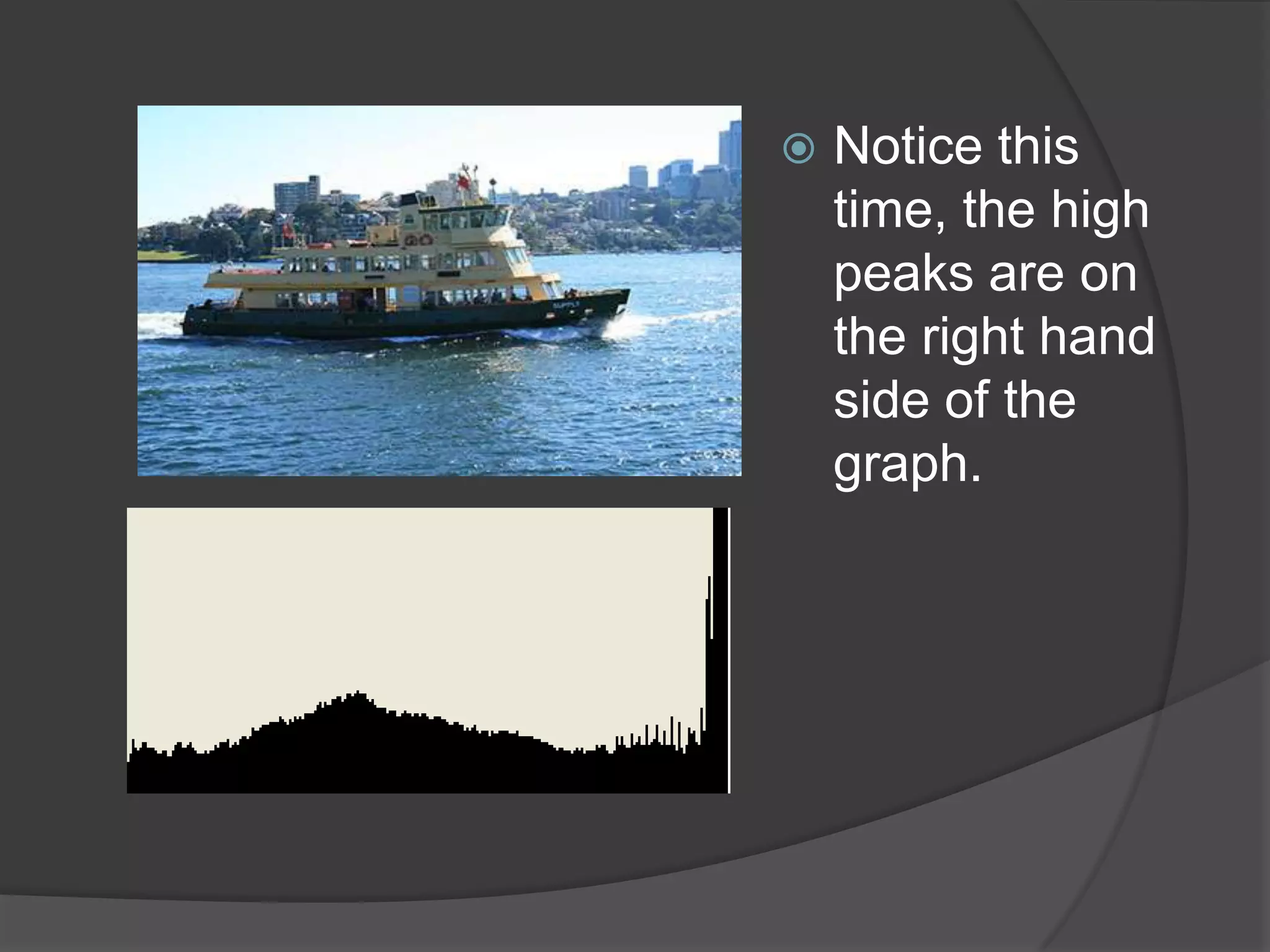
   Notice this
    time, the high
    peaks are on
    the right hand
    side of the
    graph.
REMEMBER!
What you should be aiming for,
is a histogram that displays the
  majority of peaks within the
       center of the graph!
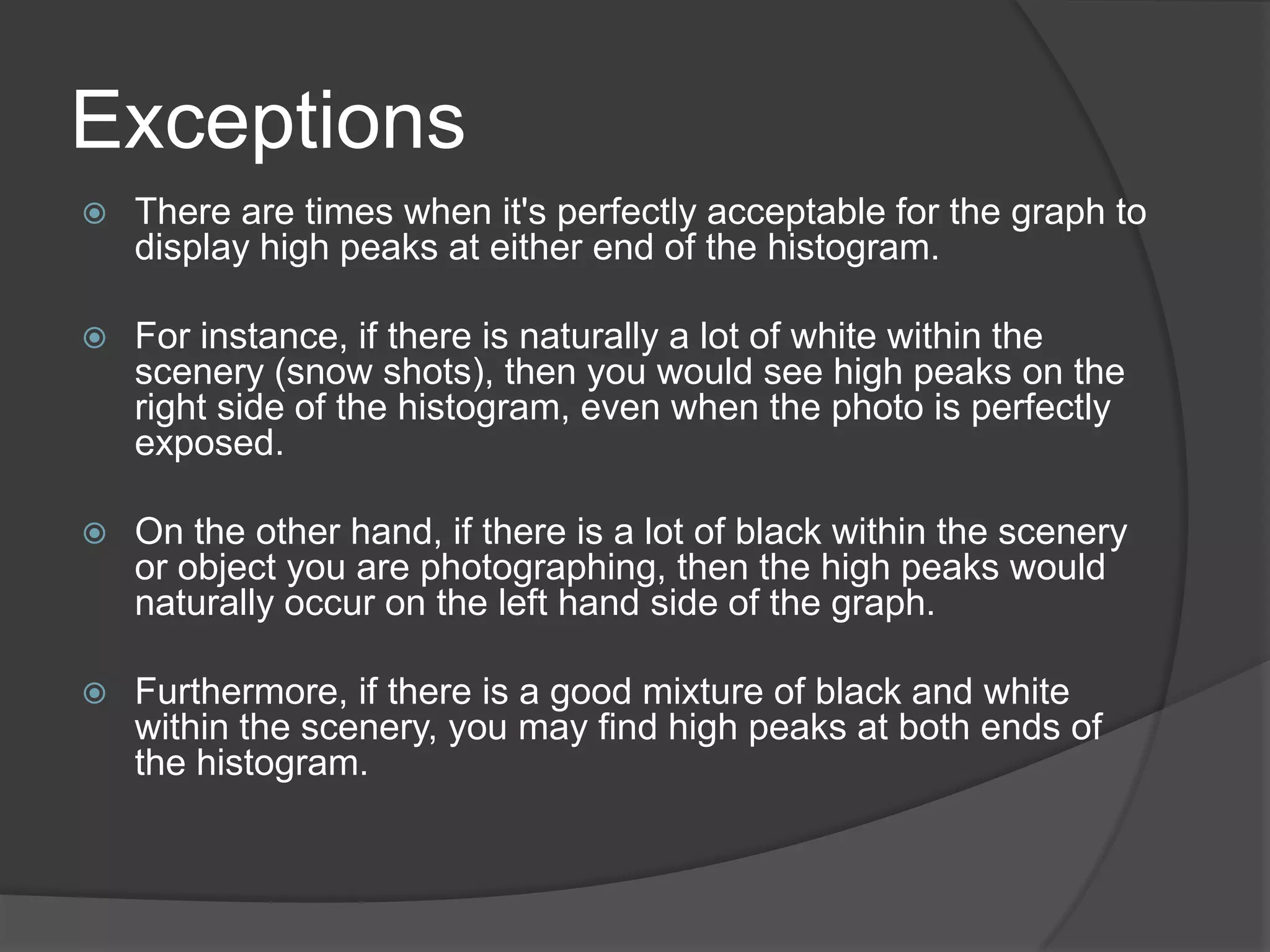
Exceptions
   There are times when it's perfectly acceptable for the graph to
    display high peaks at either end of the histogram.

   For instance, if there is naturally a lot of white within the
    scenery (snow shots), then you would see high peaks on the
    right side of the histogram, even when the photo is perfectly
    exposed.

   On the other hand, if there is a lot of black within the scenery
    or object you are photographing, then the high peaks would
    naturally occur on the left hand side of the graph.

   Furthermore, if there is a good mixture of black and white
    within the scenery, you may find high peaks at both ends of
    the histogram.
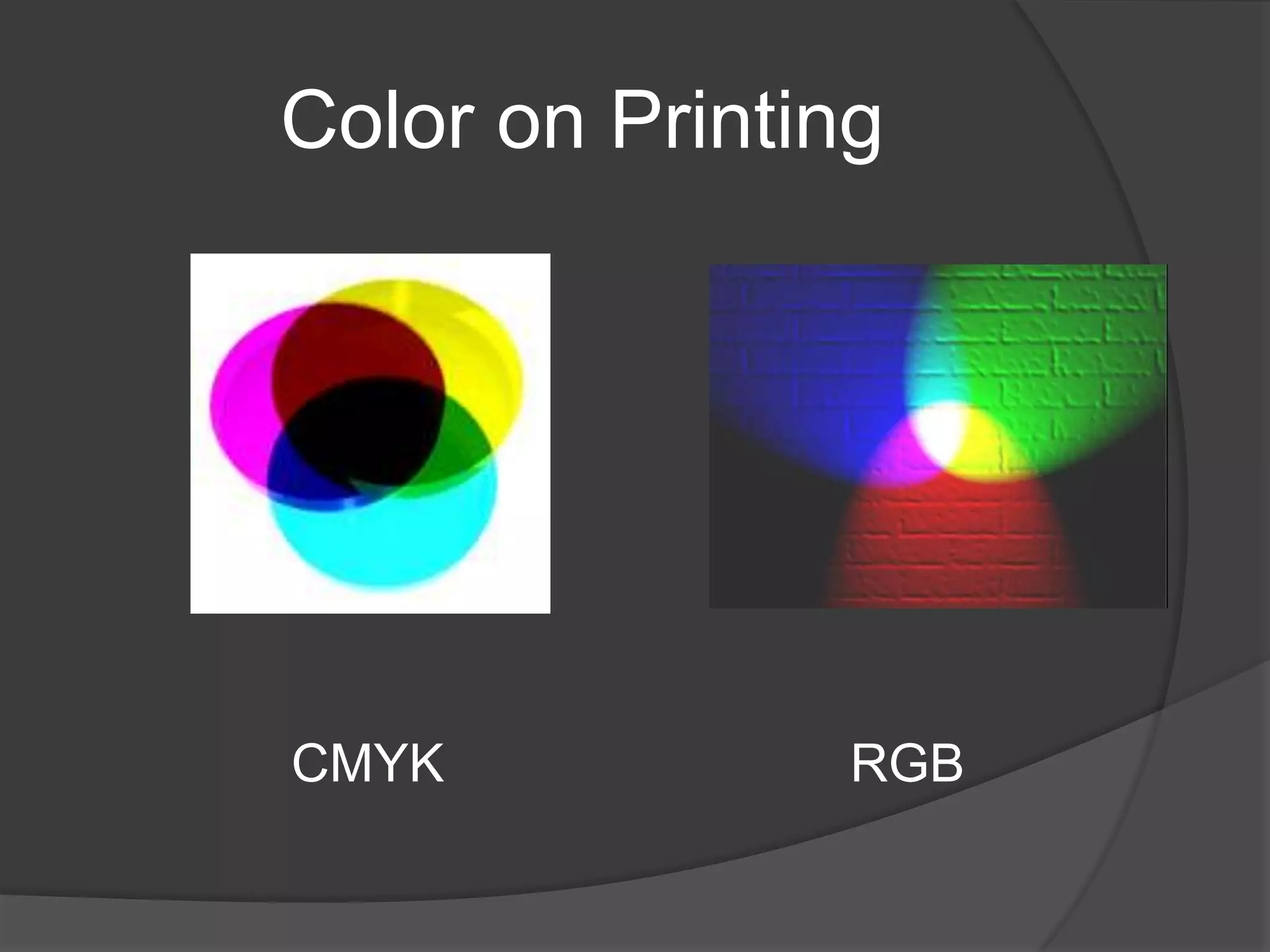
Color on Printing


CMYK            RGB
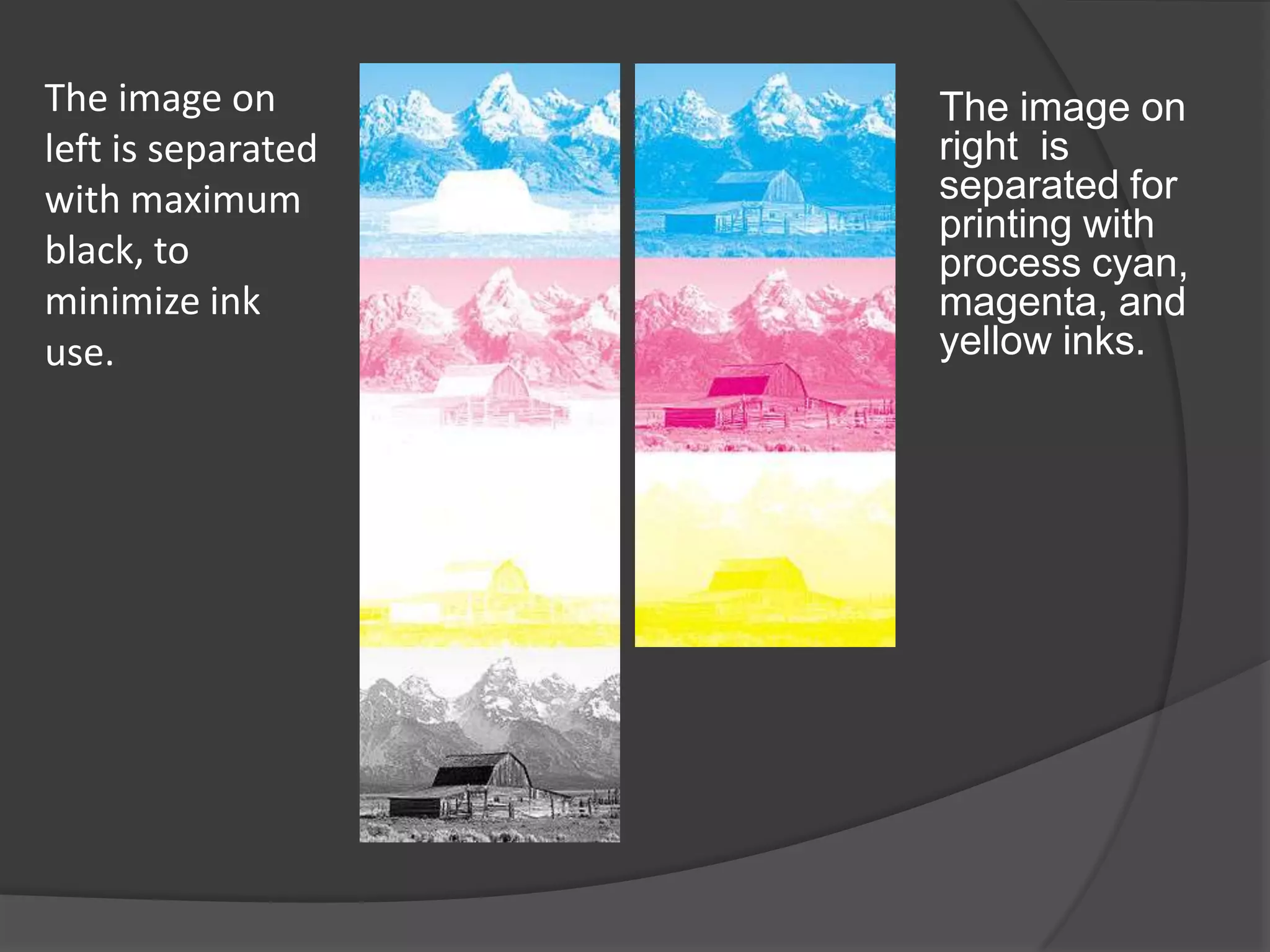
The image on        The image on
left is separated   right is
with maximum        separated for
                    printing with
black, to           process cyan,
minimize ink        magenta, and
use.                yellow inks.
The triangle of camera
       operation

APPERTURE         SHUTTER


            ISO
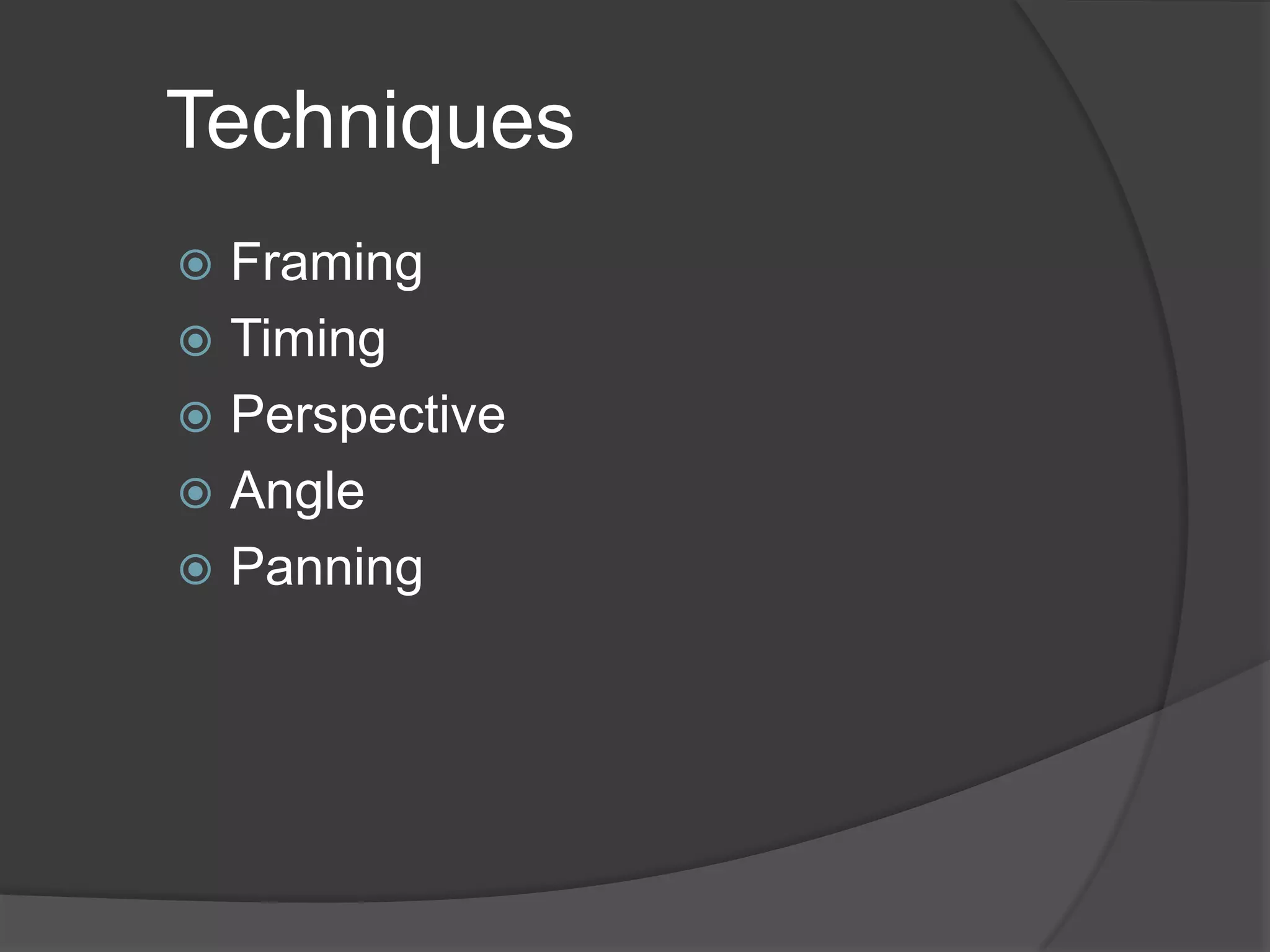
Techniques
 Framing
 Timing
 Perspective
 Angle
 Panning
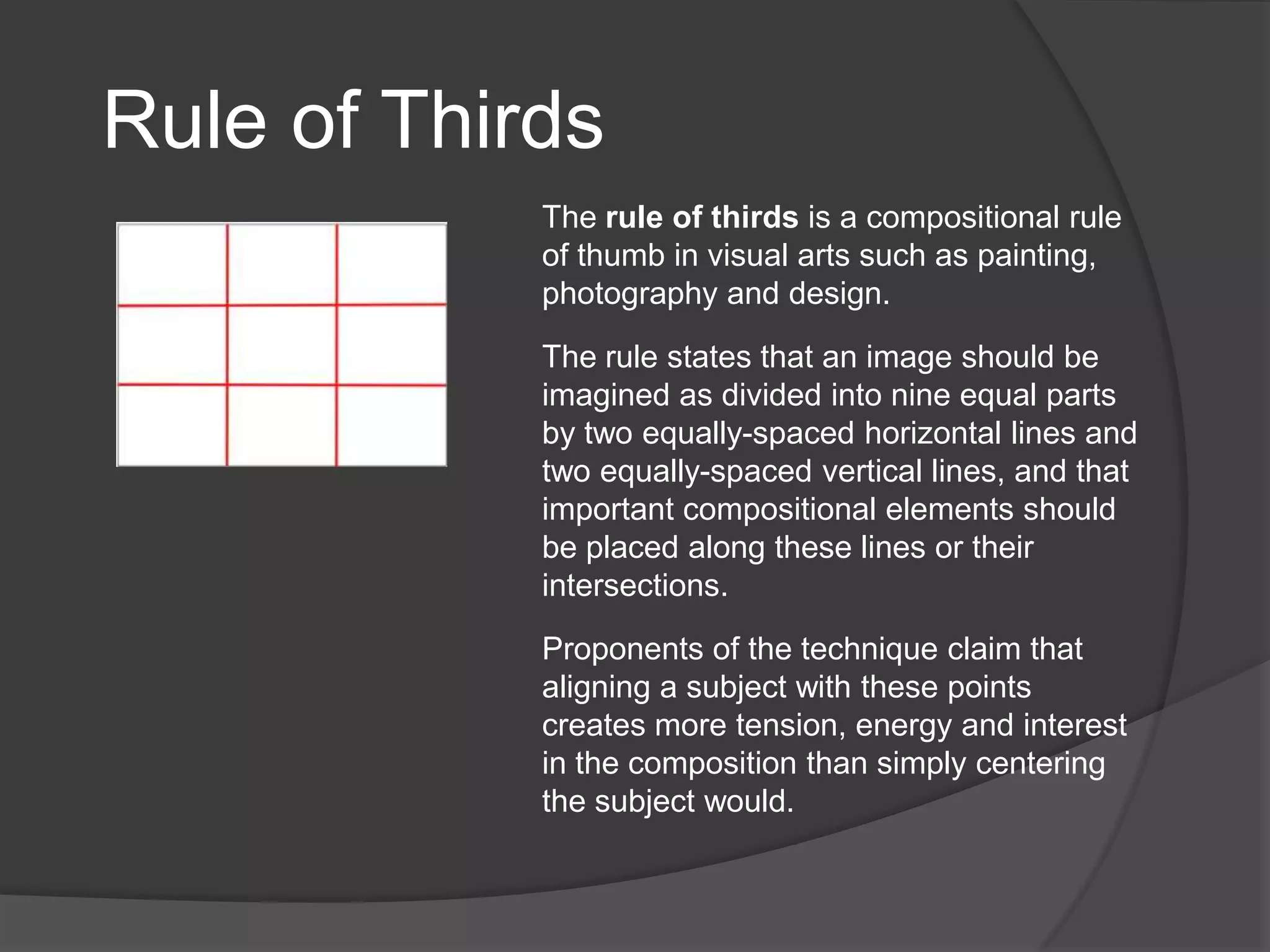
Rule of Thirds
            The rule of thirds is a compositional rule
            of thumb in visual arts such as painting,
            photography and design.

            The rule states that an image should be
            imagined as divided into nine equal parts
            by two equally-spaced horizontal lines and
            two equally-spaced vertical lines, and that
            important compositional elements should
            be placed along these lines or their
            intersections.

            Proponents of the technique claim that
            aligning a subject with these points
            creates more tension, energy and interest
            in the composition than simply centering
            the subject would.
We use photo because…

 it catches the readers’ attention
 it serves as the lead of the news story
 it emphasizes a certain point
What is Photojournalism?
   Photojournalism is a branch of the field
    of journalism characterized by the use of
    images to tell a story. The images in a
    photojournalism piece may be
    accompanied with explanatory text, or
    shown independently, with the images
    themselves narrating the events they
    depict.
Qualities of a Photojournalism Material

   Timeliness — the images have meaning in the
    context of a recently published record of events.

   Objectivity — the situation implied by the
    images is a fair and accurate representation of
    the events they depict in both content and tone.

   Narrative — the images combine with other
    news elements to make facts relatable to the
    viewer or reader on a cultural level.
Qualities of a Good Photo
    News Value
    Focus
    Depth
    Atmosphere
    Clarity
    Color tone
    Texture
Captions
   Captions are text materials that
    accompany photographs. They may be
    as short as three to four words, or as
    long as several paragraphs.

Digital photojournalism

  • 1.
    REGIDOR G. GABOY CLSU- Center for Educational Resources Development and Services (CERDS)
  • 2.
    Photography  Photography is a means of recording forever the things one sees for a moment. It is better than memory because it does more than just recall things to the mind. It enables us to show what we have done, where we have been, what we have seen and even what we have thought
  • 3.
    How does acamera work?
  • 4.
    Know your camera! What is your camera?  What is the capability of your camera?
  • 5.
    Basic Terms: Speedand Sensitivity  ASA–American Standard Association  ISO-International Standard (from International Organizational Standard)  DIN-German Institute for Standardization  GOST (Russian: ГОСТ) is an arithmetic scale which was used in the former Soviet Union before 1987
  • 6.
    Automatic Settings  Portrait - Set your digital camera to portrait mode when you are taking photographs of people. Portrait mode will set the image color for skin tone perfectly.  Landscape - Set your camera to this mode when you are taking photos of landscapes. For example if you are photographing beach or mountain sceneries.  Close Up - Close up mode speaks for itself. For example, when you want to photograph small objects so they fill the whole frame as if to appear larger.
  • 7.
    Sports - Sports mode should be used when you want to photograph a moving object such as a child or dog running.  Night Portrait - Choose night portrait automatic mode when you want to shoot a person in low light such as night time.  Flash Off - This mode is useful for times when you are not allowed to use a flash. For example, in an art gallery.
  • 8.
    Full-Automatic  When your camera is on automatic, all important settings such as ISO, Aperture and exposure are made for you, taking out the guess work.  When your camera is set on automatic, it's also recommended that your lens is set on automatic focus. That is if it has that option. If your lens has an option for automatic focus you will notice on the side of it letters AF.
  • 9.
    Settings and options  The letters AV (for Canon camera's) or A (for Nikon camera's) on your mode dial sets your digital SLR camera to aperture priority. Your camera then changes all other settings such as shutter speed automatically to suit.  Remember:  Opening your lens more refers to lowering the f number.  Closing your lens more refers to a higher f number.
  • 10.
    A-DEP stands for 'automatic depth of field', or 'auto depth of field'. Meaning, the camera sets the depth of field automatically.  When the camera is set on A-DEP, the photographer doesn't need to set an aperture F number as the camera does this for them.
  • 11.
    Manual settings allow you to choose your own settings depending on your choice.
  • 12.
    Camera: Canon EOS400D / Rebel XTi Lens: Canon EF-S17-85mm f/4-5.6 IS USM Exposure: 0.2 sec (1/5) Aperture: f/22 Focal Length: 85 mm ISO Speed: 100 Exposure Program: Manual Flash: Flash did not fire http://www.slrphotographyguide.com Why this shot worked (According to the photographer) ―For this beach landscape, I wanted the whole scene from the sand in the foreground, to the island and boat in the background to be fully in focus. I also intended for the ocean waves to have a slow motion dreamy look and feel to them. For this to be achieved, the camera needed to be set on a high aperture f/22, and a relatively slow shutter speed of 1/5th of a second. If I had set the camera to aperture priority, then the shutter speed would have been automatically created for me, or conversely if I'd set shutter priority, the camera would have automatically set the aperture to suit. Therefore, setting the camera on manual mode, allowed me to fully choose both the aperture and the shutter speed.‖ -
  • 13.
    Bluish shot: aphoto defect  The blueish tinge is normally a result of using an incorrect white balance.
  • 14.
  • 15.
    When to usewhite balance?  Daylight (Canon) and Direct Sunlight (Nikon): This is a good setting for direct sunlight. For example, a beach landscape mid morning where you're not shooting into shade.  When to use Shade white balance: Use shade white balance in shady area's or sunset shots. It will help give a warmer color to your shots.  When to use Cloudy: This is a good setting for cloudy days. It's also quite effective for shady area's as well.
  • 16.
    When to use Tungsten white balance: This is one of the most extreme balance settings of them all and should only be used with tungsten light bulbs. Or at times where you purposefully want a blue tinge to your images.  When to use fluorescent: This setting will help make inside fluorescent house lighting, look a bit better than the yellowy orange color you usually see.  Flash white balance: Flash white balance is used mostly for studio work.
  • 17.
    Histogram  A histogram is a bar chart that shows you whether a photographs exposure is good or bad. You can view the histogram on your camera's LCD screen after you have taken the shot
  • 18.
    How does itwork? As you can see by the image below, it was underexposed (too dark). There is very little detail seen in the tree's, footpath and two people on the left.
  • 19.
    Notice this time, the high peaks are on the right hand side of the graph.
  • 20.
    REMEMBER! What you shouldbe aiming for, is a histogram that displays the majority of peaks within the center of the graph!
  • 21.
    Exceptions  There are times when it's perfectly acceptable for the graph to display high peaks at either end of the histogram.  For instance, if there is naturally a lot of white within the scenery (snow shots), then you would see high peaks on the right side of the histogram, even when the photo is perfectly exposed.  On the other hand, if there is a lot of black within the scenery or object you are photographing, then the high peaks would naturally occur on the left hand side of the graph.  Furthermore, if there is a good mixture of black and white within the scenery, you may find high peaks at both ends of the histogram.
  • 22.
  • 23.
    The image on The image on left is separated right is with maximum separated for printing with black, to process cyan, minimize ink magenta, and use. yellow inks.
  • 24.
    The triangle ofcamera operation APPERTURE SHUTTER ISO
  • 25.
    Techniques  Framing  Timing Perspective  Angle  Panning
  • 26.
    Rule of Thirds The rule of thirds is a compositional rule of thumb in visual arts such as painting, photography and design. The rule states that an image should be imagined as divided into nine equal parts by two equally-spaced horizontal lines and two equally-spaced vertical lines, and that important compositional elements should be placed along these lines or their intersections. Proponents of the technique claim that aligning a subject with these points creates more tension, energy and interest in the composition than simply centering the subject would.
  • 27.
    We use photobecause…  it catches the readers’ attention  it serves as the lead of the news story  it emphasizes a certain point
  • 28.
    What is Photojournalism?  Photojournalism is a branch of the field of journalism characterized by the use of images to tell a story. The images in a photojournalism piece may be accompanied with explanatory text, or shown independently, with the images themselves narrating the events they depict.
  • 29.
    Qualities of aPhotojournalism Material  Timeliness — the images have meaning in the context of a recently published record of events.  Objectivity — the situation implied by the images is a fair and accurate representation of the events they depict in both content and tone.  Narrative — the images combine with other news elements to make facts relatable to the viewer or reader on a cultural level.
  • 30.
    Qualities of aGood Photo  News Value  Focus  Depth  Atmosphere  Clarity  Color tone  Texture
  • 31.
    Captions  Captions are text materials that accompany photographs. They may be as short as three to four words, or as long as several paragraphs.