Mobile Graphics
Best Practices for
Artists
TGDF 2020
Owen Wu (owen.wu@arm.com)
Developer Relations Engineer
2 © 2020 Arm Limited
• Introduction
• Texturing
• Geometry
• Shaders
• Frame Rendering
• Resources
Agenda
© 2020 Arm Limited (or its affiliates)
Texturing
4 © 2020 Arm Limited
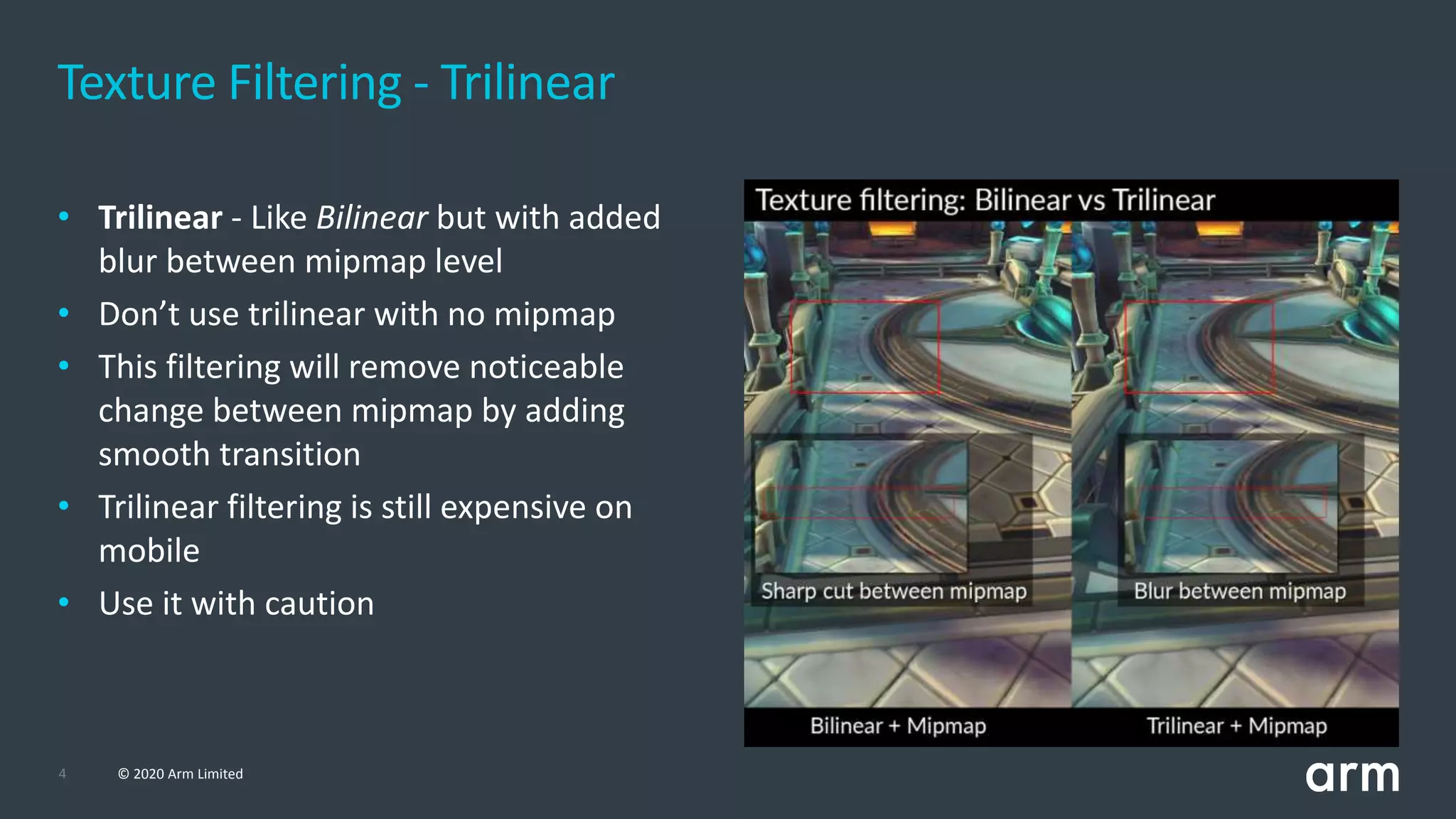
Texture Filtering - Trilinear
• Trilinear - Like Bilinear but with added
blur between mipmap level
• Don’t use trilinear with no mipmap
• This filtering will remove noticeable
change between mipmap by adding
smooth transition
• Trilinear filtering is still expensive on
mobile
• Use it with caution
5 © 2020 Arm Limited
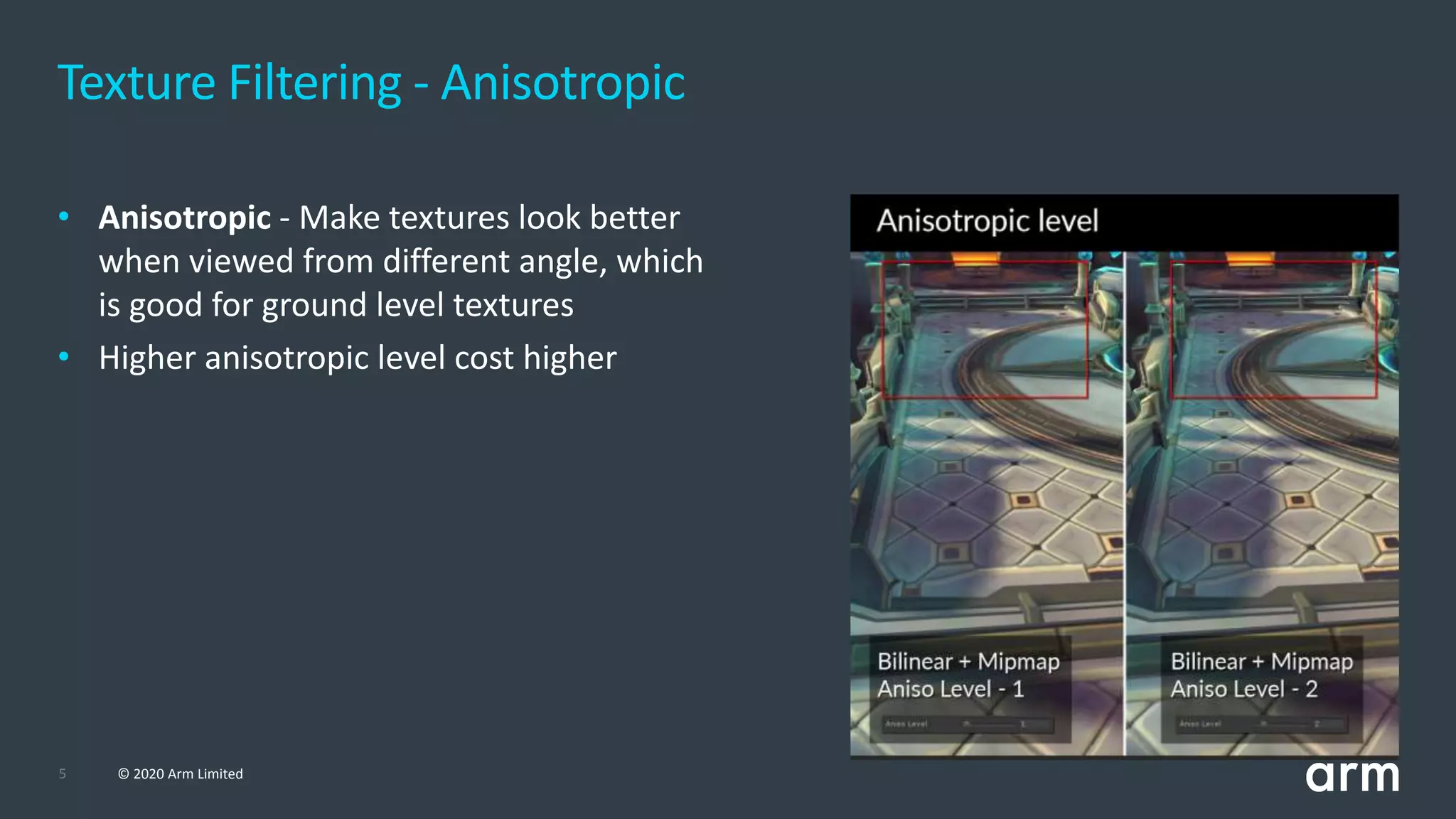
Texture Filtering - Anisotropic
• Anisotropic - Make textures look better
when viewed from different angle, which
is good for ground level textures
• Higher anisotropic level cost higher
6 © 2020 Arm Limited
• Use bilinear for balance between performance and visual quality
• Trilinear will cost more memory bandwidth than bilinear and needs to be used
selectively
• Bilinear + 2x Anisotropic most of the time will look and perform better than Trilinear +
1x Anisotropic, so this combination can be better solution rather than using Trilinear
• Keep the anisotropic level low
• Using a level higher than 2 should be done very selectively for critical game assets
• This is because higher anisotropic level will cost a lot more bandwidth and will affect device battery life
Texture Filtering
7 © 2020 Arm Limited
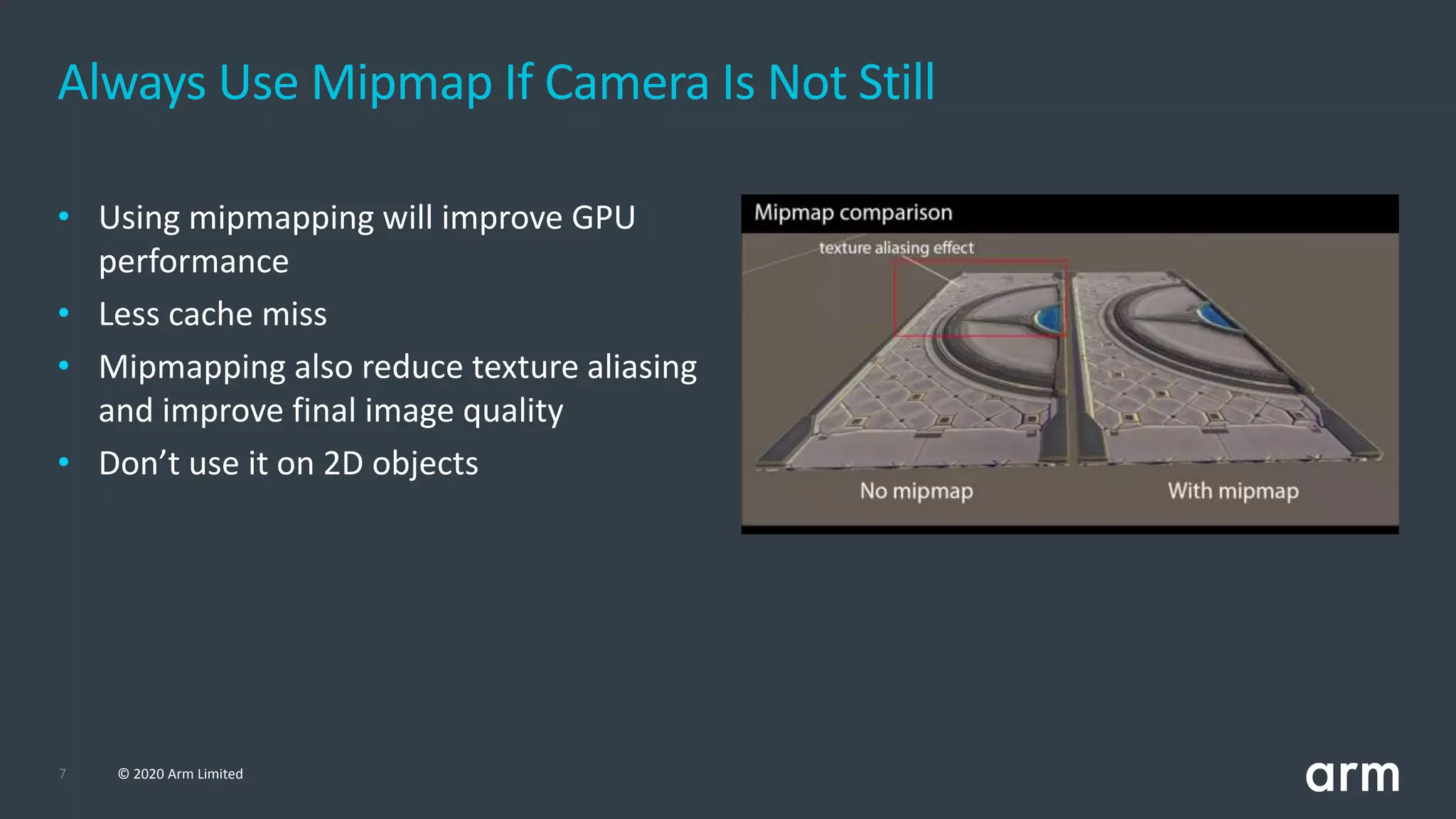
Always Use Mipmap If Camera Is Not Still
• Using mipmapping will improve GPU
performance
• Less cache miss
• Mipmapping also reduce texture aliasing
and improve final image quality
• Don’t use it on 2D objects
8 © 2020 Arm Limited
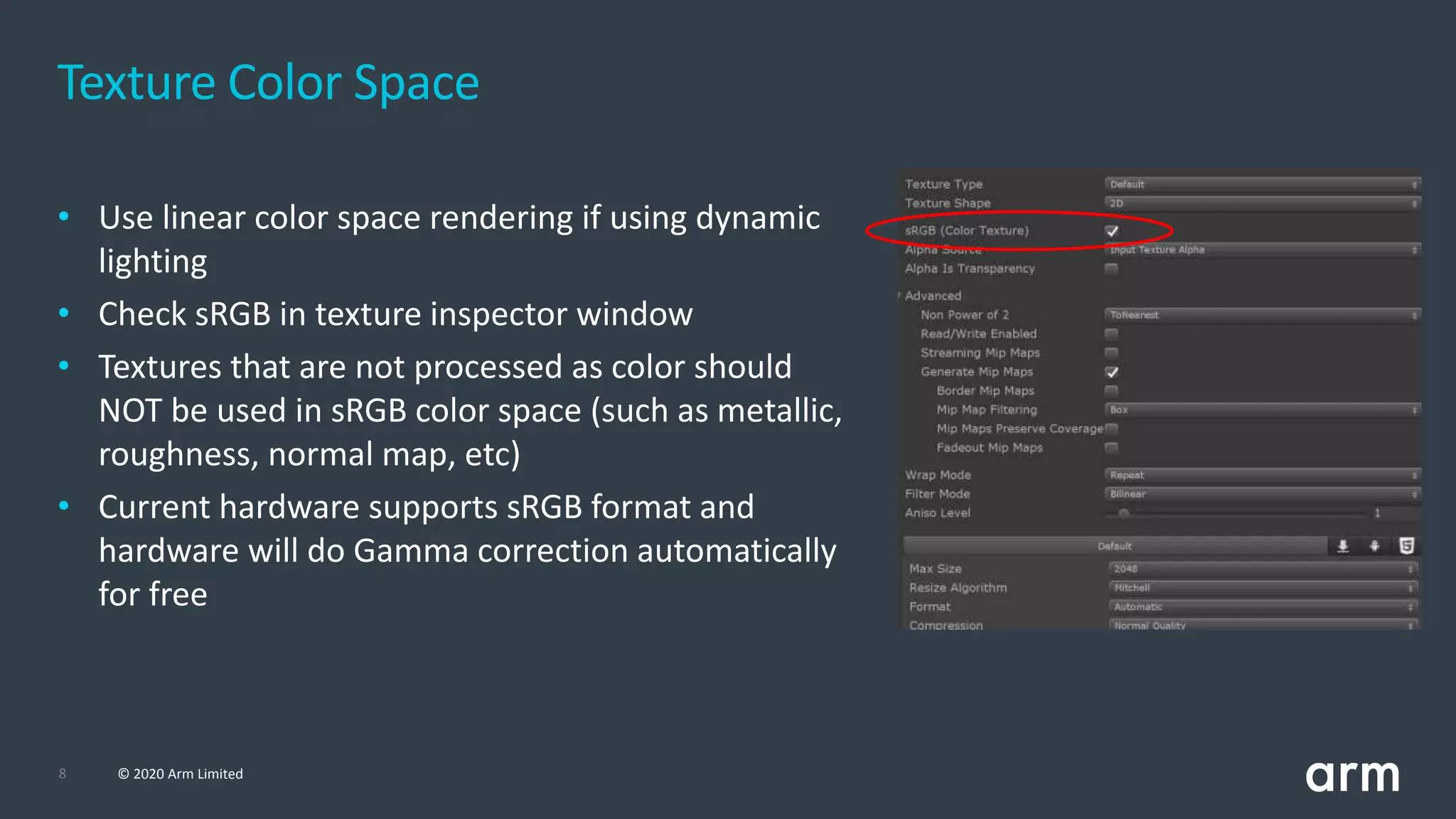
Texture Color Space
• Use linear color space rendering if using dynamic
lighting
• Check sRGB in texture inspector window
• Textures that are not processed as color should
NOT be used in sRGB color space (such as metallic,
roughness, normal map, etc)
• Current hardware supports sRGB format and
hardware will do Gamma correction automatically
for free
9 © 2020 Arm Limited
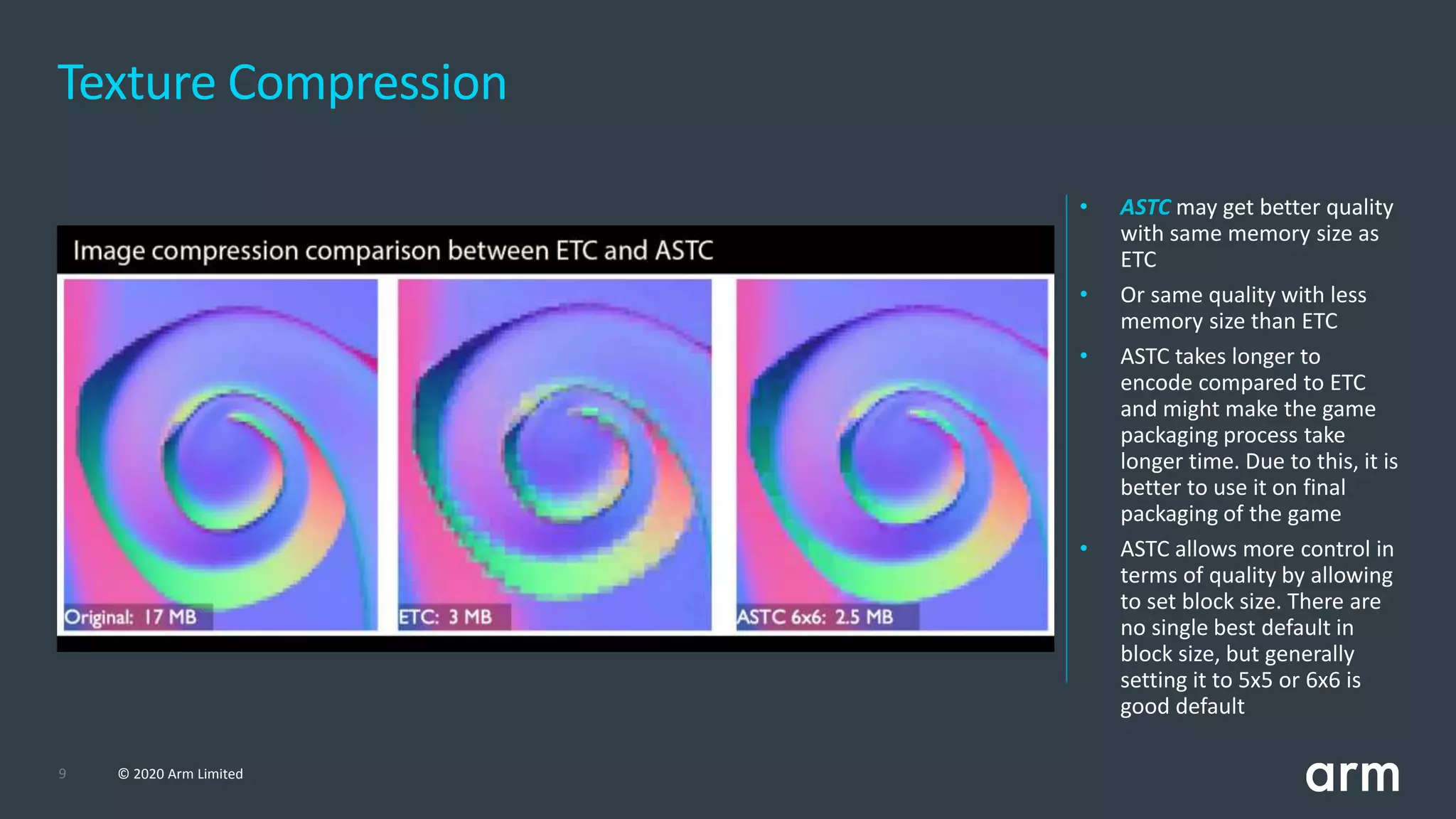
Texture Compression
• ASTC may get better quality
with same memory size as
ETC
• Or same quality with less
memory size than ETC
• ASTC takes longer to
encode compared to ETC
and might make the game
packaging process take
longer time. Due to this, it is
better to use it on final
packaging of the game
• ASTC allows more control in
terms of quality by allowing
to set block size. There are
no single best default in
block size, but generally
setting it to 5x5 or 6x6 is
good default
10 © 2020 Arm Limited
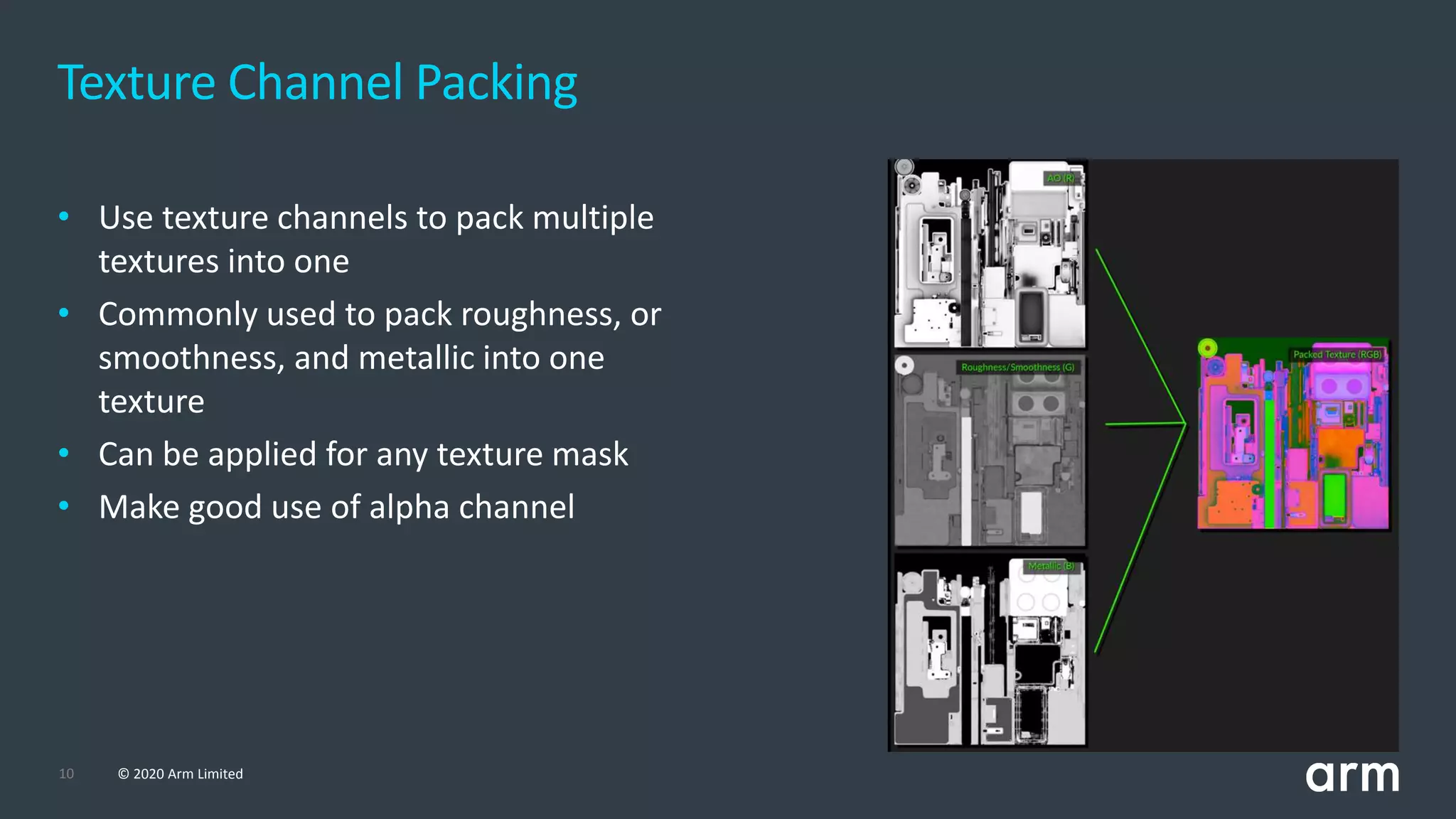
Texture Channel Packing
• Use texture channels to pack multiple
textures into one
• Commonly used to pack roughness, or
smoothness, and metallic into one
texture
• Can be applied for any texture mask
• Make good use of alpha channel
© 2020 Arm Limited (or its affiliates)
Geometry
12 © 2020 Arm Limited
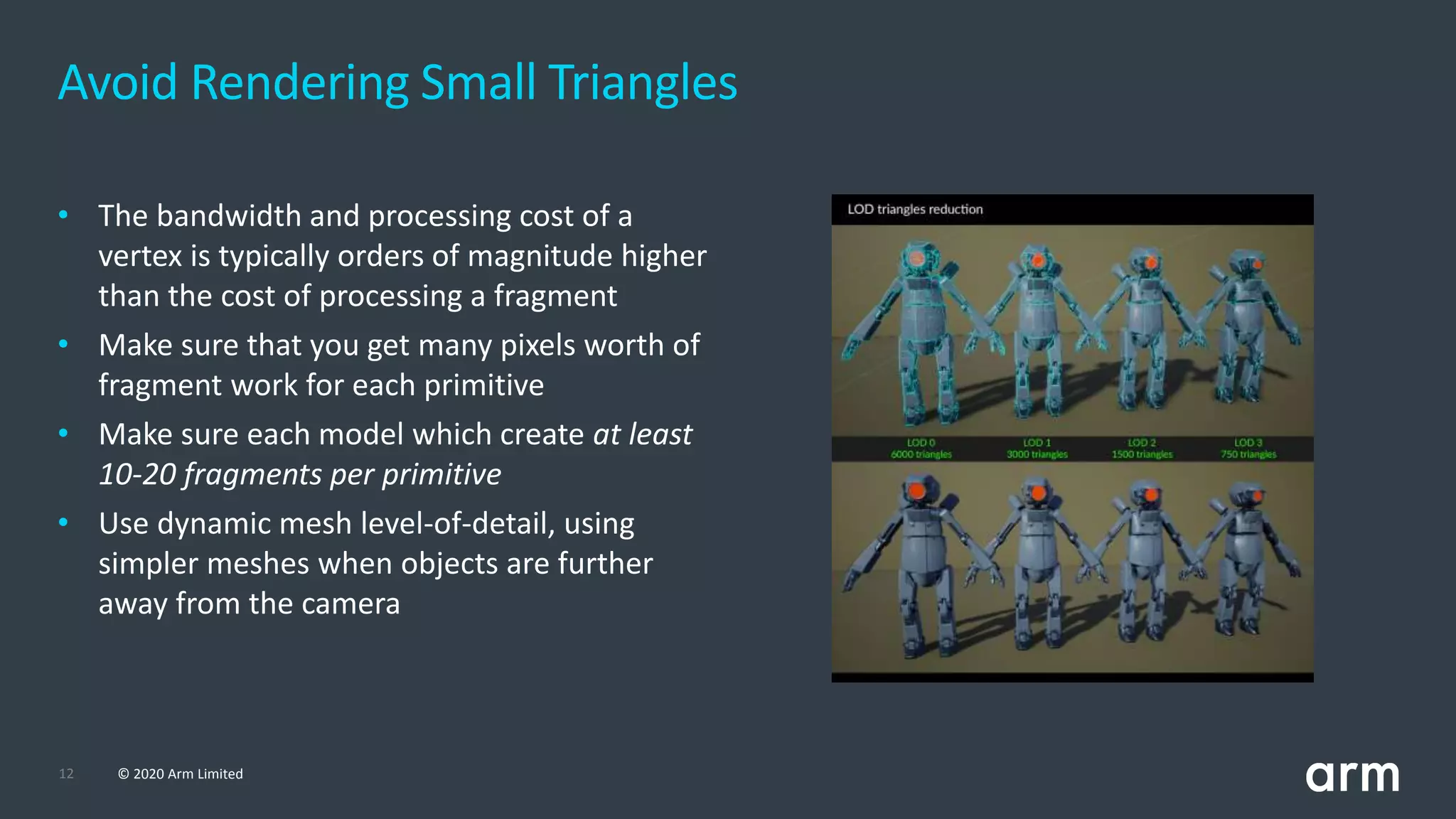
Avoid Rendering Small Triangles
• The bandwidth and processing cost of a
vertex is typically orders of magnitude higher
than the cost of processing a fragment
• Make sure that you get many pixels worth of
fragment work for each primitive
• Make sure each model which create at least
10-20 fragments per primitive
• Use dynamic mesh level-of-detail, using
simpler meshes when objects are further
away from the camera
13 © 2020 Arm Limited
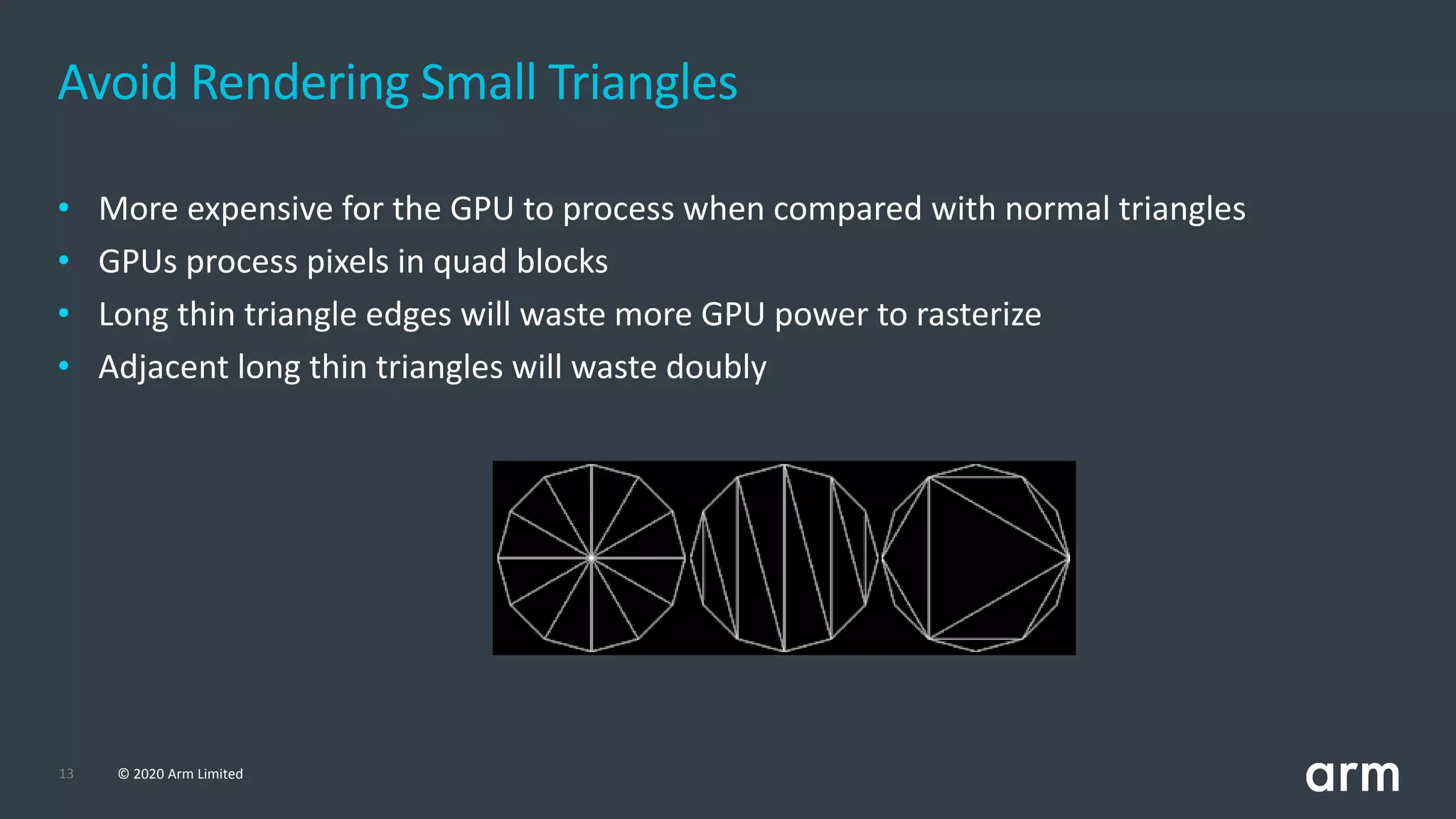
• More expensive for the GPU to process when compared with normal triangles
• GPUs process pixels in quad blocks
• Long thin triangle edges will waste more GPU power to rasterize
• Adjacent long thin triangles will waste doubly
Avoid Rendering Small Triangles
14 © 2020 Arm Limited
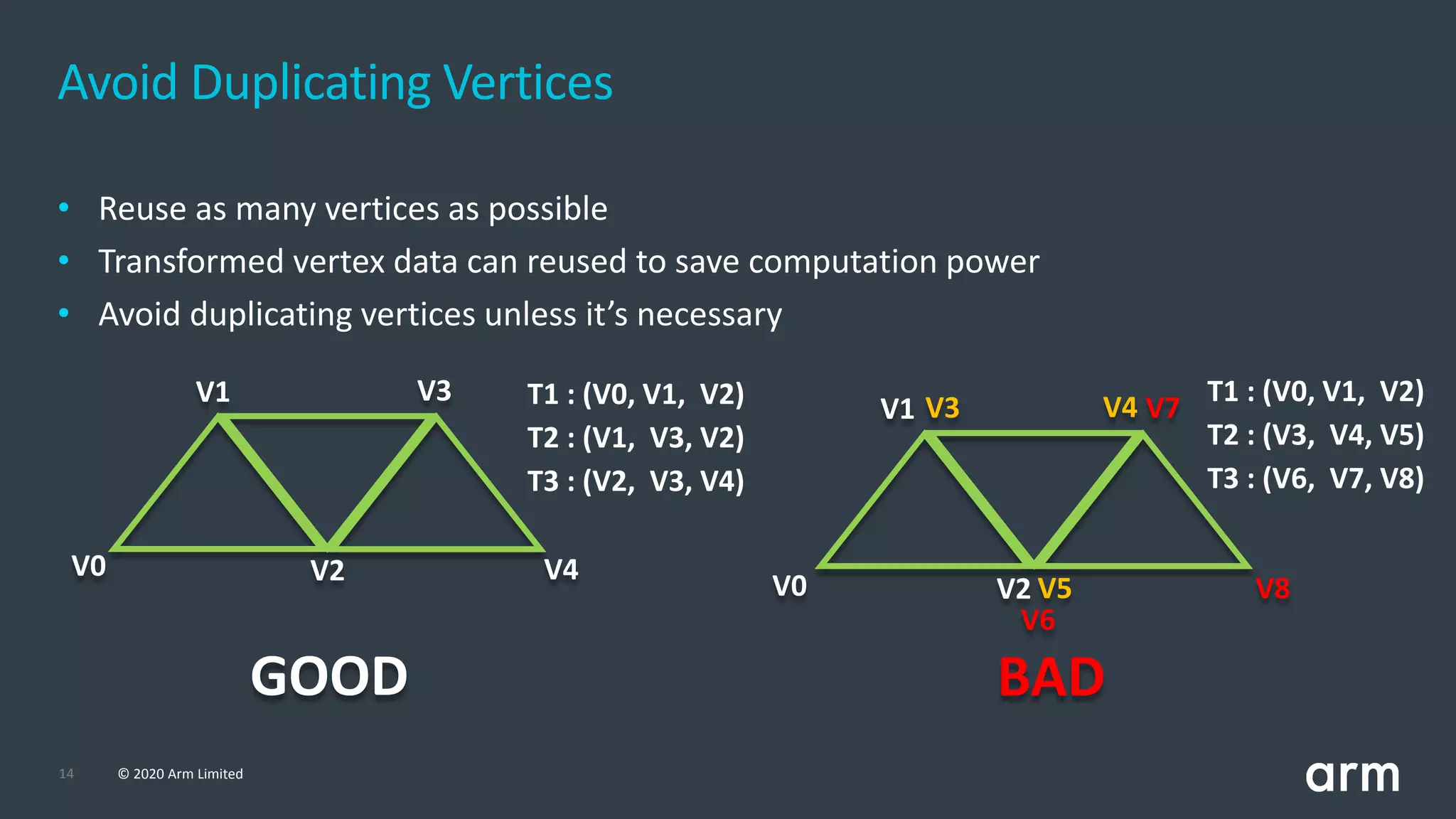
• Reuse as many vertices as possible
• Transformed vertex data can reused to save computation power
• Avoid duplicating vertices unless it’s necessary
Avoid Duplicating Vertices
V0
V1
V2
V3
V4
V0
V1
V2
V3
V5
V4 V7
V6
V8
T1 : (V0, V1, V2)
T2 : (V1, V3, V2)
T3 : (V2, V3, V4)
T1 : (V0, V1, V2)
T2 : (V3, V4, V5)
T3 : (V6, V7, V8)
GOOD BAD
© 2020 Arm Limited (or its affiliates)
Shaders
16 © 2020 Arm Limited
• Use mediump and highp keywords
• Full FP32 of vertex attributes is unnecessary for many uses of attribute data
• Keep the data at the minimum precision needed to produce an acceptable final output
• Use FP32 for computing vertex positions only
• Use the lowest possible precision for other attributes
• Don’t always use FP32 for everything
• Don’t upload FP32 data into a buffer and then read it as a mediump attribute
Shader Floating-point Precision
17 © 2020 Arm Limited
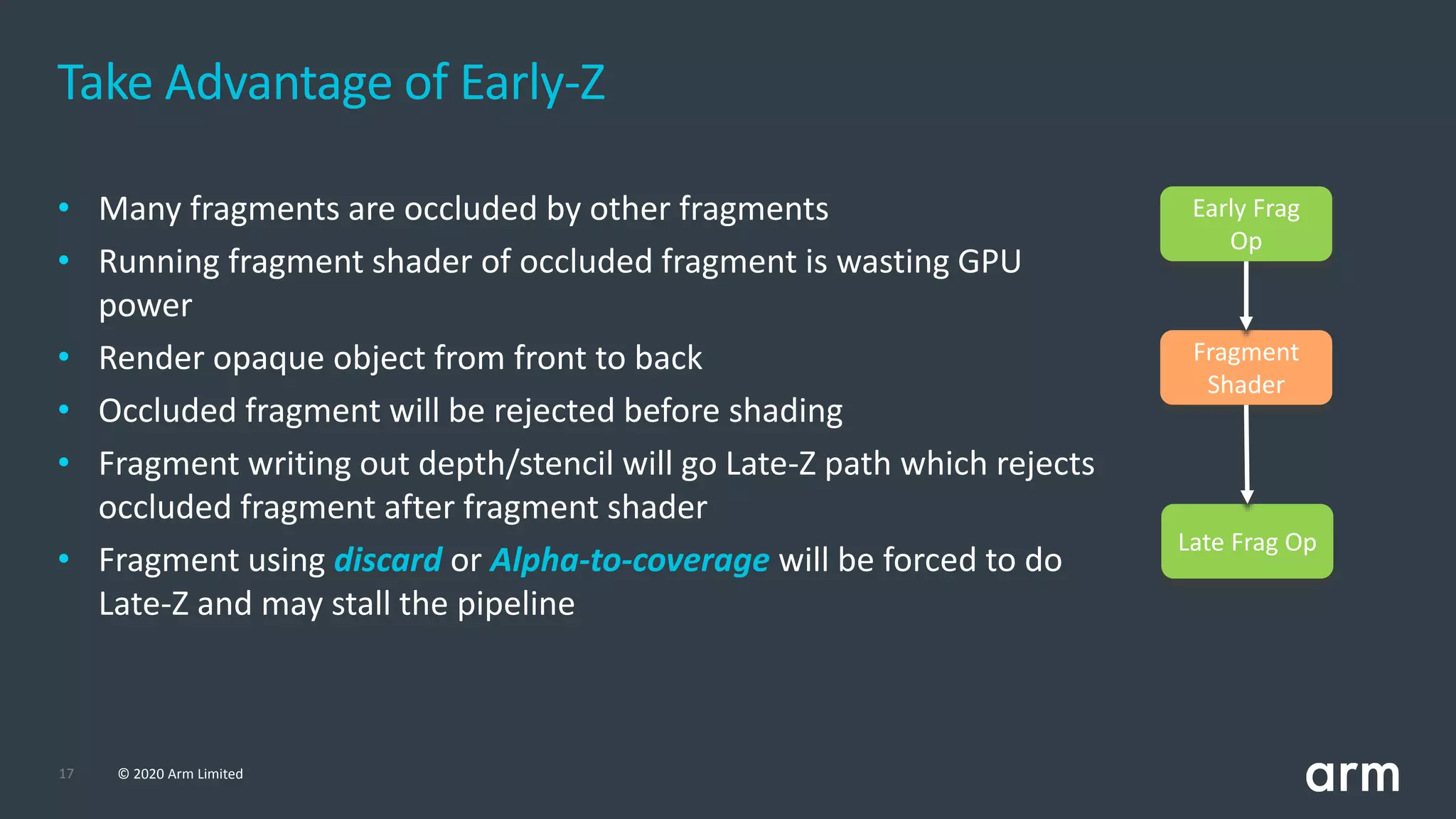
• Many fragments are occluded by other fragments
• Running fragment shader of occluded fragment is wasting GPU
power
• Render opaque object from front to back
• Occluded fragment will be rejected before shading
• Fragment writing out depth/stencil will go Late-Z path which rejects
occluded fragment after fragment shader
• Fragment using discard or Alpha-to-coverage will be forced to do
Late-Z and may stall the pipeline
Take Advantage of Early-Z
Early Frag
Op
Fragment
Shader
Late Frag Op
18 © 2020 Arm Limited
Avoid Heavy Overdraw
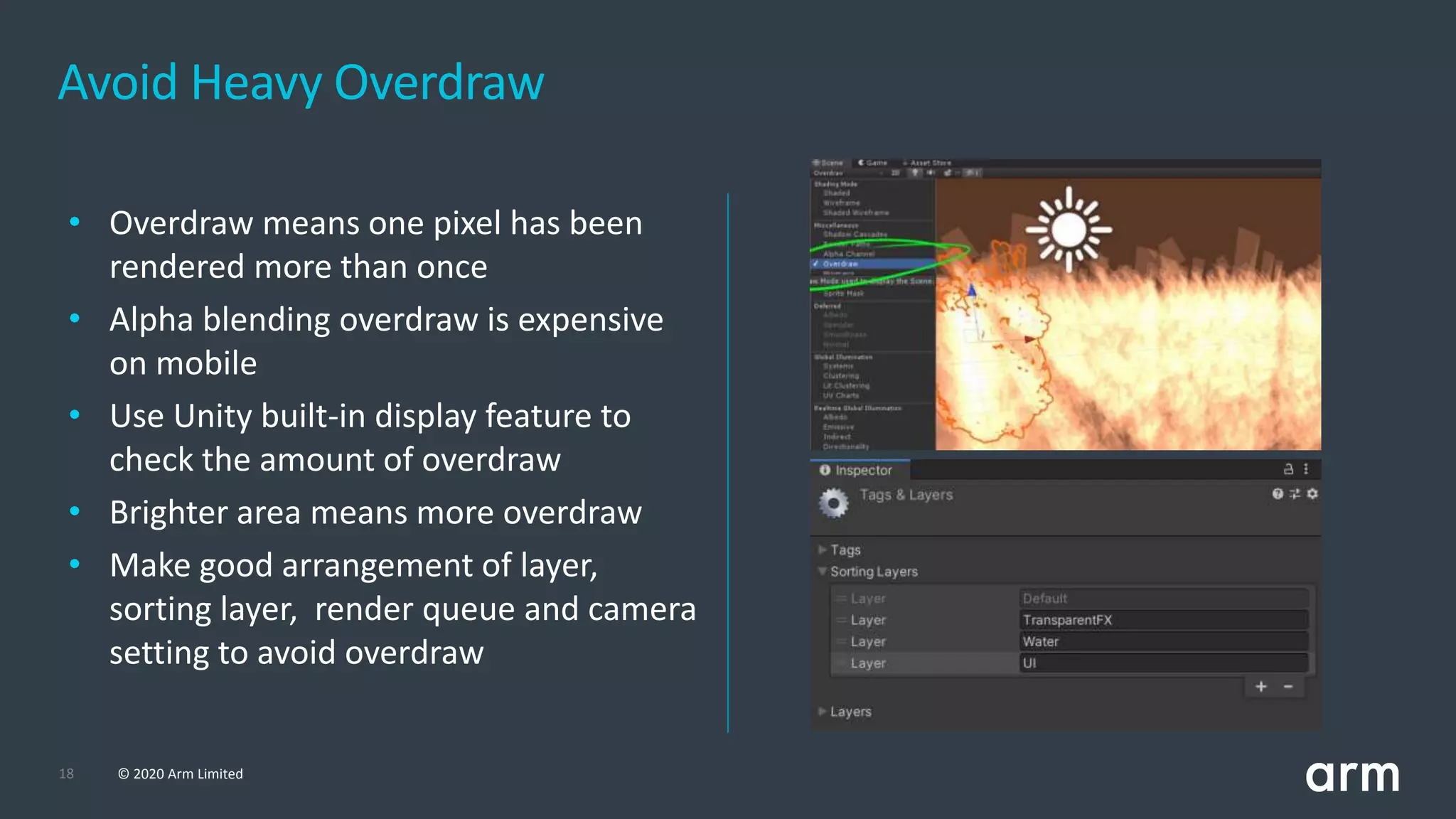
• Overdraw means one pixel has been
rendered more than once
• Alpha blending overdraw is expensive
on mobile
• Use Unity built-in display feature to
check the amount of overdraw
• Brighter area means more overdraw
• Make good arrangement of layer,
sorting layer, render queue and camera
setting to avoid overdraw
19 © 2020 Arm Limited
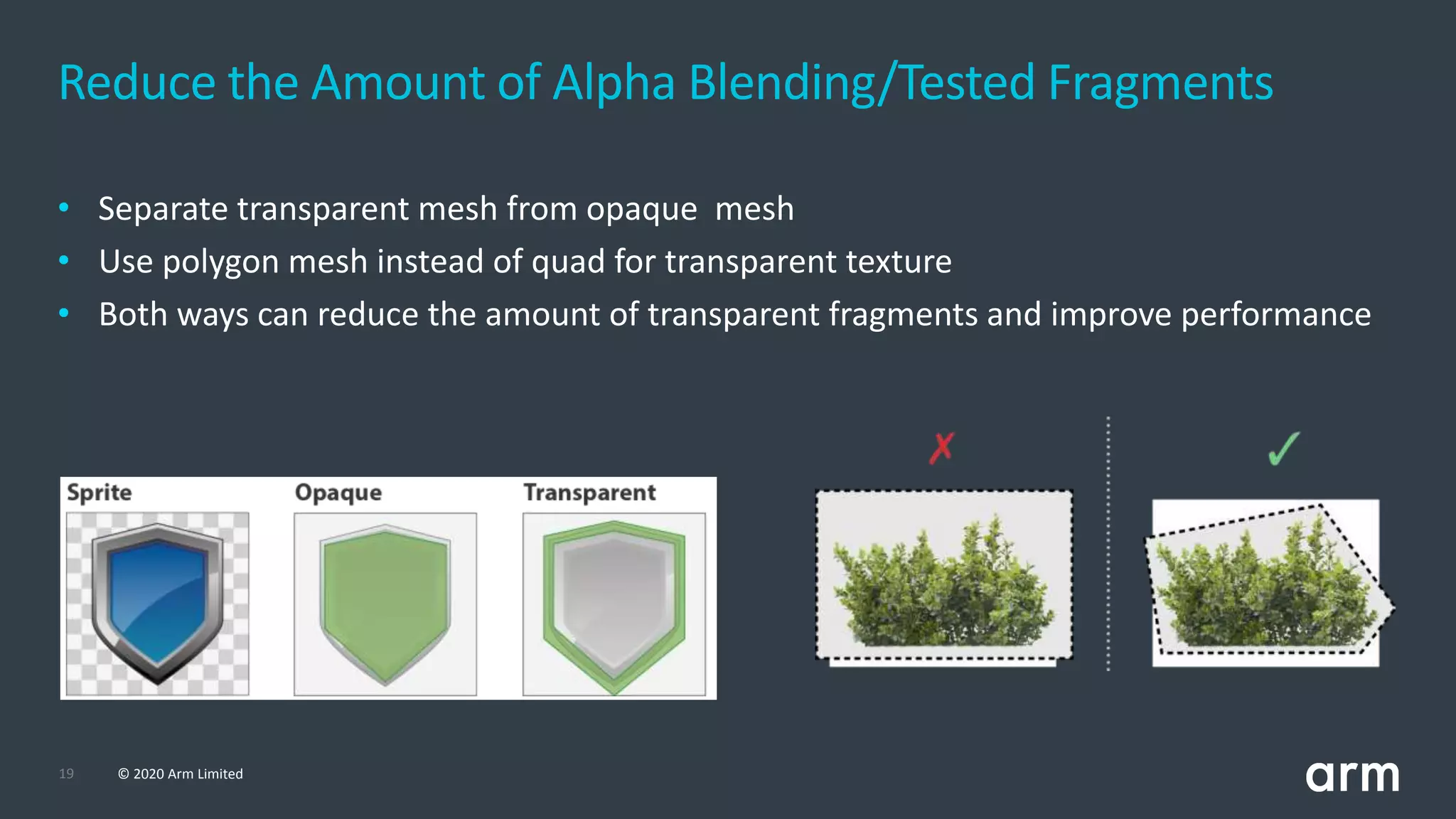
• Separate transparent mesh from opaque mesh
• Use polygon mesh instead of quad for transparent texture
• Both ways can reduce the amount of transparent fragments and improve performance
Reduce the Amount of Alpha Blending/Tested Fragments
20 © 2020 Arm Limited
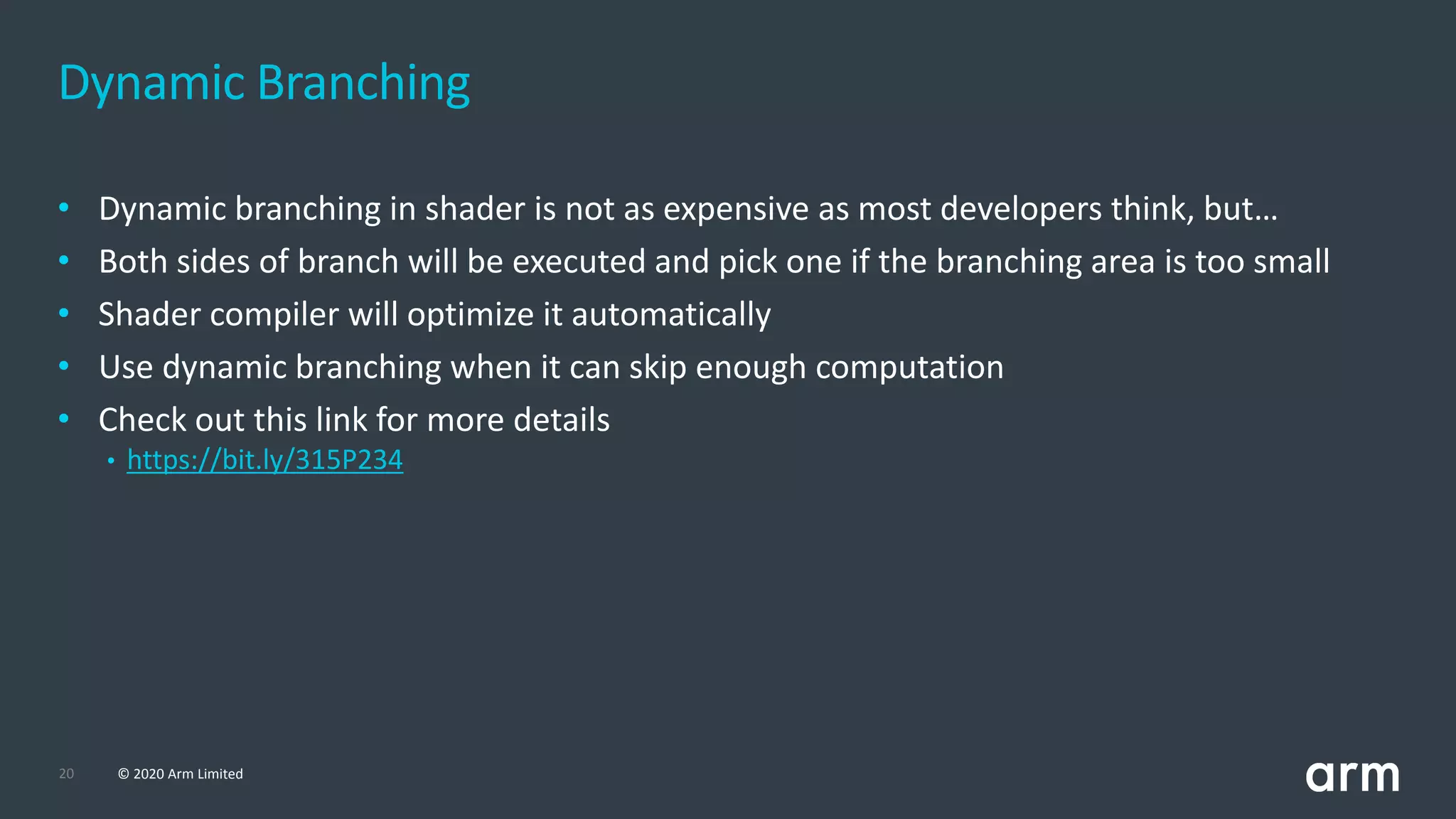
• Dynamic branching in shader is not as expensive as most developers think, but…
• Both sides of branch will be executed and pick one if the branching area is too small
• Shader compiler will optimize it automatically
• Use dynamic branching when it can skip enough computation
• Check out this link for more details
• https://bit.ly/315P234
Dynamic Branching
© 2020 Arm Limited (or its affiliates)
Frame Rendering
22 © 2020 Arm Limited
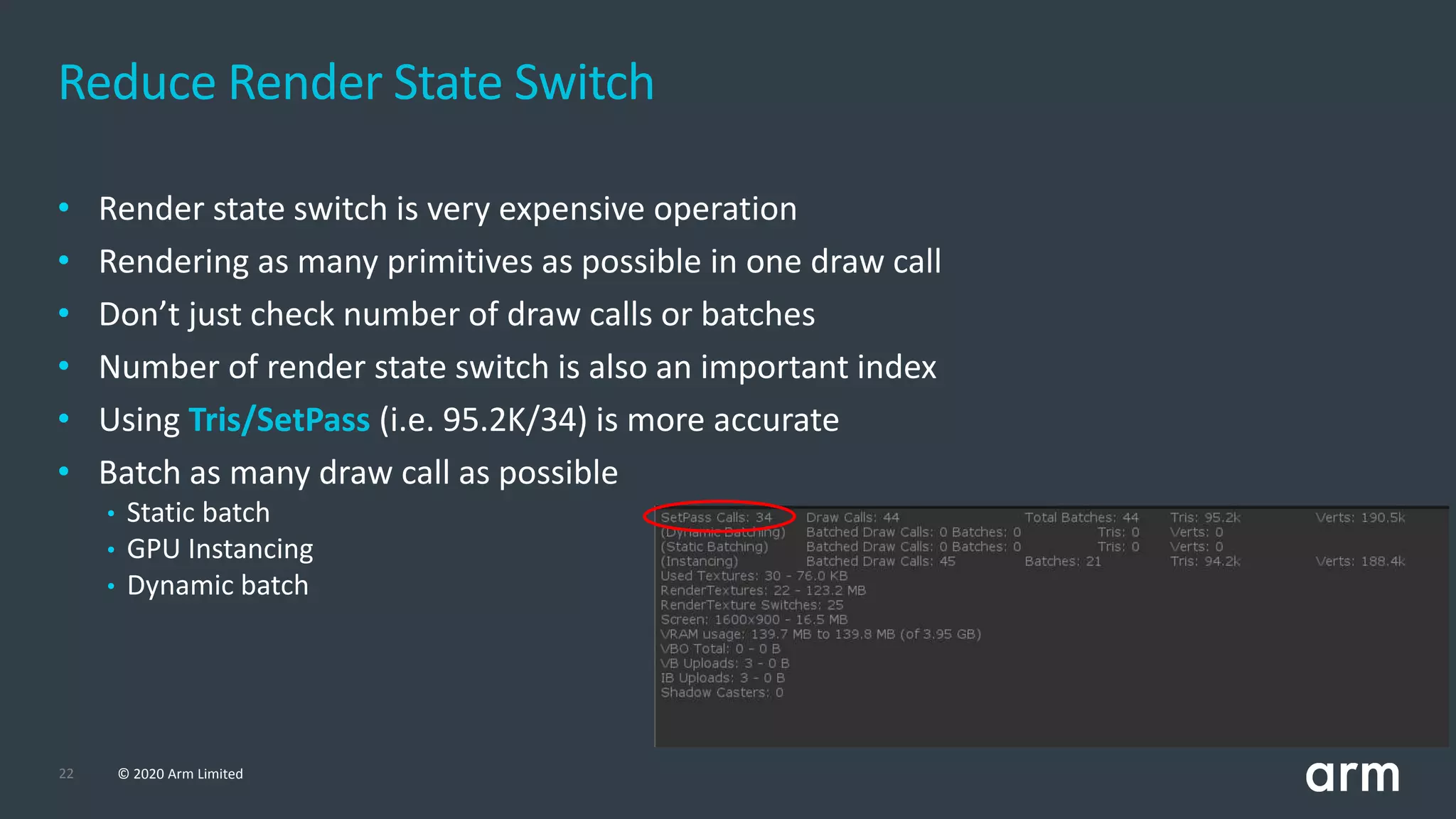
• Render state switch is very expensive operation
• Rendering as many primitives as possible in one draw call
• Don’t just check number of draw calls or batches
• Number of render state switch is also an important index
• Using Tris/SetPass (i.e. 95.2K/34) is more accurate
• Batch as many draw call as possible
• Static batch
• GPU Instancing
• Dynamic batch
Reduce Render State Switch
23 © 2020 Arm Limited
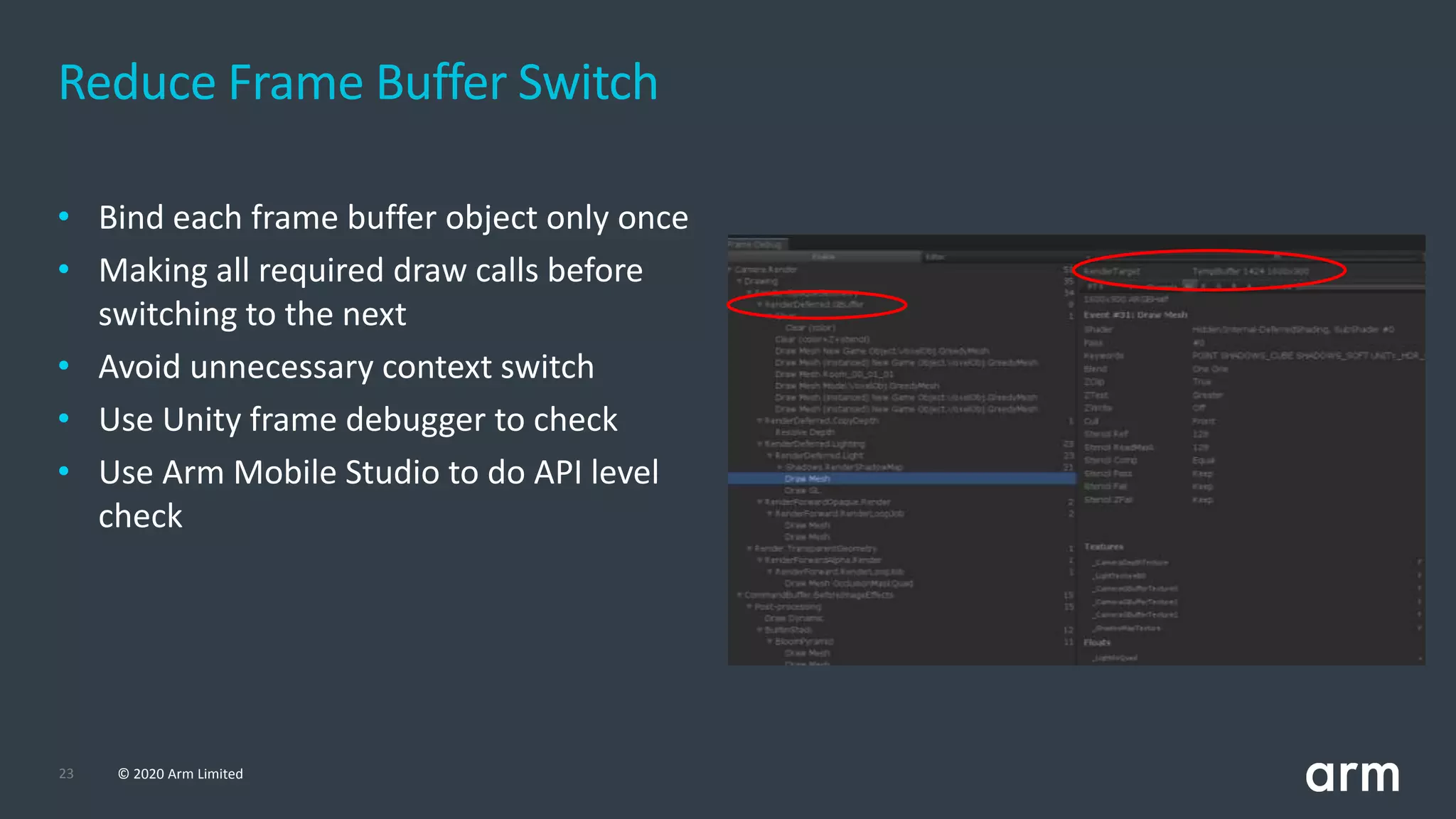
Reduce Frame Buffer Switch
• Bind each frame buffer object only once
• Making all required draw calls before
switching to the next
• Avoid unnecessary context switch
• Use Unity frame debugger to check
• Use Arm Mobile Studio to do API level
check
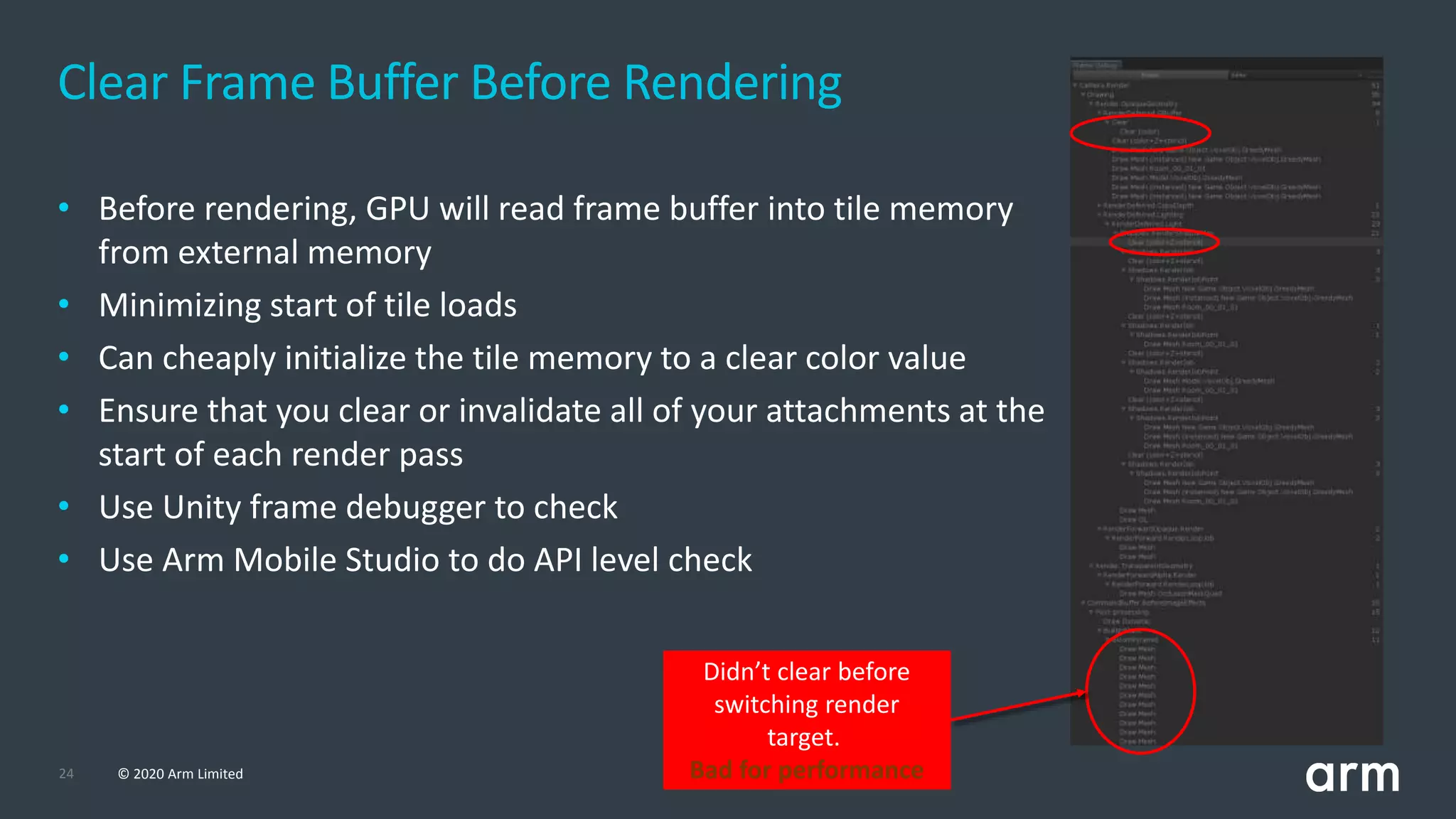
24 © 2020 Arm Limited
• Before rendering, GPU will read frame buffer into tile memory
from external memory
• Minimizing start of tile loads
• Can cheaply initialize the tile memory to a clear color value
• Ensure that you clear or invalidate all of your attachments at the
start of each render pass
• Use Unity frame debugger to check
• Use Arm Mobile Studio to do API level check
Clear Frame Buffer Before Rendering
Didn’t clear before
switching render
target.
Bad for performance
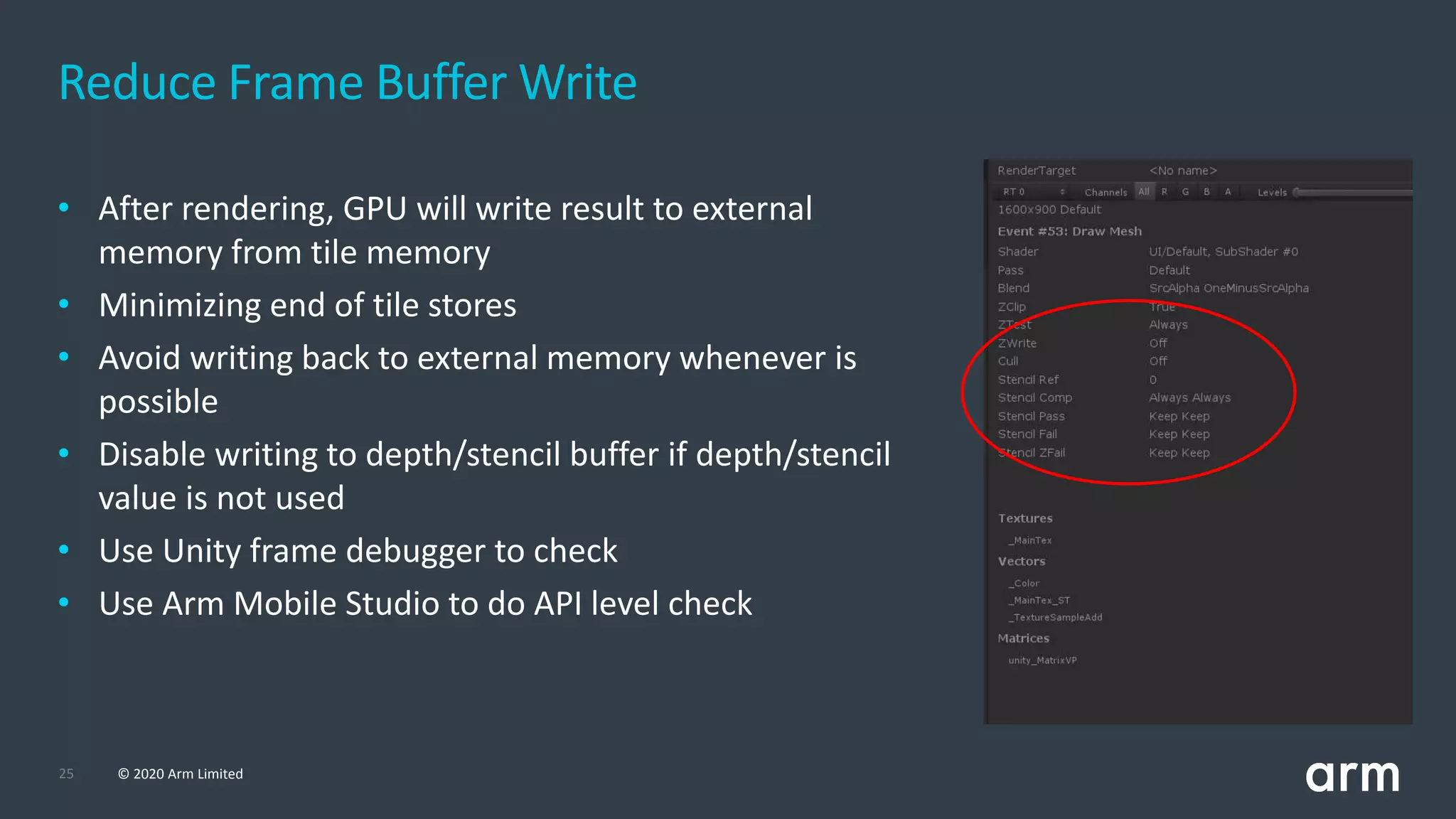
25 © 2020 Arm Limited
• After rendering, GPU will write result to external
memory from tile memory
• Minimizing end of tile stores
• Avoid writing back to external memory whenever is
possible
• Disable writing to depth/stencil buffer if depth/stencil
value is not used
• Use Unity frame debugger to check
• Use Arm Mobile Studio to do API level check
Reduce Frame Buffer Write
© 2020 Arm Limited (or its affiliates)
Resources
27 © 2020 Arm Limited
©2020ArmLimited
Resources
• Arm Guide for Unity Developers (https://developer.arm.com/solutions/graphics-and-
gaming/gaming-engine/unity/arm-guide-for-unity-developers)
• 美術師在移動遊戲開發中的最佳實踐
(https://blogs.unity3d.com/cn/2020/04/07/artists-best-practices-for-mobile-game-
development/)
Thank You
Danke
Merci
谢谢
ありがとう
Gracias
Kiitos
감사합니다
धन्यवाद
‫ا‬ً‫شكر‬
‫תודה‬
© 2020 Arm Limited

[TGDF 2020] Mobile Graphics Best Practices for Artist

  • 1.
    Mobile Graphics Best Practicesfor Artists TGDF 2020 Owen Wu (owen.wu@arm.com) Developer Relations Engineer
  • 2.
    2 © 2020Arm Limited • Introduction • Texturing • Geometry • Shaders • Frame Rendering • Resources Agenda
  • 3.
    © 2020 ArmLimited (or its affiliates) Texturing
  • 4.
    4 © 2020Arm Limited Texture Filtering - Trilinear • Trilinear - Like Bilinear but with added blur between mipmap level • Don’t use trilinear with no mipmap • This filtering will remove noticeable change between mipmap by adding smooth transition • Trilinear filtering is still expensive on mobile • Use it with caution
  • 5.
    5 © 2020Arm Limited Texture Filtering - Anisotropic • Anisotropic - Make textures look better when viewed from different angle, which is good for ground level textures • Higher anisotropic level cost higher
  • 6.
    6 © 2020Arm Limited • Use bilinear for balance between performance and visual quality • Trilinear will cost more memory bandwidth than bilinear and needs to be used selectively • Bilinear + 2x Anisotropic most of the time will look and perform better than Trilinear + 1x Anisotropic, so this combination can be better solution rather than using Trilinear • Keep the anisotropic level low • Using a level higher than 2 should be done very selectively for critical game assets • This is because higher anisotropic level will cost a lot more bandwidth and will affect device battery life Texture Filtering
  • 7.
    7 © 2020Arm Limited Always Use Mipmap If Camera Is Not Still • Using mipmapping will improve GPU performance • Less cache miss • Mipmapping also reduce texture aliasing and improve final image quality • Don’t use it on 2D objects
  • 8.
    8 © 2020Arm Limited Texture Color Space • Use linear color space rendering if using dynamic lighting • Check sRGB in texture inspector window • Textures that are not processed as color should NOT be used in sRGB color space (such as metallic, roughness, normal map, etc) • Current hardware supports sRGB format and hardware will do Gamma correction automatically for free
  • 9.
    9 © 2020Arm Limited Texture Compression • ASTC may get better quality with same memory size as ETC • Or same quality with less memory size than ETC • ASTC takes longer to encode compared to ETC and might make the game packaging process take longer time. Due to this, it is better to use it on final packaging of the game • ASTC allows more control in terms of quality by allowing to set block size. There are no single best default in block size, but generally setting it to 5x5 or 6x6 is good default
  • 10.
    10 © 2020Arm Limited Texture Channel Packing • Use texture channels to pack multiple textures into one • Commonly used to pack roughness, or smoothness, and metallic into one texture • Can be applied for any texture mask • Make good use of alpha channel
  • 11.
    © 2020 ArmLimited (or its affiliates) Geometry
  • 12.
    12 © 2020Arm Limited Avoid Rendering Small Triangles • The bandwidth and processing cost of a vertex is typically orders of magnitude higher than the cost of processing a fragment • Make sure that you get many pixels worth of fragment work for each primitive • Make sure each model which create at least 10-20 fragments per primitive • Use dynamic mesh level-of-detail, using simpler meshes when objects are further away from the camera
  • 13.
    13 © 2020Arm Limited • More expensive for the GPU to process when compared with normal triangles • GPUs process pixels in quad blocks • Long thin triangle edges will waste more GPU power to rasterize • Adjacent long thin triangles will waste doubly Avoid Rendering Small Triangles
  • 14.
    14 © 2020Arm Limited • Reuse as many vertices as possible • Transformed vertex data can reused to save computation power • Avoid duplicating vertices unless it’s necessary Avoid Duplicating Vertices V0 V1 V2 V3 V4 V0 V1 V2 V3 V5 V4 V7 V6 V8 T1 : (V0, V1, V2) T2 : (V1, V3, V2) T3 : (V2, V3, V4) T1 : (V0, V1, V2) T2 : (V3, V4, V5) T3 : (V6, V7, V8) GOOD BAD
  • 15.
    © 2020 ArmLimited (or its affiliates) Shaders
  • 16.
    16 © 2020Arm Limited • Use mediump and highp keywords • Full FP32 of vertex attributes is unnecessary for many uses of attribute data • Keep the data at the minimum precision needed to produce an acceptable final output • Use FP32 for computing vertex positions only • Use the lowest possible precision for other attributes • Don’t always use FP32 for everything • Don’t upload FP32 data into a buffer and then read it as a mediump attribute Shader Floating-point Precision
  • 17.
    17 © 2020Arm Limited • Many fragments are occluded by other fragments • Running fragment shader of occluded fragment is wasting GPU power • Render opaque object from front to back • Occluded fragment will be rejected before shading • Fragment writing out depth/stencil will go Late-Z path which rejects occluded fragment after fragment shader • Fragment using discard or Alpha-to-coverage will be forced to do Late-Z and may stall the pipeline Take Advantage of Early-Z Early Frag Op Fragment Shader Late Frag Op
  • 18.
    18 © 2020Arm Limited Avoid Heavy Overdraw • Overdraw means one pixel has been rendered more than once • Alpha blending overdraw is expensive on mobile • Use Unity built-in display feature to check the amount of overdraw • Brighter area means more overdraw • Make good arrangement of layer, sorting layer, render queue and camera setting to avoid overdraw
  • 19.
    19 © 2020Arm Limited • Separate transparent mesh from opaque mesh • Use polygon mesh instead of quad for transparent texture • Both ways can reduce the amount of transparent fragments and improve performance Reduce the Amount of Alpha Blending/Tested Fragments
  • 20.
    20 © 2020Arm Limited • Dynamic branching in shader is not as expensive as most developers think, but… • Both sides of branch will be executed and pick one if the branching area is too small • Shader compiler will optimize it automatically • Use dynamic branching when it can skip enough computation • Check out this link for more details • https://bit.ly/315P234 Dynamic Branching
  • 21.
    © 2020 ArmLimited (or its affiliates) Frame Rendering
  • 22.
    22 © 2020Arm Limited • Render state switch is very expensive operation • Rendering as many primitives as possible in one draw call • Don’t just check number of draw calls or batches • Number of render state switch is also an important index • Using Tris/SetPass (i.e. 95.2K/34) is more accurate • Batch as many draw call as possible • Static batch • GPU Instancing • Dynamic batch Reduce Render State Switch
  • 23.
    23 © 2020Arm Limited Reduce Frame Buffer Switch • Bind each frame buffer object only once • Making all required draw calls before switching to the next • Avoid unnecessary context switch • Use Unity frame debugger to check • Use Arm Mobile Studio to do API level check
  • 24.
    24 © 2020Arm Limited • Before rendering, GPU will read frame buffer into tile memory from external memory • Minimizing start of tile loads • Can cheaply initialize the tile memory to a clear color value • Ensure that you clear or invalidate all of your attachments at the start of each render pass • Use Unity frame debugger to check • Use Arm Mobile Studio to do API level check Clear Frame Buffer Before Rendering Didn’t clear before switching render target. Bad for performance
  • 25.
    25 © 2020Arm Limited • After rendering, GPU will write result to external memory from tile memory • Minimizing end of tile stores • Avoid writing back to external memory whenever is possible • Disable writing to depth/stencil buffer if depth/stencil value is not used • Use Unity frame debugger to check • Use Arm Mobile Studio to do API level check Reduce Frame Buffer Write
  • 26.
    © 2020 ArmLimited (or its affiliates) Resources
  • 27.
    27 © 2020Arm Limited ©2020ArmLimited Resources • Arm Guide for Unity Developers (https://developer.arm.com/solutions/graphics-and- gaming/gaming-engine/unity/arm-guide-for-unity-developers) • 美術師在移動遊戲開發中的最佳實踐 (https://blogs.unity3d.com/cn/2020/04/07/artists-best-practices-for-mobile-game- development/)
  • 28.