Talent Solutions 
LinkedIn Product Webcast 
LinkedIn Recruiter: New Product Enhancements 
August 2014
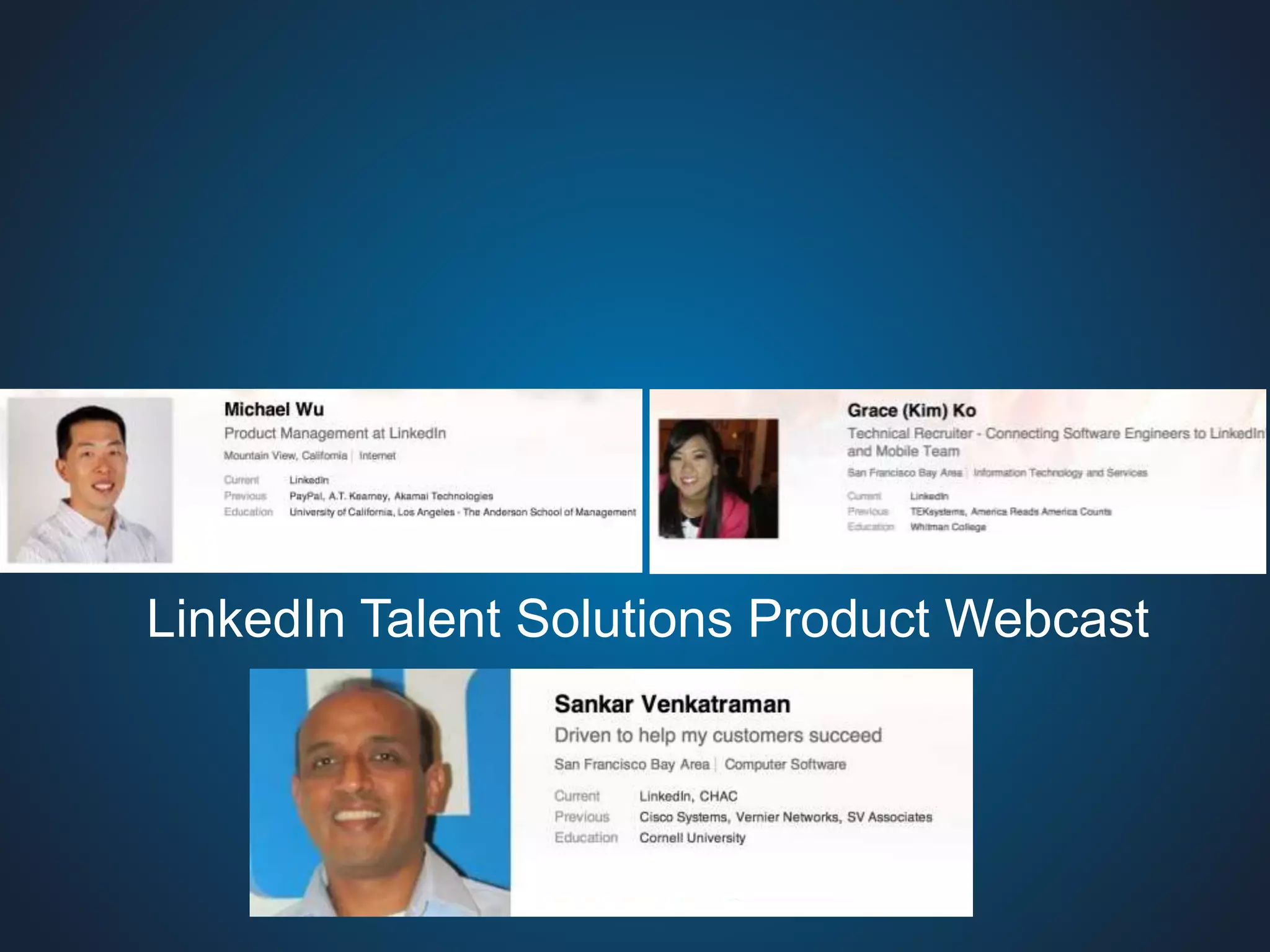
LinkedIn Talent Solutions Product Webcast
Webcast Format 
 Introductions 
 What’s in Store? 
– Spotlight “You”: LinkedIn.com enhancements for you 
– So you just got the new enhancements to Projects… 
– Let the machine do the work for you…Leverage our recommendations 
 Dining at LinkedIn Recruiting Restaurant 
– Tips from LinkedIn Recruiting team expert 
 Q&A
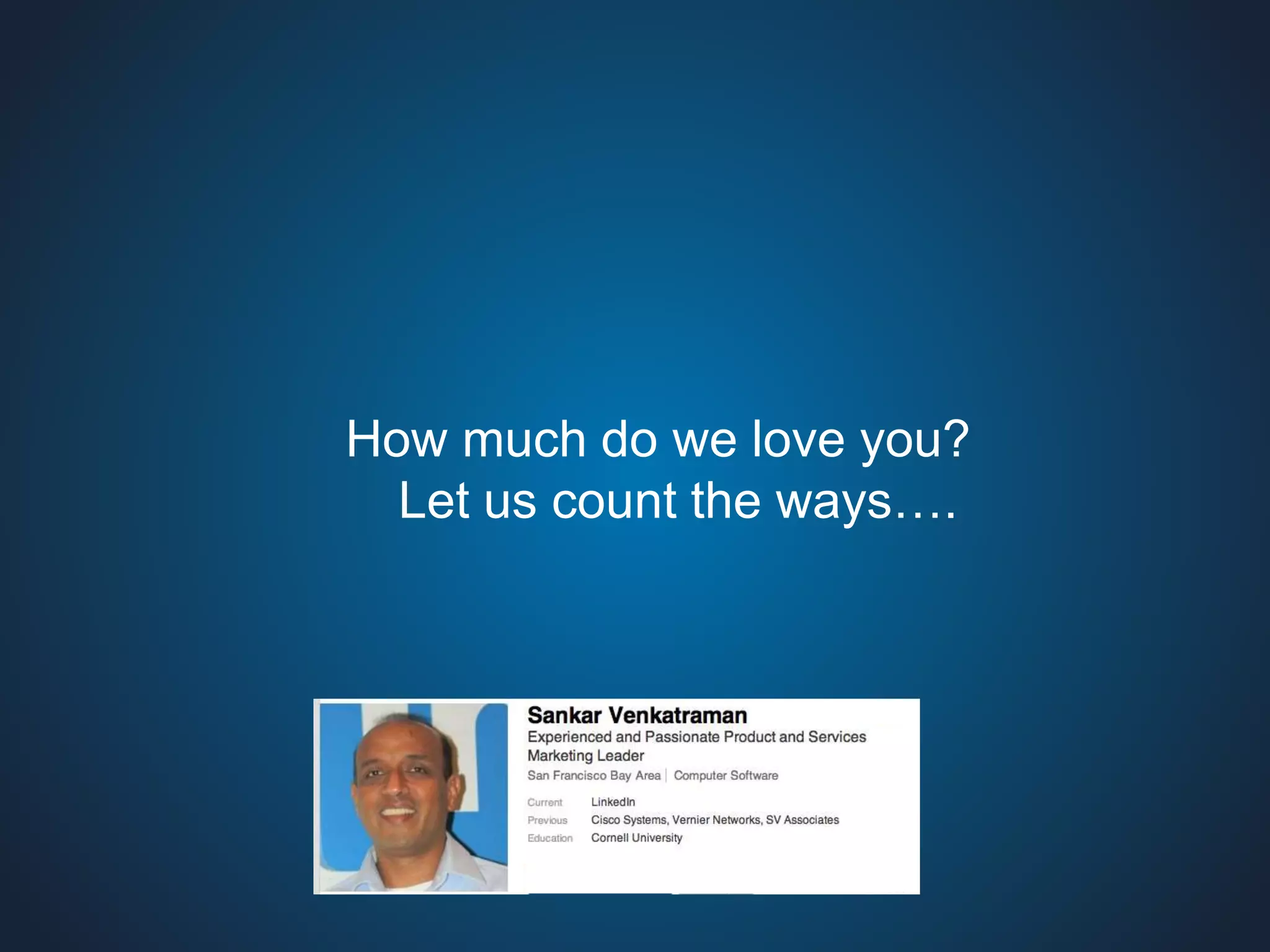
How much do we love you? 
Let us count the ways….
5 
Recruiter Customer: LinkedIn.com Profile 
Enhancements For You 
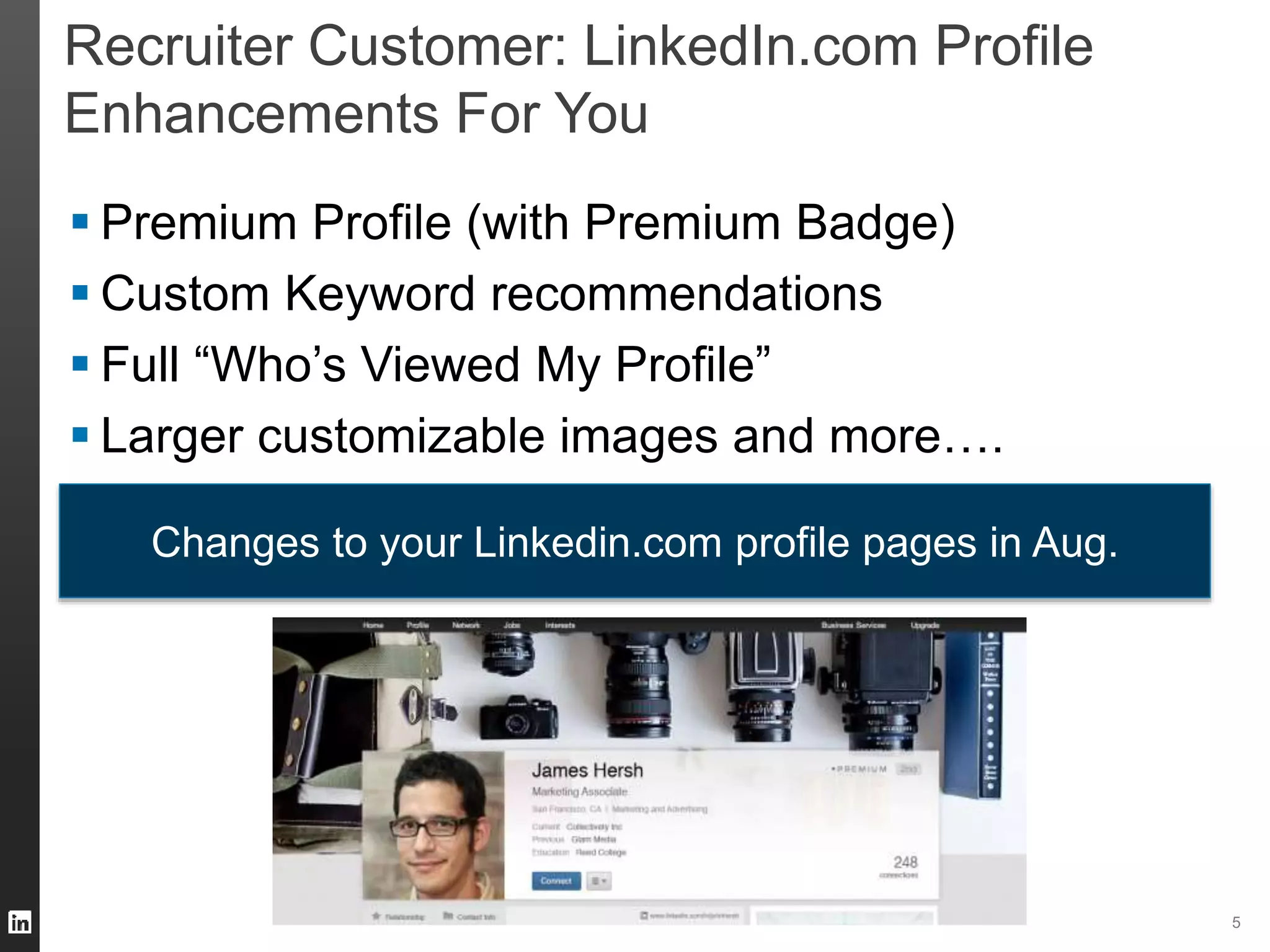
 Premium Profile (with Premium Badge) 
 Custom Keyword recommendations 
 Full “Who’s Viewed My Profile” 
 Larger customizable images and more…. 
Changes to your Linkedin.com profile pages in Aug.
Spotlight Product Features 
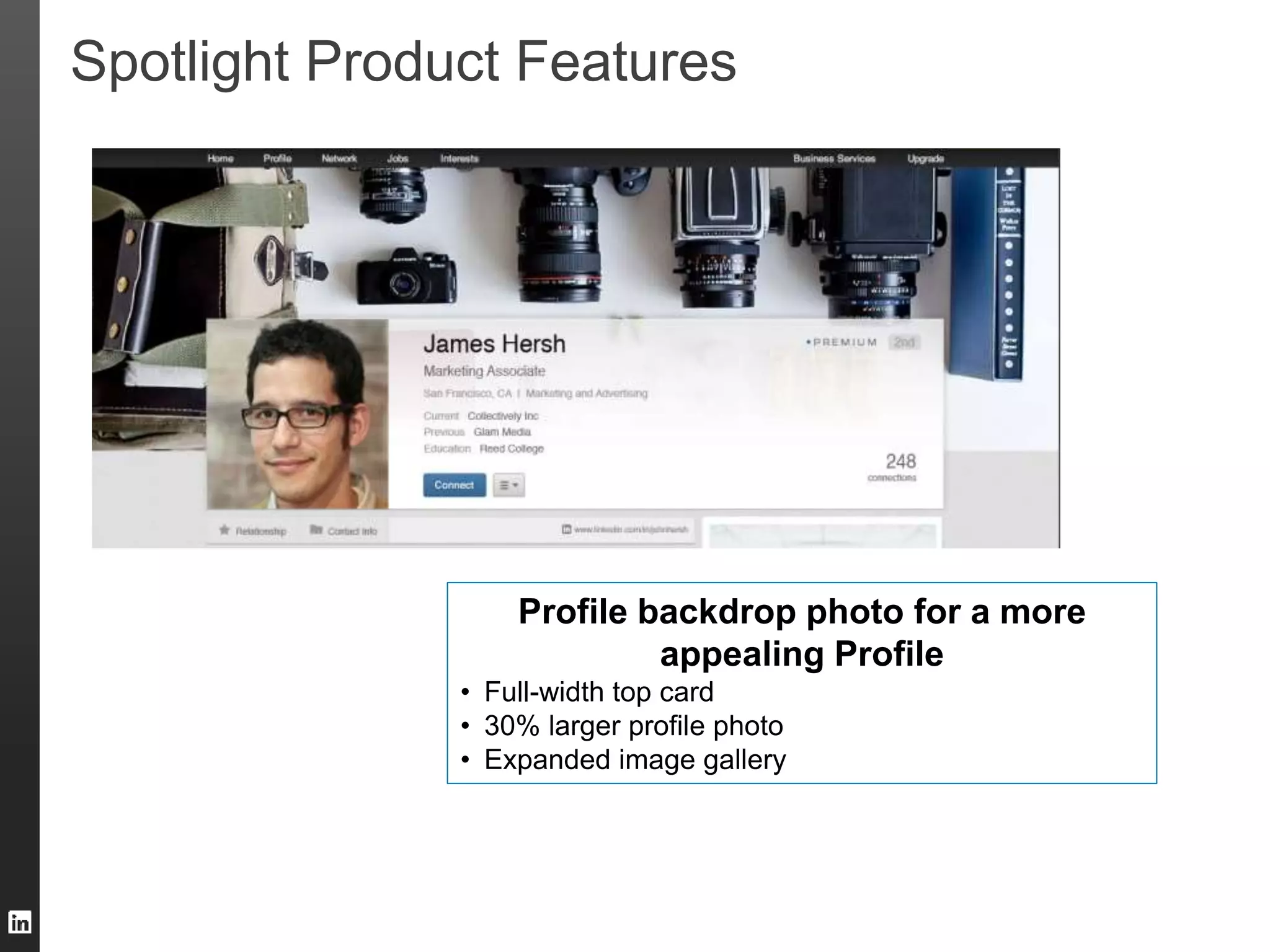
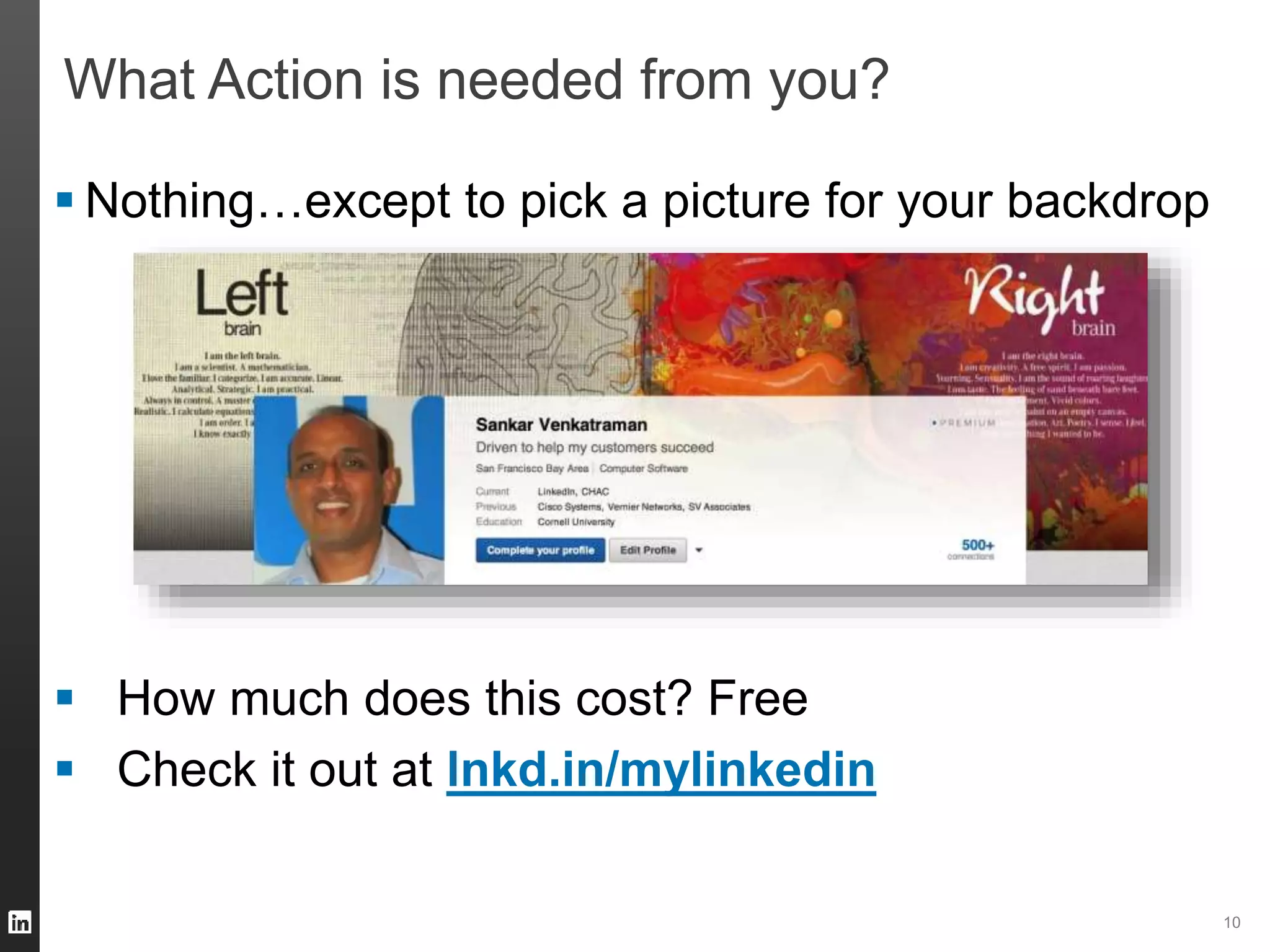
Profile backdrop photo for a more 
appealing Profile 
• Full-width top card 
• 30% larger profile photo 
• Expanded image gallery
Spotlight Product Features Custom Keyword 
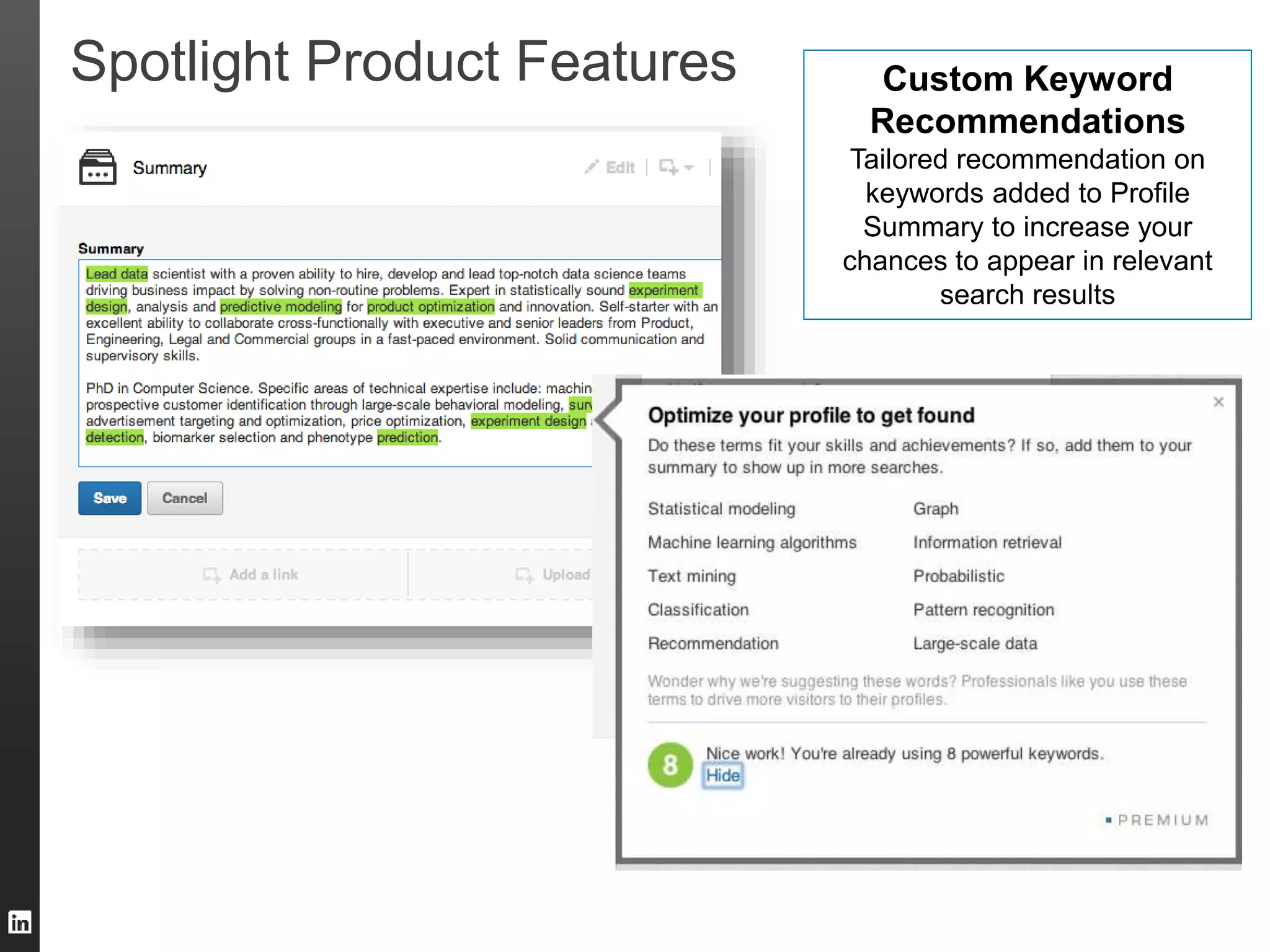
Recommendations 
Tailored recommendation on 
keywords added to Profile 
Summary to increase your 
chances to appear in relevant 
search results
Spotlight Product Features 
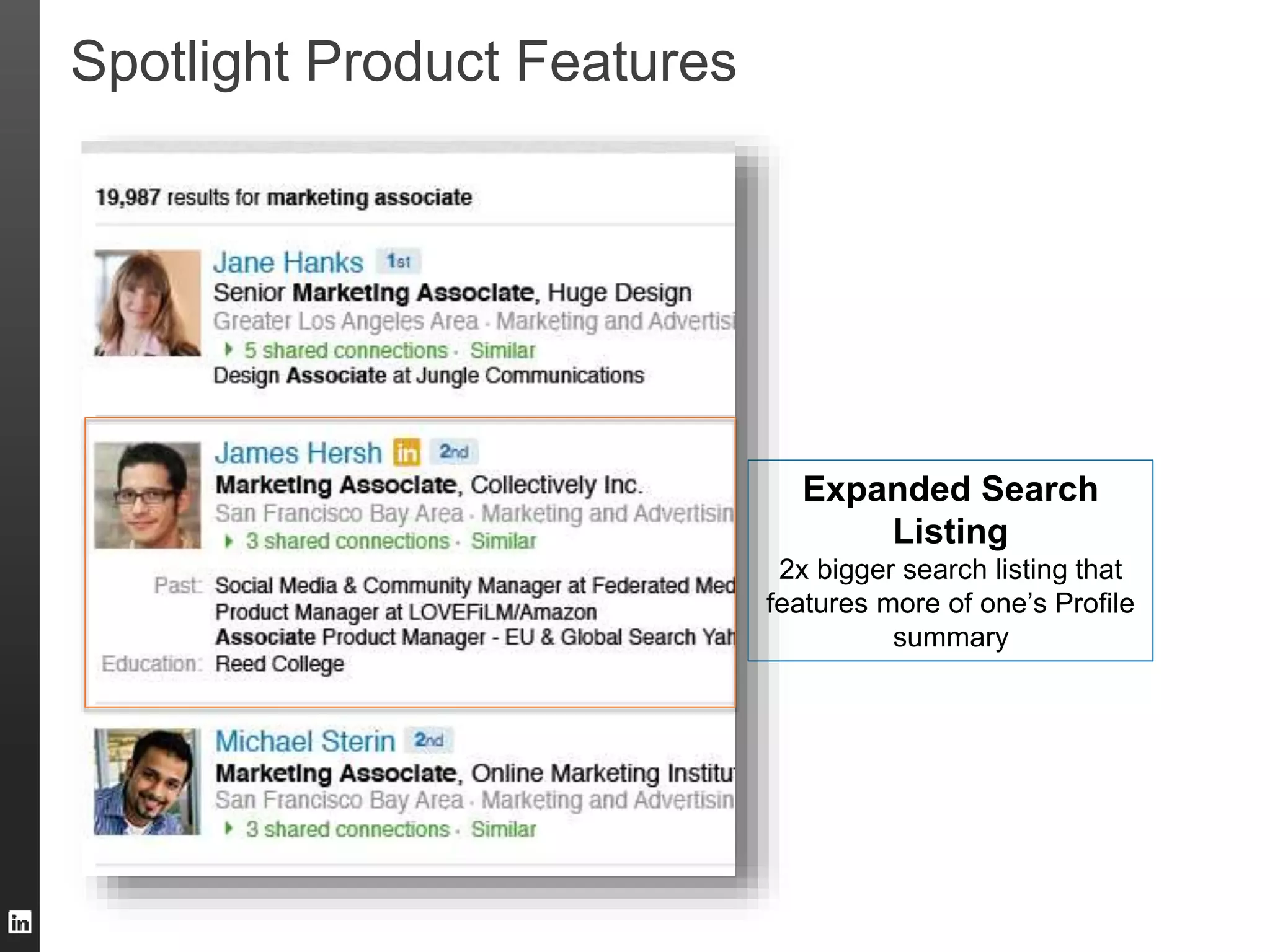
Expanded Search 
Listing 
2x bigger search listing that 
features more of one’s Profile 
summary
Spotlight Product Features 
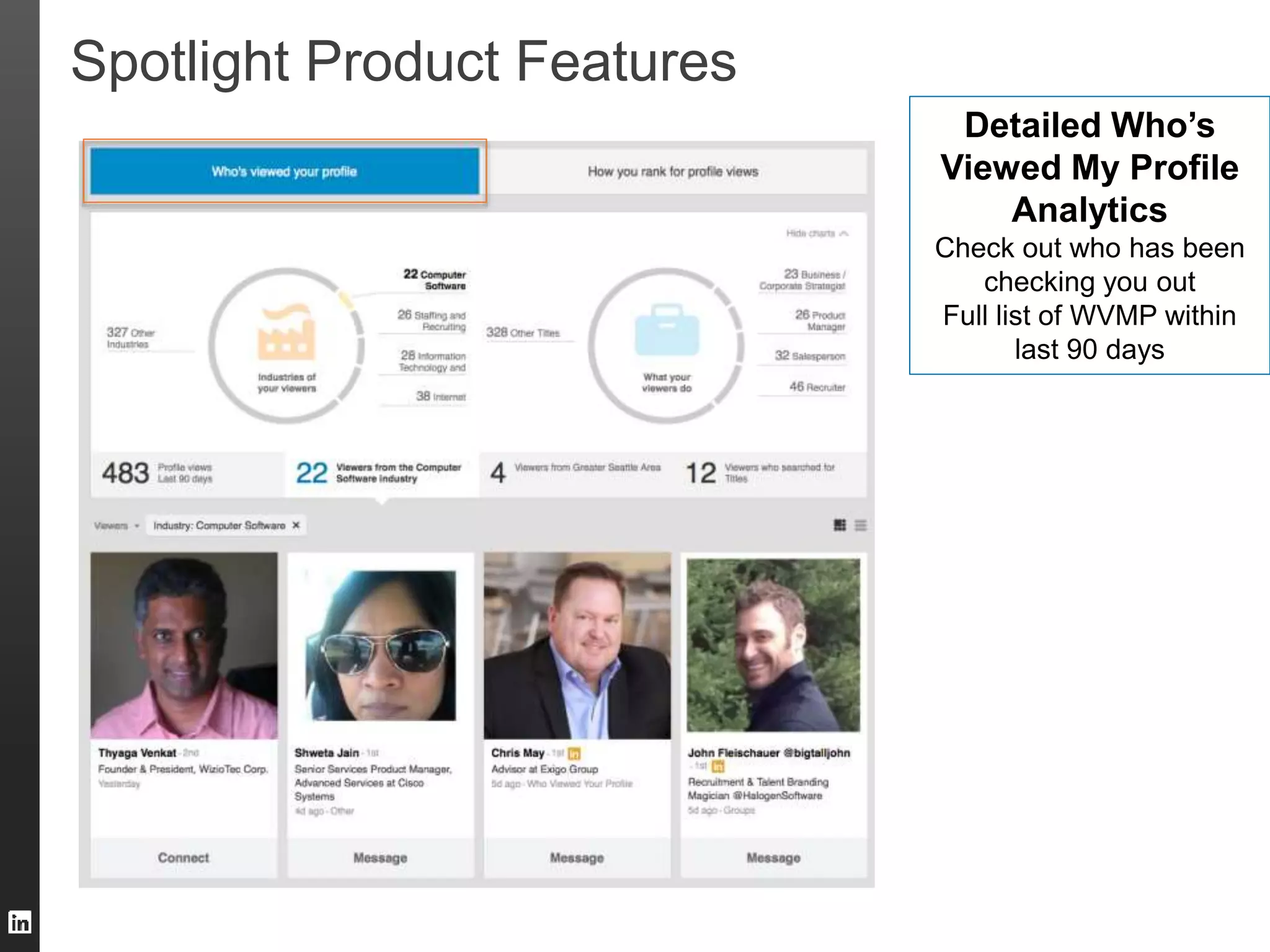
Detailed Who’s 
Viewed My Profile 
Analytics 
Check out who has been 
checking you out 
Full list of WVMP within 
last 90 days
10 
What Action is needed from you? 
 Nothing…except to pick a picture for your backdrop 
 How much does this cost? Free 
 Check it out at lnkd.in/mylinkedin
Leverage our Recommendation Engines 
11
Points of Recommendation 
1. People You May want to Hire 
2. Similar Profiles 
3. People Also Viewed 
4. Job Matches 
5. Suggested Professionals 
6. Jobs You May Be Interested In
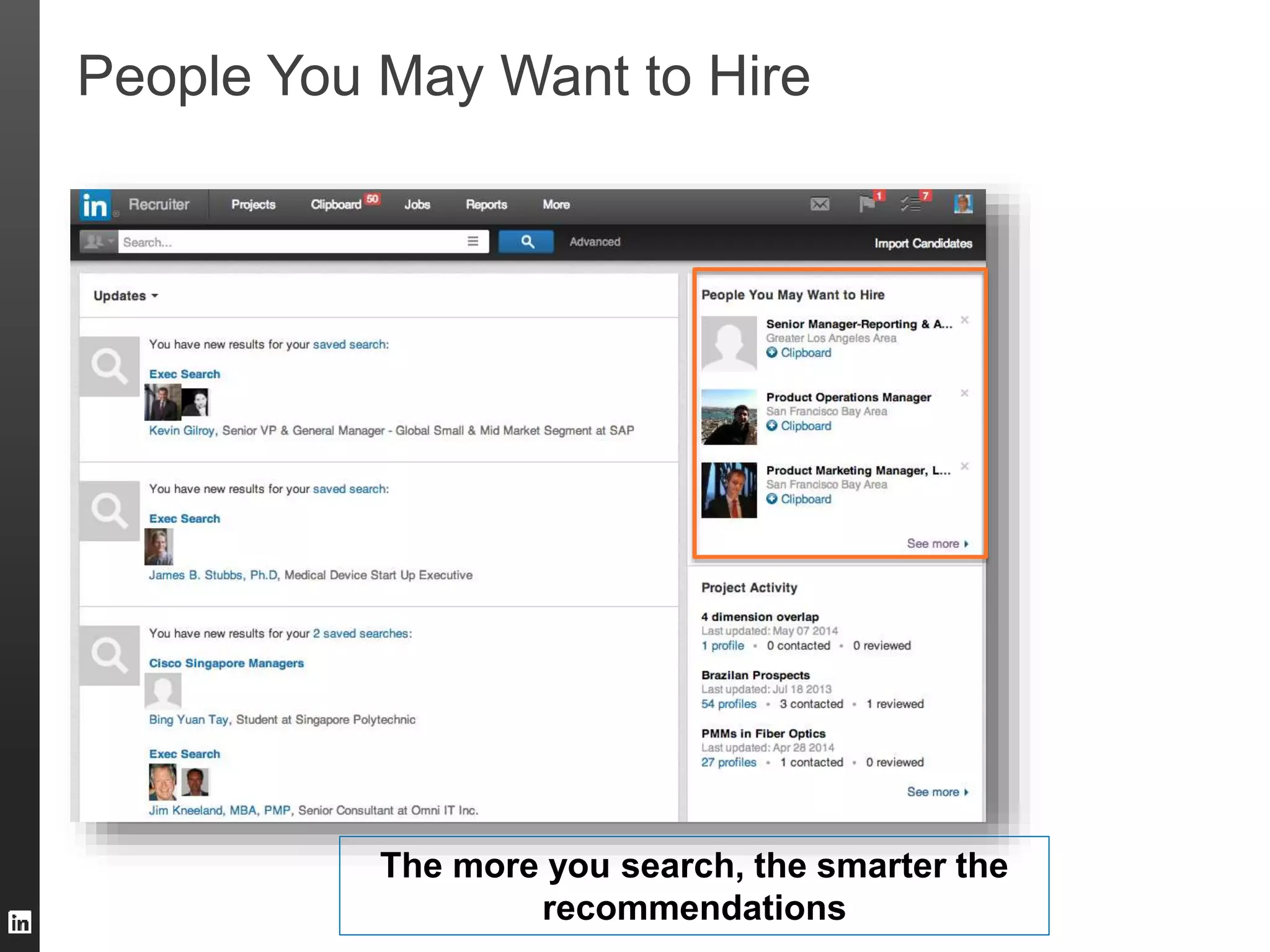
People You May Want to Hire 
The more you search, the smarter the 
recommendations
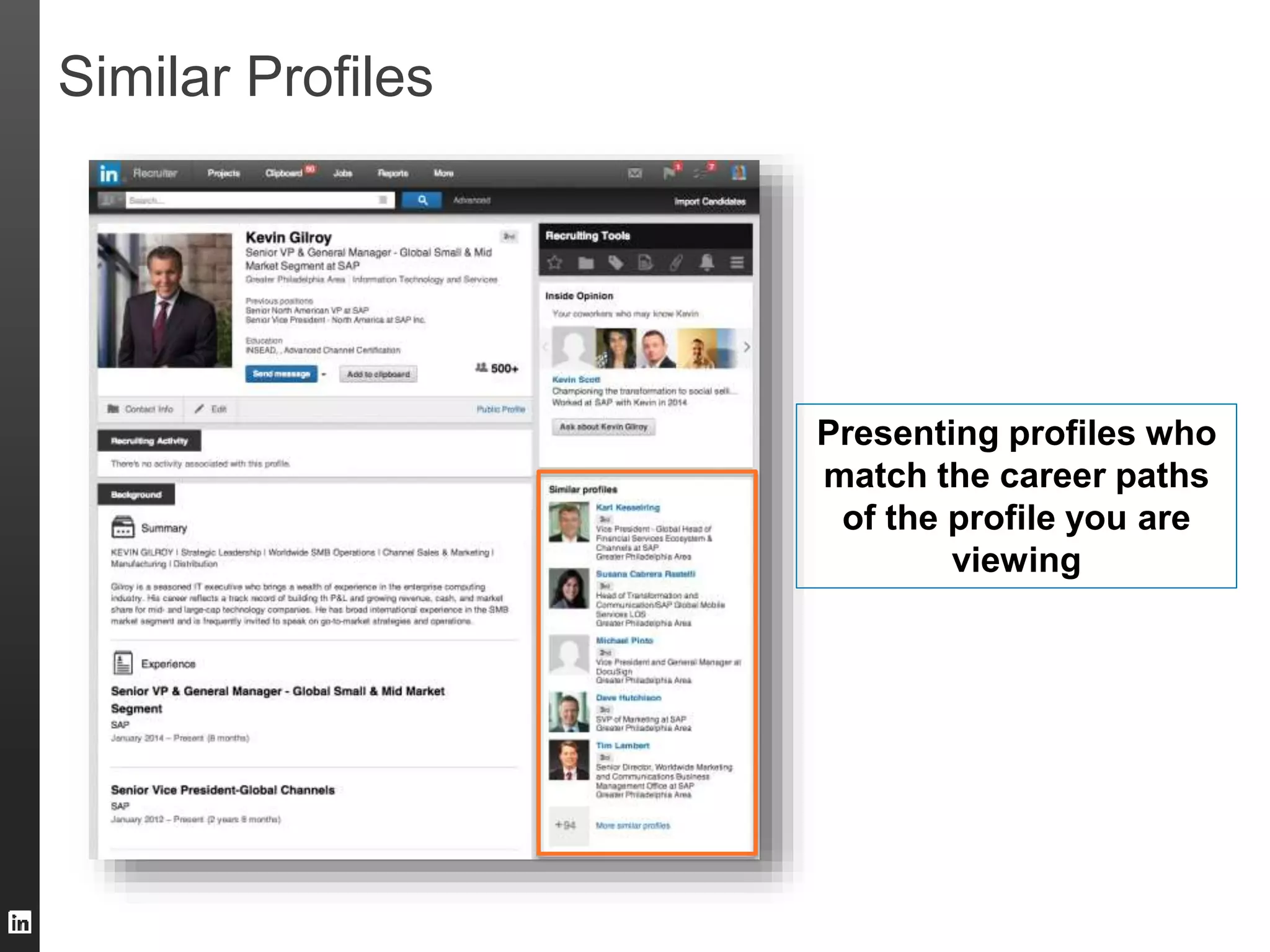
Similar Profiles 
Presenting profiles who 
match the career paths 
of the profile you are 
viewing
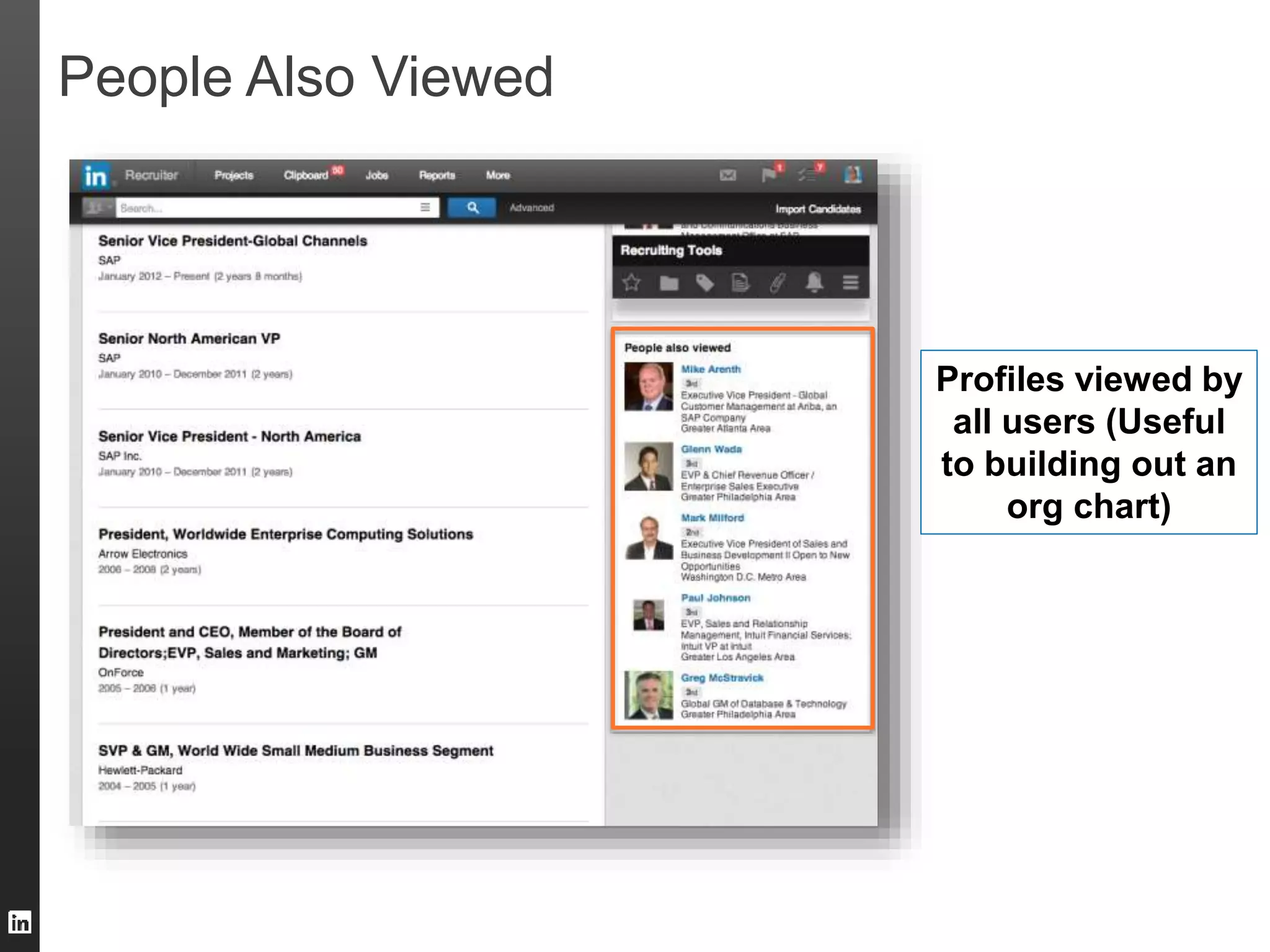
People Also Viewed 
Profiles viewed by 
all users (Useful 
to building out an 
org chart)
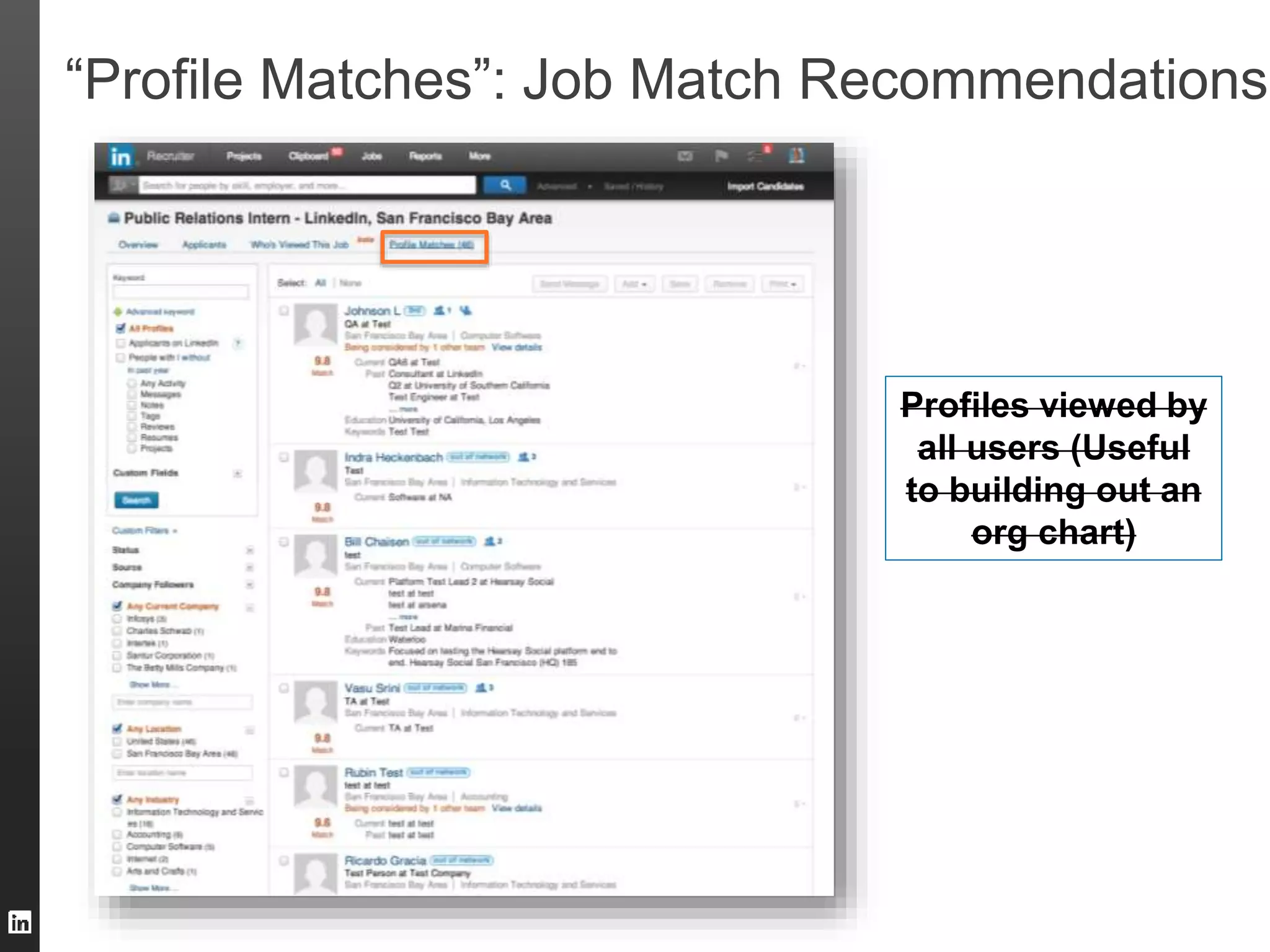
“Profile Matches”: Job Match Recommendations 
Profiles viewed by 
all users (Useful 
to building out an 
org chart)
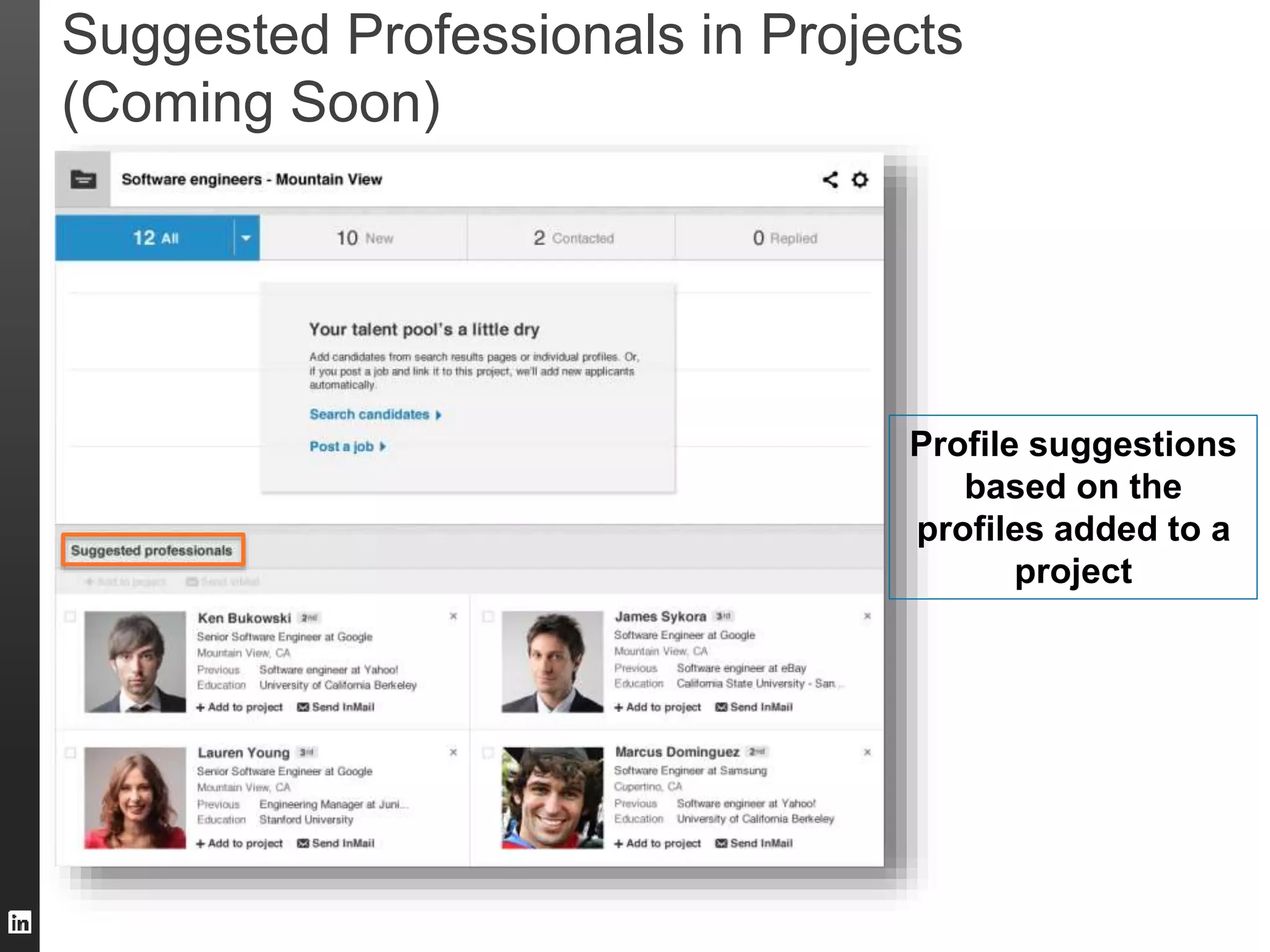
Suggested Professionals in Projects 
(Coming Soon) 
Profile suggestions 
based on the 
profiles added to a 
project
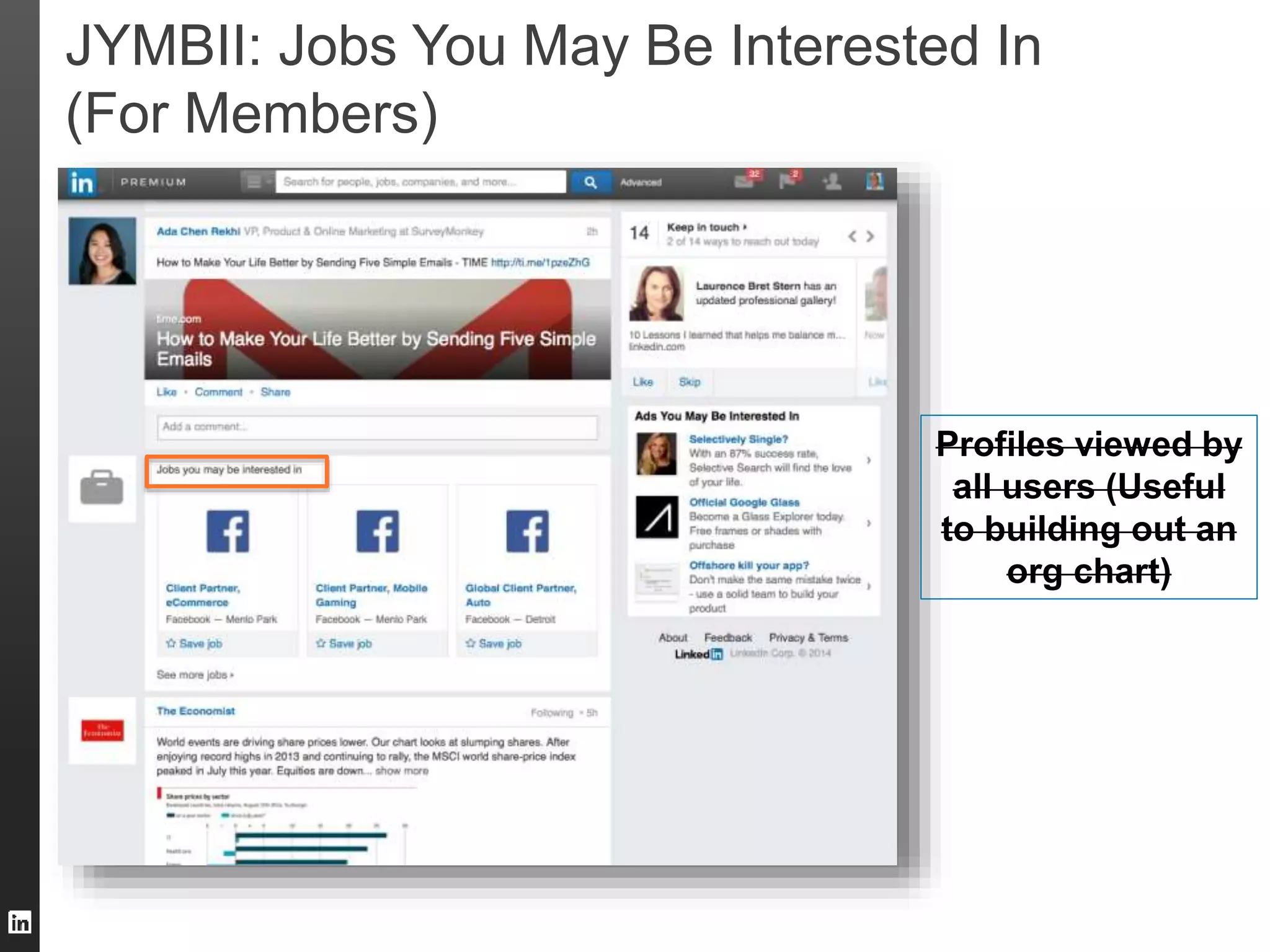
JYMBII: Jobs You May Be Interested In 
(For Members) 
Profiles viewed by 
all users (Useful 
to building out an 
org chart)
19 
Recap: Leverage our recommendations 
1. People You May want to Hire 
2. Similar Profiles 
3. People Also Viewed 
4. Job Matches 
5. Suggested Professionals 
6. Jobs You May Be Interested In 
You can also set reminders and receive 
notifications when new professionals match your 
needs
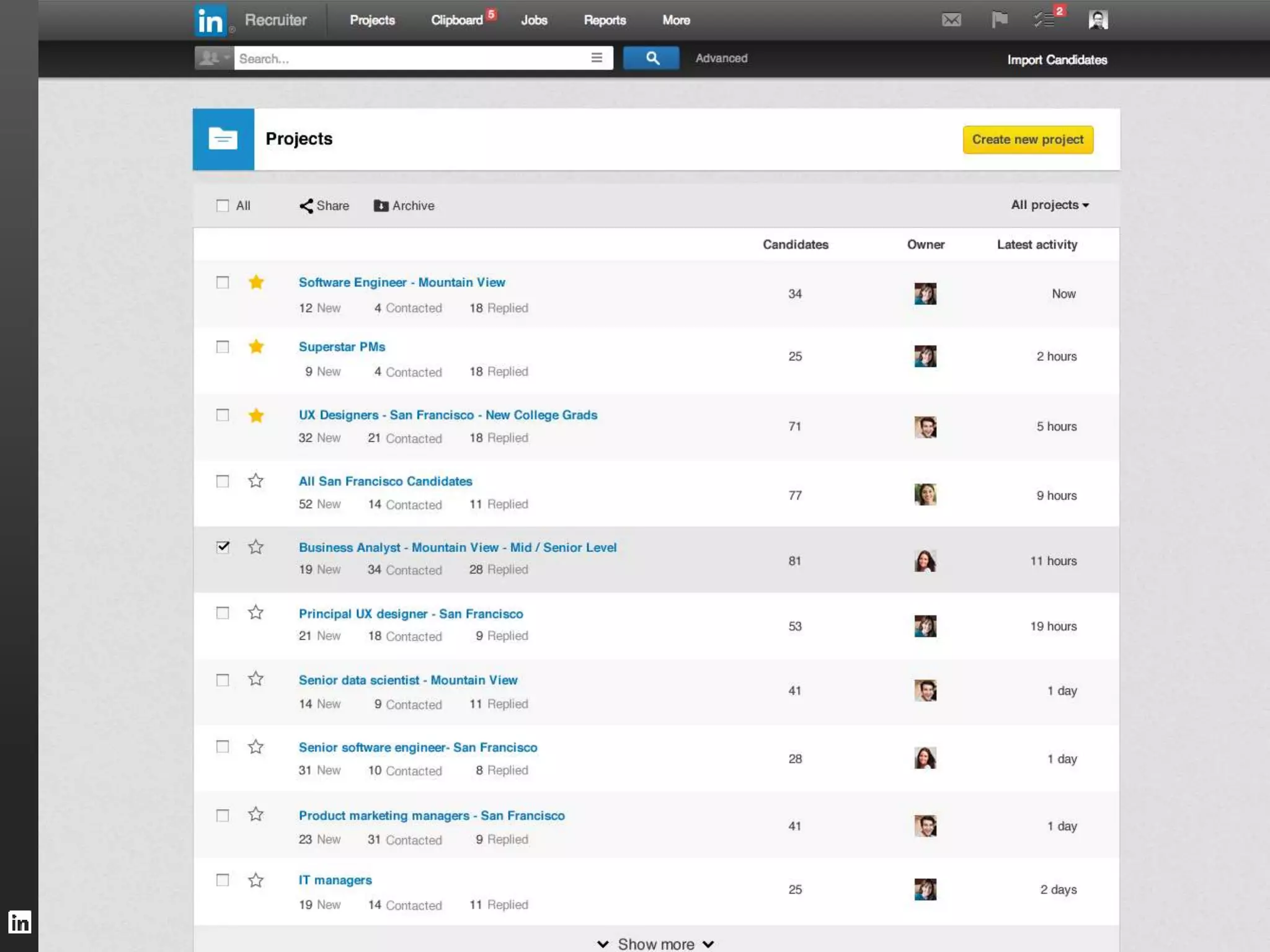
Re-designed Projects: 
Organize, manage and share profiles more easily 
20
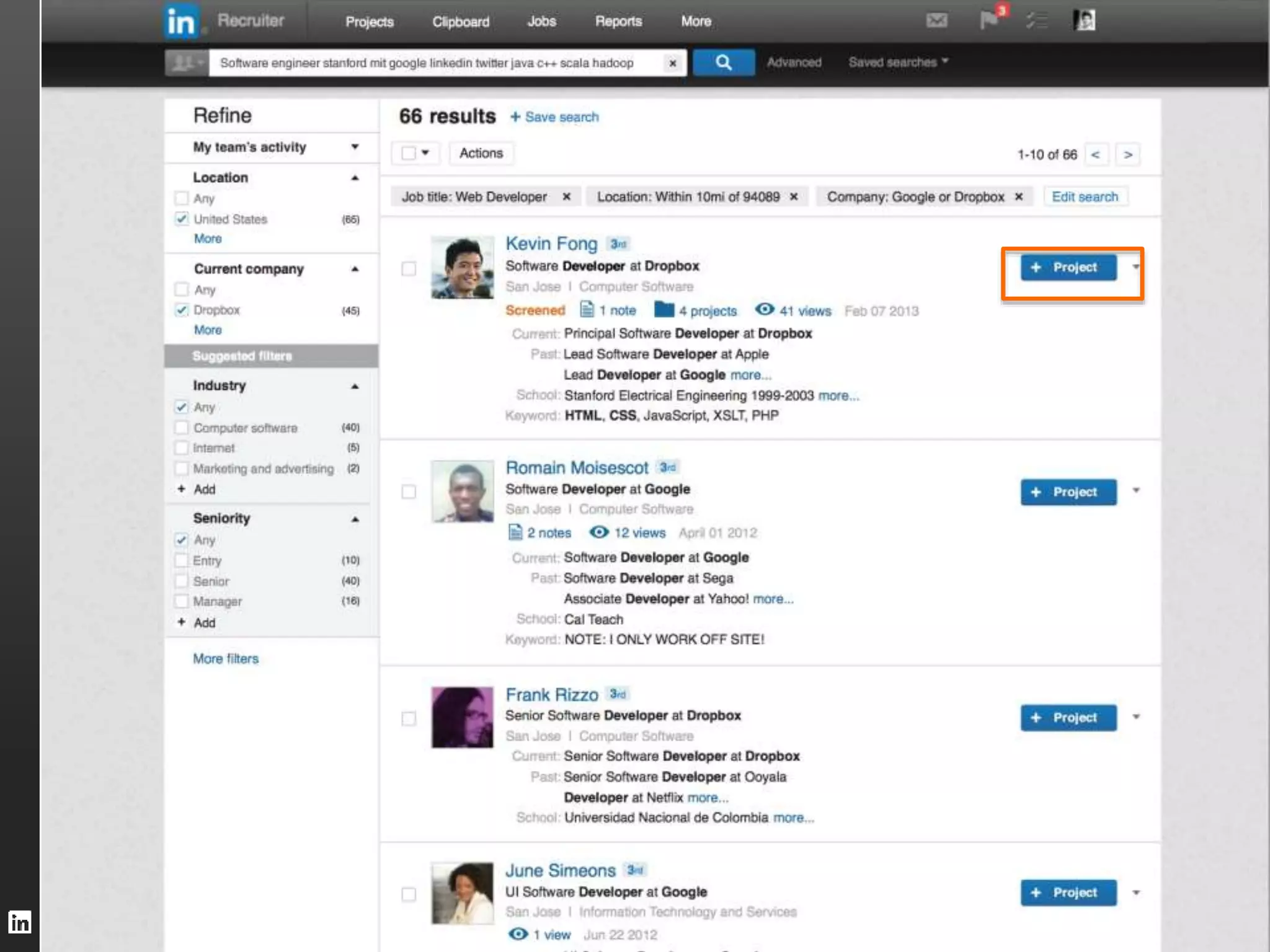
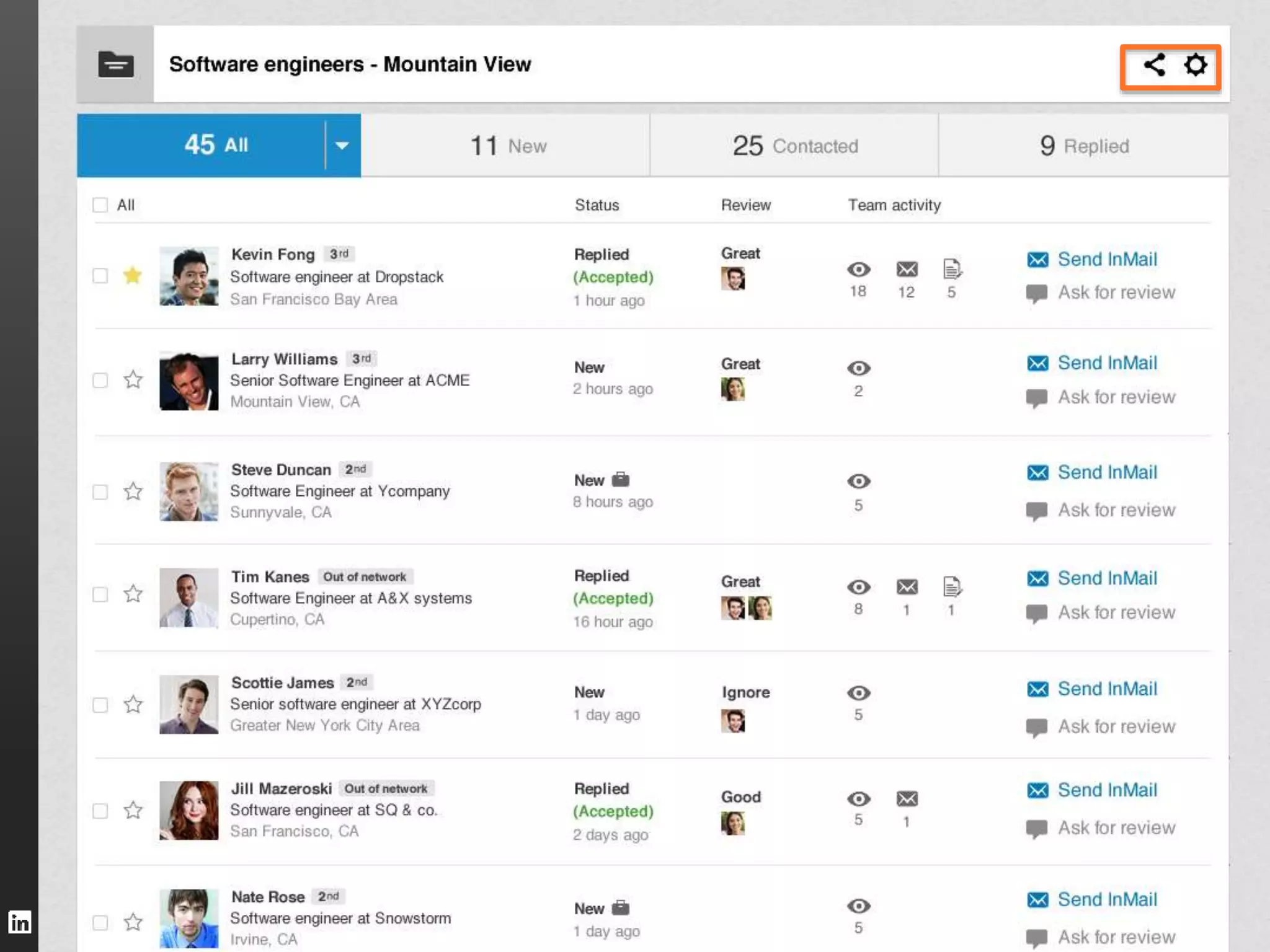
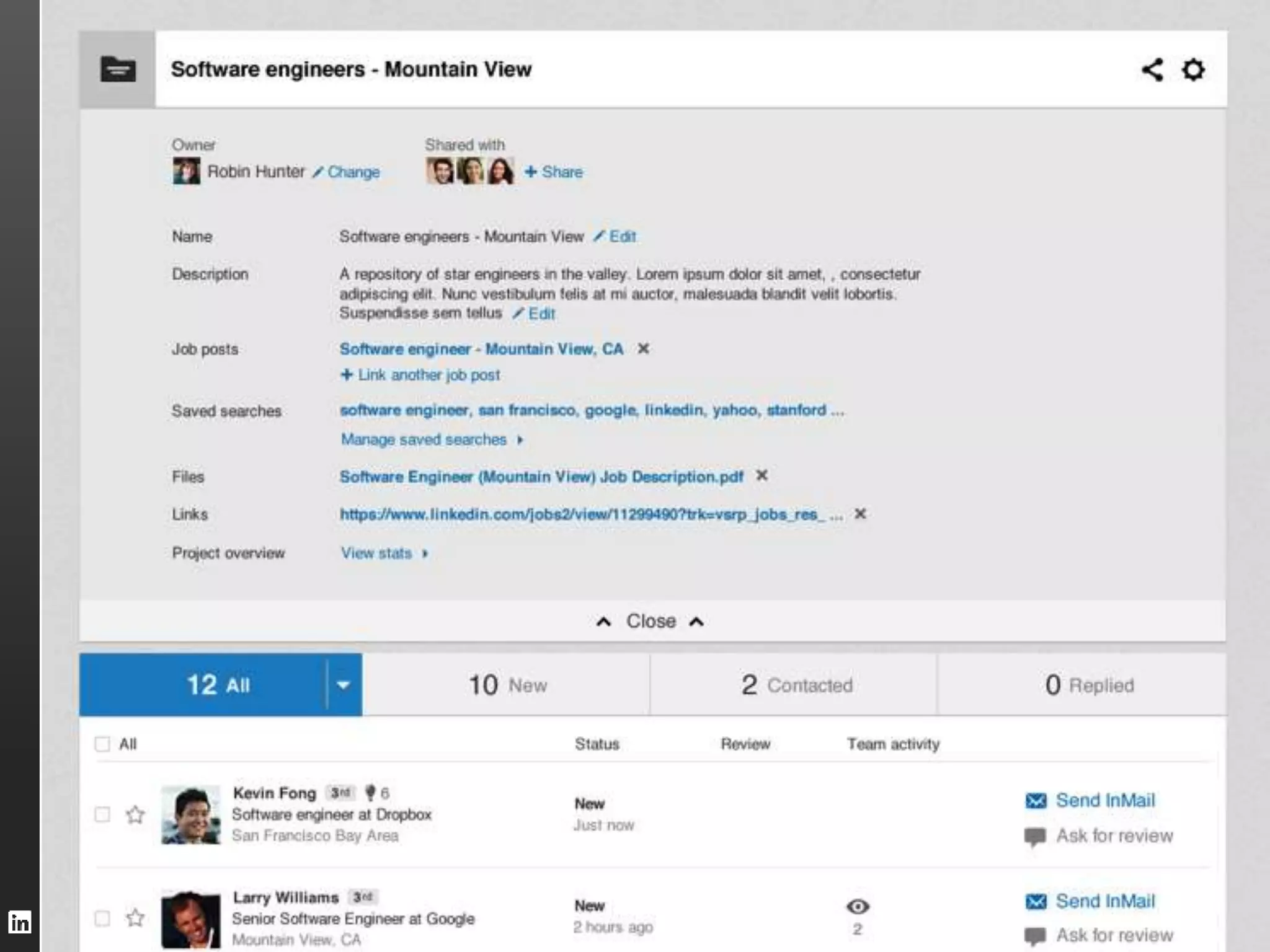
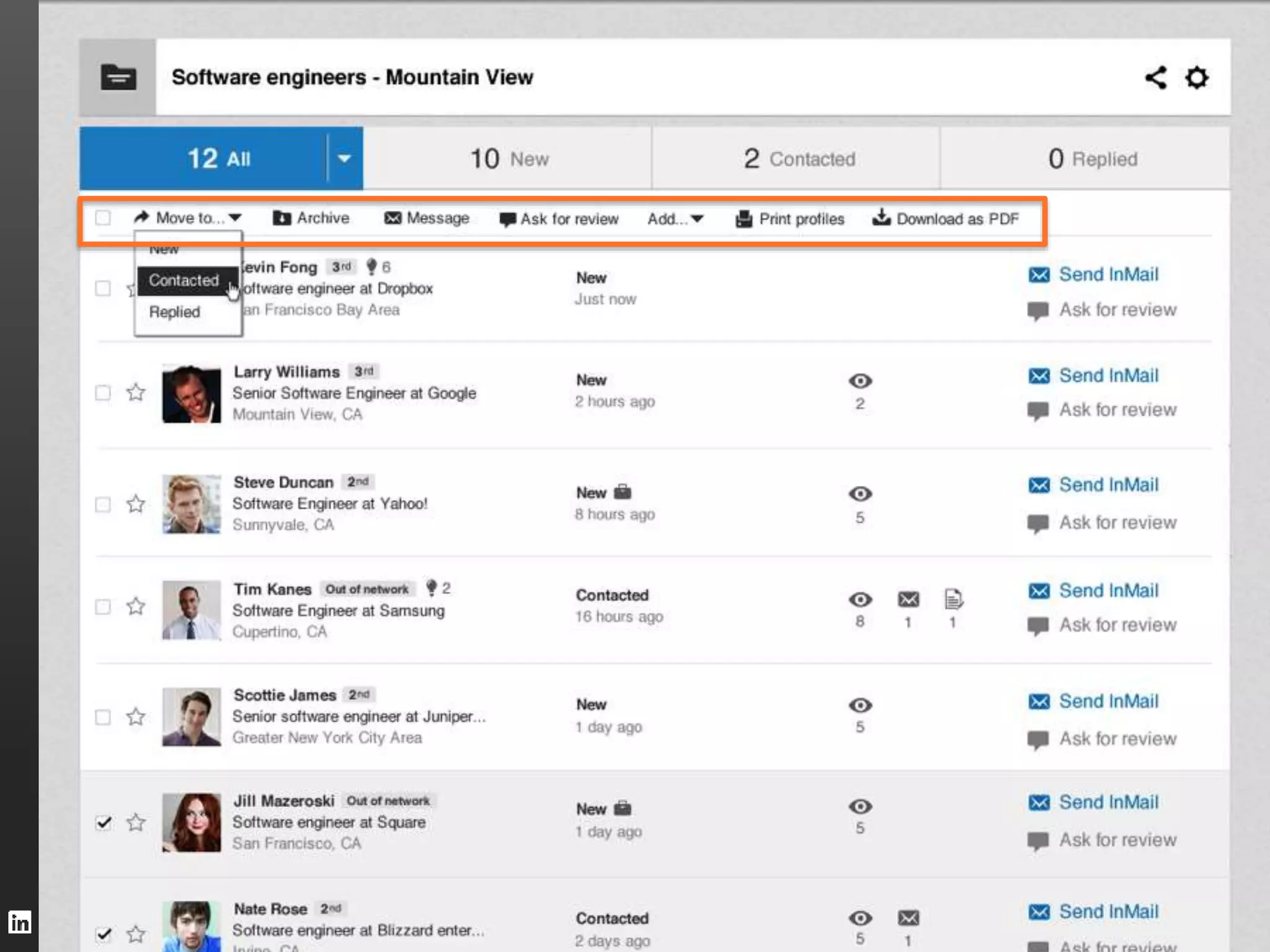
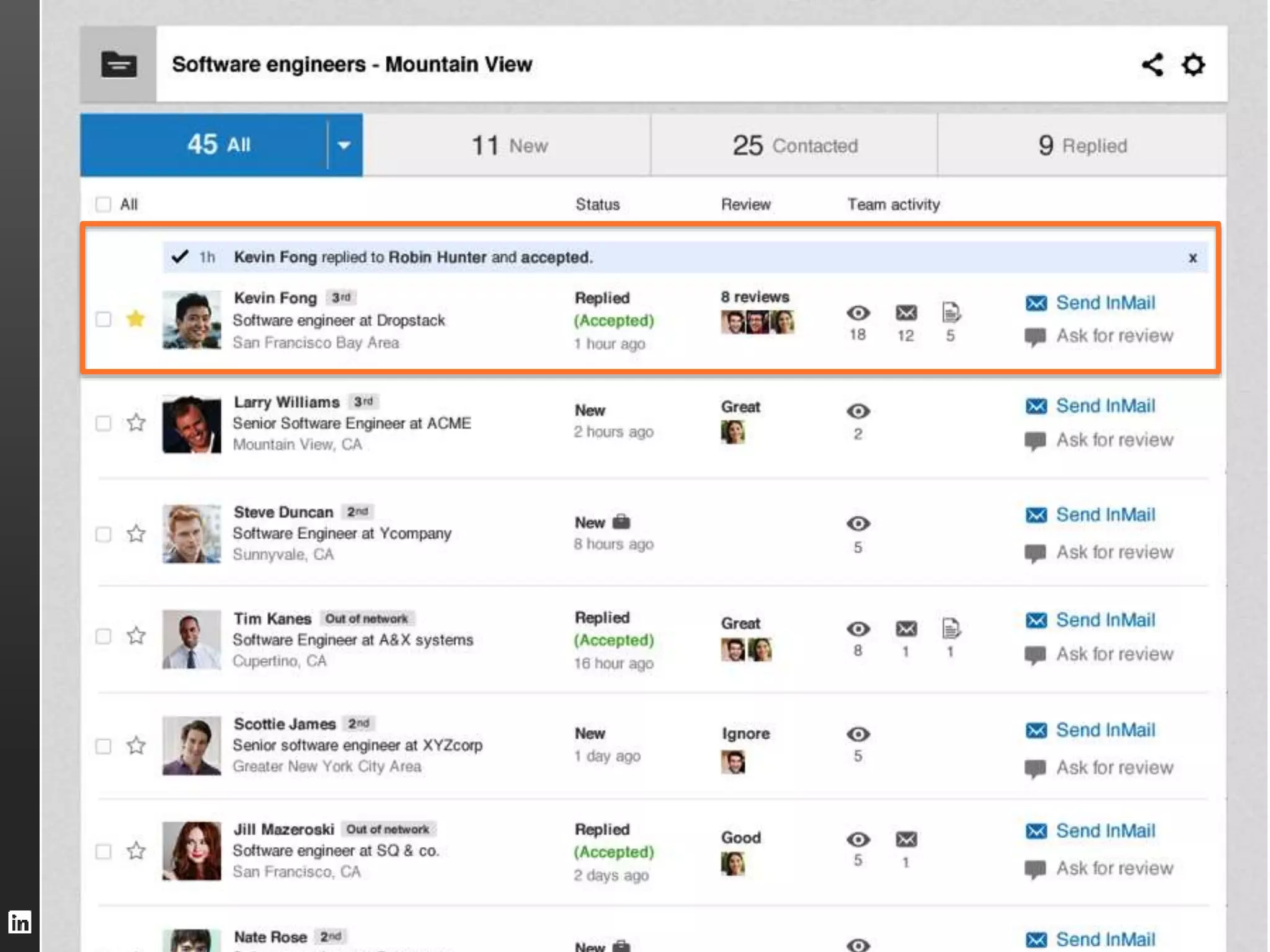
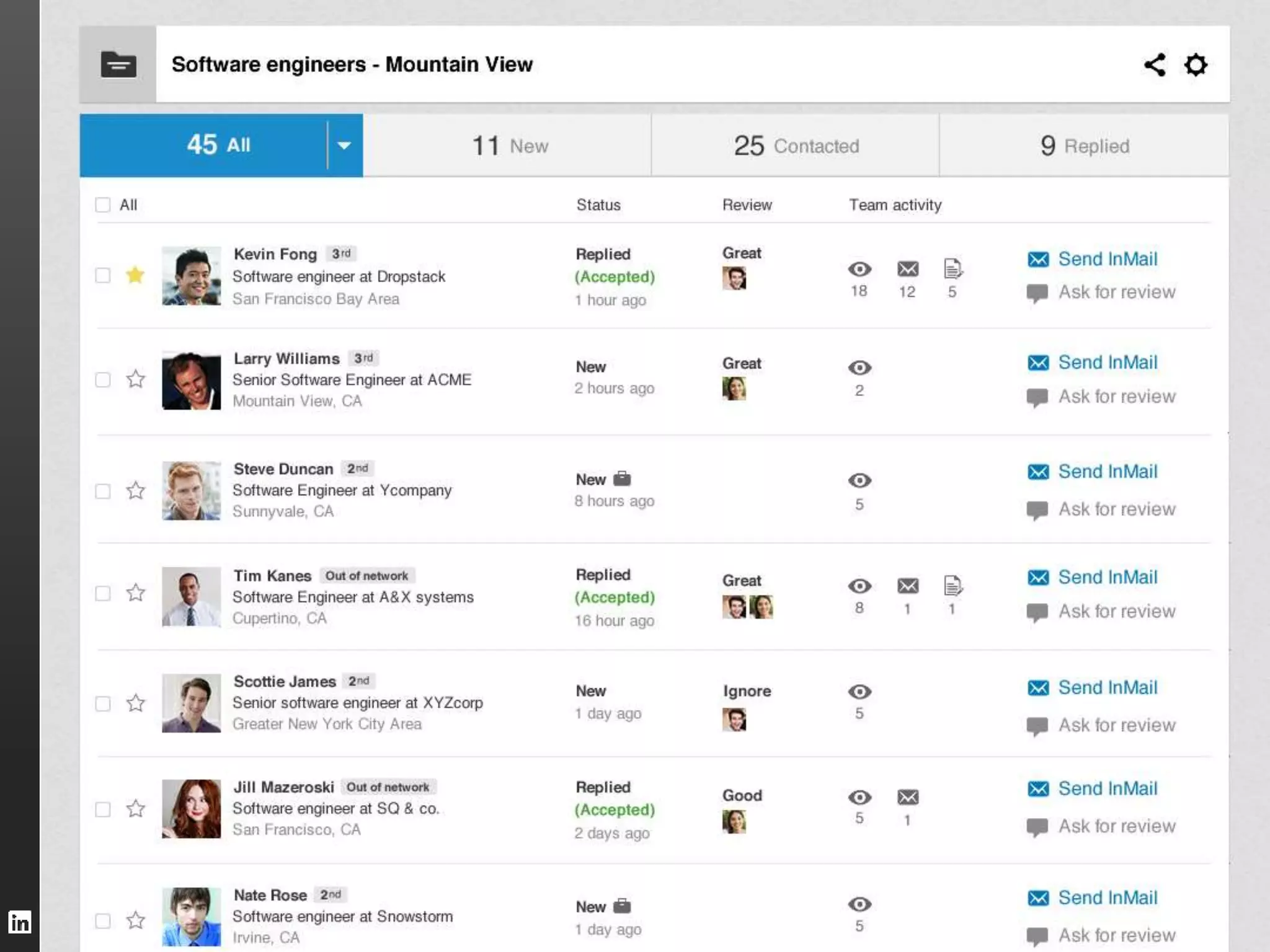
Projects: Powering your hiring workflow 
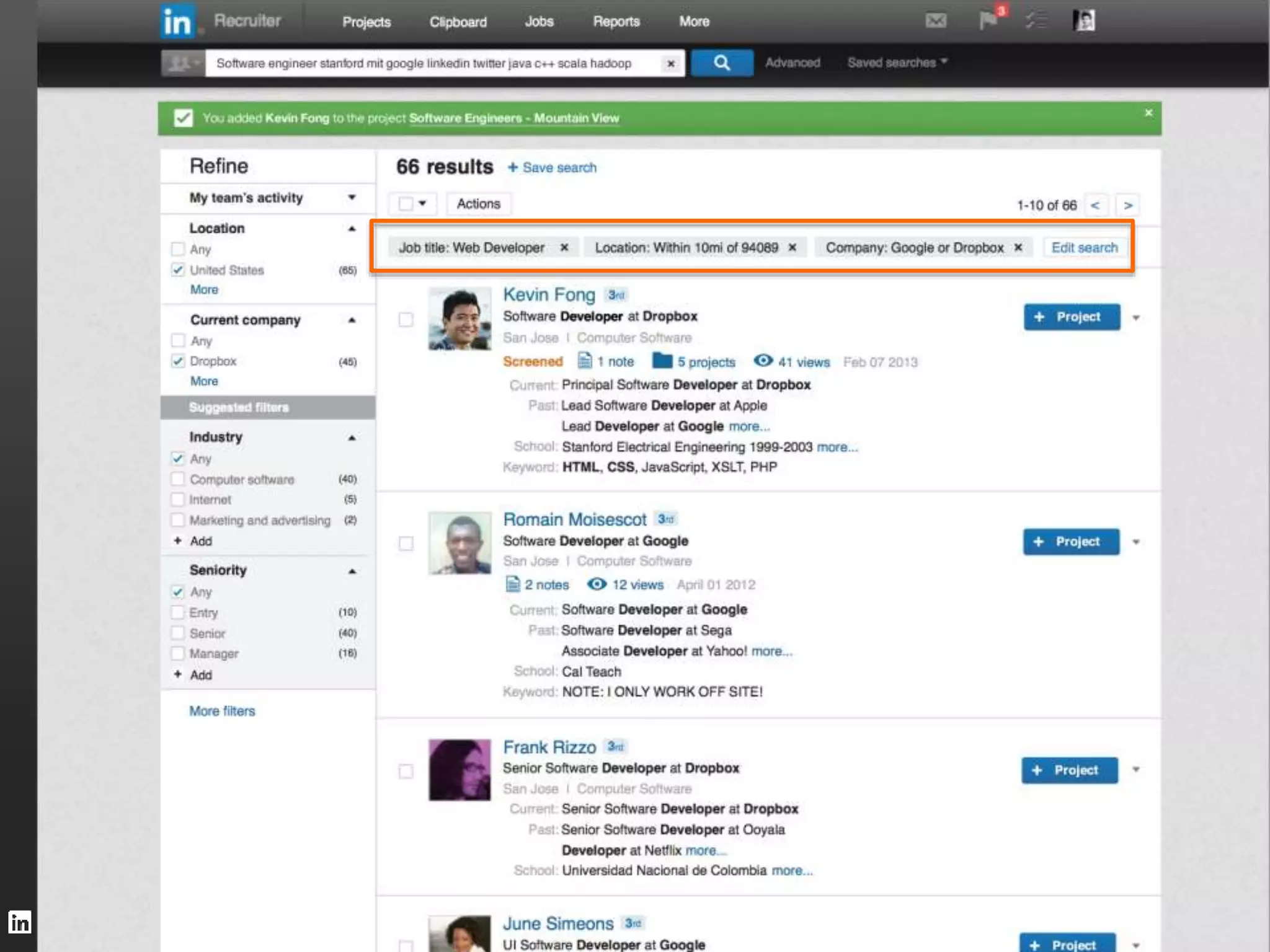
1. Centralize all relevant candidates into the project 
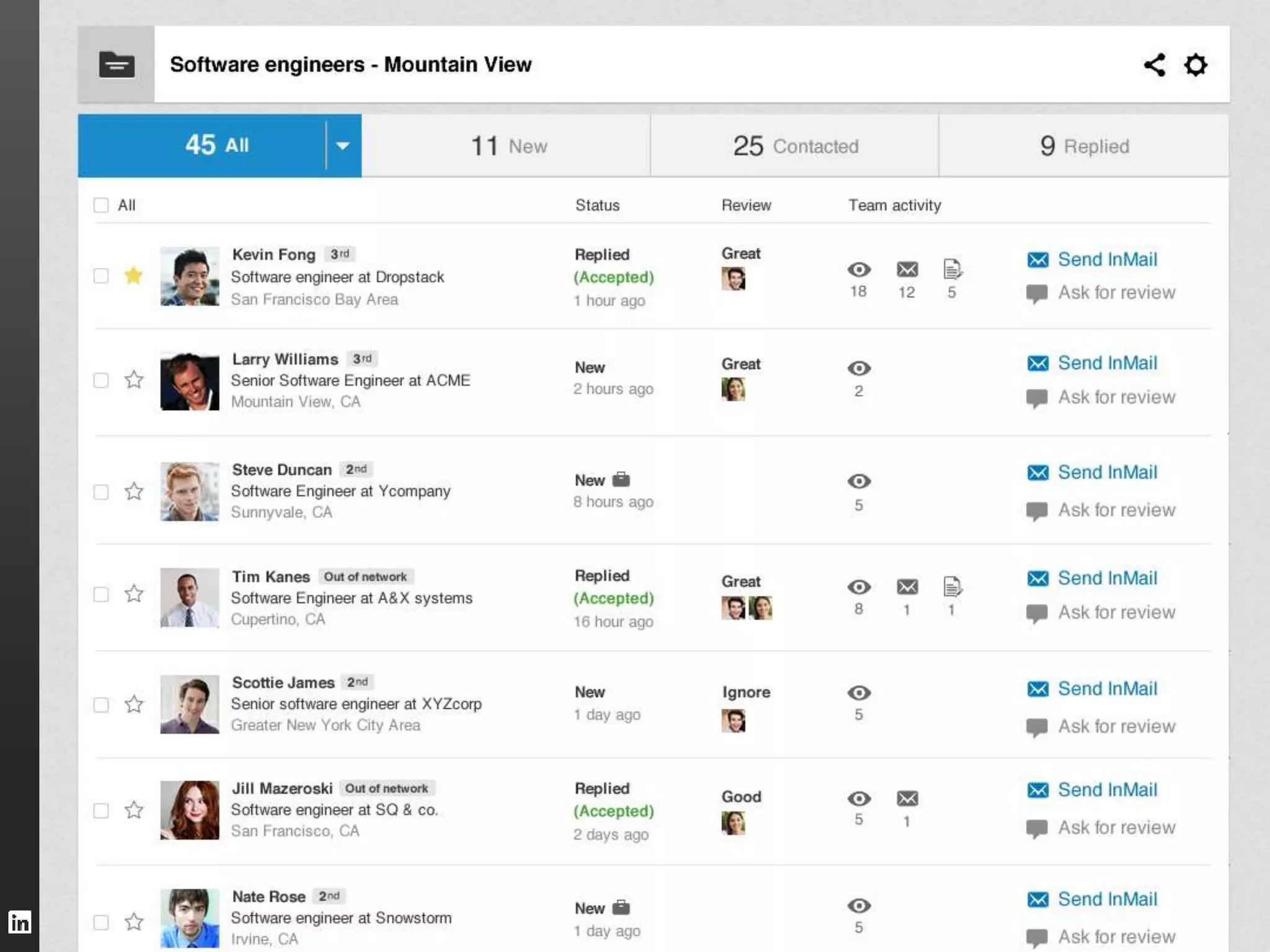
2. Organize candidates automatically by detecting activity 
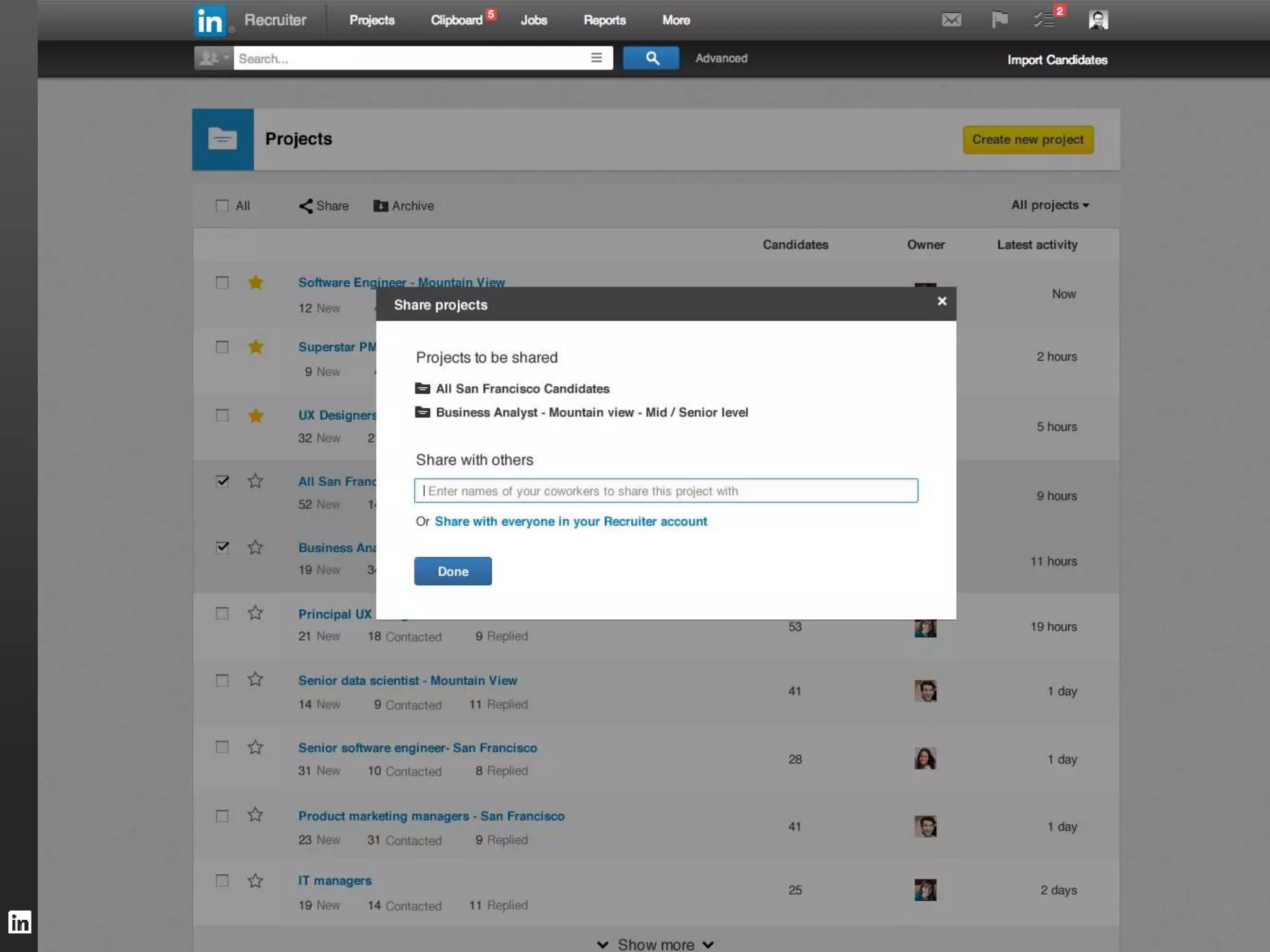
3. Collaborate with recruiting peers and hiring managers 
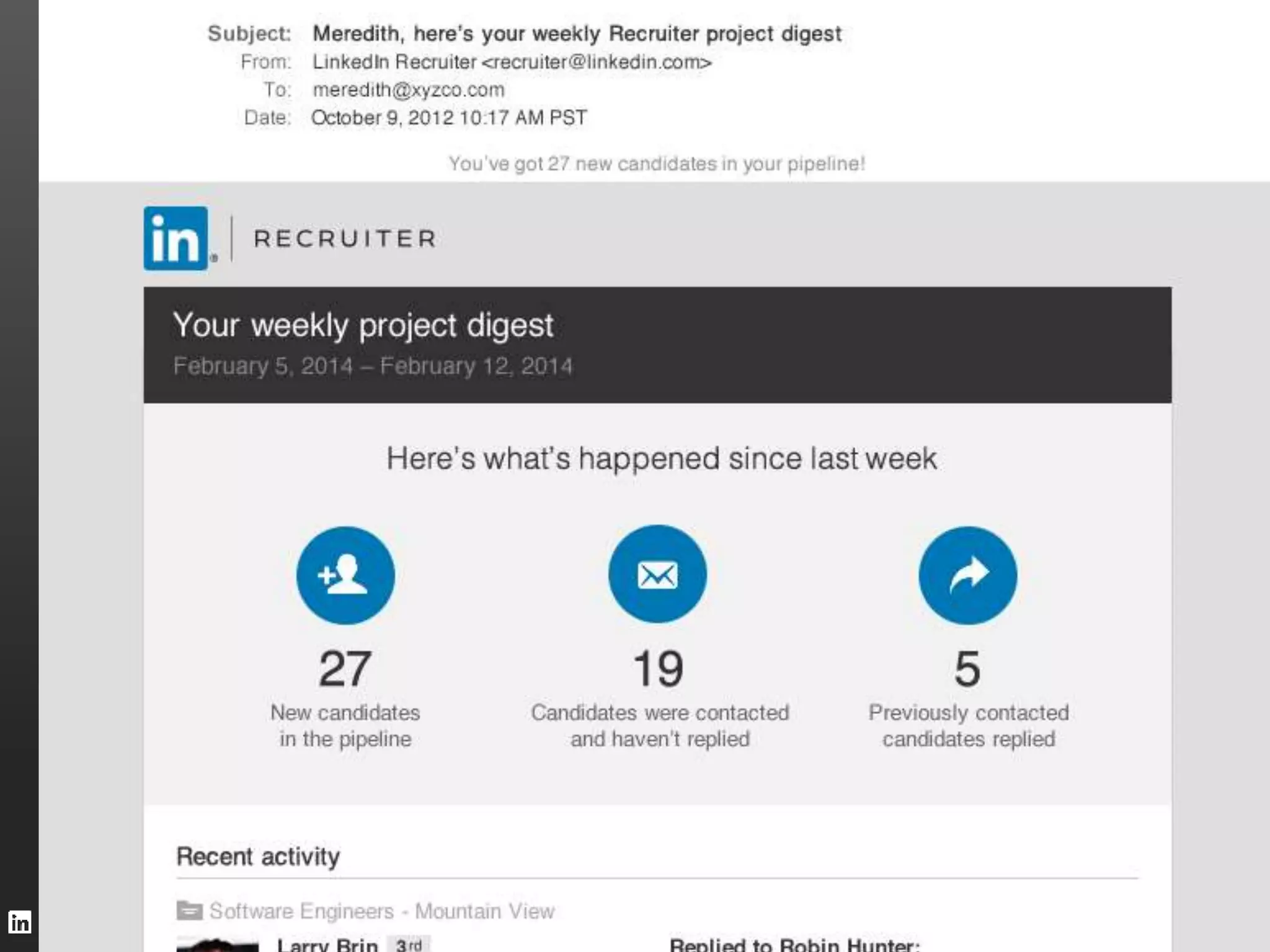
4. Stay updated through smart notifications and email digests
LinkedIn Confidential ©2014 All Rights Reserved
38 
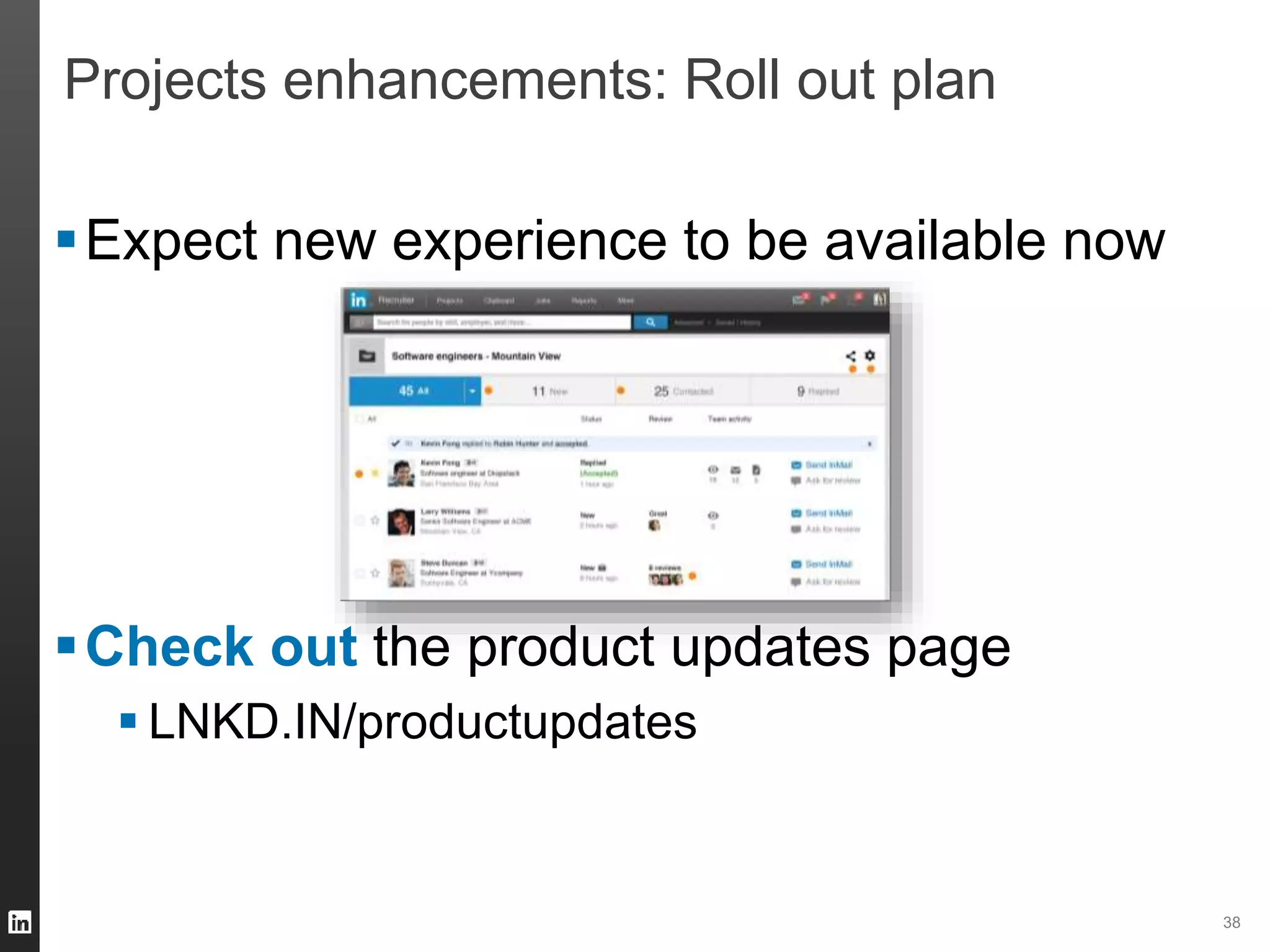
Projects enhancements: Roll out plan 
Expect new experience to be available now 
Check out the product updates page 
 LNKD.IN/productupdates
Eating at our own restaurant: 
Using Recruiter for LinkedIn Recruiting
40 
How do I excel at what I do? – Grace Ko 
1. Utilize filters in Talent Pipeline 
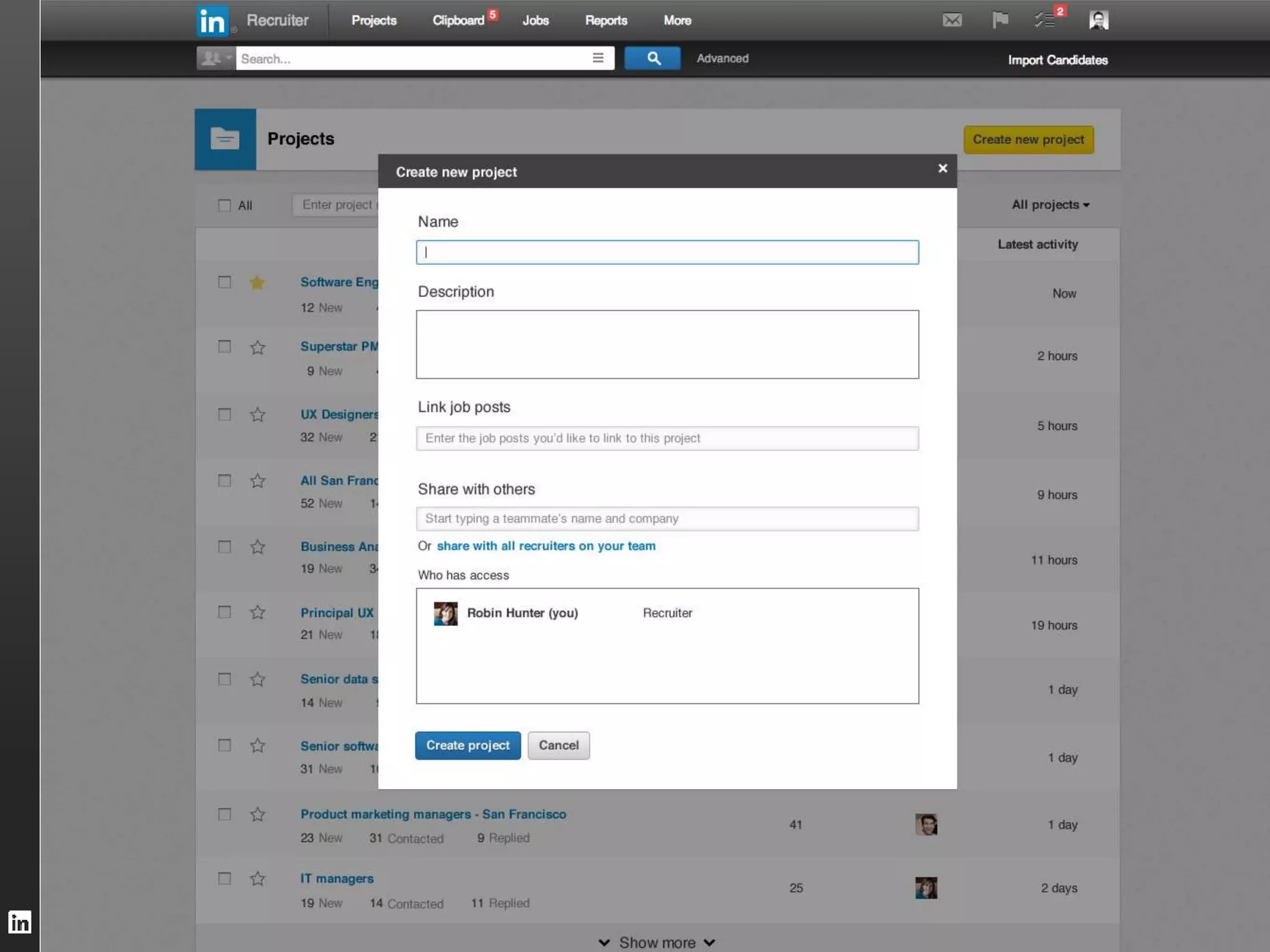
1. Create Projects and InMail Templates to keep you organized 
1. Have your hiring team share jobs to their networks 
2. Referencing a group or a company in common increases chances 
of getting a response by over 20% 
1. Target candidates who follow your company; Members who follow 
your company are 81% more likely to respond
What else is coming? 
41
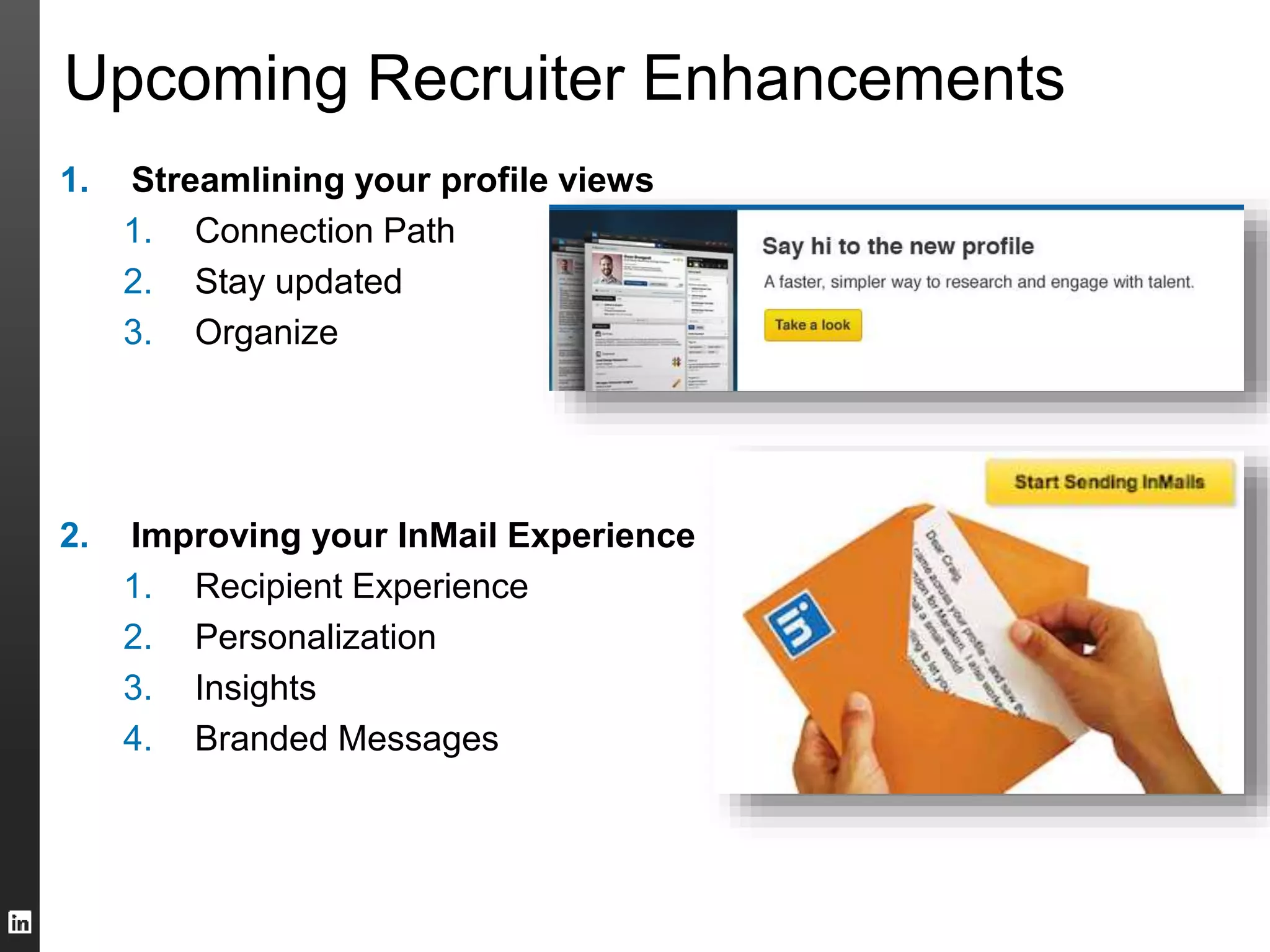
Upcoming Recruiter Enhancements 
1. Streamlining your profile views 
1. Connection Path 
2. Stay updated 
3. Organize 
2. Improving your InMail Experience 
1. Recipient Experience 
2. Personalization 
3. Insights 
4. Branded Messages
43 
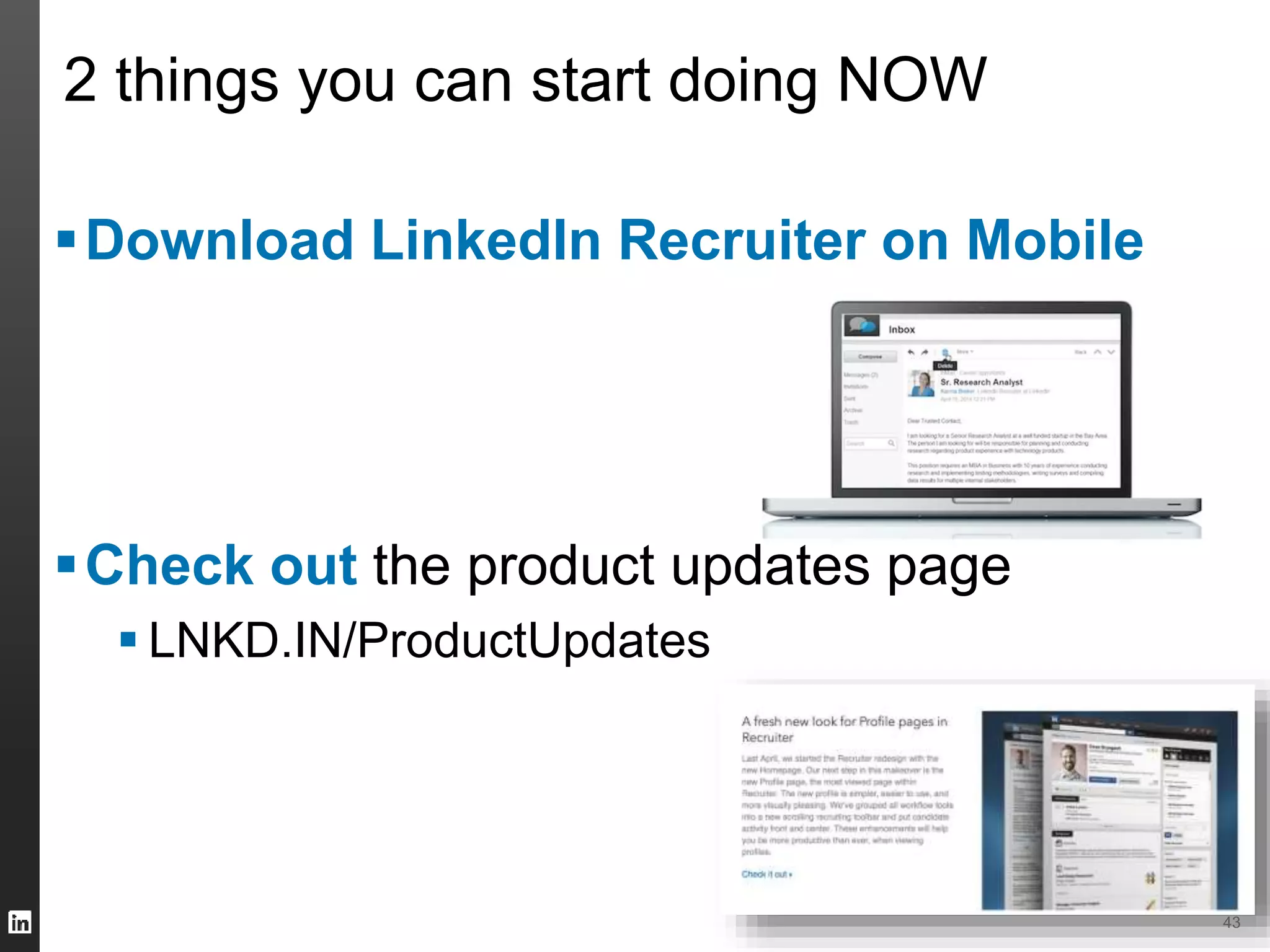
2 things you can start doing NOW 
Download LinkedIn Recruiter on Mobile 
Check out the product updates page 
 LNKD.IN/ProductUpdates
Questions?
Talent Connect San Francisco 2014 
 20 – 22 October, 2014 
 Held at Moscone Center West 
 Limited Time Offer: $1,050 through 
September 28 
Talent Connect London 2014 
 12 – 13 November, 2014 
 Held at ExCel Convention Centre 
 Limited Time Offer: £450 through 
September 26
Please complete the survey at end of this session 
Continue to provide your Product feedback: 
lcsfeedback@linkedin.com 
LinkedIn Confidential ©2013 All Rights Reserved 46

Q3 prod webcast corp aug 26_v2

  • 1.
    Talent Solutions LinkedInProduct Webcast LinkedIn Recruiter: New Product Enhancements August 2014
  • 2.
  • 3.
    Webcast Format Introductions  What’s in Store? – Spotlight “You”: LinkedIn.com enhancements for you – So you just got the new enhancements to Projects… – Let the machine do the work for you…Leverage our recommendations  Dining at LinkedIn Recruiting Restaurant – Tips from LinkedIn Recruiting team expert  Q&A
  • 4.
    How much dowe love you? Let us count the ways….
  • 5.
    5 Recruiter Customer:LinkedIn.com Profile Enhancements For You  Premium Profile (with Premium Badge)  Custom Keyword recommendations  Full “Who’s Viewed My Profile”  Larger customizable images and more…. Changes to your Linkedin.com profile pages in Aug.
  • 6.
    Spotlight Product Features Profile backdrop photo for a more appealing Profile • Full-width top card • 30% larger profile photo • Expanded image gallery
  • 7.
    Spotlight Product FeaturesCustom Keyword Recommendations Tailored recommendation on keywords added to Profile Summary to increase your chances to appear in relevant search results
  • 8.
    Spotlight Product Features Expanded Search Listing 2x bigger search listing that features more of one’s Profile summary
  • 9.
    Spotlight Product Features Detailed Who’s Viewed My Profile Analytics Check out who has been checking you out Full list of WVMP within last 90 days
  • 10.
    10 What Actionis needed from you?  Nothing…except to pick a picture for your backdrop  How much does this cost? Free  Check it out at lnkd.in/mylinkedin
  • 11.
  • 12.
    Points of Recommendation 1. People You May want to Hire 2. Similar Profiles 3. People Also Viewed 4. Job Matches 5. Suggested Professionals 6. Jobs You May Be Interested In
  • 13.
    People You MayWant to Hire The more you search, the smarter the recommendations
  • 14.
    Similar Profiles Presentingprofiles who match the career paths of the profile you are viewing
  • 15.
    People Also Viewed Profiles viewed by all users (Useful to building out an org chart)
  • 16.
    “Profile Matches”: JobMatch Recommendations Profiles viewed by all users (Useful to building out an org chart)
  • 17.
    Suggested Professionals inProjects (Coming Soon) Profile suggestions based on the profiles added to a project
  • 18.
    JYMBII: Jobs YouMay Be Interested In (For Members) Profiles viewed by all users (Useful to building out an org chart)
  • 19.
    19 Recap: Leverageour recommendations 1. People You May want to Hire 2. Similar Profiles 3. People Also Viewed 4. Job Matches 5. Suggested Professionals 6. Jobs You May Be Interested In You can also set reminders and receive notifications when new professionals match your needs
  • 20.
    Re-designed Projects: Organize,manage and share profiles more easily 20
  • 21.
    Projects: Powering yourhiring workflow 1. Centralize all relevant candidates into the project 2. Organize candidates automatically by detecting activity 3. Collaborate with recruiting peers and hiring managers 4. Stay updated through smart notifications and email digests
  • 34.
    LinkedIn Confidential ©2014All Rights Reserved
  • 35.
    LinkedIn Confidential ©2014All Rights Reserved
  • 37.
    LinkedIn Confidential ©2014All Rights Reserved
  • 38.
    38 Projects enhancements:Roll out plan Expect new experience to be available now Check out the product updates page  LNKD.IN/productupdates
  • 39.
    Eating at ourown restaurant: Using Recruiter for LinkedIn Recruiting
  • 40.
    40 How doI excel at what I do? – Grace Ko 1. Utilize filters in Talent Pipeline 1. Create Projects and InMail Templates to keep you organized 1. Have your hiring team share jobs to their networks 2. Referencing a group or a company in common increases chances of getting a response by over 20% 1. Target candidates who follow your company; Members who follow your company are 81% more likely to respond
  • 41.
    What else iscoming? 41
  • 42.
    Upcoming Recruiter Enhancements 1. Streamlining your profile views 1. Connection Path 2. Stay updated 3. Organize 2. Improving your InMail Experience 1. Recipient Experience 2. Personalization 3. Insights 4. Branded Messages
  • 43.
    43 2 thingsyou can start doing NOW Download LinkedIn Recruiter on Mobile Check out the product updates page  LNKD.IN/ProductUpdates
  • 44.
  • 45.
    Talent Connect SanFrancisco 2014  20 – 22 October, 2014  Held at Moscone Center West  Limited Time Offer: $1,050 through September 28 Talent Connect London 2014  12 – 13 November, 2014  Held at ExCel Convention Centre  Limited Time Offer: £450 through September 26
  • 46.
    Please complete thesurvey at end of this session Continue to provide your Product feedback: lcsfeedback@linkedin.com LinkedIn Confidential ©2013 All Rights Reserved 46

Editor's Notes

  • #4 1)      Sankar is going to kick it off with introduction, format, presentation overview 2)      Then Laura is going to take over and talk • The new search experience: Finding the best talent, faster. 3)      Now that Laura has talked about new ways to find talent talent, what we are going to be talking about is managing this talent Here is Will Sun, PM on Recruiter who will talk Re-designed Projects: Manage, and share, profiles more easily 4)      Well now that we have identified the prospects and shared with Hiring Manager, how can you get smarter about reaching out --- here are some tips Sankar talks about InMail insights: Tips to help you improve your response rate. Now for what you all have been waiting for – hear from a practicing professional – Suzanne Myers Suzanne – can you give an overview of your company and we will look speifically into how you manage to drive higher RR within your team Finally, want to share some exciting enhancement coming to the LI.com profile page for our recruiter seat holders – Highlight Project Spotlight Open up for Q&A
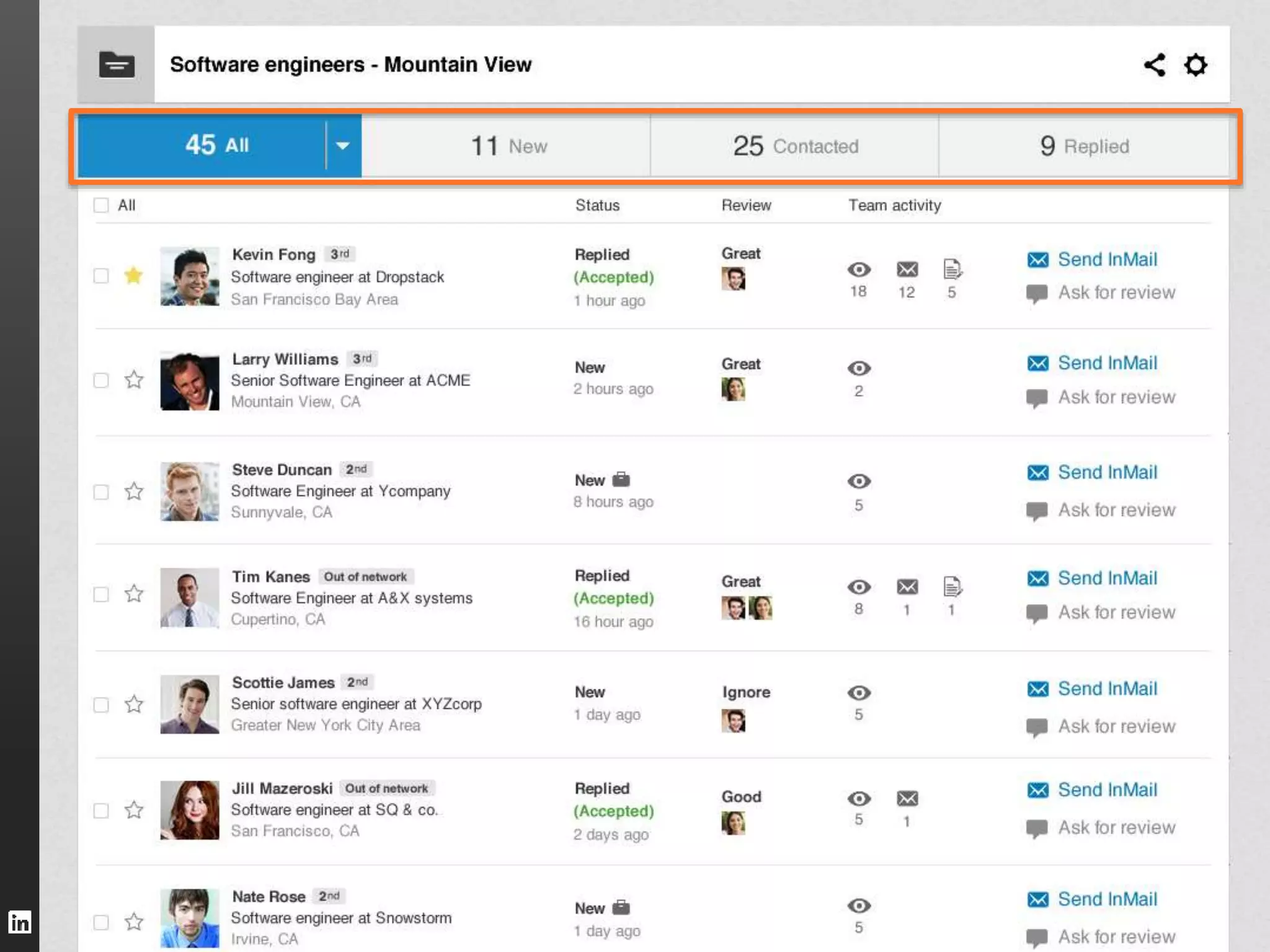
  • #25 Manage candidates easily: Projects feature three statuses that candidates move through automatically. Candidates who apply or are added by your team will show up in NEW. Get in touch through LinkedIn, and they’ll move over to CONTACTED. And once they’ve responded, they’re updated to REPLIED.
  • #26 Manage candidates easily: Projects feature three statuses that candidates move through automatically. Candidates who apply or are added by your team will show up in NEW. Get in touch through LinkedIn, and they’ll move over to CONTACTED. And once they’ve responded, they’re updated to REPLIED.
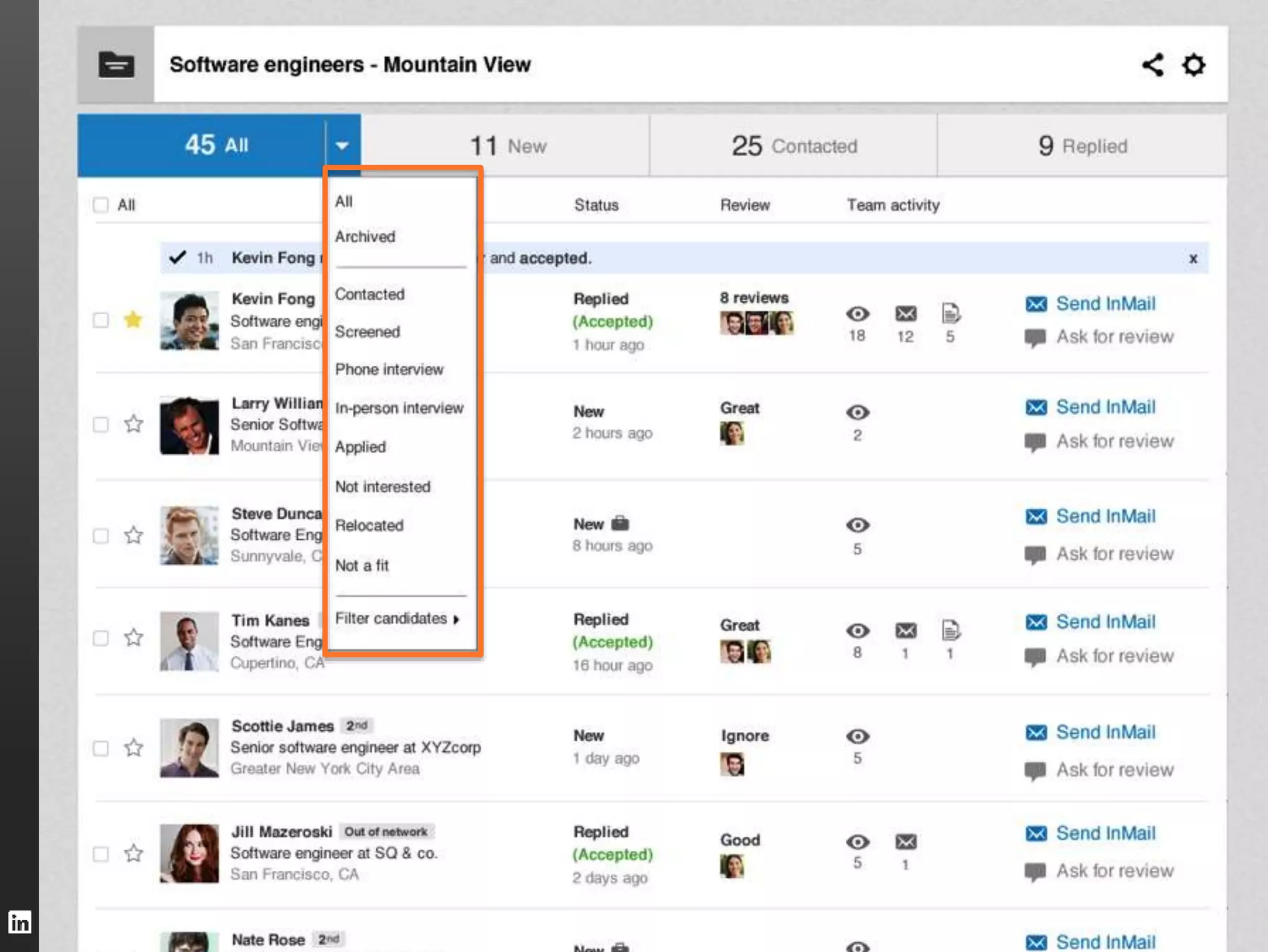
  • #27 Filter effortlessly: Check out portions of your pipeline or filter to see just the candidates you’re interested in.
  • #28 See what your team’s been up to: Easily access your team’s interaction with a candidate, including messages and notes
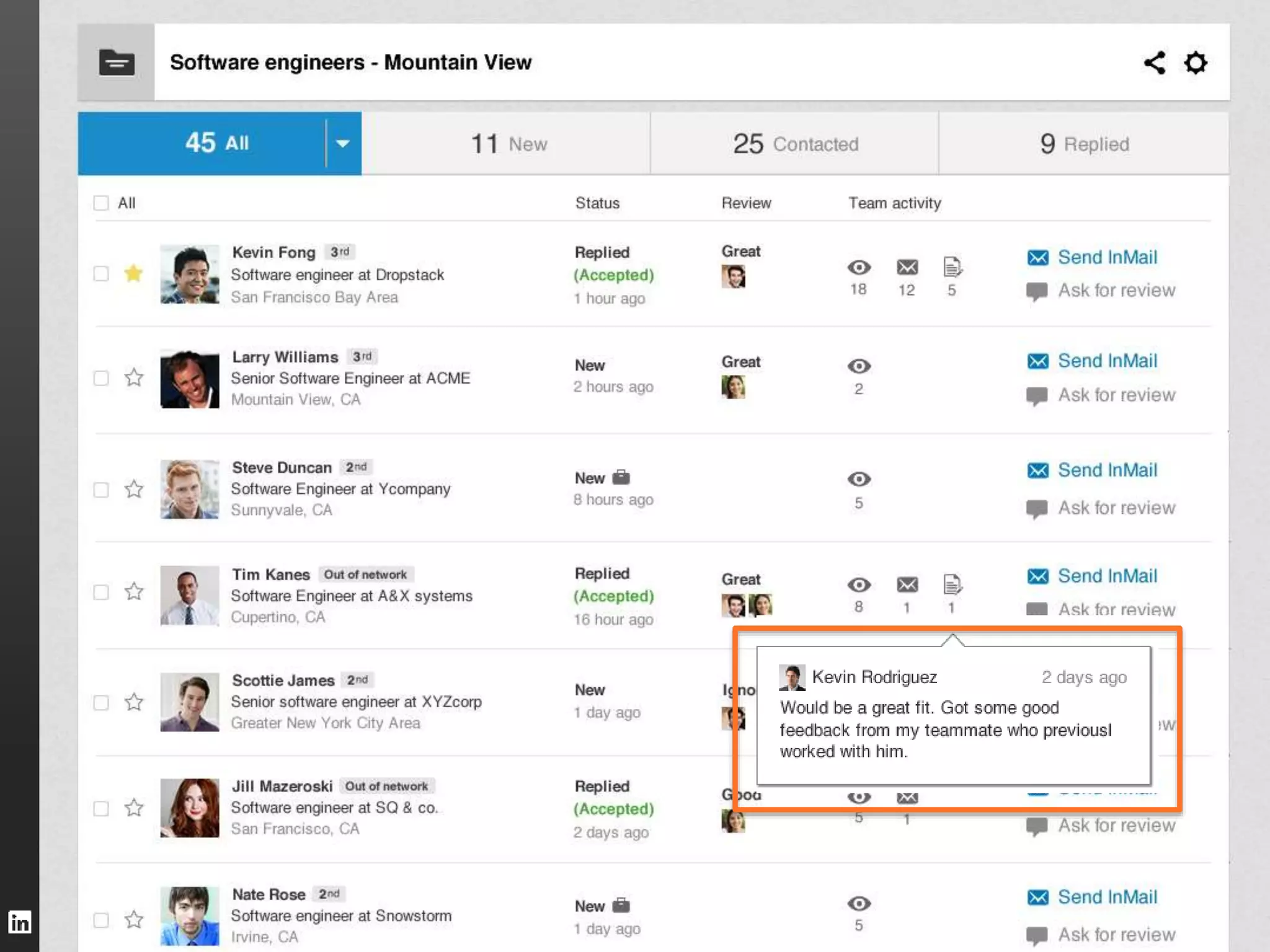
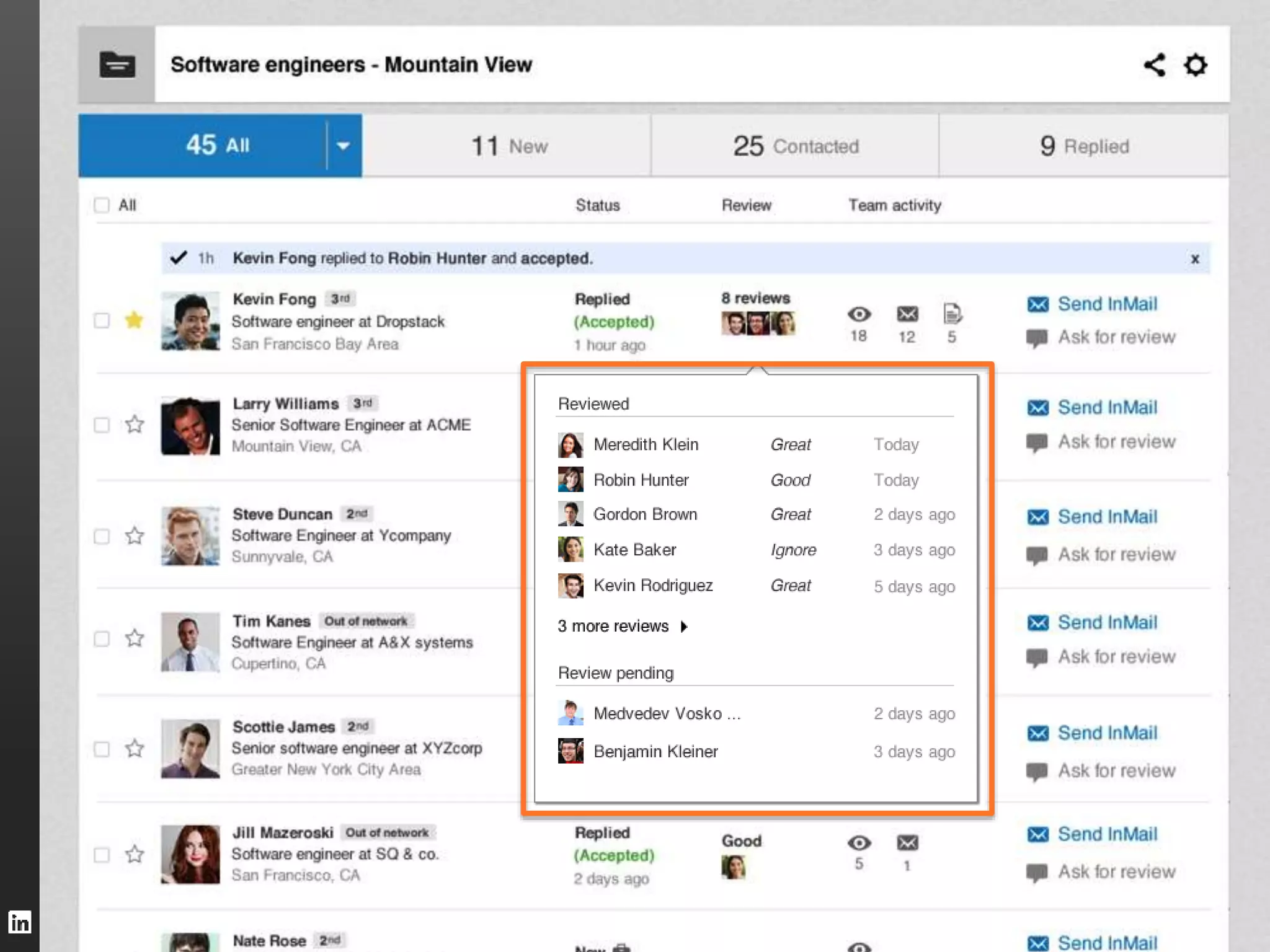
  • #29 Gather feedback : See who’s reviewed a candidate, what they said, and whose feedback is pending
  • #30 Easily add context: Augment your pipeline by linking job posts and saved searches to the project. You can also attach files and check out project stats
  • #32 Efficient bulk actions: Besides archiving, you can message, annotate, ask for reviews and more…
  • #33 Track your stars: Receive smart notifications and updates on the candidates you care most about
  • #34 Fill your pipeline fast: Harness our intelligent recommendations to quickly find candidates with the skills and experience you need
  • #37 Selective Sharing: You decide who has access to this project