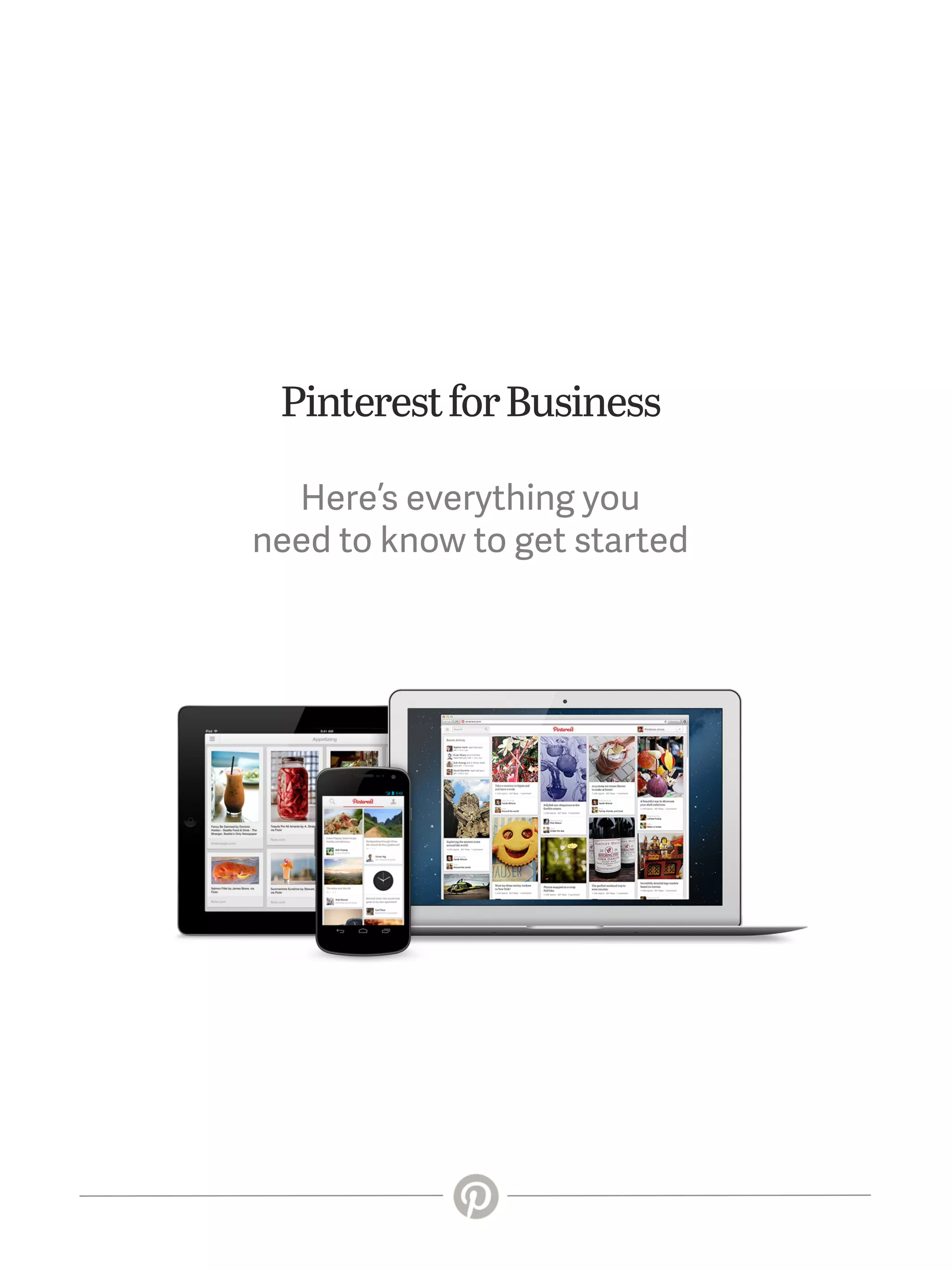
Pinterest for Business
Here’s everything you
need to know to get started
The big picture
What makes Pinterest stand out in a crowd
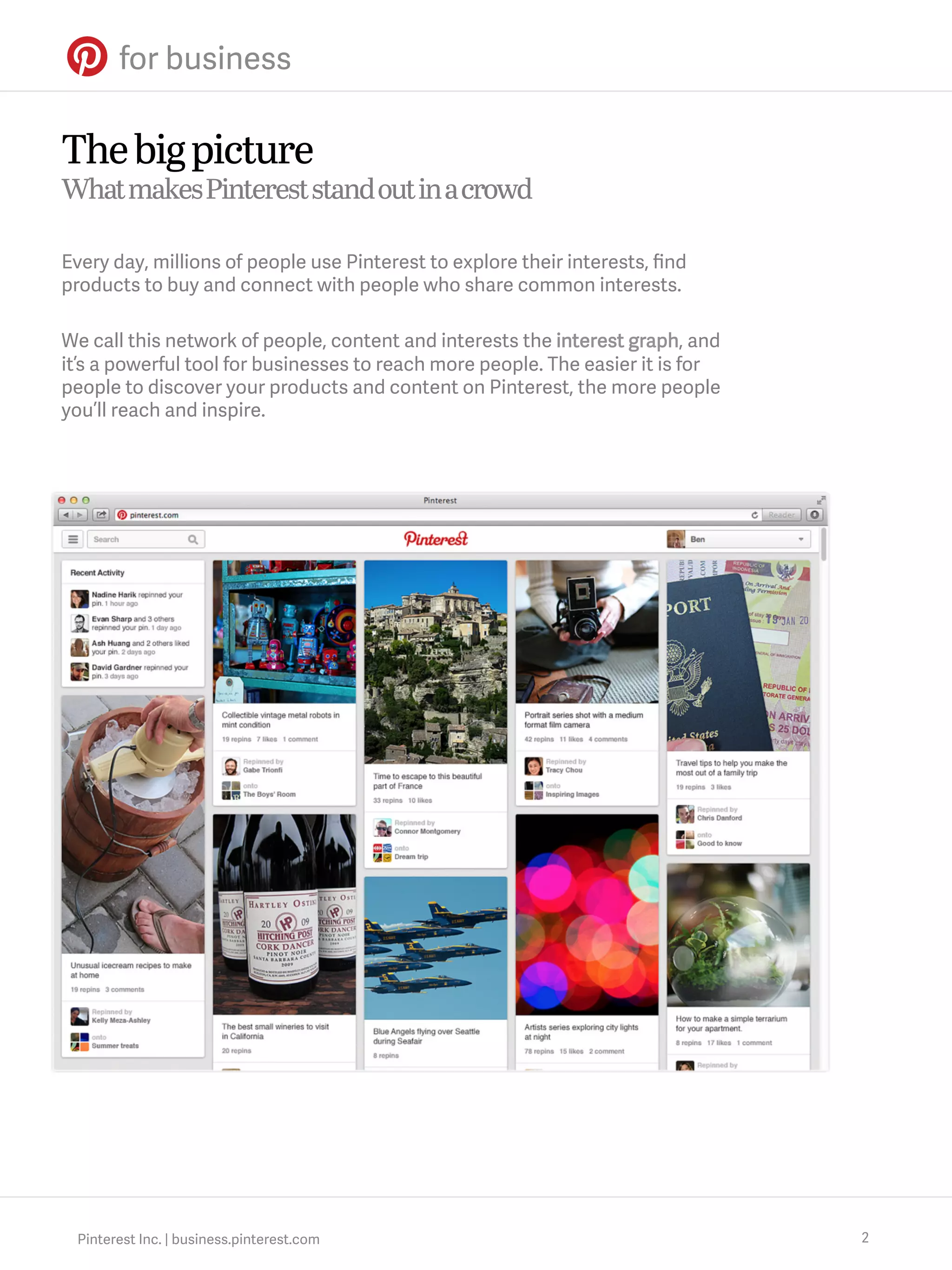
Every day, millions of people use Pinterest to explore their interests, find
products to buy and connect with people who share common interests.
We call this network of people, content and interests the interest graph, and
it’s a powerful tool for businesses to reach more people. The easier it is for
people to discover your products and content on Pinterest, the more people
you’ll reach and inspire.

Pinterest Inc. | business.pinterest.com

2
Pinning 101
How Pinterest works at a glance
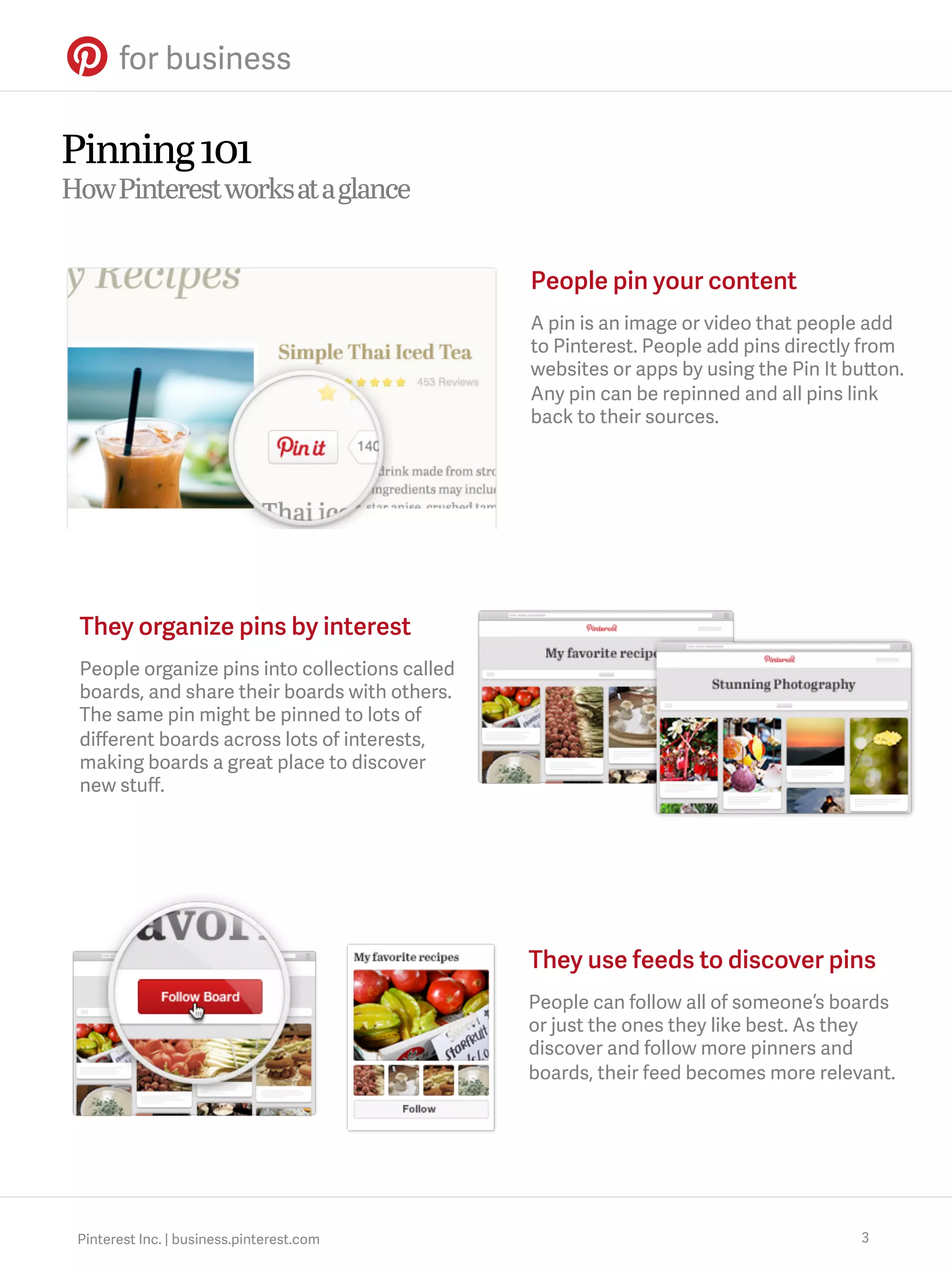
People pin your content
A pin is an image or video that people add
to Pinterest. People add pins directly from
websites or apps by using the Pin It button.
Any pin can be repinned and all pins link
back to their sources.

They organize pins by interest
People organize pins into collections called
boards, and share their boards with others.
The same pin might be pinned to lots of
different boards across lots of interests,
making boards a great place to discover
new stuff.

They use feeds to discover pins
People can follow all of someone’s boards
or just the ones they like best. As they
discover and follow more pinners and
boards, their feed becomes more relevant.

Pinterest Inc. | business.pinterest.com

3
The pin cycle
How a pin meets new people

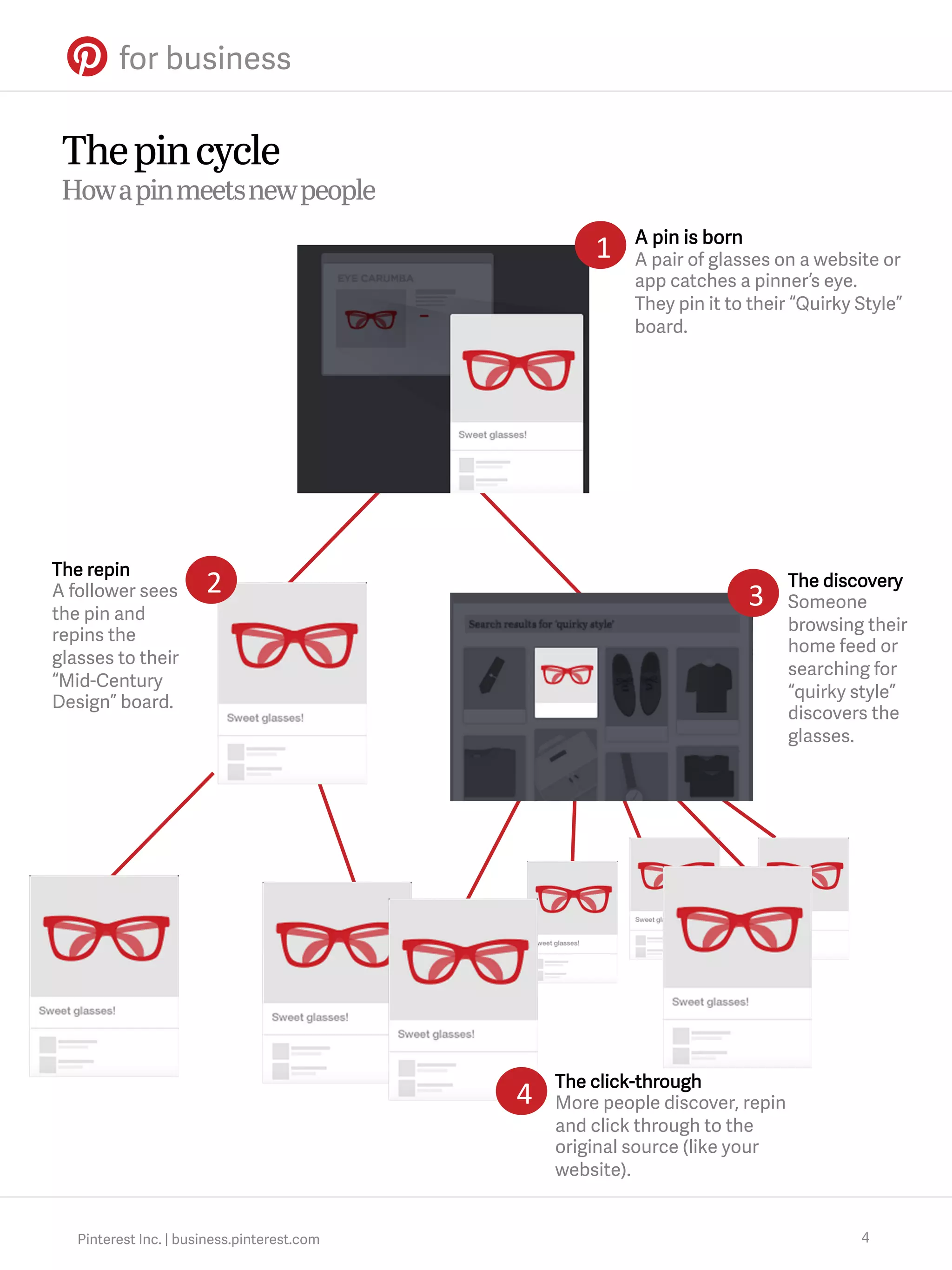
1

The repin
A follower sees
the pin and
repins the
glasses to their
“Mid-Century
Design” board.

2

3

4

Pinterest Inc. | business.pinterest.com

A pin is born
A pair of glasses on a website or
app catches a pinner’s eye.
They pin it to their “Quirky Style”
board.

The discovery
Someone
browsing their
home feed or
searching for
“quirky style”
discovers the
glasses.

The click-through
More people discover, repin
and click through to the
original source (like your
website).

4
A great Pinterest strategy starts with your website
Use plenty of high quality images
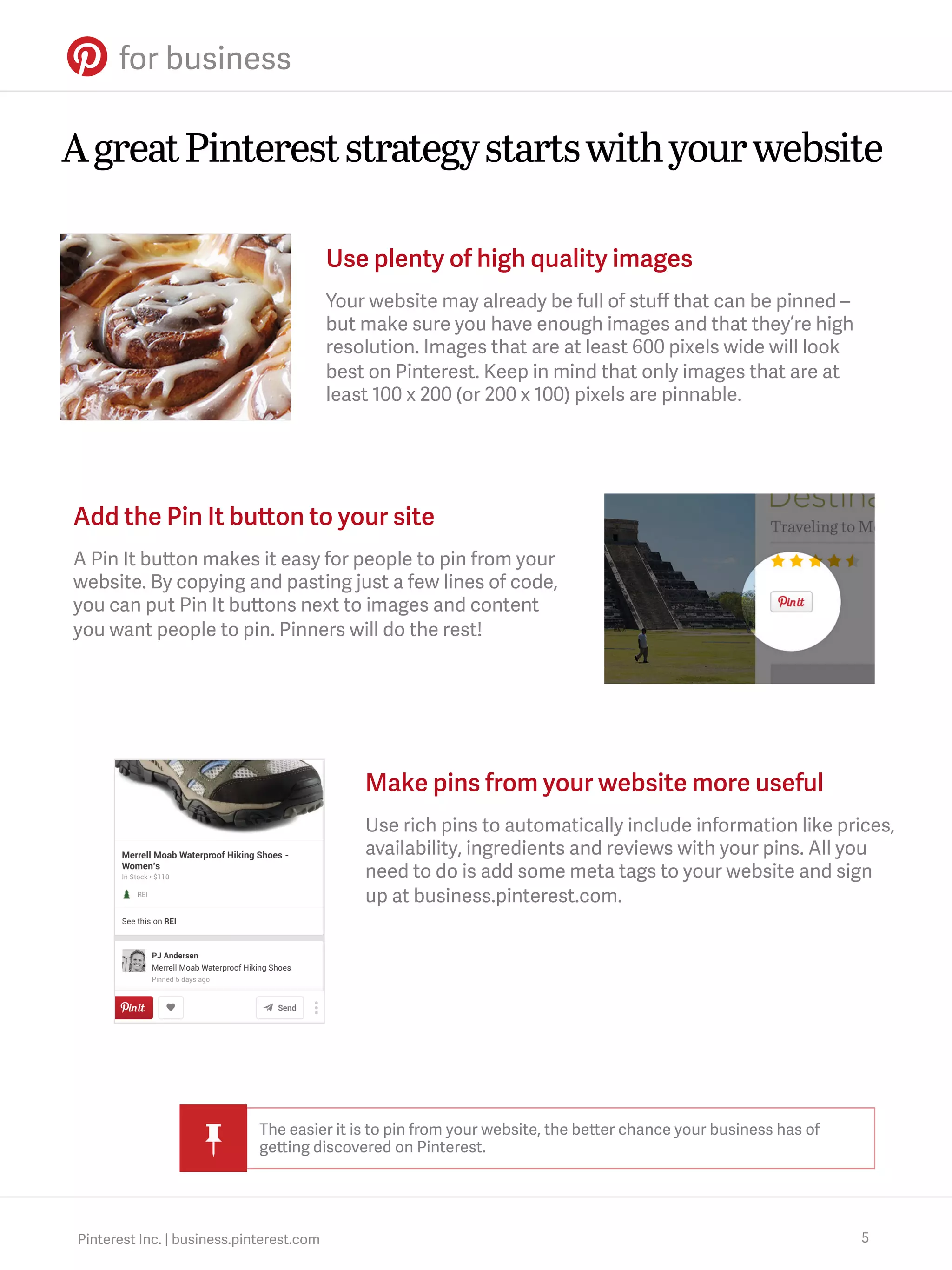
Your website may already be full of stuff that can be pinned –
but make sure you have enough images and that they’re high
resolution. Images that are at least 600 pixels wide will look
best on Pinterest. Keep in mind that only images that are at
least 100 x 200 (or 200 x 100) pixels are pinnable.

Add the Pin It button to your site
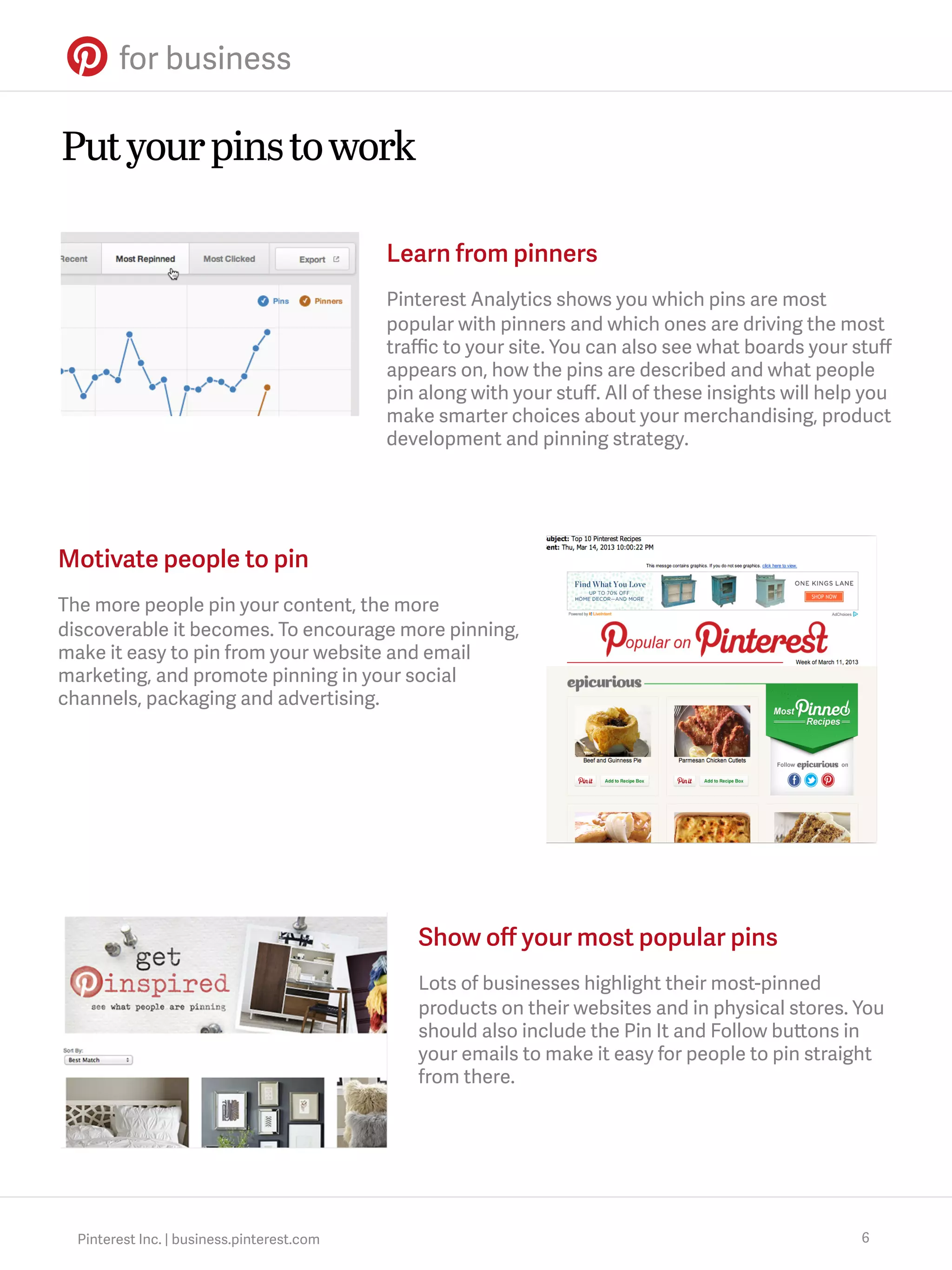
A Pin It button makes it easy for people to pin from your
website. By copying and pasting just a few lines of code,
you can put Pin It buttons next to images and content
you want people to pin. Pinners will do the rest!

Make pins from your website more useful
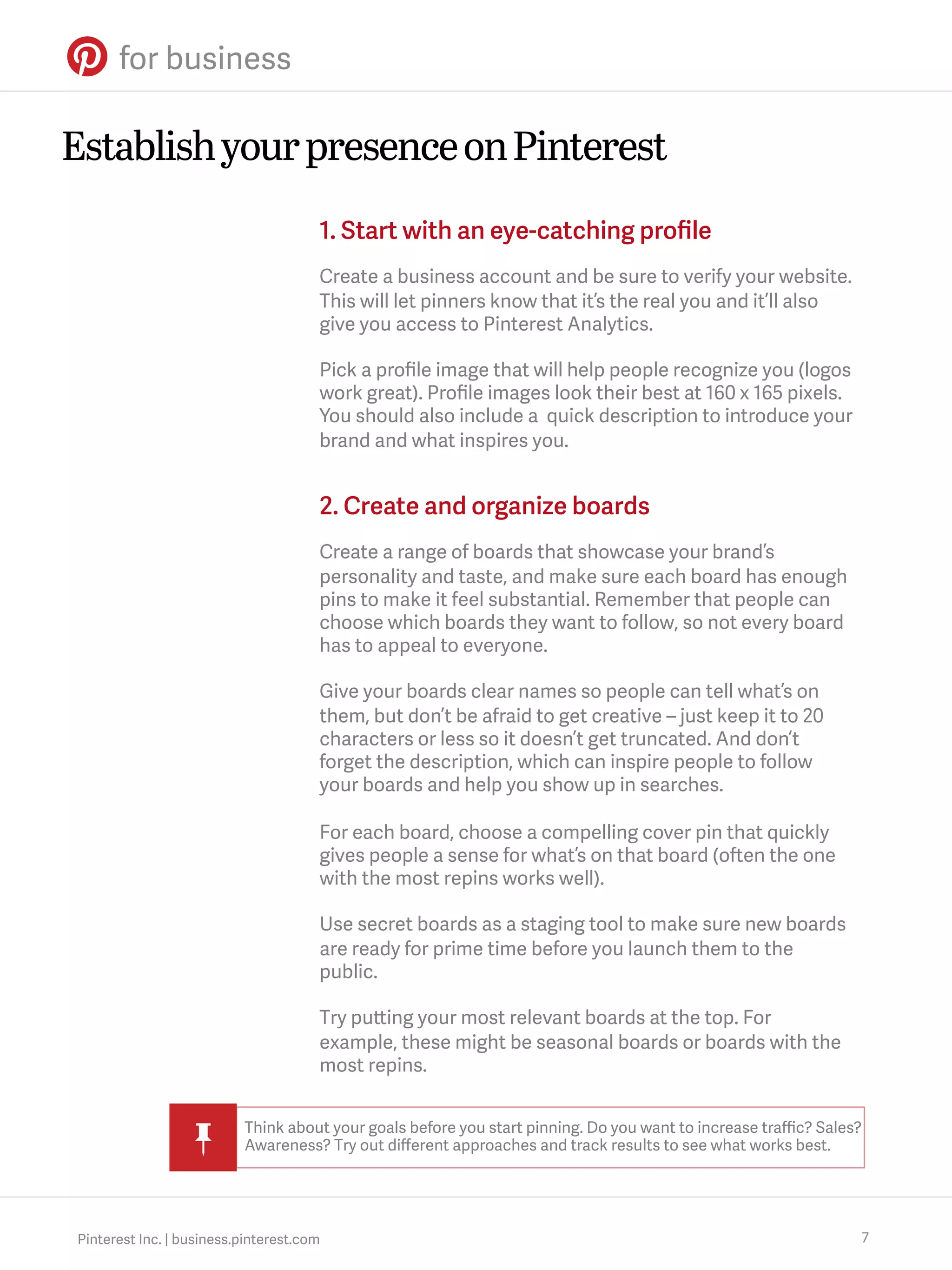
Use rich pins to automatically include information like prices,
availability, ingredients and reviews with your pins. All you
need to do is add some meta tags to your website and sign
up at business.pinterest.com.

The easier it is to pin from your website, the better chance your business has of
getting discovered on Pinterest.

Pinterest Inc. | business.pinterest.com

5
Put your pins to work
Learn from pinners
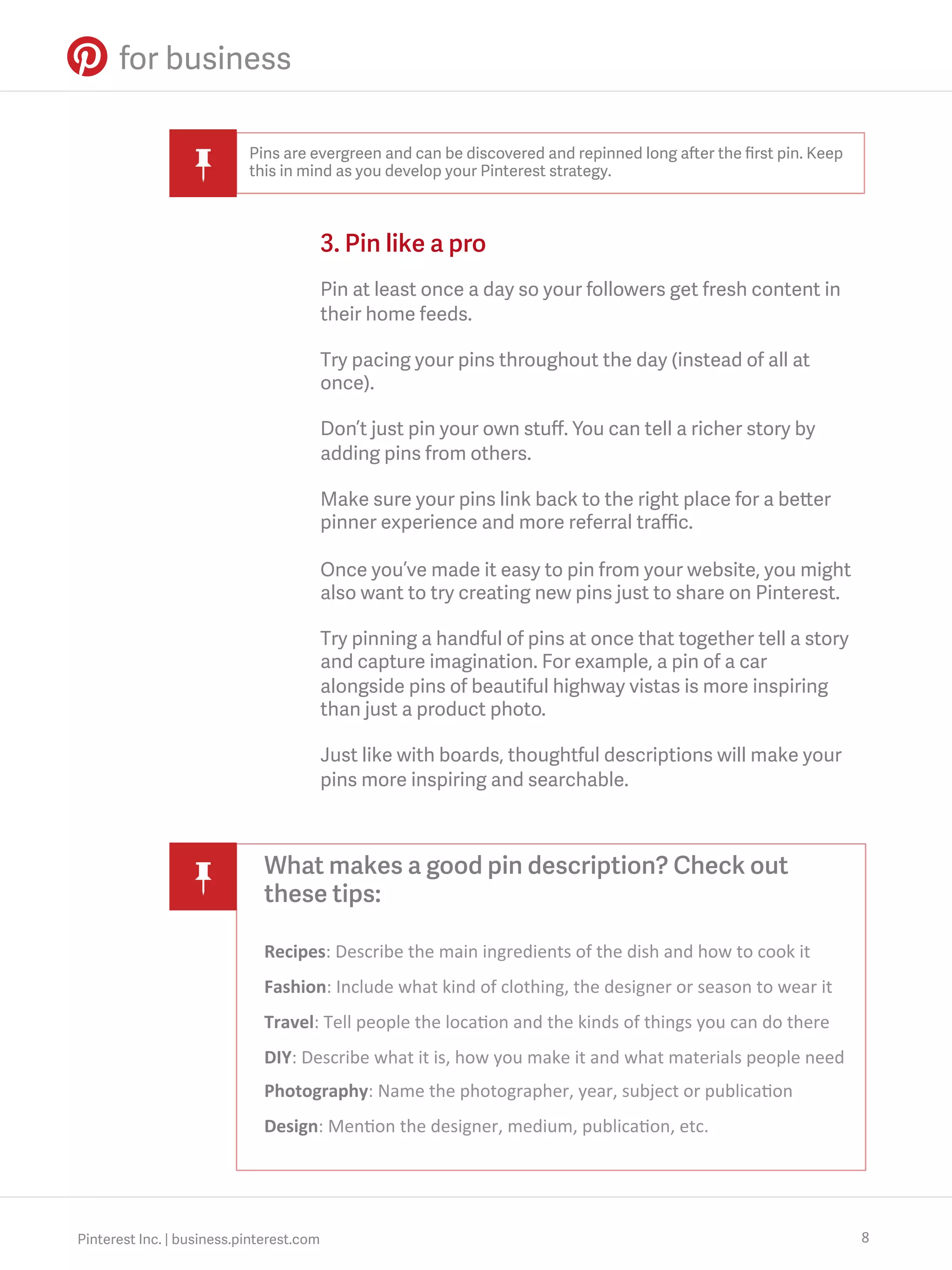
Pinterest Analytics shows you which pins are most
popular with pinners and which ones are driving the most
traffic to your site. You can also see what boards your stuff
appears on, how the pins are described and what people
pin along with your stuff. All of these insights will help you
make smarter choices about your merchandising, product
development and pinning strategy.

Motivate people to pin
The more people pin your content, the more
discoverable it becomes. To encourage more pinning,
make it easy to pin from your website and email
marketing, and promote pinning in your social
channels, packaging and advertising.

Show off your most popular pins
Lots of businesses highlight their most-pinned
products on their websites and in physical stores. You
should also include the Pin It and Follow buttons in
your emails to make it easy for people to pin straight
from there.

Pinterest Inc. | business.pinterest.com

6
Establish your presence on Pinterest
1. Start with an eye-catching profile
Create a business account and be sure to verify your website.
This will let pinners know that it’s the real you and it’ll also
give you access to Pinterest Analytics.
Pick a profile image that will help people recognize you (logos
work great). Profile images look their best at 160 x 165 pixels.
You should also include a quick description to introduce your
brand and what inspires you.

2. Create and organize boards
Create a range of boards that showcase your brand’s
personality and taste, and make sure each board has enough
pins to make it feel substantial. Remember that people can
choose which boards they want to follow, so not every board
has to appeal to everyone.
Give your boards clear names so people can tell what’s on
them, but don’t be afraid to get creative – just keep it to 20
characters or less so it doesn’t get truncated. And don’t
forget the description, which can inspire people to follow
your boards and help you show up in searches.
For each board, choose a compelling cover pin that quickly
gives people a sense for what’s on that board (often the one
with the most repins works well).
Use secret boards as a staging tool to make sure new boards
are ready for prime time before you launch them to the
public.
Try putting your most relevant boards at the top. For
example, these might be seasonal boards or boards with the
most repins.
Think about your goals before you start pinning. Do you want to increase traffic? Sales?
Awareness? Try out different approaches and track results to see what works best.

Pinterest Inc. | business.pinterest.com

7
Pins are evergreen and can be discovered and repinned long after the first pin. Keep
this in mind as you develop your Pinterest strategy.

3. Pin like a pro
Pin at least once a day so your followers get fresh content in
their home feeds.
Try pacing your pins throughout the day (instead of all at
once).
Don’t just pin your own stuff. You can tell a richer story by
adding pins from others.
Make sure your pins link back to the right place for a better
pinner experience and more referral traffic.
Once you’ve made it easy to pin from your website, you might
also want to try creating new pins just to share on Pinterest.
Try pinning a handful of pins at once that together tell a story
and capture imagination. For example, a pin of a car
alongside pins of beautiful highway vistas is more inspiring
than just a product photo.
Just like with boards, thoughtful descriptions will make your
pins more inspiring and searchable.

What makes a good pin description? Check out
these tips:
Recipes:	
  Describe	
  the	
  main	
  ingredients	
  of	
  the	
  dish	
  and	
  how	
  to	
  cook	
  it	
  
Fashion:	
  Include	
  what	
  kind	
  of	
  clothing,	
  the	
  designer	
  or	
  season	
  to	
  wear	
  it	
  
Travel:	
  Tell	
  people	
  the	
  loca?on	
  and	
  the	
  kinds	
  of	
  things	
  you	
  can	
  do	
  there	
  
DIY:	
  Describe	
  what	
  it	
  is,	
  how	
  you	
  make	
  it	
  and	
  what	
  materials	
  people	
  need	
  
Photography:	
  Name	
  the	
  photographer,	
  year,	
  subject	
  or	
  publica?on	
  
Design:	
  Men?on	
  the	
  designer,	
  medium,	
  publica?on,	
  etc.	
  

Pinterest Inc. | business.pinterest.com

8
4. Engage with the community
A great way to get people pinning your stuff is to be an active
pinner yourself. Follow other people’s boards and repin, like
and comment on pins that inspire and relate to your
business.
Create group boards and invite people who love your brand
to contribute.
Make it easy for people to pin your stuff by adding the Follow
button to your website and including a Pinterest link in
emails to make sure people know you’re here.
Consider how your pins will look in feeds, not just on boards,
since most people will find them there.

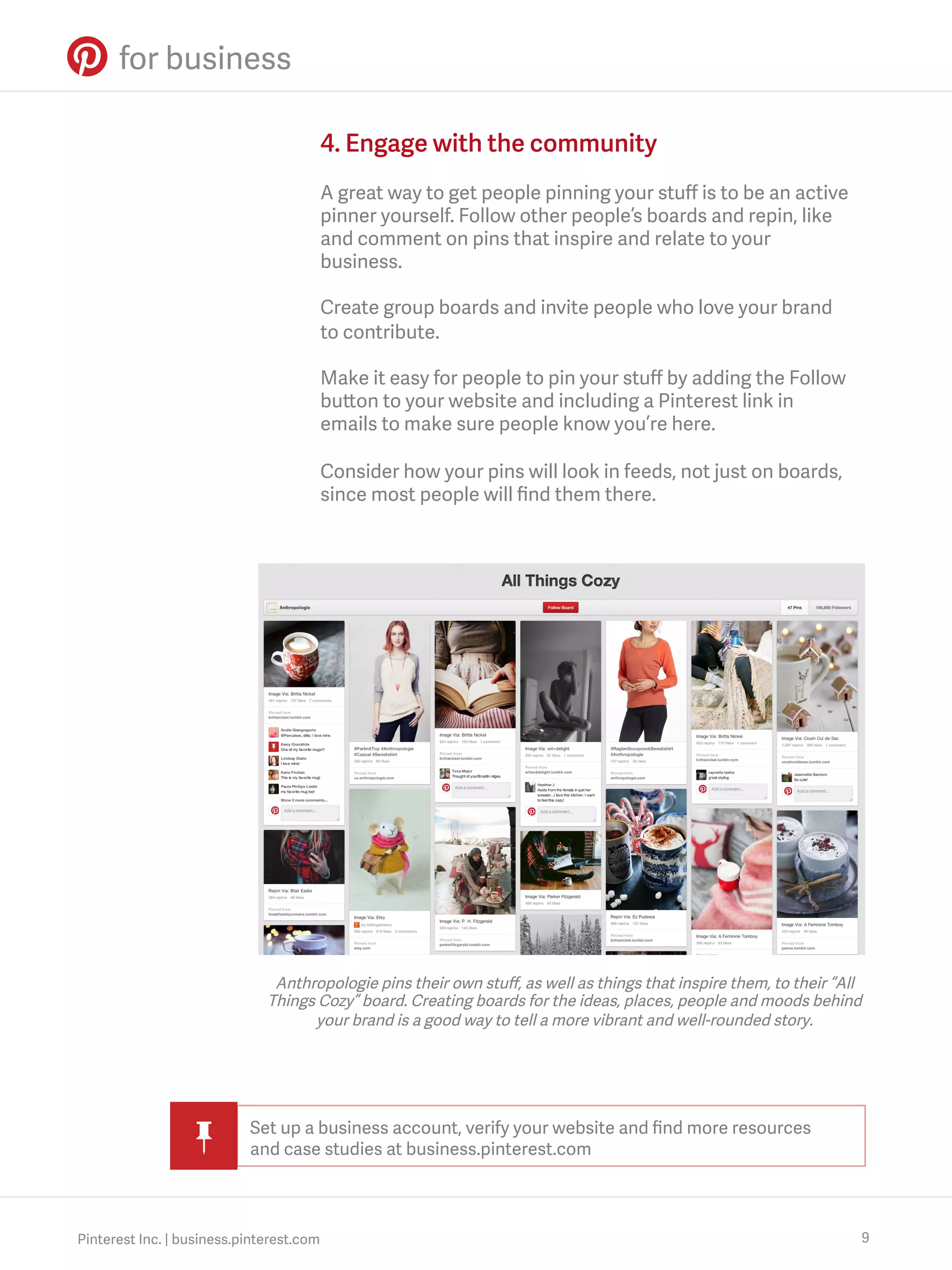
Anthropologie pins their own stuff, as well as things that inspire them, to their “All
Things Cozy” board. Creating boards for the ideas, places, people and moods behind
your brand is a good way to tell a more vibrant and well-rounded story.

Set up a business account, verify your website and find more resources
and case studies at business.pinterest.com

Pinterest Inc. | business.pinterest.com

9
Thanks for reading.
Stay in touch at business.pinterest.com.

Pinterest Inc. | business.pinterest.com

Pinterest for Business Everything You Need to Know: How To Guide

  • 1.
    Pinterest for Business Here’severything you need to know to get started
  • 2.
    The big picture Whatmakes Pinterest stand out in a crowd Every day, millions of people use Pinterest to explore their interests, find products to buy and connect with people who share common interests. We call this network of people, content and interests the interest graph, and it’s a powerful tool for businesses to reach more people. The easier it is for people to discover your products and content on Pinterest, the more people you’ll reach and inspire. Pinterest Inc. | business.pinterest.com 2
  • 3.
    Pinning 101 How Pinterestworks at a glance People pin your content A pin is an image or video that people add to Pinterest. People add pins directly from websites or apps by using the Pin It button. Any pin can be repinned and all pins link back to their sources. They organize pins by interest People organize pins into collections called boards, and share their boards with others. The same pin might be pinned to lots of different boards across lots of interests, making boards a great place to discover new stuff. They use feeds to discover pins People can follow all of someone’s boards or just the ones they like best. As they discover and follow more pinners and boards, their feed becomes more relevant. Pinterest Inc. | business.pinterest.com 3
  • 4.
    The pin cycle Howa pin meets new people 1 The repin A follower sees the pin and repins the glasses to their “Mid-Century Design” board. 2 3 4 Pinterest Inc. | business.pinterest.com A pin is born A pair of glasses on a website or app catches a pinner’s eye. They pin it to their “Quirky Style” board. The discovery Someone browsing their home feed or searching for “quirky style” discovers the glasses. The click-through More people discover, repin and click through to the original source (like your website). 4
  • 5.
    A great Pintereststrategy starts with your website Use plenty of high quality images Your website may already be full of stuff that can be pinned – but make sure you have enough images and that they’re high resolution. Images that are at least 600 pixels wide will look best on Pinterest. Keep in mind that only images that are at least 100 x 200 (or 200 x 100) pixels are pinnable. Add the Pin It button to your site A Pin It button makes it easy for people to pin from your website. By copying and pasting just a few lines of code, you can put Pin It buttons next to images and content you want people to pin. Pinners will do the rest! Make pins from your website more useful Use rich pins to automatically include information like prices, availability, ingredients and reviews with your pins. All you need to do is add some meta tags to your website and sign up at business.pinterest.com. The easier it is to pin from your website, the better chance your business has of getting discovered on Pinterest. Pinterest Inc. | business.pinterest.com 5
  • 6.
    Put your pinsto work Learn from pinners Pinterest Analytics shows you which pins are most popular with pinners and which ones are driving the most traffic to your site. You can also see what boards your stuff appears on, how the pins are described and what people pin along with your stuff. All of these insights will help you make smarter choices about your merchandising, product development and pinning strategy. Motivate people to pin The more people pin your content, the more discoverable it becomes. To encourage more pinning, make it easy to pin from your website and email marketing, and promote pinning in your social channels, packaging and advertising. Show off your most popular pins Lots of businesses highlight their most-pinned products on their websites and in physical stores. You should also include the Pin It and Follow buttons in your emails to make it easy for people to pin straight from there. Pinterest Inc. | business.pinterest.com 6
  • 7.
    Establish your presenceon Pinterest 1. Start with an eye-catching profile Create a business account and be sure to verify your website. This will let pinners know that it’s the real you and it’ll also give you access to Pinterest Analytics. Pick a profile image that will help people recognize you (logos work great). Profile images look their best at 160 x 165 pixels. You should also include a quick description to introduce your brand and what inspires you. 2. Create and organize boards Create a range of boards that showcase your brand’s personality and taste, and make sure each board has enough pins to make it feel substantial. Remember that people can choose which boards they want to follow, so not every board has to appeal to everyone. Give your boards clear names so people can tell what’s on them, but don’t be afraid to get creative – just keep it to 20 characters or less so it doesn’t get truncated. And don’t forget the description, which can inspire people to follow your boards and help you show up in searches. For each board, choose a compelling cover pin that quickly gives people a sense for what’s on that board (often the one with the most repins works well). Use secret boards as a staging tool to make sure new boards are ready for prime time before you launch them to the public. Try putting your most relevant boards at the top. For example, these might be seasonal boards or boards with the most repins. Think about your goals before you start pinning. Do you want to increase traffic? Sales? Awareness? Try out different approaches and track results to see what works best. Pinterest Inc. | business.pinterest.com 7
  • 8.
    Pins are evergreenand can be discovered and repinned long after the first pin. Keep this in mind as you develop your Pinterest strategy. 3. Pin like a pro Pin at least once a day so your followers get fresh content in their home feeds. Try pacing your pins throughout the day (instead of all at once). Don’t just pin your own stuff. You can tell a richer story by adding pins from others. Make sure your pins link back to the right place for a better pinner experience and more referral traffic. Once you’ve made it easy to pin from your website, you might also want to try creating new pins just to share on Pinterest. Try pinning a handful of pins at once that together tell a story and capture imagination. For example, a pin of a car alongside pins of beautiful highway vistas is more inspiring than just a product photo. Just like with boards, thoughtful descriptions will make your pins more inspiring and searchable. What makes a good pin description? Check out these tips: Recipes:  Describe  the  main  ingredients  of  the  dish  and  how  to  cook  it   Fashion:  Include  what  kind  of  clothing,  the  designer  or  season  to  wear  it   Travel:  Tell  people  the  loca?on  and  the  kinds  of  things  you  can  do  there   DIY:  Describe  what  it  is,  how  you  make  it  and  what  materials  people  need   Photography:  Name  the  photographer,  year,  subject  or  publica?on   Design:  Men?on  the  designer,  medium,  publica?on,  etc.   Pinterest Inc. | business.pinterest.com 8
  • 9.
    4. Engage withthe community A great way to get people pinning your stuff is to be an active pinner yourself. Follow other people’s boards and repin, like and comment on pins that inspire and relate to your business. Create group boards and invite people who love your brand to contribute. Make it easy for people to pin your stuff by adding the Follow button to your website and including a Pinterest link in emails to make sure people know you’re here. Consider how your pins will look in feeds, not just on boards, since most people will find them there. Anthropologie pins their own stuff, as well as things that inspire them, to their “All Things Cozy” board. Creating boards for the ideas, places, people and moods behind your brand is a good way to tell a more vibrant and well-rounded story. Set up a business account, verify your website and find more resources and case studies at business.pinterest.com Pinterest Inc. | business.pinterest.com 9
  • 10.
    Thanks for reading. Stayin touch at business.pinterest.com. Pinterest Inc. | business.pinterest.com