The Institute of Chartered Accountants of India, Bangalore
19th November ’2011
CA Aditya Singhal
FCA, DISA(ICAI), CertiIFRS(ICAI), Dip in IFRS (ACCA-UK), M.com
+91 99728 27300 , Aditya.singhal@icai.org

Join Excel professional group for regular Excel update:
http://tech.groups.yahoo.com/group/Excel-Professional/
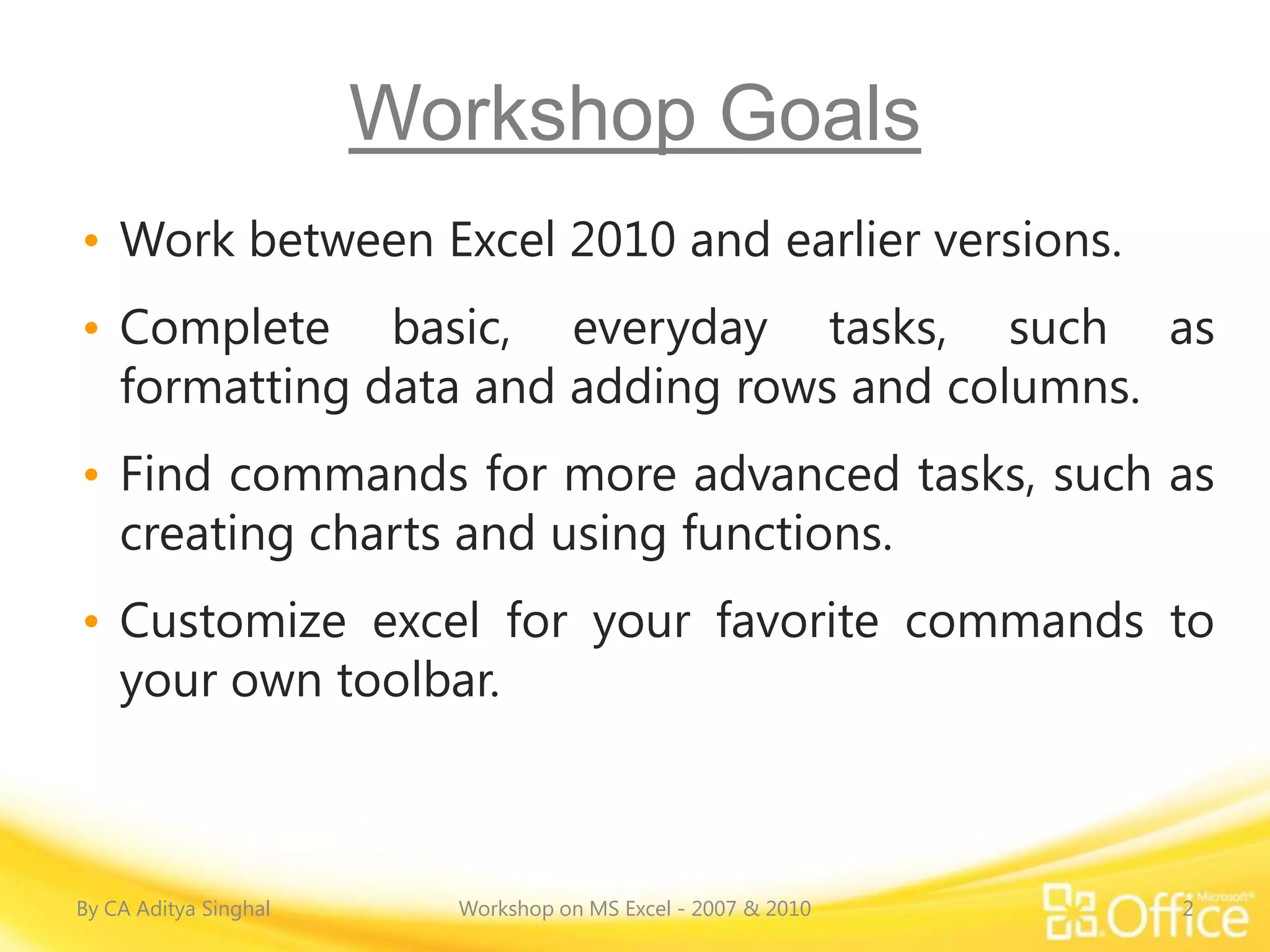
Workshop Goals
• Work between Excel 2010 and earlier versions.
• Complete basic, everyday tasks, such as
  formatting data and adding rows and columns.
• Find commands for more advanced tasks, such as
  creating charts and using functions.
• Customize excel for your favorite commands to
  your own toolbar.


By CA Aditya Singhal     Workshop on MS Excel - 2007 & 2010   2
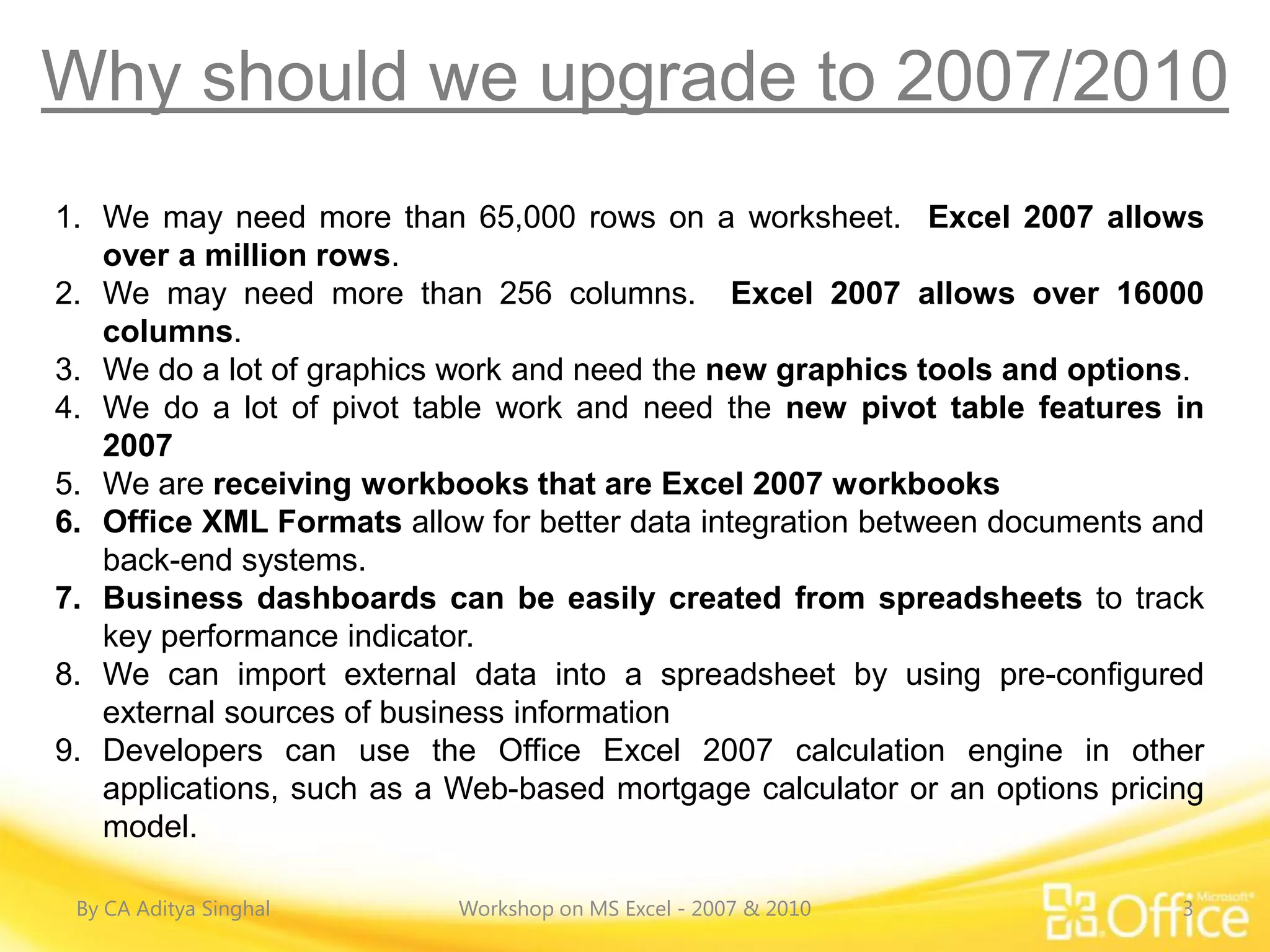
Why should we upgrade to 2007/2010
1. We may need more than 65,000 rows on a worksheet. Excel 2007 allows
   over a million rows.
2. We may need more than 256 columns. Excel 2007 allows over 16000
   columns.
3. We do a lot of graphics work and need the new graphics tools and options.
4. We do a lot of pivot table work and need the new pivot table features in
   2007
5. We are receiving workbooks that are Excel 2007 workbooks
6. Office XML Formats allow for better data integration between documents and
   back-end systems.
7. Business dashboards can be easily created from spreadsheets to track
   key performance indicator.
8. We can import external data into a spreadsheet by using pre-configured
   external sources of business information
9. Developers can use the Office Excel 2007 calculation engine in other
   applications, such as a Web-based mortgage calculator or an options pricing
   model.

 By CA Aditya Singhal      Workshop on MS Excel - 2007 & 2010               3
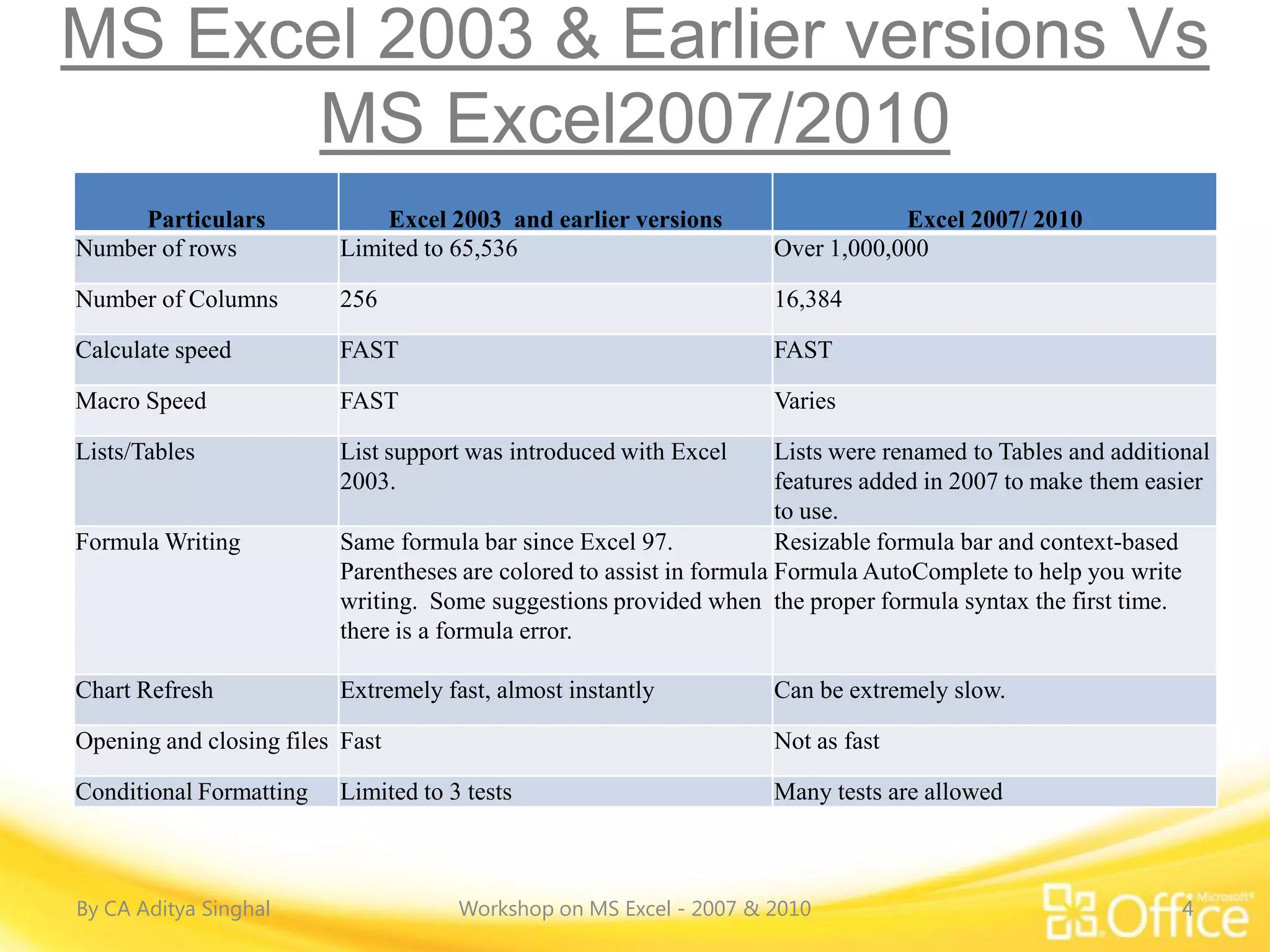
MS Excel 2003 & Earlier versions Vs
      MS Excel2007/2010
     Particulars             Excel 2003 and earlier versions                    Excel 2007/ 2010
Number of rows           Limited to 65,536                          Over 1,000,000

Number of Columns        256                                        16,384

Calculate speed          FAST                                       FAST

Macro Speed              FAST                                       Varies

Lists/Tables             List support was introduced with Excel       Lists were renamed to Tables and additional
                         2003.                                        features added in 2007 to make them easier
                                                                      to use.
Formula Writing          Same formula bar since Excel 97.             Resizable formula bar and context-based
                         Parentheses are colored to assist in formula Formula AutoComplete to help you write
                         writing. Some suggestions provided when the proper formula syntax the first time.
                         there is a formula error.

Chart Refresh            Extremely fast, almost instantly           Can be extremely slow.

Opening and closing files Fast                                      Not as fast

Conditional Formatting   Limited to 3 tests                         Many tests are allowed


By CA Aditya Singhal                 Workshop on MS Excel - 2007 & 2010                                       4
MS Excel 2003 & Earlier versions Vs
      MS Excel2007/2010
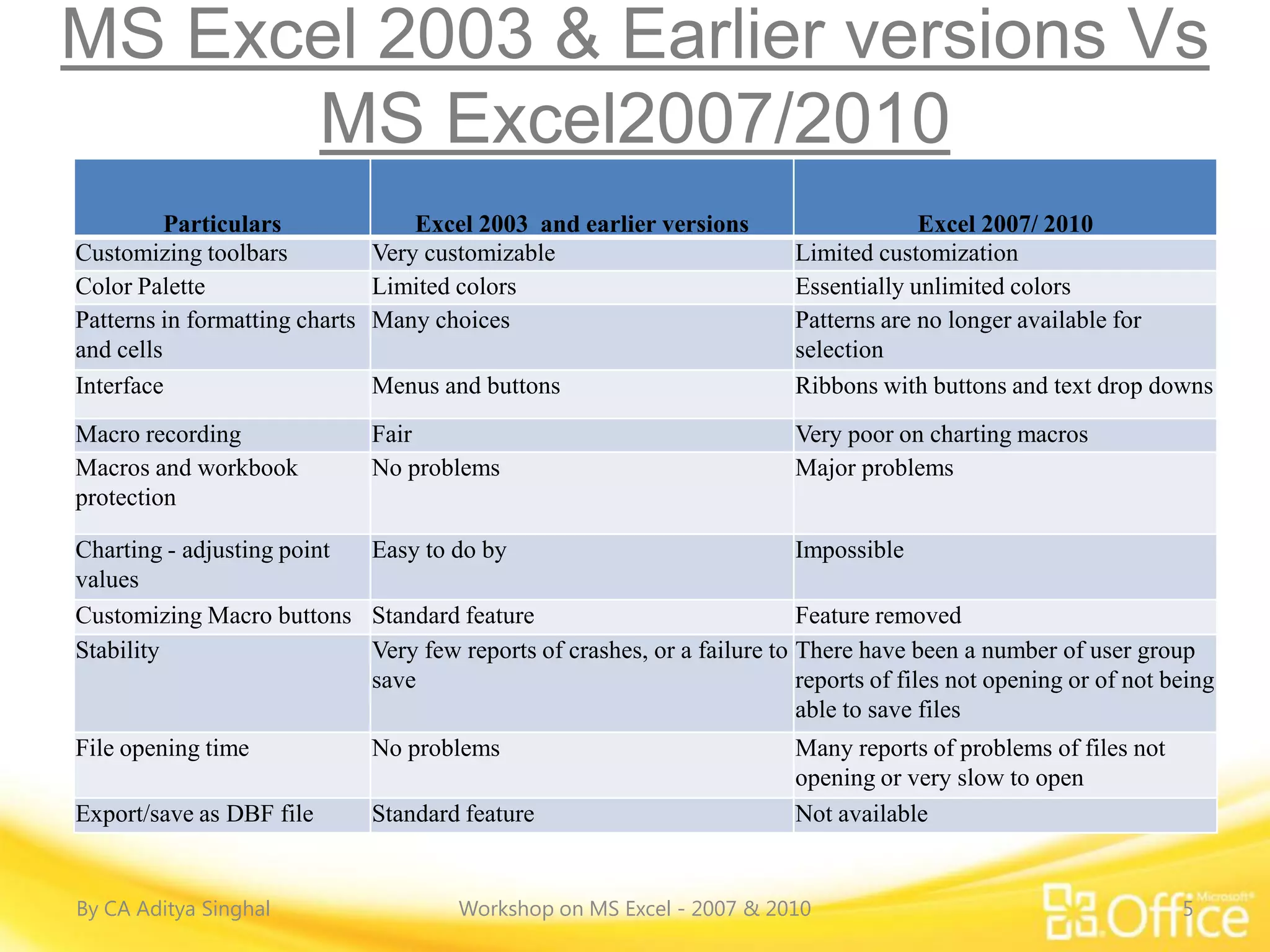
          Particulars               Excel 2003 and earlier versions                   Excel 2007/ 2010
Customizing toolbars            Very customizable                        Limited customization
Color Palette                   Limited colors                           Essentially unlimited colors
Patterns in formatting charts   Many choices                             Patterns are no longer available for
and cells                                                                selection
Interface                       Menus and buttons                        Ribbons with buttons and text drop downs
Macro recording                 Fair                                     Very poor on charting macros
Macros and workbook             No problems                              Major problems
protection

Charting - adjusting point Easy to do by                                Impossible
values
Customizing Macro buttons Standard feature                              Feature removed
Stability                  Very few reports of crashes, or a failure to There have been a number of user group
                           save                                         reports of files not opening or of not being
                                                                        able to save files
File opening time               No problems                              Many reports of problems of files not
                                                                         opening or very slow to open
Export/save as DBF file         Standard feature                         Not available


By CA Aditya Singhal                    Workshop on MS Excel - 2007 & 2010                                       5
Over view of MS Excel – 2007/2010


By CA Aditya Singhal   Workshop on MS Excel - 2007 & 2010   6
Overview of MS Excel – 2007/2010


By CA Aditya Singhal   Workshop on MS Excel - 2007 & 2010   7
Commands


                                                                 MIS
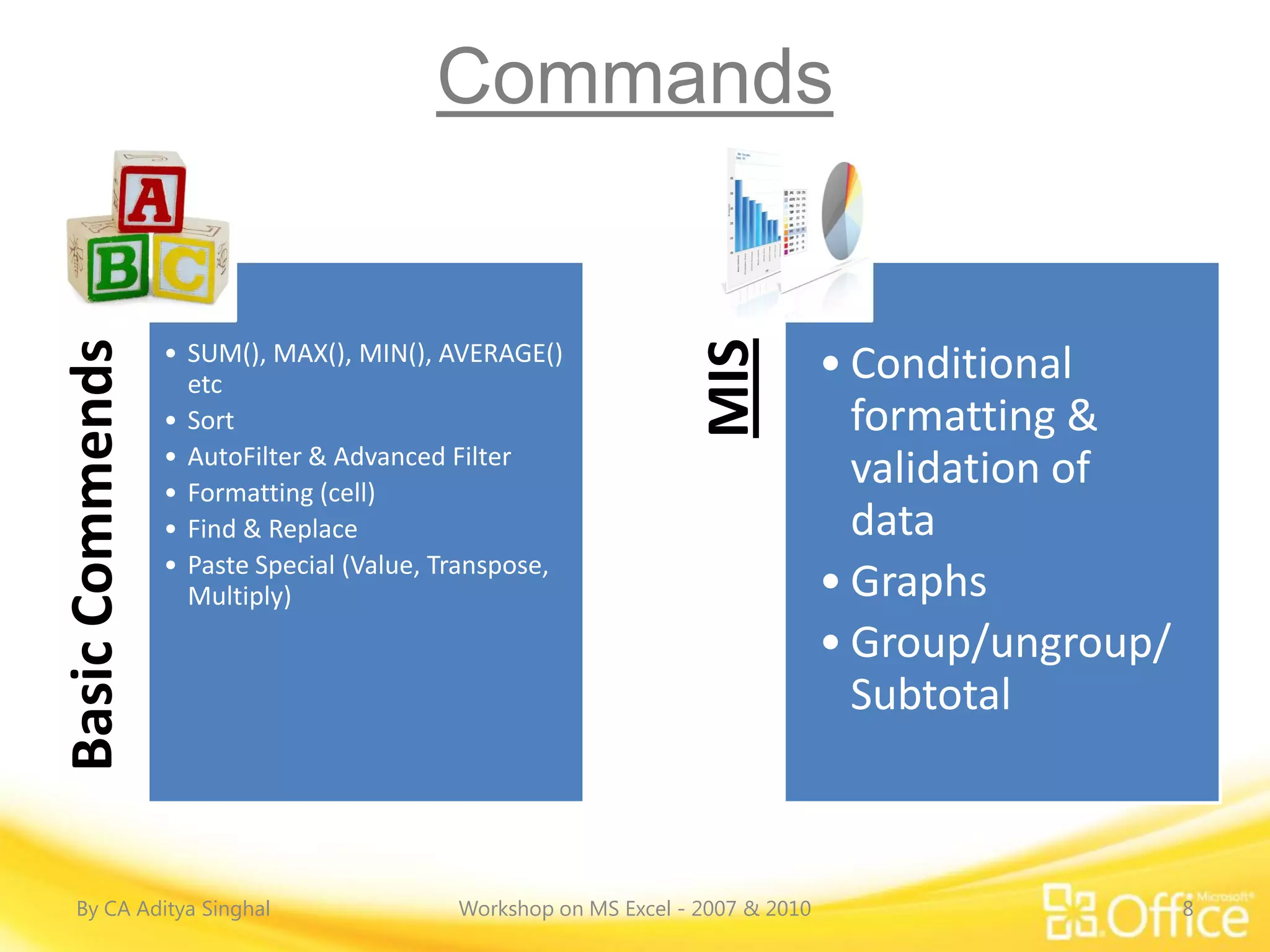
Basic Commends


                 • SUM(), MAX(), MIN(), AVERAGE()
                   etc
                                                                               • Conditional
                 • Sort                                                          formatting &
                 • AutoFilter & Advanced Filter
                 • Formatting (cell)
                                                                                 validation of
                 • Find & Replace                                                data
                 • Paste Special (Value, Transpose,
                   Multiply)                                                   • Graphs
                                                                               • Group/ungroup/
                                                                                 Subtotal


  By CA Aditya Singhal                    Workshop on MS Excel - 2007 & 2010                      8
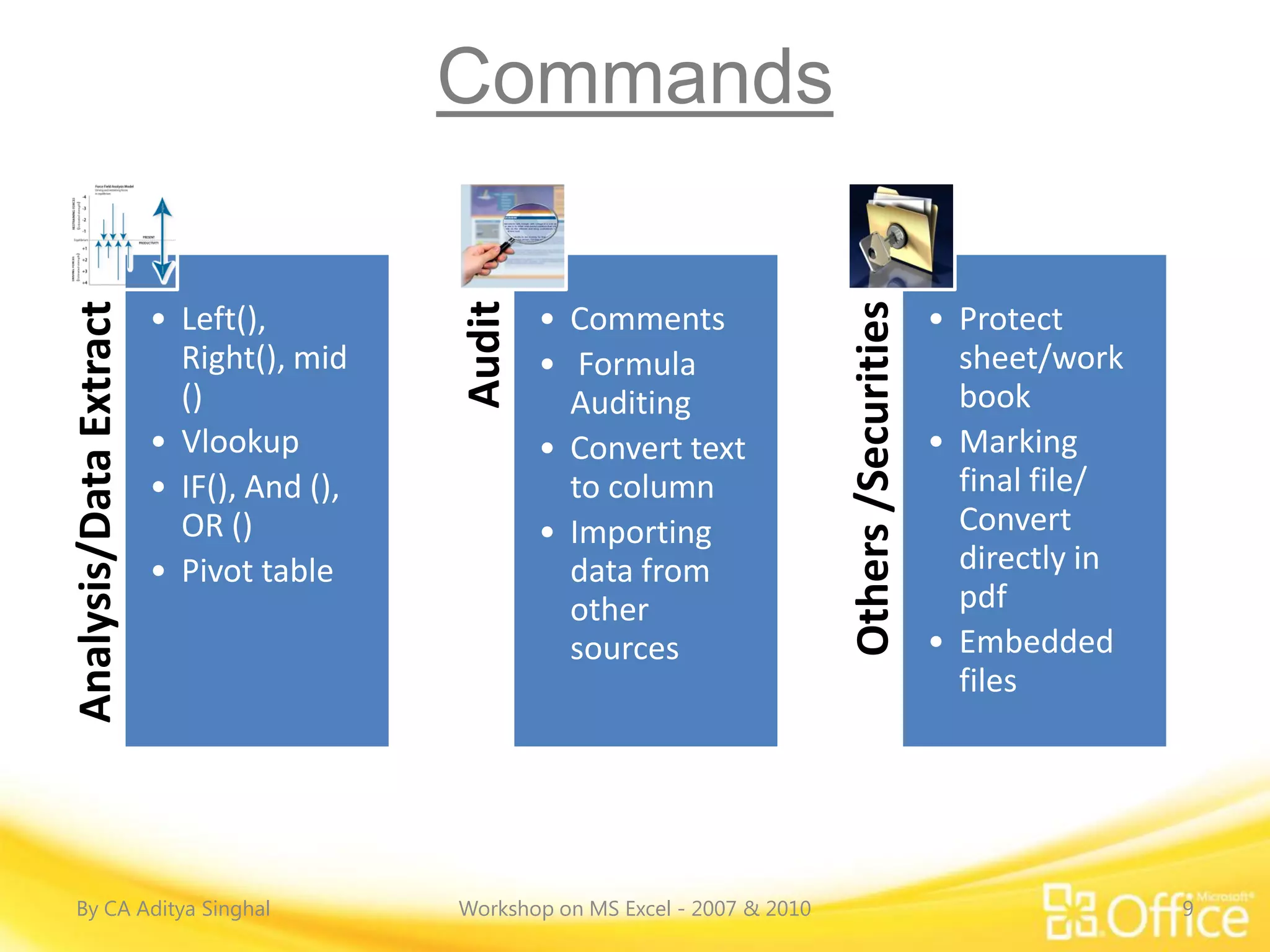
Commands


                                          Audit
Analysis/Data Extract


                                                                               Others /Securities
                        • Left(),                 • Comments                                        • Protect
                          Right(), mid            • Formula                                           sheet/work
                          ()                        Auditing                                          book
                        • Vlookup                 • Convert text                                    • Marking
                        • IF(), And (),             to column                                         final file/
                          OR ()                   • Importing                                         Convert
                        • Pivot table               data from                                         directly in
                                                    other                                             pdf
                                                    sources                                         • Embedded
                                                                                                      files


By CA Aditya Singhal                      Workshop on MS Excel - 2007 & 2010                                        9
Thanks !
CA Aditya Singhal
FCA, DISA(ICAI), CertiIFRS(ICAI), Dip in IFRS (ACCA-UK), M.com
+91 99728 27300 , Aditya.singhal@icai.org


Join Excel professional group for regular Excel update:
http://tech.groups.yahoo.com/group/Excel-Professional/


                                                                 10

Ms Excel 2007 & 2010 Workshop

  • 1.
    The Institute ofChartered Accountants of India, Bangalore 19th November ’2011 CA Aditya Singhal FCA, DISA(ICAI), CertiIFRS(ICAI), Dip in IFRS (ACCA-UK), M.com +91 99728 27300 , Aditya.singhal@icai.org Join Excel professional group for regular Excel update: http://tech.groups.yahoo.com/group/Excel-Professional/
  • 2.
    Workshop Goals • Workbetween Excel 2010 and earlier versions. • Complete basic, everyday tasks, such as formatting data and adding rows and columns. • Find commands for more advanced tasks, such as creating charts and using functions. • Customize excel for your favorite commands to your own toolbar. By CA Aditya Singhal Workshop on MS Excel - 2007 & 2010 2
  • 3.
    Why should weupgrade to 2007/2010 1. We may need more than 65,000 rows on a worksheet. Excel 2007 allows over a million rows. 2. We may need more than 256 columns. Excel 2007 allows over 16000 columns. 3. We do a lot of graphics work and need the new graphics tools and options. 4. We do a lot of pivot table work and need the new pivot table features in 2007 5. We are receiving workbooks that are Excel 2007 workbooks 6. Office XML Formats allow for better data integration between documents and back-end systems. 7. Business dashboards can be easily created from spreadsheets to track key performance indicator. 8. We can import external data into a spreadsheet by using pre-configured external sources of business information 9. Developers can use the Office Excel 2007 calculation engine in other applications, such as a Web-based mortgage calculator or an options pricing model. By CA Aditya Singhal Workshop on MS Excel - 2007 & 2010 3
  • 4.
    MS Excel 2003& Earlier versions Vs MS Excel2007/2010 Particulars Excel 2003 and earlier versions Excel 2007/ 2010 Number of rows Limited to 65,536 Over 1,000,000 Number of Columns 256 16,384 Calculate speed FAST FAST Macro Speed FAST Varies Lists/Tables List support was introduced with Excel Lists were renamed to Tables and additional 2003. features added in 2007 to make them easier to use. Formula Writing Same formula bar since Excel 97. Resizable formula bar and context-based Parentheses are colored to assist in formula Formula AutoComplete to help you write writing. Some suggestions provided when the proper formula syntax the first time. there is a formula error. Chart Refresh Extremely fast, almost instantly Can be extremely slow. Opening and closing files Fast Not as fast Conditional Formatting Limited to 3 tests Many tests are allowed By CA Aditya Singhal Workshop on MS Excel - 2007 & 2010 4
  • 5.
    MS Excel 2003& Earlier versions Vs MS Excel2007/2010 Particulars Excel 2003 and earlier versions Excel 2007/ 2010 Customizing toolbars Very customizable Limited customization Color Palette Limited colors Essentially unlimited colors Patterns in formatting charts Many choices Patterns are no longer available for and cells selection Interface Menus and buttons Ribbons with buttons and text drop downs Macro recording Fair Very poor on charting macros Macros and workbook No problems Major problems protection Charting - adjusting point Easy to do by Impossible values Customizing Macro buttons Standard feature Feature removed Stability Very few reports of crashes, or a failure to There have been a number of user group save reports of files not opening or of not being able to save files File opening time No problems Many reports of problems of files not opening or very slow to open Export/save as DBF file Standard feature Not available By CA Aditya Singhal Workshop on MS Excel - 2007 & 2010 5
  • 6.
    Over view ofMS Excel – 2007/2010 By CA Aditya Singhal Workshop on MS Excel - 2007 & 2010 6
  • 7.
    Overview of MSExcel – 2007/2010 By CA Aditya Singhal Workshop on MS Excel - 2007 & 2010 7
  • 8.
    Commands MIS Basic Commends • SUM(), MAX(), MIN(), AVERAGE() etc • Conditional • Sort formatting & • AutoFilter & Advanced Filter • Formatting (cell) validation of • Find & Replace data • Paste Special (Value, Transpose, Multiply) • Graphs • Group/ungroup/ Subtotal By CA Aditya Singhal Workshop on MS Excel - 2007 & 2010 8
  • 9.
    Commands Audit Analysis/Data Extract Others /Securities • Left(), • Comments • Protect Right(), mid • Formula sheet/work () Auditing book • Vlookup • Convert text • Marking • IF(), And (), to column final file/ OR () • Importing Convert • Pivot table data from directly in other pdf sources • Embedded files By CA Aditya Singhal Workshop on MS Excel - 2007 & 2010 9
  • 10.
    Thanks ! CA AdityaSinghal FCA, DISA(ICAI), CertiIFRS(ICAI), Dip in IFRS (ACCA-UK), M.com +91 99728 27300 , Aditya.singhal@icai.org Join Excel professional group for regular Excel update: http://tech.groups.yahoo.com/group/Excel-Professional/ 10