











Getting Social
Getting Social
 with LinkedIn
       Bob Coppenhaver
What is Social Media?

Social media describes the online technologies and practices that people use
  to share opinions, insights, experiences, and perspectives with each other.

                                          - Wikipedia 2007
photo by Zellaby on flickr.com
Officially, though, social media
is not like teen sex.*


* Phew!
“technology,
social interaction,
and the construction
of words, pictures, videos, and audio.”
http://www.wikipedia.org
photo by Kris Hoet on flickr.com
Why
Should
I Care


         ?
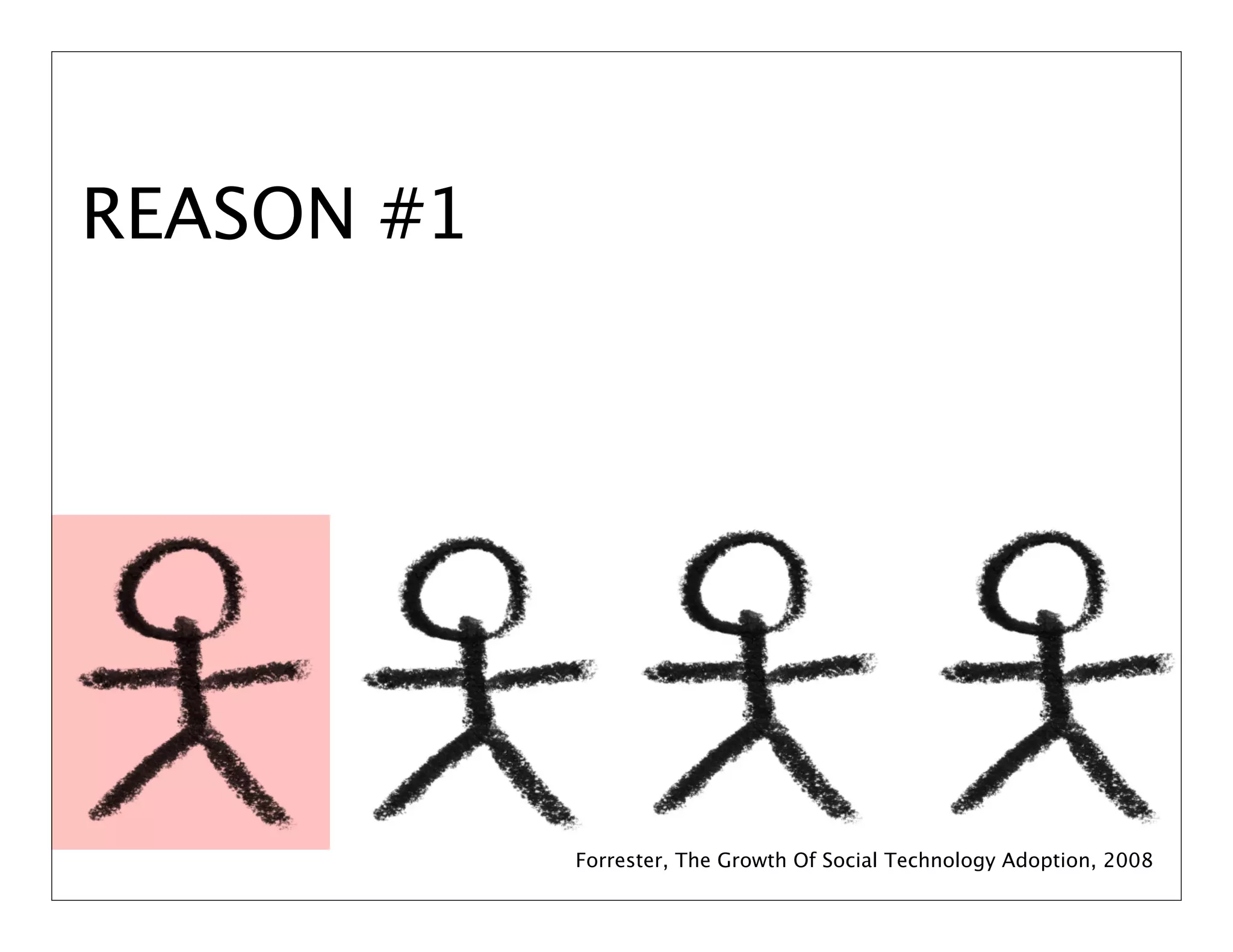
REASON #1


            Forrester, The Growth Of Social Technology Adoption, 2008
REASON #2   Nielsen, Global Faces & Networked Places, 2009
REASON #3
                                   Nielsen, Global Faces & Networked Places, 2009


photo by Bruno Girinon flickr.com
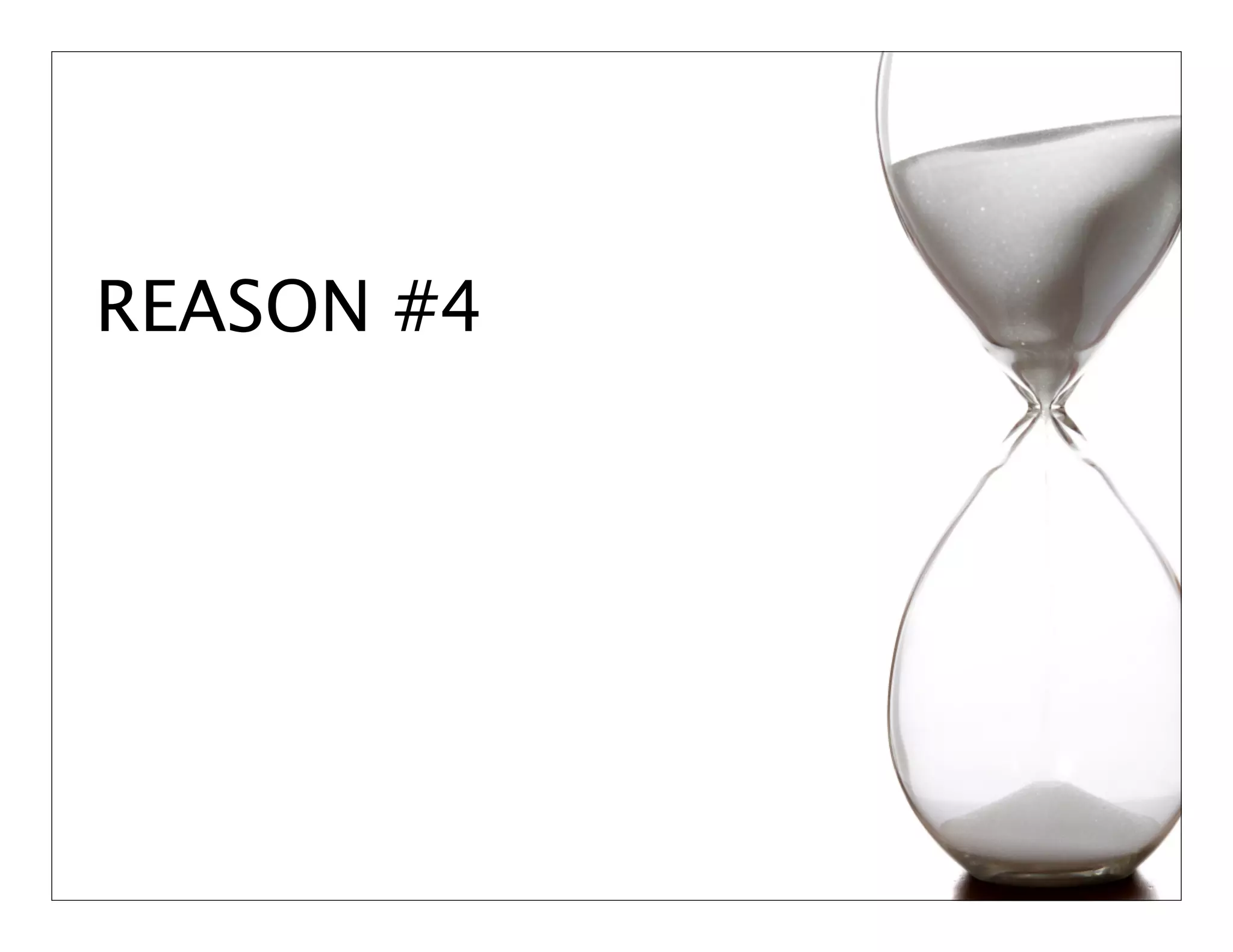
REASON #4
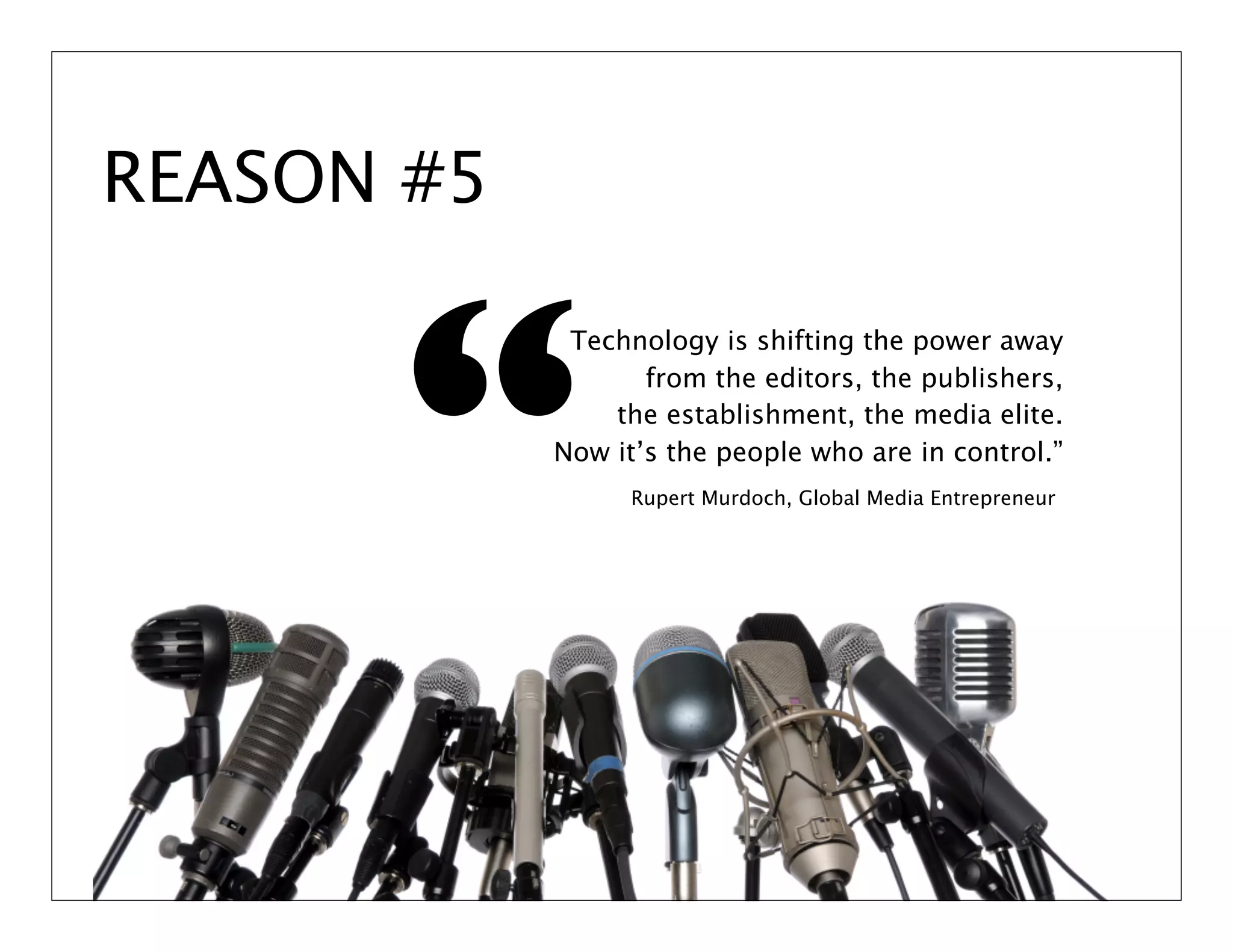
REASON #5


      “
             Technology is shifting the power away
                   from the editors, the publishers,
                the establishment, the media elite.
            Now it’s the people who are in control.”
                  Rupert Murdoch, Global Media Entrepreneur
REASON #6
Is Social Media a Fad?
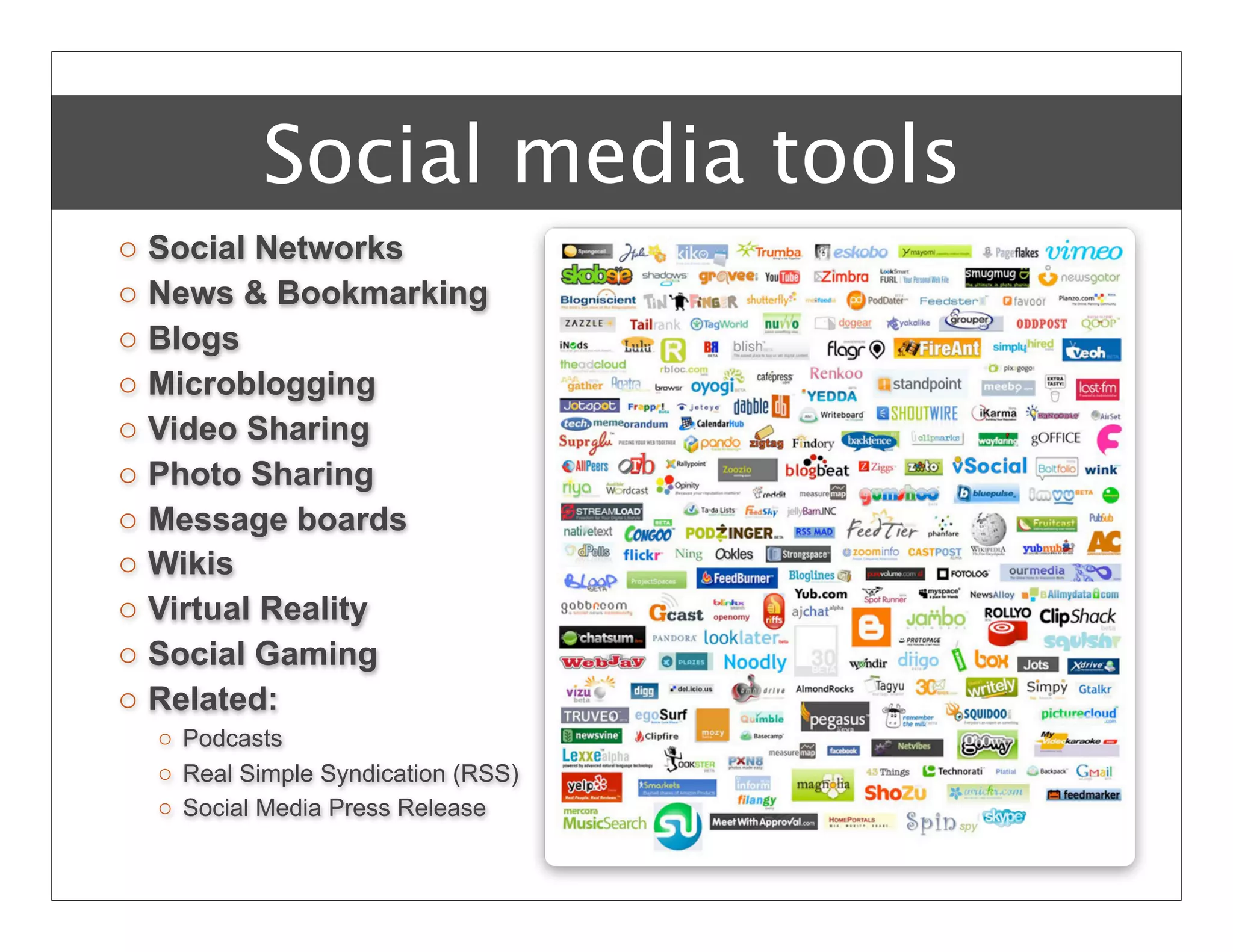
Social media tools
o   Social Networks
o   News & Bookmarking
o   Blogs
o   Microblogging
o   Video Sharing
o   Photo Sharing
o   Message boards
o   Wikis
o   Virtual Reality
o   Social Gaming
o   Related:
    o Podcasts
    o Real Simple Syndication (RSS)
    o Social Media Press Release
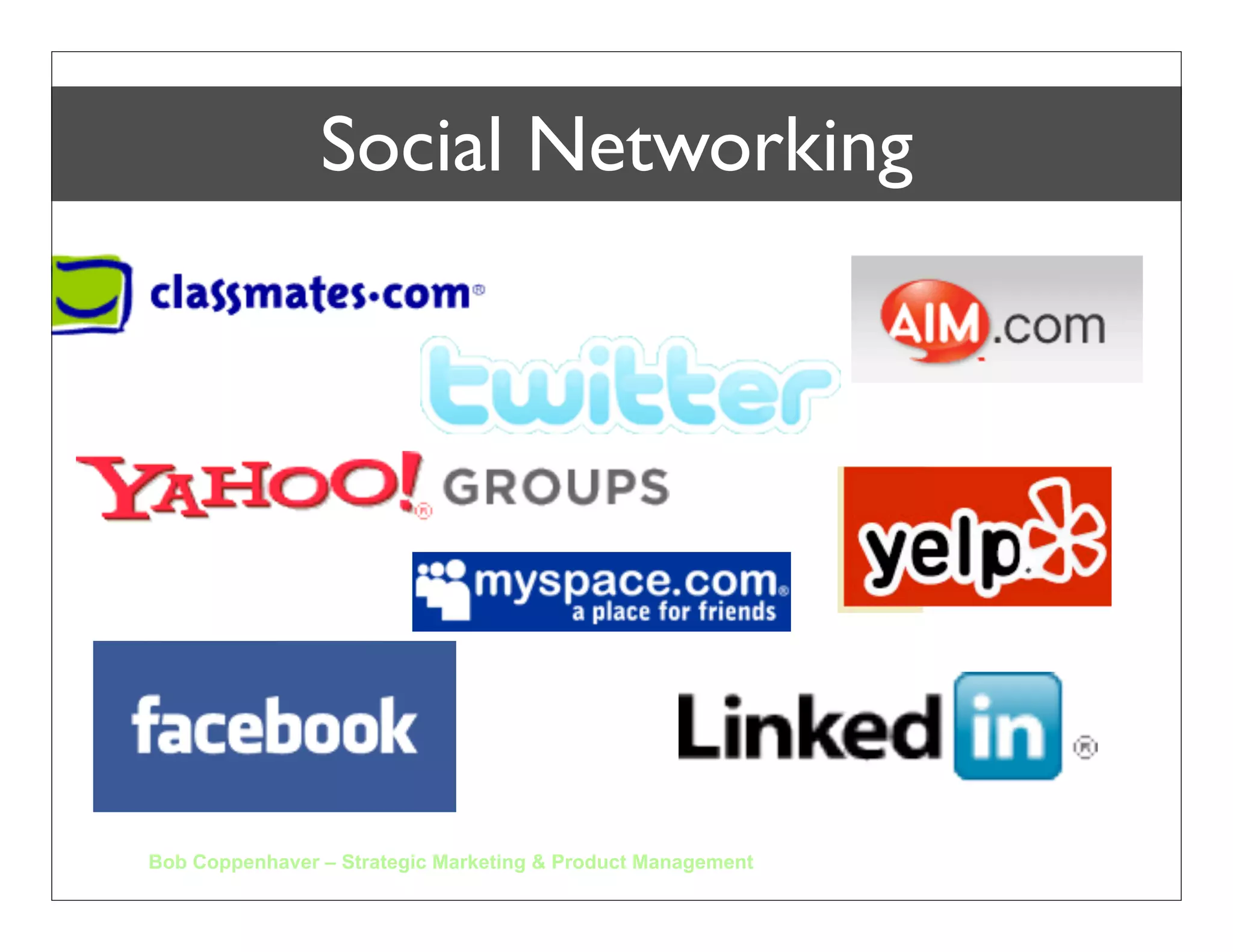
Social Networking


Bob Coppenhaver – Strategic Marketing & Product Management
Social Networking


Bob Coppenhaver – Strategic Marketing & Product Management
photo by eye2eye on flickr.com


                                Networking
.
LinkedIn
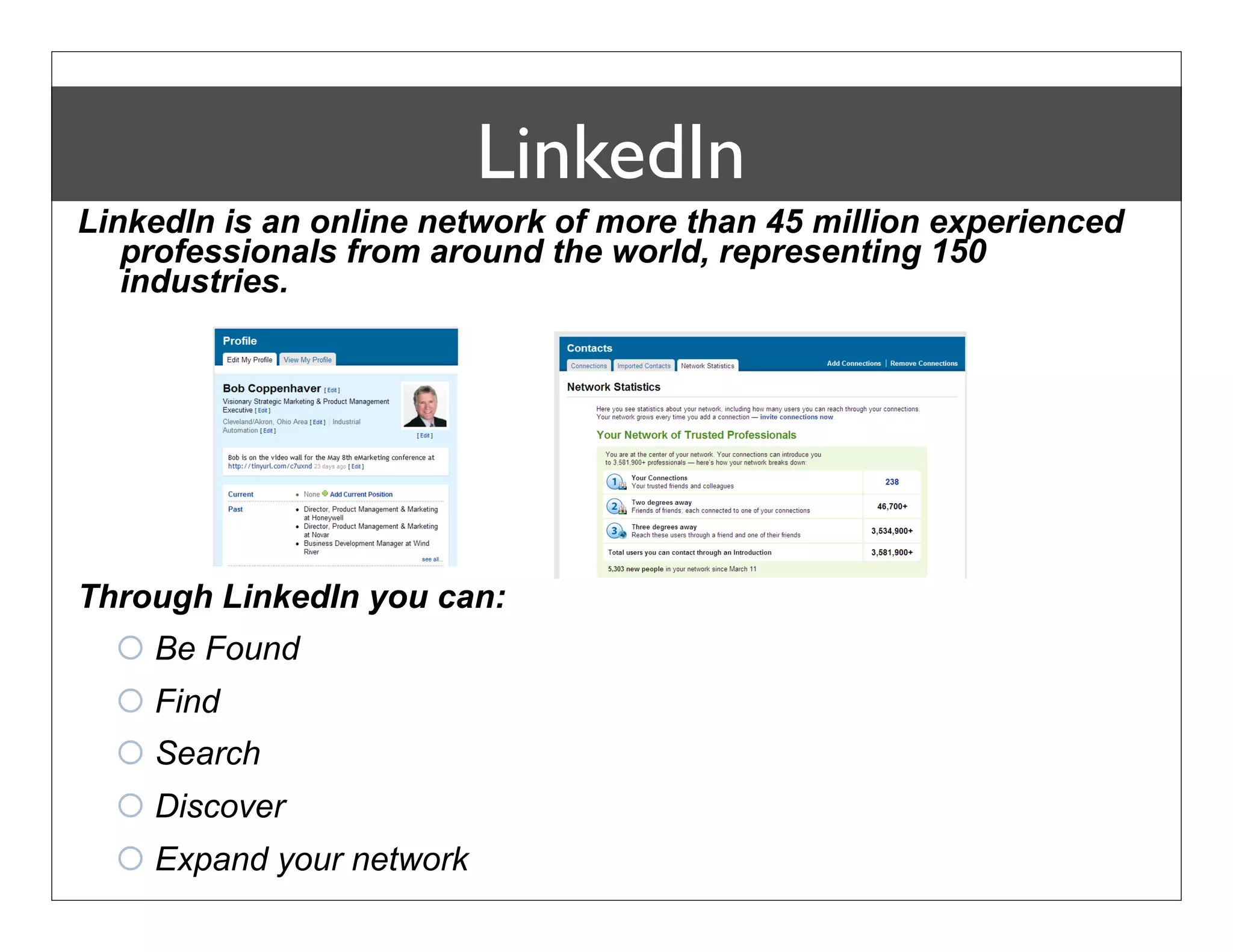
LinkedIn is an online network of more than 45 million experienced
   professionals from around the world, representing 150
   industries.


Through LinkedIn you can:
   Be Found
   Find
   Search
   Discover
   Expand your network
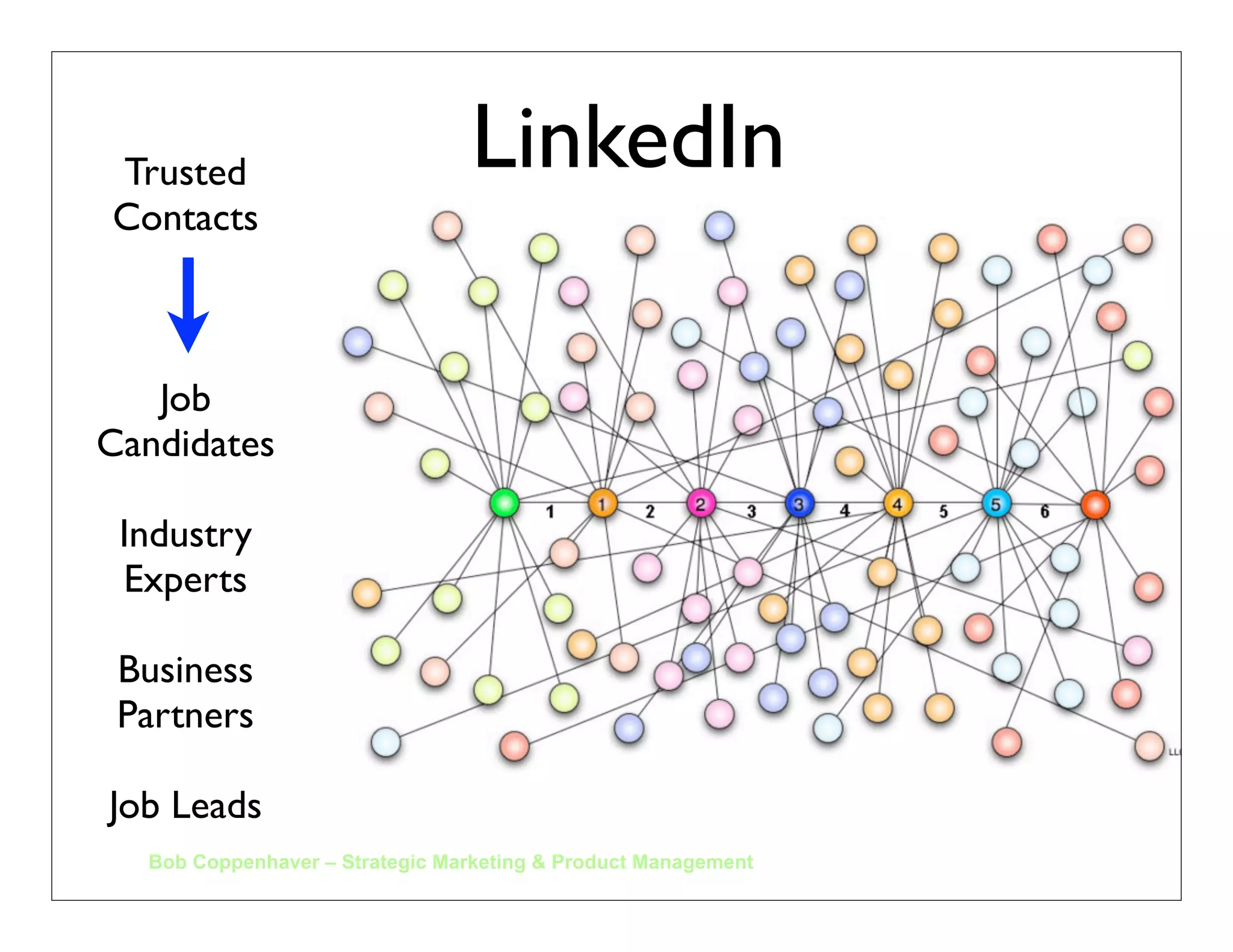
Trusted                         LinkedIn
Contacts


   Job
Candidates

 Industry
 Experts

 Business
 Partners

Job Leads
  Bob Coppenhaver – Strategic Marketing & Product Management
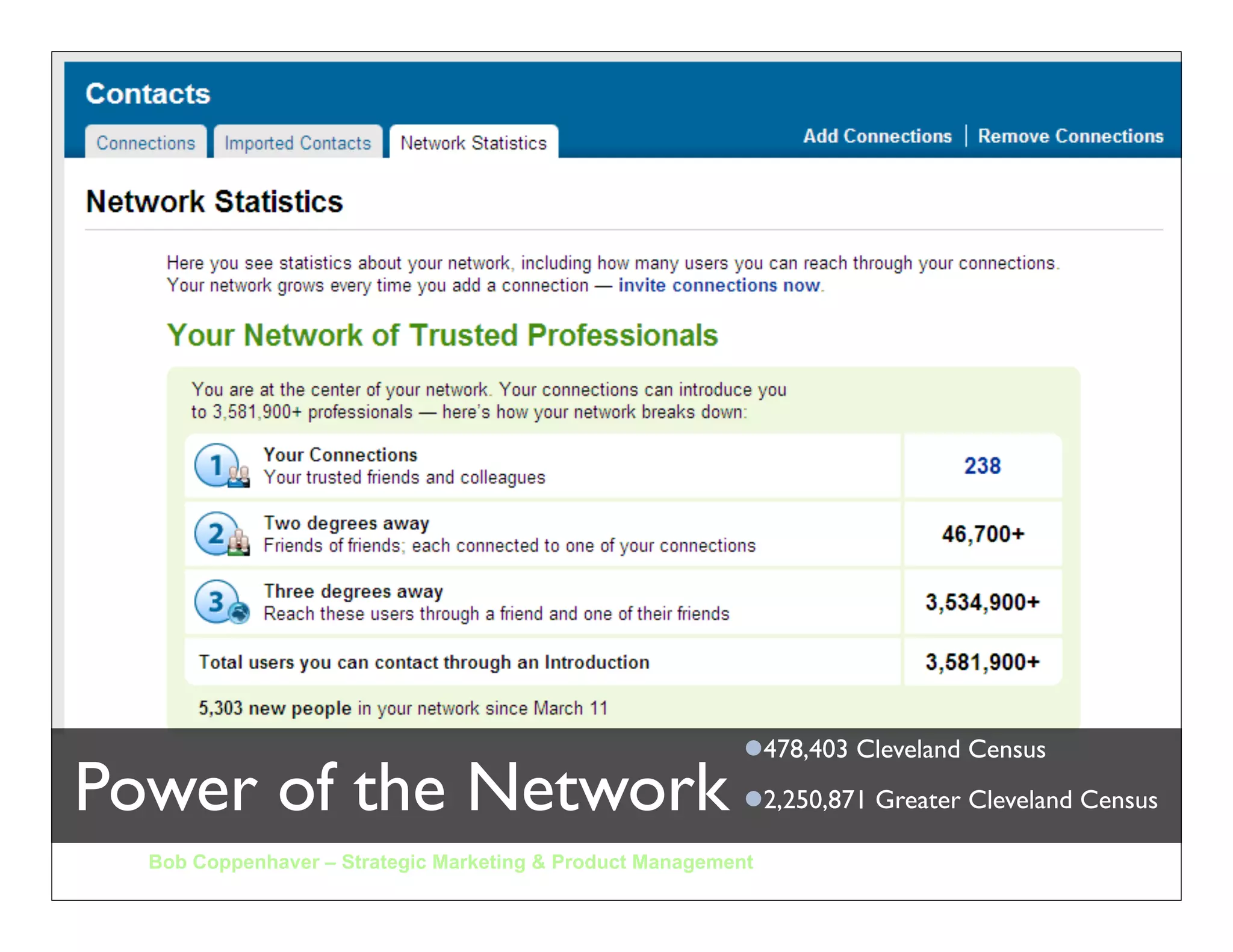
Power of the Network
  Bob Coppenhaver – Strategic Marketing & Product Management
Power of the Network
  Bob Coppenhaver – Strategic Marketing & Product Management
478,403 Cleveland Census
Power of the Network
  Bob Coppenhaver – Strategic Marketing & Product Management
478,403 Cleveland Census
Power of the Network                                       2,250,871 Greater Cleveland Census

  Bob Coppenhaver – Strategic Marketing & Product Management
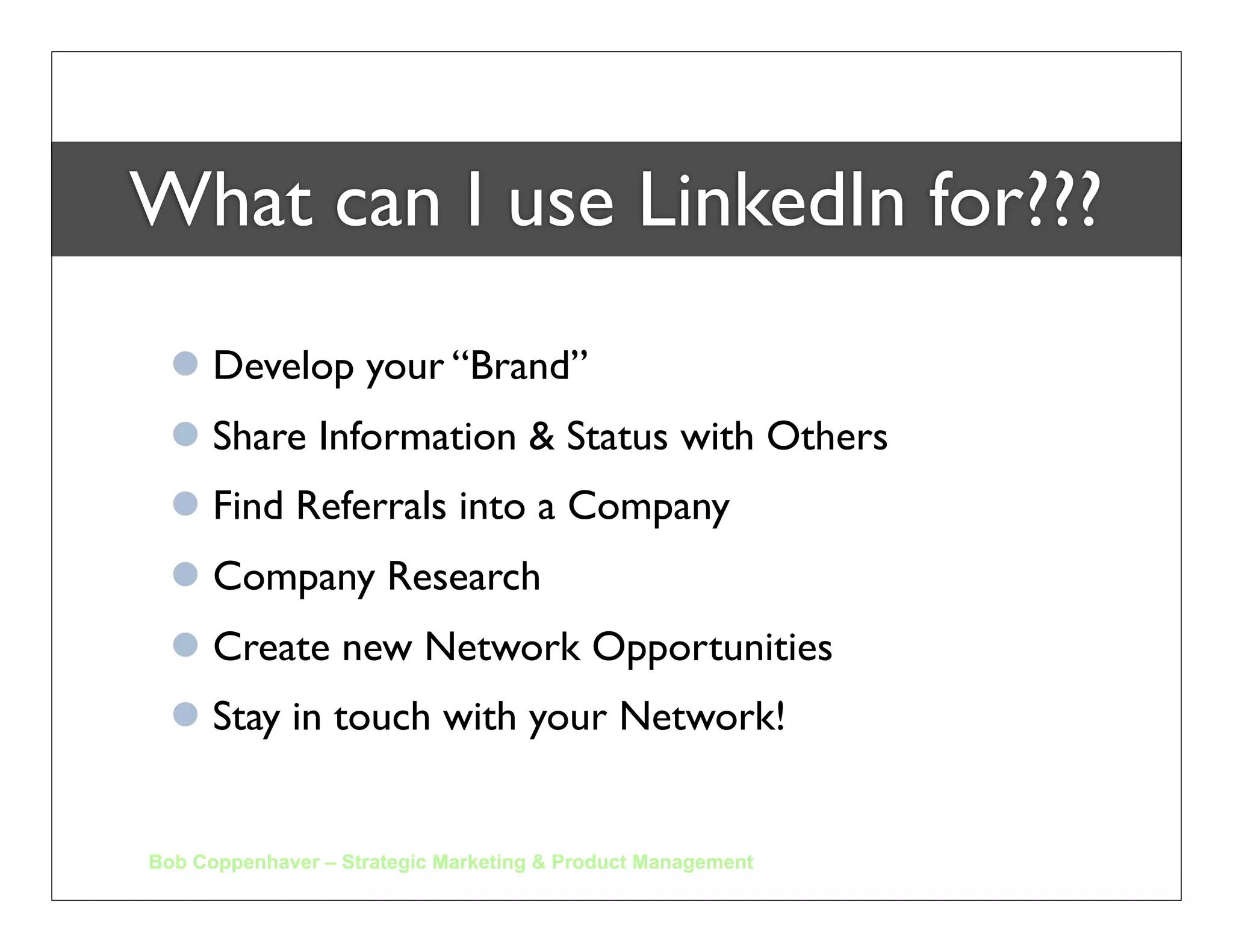
What can I use LinkedIn for???
   Develop your “Brand”
   Share Information & Status with Others
   Find Referrals into a Company
   Company Research
   Create new Network Opportunities
   Stay in touch with your Network!


Bob Coppenhaver – Strategic Marketing & Product Management
This is THEIR Brand….


         What is YOUR Brand?
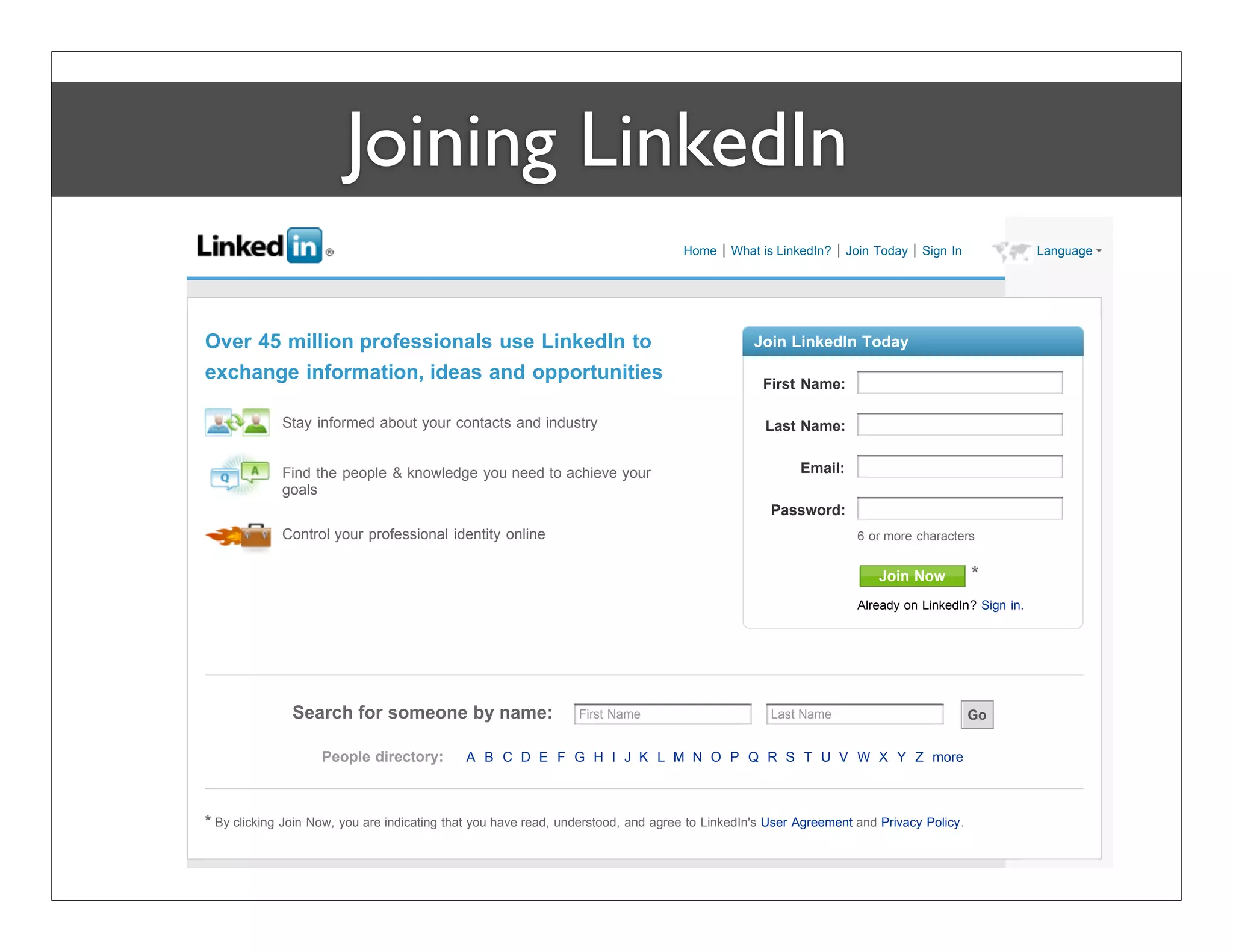
Joining LinkedIn
                                                                                   Home     What is LinkedIn?    Join Today   Sign In             Language


Over 45 million professionals use LinkedIn to                                                   Join LinkedIn Today

exchange information, ideas and opportunities                                                    First Name:

             Stay informed about your contacts and industry                                       Last Name:


             Find the people & knowledge you need to achieve your                                       Email:
             goals
                                                                                                   Password:
             Control your professional identity online                                                            6 or more characters


                                                                                                                      Join Now          *
                                                                                                                  Already on LinkedIn? Sign in.


               Search for someone by name:                       First Name                        Last Name                            Go


                    People directory:        A B C D E F G H I J K L M N O P Q R S T U V W X Y Z more


* By clicking Join Now, you are indicating that you have read, understood, and agree to LinkedIn's User Agreement and Privacy Policy.
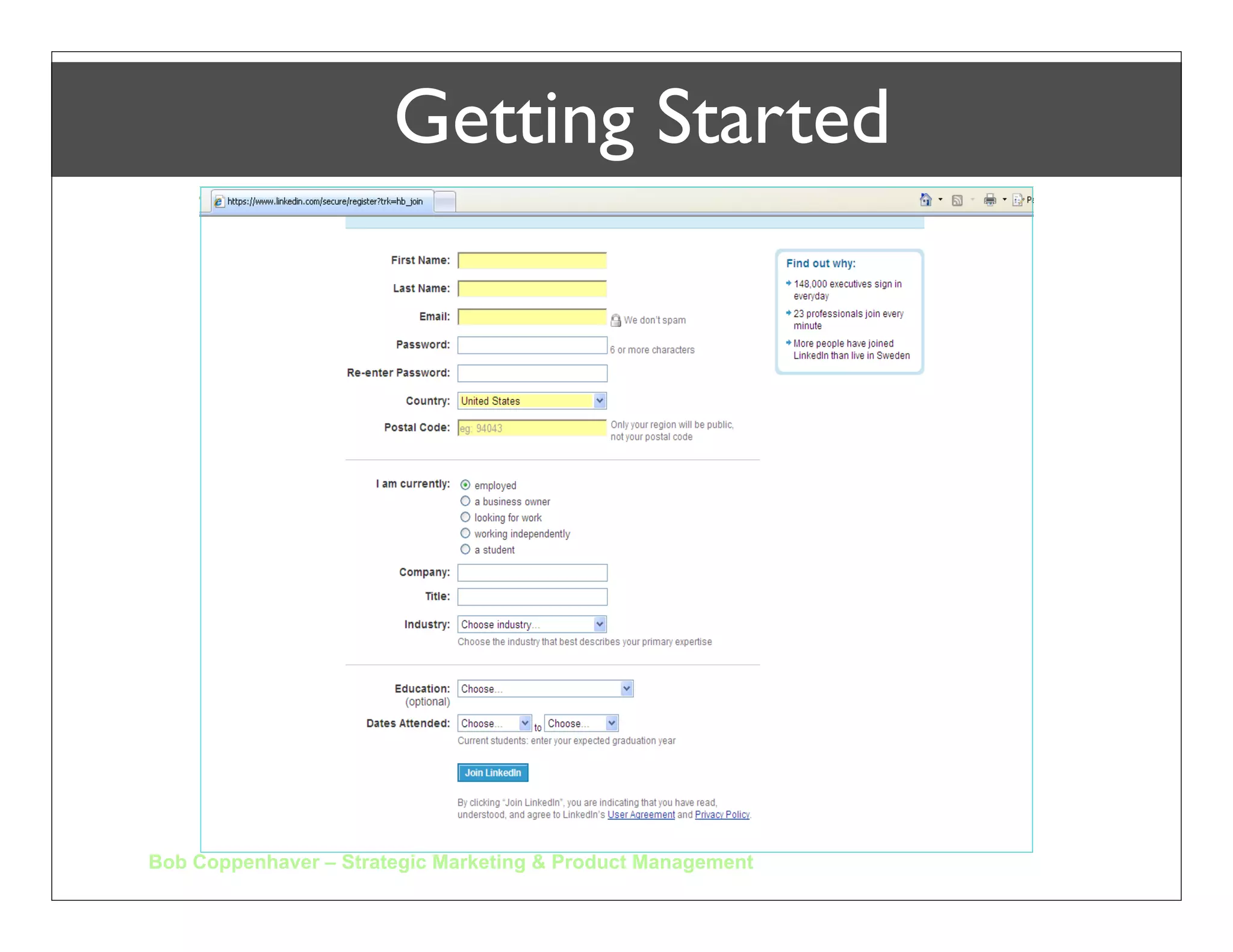
Getting Started


Bob Coppenhaver – Strategic Marketing & Product Management
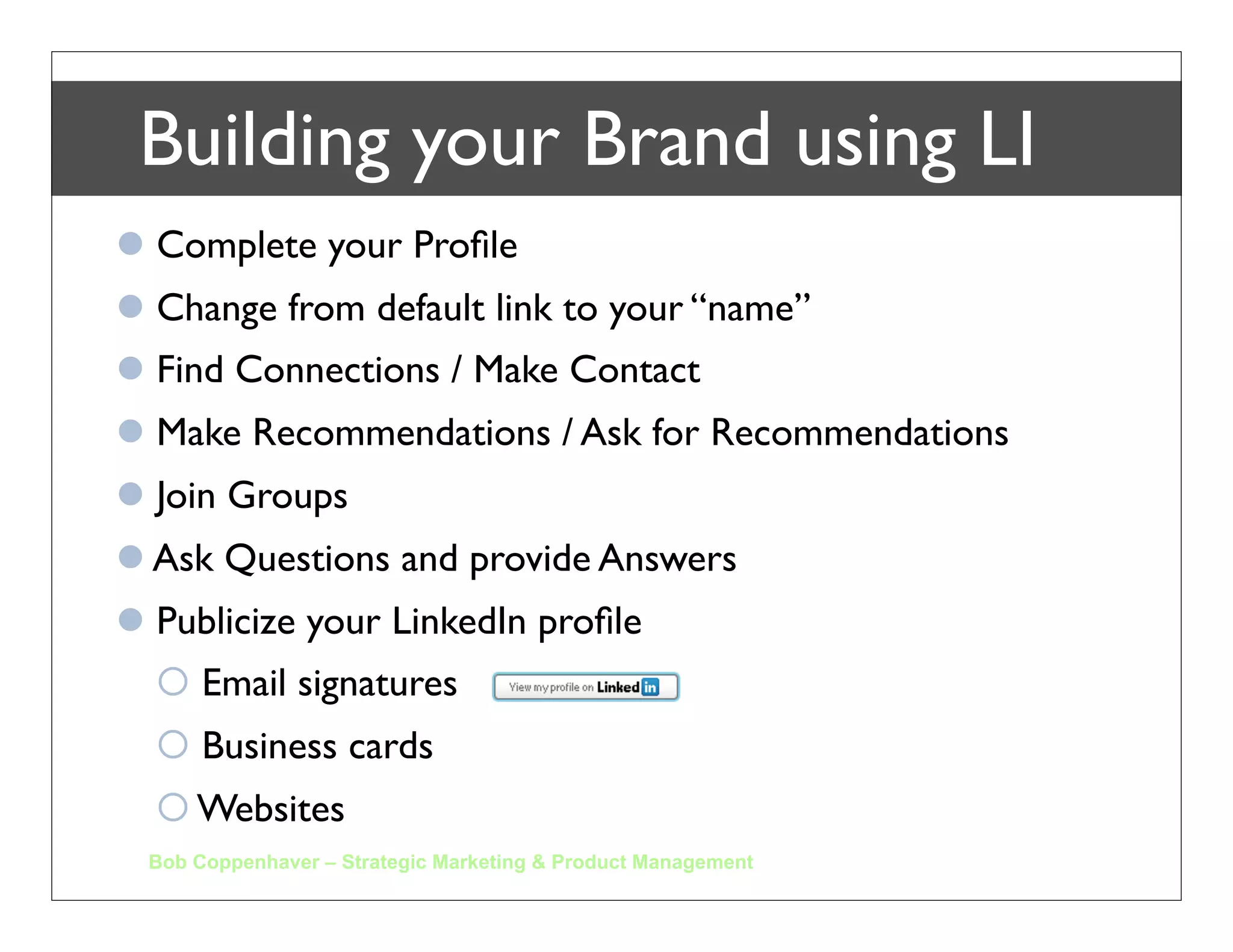
Building your Brand using LI
 Complete your Profile
 Change from default link to your “name”
 Find Connections / Make Contact
 Make Recommendations / Ask for Recommendations
 Join Groups
 Ask Questions and provide Answers
 Publicize your LinkedIn profile
   Email signatures
   Business cards
   Websites
 Bob Coppenhaver – Strategic Marketing & Product Management
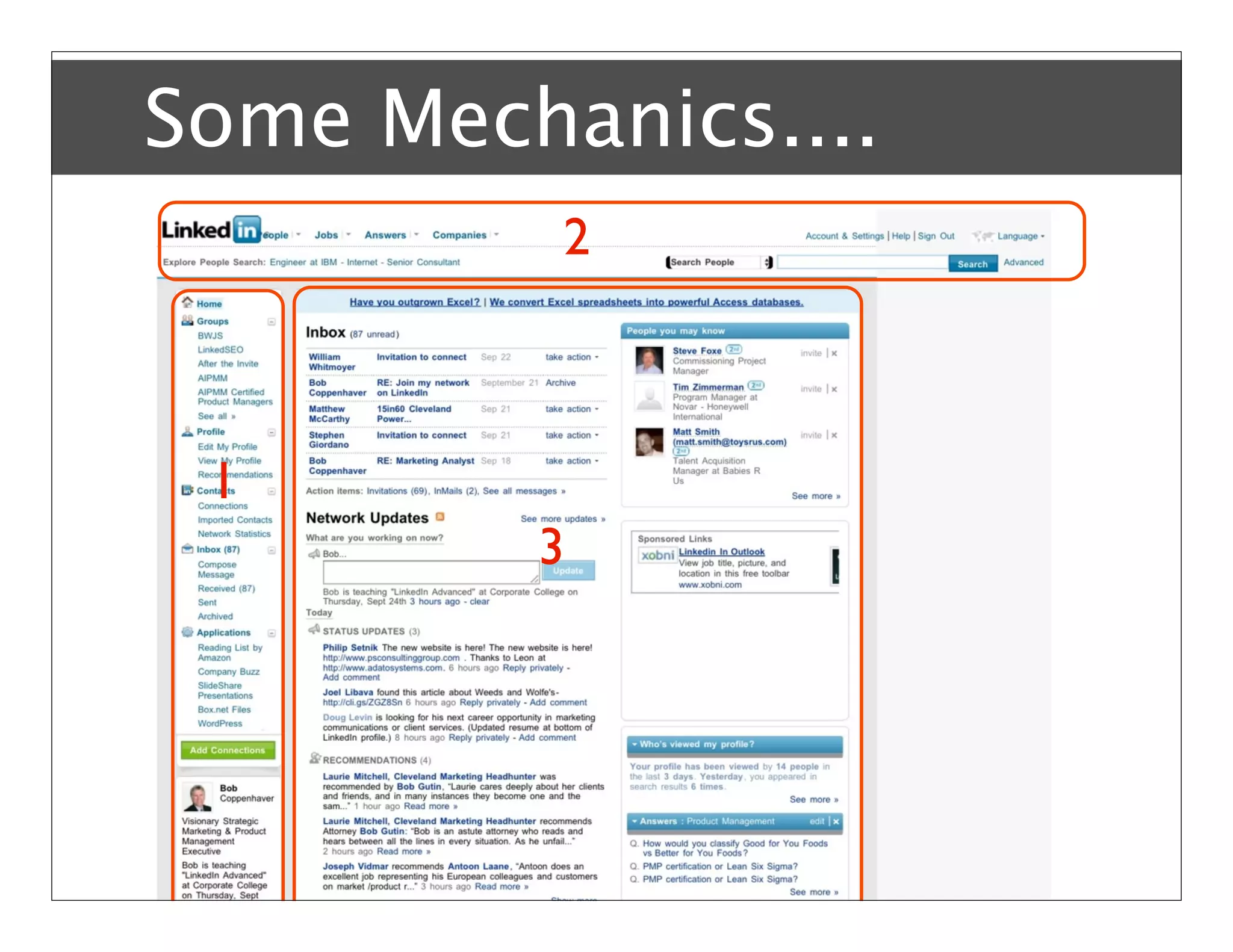
Some Mechanics....
          2


 1
         3
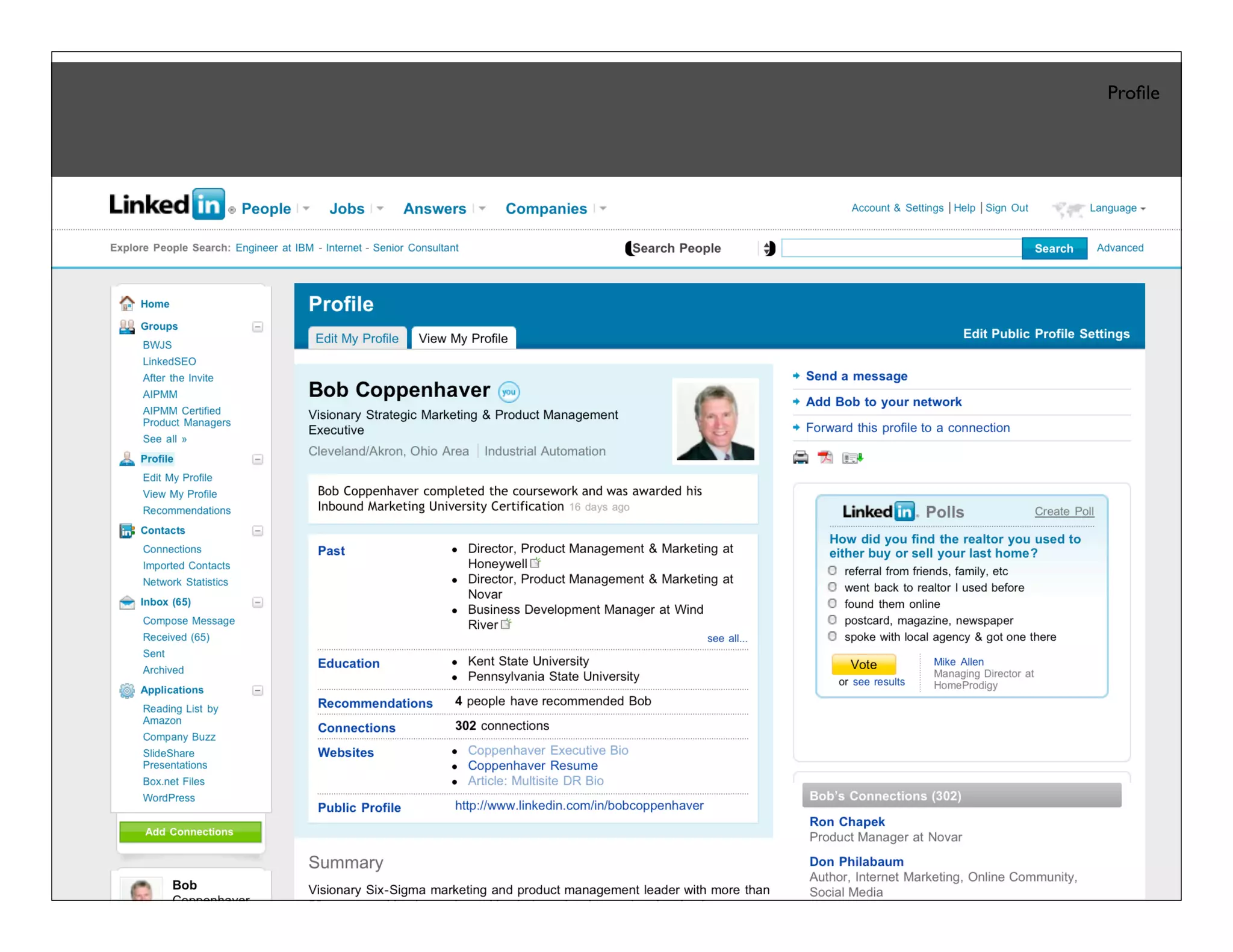
Online Profile
                                                                           Profile


       http://www.linkedin.com/profile?viewProfile=&key=986766&trk=tab_pro
Bob Coppenhaver – Strategic Marketing & Product Management
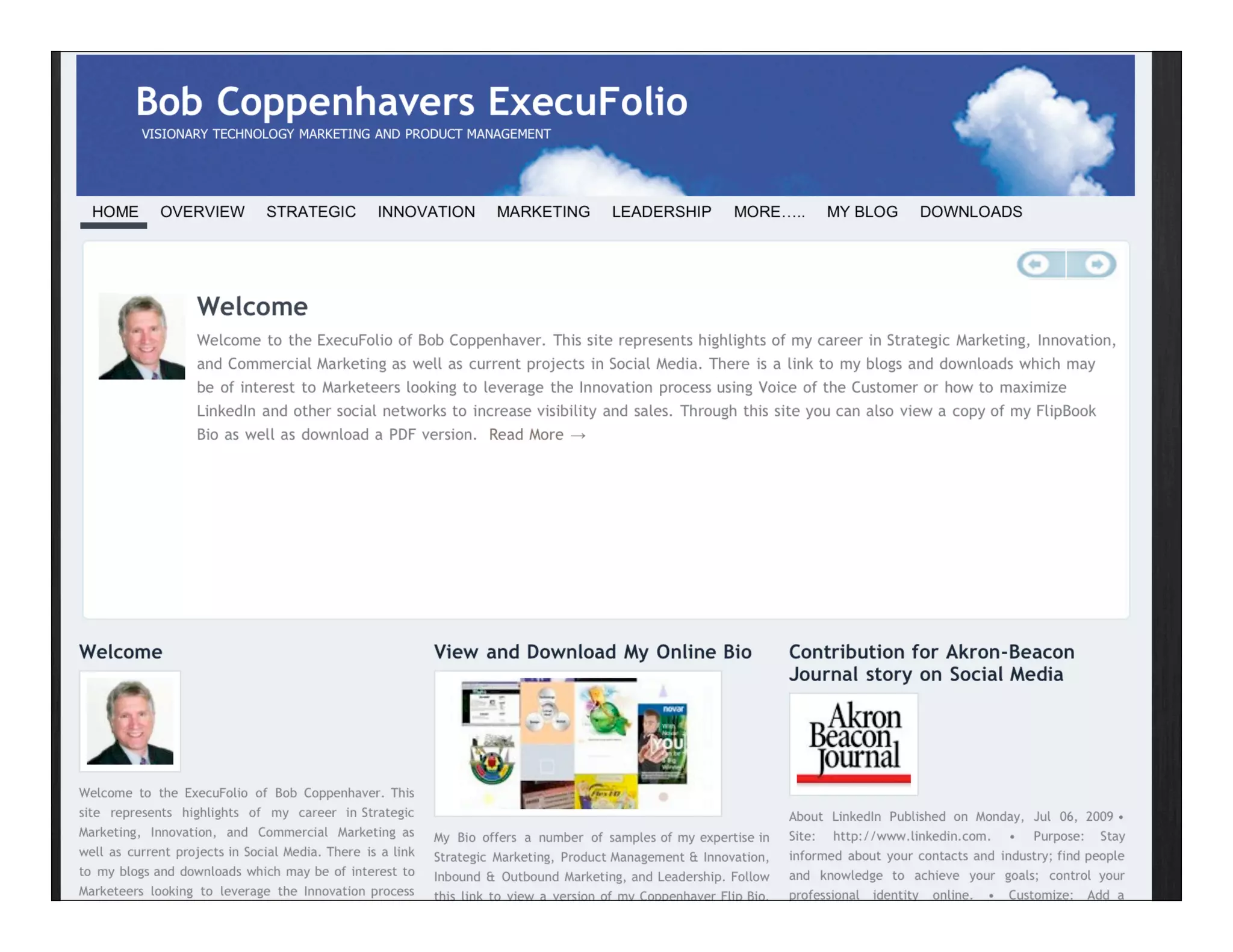
ExecuFolio
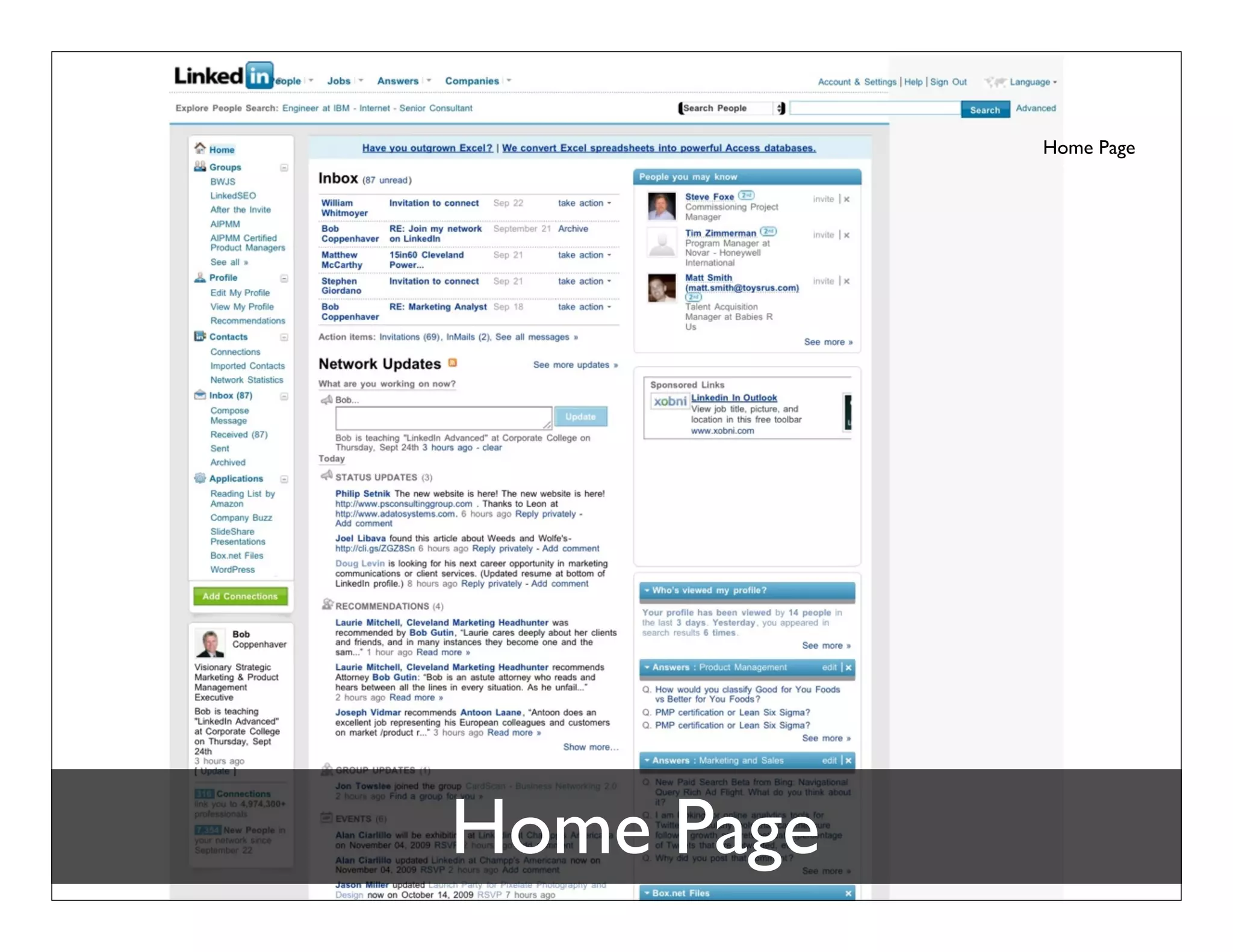
Home Page


Home Page
Contacts
Contacts Translate into Leads

  Find
  Invite or
  Request Introduction
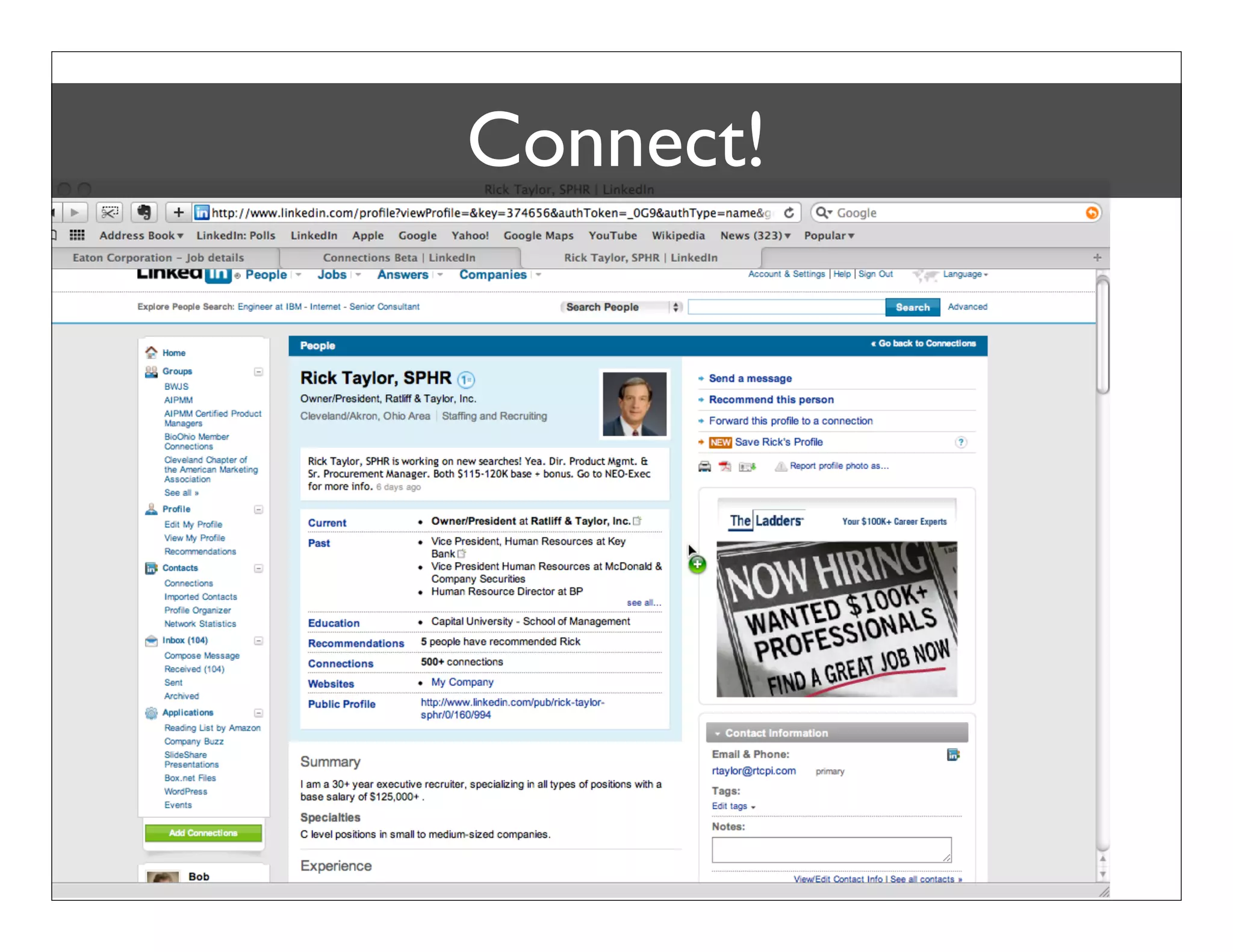
  Connect!


 Bob Coppenhaver – Strategic Marketing & Product Management
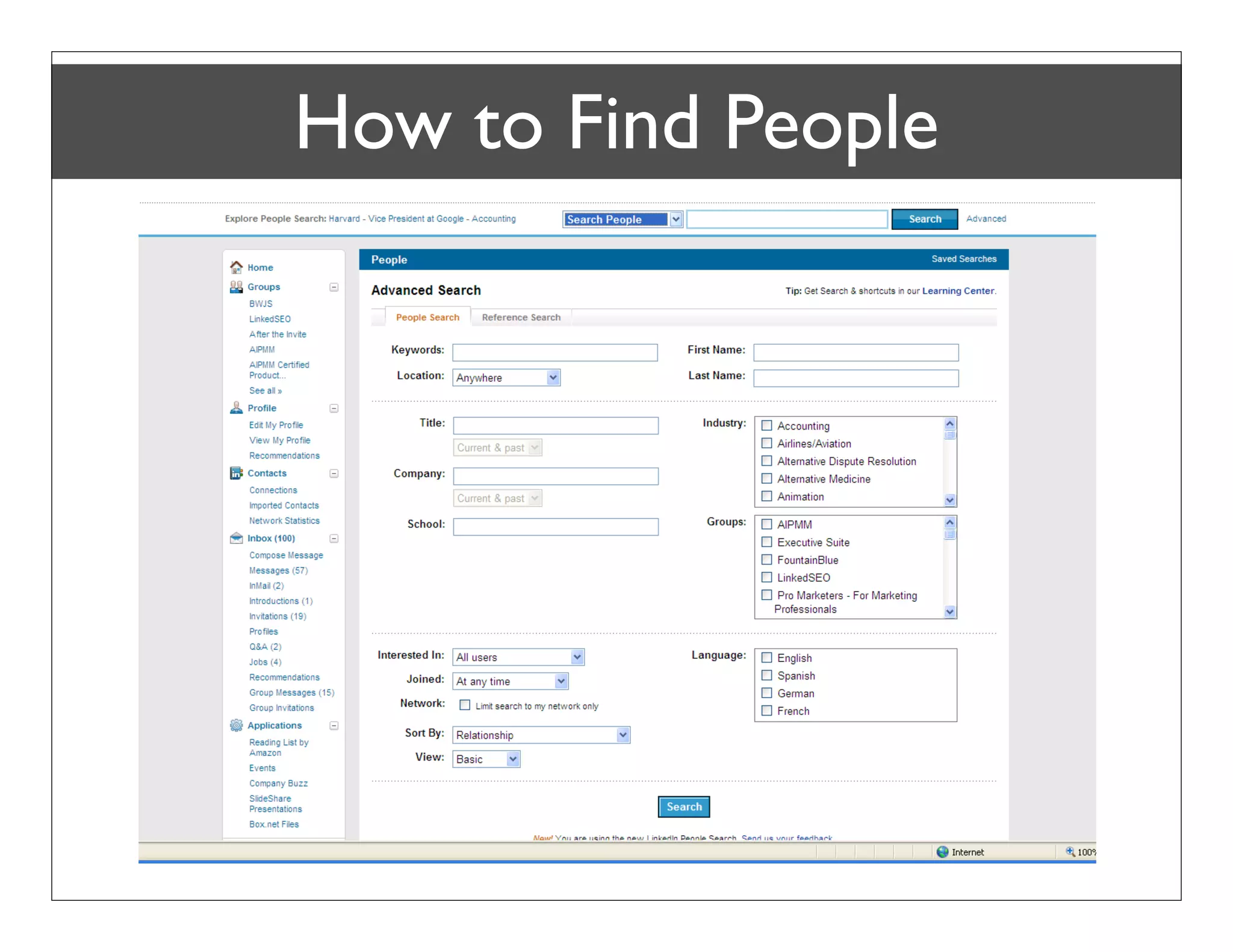
How to Find People


Bob Coppenhaver – Strategic Marketing & Product Management
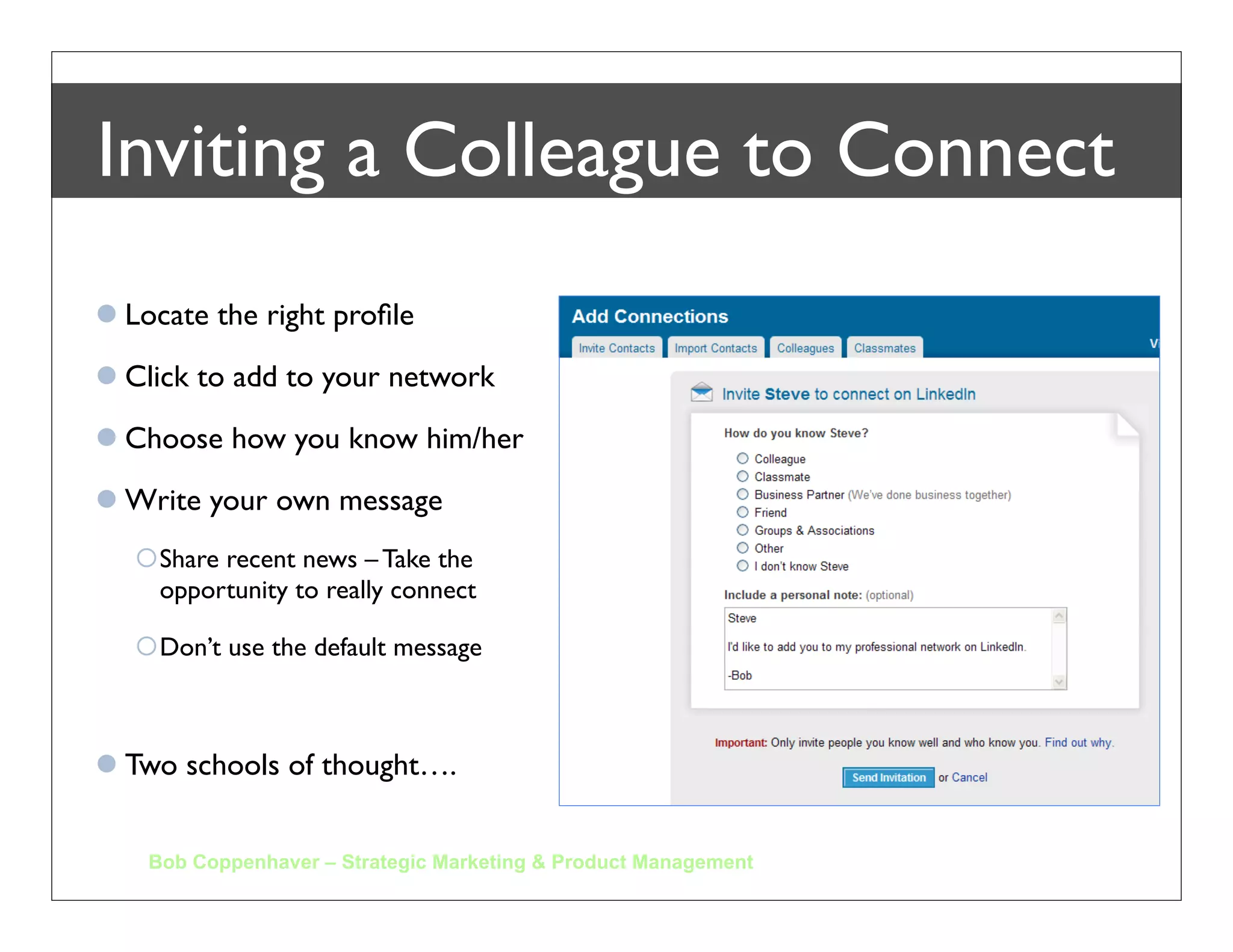
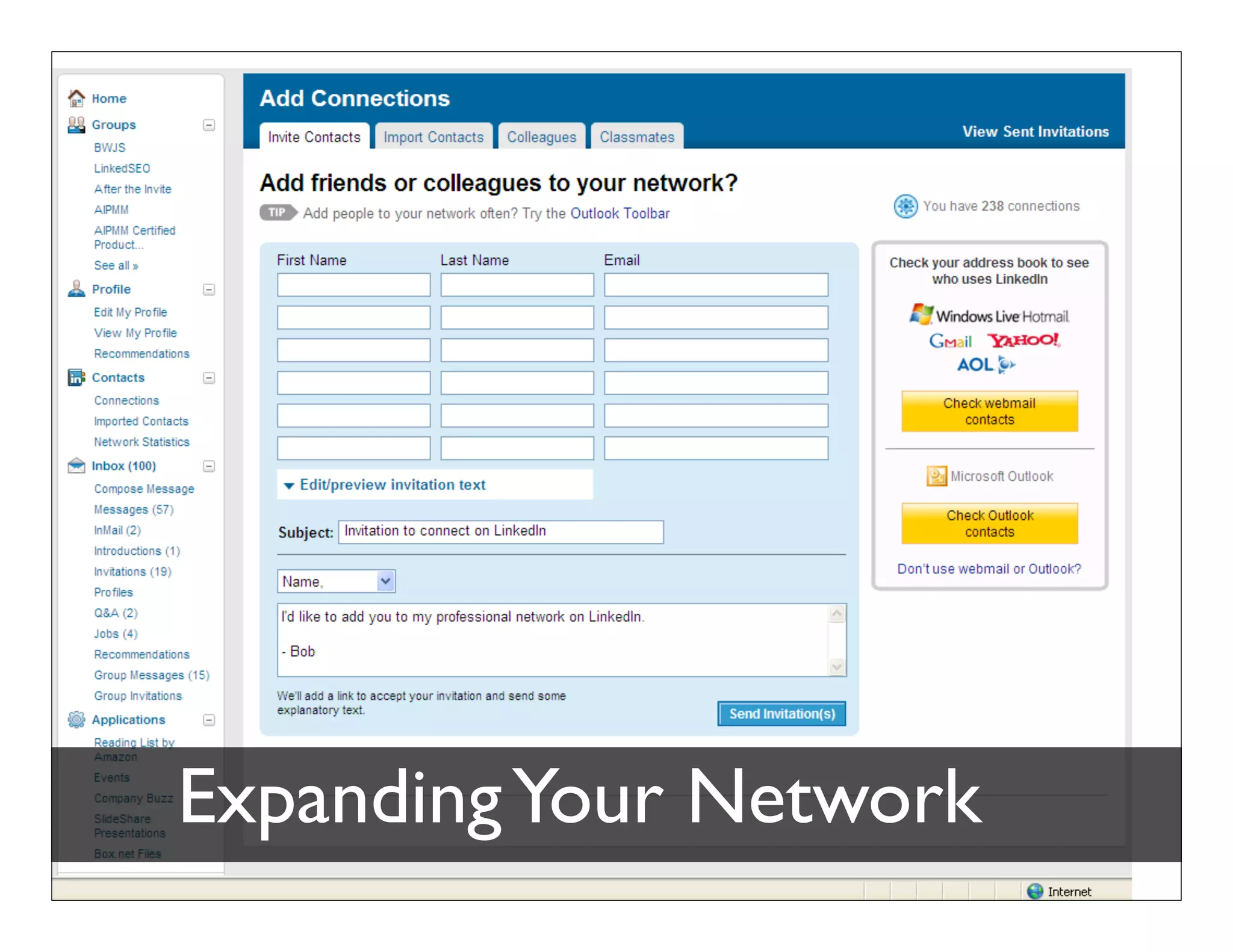
Inviting a Colleague to Connect
 Locate the right profile

 Click to add to your network

 Choose how you know him/her

 Write your own message
   Share recent news – Take the
    opportunity to really connect

   Don’t use the default message


 Two schools of thought….


    Bob Coppenhaver – Strategic Marketing & Product Management
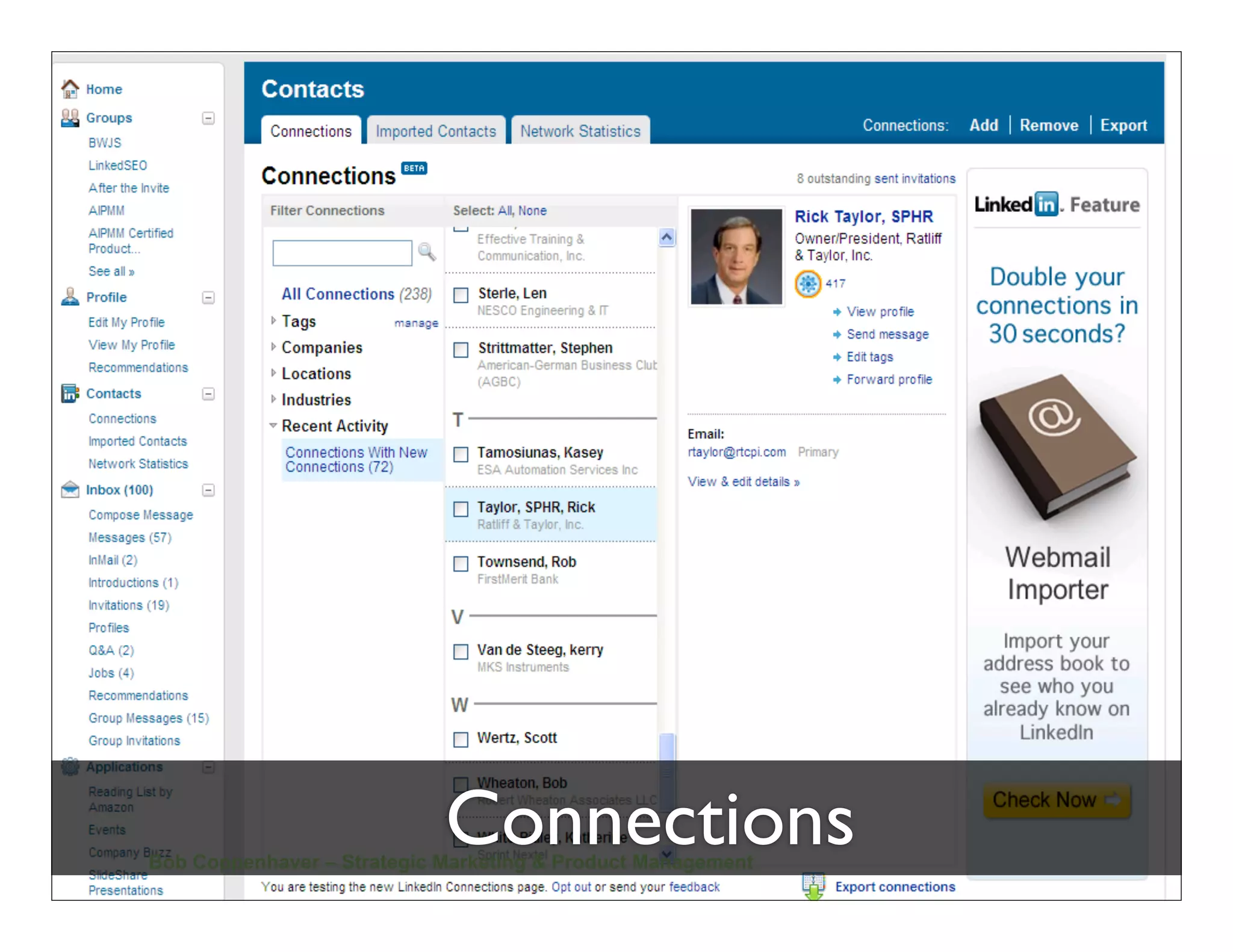
Connections
Bob Coppenhaver – Strategic Marketing & Product Management
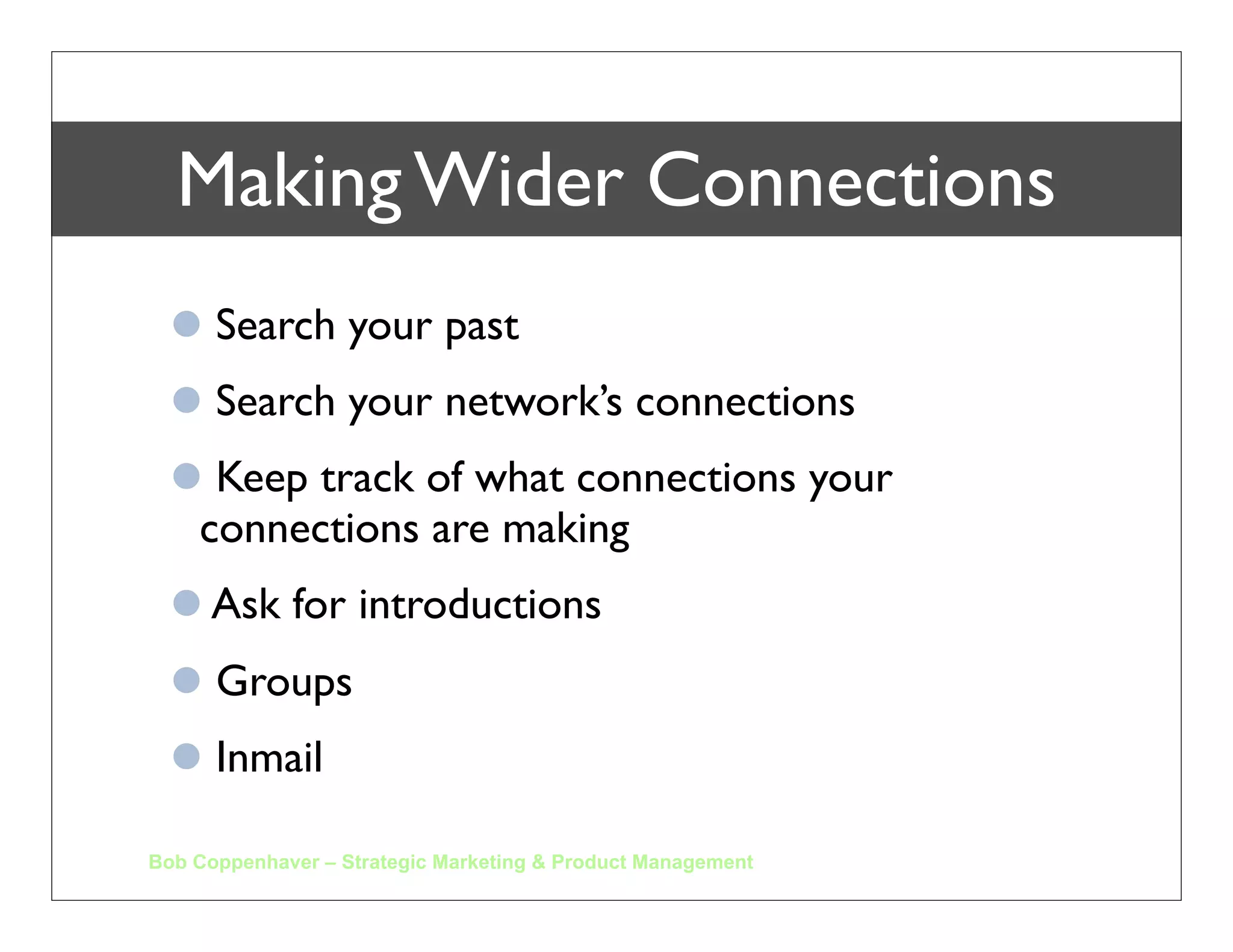
Making Wider Connections
   Search your past
   Search your network’s connections
   Keep track of what connections your
   connections are making
   Ask for introductions
   Groups
   Inmail

Bob Coppenhaver – Strategic Marketing & Product Management
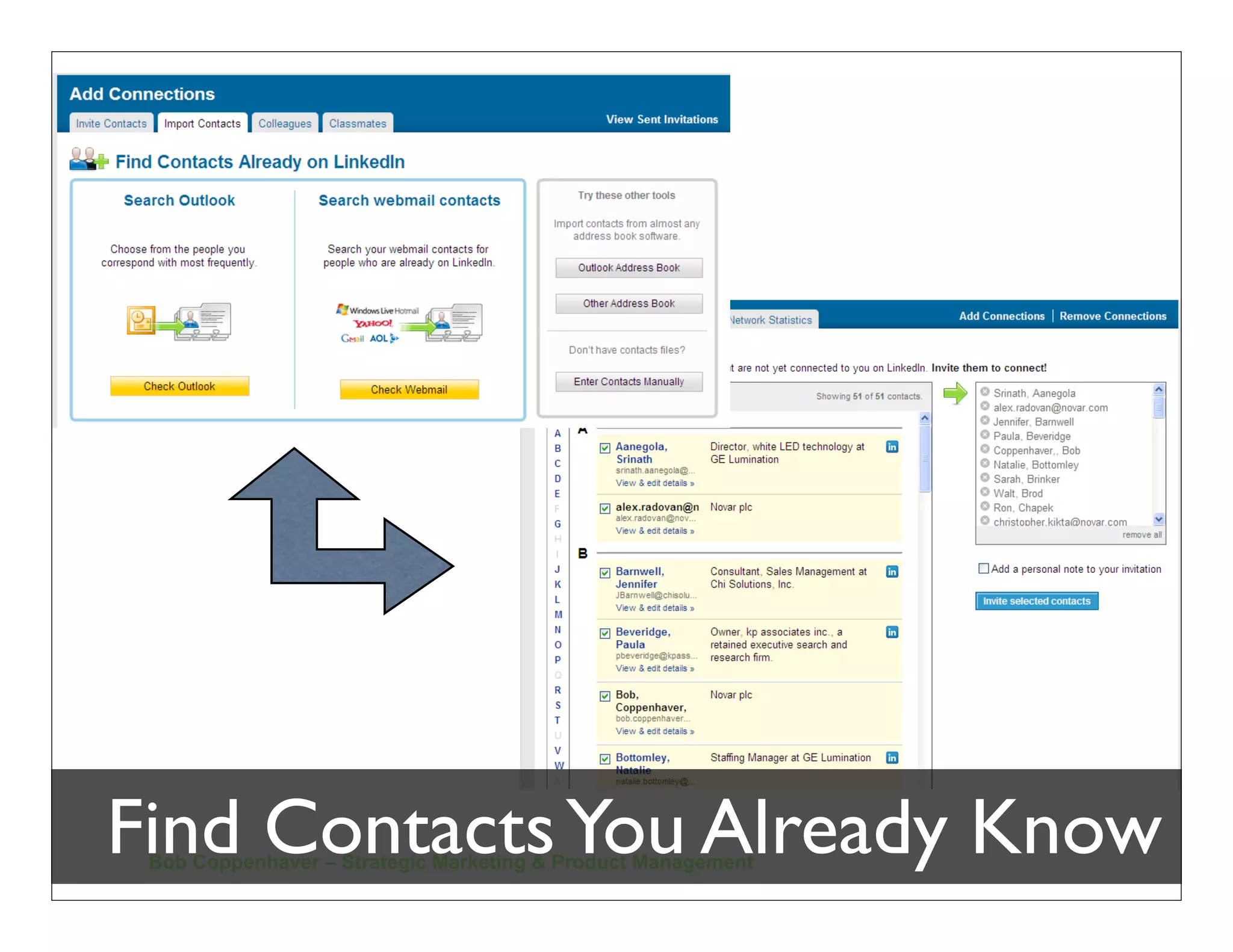
Find Contacts You Already Know
 Bob Coppenhaver – Strategic Marketing & Product Management
Expanding Your Network
Bob Coppenhaver – Strategic Marketing & Product Management
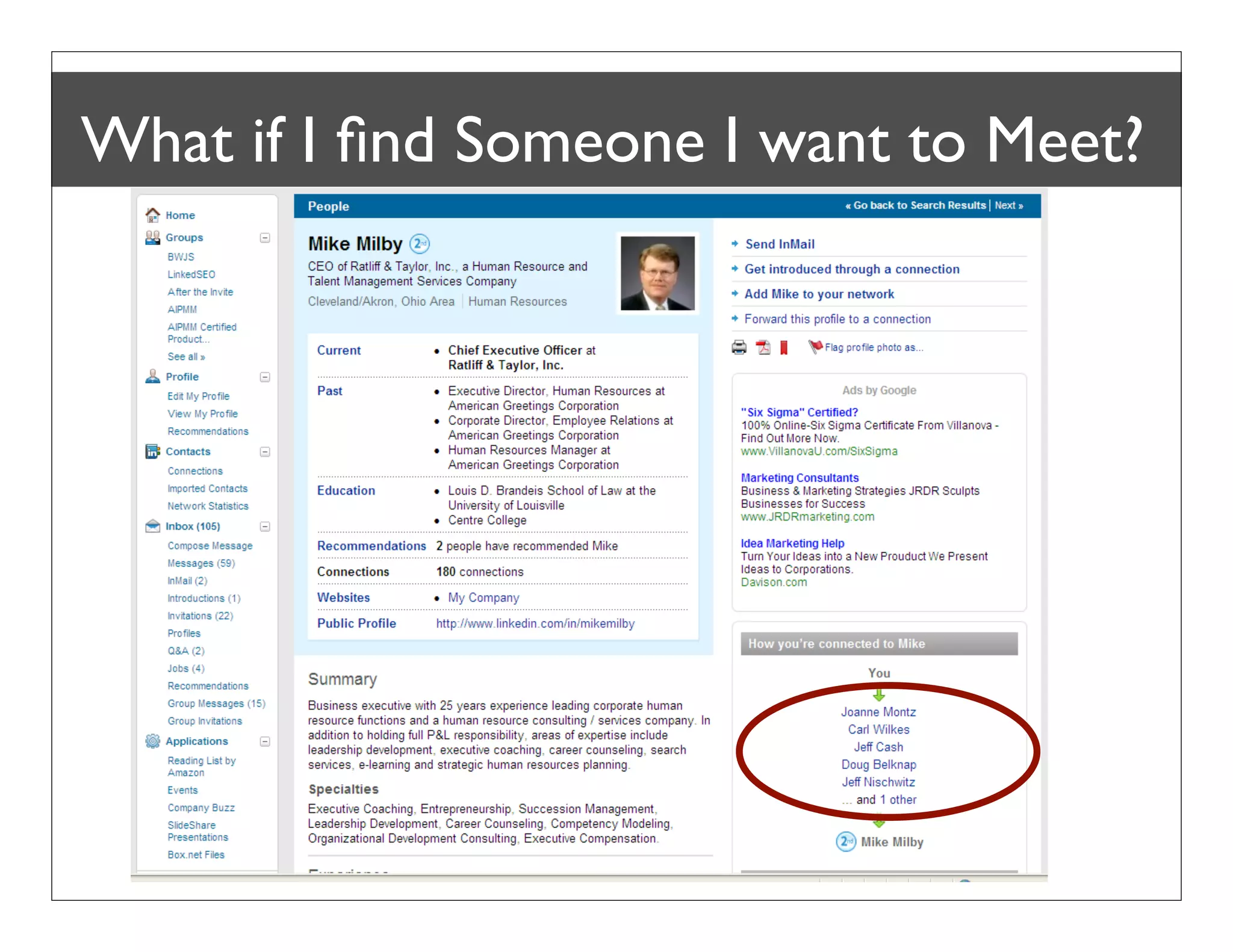
What if I find Someone I want to Meet?


  Bob Coppenhaver – Strategic Marketing & Product Management
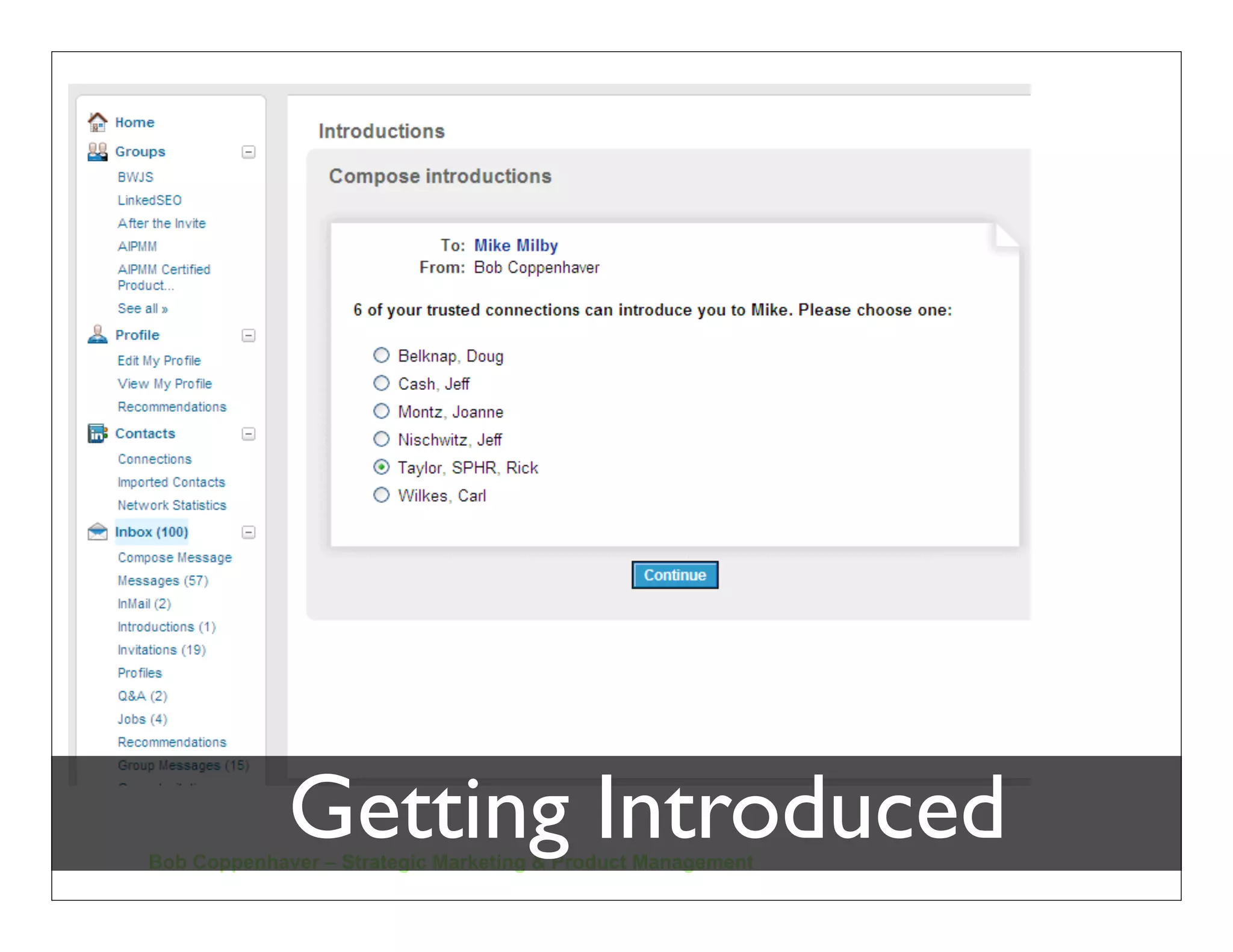
Getting Introduced
Bob Coppenhaver – Strategic Marketing & Product Management
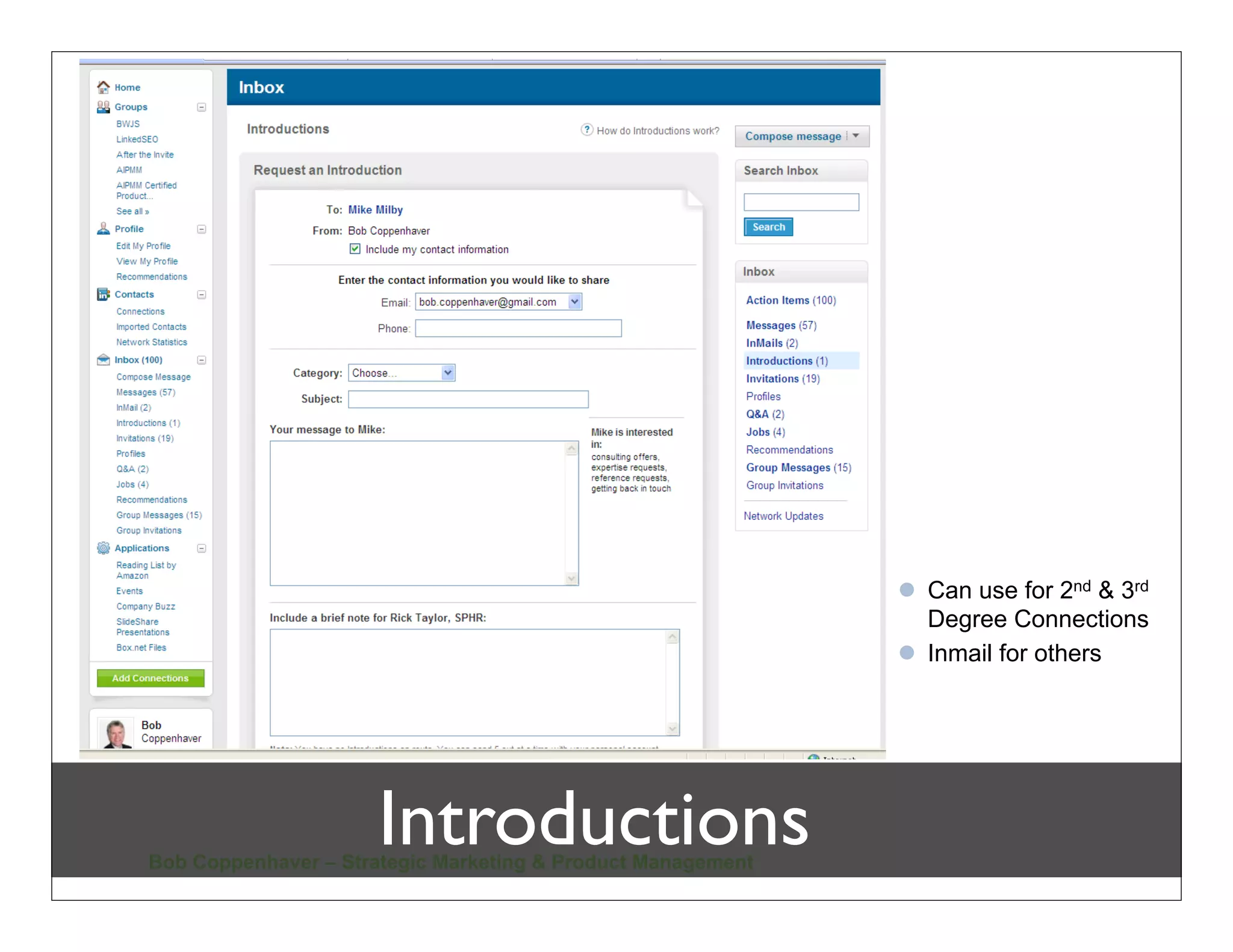
 Can use for 2nd & 3rd
                                                               Degree Connections
                                                              Inmail for others


                      Introductions
Bob Coppenhaver – Strategic Marketing & Product Management
photo by eye2eye on flickr.com


.
                                Connect!
Connect!
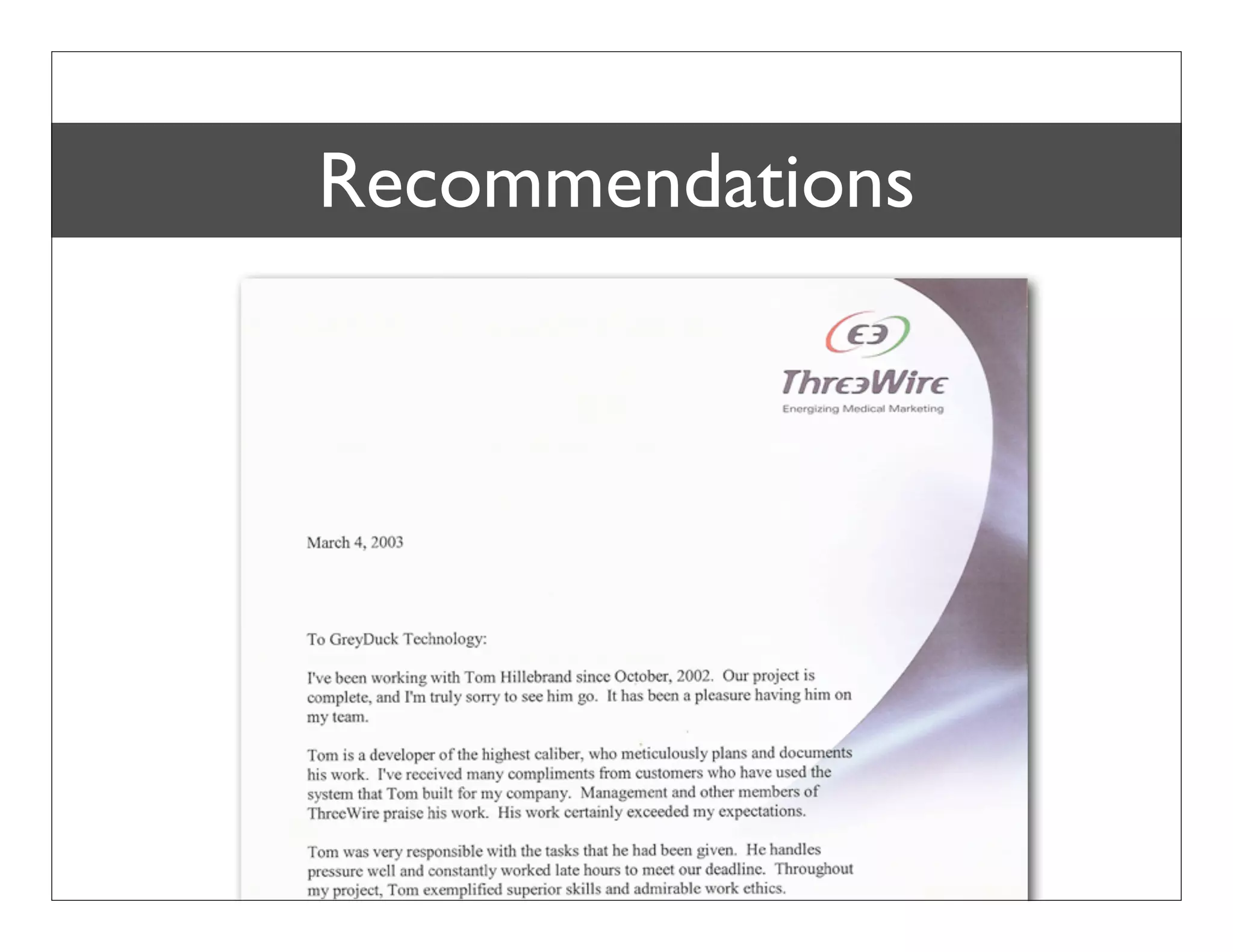
Recommendations
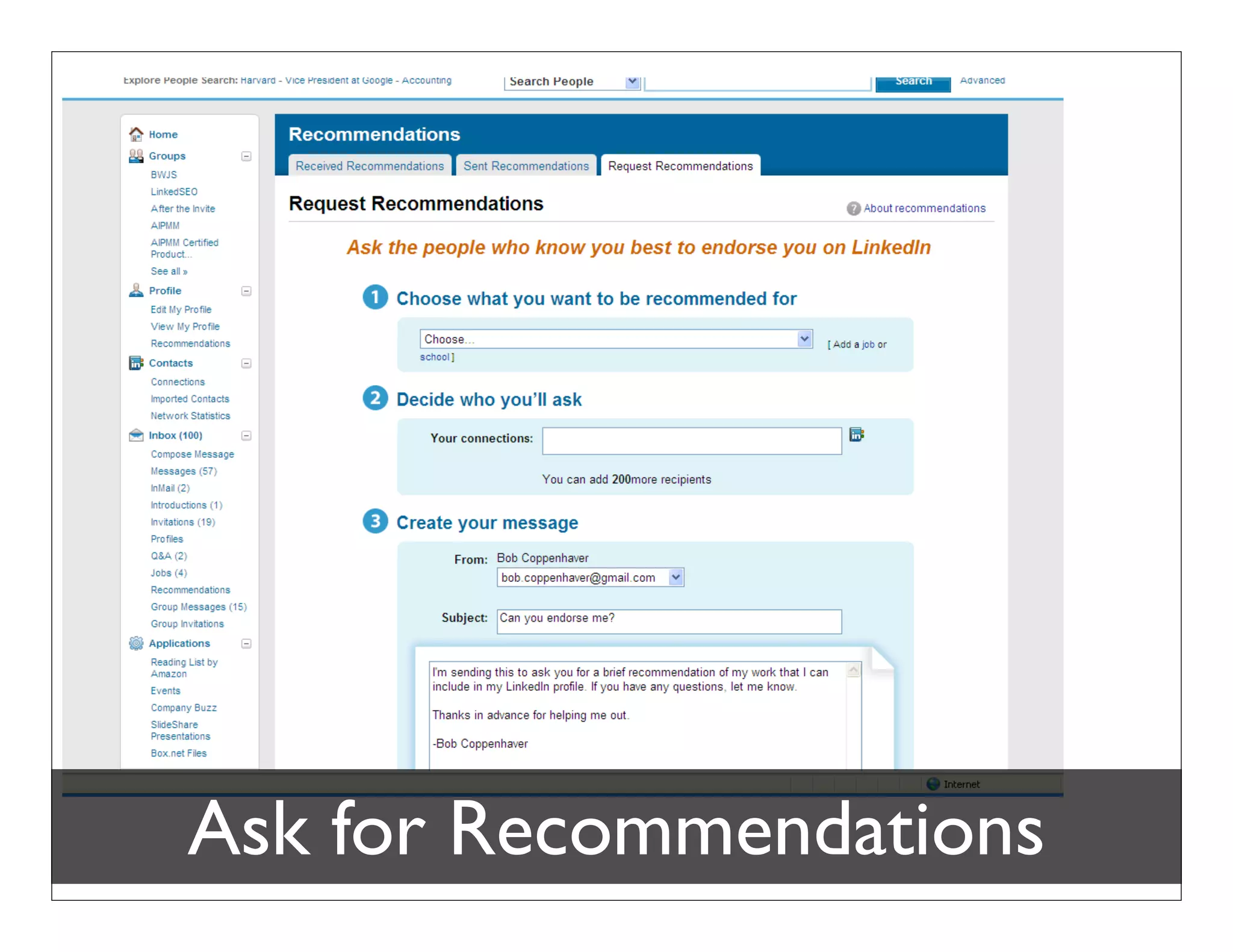
Ask for Recommendations
Bob Coppenhaver – Strategic Marketing & Product Management
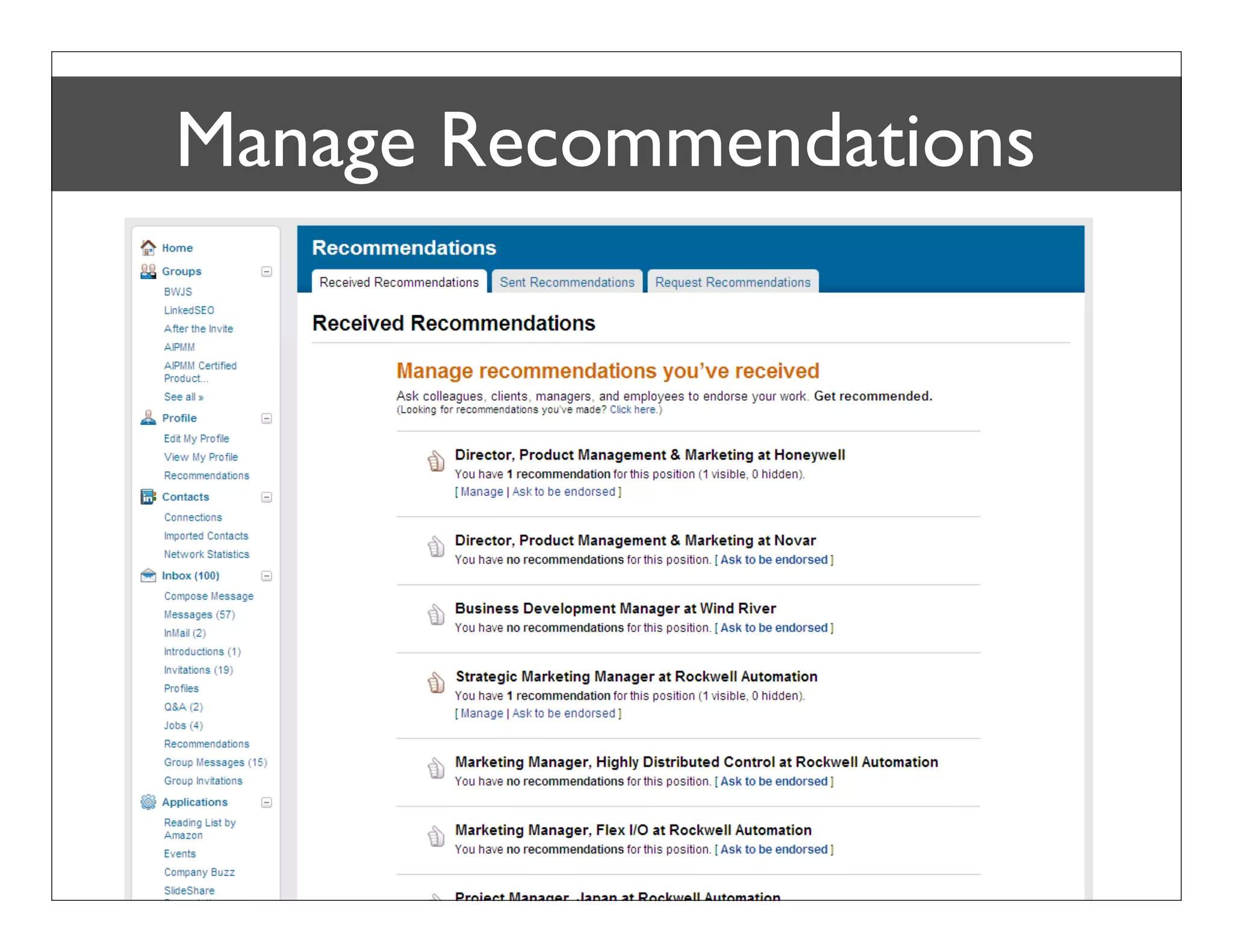
Manage Recommendations


Bob Coppenhaver – Strategic Marketing & Product Management
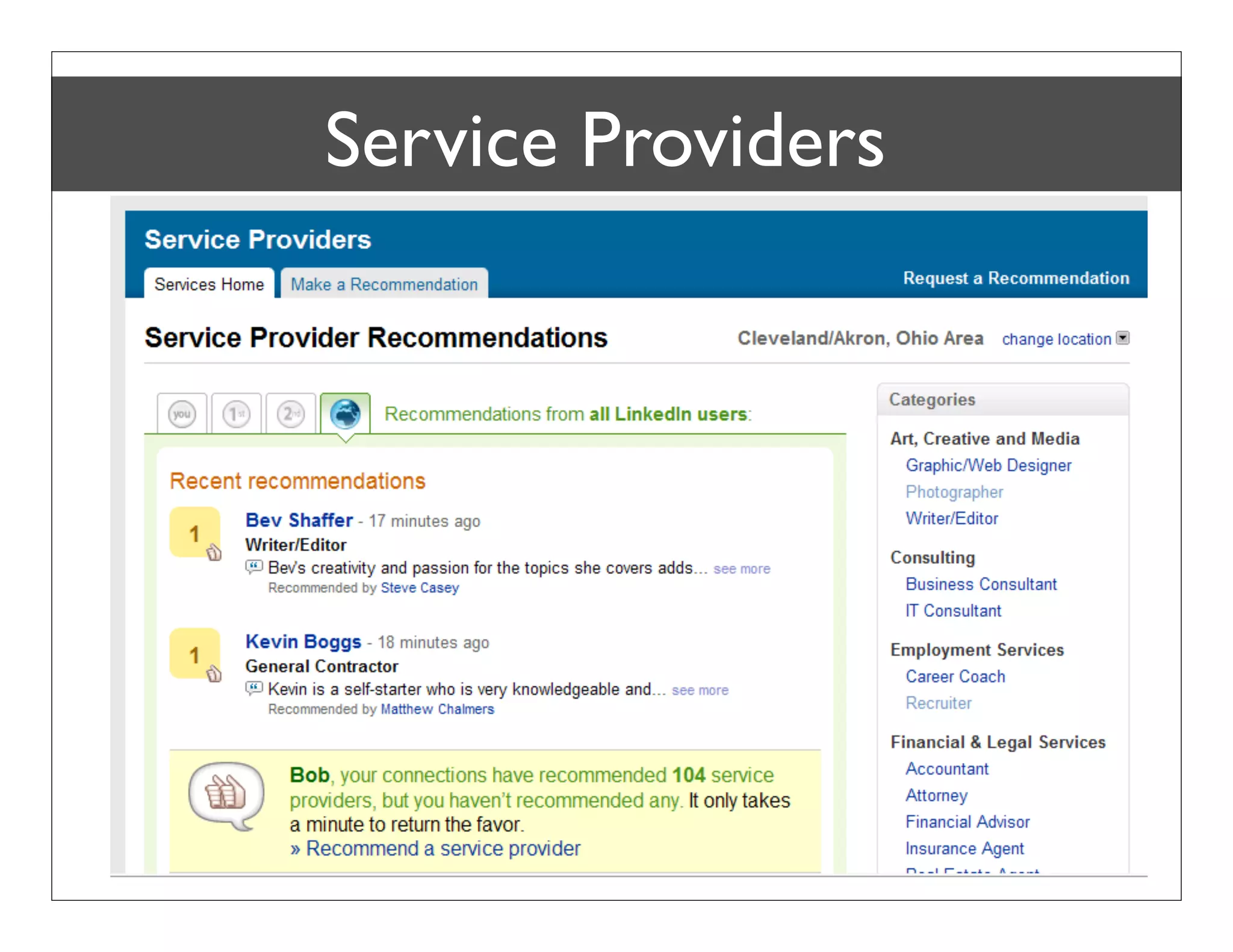
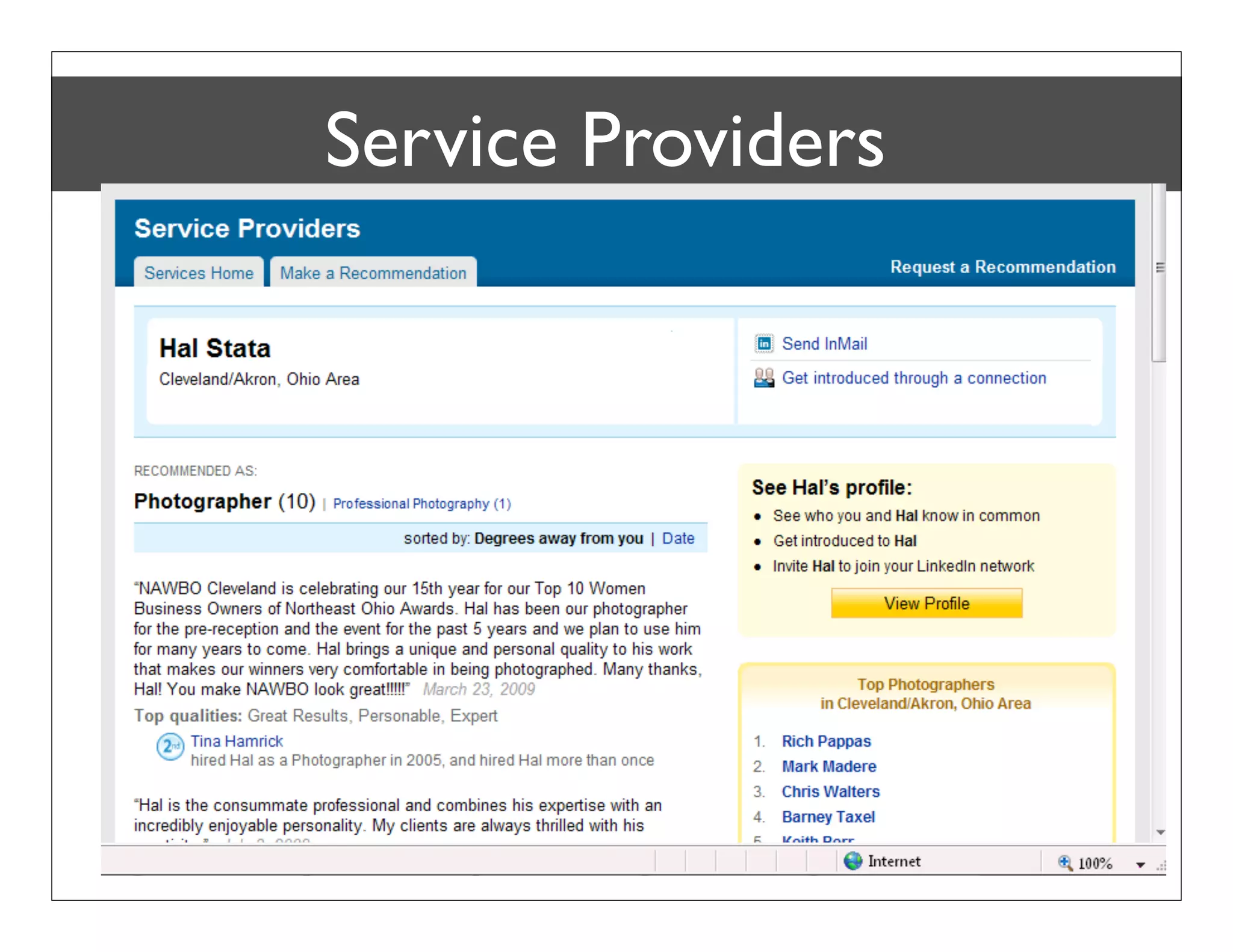
Service Providers
Service Providers
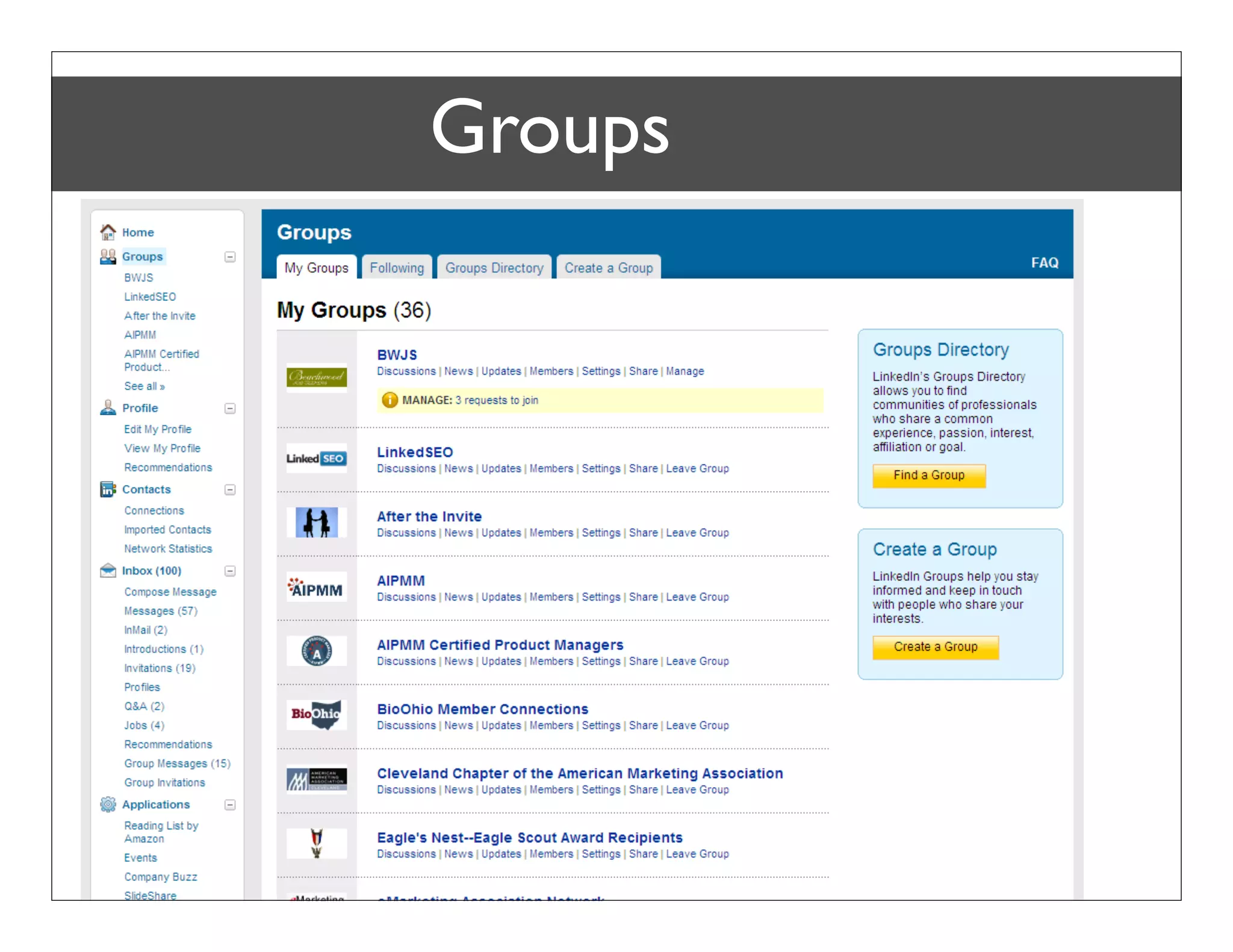
Groups


Bob Coppenhaver – Strategic Marketing & Product Management
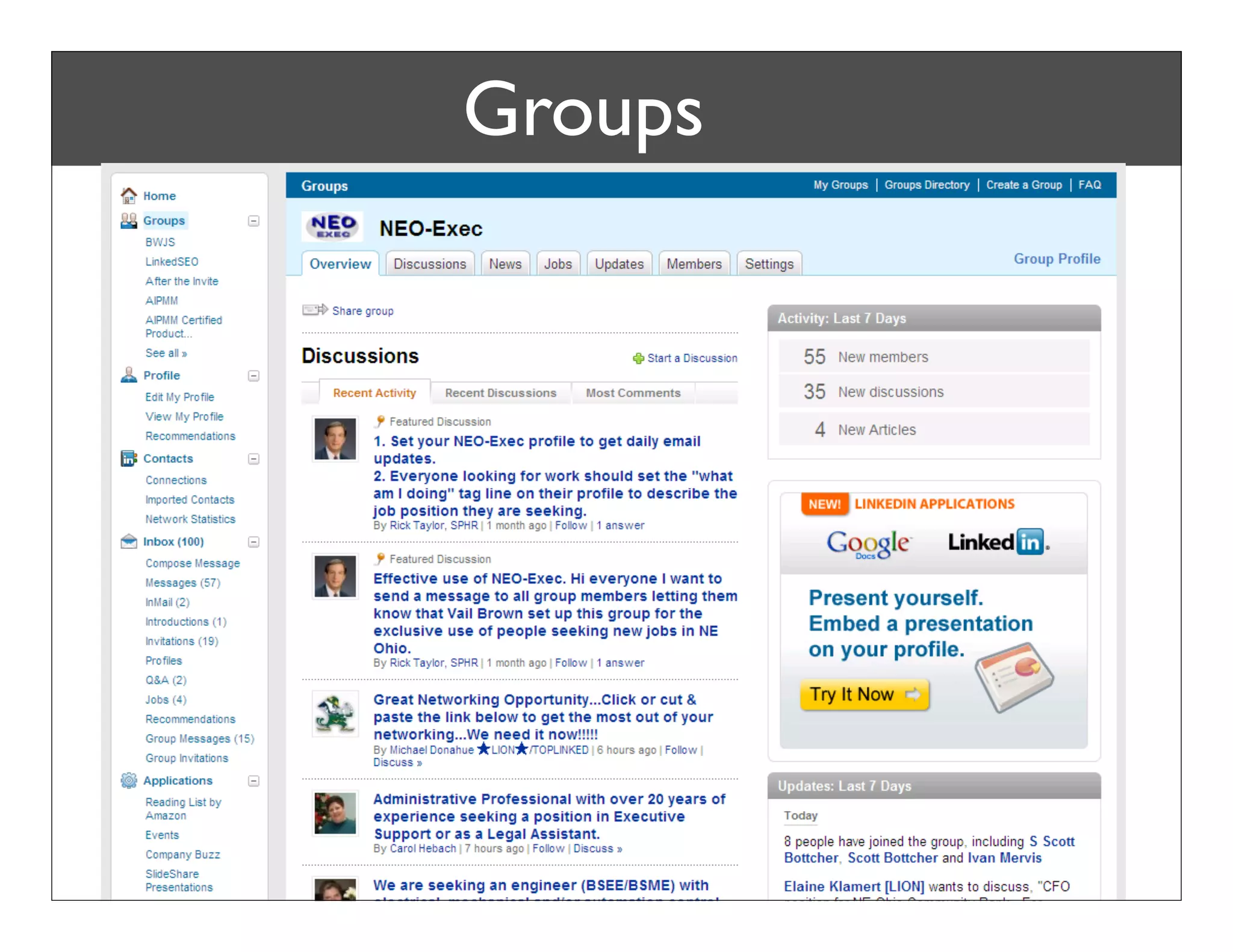
Groups


Bob Coppenhaver – Strategic Marketing & Product Management
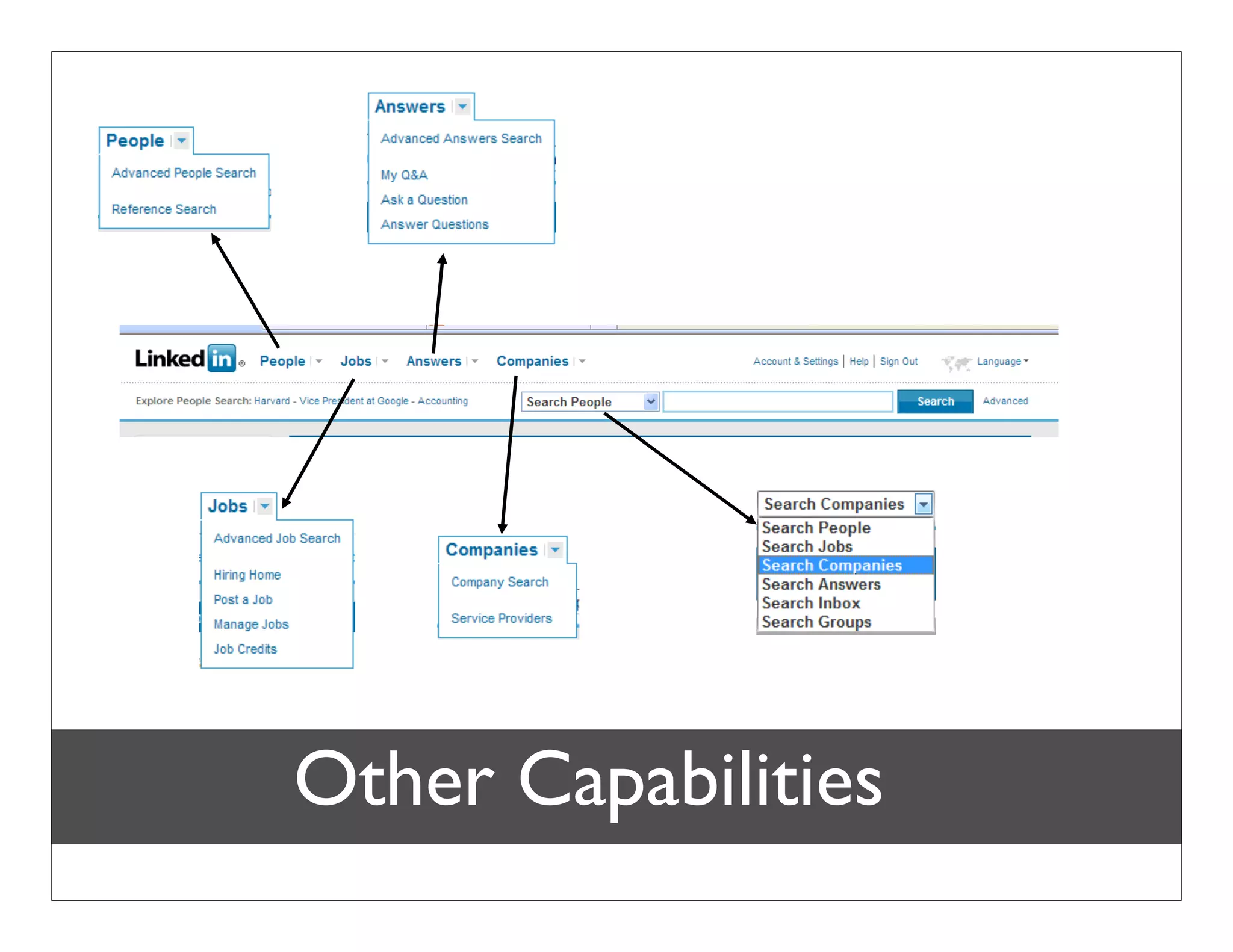
Other Capabilities
LinkedIn Jobs
        About LinkedIn Jobs


Bob Coppenhaver – Strategic Marketing & Product Management
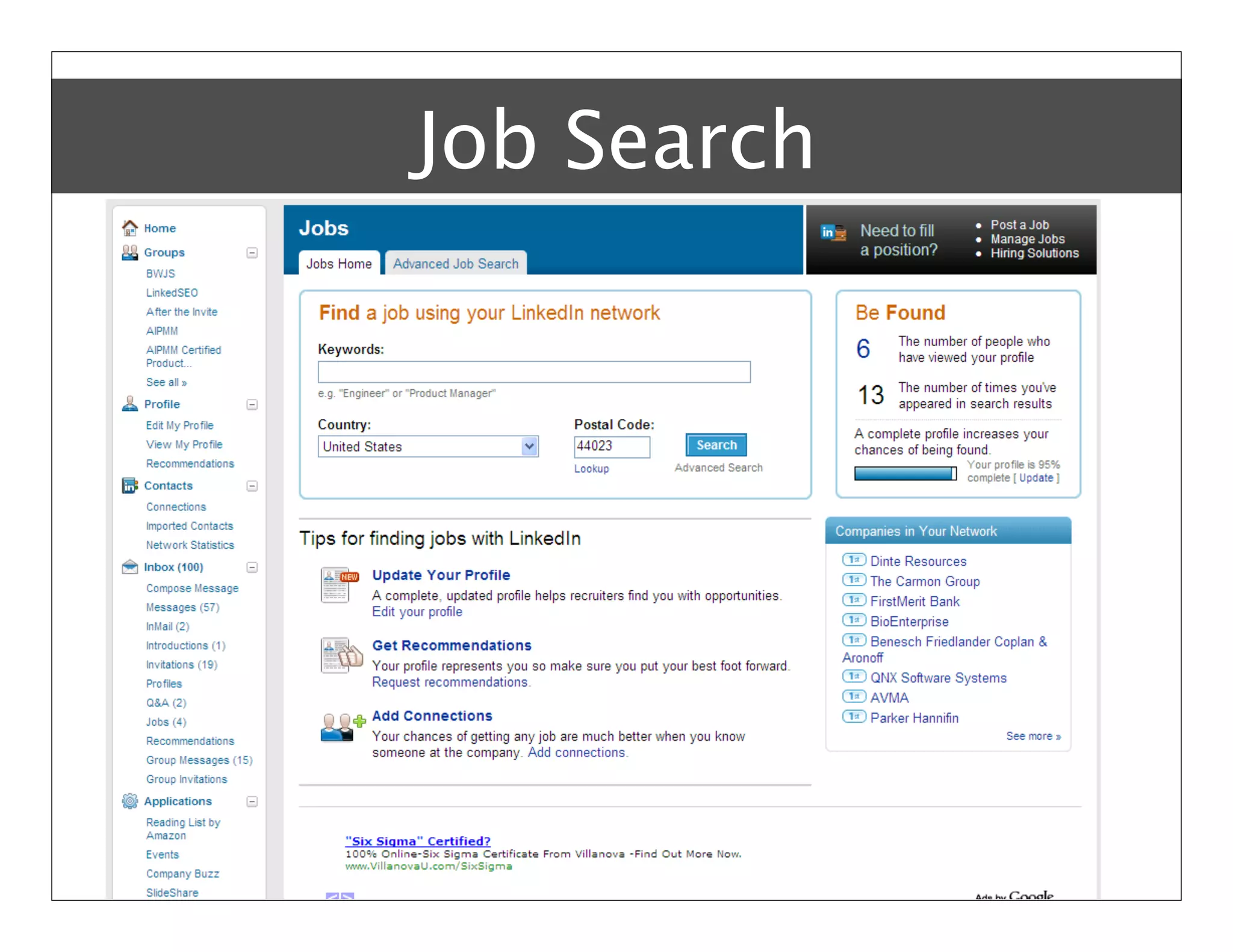
Job Search


Bob Coppenhaver – Strategic Marketing & Product Management
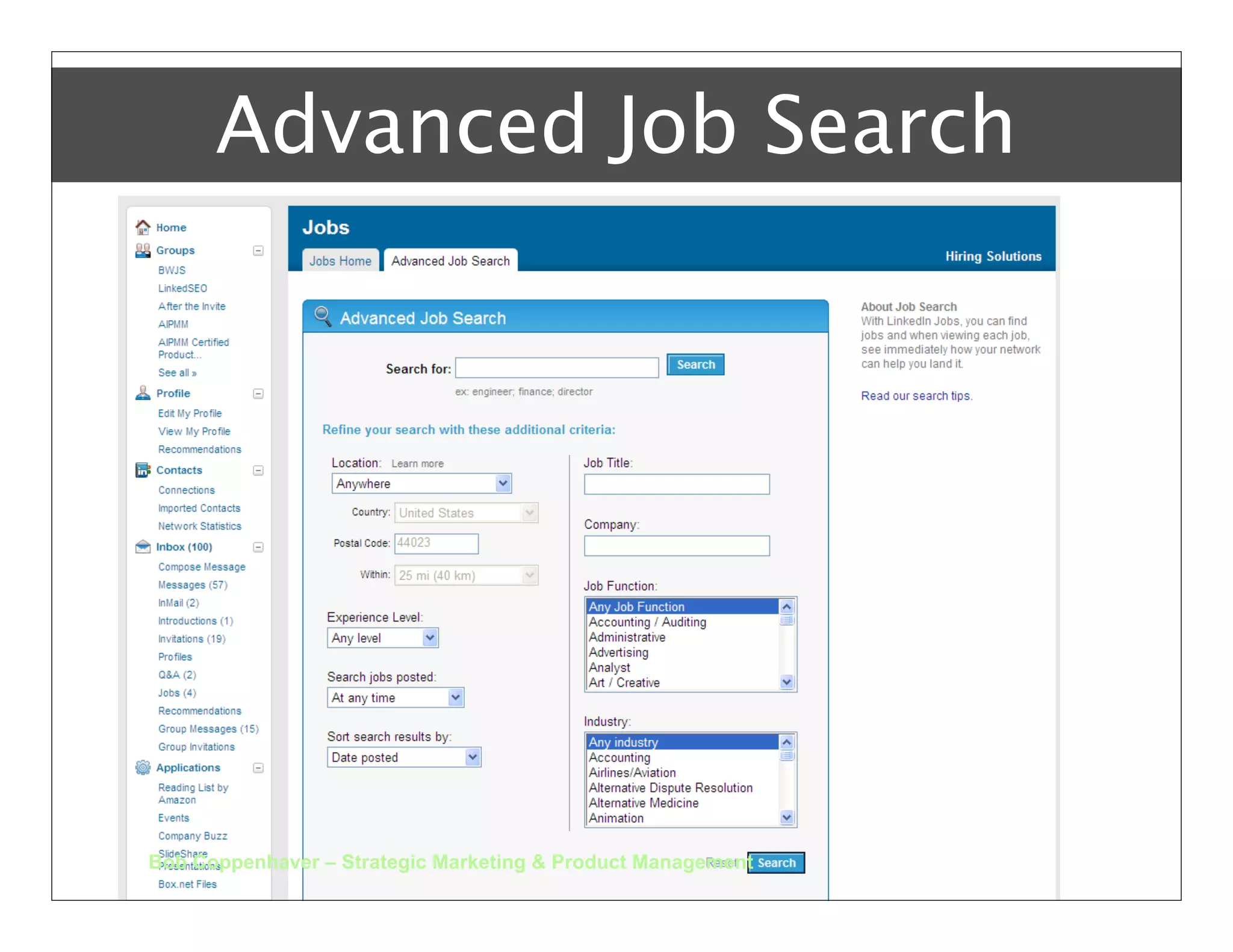
Advanced Job Search


Bob Coppenhaver – Strategic Marketing & Product Management
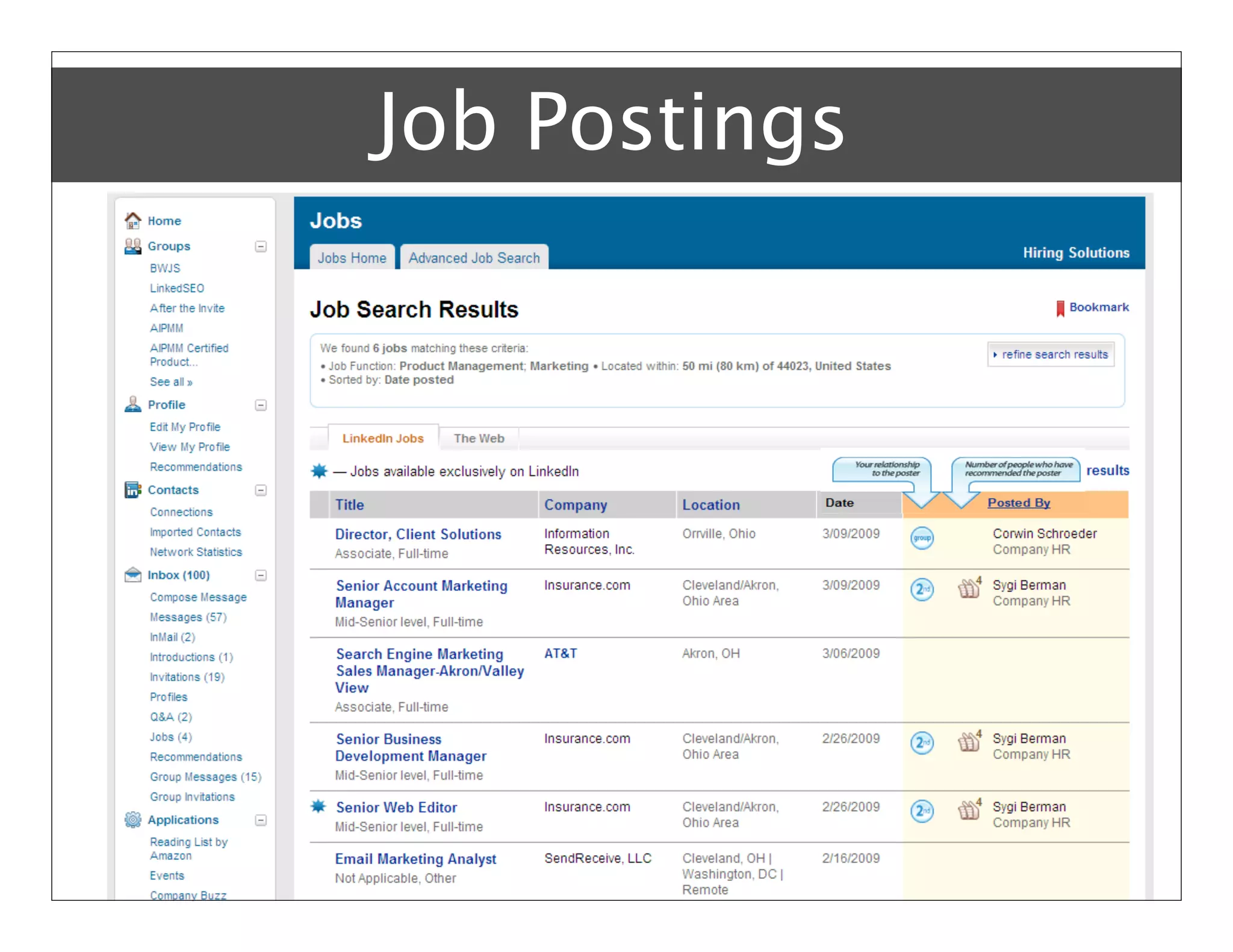
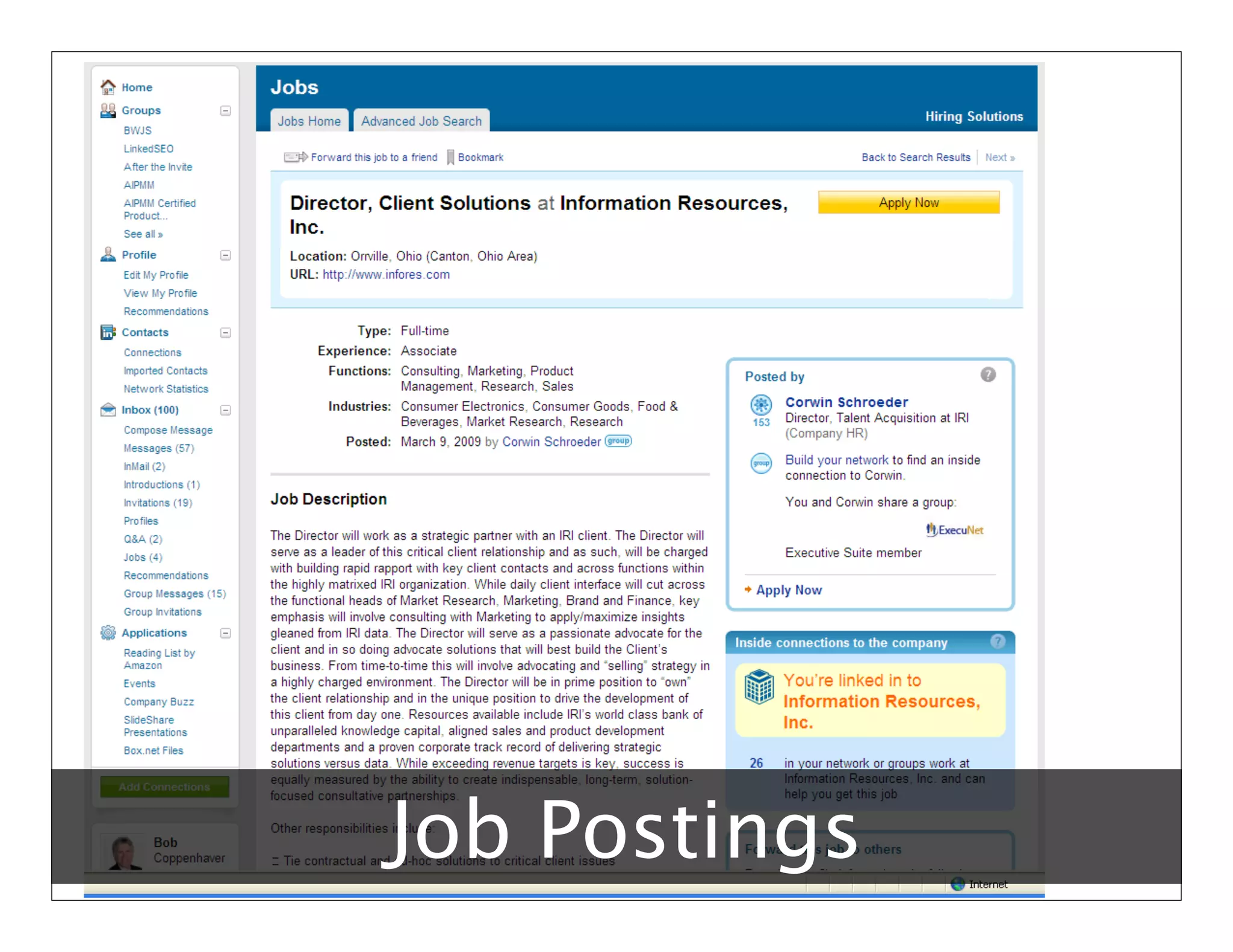
Job Postings


Bob Coppenhaver – Strategic Marketing & Product Management
Job Postings
Bob Coppenhaver – Strategic Marketing & Product Management
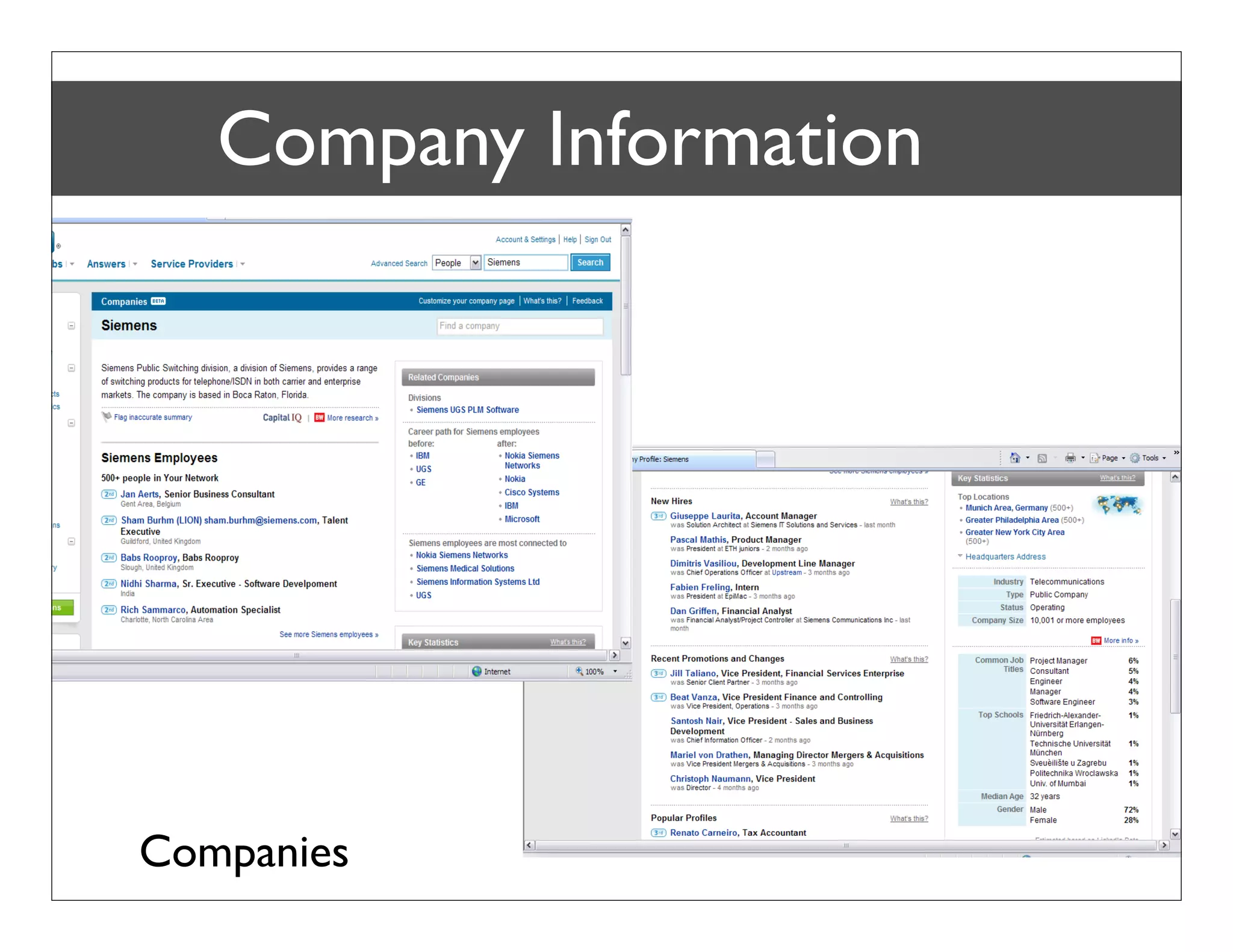
Company Information


CompaniesStrategic Marketing & Product Management
Bob Coppenhaver –
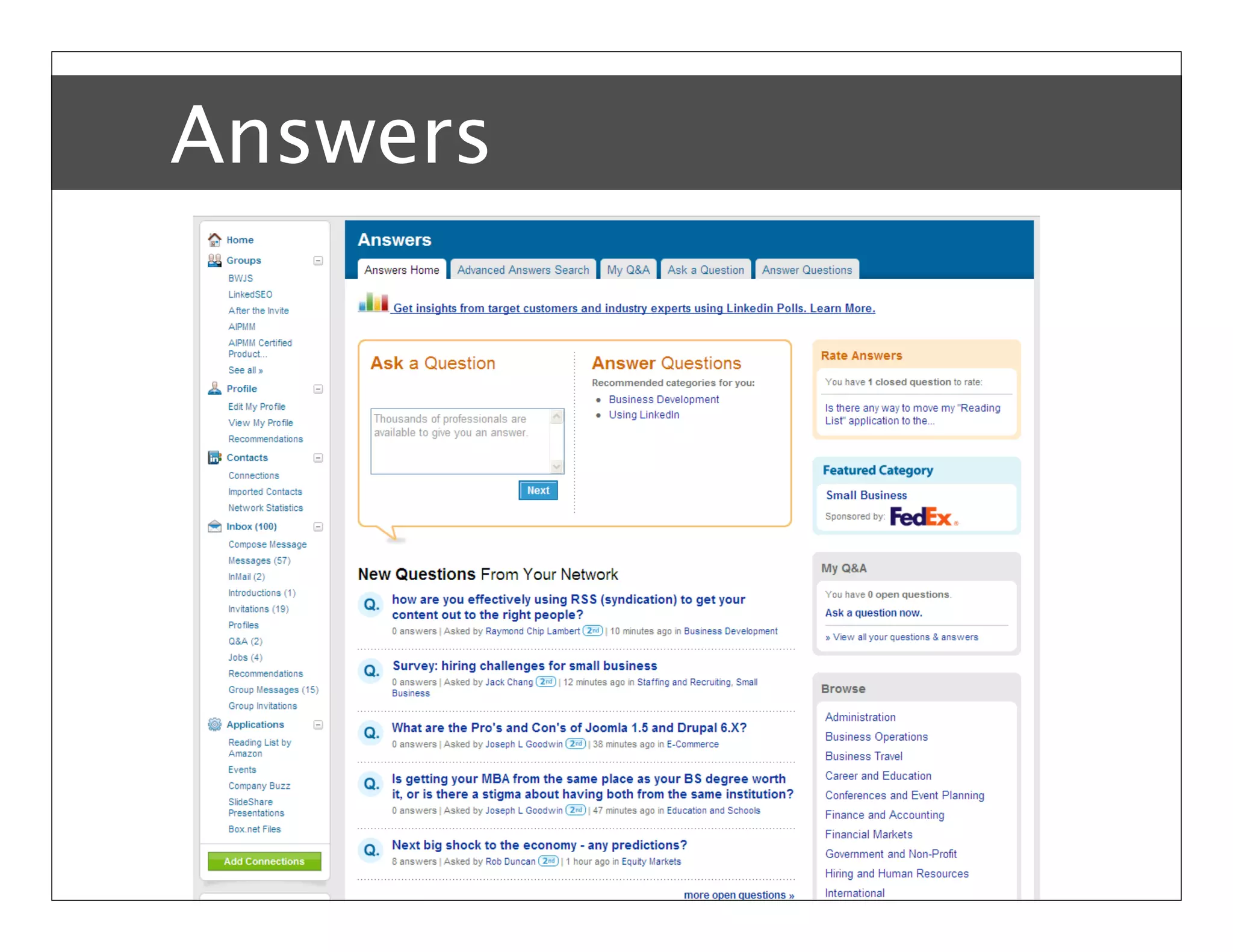
Answers


Bob Coppenhaver – Strategic Marketing & Product Management
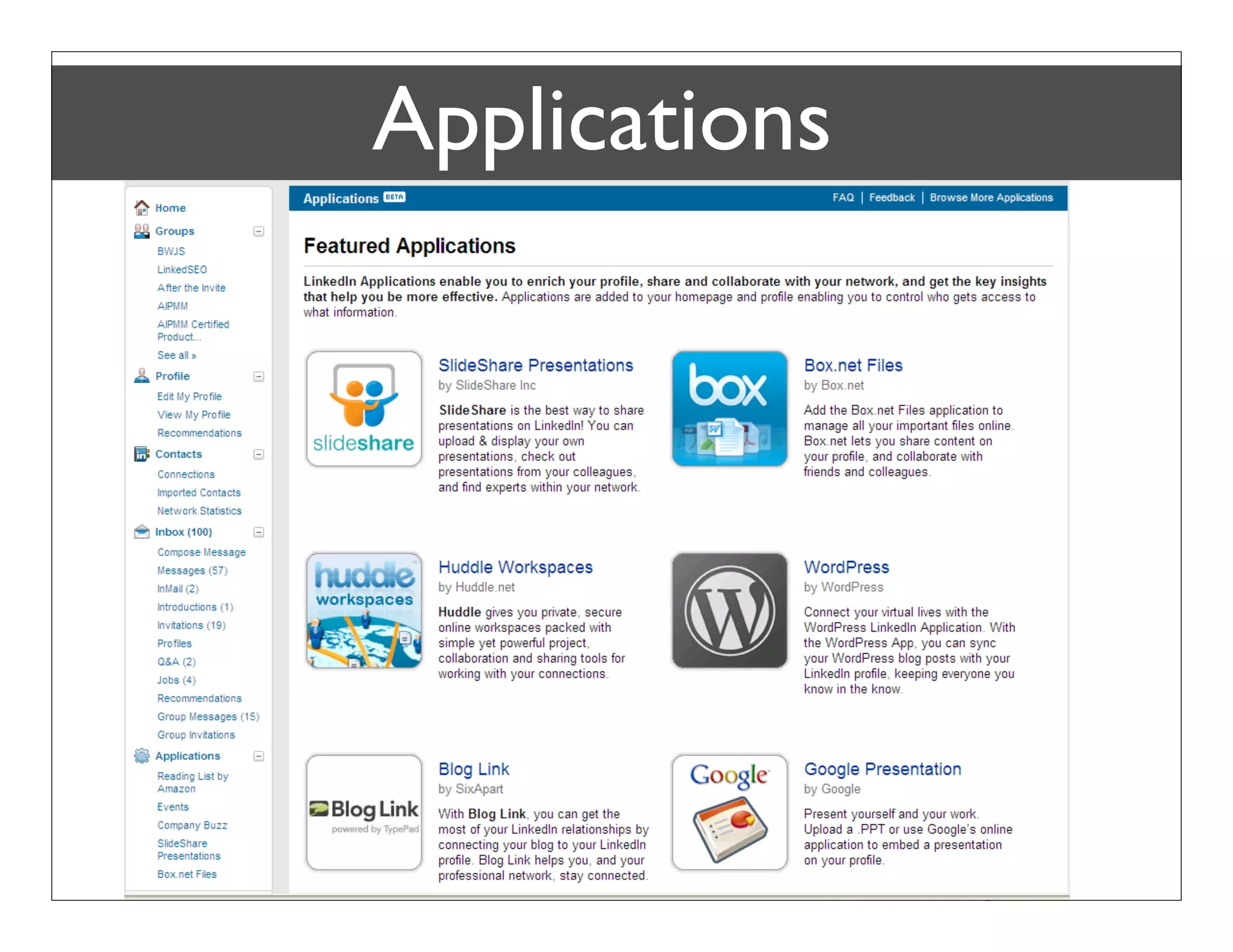
Applications


Bob Coppenhaver – Strategic Marketing & Product Management
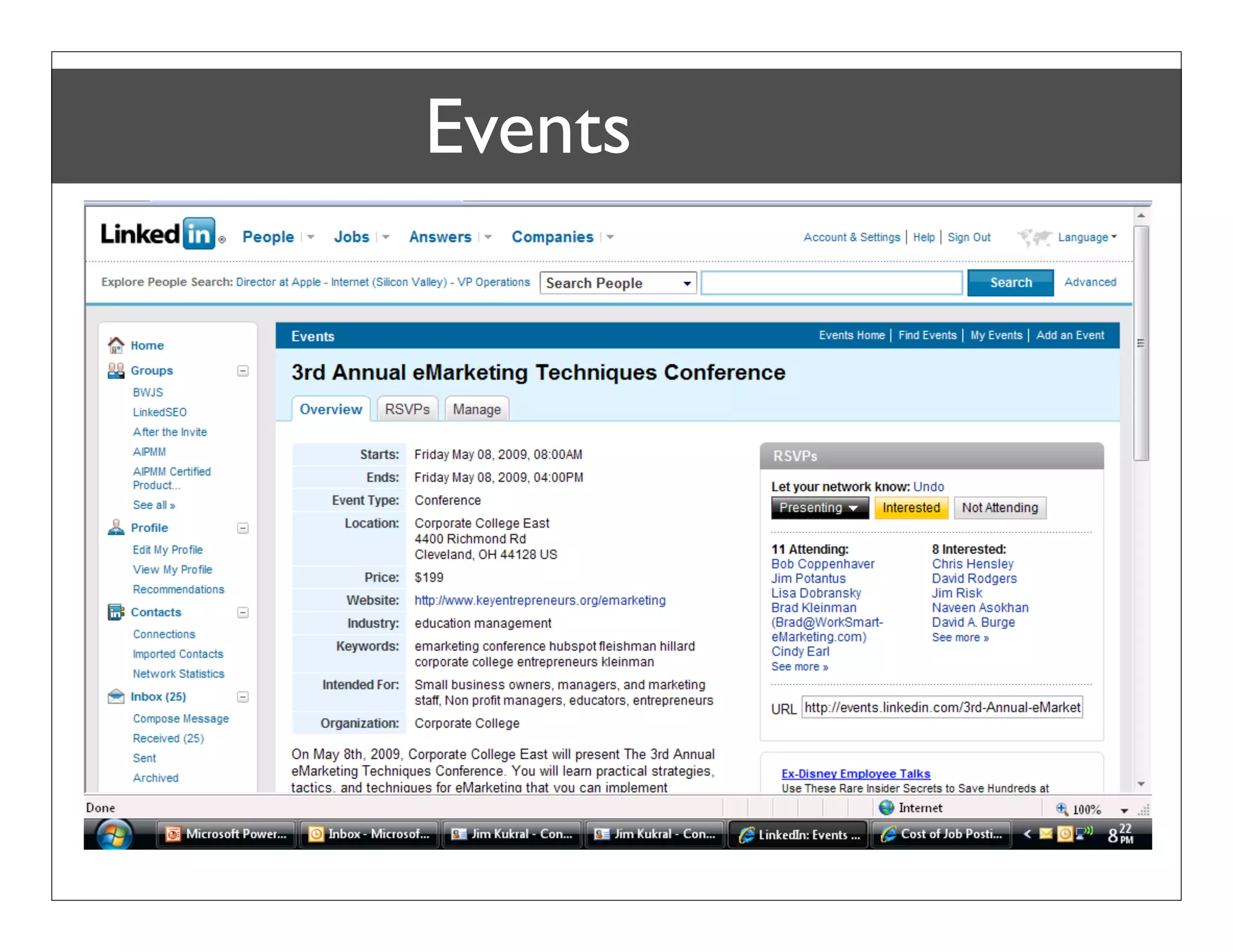
Events
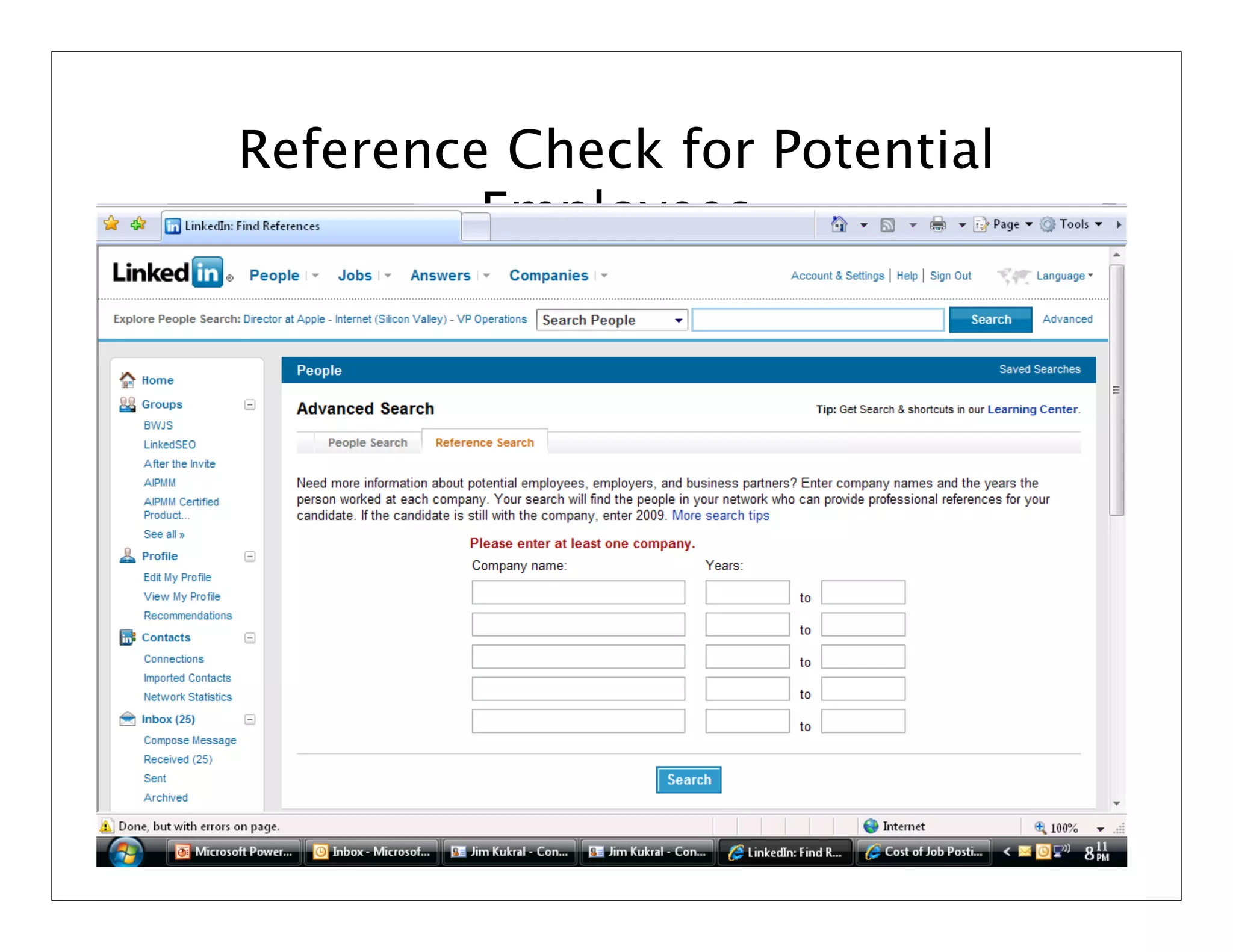
Reference Check for Potential
         Employees
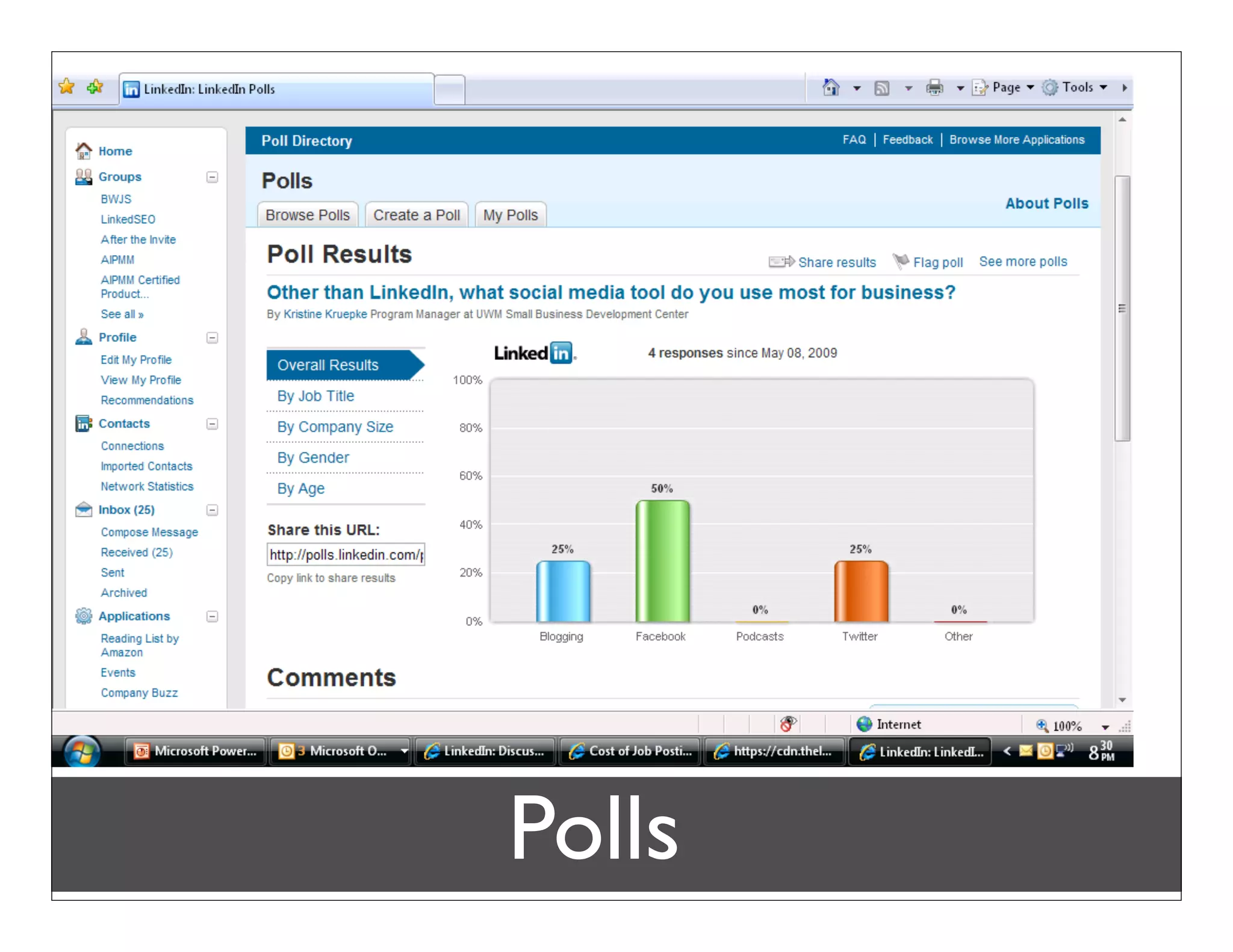
Polls
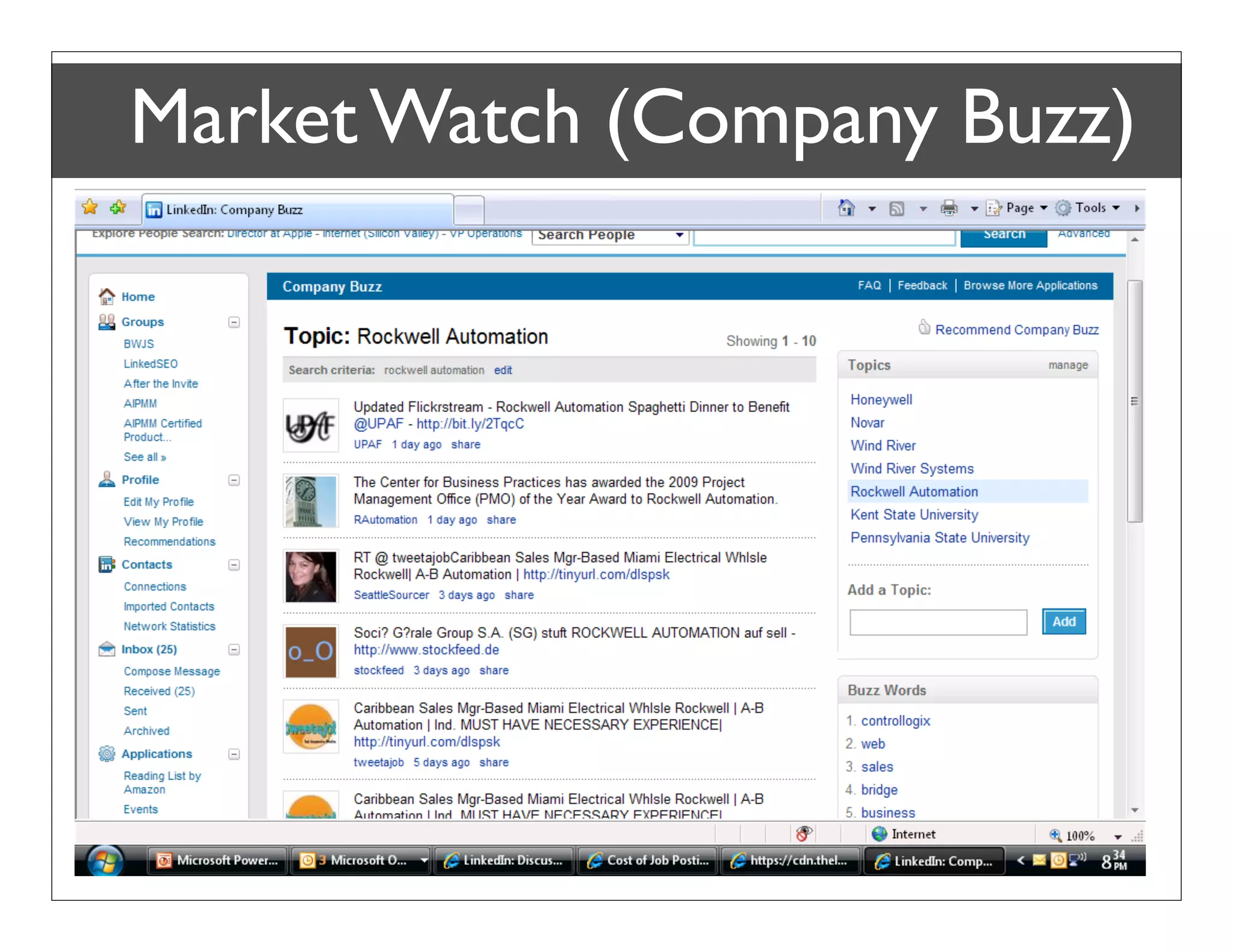
Market Watch (Company Buzz)
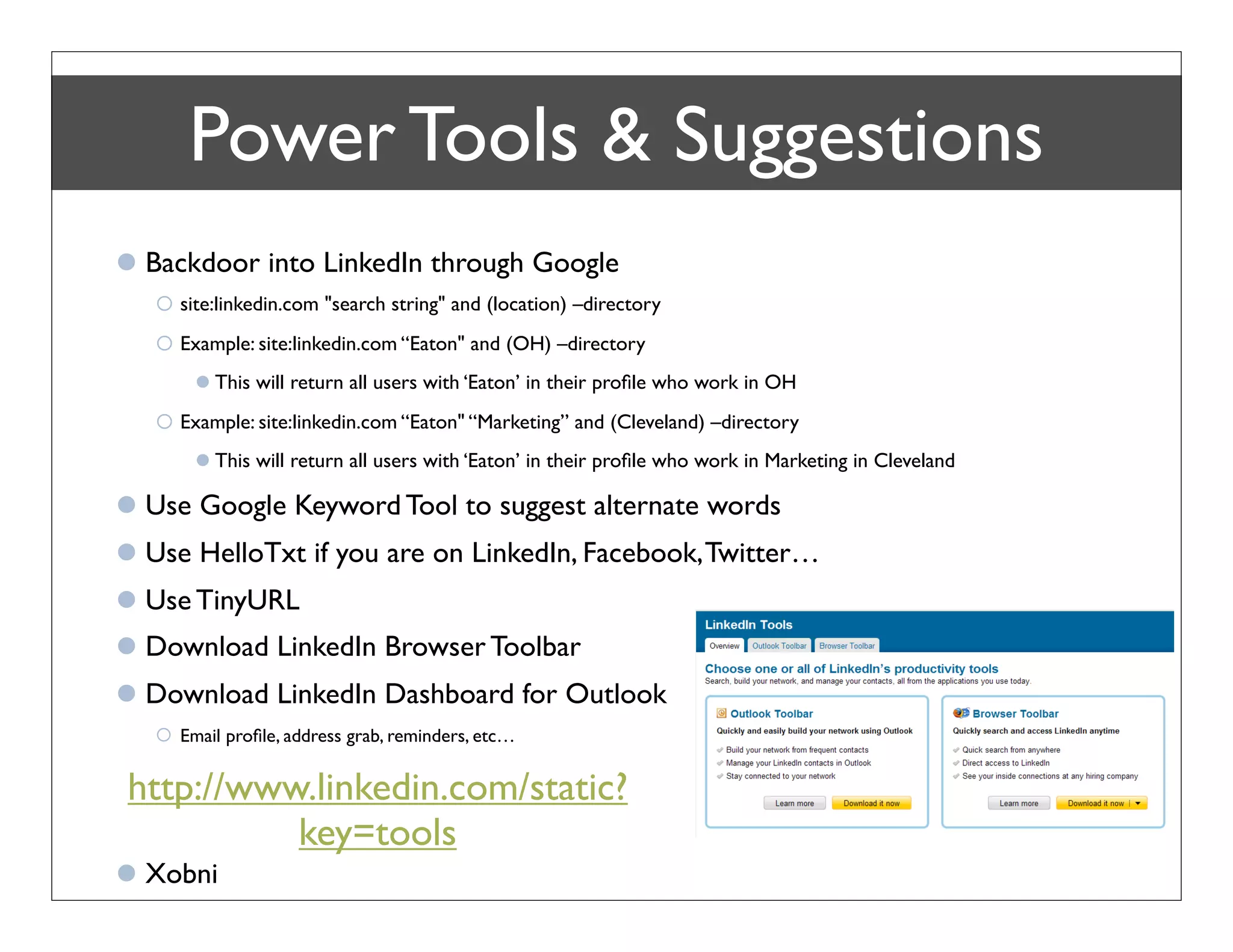
Power Tools & Suggestions
 Backdoor into LinkedIn through Google
    site:linkedin.com "search string" and (location) –directory
    Example: site:linkedin.com “Eaton" and (OH) –directory
        This will return all users with ‘Eaton’ in their profile who work in OH
    Example: site:linkedin.com “Eaton" “Marketing” and (Cleveland) –directory
        This will return all users with ‘Eaton’ in their profile who work in Marketing in Cleveland

 Use Google Keyword Tool to suggest alternate words
 Use HelloTxt if you are on LinkedIn, Facebook, Twitter…
 Use TinyURL
 Download LinkedIn Browser Toolbar
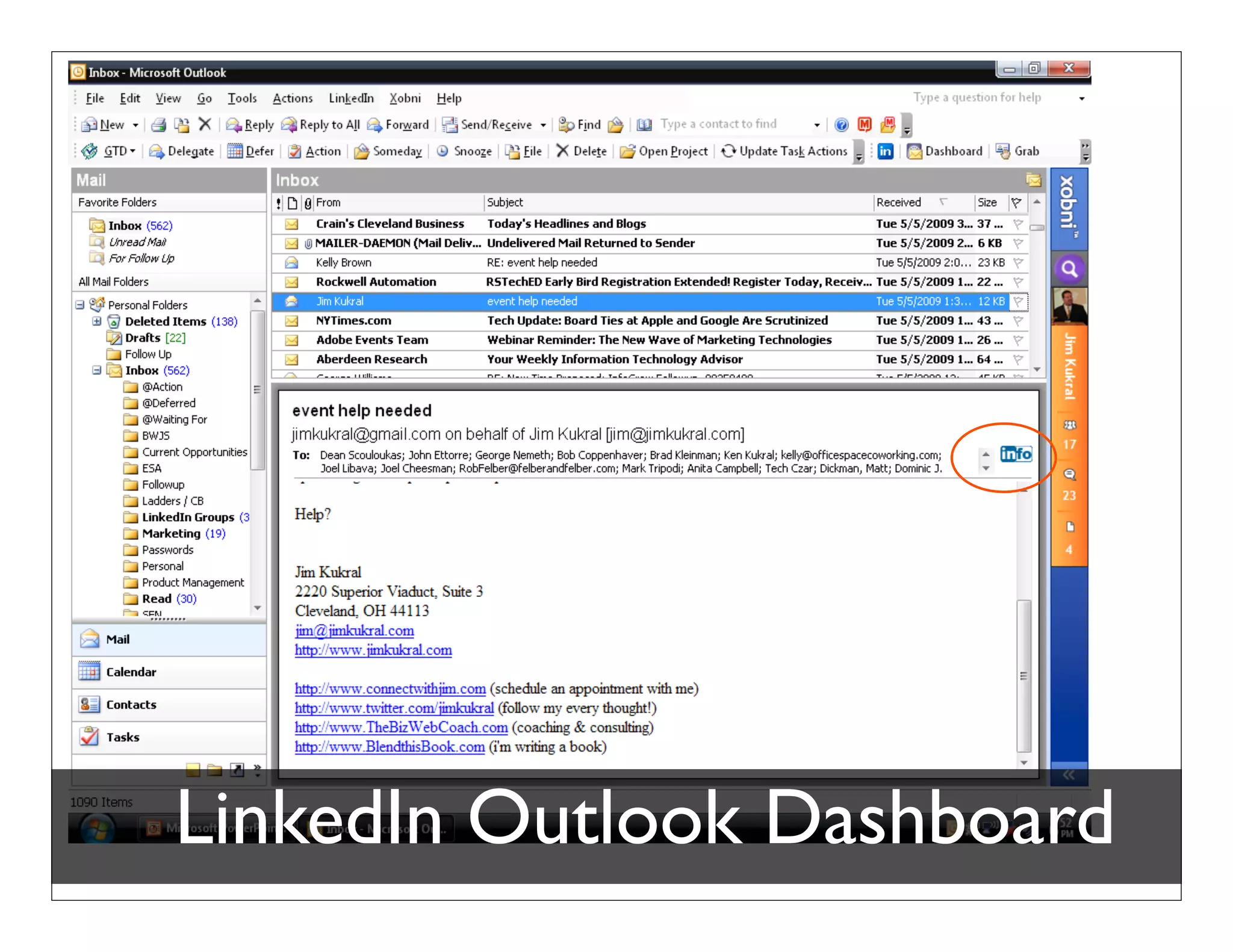
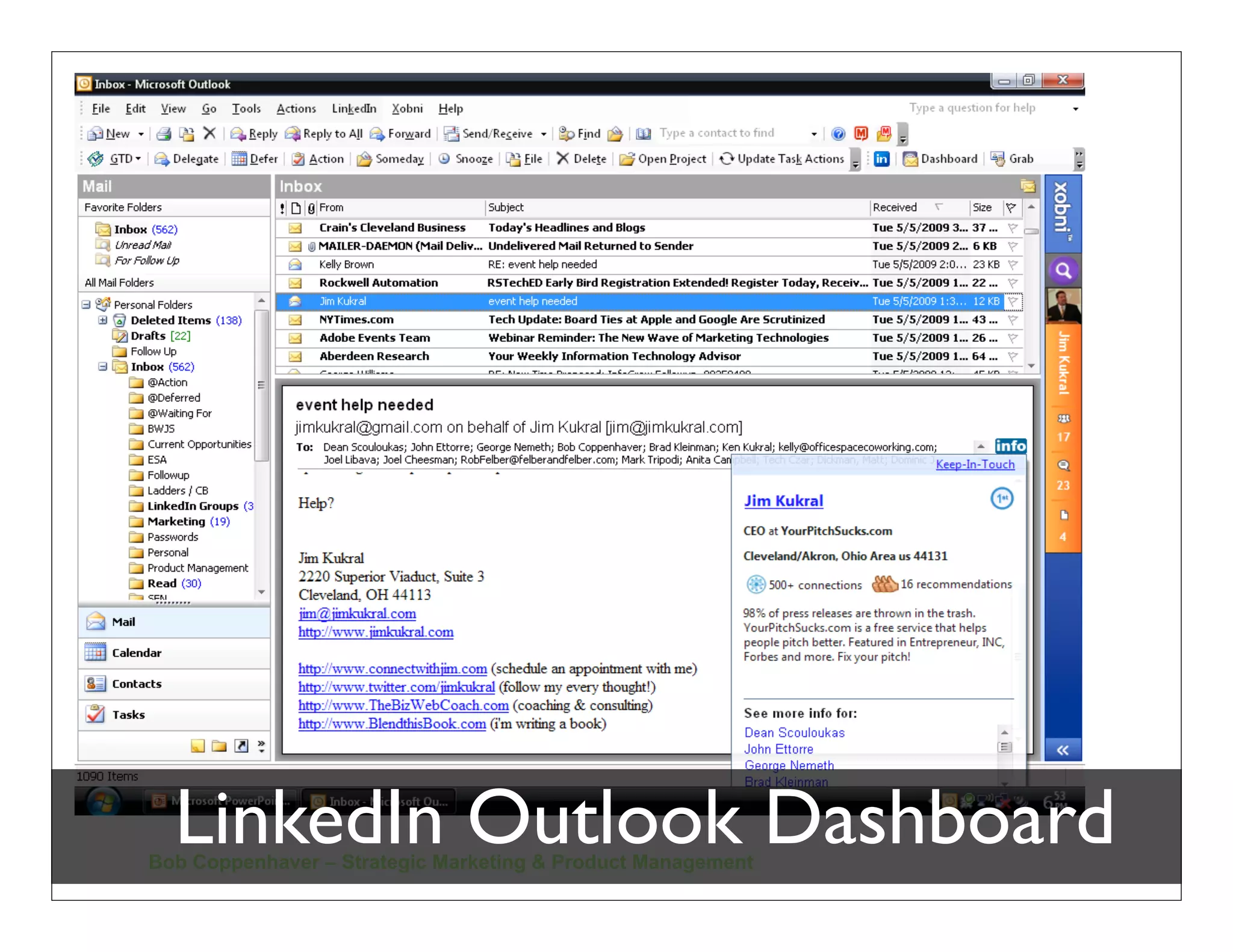
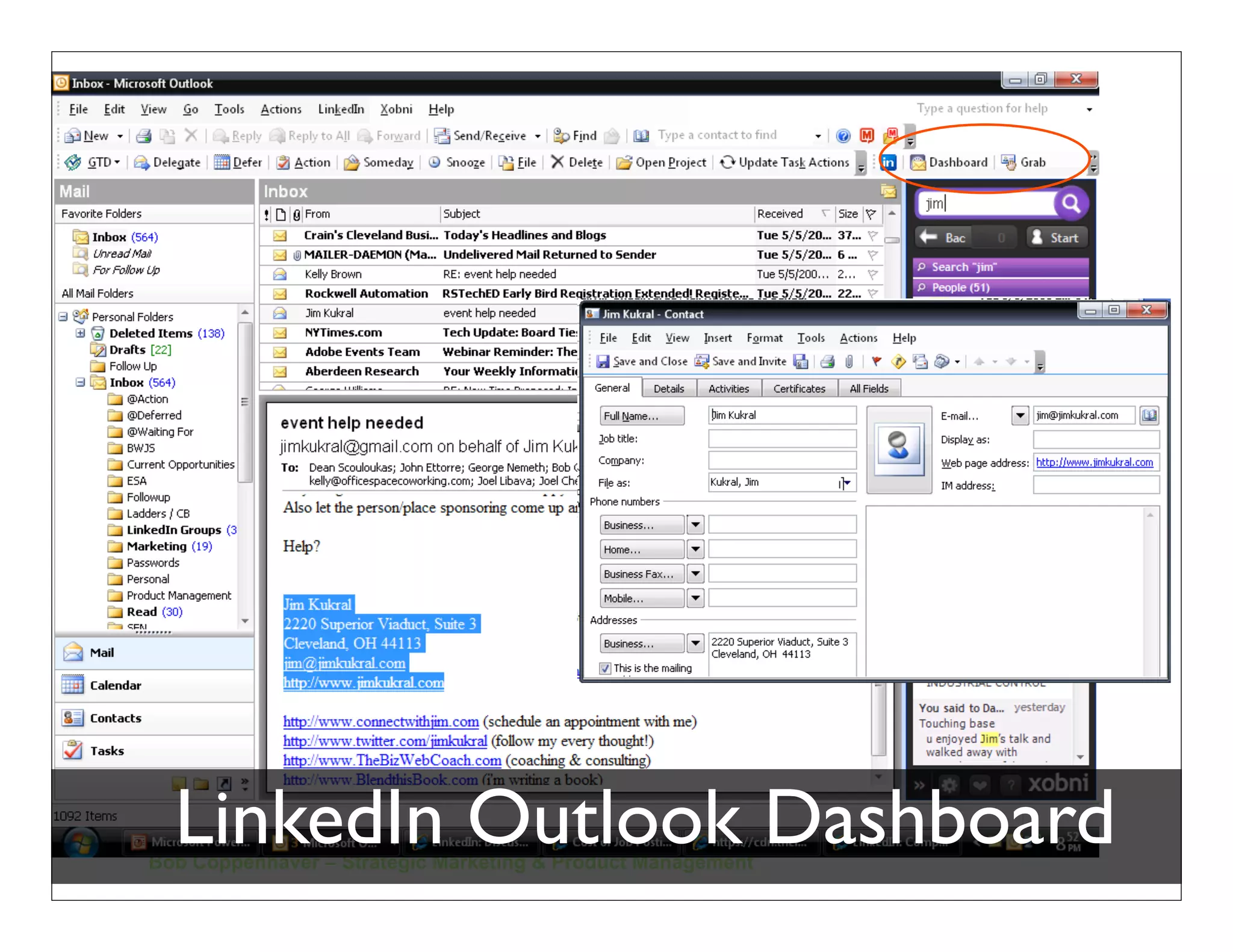
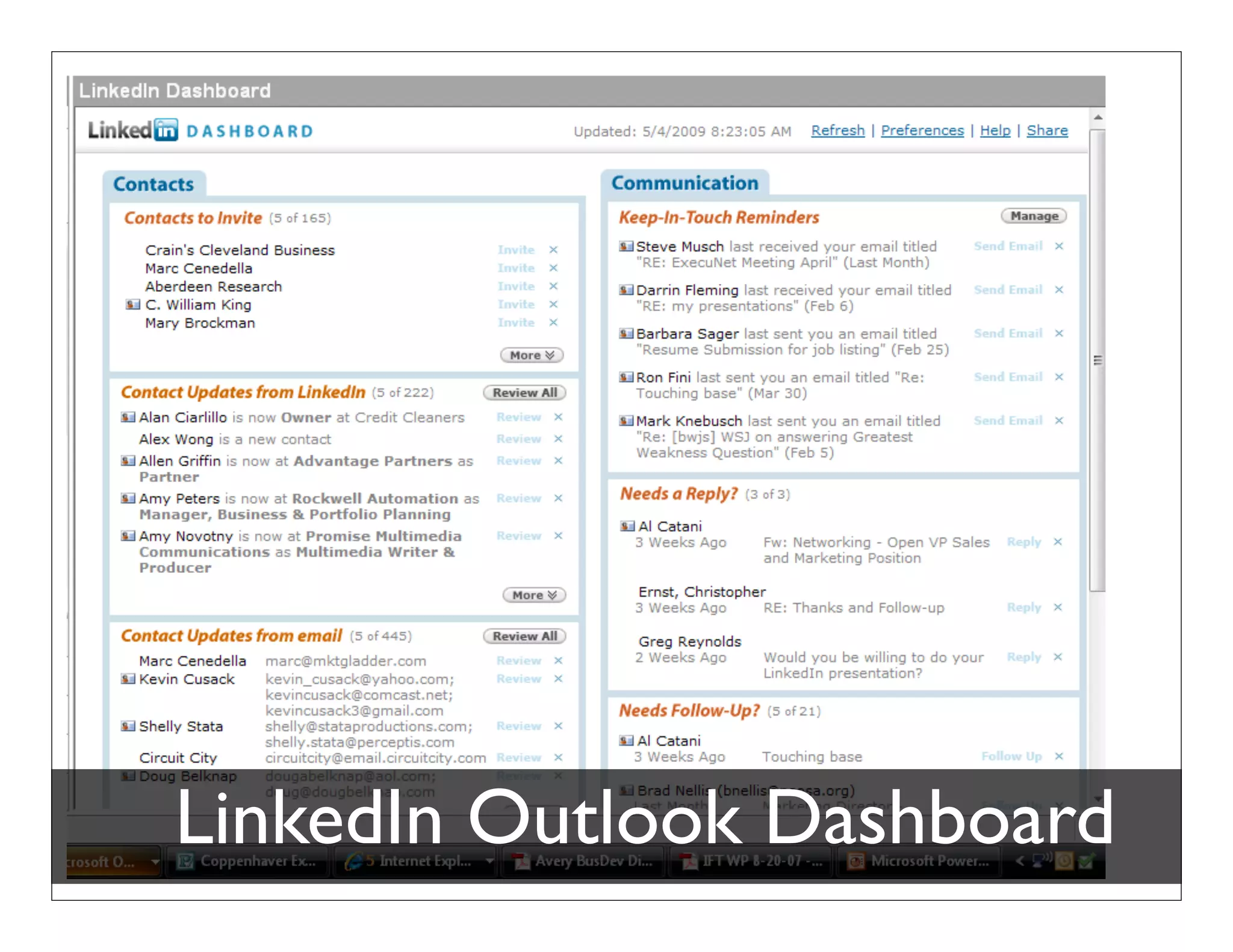
 Download LinkedIn Dashboard for Outlook
    Email profile, address grab, reminders, etc…


http://www.linkedin.com/static?
          key=tools
  Bob Coppenhaver – Strategic Marketing & Product Management
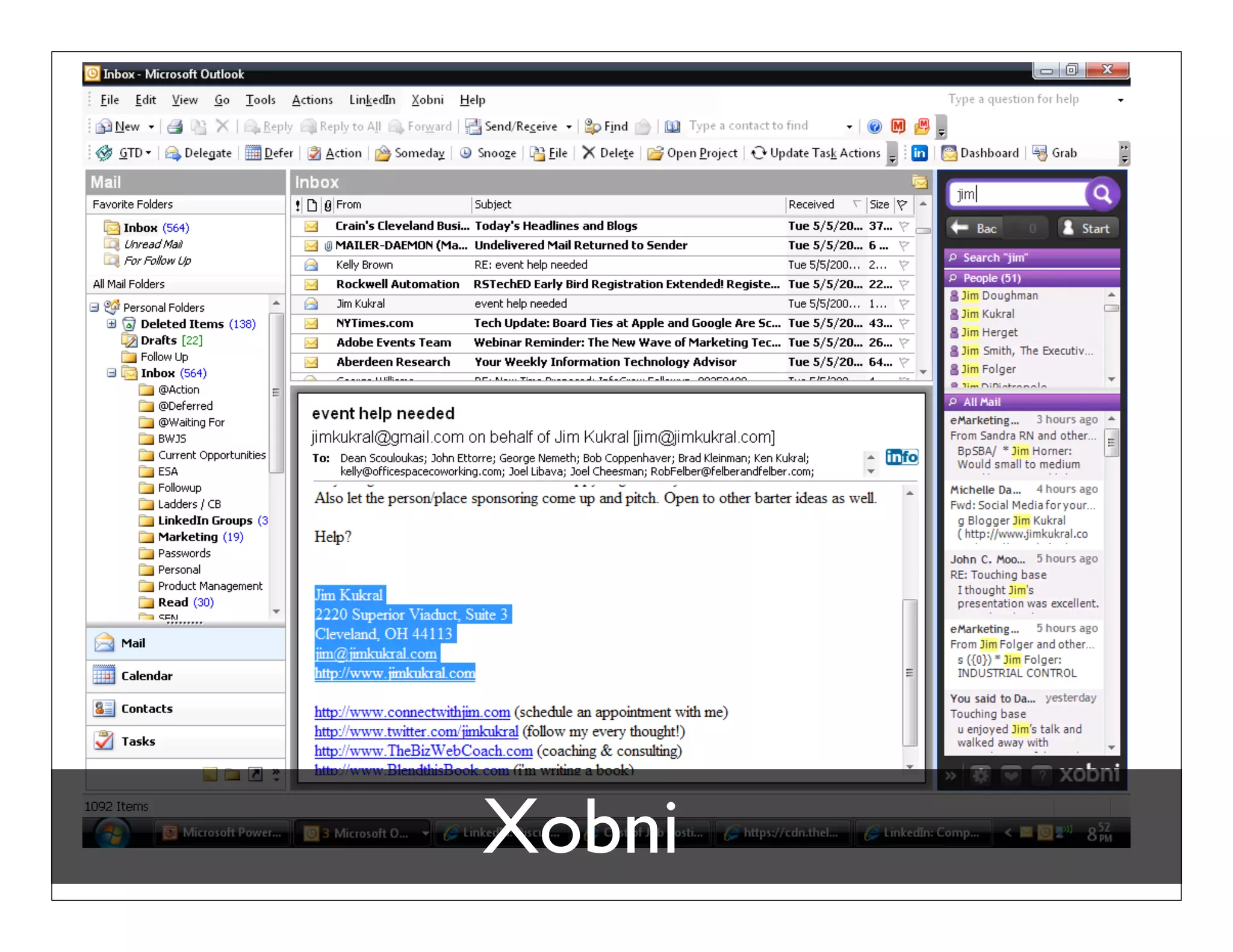
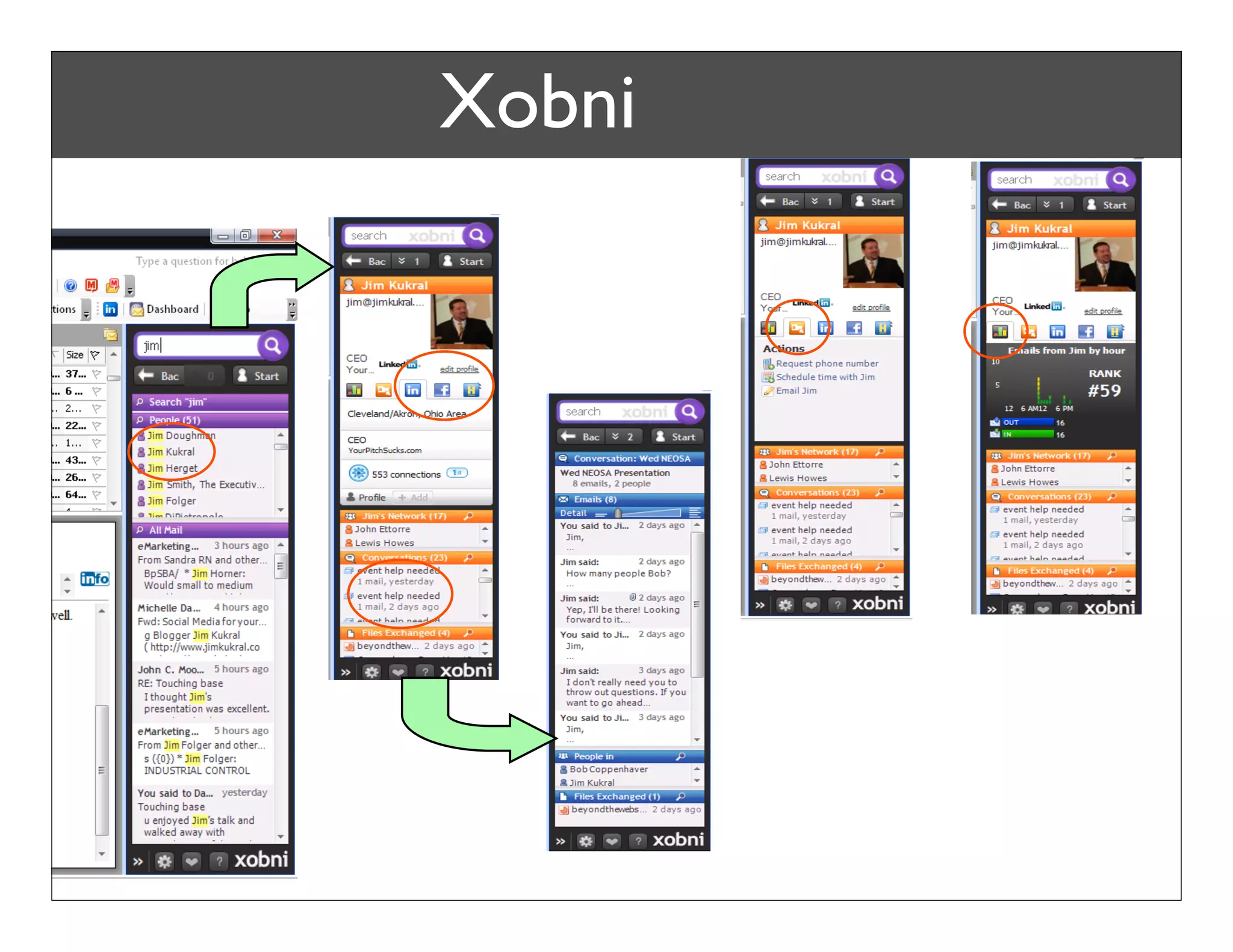
 Xobni
LinkedIn Outlook Dashboard
Bob Coppenhaver – Strategic Marketing & Product Management
LinkedIn Outlook Dashboard
Bob Coppenhaver – Strategic Marketing & Product Management
LinkedIn Outlook Dashboard
Bob Coppenhaver – Strategic Marketing & Product Management
LinkedIn Outlook Dashboard
Bob Coppenhaver – Strategic Marketing & Product Management
Xobni
Xobni
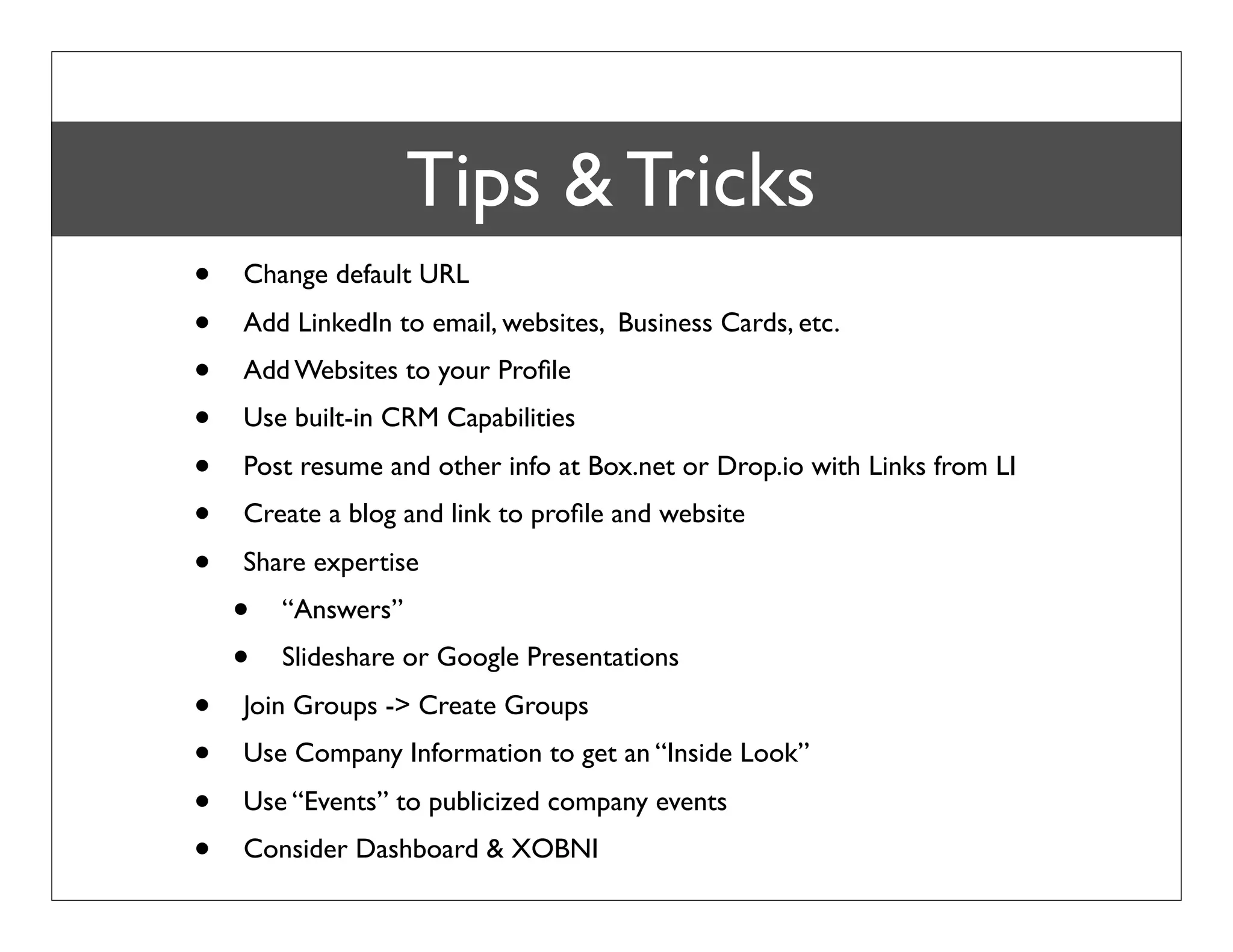
Summary Tips & Tricks LinkedIn
        - Maximizing
  •   Change default URL
  •   Add LinkedIn to email, websites, Business Cards, etc.
  •   Add Websites to your Profile
  •   Use built-in CRM Capabilities
  •   Post resume and other info at Box.net or Drop.io with Links from LI
  •   Create a blog and link to profile and website
  •   Share expertise
      •   “Answers”
      •   Slideshare or Google Presentations
  •   Join Groups -> Create Groups
  •   Use Company Information to get an “Inside Look”
  •   Use “Events” to publicized company events
  •   Consider Dashboard & XOBNI
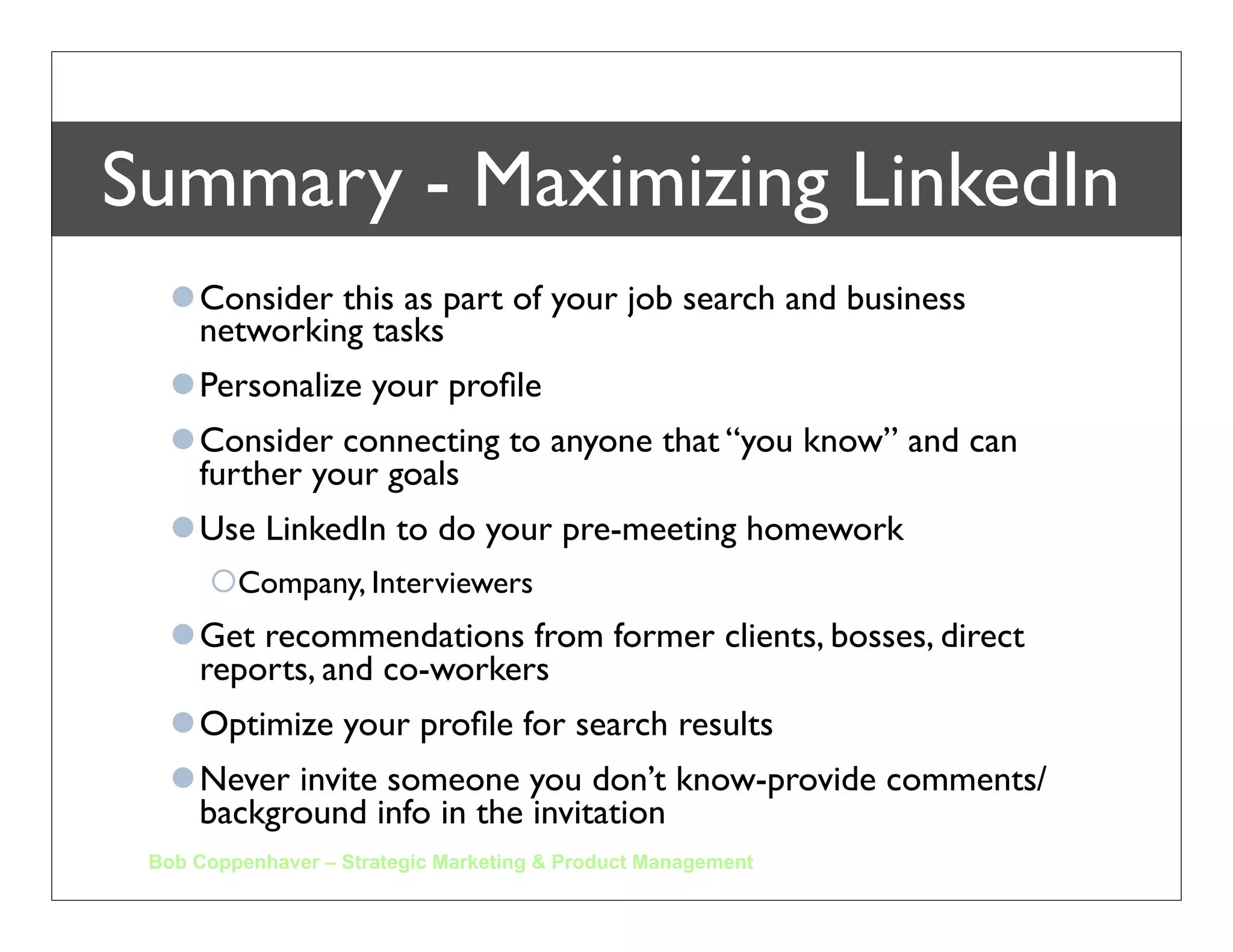
Summary - Maximizing LinkedIn
   Consider this as part of your job search and business
    networking tasks
   Personalize your profile
   Consider connecting to anyone that “you know” and can
    further your goals
   Use LinkedIn to do your pre-meeting homework
      Company, Interviewers
   Get recommendations from former clients, bosses, direct
    reports, and co-workers
   Optimize your profile for search results
   Never invite someone you don’t know-provide comments/
    background info in the invitation
 Bob Coppenhaver – Strategic Marketing & Product Management
Thank you


     To view this presentation and others, go to
    www.coppenhaver.com and select “download”
               Additional credit - “What is Social Media?” Marta Kagan
Bob Coppenhaver – Strategic Marketing & Product Management
Appendix
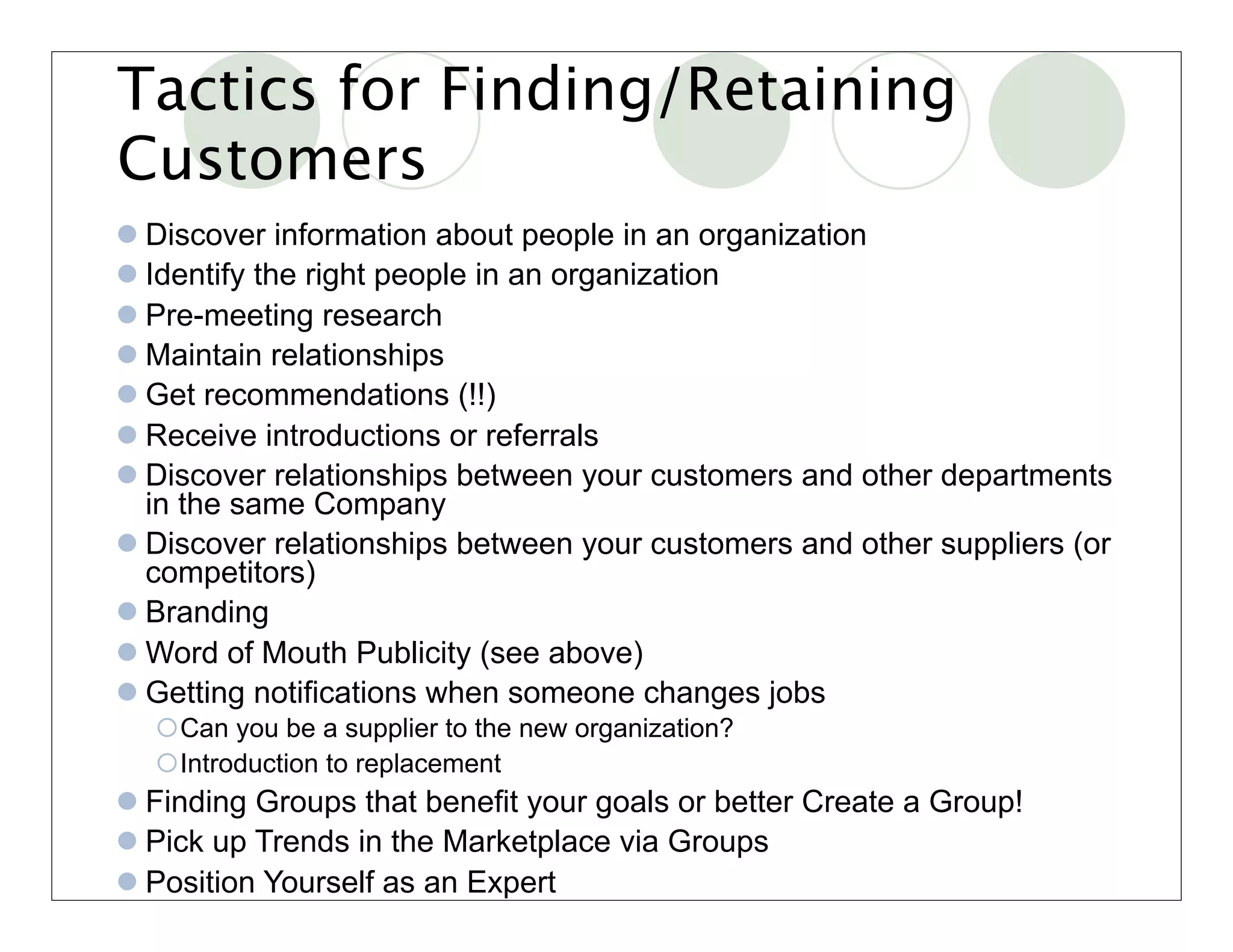
Tactics for Finding/Retaining
Customers
 Discover information about people in an organization
 Identify the right people in an organization
 Pre-meeting research
 Maintain relationships
 Get recommendations (!!)
 Receive introductions or referrals
 Discover relationships between your customers and other departments
  in the same Company
 Discover relationships between your customers and other suppliers (or
  competitors)
 Branding
 Word of Mouth Publicity (see above)
 Getting notifications when someone changes jobs
  Can you be a supplier to the new organization?
  Introduction to replacement
 Finding Groups that benefit your goals or better Create a Group!
 Pick up Trends in the Marketplace via Groups
 Position Yourself as an Expert
Tactics for Finding/Retaining
Suppliers & Partners

 Identify the right people in an organization
 Discover information about people in an organization
 Maintain relationships
 Get recommendations (!!)
 Receive introductions or referrals
 Discover relationships between your contacts and other supplier
 Branding
 Word of Mouth Publicity (see above)
 Getting notifications when someone changes jobs
  Can you be a partner or supplier to the new organization?
 Finding Groups that benefit your goals
 Pick up Trends in the Marketplace via Groups
 Position Yourself as an Expert
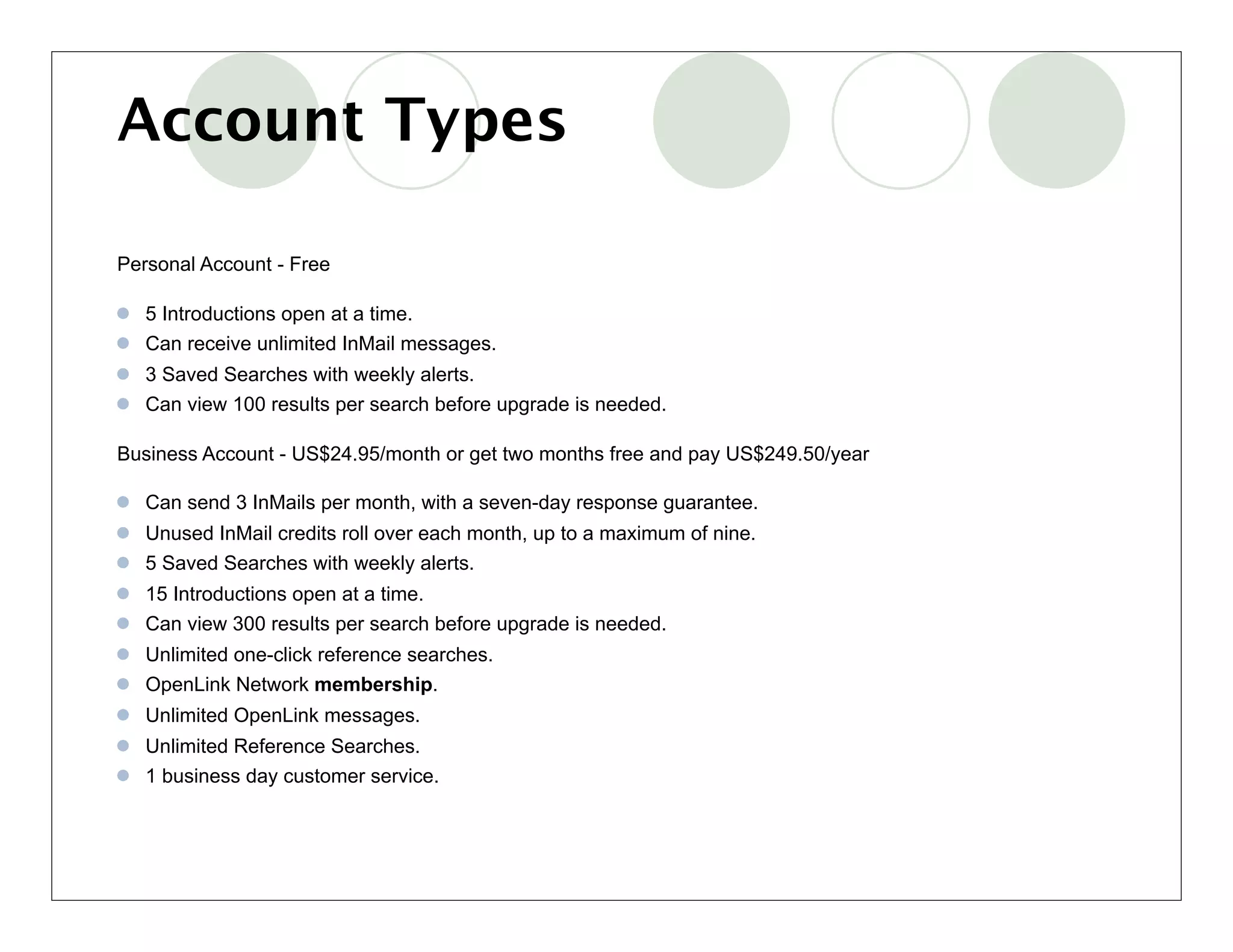
Account Types

Personal Account - Free

 5 Introductions open at a time.
 Can receive unlimited InMail messages.
 3 Saved Searches with weekly alerts.
 Can view 100 results per search before upgrade is needed.

Business Account - US$24.95/month or get two months free and pay US$249.50/year

 Can send 3 InMails per month, with a seven-day response guarantee.
 Unused InMail credits roll over each month, up to a maximum of nine.
 5 Saved Searches with weekly alerts.
 15 Introductions open at a time.
 Can view 300 results per search before upgrade is needed.
 Unlimited one-click reference searches.
 OpenLink Network membership.
 Unlimited OpenLink messages.
 Unlimited Reference Searches.
 1 business day customer service.
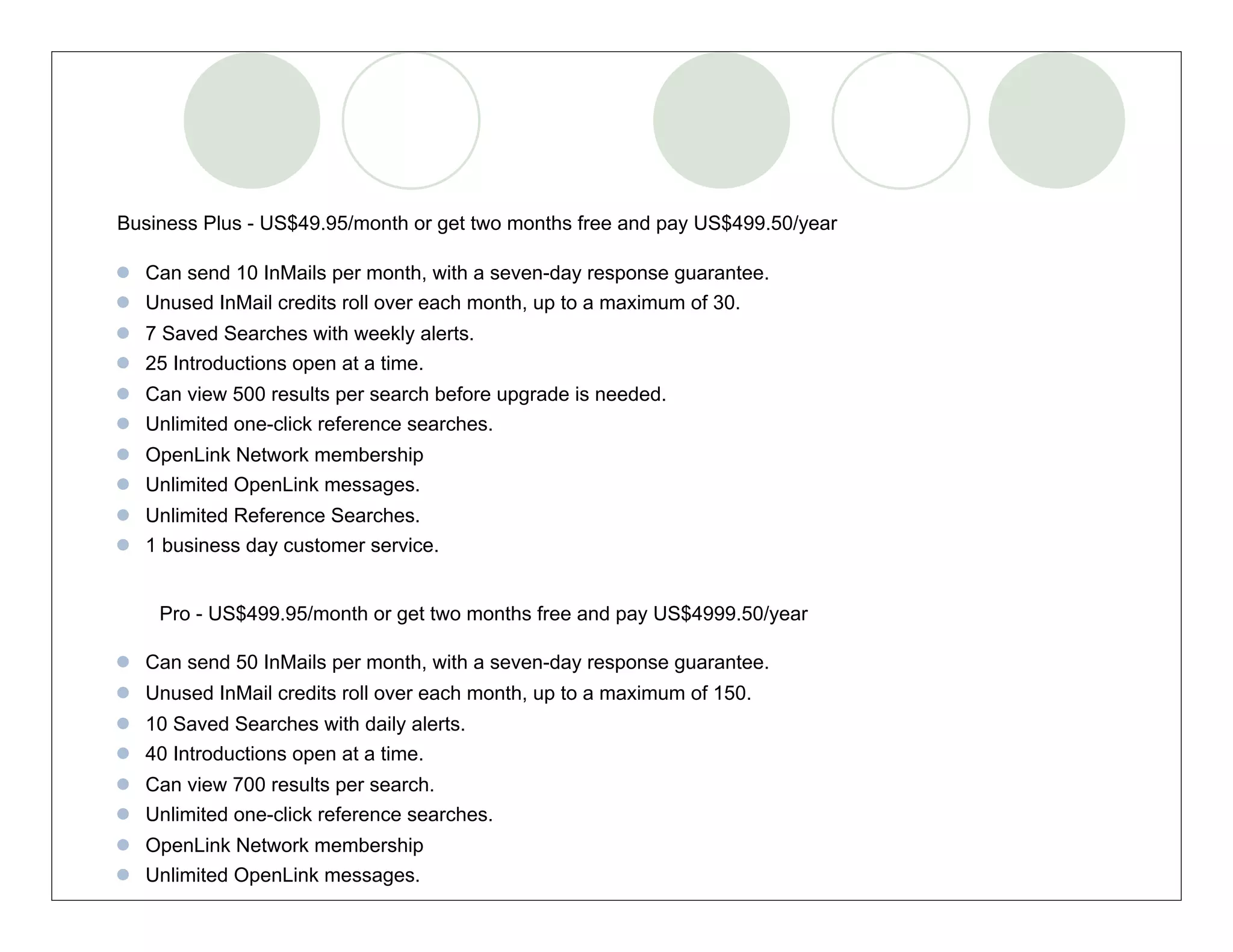
Business Plus - US$49.95/month or get two months free and pay US$499.50/year

 Can send 10 InMails per month, with a seven-day response guarantee.
 Unused InMail credits roll over each month, up to a maximum of 30.
 7 Saved Searches with weekly alerts.
 25 Introductions open at a time.
 Can view 500 results per search before upgrade is needed.
 Unlimited one-click reference searches.
 OpenLink Network membership
 Unlimited OpenLink messages.
 Unlimited Reference Searches.
 1 business day customer service.


    Pro - US$499.95/month or get two months free and pay US$4999.50/year

 Can send 50 InMails per month, with a seven-day response guarantee.
 Unused InMail credits roll over each month, up to a maximum of 150.
 10 Saved Searches with daily alerts.
 40 Introductions open at a time.
 Can view 700 results per search.
 Unlimited one-click reference searches.
 OpenLink Network membership
 Unlimited OpenLink messages.

Getting Social With LinkedIn

  • 1.
  • 2.
    Getting Social withLinkedIn Bob Coppenhaver
  • 3.
    What is SocialMedia? Social media describes the online technologies and practices that people use to share opinions, insights, experiences, and perspectives with each other. - Wikipedia 2007
  • 4.
    photo by Zellabyon flickr.com
  • 5.
    Officially, though, socialmedia is not like teen sex.* * Phew!
  • 6.
    “technology, social interaction, and theconstruction of words, pictures, videos, and audio.” http://www.wikipedia.org
  • 7.
    photo by KrisHoet on flickr.com
  • 8.
  • 9.
    REASON #1 Forrester, The Growth Of Social Technology Adoption, 2008
  • 10.
    REASON #2 Nielsen, Global Faces & Networked Places, 2009
  • 11.
    REASON #3 Nielsen, Global Faces & Networked Places, 2009 photo by Bruno Girinon flickr.com
  • 12.
  • 13.
    REASON #5 “ Technology is shifting the power away from the editors, the publishers, the establishment, the media elite. Now it’s the people who are in control.” Rupert Murdoch, Global Media Entrepreneur
  • 14.
  • 15.
  • 17.
    Social media tools o Social Networks o News & Bookmarking o Blogs o Microblogging o Video Sharing o Photo Sharing o Message boards o Wikis o Virtual Reality o Social Gaming o Related: o Podcasts o Real Simple Syndication (RSS) o Social Media Press Release
  • 18.
    Social Networking Bob Coppenhaver– Strategic Marketing & Product Management
  • 19.
    Social Networking Bob Coppenhaver– Strategic Marketing & Product Management
  • 20.
    photo by eye2eyeon flickr.com Networking .
  • 21.
    LinkedIn LinkedIn is anonline network of more than 45 million experienced professionals from around the world, representing 150 industries. Through LinkedIn you can:  Be Found  Find  Search  Discover  Expand your network
  • 22.
    Trusted LinkedIn Contacts Job Candidates Industry Experts Business Partners Job Leads Bob Coppenhaver – Strategic Marketing & Product Management
  • 23.
    Power of theNetwork Bob Coppenhaver – Strategic Marketing & Product Management
  • 24.
    Power of theNetwork Bob Coppenhaver – Strategic Marketing & Product Management
  • 25.
    478,403 Cleveland Census Powerof the Network Bob Coppenhaver – Strategic Marketing & Product Management
  • 26.
    478,403 Cleveland Census Powerof the Network 2,250,871 Greater Cleveland Census Bob Coppenhaver – Strategic Marketing & Product Management
  • 27.
    What can Iuse LinkedIn for???  Develop your “Brand”  Share Information & Status with Others  Find Referrals into a Company  Company Research  Create new Network Opportunities  Stay in touch with your Network! Bob Coppenhaver – Strategic Marketing & Product Management
  • 28.
    This is THEIRBrand….
  • 29.
    This is THEIRBrand…. What is YOUR Brand?
  • 30.
    Joining LinkedIn Home What is LinkedIn? Join Today Sign In Language Over 45 million professionals use LinkedIn to Join LinkedIn Today exchange information, ideas and opportunities First Name: Stay informed about your contacts and industry Last Name: Find the people & knowledge you need to achieve your Email: goals Password: Control your professional identity online 6 or more characters Join Now * Already on LinkedIn? Sign in. Search for someone by name: First Name Last Name Go People directory: A B C D E F G H I J K L M N O P Q R S T U V W X Y Z more * By clicking Join Now, you are indicating that you have read, understood, and agree to LinkedIn's User Agreement and Privacy Policy.
  • 31.
    Getting Started Bob Coppenhaver– Strategic Marketing & Product Management
  • 32.
    Building your Brandusing LI  Complete your Profile  Change from default link to your “name”  Find Connections / Make Contact  Make Recommendations / Ask for Recommendations  Join Groups  Ask Questions and provide Answers  Publicize your LinkedIn profile  Email signatures  Business cards  Websites Bob Coppenhaver – Strategic Marketing & Product Management
  • 33.
  • 34.
    Online Profile Profile http://www.linkedin.com/profile?viewProfile=&key=986766&trk=tab_pro Bob Coppenhaver – Strategic Marketing & Product Management
  • 35.
  • 36.
  • 37.
  • 38.
    Contacts Translate intoLeads  Find  Invite or  Request Introduction  Connect! Bob Coppenhaver – Strategic Marketing & Product Management
  • 39.
    How to FindPeople Bob Coppenhaver – Strategic Marketing & Product Management
  • 40.
    Inviting a Colleagueto Connect  Locate the right profile  Click to add to your network  Choose how you know him/her  Write your own message Share recent news – Take the opportunity to really connect Don’t use the default message  Two schools of thought…. Bob Coppenhaver – Strategic Marketing & Product Management
  • 41.
    Connections Bob Coppenhaver –Strategic Marketing & Product Management
  • 42.
    Making Wider Connections  Search your past  Search your network’s connections  Keep track of what connections your connections are making  Ask for introductions  Groups  Inmail Bob Coppenhaver – Strategic Marketing & Product Management
  • 43.
    Find Contacts YouAlready Know Bob Coppenhaver – Strategic Marketing & Product Management
  • 44.
    Expanding Your Network BobCoppenhaver – Strategic Marketing & Product Management
  • 45.
    What if Ifind Someone I want to Meet? Bob Coppenhaver – Strategic Marketing & Product Management
  • 46.
    Getting Introduced Bob Coppenhaver– Strategic Marketing & Product Management
  • 47.
     Can usefor 2nd & 3rd Degree Connections  Inmail for others Introductions Bob Coppenhaver – Strategic Marketing & Product Management
  • 48.
    photo by eye2eyeon flickr.com . Connect!
  • 49.
  • 50.
  • 51.
    Ask for Recommendations BobCoppenhaver – Strategic Marketing & Product Management
  • 52.
    Manage Recommendations Bob Coppenhaver– Strategic Marketing & Product Management
  • 53.
  • 54.
  • 55.
    Groups Bob Coppenhaver –Strategic Marketing & Product Management
  • 56.
    Groups Bob Coppenhaver –Strategic Marketing & Product Management
  • 57.
  • 58.
    LinkedIn Jobs About LinkedIn Jobs Bob Coppenhaver – Strategic Marketing & Product Management
  • 59.
    Job Search Bob Coppenhaver– Strategic Marketing & Product Management
  • 60.
    Advanced Job Search BobCoppenhaver – Strategic Marketing & Product Management
  • 61.
    Job Postings Bob Coppenhaver– Strategic Marketing & Product Management
  • 62.
    Job Postings Bob Coppenhaver– Strategic Marketing & Product Management
  • 63.
    Company Information CompaniesStrategic Marketing& Product Management Bob Coppenhaver –
  • 64.
    Answers Bob Coppenhaver –Strategic Marketing & Product Management
  • 65.
    Applications Bob Coppenhaver –Strategic Marketing & Product Management
  • 66.
  • 67.
    Reference Check forPotential Employees
  • 68.
  • 69.
  • 70.
    Power Tools &Suggestions  Backdoor into LinkedIn through Google  site:linkedin.com "search string" and (location) –directory  Example: site:linkedin.com “Eaton" and (OH) –directory  This will return all users with ‘Eaton’ in their profile who work in OH  Example: site:linkedin.com “Eaton" “Marketing” and (Cleveland) –directory  This will return all users with ‘Eaton’ in their profile who work in Marketing in Cleveland  Use Google Keyword Tool to suggest alternate words  Use HelloTxt if you are on LinkedIn, Facebook, Twitter…  Use TinyURL  Download LinkedIn Browser Toolbar  Download LinkedIn Dashboard for Outlook  Email profile, address grab, reminders, etc… http://www.linkedin.com/static? key=tools Bob Coppenhaver – Strategic Marketing & Product Management  Xobni
  • 71.
    LinkedIn Outlook Dashboard BobCoppenhaver – Strategic Marketing & Product Management
  • 72.
    LinkedIn Outlook Dashboard BobCoppenhaver – Strategic Marketing & Product Management
  • 73.
    LinkedIn Outlook Dashboard BobCoppenhaver – Strategic Marketing & Product Management
  • 74.
    LinkedIn Outlook Dashboard BobCoppenhaver – Strategic Marketing & Product Management
  • 75.
  • 76.
  • 77.
    Summary Tips &Tricks LinkedIn - Maximizing • Change default URL • Add LinkedIn to email, websites, Business Cards, etc. • Add Websites to your Profile • Use built-in CRM Capabilities • Post resume and other info at Box.net or Drop.io with Links from LI • Create a blog and link to profile and website • Share expertise • “Answers” • Slideshare or Google Presentations • Join Groups -> Create Groups • Use Company Information to get an “Inside Look” • Use “Events” to publicized company events • Consider Dashboard & XOBNI
  • 78.
    Summary - MaximizingLinkedIn Consider this as part of your job search and business networking tasks Personalize your profile Consider connecting to anyone that “you know” and can further your goals Use LinkedIn to do your pre-meeting homework Company, Interviewers Get recommendations from former clients, bosses, direct reports, and co-workers Optimize your profile for search results Never invite someone you don’t know-provide comments/ background info in the invitation Bob Coppenhaver – Strategic Marketing & Product Management
  • 80.
    Thank you To view this presentation and others, go to www.coppenhaver.com and select “download” Additional credit - “What is Social Media?” Marta Kagan Bob Coppenhaver – Strategic Marketing & Product Management
  • 81.
  • 82.
    Tactics for Finding/Retaining Customers Discover information about people in an organization  Identify the right people in an organization  Pre-meeting research  Maintain relationships  Get recommendations (!!)  Receive introductions or referrals  Discover relationships between your customers and other departments in the same Company  Discover relationships between your customers and other suppliers (or competitors)  Branding  Word of Mouth Publicity (see above)  Getting notifications when someone changes jobs Can you be a supplier to the new organization? Introduction to replacement  Finding Groups that benefit your goals or better Create a Group!  Pick up Trends in the Marketplace via Groups  Position Yourself as an Expert
  • 83.
    Tactics for Finding/Retaining Suppliers& Partners  Identify the right people in an organization  Discover information about people in an organization  Maintain relationships  Get recommendations (!!)  Receive introductions or referrals  Discover relationships between your contacts and other supplier  Branding  Word of Mouth Publicity (see above)  Getting notifications when someone changes jobs Can you be a partner or supplier to the new organization?  Finding Groups that benefit your goals  Pick up Trends in the Marketplace via Groups  Position Yourself as an Expert
  • 84.
    Account Types Personal Account- Free  5 Introductions open at a time.  Can receive unlimited InMail messages.  3 Saved Searches with weekly alerts.  Can view 100 results per search before upgrade is needed. Business Account - US$24.95/month or get two months free and pay US$249.50/year  Can send 3 InMails per month, with a seven-day response guarantee.  Unused InMail credits roll over each month, up to a maximum of nine.  5 Saved Searches with weekly alerts.  15 Introductions open at a time.  Can view 300 results per search before upgrade is needed.  Unlimited one-click reference searches.  OpenLink Network membership.  Unlimited OpenLink messages.  Unlimited Reference Searches.  1 business day customer service.
  • 85.
    Business Plus -US$49.95/month or get two months free and pay US$499.50/year  Can send 10 InMails per month, with a seven-day response guarantee.  Unused InMail credits roll over each month, up to a maximum of 30.  7 Saved Searches with weekly alerts.  25 Introductions open at a time.  Can view 500 results per search before upgrade is needed.  Unlimited one-click reference searches.  OpenLink Network membership  Unlimited OpenLink messages.  Unlimited Reference Searches.  1 business day customer service. Pro - US$499.95/month or get two months free and pay US$4999.50/year  Can send 50 InMails per month, with a seven-day response guarantee.  Unused InMail credits roll over each month, up to a maximum of 150.  10 Saved Searches with daily alerts.  40 Introductions open at a time.  Can view 700 results per search.  Unlimited one-click reference searches.  OpenLink Network membership  Unlimited OpenLink messages.

Editor's Notes

  • #2 As a job searcher, we all know how valuable it is to build and develop your network Purpose is to get everyone on the same page on capabilities and features to help your job search or just stay connected to your network Both demo and a reference document How to set up as well as some advanced features I am not an expert….just a job searching using all the available tools at my disposal. I am also not a LinkedIn presenter. I constructed this to help out some fellow job seekers and as such have been asked to present it today
  • #3 As a job searcher, we all know how valuable it is to build and develop your network Purpose is to get everyone on the same page on capabilities and features to help your job search or just stay connected to your network Both demo and a reference document How to set up as well as some advanced features I am not an expert….just a job searching using all the available tools at my disposal. I am also not a LinkedIn presenter. I constructed this to help out some fellow job seekers and as such have been asked to present it today
  • #5 Social media is like teen sex.Everyone wants to do it. Nobody knows how.When it’s finally done there is surprise it’s not better. Avinash Kaushik, Analytics Evangelist, Google http://www.flickr.com/photos/toymaster/1440280630/
  • #7 Officially, social media is “an umbrella term that defines the various activities that integrate technology, social interaction, and the construction of words, pictures, videos, and audio.” http://www.wikipedia.org
  • #8 It’s also a fancy way to describe the zillions of conversations people are having online 24/7.http://www.flickr.com/photos/11739182@N03/1263985679/ Kris Hoet
  • #10 BECAUSE 3 OUT OF 4 AMERICANS USE SOCIAL TECHNOLOGY.
  • #11 BECAUSE 2/3 OF THE GLOBAL INTERNET POPULATION VISIT SOCIAL NETWORKS.
  • #12 BECAUSE VISITING SOCIAL SITES IS NOW THE 4TH MOST POPULAR ONLINE ACTIVITY—AHEAD OF PERSONAL EMAIL.
  • #13 Because time spent on social networks is growing at 3X the overall Internet rate, accounting for ~10% of all Internet time.
  • #14 Because social media is democratizing communications. Big time.
  • #15 BECAUSE SOCIAL MEDIA IS LIKE WORD OF MOUTH ON STEROIDS.
  • #19 Classmates.com started in 1995 LinkedIn has positioned itself to be the social networking site for business connections to promote services, help build professional connections, and assist job seekers and recruiters. While My Space and Facebook have been compared to a Friday night at the bar of a cocktail hour in meeting people, LinkedIn has been compared to the business professional group breakfast meeting.
  • #20 It is said that MySpace is the Frat party kegger, Facebook is the picnic with family and friends while LinkedIN is the Breakfast networking meeting. It’s all about another way to Network & Connect!! http://www.flickr.com/photos/eye2eye/50892860/
  • #22 Tripled in size since early 2007 By found by former colleagues, customers, clients, and partners. Be found for business opportunities Be found by recruiters Find potential clients, service providers, subject experts, and partners who come recommended Search for great jobs Discover inside connections that can help you land jobs and close deals Get introduced to other professionals through the people you know Post and distribute job listings Find high-quality passive candidates
  • #25 Its all about the second degree!! Talk about the numbers A virtual professional networking tool driven through users’ trusted contacts, built upon referral-only contacts with the ability to request introductions to job candidates, industry experts, business partners and potential job leads. Based on the six degrees of separation; refers to the concept that everyone is connected to everyone else in the world by only six degrees of separation, or six sets of acquaintances. (Kevin Bacon theory) Everyone has their own philosophy about building their network on LinkedIn Very similar to traditional “networking” in the sense that your reputation is on the line based upon who is in your network and who you may be asked to recommend or refer. Much like traditional networking, you get out what you put in.
  • #30 Also can show: Brand Interests Great stuff about you that doesn’t fit on a two page resume Groups and associations you belong to
  • #34 Complete your profile Photo, nickname or maiden name, summary, websites, interests, accomplishments Change from default link to your “name” Find Connections Colleges Work Clients &Customer Contacts Business Partners Professional Contacts / Organizations People in your address book
  • #36 Major part of your online brand: What you do, the value you deliver, and the audience that you serve Major components of your profile Summary Employment (past and present) Education Industry Connections Recommendations Groups How to contact You dictate what gets shown to your “public profile” Icons: Print PDF Bookmark What makes your profile complete? Your current position Two past positions Your education Your profile summary A profile photo Your specialties At least three recommendations Photo or not? A photo puts a friendly human behind a name and job title. A photo adds warmth and color to an otherwise neutral box. A photo delivers the message that you are putting yourself out there, not standing back in the shadows. A photo demonstrates confidence that you feel good about yourself
  • #38 Home Page: Inbox Network Updates New Members People you may know Profile Views*** Answers Jobs
  • #39 Remember, You need to build your first degree before you can get to the second degree!!
  • #41 Can search by person, company, industry, keyword Will show names of people who are 1-2-3 Will show job title of those further out
  • #42 Goal is to build your network To build your network have to search out people that are already members and “get connected” Connection can be thru school, professional associations, friends. My philosophy is that I must be ble to describe this individuals qualities and/or talents to someone who wants to meet them.
  • #43 You can view anyone’s contact list who is in YOUR contact list Filtering mechanism by company, tags, industry, etc. Number shows number of connections they have Circle shows it is new
  • #44 Going outside your immediate network
  • #47 In this case, you could use mutual contact as a referal
  • #49 User can decide whether or not to make contact….but you are introduced by a trusted contact Use Inmail if more than three degrees away.
  • #50 Why is this a better way to make contact? You are introduced by your TRUSTED connections Recipient decides whether or not to make contact with you You can also find leads based on search criteria Look at the CRM capabilities as well
  • #51 CRM Capabilities
  • #52 Look for (and give) Endorsements Builds credibility Provides insight into experience / character
  • #53 Look for (and give) Endorsements Builds credibility Provides insight into experience / character
  • #54 Best way to get a recommendation??? Give a recommendation.
  • #56 Art, Creative and Media Consulting Employment Services Financial & Legal Services Health & Medical Home & Garden Other Professional Services
  • #58 Groups are like minded individual where you share a common interest, expertise, or history
  • #59 Can communicate with all of the group Often, can interact directly with people that are in the same groups as you Everyone should look at joining LinkedWorking Cleveland
  • #61 LinkedIn Jobs First and only tool that combines the convenience and speed of online job Proven effectiveness of hiring through referrals Search over 4 million job opportunities Recruiter are started to use….not just for posting. Using to find candidates – active and passive Same SICs, same orgs, same job descriptions Checking Profile and Recommendations and History - Consistancy See who else connected to
  • #65 Info about poster Info about your network and who you know at the hiring company
  • #68 You get points for “expertise” More points you earn the higher you will appear in a list of “experts” and your notoriety also appears on your profile.
  • #75 Also mention grabber tool
  • #76 Also mention grabber tool
  • #77 Also mention grabber tool
  • #78 Dashboard is divided into the following five sections: Keep-In-Touch Reminders display potentially important contacts with whom you have not exchanged email in the past two months. Contacts to Invite shows contacts from your email that are not connected to you on LinkedIn. Contact Updates Needs a Reply? displays recently received emails that may require a reply. Needs Follow-Up? displays sent emails for which you have not yet received a reply.