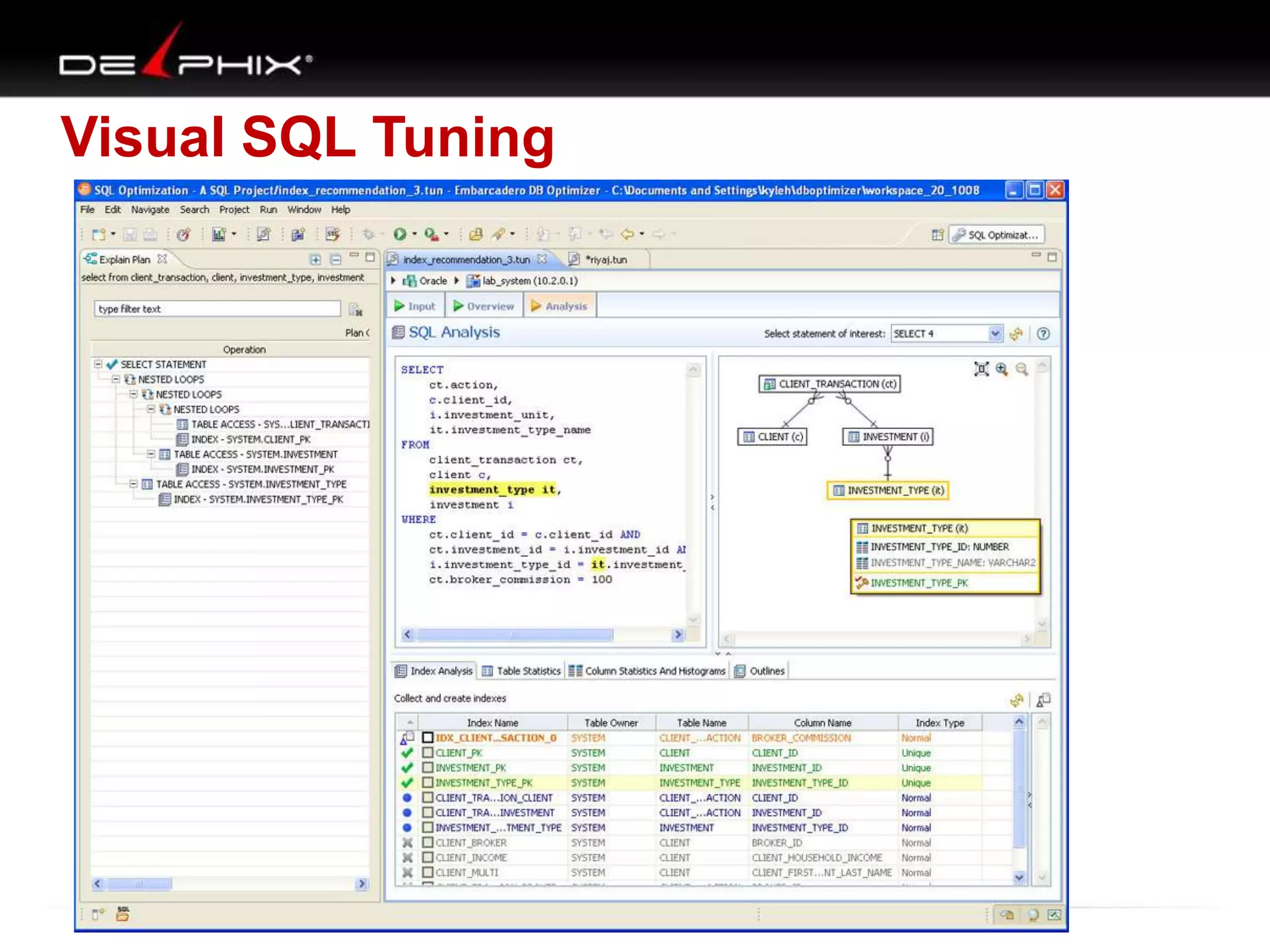

Visual SQL Tuning (VST)

Kyle Hailey
kylehailey.com
kyle@delphix.com
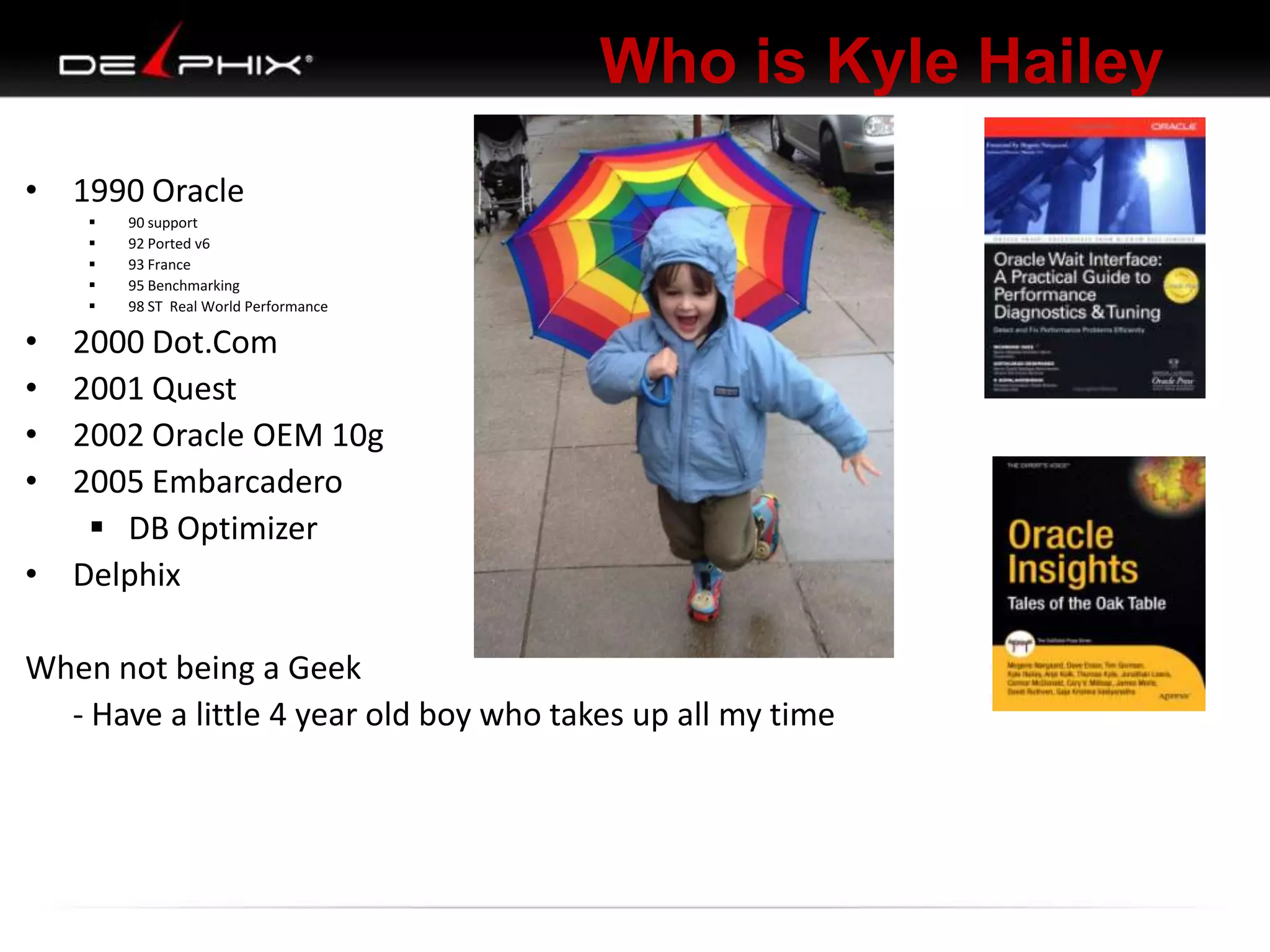
Who is Kyle Hailey
 1990 Oracle
–
–
–
–
–

90 support
92 Ported v6
93 France
95 Benchmarking
98 ST Real World Performance

 2000 Dot.Com
 2001 Quest
 2002 Oracle OEM 10g

Success!
First successful OEM design
Who is Kyle Hailey
 1990 Oracle
–
–
–
–
–






90 support
92 Ported v6
93 France
95 Benchmarking
98 ST Real World Performance

2000 Dot.Com
2001 Quest
2002 Oracle OEM 10g
2005 Embarcadero
– DB Optimizer
Who is Kyle Hailey
• 1990 Oracle






90 support
92 Ported v6
93 France
95 Benchmarking
98 ST Real World Performance

•
•
•
•

2000 Dot.Com
2001 Quest
2002 Oracle OEM 10g
2005 Embarcadero
 DB Optimizer
• Delphix
When not being a Geek
- Have a little 4 year old boy who takes up all my time
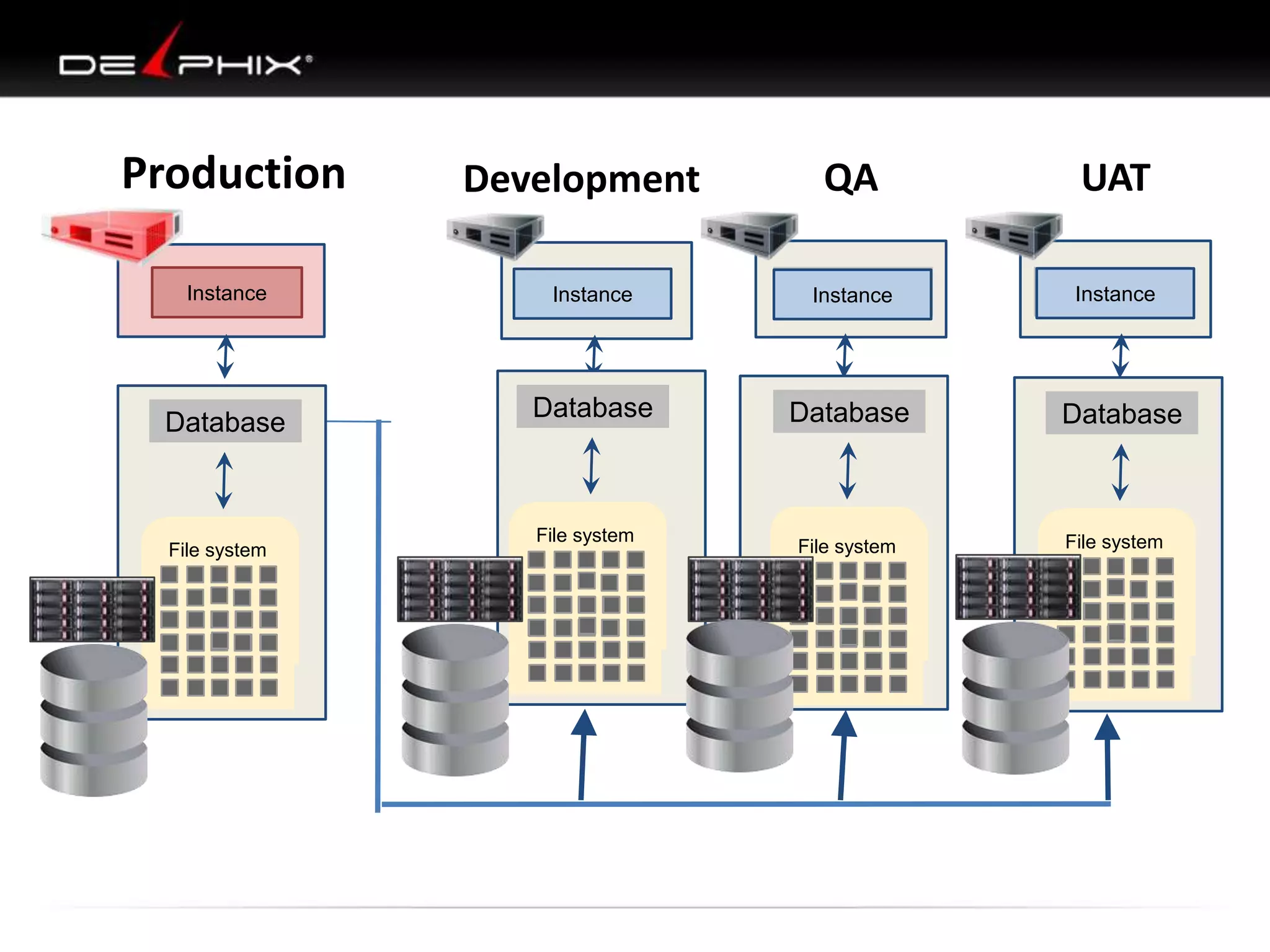
Production
Instance

Database

File system
File system

QA

UAT

Instance

Instance

Instance

Database

Database

Database

File system
File system

File system
File system
File system

File system
File system

Development
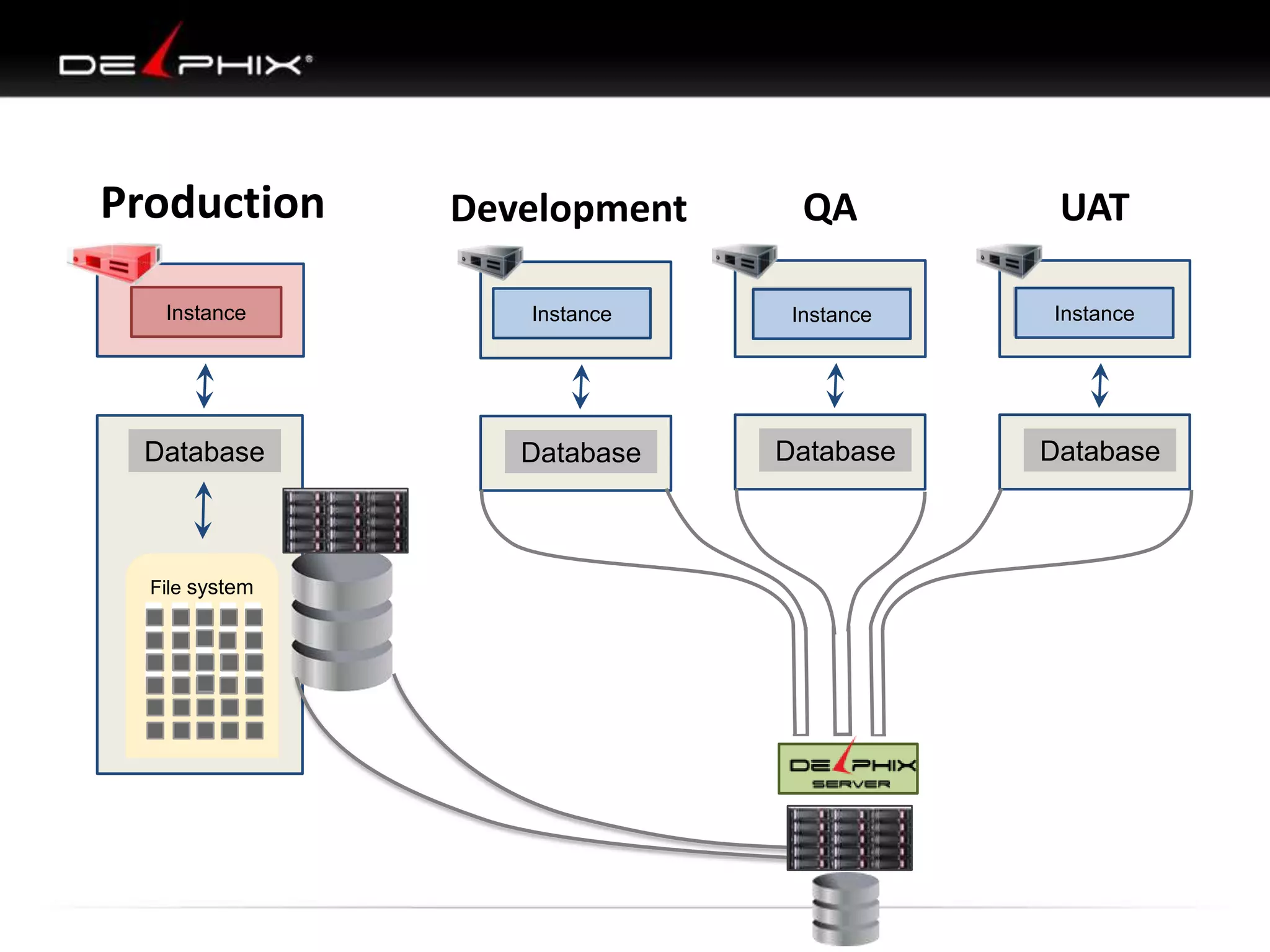
Production
Instance

Database

File system

Development

QA

UAT

Instance

Instance

Instance

Database

Database

Database
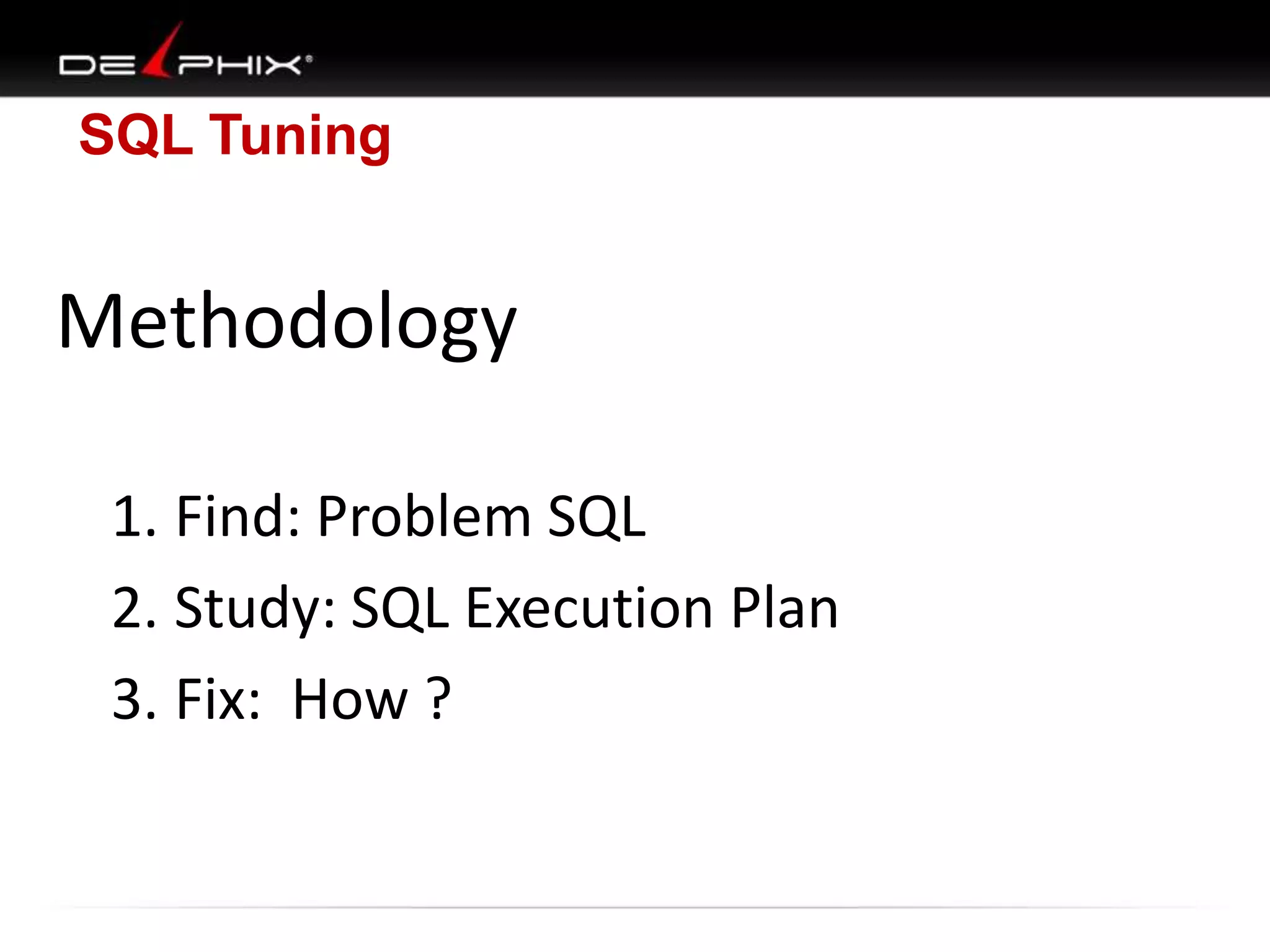
SQL Tuning

Methodology
1. Find: Problem SQL
2. Study: SQL Execution Plan
3. Fix: How ?
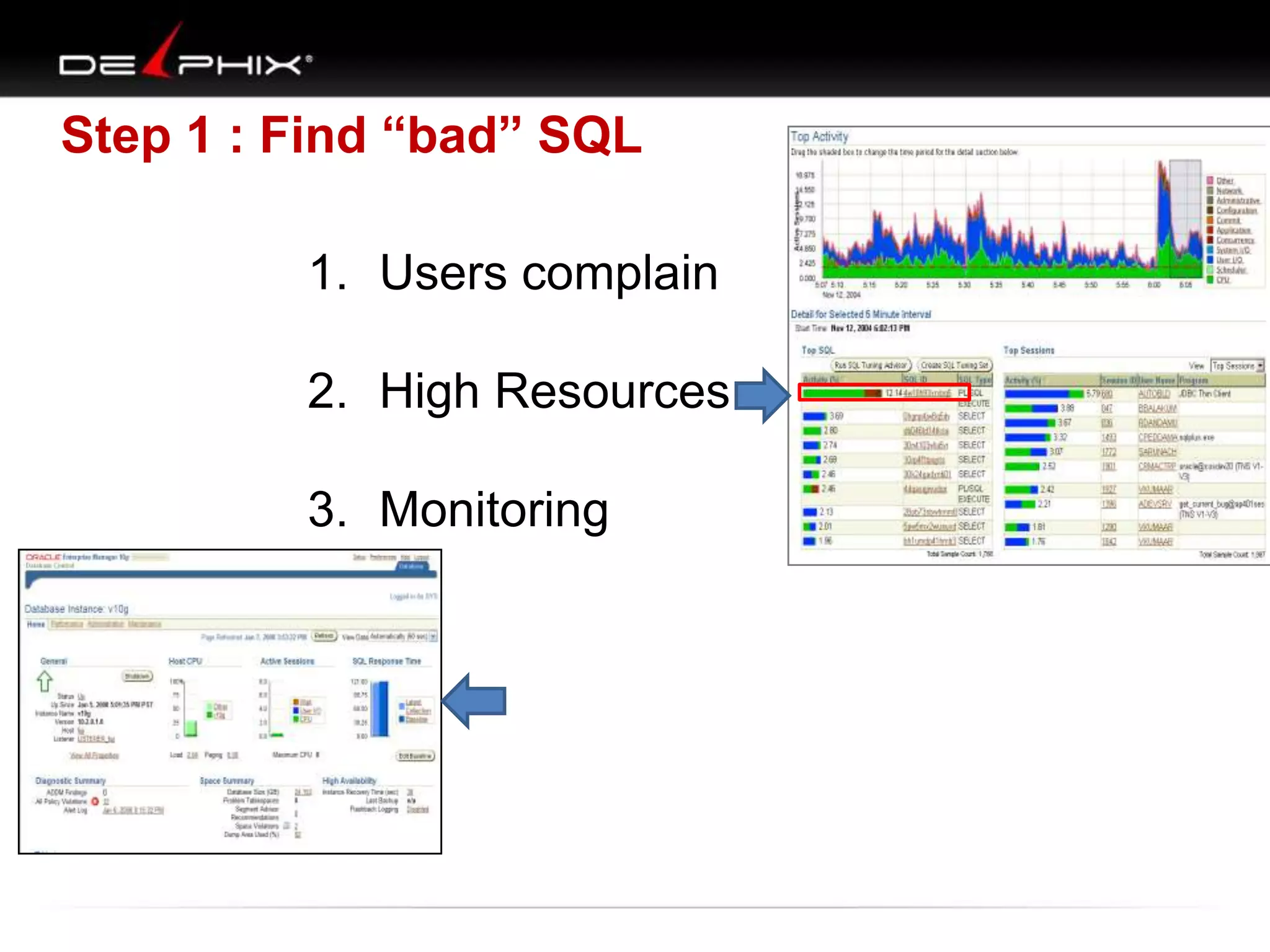
Step 1 : Find “bad” SQL
1. Users complain
2. High Resources
3. Monitoring
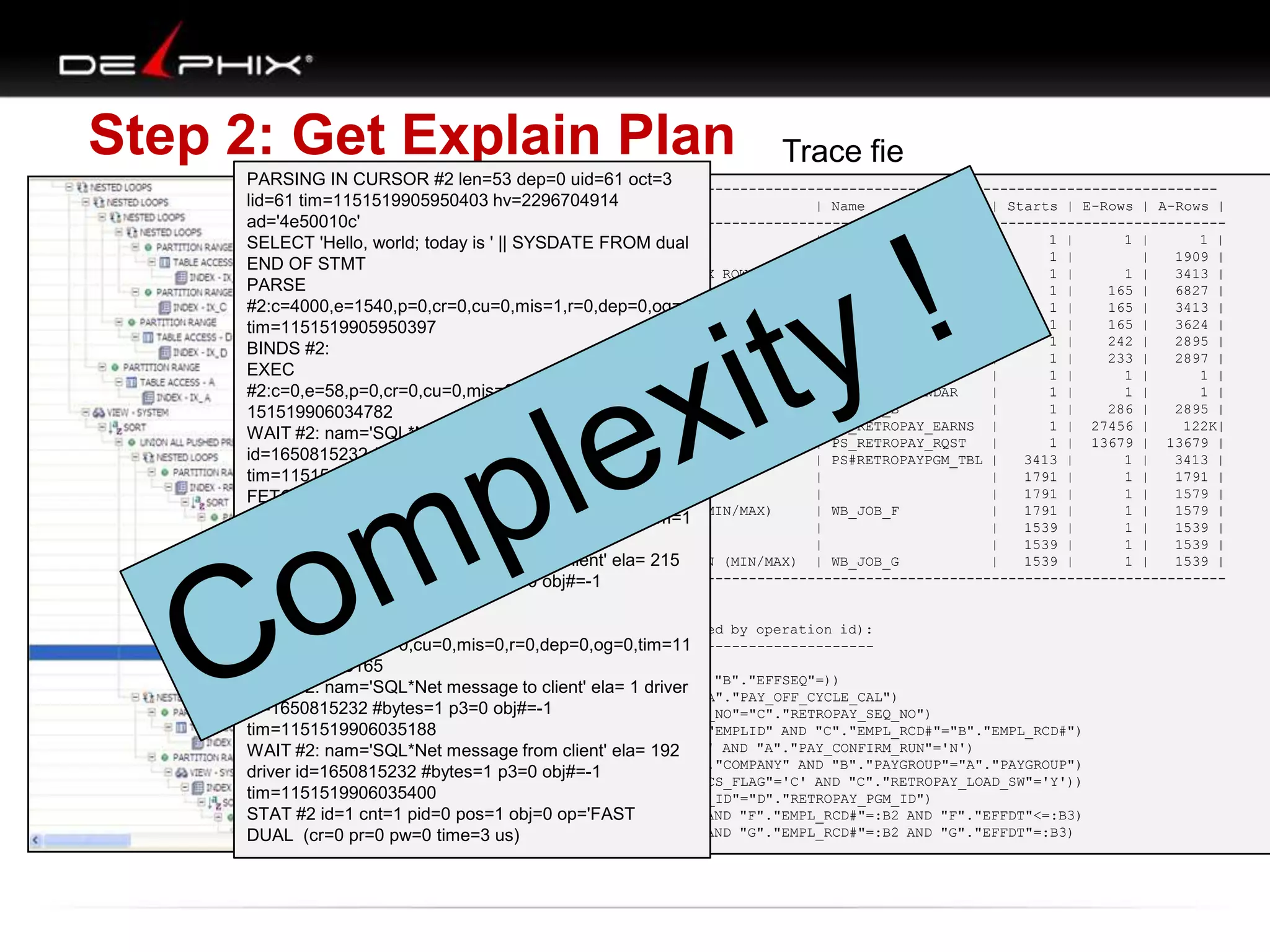
Step 2: Get Explain Plan

Trace fie

PARSING IN CURSOR #2 len=53 dep=0 uid=61 oct=3
-------------------------------------------------------------------------------------------lid=61 tim=1151519905950403 hv=2296704914
| Id | Operation
| Name
| Starts | E-Rows | A-Rows |
--------------------------------------------------------------------------------------------ad='4e50010c'
|
1 || HASH GROUP BY
|
|
1 |
1 |
1 |
SELECT 'Hello, world; today is ' | SYSDATE FROM dual
|* 2 |
FILTER
|
|
1 |
|
1909 |
END OF STMT
|* 3 |
TABLE ACCESS BY INDEX ROWID
| PS_RETROPAYPGM_TBL |
1 |
1 |
3413 |
PARSE
|
4 |
NESTED LOOPS
|
|
1 |
165 |
6827 |
|* 5 |
HASH JOIN
|
|
1 |
165 |
3413 |
#2:c=4000,e=1540,p=0,cr=0,cu=0,mis=1,r=0,dep=0,og=1,
HASH JOIN
|
|
1 |
165 |
3624 |
tim=1151519905950397 |* 6 |
|
7 |
TABLE ACCESS BY INDEX ROWID | WB_JOB
|
1 |
242 |
2895 |
BINDS #2:
|
8 |
NESTED LOOPS
|
|
1 |
233 |
2897 |
EXEC
|
9 |
TABLE ACCESS BY INDEX ROWID| PS_PAY_CALENDAR
|
1 |
1 |
1 |
|* 10 |
INDEX RANGE
| PS0PAY_CALENDAR
|
1 |
1 |
1 |
#2:c=0,e=58,p=0,cr=0,cu=0,mis=0,r=0,dep=0,og=1,tim=1 SCAN
|* 11 |
INDEX RANGE SCAN
| WBBJOB_B
|
1 |
286 |
2895 |
151519906034782
|
TABLE
FULL
| WB_RETROPAY_EARNS |
1 | 27456 |
122K|
WAIT #2: nam='SQL*Net |* 12 | to client' ela=ACCESSFULL
message
2 driver
| 13
TABLE ACCESS
| PS_RETROPAY_RQST
|
1 | 13679 | 13679 |
id=1650815232 #bytes=1 |* 14 obj#=-1 INDEX RANGE SCAN
p3=0 |
| PS#RETROPAYPGM_TBL |
3413 |
1 |
3413 |
SORT AGGREGATE
|
|
1791 |
1 |
1791 |
tim=1151519906034809 | 15 |
| 16 |
FIRST ROW
|
|
1791 |
1 |
1579 |
FETCH
|* 17 |
INDEX RANGE SCAN (MIN/MAX)
| WB_JOB_F
|
1791 |
1 |
1579 |
#2:c=0,e=29,p=0,cr=0,cu=0,mis=0,r=1,dep=0,og=1,tim=1
| 18 |
SORT AGGREGATE
|
|
1539 |
1 |
1539 |
151519906034864
| 19 |
FIRST ROW
|
|
1539 |
1 |
1539 |
INDEX RANGE
|
1539 |
1 |
1539 |
WAIT #2: nam='SQL*Net |* 20 | from client' ela= 215 SCAN (MIN/MAX) | WB_JOB_G
message
--------------------------------------------------------------------------------------------driver id=1650815232 #bytes=1 p3=0 obj#=-1
tim=1151519906035133
FETCH
Predicate Information (identified by operation id):
--------------------------------------------------#2:c=0,e=1,p=0,cr=0,cu=0,mis=0,r=0,dep=0,og=0,tim=11
51519906035165
2 - filter(("B"."EFFDT"= AND
WAIT #2: nam='SQL*Net message to client' ela= 1 driver "B"."EFFSEQ"=))
3 - filter("E"."OFF_CYCLE"="A"."PAY_OFF_CYCLE_CAL")
id=1650815232 #bytes=1 p3=0-obj#=-1
5
access("D"."RETROPAY_SEQ_NO"="C"."RETROPAY_SEQ_NO")
6 - access("C"."EMPLID"="B"."EMPLID" AND "C"."EMPL_RCD#"="B"."EMPL_RCD#")
tim=1151519906035188
10 - access("A"."RUN_ID"='PD2' AND "A"."PAY_CONFIRM_RUN"='N')
WAIT #2: nam='SQL*Net message from client' ela= 192
11 - access("B"."COMPANY"="A"."COMPANY" AND "B"."PAYGROUP"="A"."PAYGROUP")
driver id=1650815232 #bytes=1 p3=0 obj#=-1
12 - filter(("C"."RETROPAY_PRCS_FLAG"='C' AND "C"."RETROPAY_LOAD_SW"='Y'))
tim=1151519906035400
14 - access("E"."RETROPAY_PGM_ID"="D"."RETROPAY_PGM_ID")
17 - obj=0 op='FAST
STAT #2 id=1 cnt=1 pid=0 pos=1access("F"."EMPLID"=:B1 AND "F"."EMPL_RCD#"=:B2 AND "F"."EFFDT"<=:B3)
20
access("G"."EMPLID"=:B1 AND "G"."EMPL_RCD#"=:B2 AND "G"."EFFDT"=:B3)
DUAL (cr=0 pr=0 pw=0 time=3-us)
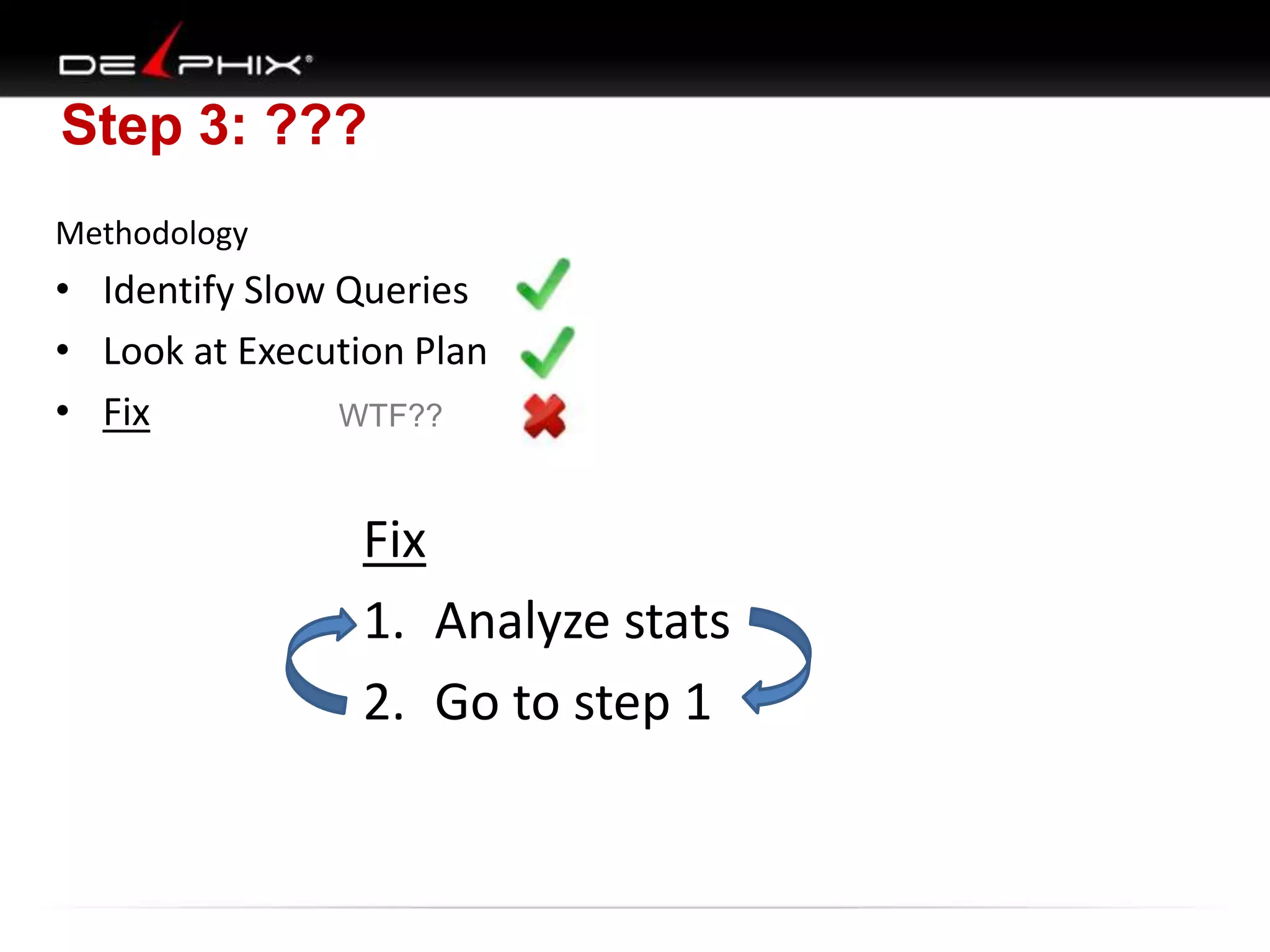
Step 3: ???
Methodology

• Identify Slow Queries
• Look at Execution Plan
• Fix
WTF??

Fix
1. Analyze stats
2. Go to step 1
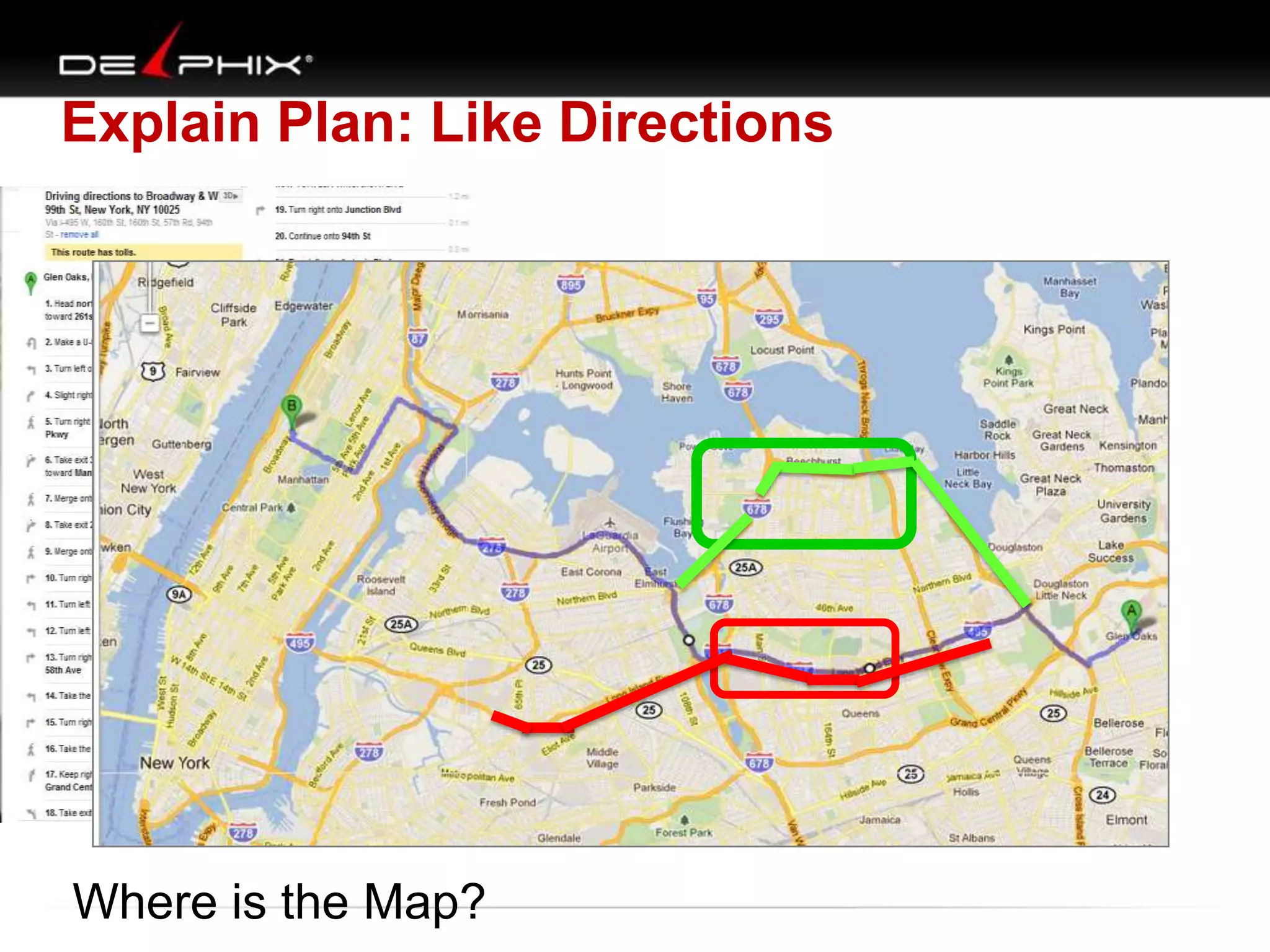
Explain Plan: Like Directions

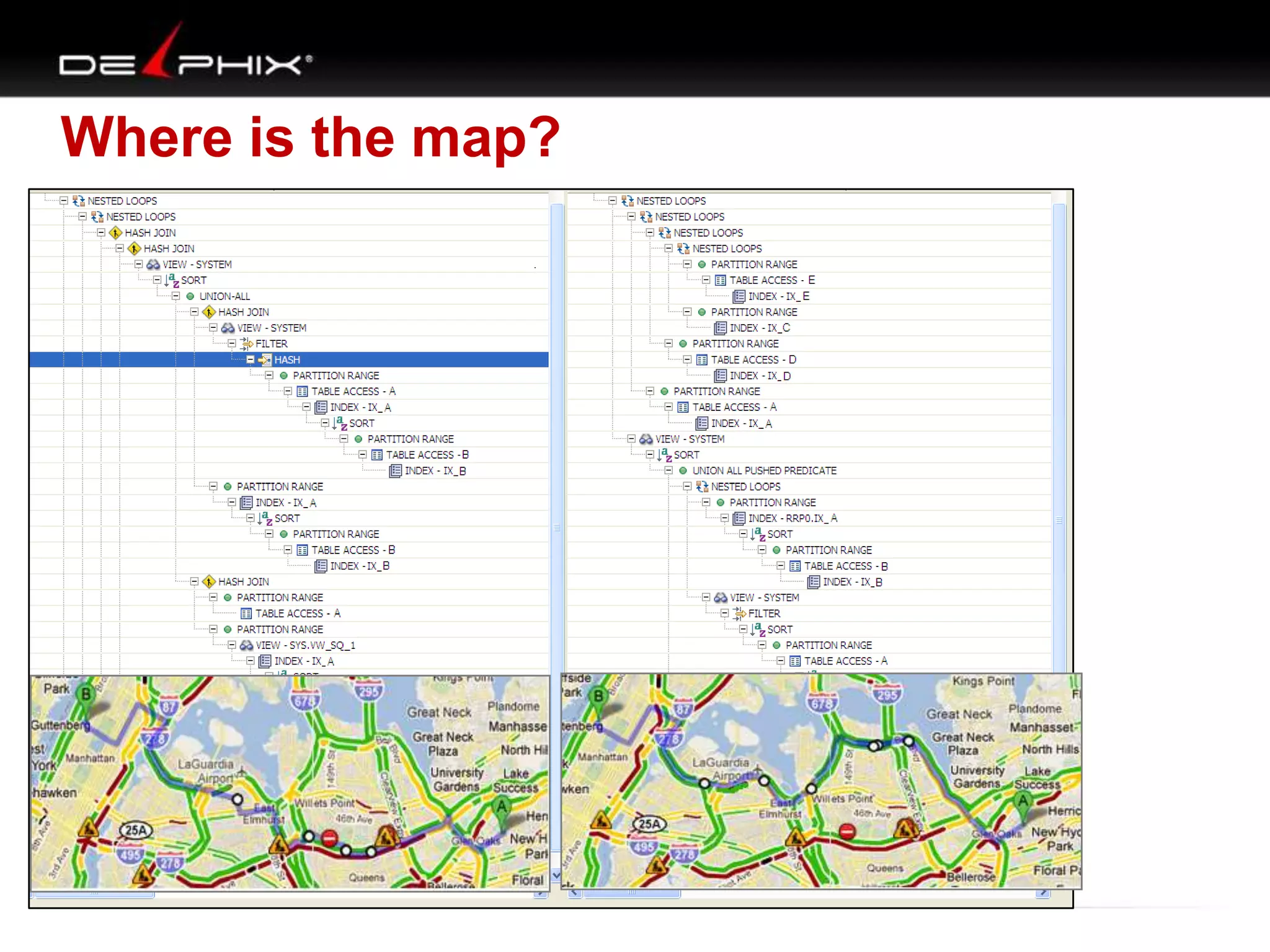
Where is the Map?
SQL Tuning

1. Two Table Join
2. Multi-Table Join
3. Create Map (VST diagram)
4. Apply Methodology (how tune)
5. Examples
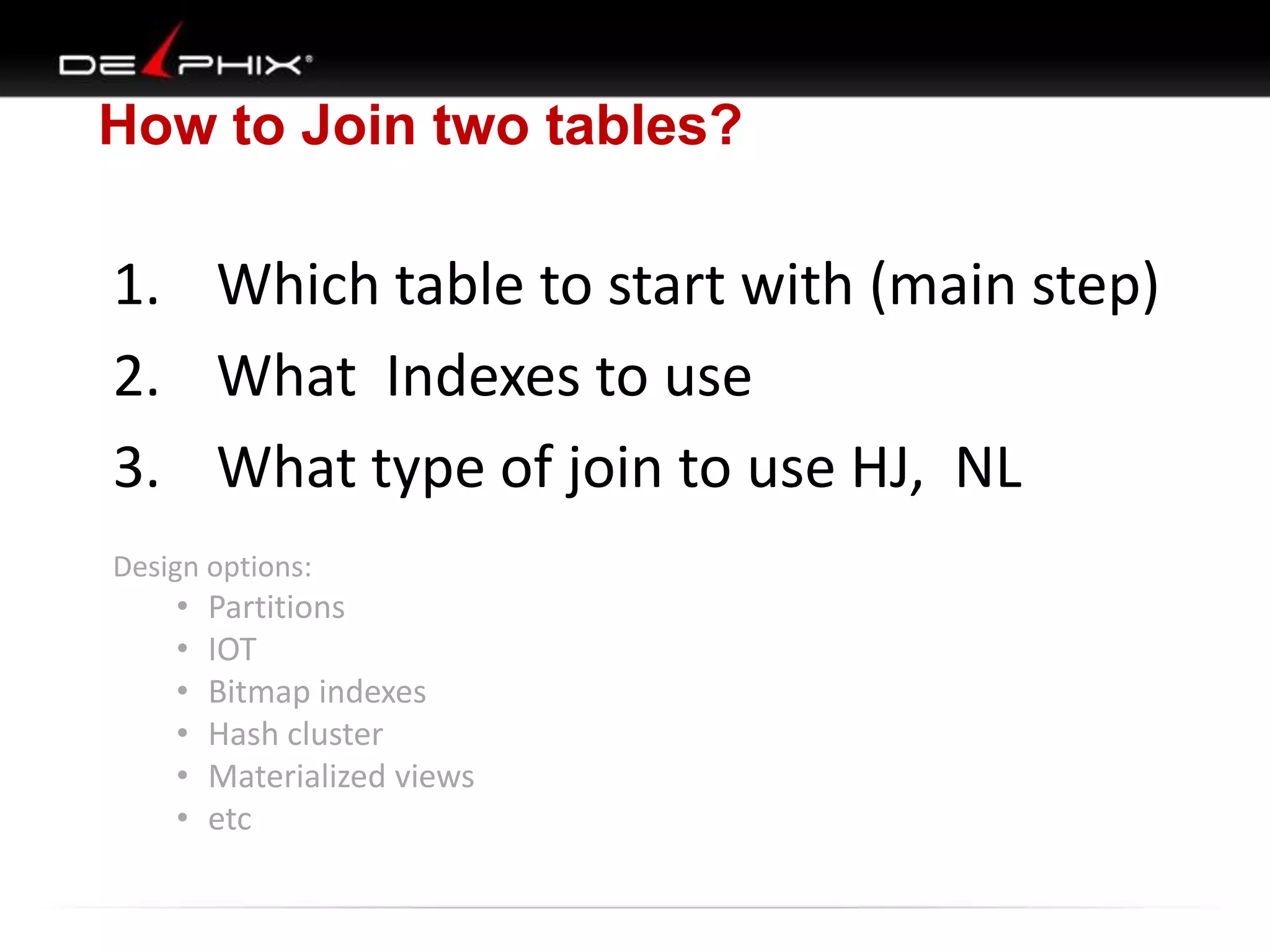
How to Join two tables?

1. Which table to start with (main step)
2. What Indexes to use
3. What type of join to use HJ, NL
Design options:

•
•
•
•
•
•

Partitions
IOT
Bitmap indexes
Hash cluster
Materialized views
etc
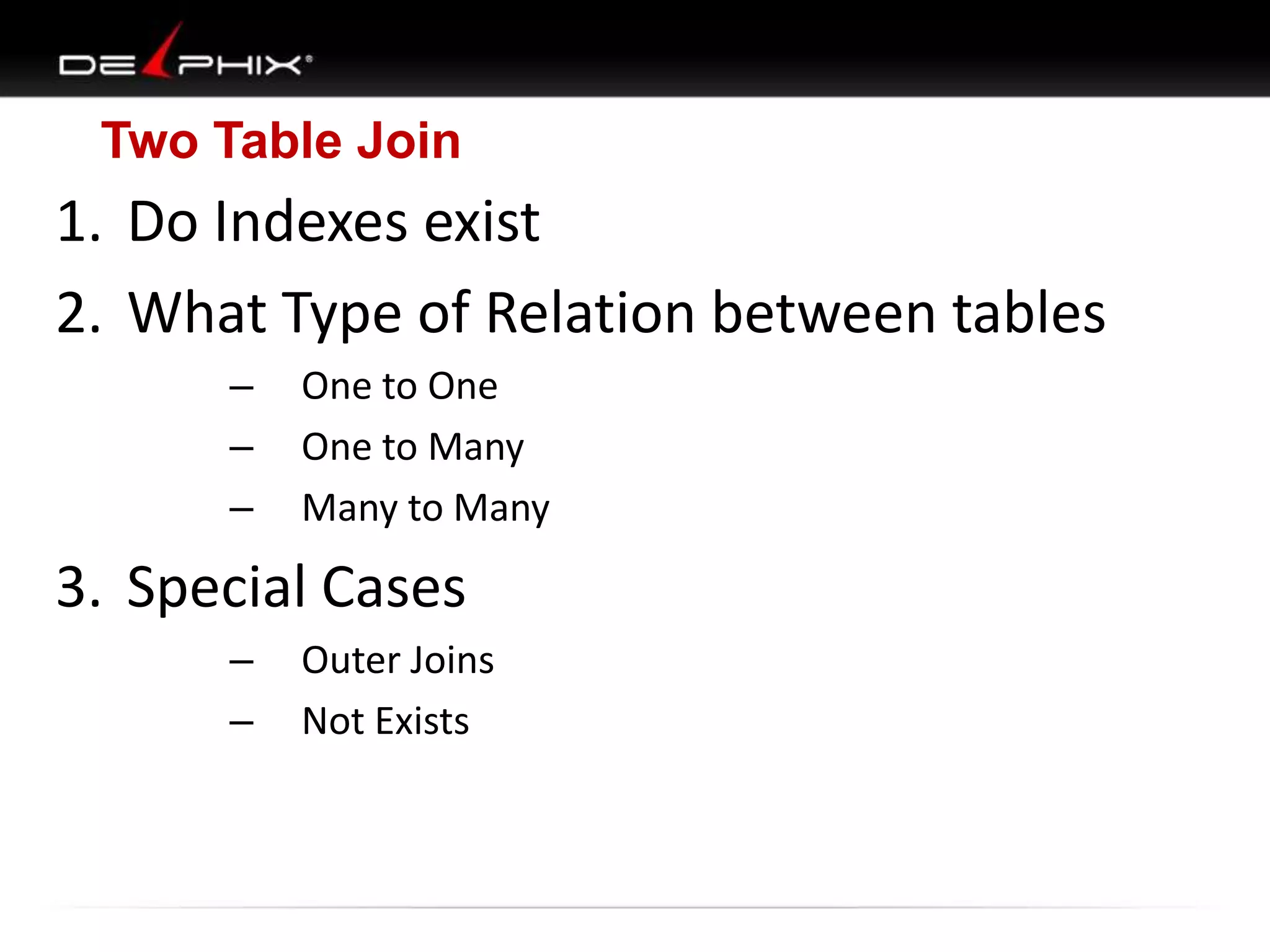
Two Table Join

1. Do Indexes exist
2. What Type of Relation between tables
–
–
–

One to One
One to Many
Many to Many

3. Special Cases
–
–

Outer Joins
Not Exists
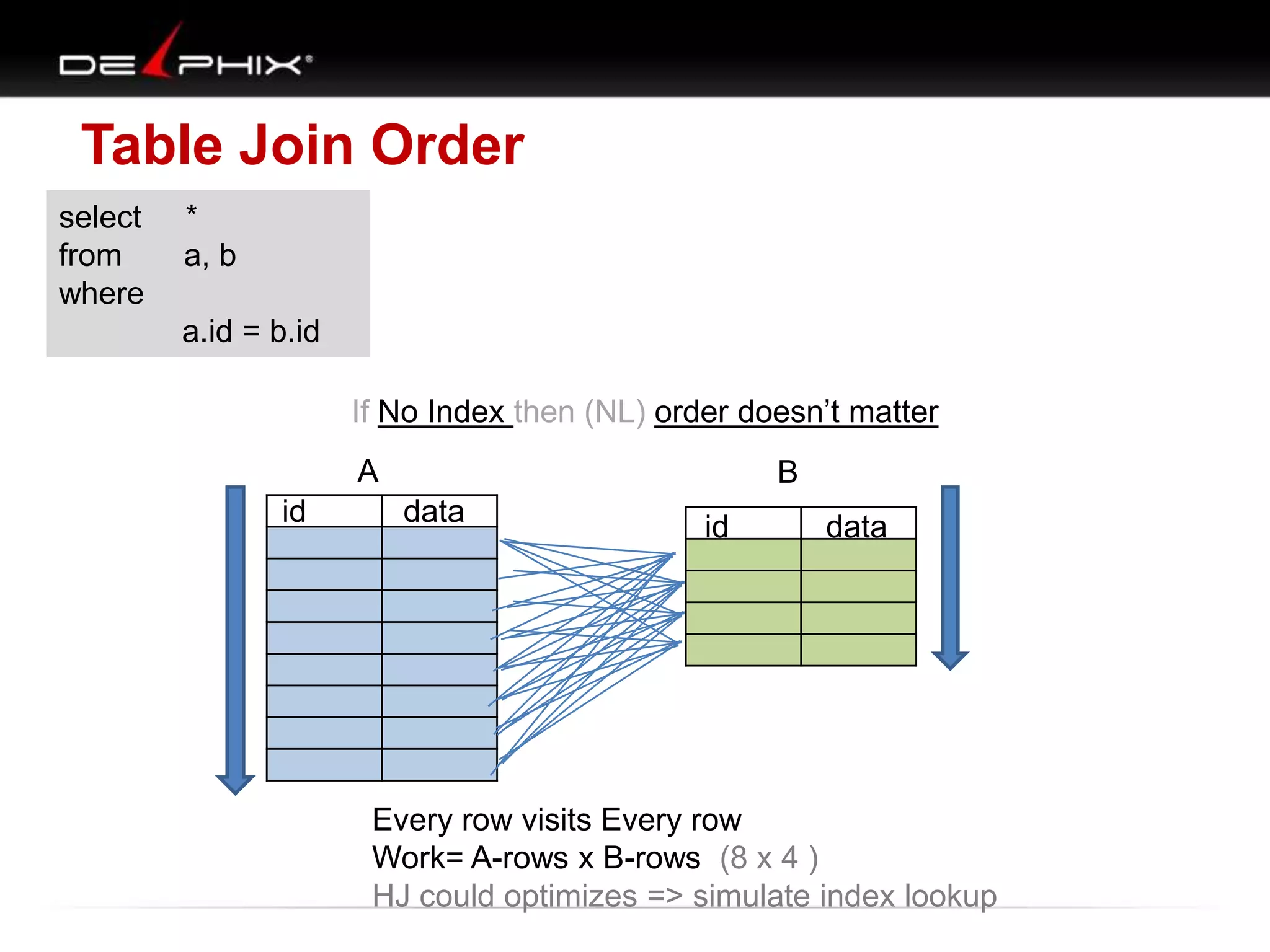
Table Join Order
select
from
where

*
a, b
a.id = b.id

If No Index then (NL) order doesn‟t matter
A
id

B
data

id

data

Every row visits Every row
Work= A-rows x B-rows (8 x 4 )
HJ could optimizes => simulate index lookup
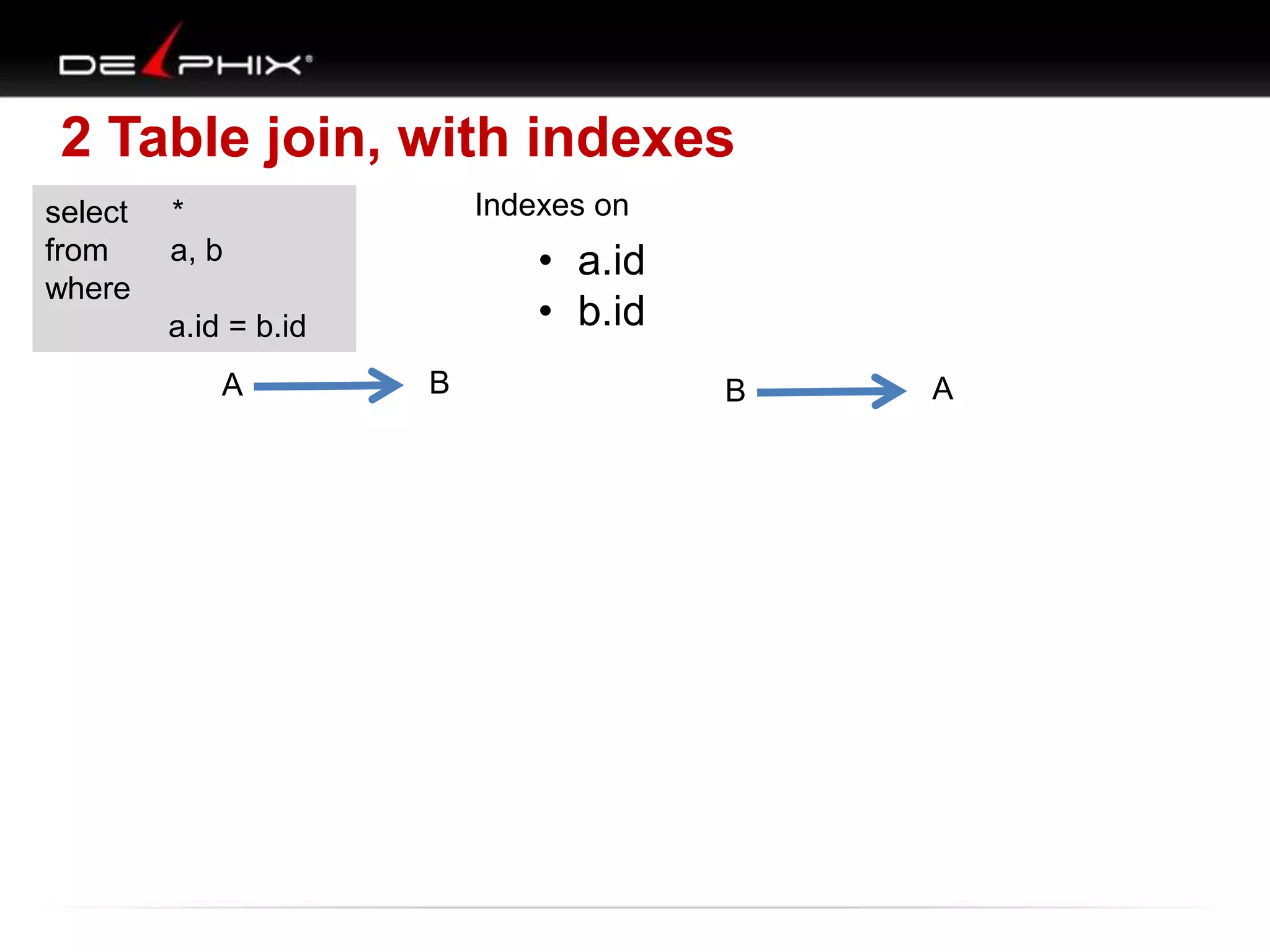
2 Table join, with indexes
select
from
where

Indexes on

*
a, b

• a.id
• b.id

a.id = b.id

A

B

B

A
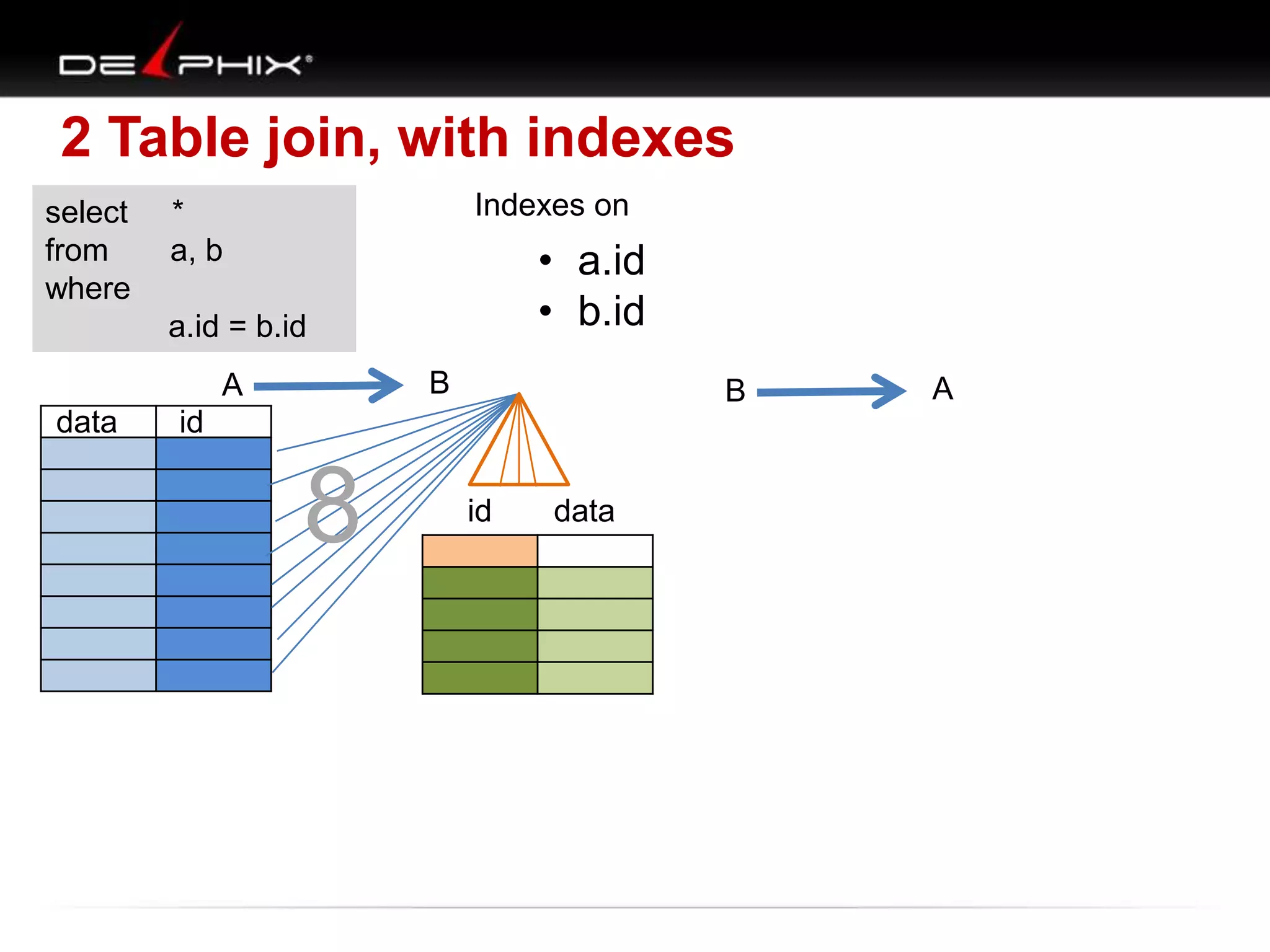
2 Table join, with indexes
select
from
where

Indexes on

*
a, b

• a.id
• b.id

a.id = b.id
B

A
data

B

id

8

id

data

A
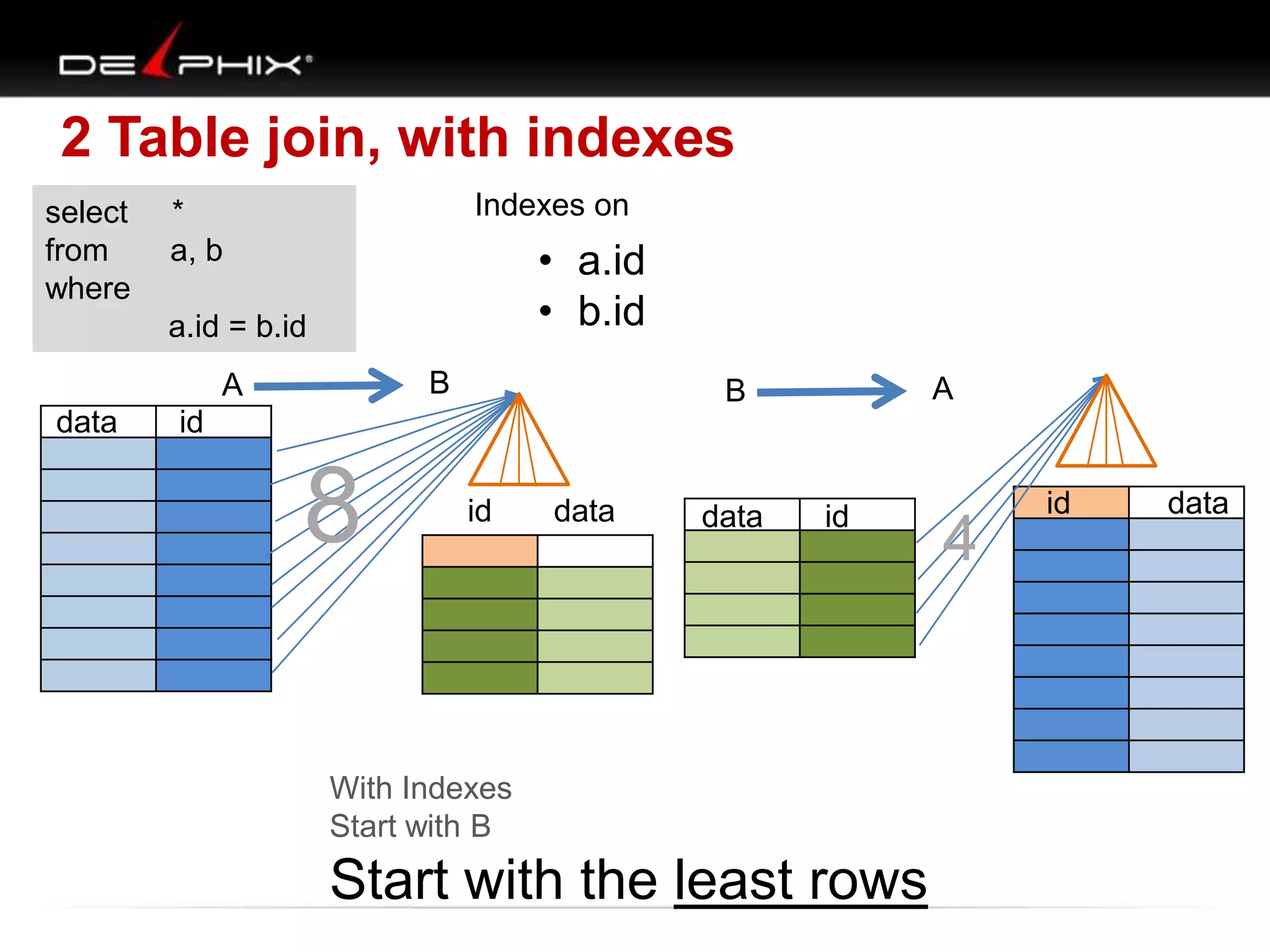
2 Table join, with indexes
select
from
where

Indexes on

*
a, b

• a.id
• b.id

a.id = b.id
B

A
data

A

B

id

8

id

data

data

id

With Indexes
Start with B

Start with the least rows

4

id

data
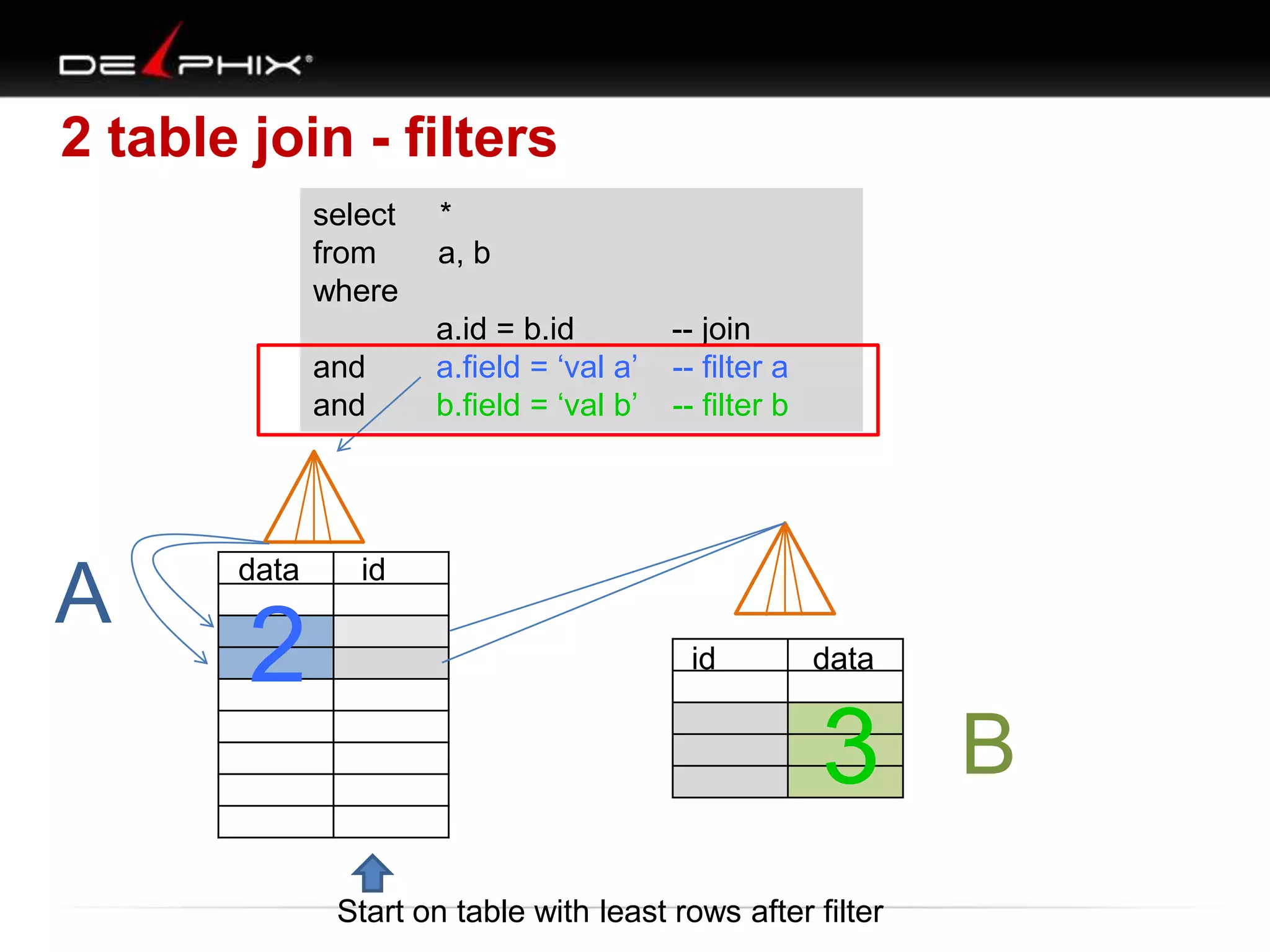
2 table join - filters
select
from
where
and
and

A

data

2

*
a, b
a.id = b.id
a.field = „val a‟
b.field = „val b‟

-- join
-- filter a
-- filter b

id
id

data

3 B
Start on table with least rows after filter
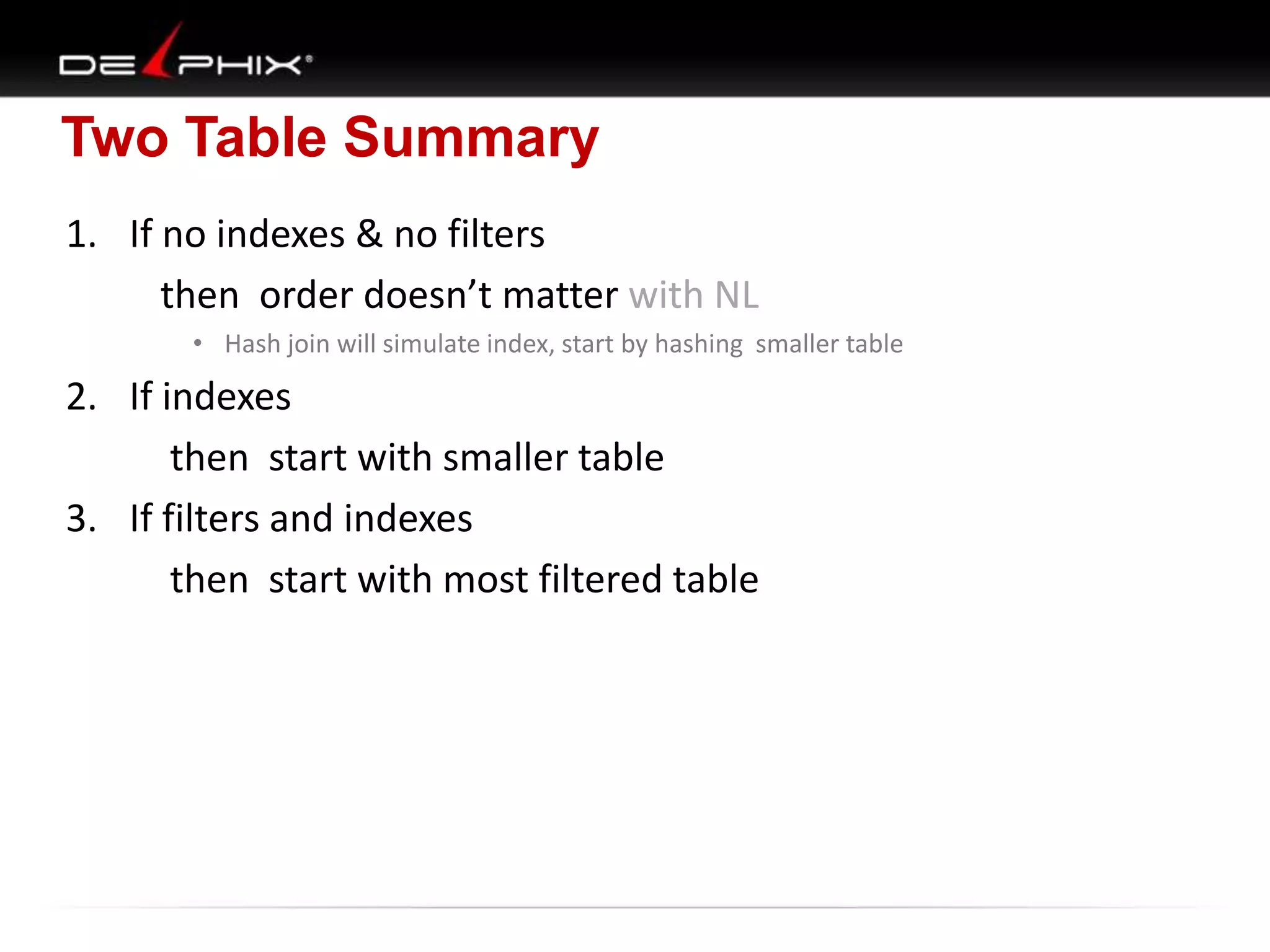
Two Table Summary
1. If no indexes & no filters
then order doesn’t matter with NL
• Hash join will simulate index, start by hashing smaller table

2. If indexes
then start with smaller table
3. If filters and indexes
then start with most filtered table
Creating Two table Join Map
• Set diagrams
• Short comings of set diagrams
• New map diagrams
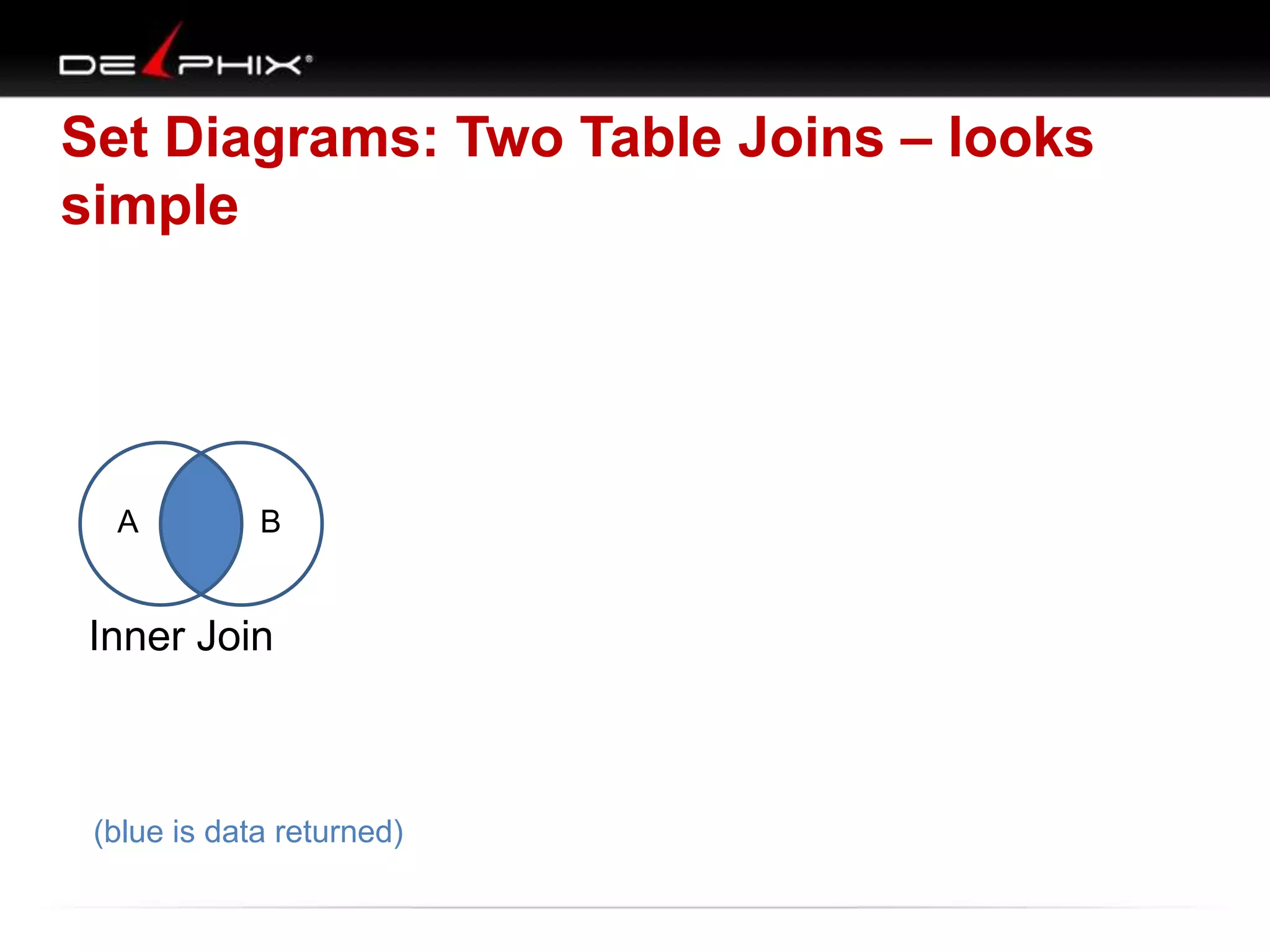
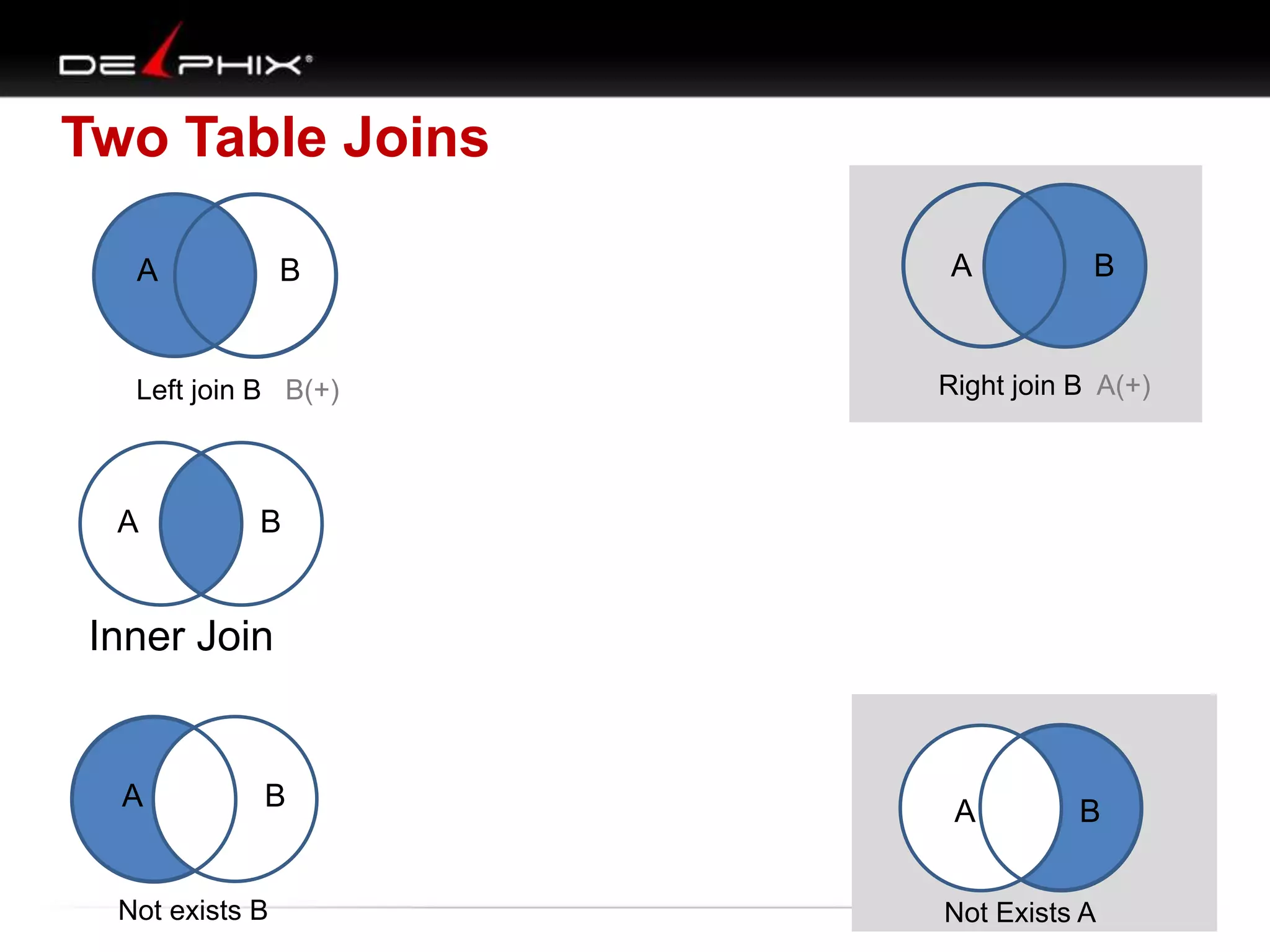
Set Diagrams: Two Table Joins – looks
simple

A

B

Inner Join

(blue is data returned)
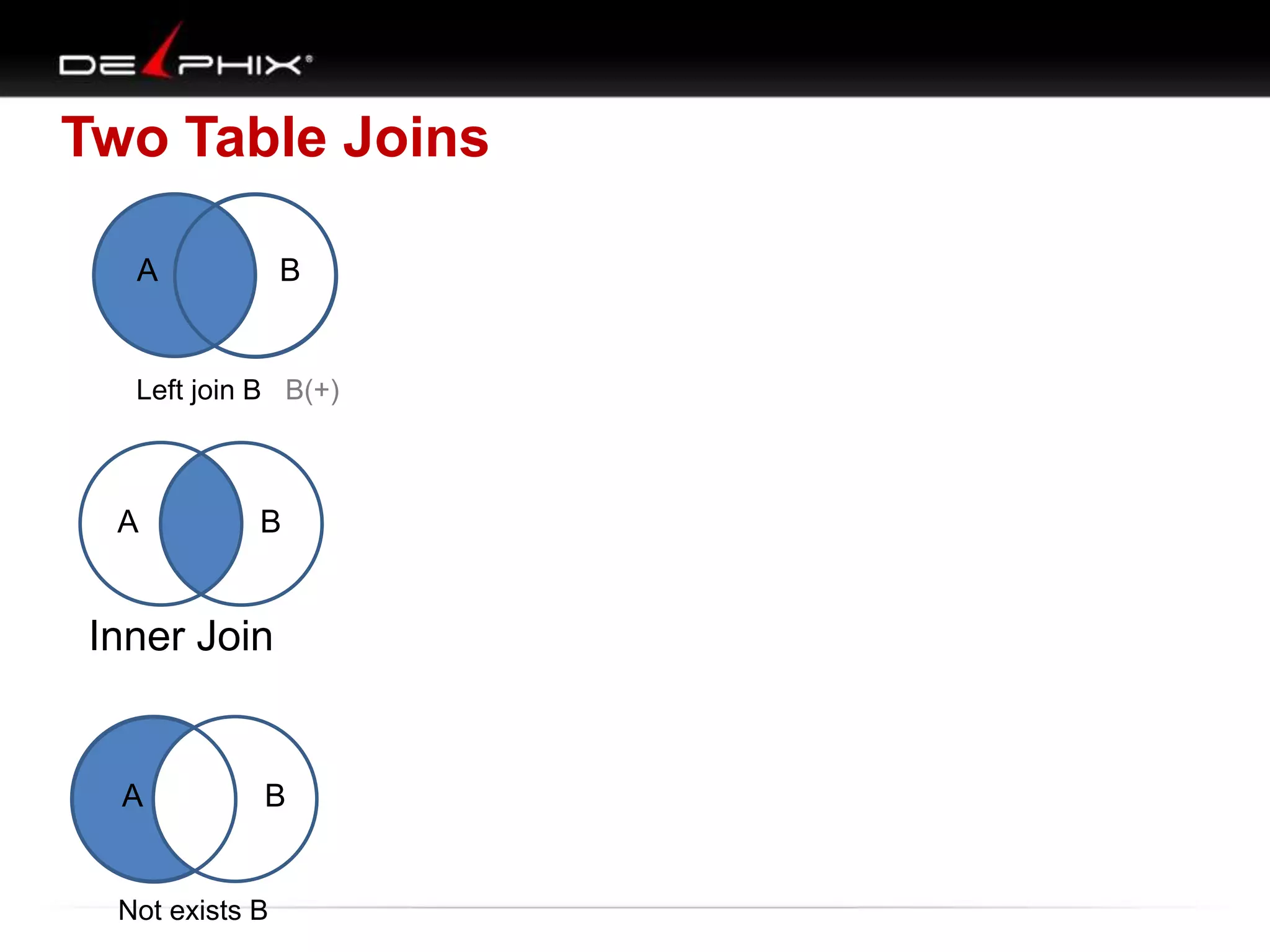
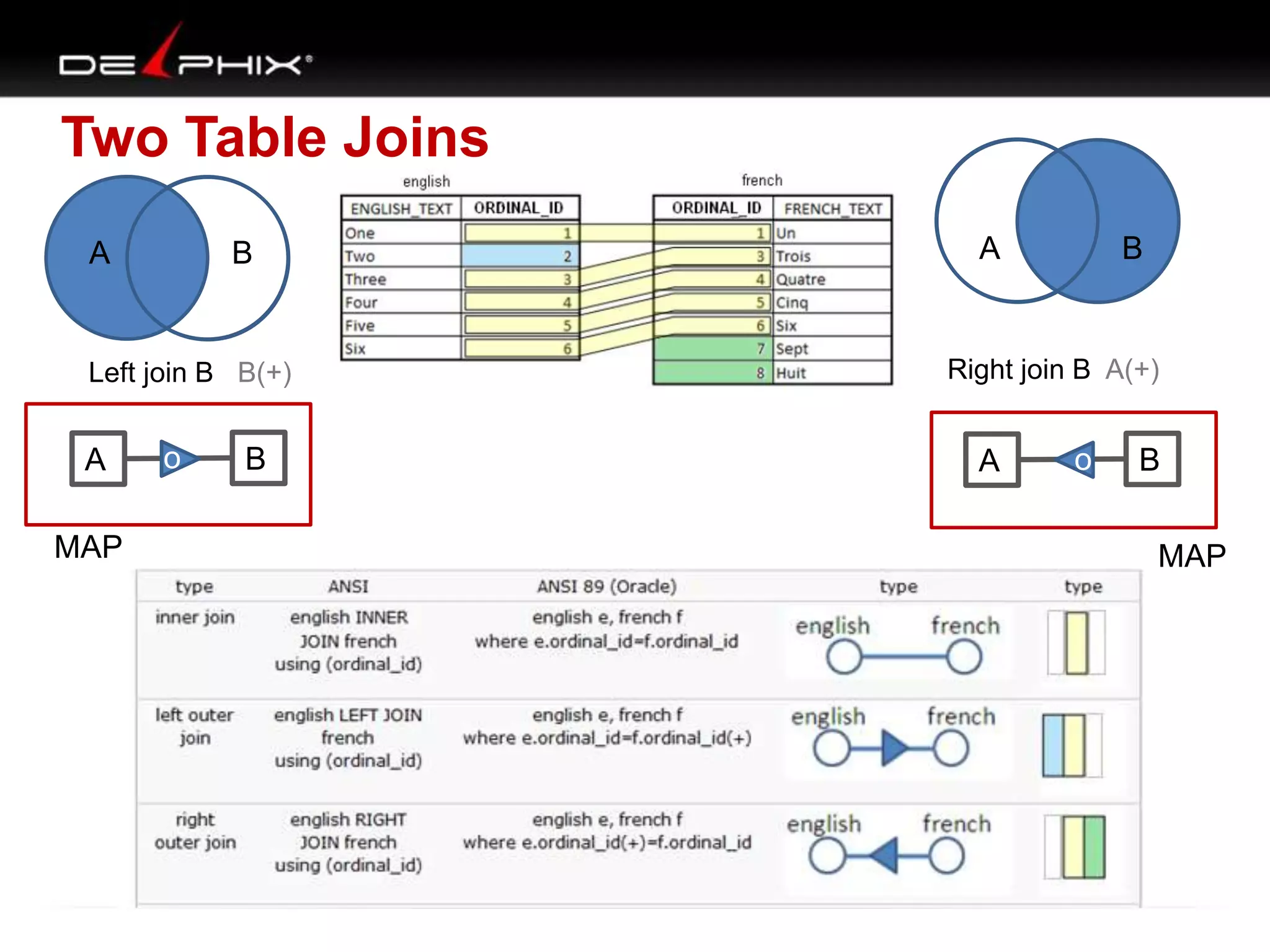
Two Table Joins
A

B

Left join B B(+)

A

B

Inner Join

A

B

Not exists B
Two Table Joins
A

B

Left join B B(+)

A

A

B

Right join B A(+)

B

Inner Join

A

B

Not exists B

A

B

Not Exists A
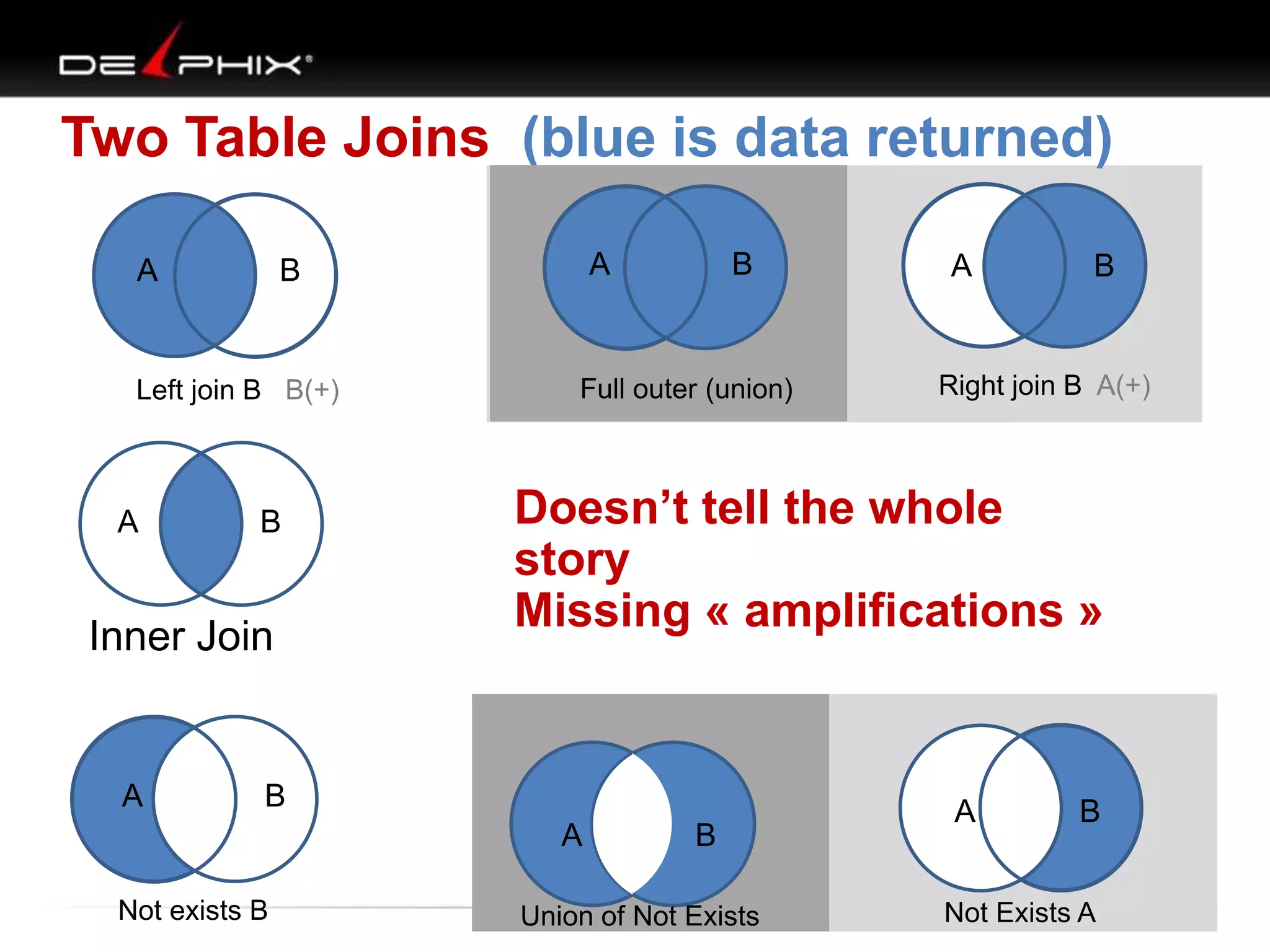
Two Table Joins (blue is data returned)
A

Left join B B(+)

A

B

Inner Join

A

A

B

B

Full outer (union)

B

Right join B A(+)

Doesn’t tell the whole
story
Missing « amplifications »

B
A

Not exists B

A

B

Union of Not Exists

A

B

Not Exists A
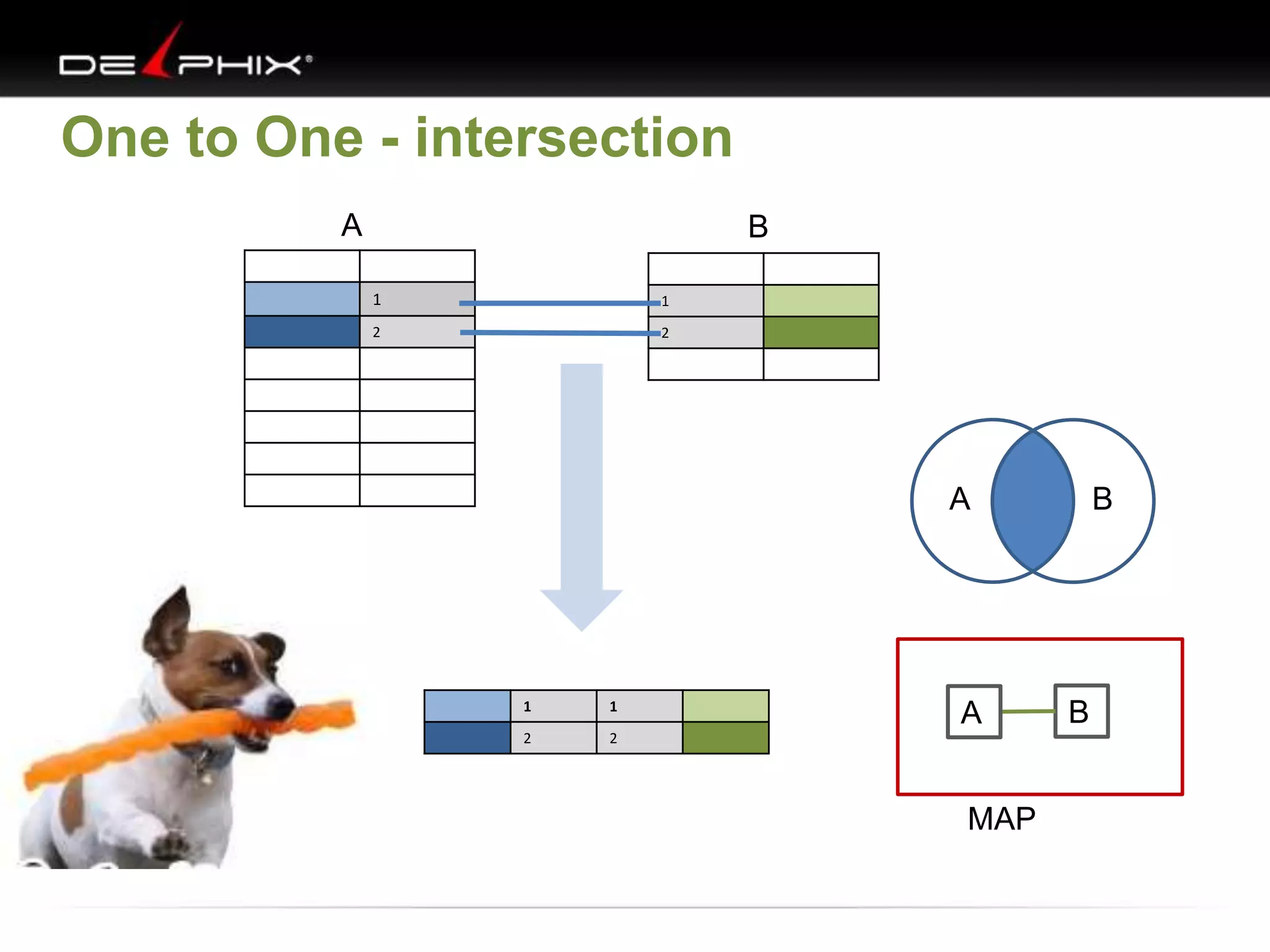
One to One - intersection
A

B
1

1

2

2

A

1

1

2

2

A
MAP

B

B
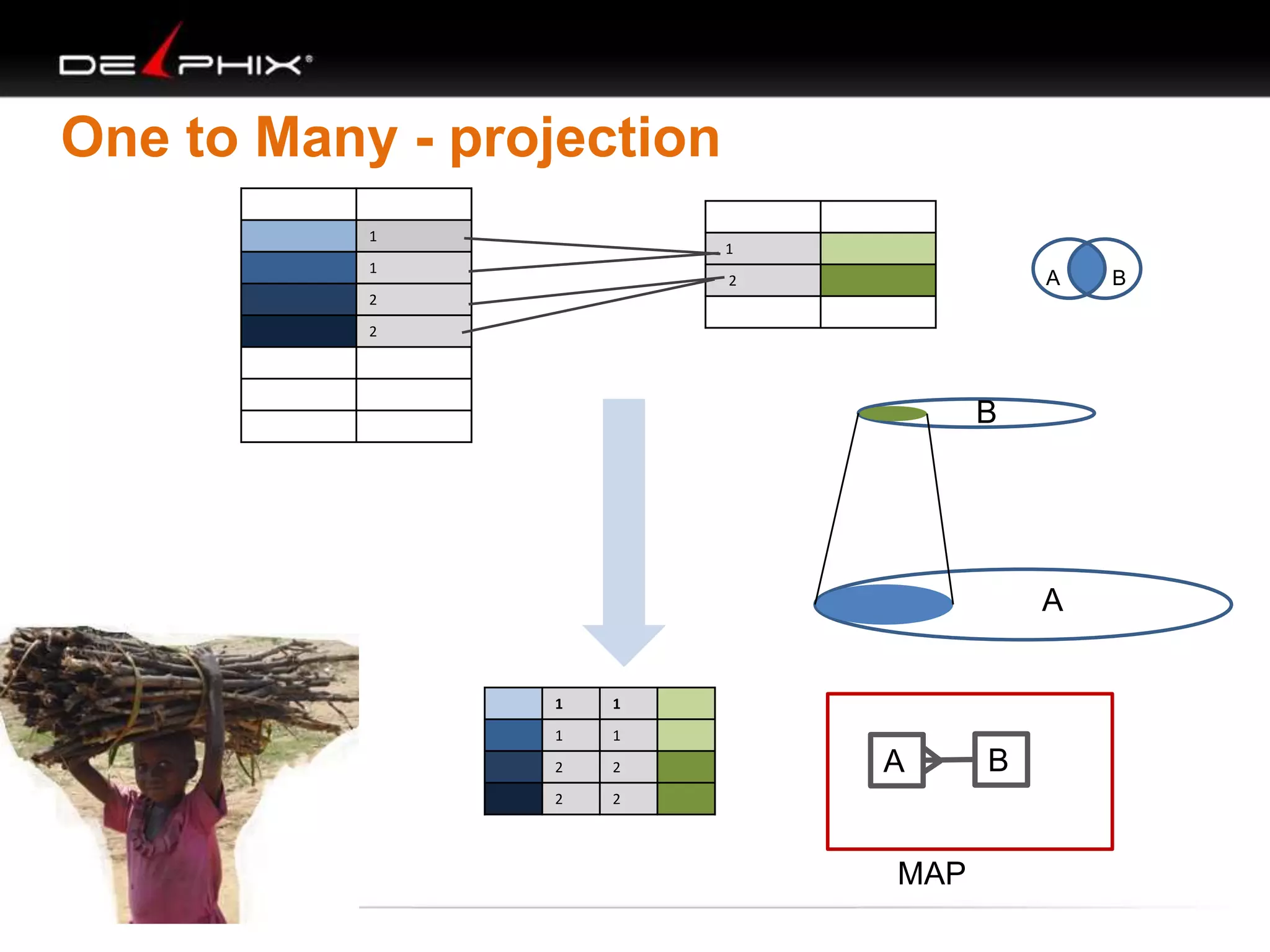
One to Many - projection
1

1

1

A

2

2
2

B

A

1

1

1

1

2

2

2

2

A

MAP

B

B
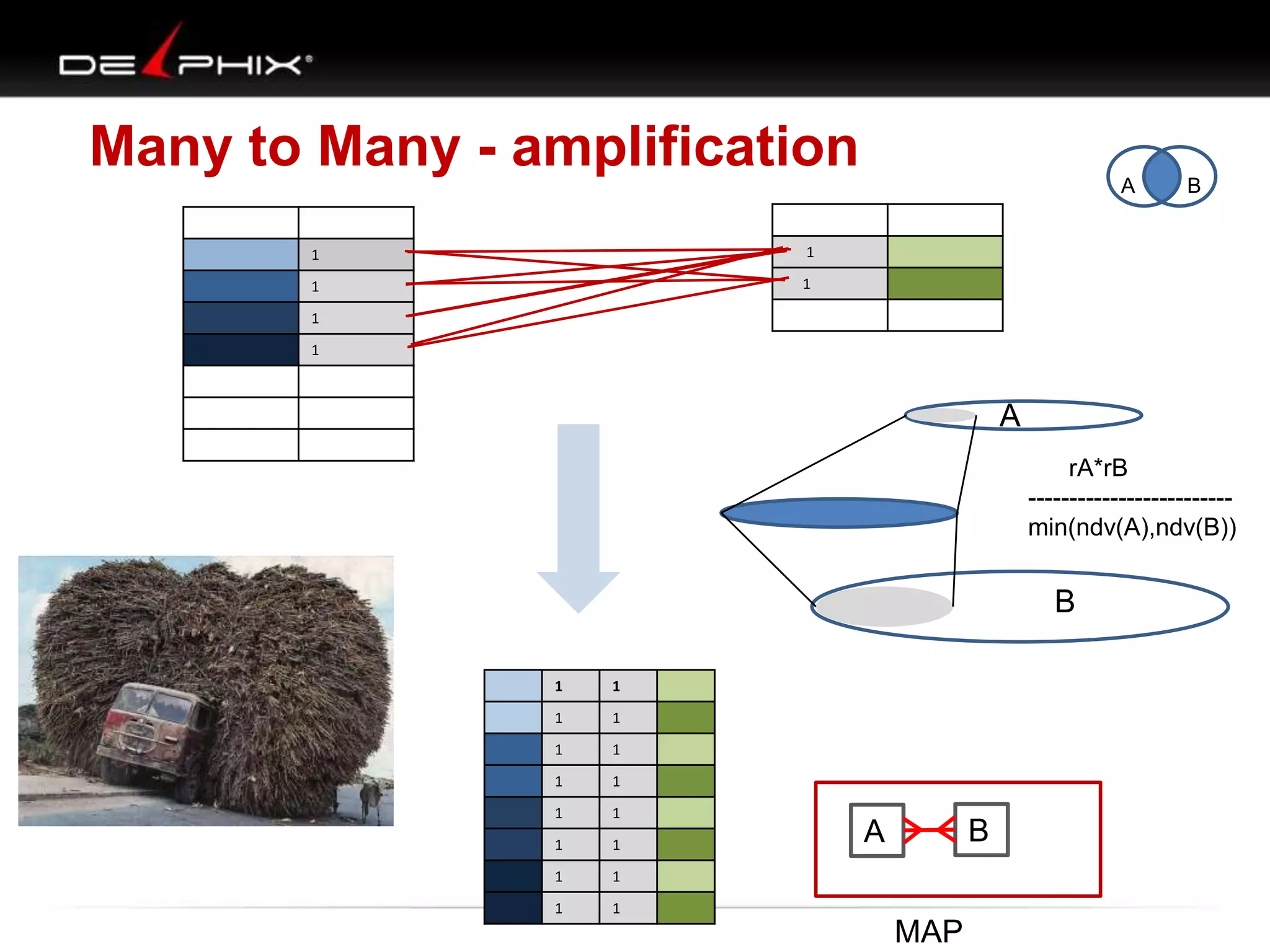
Many to Many - amplification
A
1

1

1

B

1

1
1

A
rA*rB
------------------------min(ndv(A),ndv(B))

B
1

1

1

1

1

1

1

1

1

1

1

1

1

1

1

1

B

A
MAP
Two Table Joins
A

B

Left join B B(+)

A
MAP

o

B

A

B

Right join B A(+)

A

o

B
MAP
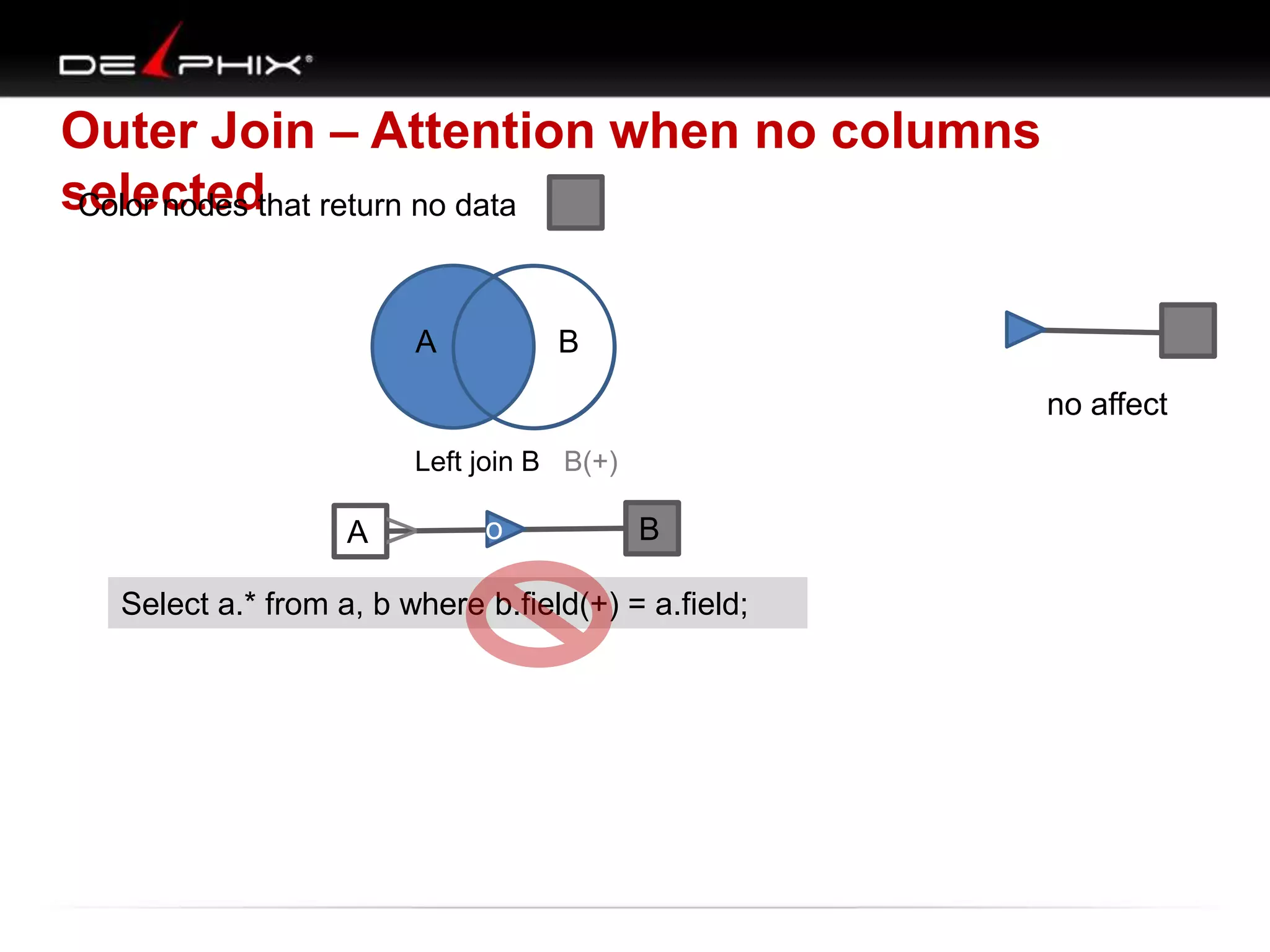
Outer Join – Attention when no columns
selectedthat return no data
Color nodes
o
A

B
no affect

A

V

Left join B B(+)

o

B

Select a.* from a, b where b.field(+) = a.field;
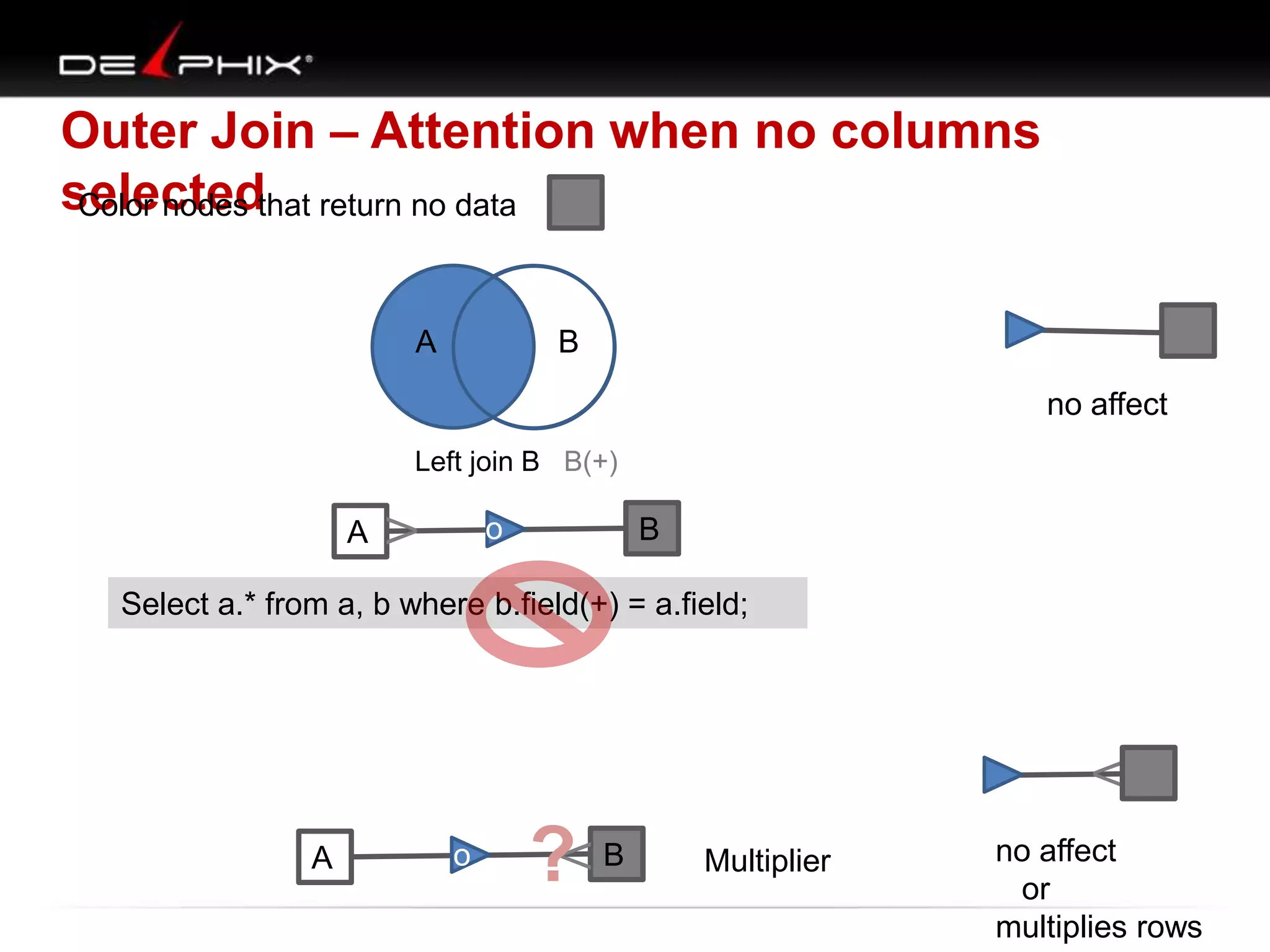
Outer Join – Attention when no columns
selectedthat return no data
Color nodes
o
A

B
no affect

Left join B B(+)

o

V

A

B

Select a.* from a, b where b.field(+) = a.field;

V

o

?

V

A

B

Multiplier

no affect
or
multiplies rows
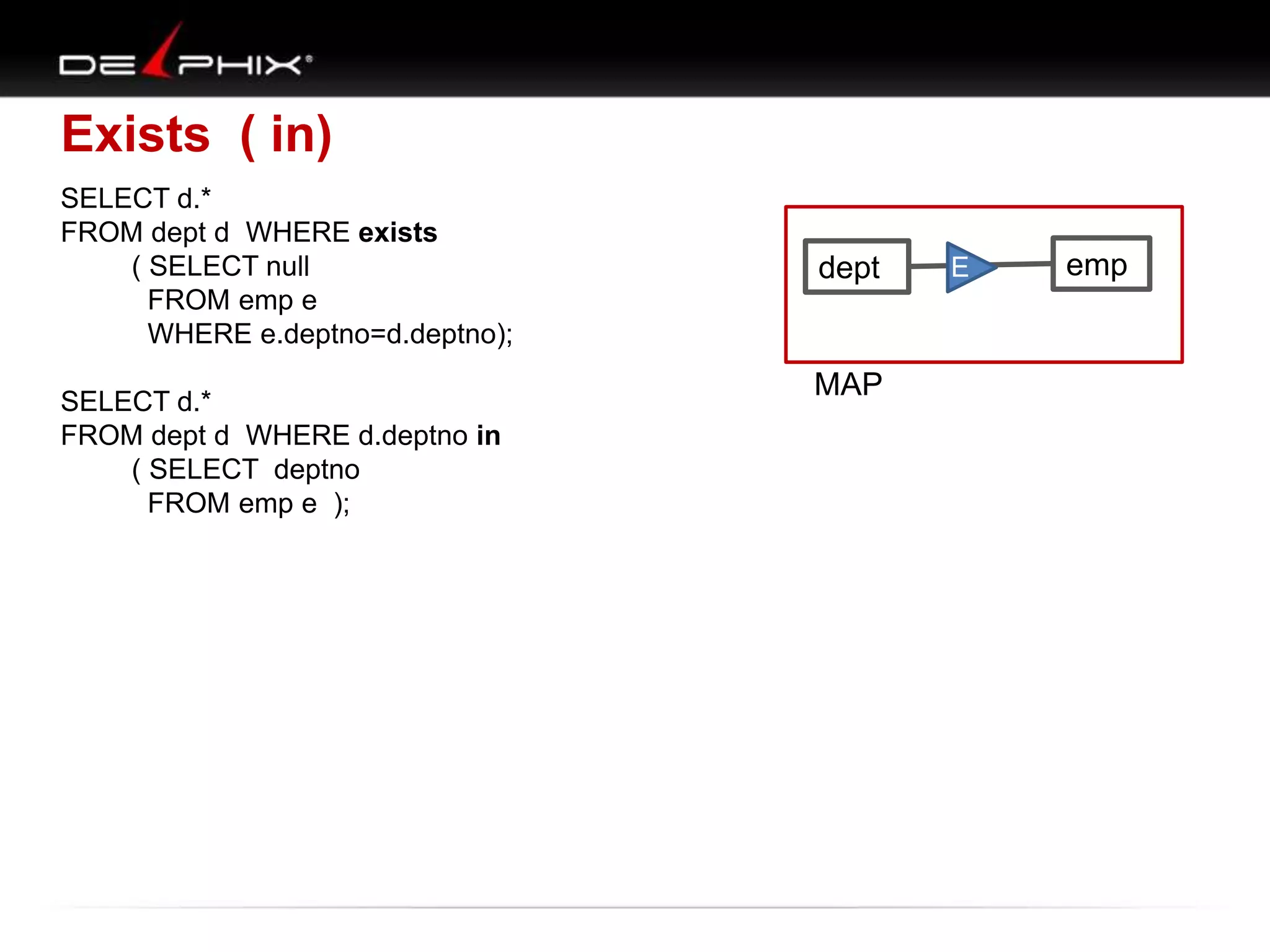
Exists ( in)
SELECT d.*
FROM dept d WHERE exists
( SELECT null
FROM emp e
WHERE e.deptno=d.deptno);
SELECT d.*
FROM dept d WHERE d.deptno in
( SELECT deptno
FROM emp e );

dept

MAP

E

emp
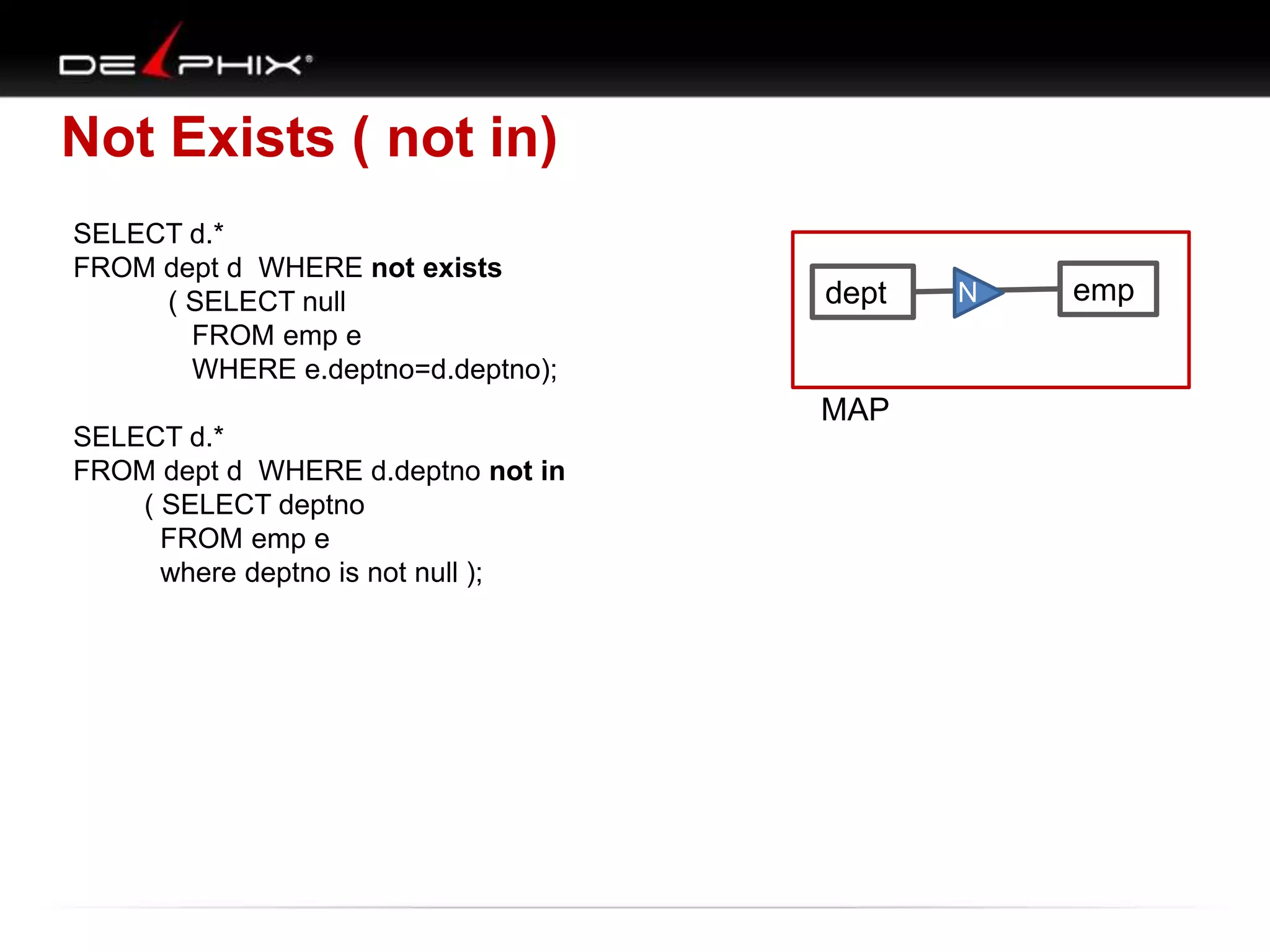
Not Exists ( not in)
SELECT d.*
FROM dept d WHERE not exists
( SELECT null
FROM emp e
WHERE e.deptno=d.deptno);
SELECT d.*
FROM dept d WHERE d.deptno not in
( SELECT deptno
FROM emp e
where deptno is not null );

dept

MAP

N

emp
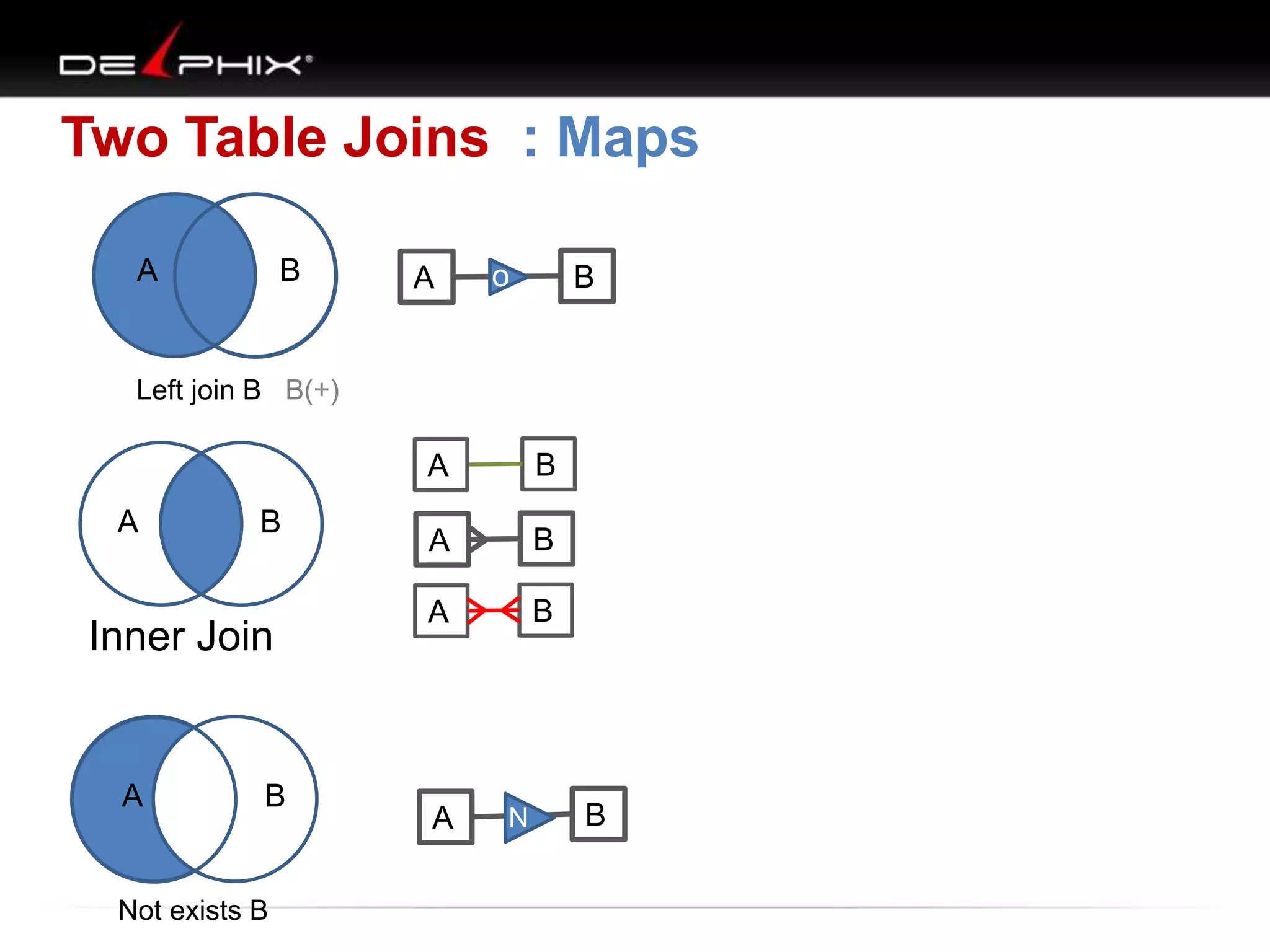
Two Table Joins : Maps
A

B

A

o

B

Left join B B(+)

A
A

B

Inner Join

A

B

Not exists B

B

A

B

A

B

A

N

B
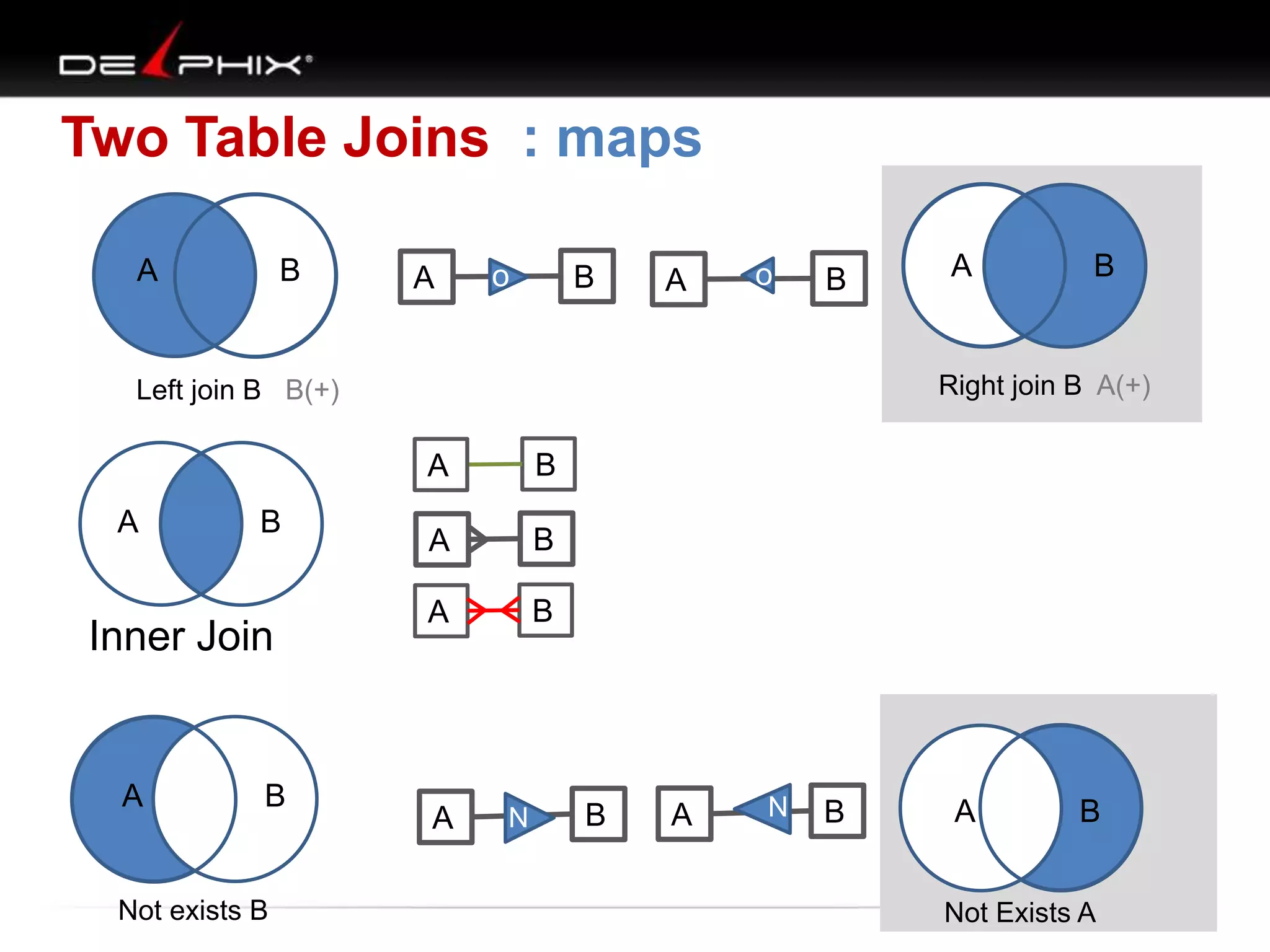
Two Table Joins : maps
A

B

A

o

B

A

o

B

A
B

Inner Join

A

B

Not exists B

B

Right join B A(+)

Left join B B(+)

A

A

B

A

B

A

B
N

A

N

B

A

N

B

A

B

Not Exists A
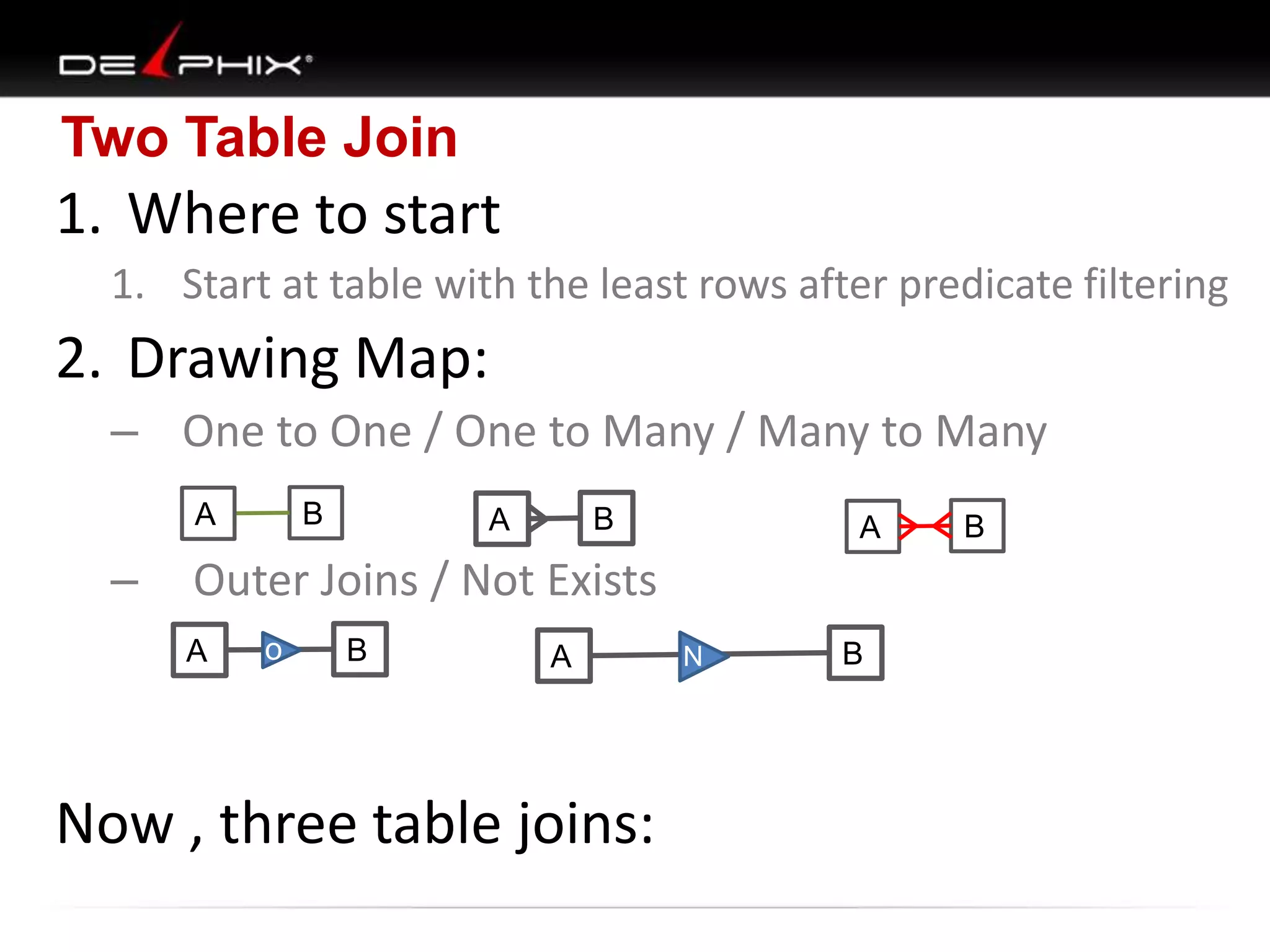
Two Table Join

1. Where to start
1. Start at table with the least rows after predicate filtering

2. Drawing Map:
– One to One / One to Many / Many to Many
B

A

–

B

A

A

Outer Joins / Not Exists
A

o

B

A

Now , three table joins:

N

B

B
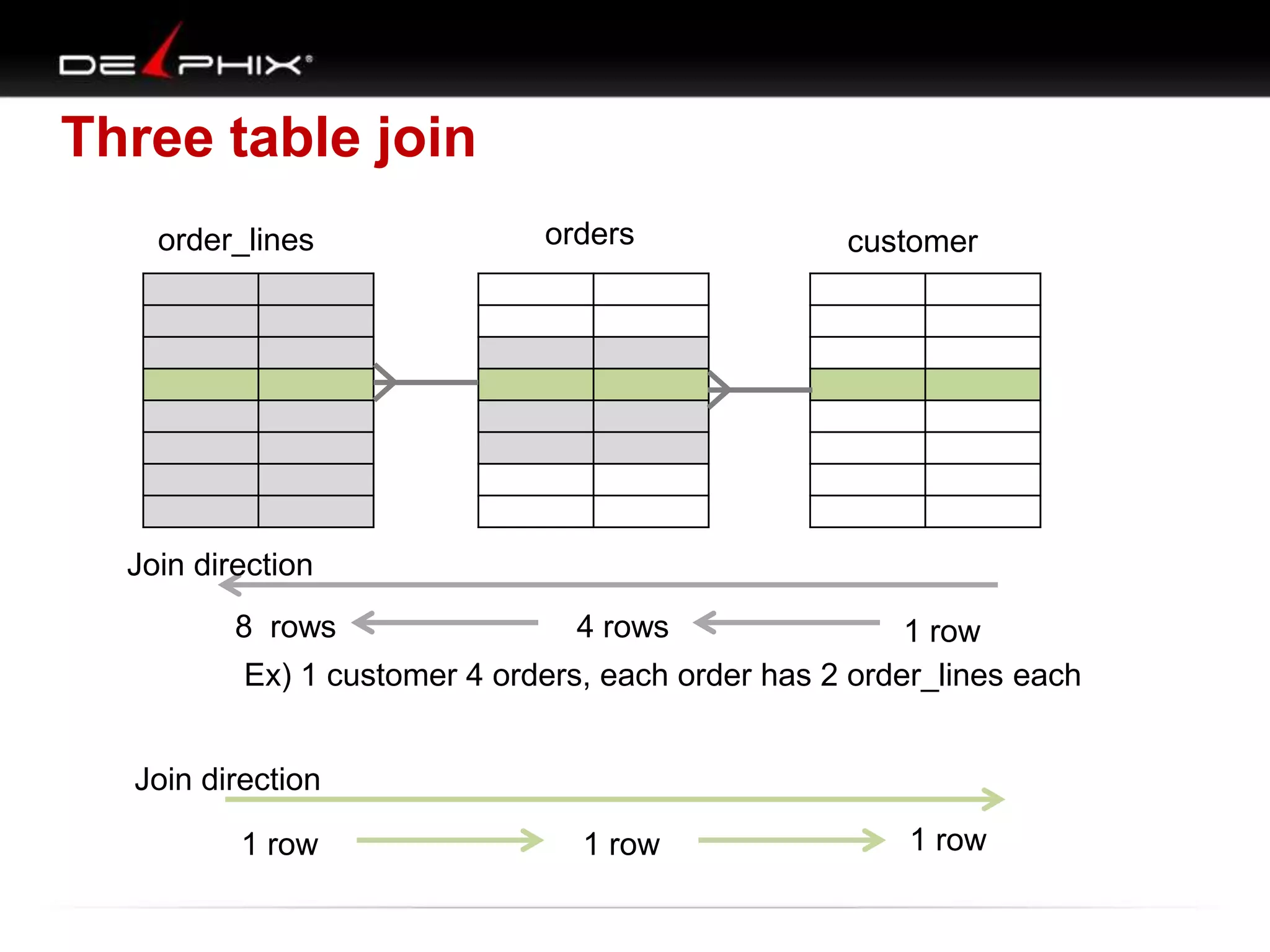
Three table join
order_lines

orders

customer

Join direction

8 rows

4 rows

1 row
Ex) 1 customer 4 orders, each order has 2 order_lines each

Join direction
1 row

1 row

1 row
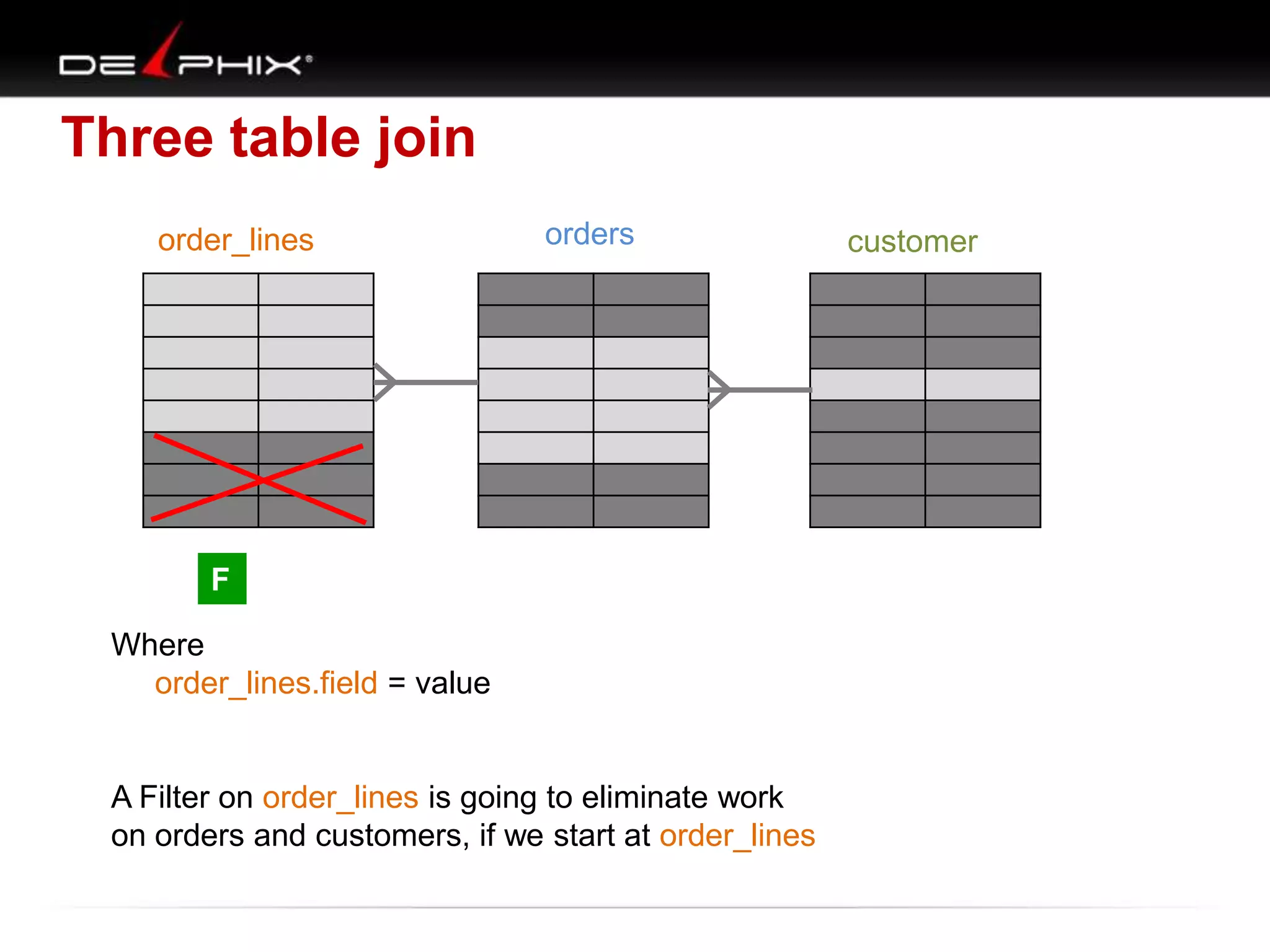
Three table join
order_lines

orders

F
Where
order_lines.field = value

A Filter on order_lines is going to eliminate work
on orders and customers, if we start at order_lines

customer
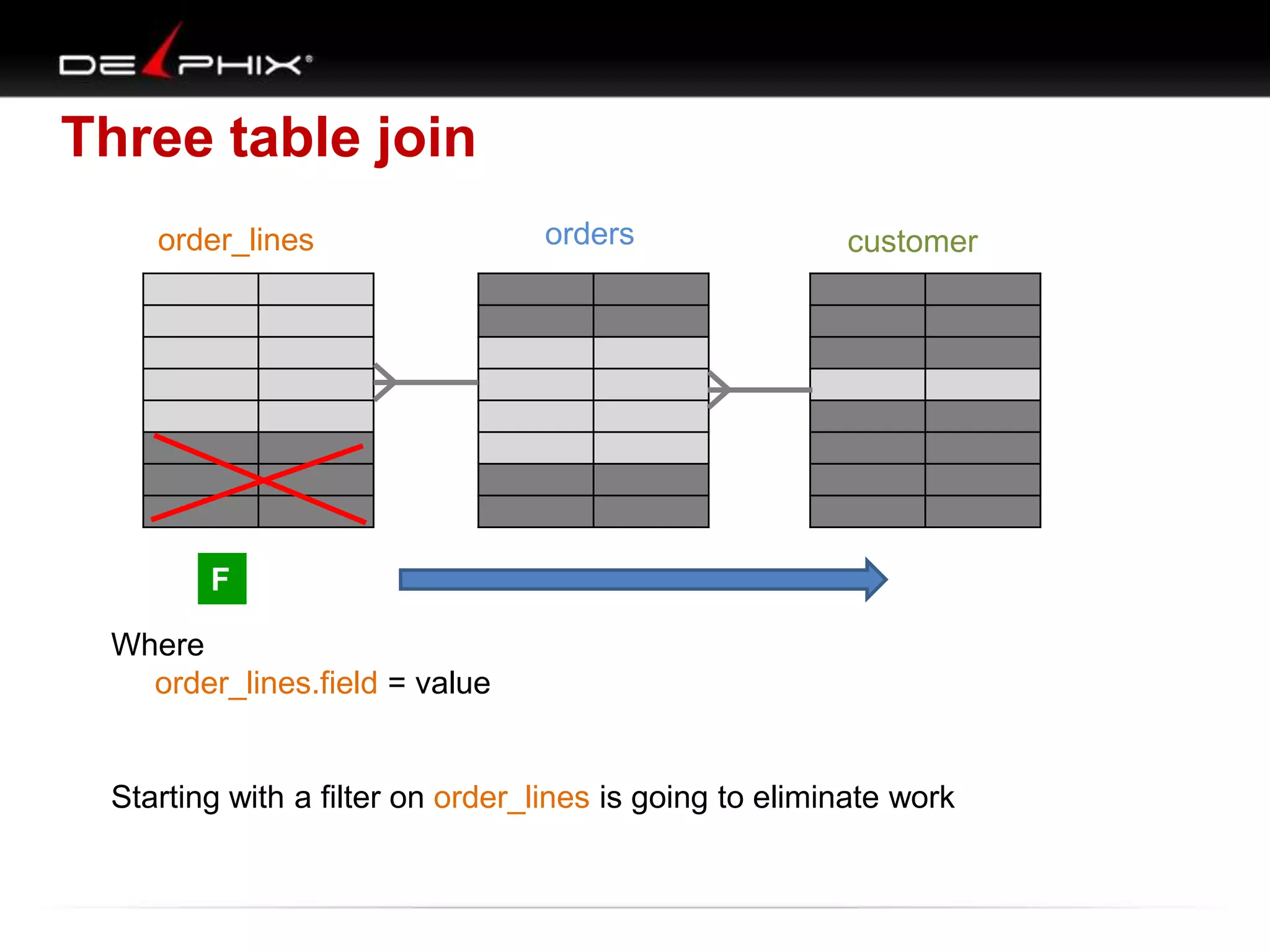
Three table join
order_lines

orders

customer

F
Where
order_lines.field = value

Starting with a filter on order_lines is going to eliminate work
Three table join
order_lines

orders

customer

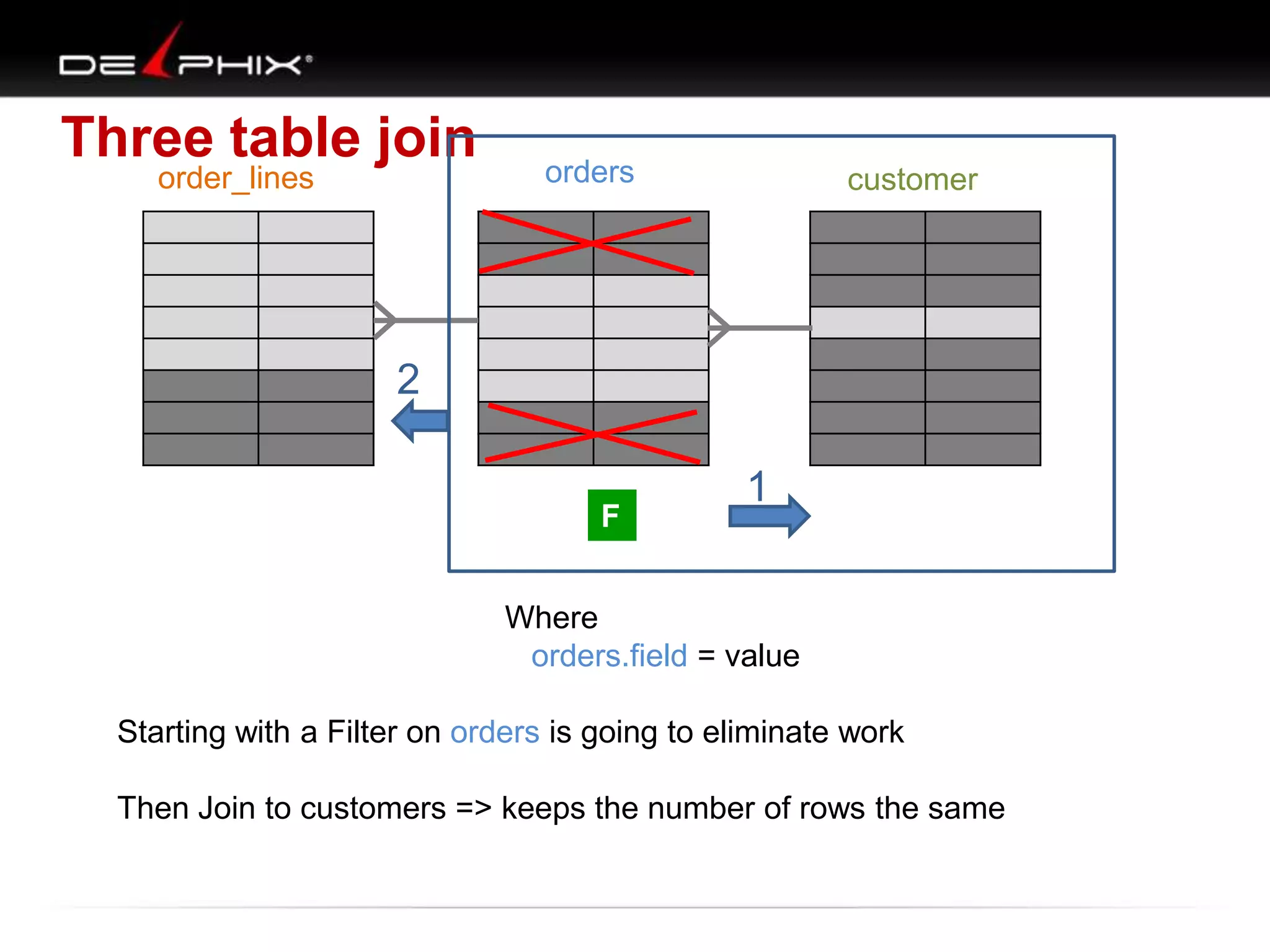
2
F

1

Where
orders.field = value
Starting with a Filter on orders is going to eliminate work
Then Join to customers => keeps the number of rows the same
Three table join
order_lines

orders

customer

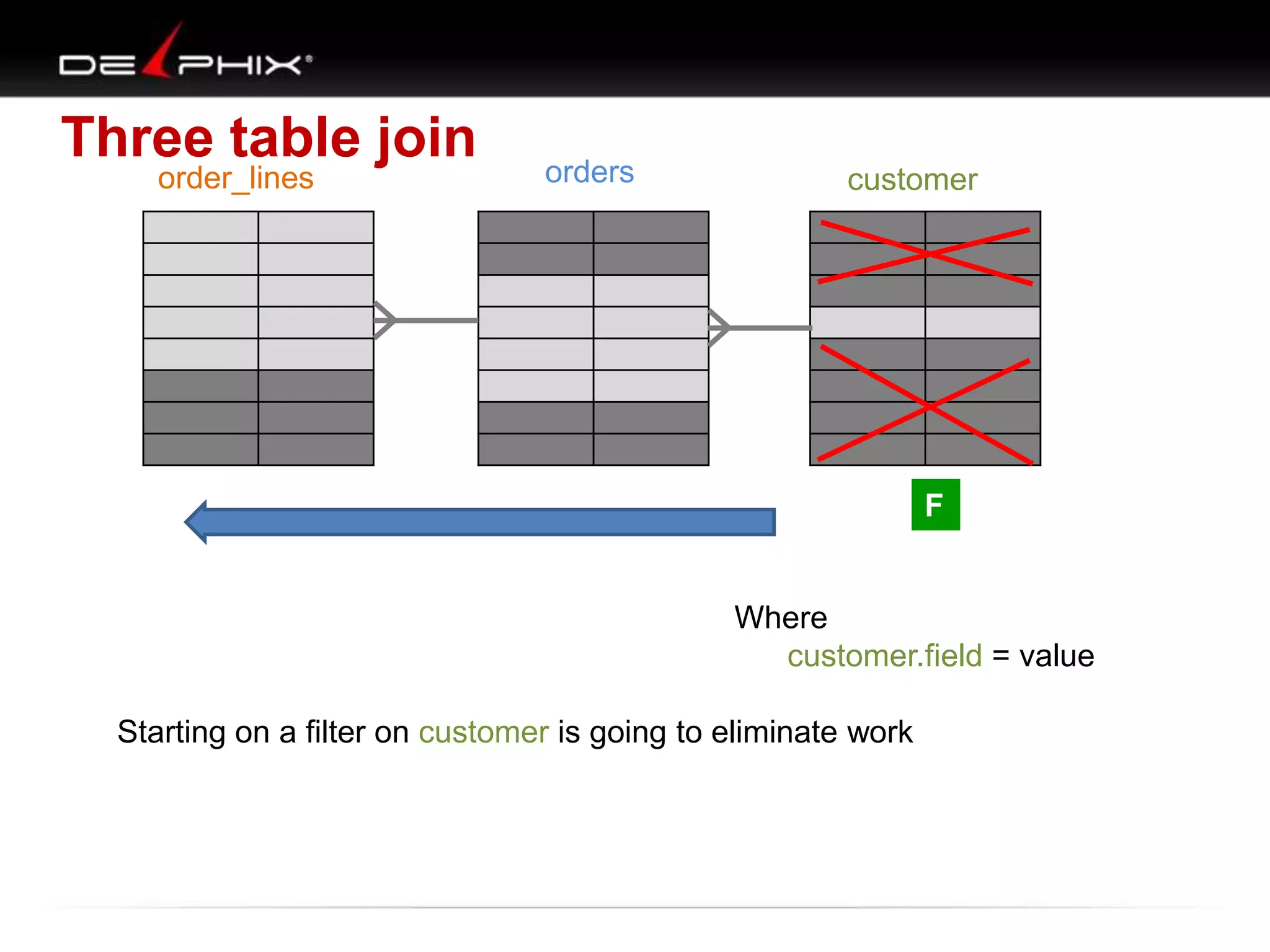
F

Where
customer.field = value
Starting on a filter on customer is going to eliminate work
Three table join
order_lines

orders

F

F

customer

F

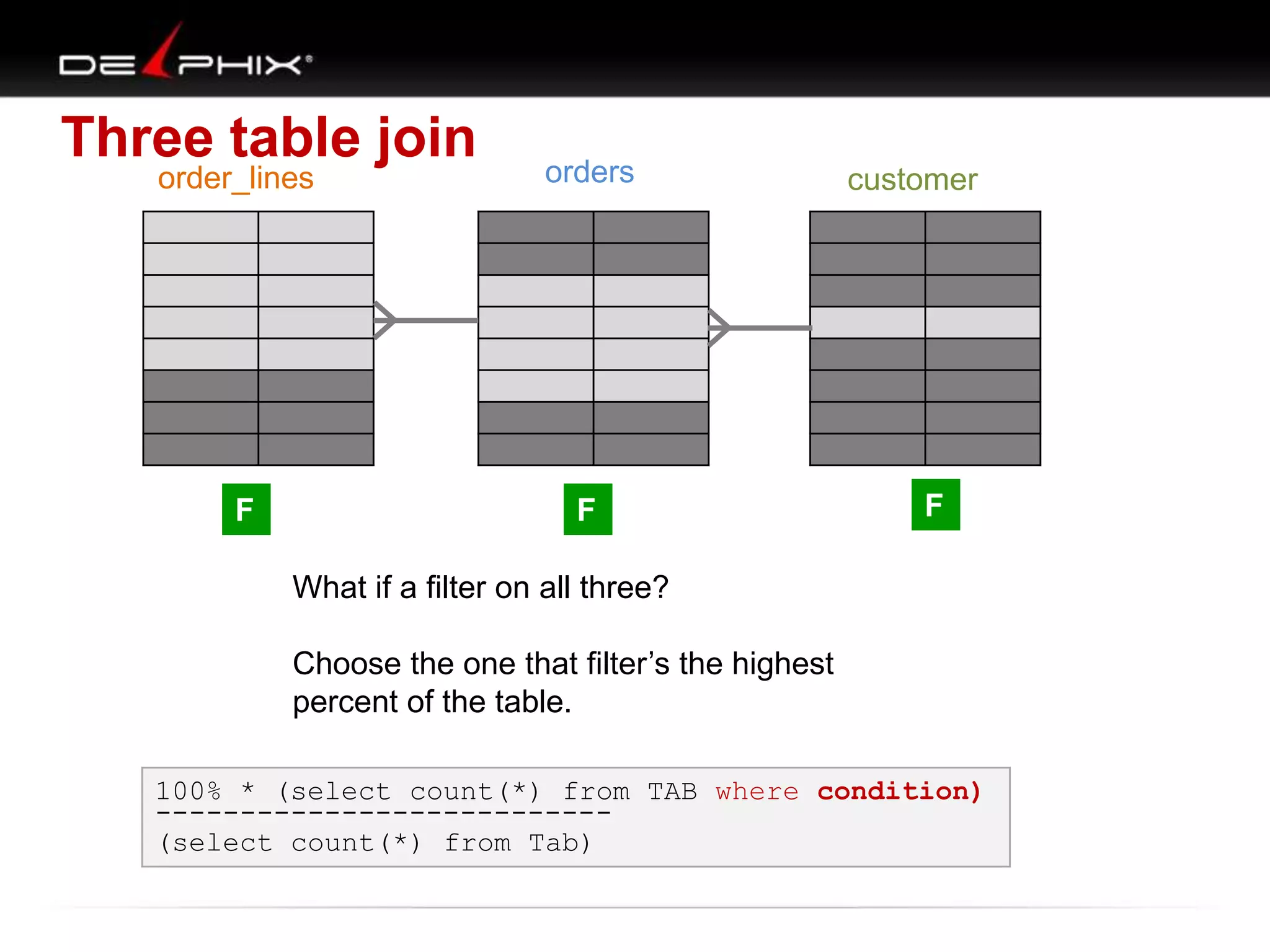
What if a filter on all three?
Choose the one that filter‟s the highest
percent of the table.
100% * (select count(*) from TAB where condition)
--------------------------(select count(*) from Tab)
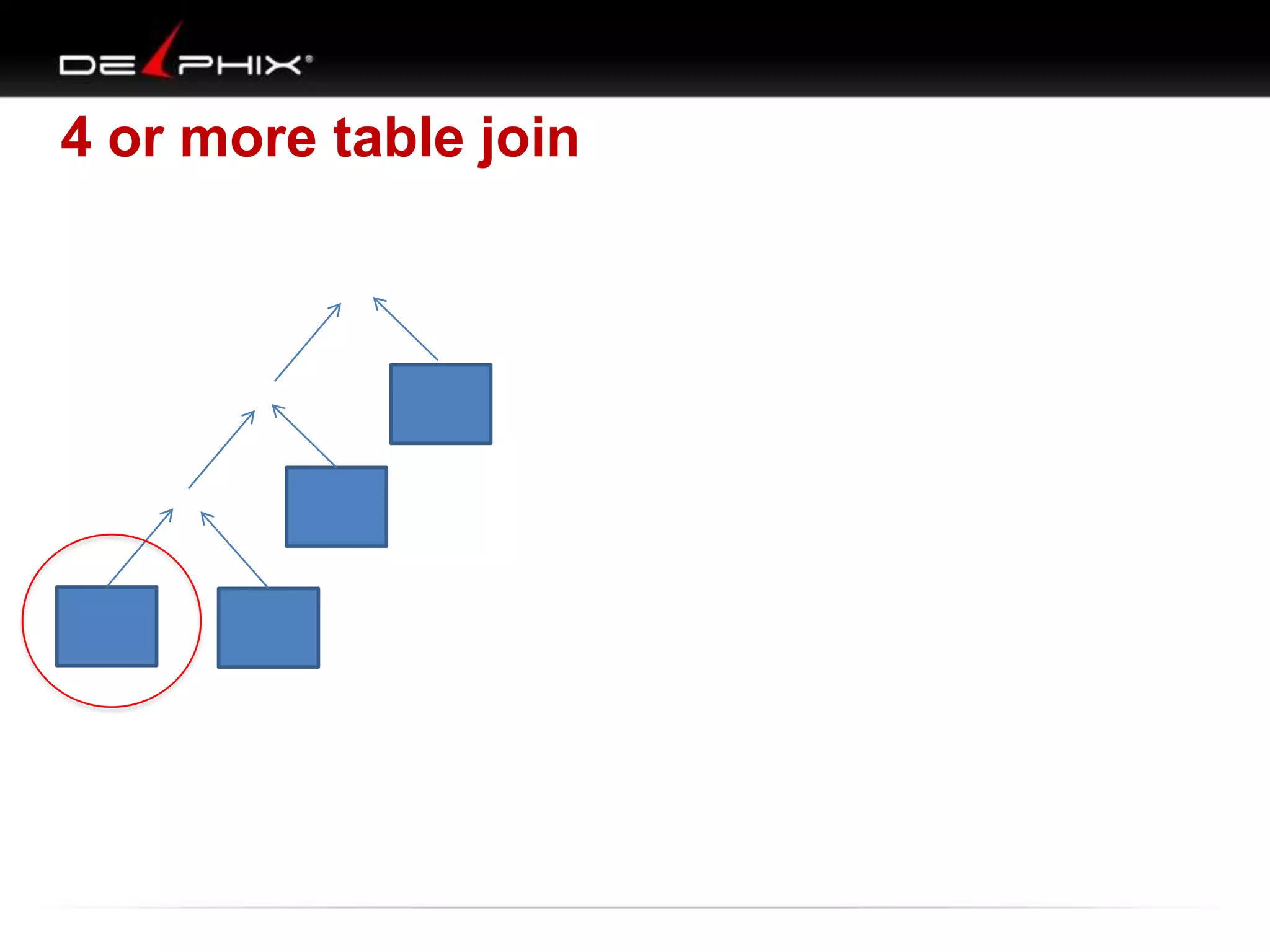
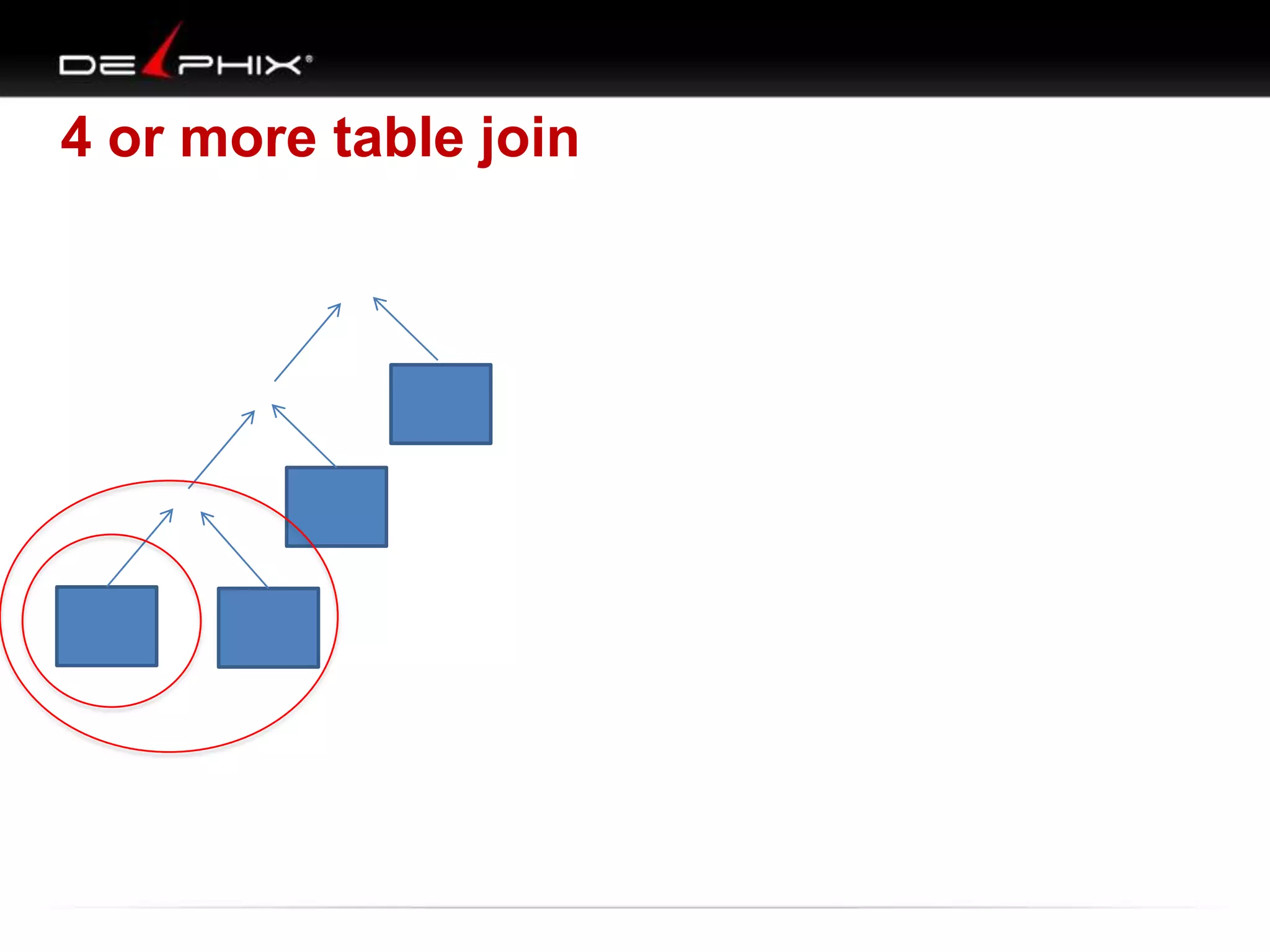
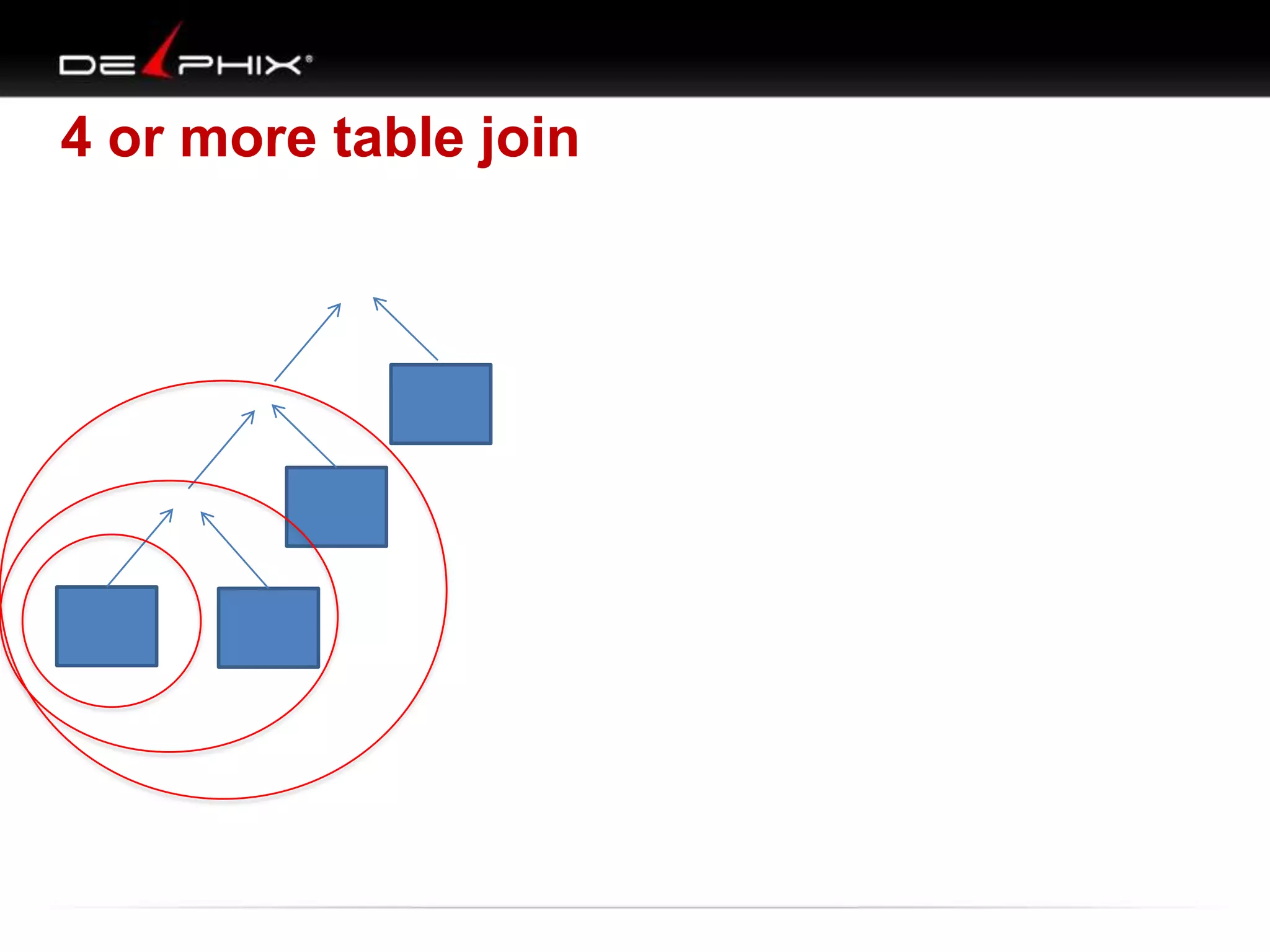
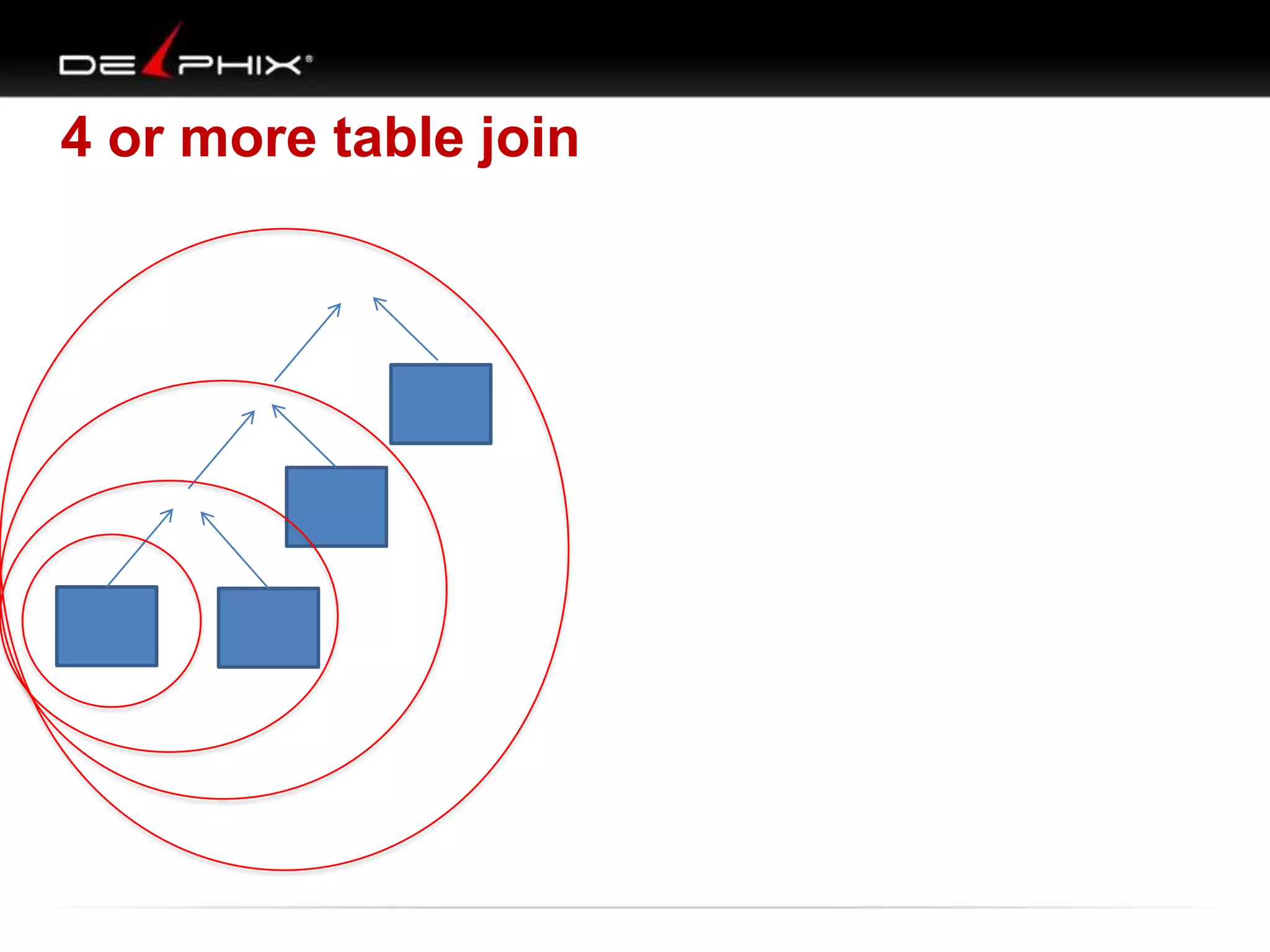
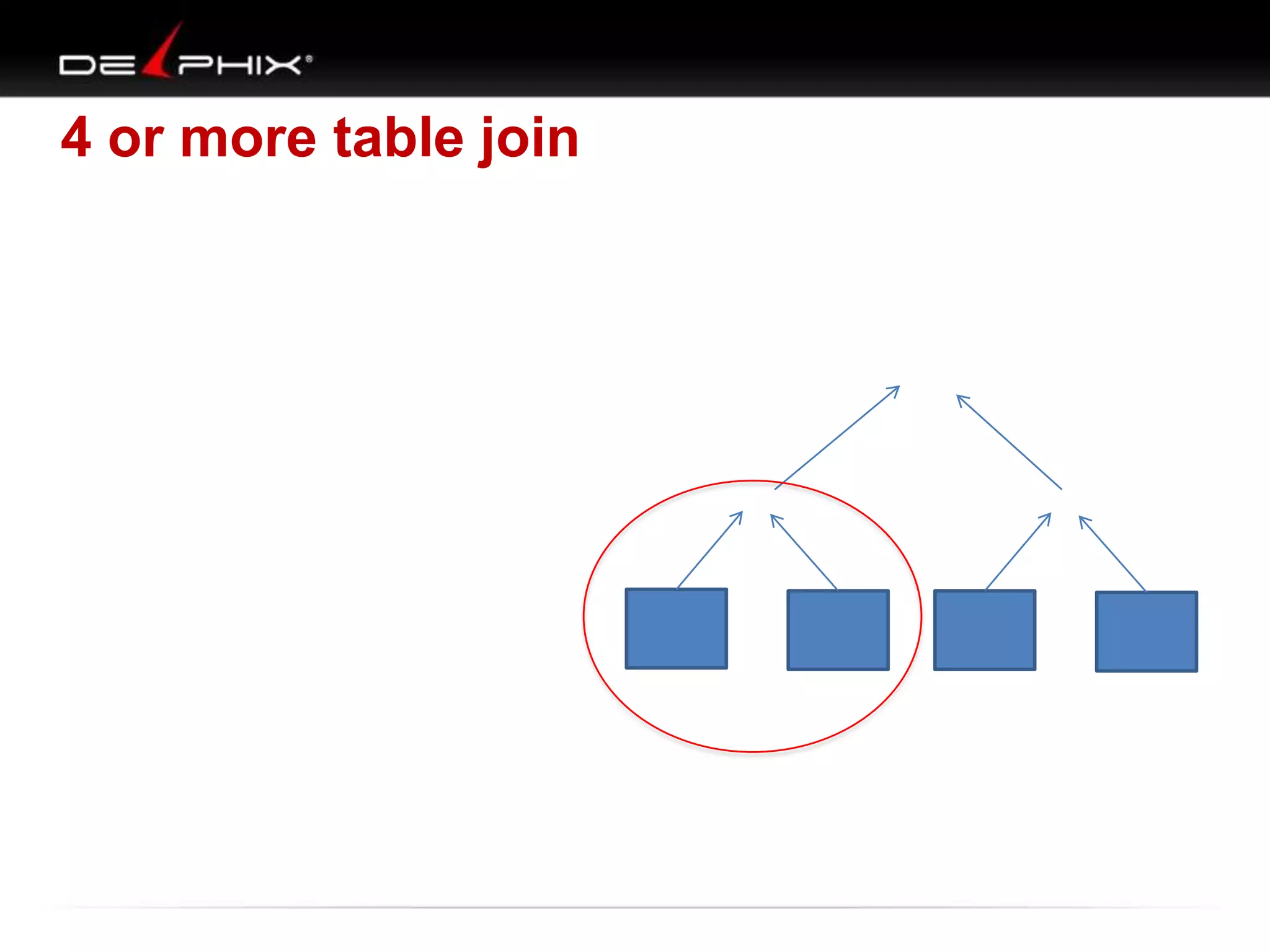
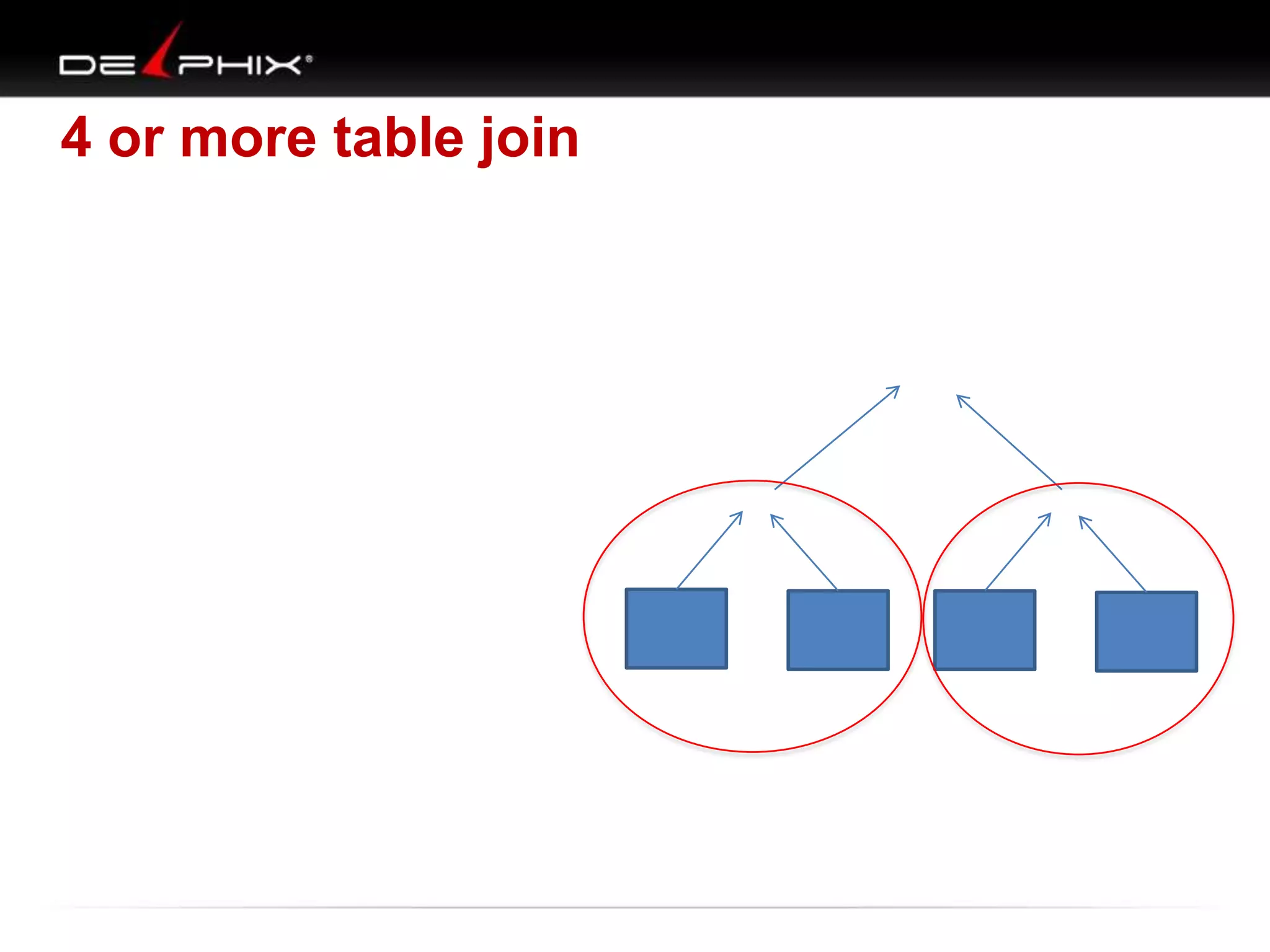
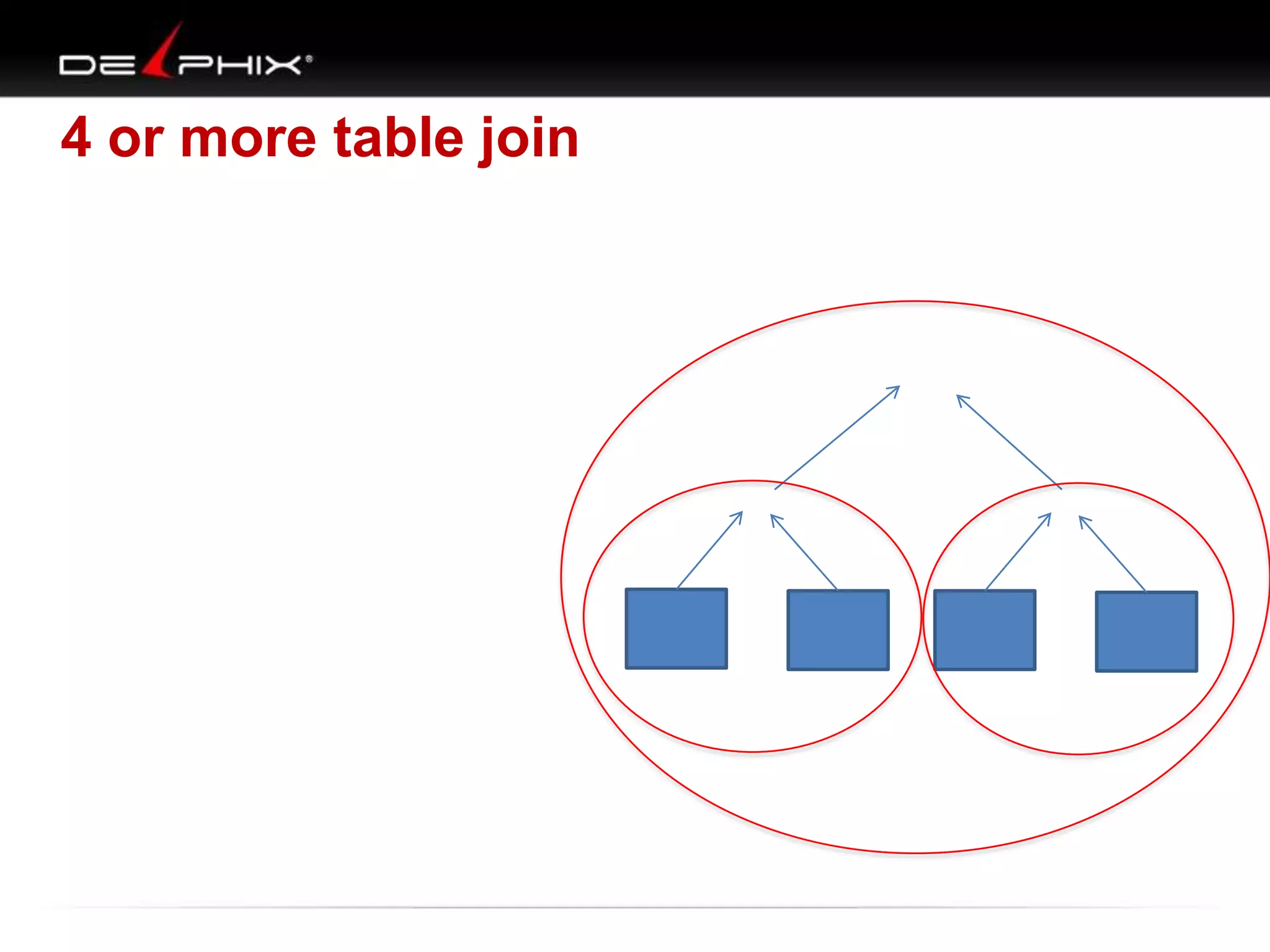
4 or more table join

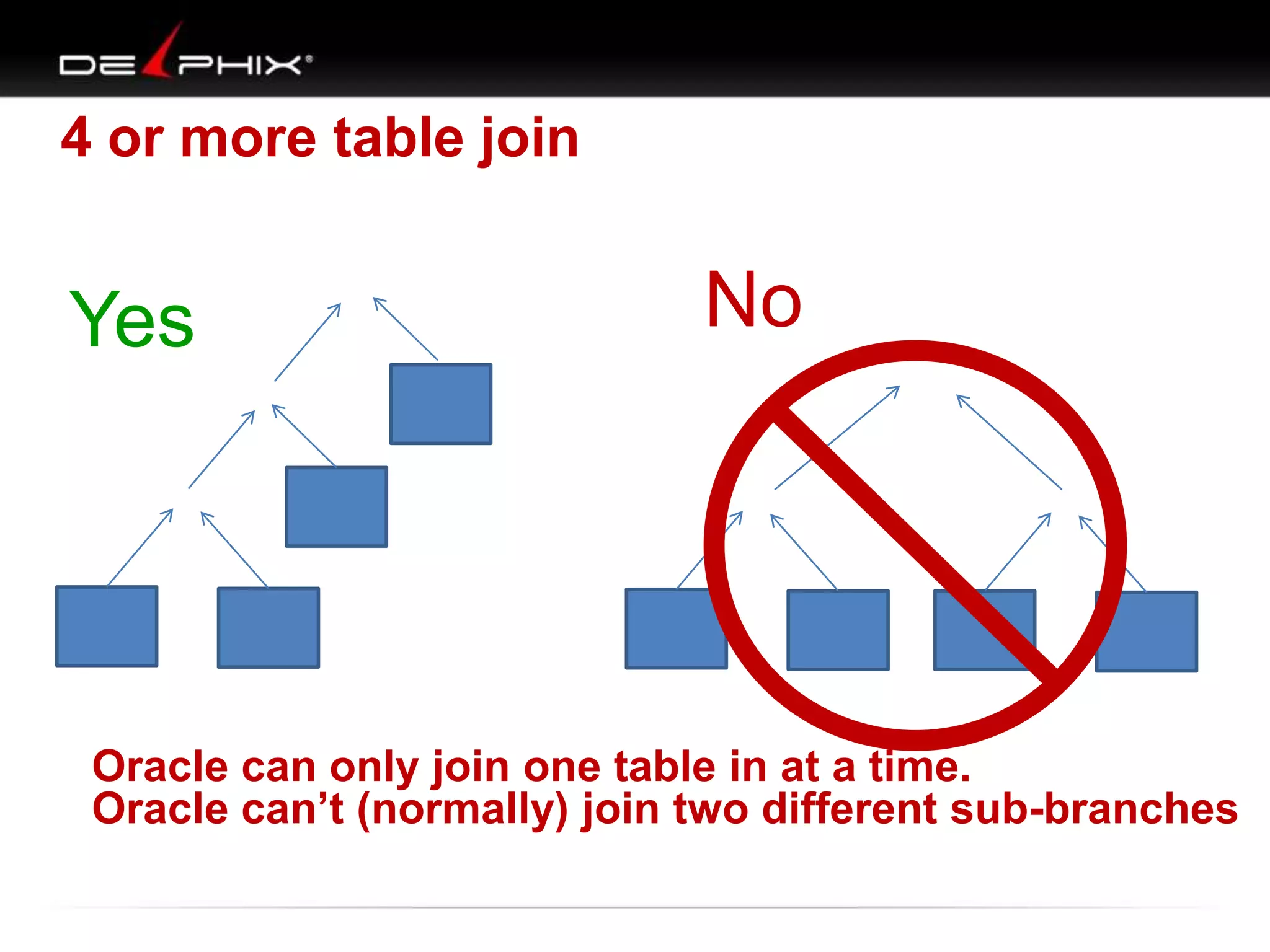
Yes

No

Oracle can only join one table in at a time.
Oracle can’t (normally) join two different sub-branches
Put it all together : VST

1. Tables
– drawn as nodes

2. Joins :
– drawn map connector lines
• One-to-one, one-to-many, many-to-many
• Exists, not exists, outer joins

3. Filters
– mark on each table with filter in where clause
51

11/25/2013
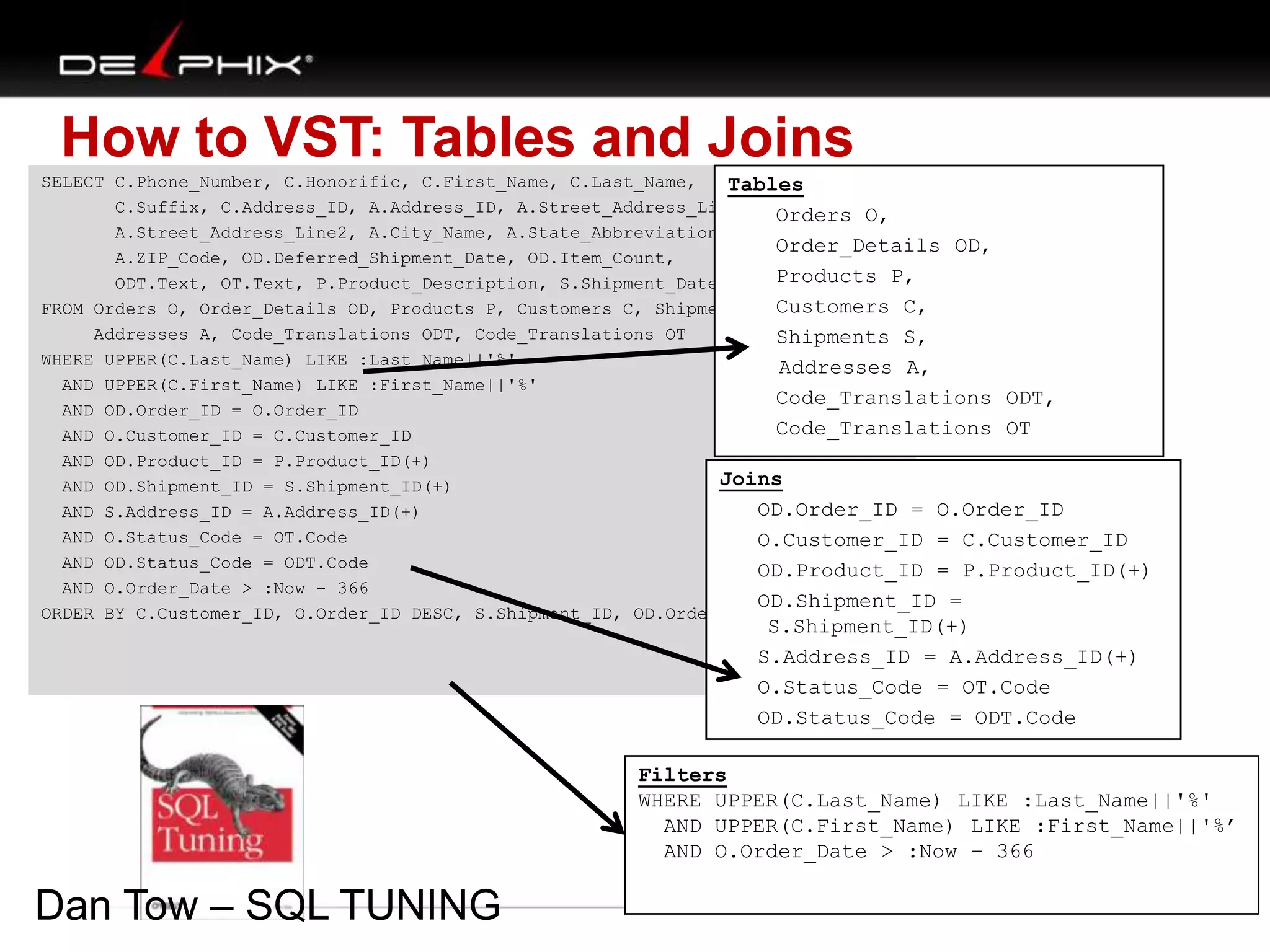
How to VST: Tables and Joins
SELECT C.Phone_Number, C.Honorific, C.First_Name, C.Last_Name,
Tables
C.Suffix, C.Address_ID, A.Address_ID, A.Street_Address_Line1, Orders O,
A.Street_Address_Line2, A.City_Name, A.State_Abbreviation,
Order_Details OD,
A.ZIP_Code, OD.Deferred_Shipment_Date, OD.Item_Count,
Products P,
ODT.Text, OT.Text, P.Product_Description, S.Shipment_Date
Customers C,
FROM Orders O, Order_Details OD, Products P, Customers C, Shipments S,
Addresses A, Code_Translations ODT, Code_Translations OT
Shipments S,
WHERE UPPER(C.Last_Name) LIKE :Last_Name||'%'
Addresses A,
AND UPPER(C.First_Name) LIKE :First_Name||'%'
Code_Translations ODT,
AND OD.Order_ID = O.Order_ID
Code_Translations OT
AND O.Customer_ID = C.Customer_ID
AND OD.Product_ID = P.Product_ID(+)
Joins
AND OD.Shipment_ID = S.Shipment_ID(+)
OD.Order_ID = O.Order_ID
AND S.Address_ID = A.Address_ID(+)
AND O.Status_Code = OT.Code
O.Customer_ID = C.Customer_ID
AND OD.Status_Code = ODT.Code
OD.Product_ID = P.Product_ID(+)
AND O.Order_Date > :Now - 366
OD.Shipment_ID =
ORDER BY C.Customer_ID, O.Order_ID DESC, S.Shipment_ID, OD.Order_Detail_ID;

S.Shipment_ID(+)
S.Address_ID = A.Address_ID(+)
O.Status_Code = OT.Code
OD.Status_Code = ODT.Code

Filters
WHERE UPPER(C.Last_Name) LIKE :Last_Name||'%'
AND UPPER(C.First_Name) LIKE :First_Name||'%’
AND O.Order_Date > :Now – 366

Dan Tow – SQL TUNING
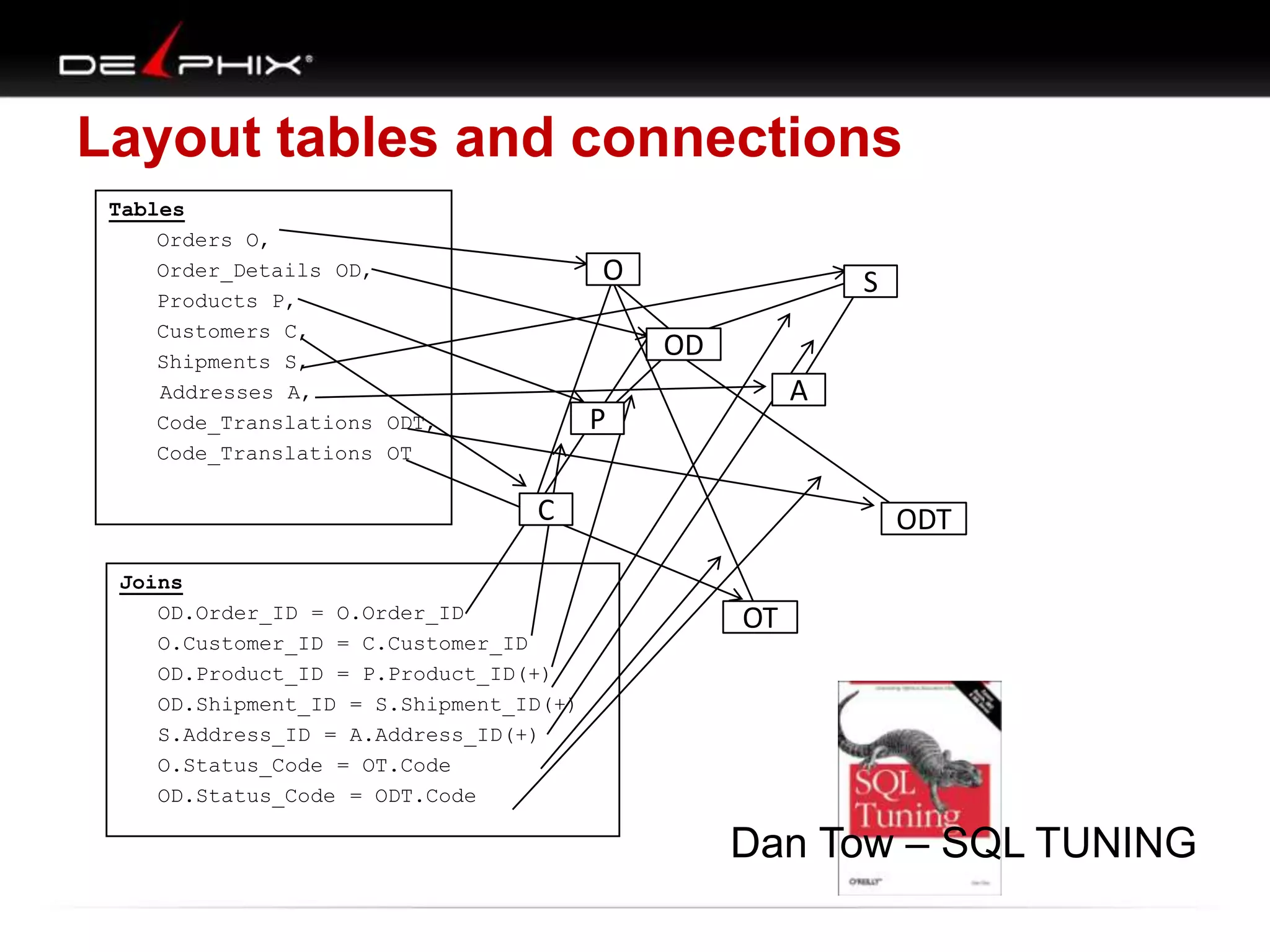
Layout tables and connections
Tables
Orders O,
Order_Details OD,
Products P,
Customers C,
Shipments S,
Addresses A,
Code_Translations ODT,
Code_Translations OT

O

S

OD
A

P

C
Joins
OD.Order_ID = O.Order_ID
O.Customer_ID = C.Customer_ID
OD.Product_ID = P.Product_ID(+)
OD.Shipment_ID = S.Shipment_ID(+)
S.Address_ID = A.Address_ID(+)
O.Status_Code = OT.Code
OD.Status_Code = ODT.Code

ODT
OT

F

Dan Tow – SQL TUNING
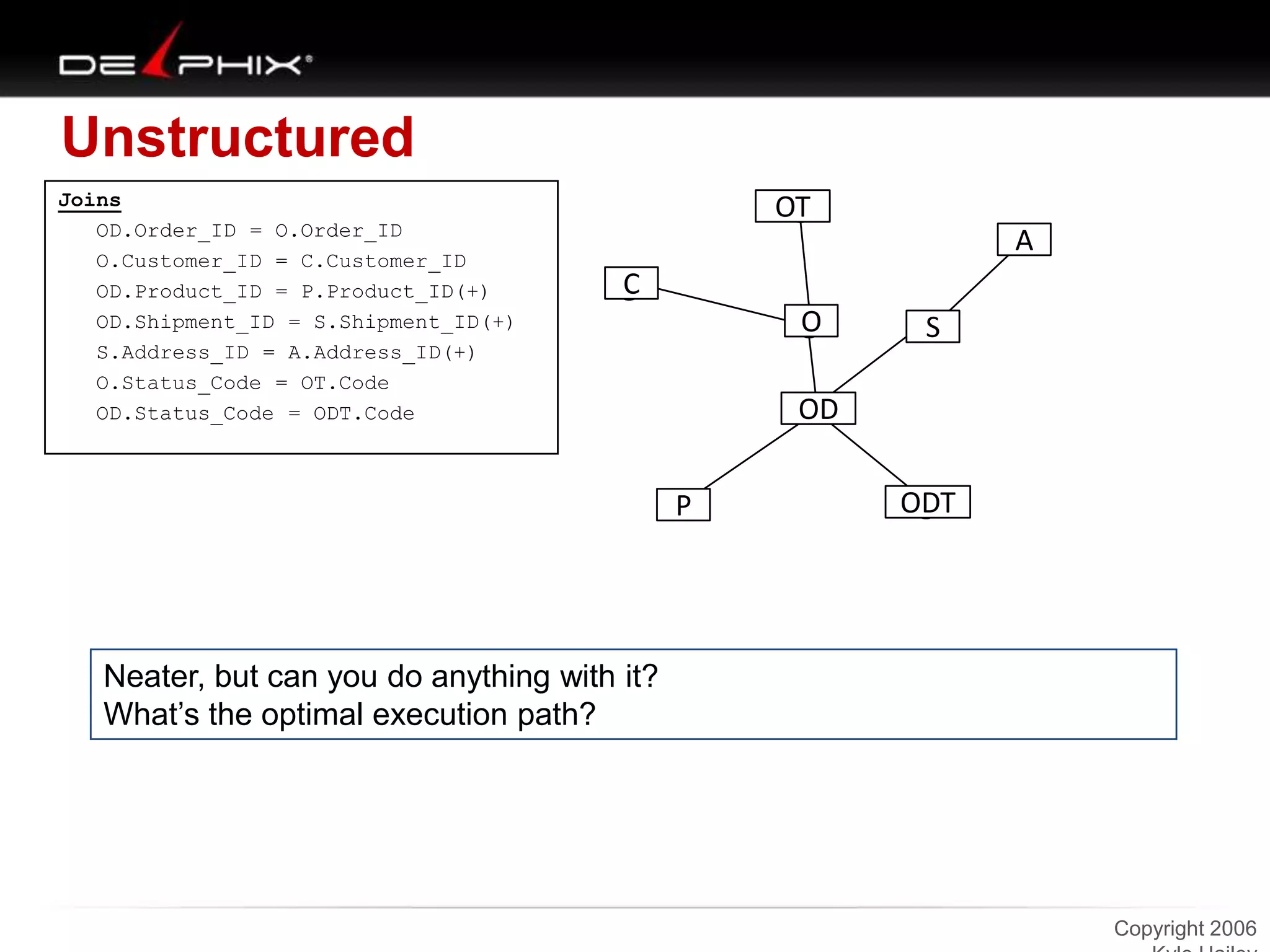
Unstructured
Joins
OD.Order_ID = O.Order_ID
O.Customer_ID = C.Customer_ID
OD.Product_ID = P.Product_ID(+)
OD.Shipment_ID = S.Shipment_ID(+)
S.Address_ID = A.Address_ID(+)
O.Status_Code = OT.Code
OD.Status_Code = ODT.Code

OT
A
C

O

S

OD
P

ODT

Neater, but can you do anything with it?
What‟s the optimal execution path?

Copyright 2006
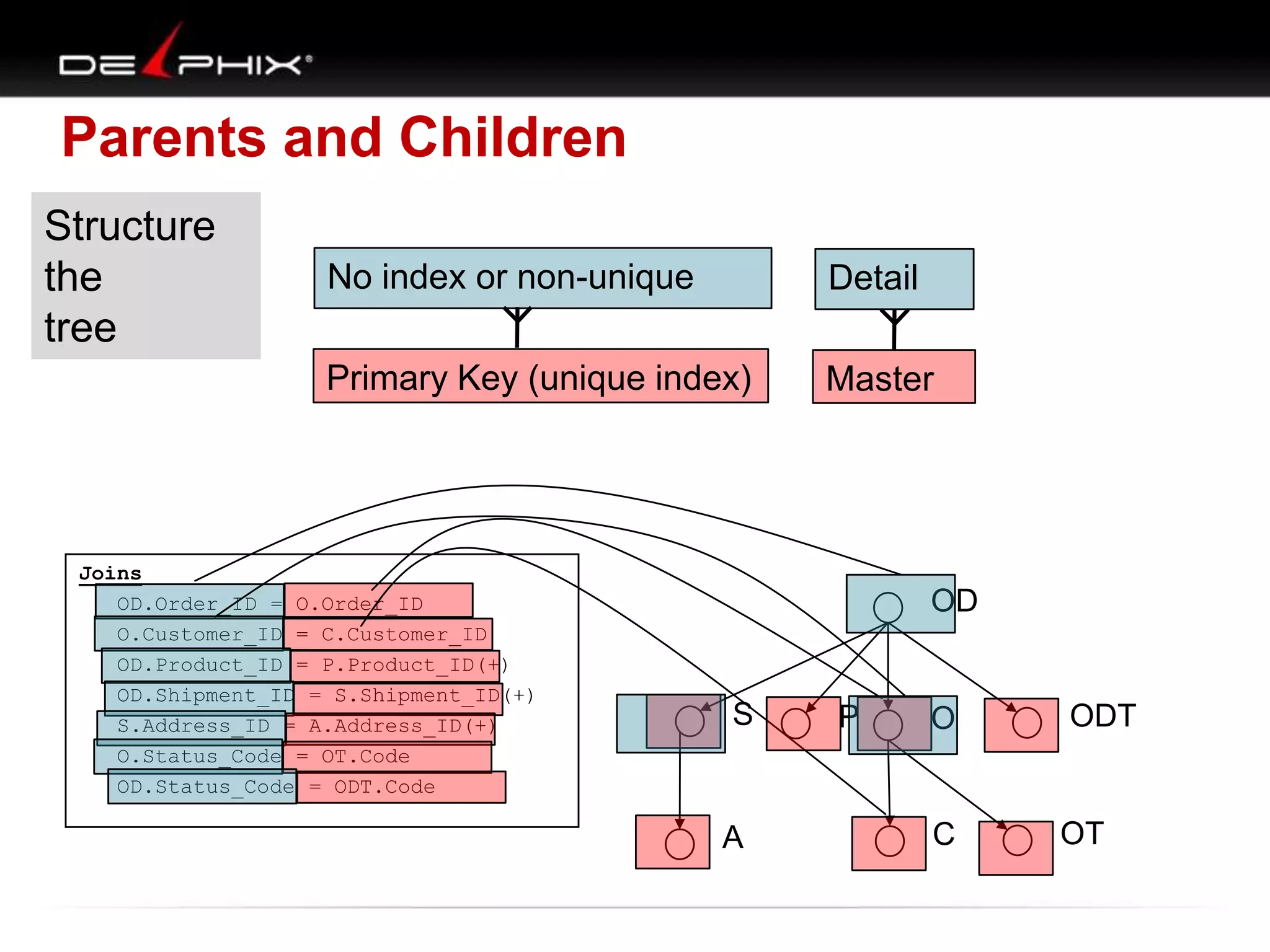
Parents and Children
Structure
the
tree

No index or non-unique

Detail

Primary Key (unique index)

Master

Joins
OD.Order_ID = O.Order_ID
O.Customer_ID = C.Customer_ID
OD.Product_ID = P.Product_ID(+)
OD.Shipment_ID = S.Shipment_ID(+)
S.Address_ID = A.Address_ID(+)
O.Status_Code = OT.Code
OD.Status_Code = ODT.Code

OD

S

A

P

O

ODT

C

OT
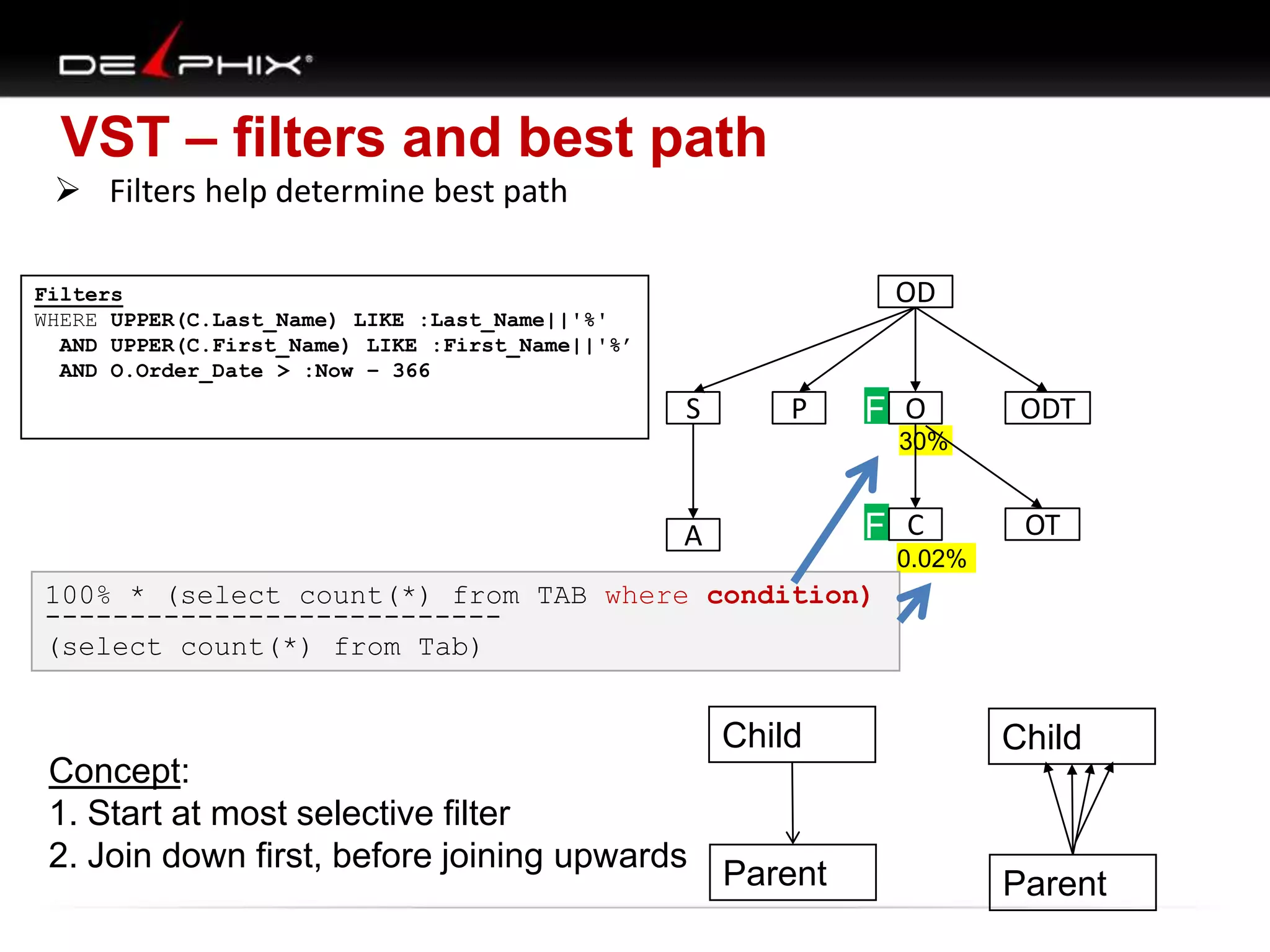
VST – filters and best path
 Filters help determine best path
OD

Filters
WHERE UPPER(C.Last_Name) LIKE :Last_Name||'%'
AND UPPER(C.First_Name) LIKE :First_Name||'%’
AND O.Order_Date > :Now – 366

S

P

F O

ODT

30%

F C

A

OT

0.02%

100% * (select count(*) from TAB where condition)
--------------------------(select count(*) from Tab)

Child
Concept:
1. Start at most selective filter
2. Join down first, before joining upwards

Child

Parent

Parent
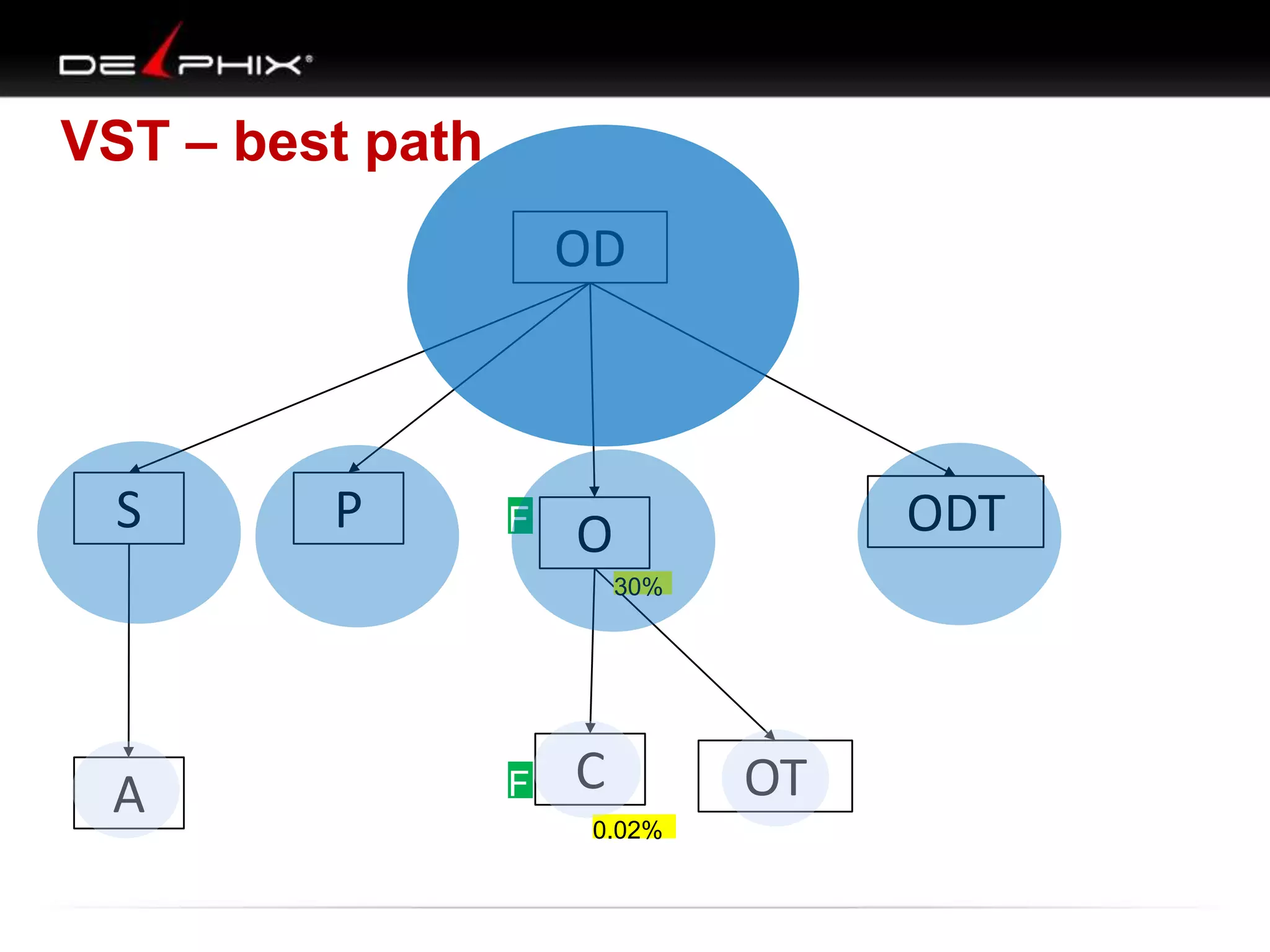
VST – best path

OD

S

P

F O
F

ODT
30%

A

F C
F
0.02%

OT
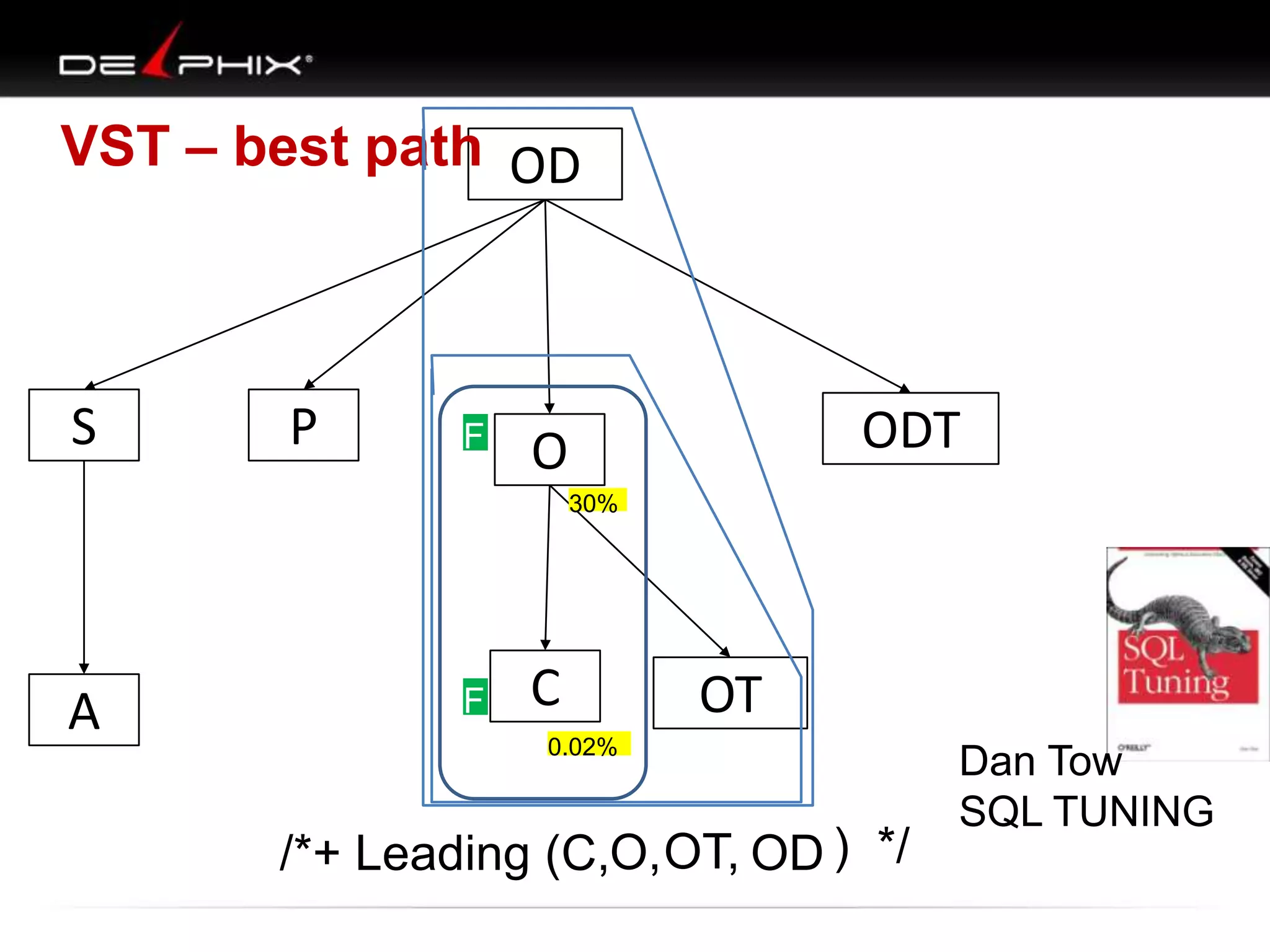
VST – best path OD

S

P

F O
F

ODT
30%

A

F C
F

OT

0.02%

/*+ Leading (C,O, OT, OD ) */

Dan Tow
SQL TUNING
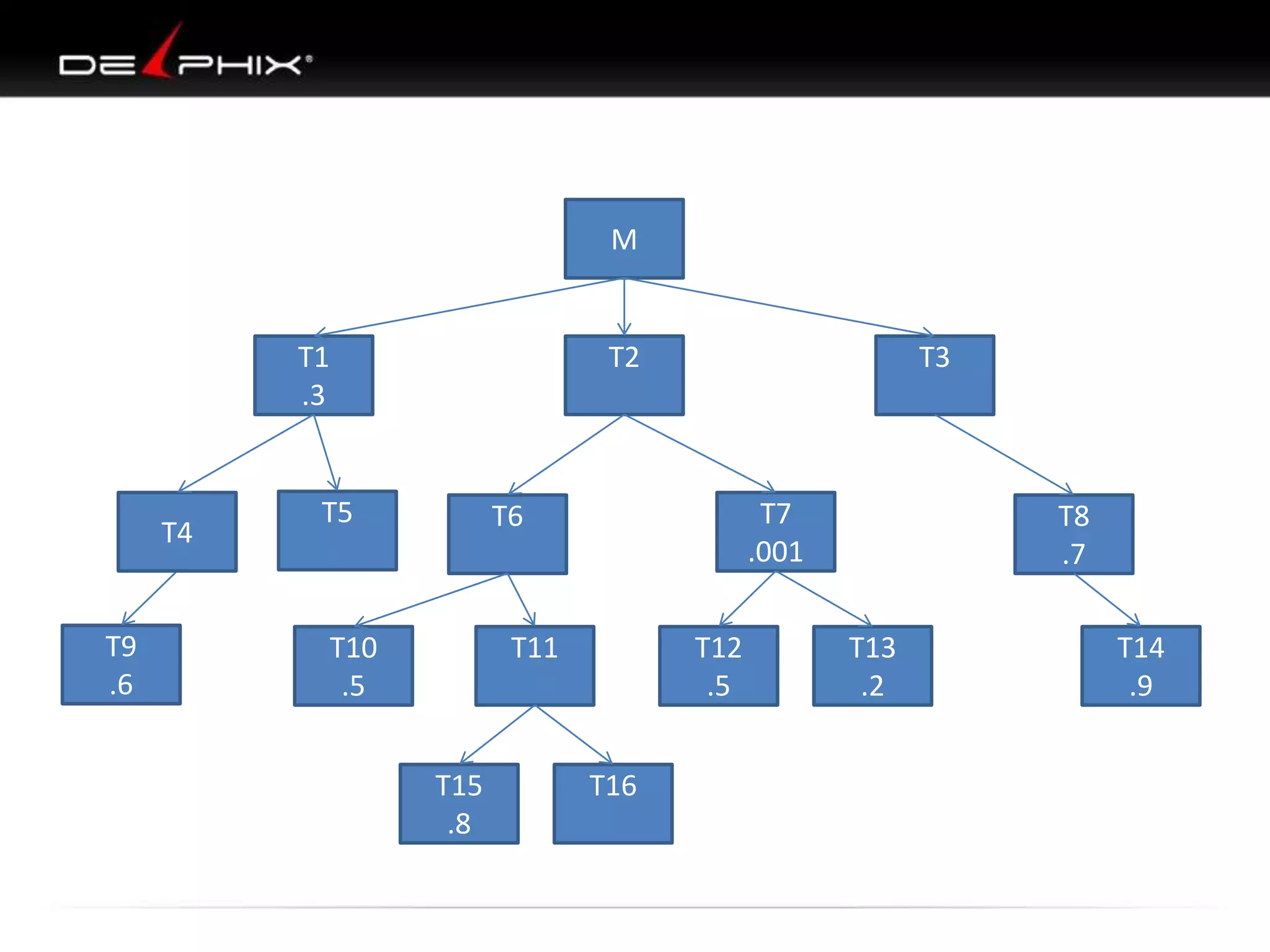
M

T1
.3

T4

T9
.6

T2

T5

T3

T7
.001

T6

T10
.5

T11

T15
.8

T12
.5
T16

T8
.7
T13
.2

T14
.9
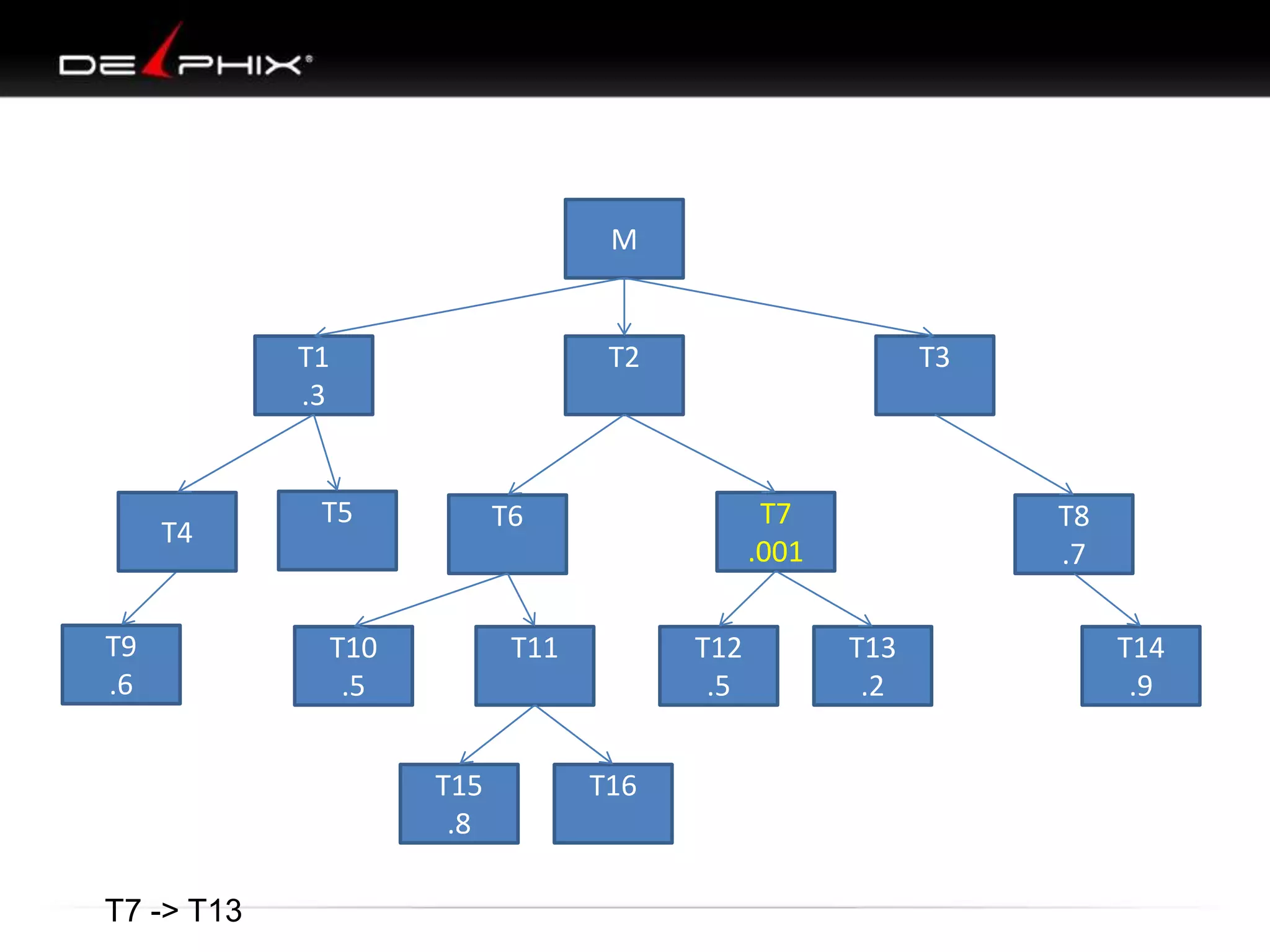
M

T1
.3

T4

T9
.6

T2

T5

T7
.001

T6

T10
.5

T11

T15
.8
T7 -> T13

T3

T12
.5
T16

T8
.7
T13
.2

T14
.9
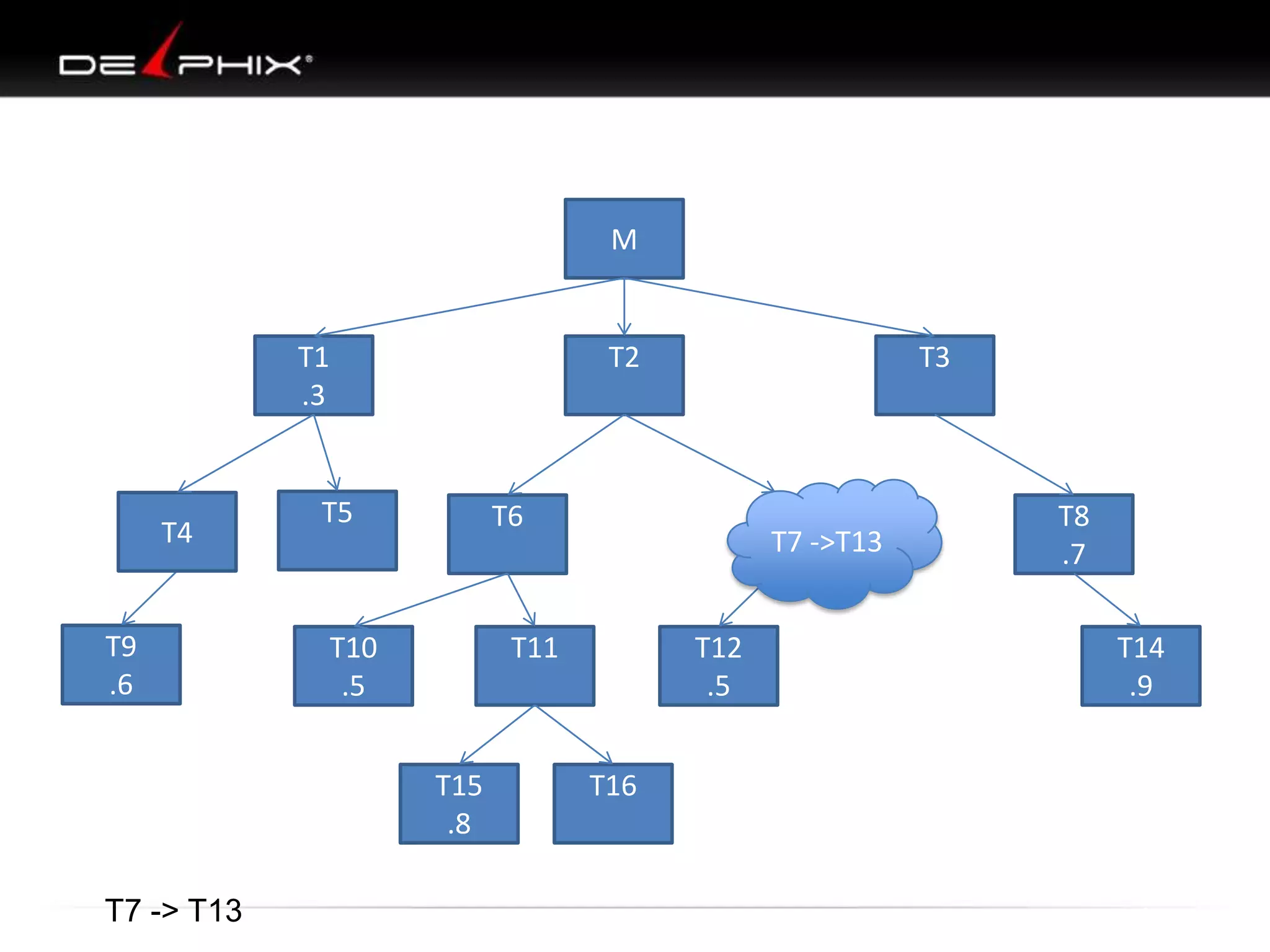
M

T1
.3

T4

T9
.6

T2

T5

T6

T10
.5

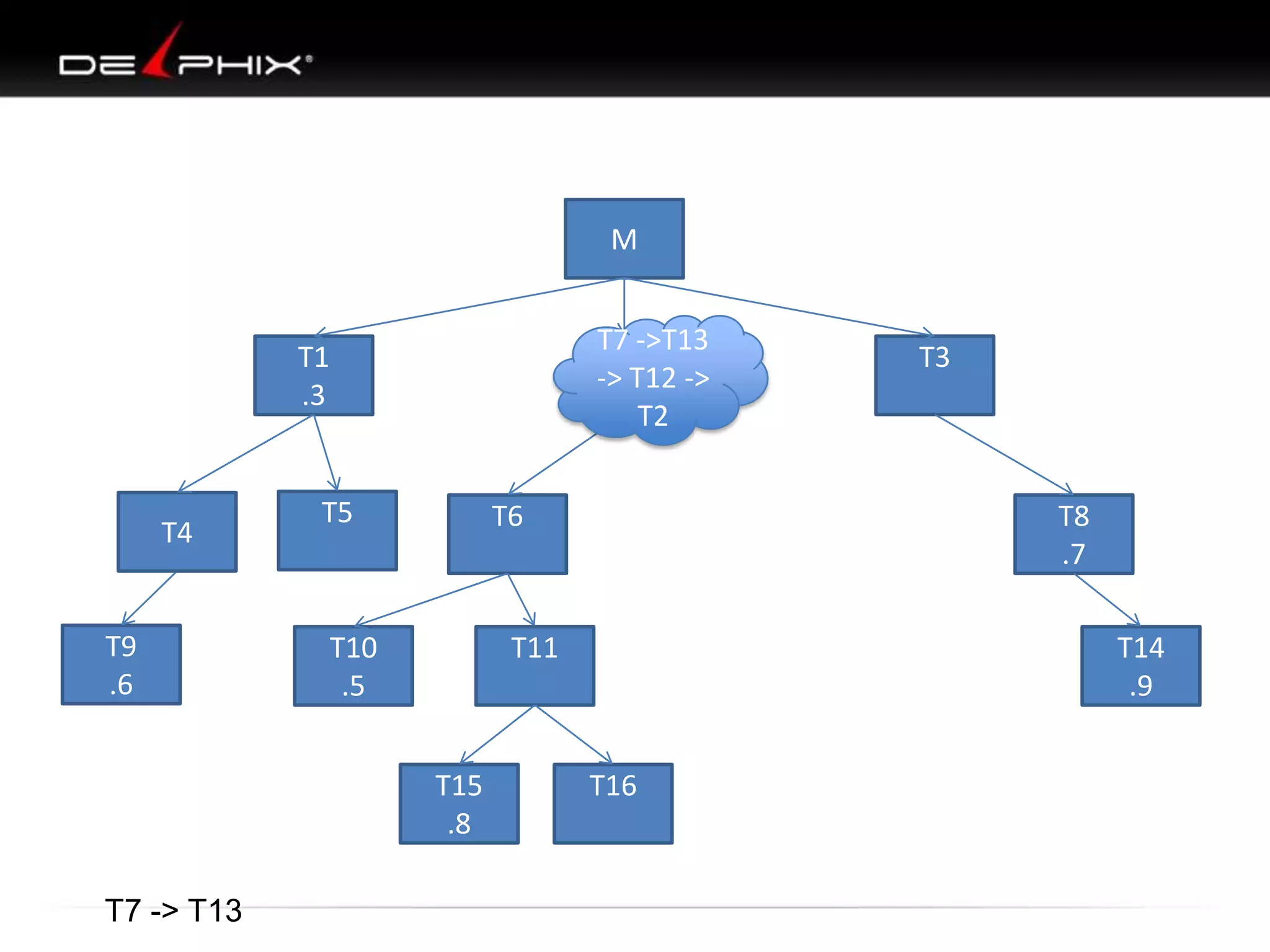
T7 ->T13

T11

T15
.8
T7 -> T13

T3

T12
.5
T16

T8
.7
T14
.9
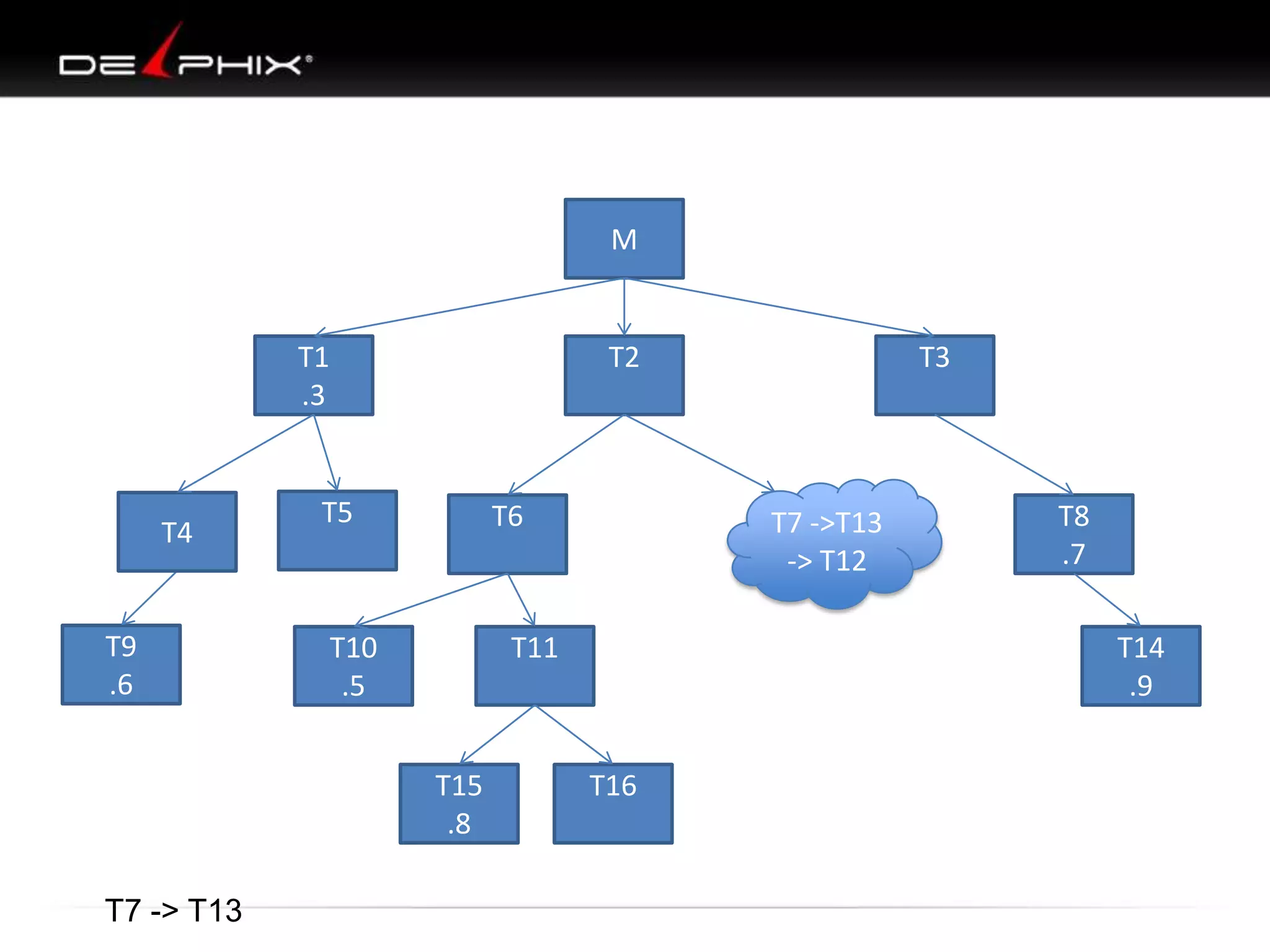
M

T1
.3

T4

T9
.6

T2

T5

T6

T10
.5

T7 -> T13

T7 ->T13
-> T12

T11

T15
.8

T3

T8
.7
T14
.9

T16
M
T7 ->T13
-> T12 ->
T2

T1
.3

T4

T9
.6

T5

T6

T10
.5

T7 -> T13

T8
.7

T11

T15
.8

T3

T14
.9
T16
M

T1
.3

T3
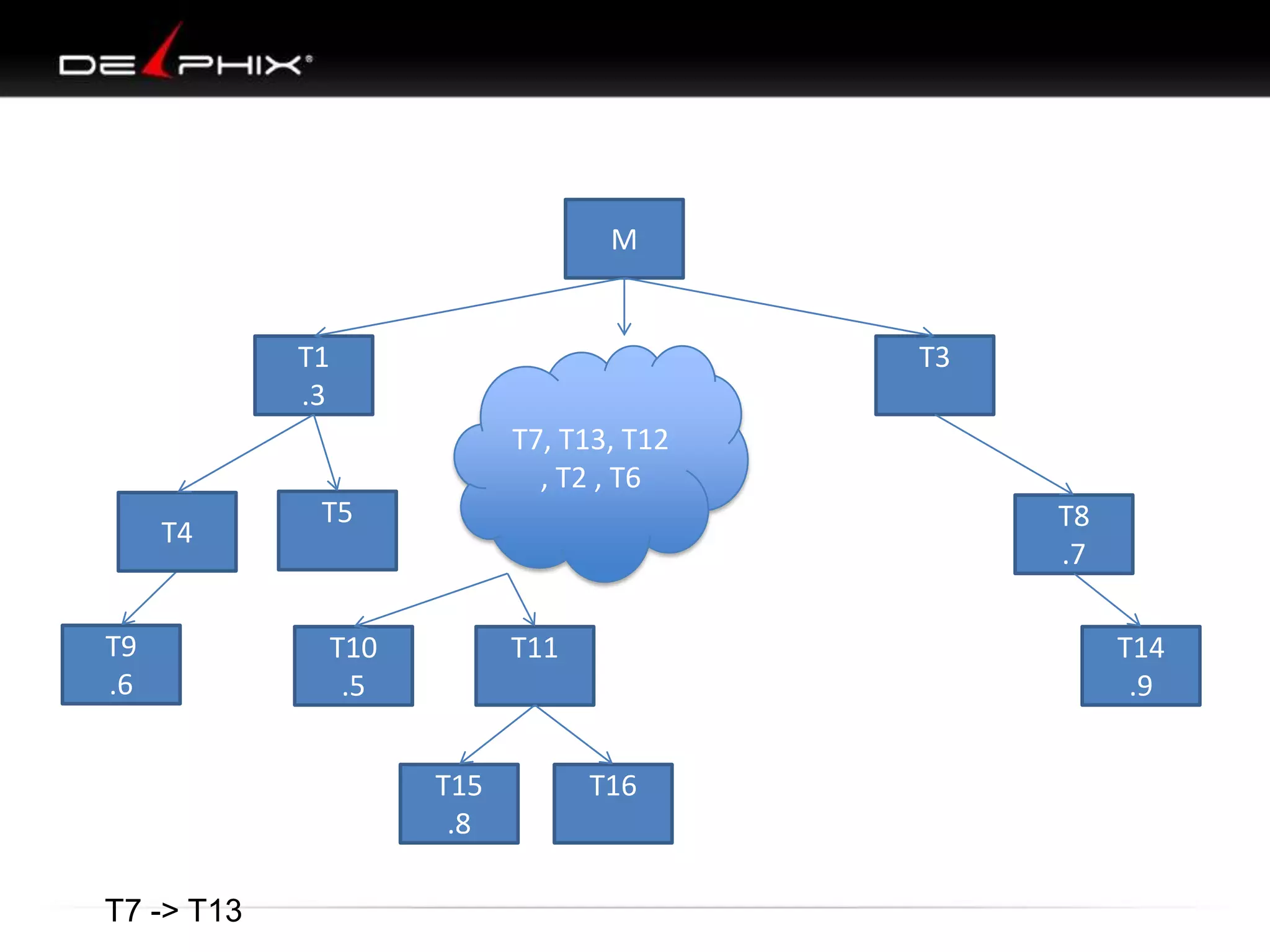
T7, T13, T12
, T2 , T6

T4

T9
.6

T5

T8
.7

T10
.5

T11

T15
.8
T7 -> T13

T14
.9
T16
M

T1
.3

T3
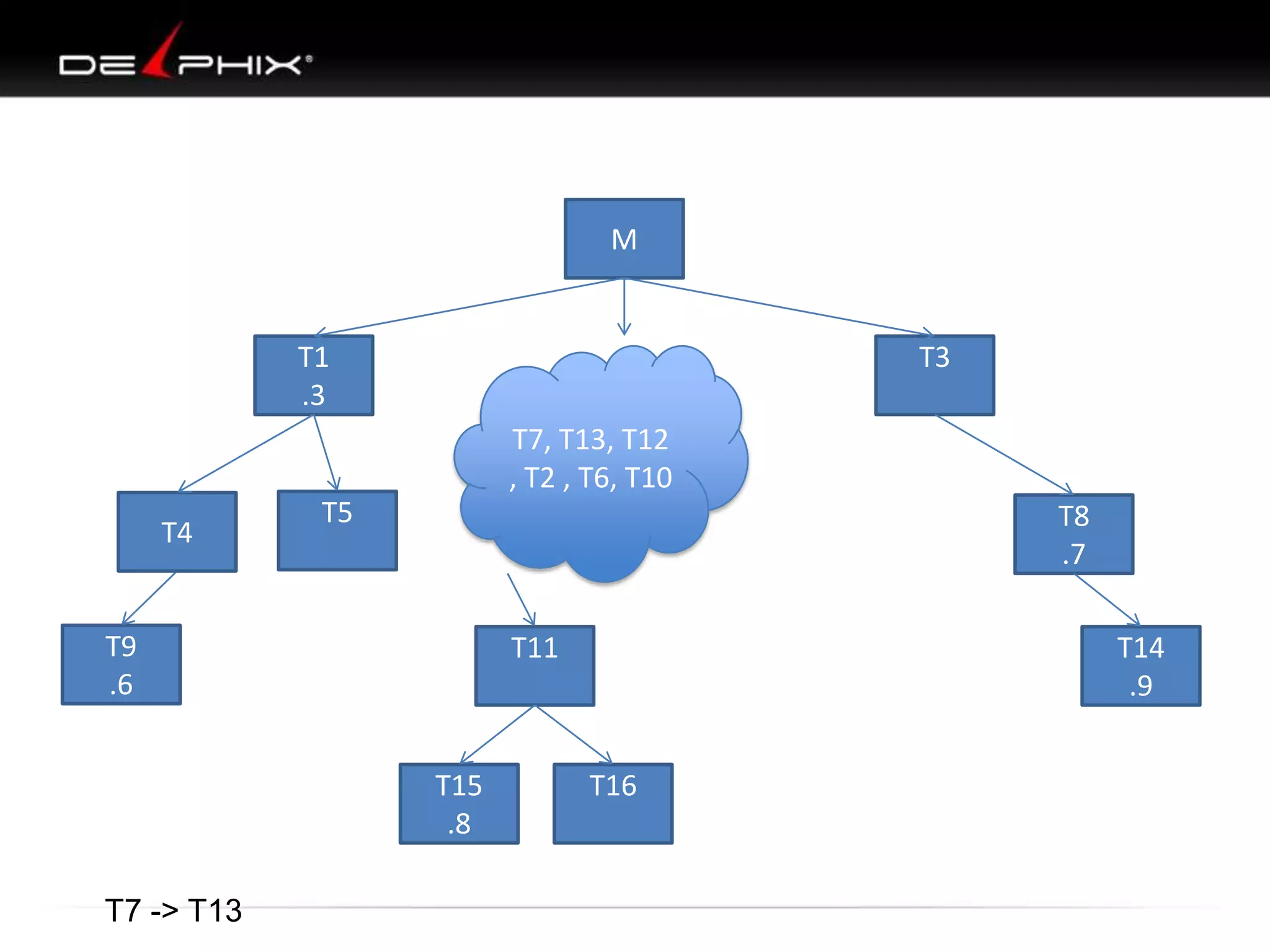
T7, T13, T12
, T2 , T6, T10

T4

T5

T8
.7

T9
.6

T11

T15
.8
T7 -> T13

T14
.9
T16
M

T1
.3

T4

T3

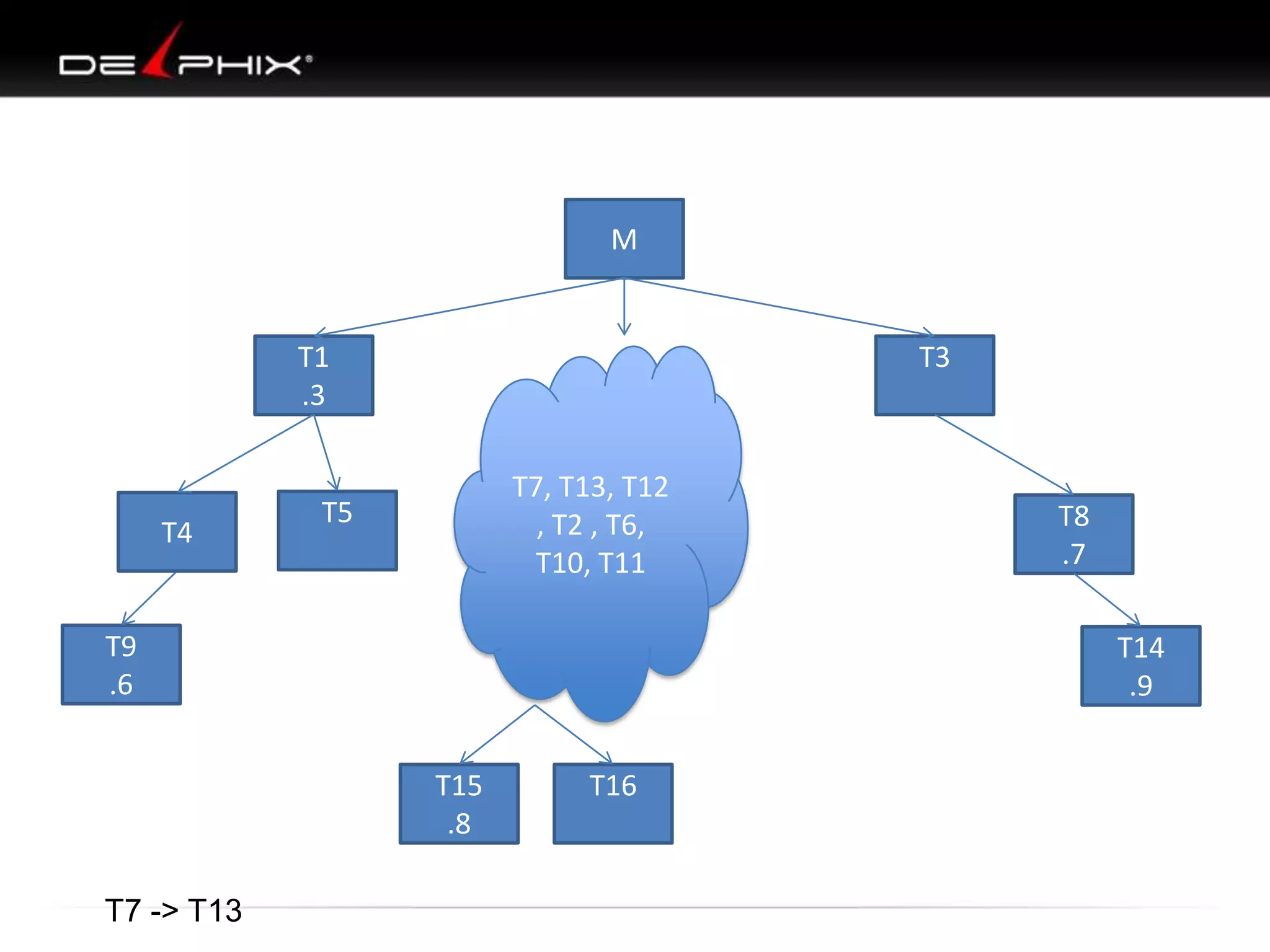
T7, T13, T12
, T2 , T6,
T10, T11

T5

T9
.6

T14
.9
T15
.8

T7 -> T13

T8
.7

T16
M

T1
.3

T4

T5

T3
T7, T13, T12
, T2 , T6,
T10, T11,
T15

T9
.6

T14
.9
T16

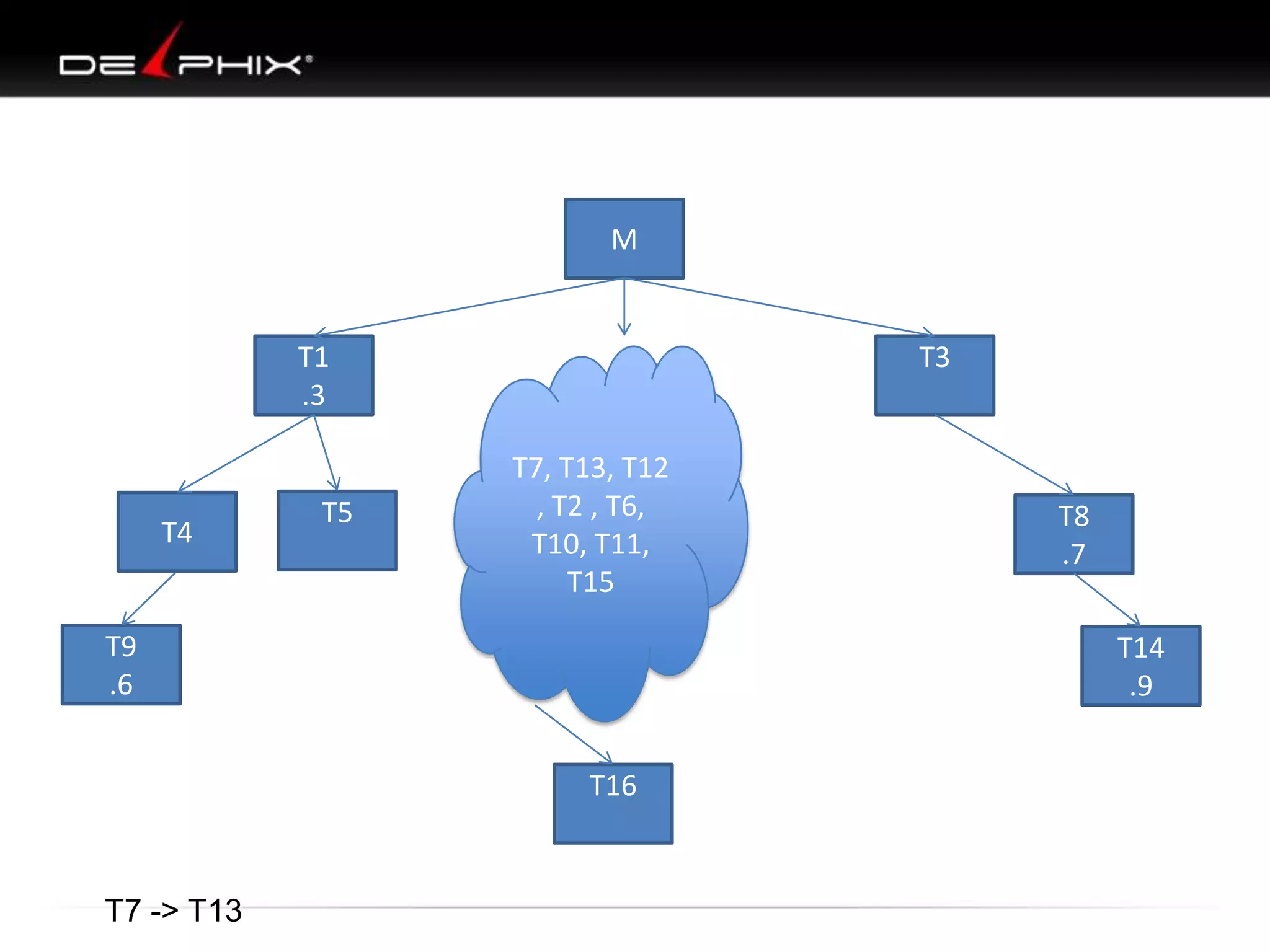
T7 -> T13

T8
.7
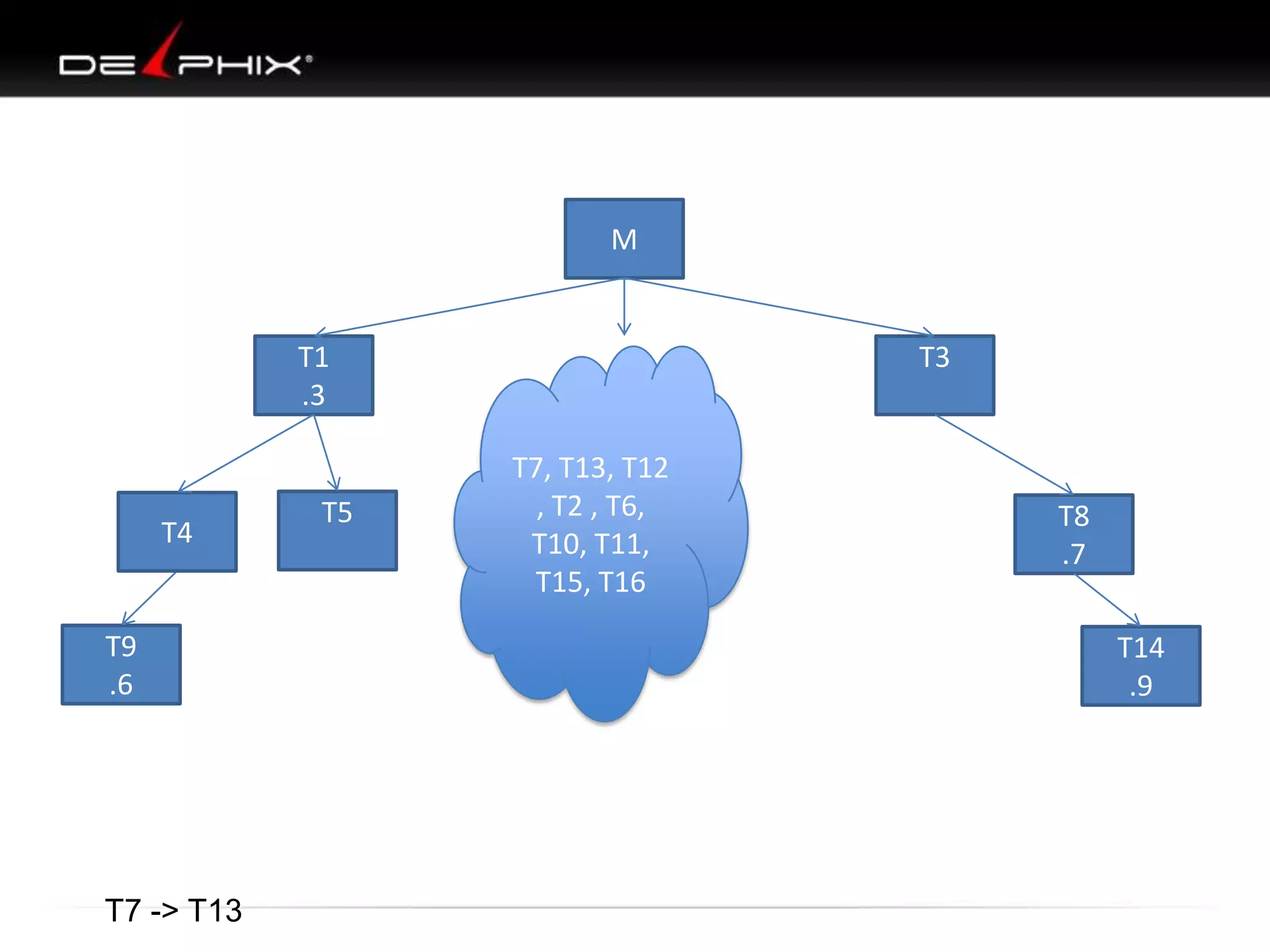
M

T1
.3

T4

T9
.6

T7 -> T13

T5

T3
T7, T13, T12
, T2 , T6,
T10, T11,
T15, T16

T8
.7
T14
.9
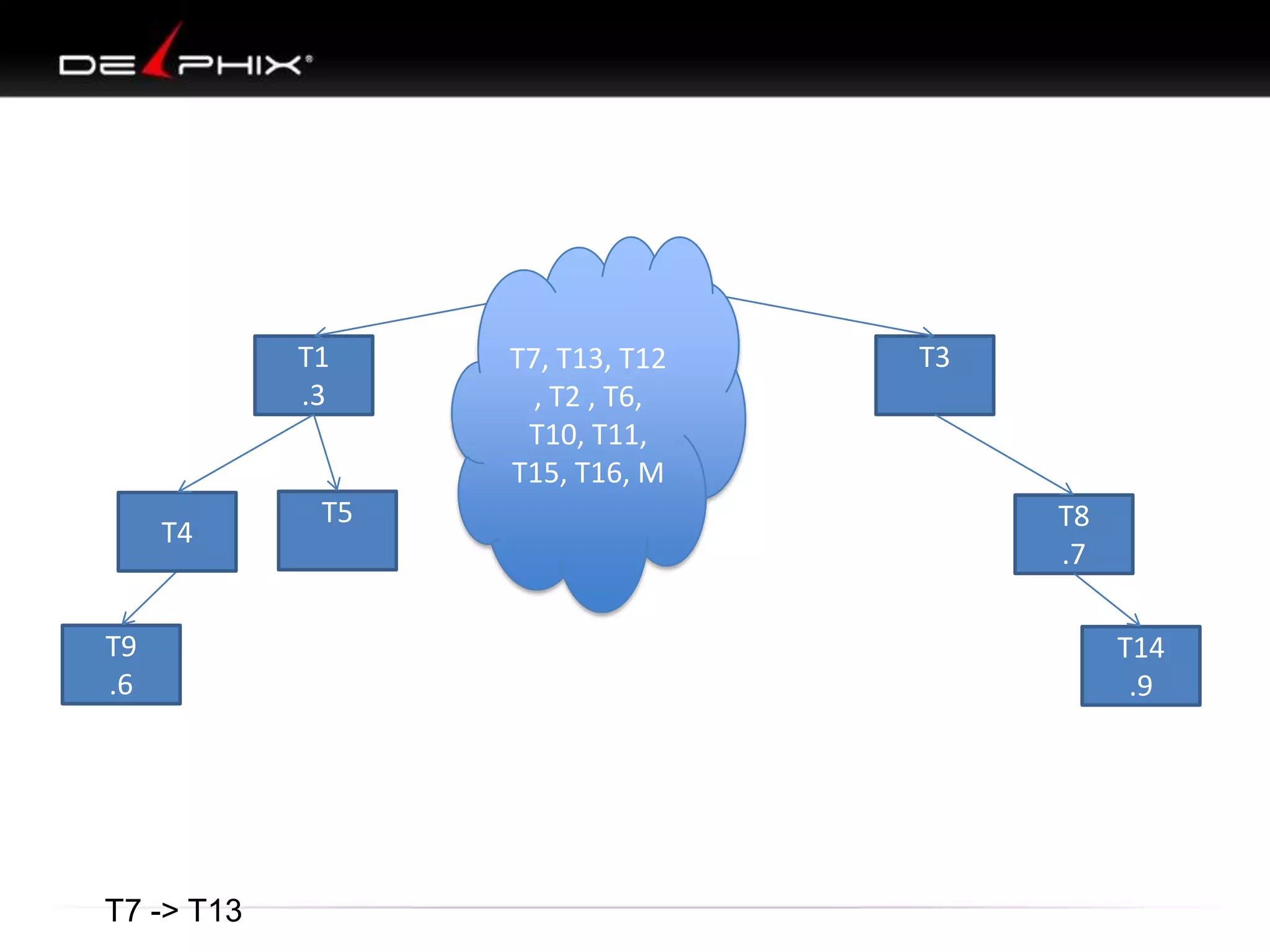
T1
.3

T4

T9
.6

T7 -> T13

T5

T7, T13, T12
, T2 , T6,
T10, T11,
T15, T16, M

T3

T8
.7
T14
.9
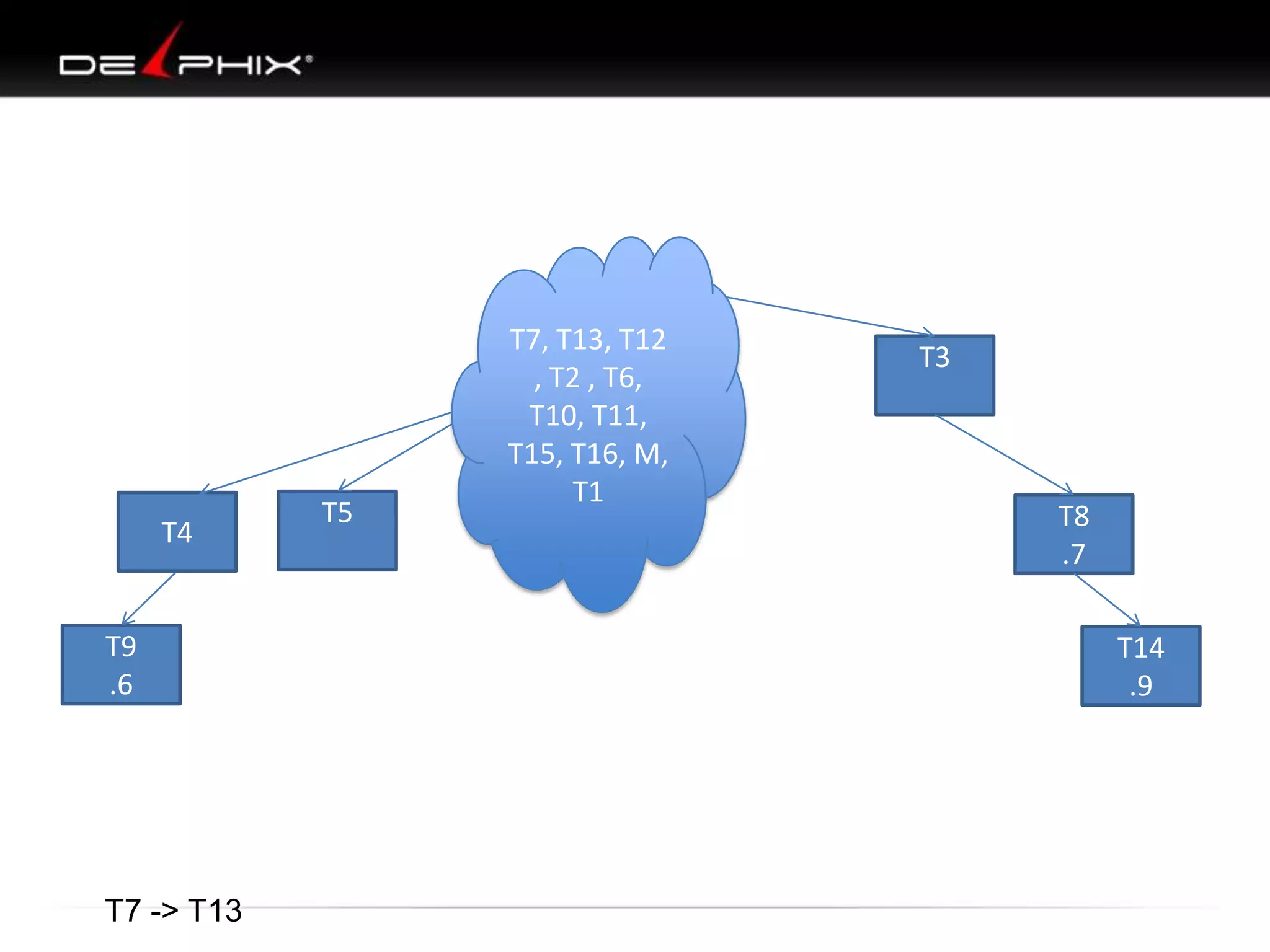
T4

T9
.6

T7 -> T13

T5

T7, T13, T12
, T2 , T6,
T10, T11,
T15, T16, M,
T1

T3

T8
.7
T14
.9
T7, T13, T12
, T2 , T6,
T10, T11,
T15, T16, M,
T1, T4
T5
T9
.6

T7 -> T13

T3

T8
.7
T14
.9
T7, T13, T12
, T2 , T6,
T10, T11,
T15, T16, M,
T1, T4,T9
T5

T3

T8
.7
T14
.9

T7 -> T13
T5

T7 -> T13

T7, T13, T12
, T2 , T6,
T10, T11,
T15, T16, M,
T1,
T4,T9,T3,T8T
14
T7, T13, T12
, T2 , T6,
T10, T11,
T15, T16, M,
T1,
T4,T9,T3,T8T
14, T5

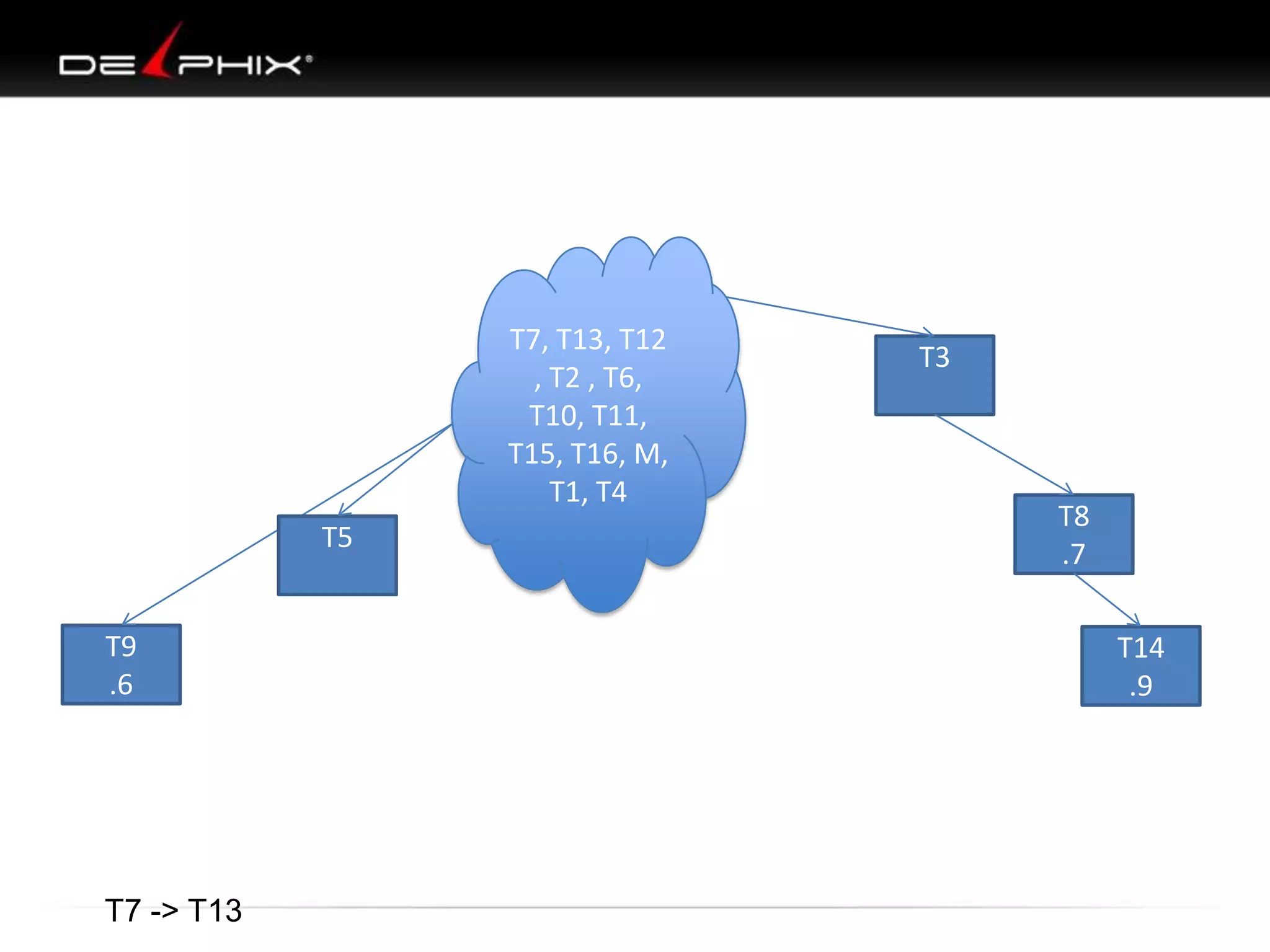
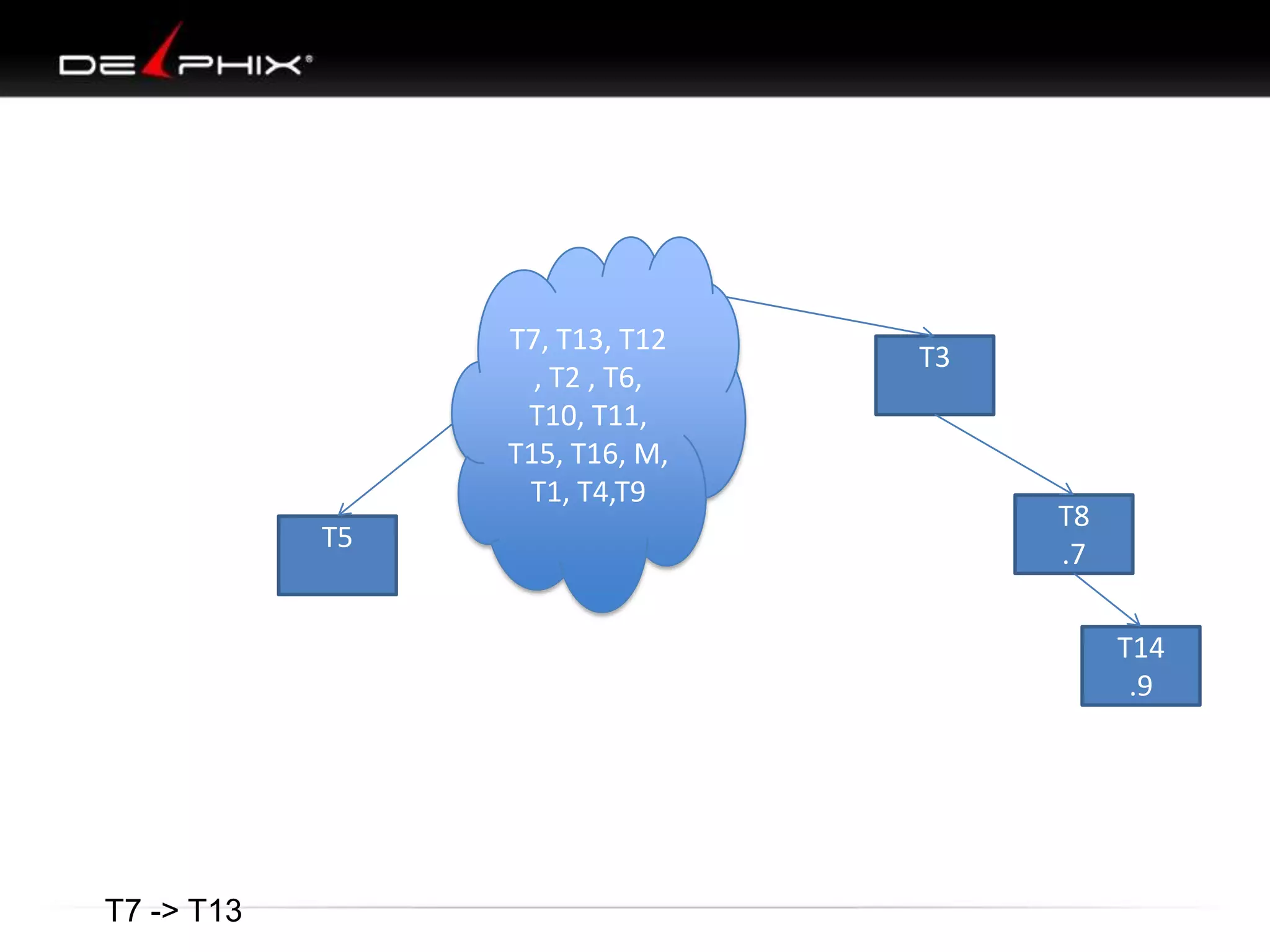
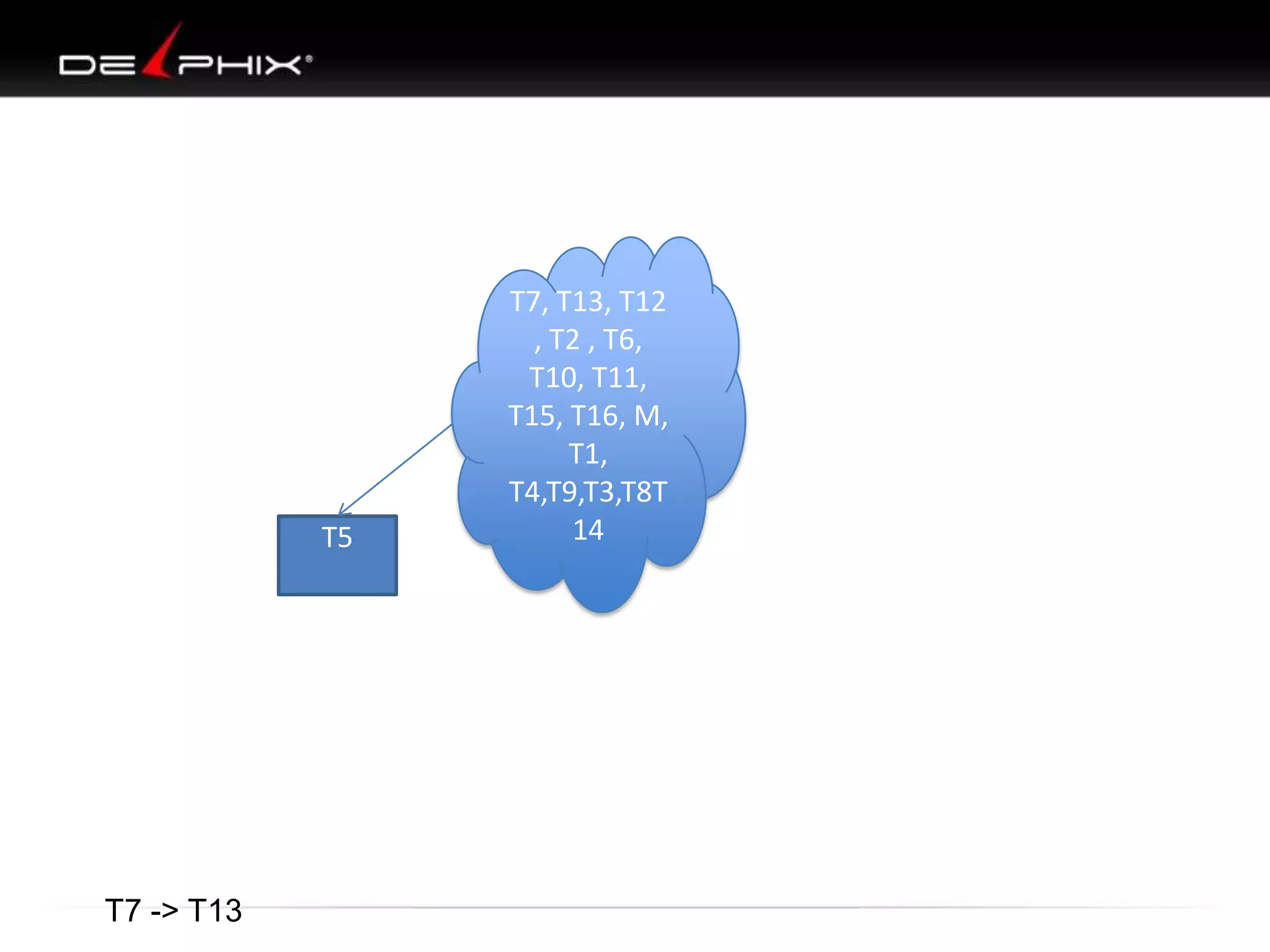
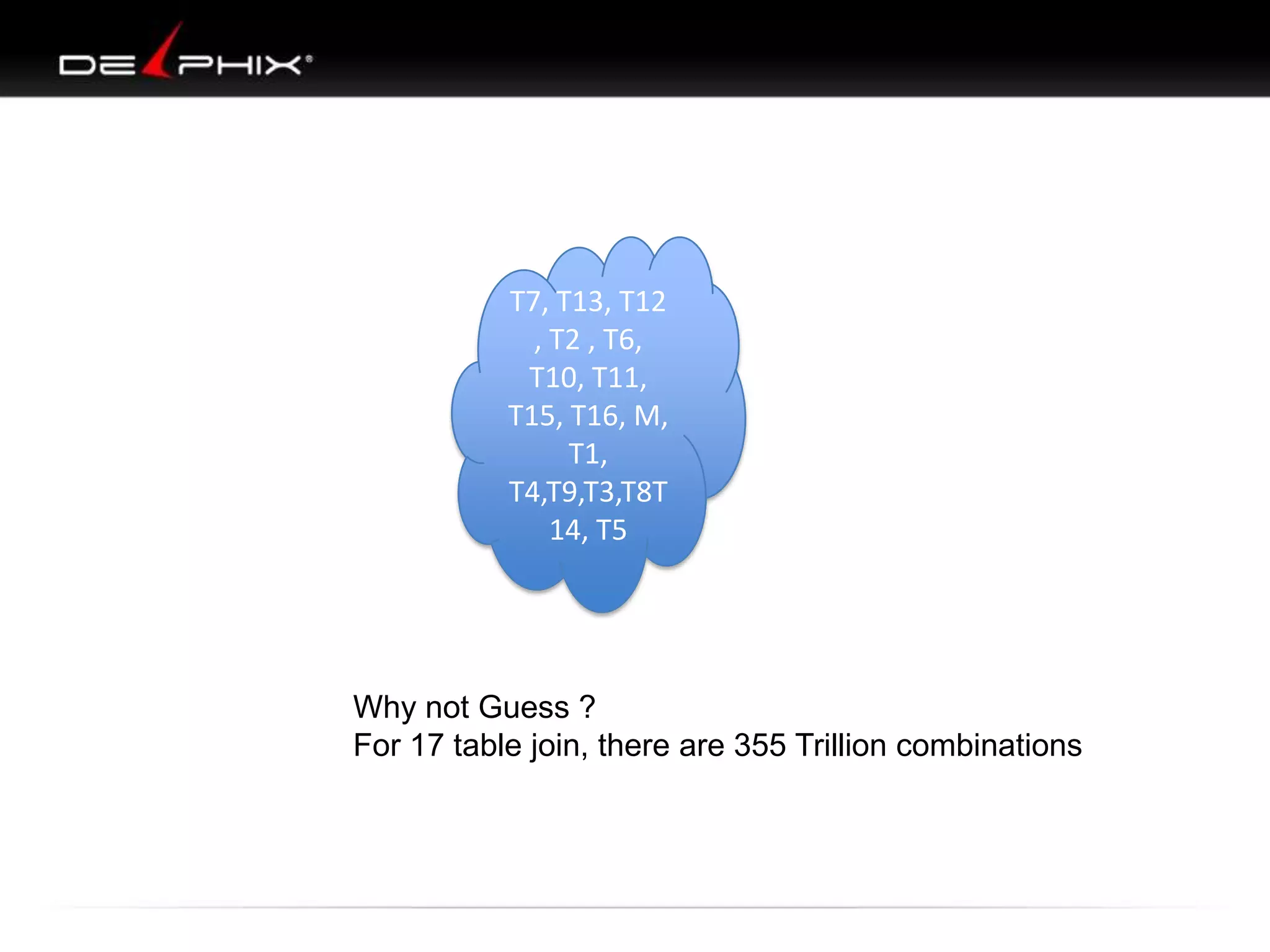
Why not Guess ?
For 17 table join, there are 355 Trillion combinations
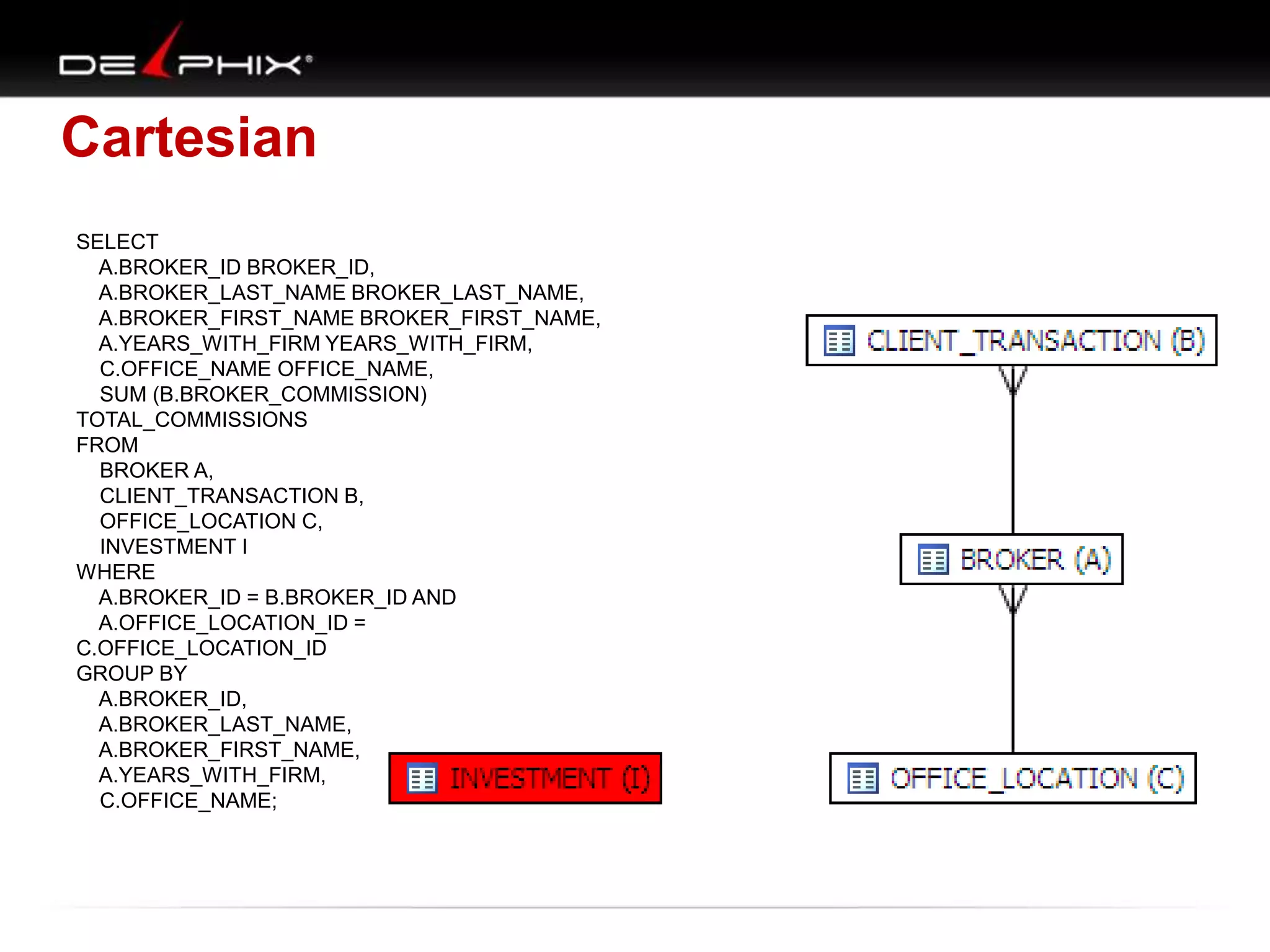
Cartesian
SELECT
A.BROKER_ID BROKER_ID,
A.BROKER_LAST_NAME BROKER_LAST_NAME,
A.BROKER_FIRST_NAME BROKER_FIRST_NAME,
A.YEARS_WITH_FIRM YEARS_WITH_FIRM,
C.OFFICE_NAME OFFICE_NAME,
SUM (B.BROKER_COMMISSION)
TOTAL_COMMISSIONS
FROM
BROKER A,
CLIENT_TRANSACTION B,
OFFICE_LOCATION C,
INVESTMENT I
WHERE
A.BROKER_ID = B.BROKER_ID AND
A.OFFICE_LOCATION_ID =
C.OFFICE_LOCATION_ID
GROUP BY
A.BROKER_ID,
A.BROKER_LAST_NAME,
A.BROKER_FIRST_NAME,
A.YEARS_WITH_FIRM,
C.OFFICE_NAME;
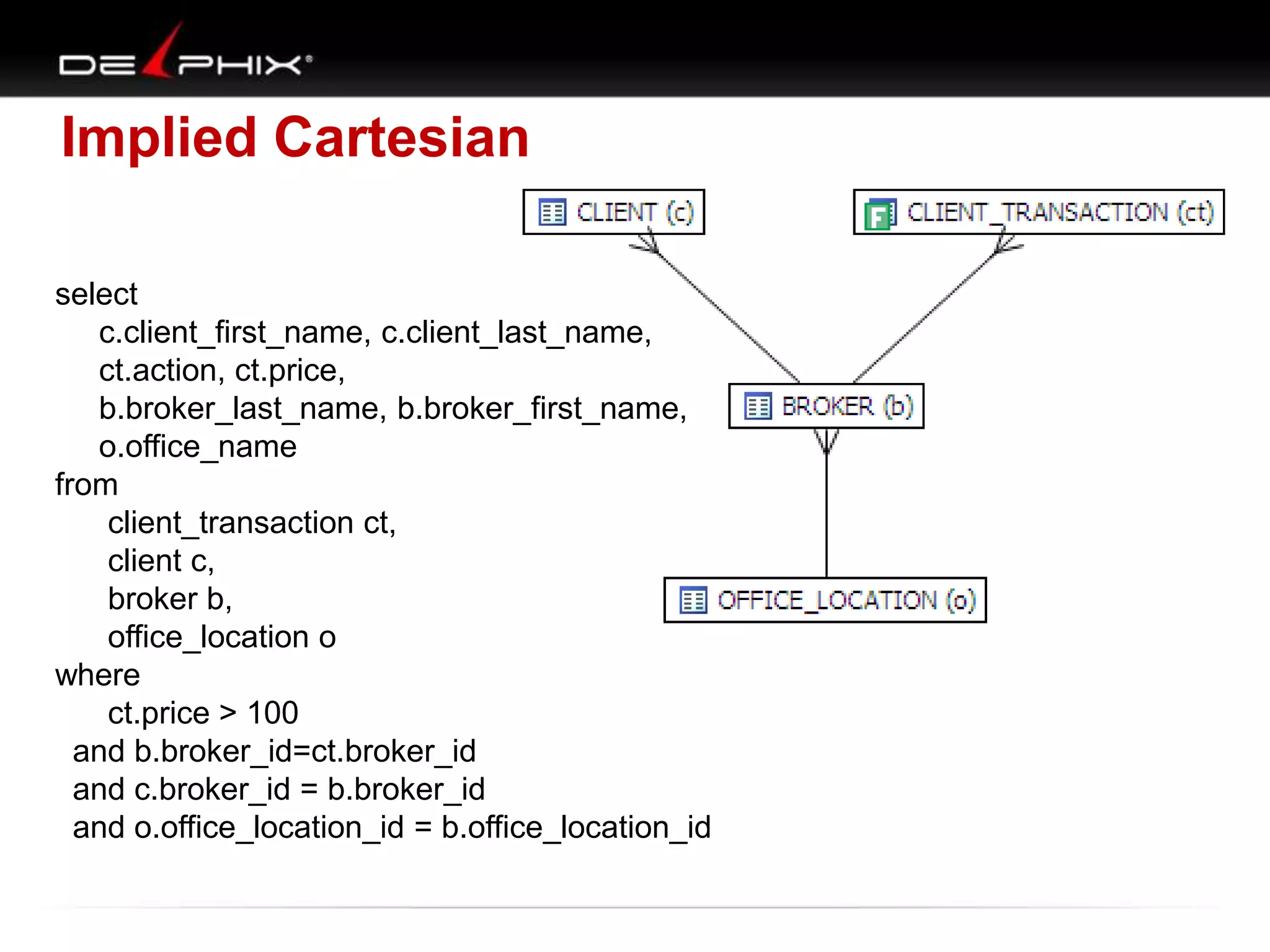
Implied Cartesian
select
c.client_first_name, c.client_last_name,
ct.action, ct.price,
b.broker_last_name, b.broker_first_name,
o.office_name
from
client_transaction ct,
client c,
broker b,
office_location o
where
ct.price > 100
and b.broker_id=ct.broker_id
and c.broker_id = b.broker_id
and o.office_location_id = b.office_location_id
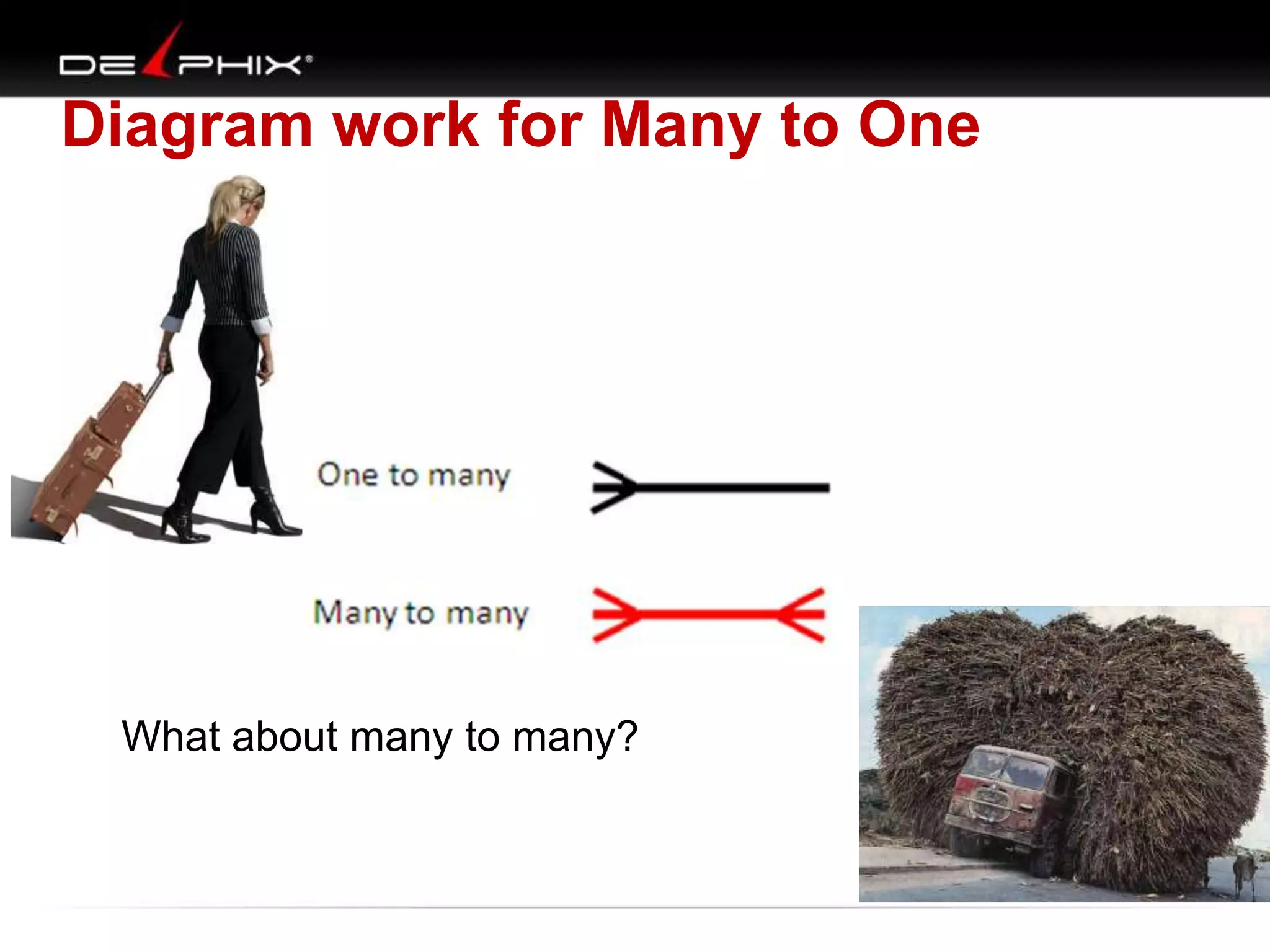
Diagram work for Many to One

What about many to many?
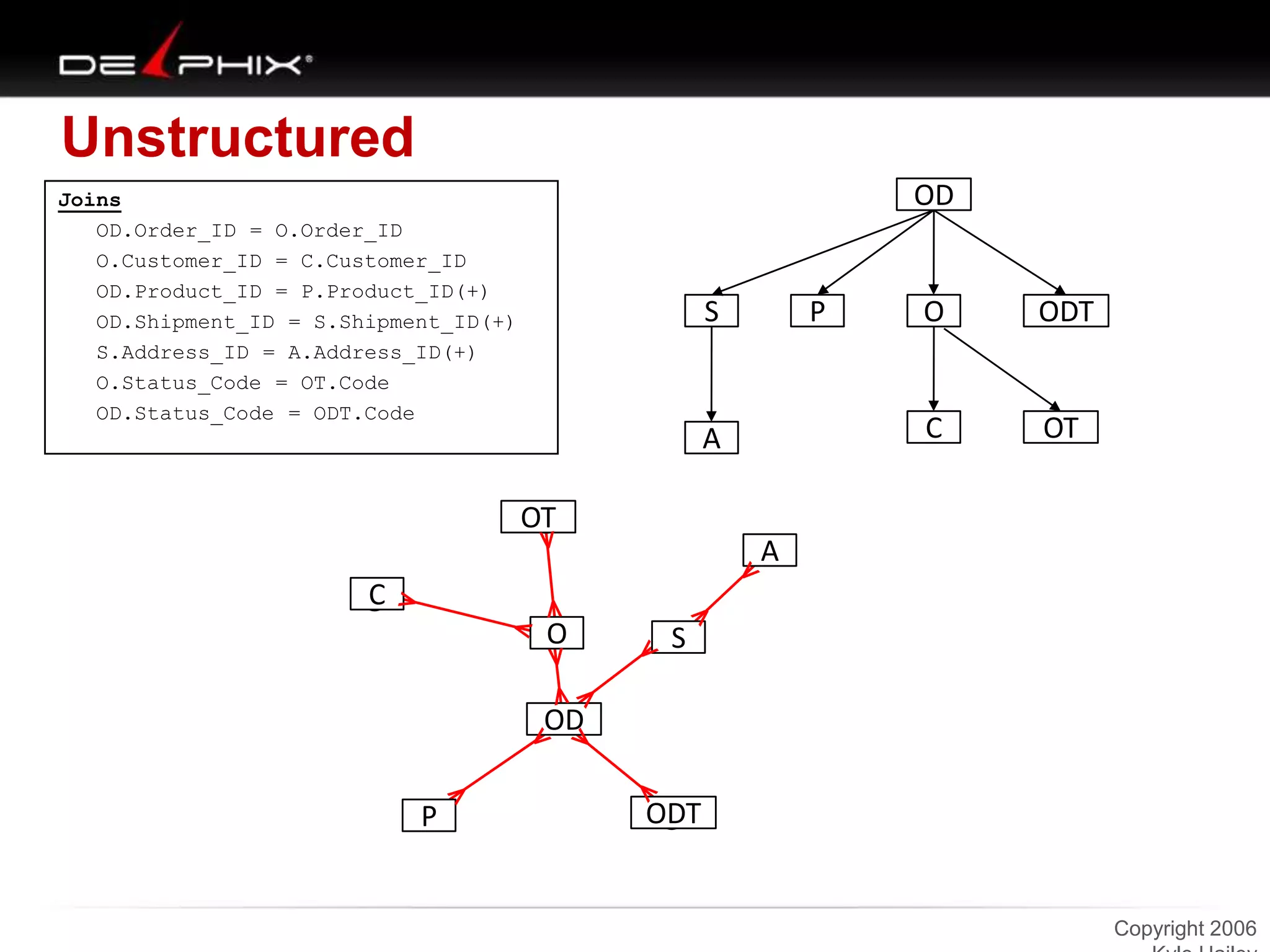
Unstructured
OD

Joins
OD.Order_ID = O.Order_ID
O.Customer_ID = C.Customer_ID
OD.Product_ID = P.Product_ID(+)
OD.Shipment_ID = S.Shipment_ID(+)
S.Address_ID = A.Address_ID(+)
O.Status_Code = OT.Code
OD.Status_Code = ODT.Code

S

P

ODT

C

A

O

OT

OT
A
C
O

S

OD
P

ODT

Copyright 2006
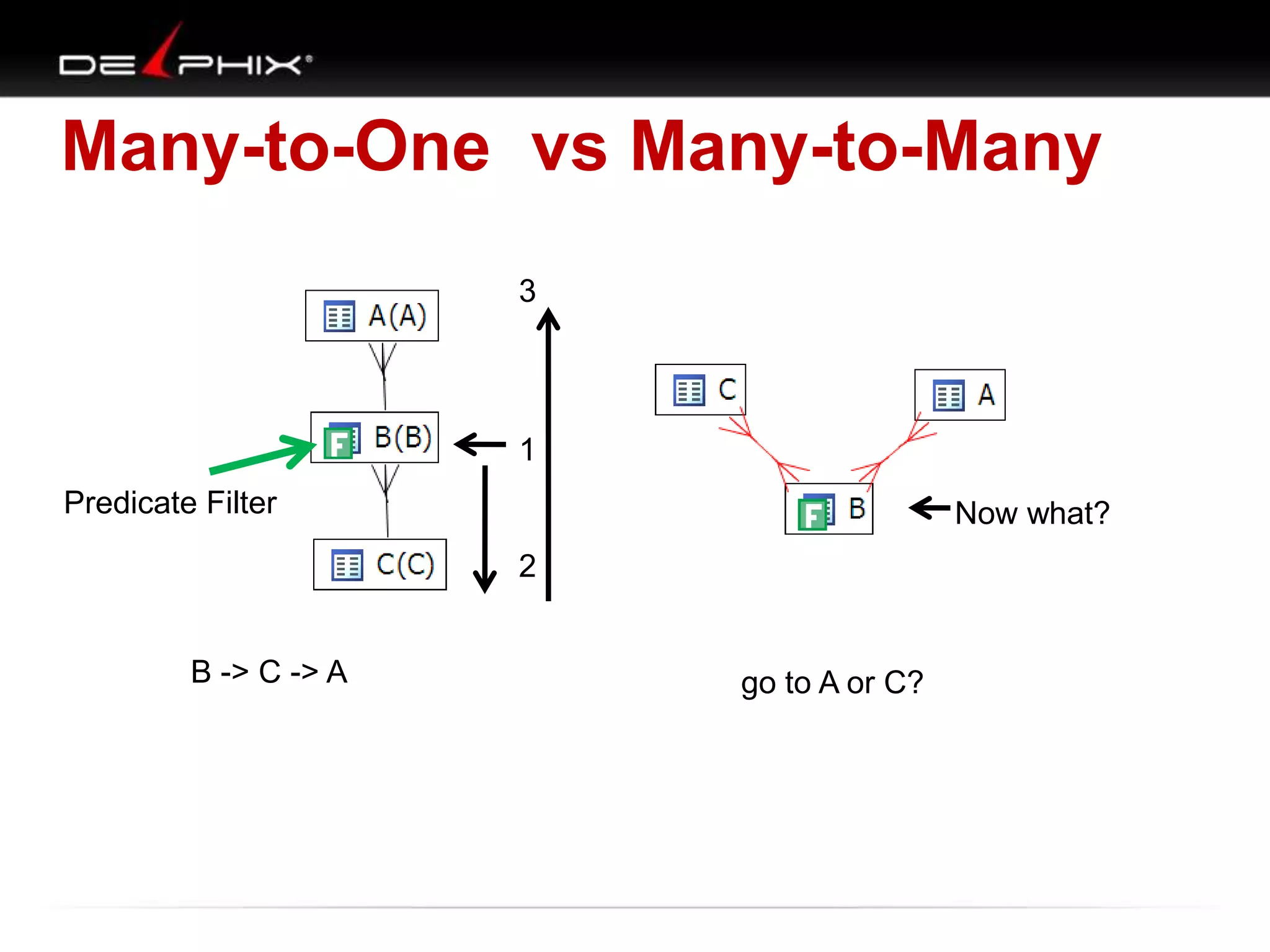
Many-to-One vs Many-to-Many
3

1
Predicate Filter

Now what?
2

B -> C -> A

go to A or C?
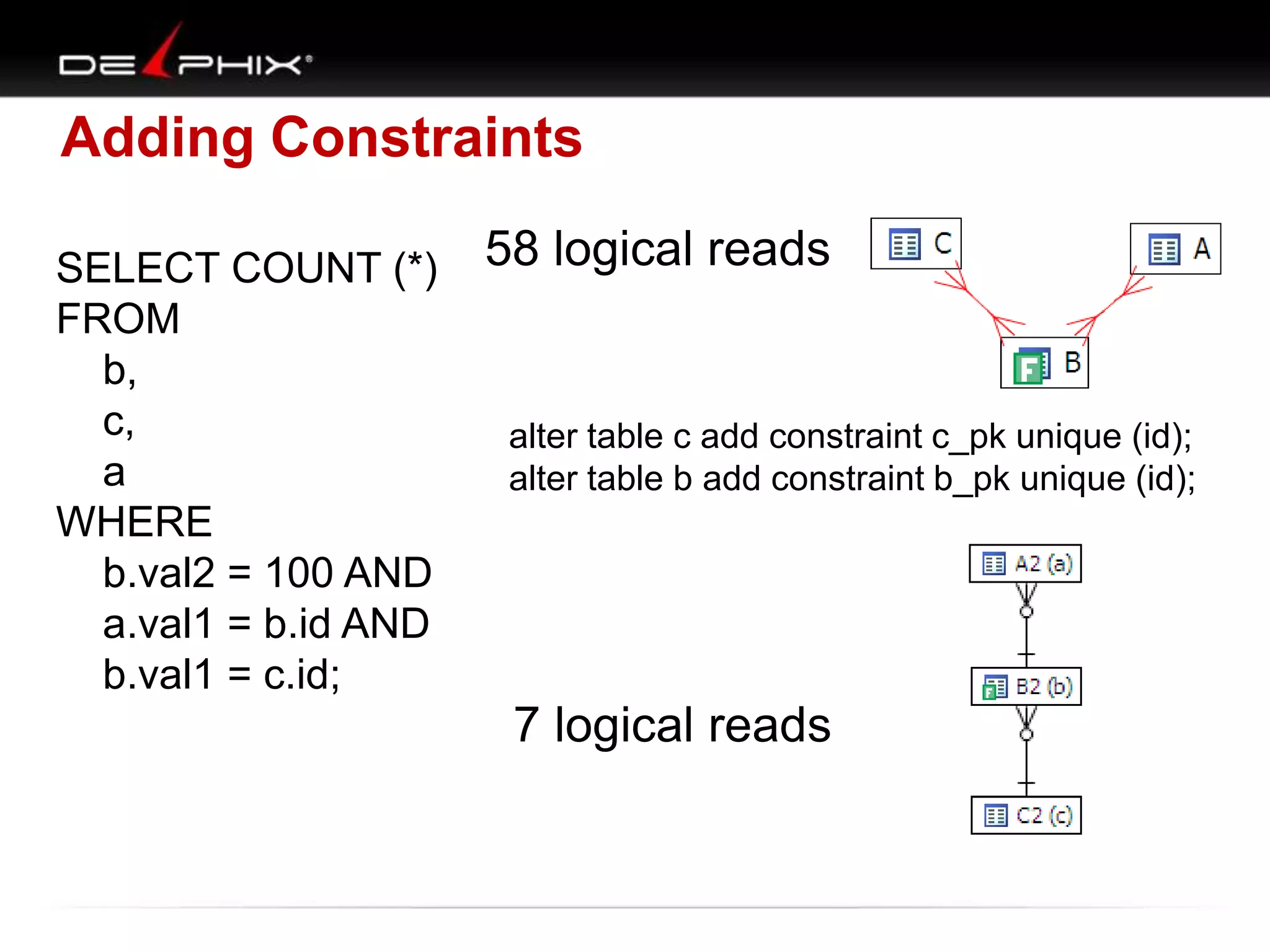
Adding Constraints
SELECT COUNT (*)
FROM
b,
c,
a
WHERE
b.val2 = 100 AND
a.val1 = b.id AND
b.val1 = c.id;

58 logical reads

alter table c add constraint c_pk unique (id);
alter table b add constraint b_pk unique (id);

7 logical reads
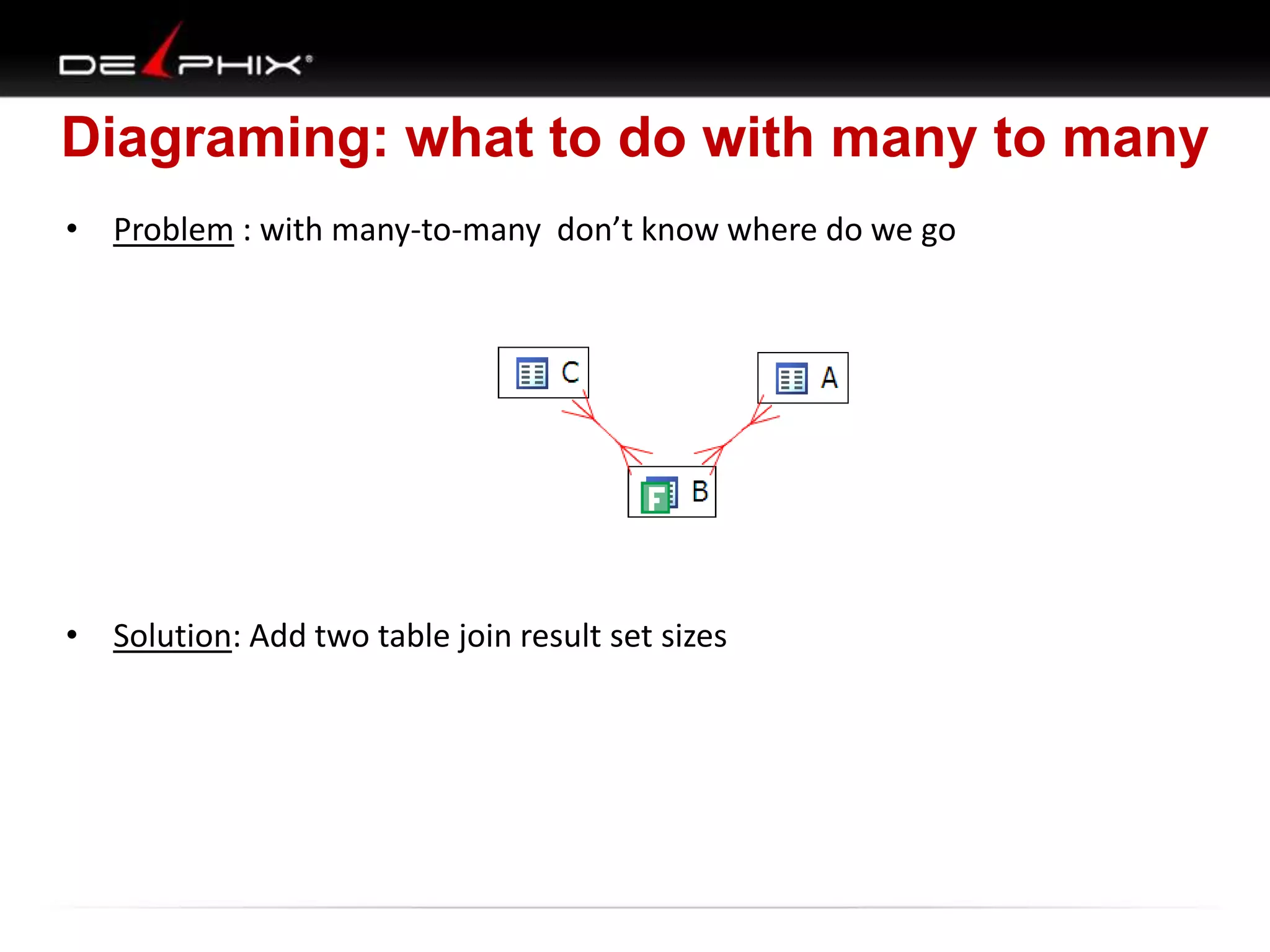
Diagraming: what to do with many to many
• Problem : with many-to-many don’t know where do we go

• Solution: Add two table join result set sizes
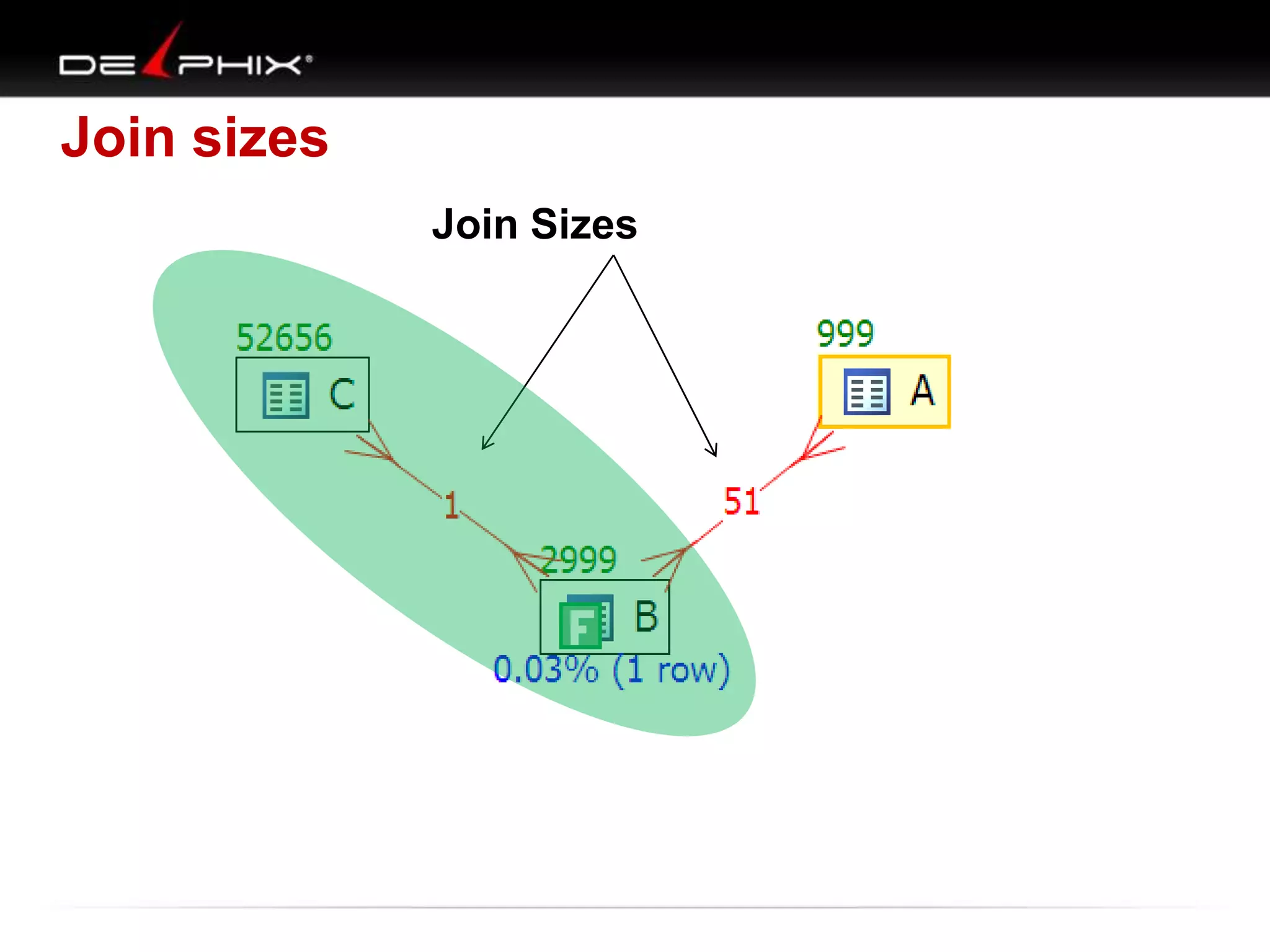
Join sizes
Join Sizes
Look at 3 queries
• Query 1 runs more than 24 hours
• Query 2 outer joins and scalar sub-queries
• Query 3 create path not available to Oracle
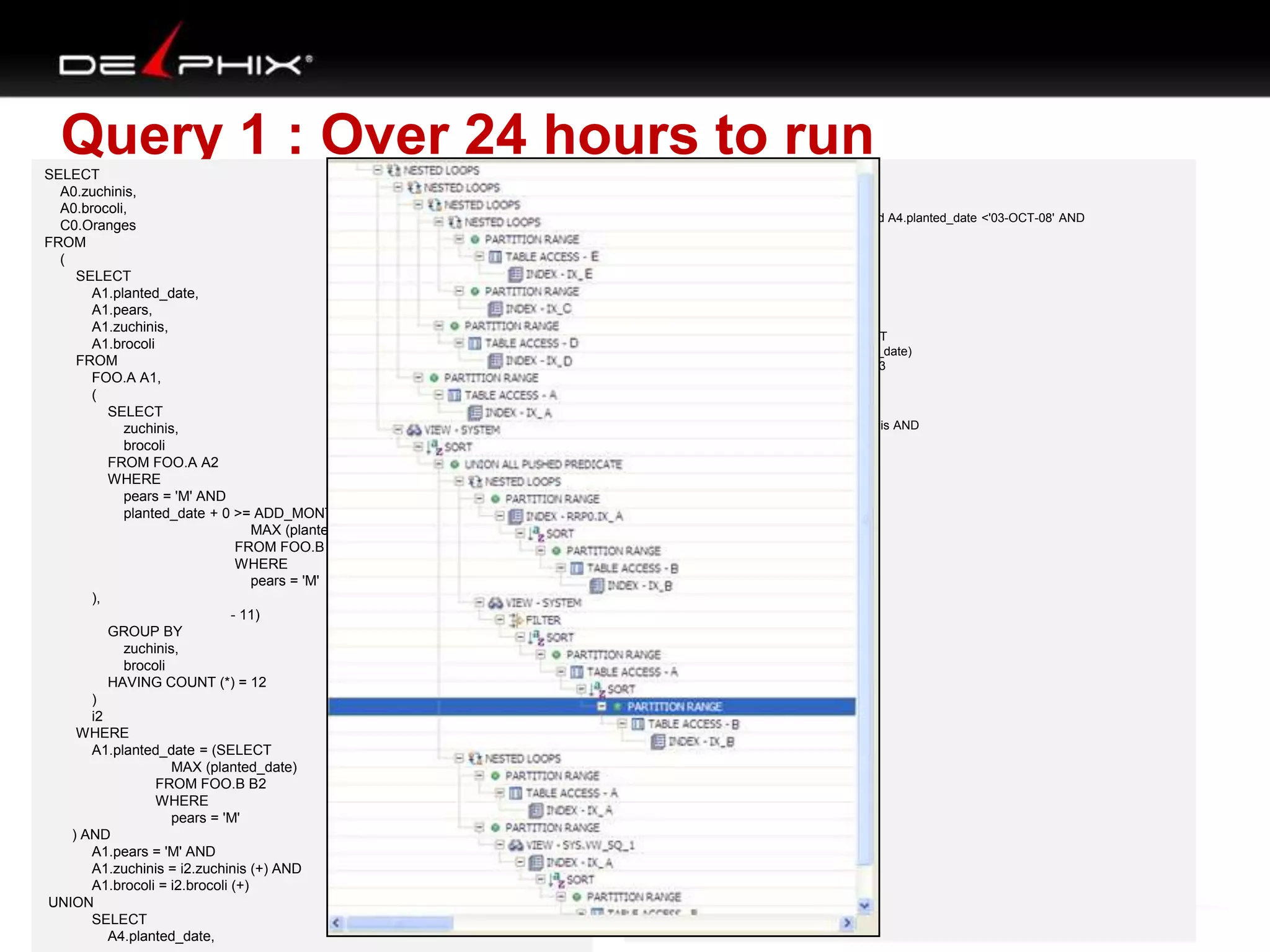
Query 1 : Over 24 hours to run
SELECT
A0.zuchinis,
A0.brocoli,
C0.Oranges
FROM
(
SELECT
A1.planted_date,
A1.pears,
A1.zuchinis,
A1.brocoli
FROM
FOO.A A1,
(
SELECT
zuchinis,
brocoli
FROM FOO.A A2
WHERE
pears = 'M' AND
planted_date + 0 >= ADD_MONTHS ((SELECT
MAX (planted_date)
FROM FOO.B B1
WHERE
pears = 'M'
),
- 11)
GROUP BY
zuchinis,
brocoli
HAVING COUNT (*) = 12
)
i2
WHERE
A1.planted_date = (SELECT
MAX (planted_date)
FROM FOO.B B2
WHERE
pears = 'M'
) AND
A1.pears = 'M' AND
A1.zuchinis = i2.zuchinis (+) AND
A1.brocoli = i2.brocoli (+)
UNION
SELECT
A4.planted_date,

A4.pears,A4.zuchinis,A4.brocoli
FROM FOO.A A4
WHERE
A4.planted_date >'01-OCT-08' and A4.planted_date <'03-OCT-08' AND
A4.pears = 'D' AND
A4.green_beans = '1'
AND NOT EXISTS (SELECT
*
FROM FOO.A A5
WHERE
pears = 'M' AND
planted_date = (SELECT
MAX (planted_date)
FROM FOO.B B3
WHERE
pears = 'M'
) AND
A4.zuchinis = A5.zuchinis AND
A4.brocoli = A5.brocoli)
)
b,
FOO.A A0,
FOO.C C0,
FOO.D D0,
FOO.E E0
WHERE
A0.planted_date >'01-OCT-08' and
A0.planted_date <'03-OCT-08' AND
A0.pears = 'D' AND
A0.green_beans = '1' AND
A0.zuchinis = b.zuchinis AND
A0.brocoli = b.brocoli AND
A0.planted_date = C0.planted_date AND
A0.pears = C0.pears AND
A0.zuchinis = C0.zuchinis AND
A0.brocoli = C0.brocoli AND
A0.planted_date = D0.planted_date AND
A0.pears = D0.pears AND
A0.harvest_size = D0.harvest_size AND
C0.Oranges = D0.Oranges AND
C0.apples = D0.apples AND
(D0.lemons = 0 OR
D0.lemons IS NULL) AND
A0.planted_date = E0.planted_date AND
A0.pears = E0.pears AND
A0.harvest_size = E0.harvest_size AND
C0.Oranges = E0.Oranges AND
C0.apples = E0.apples AND
(E0.lemons = 0 OR
E0.lemons IS NULL)
ORDER BY
A0.zuchinis, A0.brocoli;
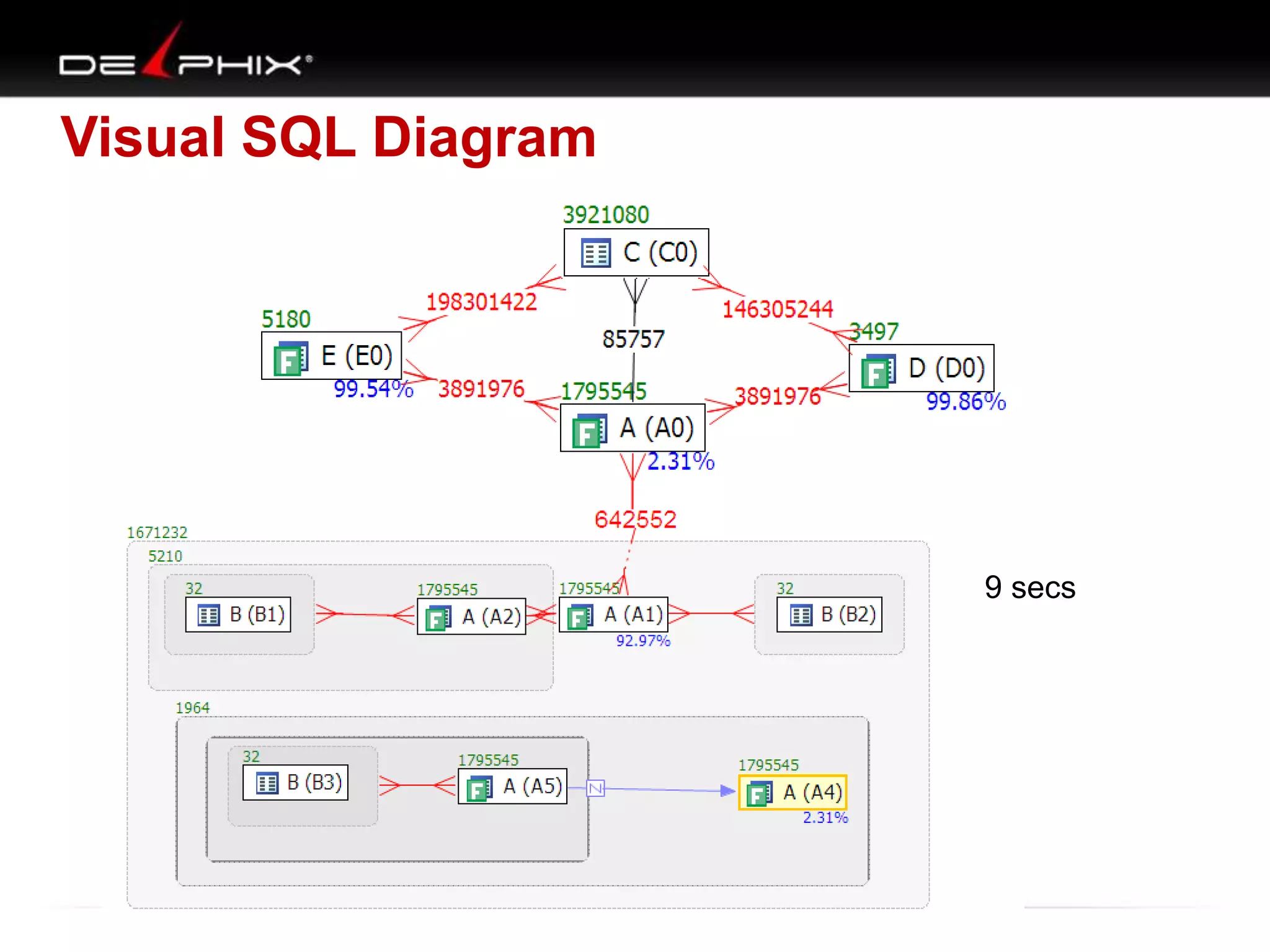
Visual SQL Diagram

9 secs
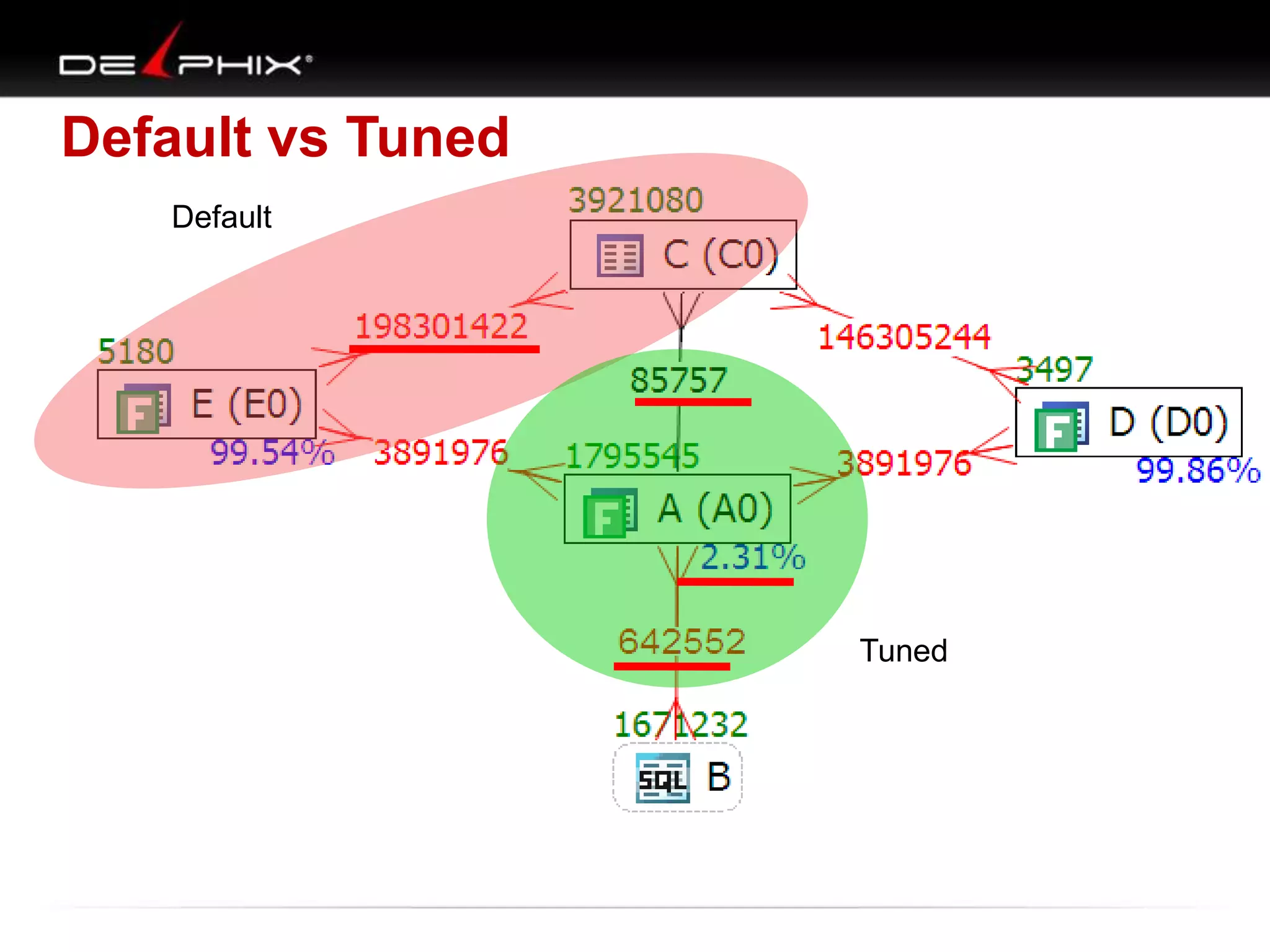
Default vs Tuned
Default

Tuned
Where is the map?
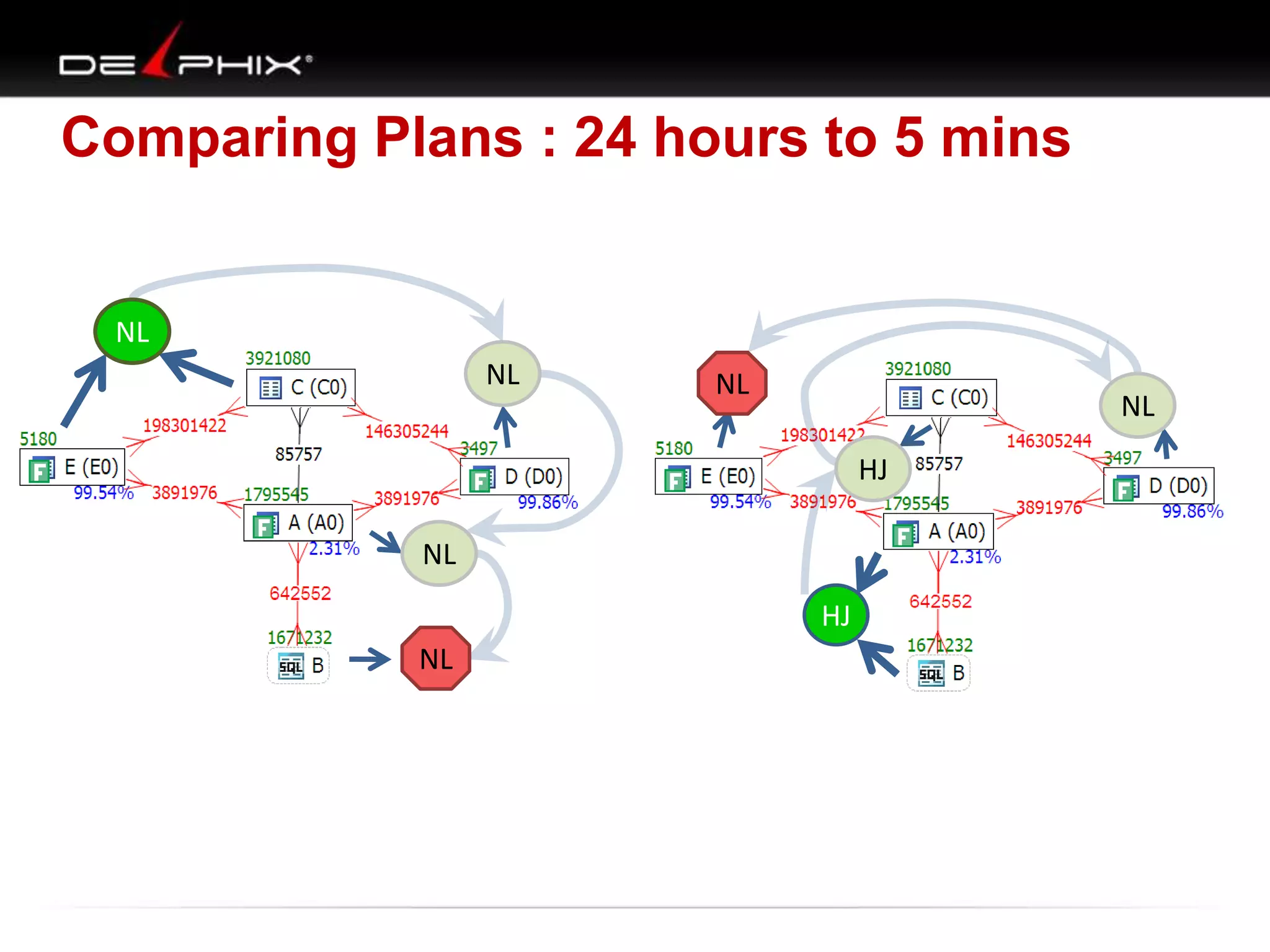
Comparing Plans : 24 hours to 5 mins

NL
NL

NL

NL

HJ
NL
HJ
NL
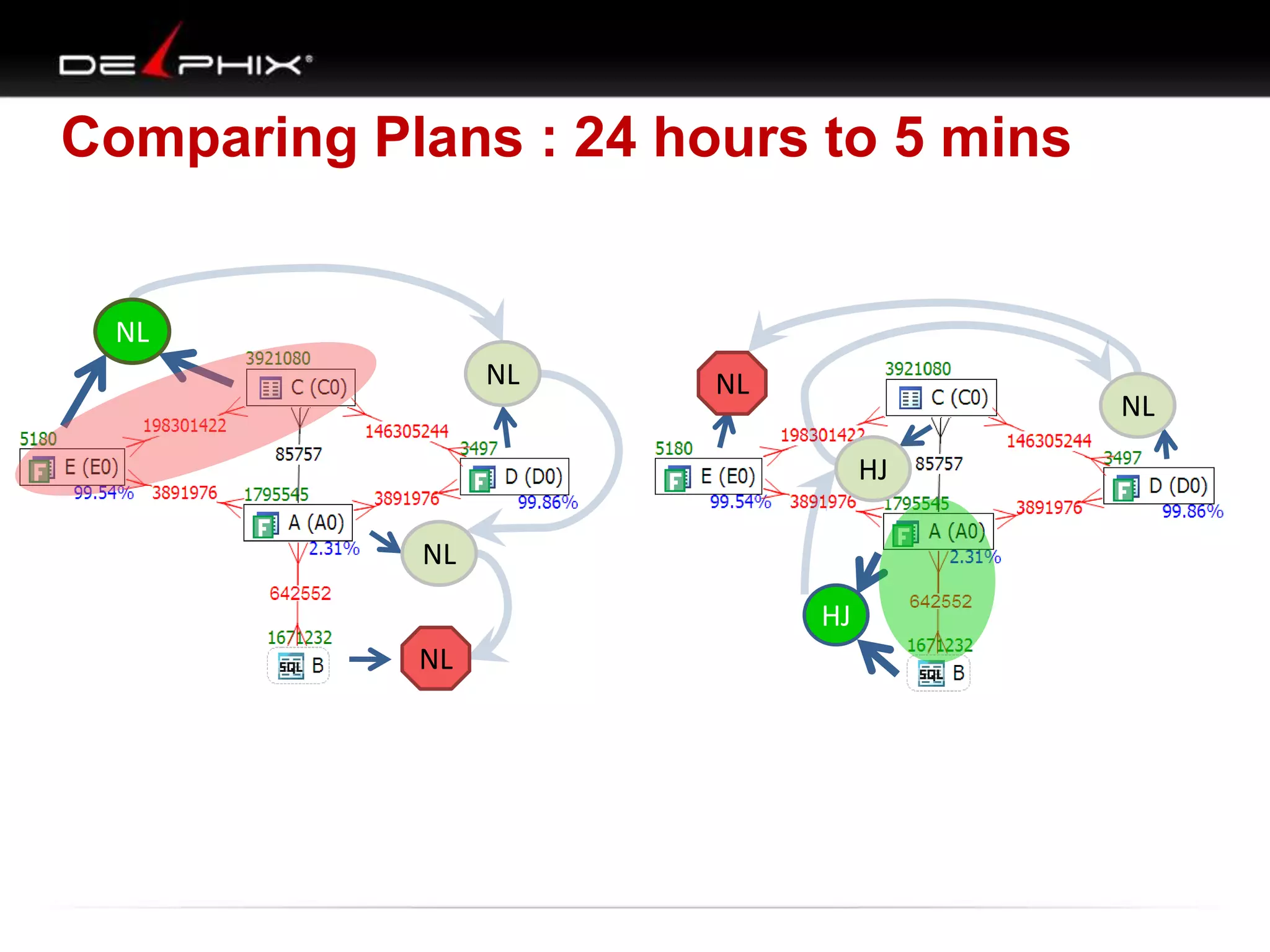
Comparing Plans : 24 hours to 5 mins

NL
NL

NL

NL

HJ
NL
HJ
NL
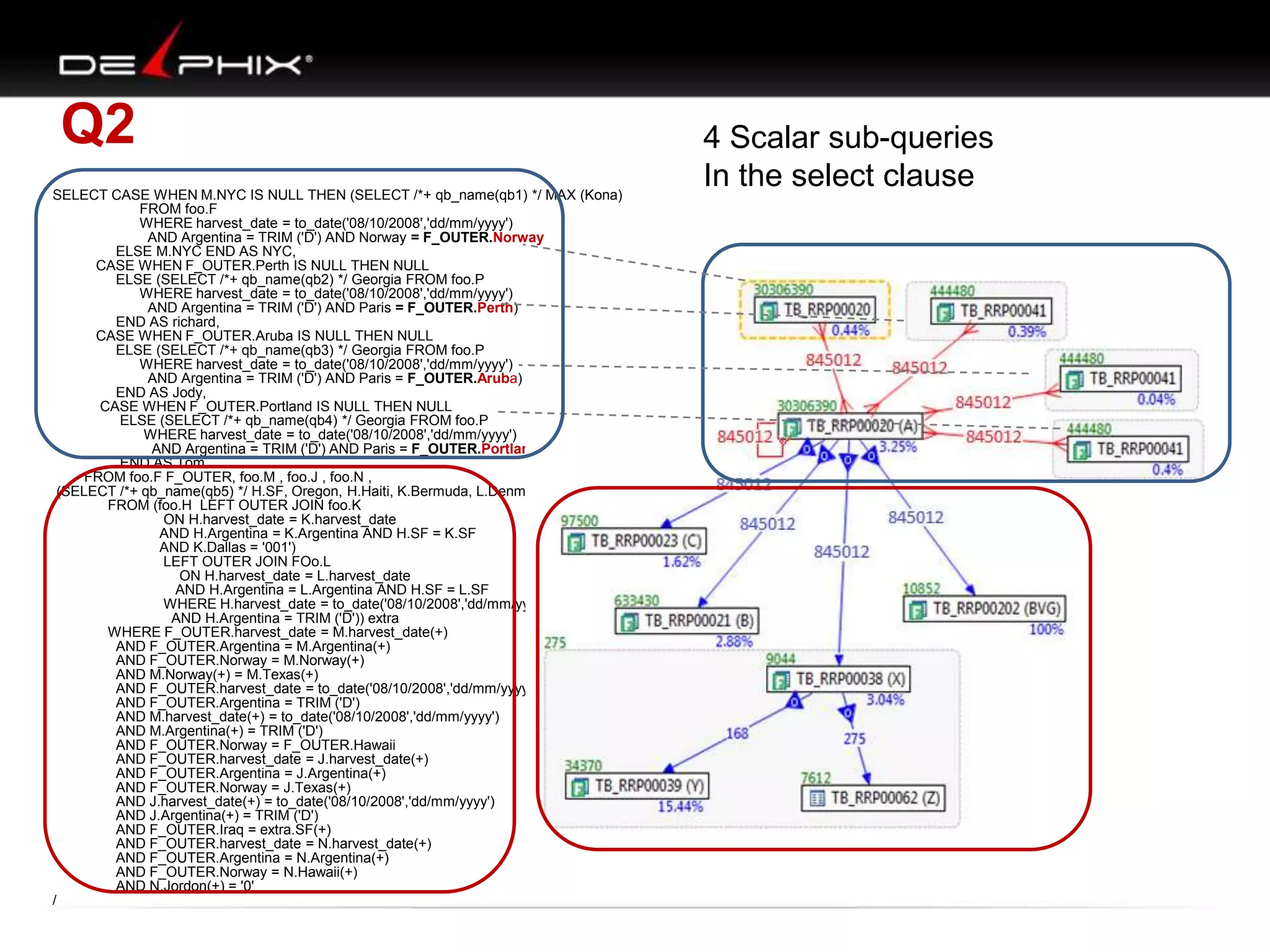
Q2
SELECT CASE WHEN M.NYC IS NULL THEN (SELECT /*+ qb_name(qb1) */ MAX (Kona)
FROM foo.F
WHERE harvest_date = to_date('08/10/2008','dd/mm/yyyy')
AND Argentina = TRIM ('D') AND Norway = F_OUTER.Norway
ELSE M.NYC END AS NYC,
CASE WHEN F_OUTER.Perth IS NULL THEN NULL
ELSE (SELECT /*+ qb_name(qb2) */ Georgia FROM foo.P
WHERE harvest_date = to_date('08/10/2008','dd/mm/yyyy')
AND Argentina = TRIM ('D') AND Paris = F_OUTER.Perth)
END AS richard,
CASE WHEN F_OUTER.Aruba IS NULL THEN NULL
ELSE (SELECT /*+ qb_name(qb3) */ Georgia FROM foo.P
WHERE harvest_date = to_date('08/10/2008','dd/mm/yyyy')
AND Argentina = TRIM ('D') AND Paris = F_OUTER.Aruba)
END AS Jody,
CASE WHEN F_OUTER.Portland IS NULL THEN NULL
ELSE (SELECT /*+ qb_name(qb4) */ Georgia FROM foo.P
WHERE harvest_date = to_date('08/10/2008','dd/mm/yyyy')
AND Argentina = TRIM ('D') AND Paris = F_OUTER.Portland)
END AS Tom
FROM foo.F F_OUTER, foo.M , foo.J , foo.N ,
(SELECT /*+ qb_name(qb5) */ H.SF, Oregon, H.Haiti, K.Bermuda, L.Denmark
FROM (foo.H LEFT OUTER JOIN foo.K
ON H.harvest_date = K.harvest_date
AND H.Argentina = K.Argentina AND H.SF = K.SF
AND K.Dallas = '001')
LEFT OUTER JOIN FOo.L
ON H.harvest_date = L.harvest_date
AND H.Argentina = L.Argentina AND H.SF = L.SF
WHERE H.harvest_date = to_date('08/10/2008','dd/mm/yyyy')
AND H.Argentina = TRIM ('D')) extra
WHERE F_OUTER.harvest_date = M.harvest_date(+)
AND F_OUTER.Argentina = M.Argentina(+)
AND F_OUTER.Norway = M.Norway(+)
AND M.Norway(+) = M.Texas(+)
AND F_OUTER.harvest_date = to_date('08/10/2008','dd/mm/yyyy')
AND F_OUTER.Argentina = TRIM ('D')
AND M.harvest_date(+) = to_date('08/10/2008','dd/mm/yyyy')
AND M.Argentina(+) = TRIM ('D')
AND F_OUTER.Norway = F_OUTER.Hawaii
AND F_OUTER.harvest_date = J.harvest_date(+)
AND F_OUTER.Argentina = J.Argentina(+)
AND F_OUTER.Norway = J.Texas(+)
AND J.harvest_date(+) = to_date('08/10/2008','dd/mm/yyyy')
AND J.Argentina(+) = TRIM ('D')
AND F_OUTER.Iraq = extra.SF(+)
AND F_OUTER.harvest_date = N.harvest_date(+)
AND F_OUTER.Argentina = N.Argentina(+)
AND F_OUTER.Norway = N.Hawaii(+)
AND N.Jordon(+) = '0'
/

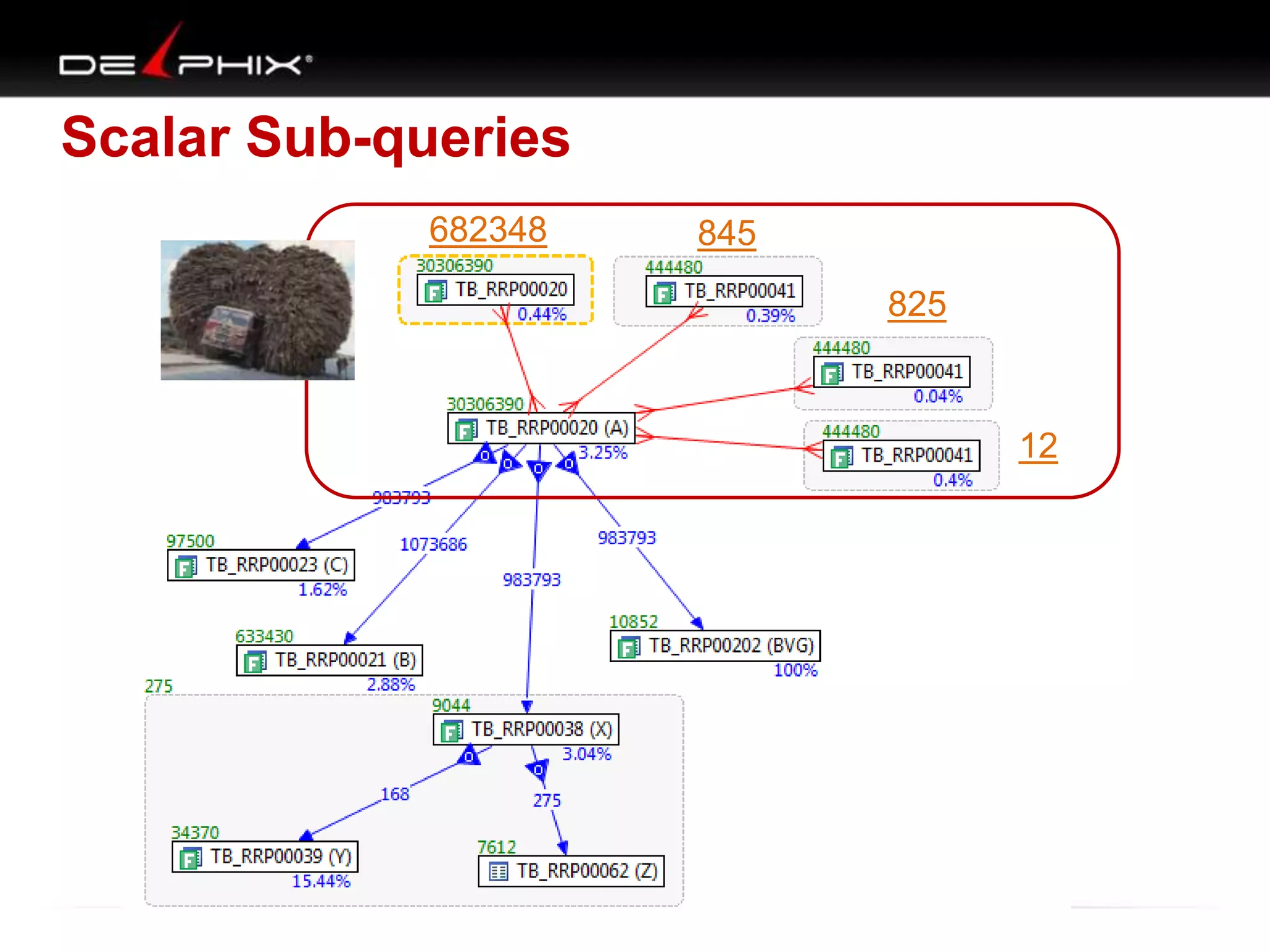
4 Scalar sub-queries
In the select clause
Scalar Sub-queries
682348

845
825

12
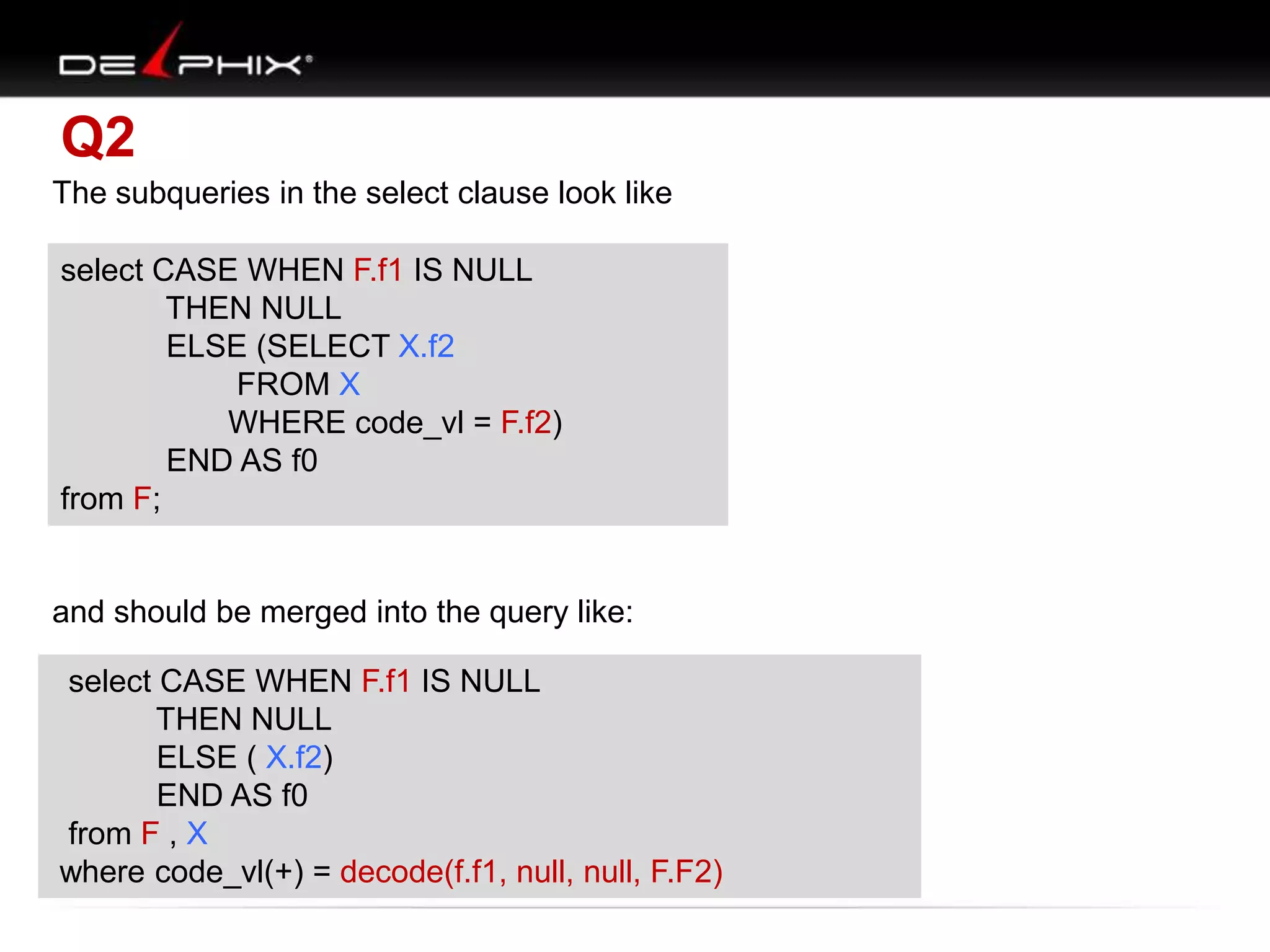
Q2
The subqueries in the select clause look like
select CASE WHEN F.f1 IS NULL
THEN NULL
THEN NULL
ELSE (SELECT X.f2
ELSE (SELECT X.f2
FROM X
FROM X
WHERE code_vl = F.f1)
WHERE code_vl = F.f2)
END AS f0 f0
END AS
from F;
from F;

and should be merged into the query like:
select CASE WHEN F.f1 IS NULL
THEN NULL
THEN NULL
ELSE ( X.f2)
ELSE ( X.f2)
END f0
END ASAS f0
from F , X
from F , X
where code_vl(+) = decode(f.f1, null, null, F.F2)
where code_vl(+) = F.f1;
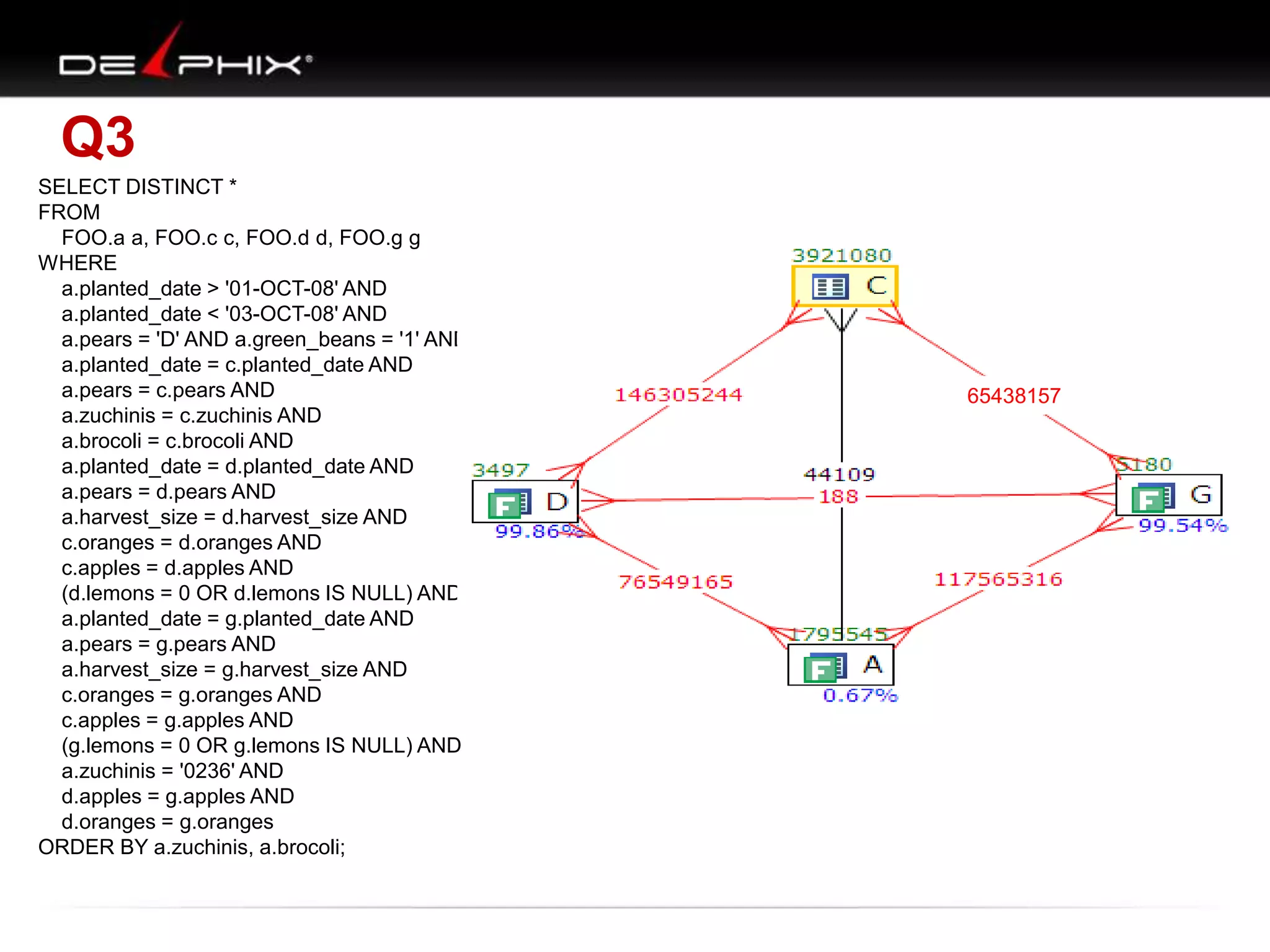
Q3
SELECT DISTINCT *
FROM
FOO.a a, FOO.c c, FOO.d d, FOO.g g
WHERE
a.planted_date > '01-OCT-08' AND
a.planted_date < '03-OCT-08' AND
a.pears = 'D' AND a.green_beans = '1' AND
a.planted_date = c.planted_date AND
a.pears = c.pears AND
a.zuchinis = c.zuchinis AND
a.brocoli = c.brocoli AND
a.planted_date = d.planted_date AND
a.pears = d.pears AND
a.harvest_size = d.harvest_size AND
c.oranges = d.oranges AND
c.apples = d.apples AND
(d.lemons = 0 OR d.lemons IS NULL) AND
a.planted_date = g.planted_date AND
a.pears = g.pears AND
a.harvest_size = g.harvest_size AND
c.oranges = g.oranges AND
c.apples = g.apples AND
(g.lemons = 0 OR g.lemons IS NULL) AND
a.zuchinis = '0236' AND
d.apples = g.apples AND
d.oranges = g.oranges
ORDER BY a.zuchinis, a.brocoli;

65438157
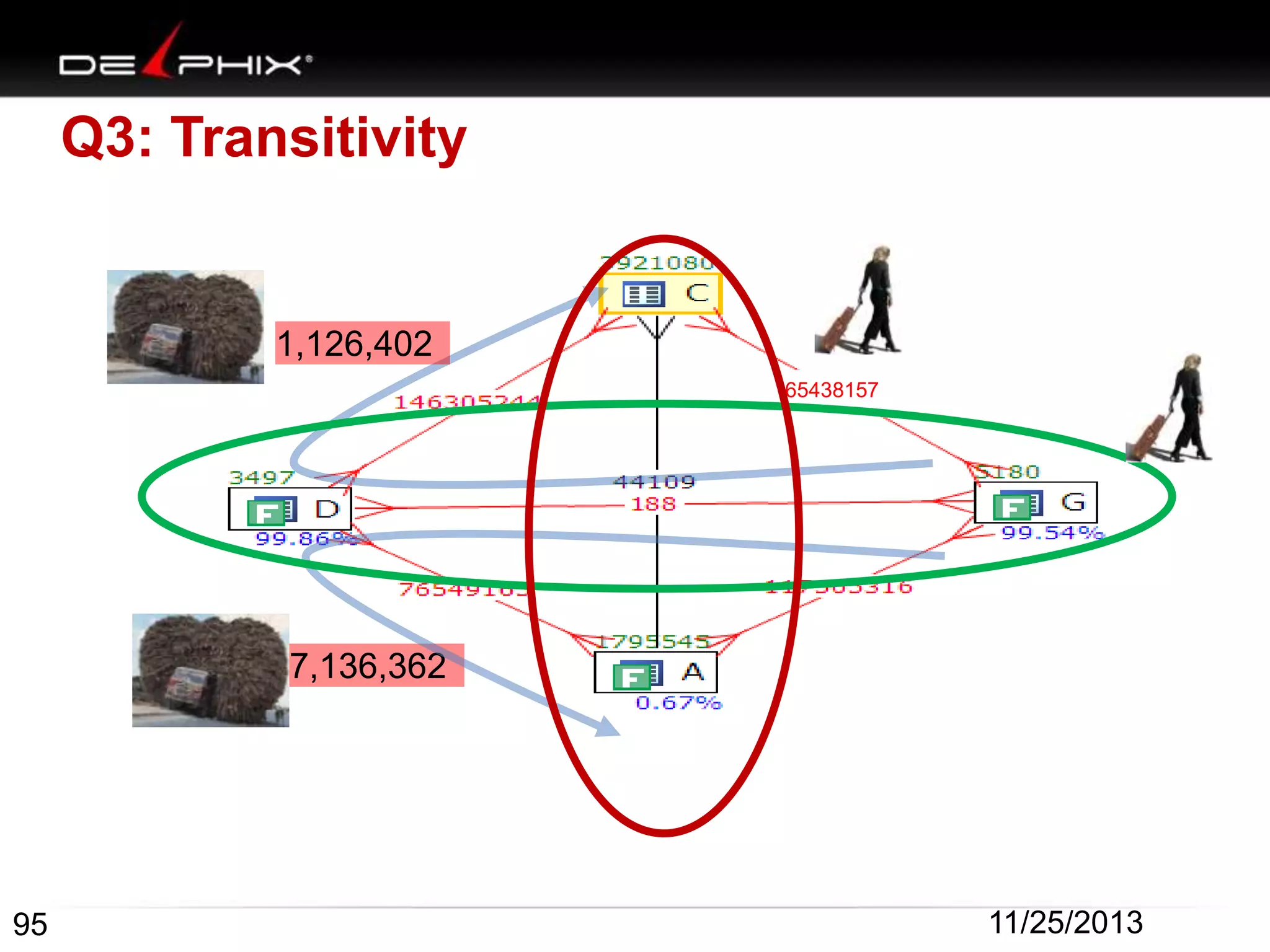
Q3: Transitivity

1,126,402
65438157

7,136,362

95

11/25/2013
Q3
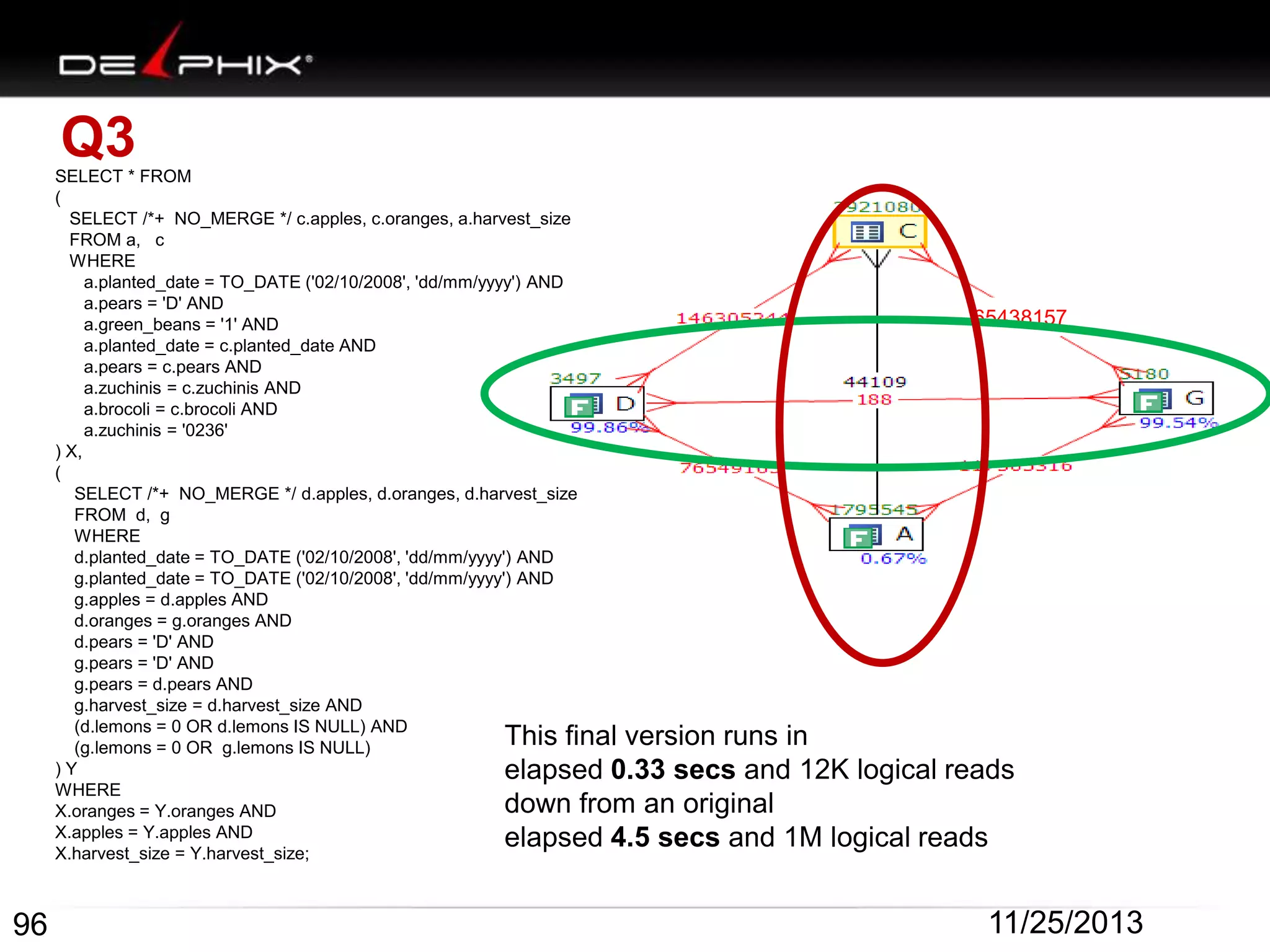
SELECT * FROM
(
SELECT /*+ NO_MERGE */ c.apples, c.oranges, a.harvest_size
FROM a, c
WHERE
a.planted_date = TO_DATE ('02/10/2008', 'dd/mm/yyyy') AND
a.pears = 'D' AND
a.green_beans = '1' AND
a.planted_date = c.planted_date AND
a.pears = c.pears AND
a.zuchinis = c.zuchinis AND
a.brocoli = c.brocoli AND
a.zuchinis = '0236'
) X,
(
SELECT /*+ NO_MERGE */ d.apples, d.oranges, d.harvest_size
FROM d, g
WHERE
d.planted_date = TO_DATE ('02/10/2008', 'dd/mm/yyyy') AND
g.planted_date = TO_DATE ('02/10/2008', 'dd/mm/yyyy') AND
g.apples = d.apples AND
d.oranges = g.oranges AND
d.pears = 'D' AND
g.pears = 'D' AND
g.pears = d.pears AND
g.harvest_size = d.harvest_size AND
(d.lemons = 0 OR d.lemons IS NULL) AND
(g.lemons = 0 OR g.lemons IS NULL)
)Y
WHERE
X.oranges = Y.oranges AND
X.apples = Y.apples AND
X.harvest_size = Y.harvest_size;

65438157

This final version runs in
elapsed 0.33 secs and 12K logical reads
down from an original
elapsed 4.5 secs and 1M logical reads

96

11/25/2013
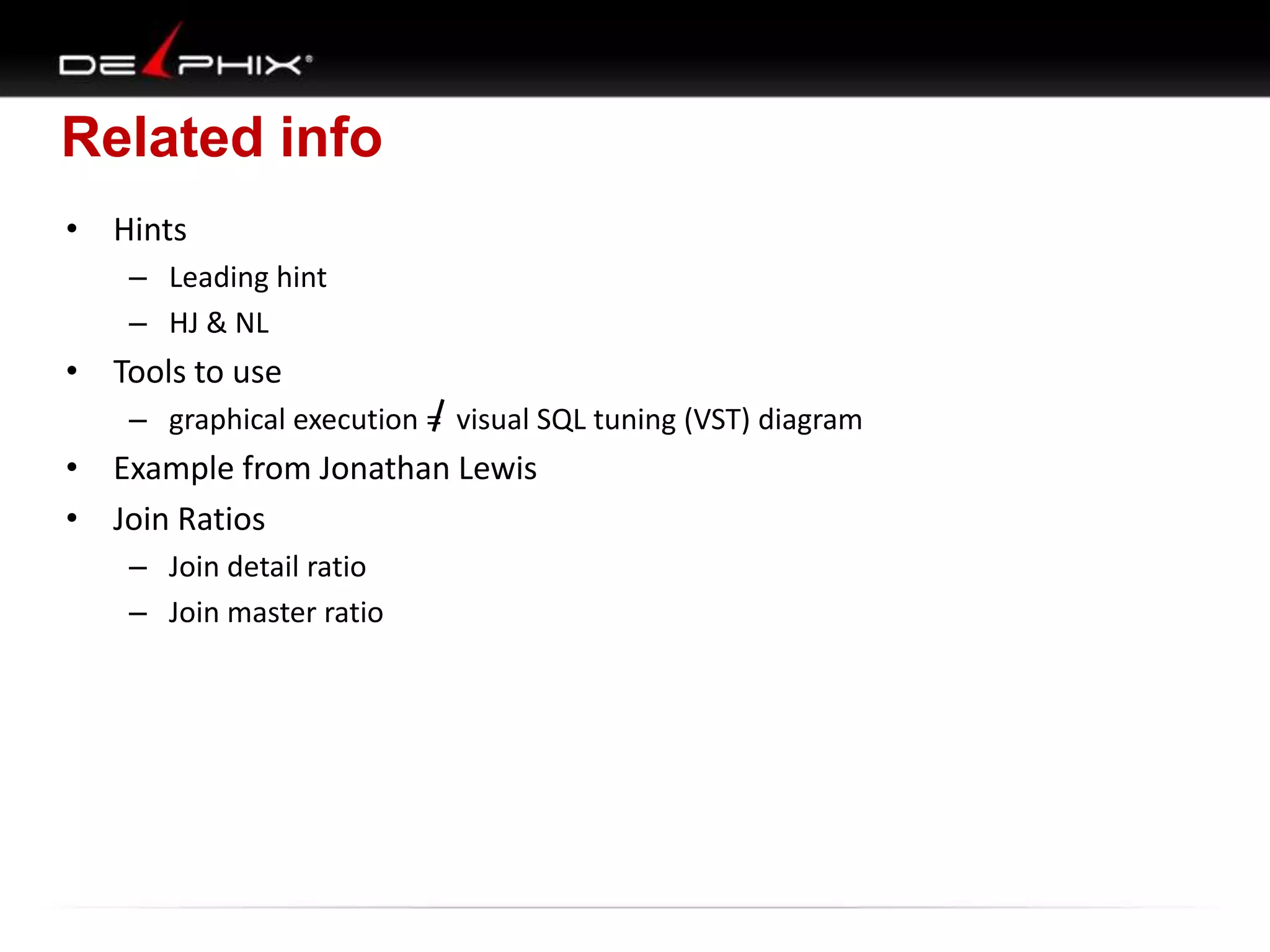
Related info
• Hints
– Leading hint
– HJ & NL

• Tools to use
– graphical execution = visual SQL tuning (VST) diagram

• Example from Jonathan Lewis
• Join Ratios
– Join detail ratio
– Join master ratio
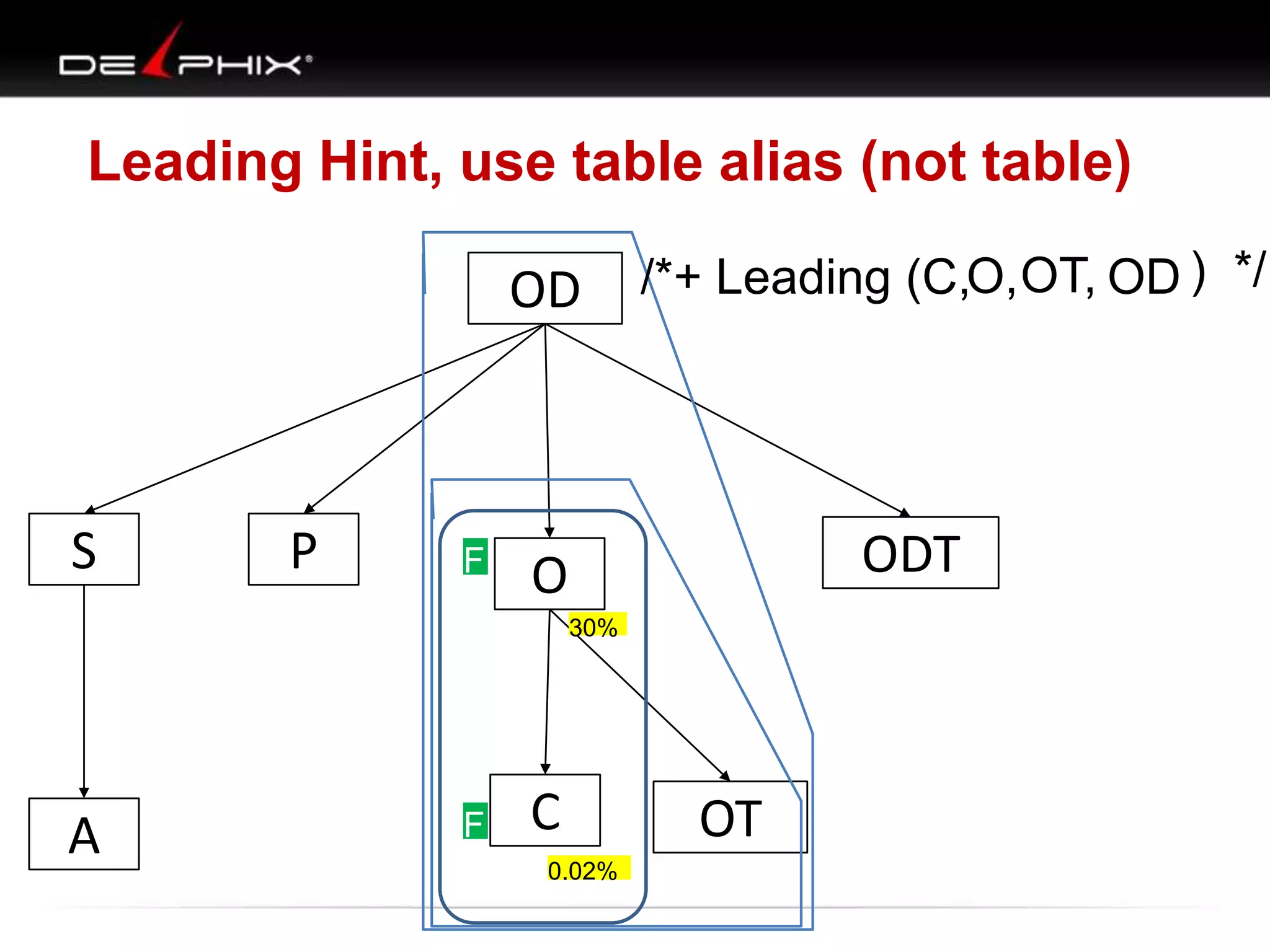
Leading Hint, use table alias (not table)

OD

S

P

/*+ Leading (C,O, OT, OD ) */

F O
F

ODT
30%

A

F C
F
0.02%

OT
HINTS
•
•
•
•
•

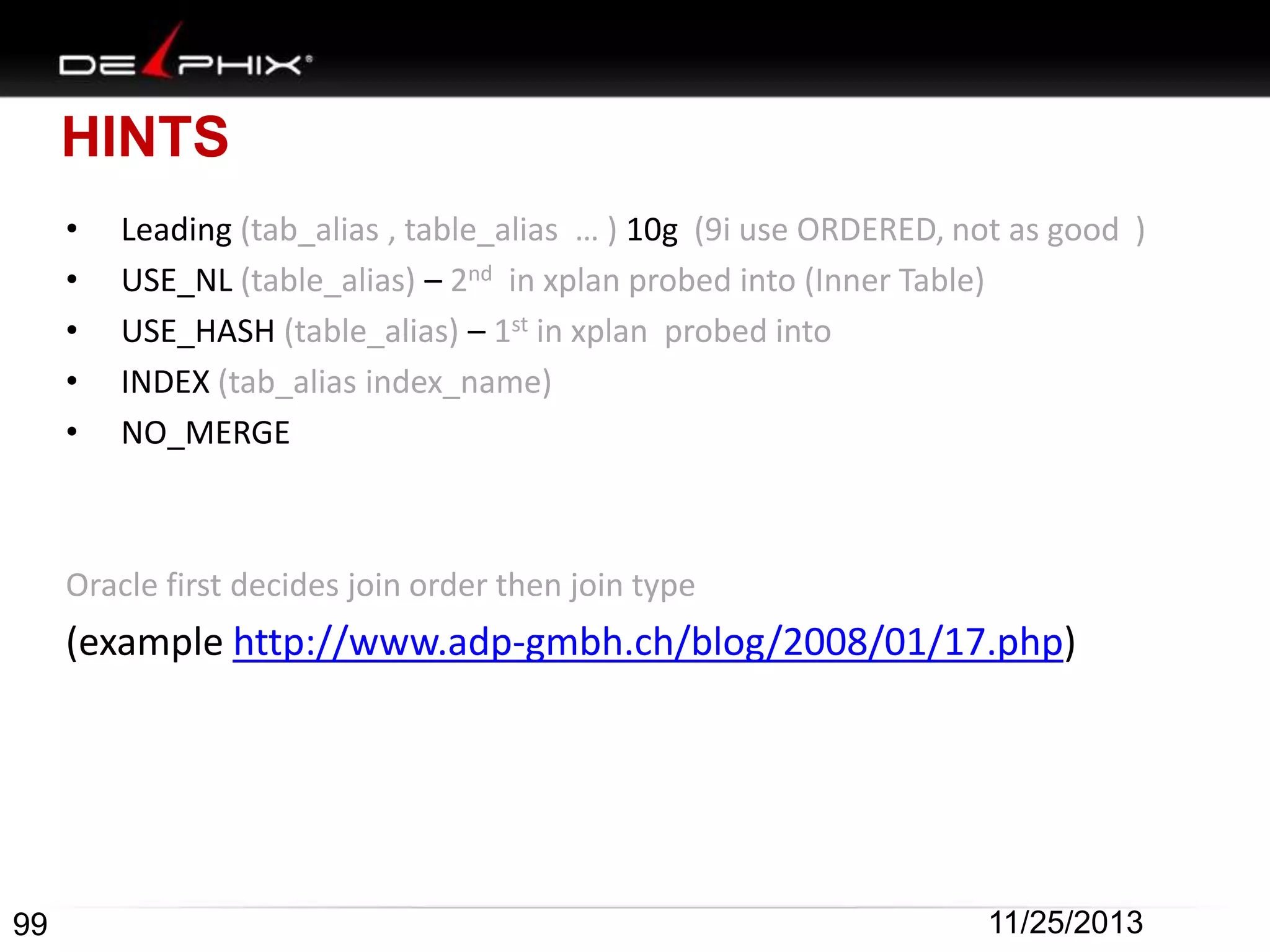
Leading (tab_alias , table_alias … ) 10g (9i use ORDERED, not as good )
USE_NL (table_alias) – 2nd in xplan probed into (Inner Table)
USE_HASH (table_alias) – 1st in xplan probed into
INDEX (tab_alias index_name)
NO_MERGE

Oracle first decides join order then join type

(example http://www.adp-gmbh.ch/blog/2008/01/17.php)

99

11/25/2013
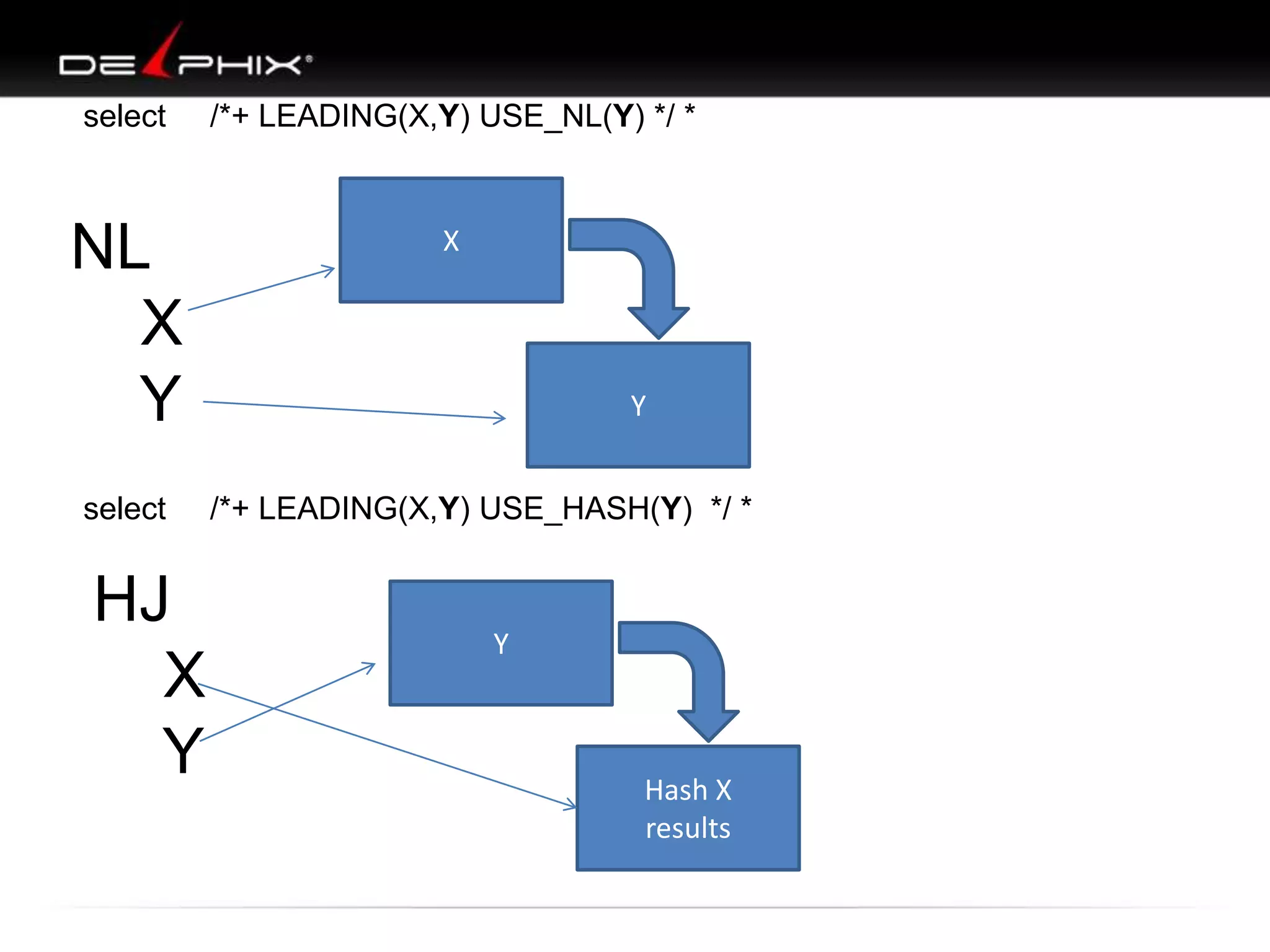
select

/*+ LEADING(X,Y) USE_NL(Y) */ *

NL
X
Y

X

select

HJ
X
Y

Y
/*+ LEADING(X,Y) USE_HASH(Y) */ *

Y

Hash X
results
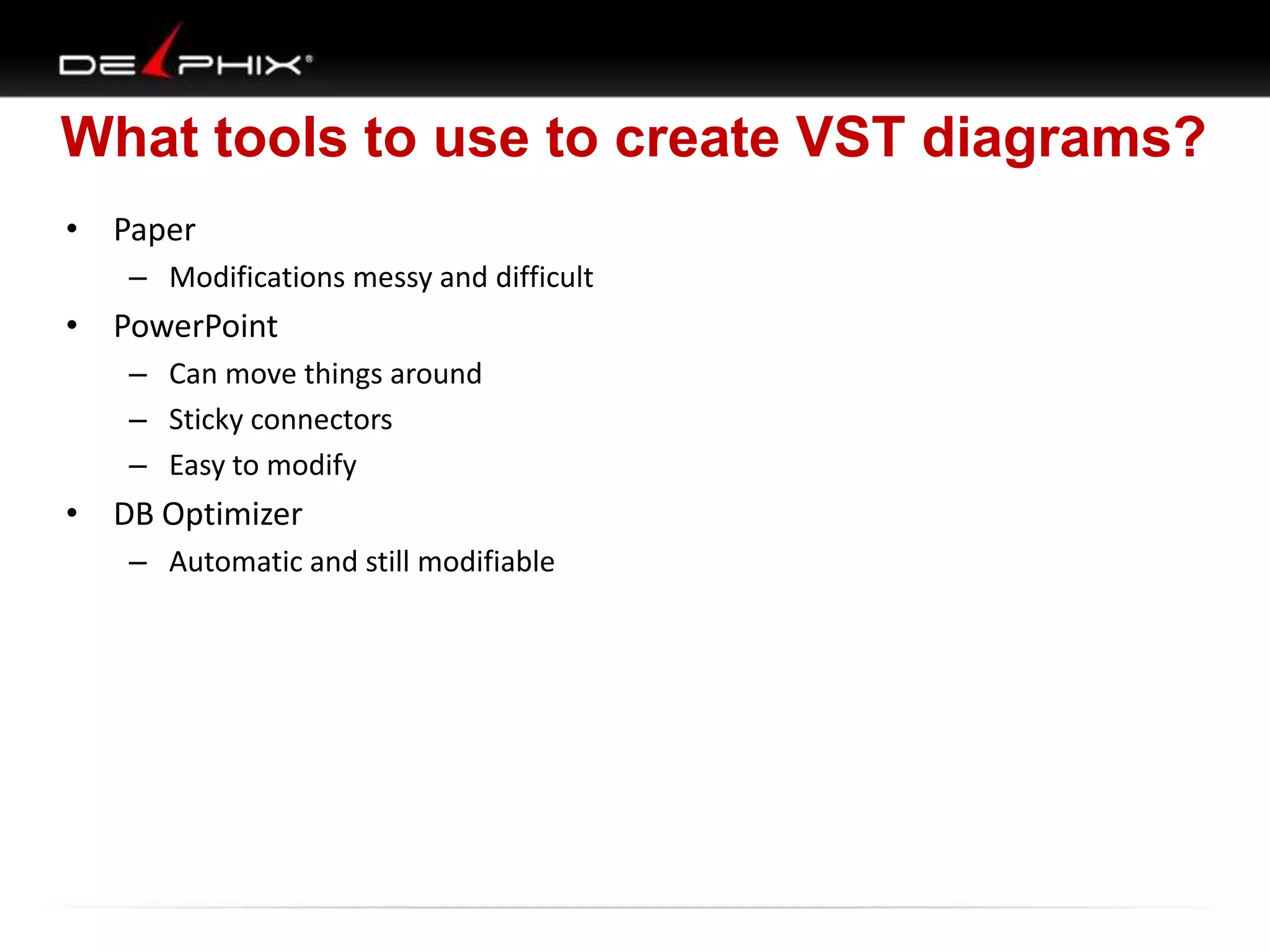
What tools to use to create VST diagrams?
• Paper
– Modifications messy and difficult

• PowerPoint
– Can move things around
– Sticky connectors
– Easy to modify

• DB Optimizer
– Automatic and still modifiable
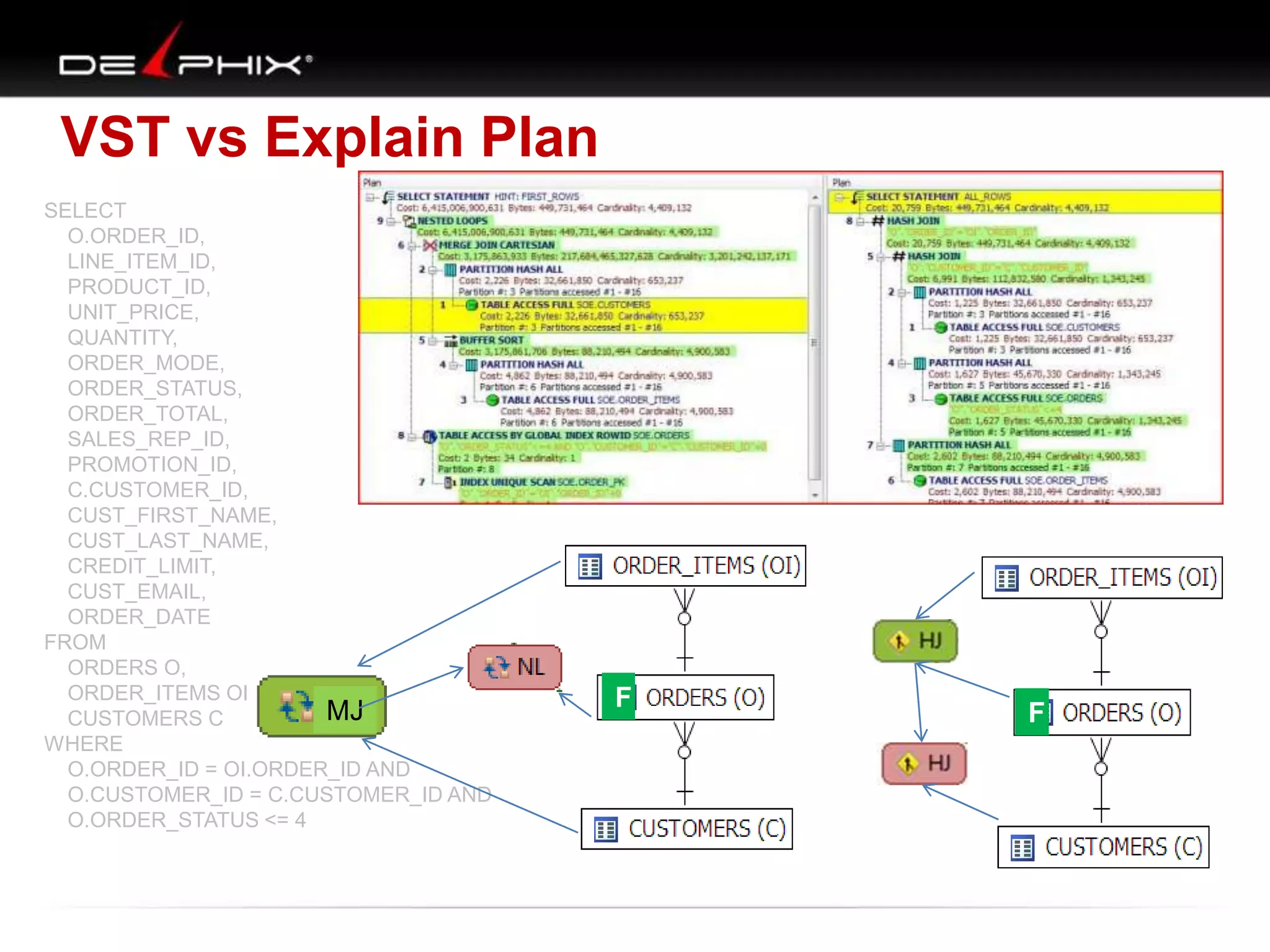
VST vs Explain Plan
SELECT
O.ORDER_ID,
LINE_ITEM_ID,
PRODUCT_ID,
UNIT_PRICE,
QUANTITY,
ORDER_MODE,
ORDER_STATUS,
ORDER_TOTAL,
SALES_REP_ID,
PROMOTION_ID,
C.CUSTOMER_ID,
CUST_FIRST_NAME,
CUST_LAST_NAME,
CREDIT_LIMIT,
CUST_EMAIL,
ORDER_DATE
FROM
ORDERS O,
ORDER_ITEMS OI,
MJ
CUSTOMERS C
WHERE
O.ORDER_ID = OI.ORDER_ID AND
O.CUSTOMER_ID = C.CUSTOMER_ID AND
O.ORDER_STATUS <= 4

F

F
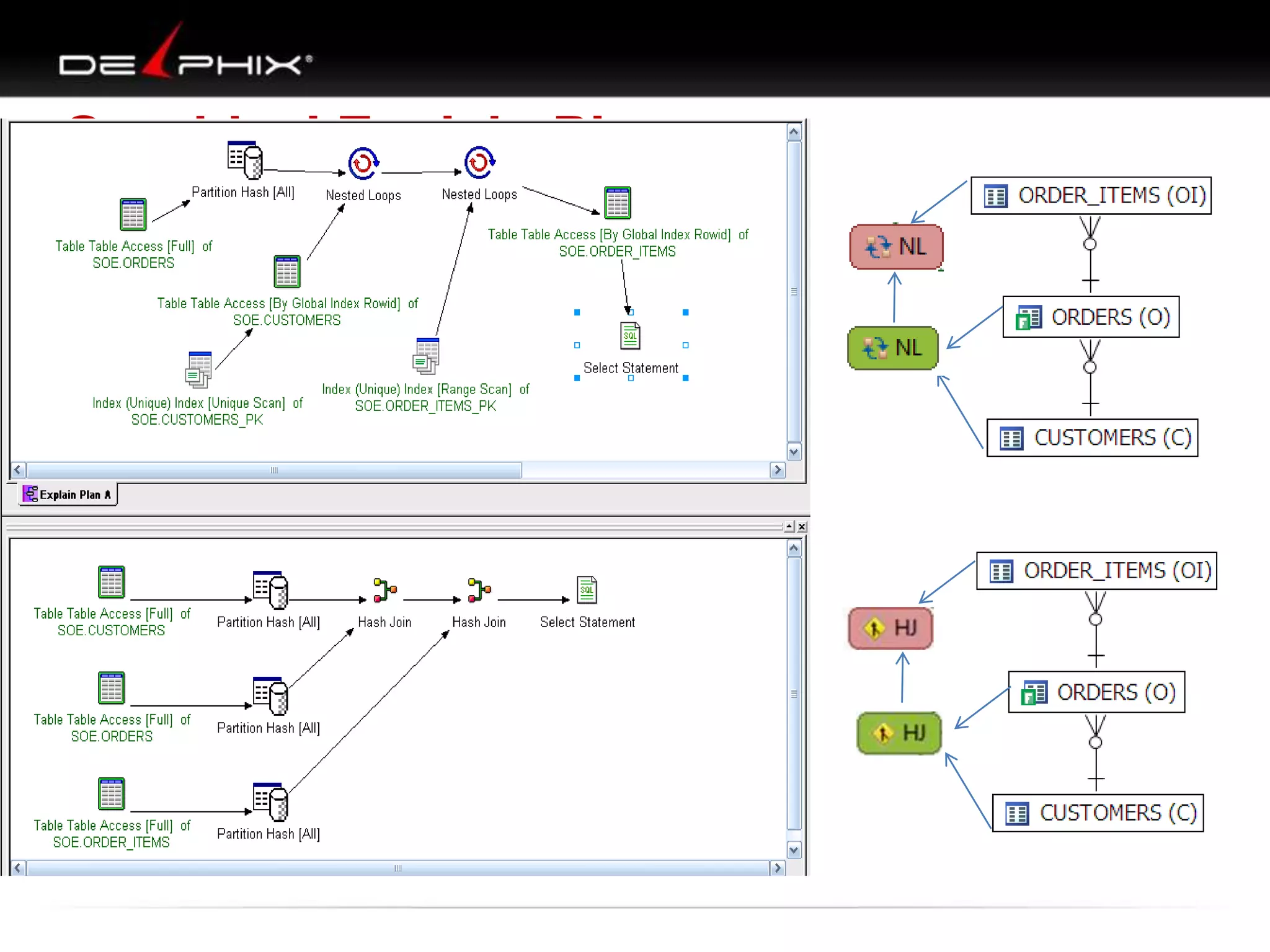
Graphical Explain Plan
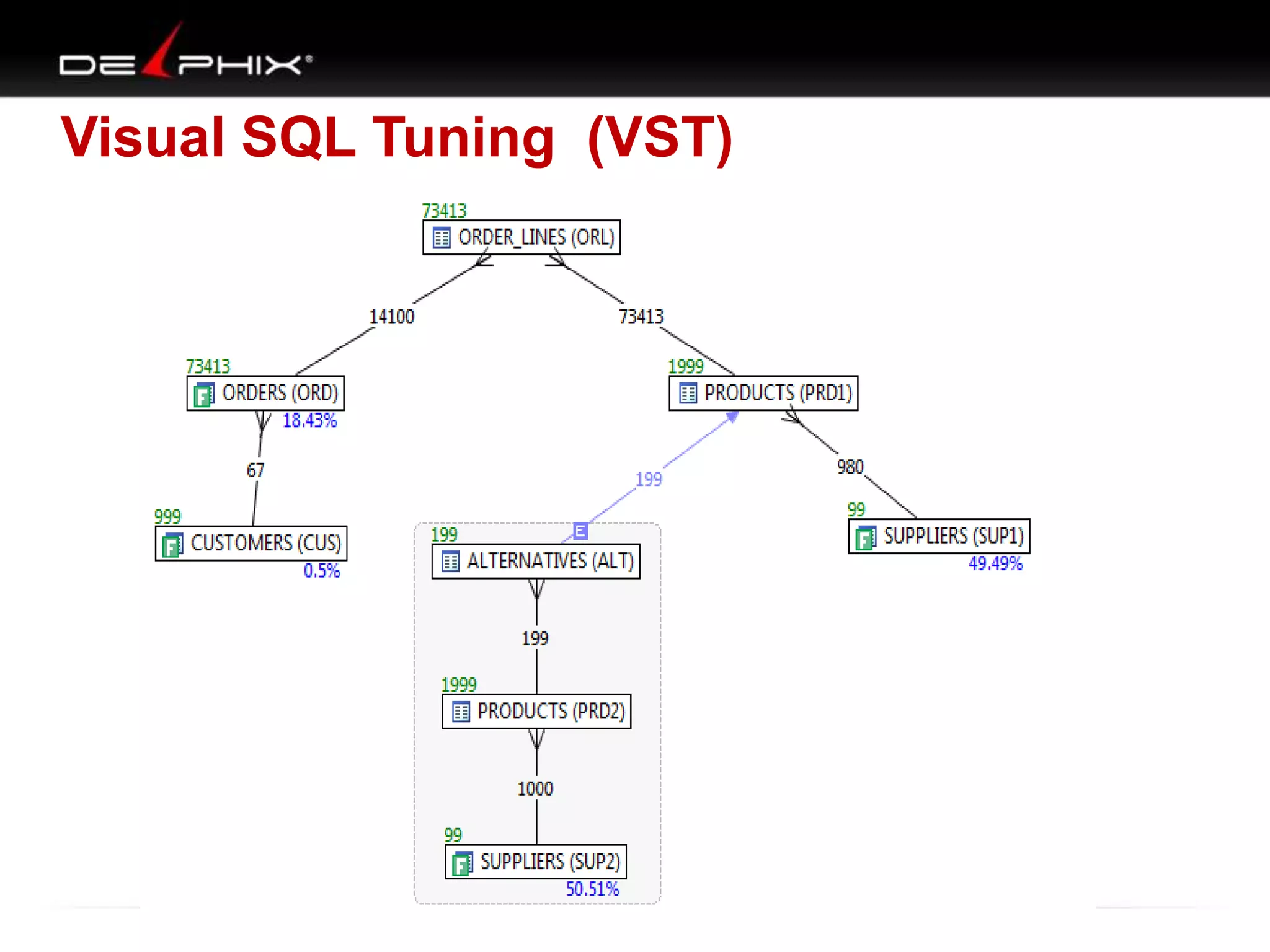
Visual SQL Tuning (VST)
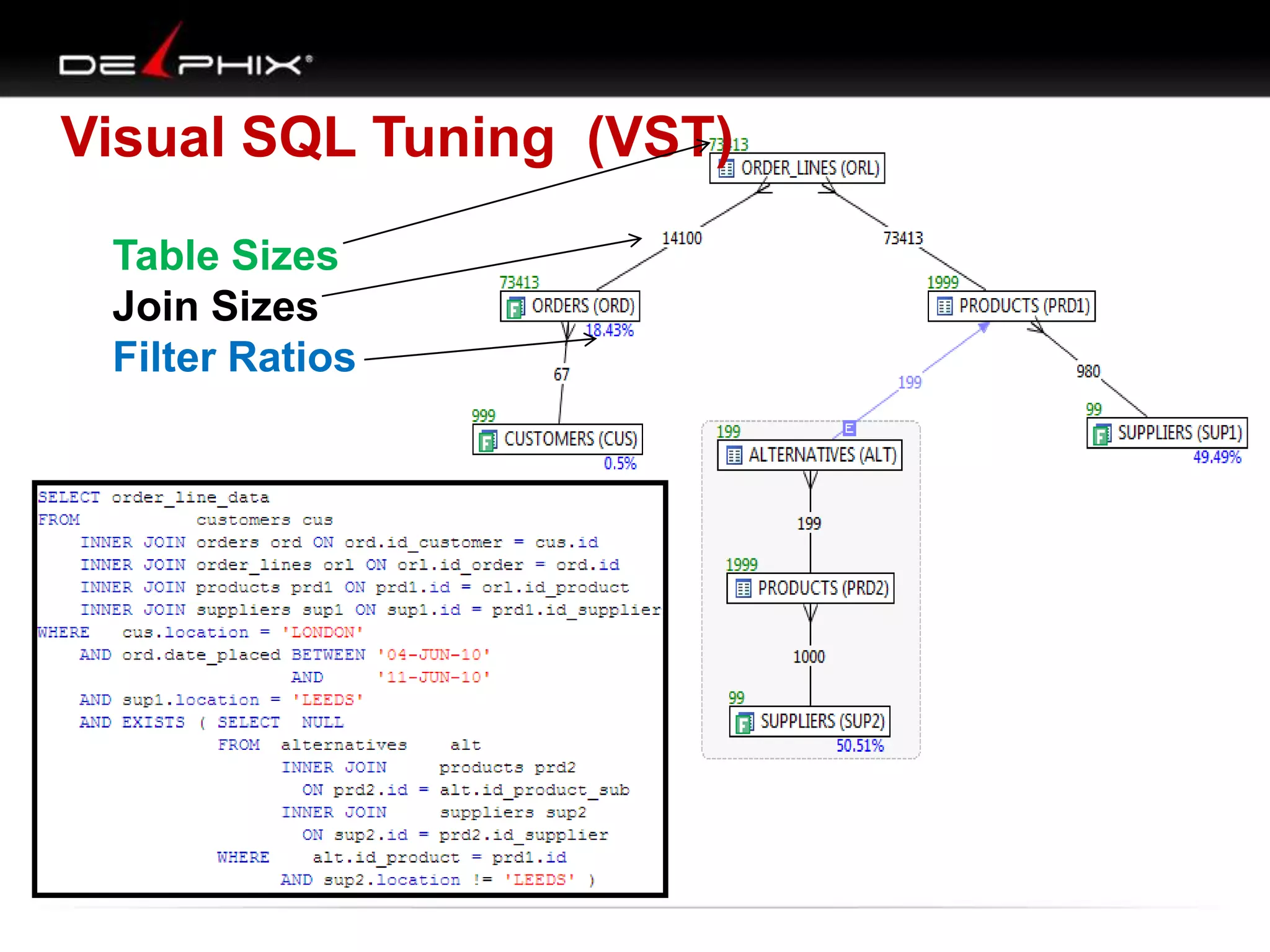
Table Sizes
Join Sizes
Filter Ratios
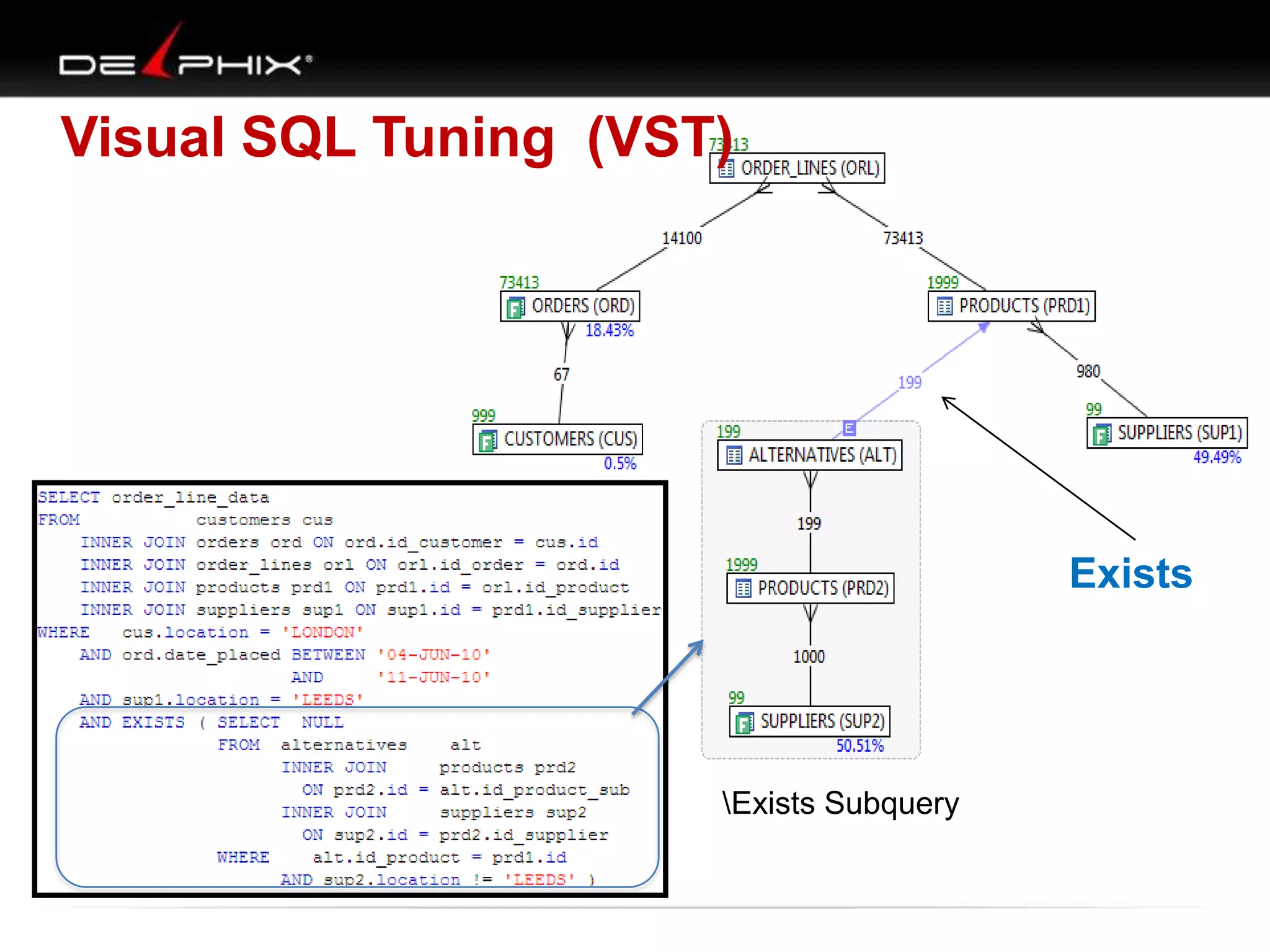
Visual SQL Tuning (VST)

Exists

Exists Subquery
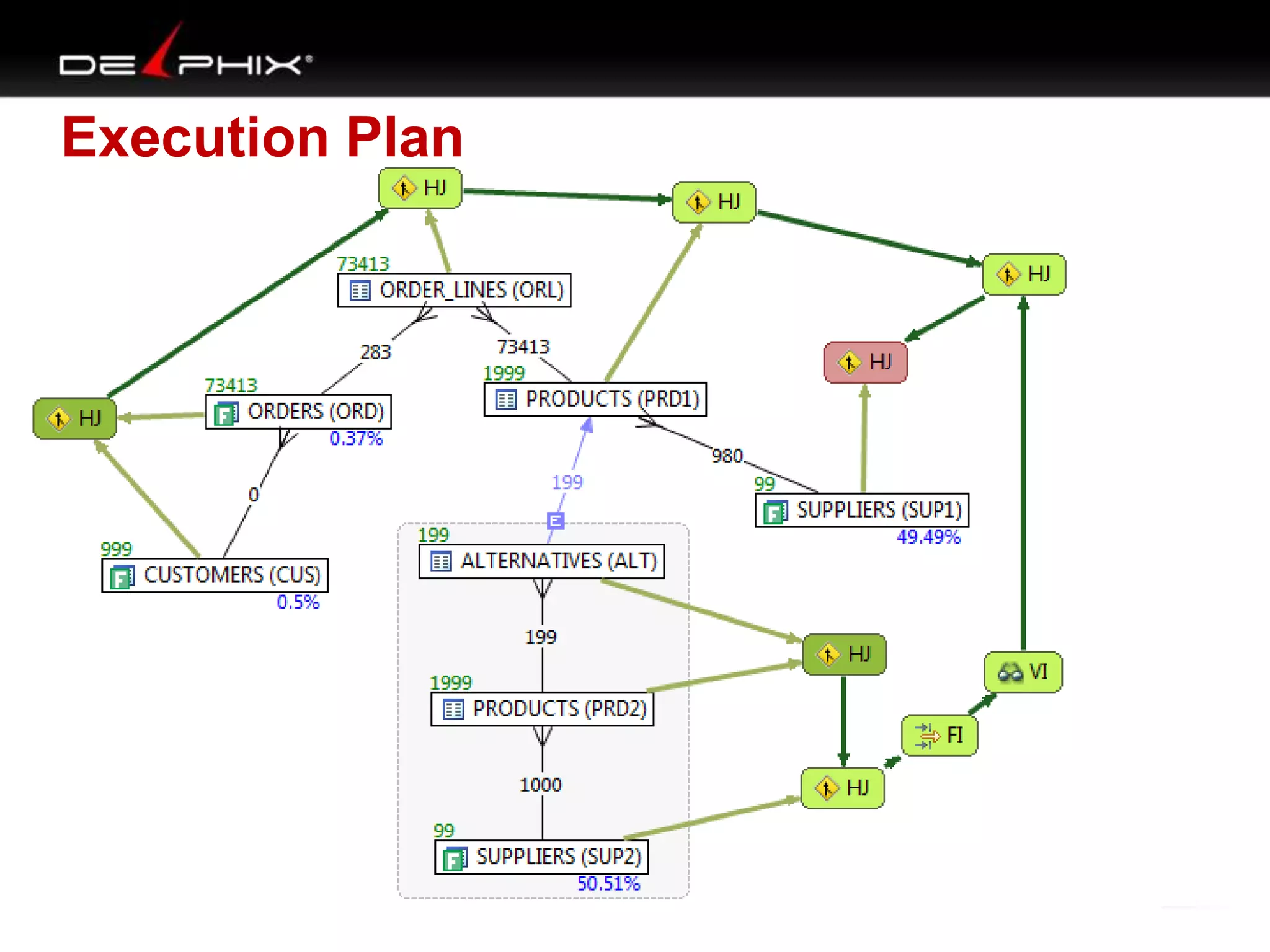
Execution Plan
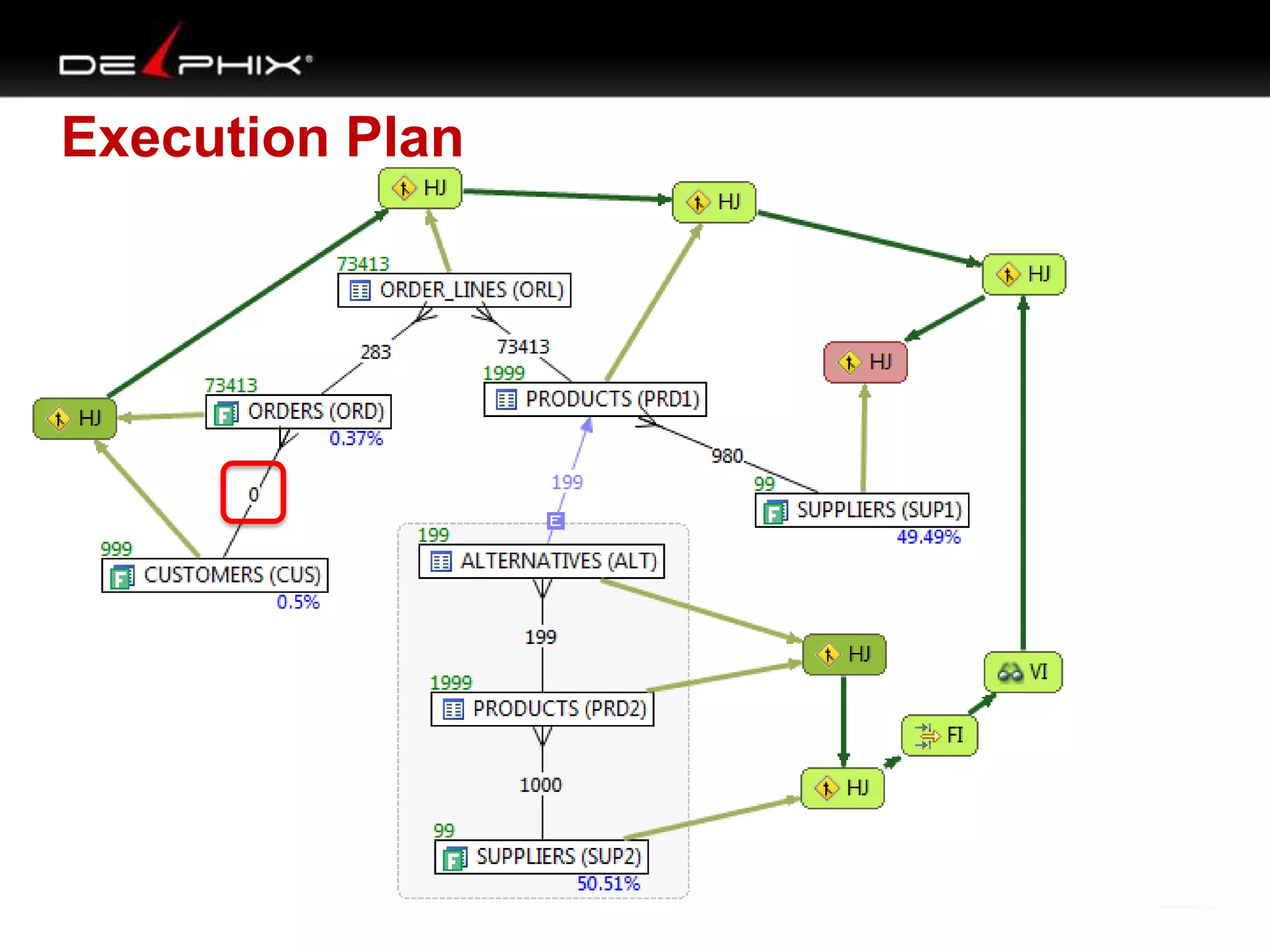
Execution Plan
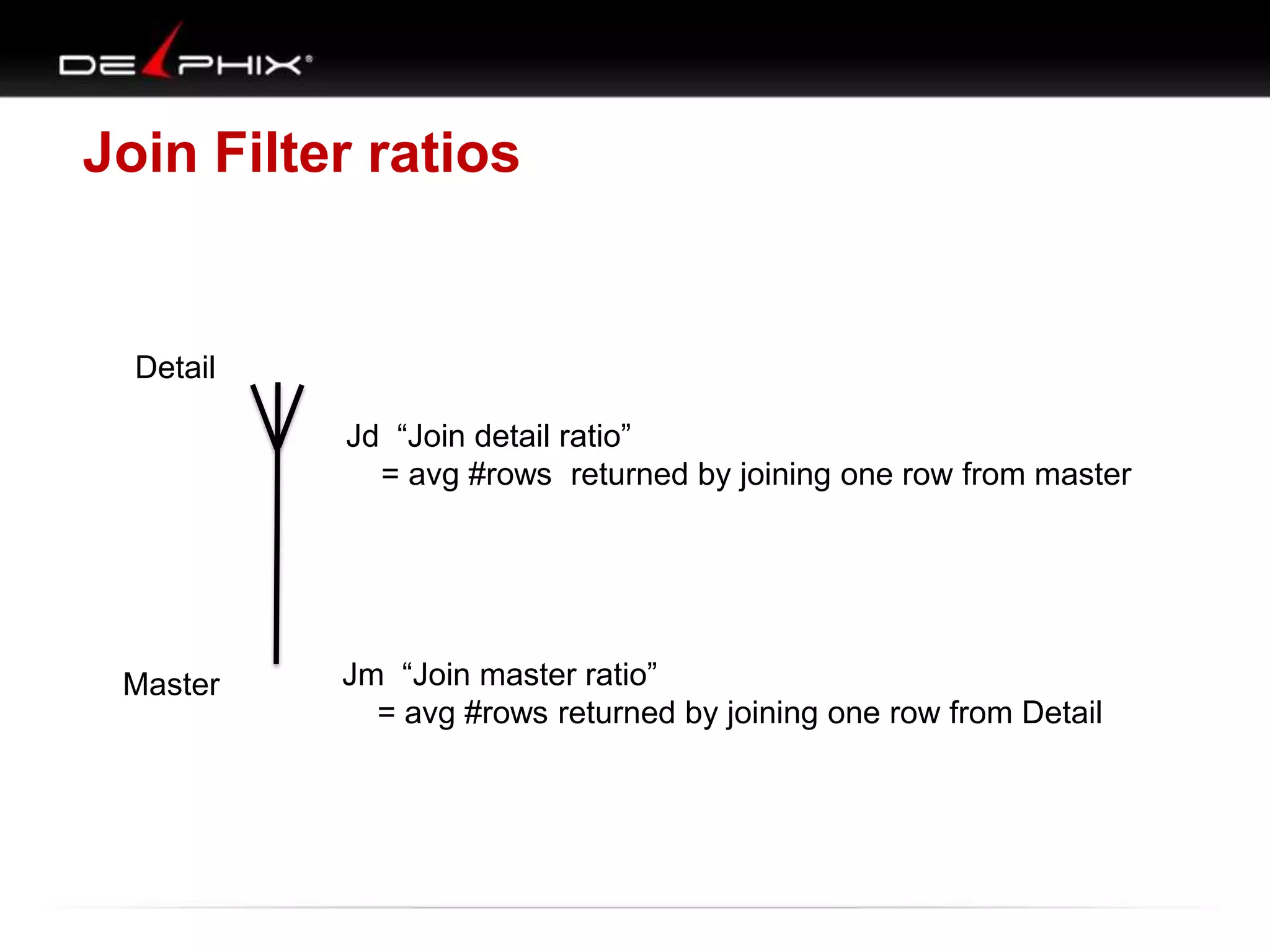
Join Filter ratios

Detail

A
Jd “Join detail ratio”
= avg #rows returned by joining one row from master

Master

Jm “Join master ratio”
= avg #rows returned by joining one row from Detail
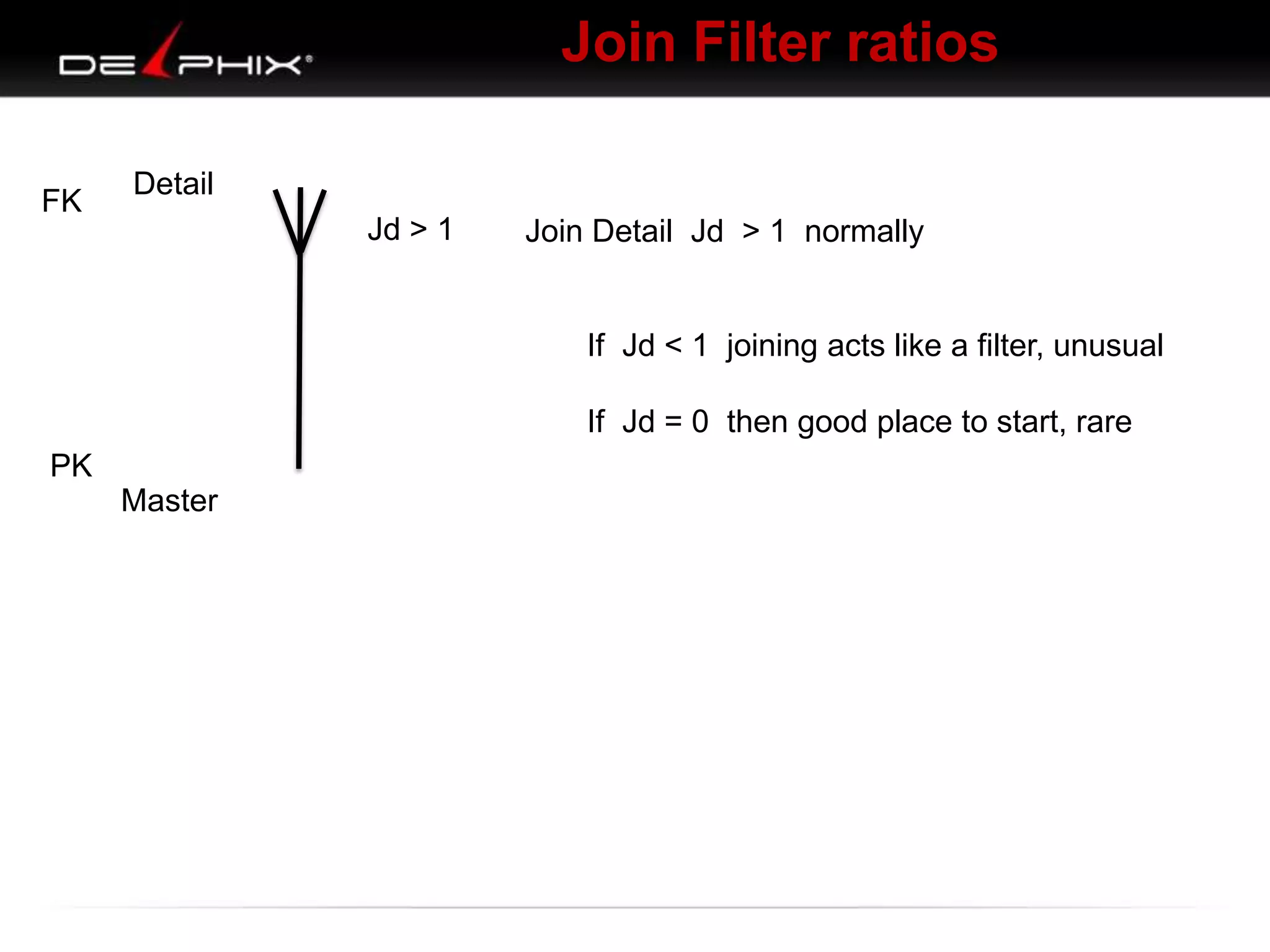
Join Filter ratios
FK

Detail

A
Jd > 1

Join Detail Jd > 1 normally

If Jd < 1 joining acts like a filter, unusual
If Jd = 0 then good place to start, rare

PK
Master
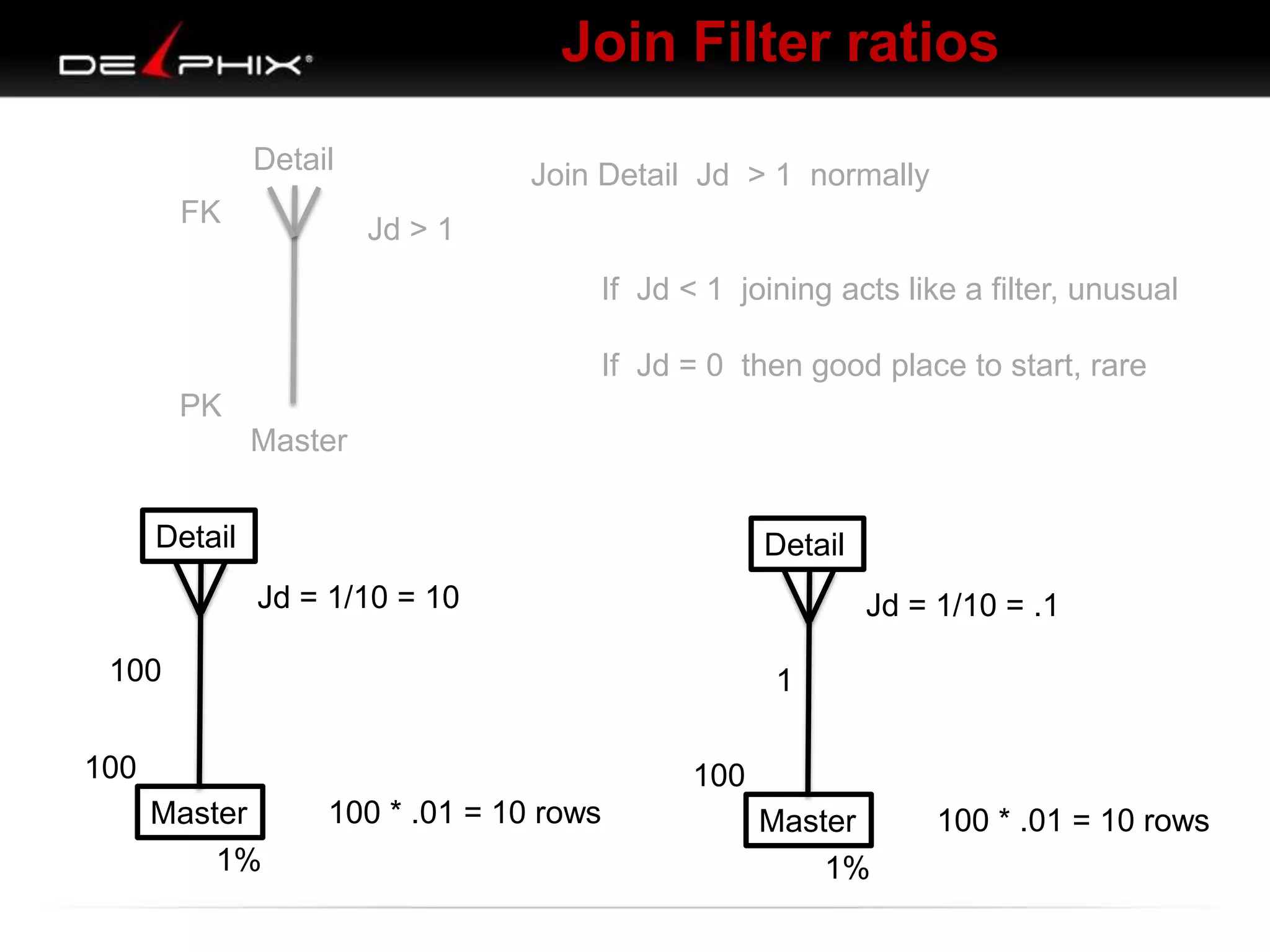
Join Filter ratios
FK

Detail
A

Join Detail Jd > 1 normally
Jd > 1
If Jd < 1 joining acts like a filter, unusual
If Jd = 0 then good place to start, rare

PK
Master
Detail

Detail
Jd = 1/10 = 10

Jd = 1/10 = .1

100

1

100

100
Master
1%

100 * .01 = 10 rows

Master
1%

100 * .01 = 10 rows
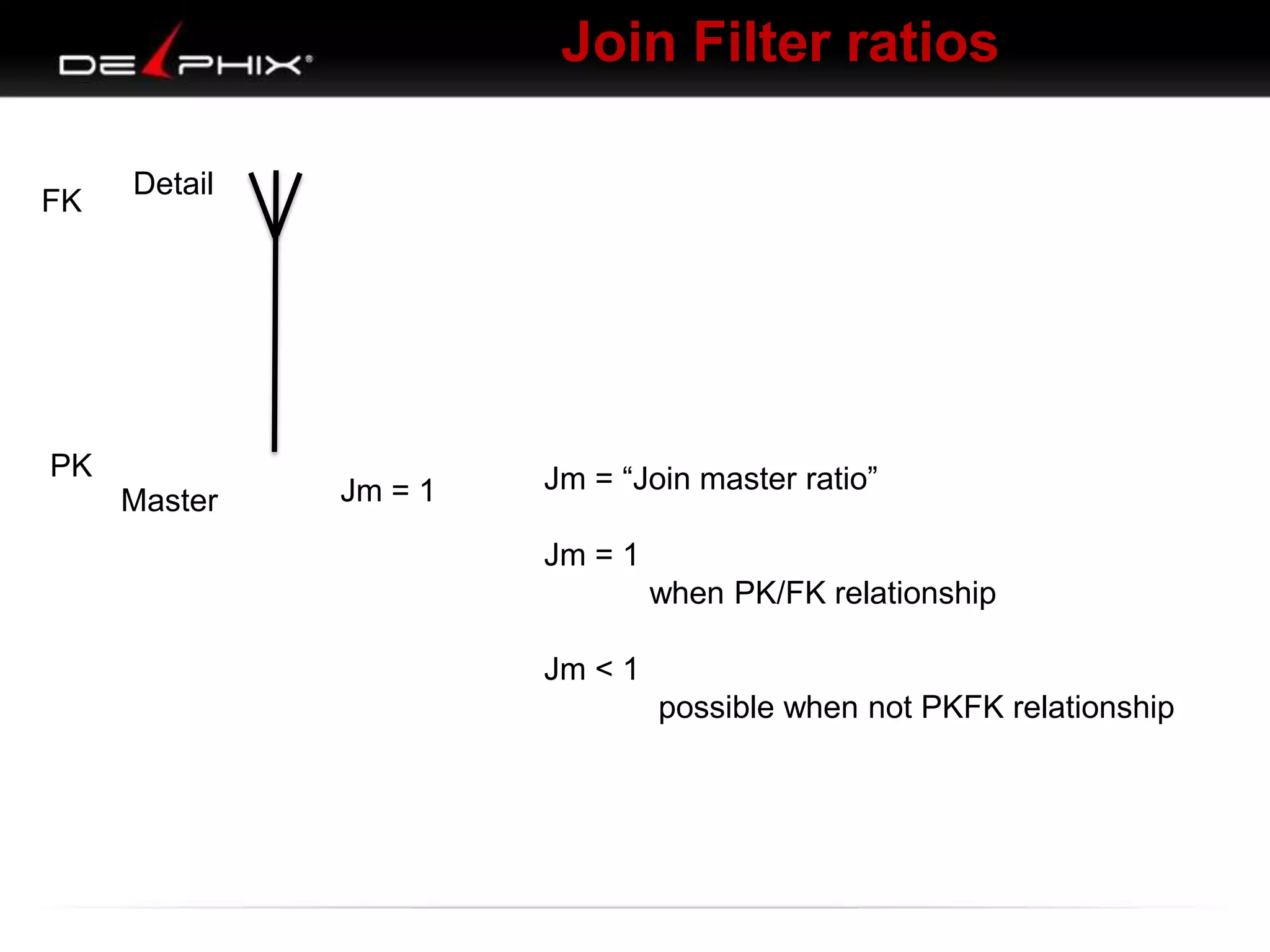
Join Filter ratios
FK

Detail

PK
Master

A

Jm = 1

Jm = “Join master ratio”
Jm = 1
when PK/FK relationship
Jm < 1
possible when not PKFK relationship
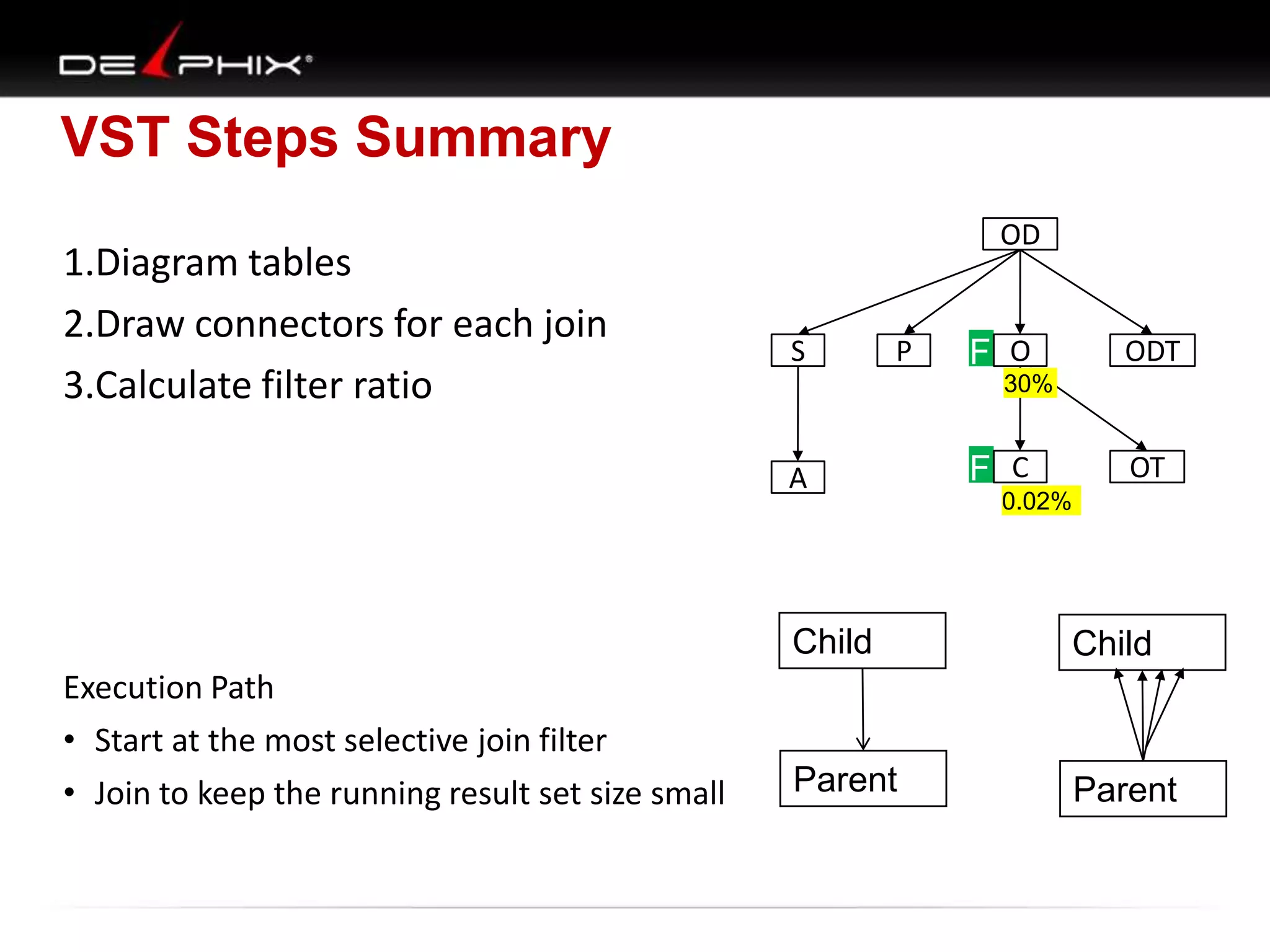
VST Steps Summary
1.Diagram tables
2.Draw connectors for each join
3.Calculate filter ratio

OD

S

P

F O

ODT

30%

A

F C

OT

0.02%

Child
Execution Path
• Start at the most selective join filter
• Join to keep the running result set size small

Child

Parent

Parent
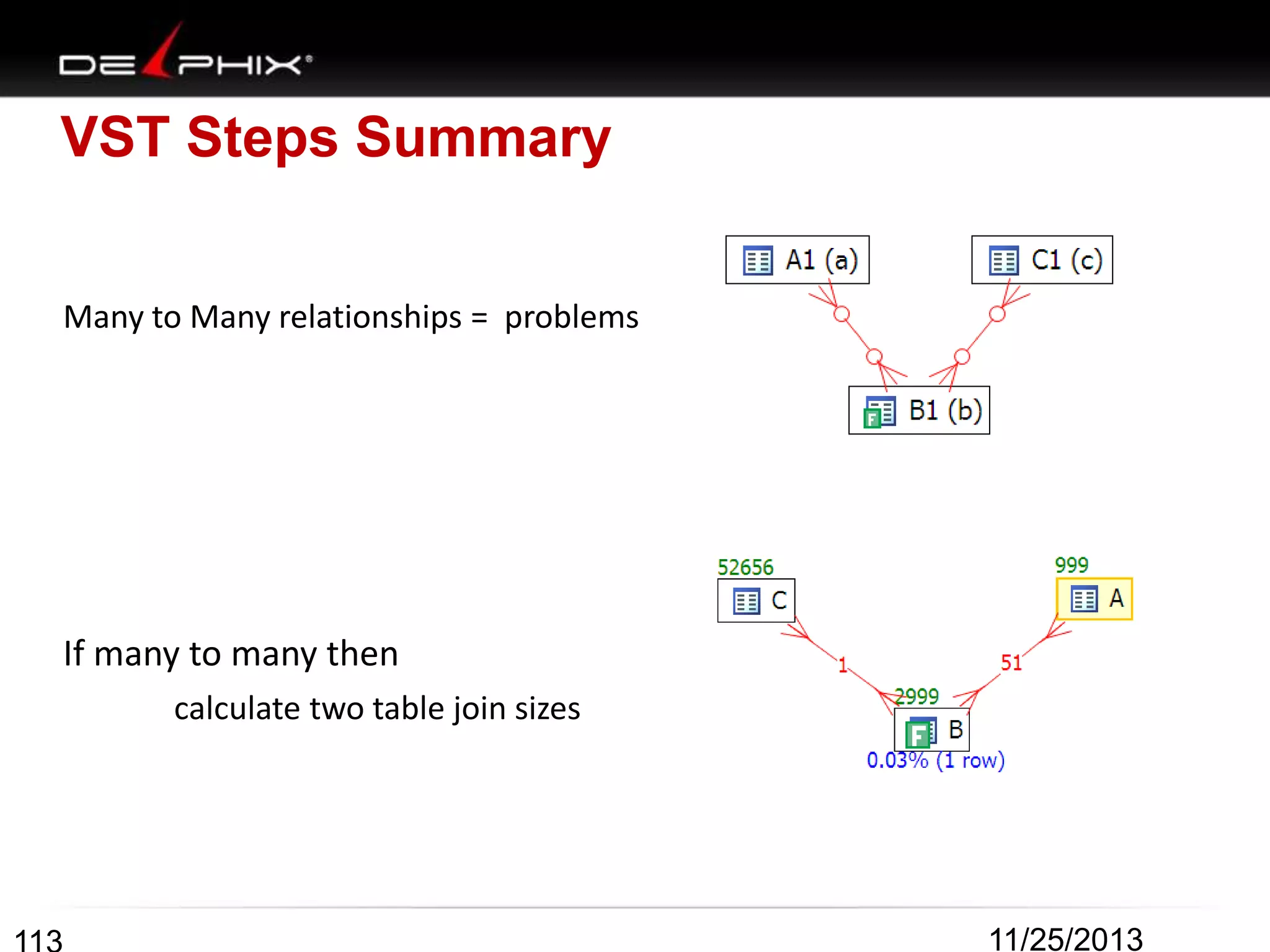
VST Steps Summary
Many to Many relationships = problems

If many to many then
calculate two table join sizes

11/25/2013
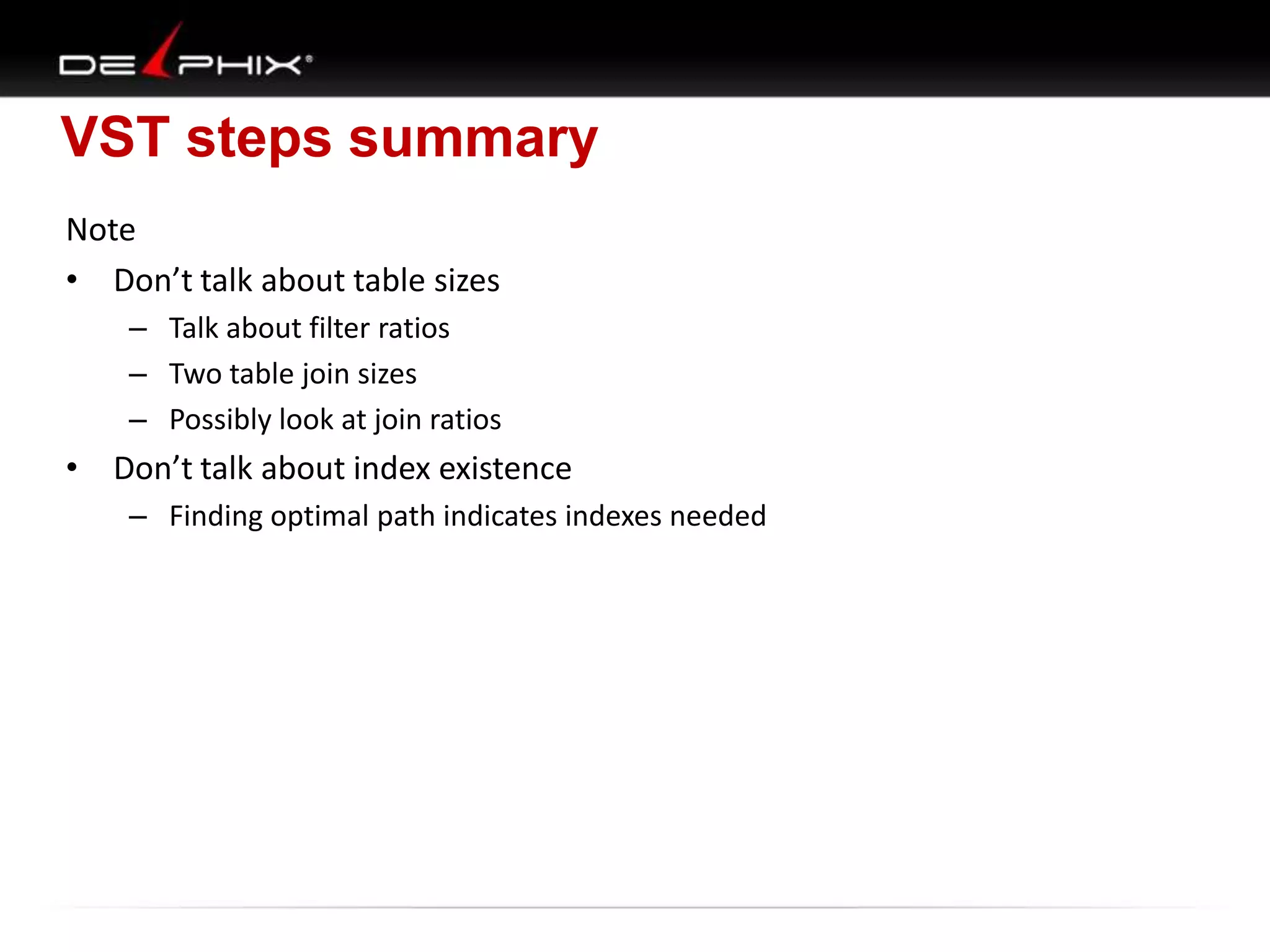
VST steps summary
Note
• Don’t talk about table sizes
– Talk about filter ratios
– Two table join sizes
– Possibly look at join ratios

• Don’t talk about index existence
– Finding optimal path indicates indexes needed
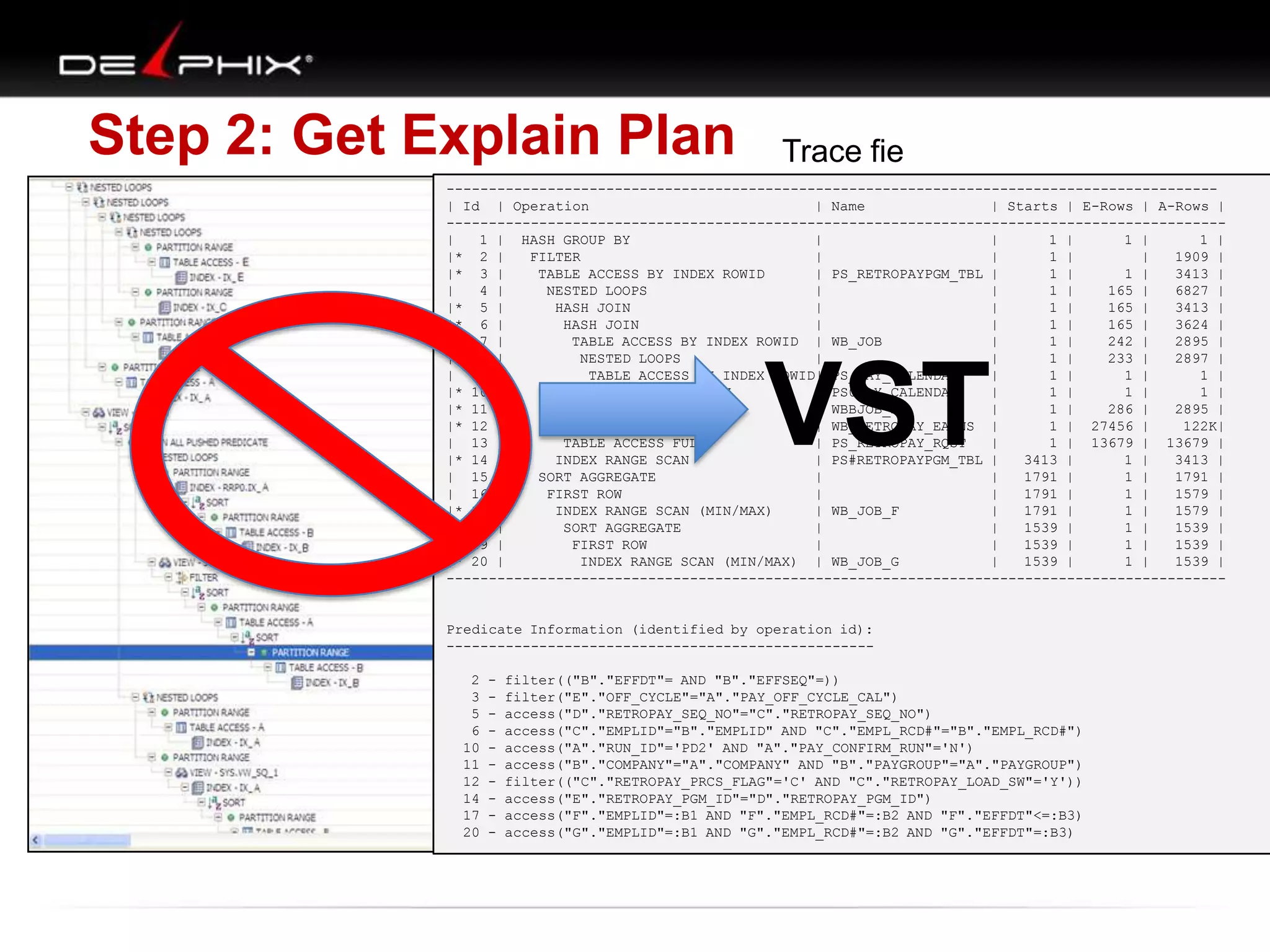
Step 2: Get Explain Plan

Trace fie

-------------------------------------------------------------------------------------------| Id | Operation
| Name
| Starts | E-Rows | A-Rows |
--------------------------------------------------------------------------------------------|
1 | HASH GROUP BY
|
|
1 |
1 |
1 |
|* 2 |
FILTER
|
|
1 |
|
1909 |
|* 3 |
TABLE ACCESS BY INDEX ROWID
| PS_RETROPAYPGM_TBL |
1 |
1 |
3413 |
|
4 |
NESTED LOOPS
|
|
1 |
165 |
6827 |
|* 5 |
HASH JOIN
|
|
1 |
165 |
3413 |
|* 6 |
HASH JOIN
|
|
1 |
165 |
3624 |
|
7 |
TABLE ACCESS BY INDEX ROWID | WB_JOB
|
1 |
242 |
2895 |
|
8 |
NESTED LOOPS
|
|
1 |
233 |
2897 |
|
9 |
TABLE ACCESS BY INDEX ROWID| PS_PAY_CALENDAR
|
1 |
1 |
1 |
|* 10 |
INDEX RANGE SCAN
| PS0PAY_CALENDAR
|
1 |
1 |
1 |
|* 11 |
INDEX RANGE SCAN
| WBBJOB_B
|
1 |
286 |
2895 |
|* 12 |
TABLE ACCESS FULL
| WB_RETROPAY_EARNS |
1 | 27456 |
122K|
| 13 |
TABLE ACCESS FULL
| PS_RETROPAY_RQST
|
1 | 13679 | 13679 |
|* 14 |
INDEX RANGE SCAN
| PS#RETROPAYPGM_TBL |
3413 |
1 |
3413 |
| 15 |
SORT AGGREGATE
|
|
1791 |
1 |
1791 |
| 16 |
FIRST ROW
|
|
1791 |
1 |
1579 |
|* 17 |
INDEX RANGE SCAN (MIN/MAX)
| WB_JOB_F
|
1791 |
1 |
1579 |
| 18 |
SORT AGGREGATE
|
|
1539 |
1 |
1539 |
| 19 |
FIRST ROW
|
|
1539 |
1 |
1539 |
|* 20 |
INDEX RANGE SCAN (MIN/MAX) | WB_JOB_G
|
1539 |
1 |
1539 |
---------------------------------------------------------------------------------------------

VST

Predicate Information (identified by operation id):
---------------------------------------------------

2
3
5
6
10
11
12
14
17
20

-

filter(("B"."EFFDT"= AND "B"."EFFSEQ"=))
filter("E"."OFF_CYCLE"="A"."PAY_OFF_CYCLE_CAL")
access("D"."RETROPAY_SEQ_NO"="C"."RETROPAY_SEQ_NO")
access("C"."EMPLID"="B"."EMPLID" AND "C"."EMPL_RCD#"="B"."EMPL_RCD#")
access("A"."RUN_ID"='PD2' AND "A"."PAY_CONFIRM_RUN"='N')
access("B"."COMPANY"="A"."COMPANY" AND "B"."PAYGROUP"="A"."PAYGROUP")
filter(("C"."RETROPAY_PRCS_FLAG"='C' AND "C"."RETROPAY_LOAD_SW"='Y'))
access("E"."RETROPAY_PGM_ID"="D"."RETROPAY_PGM_ID")
access("F"."EMPLID"=:B1 AND "F"."EMPL_RCD#"=:B2 AND "F"."EFFDT"<=:B3)
access("G"."EMPLID"=:B1 AND "G"."EMPL_RCD#"=:B2 AND "G"."EFFDT"=:B3)
Visual SQL Tuning (VST)
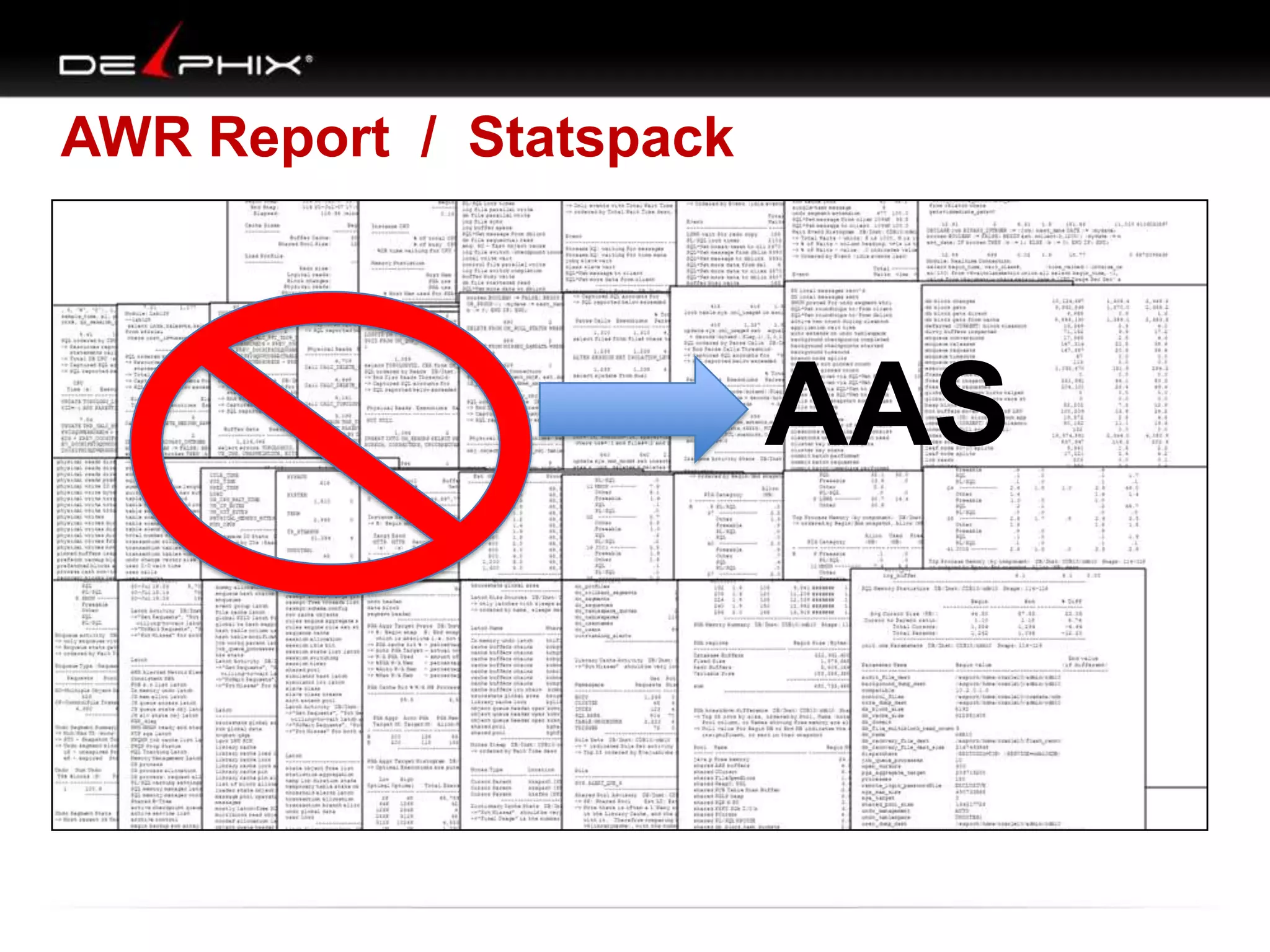
AWR Report / Statspack

AAS
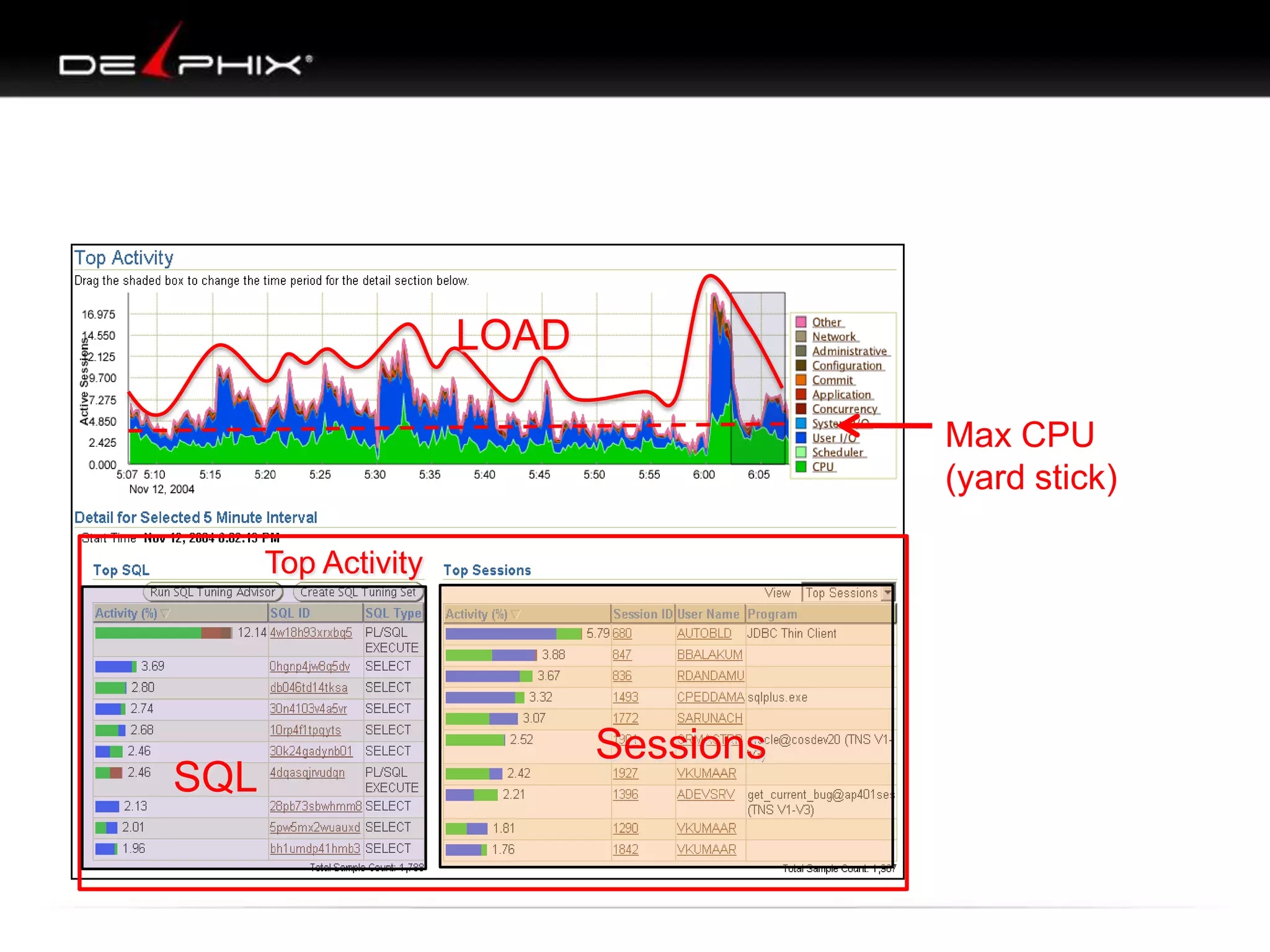
LOAD
Max CPU
(yard stick)
Top Activity

SQL

Sessions
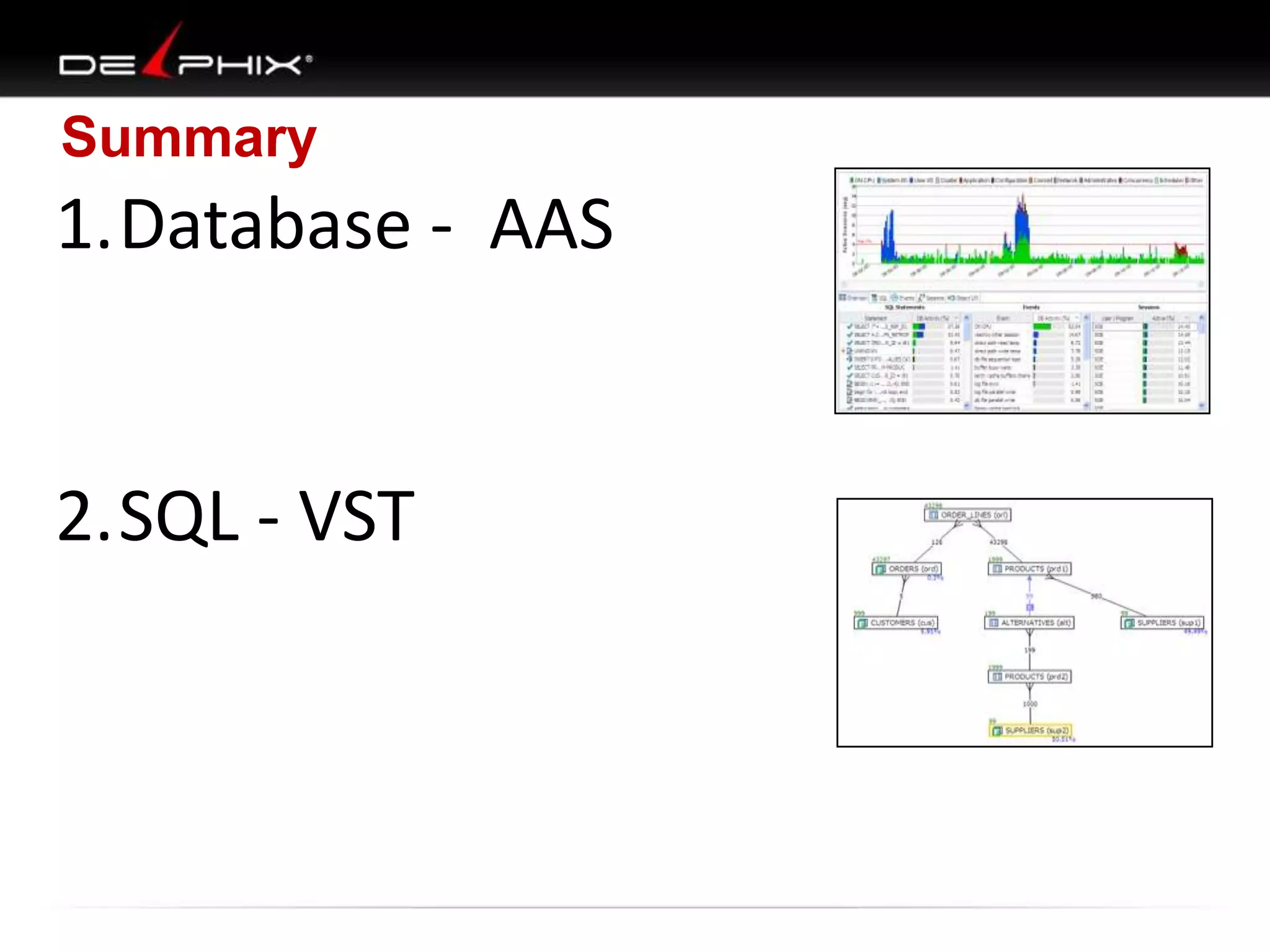
Summary

1.Database - AAS

2.SQL - VST
END
10053
Table: A Alias: A
Best:: AccessPath: TableScan
Cost: 92.18 Degree: 1
Resp: 92.18 Card: 999.00

Best:: AccessPath: IndexRange
Index: B_V2
Cost: 4.00 Degree: 1
Resp: 4.00 Card: 1.00

Best:: AccessPath: IndexFFS
Index: C_PK_CON
Cost: 35.57 Degree: 1
Resp: 35.57 Card: 59999.00

A
$: 92
#: 999

B
$: 4
#: 1

C

B A C
B C A
C
C
A
A

A
B
C
B

B
A
B
C

Join order[1]: B[B]#0 A[A]#1 C[C]#2
***************
Now joining: A[A]#1
***************
Best:: JoinMethod: NestedLoop
Cost: 6.00 Degree: 1 Resp: 6.00 Card: 1.00 Bytes: 16
***************
Now joining: C[C]#2
***************
Best:: JoinMethod: NestedLoop
Cost: 6.00 Degree: 1 Resp: 6.00 Card: 1.00 Bytes: 21
***********************
Best so far: Table#: 0 cost: 4.0020 card: 1.0000 bytes: 12
Table#: 1 cost: 6.0031 card: 1.0000 bytes: 16
Table#: 2 cost: 6.0032 card: 1.0000 bytes: 21

Total: 14.0083

$: 5428
#: 59999

alter session set events='10053 trace name context forever';
No Unique Constraint

NL:$: 18
#: 1

NL:$: 18.01
#: 1

NL: $: 10
#: 1

C
$:

NL: $: 10.01
#: 1

A

8

Join order[6]: C[C]#2 A[A]#1 B[B]#0
Join order aborted: cost > best plan cost

$: 8

B

A

B

$: 4
#: 1

$: 6
B A C

$: 4
#: 1

C

C
$: 6.01
B C A

A

$: 5428 X
#: 59999
C A B

HJ: $: 10
#: 1

C
$: 5428 X
#: 59999
C B A

B

A
$: 75 X
#: 999
A C B

C

A
$: 75 X
#: 999
A BC

B
Unique Constraint

NL:$: 16
#: 1

NL:$: 18
#: 1
NL: $: 10
#: 1

C
$:

NL: $: 10
#: 1

A

8

Join order[6]: C[C]#2 A[A]#1 B[B]#0
Join order aborted: cost > best plan cost

$: 7

B

A

B

$: 4
#: 1

$: 6
B A C

$: 4
#: 1

C

C
$: 5

A

$: 5428 X
#: 59999
C A B

B C A

HJ: $: 10
#: 1

C
$: 5428 X
#: 59999
C B A

B

A
$: 75 X
#: 999
A C B

C

A
$: 75 X
#: 999
A BC

B
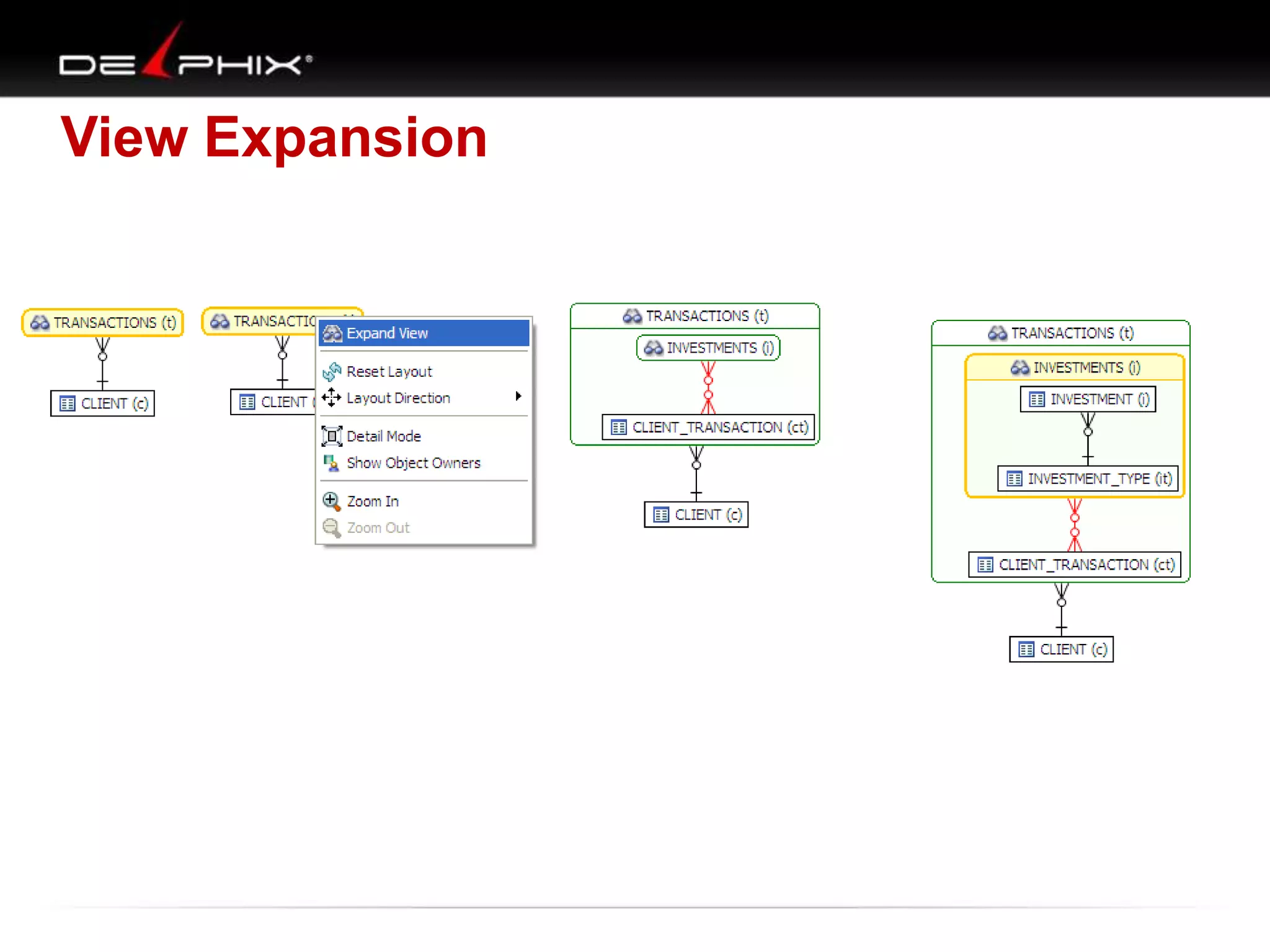
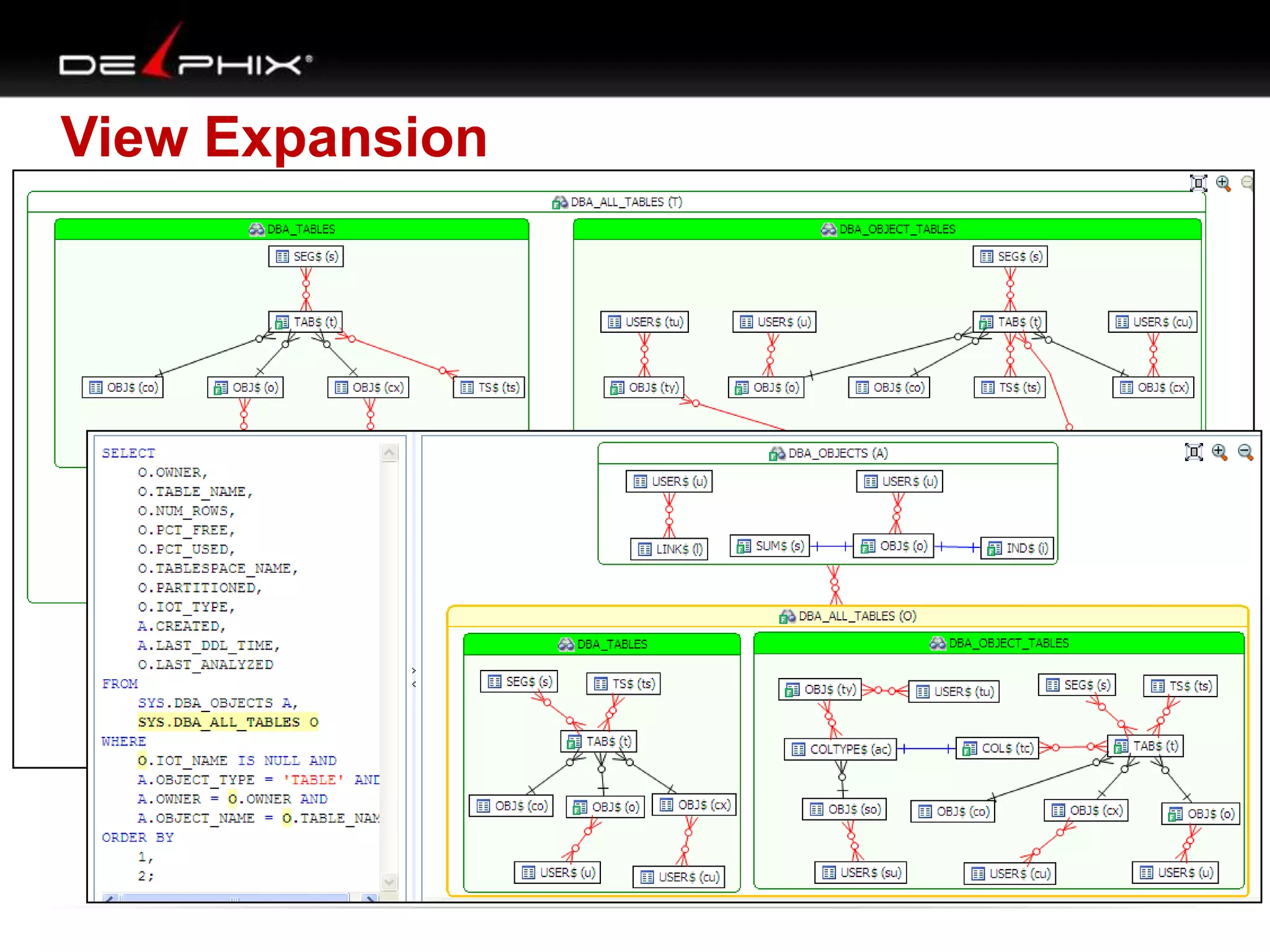
View Expansion
View Expansion
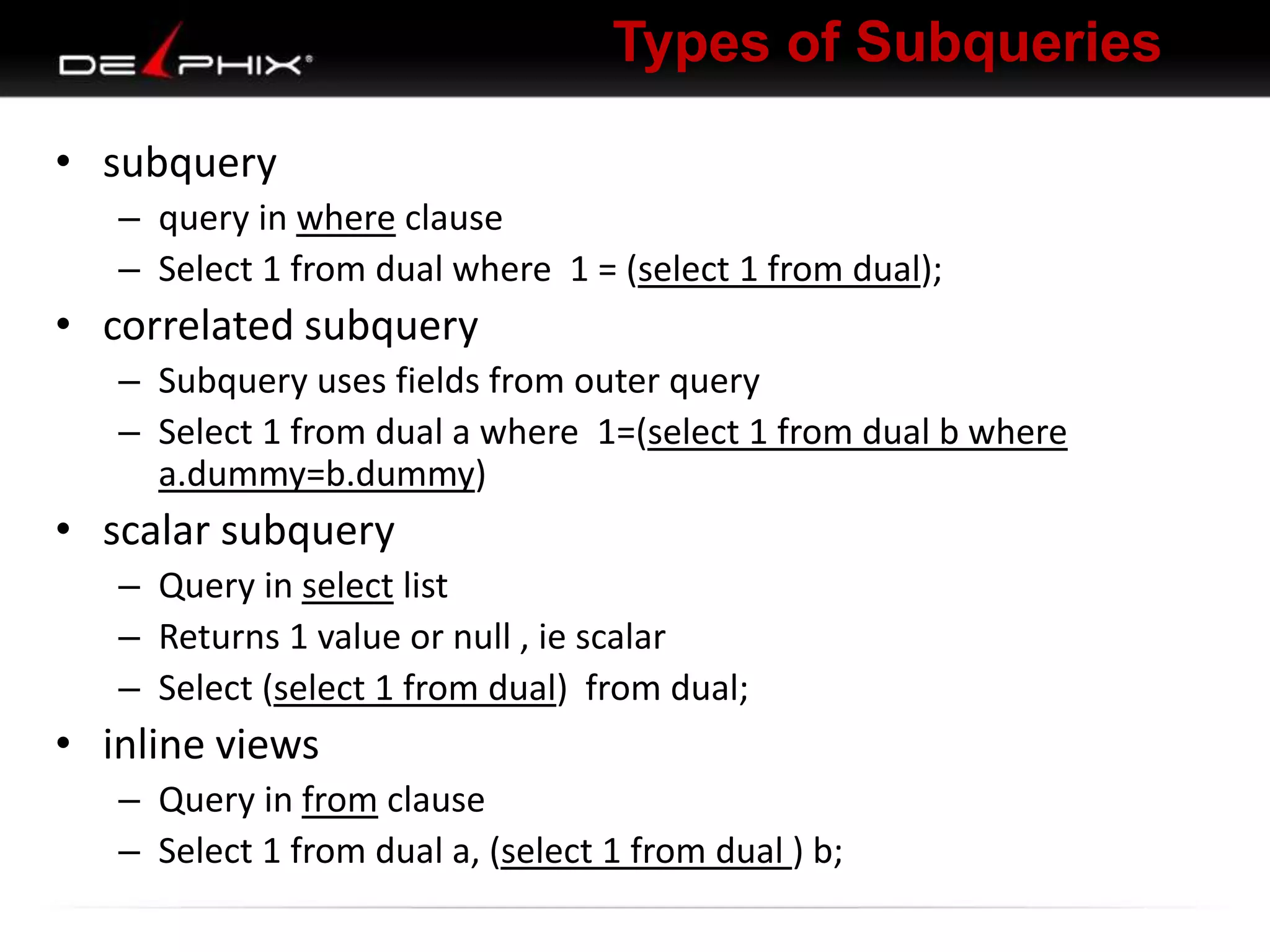
Types of Subqueries
• subquery
– query in where clause
– Select 1 from dual where 1 = (select 1 from dual);

• correlated subquery
– Subquery uses fields from outer query
– Select 1 from dual a where 1=(select 1 from dual b where
a.dummy=b.dummy)

• scalar subquery
– Query in select list
– Returns 1 value or null , ie scalar
– Select (select 1 from dual) from dual;

• inline views
– Query in from clause
– Select 1 from dual a, (select 1 from dual ) b;
Visual SQL Tuning
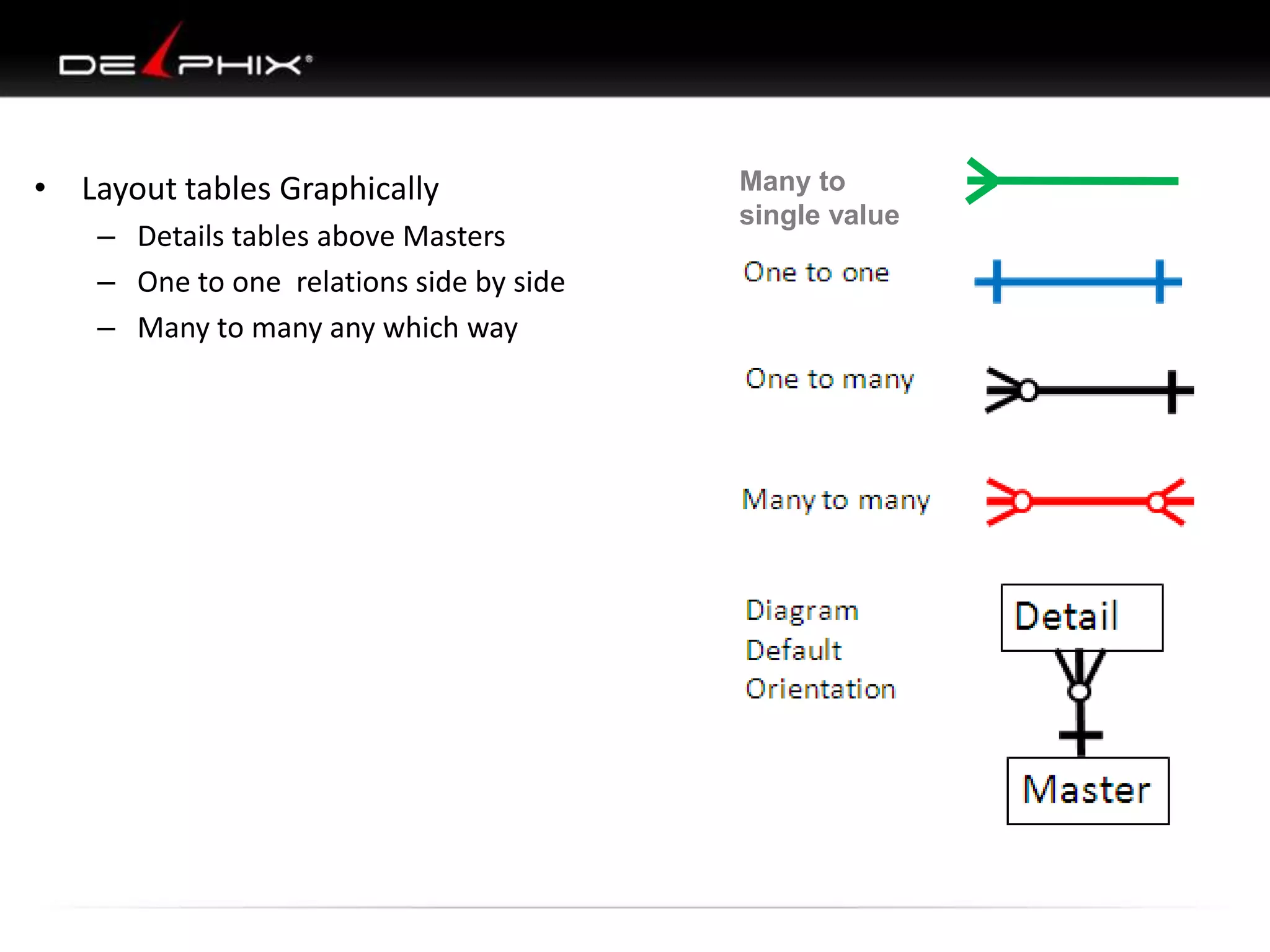
• Layout tables Graphically
– Details tables above Masters
– One to one relations side by side
– Many to many any which way

Many to
single value
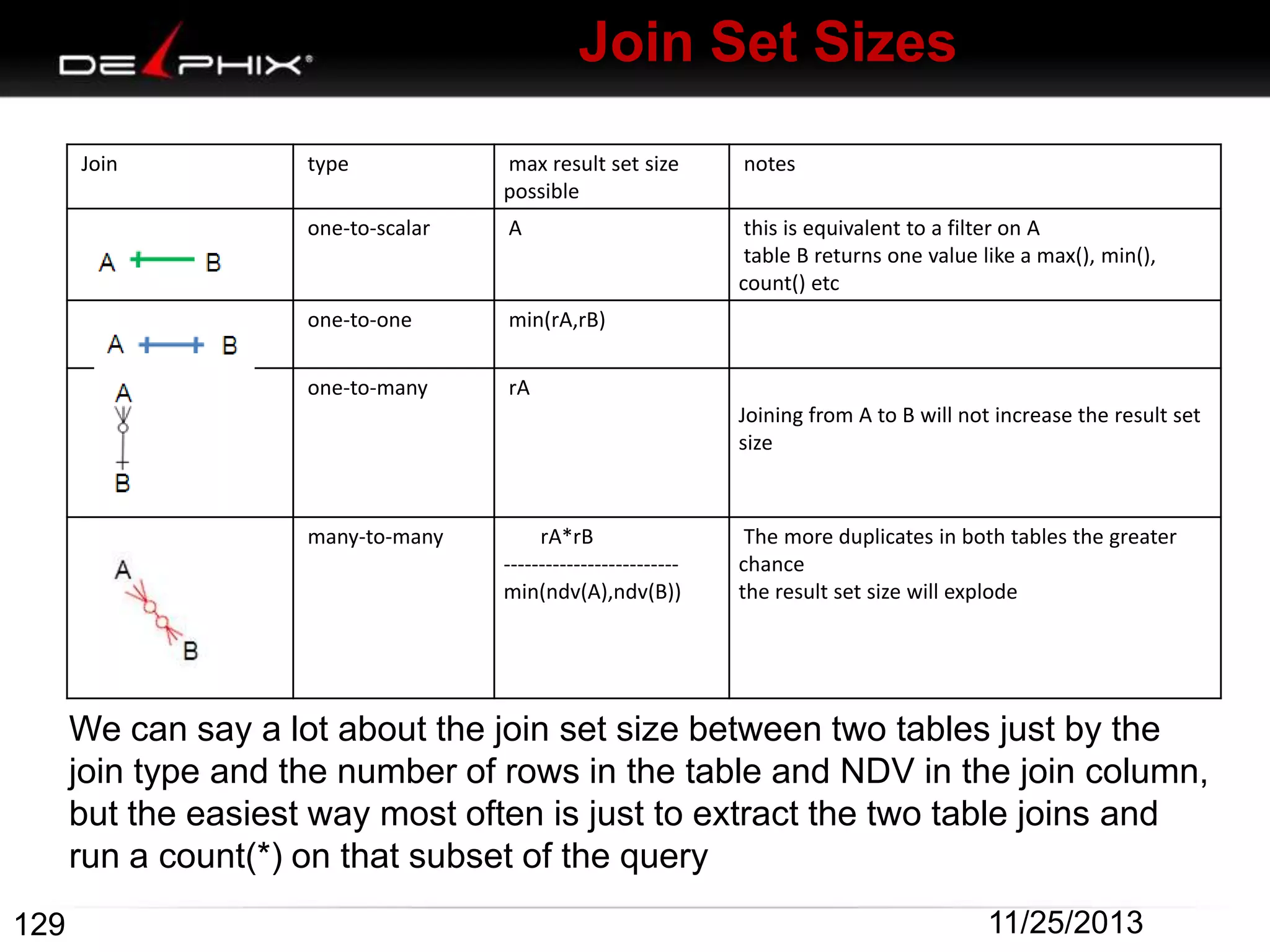
Join Set Sizes
Join

type

max result set size
possible

notes

one-to-scalar

A

this is equivalent to a filter on A
table B returns one value like a max(), min(),
count() etc

one-to-one

min(rA,rB)

one-to-many

rA
Joining from A to B will not increase the result set
size

many-to-many

rA*rB
------------------------min(ndv(A),ndv(B))

The more duplicates in both tables the greater
chance
the result set size will explode

We can say a lot about the join set size between two tables just by the
join type and the number of rows in the table and NDV in the join column,
but the easiest way most often is just to extract the two table joins and
run a count(*) on that subset of the query
129

11/25/2013
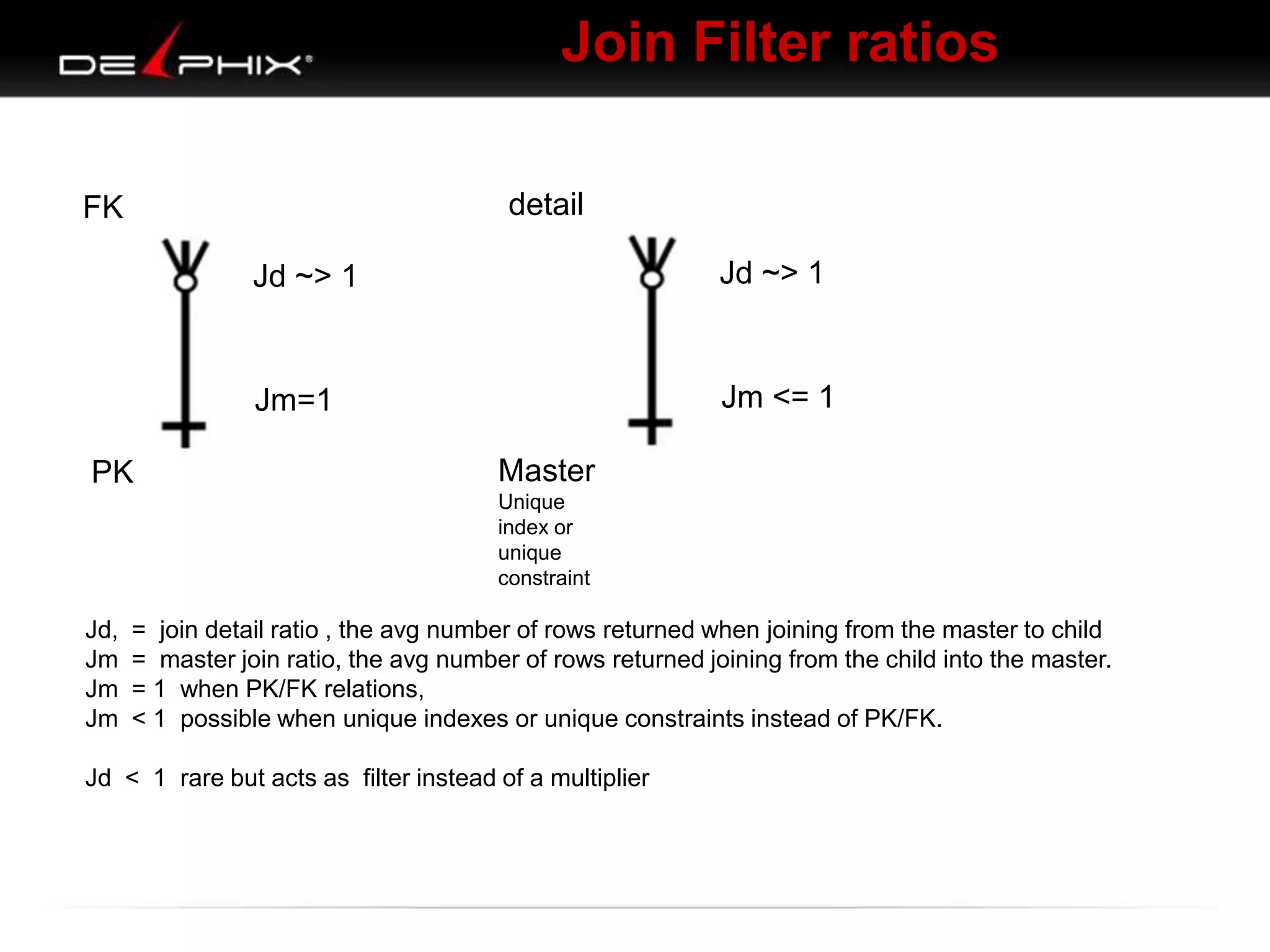
Join Filter ratios
FK

detail

A

Jd ~> 1

Jd ~> 1

B Jm <= 1

B Jm=1
PK

A

Master
Unique
index or
unique
constraint

Jd,
Jm
Jm
Jm

= join detail ratio , the avg number of rows returned when joining from the master to child
= master join ratio, the avg number of rows returned joining from the child into the master.
= 1 when PK/FK relations,
< 1 possible when unique indexes or unique constraints instead of PK/FK.

Jd < 1 rare but acts as filter instead of a multiplier
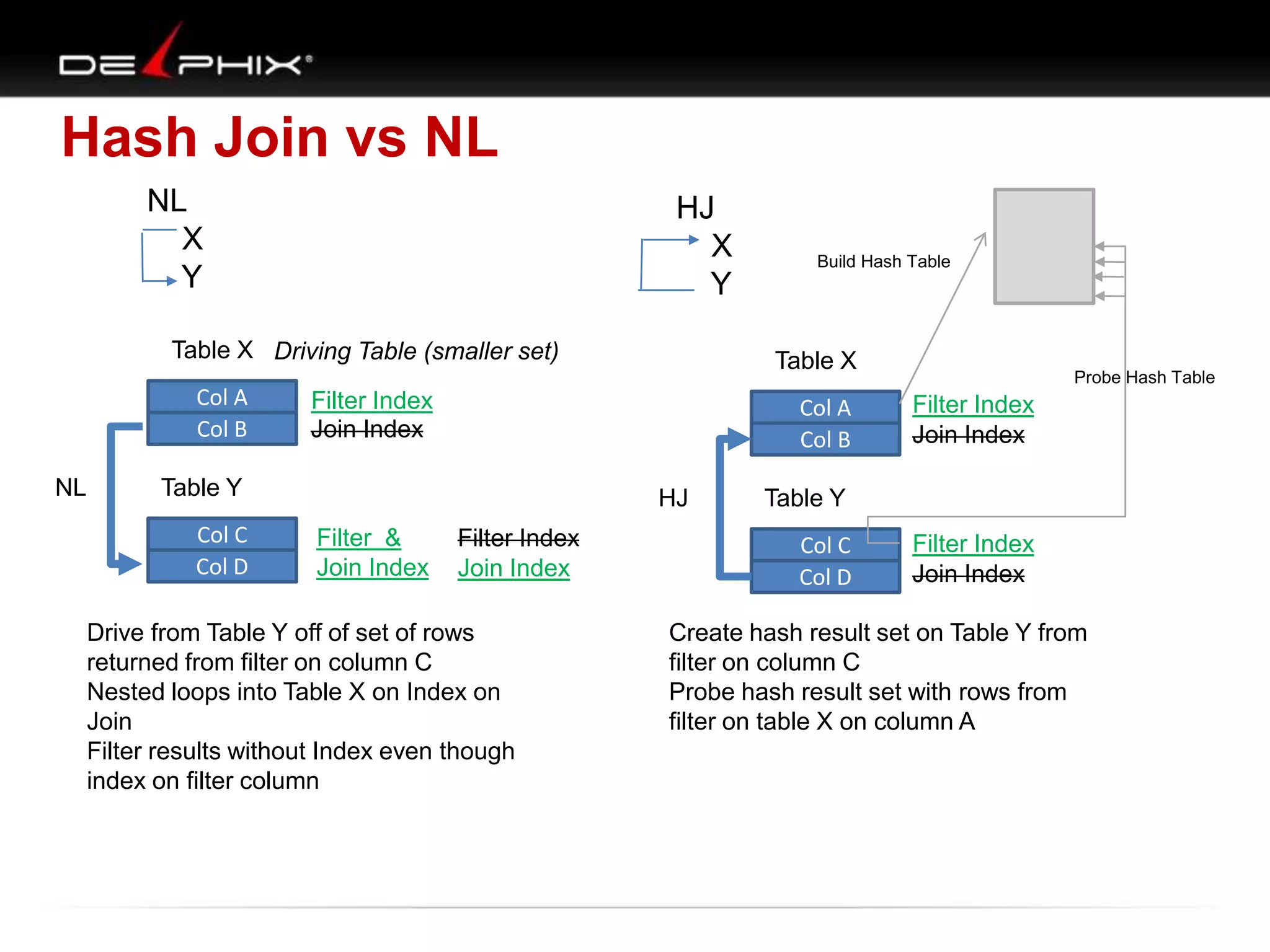
Hash Join vs NL
NL
X
Y

HJ
X
Y

Table X Driving Table (smaller set)
Col A
Col B
NL

Table X

Filter Index
Join Index

Col A
Col B

Table Y
Col C
Col D

HJ
Filter &
Join Index

Build Hash Table

Filter Index
Join Index

Drive from Table Y off of set of rows
returned from filter on column C
Nested loops into Table X on Index on
Join
Filter results without Index even though
index on filter column

Probe Hash Table

Filter Index
Join Index

Table Y

Col C
Col D

Filter Index
Join Index

Create hash result set on Table Y from
filter on column C
Probe hash result set with rows from
filter on table X on column A
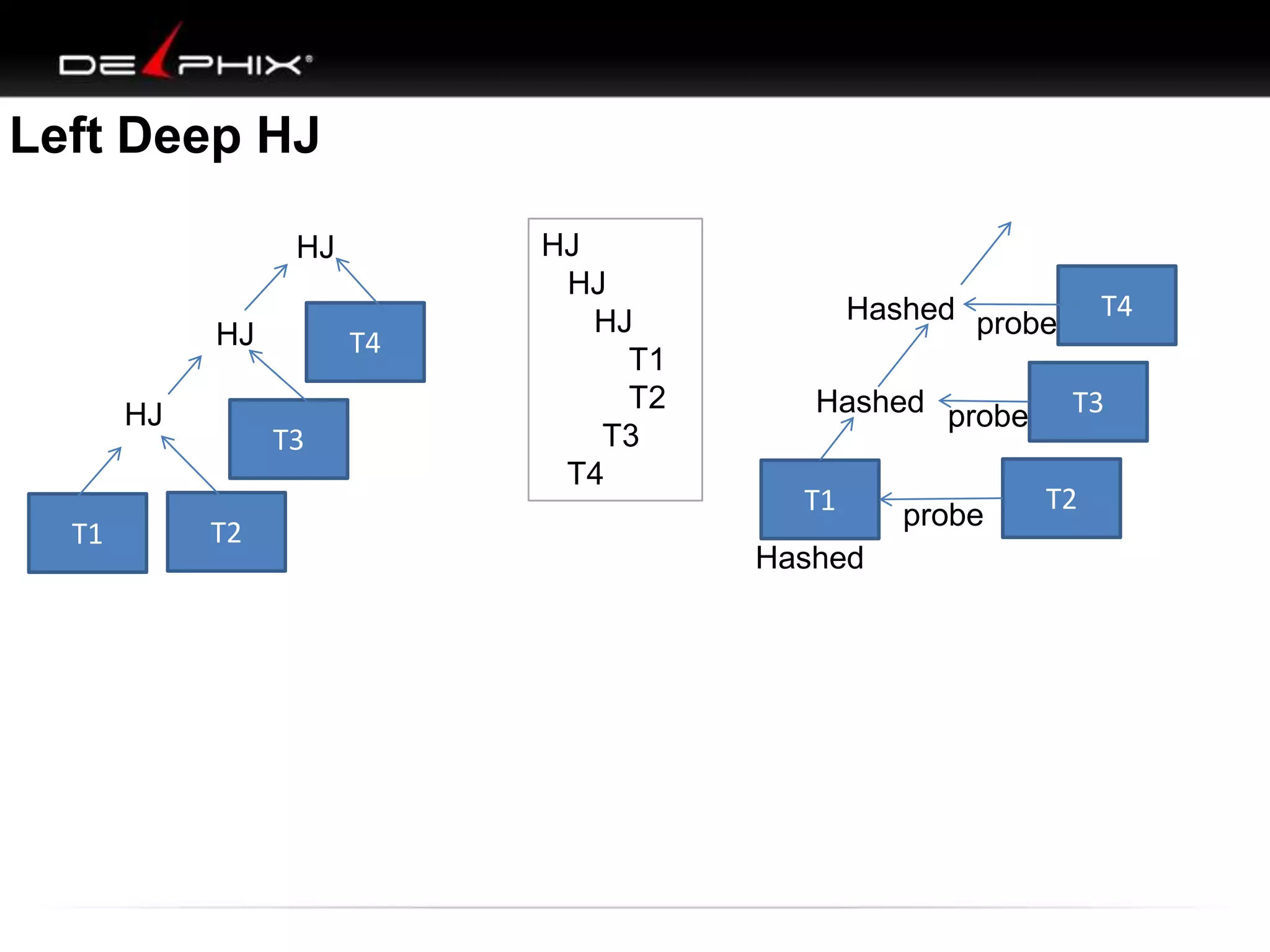
Left Deep HJ
HJ

HJ
HJ

T1

T4
T3

T2

HJ
HJ
HJ
T1
T2
T3
T4

T4

Hashed probe
Hashed probe

T1
Hashed

probe

T3
T2
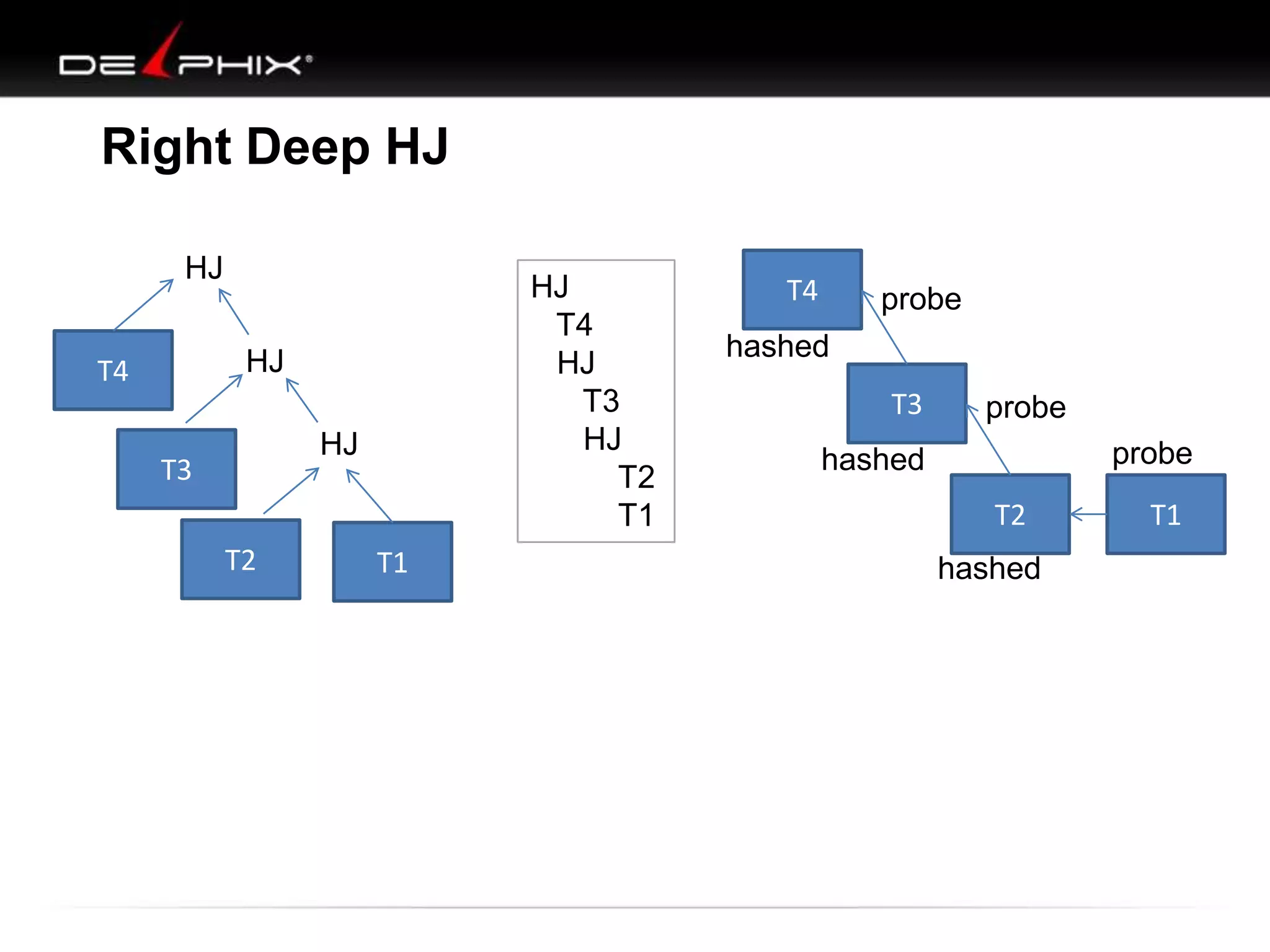
Right Deep HJ
HJ

HJ
T4
HJ
T3
HJ
T2
T1

HJ

T4

HJ

T3
T2

T1

T4

probe

hashed
T3

probe

probe

hashed
T2
hashed

T1
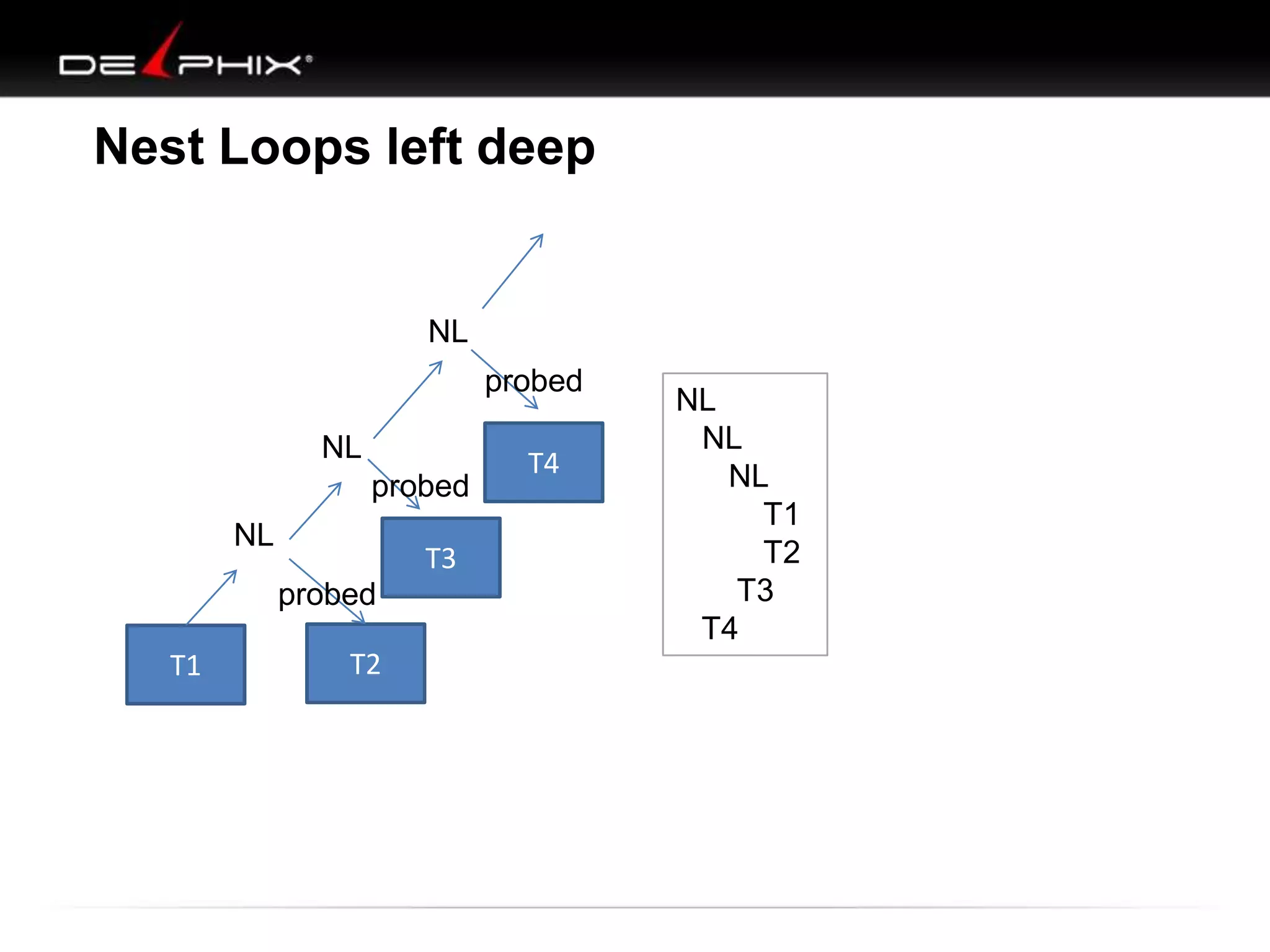
Nest Loops left deep

NL
probed
NL
probed
NL

T3

probed
T1

T2

T4

NL
NL
NL
T1
T2
T3
T4
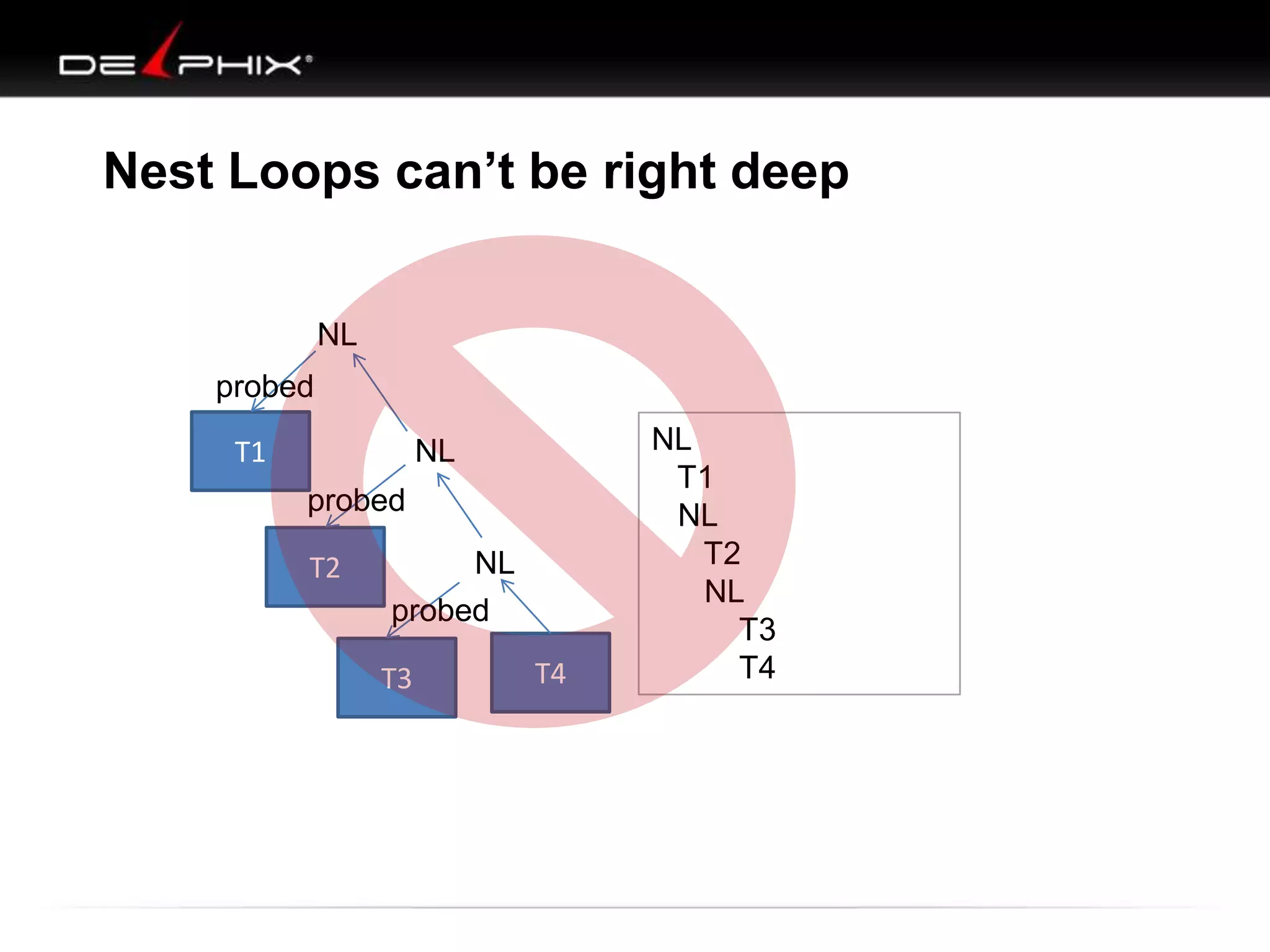
Nest Loops can’t be right deep
NL
probed
T1

NL
probed
T2

NL
probed
T3

T4

NL
T1
NL
T2
NL
T3
T4
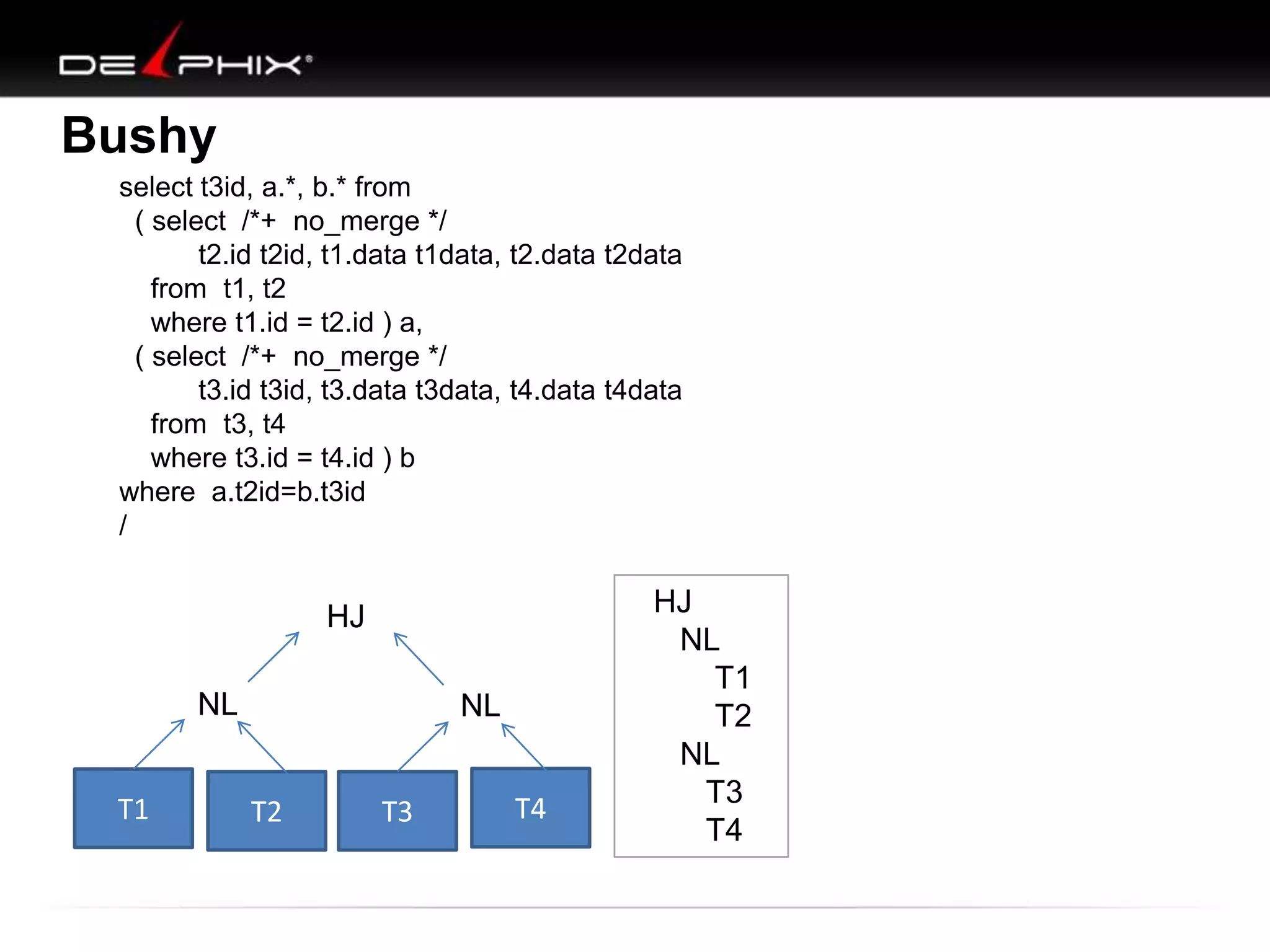
Bushy
select t3id, a.*, b.* from
( select /*+ no_merge */
t2.id t2id, t1.data t1data, t2.data t2data
from t1, t2
where t1.id = t2.id ) a,
( select /*+ no_merge */
t3.id t3id, t3.data t3data, t4.data t4data
from t3, t4
where t3.id = t4.id ) b
where a.t2id=b.t3id
/

HJ
NL
T1

NL

T2

T3

T4

HJ
NL
T1
T2
NL
T3
T4

DOAG: Visual SQL Tuning

  • 1.
    Visual SQL Tuning(VST) Kyle Hailey kylehailey.com kyle@delphix.com
  • 2.
    Who is KyleHailey  1990 Oracle – – – – – 90 support 92 Ported v6 93 France 95 Benchmarking 98 ST Real World Performance  2000 Dot.Com  2001 Quest  2002 Oracle OEM 10g Success! First successful OEM design
  • 3.
    Who is KyleHailey  1990 Oracle – – – – –     90 support 92 Ported v6 93 France 95 Benchmarking 98 ST Real World Performance 2000 Dot.Com 2001 Quest 2002 Oracle OEM 10g 2005 Embarcadero – DB Optimizer
  • 4.
    Who is KyleHailey • 1990 Oracle      90 support 92 Ported v6 93 France 95 Benchmarking 98 ST Real World Performance • • • • 2000 Dot.Com 2001 Quest 2002 Oracle OEM 10g 2005 Embarcadero  DB Optimizer • Delphix When not being a Geek - Have a little 4 year old boy who takes up all my time
  • 5.
    Production Instance Database File system File system QA UAT Instance Instance Instance Database Database Database Filesystem File system File system File system File system File system File system Development
  • 6.
  • 7.
    SQL Tuning Methodology 1. Find:Problem SQL 2. Study: SQL Execution Plan 3. Fix: How ?
  • 8.
    Step 1 :Find “bad” SQL 1. Users complain 2. High Resources 3. Monitoring
  • 9.
    Step 2: GetExplain Plan Trace fie PARSING IN CURSOR #2 len=53 dep=0 uid=61 oct=3 -------------------------------------------------------------------------------------------lid=61 tim=1151519905950403 hv=2296704914 | Id | Operation | Name | Starts | E-Rows | A-Rows | --------------------------------------------------------------------------------------------ad='4e50010c' | 1 || HASH GROUP BY | | 1 | 1 | 1 | SELECT 'Hello, world; today is ' | SYSDATE FROM dual |* 2 | FILTER | | 1 | | 1909 | END OF STMT |* 3 | TABLE ACCESS BY INDEX ROWID | PS_RETROPAYPGM_TBL | 1 | 1 | 3413 | PARSE | 4 | NESTED LOOPS | | 1 | 165 | 6827 | |* 5 | HASH JOIN | | 1 | 165 | 3413 | #2:c=4000,e=1540,p=0,cr=0,cu=0,mis=1,r=0,dep=0,og=1, HASH JOIN | | 1 | 165 | 3624 | tim=1151519905950397 |* 6 | | 7 | TABLE ACCESS BY INDEX ROWID | WB_JOB | 1 | 242 | 2895 | BINDS #2: | 8 | NESTED LOOPS | | 1 | 233 | 2897 | EXEC | 9 | TABLE ACCESS BY INDEX ROWID| PS_PAY_CALENDAR | 1 | 1 | 1 | |* 10 | INDEX RANGE | PS0PAY_CALENDAR | 1 | 1 | 1 | #2:c=0,e=58,p=0,cr=0,cu=0,mis=0,r=0,dep=0,og=1,tim=1 SCAN |* 11 | INDEX RANGE SCAN | WBBJOB_B | 1 | 286 | 2895 | 151519906034782 | TABLE FULL | WB_RETROPAY_EARNS | 1 | 27456 | 122K| WAIT #2: nam='SQL*Net |* 12 | to client' ela=ACCESSFULL message 2 driver | 13 TABLE ACCESS | PS_RETROPAY_RQST | 1 | 13679 | 13679 | id=1650815232 #bytes=1 |* 14 obj#=-1 INDEX RANGE SCAN p3=0 | | PS#RETROPAYPGM_TBL | 3413 | 1 | 3413 | SORT AGGREGATE | | 1791 | 1 | 1791 | tim=1151519906034809 | 15 | | 16 | FIRST ROW | | 1791 | 1 | 1579 | FETCH |* 17 | INDEX RANGE SCAN (MIN/MAX) | WB_JOB_F | 1791 | 1 | 1579 | #2:c=0,e=29,p=0,cr=0,cu=0,mis=0,r=1,dep=0,og=1,tim=1 | 18 | SORT AGGREGATE | | 1539 | 1 | 1539 | 151519906034864 | 19 | FIRST ROW | | 1539 | 1 | 1539 | INDEX RANGE | 1539 | 1 | 1539 | WAIT #2: nam='SQL*Net |* 20 | from client' ela= 215 SCAN (MIN/MAX) | WB_JOB_G message --------------------------------------------------------------------------------------------driver id=1650815232 #bytes=1 p3=0 obj#=-1 tim=1151519906035133 FETCH Predicate Information (identified by operation id): --------------------------------------------------#2:c=0,e=1,p=0,cr=0,cu=0,mis=0,r=0,dep=0,og=0,tim=11 51519906035165 2 - filter(("B"."EFFDT"= AND WAIT #2: nam='SQL*Net message to client' ela= 1 driver "B"."EFFSEQ"=)) 3 - filter("E"."OFF_CYCLE"="A"."PAY_OFF_CYCLE_CAL") id=1650815232 #bytes=1 p3=0-obj#=-1 5 access("D"."RETROPAY_SEQ_NO"="C"."RETROPAY_SEQ_NO") 6 - access("C"."EMPLID"="B"."EMPLID" AND "C"."EMPL_RCD#"="B"."EMPL_RCD#") tim=1151519906035188 10 - access("A"."RUN_ID"='PD2' AND "A"."PAY_CONFIRM_RUN"='N') WAIT #2: nam='SQL*Net message from client' ela= 192 11 - access("B"."COMPANY"="A"."COMPANY" AND "B"."PAYGROUP"="A"."PAYGROUP") driver id=1650815232 #bytes=1 p3=0 obj#=-1 12 - filter(("C"."RETROPAY_PRCS_FLAG"='C' AND "C"."RETROPAY_LOAD_SW"='Y')) tim=1151519906035400 14 - access("E"."RETROPAY_PGM_ID"="D"."RETROPAY_PGM_ID") 17 - obj=0 op='FAST STAT #2 id=1 cnt=1 pid=0 pos=1access("F"."EMPLID"=:B1 AND "F"."EMPL_RCD#"=:B2 AND "F"."EFFDT"<=:B3) 20 access("G"."EMPLID"=:B1 AND "G"."EMPL_RCD#"=:B2 AND "G"."EFFDT"=:B3) DUAL (cr=0 pr=0 pw=0 time=3-us)
  • 10.
    Step 3: ??? Methodology •Identify Slow Queries • Look at Execution Plan • Fix WTF?? Fix 1. Analyze stats 2. Go to step 1
  • 11.
    Explain Plan: LikeDirections Where is the Map?
  • 12.
    SQL Tuning 1. TwoTable Join 2. Multi-Table Join 3. Create Map (VST diagram) 4. Apply Methodology (how tune) 5. Examples
  • 13.
    How to Jointwo tables? 1. Which table to start with (main step) 2. What Indexes to use 3. What type of join to use HJ, NL Design options: • • • • • • Partitions IOT Bitmap indexes Hash cluster Materialized views etc
  • 14.
    Two Table Join 1.Do Indexes exist 2. What Type of Relation between tables – – – One to One One to Many Many to Many 3. Special Cases – – Outer Joins Not Exists
  • 15.
    Table Join Order select from where * a,b a.id = b.id If No Index then (NL) order doesn‟t matter A id B data id data Every row visits Every row Work= A-rows x B-rows (8 x 4 ) HJ could optimizes => simulate index lookup
  • 16.
    2 Table join,with indexes select from where Indexes on * a, b • a.id • b.id a.id = b.id A B B A
  • 17.
    2 Table join,with indexes select from where Indexes on * a, b • a.id • b.id a.id = b.id B A data B id 8 id data A
  • 18.
    2 Table join,with indexes select from where Indexes on * a, b • a.id • b.id a.id = b.id B A data A B id 8 id data data id With Indexes Start with B Start with the least rows 4 id data
  • 19.
    2 table join- filters select from where and and A data 2 * a, b a.id = b.id a.field = „val a‟ b.field = „val b‟ -- join -- filter a -- filter b id id data 3 B Start on table with least rows after filter
  • 20.
    Two Table Summary 1.If no indexes & no filters then order doesn’t matter with NL • Hash join will simulate index, start by hashing smaller table 2. If indexes then start with smaller table 3. If filters and indexes then start with most filtered table
  • 21.
    Creating Two tableJoin Map • Set diagrams • Short comings of set diagrams • New map diagrams
  • 22.
    Set Diagrams: TwoTable Joins – looks simple A B Inner Join (blue is data returned)
  • 23.
    Two Table Joins A B Leftjoin B B(+) A B Inner Join A B Not exists B
  • 24.
    Two Table Joins A B Leftjoin B B(+) A A B Right join B A(+) B Inner Join A B Not exists B A B Not Exists A
  • 25.
    Two Table Joins(blue is data returned) A Left join B B(+) A B Inner Join A A B B Full outer (union) B Right join B A(+) Doesn’t tell the whole story Missing « amplifications » B A Not exists B A B Union of Not Exists A B Not Exists A
  • 26.
    One to One- intersection A B 1 1 2 2 A 1 1 2 2 A MAP B B
  • 27.
    One to Many- projection 1 1 1 A 2 2 2 B A 1 1 1 1 2 2 2 2 A MAP B B
  • 28.
    Many to Many- amplification A 1 1 1 B 1 1 1 A rA*rB ------------------------min(ndv(A),ndv(B)) B 1 1 1 1 1 1 1 1 1 1 1 1 1 1 1 1 B A MAP
  • 29.
    Two Table Joins A B Leftjoin B B(+) A MAP o B A B Right join B A(+) A o B MAP
  • 30.
    Outer Join –Attention when no columns selectedthat return no data Color nodes o A B no affect A V Left join B B(+) o B Select a.* from a, b where b.field(+) = a.field;
  • 31.
    Outer Join –Attention when no columns selectedthat return no data Color nodes o A B no affect Left join B B(+) o V A B Select a.* from a, b where b.field(+) = a.field; V o ? V A B Multiplier no affect or multiplies rows
  • 32.
    Exists ( in) SELECTd.* FROM dept d WHERE exists ( SELECT null FROM emp e WHERE e.deptno=d.deptno); SELECT d.* FROM dept d WHERE d.deptno in ( SELECT deptno FROM emp e ); dept MAP E emp
  • 33.
    Not Exists (not in) SELECT d.* FROM dept d WHERE not exists ( SELECT null FROM emp e WHERE e.deptno=d.deptno); SELECT d.* FROM dept d WHERE d.deptno not in ( SELECT deptno FROM emp e where deptno is not null ); dept MAP N emp
  • 34.
    Two Table Joins: Maps A B A o B Left join B B(+) A A B Inner Join A B Not exists B B A B A B A N B
  • 35.
    Two Table Joins: maps A B A o B A o B A B Inner Join A B Not exists B B Right join B A(+) Left join B B(+) A A B A B A B N A N B A N B A B Not Exists A
  • 36.
    Two Table Join 1.Where to start 1. Start at table with the least rows after predicate filtering 2. Drawing Map: – One to One / One to Many / Many to Many B A – B A A Outer Joins / Not Exists A o B A Now , three table joins: N B B
  • 37.
    Three table join order_lines orders customer Joindirection 8 rows 4 rows 1 row Ex) 1 customer 4 orders, each order has 2 order_lines each Join direction 1 row 1 row 1 row
  • 38.
    Three table join order_lines orders F Where order_lines.field= value A Filter on order_lines is going to eliminate work on orders and customers, if we start at order_lines customer
  • 39.
    Three table join order_lines orders customer F Where order_lines.field= value Starting with a filter on order_lines is going to eliminate work
  • 40.
    Three table join order_lines orders customer 2 F 1 Where orders.field= value Starting with a Filter on orders is going to eliminate work Then Join to customers => keeps the number of rows the same
  • 41.
    Three table join order_lines orders customer F Where customer.field= value Starting on a filter on customer is going to eliminate work
  • 42.
    Three table join order_lines orders F F customer F Whatif a filter on all three? Choose the one that filter‟s the highest percent of the table. 100% * (select count(*) from TAB where condition) --------------------------(select count(*) from Tab)
  • 43.
    4 or moretable join
  • 44.
    4 or moretable join
  • 45.
    4 or moretable join
  • 46.
    4 or moretable join
  • 47.
    4 or moretable join
  • 48.
    4 or moretable join
  • 49.
    4 or moretable join
  • 50.
    4 or moretable join Yes No Oracle can only join one table in at a time. Oracle can’t (normally) join two different sub-branches
  • 51.
    Put it alltogether : VST 1. Tables – drawn as nodes 2. Joins : – drawn map connector lines • One-to-one, one-to-many, many-to-many • Exists, not exists, outer joins 3. Filters – mark on each table with filter in where clause 51 11/25/2013
  • 52.
    How to VST:Tables and Joins SELECT C.Phone_Number, C.Honorific, C.First_Name, C.Last_Name, Tables C.Suffix, C.Address_ID, A.Address_ID, A.Street_Address_Line1, Orders O, A.Street_Address_Line2, A.City_Name, A.State_Abbreviation, Order_Details OD, A.ZIP_Code, OD.Deferred_Shipment_Date, OD.Item_Count, Products P, ODT.Text, OT.Text, P.Product_Description, S.Shipment_Date Customers C, FROM Orders O, Order_Details OD, Products P, Customers C, Shipments S, Addresses A, Code_Translations ODT, Code_Translations OT Shipments S, WHERE UPPER(C.Last_Name) LIKE :Last_Name||'%' Addresses A, AND UPPER(C.First_Name) LIKE :First_Name||'%' Code_Translations ODT, AND OD.Order_ID = O.Order_ID Code_Translations OT AND O.Customer_ID = C.Customer_ID AND OD.Product_ID = P.Product_ID(+) Joins AND OD.Shipment_ID = S.Shipment_ID(+) OD.Order_ID = O.Order_ID AND S.Address_ID = A.Address_ID(+) AND O.Status_Code = OT.Code O.Customer_ID = C.Customer_ID AND OD.Status_Code = ODT.Code OD.Product_ID = P.Product_ID(+) AND O.Order_Date > :Now - 366 OD.Shipment_ID = ORDER BY C.Customer_ID, O.Order_ID DESC, S.Shipment_ID, OD.Order_Detail_ID; S.Shipment_ID(+) S.Address_ID = A.Address_ID(+) O.Status_Code = OT.Code OD.Status_Code = ODT.Code Filters WHERE UPPER(C.Last_Name) LIKE :Last_Name||'%' AND UPPER(C.First_Name) LIKE :First_Name||'%’ AND O.Order_Date > :Now – 366 Dan Tow – SQL TUNING
  • 53.
    Layout tables andconnections Tables Orders O, Order_Details OD, Products P, Customers C, Shipments S, Addresses A, Code_Translations ODT, Code_Translations OT O S OD A P C Joins OD.Order_ID = O.Order_ID O.Customer_ID = C.Customer_ID OD.Product_ID = P.Product_ID(+) OD.Shipment_ID = S.Shipment_ID(+) S.Address_ID = A.Address_ID(+) O.Status_Code = OT.Code OD.Status_Code = ODT.Code ODT OT F Dan Tow – SQL TUNING
  • 54.
    Unstructured Joins OD.Order_ID = O.Order_ID O.Customer_ID= C.Customer_ID OD.Product_ID = P.Product_ID(+) OD.Shipment_ID = S.Shipment_ID(+) S.Address_ID = A.Address_ID(+) O.Status_Code = OT.Code OD.Status_Code = ODT.Code OT A C O S OD P ODT Neater, but can you do anything with it? What‟s the optimal execution path? Copyright 2006
  • 55.
    Parents and Children Structure the tree Noindex or non-unique Detail Primary Key (unique index) Master Joins OD.Order_ID = O.Order_ID O.Customer_ID = C.Customer_ID OD.Product_ID = P.Product_ID(+) OD.Shipment_ID = S.Shipment_ID(+) S.Address_ID = A.Address_ID(+) O.Status_Code = OT.Code OD.Status_Code = ODT.Code OD S A P O ODT C OT
  • 56.
    VST – filtersand best path  Filters help determine best path OD Filters WHERE UPPER(C.Last_Name) LIKE :Last_Name||'%' AND UPPER(C.First_Name) LIKE :First_Name||'%’ AND O.Order_Date > :Now – 366 S P F O ODT 30% F C A OT 0.02% 100% * (select count(*) from TAB where condition) --------------------------(select count(*) from Tab) Child Concept: 1. Start at most selective filter 2. Join down first, before joining upwards Child Parent Parent
  • 57.
    VST – bestpath OD S P F O F ODT 30% A F C F 0.02% OT
  • 58.
    VST – bestpath OD S P F O F ODT 30% A F C F OT 0.02% /*+ Leading (C,O, OT, OD ) */ Dan Tow SQL TUNING
  • 60.
  • 61.
  • 62.
  • 63.
    M T1 .3 T4 T9 .6 T2 T5 T6 T10 .5 T7 -> T13 T7->T13 -> T12 T11 T15 .8 T3 T8 .7 T14 .9 T16
  • 64.
    M T7 ->T13 -> T12-> T2 T1 .3 T4 T9 .6 T5 T6 T10 .5 T7 -> T13 T8 .7 T11 T15 .8 T3 T14 .9 T16
  • 65.
    M T1 .3 T3 T7, T13, T12 ,T2 , T6 T4 T9 .6 T5 T8 .7 T10 .5 T11 T15 .8 T7 -> T13 T14 .9 T16
  • 66.
    M T1 .3 T3 T7, T13, T12 ,T2 , T6, T10 T4 T5 T8 .7 T9 .6 T11 T15 .8 T7 -> T13 T14 .9 T16
  • 67.
    M T1 .3 T4 T3 T7, T13, T12 ,T2 , T6, T10, T11 T5 T9 .6 T14 .9 T15 .8 T7 -> T13 T8 .7 T16
  • 68.
    M T1 .3 T4 T5 T3 T7, T13, T12 ,T2 , T6, T10, T11, T15 T9 .6 T14 .9 T16 T7 -> T13 T8 .7
  • 69.
    M T1 .3 T4 T9 .6 T7 -> T13 T5 T3 T7,T13, T12 , T2 , T6, T10, T11, T15, T16 T8 .7 T14 .9
  • 70.
    T1 .3 T4 T9 .6 T7 -> T13 T5 T7,T13, T12 , T2 , T6, T10, T11, T15, T16, M T3 T8 .7 T14 .9
  • 71.
    T4 T9 .6 T7 -> T13 T5 T7,T13, T12 , T2 , T6, T10, T11, T15, T16, M, T1 T3 T8 .7 T14 .9
  • 72.
    T7, T13, T12 ,T2 , T6, T10, T11, T15, T16, M, T1, T4 T5 T9 .6 T7 -> T13 T3 T8 .7 T14 .9
  • 73.
    T7, T13, T12 ,T2 , T6, T10, T11, T15, T16, M, T1, T4,T9 T5 T3 T8 .7 T14 .9 T7 -> T13
  • 74.
    T5 T7 -> T13 T7,T13, T12 , T2 , T6, T10, T11, T15, T16, M, T1, T4,T9,T3,T8T 14
  • 75.
    T7, T13, T12 ,T2 , T6, T10, T11, T15, T16, M, T1, T4,T9,T3,T8T 14, T5 Why not Guess ? For 17 table join, there are 355 Trillion combinations
  • 76.
    Cartesian SELECT A.BROKER_ID BROKER_ID, A.BROKER_LAST_NAME BROKER_LAST_NAME, A.BROKER_FIRST_NAMEBROKER_FIRST_NAME, A.YEARS_WITH_FIRM YEARS_WITH_FIRM, C.OFFICE_NAME OFFICE_NAME, SUM (B.BROKER_COMMISSION) TOTAL_COMMISSIONS FROM BROKER A, CLIENT_TRANSACTION B, OFFICE_LOCATION C, INVESTMENT I WHERE A.BROKER_ID = B.BROKER_ID AND A.OFFICE_LOCATION_ID = C.OFFICE_LOCATION_ID GROUP BY A.BROKER_ID, A.BROKER_LAST_NAME, A.BROKER_FIRST_NAME, A.YEARS_WITH_FIRM, C.OFFICE_NAME;
  • 77.
    Implied Cartesian select c.client_first_name, c.client_last_name, ct.action,ct.price, b.broker_last_name, b.broker_first_name, o.office_name from client_transaction ct, client c, broker b, office_location o where ct.price > 100 and b.broker_id=ct.broker_id and c.broker_id = b.broker_id and o.office_location_id = b.office_location_id
  • 78.
    Diagram work forMany to One What about many to many?
  • 79.
    Unstructured OD Joins OD.Order_ID = O.Order_ID O.Customer_ID= C.Customer_ID OD.Product_ID = P.Product_ID(+) OD.Shipment_ID = S.Shipment_ID(+) S.Address_ID = A.Address_ID(+) O.Status_Code = OT.Code OD.Status_Code = ODT.Code S P ODT C A O OT OT A C O S OD P ODT Copyright 2006
  • 80.
    Many-to-One vs Many-to-Many 3 1 PredicateFilter Now what? 2 B -> C -> A go to A or C?
  • 81.
    Adding Constraints SELECT COUNT(*) FROM b, c, a WHERE b.val2 = 100 AND a.val1 = b.id AND b.val1 = c.id; 58 logical reads alter table c add constraint c_pk unique (id); alter table b add constraint b_pk unique (id); 7 logical reads
  • 82.
    Diagraming: what todo with many to many • Problem : with many-to-many don’t know where do we go • Solution: Add two table join result set sizes
  • 83.
  • 84.
    Look at 3queries • Query 1 runs more than 24 hours • Query 2 outer joins and scalar sub-queries • Query 3 create path not available to Oracle
  • 85.
    Query 1 :Over 24 hours to run SELECT A0.zuchinis, A0.brocoli, C0.Oranges FROM ( SELECT A1.planted_date, A1.pears, A1.zuchinis, A1.brocoli FROM FOO.A A1, ( SELECT zuchinis, brocoli FROM FOO.A A2 WHERE pears = 'M' AND planted_date + 0 >= ADD_MONTHS ((SELECT MAX (planted_date) FROM FOO.B B1 WHERE pears = 'M' ), - 11) GROUP BY zuchinis, brocoli HAVING COUNT (*) = 12 ) i2 WHERE A1.planted_date = (SELECT MAX (planted_date) FROM FOO.B B2 WHERE pears = 'M' ) AND A1.pears = 'M' AND A1.zuchinis = i2.zuchinis (+) AND A1.brocoli = i2.brocoli (+) UNION SELECT A4.planted_date, A4.pears,A4.zuchinis,A4.brocoli FROM FOO.A A4 WHERE A4.planted_date >'01-OCT-08' and A4.planted_date <'03-OCT-08' AND A4.pears = 'D' AND A4.green_beans = '1' AND NOT EXISTS (SELECT * FROM FOO.A A5 WHERE pears = 'M' AND planted_date = (SELECT MAX (planted_date) FROM FOO.B B3 WHERE pears = 'M' ) AND A4.zuchinis = A5.zuchinis AND A4.brocoli = A5.brocoli) ) b, FOO.A A0, FOO.C C0, FOO.D D0, FOO.E E0 WHERE A0.planted_date >'01-OCT-08' and A0.planted_date <'03-OCT-08' AND A0.pears = 'D' AND A0.green_beans = '1' AND A0.zuchinis = b.zuchinis AND A0.brocoli = b.brocoli AND A0.planted_date = C0.planted_date AND A0.pears = C0.pears AND A0.zuchinis = C0.zuchinis AND A0.brocoli = C0.brocoli AND A0.planted_date = D0.planted_date AND A0.pears = D0.pears AND A0.harvest_size = D0.harvest_size AND C0.Oranges = D0.Oranges AND C0.apples = D0.apples AND (D0.lemons = 0 OR D0.lemons IS NULL) AND A0.planted_date = E0.planted_date AND A0.pears = E0.pears AND A0.harvest_size = E0.harvest_size AND C0.Oranges = E0.Oranges AND C0.apples = E0.apples AND (E0.lemons = 0 OR E0.lemons IS NULL) ORDER BY A0.zuchinis, A0.brocoli;
  • 86.
  • 87.
  • 88.
  • 89.
    Comparing Plans :24 hours to 5 mins NL NL NL NL HJ NL HJ NL
  • 90.
    Comparing Plans :24 hours to 5 mins NL NL NL NL HJ NL HJ NL
  • 91.
    Q2 SELECT CASE WHENM.NYC IS NULL THEN (SELECT /*+ qb_name(qb1) */ MAX (Kona) FROM foo.F WHERE harvest_date = to_date('08/10/2008','dd/mm/yyyy') AND Argentina = TRIM ('D') AND Norway = F_OUTER.Norway ELSE M.NYC END AS NYC, CASE WHEN F_OUTER.Perth IS NULL THEN NULL ELSE (SELECT /*+ qb_name(qb2) */ Georgia FROM foo.P WHERE harvest_date = to_date('08/10/2008','dd/mm/yyyy') AND Argentina = TRIM ('D') AND Paris = F_OUTER.Perth) END AS richard, CASE WHEN F_OUTER.Aruba IS NULL THEN NULL ELSE (SELECT /*+ qb_name(qb3) */ Georgia FROM foo.P WHERE harvest_date = to_date('08/10/2008','dd/mm/yyyy') AND Argentina = TRIM ('D') AND Paris = F_OUTER.Aruba) END AS Jody, CASE WHEN F_OUTER.Portland IS NULL THEN NULL ELSE (SELECT /*+ qb_name(qb4) */ Georgia FROM foo.P WHERE harvest_date = to_date('08/10/2008','dd/mm/yyyy') AND Argentina = TRIM ('D') AND Paris = F_OUTER.Portland) END AS Tom FROM foo.F F_OUTER, foo.M , foo.J , foo.N , (SELECT /*+ qb_name(qb5) */ H.SF, Oregon, H.Haiti, K.Bermuda, L.Denmark FROM (foo.H LEFT OUTER JOIN foo.K ON H.harvest_date = K.harvest_date AND H.Argentina = K.Argentina AND H.SF = K.SF AND K.Dallas = '001') LEFT OUTER JOIN FOo.L ON H.harvest_date = L.harvest_date AND H.Argentina = L.Argentina AND H.SF = L.SF WHERE H.harvest_date = to_date('08/10/2008','dd/mm/yyyy') AND H.Argentina = TRIM ('D')) extra WHERE F_OUTER.harvest_date = M.harvest_date(+) AND F_OUTER.Argentina = M.Argentina(+) AND F_OUTER.Norway = M.Norway(+) AND M.Norway(+) = M.Texas(+) AND F_OUTER.harvest_date = to_date('08/10/2008','dd/mm/yyyy') AND F_OUTER.Argentina = TRIM ('D') AND M.harvest_date(+) = to_date('08/10/2008','dd/mm/yyyy') AND M.Argentina(+) = TRIM ('D') AND F_OUTER.Norway = F_OUTER.Hawaii AND F_OUTER.harvest_date = J.harvest_date(+) AND F_OUTER.Argentina = J.Argentina(+) AND F_OUTER.Norway = J.Texas(+) AND J.harvest_date(+) = to_date('08/10/2008','dd/mm/yyyy') AND J.Argentina(+) = TRIM ('D') AND F_OUTER.Iraq = extra.SF(+) AND F_OUTER.harvest_date = N.harvest_date(+) AND F_OUTER.Argentina = N.Argentina(+) AND F_OUTER.Norway = N.Hawaii(+) AND N.Jordon(+) = '0' / 4 Scalar sub-queries In the select clause
  • 92.
  • 93.
    Q2 The subqueries inthe select clause look like select CASE WHEN F.f1 IS NULL select CASE WHEN F.f1 IS NULL THEN NULL THEN NULL ELSE (SELECT X.f2 ELSE (SELECT X.f2 FROM X FROM X WHERE code_vl = F.f1) WHERE code_vl = F.f2) END AS f0 f0 END AS from F; from F; and should be merged into the query like: select CASE WHEN F.f1 IS NULL select CASE WHEN F.f1 IS NULL THEN NULL THEN NULL ELSE ( X.f2) ELSE ( X.f2) END f0 END ASAS f0 from F , X from F , X where code_vl(+) = decode(f.f1, null, null, F.F2) where code_vl(+) = F.f1;
  • 94.
    Q3 SELECT DISTINCT * FROM FOO.aa, FOO.c c, FOO.d d, FOO.g g WHERE a.planted_date > '01-OCT-08' AND a.planted_date < '03-OCT-08' AND a.pears = 'D' AND a.green_beans = '1' AND a.planted_date = c.planted_date AND a.pears = c.pears AND a.zuchinis = c.zuchinis AND a.brocoli = c.brocoli AND a.planted_date = d.planted_date AND a.pears = d.pears AND a.harvest_size = d.harvest_size AND c.oranges = d.oranges AND c.apples = d.apples AND (d.lemons = 0 OR d.lemons IS NULL) AND a.planted_date = g.planted_date AND a.pears = g.pears AND a.harvest_size = g.harvest_size AND c.oranges = g.oranges AND c.apples = g.apples AND (g.lemons = 0 OR g.lemons IS NULL) AND a.zuchinis = '0236' AND d.apples = g.apples AND d.oranges = g.oranges ORDER BY a.zuchinis, a.brocoli; 65438157
  • 95.
  • 96.
    Q3 SELECT * FROM ( SELECT/*+ NO_MERGE */ c.apples, c.oranges, a.harvest_size FROM a, c WHERE a.planted_date = TO_DATE ('02/10/2008', 'dd/mm/yyyy') AND a.pears = 'D' AND a.green_beans = '1' AND a.planted_date = c.planted_date AND a.pears = c.pears AND a.zuchinis = c.zuchinis AND a.brocoli = c.brocoli AND a.zuchinis = '0236' ) X, ( SELECT /*+ NO_MERGE */ d.apples, d.oranges, d.harvest_size FROM d, g WHERE d.planted_date = TO_DATE ('02/10/2008', 'dd/mm/yyyy') AND g.planted_date = TO_DATE ('02/10/2008', 'dd/mm/yyyy') AND g.apples = d.apples AND d.oranges = g.oranges AND d.pears = 'D' AND g.pears = 'D' AND g.pears = d.pears AND g.harvest_size = d.harvest_size AND (d.lemons = 0 OR d.lemons IS NULL) AND (g.lemons = 0 OR g.lemons IS NULL) )Y WHERE X.oranges = Y.oranges AND X.apples = Y.apples AND X.harvest_size = Y.harvest_size; 65438157 This final version runs in elapsed 0.33 secs and 12K logical reads down from an original elapsed 4.5 secs and 1M logical reads 96 11/25/2013
  • 97.
    Related info • Hints –Leading hint – HJ & NL • Tools to use – graphical execution = visual SQL tuning (VST) diagram • Example from Jonathan Lewis • Join Ratios – Join detail ratio – Join master ratio
  • 98.
    Leading Hint, usetable alias (not table) OD S P /*+ Leading (C,O, OT, OD ) */ F O F ODT 30% A F C F 0.02% OT
  • 99.
    HINTS • • • • • Leading (tab_alias ,table_alias … ) 10g (9i use ORDERED, not as good ) USE_NL (table_alias) – 2nd in xplan probed into (Inner Table) USE_HASH (table_alias) – 1st in xplan probed into INDEX (tab_alias index_name) NO_MERGE Oracle first decides join order then join type (example http://www.adp-gmbh.ch/blog/2008/01/17.php) 99 11/25/2013
  • 100.
    select /*+ LEADING(X,Y) USE_NL(Y)*/ * NL X Y X select HJ X Y Y /*+ LEADING(X,Y) USE_HASH(Y) */ * Y Hash X results
  • 101.
    What tools touse to create VST diagrams? • Paper – Modifications messy and difficult • PowerPoint – Can move things around – Sticky connectors – Easy to modify • DB Optimizer – Automatic and still modifiable
  • 102.
    VST vs ExplainPlan SELECT O.ORDER_ID, LINE_ITEM_ID, PRODUCT_ID, UNIT_PRICE, QUANTITY, ORDER_MODE, ORDER_STATUS, ORDER_TOTAL, SALES_REP_ID, PROMOTION_ID, C.CUSTOMER_ID, CUST_FIRST_NAME, CUST_LAST_NAME, CREDIT_LIMIT, CUST_EMAIL, ORDER_DATE FROM ORDERS O, ORDER_ITEMS OI, MJ CUSTOMERS C WHERE O.ORDER_ID = OI.ORDER_ID AND O.CUSTOMER_ID = C.CUSTOMER_ID AND O.ORDER_STATUS <= 4 F F
  • 103.
  • 104.
    Visual SQL Tuning(VST) Table Sizes Join Sizes Filter Ratios
  • 105.
    Visual SQL Tuning(VST) Exists Exists Subquery
  • 106.
  • 107.
  • 108.
    Join Filter ratios Detail A Jd“Join detail ratio” = avg #rows returned by joining one row from master Master Jm “Join master ratio” = avg #rows returned by joining one row from Detail
  • 109.
    Join Filter ratios FK Detail A Jd> 1 Join Detail Jd > 1 normally If Jd < 1 joining acts like a filter, unusual If Jd = 0 then good place to start, rare PK Master
  • 110.
    Join Filter ratios FK Detail A JoinDetail Jd > 1 normally Jd > 1 If Jd < 1 joining acts like a filter, unusual If Jd = 0 then good place to start, rare PK Master Detail Detail Jd = 1/10 = 10 Jd = 1/10 = .1 100 1 100 100 Master 1% 100 * .01 = 10 rows Master 1% 100 * .01 = 10 rows
  • 111.
    Join Filter ratios FK Detail PK Master A Jm= 1 Jm = “Join master ratio” Jm = 1 when PK/FK relationship Jm < 1 possible when not PKFK relationship
  • 112.
    VST Steps Summary 1.Diagramtables 2.Draw connectors for each join 3.Calculate filter ratio OD S P F O ODT 30% A F C OT 0.02% Child Execution Path • Start at the most selective join filter • Join to keep the running result set size small Child Parent Parent
  • 113.
    VST Steps Summary Manyto Many relationships = problems If many to many then calculate two table join sizes 11/25/2013
  • 114.
    VST steps summary Note •Don’t talk about table sizes – Talk about filter ratios – Two table join sizes – Possibly look at join ratios • Don’t talk about index existence – Finding optimal path indicates indexes needed
  • 115.
    Step 2: GetExplain Plan Trace fie -------------------------------------------------------------------------------------------| Id | Operation | Name | Starts | E-Rows | A-Rows | --------------------------------------------------------------------------------------------| 1 | HASH GROUP BY | | 1 | 1 | 1 | |* 2 | FILTER | | 1 | | 1909 | |* 3 | TABLE ACCESS BY INDEX ROWID | PS_RETROPAYPGM_TBL | 1 | 1 | 3413 | | 4 | NESTED LOOPS | | 1 | 165 | 6827 | |* 5 | HASH JOIN | | 1 | 165 | 3413 | |* 6 | HASH JOIN | | 1 | 165 | 3624 | | 7 | TABLE ACCESS BY INDEX ROWID | WB_JOB | 1 | 242 | 2895 | | 8 | NESTED LOOPS | | 1 | 233 | 2897 | | 9 | TABLE ACCESS BY INDEX ROWID| PS_PAY_CALENDAR | 1 | 1 | 1 | |* 10 | INDEX RANGE SCAN | PS0PAY_CALENDAR | 1 | 1 | 1 | |* 11 | INDEX RANGE SCAN | WBBJOB_B | 1 | 286 | 2895 | |* 12 | TABLE ACCESS FULL | WB_RETROPAY_EARNS | 1 | 27456 | 122K| | 13 | TABLE ACCESS FULL | PS_RETROPAY_RQST | 1 | 13679 | 13679 | |* 14 | INDEX RANGE SCAN | PS#RETROPAYPGM_TBL | 3413 | 1 | 3413 | | 15 | SORT AGGREGATE | | 1791 | 1 | 1791 | | 16 | FIRST ROW | | 1791 | 1 | 1579 | |* 17 | INDEX RANGE SCAN (MIN/MAX) | WB_JOB_F | 1791 | 1 | 1579 | | 18 | SORT AGGREGATE | | 1539 | 1 | 1539 | | 19 | FIRST ROW | | 1539 | 1 | 1539 | |* 20 | INDEX RANGE SCAN (MIN/MAX) | WB_JOB_G | 1539 | 1 | 1539 | --------------------------------------------------------------------------------------------- VST Predicate Information (identified by operation id): --------------------------------------------------- 2 3 5 6 10 11 12 14 17 20 - filter(("B"."EFFDT"= AND "B"."EFFSEQ"=)) filter("E"."OFF_CYCLE"="A"."PAY_OFF_CYCLE_CAL") access("D"."RETROPAY_SEQ_NO"="C"."RETROPAY_SEQ_NO") access("C"."EMPLID"="B"."EMPLID" AND "C"."EMPL_RCD#"="B"."EMPL_RCD#") access("A"."RUN_ID"='PD2' AND "A"."PAY_CONFIRM_RUN"='N') access("B"."COMPANY"="A"."COMPANY" AND "B"."PAYGROUP"="A"."PAYGROUP") filter(("C"."RETROPAY_PRCS_FLAG"='C' AND "C"."RETROPAY_LOAD_SW"='Y')) access("E"."RETROPAY_PGM_ID"="D"."RETROPAY_PGM_ID") access("F"."EMPLID"=:B1 AND "F"."EMPL_RCD#"=:B2 AND "F"."EFFDT"<=:B3) access("G"."EMPLID"=:B1 AND "G"."EMPL_RCD#"=:B2 AND "G"."EFFDT"=:B3)
  • 116.
  • 117.
    AWR Report /Statspack AAS
  • 118.
    LOAD Max CPU (yard stick) TopActivity SQL Sessions
  • 119.
  • 120.
  • 121.
    10053 Table: A Alias:A Best:: AccessPath: TableScan Cost: 92.18 Degree: 1 Resp: 92.18 Card: 999.00 Best:: AccessPath: IndexRange Index: B_V2 Cost: 4.00 Degree: 1 Resp: 4.00 Card: 1.00 Best:: AccessPath: IndexFFS Index: C_PK_CON Cost: 35.57 Degree: 1 Resp: 35.57 Card: 59999.00 A $: 92 #: 999 B $: 4 #: 1 C B A C B C A C C A A A B C B B A B C Join order[1]: B[B]#0 A[A]#1 C[C]#2 *************** Now joining: A[A]#1 *************** Best:: JoinMethod: NestedLoop Cost: 6.00 Degree: 1 Resp: 6.00 Card: 1.00 Bytes: 16 *************** Now joining: C[C]#2 *************** Best:: JoinMethod: NestedLoop Cost: 6.00 Degree: 1 Resp: 6.00 Card: 1.00 Bytes: 21 *********************** Best so far: Table#: 0 cost: 4.0020 card: 1.0000 bytes: 12 Table#: 1 cost: 6.0031 card: 1.0000 bytes: 16 Table#: 2 cost: 6.0032 card: 1.0000 bytes: 21 Total: 14.0083 $: 5428 #: 59999 alter session set events='10053 trace name context forever';
  • 122.
    No Unique Constraint NL:$:18 #: 1 NL:$: 18.01 #: 1 NL: $: 10 #: 1 C $: NL: $: 10.01 #: 1 A 8 Join order[6]: C[C]#2 A[A]#1 B[B]#0 Join order aborted: cost > best plan cost $: 8 B A B $: 4 #: 1 $: 6 B A C $: 4 #: 1 C C $: 6.01 B C A A $: 5428 X #: 59999 C A B HJ: $: 10 #: 1 C $: 5428 X #: 59999 C B A B A $: 75 X #: 999 A C B C A $: 75 X #: 999 A BC B
  • 123.
    Unique Constraint NL:$: 16 #:1 NL:$: 18 #: 1 NL: $: 10 #: 1 C $: NL: $: 10 #: 1 A 8 Join order[6]: C[C]#2 A[A]#1 B[B]#0 Join order aborted: cost > best plan cost $: 7 B A B $: 4 #: 1 $: 6 B A C $: 4 #: 1 C C $: 5 A $: 5428 X #: 59999 C A B B C A HJ: $: 10 #: 1 C $: 5428 X #: 59999 C B A B A $: 75 X #: 999 A C B C A $: 75 X #: 999 A BC B
  • 124.
  • 125.
  • 126.
    Types of Subqueries •subquery – query in where clause – Select 1 from dual where 1 = (select 1 from dual); • correlated subquery – Subquery uses fields from outer query – Select 1 from dual a where 1=(select 1 from dual b where a.dummy=b.dummy) • scalar subquery – Query in select list – Returns 1 value or null , ie scalar – Select (select 1 from dual) from dual; • inline views – Query in from clause – Select 1 from dual a, (select 1 from dual ) b;
  • 127.
  • 128.
    • Layout tablesGraphically – Details tables above Masters – One to one relations side by side – Many to many any which way Many to single value
  • 129.
    Join Set Sizes Join type maxresult set size possible notes one-to-scalar A this is equivalent to a filter on A table B returns one value like a max(), min(), count() etc one-to-one min(rA,rB) one-to-many rA Joining from A to B will not increase the result set size many-to-many rA*rB ------------------------min(ndv(A),ndv(B)) The more duplicates in both tables the greater chance the result set size will explode We can say a lot about the join set size between two tables just by the join type and the number of rows in the table and NDV in the join column, but the easiest way most often is just to extract the two table joins and run a count(*) on that subset of the query 129 11/25/2013
  • 130.
    Join Filter ratios FK detail A Jd~> 1 Jd ~> 1 B Jm <= 1 B Jm=1 PK A Master Unique index or unique constraint Jd, Jm Jm Jm = join detail ratio , the avg number of rows returned when joining from the master to child = master join ratio, the avg number of rows returned joining from the child into the master. = 1 when PK/FK relations, < 1 possible when unique indexes or unique constraints instead of PK/FK. Jd < 1 rare but acts as filter instead of a multiplier
  • 131.
    Hash Join vsNL NL X Y HJ X Y Table X Driving Table (smaller set) Col A Col B NL Table X Filter Index Join Index Col A Col B Table Y Col C Col D HJ Filter & Join Index Build Hash Table Filter Index Join Index Drive from Table Y off of set of rows returned from filter on column C Nested loops into Table X on Index on Join Filter results without Index even though index on filter column Probe Hash Table Filter Index Join Index Table Y Col C Col D Filter Index Join Index Create hash result set on Table Y from filter on column C Probe hash result set with rows from filter on table X on column A
  • 132.
  • 133.
  • 134.
    Nest Loops leftdeep NL probed NL probed NL T3 probed T1 T2 T4 NL NL NL T1 T2 T3 T4
  • 135.
    Nest Loops can’tbe right deep NL probed T1 NL probed T2 NL probed T3 T4 NL T1 NL T2 NL T3 T4
  • 136.
    Bushy select t3id, a.*,b.* from ( select /*+ no_merge */ t2.id t2id, t1.data t1data, t2.data t2data from t1, t2 where t1.id = t2.id ) a, ( select /*+ no_merge */ t3.id t3id, t3.data t3data, t4.data t4data from t3, t4 where t3.id = t4.id ) b where a.t2id=b.t3id / HJ NL T1 NL T2 T3 T4 HJ NL T1 T2 NL T3 T4

Editor's Notes

  • #52 Layout a diagram tables as nodes and joins as connectorsDraw connectors for each join in where clause1 to 1 connectionuse blue line1 to many  use black linecrows feet towards manymany to many crows feet on both endsCalculate filter ratios for any tables with filtersfilter ratio = number of rows returned with filter / number of rowsdisplay in yellow below table nodeFind the table sizes for each tabledisplay in green above table nodeCalculate two table join sizes for all two table joins in diagram (ie for every connection line)extract the join information, including filters, and run count on that joindisplay in red on join lineAlternatively, or as a complement, calculate join filter ratios in both directionsdisplay at each end of join connection line
  • #105 SELECT order_line_dataFROM customers cus INNER JOIN orders ord ON ord.id_customer = cus.id INNER JOIN order_linesorl ON orl.id_order = ord.id INNER JOIN products prd1 ON prd1.id = orl.id_product INNER JOIN suppliers sup1 ON sup1.id = prd1.id_supplierWHERE cus.location = &apos;LONDON&apos; AND ord.date_placed BETWEEN &apos;04-JUN-10&apos; AND &apos;11-JUN-10&apos; AND sup1.location = &apos;LEEDS&apos; AND EXISTS ( SELECT NULL FROM alternatives alt INNER JOIN products prd2 ON prd2.id = alt.id_product_sub INNER JOIN suppliers sup2 ON sup2.id = prd2.id_supplier WHERE alt.id_product = prd1.id AND sup2.location != &apos;LEEDS&apos; )
  • #106 SELECT order_line_dataFROM customers cus INNER JOIN orders ord ON ord.id_customer = cus.id INNER JOIN order_linesorl ON orl.id_order = ord.id INNER JOIN products prd1 ON prd1.id = orl.id_product INNER JOIN suppliers sup1 ON sup1.id = prd1.id_supplierWHERE cus.location = &apos;LONDON&apos; AND ord.date_placed BETWEEN &apos;04-JUN-10&apos; AND &apos;11-JUN-10&apos; AND sup1.location = &apos;LEEDS&apos; AND EXISTS ( SELECT NULL FROM alternatives alt INNER JOIN products prd2 ON prd2.id = alt.id_product_sub INNER JOIN suppliers sup2 ON sup2.id = prd2.id_supplier WHERE alt.id_product = prd1.id AND sup2.location != &apos;LEEDS&apos; )
  • #117 SELECT order_line_dataFROM customers cus INNER JOIN orders ord ON ord.id_customer = cus.id INNER JOIN order_linesorl ON orl.id_order = ord.id INNER JOIN products prd1 ON prd1.id = orl.id_product INNER JOIN suppliers sup1 ON sup1.id = prd1.id_supplierWHERE cus.location = &apos;LONDON&apos; AND ord.date_placed BETWEEN &apos;04-JUN-10&apos; AND &apos;11-JUN-10&apos; AND sup1.location = &apos;LEEDS&apos; AND EXISTS ( SELECT NULL FROM alternatives alt INNER JOIN products prd2 ON prd2.id = alt.id_product_sub INNER JOIN suppliers sup2 ON sup2.id = prd2.id_supplier WHERE alt.id_product = prd1.id AND sup2.location != &apos;LEEDS&apos; )