Recruiting Solutions
Company status updates
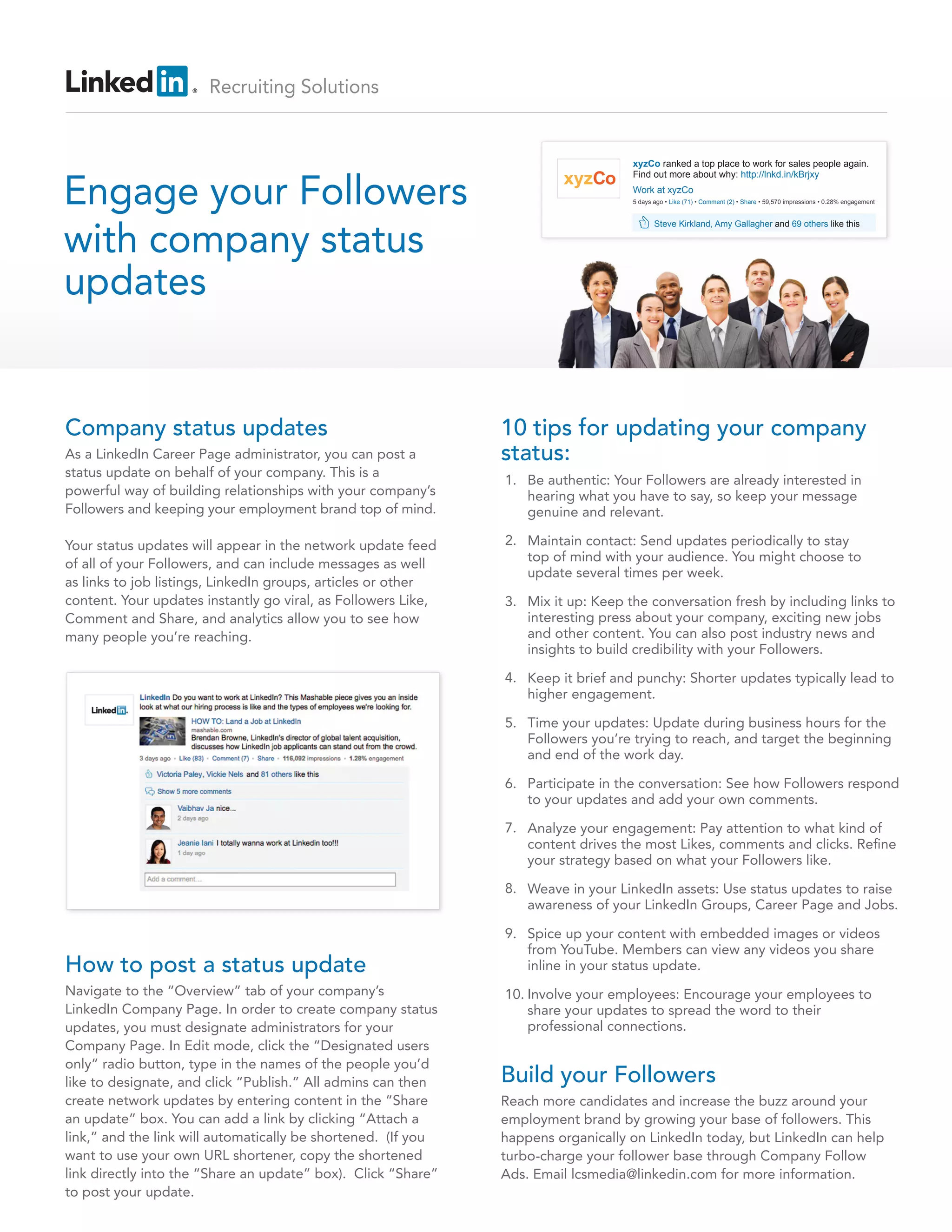
As a LinkedIn Career Page administrator, you can post a
status update on behalf of your company. This is a
powerful way of building relationships with your company’s
Followers and keeping your employment brand top of mind.
Your status updates will appear in the network update feed
of all of your Followers, and can include messages as well
as links to job listings, LinkedIn groups, articles or other
content. Your updates instantly go viral, as Followers Like,
Comment and Share, and analytics allow you to see how
many people you’re reaching.
10 tips for updating your company
status:
How to post a status update
Navigate to the “Overview” tab of your company’s
LinkedIn Company Page. In order to create company status
updates, you must designate administrators for your
Company Page. In Edit mode, click the “Designated users
only” radio button, type in the names of the people you’d
like to designate, and click “Publish.” All admins can then
create network updates by entering content in the “Share
an update” box. You can add a link by clicking “Attach a
link,” and the link will automatically be shortened. (If you
want to use your own URL shortener, copy the shortened
link directly into the “Share an update” box). Click “Share”
to post your update.
Build your Followers
Reach more candidates and increase the buzz around your
employment brand by growing your base of followers. This
happens organically on LinkedIn today, but LinkedIn can help
turbo-charge your follower base through Company Follow
Ads. Email lcsmedia@linkedin.com for more information.
Be authentic: Your Followers are already interested in
hearing what you have to say, so keep your message
genuine and relevant.
Maintain contact: Send updates periodically to stay
top of mind with your audience. You might choose to
update several times per week.
Mix it up: Keep the conversation fresh by including links to
interesting press about your company, exciting new jobs
and other content. You can also post industry news and
insights to build credibility with your Followers.
Keep it brief and punchy: Shorter updates typically lead to
higher engagement.
Time your updates: Update during business hours for the
Followers you’re trying to reach, and target the beginning
and end of the work day.
Participate in the conversation: See how Followers respond
to your updates and add your own comments.
Analyze your engagement: Pay attention to what kind of
content drives the most Likes, comments and clicks. Refine
your strategy based on what your Followers like.
Weave in your LinkedIn assets: Use status updates to raise
awareness of your LinkedIn Groups, Career Page and Jobs.
Spice up your content with embedded images or videos
from YouTube. Members can view any videos you share
inline in your status update.
Involve your employees: Encourage your employees to
share your updates to spread the word to their
professional connections.
1.
2.
3.
4.
5.
6.
7.
8.
9.
10.
Engage your Followers
with company status
updates
xyzCo ranked a top place to work for sales people again.
Find out more about why: http://lnkd.in/kBrjxy
xyzCo
Steve Kirkland, Amy Gallagher and 69 others like this
Work at xyzCo
5 days ago • Like (71) • Comment (2) • Share • 59,570 impressions • 0.28% engagement

Company status updates - best practices

  • 1.
    Recruiting Solutions Company statusupdates As a LinkedIn Career Page administrator, you can post a status update on behalf of your company. This is a powerful way of building relationships with your company’s Followers and keeping your employment brand top of mind. Your status updates will appear in the network update feed of all of your Followers, and can include messages as well as links to job listings, LinkedIn groups, articles or other content. Your updates instantly go viral, as Followers Like, Comment and Share, and analytics allow you to see how many people you’re reaching. 10 tips for updating your company status: How to post a status update Navigate to the “Overview” tab of your company’s LinkedIn Company Page. In order to create company status updates, you must designate administrators for your Company Page. In Edit mode, click the “Designated users only” radio button, type in the names of the people you’d like to designate, and click “Publish.” All admins can then create network updates by entering content in the “Share an update” box. You can add a link by clicking “Attach a link,” and the link will automatically be shortened. (If you want to use your own URL shortener, copy the shortened link directly into the “Share an update” box). Click “Share” to post your update. Build your Followers Reach more candidates and increase the buzz around your employment brand by growing your base of followers. This happens organically on LinkedIn today, but LinkedIn can help turbo-charge your follower base through Company Follow Ads. Email lcsmedia@linkedin.com for more information. Be authentic: Your Followers are already interested in hearing what you have to say, so keep your message genuine and relevant. Maintain contact: Send updates periodically to stay top of mind with your audience. You might choose to update several times per week. Mix it up: Keep the conversation fresh by including links to interesting press about your company, exciting new jobs and other content. You can also post industry news and insights to build credibility with your Followers. Keep it brief and punchy: Shorter updates typically lead to higher engagement. Time your updates: Update during business hours for the Followers you’re trying to reach, and target the beginning and end of the work day. Participate in the conversation: See how Followers respond to your updates and add your own comments. Analyze your engagement: Pay attention to what kind of content drives the most Likes, comments and clicks. Refine your strategy based on what your Followers like. Weave in your LinkedIn assets: Use status updates to raise awareness of your LinkedIn Groups, Career Page and Jobs. Spice up your content with embedded images or videos from YouTube. Members can view any videos you share inline in your status update. Involve your employees: Encourage your employees to share your updates to spread the word to their professional connections. 1. 2. 3. 4. 5. 6. 7. 8. 9. 10. Engage your Followers with company status updates xyzCo ranked a top place to work for sales people again. Find out more about why: http://lnkd.in/kBrjxy xyzCo Steve Kirkland, Amy Gallagher and 69 others like this Work at xyzCo 5 days ago • Like (71) • Comment (2) • Share • 59,570 impressions • 0.28% engagement