It’s an interesting cultural moment right now: I think Bryan tweeted, many people are watching people catching balls, while others are watching Bryan Johnson tripping balls. Bryan Johnson, of Blueprint fame, is livestreaming taking a heroic dose of mushrooms. It’s been an interesting journey with the journalist Ashlee Vance, Naval Ravikant, David Friedberg, Marc Benioff, Genevieve Jurvetson, and now a DJ set by Grimes. I was hoping he’d be talking/interacting more with the guests, but it’s been more of a live commentary. Glad all the work Bryan is doing, as Genevieve said, to broaden the Overton window on this, really re-opening a lot of research originially started by the government and pharmacutical companies 50-60 years ago.
The newest episode of the Gutenberg Changelog podcast, #125, features hosts Birgit Pauli-Haack and JC Palmes discussing a major trio of releases: WordPress 6.9, Gutenberg 22.1, and Gutenberg 22.2.
JC highlights several exciting features in WordPress 6.9, focusing on significant developer and editor experience improvements, including the full iframe editor, routing, DataViews, the Interactivity API, pattern logic and content-only mode, and the Abilities system. A personal favorite is the new Accordion Block.
The discussion then moves to the latest Gutenberg releases.
Gutenberg 22.1 introduces the new core/tabs block and brings enhancements like JS/CSS editing for the HTML Block, updates to the Twitter/X embed icon, and various improvements to DataViews and Breadcrumbs.
Gutenberg 22.2 focuses on performance, block editor polish, accessibility, and developer experience. Key updates include expanded functionality for the Breadcrumbs block, support for background video embeds in the Cover block, and new controls for text justification and width in the Block Editor. It also refines the block-locking functionality with changes to pattern management, such as replacing the ‘Ungroup’ option with ‘Add edit section’ for specific blocks.
Tune in to get the full rundown on how these releases will shape the future of site building in WordPress.
Birgit Pauli-Haack: Welcome to our 125th episode of the Gutenberg Changelog Podcast. In today’s episode we will talk about WordPress 6.9, Gutenberg 22.1 and Gutenberg 22.2 releases or versions. I’m your host Birgit Pauli-Haack, Curator at the Gutenberg Times and a full-time core contributor for the WordPress open source project sponsored by Automattic. It’s a special delight to have JC Palmes with me on the show today. JC is the principal Technical Manager at WebDev Studios. Welcome back to the show, JC. How are you today?
JC Palmes: I’m doing good, Birgit. I am very busy but still alive. So that’s a win.
Birgit Pauli-Haack: I can imagine.
JC Palmes: Yeah. Happy to be here and talk with President Gutenberg again.
Birgit Pauli-Haack: Super. Yeah. Great to see you have your perspective on all the things. I just want to point out that on WebDev Studios they have just posted a developer’s guide to the future of WordPress with Gutenberg block editor, and in a in a short summary it’s why they switched or why WebDev Studios is so involved in React applications and in block themes and in the block development because it has a lot of advantages, and so there is the code shift to reactive components. I think one of the advantages that I see is that actually WordPress is giving so many components that as a plugin developer or agency developer you don’t have to make those decisions on the UI anymore. You can just follow along with the ideas. Is that accurate when I say that?
JC Palmes: Yeah. So that article I really like that a lot. It reflects what we see on most of our enterprise scale projects where blocks function like React components and they function like react components now. And theme JSON is basically the design system contract. So performance improves massively when you just when you move away from the old page builder stack for multisites and you know, big editorial teams, this kind of structure is really the only way things stay sane long term. So yeah, that piece captured that direction really well and it’s just the performance alone is just massive.
Birgit Pauli-Haack: Yeah.
JC Palmes: Massive performance improvements.
Birgit Pauli-Haack: Yeah. I think we talked about it the last time you were on the show when you already created the starter theme that’s based on block theme for the organization. So that’s what you start out with. And I will share the link to.
JC Palmes: The GitHub repo wsbt. Yeah.
Birgit Pauli-Haack: Yes in the show notes and I think that also encapsulated all the good ideas around it. Have you developed a little bit more on that? What other features kind of went in.
JC Palmes: Not recently but it’s in my list of to do’s. It’s just I’ve been very busy with projects and stuff, so I will need to. Because there are some fixes that moved into Core but we had to do very custom fixes and some of those are already in Core. So we will have to remove those and make sure that it’s aligned with the new version of WordPress and of course fully tested.
Birgit Pauli-Haack: Yeah, I can see that there are always a few things that are not working in WordPress or you have to build a workaround. You know it’s coming but you need something now. You need to build a workaround and then when it comes into Core that they say, oh, okay, that custom code goes away and in comes Core. But it still needs to be backwards compatible also for your clients. So. But I think that’s a pretty good trade off to actually then have WordPress keep updating the part of the code. Yeah.
JC Palmes: And the way that WordPress is kind of moving towards a future proof version, it’s easier to add in fixes now and take it out when Core takes over. I haven’t had any sites break currently. That’s using our base theme.
Birgit Pauli-Haack: That’s awesome.
JC Palmes: Even with the core updates.
Birgit Pauli-Haack: Yeah. It’s all pretty much isolated and you don’t have to worry so much about things. Yeah. Awesome. So, yeah, we will share the article about the developer’s guide on the future of WordPress and Gutenberg block Editor in the show notes. We will also share the starter theme that WebDev Studios has, and I don’t think we talked about it here on the show or maybe with somebody else. That’s the theme switcher plugin that came out from WebDev Studio, which is a way to have different themes, multiple themes.
JC Palmes: Yep. In one site. It’s a really robust plugin and I think a lot of enterprise level companies are going to like it just because they can test, you know, if they’re not ready for Gutenberg blocks and they’re still on the old WordPress computing system, if they want to try this out, then they can have a full site theme and together with their old theme and change it out one page at a time.
Birgit Pauli-Haack: Yeah, yeah, that’s what I understood. That you can have a gradual migration over to the new system to a block theme and see how your content performs and how your content creators actually work with it before you make the switch for the whole site. I think that’s pretty smart to do, especially when you have thousands and thousands of posts and more than two editors kind of.
JC Palmes: Yeah.
Birgit Pauli-Haack: It’s really helpful to have a gradual shift because we all don’t like change, sudden changes. You know, we like to be in the. Okay. I need to get accustomed to things.
JC Palmes: This thing, that theme switcher is kind of, it’s allowing these people to test the waters first before diving right in.
Birgit Pauli-Haack: Yeah. And you can make the blue block theme that is kind of added to the. The other theme kind of look almost identical like the other one. So you have the shell and then can see how the. The rest of it works. Yeah, it’s pretty nifty. Yeah. So that I will share also with our listeners on the show notes. And I’m glad you’re all doing such a great job in advocating for the block editor and share all your wins with the community.
Announcements
All right, so I have a few announcements, dear listeners.
So the Gutenberg Changelog is now also available as a podcast on YouTube. Last week I uploaded all episodes. Well, I didn’t upload one at a time. So YouTube has this feature where you can point it to an RSS feed and then it gradually kind of uploads them itself on its own. And because Google abandoned their podcast space maybe two years ago and only now I have migrated it, but it was fairly easy to do and the only change I had to make was to allow the RSS feed to actually have all the episodes in there so YouTube could grab them. But I also needed to do that anyway because I also switched over from the seriously simple podcast player on our episodes to the Pocket Cast player. So Pocket Cast also needs all our episodes so we can have the slug or the short link for the embed code in there so that you will see also on the website.
And I also wanted to say hi and welcome to all the new subscribers. We had a lot more listeners in the last month and I would really. Yeah, it’s awesome. I’m so happy that after a period of two years stagnating, kind of always have the same amount of listens and downloads, and now all of a sudden it’s really great to connect with you, dear listeners. And if you want, leave a comment or review on your favorite podcast app, we will read it aloud here and I also want to connect with you and learn about your ideas or what topics you would like us to cover more. So you can also send this all to the email address. The official email address for the podcast is changelogatgutenbergtimes.com so now enough about me. Let’s talk about my book. No, I don’t, I don’t do a book.
JC Palmes: I would read your book.
Birgit Pauli-Haack: Oh, thank you. Yeah, I, I sometimes. Well, I almost did a book. Yeah. For WordPress 6.9. But we will talk about that.
WordPress 6.9 Release
So WordPress 6.9 is coming. We are a few days away, like five days or something away from the WordPress 6.9 release. It’s out as release candidate three. We are recording this on November 28th and the release is scheduled for December 2nd. So today is Friday. For Tuesday, that’s also the date when State of the World will happen out of San Francisco live streamed and probably with a few demos from WordPress 6.9. Also with the Outlook for 2026, but for our listeners, the field guide is out. It came a little later than for other releases, but on the Gutenberg Times I also published the WordPress 6.9 source of truth, which has a whole lot of details about what changed on the block editor for end users and also for theme developers, what they can style and all that. So if you want to read it, it’s 22 to 33 minutes to read through it and it has 5,000 words, over 5,000 words. So that’s half that. It’s not a book, but it’s a book. It’s almost a book.
JC Palmes: It’s a lot of words.
Birgit Pauli-Haack: That’s a lot of words. But also screenshots and videos so you can really learn a little bit more about what’s in the editor. And I also have a ton of links about the developer-related updates. So JC, what are your favorite or exciting updates coming to WordPress 6.9?
JC Palmes: Well, my first, my top one would probably be the terms query improvement. I thought that was still on Gutenberg 22.2. It’s now on 6.9. I mean it’s a big deal for me because I’ve built custom versions of this so many times because you know, the current query block, they’re not strong enough for what we need. So with that coming into Core, that’s kind of big.
Birgit Pauli-Haack: The term query block, it almost works like the query block, but not with posts, but with description tags. Yeah, with the terms and also so you can have the title, you can have the count and you can also. The term description was already available as a block, but now you can also put it in a dynamic page where you can list all the good categories and things that you need. Yeah, and it’s good for filtering I would think, for the huge sites and it also sites.
JC Palmes: Yes.
Birgit Pauli-Haack: Yeah.
JC Palmes: But else the accordion block. I’ve built so many versions of the accordion block as well. So having that in core just means lesser custom blocks. And you know, it’s. It’s going to be consistent markup because it’s core and I’m pretty sure better accessibility and styling, so there’s no surprises.
Birgit Pauli-Haack: Yeah. I think the accordion block really lives from how you’re going to style it. So the style variations are much easier to create than custom blocks. On the developer blog, Justin Tadlock actually did a tutorial on how to style the accordion block, and he also has a snippet on how to add the schema for FAQs to the accordion block. So I will share that in the links in the show notes. He explains how to do the theme JSON styling, also the style sheet, as well as what’s still missing, how you do it in CSS and also how you can do it in a plugin or in a pattern rather. And so it’s a really good tutorial for someone who kind of starts out and hasn’t done so many accordion blocks like you did. Yeah. What else are you going to be?
JC Palmes: So another big one for me is I know it’s not yet in core, it’s in the plugin still, but the preparation is already in core. It’s the full iframe preparation for the integration in the post editor.
Birgit Pauli-Haack: Why is that important for you?
JC Palmes: Because it’s going to mean cleaner isolation, fewer CSS leaks, less theme and admin bleed. Bleed through with styles. Because we’ve been battling that. Yeah. So we’ve had quite a bit of issues with admin CSS sneaking into custom blocks and vice versa. So this direction makes me very happy.
Birgit Pauli-Haack: Oh, good, good. I’m glad. The contributors will be happy to hear that, especially Aki and Ria and Ella, who kind of have been working on that for so long. And thank you. I let him know.
JC Palmes: One other thing, I’m not sure. Did the tiny MCE thing make it into core or will make it into Core?
Birgit Pauli-Haack: No, not yet.
JC Palmes: Oh, not yet.
Birgit Pauli-Haack: I think that it’s not automatically loaded. That part. Yeah, I think that’s slated for 7.0.
JC Palmes: Okay, I’ll wait for 7.0. I’ll be very happy. Well, I’m happy now that there’s ongoing work because in one of my projects, again, I’ve been fighting with a lot. I’ve been fighting with tiny MC issues for months, especially when you have more than 10 classic blocks and ACF with tiny MC on top. Everything just starts lagging or breaking in very strange ways. So please make it happen.
Birgit Pauli-Haack: So what else is there are any APIs that are coming to 6.9 that you are excited about?
JC Palmes: API. Yeah. Abilities API. That one is interesting. Is that in moving Core? Yeah, it’s moving core. Yeah. I know. It’s still kind of experimental. Oh damn. Yeah, I’m sorry. Really excited.
Birgit Pauli-Haack: Yeah. Good.
JC Palmes: Yeah. So what I like about this because it’s now in a kind of unified declarative model with permissions. So plugins are no longer as scatterbrained with capabilities, capability checks everywhere. So this is going to be a cleaner way to define what a user role can do. That’s more of what I need it for. It’s one feature that I’ll probably be playing with a lot more. Data views and routing. Those two.
Birgit Pauli-Haack: Yeah, yeah. Data views are on NPM. So if you as a plugin developer or agency developer want to use it, they can be included into your REACT apps. And there’s not only the data views but also the data forms where you get validation with it and then you can do your modals. For data entry. It is a whole new design system for the admin and for admin pages. It will not be kind of a switch over right away. Yeah. So from. From the site editor to the whole thing like the command palette. It definitely needs a lot of testing and quite a few plugins. For instance, Jetpack uses it. Some screens at WooCommerce use it now and then. I also know that other plugins are actually working with it to use the data view’s components and design for their plugins.
JC Palmes: Yeah. Because if this becomes a standard for building admin UIs, we can finally stop reinventing these tables every year and you.
Birgit Pauli-Haack: Don’t have to maintain the bulk of the code. So it’s only the business logic pretty much. And to maintain for you. Anything else that you want to talk about?
JC Palmes: Performance improvements are off the charts. On smarter script and style loading, they’re now going to load automatically in the footer. Right?
Birgit Pauli-Haack: Yeah.
JC Palmes: And then there’s the fetch FOID that I only learned about earlier today. It’s kind of interesting. And yeah, the reducement of the layout shift for videos. Oh, caching is now better cache support, especially for multi sites. The multi site cache is going to be. Can be cleared out for the whole site, not just for per site. Right. Yeah, I think that’s going to be huge. Yeah. We’ve Been having quite a bit of multi site projects lately, so that’s going to be. Yeah.
Birgit Pauli-Haack: So do you see any applications or adoption of the Notes feature, the content top level commenting?
JC Palmes: Well, for content editors that would be a help, I guess. I haven’t really paid a lot of attention to that part. I paid more attention to the developer parts and more of the UI. Yeah, that. I’m not sure if I’ll use it, but probably. Well, I don’t really take notes, so.
Birgit Pauli-Haack: All right, good, good. So I think that’s all we’re going to talk about WordPress 6.9. I talked with Ella about it and I also talked with Sarah about it and with Beth Soderberg. So the last four episodes we have talked about quite a bit about 6.9. So now that it’s here, it’s really kind of. We’re going to be shifting what’s coming to 7.0, but not in this episode except for what’s in Gutenberg plugins.
Before we head into what’s released, I wanted to point out to our listeners that the WordPress importer has received a major upgrade and that came out of the Playground team. The Playground has this blueprint steps called Import WXR, which actually uses the export of a site that is done exporting with the WordPress importer. But the problem was when you import it to Playground, all the links would break and so the team added a URL replacer to the importer plugin and it not only is a very smart replacer, it does not only replace the page links, but also the URLs or the links that are in navigation blocks that are in background image CSS. And so it’s, it’s actually really helping. You don’t need any other plugin to actually import an export from a website. Yeah. So you can put it into Playground and then have a fully functioning site without having trouble. And if the images are still on the original site, it kind of grabs them and puts them in as well like the normal importer does. But it also replaces the URLs to the image. So it’s really a major shift on the WordPress importer. I think I abandoned using the importer about four or five years ago for other plugins when I was moving sites. But this seems to be a much smaller way now because it also streams that. So it’s really fast on the importing part.
JC Palmes: I’ll have to check that and test it out.
Birgit Pauli-Haack: Yeah, it’s released now in 0.9.5, and I’ll share the link in the show Notes to the PR that implemented that URL report. There’s actually a better way. Adam Chylinski, the brilliant programmer of Playground, has actually a post on the Core blog where he kind of lays out how he did it.
What’s Released – Gutenberg 22.1
All right, now we come to the Gutenberg 22.1 release. Do you want to lead us into what’s new and what we’re going to talk about? We start out with a new block. It’s the core tabs.
JC Palmes: Oh, the core tabs. Yep.
Birgit Pauli-Haack: Have you been waiting for that too?
JC Palmes: Hey, yeah, yeah. We do have quite a bit of custom blocks as well that are tabs usually for education sites where they have multiple content that they need to add into tabs. We’ve used the navigation block before to kind of hack it up and use it as a tabs block and sometimes just very custom tabs block. But this is going to be way better because it’s now native and core.
Birgit Pauli-Haack: All right, okay. Yeah, I have seen a lot of tabs on some websites, but I personally. But I also don’t build a whole lot of websites with a lot of content. So I was wondering both for the accordion or the tabs block, but I can see that it’s actually a good use case for vertical navigation where you can then just have use it on the left hand side and then you click on it and opens content on the right hand side and it makes it so much faster because it doesn’t need a reload. It’s already on the website.
JC Palmes: Yeah.
Birgit Pauli-Haack: So yeah, that’s pretty cool. So what else?
Enhancements
There are enhancements to the design system for the admin stuff and also the static and lazy routing for the data views. But that’s all very, very developer-oriented. Okay. So the block library, with this release there comes image prefetching for clicks to expand the images. So if you. If a user or a visitor actually hovers over your gallery or your images and so there is an indication, oh, maybe they want to click on it and so it kind of prefetches the image. So after the click the loading is almost instantaneous. It’s actually somebody called it cheating, but it’s not. It’s kind of anticipating what a visitor wants to do and be helpful. Yeah. The next one is Breadcrumbs. So Breadcrumbs is still in an experimental new block. The same with the tabs block. You have to enable the experiments in the Gutenberg plugin and it now can handle homepage and show the last item attribute and add 404 search and other archive pages to the breadcrumbs if they are in the context of that particular page where it’s loaded.
JC Palmes: Yeah, well, I’ve built a lot of breadcrumbs as well, so this is going to be great once it’s. It lands in Core.
Birgit Pauli-Haack: Yeah, I know. I have used Justin Tadlock’s breadcrumbs block quite a bit and he has also been part of the team who’s kind of looking at how that’s working and if it’s good ready for Core and all that. So yeah, I really like it. Especially if you’re large sites like any other, you need breadcrumbs to guide your visitors back to safety, so to speak. If they get too deep into the site they want to. How they get back to it. Yeah, the next block I’m really excited about. Well, the HTML custom block is already in Core, but what they did now was they added JavaScript and CSS editing to the block. So you can actually.
JC Palmes: That is nice. Yeah.
Birgit Pauli-Haack: Build your own little app in one block kind of thing. So, yeah, it’s pretty cool.
JC Palmes: That’s going to get a lot of use for me just for playing around.
Birgit Pauli-Haack: Yeah. Well, you can do some great prototypes with that and then get the code in the right places. But yeah, it’s really cool. For those who are looking for a Twitter embed, it will be replaced by the X embed icon in text. I think after three years it’s probably time. Yeah.
JC Palmes: Once this hits Core, I’ll have to remove the function that we’ve added for that particular feature.
Birgit Pauli-Haack: Yeah. Do you want to take the next one?
JC Palmes: It’s collaboration of the notes that I don’t use, but. Right, right, definitely interesting. And I see it being used for collaboration for those use notes, but not for me.
Birgit Pauli-Haack: With this release that comes. I need to put it this way. So normally you want to disable things also when there are new features, there are always some people who need it also to be disabled, but it’s also some. You don’t want the notes to show up in distraction free mode or in the code editor. So this release in the Gutenberg 22.1, for those two things, notes are disabled. There’s also keyboard shortcuts and support for tree navigation and form submission shortcuts and all that. But those are the two outstanding changes to the notes that won’t be in 6.9. Well, let me verify that. No, it was backported both of them were backported to the release candidate. So it’s in 6.9.
JC Palmes: Maybe I’ll check it out.
Birgit Pauli-Haack: Yeah, absolutely do. Yeah, you want to know what your customers are doing with it. And there’s also a def. Go ahead.
JC Palmes: Oh, sorry. Go ahead. Yeah. I’m just going to say that it’s good that they also added in a. An ability to disable it.
Birgit Pauli-Haack: Yeah. And there is a dev note by Adam Silverstein, who was one of the instrumental developers there. There were also contributors from Asia there. And so there was a whole team building on that. The team was from the company Multidots and they have been working on it for probably a year. And the developer note by Adam Silverstein is really very specific on how it was implemented. If there are new filters and hooks to figure out more about the dev notes, if you need additional features and how it all kind of came together, what’s the basis of it. And so it’s a really interesting note. If you are a developer and working with WordPress. The next thing is the text area control. I like that you now can add to the text area in. But that’s for the data forms, I think. Yeah, no, it’s in. Yeah, it’s in the components actually. So it can be in the editor as well. If you have a text area that you now can add a minimum height to it. So it can also grow from there. Yeah. Do you want to do the next bolded one?
JC Palmes: Yeah. Okay. So the color picker also got a really nice upgrade. You can now paste an entire color value directly into it and it’s in any format. Right. So Hex, RGB, HSL. Can it do named colors? It can, right?
Birgit Pauli-Haack: No, I don’t think so.
JC Palmes: Oh, that would be awesome.
Birgit Pauli-Haack: That would be awesome.
JC Palmes: Yeah.
Birgit Pauli-Haack: Well, we need to try it out. Yeah. To do. If you can do lime. Lime yellow.
JC Palmes: Yeah, yeah, yeah. I think what’s great is that, you know, you don’t have to click into a specific input, just paste it. Enter inside the picker. Yeah, I had to sometimes because when you do colors, right. For websites and you have not added a specific color to the color picker for the theme, I have this browser extension where I just hover on the color and get the value and then the color picker would not. I do not like the value that I input into it. So having the ability to add the entire color value directly is going to save me a lot of time and doing that.
Birgit Pauli-Haack: Yeah. And also it avoids typos. Yeah, but. Oh, yeah, yeah. I’ll look up colors all the time. Yeah. And then want to just hover the hex value and then post it in. But yeah, you have to. It’s good.
So the term name, the extensibility on the term name, I’m not sure it’s really extensibility, but it adds the level options for the heading levels and I think that was in 6.6 where that actually made around because the extensibility is that you can control the levels that a heading can have. So normally when you use a heading heading block it starts with H2 and you always need to use the drop down to change it to H3. Yeah. And with the level options you can actually control that through theme JSON. Or to only do term level being H3 all the time. Yes. Without having to change it every time you use the heading level.
JC Palmes: A very nice improvement for content only patterns is normally when you’re editing a content only pattern, a lot of the design controls are hidden because you know, the structure is locked. So. And that’s the whole point. One of the annoying parts of it is trying to tweak colors.
Birgit Pauli-Haack: So you can do it now.
JC Palmes: So. Yep, you can do it now. That’s going to be a huge experience for. Well, for content writers.
Birgit Pauli-Haack: Yeah.
JC Palmes: Really.
Birgit Pauli-Haack: And you don’t have to enable it. Yeah. With custom code either.
JC Palmes: Anyone is able. Yeah, exactly.
Bug Fixes
Birgit Pauli-Haack: So we come now to the bug fixes and there are a ton of bug fixes. Yeah. Don’t get me wrong, there are also a ton of them that were backported to WordPress 6.9. And for the accordion block, it adds CSS for the default styles. It also has some font style inheritance for button and inner text blocks. I think that that’s a little bit of a red flag. No, not red flag, but it was a little bit. The benefit from the accordion block in core was that it didn’t have any opinion on style. But the problem was that if you use the accordion block in a classic theme, then it wouldn’t have any styling unless you put it in a classic theme. So there was one idea was to just put some default styling in, but they were so restrictive that they can’t be overwritten by theme JSON values for another theme. So that kind of was a little bit of a problem. I’m not quite sure how they solved it or if they’ve solved it before the next version comes out, before the 6.9 comes out, but that’s kind of part of it. And the inner blocks of buttons or text blocks, they inherit the style of the above accordion block. So it’s kind of that.
JC Palmes: Okay, so right now. Well, prior to this fix, it’s not inheriting the font style from the heading or the other way around.
Birgit Pauli-Haack: Well, it was the font styles for the. The font style from button, accordion header, toggle. That’s the whole heading. It didn’t go to the next header, I think. Yeah. And it’s a typography appearance. Yeah, it’s fixed. Yeah. Okay.
JC Palmes: Yeah. Embeds, there’s beds to go and shrink. That’s going to be helpful.
Birgit Pauli-Haack: Yeah. So the embed blocks, they were pretty restrictive in their styling. And now when they’re inside a flex group block, they can grow and shrink with the size of the group block.
JC Palmes: Together with the group block.
Birgit Pauli-Haack: Yeah. That is really cool.
JC Palmes: Because less CSS.
Birgit Pauli-Haack: Yeah, less CSS and also increased responsiveness. Right. If the group graph gets smaller, then also the embed gets smaller and it doesn’t bleed into the template.
JC Palmes: Yeah. Does it keep the aspect ratio? I hope it does.
Birgit Pauli-Haack: Well, I think that’s something to be tested and kind of figured out. Yeah, I haven’t tried it yet.
JC Palmes: Yeah, me too.
With one of the things that I kind of really hate about. Not hate. Hate is such a strong word. I don’t like about the embed block is you know when you have a video and then you shrink it and it’s not shrinking and it. If it does shrink, it loses the aspect ratio.
Birgit Pauli-Haack: Yeah. So the next thing is more like CSS specificity for the text alignment classes. And also I think that corrects something that was done before that the text alignment and paragraph would go away. And now it kind of. Now it comes back and with a better robust CSS styling. And then for the heading block, the background padding was pretty strong out of the box. Yeah. And now they kind of are more specific to the block. So also more styling freedom for the theme developers. Right.
JC Palmes: Yeah. Those quality of life improvements.
Birgit Pauli-Haack: Absolutely. Yeah. And I think there was a question from Twenty Twenty-Two.1. Yeah. The routing part is still all for the data use is still all in experiments. So you need to enable those. If you want to play around with that, if you want to test it, it’s playing around seems so unserious. Yeah. But if you really want to test it, if you can use it already. So, yeah, that was it.
Gutenberg 22.2
And we come to Gutenberg 22.2. We are talking through the changelog of the release candidate 22.2 will come out on December 3rd, so one day after 6.9, but it’s normally that the release candidate is pretty solid in what’s coming in into the final release, just for testing purposes that they actually do a release candidate one. So this one is big. It has 161 pull requests from 49 contributors, 4 of which are first timers. Congratulations to your first contribution. And the release focuses more on performance and block editor polish and has a series of accessibility developer experience improvements. But it’s intended to test ahead with that.
Enhancements
There were some enhancements again through the breadcrumbs block. It’s kind of really fantastic how that is going to grow and be feature rich when it will come to WordPress 7.0, but you definitely try it out. It now has an archive link if there’s enabled in post and can do attachment handling and post type archive links and support a pagination as well. So it’s kind of really cool. What else is in there?
JC Palmes: The cover now supports background videos from embeds and yeah, that’s a major upgrade for the cover block because until now background videos only work if you uploaded a file directly to the media library. And now with this new update you can use embedded videos like YouTube, Vimeo and other or supported embed sources.
JC Palmes: Yeah, that’s huge. It used to be a custom block for us and having the ability to do this when it lands on core is going to be really huge.
Birgit Pauli-Haack: Here goes the custom block again out.
JC Palmes: Exactly.
Birgit Pauli-Haack: Yeah.
JC Palmes: And I’m absolutely happy to remove custom blocks and move into native core blocks when it’s there because it just did the improvement and the quality and the markup just consistent and it’s really nice when you know, things work together.
Birgit Pauli-Haack: Yeah. And especially the custom block you don’t want to have. Not every shared hosting has. You can upload videos well or if they’re uploaded, they’re rather pedestrian I would say, because they need to be downloaded and so if you use an embedded one. So the YouTube or the Vimeos of the space are actually hosting your video and it. It doesn’t take all the bandwidth and all that. So it’s a really cool quality of life enhancement as well. For those who don’t have so much oomph on the hosting. Yeah, yeah.
JC Palmes: I mean this should have existed years ago. Then again.
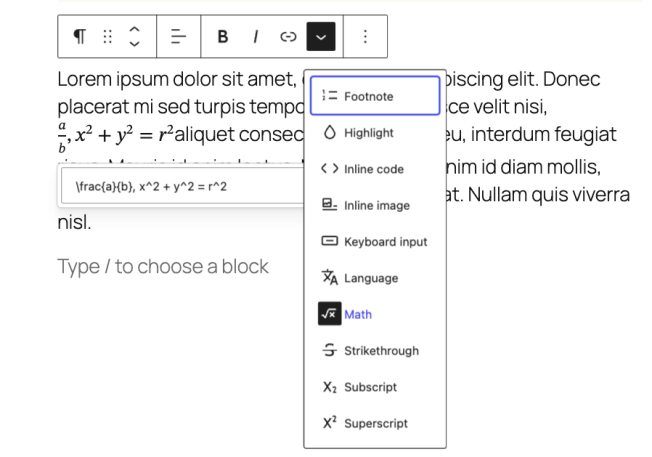
Birgit Pauli-Haack: Well, there are a lot of things that should have been fixed a year or two ago. Yeah. There’s also a new enhancement for the math block so you could style of course the text of it, but not the full block around it. And that has now style options as well. So you can change the background and the dimension and the border and the red border radius. It’s all available now for the math outside the math block. It’s not coming to 6.9. That’s for the future release, but it’s test it out and see how it comes to pass. And the next one you would like, you’d like that.
JC Palmes: Yeah, I like this. A lot less CSS and markup for me. So that button block got a big improvement. And theme builders, you know, theme builders like me, every one of us have been asking for forever because we can now style pseudo states like hover focus active focus invisible directly in theme JSON for the button block and its variations. Because before this, the only reliable way to style hover or focus styles states, I mean, was to either drop in custom CSS into theme JSON or in a custom CSS file. Yeah, style sheet. That kind of great idea of keeping design controls inside theme JSON as much as possible. I would want to keep design controls inside theme JSON. But with this improvement, we can now design these states that the same way that redefine normal button styles and variations. The outline button can now have hover states too.
Birgit Pauli-Haack: Yeah, yeah, yeah. The next two items are about the data views. There are a lot more in the data views section of the changelog, but there are two things. One is because it points out that you now can insert certain information into the table. So the table column header allows you now to add columns left or right of your location that goes into that. The data view screens are much more customizable out of the box than any admin page in the current WordPress admin would do. But I really like that part where you can say where the columns go and all that. So you have a real more control over it as a user or as a site owner.
JC Palmes: Yeah. I also like the new layout option, the activity layout, because that’s basically a timeline view. Right. It’s similar to the list layout but with styling and behavior tuned for things like say revisions logs, events, audits, anything chronological. Exactly. You get a vertical timeline track on the left, almost smaller media inline primary actions, and really a clearer focus on the event field that anchors each entry is disabled though. But I guess it’s kind of like a timeline view, so it really shouldn’t jump around. And that. That makes sense that the cool part, I think it’s that it’s not just visual. The layout has its own interaction rules. Only the title is clickable. The whole row ssn’t. And the keyboard navigation is handled differently because the UI behaves differently than a list or a table. It’s a timeline. Yeah, it’s, it’s. I think it’s one of those layouts where once you see it, you realize that WordPress has needed it for years, a long time.
Birgit Pauli-Haack: Yeah, yeah, yeah. It’s definitely for historical data that you would want to have in some kind of a layout. Yeah. So cool. Thank you for pointing that out. We’re coming now to the pattern section and the PR says add edit section to the list view instead of ungroup. So there is. I think it’s still an experiment, I’m not quite sure. But the pattern padding management kind of changes a little bit. If you have a section that is. And we come to add what is a section block in the list view, those section blocks are now available to be edited and not that you have to unravel the pattern if you want to edit it. So that’s pretty cool. So what are section blocks? And I asked some developers who had been working on it about it and I asked and looked at the documentation and then the section is determined by the section block selector. Well, that is kind of if the. What is the is section block selector. Yeah. So it’s a pattern, a template part or a block that has a template lock on it that says content only. And so it moves around and can be edited, not edited, but styled in its whole. The content creator doesn’t have a whole lot of controls about it. It’s a special block that acts actually as a container with specific editing restrictions, primarily used in template and site editing context. So. So that was a new terminology for me to think about.
JC Palmes: It’s new to me too, but with the way that you’ve explained sections, I’ve only really called it lock patterns.
Birgit Pauli-Haack: Oh, okay. Yeah. Locked from. You can edit.
JC Palmes: Yeah, you can edit the content, but not the. The way it looks. Yeah, the design. Yeah. The structure.
Birgit Pauli-Haack: And there’s a whole lot of effort around that content only lock to kind of bleed into other places, be it in pattern, be it in the editor. How can you switch from one to the next? You need to point out that those are actually content only locked ones. So we will see a lot more about that in the coming months for this particular content only modals. You know, so I’m kind of. This is pretty much a preparation for that in terms of what particular PRs will come about that?
JC Palmes: Yeah. I mean it’s, it’s more of a guardrail when you don’t want styled structured patterns to just explode because it gives the option to ungroup it and then clients come back and say that it’s not working. So this is good. It’s more predictable behavior for a section.
Birgit Pauli-Haack: Yeah. Client section now cloning a section now that’s one thing. It also has a, certain pattern endpoint so you could do pattern wide changes to things. We saw it with 6.7 in the zoom view. When you were going through the Twenty Twenty-Five theme and go into Zoom view, you were able to add a pattern but then change the color of it because it would loop through the various color variations of your style variation. That totally. Yeah. I was totally amazed by that. To get new colors in there and you don’t have to worry about things. But that’s kind of the idea about it.
JC Palmes: Yeah.
Birgit Pauli-Haack: So. And then there were really, really small changes to the block editor. It now has a card icon.
JC Palmes: Thank you.
Birgit Pauli-Haack: It also supports the width and the dimensions. So you can control that for padding. Yeah. And also the text also has a justify attribute now or control. So those are really quality of life things. And they were. Yes, until you use them you don’t know you. You miss those things. But. Yeah, but that is how you use them.
JC Palmes: By editing a few thousand pages.
Birgit Pauli-Haack: Yeah. Yeah.
JC Palmes: Thank you.
Birgit Pauli-Haack: And I think that was everything that came. Well, we want to talk about Twenty Twenty-Two.2. Is there anything else that you found?
JC Palmes: I think we’ve talked about the ones that I really find interesting for the other functions, new stuff. They can read the build guide. But those that we’ve talked about are really the ones that jump out to me and I find really interesting or very helpful for my workflow.
Birgit Pauli-Haack: Yeah, wonderful. Excellent. I’m glad that we got that.
So before we end the show, I want to point out that there’s a state of the world coming next week with the keynote. That’s the annual keynote of Matt Mullenweg and it coincides for the first time with a major release of WordPress, the 6.9 release. And it will be live-streamed from San Francisco. I think the tickets for the in-person meeting have already been sold out for a while. But you can follow along on the live stream on YouTube. It starts at 20 or 8pm UTC. So it might be for our AAPAC contributors and WordPress users, it’s a little late in the day. It’s also almost past my bedtime in Europe because San Francisco is nine hours away from me. Yeah. So there’s this time zones quagmire that we always have to deal with. But if you see it on Tuesday or on Wednesday, I don’t think it changes in between. And there’s nothing really urgent in there. So take the time and call it on the rerun.
JC Palmes: Yeah, I’ll probably watch it live because I’m in that time zone.
Birgit Pauli-Haack: Oh, you’re in that time zone. Yeah. Yeah.
As always, our show notes will be published on GutenbergTimes.com podcast this is episode 125 – 125, and if you have questions, suggestions or news or comments. Yeah. If you want us to include them, send them to changelogatgutenburgtimes.com that’s changelogatgutenburgtimes.com, and I say huge thank you to JC Palmes to come on the show and talk through those two releases with me and share what you are looking forward to for 6.9 and also share all the good work that is from WebDev studios that can help other agencies to also streamline their processes.
Thank you so much, JC, I hope you have a wonderful day or night and all the listeners. Thank you for listening.
Werner Vogels, CTO at Amazon, boldly publishes his 2026 tech predictions. While you’re on his blog, take a moment to enjoy his essay, Development gets better with Age. Werner and I first crossed paths almost 20 years ago at tech conferences like GigaOm’s Structure, LeWeb, Future of Web Apps, O’Reilly Etech, and TheNextWeb. Though we don’t see each other often, I have enjoyed following his work and writing over the years, and it delights me that he’s still learning and sharing with the same vim and vigor I remember from when we first met. I think he might have been the first person to introduce me to the works of Richard Feynman through a BBC program.
In case you celebrated it, I hope you had a wonderful Thanksgiving holiday, lots of turkey, sweet potatoes, beans, stuffing, gravy and pumpkin pie. Or any kind of pie really . And lots of love and laughter around your family and friends.
I just want to give a huge shoutout to all the WordPress contributors who teamed up to roll out this next big version of WordPress for the hundreds of millions of websites out there and all their users and visitors. Every update is a big deal and only happens because of teamwork, good vibes, honesty, and trust. Not everyone who contributes is a coder; some work on documentation, translate stuff into loads of languages, create tutorials, and so much more. WordPress 6.9 is dropping on Tuesday if everything goes smoothly!
Other contributors have already started on the next version, 7.0. We don’t know yet exactly when it will come out. In their last check-in meeting Core committers discussed a release date in March or April of 2026. They are also thinking of going back to three releases per year.
Have a splendid weekend ahead, and I am so grateful that you are here. Your presence makes me want to write every week. Be well.
Yours, Birgit
My team mate, Jonathan Bossenger and I were on this week’s panel for This Week in WordPress #356 episode, together with Taco Verdonschot and Nathan Wrigley. It includes “Birgit Pauli-Haack gives a whirlwind tour of her epic WordPress 6.9 Source of Truth “. There was a lot more of course.
Hector Prieto published the Dev Note Miscellaneous Editor Changes in WordPress 6.9, highlighting various refinements to the block editor. The release improves keyboard navigation, selection, and focus handling, adds small UI polish, and refines patterns and templates behavior. It also updates APIs and deprecations to keep block development consistent, enhances accessibility and stability, and smooths authoring flows, ensuring theme and plugin authors can better integrate with the evolving editor experience.
Nick Diego and Ryan Welcher livestreamed their WordPress 6.9 Walkthrough. They guided viewers through the key updates arriving in WordPress 6.9 ahead of its December 2 release.
In his livestream this week, Jonathan Bossengertested the Block Bindings coming to WordPress 6.9. He tested the new enhancements in the date and image blocks, as well as custom source registration. Throughout the stream, Bossenger troubleshot and documented his process, exploring how these updates can lay the foundation for future developments. You can join him as he navigates through the intricacies and potentials of these new WordPress features!
In his video WordPress 6.9 New Features, Pascal Claro demonstrates all new features for the Block editor coming to a WordPress instance near you.
Maruti Mohanty held a Learn WordPress workshop on How to Prepare Your WordPress Site for WordPress 6.9. The recording is now available on WordPressTV. You will learn how to use the Beta/RC releases to test your site for the upcoming releases. This will be a practical walkthrough to build your staging, test for compatibility, and plan a safe rollout.
In his post The Foundation for AI-Powered, Composable, and Editor-Friendly Websites, David Levine covers the WordPress 6.9 release and its focus on incremental yet impactful improvements to the site editor and performance. The post highlights refined pattern management, better style controls, and workflow enhancements for building and editing layouts.
The Abilities API will launch with WordPress 6.9. TrewKnowledge has published a simple guide for builders, publishers, and product teams. It explains how “abilities” bring together capabilities and permissions in the editor and admin, allowing for better control over tasks. With examples and clear advice, the article helps agencies and product teams create safer workflows, customize roles, and improve user experiences.
Rae Morey, The Repository, reports on how WordPress 6.9 to Introduce Notes, Bringing Asynchronous Collaboration to the Post Editor. Notes let users comment on specific parts of content, reply in threads, and mention teammates without being online together. The feature builds on Blocks and Phase 3 collaboration goals, aiming to replace scattered feedback via email or chat with contextual, in-editor discussions that improve editorial workflows and multi-author content reviews.
Codeable Expert James Roberts also covered the release for his co-workers in WordPress 6.9: What To Expect, outlining key updates to the Site Editor, patterns, and design tools that make building full sites more intuitive. The article also explains what agencies and clients should do to prepare, test, and safely adopt the new features.
Gutenberg 22.2 RC 1 is now available for testing. It comprised 161 Pull Requests by 49 contributors, four of whom are first-timers. The release focuses on performance, block editor polish, and a series of accessibility and developer experience improvements. It is intended for testing ahead of the stable 22.2.0 release on December 3 and is not recommended for production sites.
In the next Gutenberg Changelog episode, I had a chat with JC Palmes, the principal technical manager at WebDevStudios, about how their team has totally jumped on the Blocks and block themes bandwagon. It’s been a game changer for their workflow and super helpful for their clients’ editorial teams, too. We also shared favorites features of the upcoming WordPress 6.9 release and the latest Gutenberg updates, 22.1 and 22.2. So, keep an eye out for the episode arriving in your favorite podcast app this weekend!
Have you been avoiding the WordPress Importer when moving sites? It received a major enhancement from Adam Zieliński and other contributors. Zieliński published the announcement on the Core Make Blog: WordPress Importer can now migrate URLs in your content. This enhancement made it feasible to us the WordPress importer for the Playground blueprint step importWxr and it is now also compatible with content built in block themes, as URL in navigation blocks and image references in background-image css are also converted to the new site.
WordPress for #nocode site builders and owners
If you need to add FAQ schema to your Accordion Block, Andrew Viney, developer from Bristol, UK, has you covered with his accordion-faq-schema-toggle plugin.
Mohammad Shoeb announced that the free WPMozo Blocks Plugin for WordPress just got five new Blocks. The update introduces Hero Heading, Logo Showcase, Notice, Highlight Text, and Flipbox blocks, focused on speed, flexibility, and visual appeal. These blocks support layout and style customization, icons, gradients, hover effects, and responsive controls, enabling users to build standout sections, alerts, logo grids, and interactive content without performance loss or complex configuration.
Wes Theron published another nice tutorial for content creators on YouTube: How to add social icons to your WordPress site. He shows “you exactly how to add and customize social icons on your WordPress.com site, making it easy for visitors to connect with you across all your social platforms.”
Designing Block Themes
Bud Kraus wrote a tutorial on Scaling typeface gracefully with fluid typography that explains how to make font sizes adjust smoothly to different screen sizes using CSS functions like clamp(). He elaborates on how to use continuous scaling instead of fixed breakpoints, which helps improve readability and minimizes size jumps. The article provides examples for headings and body text, covers design tips, and shows how to implement fluid typography in WordPress themes.
Elliot Richmond created a Block Theme Cheat Sheet for WordPress that collects key block theme concepts, file structure, and template examples in one place. It outlines essential theme.json settings, common templates and template parts, and useful block patterns for building modern block themes. The resource is designed as a quick reference for developers who want a practical, copy‑and‑paste style guide while learning or refining their block theme workflow.
“Keeping up with Gutenberg – Index 2025” A chronological list of the WordPress Make Blog posts from various teams involved in Gutenberg development: Design, Theme Review Team, Core Editor, Core JS, Core CSS, Test, and Meta team from Jan. 2024 on. Updated by yours truly.
Bryce Culp of WebDev Studios created A Developer’s Guide: The Future of the WordPress Gutenberg Block Editor. He explains modern block patterns, theme architecture, and tooling, emphasizing best practices for performance, reusability, and accessibility. The guide helps developers transition from classic approaches to a Gutenberg-first mindset, leveraging React-based blocks, block.json configuration, and evolving WordPress APIs to build scalable, future-ready experiences.
Jos Velasco, DreamHost, found a way to simplify WordPress Plugin development with Telex and shared his workflow in this post. He has some tips and consideration on how to best work with the AI Block builder.
What’s new with Playground
Fellyph Cintra announced that Debugging with Xdebug is now available in WordPress Playground letting WordPress developers better understand what’s happening when something breaks. Now you can pause WordPress, look at what’s going on, and move through each step of the process in a browser. It works with simple tools or code editors, needs little setup, and is great for learning, testing ideas, and fixing problems more easily.
Cintra also published Playground CLI, adds ImageMagick, SOAP, and AVIF support. These additions make it easier to work with images, talk to other online services, and test modern image formats in temporary WordPress sites. Together, they help developers and site builders try more real-world features without complex setup on their own computers.
The latest article by Fellyph Cintra reveals that Playground allows developers to create temporary sites with specific Gutenberg branches in their browser. You can use special Playground URLs or blueprints to access nightly or feature branches, test new editor features safely, share consistent environments, and give feedback earlier in the Gutenberg development process.
Now also available via WordPress Playground. There is no need for a test site locally or on a server. Have you been using it? Email me with your experience.
AI in WordPress
Jeff Paul announced AI Experiments Plugin v0.1.0 . Team rep in the AI Team, James Le Pagewrote on X (former Twitter) “This is a pretty big release. It’s the first time all building blocks are used together and represents a really great reference for developers that surfaces in features that you can use right now.”
Ovidiu Galatan posted the Release announcement: MCP Adapter v0.3.0! This update brings official WordPress support for the Model Context Protocol. Version 0.3.0 is all about making things smoother with transport, better observability, and handling errors. They’ve unified the HTTP transport, put together a standard way to deal with WP_Error for MCP error responses, and revamped the observability handlers. Plus, they’ve standardized hook names, rolled out some detailed migration docs, and squashed some bugs, making sure everything works nicely with Abilities API v0.4.0 as part of WordPress’s awesome AI Building Blocks collection!
On his blog, James Le Page shared a two-part series about the Abilities API. The posts explain how WordPress “abilities” have changed from old permission systems to a clearer way of defining what users and tools can do. They describe abilities as easy-to-understand labels for capabilities used in core, plugins, and the editor. With examples of AI features, the series shows how abilities help developers provide safe actions, manage access, and create smoother user experiences.
We’ve secured an amazing secret venue for State of the Word on Tuesday, but it has limited capacity in terms of people and has a lot of security hurdles to jump through to get in.
So to open things up to the community more, we’re going to activate my hacker/maker art warehouse, TinkerTendo, in the Dogpatch neighbourhood for a simulcast watch party. There will be some cool art from the Misalignment Museum there, great wifi, lots of power plugs and floor seating, a big projection screen and speakers and I think will be a great spot for WordPress folks to hang and network and co-work while in San Francisco. I’ll swing by after the talk to meet everyone as well.
I want to wish everyone a happy Thanksgiving! To me, the holiday is a reminder to be grateful. A gratitude practice is one of the most surefire ways to improve your happiness, as this study covered by Harvard Health explains.
I was part of a leadership coaching cohort with other founders and CEOs, and one of our exercises was to have a weekly 15-minute Zoom call where we’d each take turns saying something we were grateful for. (I think the original assignment was 7 minutes, but Parkinson’s law and Google Calendar’s 15-minute default expanded it.) Like most great coaching, it seems silly on the surface, but when you actually practice it with an open mind, something magical happens.
It really grew on me, and while most of the randomly assigned pods of people that had this assignment for a few weeks dispersed, ours has kept it going now for several years beyond the conclusion of the coaching program. The calls are also a great way to stay in touch with people I love, but we might easily fall into our own universes and not keep up with each other. Wherever we are in the world, whatever is happening, this standing meeting is on everyone’s calendar, and while it has ebbs and flows, the flame has been kept alive.
Consider starting your own pod: pick a time, set a standing Zoom room, and see what happens. We do early mornings before most meetings start. I don’t make it every week, but I do more than not, and the weeks when I do are definitely a bit brighter, both in my own gratitude practice and in the connection with the others in the pod.
[00:00:19] Nathan Wrigley: Welcome to the Jukebox Podcast from WP Tavern. My name is Nathan Wrigley.
Jukebox is a podcast which is dedicated to all things WordPress. The people, the events, the plugins, the blocks, the themes, and in this case, how CloudFlare outages impact the web, and WordPress performance solutions.
If you’d like to subscribe to the podcast, you can do that by searching for WP Tavern in your podcast player of choice. Or by going to wptavern.com/feed/podcast, and you can copy that URL into most podcast players.
If you have a topic that you’d like us to feature on the podcast, I’m keen to hear from you and hopefully get you, or your idea, featured on the show. Head to wptavern.com/contact/jukebox and use the form there.
So on the podcast today, we have Saumya Majumder. Saumya is the lead software engineer at BigScoots with a deep specialization in high performance WordPress engineering and advanced CloudFlare powered architectures. Throughout his career Saumya has built large scale systems ranging from custom caching engines, to migration tools, worker based automations, and edge computing solutions. He’s played a pivotal role at BigScoots overseeing enterprise customers, and developing scalable developer friendly solutions that push the boundaries of hosting for WordPress.
We begin our conversation with a timely discussion about a major CloudFlare outage that recently rippled across the internet. Saumya explains what happened behind the scenes, the nature of these kind of global infrastructure hiccups, and why, even with the most robust systems in place, some downtime is simply inevitable. He offers valuable insights into how BigScoots is able to mitigate these issues for their customers, even automating rapid failovers to keep sites online during outages.
We then move on to explore some of the innovations that the team at BigScoots have been working on. They focus upon site speed and reliability. This includes CDN level page caching, and their close integration with CloudFlare Enterprise. Saumya breaks down how this caching differs from traditional server based caching, and how it ensures that users around the world get fast, local access to website content.
If you’re curious about how hosting companies manage such advanced caching strategies and how CloudFlare might fit into the hosting jigsaw, this episode is for you.
If you’re interested in finding out more, you can find all of the links in the show notes by heading to wptavern.com/podcast, where you’ll find all the other episodes as well.
And so without further delay, I bring you Saumya Majumder.
I am joined on the podcast by Saumya. Hello, how are you doing?
[00:03:04] Saumya Majumder: Hey, I’m doing well. How are you doing?
[00:03:05] Nathan Wrigley: Yeah, very well, thank you. So this is going to be an interesting conversation. I got put in touch with Saumya via Tammy Lister, who has been communicating with Saumya over the last period of time. I don’t know exactly for how long. But the idea is that we’re going to talk about what they’re doing over at BigScoots and the interesting innovations that they’ve got.
By pure coincidence, the day before we recorded this, the Cloudflare, I’m going to call it fun, the fun that Cloudflare had with the entire internet happened. And so I think we’ll digress for a bit at the beginning of the podcast and talk a little bit about that as well, which was unexpected. But given that you are working heavily based upon Cloudflare, it’ll be interesting to talk that through.
Would you mind just spending a moment though, just introducing yourself. Just tell us who you are, what it is that you do at your current role, that kind of thing, and then we’ll get stuck into our conversation.
[00:03:55] Saumya Majumder: I’m Saumya. I work as a lead software engineer at BigScoots, specialising in high performance WordPress engineering and advanced Cloudflare powered architectures.
I also build large scale systems from custom cache engine to migration tools, worker based automations, edge computing and whatnot.
I also look after our enterprise customers, all of our internal WordPress projects and plugins and IPs. And I also build scalable, developer friendly solutions for our clients to ensure that they are getting the best service product out of it.
[00:04:29] Nathan Wrigley: Thank you very much indeed. Now, I’m just going to dwell on that for a little bit. A lot of that seems extremely technical, but also it kind of feels like that you went very much down a particular road very early on.
How is it that you ended up doing all of that interesting, but quite specific stuff? How is it that that happened? Is it something that you pursued out of college or something like that? How is it that you went down that path?
[00:04:51] Saumya Majumder: It’s an interesting question actually. So I remember, back in my second year of college, I started doing projects, like outside projects. So I started dabbling with PHP, like at the very early days of WordPress. So I get into the WordPress and I was like doing coding, changing things, pushing things to the core, tinkering with the WordPress. That was like way back in the days of the WordPress ecosystem.
From that, I was dabbling with PHP and other stuff. So that was like back in the days when I started, and then slowly I started seeing problems and how to solve the solution. So for example, a lot of the companies today, like CDN page based page caching, in today’s 2025 it’s like a very, pretty much common thing across the world. If you go to any premium hosting or any premium package, you kind of expect like CDN based page caching.
You know that that wasn’t the case, even like a few years back. It’s like this level page caching or RAM level page caching, like it’s all on the server. So me and one of my friends, whom we met online due to the WordPress coding things, we actually invented the CDN level page caching. So it wasn’t a thing before that. So there was a plugin that we created called Super Page Cache for Cloudflare that got later acquired by a different company called Optimal.
In that plugin we actually looked at like, okay, all the current solutions, like if you break down how the request is happening or how internet works, like you make a request from wherever in the world, that request then travels through across optical fiber cable, blah, blah, blah, to the ISP data center. Then from there it goes to the data center, well, then it reaches the server from there on. If you don’t have cache, then the server has to populate the entire thing, get the response, give it back to you, if you have the cache.
So we were saying that, you know, this is adding like a huge amount of latency, especially if you are, like the distance between the server and you is larger. Back then there was like MaxCDN, KeyCDN, and all of this provider who are like focusing on static files being served from the CDN.
So that was like already a thing, but we were like, okay fine. But like if static files coming from CDN, that’s great, but the main leap frog forward is if we can move the page. Like, literally serving the page HTML from the CDN itself. So if you are in Australia, the request doesn’t have to come to the US. Like, if it’s cached, it’s literally coming from your neighborhood.
So caching was one of the most complex problems that I kind of always loved solving because it was one of those unsolvable problems in the computer engineering world. So that’s how I like get into it, and then started. I broke a lot of things and fixed them and it’s like a journey. It’s hard to explain, but it’s like a journey of a lot of failure and a little of success, I guess.
[00:07:37] Nathan Wrigley: Yeah, I can imagine. Do you ever get the sense that you are approaching the destination or is this whole thing just, I’ll do this and then I know that in a week’s time, there’ll be something else that I can optimise. Is there ever a moment where you’ve thought to yourself, okay, that’s it, we cracked it for now? Or is it always just, no, there’s another thing?
[00:07:55] Saumya Majumder: It’s always a process, right? The technology is evolving. There’s way, way more to dig deeper. So one of the things we recently released was end DB protection caching. I’m going to talk about it in a moment and also login user caching. Both of these things were in my bucket list for years, and I have done like R and Ds, and R and Ds, and R and Ds to figure out exactly the way to do things. So again, you know, like it’s a process, right? And it takes time.
[00:08:20] Nathan Wrigley: Yeah, that’s lovely. Like you say, we’ll get into those bits and pieces. But as I said at the top of the show, by pure coincidence, we had this, let’s just call it a real collapse in a sense of what Cloudflare provides to the internet as a whole. And I think, depending on where you were and when you were awake in the world, I think for Europeans and maybe the part of the world where you are, it hit us right at the time when we’re all awake. I think maybe if you’re in North America, especially on the West Coast, you might have missed much of it.
But for most of the day here, everything on Cloudflare just declined to work. And it was really interesting how profound that was. And we’ve all heard this problem before. We’ve seen the little drawing of the great big tower built of Lego bricks, and there’s the one little brick at the bottom holding the whole thing up, and it’s called Cloudflare, or it’s called AWS or what have you.
Can you explain to us what the heck happened yesterday? Are you able to sort of get into, do you understand it at this point?
[00:09:15] Saumya Majumder: Yeah. So internet is a magical thing. It works by magic. If I get into explaining how it works, it’s going to be another thing. But the way it works is, and especially in case of Cloudflare, right? Like, a lot of people look at Cloudflare, that it is a CDN provider, like MaxCDN or Akamai or like any of these providers. But CDN is just one bit of Cloudflare. Cloudflare is like a, such a gigantic service that is like built on top of it.
So as a result, what happens is, when you have such a big system working together, there are lots of critical dependencies that happens. You have all these boxes, but all these boxes are depending on one of these config file, or one of these things that is coming from the layer below that, right?
And if anything happens in that one thing, the things at the top are working fine, but it cannot work because the one thing that is below it is gone.
I would also like to say there is no such thing in the world of internet that just works. Everything is supposed to break at some point in time. There’s no such thing. Be it Google, be it Azure, be it AWS, Cloudflare, anything it is. Even if you have your own data center and everything like that, like we have, there’s no way that, like a lot of things can happen even after you are prepared to mitigate all of those things, like you have follower, and a follower, of follower and all this backup system, still things can go wrong. Maybe that didn’t turn out, maybe that didn’t happen.
I saw a lot of memes yesterday on Twitter, like a lot of people was posting like, hey, I just joined as an internet Cloudflare. I pushed a code and that happened. And I understand that it’s funny, but when you look deeper into it, it is actually not funny. It is really like a code red scenario. And trust me, no one, no company wants to get into that code red scenario. Because you have to understand, all of these companies also dealing with a lot of enterprise customers to whom they have promised like 100% percent SLA or 99.99% SLA. And so when they don’t meet that, they have to pay a hefty amount of credit back to them.
So it’s not just the downtime and bad reputation and marketing and all that, it’s literal money being bled out of the company because of that. And it’s like all of those systems.
But at the same point in time, the way technology works, things can mess up. You can do multiple tiers of review of the code, you’re still going to miss a certain edge case scenario, which will only occur if this happened and that happened. And the probability of that happening is probably 0.00001%. But that 0.00001%, it’s not zero. It can happen.
In the world of engineering, we call certain things that are super low priority, like it’s never going to happen. I’m not saying that it cannot happen, it can happen, but the probability of that is so low that spending engineering hours on that at this moment, where we have much more critical things to do, it doesn’t come up, right?
But sometimes things happen. And as a senior engineer, it happens like this. And in case of Cloudflare, what happened is as this is like a such a big system, even if they identified the root cause, let’s say that takes some amount of time for the engineers to figure out, and they push that. And you have to understand, a lot of people are sending requests, requests are going down, and they figured out the root cause. They’re pushing the fix and then like a boatload of requests is coming to Cloudflare.
So it takes time for everything to stabilise, you know? So it is bad. It is bad, but anyone who is thinking like, oh, Cloudflare is bad, if I move from Cloudflare to, I don’t know, X, Y, or Z, or something like that, it won’t happen. I haven’t seen, like a Tweet yesterday where somebody said, send cold emails to people saying, Cloudflare is down. But we don’t use Cloudflare, we use our own VPS and dedicated server for that. And I was like laughing out loud. I’m like, I understand that, you know, your data center did not go down, but that does not mean that it can never go down.
[00:13:06] Nathan Wrigley: It’s kind of guaranteed. I think one of the interesting things that I saw was in the mitigation, the sort of summing up posts that Cloudflare created, there was this whole thing about this unexpected file which kind of doubled in size. It was supposed to be this size, but it doubled in size, and that got propagated. And then for a period of time, the ripple effect of that was that it looked like a DDoS attack. For a period of time it looked as if it may have been malicious actors.
And so the Cloudflare engineers, I think kind of went off, as it turned out, wrong headedly. They went off in the wrong direction, searching for the problem, which probably added a number of hours to the mitigation, and then kind of figured out what was going on. And then, like you said, the whole ripple effect is, it’s not like you turn off a computer, switch the computer back on, and Cloudflare is restored. There’s this whole propagation thing where you find the problem, mend the problem, the problem mitigates, and that is presumably going to take hours and hours and hours. And then you could just see the sort of downtime reports slowly repairing themselves over the internet.
[00:14:08] Saumya Majumder: And you have to understand that, as I said, Cloudflare, people think of Cloudflare as a, either a security company or a CDN company. But Cloudflare is way, way, way more than that, right? The CDN backbone that they have, it’s literally their backbone, the powerhouse on top of which Cloudflare builds their own thing.
So anytime they find a fix of which they call their control plan, you know, pushed the fix to their control plan, that has to get propagated across all of their end edges. And Cloudflare has the highest number of CDN PoPs, you know? So it has to get pushed across all of these places, rebooted and all of these crazy things has to happen in order for everything to go properly. And then all the burst of traffic that is coming on that it has to handle that. It is a crazy thing.
But one of the things that I liked about Cloudflare is that, it’s not that this is the first time Cloudflare had a global outage. They had global outage before as well. There are two things I really love about Cloudflare.
Number one is that they’re super transparent. So anytime things go wrong or situation like this happens, they always push like a detailed blog article explaining exactly what happened, what they did to fix it, and how they’re making sure that this does not happen again in the future. And it never happens in the future.
So if you look at the previous global outage that they had, I think back in June, it was caused because there’s a thing called Cloudflare KV, which had a dependency on GCP. So when GCP went down, so KV went down and as a result the system went down. And from there on, they’re now working on to remove that dependency, building things internally in house to make sure that doesn’t happen.
Previously, there was another, I think last year or something like that, another global outage where the entire main data center went down. There was like multiple failover but the generator didn’t start and then this didn’t start and that didn’t start. And that caused like a huge failover scenario, I think, if you remember that, right?
And from there on, they make sure that, okay, we now have to make sure that we have multiple, that scenario is never going to come back. So they always work towards to make sure everything that happening never happens the second time. And it really does that. But at the end of the day, in the world of technology, things can go wrong. It’s just how it is.
[00:16:11] Nathan Wrigley: What’s kind of curious though, from an end user’s perspective, and you are going to explain to us some of the complexities of the inner workings of BigScoots and how it combines with Cloudflare in a minute, and that’ll be really interesting. But from a non-technical user’s point of view, it just feels like the sky is falling in because so much of the internet has collapsed, so many things that they’re familiar with.
So just a couple of examples which many people would be familiar with. So for example, if you were a user of the social network X, that completely failed. There must be a dependency on Cloudflare at some point there. Also ChatGPT, which is now becoming almost, it’s just a thing which almost everybody at some point of the day is plugged into, that went away.
But then it just rippled out across so many other things. News organisations go down. The ability to log into a variety of things went down. So it may be that your platform itself worked, but you might have had the the Turnstile sort of capture system, which Cloudflare run, enabled, and nobody could log into the proprietary platform that you got because the Cloudflare portion, the Turnstile wasn’t working and so on.
So it just had this enormous effect. And the sort of chilling effect of that is that people then, erroneously I think, sort of view Cloudflare in some way as a bit of a, I don’t know, a giant that needs to be brought to heal in some way. You know, we can never let this happen again, there’s too much dependencies on these small group of massive organisations and what have you.
But by today, everybody’s forgotten that, you know, they kind of moved on with their lives and we’re back to what it was like on Monday. And so there’s no question in there, but I think there’s some insight that I’m sharing.
[00:17:41] Saumya Majumder: Oh yeah, absolutely. So there are a couple of very important things to understand here, right? So first of all, as you said, the people who talks about these kind of things on the social media, trust me, either they’re not engineers, senior engineers, or they don’t understand the problem.
And so these are the people who talks about this exact same thing where a few weeks back AWS went down, and then a couple of months back, GCP went down. And then they were like, well, Facebook went down, they literally just use this exact same word every single time something goes down. But things can go down. That’s like, you have to accept that and move on.
And that’s why when you get onto these enterprise deals with these big companies, they have this SLA agreement, like where they say, we grant to you, as I told you about earlier, right? So all of these companies, GCP, AWS, Cloudflare, if you are like a big enterprise customers of them, you have like an SLA agreement with them. Where they say, okay, we are going to guarantee that we’re going to give you 100% uptime, or 99.999999% uptime. And anytime they miss that mark, they have to pay back a huge sum of money as a credit to the customers saying, okay, we missed on our contract, so this is that credit back to you.
So you have to understand that anytime situation like this happen, it is not only a bad thing on the companies, on the marketing front of it, but it is also a bad thing on the financial side of things. Because you have to understand like all of these big companies, there are these smaller clients who are dealing with companies like, there are smaller clients and there are like giant clients, the enterprise customer who companies are really worried about. And for these giant clients, they have to pay huge amount of money back as credit because things didn’t come back within time. So it is not something that they are not worried about to fix immediately. They’re literally trying as hard as possible to fix that.
So that being said, now talk about the other points that you brought up, the turnstile, the WAF and the other things, right?
So as I said, Cloudflare is not just a security company. It’s like a huge thing. Cloudflare has a thing called Developer Platform where you can literally deploy your own APIs, your AI workload, your workflows, your entire React or entire application on Cloudflare, which is amazing. I use it. I love that platform.
And then that is one side of using Cloudflare, and then there’s another side of using Cloudflare like, for example, using BigScoots. You have let’s say a WordPress website that is hosted on BigScoots, but it is being proxied via Cloudflare to leverage their CDN, their security and all of those features.
So in a scenario like a WordPress site where you are not using Cloudflare as your host, so your Cloudflare is just there as a proxy, making sure that your origin IP is not there, your site is super protected and performance and CDN and whatnot. In that scenario, anytime this kind of problem happens, you can kind of, when this outage was there, the API was still working and we actually, for all of our customers, we leveraged our API to make sure that any request does not proxy via Cloudflare, but instead it just goes directly to our server just for the moment in time until Cloudflare is back in the game.
[00:20:42] Nathan Wrigley: Oh, so you could turn the proxy off via the API.
[00:20:45] Saumya Majumder: Via the API, yes.
[00:20:46] Nathan Wrigley: Right. So the fact that the rest of us couldn’t log in because Turnstile was down, we couldn’t authenticate into the Cloudflare network on the web. The API was still available, so you could turn the proxy off for a variety of your customers, and the domains and the websites that they had.
Oh, that’s really interesting. So they had a few minutes of downtime. Okay, that’s fascinating.
[00:21:04] Saumya Majumder: So what we did is when we saw this outage happening, anytime requests are coming in, it was a code red scenario on our end as well. All hands on deck. So anytime requests are coming in, like people are having problem, we immediately turned on the proxying API to make sure that this site is up and online.
So that way the request is not going via Cloudflare anymore, it’s coming directly to us for the moment, until CloudFare is back on track. And that helped us to mitigate the downtime as much as possible for the customer, even though Cloudflare was technically down.
But if you would have been hosting your Nuxt or React or Next.js kind of application on Cloudflare, where you are using Cloudflare workers and things like that as your host, in that scenario, you couldn’t push anything.
[00:21:49] Nathan Wrigley: Yeah, the API is not going to help you.
[00:21:51] Saumya Majumder: Yes, yeah. It was bad but it’s going to happen. It can happen.
[00:21:54] Nathan Wrigley: Yeah, I think that’s kind of the message, you know? Nothing that humans create is immutable. Everything has a moment of breaking. But, you know, if you were to cast your mind back until, well, just Monday when everything was, you know, just plain sailing, Cloudflare was working as normal, then everybody was entirely happy. We had this period of time, it was maybe something like 8 hours where everybody’s kind of throwing their arms in the air and, you know, moaning on whatever social networks are still working.
But now we’re onto Wednesday, that whole thing is long behind us. That ship sailed, whatever, move on. Confidence, I think basically what you’re saying is you can be confident in Cloudflare. They’re going to have hiccups because they’re like any other company, things will go wrong.
[00:22:33] Saumya Majumder: Everything can have hiccups. So it’s not just, so you have to understand this, right? Again, I’m saying that Cloudflare is not just a CDN provider, but if you look at Cloudflare and all the things that they do, the complexity of it is like mindbogglingly crazy, you know? Like it’s immense, immensely complex. It makes things super easy for you. Okay, you just toggle this on and it’s done. But if look at under the hood, and all the things and chains it has to go through, and that happens in a blink of milliseconds, it’s crazy complicated.
As I said, right, like I’m not saying that Cloudflare is bad. I think Cloudflare is amazing because two things, they have super transparency, so anytime anything happens, the blog article that you are like referencing here, they didn’t hide behind anything like, oh, it was not my problem, like not doing the blame game thing. No, no, no. Like, it was our problem. This is the problem.
For example, in that blog article, they could have completely, don’t talk about the DDoS thingy, right? They could have just said, oh, this was the configuration file problem. We fix this, it’s done. But no, they actually literally walk you through how exactly they process the problem, which is really great. And then they actually learns from their mistakes to make sure that particular mistake never happens again, while they are like growing rapidly and building things, pushing things like crazy, like always pushing new things, which is like amazing to me.
[00:23:50] Nathan Wrigley: I think the article even started, if it wasn’t the first set of words, it was definitely in the first couple of sentences. It was something like, we let you down. It was full ownership, I think. So bravo to them.
And you’re right, the complexity behind it, you know, like you said earlier, the internet, the fact that anything works on the internet is an utter miracle of engineering, of computer engineering.
You know, the fact that we’re on a platform that we are staring at each other. I can see your image, you can see my image, you can hear my audio, I can hear your audio. You are on the, a different side of the planet, but it’s happening like you’re stood next to me. And the millions of packets of information that have flown during the course of this conversation, it’s insane. And Cloudflare add a whole layer of other stuff on top of that, which makes it even more insane.
[00:24:33] Saumya Majumder: Yeah. And you have to ask the question, like, why all these big companies are using Cloudflare like if it is so bad. Because they are doing things that nobody else even think about doing at a scale. And it’s like mindblogglingly crazy. It’s crazy.
[00:24:46] Nathan Wrigley: Yeah, yeah, it really is. So we’ll leave that for another day. But obviously over at BigScoots, you’ve really attached your wagon, if you like, to Cloudflare. And when you agreed to come on the podcast to talk to me, it became obvious to me that the pay grade that you are at is very different to the pay grade that I’m able to keep up with.
So we’re going to talk about what you’re doing over at BigScoots. I’m going to try to keep up, but if I misunderstand something, or I have to ask you to repeat something, I hope that’s okay with you. But I’m just curious because Tammie Lister, like I said at the beginning of this episode, she’s somebody whose opinion I respect a lot, and she said that you are doing some really innovative, interesting things with your connections to Cloudflare at BigScoots. So just lay out some of the interesting engineering work that you’ve been doing. I’ll try to hold on.
[00:25:30] Saumya Majumder: First I’m to Tammie is great. Tammie is amazing. But yeah, I mean, I think BigScoots have been one of the first to utilise Cloudflare Enterprise in the hosting world. I know we didn’t do any kind of huge marketing like other hosts, but we have been the first to leverage Cloudflare Enterprise in our hosting ecosystem. And it was such early days, like back then, all of these things, this market wasn’t there. So we were building things that people didn’t even test it out.
So as I said in the beginning, like I, along with one of my colleagues, we invented the CDN level page caching. This is way before APU and all of that. So all of those things actually build upon the architecture systems as we build on, including APU and the workers and stuff.
So at BigScoots, the Cloudflare thing, especially the Cloudflare Enterprise thing opens up a whole new door for us because it now allowed us to provide CDN level page caching for every single user at a super high cache hit ratio. I mean it’s like, every time you hit a page, chances of that getting, coming out of cache is much higher, compared to if you are, or like a free plan or any other plan, right?
So that was the beginning. And on top of that, we build our own proprietary plugin called BigScoots Cache, which allows you to not only leverage and take advantage of the Cloudflare page caching, but giving you the ability to fine tune every aspect of page caching that you would like on webpage.
[00:26:56] Nathan Wrigley: I’m going to pause you right there. Firstly, because I’m sure that almost everybody in the audience, because their WordPress aligned, is going to understand what a cache is. They’re going to understand this process of kind of, okay, let’s remember something for next time so that when we need it next time, it’s kind of ready. But they may not understand how Cloudflare does this on their Enterprise plan.
So what is it that’s different? Because we may be familiar with, I don’t know, a WordPress plugin and we’ve got some idea that there’s a cache. It’s sitting on the server somewhere in a file, it’s an HTML file or something like that. You are describing something not in one location, but like really just spread globally so it’s ready at the point of least distance from wherever somebody is. So tell us a bit more about that.
[00:27:35] Saumya Majumder: So let me explain that with like an analogy, right? So before CDN level page caching, I think pretty much everybody would remember, like we used to have caching plugins. I’m not going to name anything, but they were caching plugins. So when you turn them on, what they essentially did was they would create like an advanced-cache.php. You have everything of that file inside your WordPress installation.
What that used to do is, when you send a request, let’s say you are in Australia, right, and your server is in US, so you want to open example.com, and that requests flows through under the ocean, it goes to the data center, it goes to the server, the server receives the request, it started processing that, run all the database queries and all of that, and then it got the HTML to show it to you.
Back then what it used to do is then, advanced-cache.php would kick in, it would create a copy of the HTML, store that locally on the server so the next time if someone requests for that page, instead of asking the server, hey, please process the PHP and database and all of that, it would require much less amount of server resources because it’s just like, WordPress is like warming up. The request goes to advanced-cache.php, then it says oh, I have that cache file, sends that cache response back to you.
But even in this scenario, if you are making this request from Australia and your server is in US, you have to understand that the latency is very high, because the request has to go from Australia to US and then whatever gets there is, you know, response from there and come back from US to Australia. So the traversing time is pretty high.
From there on, and back then we are thinking about MaxCDN, you know, KeyCDN and like putting static files on the CDN so that, yes, the page is being generated by the server, but the static files are being served literally where you are. Like, if you are in Australia, in Sydney, so maybe the CDN PoP in Sydney is like, when you make a request for that, the static file is coming from Sydney.
That’s where we thought about, what if we can put this page HTML, instead of in the server, we can put it on the CDN? There were two benefit out of this. First, it is in insanely fast. Because if this page HTML is across the world, so if you are in Sydney making the request and the request is like, oh, okay, I have this page cache to me, here you go, the response, you get that in like less than 100ms, you know?
Same thing happens for someone sitting in India and Germany and some other places of the world, because it’s cached across the globe. So it’s not just coming from a single place. And anytime it is not cached, the request goes to the server, HTML processed, and by the time the response is sent out, it got cached. It’s cached across the world.
Now, that was the page caching part of it, right? And then there’s other things, the object cache and OPcache, that’s like whole another different level. But I’m not going to get into that. I’m just going to stay with, because then it’s going to get way too long.
So that’s where this object caching and Cloudflare Enterprise came into play, right? Cloudflare Enterprise then allowed us to make sure that we can cache all these pages across the globe with a very high cache hit rate. Cache hit rate means, when something gets cached somewhere, let’s say someone makes a request to that file and that cache is expired from there and it’s not there. So the request, again, has to go to the origin and get processed and come back to you.
So that is generally the case with the lower tier plans with Cloudflare. So with Cloudflare Enterprise you get a very high cache hit ratio. So when it’s getting the cache, it stays on the cache for a very long time. On top of that, we got tiered cache and regional tiered cache and all of those crazy things.
Which that means is, we have tiering systems. So when you make a request, the request first gets cached in the upper tier. And when a lower tier, so let’s say, how can I explain this to you? So let’s say you are in Phoenix, okay? And in Phoenix there’s a data center, or a PoP that is called, in case of CDN, a PoP is there in Phoenix but the upper tier PoP is Chicago.
So let’s say someone made a request from Chicago, the page was cached in Chicago data center, okay? Now, as we have this tiered cache system, when you, from Phoenix, is making the request, instead of that PoP directly sending the request to the origin, it would first internally within the intranet of Cloudflare, not the internet, okay? The intranet of Cloudflare. The internal network like, hey, does anyone in the upper tier has this page cached to you? And if they say yes, they would fetch it from the upper tier, which is like crazy fast because there’s no traffic, and it’s like a internal network of Cloudflare.
And if it does not, then it pass on the request to the upper tier, because the upper tier is the only one who has the power to pull the request from origins. It goes to the upper tier. Upper tier pulls it from the origin, creates a copy, and it’s upper tier, and then send it back to the lower tier. So in that way, in the tiered architecture, it makes sure that the cache hit ratio is insanely high.
[00:32:24] Nathan Wrigley: Let me just sort of read that back to you just to make sure I’ve understood. And I’m imagining that, the simplest way my head is understanding that is a bunch of concentric circles. So in the center is me, and I wish to find something on, let’s say, the outer circle. So the first thing I’m going to do is go to my inner circle, and if the inner circle doesn’t have it, we need to go to the next circle out, and the next circle out, and the next circle out.
Now in the old world, if you like, or the non-enterprise version of Cloudflare, at some point we have to go further out of the circles in order to find what it is that we’re looking for. But what I think you are saying is that on the enterprise level, that outer circle is constantly pushing things towards the inner circle on a much more local basis. So rather than having to go out circle, another one, another one, another one, it can just hop one circle out, get what it needs, and then hop right back. In other words, every single thing is always closer, geographically, than it would be in any other setup.
[00:33:22] Saumya Majumder: Yes, and on top of that, if you look at the opposite architecture of this, right? So imagine you are in Phoenix, Phoenix doesn’t have it in cache. Phoenix sends a request to origin, now someone from Mississippi makes a request, they don’t have it in cache, their PoP makes a request too.. So all these PoPs are making requests to the origin because they don’t have it in their own local cache, which is bad because that would then mean the request to the origin would increase dramatically, which we are trying to reduce.
But in this sense we have, imagine like a fixed set of upper tier data center, then we have like a middle tier and then the lower tier, right? So if lower tier doesn’t have it, it asks the middle tier, middle tier checks if any of the middle tier across the world have it. If they do, immediately send it. And that’s happening within the internal network of Cloudflare and not on the open internet, okay? It’s like crazy fast.
[00:34:11] Nathan Wrigley: Right, okay. So again, forgive me, I’m going to make a leap of faith here, I could have this wrong. I’m guessing that on the Cloudflare side, they have their own bespoke hardware to route all of this stuff. So like you said, you described it as an, it’s like an internet intranet, almost, the scale that they’re on. But they’ve got their own hardware, which will be able to route that information presumably more quickly, and with less, I don’t know, less latency than you and I might have.
[00:34:36] Saumya Majumder: Yeah, it’s a intranet, it’s not internet. It’s a private channel, right? So no one talking there except for Cloudflare. And the best part of that is, so imagine let’s say you are making a request from Mississippi, and there is like a upper tier data center in Mumbai, India, right? So what happens is, even though it’s not cached in US, it’s going to see that, okay, I have it cached in Mumbai, let’s take it from there instead of making a call to the origin, reducing the call origin, yeah.
[00:35:05] Nathan Wrigley: Okay, that bit I didn’t understand. So the entire network is aware of where the closest thing is even before it needs to have it. I got it. Okay. That’s fascinating. And do they own the cables? Do Cloudflare own the cables connecting these things?
[00:35:18] Saumya Majumder: Yes. Yes, they have their own data center, their own backbone, all of that. And on top of that, like at BigScoots we even have direct physical connections to Cloudflare service. That’s called CNI. That’s like a next step. So again, let me kind of paint a picture. This is you as a user, right? This is Cloudflare sitting in the middle, acting as a reverse proxy, and this is origin, okay?
So the way it works is you make a request, right? So let’s say you, a request is received by this in a reverse proxy Cloudflare. Then it process that thing, whether it has to show you a WAF page, whatever the logic is, right? Does it have it in cache and all of that? You know, if it is not being blocked or challenged, do I need to show it in cache? Do I have it in cache? You’re talking to the internal network, all of that. And that’s happening in this middle tier, right?
And this middle tier is now connected to their entire Cloudflare chain, right? So if, let’s say Mumbai has it, and it pulls from Mumbai, give it back to you. So the request never goes to the origin, right?
Now, for whatever reason, you make a request to Cloudflare, Cloudflare checks it’s internal network, it doesn’t have it itself, so it has to make a request to the origin, right?
There’s the interesting part. This bit of connection that is you and the Cloudflare, that’s happening over the open internet, right? Because like you making and the request goes by the open internet and lands to Cloudflare, right? And then this is your origin, so your Cloudflare to origin, right, that also generally happens by open internet. Cloudflare then makes a request, and that request goes by the internet and, you know, lands on the data center.
But here’s the magical part that we have done. As we run and own our own data center, what we have done is we have connected a physical cable, like literally optic fibre cable with super insanely high bandwidth with the Cloudflare servers, with our servers. So what happens is, anytime Cloudflare has to fetch something from our origin, instead of sending that request by the open internet, which could be slow, there could be congestion and whatnot, it then sends via that private network that we have created, that private optical fiber cable and lands directly to our origin. Like, oh, this is hosted on BigScoots. We need to talk to BigScoots. Okay, send via this channel, which is not part of the open internet. And boom, it gets there, comes back, it’s like insanely fast.
[00:37:32] Nathan Wrigley: Okay. How did that happen? Like, is that some sort of agreement that you have struck up directly with Cloudflare so that you can tap, you know, in a sense it feels like you’ve become a third party piece of their network infrastructure almost.
[00:37:47] Saumya Majumder: Think of like, if Cloudflare is like a one gigantic network, our systems are also plugged into their network so that they can use the intranet system to fetch data directly from us, instead of using the open internet, which is much slower, there could be congestion and whatnot. To making that request between the Cloudflare, the proxy and the origin, making that instantly fast.
[00:38:10] Nathan Wrigley: So how did that whole thing come about? How is it that you fell into this agreement? Because I don’t know if many other organisations do this, you know, outside of the web hosting space, maybe this is a typical thing where you could follow a roadmap from another company that had done it. I’ve not heard of this, so that’s kind of interesting. How did that relationship come about?
[00:38:26] Saumya Majumder: If you don’t run your own data center, it is very hard to do this.
[00:38:29] Nathan Wrigley: Yeah, I do not.
[00:38:30] Saumya Majumder: Yeah, because you have to literally connect your servers and routers and everything to the Cloudflare network, you know? So most of the hosting companies out there, they don’t run their own data center on their own space. They actually lease, what I call lease their hardwares and services from other cloud providers. Whereas we run our, you know, our private cloud, our private system, our own data centers, you know?
So like, for example, some company could use AWS or GCP or Azure and then create their own flavor of it and run Cloudflare through it. So they actually don’t have physical access to those data center’s other servers. Whereas we do. If we see something, we can literally pull up the drive, we can do things at our data center, we can change things, we can attach those things physically, which pretty much none of the hosting provider that I know of has access to.
[00:39:19] Nathan Wrigley: It’s so interesting. Honestly, we could go on about this for absolutely ages. But basically, the long and the short of it is, you’re making things as fast as it’s possible for electrons to be. In a distributed network where some things don’t know things, and other things do know things. It’s all an enterprise in trying to figure out how to make it so that everything knows everything as fast as it is possible for electrons to fly around through the optical cables that there are spread throughout the world.
[00:39:47] Saumya Majumder: I haven’t even described the servers.
[00:39:47] Nathan Wrigley: I’m nowhere near finished because I want to get into what it’s like for somebody using, we’re a WordPress podcast, so I guess at some point we need to sort of grind it into that. So how would it benefit just some normal human being who’s got a WordPress website? What does all of this clever technology that you’ve created and that you’ve combined with Cloudflare over at BigScoots, what does it bring?
[00:40:09] Saumya Majumder: It brings insanely fast speed. Insanely fast speed, super improved Core Web Vitals, and super DDoS products and all of that. It brings all of that. And I don’t want to talk about this kind of things, which I know the audience might not be interested about. I want to talk about more other interested things that the users can use.
So I was talking about BigScoots cache, which is our own IP, right? So we created our BigScoots cache plugin, top two are manage this entire Cloudflare caching system to work with that. And not just that, it gives you, if you are an advanced user, it literally gives you the ability to fine tune and manage every aspect of caching system that you want, every aspect of it.
So let’s say for example, we by default set the cache TTL, CDN cache TTL to let’s say X, but you have like a bunch of pages where you want, I want the TTL to be lower. There’s a hooks for that. You can use that.
Or maybe, let’s say whenever we have intelligent cache purging systems. So whenever you push up to create a post or update a post or something like that, what happens is anytime you push that button, like publish or update, behind the scenes the BigScoots cache plugin intelligently, not only clearing cache for that particular page, but it also knows all the other important pages like taxonomy pages, like archive pages and all that, like author pages that are linked to that article, and then clearing cache for those as well.
So you can also use other hooks. So let’s say you have some fake archive pages that we have seen a lot. Let’s say you are using a theme where you are showing list of articles on a page, which is like technically a page where you are using like a short code, which is not like a real archive page. So the system doesn’t recognise it as an archive page, but you want to clear that page cache whenever something of this tag or this category is published. There’s a hook for that. You don’t have to do that yourself. If you come to us and tell us like, this is our problem, this is the problem, we can actually write the code for you and do it for you. Like, we can literally just set that up for you. We provide like fully managed system.
[00:42:10] Nathan Wrigley: So I’m guessing that the level that you’re at there is you’ve got to have a fairly deep understanding of the sort of caching infrastructure, or would what you are offering be available, not necessarily to deploy, but could anybody understand this with a rifle through your documentation or is it fairly, propeller hat, tinfoil hat stuff?
[00:42:28] Saumya Majumder: We have like a proper documentation for every single hook there is. At the very top we talk about, like this is for the advanced audience. And if you don’t know what hooks are and things like that, it is going to be hard for you to understand what’s going on. But if you know, if you are familiar with actions and filters and things like that, it is going to be pretty straightforward for you.
So that’s why I said, if you don’t know, but you have a problem, and that happens a lot of time, people come to us, we just literally just write a snippet and just make that happen for them.
So you don’t have to know all of that crazy things, you know? It’s there if you are an advanced user, the documentation is there, but if you are not, it’s also there. On top of that, BigScoots cache has its own REST API, which you can use to clear cache, like you can literally use BigScoots cache REST API to clear cache. Imagine you have built like a Laravel system, or some backend system where you are adding something to your e-commerce site and you want to clear cache. When that happens, you can literally leverage BigScoots cache REST API to do that. So that’s like the, on the end of BigScoots cache. Then inside our BigScoots portal.
[00:43:34] Nathan Wrigley: Ah, that was where I was going next actually. Go on, yeah.
[00:43:36] Saumya Majumder: Yeah. We have, I think we have the most advanced and fine grain control to Cloudflare Enterprise that no one else in the industry provides. So I don’t know if you got a chance to look at our enterprise settings page. We really allow users to fine tune things exactly the way they want. So for example, let’s say you, do you want to protect your login pages from bad bots and actors, so that they can’t DDoS that? There’s a toggle for that. Turn that on, it’s done.
You want to enable our own advanced hardening production, which is not using Cloudflare hardening production, it’s using our own proprietary algorithm for that. You want to use that, feel free. Turn on, that toggle is there.
You want to change your image optimisation settings, do that. You want to enable Rocket Loader to every single thing starting from cache settings, speed optimisation settings, there are like bunch of things that you can play around with. You want to block AI bots, do that. You want to block bad bots, like manage, challenge bad blocks altogether, just turn a toggle, it’s done.
So we have so many settings there. I think, if you go take a look at just that settings, you would be blown away. Like, all the things that we allow our customers to customise and fine tune.
Let’s say, for example, you want to block requests from certain countries or continents, and now settings is there. Just choose the countries or continents, requests are blocked. You want to manage, challenge, you don’t want to block, you want to challenge the request from certain countries and countries, you can just go to the settings inside our portal, choose the contains and countries from where you want to challenge. So you could have a combination. So you want to block requests from these countries and continents, challenge from these continents and countries and don’t do anything for the rest of them. So you can play around with this to a whole new level, like you can just do anything you want.
[00:45:19] Nathan Wrigley: It’s absolutely fascinating. And it kind of makes me feel that your target audience would not be really the bricks and the mortars shop, the mom and the pop website?
[00:45:27] Saumya Majumder: There actually are. Yeah, like you you won’t believe how many times we have got a request like, hey, you know what? In our analytics, we are seeing that we are getting a lot of requests from Thailand, and that’s like broken our tools like that, so I want to either challenge or block that. So we are like, you go to the settings, choose the Thailand, click save, it’s done. So it’s like as simple as that.
[00:45:45] Nathan Wrigley: Yeah, I’m kind of imagining though, that you are kind of ideal customer, for want of a better word, maybe that’s the wrong wording, but would be kind of agencies, WordPress agencies, that kind of thing, who could obviously make use of this. They’ve probably got teams of people who can dedicate time to figuring out how BigScoots works, and maybe having a constant conversation with you to optimise the websites that they’ve got and, you know, maybe some of their clients are what we might call enterprise clients and things like that.
If that’s the case, there’s always this merry dance of agencies trying to find the perfect host and kind of figure out, okay, which company do we want to go with this year? And all of that. Do you make it straightforward for people to sort of come to you and say, okay, we’ve got 150 websites, it’s really important that we don’t have any downtime? Do you have some sort of onboarding, migration, something along those lines?
[00:46:30] Saumya Majumder: So we have a lot of enterprise customers, and for every single one of them we have a proper systematic onboarding flow. So that’s making sure that they do, we do migrations with zero downtime, have multiple peer reviews. Then if they have taken our performance optimisation packages and things like that, we would actually optimise their performance and speed metrics for them. And then if they have taken our engineering and services projects, then we would actually do all the, like if they have any technical problems, we would actually go on write code for them, solve their problems.
So we go very hand in hand with our enterprise customers doing onboarding call, making sure they’re happy from end to end. And whether that’s agencies or just normal enterprise customers, it’s for all of them.
And I also want to talk about the settings that you just talked about. So we build all of these things, keeping in mind that they are dead simple to use for anyone. But that doesn’t necessarily mean that they have to do it. A lot of the times customers comes to us and like, hey, we want to do this. As we provide managed support, we actually go into the exact same settings and do that. And that actually solves the problem a lot because now anybody can go to the settings and just do this. Be it our own team or, because it doesn’t have to be escalated, it doesn’t have to come to a specific team. Anybody can do that. And we are constantly growing the more things that people can do to leverage that out. And yes, agencies and enterprise are taking huge advantage of that.
[00:47:54] Nathan Wrigley: Yeah, honestly, it’s absolutely fascinating. You never know, hopefully you and I, our paths will cross at some point in the year 2026. Maybe I’ll see you in Mumbai or something like that.
But what I’m going to do is I’m just going to say, if you’re curious about any of this, I will provide links to everything that we talked about. So if you head over to wptavern.com and you search for the episode with Saumya, so S-A-U-M-Y-A, you’ll be able to find it over there. Honestly, I feel like we’ve just scratched the surface. I feel like there’s another 8 hours in the pair of us, really could get into the weeds of it.
But thank you so much for peeling back the curtain a little bit on what you’re doing and how it all works with Cloudflare. Thank you so much.
[00:48:28] Saumya Majumder: No problem. Thanks for having me.
Saumya Majumder is the lead software engineer at BigScoots, with a deep specialisation in high-performance WordPress engineering and advanced Cloudflare-powered architectures. Throughout his career, Saumya has built large-scale systems ranging from custom caching engines to migration tools, worker-based automations, and edge computing solutions. He’s played a pivotal role at BigScoots, overseeing enterprise customers and developing scalable, developer-friendly solutions that push the boundaries of hosting for WordPress.
We begin our conversation with a timely discussion about a major Cloudflare outage that recently rippled across the Internet. Saumya explains what happened behind the scenes, the nature of these kinds of global infrastructure hiccups, and why, even with the most robust systems in place, some downtime is simply inevitable. He offers valuable insights into how BigScoots is able to mitigate these issues for their customers, even automating rapid failovers to keep sites online during outages.
We then move on to explore some of the innovations that the team at BigScoots have been working on. They focus upon site speed and reliability. This includes CDN-level page caching, and their close integration with Cloudflare Enterprise. Saumya breaks down how this caching differs from traditional server-based caching, and how it ensures that users around the world get fast, local access to website content.
If you’re curious about how hosting companies manage such advanced caching strategies, and how Cloudflare might fit into the hosting jigsaw, this episode is for you.
BobWP is back sharing his podcast gear and software tips for all podcasters, offering insights on mics, interfaces, and AI tools to streamline production.
Accessibility in web dev shouldn’t be an afterthought. Involving diverse teams from the start uncovers issues early, making products better for all. Early focus on accessibility is key.
If you have ever customized your home setup, or done extra work to make the cable just so, it’s impossible not to delight in the very deep rabbit holes this person goes in 3D-printing custom holders for everything in his junk drawer. I’m in awe. It’s an ad for Bambu Lab, but honestly it’s the kind of thing I could watch all day. So satisfying. Scott Yu-Jan is someone to keep an eye on.
To me, this embodies the maker / hacker / creator mentality that I try to imbue in all the software I work on. How do you make it your own? One of one, but then open source it and see how it gets better.
The third Release Candidate (“RC3”) for WordPress 6.9 is ready for download and testing!
This version of the WordPress software is under development. Please do not install, run, or test this version of WordPress on production or mission-critical websites. Instead, it’s recommended that you evaluate RC3 on a test server and site.
Reaching this phase of the release cycle is an important milestone. While release candidates are considered ready for release, testing remains crucial to ensure that everything in WordPress 6.9 is the highest quality possible.
You can test WordPress 6.9 RC3 in four ways:
Plugin
Install and activate the WordPress Beta Tester plugin on a WordPress install. (Select the “Bleeding edge” channel and “Beta/RC Only” stream.)
Direct Download
Download the RC3 version (zip). and install it on a WordPress website.
Command Line
Use this WP-CLI command: wp core update --version=6.9-RC3
The scheduled final release date for WordPress 6.9 is December 2, 2025. The full release schedule can be found here. Your help testing RC versions is vital to making this release as stable and powerful as possible.
Want to look deeper into the details and technical notes for this release? Take a look at the WordPress 6.9 Field Guide. For technical information related to issues addressed since RC2, you can browse the following links:
WordPress is open source software made possible by a passionate community of people collaborating on and contributing to its development. The resources below outline various ways you can get involved with the world’s most popular open source web platform, regardless of your technical expertise.
Get involved in testing
Testing for issues is crucial to the development of any software. It’s also a meaningful way for anyone to contribute.
Your help testing the WordPress 6.9 RC3 prerelease is key to ensuring that the final release is the best it can be. While testing the upgrade process is essential, trying out new features is equally important. This detailed guide will walk you through testing features in WordPress 6.9. For those new to testing, follow this general testing guide for more details on getting set up.
If you encounter an issue, please report it to the Alpha/Beta/RC area of the support forums or directly to WordPress Trac if you are comfortable writing a reproducible bug report. You can also check your issue against a list of known bugs.
For plugin and theme authors, your products play an integral role in extending the functionality and value of WordPress for all users.
Thanks for continuing to test your themes and plugins with the WordPress 6.9 prereleases. If you haven’t yet, please conclude your testing and update the “Tested up to” version in your theme and plugin readme files to 6.9.
If you find compatibility issues, please post detailed information in the support forum.
Test on your hosting platforms
Web hosts provide vital infrastructure for supporting WordPress and its users. Testing on hosting systems helps inform the development process while ensuring that WordPress and hosting platforms are fully compatible, free of errors, optimized for the best possible user experience, and that updates roll out to customer sites without issue.
Fred Vogelstein writes on Crazy Stupid Tech: Boom, bubble, bust, boom. Why should AI be different? “To us what’s happening is obvious. We both covered the internet bubble 25 years ago. We’ve been writing about – and in Om’s case investing in – technology since then. We can both say unequivocally that the conversations we are having now about the future of AI feel exactly like the conversations we had about the future of the internet in 1999. “
Munich got hit with the first snow for this Winter. It started slowly on Friday morning, and by the afternoon the flakes got larger and the white started to cover tree branches, roofs and cars. It might all be gone by tomorrow, though, as the weather forecast shows -7 °C (19.4 °F) with sunshine. I am still a Floridian Weather whimp, but I like the snow covering the overcast gray of an Autumn day. I just won’t go outside if I can help it.
WordPress 6.9 is almost there. If you need a full run down of the changes in the block editor, I’ve got you covered with the WordPress 6.9 Source of Truth, with screenshot and videos. It clocks in at 5,200+ words. The table of contents as well as the in-post tags will help you navigate it. And I am always here to answer your questions.
But wait there is more below,
Have a fabulous weekend, and if you are in the Northern Hemisphere, stay warm.
Yours, Birgit
Developing Gutenberg and WordPress
First-time release lead Jonathan Bossenger worked on the Gutenberg 22.1. version. In his release post What’s new in Gutenberg 22.1? (18 November, 2025) he highlighted two major block updates and a performance improvement for the image block.
In this week’s stream, Jonathan Bossenger dives into testing WordPress 6.9, specifically focusing on the DataViews functionality. He starts by setting up his live stream, organizing processes, and installing necessary updates. Then, he explores the JavaScript packages involved, particularly the React components that power admin pages. Join him as he fumbles around, copy-pastes examples, and strives to get a basic implementation of DataViews working. If you enjoy watching someone learn through trial and error, give this video a like and subscribe.
Also on November 27 at 12:00 UTC, JuanMa Garrido and Jonathan Bossenger invite you to the Developer Hours: WordPress 6.9 Developer Updates. A second edition, covering updates to Block Bindings and Interactivity API.
The State of the Word, Matt Mullenweg‘s annual keynote will be live streamed from San Francisco on December 2 at 8pm UTC. For the first time, we are celebrating SOTW alongside the official release of WordPress 6.9 on the same day. Expect demos, and even get an early preview of the future beyond for WordPress. All followed by a Q & A with Matt Mullenweg.
Plugins, Themes, and Tools for #nocode site builders and owners
Justin Tadlock just dropped his awesome new Media Data WordPress Plugin, which is all about pulling in embedded metadata from your uploaded media files—think EXIF data, ID3 tags, camera settings, dimensions, and a lot more. The plugin comes with two blocks: one to hold everything together and others to showcase specific bits of metadata. Plus, it works seamlessly with WordPress 6.9’s block bindings, so you can easily make custom connections between blocks. It’s up on GitHub while waiting for approval in the directory.
Core contributors are getting ready to move the Post Editor into an iframe in WordPress 7.0. This change is all about giving the editing experience a fresh, modern vibe and cutting down on distractions from admin styles and those third-party scripts. Aki Hamano, a core committer, laid out the plans last week in a developer note: Preparing the Post Editor for Full iframe Integration
In her post Introducing Accelerate: Redefining Experimentation in WordPress, Gianna Legate, Head of Content at Human Made, explores how the new Accelerate platform bridges WordPress and modern marketing. The plugin enables marketers to run A/B tests, personalize content by geography, and promote high-performing blocks directly within the editor, shifting WordPress from content-centric publishing toward data-driven customer engagement without requiring external tools or custom development work. The premium plugin is free for up to one million monthly page views.
Hans-Gerd Gerhards announced an update to his plugin Dynamic Header & Navigation for Block Themes, a lightweight WordPress plugin developed specifically as a navigation solution for most Block Themes. “I am very pleased that my plugin now has more than 100 active installations.” he wrote on LinkedIn.
Johanne Courtright published her The Complete Guide to Groundworx Carousel Block. She walks through setting up responsive carousels using Splide.js and Gutenberg, exploring nine professional templates and eight responsive breakpoints for precise control. The guide covers styling via theme.json, creating custom templates using CSS Grid, and building reusable block variations for your team’s consistent configurations across WordPress projects. The plugin is available in the WordPress repository: Groundworx Carousel v 2.0 was released last week after a complete redesign.
Theme Development for Full Site Editing and Blocks
Ellen Bauer‘s talk at WordCamp Kansai is now available on WordPressTV: Building a WooCommerce Store Using Block Themes and AI Site Building. In this hands-on session, you’ll learn how to use a lightweight starter block theme and AI site-building tools to create a fully editable WooCommerce store design that you can refine directly in the WordPress editor.
Rich Tabor continues his explorations. The second post is all about the Application Menu. “An application menu would act as a consistent anchor—an always-present spot where you can see the full range of available actions. Not a replacement for other controls, and not a move to strip the interface down.” he wrote.
“Keeping up with Gutenberg – Index 2025” A chronological list of the WordPress Make Blog posts from various teams involved in Gutenberg development: Design, Theme Review Team, Core Editor, Core JS, Core CSS, Test, and Meta team from Jan. 2024 on. Updated by yours truly.
Now also available via WordPress Playground. There is no need for a test site locally or on a server. Have you been using it? Email me with your experience.
Questions? Suggestions? Ideas? Don’t hesitate to send them via email or send me a message on WordPress Slack or Twitter @bph.
In 2015, the WordPress Foundation established an annual memorial scholarship to honor the memory of Kim Parsell, a beloved and influential contributor to the WordPress community. Kim’s legacy continues to inspire connection, mentorship, and inclusivity across WordPress.
In 2024, the Kim Parsell Memorial Scholarship was expanded to include WordCamp Asia and WordCamp Europe, reflecting Kim’s dedication to inclusivity and empowering more contributors to engage in global collaboration.
This year, the scholarship for WordCamp Asia was awarded to Zeel Thakkar and Pooja Derashri. Two recipients were selected this year because Pooja could not attend WordCamp US in the year she was selected for the scholarship.
Remembering Zeel Thakkar
Zeel Thakkar (@zeelthakkar) of Ahmedabad, India, brought energy, leadership, and kindness to everything she did. A talented freelance WordPress developer at Jpadweb, Zeel’s journey began with a simple internship that evolved into a lifelong passion for development and community building.
Within the WordPress Ahmedabad community, Zeel was a tireless organiser, helping lead events including WordCamp Ahmedabad 2023 and Do_Action 2024. Her work united contributors, fostered collaboration through regular meetups, and upheld her belief in empowering women in technology.
Zeel’s technical contributions were equally significant. She played a key role on the WordPress 6.7 Testing Team, helping ensure the platform’s ongoing stability, and contributed to the Training Team to create educational resources for learners across the world. Her dedication to professional growth and commitment to inclusivity continue to inspire those who had the honor of working alongside her. Zeel’s passing is a tremendous loss, and she will be remembered with deep respect and gratitude.
Celebrating Pooja Derashri
Pooja Derashri (@webtechpooja), from Ajmer, India, first started using WordPress in 2013 and went on to co-found WPVibes, a WordPress plugin development agency, with her husband Anand. While she began her career as a developer, she has since expanded her expertise into SEO and Content Marketing, helping shape WordPress projects holistically.
Pooja’s contribution journey began in 2017 with the WPTV and Polyglots teams, where she helped localize content and make WordPress more accessible to Hindi speakers. Since 2021, she has served as a Global Translation Editor for Hindi, and in 2019 joined the WordPress Training Team. As a Co-Team Rep, Pooja now helps lead efforts behind LearnWP, creating educational materials that support trainers and learners worldwide.
Both Zeel and Pooja embody the spirit of dedication, generosity, and empowerment that the Kim Parsell Memorial Scholarship was created to celebrate. Their contributions continue to enrich the WordPress community and inspire others to share knowledge and support one another.
Before you dive headfirst into all the big and small changes and pick your favorites, make sure to read these preliminary thoughts about this post and how to use it. If you have questions, leave a comment or email me at pauli@gutenbergtimes.com.
Huge Thank You to all collaborators on this post: Anne McCarthy, Sarah Norris, Ella van Durpe, Ben Dwyer, Jonathan Bossenger, Justin Tadlock, Dave Smith and a lot more. It’s takes a village…
Estimated reading time
22–33 minutes
at
5,126 words
Table of Contents
Changelog
Any changes are cataloged here as the release goes on.
11/25/2025
Added Dev Note on miscellaneous block editor changes
Please do not copy and paste what is in this post since this will be shared with many people. This should be used to inspire your own content and to ensure that you have the best information about this release. If you do copy and paste, keep in mind that others might do the same, opening the door for some awkwardness around duplicated content out on the web.
Each item has been tagged using best guesses with different high-level labels so that you can more readily see at a glance who is likely to be most impacted.
Each item has a high-level description, visuals (if relevant), and key resources if you would like to learn more.
Overview
Note: As always, what’s shared here is being actively pursued but doesn’t necessarily mean each will make it into the final release of WordPress 6.9.
WordPress 6.9 introduces several new features and performance enhancements.
Key new features include:
Collaborative Feedback and Content Control: Block-level Notes facilitate team feedback, allowed blocks UI, Abilities API, visual drag and drop, binding blocks to external controls.
New Blocks: Discover Accordion, Terms Query, Math, and Time to Read blocks.
Typography Enhancements: Benefit from new text-fitting typography.
Dashboard-wide Command Palette: The Command Palette will help users streamline their workflow across WordPress Admin pages.
Performance improvements include:
Optimized Loading: On-demand block-style loading and faster emoji detection.
Efficient Scheduling: Optimized cron execution.
Furthermore, WordPress 6.9 lays the groundwork for future AI integration with the new Abilities API, which enables secure automation through machine-readable WordPress capabilities.
WordPress 6.9 is set to be released on December 2, 2025.
Of note, this release includes Gutenberg plugin versions 20.5 – 21.9.
To make this document easier to navigate based on specific audiences, the following tags are used liberally:
[end user]: end user focus.
[theme author]: block or classic theme author.
[plugin author]: plugin author, whether block or otherwise.
[developer]: catch-all term for more technical folks.
[site admin]: this includes a “builder” type.
[enterprise]: specific items that would be of interest to or particularly impact enterprise-level folks
[all]: broad impact to every kind of WordPress user.
How can you use these? Use your browser’s Find capability and search for the string including the brackets. Then use the arrows to navigate through the post from one result to the next.
Short video on how to use the tags to navigate the post.
Command Palette everywhere [all]
A couple of years ago the Command Palette was first released for the Site Editor. It provides content creators and administrators with a quick search and command execution tool. Invoked by Ctrl+K or Cmd+K. It is now available from any admin screen and helps streamline content creation as well as administering a WordPress site. It provides shortcuts to places otherwise only available by navigating multiple menu levels deep.
Technically, this change extracts navigation commands from `@wordpress/edit-site` to `@wordpress/core-commands`, making them universally accessible. This architectural shift sets the foundation for admin-wide command integration in WordPress 6.9 and beyond, potentially reducing the need for repetitive clicking through admin menus.
For developers the new useCommands hook was introduced. (71603)
Block editor updates
Notes [all]
Asynchronous collaboration comes to WordPress via the new Notes feature and rings in the 3rd Phase of Gutenberg. Site owners, Editors and Authors can collaborate by leaving comment directly on the post or page, attached to the blocks in the editor. The notes are threaded, resolveable, and can be reopened as well. Add an access notes from the Block toolbar and via the sidebar. Post authors will receive email notification when notes are added to the content.
Notes are by default enabled for Posts and Pages. They can be enabled also for other content post types via the `register_post_type` function.
Drag-and-drop just got smarter. Blocks now show live visual feedback as you reposition them, making layout building more intuitive and precise. You’ll see exactly where elements land before releasing, accelerating the creative process. (67470). Currently, this only works for single blocks. Drag and Drop of multiple blocks is slated for WordPress 7.0.
UI for managing allowed Blocks in Templates and Patterns. [end user][site admin]
WordPress now makes managing allowed blocks simpler with a new UI tucked in Advanced settings. Previously, developers had to edit block markup directly in code view—not user-friendly. This updates makes things easier for website admins, theme builders, and agencies enforcing specific block rules in patterns and templates. While agencies already handled this via code, the new interface offers a nicer interaction model. It’s part of WordPress’s broader mission: letting users build complex sites without touching code at all. (72191)
Hide and Show Blocks [end user][site admin]
WordPress 6.9 introduces long-awaited control to hide blocks in the editor while preserving their structure within templates. This initial implementation provides content creators and designers with the ability to manage blocks that are not always displayed, such as seasonal content or conditional elements.
Instead of deleting and recreating blocks, users can now simply toggle their visibility, retaining all settings. This foundational feature paves the way for more sophisticated conditional display options in future releases, potentially including role-based or time-based visibility controls. (71203)
Additional CSS control moved [end user][site admin] [theme author]
Theme builders might go searching for the Additional CSS controls. They were moved into the ellipsis menu in the header of the Styles page on either side of the screen (71550)
A new keyboard shortcut helps with pasting styles from one block to another and can speed up content creation workflows: cmd/ctrl + options/alt + v (69196)
Block Style Variations in Style Book [end user][site admin] [theme author]
To make the Stylebook even more comprehensive, it now surfaces block styles for core blocks as well as custom blocks. This makes it possible to change block style variations site-wide in one screen (70448).
The Starter Patterns modal for all post types. [theme author] [plugin author][enterprise]
With WordPress 6.9, contributors addressed a limitation in the starter pattern modal, which previously appeared exclusively when creating pages. This restriction is now removed from the `StartPageOptions` component, enabling the modal to display across all post types where patterns exist. The fix resolves a regression introduced in earlier pulls, expanding design flexibility for WordPress content creators working with diverse content structures.(69753)
Why iframe the Post Editor? [plugin author][enterprise]
The process to restructure how the WordPress post editor works started a few years ago. WordPress 6.9 begins transitioning the editor into this isolated iframe, with full completion coming in WordPress 7.0. Think of an iframe like a sandbox—a separate container within a webpage. Currently, the editor runs in the same space as WordPress’s admin interface, causing styling conflicts. This separation prevents admin styles from interfering with content editing, making the editor preview match what readers actually see. Plugin developers need to update older blocks to work with this new setup or they might stop functioning properly.
Certain bugs have been around for a while and developers often have found work arounds. Now that those bugs are fixed, it might be possible that the work around don’t work any more and it’s feasible to remove it.
Comments Pagination: Remove unwanted bottom margin from links. (70360)
Fix : Calendar block: Colors do not change between global styles and theme.json. (70184)
Image Block: Preserve line breaks in media caption. (70476)
Search Block: Move search setting to inspector. (70144)
New Blocks [all]
WordPress 6.9 brings six new blocks to WordPress editor: an Accordion block and its nested InnerBlocks, a Time-to-read block that also can show the word count of a post or page, the Term Query block, and the Math block to display mathematical formulas in science and essay posts. Comment handling also became easier with two more blocks, Comment Count and Comment Link.
Accordion Block
The Accordion Block has been long awaited and it is now available to all WordPress users. It’s a nested structure using Accordion Block, Accordion Item, Accordion Heading and Accordion Panel blocks.
An Accordion block has multiple Accordion Items, each comprising of a Accordion Heading + Icon and an Accordion Panel with the content.
Traditionally, creating category and tag pages has been complex and required custom queries and workarounds. The new Terms Query block offers a built-in way to display and organize categories and tags, similar to how the Query block manages posts. (70720)
There are also supporting blocks:
Term Template block
Term Name block
Term Count block
Together with the already existing Term Description block, this additional support for display of categories or tags is particularly useful for directory and magazine sites who provide content filters and subpages for their readers. The interface provides an `order` and `order-by` sorting in a single dropdown. All blocks have the necessary design tools for styling and the Term Count block also has a toggle to make it a link. For those working extensively with taxonomies, the ongoing hierarchy discussion outlines future enhancements to taxonomy handling in WordPress.
Time to Read Block
The Time to Read block, available in the Gutenberg plugin for a long time went through an extended accessibility review before it was added to WordPress Core.
It now has a toggle control to display a range of time rather than a fixed average reading time. It also comes with a variation to display a word count for the post or page it’s used on (71606) (71841).
Math Block
With the Math Block content creators can now add mathematical formulas in LaTeX syntax to their post and pages. The LaTeX syntax can also be used together with the inline Math format.
Longer formulas are handled with a horizontal scrollbar.
Comment Count and Comment Link Blocks
Two new comment blocks help theme builders to handle comment count and comment links separately. Both blocks have been available in the Gutenberg plugin for a few years and only for the Site editor. Earlier this year, they came out of experimentation and were made available for all editor screens. So now a content creator can for instance include a links to the comment section on top of the post and be more deliberate in allowing access to comments only on certain posts.
Updates to existing blocks
For WordPress 6.9, contributors standardized most blocks’ Inspector settings to use the ToolsPanel component, bringing visual consistency across the editor. The shift grants users granular control over displayed settings while simplifying how developers inject additional options into existing groups. The ToolsPanel aligns Inspector controls with the Styles sidebar, already leveraging the component extensively, creating a cohesive authoring experience. (67813)
Stretchy Text for Heading and Paragraph blocks. [all]
Both Heading and Paragraph blocks now support a new “Stretchy” variation that stretches text to the full width of its container. The transform tool from the button tools bar allowing users to convert text into this stretchy format.
Content creators can find these variations also in the Block inserter or via the Slash command.
Stretchy Text offers designers and content creators an additional creative tool, opening up numerous possibilities for visually appealing text, especially when paired with suitable fonts.
Developers can add support for this feature to any Custom text block via block.json. (73148)(73056) (73067)(72923)
JSON
{"supports":{"typography":{"fitText":true,}}}
Button Block [end user] [siteadmin]
Button Block now sports HTML element selection in Advanced settings, letting creators choose between semantic <a> links and true <button> elements. This tackles accessibility headaches where users mistakenly treat buttons as links, confusing screen readers. The dropdown educates users about proper usage, empowering developers and non-coders alike to build accessible interfaces without custom code (70139).
Cover Block improved video handling [all]
The Cover Block now supports poster images for videos, enhancing accessibility for users with slow internet or mobile devices. These images can be easily added by dragging and dropping the file onto the Poster Image control, streamlining the post creation process (70816) (71039) (70939).
The Formatting features are now enabled for the Details Block, similar to the Paragraph block. Users can now use special formatting like Strikethrough, Sub or Superscript, and highlighting. This also opens up the list to be extended via plugins.
Gallery Block [all]
This next WordPress version adds the support for gallery-wide aspect ratio setting to the Gallery Block. User can now set the same aspect ratio for all images in the gallery with one click from the sidebar. (71116) (72104).
Theme developers can control the availability via theme.json. The code snippet shows an example of removing the default choice defaultAspectRatios and only offering two choices in the editor.
WordPress 6.9 fixes a specificity issue with the Heading block’s background padding. Previously, padding styles applied to headings with backgrounds were affecting other blocks that use heading elements, such as the Accordion Heading block. This fix ensures that background padding is only applied to actual Heading blocks.
The CSS selector for applying padding to headings with backgrounds has been made more specific. The selector now targets .wp-block-heading.has-background instead of just heading element tags (h1, h2, etc) with the .has-background class.
The Navigation block in this WordPress release has been significantly improved. Builders can now find the create page functionality directly from the link UI dropdown and the process of creating a page is streamlined by an additional “publish immediately” checkbox. (71188)(71487)
Similarly the button block inside the navigation block also has the option to create a new page. It’s a slightly different approach, but it helps with streamlining site building work. (69368)
Site builders can now customize aria-labels independently of menu titles, which is great for accessibility. The text box is located under Advanced > Menu Name (66935)
The hamburger icon now consists of individual SVG lines, opening up more styling and animation possibilities. Plus, the automatic panel expansion for Navigation options in site editing makes the workflow smoother. (71791)(56346) (69343
To improve the robustness of the Navigation, the Navigation Link Block is now creating the URL dynamically and even if the slug of the page changes the link will be automatically updated.(72422) A similar mechanism also was applied to the Navigation Submenu block.
The submenu control of the background is now much easier. A new slider control for the overlay helps with the design. (69379)
In template part view, a new button Edit Navigation helps users to update Navigation block settings and menu items directly from this view.
Query Loop Blocks [all]
Blocks primarily used in a Query Loop context received a few quality-of-life enhancements and accessibility controls.
Content Block
The Content block in WordPress 6.9 now features a `tagName` selector in its Advanced Settings. This allows theme builders to replace the default div wrapper with semantic HTML elements (like main, section, or article), improving accessibility, SEO, and content structure. This powerful tool enhances how blocks align with web standards.(70698)
Date Block supports custom dates.
The Date block has undergone significant enhancements. It now supports custom dates, and its existing Post Date and Last Modified Date variations have been updated to utilize Block Bindings. This change involved creating a new binding source, core/post-data, which exposes the publish date as date and the last modified date as modified for any given post (70585).
Query Title get Post Type label
The Query Loop block now supports a new Post Type Label variation. This feature enables users to display the post type of the current item within the block, which is especially helpful for showcasing the post type name when creating custom post type archive templates. (71167)
Query Total
The total number of query results return are displayed via the Query Total block. In WordPress 6.9, this block received color controls for styling. (69500)
RSS Block [end user]
The RSS Block is a block to display another website’s RSS feed in a post or template. This version holds two small updates: An added option to display the links in a new tab or window and to control the `rel` attributes. RSS feeds from third-party sources sometimes include HTML entities in their titles. In a bug fix, the RSS Block now displays titles correctly.
A small update to the Separator block opens the styling options for designers: The HTML element can now be changed from a `<hr>` to a `<div/>` tag in not only increasing the range of design option but also accessibility. (70185)
Social Icons Block [developers][enterprise]
The update to the Social Icons Block enables now extenders to register custom Social Icons variations. This way, any group of Social Icons that are relevant to the site owner can be created and used in the content, for instance icons of various Podcast directories, or to add icons for payment systems not available in core.
The Table block received more robust handling of Markdown table parsing, specifically retaining alignment from a Markdown table.
| A – Left | B – Centered | C – Right | D – None |
| :——- | :———-: | ——–: | ——– |
| 100 | 150 | 200 | 250 |
| 200 | 250 | 300 | 350 |
| 300 | 350 | 400 | 450 |
| 400 | 450 | 500 | 550 |
| 500 | 550 | 600 | 650 |
The above Markdown example parsed into the block editor canvas is automatically converted to the Table block.
Video Block [all]
The Video Block can now handle multiple language tracks with the option to set one as the default track. It’s also possible to add a poster image to the video block to improve accessibility for visitors with slow internet connections (71039) (70939)(70227).
Theme.json and Global Styles [developers][enterprise][site admin]
Form elements in theme.json
WordPress theme development reaches new enrichment with theme.json support for form element styling. Developers can now target text-based controls and select/dropdown elements through the styles.elements property, defining colors, borders, and typography directly in Global Styles.
This eliminates custom CSS dependencies, allowing search forms, comment forms, and plugin-generated forms to automatically inherit the site’s design system. (34198) (70378) (70379) Below snippet shows an example for the textInput element.
It’s now possible to define border radius presets in the `theme.json` for your theme. The user experience changes slightly with the numbers of presets: up until eight, a user can enable the border radius along a slider. For nine and more present the user uses a drop-down select menu. Users can always access custom value input through the custom button to the right of the control.
As an example you can add the following to the `settings` property of your `theme.json` file. (67544). \
A closer look at performance optimizations [developers][enterprise]
WordPress 6.9 speeds up your site through several technical improvements. Scripts load more efficiently with priority ordering and move to footers when appropriate. Stylesheets load only when needed, particularly in classic themes, while styles for hidden blocks are omitted. The inline style limit increased to 40K. A new optimization system enables previously impossible efficiency gains. Database queries, UTF-8 processing, and cron tasks all improved. The Video block also eliminates layout shifts. Overall: more efficient performance across the board.
Improved accessibility across Core and Block editor
WordPress 6.9 delivers substantial accessibility enhancements across Core and Gutenberg, implementing 33 Core improvements and 44 Gutenberg refinements. Core updates address administration interfaces, customizer tools, login and registration workflows, media library functionality, and bundled themes.
Key changes include enhanced screen reader notifications, improved CSS-generated content handling, refined focus management, and superior color contrast adjustments. Gutenberg advances feature new accessible blocks, component redesigns, and data views improvements ensuring consistent editor interfaces.
Updates span Cover blocks, Site Title, Navigation elements, Button blocks, and Columns, alongside Component refinements addressing modal dialogs, font size pickers, and link controls.
Data Views enhancements prioritize checkbox visibility and text-based actions. Editor modifications involve iframe CSS classes, pattern modal behavior, and focus management within Global Styles panels.
These comprehensive improvements reinforce WordPress’s commitment to Web Content Accessibility Guidelines standards, enabling creators to develop inclusive content while providing developers cleaner, more accessible code foundations for theme and plugin development.
New and updated APIs for Developers [developers][enterprise]
Abilities API
WordPress 6.9 features the Abilities API, a new foundational system designed to standardize how plugins, themes, and the WordPress core register and expose their capabilities. This API provides a unified, machine-readable registry of functionalities, ensuring consistent discovery, validation, and execution across various contexts, including PHP, REST API endpoints, and upcoming AI integrations.
Updates to the Block Bindings API include enabling it for a few more core blocks. The refactor of the Date block is one of those examples. (70585)
Another is enabling Image block’s caption data to be available for Synced Pattern Overrides. (72476).
The list of supported block attributes by Block Bindings API.
The function `getFieldsList` was available via the Gutenberg plugin and has been merged into WordPress Core now. Also, the attributes UI in the Block editor is now more flexible and handles any attributes from plugin developers. [Details will be available on the DevNote.] More details can be found in the Dev Note: Block Bindings improvements in WordPress 6.9
DataViews and DataForm
WordPress 6.9 marks substantial progress for DataViews and DataForm components. There are no user-facing updates. Plugin developers can use the components for their products and on admin pages.
The Field API now handles array, boolean, email, media, date, datetime, telephone, password, URL, and color types with comprehensive validation support.
DataViews gained sophisticated filtering with type-specific operators, infinite scroll capabilities, and improved table layouts featuring alignment and action column pinning.
DataForm received new layout options including modal panels and card designs, alongside controls matching the expanded field types.
The new DataViewsPicker component is a selection-focused variant of DataViews designed for building item picker interfaces. It extends the familiar DataViews API with selection management and action buttons, making it ideal for workflows where users need to browse and pick items from a dataset.
These enhancements collectively strengthen the block editor’s data management infrastructure, enabling developers to build more capable interfaces while maintaining consistency across WordPress’s content administration.
Updates in WordPress 6.9 the Interactivity API with standardized directive IDs using triple-dash syntax, enabling multiple directives on single elements. The deprecated data-wp-ignore directive is removed. New TypeScript helpers AsyncAction and TypeYield improve asynchronous action typing. Client-side navigation improvements include dynamic stylesheet and script module loading, support for nested router regions, new attachTo options for overlays, and enhanced getServerState and getServerContext functions for proper state management across page transitions.
The Dev Notes provide more details and code examples.
WordPress 6.9 introduces a new way for plugin developers to handle HTML output, called the “template enhancement output buffer.” It standardizes output, meaning instead of plugins creating their own temporary storage for HTML, WordPress now provides a built-in system. If a plugin developer wants to use this feature, they just need to add a special wp_template_enhancement_output_buffer filter before the template is loaded. This system is designed for making small improvements or additions to a page, not for essential parts of the website’s functionality. If a website doesn’t want to use this buffer, it can disable it by filtering wp_should_output_buffer_template_for_enhancement to be false.
For older (classic) WordPress themes, this buffer is now enabled by default. This allows them to load block styles only when needed and move them to the <head> section of the HTML, which can significantly reduce the amount of CSS on a page. Even if the page has already started loading, you can still send HTTP headers (like Server-Timing) while the output is being buffered. #64126). #43258 (PR#8412) More details are available in the Dev Note.
Blocks: Efficiently find and traverse blocks in a document.
The Block Processor class is now available in WordPress 6.9 to efficiently scan through and manipulate block structure in a lazy and streaming manner. For certain workloads this should dramatically improve the performance of processing code, and even more importantly, prevent out-of-memory crashes in the worst cases. [Core#9105] (61401).
It’s an more
Do you need to do any of the following kinds of things? Check out WP_Block_Processor!
Checking if a post contains a block of a given type.
Counting or detecting all of the kinds of blocks present in a post.
Modifying a block of a given kind within a post, not touching any of the other blocks.
Finding the “wrapper element” surrounding the inner blocks and adding a class name to it.
Extract sections of a document as blocks, modify it, serialize it back, and replace the original blocks with the new HTML.
At WordCamp Europe, BobWP and Nathan cooked up "The Shit Show" podcast, discussing everything from penguins to soap. Tune in for quirky insights and Nathan’s endless droning.
Two interesting AI updates this week: It’s nice to read Andrej Karpathy’s review of Tesla’s FSD v13, as someone who was involved with creating their first self-driving efforts. I’ve only experienced v12, so very excited to try out the latest generations soon. Ubiquitous self-driving will reshape cities and save countless lives.
On the heels of announcing a $40B investment in Texas, Google has launched Gemini 3. It’s still funny how every organization ships its org chart with the naming and accessibility of the various models it releases, but, more broadly, it is so exciting to see so much intellectual capital focused on this area, with the frontier labs leapfrogging each other every few months. Every model has a feel, and with Gemini 3 you start to feel the breadth of Google’s long investment in the space show up in interesting ways. Yet it can still be beaten in coding by an upstart like Anthropic with a fraction of Alphabet’s resources.
What a time to be alive. Witnessing multiple excellent organizations ship the best work of their career rapidly is invigorating and inspiring; the competition drives better results, and the diffusion of new approaches is rapid. The consumer surplus that we all benefit from is just beginning to be felt; we’re maybe 1 or 2% impacted in the economy so far.
[00:00:19] Nathan Wrigley: Welcome to the Jukebox Podcast from WP Tavern. My name is Nathan Wrigley.
Jukebox is a podcast which is dedicated to all things WordPress. The people, the events, the plugins, the blocks, the themes, and in this case, leading Jetpack, the past, the challenges, the vision, and the future.
If you’d like to subscribe to the podcast, you can do that by searching for WP Tavern in your podcast player of choice, or by going to wptavern.com/feed/podcast, and you can copy that URL into most podcast players.
If you have a topic that you’d like us to feature on the podcast, I’m keen to hear from you and hopefully get you, or your idea, featured on the show. Head to wptavern.com/contact/jukebox and use the form there.
So on the podcast today we have Devin Walker. Devin’s journey in the WordPress ecosystem spans many years, with experience in development, design, marketing, and customer support. He is best known as the co-founder of GiveWP, which he built and scaled before it was acquired. During his time there, he touched a variety of prominent WordPress brands, including iThemes, Kadence, LearnDash, and The Events Calendar.
Today Devon is starting a new role leading the Jetpack suite of services at Automattic. It’s a position with hefty responsibilities as Jetpack powers millions of WordPress sites, and integrates deeply across
I talk with Devon about why he took on this challenge. The divisiveness and complexity surrounding Jetpack, and his vision for refocusing the plugin and simplifying its user experience.
We start by hearing about Devon’s extensive WordPress background, and the choices he weighed up when deciding to join Automattic.
The conversation quickly moves to the scope of Jetpack, its evolution, the struggle to be a jack of all trades master of none, and the recent efforts to bring greater focus and polish to key features like forms and SEO
Devin gets into the organizational changes at Automattic. How Jetpack’s development teams now collaborate more fluidly with other product teams, such as WooCommerce, and the balancing act of shipping improvements to a 4 million strong user base without breaking things.
AI emerges as a massive new frontier, and Devin shares behind the scenes insights into Jetpack’s current, and future, aI capabilities, giving us a glimpse at content creation, block building, and how AI might reshape user and developer expectations in WordPress.
Throughout we hear about Devin’s approach to product marketing, and the need for more of it, the importance of listening to user feedback, and his plans for a more coherent and compelling Jetpack experience.
If you’re a WordPress user wondering where Jetpack is headed, what’s working, or how AI fits into the future of site building, this episode is for you.
If you’re interested in finding out more, you can find all of the links in the show notes by heading to wptavern.com/podcast, where you can find all the other episodes as well.
And so without further delay, I bring you Devin Walker.
I am joined on the podcast by Devin Walker. Hello, Devin.
[00:03:34] Devin Walker: Hello.
[00:03:35] Nathan Wrigley: Very nice to have you with us. Devin has a shiny new job. Up until a few weeks ago, Devin was not an Automattician, or at least I don’t think you were maybe at any point in your past. But you are now an Automattition, and you are doing what?
[00:03:47] Devin Walker: My official title is Artistic Director of Jetpack, but basically product owner, or head of Jetpack. Whatever you want to call it.
[00:03:55] Nathan Wrigley: So when it comes to Jetpack, the buck stops with you. I guess that’s a pretty important role in the WordPress space over at Automattic. And if anybody hasn’t heard of you, I suppose it would be important to just lay the groundwork, who you are, what you’ve done in the past.
I know you’ve got a long and storied history, but just maybe a one minute little short bio telling us who you are and what you’ve done.
[00:04:14] Devin Walker: Yeah, sure. I’ve been using WordPress for all sorts of things, development, design, blogging for 16 years now. Really made my name known, I guess you would say, with Matt Cromwell. We co-founded GiveWP together, and we grew it for seven years, from late 2014, all the way through 2021, which then we were acquired by Liquid Web and was there for a little more than four years, and touched a lot of brands from there, from the iThemes rebrand to SolidWP, to Kadence, to LearnDash, Events Calendar, and of course GiveWP as well.
And left there in early August of this year, 2025. I also built WP Rollback throughout the years, that has quite a few active installs. So yeah, that’s a bit about me. Developer, design background, definitely well-rounded with marketing and supporting customer success.
[00:05:05] Nathan Wrigley: So you’ve had a lot of experience working with WordPress products, which I guess is what you are doing over at Automattic, because let’s just call it head of Jetpack, just to make it easy. It’s a curious title, by the way. Artistic Director is kind of a really.
[00:05:17] Devin Walker: You know Automattic loves that title.
[00:05:18] Nathan Wrigley: Yeah, they love that, don’t they? But head of Jetpack, and obviously you’ve got a long and storied history kind of growing products and making sure that they succeed and customer support and all of that kind of thing.
And I feel like Jetpack, no matter what time you dropped in on Jetpack in the last, let’s say decade, I feel that half of the community felt like it needed a lot of love.
And I’m just wondering when you were interviewing for this position or when this position was offered to you, I don’t know how that process went, but what the kind of broad brush strokes are in what you’re hoping to do over there?
We’ll get into the weeds very much, but roughly speaking, what’s the scope of the new job? What is it that you are hoping to do in the next three, six months, years, something like that?
[00:05:57] Devin Walker: Yeah, so when I left Liquid Web, I wrote a long, well, not long, but wrote a blog post about closing that chapter of my career and really being open to what’s coming next for me. I knew that I wanted to stay in WordPress and I was having fun building on just my own products at the time, and having full control of everything, the whole lifecycle of a product.
And I did some work with Matt in the past on some of his nonprofit sites with Give and the VIP team and the concierge at Automattic. And so Matt called me up one day, you know, we stayed loosely in contact over the years, and said, we have some interesting opportunities here at Automattic, and one of them that I think you’d be great at is Jetpack. And in my mind I’m like, Jetpack, this is a doozy.
But, you know, he said, give it some thought, work on your own pace and give me a call back whenever. And so I thought about it for a week and, maybe two weeks, talked to my wife about it. And really it comes down to, I was either going to start my own business again, and try to grind again and strike lightning twice, like GiveWP, and see if I could grow something and eventually sell it in five to seven years, which takes a lot of hard effort, sacrifice, money. A lot of your own money, and almost no guarantee. And the WordPress marketplace has changed so much that it’s not immediate impact right away, and you’re really out on your own.
It worked well once, but I was in my early thirties, just turning 30, and now I’m 40. So life’s changed quite a bit for me. And Jetpack, it is a very divisive product, we can get more into that in the future, but really it came down to having that impact. Being at Automattic, a company that I’ve respected since I came into WordPress, and always wanted to go behind the scenes and work as an Automattician, so going full circle from where my career began to the opportunity and the challenge.
If I succeed at this, it can really open some other doors at Automattic. I’m head of this product, which touches almost everything on Automattic as far as the WordPress business goes. I just thought about it long and hard, talked to Matt about it, and made sure I would have the levers for success also. And that’s what made me choose to say yes and come aboard.
[00:08:08] Nathan Wrigley: It is kind of curious because if you just discount all of the stuff you just said about, you know, wanting to fight and build your own product up, I can well imagine how grinding that can be, and there’s no guarantee of success. It could be a real failure.
But stepping into a huge product, I’m going to put my neck out on the line a little bit here and say, I actually can’t think of a product or a plugin, let’s go with that, in the WordPress space that tries to cover as many bases. Covered by any organisation, whether that’s a third party development team or what have you, I can’t think of one named product that tries to cover as many bases.
And the fact that it’s divisive and I’m sure you’ll get into this, but there’s lots of room for improvement, I’m sure you’ll agree. You are walking into something exactly as you say, where there is a chance of great success here. If you pull this off, and you pull the right levers, and in six months time, a year’s time, two years time, the arc is going in the right direction, there’ll be measurable success. So really interesting.
So what was the bit, when you had that, oh, moment, what was the bit about Jetpack which made you think long and hard about it over two weeks, as opposed to immediately saying, yeah, I’ll do it? There must have bits about the project, Jetpack as a plugin, whatever it may be. What were the bits that concerned you?
[00:09:18] Devin Walker: Well, I’ve used it over the years on and off. I wouldn’t call myself a power user at all, but I come from the community, 15 years of being in the community. I’ve gone to, I don’t even know how many WordCamps and always kept tabs on it, especially when, I don’t know when it was. I think it was pre 2020, when they did like a bit of marketing push that Jetpack does donations now, accept donations with Jetpack. And it was through Jetpack forms. I didn’t know that at the time, so I installed Jetpack. I was like, where’s donations? You’ve got to find your way through this tangled web. Oh, it’s part of forms. Okay, let’s go into forms. Oh, it’s like a template now and you have to, the connect flow was terrible. The whole flow was not a great experience.
And the donation form itself, I was like, oh, we have a pretty serious competitor now with Give, we’ve got to like step our game up. But then I left that, I was like, okay, don’t worry about it guys, we’ll be fine now, nobody’s going to use this. That’s where that, oh, moment comes from where like, jack of all trades, master of none type of thing.
[00:10:15] Nathan Wrigley: Yeah, I think probably encapsulates it perfectly. It’s kind of jack of all trades and master of none. So I’m just going to rattle off some of the things that I know it does. I’m probably missing quite a lot here. So for example, you know, it does stats, think something like Google Analytics, it will offer that for you. Backups. It will do protection. It will do speed and optimisation things on your website. Social sharing. It will do forms. There’s VideoPress thrown in there as well. There’s a whole bunch of stuff that I’ve missed out there, but it really is encapsulating a lot.
And the jack of all trades, master of none, bit kind of fits because when Jetpack came out, I’m imagining it was a really, it was probably at the forefront of many of those things. The things that it did, it probably did as well as everybody else. But now, 10, 15, whatever years later, there’s now been real amazing products delivered by third party developers that have become the standard of forms, of backups, of speed and optimisation services and what have you. And so Jetpack now has to kind of compare itself to the very, very best. And I think that’s hard. You know, for one plugin to try and be the best at everything. Nigh on impossible, I would imagine.
[00:11:16] Devin Walker: You’re right. Like, we can’t compete. I’ve been preaching focus for the last, since 2016 when our mentors said, what the heck are you doing all these other plugins? Sell them off or sunset them and only focus on Give. And that’s when our business started taking off. Now, what I’m trying to do is bring focus back into Jetpack.
We do some things very well, and we need to make sure that, I’m not going to say we’re going to compete on the level of a Gravity Forms for our form solution. It’s going to come very close. And for 98% of the users out there that need forms on their website, I think it’ll fulfill that need.
For that special 2% that need like calculation fields, they need super customised form capabilities, then it might not get to that level. But we really want Jetpack to be your go-to solution so that you can have these products work well together as well.
It’s very generous too, the free version. You get a free CDN, you get VideoPress for free, and bringing people in the door and showing them that. Some folks are seeing the light of that, of what it can actually do and do pretty well. But for instance, like SEO. Yeah, Jetpack does SEO, but it’s the most rudimentary, basic version. I want to make that a bit better there. But also things that it doesn’t do well. Either get rid of those, if they’re just going to sit on a shelf and grow with age, what’s the point of it?
So yeah, a lot of realignment with that and understanding that teams that are fully focused on one specific part of what Jetpack does, it’s really hard for us to compete with that.
[00:12:46] Nathan Wrigley: Do you envisage a future for Jetpack now that you are at the helm, if you like ? And I don’t know how the structure of the people that are working on Jetpack works. In other words, do you have a forms dedicated crew where you’ve got, I don’t know, a bunch of people who just work on forms? You’ve got a bunch of people working on VideoPress and VaultPress and all of these different bits and pieces. Or is it, you work with Jetpack and you kind of move from team to team? I’m just curious as to what it looks like inside of Automattic and the different bits that make up Jetpack.
[00:13:14] Devin Walker: Yeah, so this is really an interesting time at Automattic, where they’re going from that functional organisation where it’s product focus. Where Jetpack did, a year ago, have a dedicated development team, designer team, and the person that was in my role before, it was just like a classic company structure in a way, within Automattic.
Now it’s shifting to more of a matrix organisation where there’s one architecture team. They handle .com, they handle Jetpack, they handle a bunch of other products like WooCommerce within that. And the designers as a product are outside of that.
And so what that means is we, as the product team, we have a shared roadmap where, if you ever use .com, a lot of what brings that special sauce to it, what makes it unique outside of the self installed WordPress is Jetpack. So for instance, forms is getting a massive upgrade. And the 15.2 that just came out, it has quite a big upgrade. 15.3, we’re going to have even more. So there’s a dedicated team right now that’s, some of the best engineers, I’ve been really blown away with the level of engineering at Automattic, are working on bringing forms up. And I’m leading that initiative, putting myself into that place where I can then shape forms in the future.
But that does mean that some other elements of Jetpack aren’t getting taken care of right now. AI’s going to become a big thing. We have to pick and choose based on our resources, what are the most important things for our shared initiative? But what that means is they work better together. I think you’re going to see in the future a lot more benefit of running WooCommerce and Jetpack together.
Now, we’re not going to force you to log into wordpress.com to use WooCommerce, but to get some of that benefit, you will need to OAuth in to using Jetpack. And that is a requirement, because a lot of the Jetpack, what you get for free and the secret sauce is based on our cloud servers. You basically are starting to use our infrastructure for free. And Automattic is huge on privacy. And so I don’t quite understand that whole conflict of folks that don’t like that. There’s just some people out there that will never really like Automattic and they will not OAuth in or double sign in to use Jetpack, you know what I mean?
[00:15:29] Nathan Wrigley: Yeah, it’s kind of curious. So if I’m parsing it right, it sounds like what you were saying was that in a recent restructuring of Automattic and over the last 18 months or so, I think there’s been a lot of that. It sounds like Jetpack is more of an amorphous thing. It’s not like these particular people are dedicated to Jetpack Forms and these ones are for VaultPress or whatever it may be. It’s more liquid than that. We’re going to do a dedicated sprint on Forms, for example. It sounds like that’s getting an update. So probably has had people on the seats having a look at that.
And then once that’s put away and tidied up, then move to something else. But also, I guess an interesting thing that you mentioned there is that because it’s in this wider organisation of which WooCommerce, it’s pretty big, that you can also communicate with those folks. So there may be some overlap between what Forms can do in Jetpack and something that you might wish to do with WooCommerce, those kind of things.
So have I got that right? It’s not like dedicated people doing dedicated products within Jetpack, it’s much more liquid and amorphous than that.
[00:16:23] Devin Walker: Absolutely. Rather than having silos we have one large organisation that works better together. And our vision is really that all the WordPress products should be very similar to Apple and how when you’re using iOS or MacOS, there’s a lot of similar fields and they work well together and they tag team off of each other.
And prior to this reorg, that wasn’t happening so much. And we experienced this at Stellar as well. They purchased a bunch of plugins, brought them all in, the vision was for them to all work well together. We went from functional organisation to this matrix type of organisation. And so this isn’t my first rodeo doing it, I know it can work. But it does take a concerted effort, and it’s still ongoing right now. It hasn’t been 18 months, it’s been like six months. And we’re still trying to figure things out. So me stepping in at this time, I’m really trying to figure it out.
I have a blog post called, or a P2 post called Connecting the Dots, where I’m just trying to find which experts and which products on Jetpack they know better. I’ve been having so many one-on-ones just to try to get to know these folks, understand their history with Jetpack and put it in this kind of glossary of what I have here, and keep that updated as my time progresses here.
[00:17:35] Nathan Wrigley: It is kind of hard to get a grip on what Jetpack is. Because it’s trying to do all these different things, I think it is quite hard for people to understand what they’re installing. So they install Jetpack, okay, I’ve heard that Jetpack’s a thing, I’ll go and install it. There’s loads of free stuff available. And then all of a sudden there’s bits which do work, there are bits which you can extend and upgrade and, you know, you might have to log in with .com to make that bit combine with this bit.
And then there are bits where, you know, it feels like the classic themes work well in some areas, and then if you’ve got a block-based theme, other things don’t work quite so well. I’m thinking like social sharing and things like that. And it’s bit of a, mess is the wrong word, but it’s incredibly confusing, I think, to a novice user. And so I’m, I’m going to put words into your mouth, I’m guessing this is one of the challenges that you are going to try and tackle to take that confusion away. Because, I don’t know, it doesn’t matter how many times I log into Jetpack, there’s always a bit of a surprise. Oh, okay, it works that way. That’s curious. I wasn’t expecting it to do that. And I’ve been doing this for absolutely ages, and I’m still surprised by the way things work.
[00:18:33] Devin Walker: You’re not alone. So one of the things that Matt’s been saying since I’ve come on board is we don’t really need to build much more new things. We need to focus and improve what’s already there, especially in Jetpack and .com. And simplifying it and making it make more sense to the end users. And Jetpack is a prime candidate for a really fresh look at how that can happen.
We’ve been doing exercises as the product team for a framework called Jobs to Be Done. You put yourself in the shoes of that customer and you experience it through fresh eyes, based on what they are looking to get out of it.
For instance, the classic, I guess, analogy is, folks don’t, they don’t want a quarter inch drill bit, they want a quarter inch hole, and that’s just the tool they use to get that quarter inch.
And it’s the same thing with Jetpack or any other software product, and it’s a reforming in thinking. It’s only my fifth week here, but it’s been really a refreshing way to think about how we build product, and how I can then work with the designers to then smooth out those wrinkles of which there are many.
[00:19:40] Nathan Wrigley: Yeah, it’s kind of interesting that you say that, because pretty much everything that Jetpack has, well, there’s one notable exception, which is of course AI, which we’ll come to in a minute. But more or less everything that’s in Jetpack has been available in some form or other for a decade or more. You know, forms is, it’s not a new thing. There’s some interesting ideas that people have come up with that maybe we’d want to integrate, but backups, it’s not a new thing.
So the idea of not having new, well, features is probably the wrong word, but not having a new product and just finessing what you’ve already got, I think that would be music to any subscriber to Jetpack. One of the paid plans that you got, I think they would absolutely love that. Just finesse what you’ve already got. We’ve already got this thing, we know what we’ve got, we know how it works, but finesse it, give us a few more features here and there in the bit, like for example, forms or what have you. That seems like music to my ears.
But I’ve said it. The cat is out the bag in this episode now, AI. AI is smuggled into Jetpack in the most, it’s kind of hidden. It’s almost entirely hidden, and yet incredibly profound. I don’t know if, dear listener, you’ve experienced Jetpack and it’s AI features, but if you switch it on and you just go, I don’t know, make a blog post or something like that, when you go to publish, it will just helpfully write your excerpt and your featured image, it will create that for you on the fly. It all happens in the background. It’s really incredible. How did that get under the radar? And is that going to be a big feature?
[00:21:02] Devin Walker: That is going to be a huge feature. I just came back from New York with our AI engineering team led by James LaPage, who’s one of the brightest, young stars, I want to say, in WordPress. And he’s one of the reasons that I’m so excited for what AI can become with Jetpack, and where it’s going to go from here. It’s really great that you are already like what’s there? But that’s just scratching the surface from what we’re going to be doing in the near future.
We’ve got quite a large team working on this. This is a 50 plus engineering team. It’s a huge focus of Automattic. And Jetpack’s the way we’re going to bring a lot of what we’re bringing to .com to self-hosted users. And it’s not going to cost you really much at all and it’s gonna be done in the WordPress way.
Right now it tries to be your content companion, is kind of how I call it, but it’s going to do that a lot better, and it’s going to reach outside of the post editor and do a lot more helpful items for you in the WP admin. And not only in the WP admin, also provide some tools for you in the future for your visitors and how you can convert them, how you can get them to sign up on your newsletter, or you can get them to ask presales questions, or fill out forms or what have you. It’ll be very moldable and shapeable.
So I delightfully was at several demo presentations at this meetup where I was just blown away. Sat down with Matias, James, a lot of the key stakeholders and players here at .com on how and when we can start bringing this into Jetpack.
And what’s there right now is good. It’s almost going to be entirely rewritten and thrown away for what the foundation now is going to become. And so that’s one of the more exciting, more immediate, roadmap items that I’ll be really working on the next 8 to 12 months. You’ll see a huge change.
[00:22:54] Nathan Wrigley: I feel like at the moment the AI implementation in Jetpack is about content, the content that you’re creating right at this moment. We’re creating, I don’t know, SEO fields and we’re creating excerpts and things like that and featured images and what have you. But if you haven’t had a play, again, I’ll link this in the show notes, Automattic’s Telex, which is the capability to, you write a simple prompt and it will create a block for you. I feel that something like Jetpack with something like Telex, just hidden in the sidebar of a WordPress blog post would be really kind of interesting. You know, the idea that, I need a block for this.
[00:23:26] Devin Walker: Are you reading my DMs? Because, exactly. You’ve already sort of got a crystal ball right there. And with Telex, that’s a huge opportunity for site building, for imagining anything that WordPress could be, and having it created there.
Right now it’s great. It creates separate plugins, you can download and install them, you can’t sync them per site. It’s kind of annoying how there’s all these plugins there. There’s not much management updating over time. Jetpack can be that bridge for you, and that’s really an exciting future where it needs to go.
[00:23:57] Nathan Wrigley: Yeah, because at the moment, if you are an inexperienced WordPress user, if you’re not technical, let’s put it that way, then you are constrained entirely by what’s there or what the developer has built for you or the range of plugins that you’ve installed. And I feel like in the near future, you reach that point of frustration and you suddenly realise that, oh, there is no block that does that thing. Well, why don’t I just make one?
And you’ll write a small prompt, I don’t know, I need a real estate block, or I don’t know, I need a block because it’s coming up to Christmas. I need a block which is going to show snowflakes falling on this particular post. Please don’t do this by the way, but you get the point. I’m just going to go ahead and make it, and it’ll be this entirely disposable thing. And when I’m finished with it, I’ll probably just throw it in the trash or maybe keep it until next year.
But the point is, your WordPress becomes like this, how to describe it, it’s almost like the scaffolding for an infinite arrangement of possibilities. Whereas before, WordPress felt a bit like a box. If it wasn’t in the box, it couldn’t be done. But now the box got opened and there’s all this scaffolding everywhere and it can do a million more things. And as Matt Mullenweg said, you know, it’s becoming like the OS for the web or something like that.
And the fact that AI is binding to the abilities inside of WordPress, so with the Abilities API and things like that, it knows everything that your WordPress website can do. You know, create users, create posts, delete posts, all of these kind of things. And Jetpack seems really aligned to doing that. I don’t know how it would fit into the bigger Jetpack picture, but, yeah, interesting.
[00:25:27] Devin Walker: Yeah, well, I think AI can be the glue that binds a lot of these individual products together and really paint the picture on how they work well together, and work within your WordPress Core to make it the Jetpack that is supercharged, right? I mean the WordPress that has a Jetpack strapped to it.
There is a great number of, kind of mission statements and taglines over the years for Jetpack. None of which I think have been fully fulfilled. So I really want to revisit that, revise that, and you’ll see a lot of updates coming to the website soon, soon-ish. Telling and bringing people along this journey.
If you look at the website and a lot of the marketing right now, it’s kind of on idle. So that’s another big part of what I’m being focused on, and that will help change the perception in the community and outside of it, of what Jetpack is and what it can do for you is, pulling up the curtain, if you will, on all the cool stuff we’re doing here.
You could read P2s all day here and many of them are so impressive and I feel like a lot of them should be public. There’s so much good content here that is really impressive. For somebody like me who’s been in the community for 15 years, like, oh my gosh, we have the best engineers, the best designers, and it’s all in this P2. Like, let’s get some of this published.
[00:26:42] Nathan Wrigley: Yeah, well, that’s curious. So I was reading your mind a minute ago, you’ve just read my mind, because the next little bit was going to be all about marketing. Because it doesn’t matter, with the best will in the world, the best product in the world will probably fail, if not marketed correctly.
And it feels as if, when Jetpack began, because it was kind of the thing, a long, long time ago it was the thing, it had that success kind of built into it. You know, it was an Automattic thing, it was a WordPress thing, it became popular because it did so many things that nothing else could do.
Fast forward till today, it feels like the wheels have come off the marketing a little bit, or the train has completely pulled into the station and not moving at all. You know, I can’t remember the last time I saw something engaging, like a YouTube video or somebody experimenting on their YouTube channel with a Jetpack thing.
Whereas with third party plugins, it’s happening all the time, you know? And so it feels like that’s going to be a very big part of where you are, you know, you’ll build hopefully some amazing things, but then trying to turn the tide and get people to be engaged and interested and see the utility of it. I’m guessing that’s going to be a part of the job which is separate to the technological part.
[00:27:46] Devin Walker: It will, absolutely. I think for quite some time it was almost build it and they will come here. And for many, many years they did come. And now it’s harder because the marketplace has expanded quite a bit. There’s a lot of other folks out there doing really cool things with WordPress and have a lot more focused marketing efforts behind them.
I mean, point and case was GiveWP, we were just, people weren’t turning to Woo or Gravity Forms because we made it that it was the number one solution you had to go do it. We just hammered that point through WordCamps, through videos, through podcasts, whatever it was, that was our mission.
And for Jetpack, we really need to refocus on that and do that a lot more. It’s very engineering led organisation. I think marketing to some point is built into their roles and they’re not doing that part as much as I would like.
And on another aspect, I think we definitely just need more marketers. I’m not going to say the exact numbers, but it was a surprisingly low number of marketers to the size of the organisation when I came in. I’m used to a much better ratio.
So I’m going to be hammering that point a little bit more home as I get through the door, but it’s something that I’ve mentioned a bit already in my 5 weeks here.
[00:29:02] Nathan Wrigley: I don’t know what the install base is specifically. It’s a lot, right? Jetpack has a lot of installs and so presumably you’ve.
[00:29:08] Devin Walker: The core is 4 million.
[00:29:09] Nathan Wrigley: 4 million. Okay, so, wow, gosh. So presumably that means anything that you do do, you’ve really got to tread carefully. So for a start, you can’t break things. You can’t just ship a brand new UI in let’s say the forms aspect of it overnight. And I presume that’s kind of like a bit of a noose around your neck in that, you know, you want to move fast and break things in some respects, but with 4 million installs, which is really right at the very top in the WordPress ecosystem, that’s big, big numbers. You are going to constrained in what you can do and how fast you can move things and how quickly you can break things.
[00:29:40] Devin Walker: Somewhat. Somewhat I agree with that. Right now we are on a monthly release cycle and there’s definitely a lot of caution around that. And Jetpack touches a lot of .com too, so there’s that extra added user base, which is humongous. So there is that bit of treading carefully.
But I want to balance that with being aggressive. We just shipped, prior to me coming on board, a new onboarding for getting connected. It’s just through the connection segment, getting connected to .com, and that really had positive results and saw an uptick in connected successful sites. I think we can take that to the next level and explain what Jetpack is, what they need it for, and really optimise it for the best use case based on what that particular site wants or needs.
Going beyond onboarding is then getting into the product UI itself, making the navigation much more clear and understandable.
You know, there’s three different areas in Jetpack right now where you can toggle on and off different modules or products.
[00:30:39] Nathan Wrigley: Oh, I’ve discovered many them.
[00:30:41] Devin Walker: Yeah. So I think we need to consolidate that at least. And there’s more Easter eggs. I don’t even want to call them Easter, I don’t know what you’d call that, but interesting quirks that we can clean up.
And for the most part I think we do have to be a bit careful because it’s such a massive user base. Breaking things, just look at some of the Jetpack reviews. Breaking them and lack of support. Those are the two main cause of one star reviews. And with that many, I really want to get that review base above 4.0 stars. But with 3000 or whatever reviews it is, it takes a long shift to get that. And we’re not going to do that by continually breaking things, so it’s a balance.
[00:31:19] Nathan Wrigley: It’s kind of interesting that me, a relatively inexperienced user of Jetpack, I was able to discover many of the quirks that you’ve just mentioned almost immediately. You know, just being curious. And I’m the kind of person that when I download anything, I go and look at every single menu item and kind of think, well, what does that do? How would that work? It really didn’t take me long to discover, well, hang on, that is somewhere else. If I engage that, does that mean it conflicts with this thing over here?
And I saw this over and over again. And so I think that, as you imagine, would be some of the very, very brilliant low hanging fruit. To just have a UI which does, you know, there’s one place for one thing, it works as expected that you don’t, I’m sure you know where I’m going with this, basically, just simplify things, make it elegant in the same way that we’ve seen with so many third party plugins.
Because at the moment it kind of feels like a whole range of different things that have been slammed together and forcefully told to get along with each other, as opposed to like a happy family that, just everything works and everybody’s happy and there’s bliss and rainbows everywhere. It feels a little bit like that, if you know what I mean?
[00:32:21] Devin Walker: Oh, I completely agree. I think we used in the pre-show and it’s a bit of a Frankenstein. We need to change it from that. If I had a nickel for every toggle in Jetpack, I don’t know if I’d need to work anymore. There are quite a few toggle on, toggle offs in just a row. You can imagine how this interface could be much more elegantly put together.
And we’re going to use user feedback for a lot of this and ask, hey, what do you guys think of this? Because we can’t do it successfully in a bubble.
[00:32:52] Nathan Wrigley: Well, and the other thing is, given the perfect UI, it does so much stuff. If you just had Jetpack, if you had a vanilla version of WordPress and you installed Jetpack and everything was easy to navigate and worked as expected first time and maybe there was no dependency on having a .com account or what have you. It does all the things. It would take you from like zero success to broadly speaking, okay, you’ve got a credible website. Maybe there’s going to be some interesting cases where you want a little bit more SEO finesse or something like that.
It would get you to the races, you know, it would get you to put your horse in the race and have a good go. And there’s not much like that out there. There really is nothing that I can think of in the WordPress space. But it’s a leviathan and it’s got many heads. We need it just to have the one head, I think.
[00:33:35] Devin Walker: Very much so, and that’s the challenge that I’m in here to work with this entire team and put a lot of thought behind it.
[00:33:44] Nathan Wrigley: Okay, so it’s all on you. So if Jetpack is a success in two years time, we know who to thank for that. And it does genuinely seem, for somebody with your obvious interest and capabilities, it does seem really, really enjoyable. I’m sure it’ll keep you awake, but an enjoyable challenge. Something that you get your teeth into. Something where the success can be measured fairly quickly. You know, does the discontent diminish? Does the UI improve? Tick, tick, tick. We did a good job.
And also, there’s loads of room for improvement. So you’ve entered on a, you’ve definitely got yourself into a position where you’ve taken on a project where the improvements are evident everywhere. I hope that you managed to grab hold of them and wrestle this to the ground.
[00:34:21] Devin Walker: Well, I really appreciate that, Nathan, and why don’t we have a check in in 12 months and see where we’re at on this journey. I think that would be a good way to keep us honest, follow along in this journey along the way, we’ll see how far we’ve gotten.
[00:34:35] Nathan Wrigley: Okay, well, for now then, go and install Jetpack. If you’re listening to this, we’ll be back in 12 months time, so go and have a play with Jetpack as it is now and see.
It sounds to me that Devin is like all ears. If you’ve got some quirks and you found something that’s curious or unexpected or dissatisfying or just downright annoying, where do we get in touch with you? Oh, also, I suspect Devin’s more than happy to receive positive commentary as well.
[00:35:01] Devin Walker: Yeah, I mean the positive stuff’s great too. Right now feedback@jetpack.com is a good place, but we’re going to make this a lot more public in the near future. You can also just tweet at me @innerwebs, I-N-N-E-R-W-E-B-S, or go to my website devin.org. But jetpack.com, jetpack.com/feedback is also a great place. So that’s a bit about me and where you can find the Jetpack information.
[00:35:27] Nathan Wrigley: Okay, thank you. So definitely a challenge out in the public for Devin to get his teeth into WordPress’ Jetpack, and see if he can figure it out and make it better. Let’s check back in 12 months time and see how we’re going. Devin Walker, thanks for chatting to me today.
Devin’s journey in the WordPress ecosystem spans many years, with experience in development, design, marketing, and customer support. He’s best known as the co-founder of GiveWP, which he built and scaled before it was acquired. During his time there, he touched a variety of prominent WordPress brands including iThemes, Kadence, LearnDash, and The Events Calendar.
Today, Devin is starting a new role leading the Jetpack suite of services at Automattic. It’s a position with hefty responsibilities as Jetpack powers millions of WordPress sites, and integrates deeply across Automattic’s product portfolio.
I talk with Devin about why he took on this challenge, the divisiveness and complexity surrounding Jetpack, and his vision for refocusing the plugin and simplifying its user experience.
We start by hearing about Devin’s extensive WordPress background and the choices he weighed up when deciding to join Automattic. The conversation quickly moves to the scope of Jetpack, its evolution, the struggle to be a “jack of all trades, master of none”, and the recent efforts to bring greater focus and polish to key features like forms and SEO.
Devin gets into the organisational changes at Automattic, how Jetpack’s development teams now collaborate more fluidly with other product teams (such as WooCommerce), and the balancing act of shipping improvements to a 4 million strong user base without breaking things.
AI emerges as a massive new frontier, and Devin shares behind-the-scenes insights into Jetpack’s current and future AI capabilities, giving us a glimpse at content creation, block-building, and how AI might reshape user and developer expectations in WordPress.
Throughout, we hear about Devin’s approach to product marketing (and the need for more of it), the importance of listening to user feedback, and his plans for a more coherent and compelling Jetpack experience.
If you’re a WordPress user wondering where Jetpack is headed, what’s working, or how AI fits into the future of site building, this episode is for you.
Bob and Nathan explore the chaos of browser tabs. One hoards thousands, while the other balances life with two. Tune in for witty banter, tech quirks, and questionable life advice.
I’m Josep, born and raised in Rocafonda, a working-class and humble neighborhood in Mataró.
I come from a family that has worked with wood lovingly for three generations. Carpentry was always our trade, our way of understanding life and making a living.
For many years, I worked with wood, shaping it with the same hands and patience I learned at home.
At the same time, my curiosity led me down other paths: interior design and technical drawing as a draftsman, where I discovered the joy of imagining spaces before building them.
The turning point
Everything changed during the COVID-19 pandemic when my heart decided to stop beating properly. A genetically inherited heart condition forced me to stop completely and look at life from a new perspective.
Suddenly, everything I took for granted; health, routines, the simple act of making plans disappeared, just as my life almost did.
But it didn’t.
I pulled through. With after-effects, yes, but with an incredible desire to live. Out of that will to live came the decision to reinvent myself and study while recovering.
New life, new goals
There were twenty-six months of rehabilitation, relapses, and searching for an effective treatment.
Yet, amid all that chaos, I managed to step back and turn my skills into a new opportunity.
I studied Content Marketing and discovered a well-known secret for many, but something completely new for a carpenter from a neighborhood in Mataró.
WordPress.
And with it, its community.
Metamorphosis
And then… everything changed.
I discovered WordPress through my marketing studies, and thanks to our beloved CMS, I created my first blog. I keep the logo and some of my early posts, remnants of a time when I was learning to tell stories and give shape to ideas.
In May 2023, I volunteered for my first WordCamp in Barcelona. The experience opened my eyes to a new universe full of generous, passionate people eager to share.
I quickly connected with the community and joined the Mentorship Program, a global initiative from the Community Team. I was one of the first eleven mentees in the world. For me, it was a dream come true.
Shortly afterward, I began combining my increasingly active contributions with the same program, but this time as a mentor. I had received so much from the community that my gratitude pushed me to give back that knowledge and share those values with anyone willing to listen.
I continued collaborating as a volunteer, speaker, and documentation table participant at WordCamp Europe Torino 2024. It was a step forward in every sense from learning to teaching, from receiving to contributing.
I began managing the Spain Handbook documentation alongside my mentors Javier Casares and Jesús Yesares. Together, we laid the foundations for a project that, like everything in WordPress, is built with patience and community.
I also joined the global documentation team for WordPress version 6.6, “Dorsey.”
Rising from my ashes
Thanks to WordPress and its community, I grew as a person and as a professional in a new discipline as competitive as it is exciting and alive.
They supported me through the hardest moments and helped me rise again, like a phoenix from the ashes.
At the end of 2023, through the Five for the Future initiative, Wetopi, a high-performance managed hosting company that exclusively hosts WordPress sites, placed its trust in a newcomer to the industry and offered me a full-time position where I could unleash all the creativity I had inside.
Present and future
If there’s one thing I learned during my illness, it’s to enjoy the moment and not worry so much about the future.
That’s my focus now, the present, always grateful to all those who helped me become who I am today, in 2025.
I have a new job, new friends, and I could almost say a new family, and it’s all thanks to WordPress.
Many people tell me that if I weren’t so resilient, persistent, and determined, I wouldn’t have achieved any of this.
I simply smile and think that all those qualities were brought to light one day by Hari Shanker, during the Mentorship Program, together with WordPress and its community.
Thank you to all of them.
De la carpintería al marketing digital, esta es la historia de cómo WordPress me ayudó a reconstruir mi vida.
Escucha a Josep leer su propia historia en voz alta.
Mis orígenes
Soy Josep, nacido y criado en Rocafonda, un barrio trabajador y humilde de Mataró.
Vengo de una familia que ha trabajado la madera con mimo durante tres generaciones. La carpintería siempre fue nuestro oficio, nuestra forma de entender la vida y de ganárnosla.
Durante muchos años trabajé la madera, moldeándola con las manos y la paciencia que aprendí en casa.
Al mismo tiempo, mi curiosidad me llevó por otros caminos: el diseño de interiores y el dibujo técnico como delineante, donde descubrí el placer de imaginar espacios antes de construirlos.
El punto de inflexión
Todo cambió en plena pandemia de la COVID-19, cuando mi corazón decidió detener el ritmo. Una enfermedad cardíaca de origen genético me obligó a parar por completo y mirar la vida desde otro lugar.
De repente, aquello que daba por sentado —la salud, las rutinas, el simple hecho de poder hacer planes— se desvaneció, como casi se desvanece mi vida.
Pero no.
Salí adelante. Con secuelas, sí, pero con unas ganas de vivir increíbles. Y fruto de esas ganas decidí reinventarme y estudiar mientras me recuperaba.
Nueva vida, nuevas metas
Fueron veintiséis meses entre rehabilitación, recaídas y la búsqueda de un tratamiento eficaz. Pero, entremedio de todo ese caos, supe abstraerme y convertir mis habilidades en una nueva oportunidad. Estudié Marketing de Contenidos y descubrí un secreto a voces para muchos, pero completamente nuevo para un carpintero de un barrio de Mataró.
WordPress. Y con él, su comunidad.
Metamorfosis
Y entonces… todo cambió.
Conocí WordPress gracias a mis estudios de marketing y, gracias a nuestro querido CMS, pude crear mi primer blog. Aún conservo el logo y algunos de mis primeros textos, vestigios de una etapa en la que aprendía a contar historias y a dar forma a ideas.
En mayo de 2023 me ofrecí como voluntario en mi primera WordCamp, en Barcelona. La experiencia me abrió los ojos a un universo nuevo, lleno de personas generosas, apasionadas y con ganas de compartir.
Rápidamente conecté con la comunidad y accedí al Mentorship Program, un proyecto global del equipo de Comunidad. Fui uno de los primeros once mentees del mundo. Para mí, era un sueño.
Poco después, pasé a compaginar mis contribuciones, cada vez más activas, con el mismo programa, pero esta vez como mentor. Había recibido mucho de la comunidad, y mi gratitud me empujó a devolver ese conocimiento y a compartir esos valores con todo aquel que quisiera escucharme.
Seguí colaborando como voluntario, ponente y participante en la mesa de documentación en la WordCamp Europe Torino 2024. Fue un salto de calidad, y también un salto personal: de aprender a enseñar, de recibir a aportar.
Comencé a gestionar la documentación del Spain Handbook junto a mis mentores Javier Casares y Jesús Yesares. Juntos pusimos las bases de un proyecto que, como todo en WordPress, se construye con paciencia y en comunidad.
También formé parte del equipo de documentación global para la versión 6.6 de WordPress, “Dorsey”.
Renacer de mis cenizas
Gracias a WordPress y a su comunidad crecí como persona y como profesional en una nueva disciplina: tan competitiva como apasionante y viva.
Me sostuvieron durante mis malos momentos e hicieron que resurgiese como si de un ave fénix se tratase.
A finales de 2023, gracias al proyecto Five For The Future, Wetopi —una empresa de hosting gestionado de altas prestaciones que aloja únicamente sitios web creados con WordPress— confió en un recién llegado al sector y me ofreció un proyecto a tiempo completo donde podía dar rienda suelta a toda la creatividad que llevaba dentro.
Presente y futuro
Si algo aprendí en mi época de enfermedad es a disfrutar más el momento y no pensar tanto en el futuro.
Y en eso me centro: en el presente, agradeciendo siempre a todas aquellas personas que me ayudaron a ser quien soy hoy, en 2025.
Tengo un nuevo empleo, nuevos amigos, casi puedo decir que una nueva familia, y es todo, todo, gracias a WordPress.
Mucha gente me dice que, si yo no fuese tan resiliente, resistente y tenaz, no habría conseguido nada.
Yo simplemente les sonrío y pienso que todas esas cualidades las hizo aflorar un día Hari Shanker, en el Mentorship Program, junto con WordPress y toda su comunidad.
The second Release Candidate (“RC2”) for WordPress 6.9 is ready for download and testing!
This version of the WordPress software is under development. Please do not install, run, or test this version of WordPress on production or mission-critical websites. Instead, it’s recommended that you evaluate RC2 on a test server and site.
Reaching this phase of the release cycle is an important milestone. While release candidates are considered ready for release, testing remains crucial to ensure that everything in WordPress 6.9 is the best it can be.
You can test WordPress 6.9 RC2 in four ways:
Plugin
Install and activate the WordPress Beta Tester plugin on a WordPress install. (Select the “Bleeding edge” channel and “Beta/RC Only” stream).
Direct Download
Download the RC2 version (zip) and install it on a WordPress website.
Command Line
Use the following WP-CLI command: wp core update --version=6.9-RC2
The scheduled final release date for WordPress 6.9 is December 2, 2025. The full release schedule can be found here. Your help testing RC versions is vital to making this release as stable and powerful as possible.
Get a recap of WordPress 6.9’s highlighted features in the Beta 1 announcement. For more technical information related to issues addressed since RC1, you can browse the following links:
WordPress is open source software made possible by a passionate community of people collaborating on and contributing to its development. The resources below outline various ways you can help the world’s most popular open source web platform, regardless of your technical expertise.
Get involved in testing
Testing for issues is crucial to the development of any software. It’s also a meaningful way for anyone to contribute.
Your help testing the WordPress 6.9 RC2 version is key to ensuring that the final release is the best it can be. While testing the upgrade process is essential, trying out new features is equally important. This detailed guide will walk you through testing features in WordPress 6.9. For those new to testing, follow this general testing guide for more details on getting set up.
If you encounter an issue, please report it to the Alpha/Beta area of the support forums or directly to WordPress Trac if you are comfortable writing a reproducible bug report. You can also check your issue against a list of known bugs.
For plugin and theme authors, your products play an integral role in extending the functionality and value of WordPress for all users.
Thanks for continuing to test your themes and plugins with the WordPress 6.9 beta releases. If you haven’t yet, make sure to conclude your testing and update the “Tested up to” version in your plugin’s readme file to 6.9.
If you find compatibility issues, please post detailed information to the support forum.
Test on your hosting platforms
Web hosts provide vital infrastructure for supporting WordPress and its users. Testing on hosting systems helps inform the development process while ensuring that WordPress and hosting platforms are fully compatible, free of errors, optimized for the best possible user experience, and that updates roll out to customer sites without issue.
WordPress 6.9 includes so many performance improvements! Scripts with fetchpriority, increased inline CSS, minified theme styles, on demand block styles in classic themes, the template enhancement output buffer, and much more! Check out the field guide I just published:
There were many contributors from the Core Performance Team involved in making this possible. Personally, this is a culmination of a year of work, including a bunch of research and development I wrote about previously and spoke about at WordCamp US:
I’ve been working nights and weekends (and days) to help make sure all of this lands in time for the December 2nd release. This is evident from looking at the “A Month in Core” post for October! It has been fun—feeling like the good ol’ contribution days when I was deep in the Customizer up through WordPress 4.9 (2013–2017). But I’m really looking forward to being able to unwind for the holidays.
I hope your sites get a great speed boost for Christmas!
It’s been hard for me to write about Friday because it was so overwhelming, to see so many friends and loved ones and teachers and mentors there, including friends of my late Father’s I hadn’t seen in years, and to be with all of the people who have been driving the mission of the Rothko Chapel over decades, and gosh. There were literally monarchs and dragonflies (my Mom’s favorite) flitting about as each person spoke. Although the Houston heat beat down upon us on an unseasonably warm November day, you couldn’t have imagined a more perfect scene.
Speaking before me were Troy Porter (Board Chair), Abdullah Antepli (the new director), Christopher Rothko, Abbie Kamin (City Council member), Adam Yarinsky (architect), Lanie McKinnon (landscape architect), and my sister, Charleen. Here is what I offered to the proceeding:
I can’t believe we’re all here; it’s been so long coming to this point.
So I should start by saying that part of the reason I started blogging and WordPress is I have a terrible memory, I forget everything.
But as I remember it, my conscious relationship to the chapel begins in my teenage years, when exploring the city with some friends from the High School for the Performing and Visual Arts, some of whom are here today. We were always bumming around the area. HSPVA at the time was in Montrose, and we bummed around the Saint Thomas campus and the related parks and stumbled across the Rothko Chapel.
I was totally taken aback, and couldn’t wait to call up my parents about what I had discovered. “Mom! Look what I found!“
She just started laughing.
Of course, I hadn’t discovered it; it turns out that almost a decade before, she had brought me there as a small child. Apparently, we had been playing in Bell Park, and rain clouds started to form, so she was looking for someplace we could go inside, and the Rothko Chapel was, of course, open.
I’ve been to the Chapel countless times now. I’ve been when I’m grieving, I’ve been when I’m celebrating, I’ve been when I needed a reset, I’ve brought friends that loved it, that hated it, that cried, I’ve brought friends that laughed.
Some of my favorites when I was training for a half-marathon and would run here, take a quick meditation break, and then run back home
There’s a milion stories about how people come to the chapel, and many more about how they leave it, it’s a nexus or Schelling point. Whatever your experience, you’ll always remember it and leave changed.
I’m so glad to be able to celebrate this opening with all of you. Here are of course my family that raised me, but also friends and teachers that shaped me as a man and without which I wouldn’t have been able to accomplish anything I have in my life. I see some teachers here, I see Doc Morgan, David Caceres. Thank you so much for being here.
My father, Chuck Mullenweg, passed in 2016, but Mom, I know he would have loved this. Christopher, thank you for the opportunity to contribute in a small way to our shared mission of honoring our fathers’ legacy.
My mother, Kathleen Mullenweg, is right here, I hope you get a chance to meet her. A garden seemed very fitting as her lifelong green thumb and love of gardening has always been grounding and inspiring to me. Mom, I just wanted to take this opportunity to say thank you again for being the best mother a boy could hope for, and giving me such a broad extracurricular education, especially in the arts.
I work in technology, which has already transformed society and is poised to do even more with the age of AI beginning, and I believe it is incredibly important for technologists building the future to be connected and informed by the arts, because we need our software to have soul.
What I hope for most, though, is that the peace and reflection garden and birch grove bring some mother and child someday, who perhaps wander into the chapel looking to escape rain, and that kid later goes back to his mother a decade later and says, Look what I found!
We are getting close to the WordPress 6.9 release. Below you find links to published Developer notes. You can also wait for the Source of Truth to be published next week to learn about besides developer changes coming to WordPress 6.9.
On a personal note, I had great fun facilitating the first WordPress Meetup in München after an 11-month hiatus. I met the wonderful people who co-founded the meeting back in 2014, the same year I started co-organizing a meetup in Naples. It’s quite a mixed group of bloggers, developers, designers and agencies. I am glad to now have a local meetup to go to every month and learn more about the German WordPress users and businesses. If you don’t have a local WordPress meetup, you might consider starting one. It’s a lot of fun networking with like-minded people.
WordPress 6.9 RC1 is now available and it’s time for you, if you haven’t yet, to test your themes, plugins and custom code against the new version. The contributors also published Dev Notes for this release.
The Source of Truth for WordPress 6.9 is in review and on the publishing schedule here for November 18th, 2025. You can take a sneak peek of the draft on Google Doc, in case you need it earlier to comply with any of your publishing deadlines.
Dev notes on accessibility updates, frontend performance enhancements, the underlying architecture of the new Notes feature, updates to the HTML API, the new Block Processor, and PHP and UTF_8 supports are still in the works and are expected to be published next week together with the Fieldguide.
I mentioned them before, there are a few tutorials on the WordPress Developer blog about how to use WordPress 6.9 features.
The latest monthly roundup post is What’s new for developers? (November 2025) was again stoke full of information. It covers al lot you might already know, but also lesser-known updates, like PHP-only block registration, enhanced Gallery aspect ratios. WordPress Playground gains file browser capabilities; AI team stabilizes core packages implementing server-side Abilities API.
Jonathan Bossenger published an introduction to the WordPress Abilities APIthat’s coming to WordPress in the next release. You’ll learn what this new Ability will unlock for developers and how to use it in your plugins and themes now.
Block editor-related talks from WordCamp Canada
The team of WordCamp Canada published the recordings of the talks on WordPress TV here is a selections:
Building for Content Editors: Why Designers and Developers Need To Care More with Jesse Dyck. Block editors offer powerful flexibility but require deliberate curation through guardrails and customization to prevent brand inconsistency, accessibility failures, and editor overwhelm while empowering content teams to work efficiently.
Interactivity API for common DOM interactions with Austin Atkinson. Leveraging WordPress’s Interactivity API to handle typical front-end interactions—like clicks, hovers, form submissions, or dynamic content updates—by directly manipulating the Document Object Model (DOM) rather than relying on separate JavaScript frameworks or libraries.
Plugins, and Tools for #nocode site builders and owners
In episode 445 of the WPBuilds podcast, Nathan Wrigley interviews Nick Hamze, a lawyer-turned-Pokemon-card-shop-owner who builds peculiar WordPress blocks using AI. Hamze championed fun over convention, running Automatic’s merch operations before launching Izzy’s Gym. Armed with Telex, he constructs dozens of quirky blocks—dice rollers, glitchy text effects, custom integrations—in minutes. He dismisses distribution concerns, arguing WordPress needs personality restored; creation trumps monetization. Hamze advocates democratizing development: AI enables everyone, not just coders, to build niche solutions.
In his post Breadcrumbs Reimagined. Again., Justin Tadlock announced the update to version 4.0 of his Breadcrumbs block plugin. The update makes previously developer-only features available in the editor, including customizable labels and options for post taxonomy. The public API has been simplified, now offering easier function calls and JSON-LD support for SEO. While the change may affect some users, the plugin now allows for advanced breadcrumb setup without needing coding skills, while still providing robust tools for developers. Check out the full changelog with all the updates.
Andrew Butler, a Content Strategist over at WordPress VIP, reported on the future of collaborative editing and how it’s making teamwork way easier. Think Google Docs-style editing right in WordPress! Now, multiple folks can jump in and edit posts together, seeing each other’s cursors and presence indicators in real time. Plus, those in-line Notes are super handy for providing feedback without having to leave the editor. WordPress VIP tested and implemented what will come to WordPress core in upcoming releases. Anne McCarthy mentioned contributor efforts in her Update on Phase 3: Collaboration efforts (Nov 2025)
Joe Fylan shared via WordPress.com blog, 12 Cool AI-Powered WordPress Blocks Made with Telex, showcasing Automattic’s free browser-based Telex tool that transforms plain-language descriptions into functional WordPress blocks. Featured blocks range from interactive games like Minesweeper and personality quizzes to practical tools like recipe publishers, weather forecasters, and scroll indicators. If you have an idea for block but are not a programmer, you can create, customize, download, and share blocks without coding knowledge, making block development accessible to everyone.
If you are keen to learn how to do some more comprehensive prompting, Check out Tammie Lister‘s site Blocktober.fun where you can look at her collection of blocks and the instructions she gave to the AI.
Jake Spurlock shared an update on his Raptorize plugins to bring it into the block ear: Raptorize It: 15 Years Later, Now With Blocks. “Look, I could tell you it’s about maintaining legacy code or demonstrating modern WordPress development practices. And sure, those are valid reasons. But really, it’s 2025 and the world still needs more velociraptors on websites. Some traditions are worth preserving.”, he wrote. You can see it in action on my other site. Switch on sound for the full experience.
New in the WordPress Plugin repository: Any Block Carousel Slider by Arthur Ballan, aka Web Lazer, a freelancer from Rennes, France. It stands out as it is implemented with CSS only. A “carousel slider block plugin that instantly converts supported native WordPress blocks (Query Loop/Post Template, Group, Gallery) into a responsive carousel slider without adding a dedicated block or loading a JavaScript library.” Ballan wrote in the description. I tested it with a few images and it’s super fast.
Wes Theron published another short tutorial using WordPress. This time on how to create a custom 404 page, a page that’s displayed when someone comes from a bad or broken link. He walks you through the process of changing the template and also shows a few examples you can use as inspiration.
Themes, Blocks and Tools
Rich Tabor started a new series called WordPress Explorations, “where I’m exploring new, far-out ideas about WordPress”. In his first post, Pages & Layers, Tabor explores a WordPress interface concept addressing user confusion: navigating pages requires leaving the editor entirely. He proposes a persistent sidebar with tabbed navigation between pages and block layers, allowing seamless page switching and creation without context-switching.
“Keeping up with Gutenberg – Index 2025” A chronological list of the WordPress Make Blog posts from various teams involved in Gutenberg development: Design, Theme Review Team, Core Editor, Core JS, Core CSS, Test, and Meta team from Jan. 2024 on. Updated by yours truly. The previous years are also available: 2020 | 2021 | 2022 | 2023 | 2024
Now also available via WordPress Playground. There is no need for a test site locally or on a server. Have you been using it? Email me with your experience
Questions? Suggestions? Ideas? Don’t hesitate to send them via email or send me a message on WordPress Slack or Twitter @bph.
In case you missed it, Kanye has started apologizing for the event he went through. I didn’t comment on it publicly when it happened because it seemed so strange to me that such a beautiful soul, who had created so much life-changing music with so much love, could express such hate. I’ve had close friends who are bipolar, so I’m familiar with the disease, and seeing Ye’s episode was really heartbreaking, both for the things he was saying and also that it was clearly a medical issue, unfortunately, playing out in the public sphere. (I can’t imagine anything worse.) Every saint has a past and every sinner has a future.
Who knows what’s next, but hopefully this is the start of a new generative era for Ye, who clearly has the ability to innovate across many fields. Especially with no rap songs in the Billboard 40 for the first time since 1990! It does feel like we’re living through a New Renaissance right now, there’s an explosion of creativity and access. I’m wishing Ye peace and equanimity with the challenges he’s facing, and I’m definitely going to revisit some of his early work (The College Dropout (ha!) through Cruel Summer) that was so influential on me as I was growing up.
Fifteen years ago, I released a WordPress plugin that answered a question nobody asked: “What if your website needed more velociraptors?” The Raptorize It plugin took the brilliant jQuery work from Zurb and made it dead simple to unleash Jurassic proportions on any WordPress site.
The motivation back then was simple: you’re deep in a coding session, fueled by questionable snacks, and you realize your project is missing something critical. Not another feature request. Not better documentation. A velociraptor.
What Was Old Is New Again
Fast forward to 2025, and the web has changed significantly. WordPress has evolved from the simple days of jQuery-powered effects to a modern block editor powered by React. The old Raptorize It plugin still worked, but it was time for an update.
I recently modernized the entire plugin to work seamlessly with current WordPress versions (5.0+) and PHP 8.0+. But more importantly, I brought it into the Gutenberg era with two new ways to raptorize your content.
New Gutenberg Blocks
1. Invisible Raptor Block
The Invisible Raptor block lets you add raptor functionality anywhere on your page with a visual editor interface. In the block settings panel, you can:
Enable Konami Code: Trigger the raptor with the classic ↑ ↑ ↓ ↓ ← → ← → B A sequence
Enable Timer: Automatically trigger the raptor after page load
Adjust Timer Delay: Control exactly how long visitors have before the inevitable
The block is invisible on the frontend (hence the name), but shows you which triggers are active right in the editor.
2. Raptorize Button Variation
For a more direct approach, there’s now a Button block variation that adds a “Raptorize Button” style option to the core WordPress button block. Visitors click the button, raptor appears. Simple. Elegant. Prehistoric.
What’s Under The Hood
For the developers curious about what changed:
Utilized better internal WordPress APIs for script enqueuing.
Updated jQuery from .bind()/.unbind() to .on()/.off()
This is an aggregation of blogs talking about WordPress from around the world. If you think your blog should be part of this site, send an email to Matt.


 . And lots of love and laughter around your family and friends.

 The latest episode is Gutenberg Changelog #124 – Gutenberg 22.0 and WordPress 6.9 with Ellen Bauer, project lead at Automattic.


 I am still a Floridian Weather whimp, but I like the snow covering the overcast gray of an Autumn day. I just won’t go outside if I can help it.


 [end user]